
Rytr is the best pick for most small businesses among the best ai email writers, because it costs 9 dollars a month, covers the emails a small business actually sends, and needs no training to produce a usable first draft. Jasper is the pick when brand voice matters more than price, and Lavender is the pick when the email has to win a reply from a cold prospect.
We tested 10 tools on the same five email jobs, a cold outreach email, a newsletter, a promotional campaign, a follow up and a customer reply, and scored them on output quality, brand voice control, price and how much editing each draft needed before it was safe to send. This guide shows what each tool actually writes, what it costs, and where it falls short, so you can stop rewriting bad drafts and pick one.
Email is the one channel a small business owns outright. Social reach changes with the algorithm, ad prices rise every year, and search rankings move without warning, but an email list stays yours, and an email that lands in the inbox gets read. The problem is volume, because a small business that sends a newsletter, a promotion, a follow up and a dozen customer replies every week cannot write all of it from scratch. That is the job an AI email writer is supposed to do, and the difference between the good ones and the bad ones is whether the draft sounds like your business or like every other business using the same tool.
The trap is buying a general writing tool and expecting it to write good emails. A tool that writes blog posts well can still write a cold email that reads like a press release, and a tool that writes a clever subject line can still produce a body that no customer would trust. The tools on this list were judged as email writers first, on subject lines that get opened, bodies that get replies, and tone that matches the business sending them.
How We Tested 10 AI Email Writers
We ran the same five email jobs through every tool before writing a word of this guide. The first was a cold outreach email to a local business owner, 120 words, with a clear ask and no hype. The second was a newsletter intro for a small online shop, announcing a new product range.
The third was a promotional email for a 20 percent sale, with a subject line and a call to action. The fourth was a follow up to a quote that had gone unanswered for a week. The fifth was a customer reply to a complaint about a late delivery. Each tool got the same briefs, so the differences in the results came from the tools, not from the prompts.
We scored each tool on five points, because the best ai email writers win on editing time, not on the number of templates. Output quality covered whether the draft was ready to send with light editing or needed a rewrite. Brand voice covered whether the tool could learn the way the business actually talks, or whether every draft sounded the same. Subject lines covered whether the tool wrote lines people open or lines people delete. Price covered the true monthly cost at small business volume, not the free preview. Workflow covered whether the tool worked where the emails live, in Gmail, in Outlook or inside a marketing platform, rather than in a separate app that adds steps.
Prices in this guide were checked against vendor pricing pages and current 2026 roundups in November 2026. AI writing prices change often, and several vendors show different prices by region or run short promotions, so confirm the price on the checkout page before you pay.
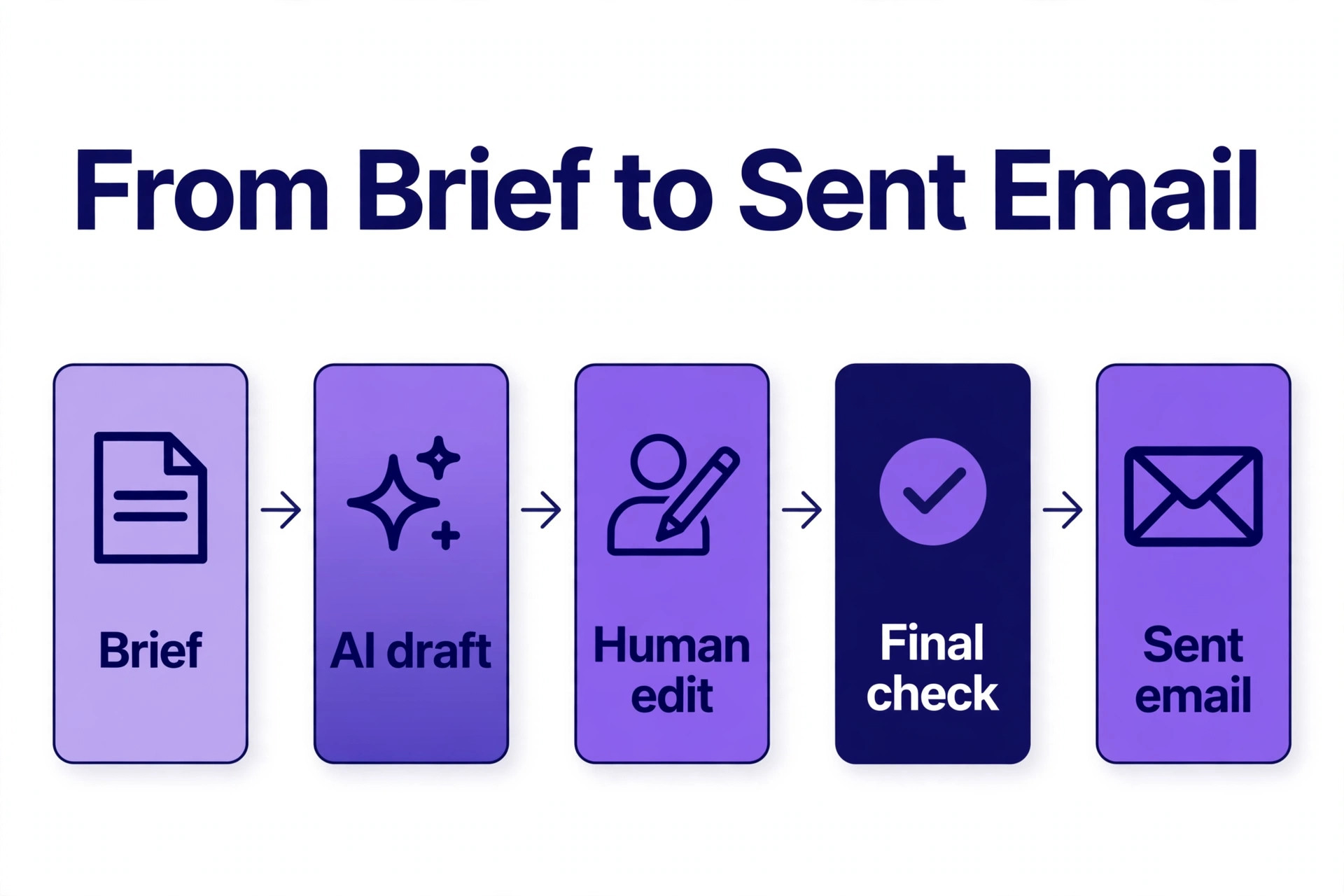
The Best Pick for Each Job
| Job | Pick | Why it wins |
|---|---|---|
| The best all round value | Rytr | Usable drafts from 9 dollars a month |
| Brand consistent campaigns | Jasper | Brand voice that shapes every output |
| Cold outreach that gets replies | Lavender | Live scoring with rewrite suggestions |
| Ecommerce campaigns | Omnisend | Subject lines and body copy inside the builder |
| Sales workflows at scale | Copy.ai | One brief runs across many emails |
| Writing inside Gmail | Gemini in Gmail | Drafts and replies where the inbox lives |
Use this table as a shortcut, then read the full section for the tool you are leaning toward. The cheapest option is not the best value when the drafts need a full rewrite, and the most expensive option is not the best choice when you only send a few emails a week.
The 10 Best AI Email Writers, Ranked
The 10 tools below fall into three groups. The first group is the dedicated writing tools, and these are the strongest all round picks for most small businesses. The second group is the sales and outreach tools, and these suit businesses whose emails have to win replies from strangers. The third group is the tools built into a platform you already use, and these suit businesses that want AI writing without adding another subscription.
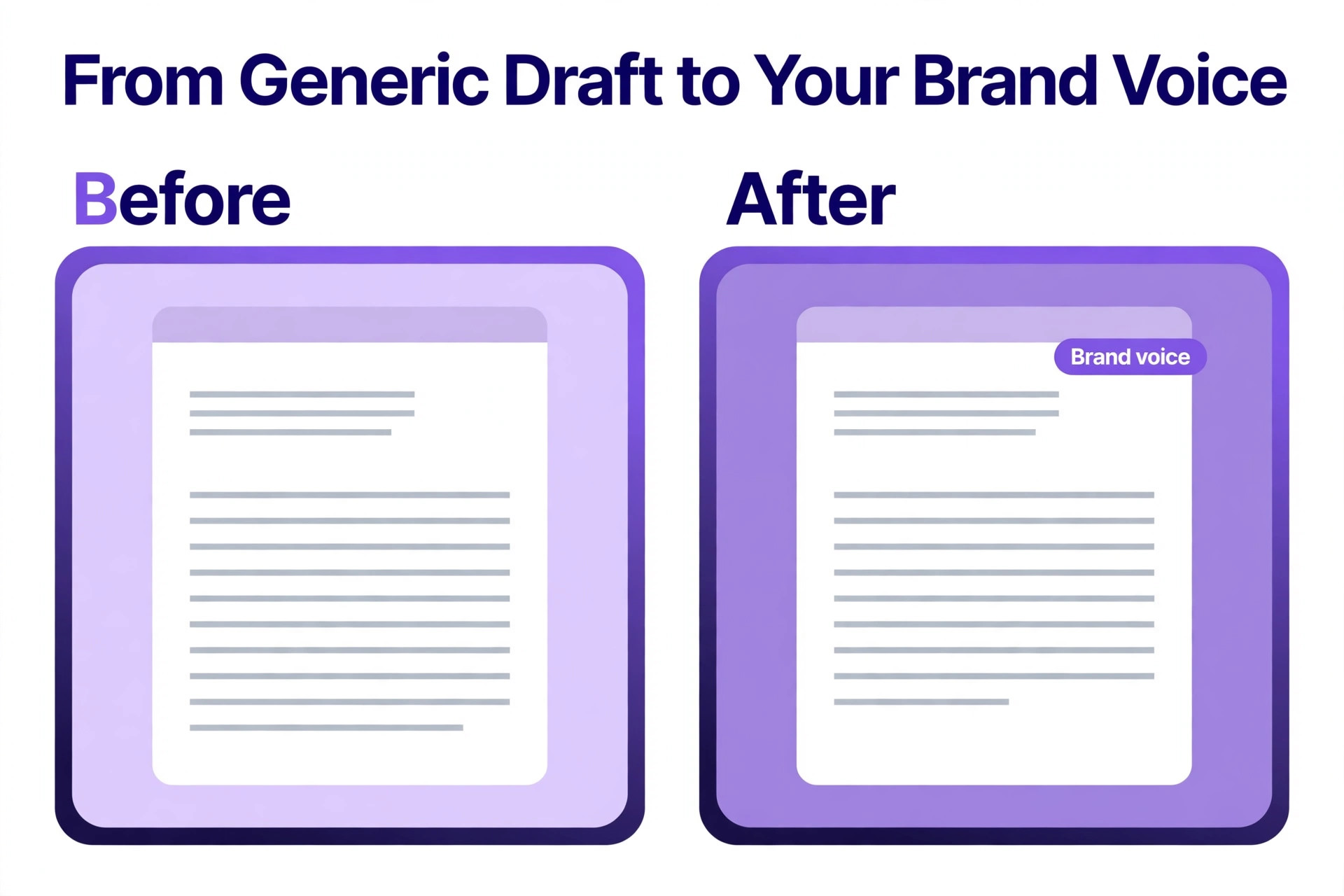
1. Rytr
Rytr is the best value pick on this list, and the tool most small businesses should try first. It generates full emails from a short prompt or a few keywords, offers more than 20 preset tones, and covers the short form jobs a small business actually sends, cold emails, follow ups, newsletters and product announcements. The output is not the most polished here, but it is usable, and at this price the editing time it saves is worth more than the subscription costs.
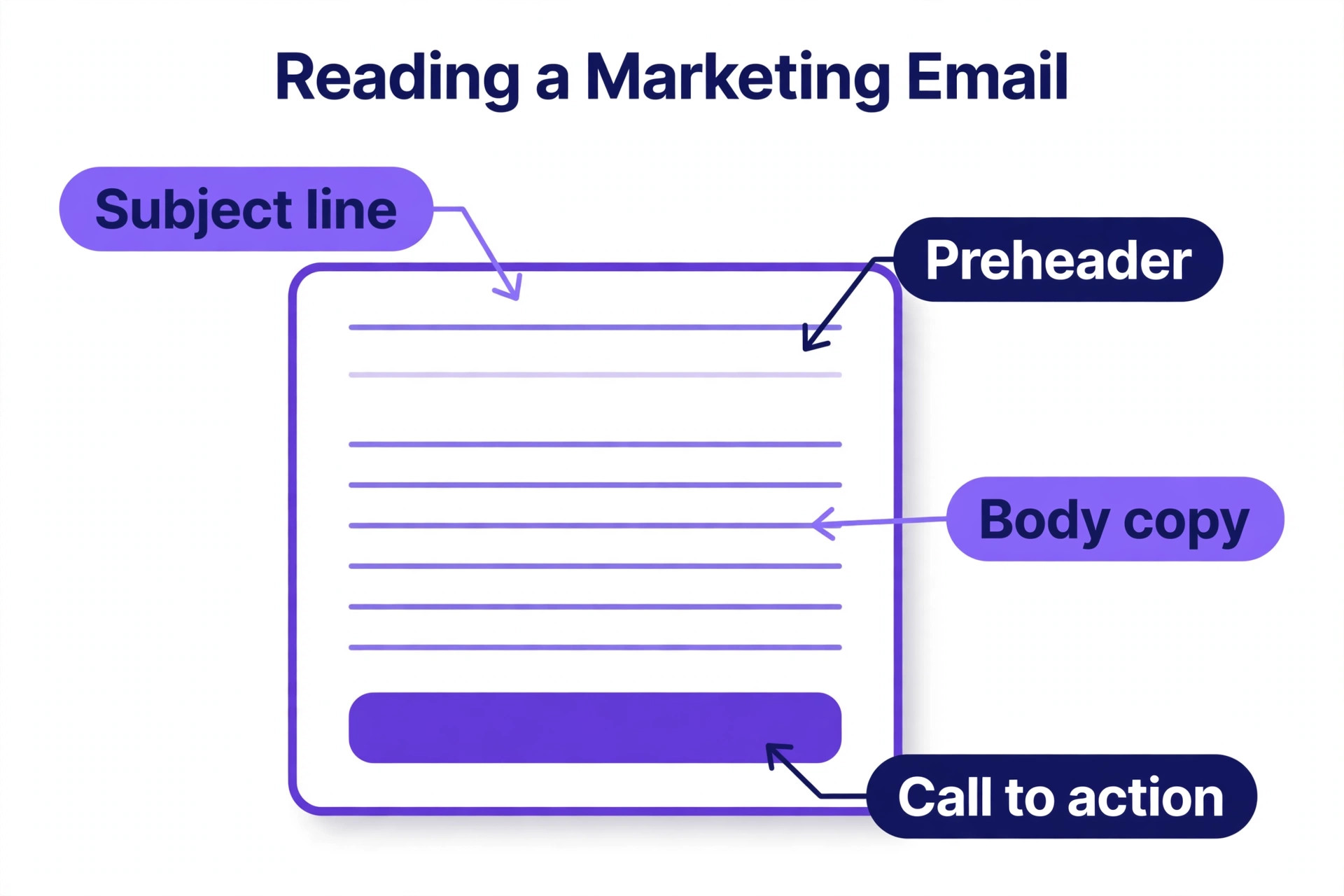
Pricing starts at 9 dollars a month for the Saver plan with 100,000 characters a month, and the free plan covers 10,000 characters a month. The Unlimited plan costs 29 dollars a month. There is no brand voice training, so a business that needs every email to sound exactly like its founder will need to edit more. Rytr fits freelancers and small businesses writing emails, posts and product descriptions on a small budget, and it is the cheapest credible option on this list by a wide margin.
2. Jasper
Jasper is the strongest all round option for small businesses that produce regular marketing copy, because its brand voice feature lets you upload samples of your existing content and define the tone in structured fields. Once configured, the output is noticeably closer to the actual voice of the business without manual adjustment, and that gap grows with volume. The tool covers emails, ads, product descriptions and landing pages from one dashboard, with campaign workflows that generate multi channel copy from one brief.
Pricing starts at 69 dollars per seat per month, with a seven day trial that includes all plan features. That is the highest price on this list, and it is overkill for a business that sends a handful of emails a week. Jasper fits in house marketing teams and small businesses producing campaigns, blogs, ads and emails at volume, where the brand voice feature saves hours of editing every week. A solo marketer should start cheaper and upgrade when the volume justifies it.
3. Copy.ai
Copy.ai is the best pick when email writing is a repeatable workflow rather than a one off task. The platform runs workflows that take one brief and produce many emails, so a sales team can generate a whole outreach sequence from a single product description, and a marketing team can turn one campaign brief into emails, ads and social posts. The shared workspace covers up to five seats on the entry plan, which suits a small team working from the same briefs.
Pricing starts at 29 dollars a month, including five seats, with a free plan that covers basic copy generation. The free tier does not include brand voice training, and the workflow setup takes longer than a simple tool like Rytr, so the first week is slower. Copy.ai fits small marketing and sales teams that send the same kinds of emails every week and want to systematise them. It is not the best choice for a solo business that only needs a quick draft now and then.
4. Writesonic
Writesonic is the best value mid range option, and the pick for businesses that want good cold emails without paying Jasper prices. The tool covers cold emails, sales copy, newsletters and subject lines, and its output quality on short emails is close to the more expensive tools. The interface is simple, the templates are practical, and the drafts need less editing than the budget tools.
Pricing starts at about 12.67 dollars a month on the entry plan, which puts it between Rytr and Jasper on price and on quality. There is a free trial, and the paid plans scale with word count rather than seats, which suits a solo business better than a per seat model. Writesonic fits small businesses that write cold emails and marketing emails every week and want a step up from the cheapest tools without jumping to a 69 dollar plan.
5. Lavender
Lavender is the best pick for sales outreach, because it does something no other tool on this list does, it scores every email live and tells you how to improve it before you send. The tool works inside Gmail, Outlook, Outreach and Salesloft, analyses the draft as you write, and suggests rewrites that lift the reply rate. It also coaches the writer over time, so the team gets better at outreach rather than just faster at it.
Pricing starts at 29 dollars a month, with a seven day free trial on the paid plans and a free plan that covers five email analyses and five personalisations a month. The free plan is too small for real use, so budget the paid plan from the start. Lavender fits sales teams and founders who send cold emails every day and measure success in replies, not in words written. It is not a general writing tool, and it will not write a newsletter, so pair it with a second tool when the business needs both.
6. Omnisend
Omnisend is the best pick for ecommerce campaigns, because the AI writing lives inside the email builder rather than in a separate app. The tool creates subject lines, preheaders and body copy in the same place the campaign is built, so the draft goes from idea to send without copying text between tools. The ecommerce focus shows in the output, because the tool writes product announcements, sale emails and abandoned cart emails that sound like a shop, not like a software company.
Pricing starts at 16 dollars a month, and the free plan covers 250 contacts and 500 emails a month with AI features included. That free plan is generous enough for a small shop to run real campaigns before paying. The trade off is scope, because Omnisend is an ecommerce marketing platform first and a writing tool second, so a business that does not sell online will find most of the platform irrelevant. Omnisend fits online shops that send campaigns every week and want the writing built into the sending tool.
7. HubSpot
HubSpot is the best pick for businesses that already run their marketing on HubSpot, because the AI writing tools sit inside the customer relationship system and know who each email is going to. The tool drafts marketing emails, follow ups and sales sequences, and it can pull in the contact name, the company and the deal stage without anyone copying data between apps. That context is what separates a personal email from a mail merge, and it is the reason HubSpot emails feel more relevant than drafts written in a standalone tool.
The AI writing features are included in the free customer relationship tools, and the paid Marketing Hub starts at 15 dollars a month. The free tier covers the basics, and the paid tiers add more automation and reporting. HubSpot fits small businesses that already use HubSpot for contacts and deals, and want the email writing to work from the same data. A business that does not use HubSpot should not adopt the whole platform just for the writing tool.
8. Scalenut
Scalenut is the best pick for businesses that write sales email copy as part of a wider content operation, because the platform covers email copy, blog content and search optimisation in one subscription. The email tool writes sales emails and follow ups from a short brief, and the content planning features help a small team keep the newsletter, the blog and the sales emails on the same message. The output quality on short emails is solid, and the templates are built for sales rather than general writing.
Pricing starts at 39 dollars a month, with a seven day free trial. That price is fair for a business that uses the whole platform, but it is expensive for email alone, because Rytr covers the same email jobs for 9 dollars a month. Scalenut fits small businesses that already need content planning and search tools alongside email writing. A business that only needs emails should pick a cheaper dedicated tool and spend the difference elsewhere.
9. Gemini in Gmail
Gemini in Gmail is the best pick for everyday correspondence, because the AI lives where the emails already are. The tool drafts replies, summarises long threads and suggests responses inside Gmail, so a business owner can clear the inbox without opening another app. The drafts are short, practical and close to the tone of the thread, which is exactly what a customer reply needs, and the summarise feature saves more time than the drafting feature on busy days.
Gemini is included with a Google Workspace plan or with a Google One AI Premium plan at about 20 dollars a month. There is no separate email writing subscription to buy, which makes it the cheapest option here for a business already paying for Google. The trade off is scope, because Gemini in Gmail writes replies and short emails well but is not built for campaigns, sequences or brand voice control. Gemini fits small businesses that live in Gmail and want help with the daily inbox rather than a marketing tool.
10. ChatGPT
ChatGPT is the best pick for a business that wants one AI tool for everything, because it writes emails, subject lines, newsletters and follow ups alongside every other writing job in the business. The free tier covers most email needs, and the Plus plan at 20 dollars a month adds faster responses, more capacity and access to the newest models. The quality of the output depends heavily on the prompt, so a business that writes good briefs gets good emails, and a business that writes vague briefs gets vague emails.
The trade off is workflow, because ChatGPT is a chat window rather than an email tool, so every draft must be copied into Gmail, Outlook or a marketing platform by hand. There is no brand voice memory, no template library for email sequences and no integration with the inbox. ChatGPT fits solo marketers and freelancers who are comfortable writing prompts and want one tool for emails, posts, product descriptions and everything else. A team that sends the same emails every week should pick a tool with templates and workflows instead.
How to Choose the Right AI Email Writer
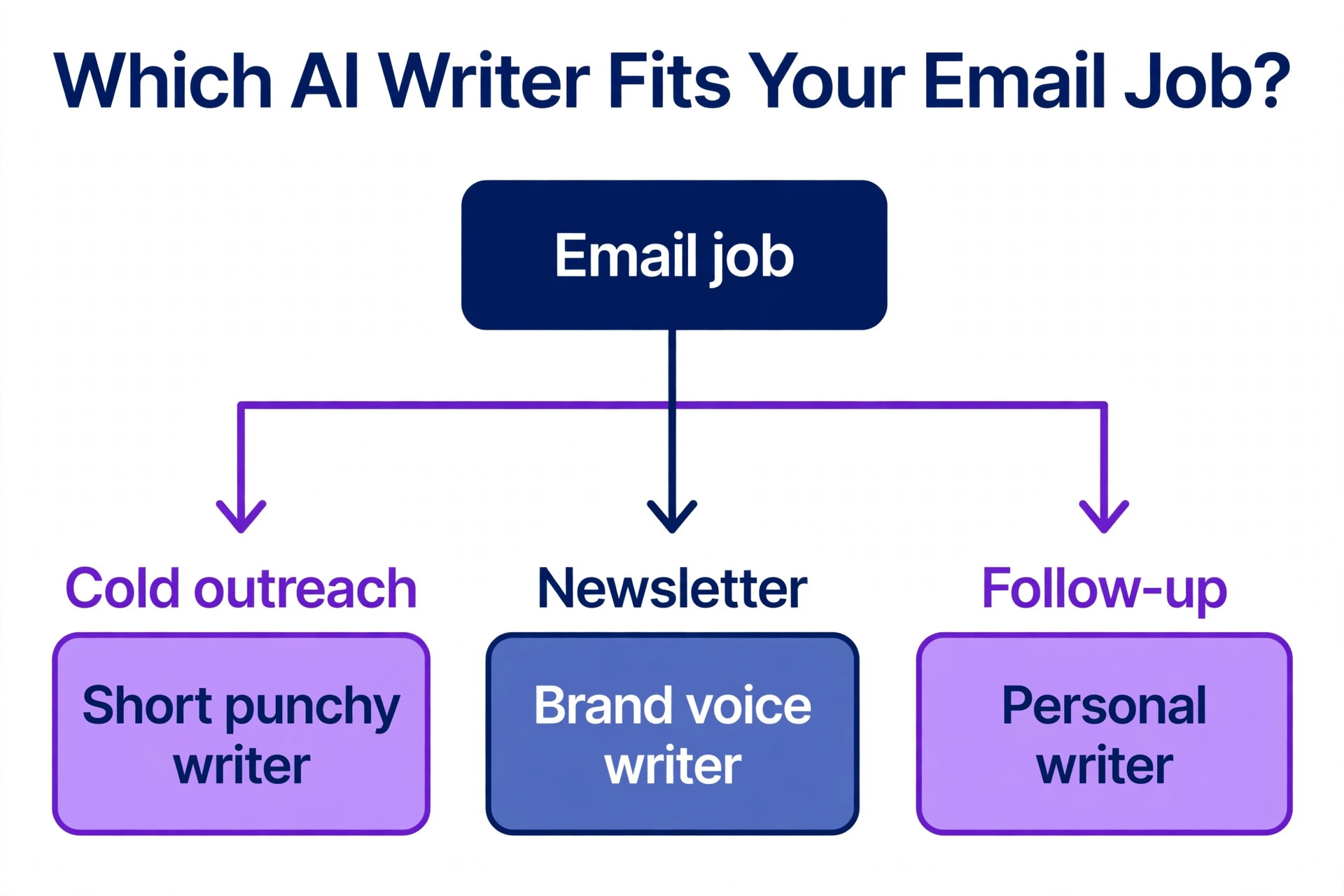
Start with the job the emails have to do, because the tools split cleanly by job. When the email must sell, the tool needs offer language, calls to action and subject lines that get opened, and Jasper, Copy.ai and Writesonic are the picks. When the email must win a reply from a stranger, the tool needs scoring and coaching, and Lavender is the only real pick. When the email is a campaign to an existing list, the tool needs to live inside the sending platform, and Omnisend or HubSpot are the picks. When the email is a daily reply, the tool needs to live inside the inbox, and Gemini in Gmail is the pick.
Next, check the brand voice control, because this is the feature that decides how much editing each draft needs. Jasper leads here, with brand voice guidelines that shape every output. Copy.ai and Scalenut offer brand voice on the paid plans. Rytr and ChatGPT offer none, so every draft needs a human pass to sound like the business. A business that sends 20 emails a week will save more time from brand voice control than from any other feature, so weigh it heavily when the volume is high.
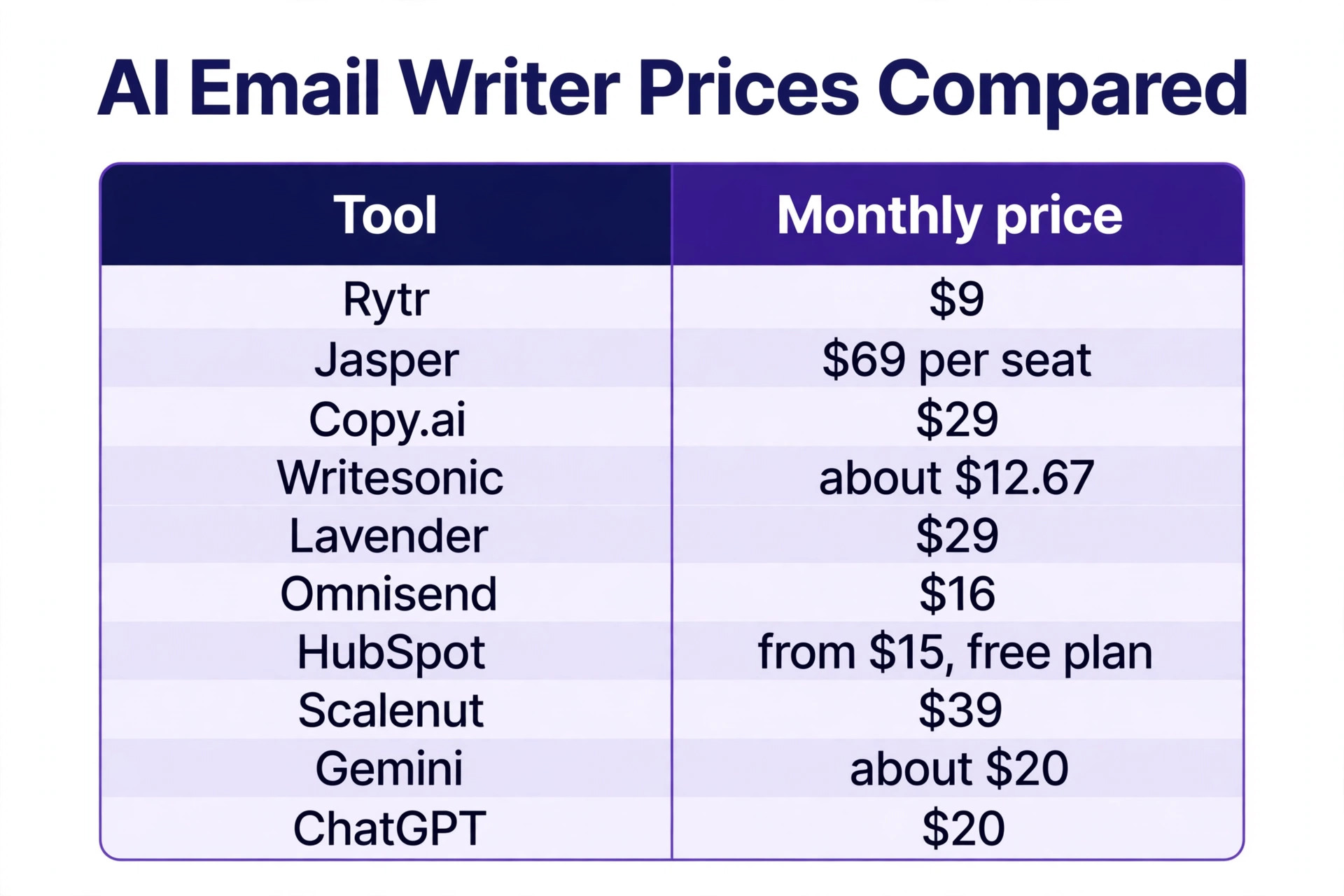
Then work out the true monthly cost at your volume. Rytr at 9 dollars a month is the cheapest usable option, Writesonic at about 12.67 dollars a month is the best mid range value, and Jasper at 69 dollars per seat per month is the most expensive by a wide margin. A per seat price multiplies fast, because a team of three on Jasper pays about 207 dollars a month, while the same team on Copy.ai pays 29 dollars a month for five seats.
The best ai email writers are the ones whose price stays fair when the team grows, so check the per seat maths before you commit. Finally, test before you pay, because every tool here offers a free plan or a free trial, and two test emails will tell you more than any feature list.
Mistakes That Waste Money
The most common mistake is sending an AI draft without reading it. AI writers invent facts, and an email that claims a discount that does not exist, a feature the product does not have, or a delivery date the business cannot meet will cost more in refunds and lost trust than the time saved was worth. Read every draft, check every number, and never let an AI write a promise the business has not made.
The second mistake is buying a subscription for a job the free tier already covers. A business that sends five emails a week does not need a 69 dollar plan, and Rytr free plan or ChatGPT free tier covers that volume easily. Upgrade only when the free tier actually limits you, because the paid features matter most at volume, and most small businesses never reach that volume.
The third mistake is using one tool for every kind of email. A tool that writes great newsletters can write terrible cold outreach, and a tool that scores cold emails cannot write a campaign. The best ai email writers are specialists, so match the tool to the job, and accept that a business with two email jobs may need two tools. A 9 dollar Rytr plan plus a 29 dollar Lavender plan still costs less than one Jasper seat, and covers more jobs better.
Our Verdict
Rytr is the pick for most small businesses, because 9 dollars a month buys usable drafts for the emails a small business actually sends, and the free plan covers 10,000 characters a month for anyone who wants to test it first. The output needs a human edit, but every tool on this list does, and Rytr asks the least money for the most useful drafts.
Jasper is the pick when brand voice matters more than price, because the 69 dollar per seat plan is the only one here that reliably writes in the voice of the business. Lavender is the pick for cold outreach, because the live scoring and rewrite suggestions lift reply rates in a way no other tool can match.
When the business sells online, Omnisend is the pick, because the writing lives inside the campaign builder and the free plan covers 250 contacts. When the business lives in Gmail, Gemini in Gmail is the pick, because it drafts and summarises where the inbox already is. The best ai email writers earn their price in the editing time they save, not on the homepage, so test two tools on the same five emails, count the edits each draft needs, and keep the one that gets closest to send ready.
Frequently Asked Questions
Which of the best ai email writers is the cheapest?
Rytr is the cheapest usable option, because the Saver plan costs 9 dollars a month for 100,000 characters, and the free plan covers 10,000 characters a month. ChatGPT and Gemini in Gmail are free at the entry level, but ChatGPT needs a 20 dollar Plus plan for heavy use and Gemini needs a Google Workspace or Google One AI Premium plan at about 20 dollars a month. Writesonic starts at about 12.67 dollars a month, Omnisend starts at 16 dollars a month, and Jasper is the most expensive at 69 dollars per seat per month. The cheapest tool is the right choice when the emails are short and the volume is low.
Can AI email writers match my brand voice?
It depends on the tool, and the gap between the best and the worst is large. Jasper leads here, because its brand voice feature learns from samples of your existing content and applies the tone to every output. Copy.ai and Scalenut offer brand voice on their paid plans. Rytr, ChatGPT and Gemini in Gmail offer no brand voice training, so every draft needs a human edit to sound like your business. When brand voice matters, test the tool with three of your own past emails and compare the drafts with the originals before you pay.
Will AI written emails hurt deliverability?
AI written emails do not hurt deliverability on their own, because spam filters score the sending domain, the engagement and the content patterns, not whether a human or a machine wrote the words. What hurts deliverability is sending identical AI drafts to a whole list, because identical emails with the same subject line and the same body trigger spam filters and bore the readers who do open them. Personalise each email with the recipient name and one detail about their business, vary the subject lines, and keep the list clean. A good AI draft with a human edit delivers as well as a fully human email.
What is the best AI email writer for cold outreach?
Lavender is the best pick for cold outreach, because it scores every email live and suggests rewrites that lift the reply rate, and it works inside Gmail, Outlook, Outreach and Salesloft. Writesonic is the runner up, because it writes solid cold emails at about 12.67 dollars a month. Copy.ai is the pick when the outreach is a repeatable workflow across many prospects, because one brief can generate a whole sequence. The tool matters less than the email itself, so keep the outreach under 120 words, lead with the prospect problem rather than your product, and ask for one clear next step.
Can I use an AI email writer for free?
Yes, several tools on this list have genuinely useful free plans. Rytr is free for 10,000 characters a month, Omnisend is free for 250 contacts and 500 emails a month with AI features included, HubSpot AI writing is included in the free customer relationship tools, and ChatGPT has a free tier that covers most email needs. Lavender is free for five email analyses and five personalisations a month, which suits a test rather than real use. A free plan is the right way to test the quality, and you should move to a paid plan only when the free tier actually limits the volume you send.
Do AI email writers work inside Gmail and Outlook?
Some do and some do not, and the difference matters more than the feature list. Lavender works inside Gmail, Outlook, Outreach and Salesloft, and Gemini in Gmail works inside Gmail. Jasper, Copy.ai, Rytr, Writesonic and Scalenut work in a web app, so every draft must be copied into the inbox by hand. Omnisend and HubSpot work inside their own marketing platforms. When the business sends most emails from Gmail or Outlook, a tool that lives in the inbox saves more time than a tool with better templates but a separate app.
A good AI email writer is a first draft machine, not a replacement for judgement. Pick the tool that fits the job your emails have to do, read every draft before you send it, and keep the one that gets closest to send ready with the least editing. The best ai email writers are the ones you stop noticing, because the draft arrives, you make three small edits, and the email goes out sounding like you wrote it yourself.