A five person team pays between 0 and 1,500 dollars a year for AI meeting notes, and the gap comes down to one choice. Fathom records unlimited meetings free, while Otter Pro costs 99.96 dollars a year per person for 1,200 minutes a month. The cheapest paid plan in this category starts at 8.33 dollars per user a month, and the dearest team plan reaches 25 dollars per user a month, before AI add ons and seat minimums. This guide compares ai meeting note tools pricing across ten tools, with the free limits, the team maths and the hidden fees spelled out, so you can see the real yearly bill before you invite your team.
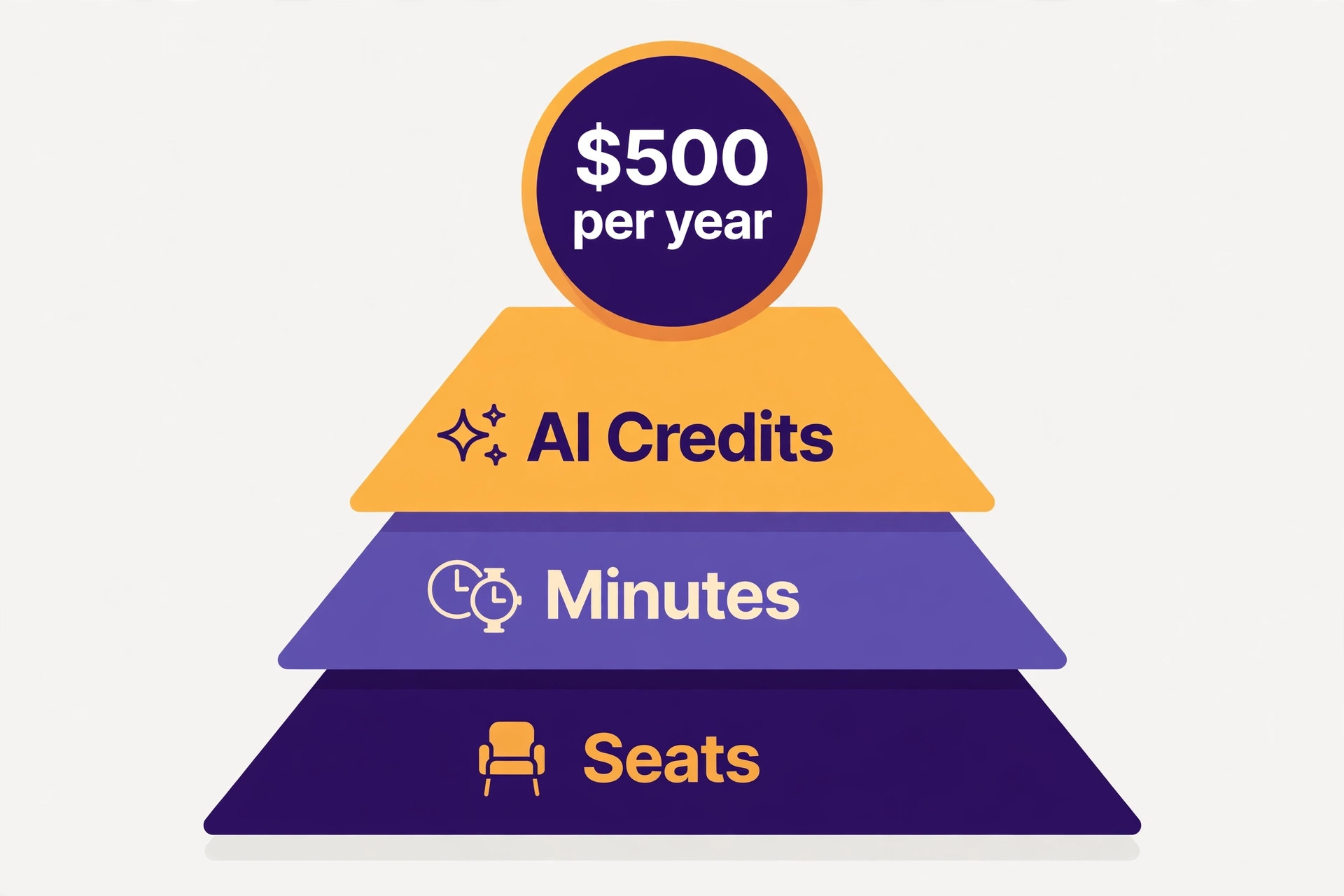
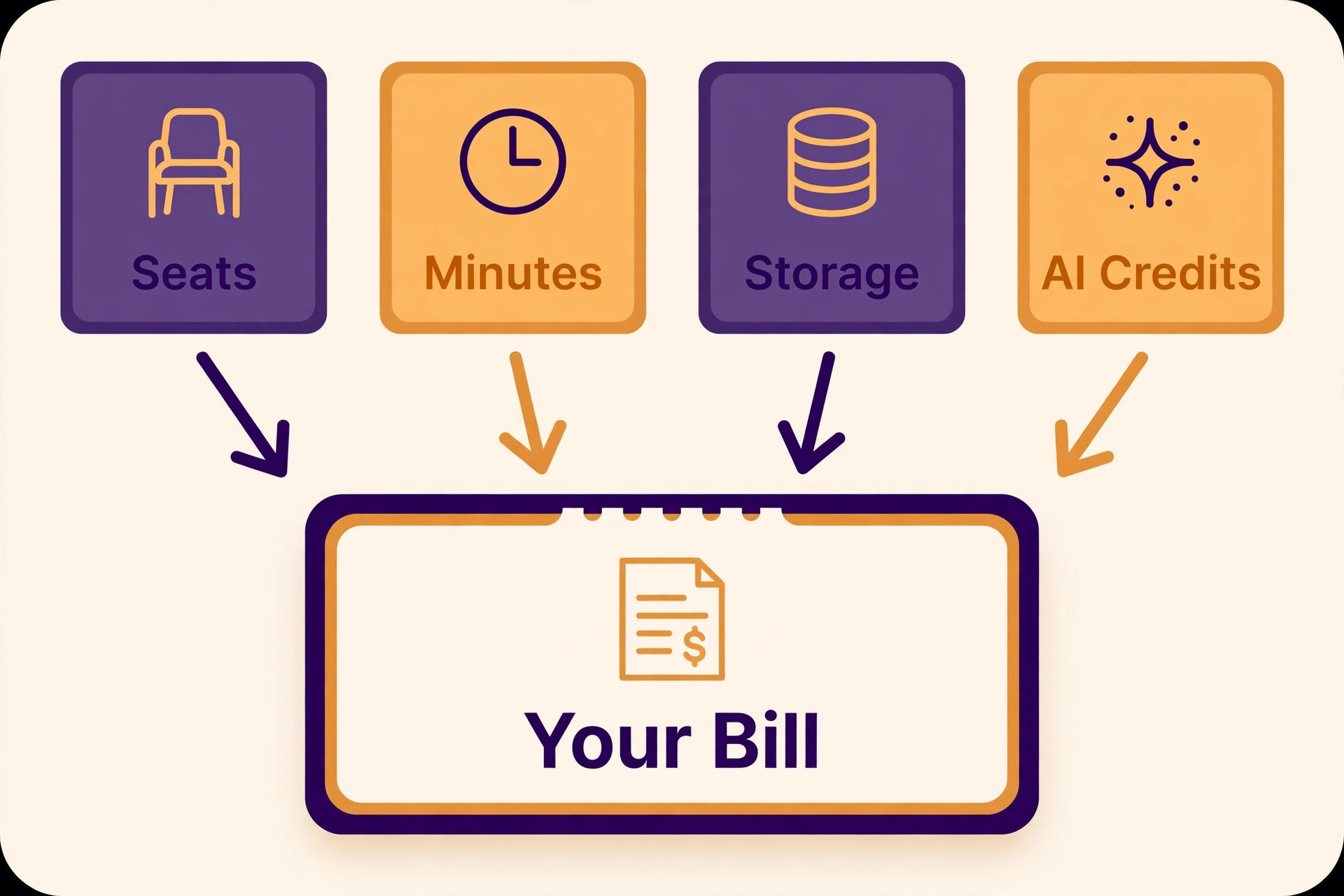
Most buyers compare the monthly sticker price and stop there. That is the wrong comparison, because meeting note tools bill in four different ways at once. They charge per seat, they cap minutes, they cap storage, and they charge extra for AI features such as action items, summaries and asking questions about past meetings. A tool that looks cheap at 10 dollars a seat can cost more than a tool at 16 dollars a seat once you add the seats your whole workspace must buy, the minutes your team actually uses, and the AI credits that run out mid month.
The second fact that shapes this category is that the free plans are genuinely usable, and one of them is unusually generous. Fathom gives unlimited recordings and transcriptions free, with instant summaries included. That single fact changes the maths for a solo user and for a small team, because the right answer for many readers is to pay nothing at all. The paid plans earn their money when you need a shared team library, CRM sync, advanced summaries, longer history, or admin controls, and this guide shows exactly where each free plan stops.
Prices in this guide were checked against vendor pricing pages and current 2026 roundups in November 2026. Meeting note pricing changes often, and several vendors show different prices by region or run short promotions, so confirm the price on the checkout page before you pay. All prices below are in US dollars per user per month unless stated otherwise, and annual billing is noted where it changes the monthly figure.
How Meeting Note Tools Charge You
Almost every tool in this category charges per seat, not per meeting, and that single fact shapes ai meeting note tools pricing more than any feature list. In an October 2026 check of eleven tools, none offered true pay per meeting pricing. The differences sit on top of the seat price. Otter caps minutes, Fireflies caps storage and AI credits, Fathom and Read AI set minimum seat counts on team plans, and several tools charge every workspace member as a paid seat whether that person records meetings or only reads the notes.
Minute caps are the first limit to understand. Otter Free gives 300 minutes a month with 30 minutes per conversation, and Otter Pro gives 1,200 minutes a month with 90 minutes per conversation. Notta Free gives 120 minutes a month but only 3 minutes per conversation, which makes it a demo rather than a working plan. Sembly Free gives one hour of recording a month. Fathom Free gives unlimited recordings and transcriptions, which is why it leads this guide on value.
AI Meeting Note Tools Pricing in 2026 at a Glance
| Tool | Free plan | Entry paid plan, annual billing | What the free plan really gives you |
|---|---|---|---|
| Fathom | Yes | Premium 16 dollars a month | Unlimited recordings and transcriptions |
| Otter | Yes | Pro 8.33 dollars a month | 300 minutes a month, 30 minutes per call |
| Fireflies | Yes | Pro 10 dollars a month | Unlimited transcription, 400 minutes storage |
| Granola | Yes | Business 14 dollars a month | Unlimited notes, 30 days of history |
| Notta | Yes | Pro 8.17 dollars a month | 120 minutes a month, 3 minutes per call |
| Read AI | Yes | Pro 15 dollars a month | 5 meetings a month, 1 hour each |
| Sembly | Yes | Basic 10 dollars a month | 1 hour of recording a month |
| Avoma | Yes | 19 dollars a seat a month | Limited free tier, sales focused |
| tl;dv | Yes | 29 dollars a seat a month | Free tier with clip sharing |
| Fellow | Yes | Team 7 dollars a month | 5 AI notes and recordings, lifetime |
Use this table as a shortcut for ai meeting note tools pricing, then read the tool sections below for the team plans, the minute caps and the limits that decide the real bill. The cheapest entry price is not the cheapest yearly bill once seat minimums and minute caps are counted.
The Ten Tools, Priced in Full
The ten tools below are ordered by value for a small team, starting with the free plan that costs nothing and ending with the sales focused tools that cost more but do more. Each section gives the free plan, the entry paid plan, the team plan, and the limit that matters most.
1. Fathom
Fathom has the most generous free plan in this category. Its pricing page lists unlimited recordings and transcriptions, instant AI call summaries, clips and search across calls on the free tier, with a choice of a meeting bot or bot free capture in beta. That means a solo user or a small team can run Fathom for months without paying, and the only reason to upgrade is advanced features, not basic recording.
Premium costs 20 dollars a month, or 16 dollars a month billed yearly, which is 192 dollars a year. It adds advanced summaries, AI generated action items and a conversational assistant you can ask about past calls. Team costs 19 dollars per user a month, or 15 dollars billed yearly, with a two user minimum. Business costs 34 dollars a month, or 25 dollars billed yearly. Over three years, Fathom Premium comes to 576 dollars per person, which is dearer than Granola Business at 504 dollars over the same period, so the free plan is the real bargain here, not the paid tier.
Fathom works on Zoom, Google Meet and Microsoft Teams. It fits best when your meetings all happen on video calls, when you want unlimited recording free, and when you run sales or client calls that need clips and search. It fits worst when you need in person recording without a video call, because the bot free capture is still in beta and the core product is built around video meetings.
2. Otter
Otter is the best known name in this category, and its pricing is built around minute caps. The free Basic plan gives 300 minutes a month with 30 minutes per conversation, which covers about ten short meetings a month. Pro costs 16.99 dollars a month, or 8.33 dollars a month billed yearly, which is 99.96 dollars a year. Pro gives 1,200 minutes a month, 90 minutes per conversation, and 10 imports a month. Business costs 30 dollars a month, or 19.99 dollars billed yearly, and covers up to 25 users.
Otter works on Zoom, Google Meet and Microsoft Teams, and it also covers lectures, interviews and live captions, which is a use case the other tools handle less well. It transcribes in six languages on the paid plans. The minute cap is the limit to watch, because a team that records every meeting will use 1,200 minutes faster than it expects. A single person in back to back meetings can burn through a month allowance in two busy weeks, and the fix is the Business plan or a second tool.
Otter fits best when you need live captions, when you record lectures or interviews as well as meetings, and when you want the lowest priced paid plan in this list. It fits worst when your team records long meetings every day, because the minute cap will force an upgrade sooner than the sticker price suggests.
3. Fireflies
Fireflies joins Zoom, Google Meet, Teams and other platforms, transcribes in more than 100 languages, and lets you search everything said across your meetings. That search archive is its strongest feature, because a team that records hundreds of meetings needs to find one sentence from three months ago, not just read last week summary. It also takes uploaded audio and video, and it connects to CRMs and more than 100 other tools.
The free plan gives unlimited transcription, limited AI summaries and 400 minutes of storage per team. Pro costs 18 dollars a seat a month, or 10 dollars billed yearly, which is 120 dollars a year. Pro adds unlimited AI summaries, 8,000 minutes of storage per seat, video recording, transcript downloads, action items and unlimited integrations. Business costs 29 dollars a month, or 19 dollars billed yearly. Enterprise costs 39 dollars per seat a month on annual billing only.
The catch is that every workspace member is a paid seat, so a team of ten pays for ten seats even when only five people record meetings. That rule doubles the bill for teams that invite the whole company to read notes. Fireflies fits best for teams that need a searchable archive in many languages and deep CRM sync. It fits worst for a large workspace where most members only read notes occasionally.
4. Granola
Granola records your computer audio instead of sending a bot into the call, which is why people who hate meeting bots choose it. No bot joins the meeting, no participant sees a recording notice from a third party tool, and the notes are written on your own device. It works on Zoom, Meet, Teams, Slack Huddles and in person meetings, which is a wider range than most tools here.
The free Basic plan gives unlimited meeting notes with 30 days of history. Business costs 14 dollars per user a month for unlimited notes and history, and Enterprise costs 35 dollars per user a month. There is no yearly discount listed on the Business plan, so the monthly price is the yearly price, which makes the maths simple. Over three years, Granola Business comes to 504 dollars per person, which is cheaper than Fathom Premium over the same period.
Granola fits best when you do not want a bot in your calls, when you take notes in person as well as on video, and when you want a simple flat price with no minute cap to watch. It fits worst when you need a shared team library with admin controls and CRM sync, because its team features are thinner than Fireflies or Avoma.
5. Notta
Notta is an AI transcription and meeting minutes tool that supports more than 50 languages, and it is one of the few tools where Asian language transcription is genuinely strong rather than an afterthought. It records online meetings through a bot that joins Zoom, Microsoft Teams, Google Meet and Webex, transcribes uploaded audio and video, and can capture in person conversations through its mobile app.
The free plan costs nothing and gives 120 transcription minutes a month, but only the first 3 minutes of each conversation, with 10 AI summaries a month and 50 uploads a month. That 3 minute limit makes the free plan a way to see the interface, not a way to take notes on a normal call. Pro costs 13.49 dollars a month, or 8.17 dollars billed yearly, which is 97.99 dollars a year. Pro gives 1,800 transcription minutes a month, recordings up to 5 hours, 100 uploads and 100 AI summaries a month. Business costs 27.99 dollars a month, or 16.67 dollars per seat billed yearly, with unlimited transcription and 200 AI summaries a month.
Notta also sells add ons. Monolingual translation costs 6 dollars a month billed yearly, bilingual transcription and translation costs 9 dollars a month billed yearly, and Notta Brain costs 93.59 dollars a year for 8,000 AI credits a month. Notta fits best for multilingual teams, especially teams working across Asian languages. It fits worst for a team that only meets in English, because the free plan is too limited and the paid plans cost the same as stronger English first tools.
6. Read AI
Read AI is the pick when you want meeting analytics as well as notes. It scores engagement, tracks who talks and for how long, and gives a meeting health report that a manager can use to run shorter, better meetings. That analytics layer is the reason to pay for it, because the transcription and summaries alone are available cheaper elsewhere.
The free plan gives 5 meetings a month, up to 1 hour per meeting. Pro costs 19.75 dollars a month, or 15 dollars a user a month billed yearly. Enterprise costs 29.75 dollars a month, or 22.50 dollars a user a month billed yearly. Read AI works on Zoom, Microsoft Teams and Google Meet, and it transcribes in more than 20 languages. There is no in person recording, and every meeting needs the bot to join.
Read AI fits best for managers who want to measure meeting quality, for teams that run many recurring meetings and want to cut the weak ones, and for companies that already track productivity data. It fits worst for a solo user who only needs a transcript, because the free plan covers only 5 meetings a month and the paid plan costs more than Otter Pro or Fireflies Pro for the same basic job.
7. Sembly
Sembly records meetings on Zoom, Microsoft Teams, Google Meet and Webex, and it is built for multi speaker calls where several people talk over each other. It identifies speakers, builds summaries and action items, and connects to CRMs so the notes land where the sales team already works. It also has a mobile app for in person capture.
The free plan gives 1 hour of meeting recording a month, which covers about two short meetings. Basic costs 17 dollars a month, or 10 dollars a month billed yearly, for one user. Pro costs 29 dollars a month, or 20 dollars per user a month billed yearly. Sembly does not list a free plan with the same generosity as Fathom, and the Basic plan is for a single user, so a team must budget for Pro seats.
Sembly fits best for sales teams that run multi speaker calls, for teams that need CRM sync on a budget, and for users who want a mobile app for in person meetings. It fits worst for a casual user who only needs a few meetings a month, because the free hour runs out fast and the paid plans cost more than Otter or Fireflies for the same minutes.
8. Avoma
Avoma is a sales focused meeting assistant, and its price reflects that. It records, transcribes and summarizes meetings, then adds conversation intelligence, deal tracking and coaching features that a sales manager uses to review calls and coach reps. That extra layer is the product, and a team that only needs notes will pay for features it never opens.
Avoma fits best for sales teams that want call coaching and deal insight alongside notes, and for managers who review calls every week. It fits worst for general teams, for internal meetings with no sales angle, and for any buyer who compares it on note taking price alone, because at 19 dollars a seat it is nearly double the price of Otter Pro.
9. tl;dv
tl;dv is the pick when you share clips rather than full transcripts. It records meetings on Zoom, Google Meet and Microsoft Teams, transcribes them in more than 30 languages, and lets you cut short clips with timestamps and share them with people who missed the meeting. That clip workflow suits product teams, user research teams and anyone who needs to show a two minute moment instead of asking a colleague to read a ten page transcript.
tl;dv fits best for user research, product feedback and async teams that share moments across time zones. It fits worst for a team that only needs a written summary after each meeting, because the clip features add cost without adding value to that job.
10. Fellow
Fellow is a meeting management tool with AI notes built in, rather than a pure note taker. It covers agendas, action items, feedback and meeting templates, and the AI notes sit inside that wider workflow. That makes it a good fit for a team that wants to fix meetings themselves, not just record them.
Fellow fits best for teams that run structured meetings with agendas and follow ups, and for managers who want action items tracked across meetings. It fits worst for a team that only needs transcription and summaries, because the free allowance is tiny and the core note taking is thinner than Fathom, Otter or Fireflies.
What a Team Actually Pays
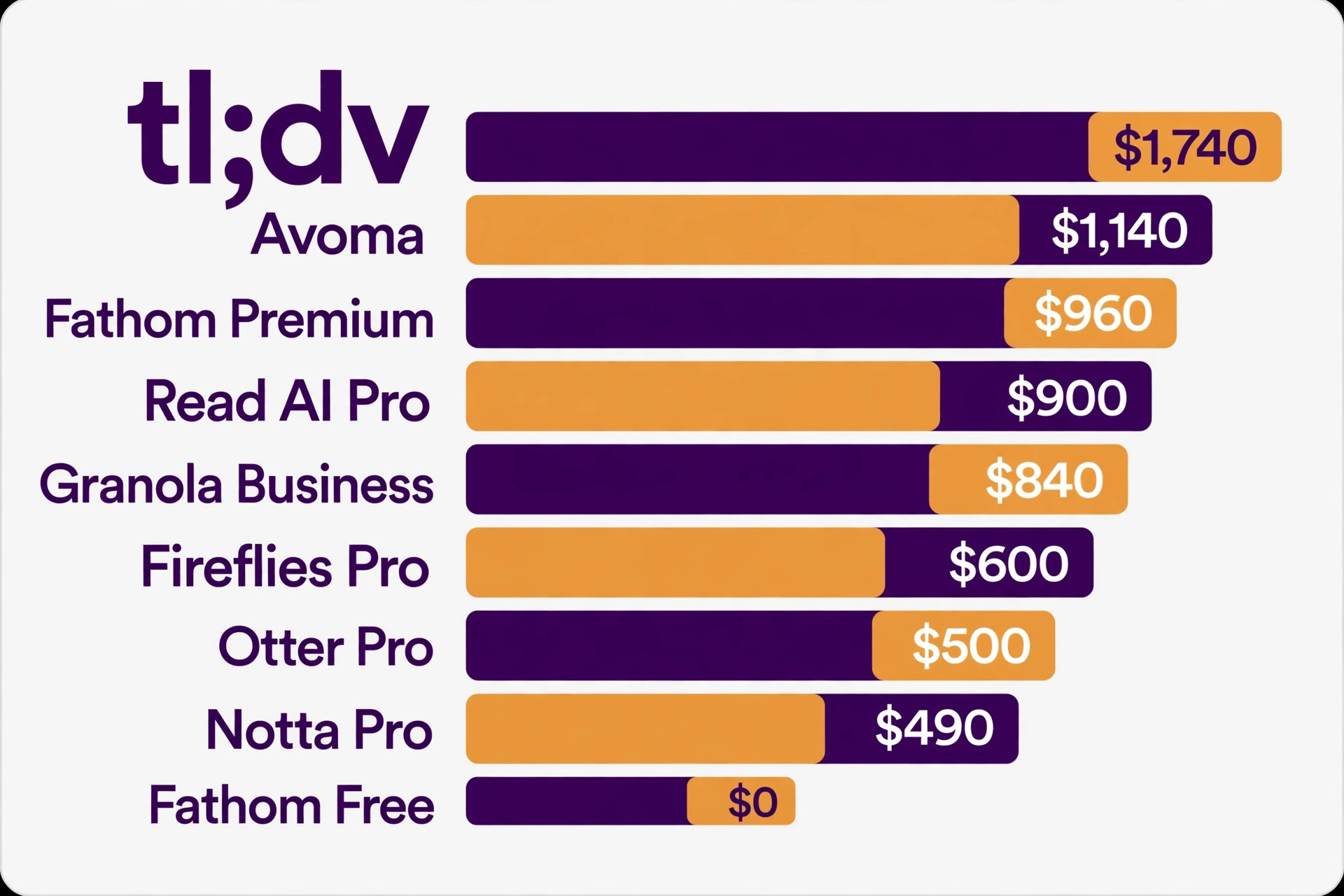
The sticker price is per person, so multiply it before you compare, because ai meeting note tools pricing only makes sense as a yearly team bill. The table below shows the yearly bill for a team of five on the entry paid plan of each tool, using annual billing where the vendor offers it. That is the number that matters for a budget, not the monthly figure on the pricing page.
| Tool | Entry paid plan, per user a month | Five users, one year |
|---|---|---|
| Fellow Team | 7 dollars | 420 dollars |
| Otter Pro | 8.33 dollars | 500 dollars |
| Notta Pro | 8.17 dollars | 490 dollars |
| Fireflies Pro | 10 dollars | 600 dollars |
| Sembly Basic | 10 dollars, one user only | 600 dollars for one, Pro for a team |
| Granola Business | 14 dollars | 840 dollars |
| Read AI Pro | 15 dollars | 900 dollars |
| Fathom Premium | 16 dollars | 960 dollars |
| Avoma | 19 dollars a seat | 1,140 dollars |
| tl;dv | 29 dollars a seat | 1,740 dollars |
Fathom Free costs 0 dollars for the same five users, which is why the free plan deserves a real trial before you pay for anything. A team that records all its meetings on Zoom, Meet or Teams can run Fathom free for a month, count the meetings, check the summaries, and only then decide whether a paid plan adds anything worth paying for. That trial costs nothing and answers the pricing question better than any comparison table.
Hidden Fees and Limits to Watch
AI add ons are the hidden cost in ai meeting note tools pricing in 2026. Zendesk style per resolution billing has reached meeting tools too, and several vendors now charge for AI features on top of seats. Notta Brain costs 93.59 dollars a year for extra AI credits, Fireflies charges AI credits per seat, and Read AI charges more for its analytics tier. Budget for the AI features you will actually use, not just the seat price.
Storage is the second hidden cost. Fireflies Free caps storage at 400 minutes per team, and a team that records ten hours of meetings a week will fill that in a month. Granola Free caps history at 30 days, so notes older than a month disappear unless you pay for Business. Check the retention period on every plan, because a tool that deletes your archive is charging you to keep your own history.
Language support is the third hidden cost. Otter covers six languages on paid plans, Notta covers more than 50, Fireflies covers more than 100, and tl;dv covers more than 30. A team that meets in two or three languages must check that each language is included in the plan it buys, because some vendors charge extra for translation add ons, and Notta charges 6 to 9 dollars a month for translation features on top of the seat price.
- Confirm whether every workspace member pays, including people who only read notes.
- Confirm the minute cap, the storage cap and the history limit on the plan you buy.
- Confirm whether advanced summaries, action items and AI chat cost extra.
- Confirm the seat minimum and whether monthly billing costs more than annual billing.
- Confirm which languages are included, and whether translation is an add on.
Mistakes That Waste Money
The most common mistake is paying for a tool when the free plan already covers the job. A solo user who records four meetings a week on Zoom can run Fathom free indefinitely, and a small team that meets on video can do the same. Paying 500 to 1,000 dollars a year for summaries you already get free is the easiest money to save in this whole category. Trial the free plan for a full month before you enter card details.
The second mistake is buying seats for readers. A team invites the whole company to a Fireflies workspace, and every member becomes a paid seat, even the people who never record a meeting. Keep the paid workspace small, share notes by link or export where the tool allows it, and only pay for the people who record. That single change can cut the bill in half.
The third mistake is ignoring the minute cap until it bites. A team buys Otter Pro for 1,200 minutes a month, records every standup and every client call, and runs out in week three. The fix is either a higher plan or a tool with unlimited recording, and both cost more than choosing correctly at the start. Count your meeting minutes for a month before you buy, and pick the plan whose cap covers that number with room to spare. The real ai meeting note tools pricing question is not what the plan costs, it is what the plan costs when your team actually uses it.
Our Verdict
Fathom is the pick for most readers on ai meeting note tools pricing, because the free plan gives unlimited recordings and transcriptions with instant summaries, and that covers the whole job for a solo user or a small team at 0 dollars. Pay for Premium at 16 dollars a month billed yearly only when you need advanced summaries, action items and the AI assistant that answers questions about past calls.
Otter Pro is the pick when you need live captions, lectures and interviews as well as meetings, because 8.33 dollars a month billed yearly is the lowest paid price in this list for a full featured tool. Fireflies Pro is the pick for teams that need a searchable archive in more than 100 languages and deep CRM sync, at 10 dollars a seat a month billed yearly. Granola Business is the pick when you do not want a bot in your calls, at a flat 14 dollars a month with no minute cap to watch.
Start free, count your minutes, and only pay when a paid feature earns its place. A meeting note tool you use every day is worth paying for, and a meeting note tool you pay for and ignore is the most expensive tool in this list.
Frequently Asked Questions
What is the cheapest AI meeting note tool?
Fathom Free is the cheapest, because it costs 0 dollars and gives unlimited recordings and transcriptions with instant summaries. Among paid plans, Fellow Team at 7 dollars per user a month billed yearly is the cheapest team plan, and Otter Pro at 8.33 dollars a month billed yearly is the cheapest full featured paid plan for a solo user. The cheapest plan is not always the best value, because Fellow gives only 5 AI notes free and Otter caps you at 1,200 minutes a month, while Fathom Free has no minute cap at all.
How much does Otter cost per year?
Otter Pro costs 99.96 dollars a year per person on annual billing, which is 8.33 dollars a month. Monthly billing costs 16.99 dollars a month, which is 203.88 dollars a year, so annual billing saves more than 100 dollars a year per person. Otter Business costs 239.88 dollars a year per person on annual billing, or 19.99 dollars a month, and it covers up to 25 users with more minutes and more imports.
Is Fathom really free?
Fathom Free is free with no card required, and it lists unlimited recordings and transcriptions, instant AI summaries, clips and search across calls. The paid plans add advanced summaries, AI generated action items, a conversational assistant, team features and admin controls. The free plan is a working product, not a trial, and many solo users and small teams never need to upgrade. Check the current pricing page before you rely on it, because free plan terms can change.
Do meeting note tools charge per meeting or per user?
Almost all of them charge per user per month, not per meeting. In an October 2026 check of eleven tools, none offered true pay per meeting pricing. The differences sit on top of the seat price, in minute caps, storage caps, AI credits and seat minimums. That is why the team maths matters more than the monthly sticker price, because a 10 dollar seat for ten people costs 1,200 dollars a year, while a free plan for the same ten people costs nothing.
Which meeting note tool is best for sales teams?
Avoma is the best fit for sales teams that want call coaching and deal insight alongside notes, because it adds conversation intelligence and deal tracking to the transcript. Fireflies is the best fit for sales teams that need a searchable archive and CRM sync at a lower price, at 10 dollars a seat a month billed yearly. Fathom is the best fit for sales teams that want unlimited recording free with clips and search, and only pay when they need advanced summaries and action items.
Can I use a meeting note tool without a bot joining the call?
Yes, with Granola, which records your computer audio instead of sending a bot into the call, and with Fathom, which offers bot free capture in beta alongside its normal bot. Otter, Fireflies, Read AI, Sembly and tl;dv all join as a bot by default, and some offer a browser extension that can record without a bot in some cases. When a bot free call matters to you, test that exact setup before you pay, because the feature may be in beta or limited to certain platforms.
A meeting note tool should save you time after the meeting, not create a new bill to manage. Trial the free plan, count your minutes, check who pays for a seat, and pick the plan whose limits match the way your team actually meets.