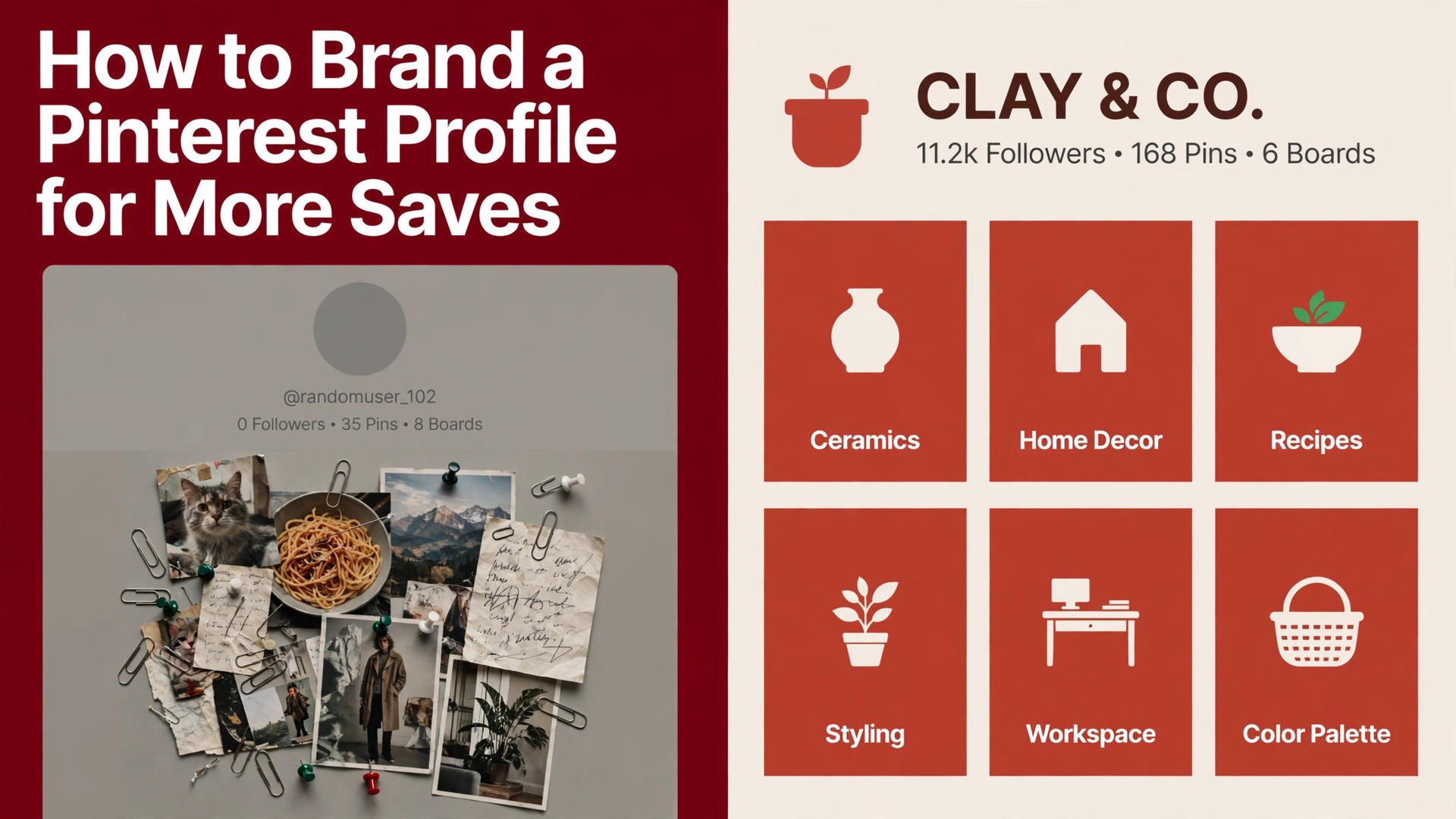
Two profiles pin the same recipe, and one gets saved a hundred times while the other gets scrolled past. The difference is rarely the recipe. It is the profile behind the pin, with a clear name, a readable bio, matching board covers, and pins that look like they came from one brand. That is the whole job of how to brand a pinterest profile, and it matters because Pinterest is a search engine dressed as a feed, where people arrive with intent and save what looks trustworthy. A branded profile turns a single good pin into a reason to follow, and a follow turns one save into traffic that compounds for months.
Pinterest reported 631 million monthly active users globally in the first quarter of 2026, up 11 percent from the year before, and that audience behaves differently from any other social feed. People come to Pinterest to plan, not to scroll, which means they search for a kitchen layout, a capsule wardrobe, or a small business idea, and they save the result for later. A profile that looks finished and consistent earns the save, while a profile that looks like a random collection gets skipped. Branding on Pinterest is not decoration. It is the signal that tells a searcher your pins are worth saving and your site is worth visiting.
The Fast Answer
Branding a Pinterest profile means making five things consistent and searchable. Switch to a free business account, put your brand name plus a keyword phrase in the display name, use your logo as the profile photo, write a bio that says what you help people with in one line, and upload a profile cover that shows what you pin. Then build 5 to 15 keyword named boards with matching covers, and publish pins in one visual style with the same fonts, colors, and logo placement every time.
The work takes about an hour to set up and about fifteen minutes per pin batch after that, using a template in Canva or any design tool you already use. The payoff is not instant, since Pinterest rewards consistency over weeks rather than days, but a branded profile compounds. Every pin carries the same look, every board ranks for its keyword, and every save sends a signal that your content is worth showing to the next searcher. Start with the profile, then the boards, then the pins, in that order, because a beautiful pin on a messy profile rarely earns a follow.
Why Pinterest Branding Pays
Pinterest ranks content on four signals, which are domain quality, pin quality, pinner quality, and keyword relevance, and branding touches three of them directly. Pin quality rises when your pins share a consistent style, since the algorithm can read what the pin is about and who it is for. Pinner quality rises when your profile is complete, active, and focused on one topic area, since a focused profile is easier to trust than a scattered one. Keyword relevance rises when your display name, bio, board titles, and pin descriptions use the words people actually search for. Domain quality is the fourth signal, and it rises when your claimed website publishes the content your pins promise.
Branding also changes how humans behave, and human behavior is what the algorithm measures. A searcher who lands on a profile with matching board covers and a clear bio understands in three seconds what the account offers, and that understanding is what turns a save into a follow and a follow into a site visit. A profile with no covers, no bio, and mixed pin styles gives the searcher nothing to trust, so the save never happens. The effect compounds over time, since saved pins keep driving traffic for months, long after a post on other platforms has vanished from the feed. A branded Pinterest profile is a slow asset, and that is exactly why it is worth building properly.
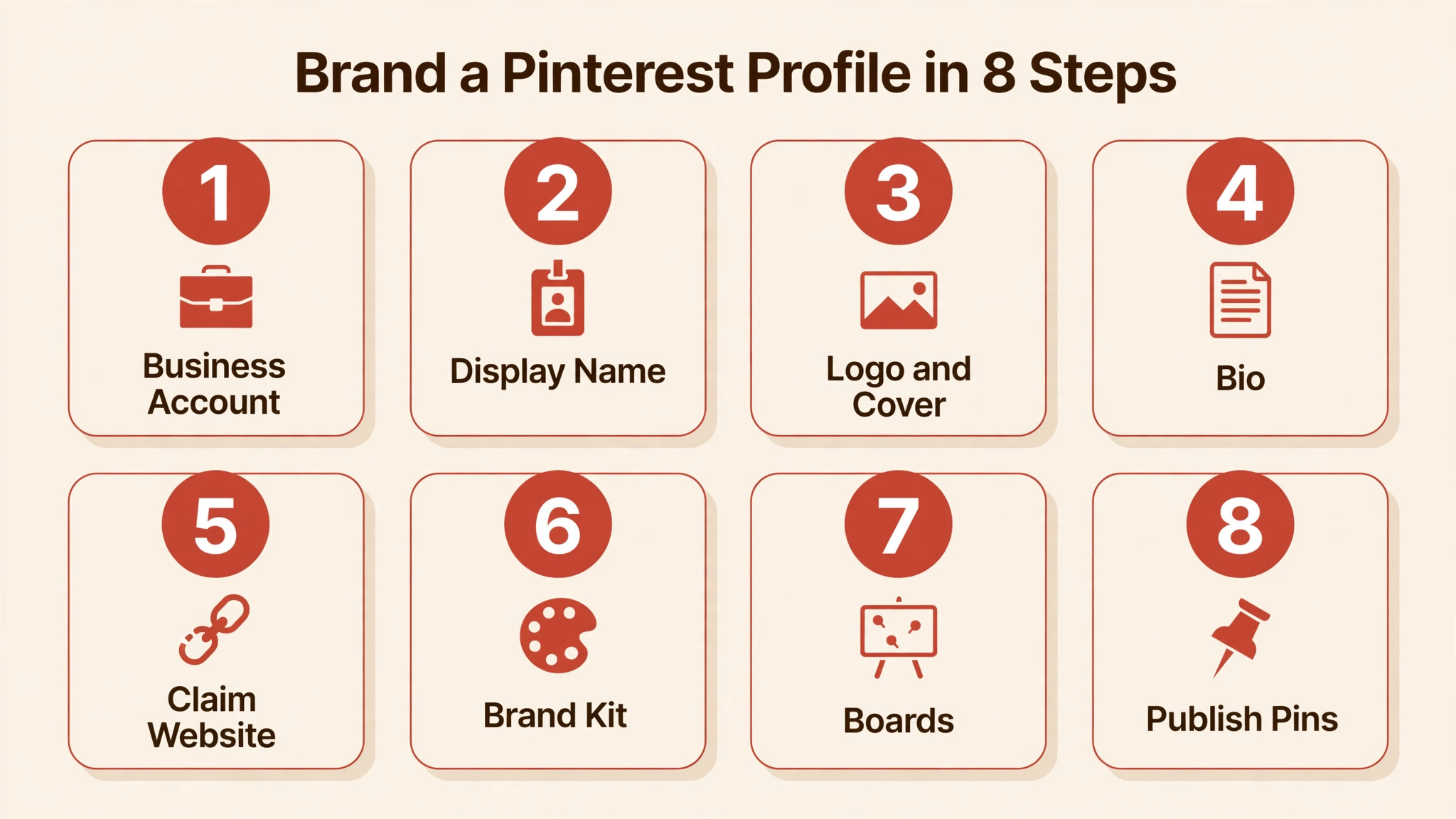
How to Brand a Pinterest Profile in 8 Steps
The eight steps below take about an hour the first time and minutes to maintain after that. Do them in order, since a board strategy built on an unbranded profile wastes the work.
- Switch to a business account, which is free and takes two minutes in settings. A business account unlocks analytics, advertising tools, and the profile cover upload, and you lose no existing pins or boards in the switch. Without it you are branding blind, since you cannot see which pins earn saves and which ones get ignored.
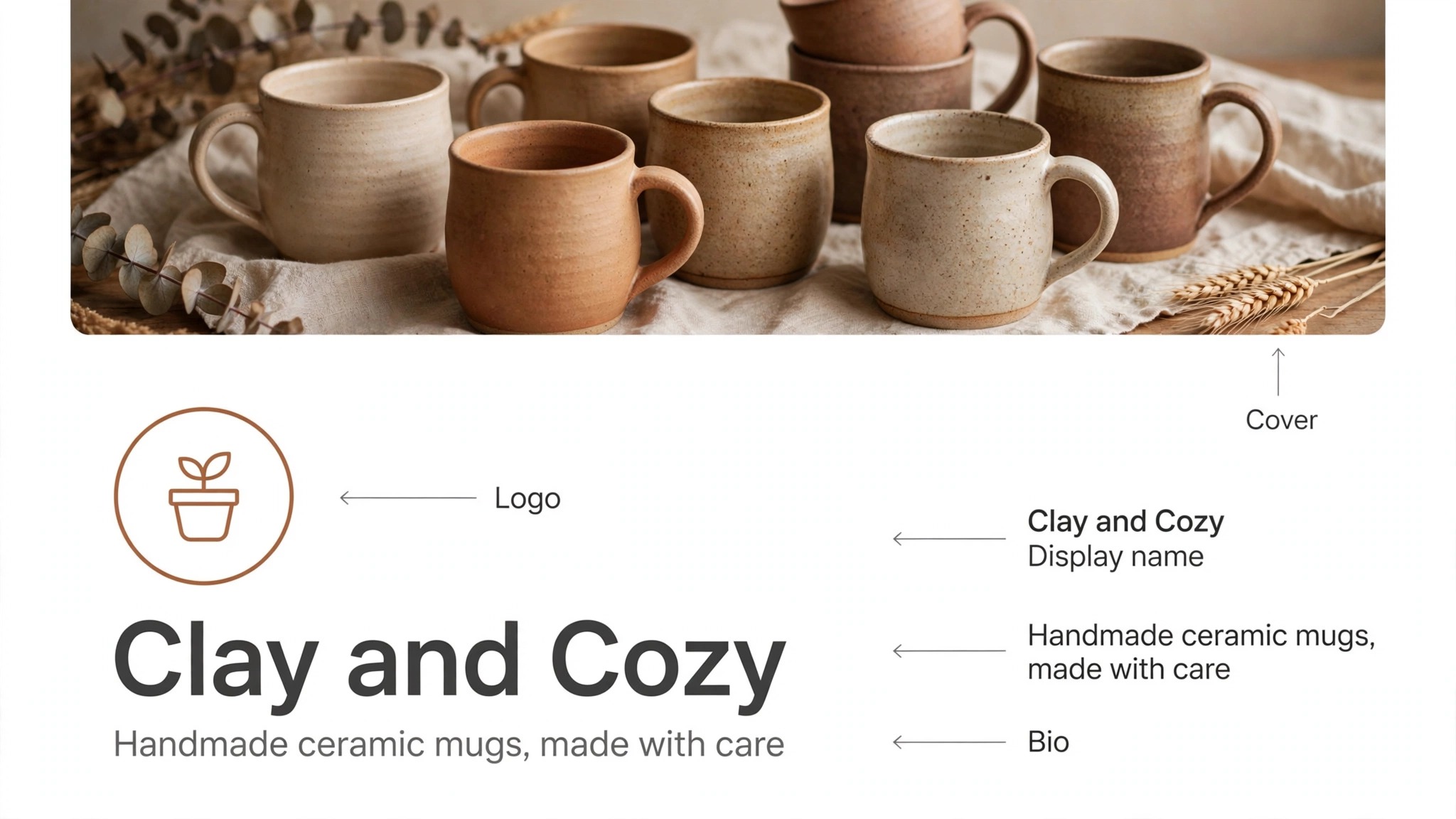
- Write a display name that says what you do, in the format of brand name, then a keyword phrase. The display name is searchable and capped at 30 characters, so a name like Amara Beauty plus Skincare Tips tells Pinterest exactly who to show the profile to, while a bare brand name tells it nothing. Lead with the topic people search for, not a clever brand phrase.
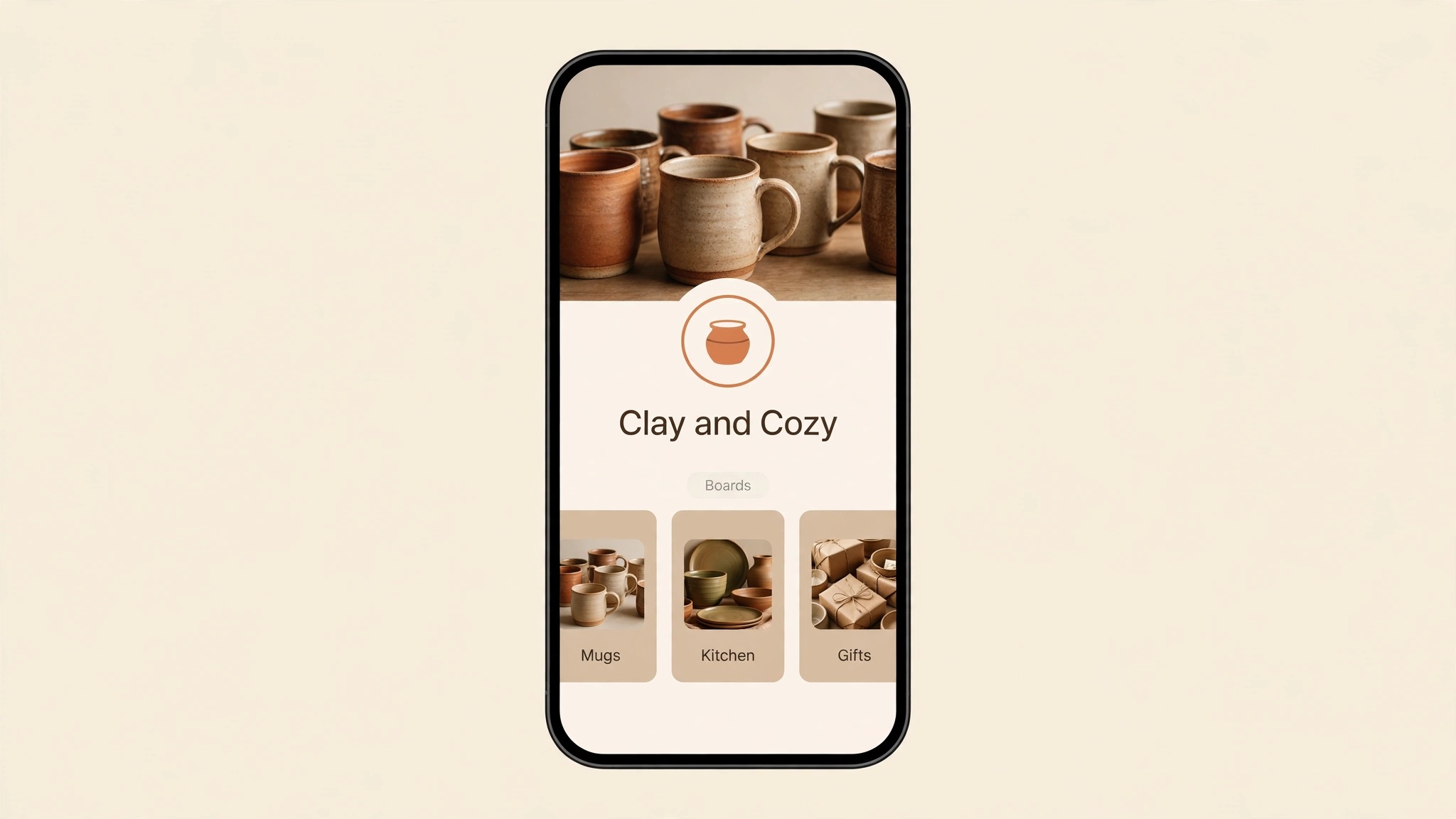
- Upload your logo as the profile photo and a cover image that shows what you pin. The profile photo displays as a circle at 165 by 165 pixels, so use the logo mark rather than a wide wordmark that turns unreadable at small size. The profile cover must be at least 800 pixels wide by 450 tall, and a horizontal image in a sixteen by nine shape works best, with under five words of text and the logo placed subtly.
- Write a bio about what you help people with, not who you are, in 160 characters or fewer. Name the problem you solve and the result the reader gets, then add one keyword phrase that matches your main board topics. A bio that reads like a mission statement gets skipped, while a bio that reads like a promise gets followed.
- Claim your website and enable Rich Pins. Claiming ties your domain to your profile, feeds the domain quality signal, and unlocks Rich Pins, which pull live details like the title and description from your site onto the pin itself. The setup needs a small code snippet or a DNS record, and Pinterest help walks through it in a few minutes.
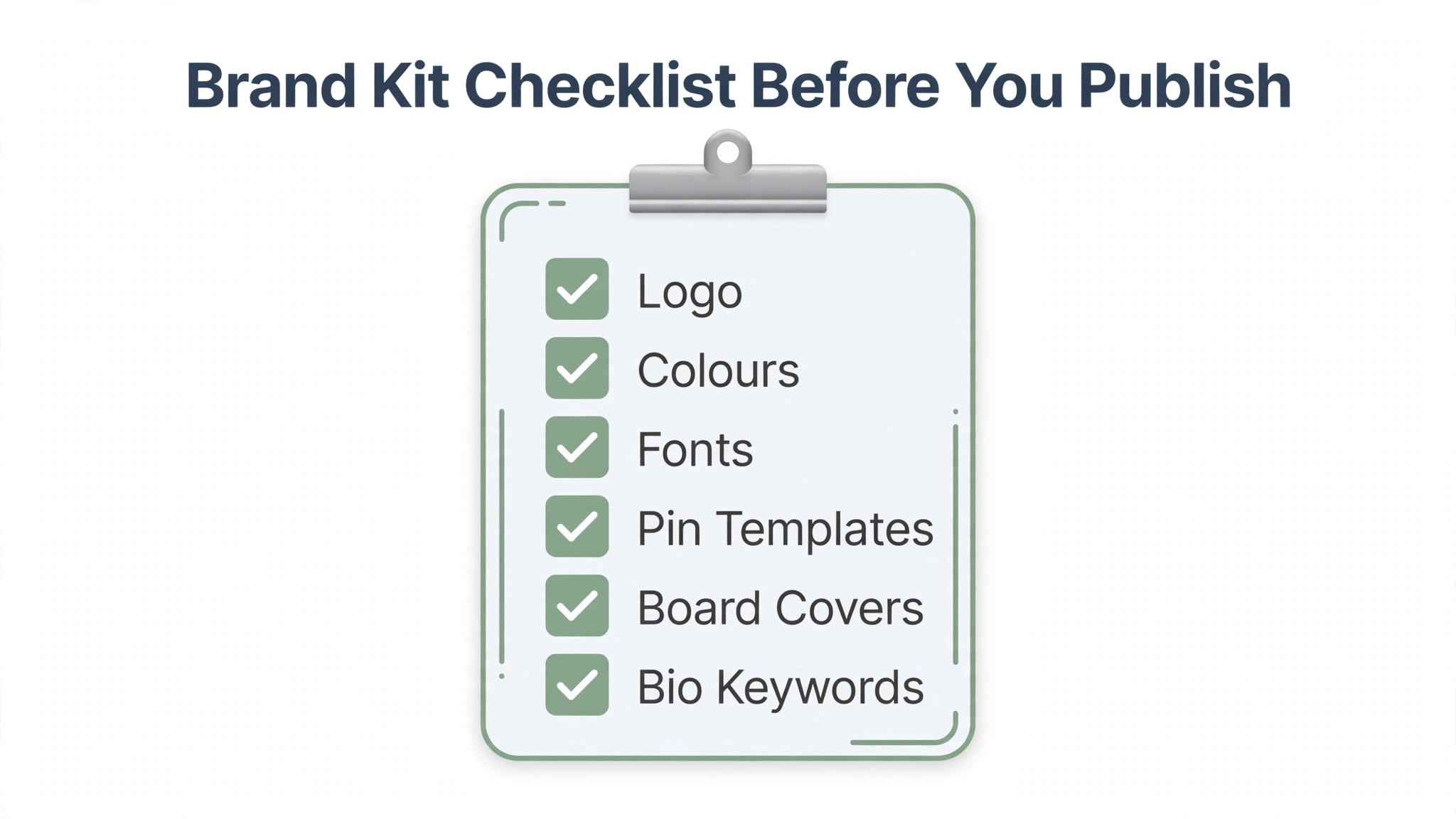
- Build a one page brand kit with your colors, fonts, logo, and two pin templates. Pick two fonts at most, three colors at most, and one logo placement, such as the bottom corner or the top center, and use them on every pin. A brand kit is what keeps a profile consistent when three people make pins, and it is the single most useful document in this whole guide.
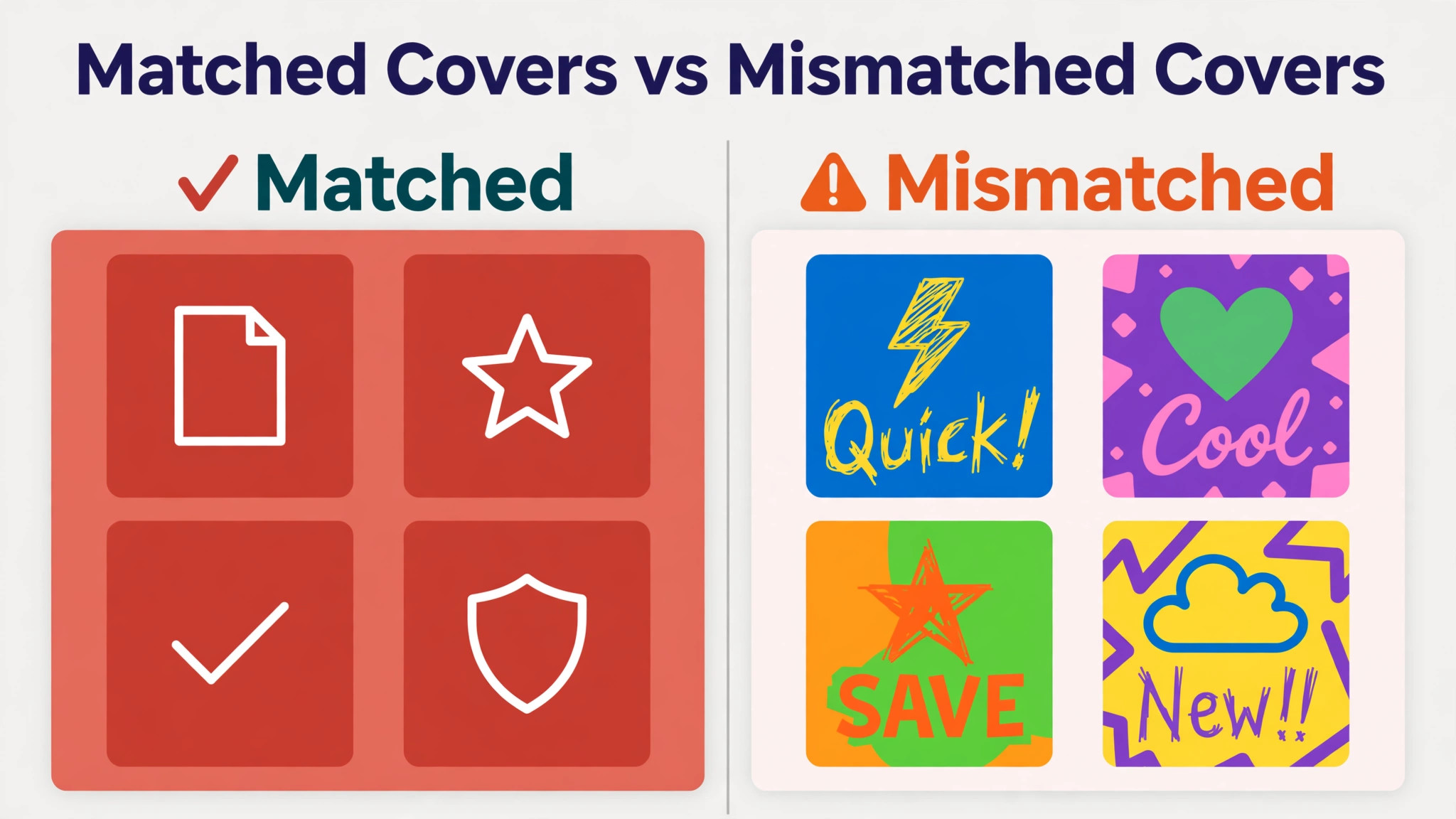
- Create 5 to 15 boards with keyword names and matching covers. Name each board the way people search, such as Kitchen Organization for Small Spaces, and write a two to three sentence description that starts with the main keyword and runs at least 100 characters. Make one simple cover per board in your design tool, with the same font and colors and just the board name, then pin it to the board and set it as the cover.
- Publish pins from your templates and save each pin to the single most relevant board first. Saving a fresh pin to five unrelated boards at once dilutes the signal, since Pinterest uses the first board to learn what the pin is about. One board, one topic, one template, repeated every week, is how a profile builds authority that the algorithm can read.
The Visual Identity Kit
A visual identity kit is a small set of rules that keeps every pin recognizable, and it is the most practical part of how to brand a pinterest profile for a busy owner. The kit has four pieces, which are colors, fonts, logo placement, and pin templates, and each piece has one rule. Colors stay at three or fewer, with one dominant color that appears in every pin. Fonts stay at two or fewer, with one for headlines and one for body text. Logo placement stays in the same corner on every pin, so a follower learns where to look. Templates stay at two or three layouts, so a new pin takes minutes instead of an hour.
Sizes matter as much as style, since a pin cropped wrong loses its headline. A standard image pin is 1000 by 1500 pixels, a two by three shape, and that is the size to design for. A board cover is square, drawn at 1000 by 1000 pixels, and a profile cover is wide, at least 800 by 450 pixels. Keep logos and text inside the central 80 percent of the frame, since hover buttons, rounded corners, and attribution bars clip the edges. A pin title runs 100 characters at most, with the first 30 to 35 characters visible in the feed, so the first words carry the keyword and the promise.
Video pins use a vertical nine by sixteen shape, which fills a phone screen and suits step by step content.
The test for a finished kit is simple. Lay five of your pins side by side and ask a stranger what account they came from. If the answer is obvious from the colors, fonts, and logo placement, the kit works. If the pins look like five different accounts, the kit is a wish list rather than a system, and the fix is to cut one color, one font, and one template, then publish ten pins from what is left. Consistency beats variety on Pinterest, because the feed rewards recognition and punishes novelty that looks random.
Boards That Rank
Boards are ranking infrastructure, not folders, and that fact changes how you build them. A board title and description are indexed by Google and read by the Pinterest algorithm, so a narrow, keyword specific board teaches the system what the pins inside it are about. A vague board named Inspo teaches it nothing, and a board named Small Kitchen Storage Ideas teaches it exactly who to show the pins to. Start with 5 to 15 boards, not 50, since a few focused boards tell Pinterest what you are about while a cluttered profile confuses it. Aim for 10 to 20 boards over time, each with at least 10 to 20 pins inside it.
Every board needs four things, which are a keyword title, a description of two to three sentences that starts with the main keyword, a branded cover, and pins that all match the board theme. An irrelevant pin in a focused board dilutes the ranking signal and confuses the audience, so move stray pins to the right board rather than leaving them where they landed. Arrange the most important boards at the top of the profile, since Pinterest lets you drag and reorder them, and the top row is what a new visitor sees first. A board about your best selling product category belongs at the top. A board about a one off seasonal trend belongs further down.
Board covers deserve the same care as pins, because they are the first thing a visitor sees on your profile. Make one simple cover per board with the same font and colors and just the board name, pin it to the board, then set it as the cover in the board settings. When someone lands on your profile, every shelf is clearly labeled, and they can find exactly what they came for. Profiles that skip covers look unfinished next to profiles that have them, and the fix takes about ten minutes per board once the template exists.
Pins That Get Saved
A pin gets saved when three things line up, which are a clear promise, a readable design, and a destination worth visiting. The promise lives in the title, and the first 30 to 35 characters carry it, so lead with the outcome and the keyword, not with your brand name. A title like Small Kitchen Storage Ideas That Actually Work tells the searcher what they get, while a title like Our Latest Blog Post tells them nothing. The description then explains what the pin shows in two to three sentences, with supporting keywords used naturally, and a call to action that names the destination, such as read the full guide, shop the look, or get the template.
Design for the feed, not for the desktop. A vertical two by three pin fills a phone screen, a bold headline stays readable at thumbnail size, and a single image beats a collage that turns tiny. Keep the text short, with one headline and at most one supporting line, and keep the logo small and in the same place every time. Fresh pins outperform repins, so create new images for the same destination rather than saving the same pin to board after board. A new image with a new title and description counts as fresh content, and fresh content is what Pinterest distributes most.
Every pin needs a destination, and the rule is simple, which is no destination, no pin. A pin that opens a broken page, a slow page, or a homepage with no sign of the promised content loses the click and teaches the algorithm that your pins disappoint. Link each pin to the exact page the title promises, check the link on a phone before publishing, and update old pins when the destination moves. A profile with 50 pins that all lead somewhere useful beats a profile with 500 pins that lead nowhere.
Keywords and Pinterest SEO
Pinterest is a search engine, so keyword work is branding work, and the two cannot be separated. The keywords that matter live in five places, which are the display name, the bio, the board titles, the board descriptions, and the pin titles and descriptions. Use the words your audience types, not the words your industry uses internally, and check them with Pinterest Trends, the free tool that shows what people search for and how interest moves over time. A keyword like small business packaging ideas tells you more about intent than a generic term like branding, and the long specific phrase is easier to rank for.
Write keywords into sentences rather than stuffing them into lists, since the algorithm reads context and the reader reads the words. A board description that starts with the main keyword and then explains what the board contains in plain language ranks better and reads better than a description that repeats the keyword five times.
The same rule applies to pin descriptions, where two or three supporting keywords used naturally beat a block of tags. Pinterest removed hashtag reliance years ago, so spend the effort on titles and descriptions instead. Review your top search terms in Pinterest Analytics every month, and build new boards and pins around the phrases that already bring you traffic, since those are the topics Pinterest already trusts you for.
Branding for a Shop, a Service, and a Creator
The same system fits different businesses, but the emphasis changes, so tune the profile to what you sell. For a shop, how to brand a pinterest profile starts with the product boards, with one board per product category, pins that show the product in use rather than on a white background, and a call to action that names the shop page. Product pins should carry the price in the description when the price is stable, since a searcher who knows the price clicks with intent, and a searcher who has to hunt for it often does not click at all.
For a service business, the profile sells expertise rather than products, so the boards should answer the questions a buyer asks before they hire. A designer can pin portfolio work with a short note on the problem solved, a coach can pin frameworks and checklists, and a consultant can pin case results with numbers. The pins link to service pages, booking pages, and lead magnets, and the bio should name the client and the outcome, not the method. A service profile that teaches earns the follow, and the follow earns the enquiry.
For a creator, the brand is the person, so the face photo, the voice, and the niche matter more than any template. Use a clear face photo as the profile picture, keep the boards inside one topic area, and let the pins show the work in progress as well as the finished result. For a creator, how to brand a pinterest profile is mostly about the face and the niche, since followers save from people they recognize and trust. A creator who pins everything dilutes that trust, while a creator who pins one topic deeply builds an audience that saves everything.
Tracking What Earns Saves
Measurement is where branding stops being taste and starts being evidence, and the numbers to watch are saves, outbound clicks, and follows per pin, in that order. Saves tell you the pin resonated, outbound clicks tell you the destination delivered, and follows tell you the profile earned trust. Pinterest Analytics shows all three for free on a business account, broken down by pin, board, and time period, so check the top ten pins every month and look for the pattern. If the winners share a template, a topic, or a headline style, make more of that and less of everything else.
Watch the profile level numbers too, since they show whether the branding is working as a system. A rising save rate across the whole profile means the templates and board structure are doing their job, while a single viral pin on a messy profile means the pin worked and the profile did not.
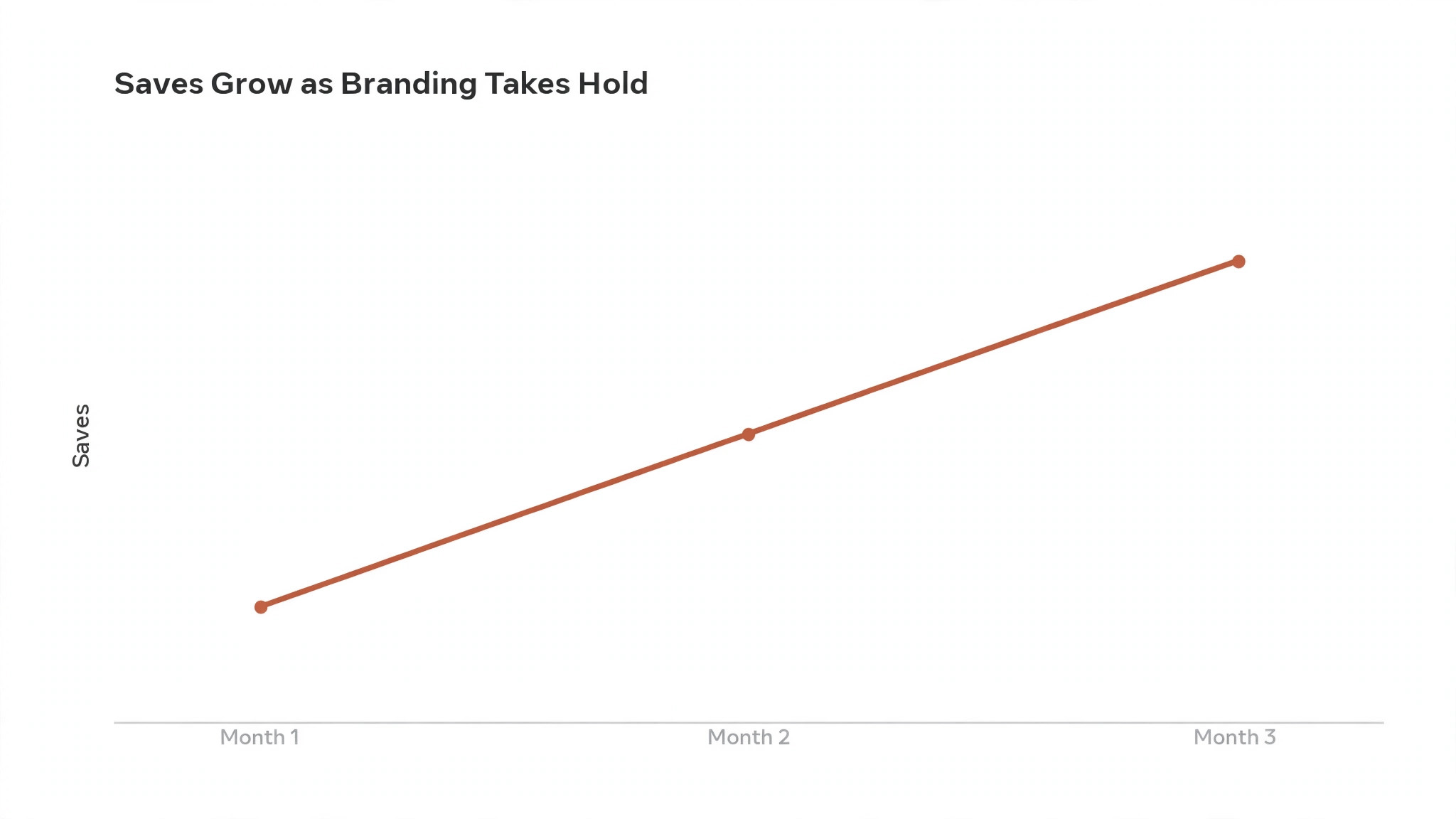
Compare boards against each other, and move effort toward the boards with the best save and click rates, since those are the topics Pinterest already associates with your account. The honest test of how to brand a pinterest profile is not whether the profile looks good, which is easy to judge, but whether the save and click rates rise month over month, which is the only result that pays.
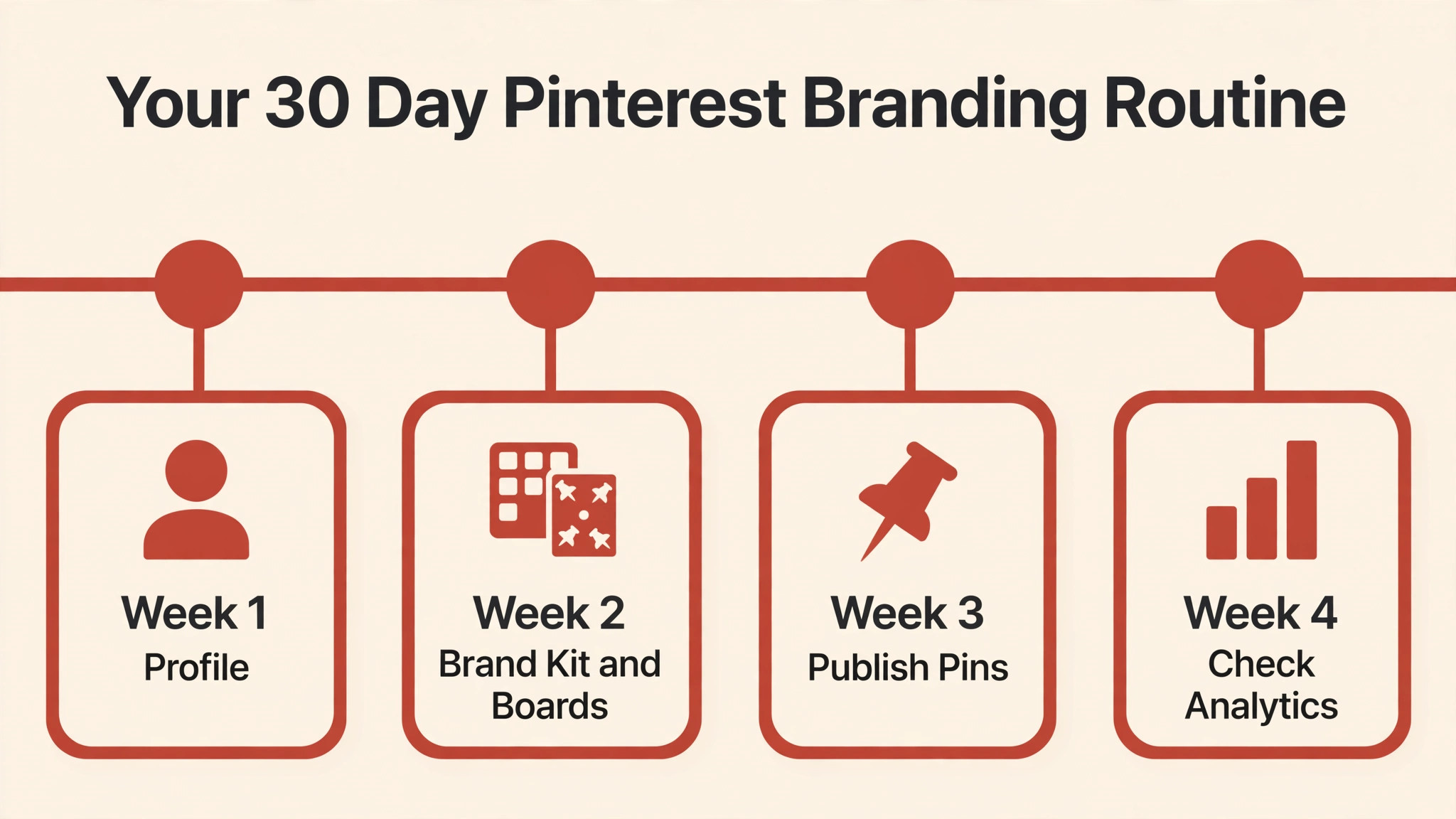
A 30 Day Branding Routine
Branding a profile is a month of small habits rather than a weekend project, and a simple routine keeps it moving. In week one, finish the profile itself, with the business account, display name, logo, cover, bio, and claimed website all in place. In week two, build the brand kit and the first five boards, with keyword titles, descriptions, and matching covers. In week three, publish ten fresh pins from your templates, two per board, and save each one to its most relevant board first. In week four, check Pinterest Analytics, find the two best performing pins, and make five more pins in the same style and topic.
Repeat that monthly cycle and the profile compounds. Ten fresh pins a month is 120 pins in a year, and each one carries the same look, the same keywords, and the same destination discipline. A routine like this is also how a small team keeps branding consistent, since the templates do the remembering and the analytics do the judging. Skip a month and the profile stalls, but it does not break, so the routine is forgiving as long as the templates stay in use and the boards stay focused.
Mistakes That Undo Good Branding
The same mistakes undo Pinterest branding again and again, and all of them come from treating the profile as a gallery instead of a search asset. The first is mixing topics on one profile, such as recipes, business tips, and home decor together, which confuses the algorithm and the audience at once. One profile, one audience, one topic area is the rule, and a second topic needs a second profile. The second mistake is skipping board descriptions, which wastes the most indexable text on the profile. Every board needs two to three sentences that start with the keyword.
The third mistake is designing pins that look beautiful at full size and unreadable in the feed, usually because the headline is too small or the image is a collage. Design at thumbnail size first, then add detail, and test every template by shrinking it to phone width before you publish. The fourth mistake is linking pins to the homepage instead of the promised page, which kills clicks and trust in one move. The fifth mistake is stopping after ten pins, since Pinterest rewards profiles that publish steadily over months, not profiles that publish once and wait. Fix those five and the branding work you already did starts paying.
Best Pick by Job
The tools below cover the four jobs in Pinterest branding, which are templates, scheduling, keyword research, and measurement. Pick the tool that fits the job you do most, and keep the rest native, since how to brand a pinterest profile depends more on consistency than on software.
| Job | Best pick | Why it wins |
|---|---|---|
| Pin and cover templates | Canva | Fast templates, brand kit, free tier |
| Scheduling pins | Tailwind | Pinterest native scheduling and board lists |
| Keyword research | Pinterest Trends | Free search data straight from Pinterest |
| Measuring results | Pinterest Analytics | Free saves, clicks, and top pins |
Frequently Asked Questions
These are the questions owners ask most once the profile is set up, and the answers assume a business account with a claimed website.
How long does it take to brand a Pinterest profile?
About an hour for the setup, which covers the business account, display name, logo, cover, bio, and claimed website, plus another hour for the brand kit and the first five boards. After that, a batch of ten pins takes about two hours from templates, and the profile compounds over two to three months of steady publishing. Expect the first clear analytics signal after four to six weeks, not four to six days.
Should a business use a logo or a photo as the profile picture?
Use the logo mark for a brand and a clear face photo for a personal brand. The profile photo displays as a circle at 165 by 165 pixels, so a wide wordmark turns unreadable and a close face photo stays recognizable. Small brands often do better with a face, since people save from people they recognize, while product brands do better with the logo mark, since the product is the promise.
How many boards should a Pinterest profile have?
Start with 5 to 15 boards, and grow to 10 to 20 over time, with at least 10 to 20 pins in each board. Fewer, stronger boards outperform a cluttered profile every time, since narrow keyword boards rank better and teach the algorithm what your account is about. Add a board only when you have ten pins ready for it, and remove or merge boards that stay empty for months.
What size should Pinterest pins be?
Design standard image pins at 1000 by 1500 pixels, a two by three shape, and video pins in a vertical nine by sixteen shape. Board covers are square at 1000 by 1000 pixels, the profile cover is at least 800 by 450 pixels in a sixteen by nine shape, and the profile photo is 165 by 165 pixels. Keep logos and text inside the central 80 percent of the frame so hover buttons and rounded corners never clip them.
Do hashtags matter on Pinterest?
No, not in the way they used to, and stuffing a description with hashtags wastes space that keywords could use. Pinterest reads titles, descriptions, board names, and the text on the pin itself to understand a pin, so spend the effort there. A description that uses two or three supporting keywords in natural sentences ranks better and reads better than a block of tags.
How often should I post on Pinterest?
Publish fresh pins steadily rather than in bursts, with ten fresh pins a month as a realistic floor for a small business. A fresh pin means a new image, title, and description for a destination, even when the destination is one you have pinned before. Consistency over months matters more than volume in a week, since Pinterest distributes fresh content over a long life and rewards profiles that keep showing up.
Your Next 30 Days on Pinterest
Branding a Pinterest profile is a system, not a single design, and the system has five parts, which are a searchable profile, a small brand kit, keyword boards with matching covers, templates that make every pin recognizable, and analytics that tell you what to make next. Build them in that order, publish ten fresh pins a month, and judge the work by saves and outbound clicks rather than by how the profile looks on day one. That is how to brand a pinterest profile so the work compounds, and it is the difference between a profile that gets scrolled past and one that gets saved.
Start today with the business account and the display name, since those two steps take five minutes and change how Pinterest reads everything you publish after them. The rest follows from the templates, and the templates follow from the brand kit, so one focused hour is all it takes to begin.