Canva gives you a beautiful graphic in five minutes and no caption worth reading. Buffer gives you a caption and a schedule and no design worth clicking. Hootsuite gives you approvals and listening and a bill that makes a solo owner wince. None of those tools is wrong, and none of them is complete, which is why the best Facebook post makers are not ranked by one strength. They are ranked by how much of the post they finish, the visual, the words, and the publish step, for the price you actually pay.
This guide compares thirteen makers that real businesses use for Facebook in 2026, from design suites to caption writers to full schedulers. Every price below was checked against vendor pages and October 2026 roundups, and every price is quoted before tax, because vendors change plans without notice. You will find a scored comparison, a pick for each common job, a full review of each tool, a buying guide, a one week workflow, and answers to the questions buyers ask most.
How We Tested the Best Facebook Post Makers
We judged each tool on the work a Facebook Page actually needs in a week. First we asked what it finishes. A design tool finishes the visual. A caption tool finishes the words. A scheduler finishes the publishing and the reporting. The strongest tools finish two of those three, and the weakest finish one and charge like they finish all three, so each review names exactly which steps the tool covers and which steps still need you or a second tool.
Second we tested Facebook fit, because a generic design tool is not automatically a good Facebook tool. We checked preset sizes for feed posts, stories, and reels, template libraries built for Facebook formats, and caption tools that understand Facebook tone, which is shorter and more direct than a blog. We also checked video and motion support, because short vertical video is now the most engaging format on Facebook.
Third we checked honest cost, including the limits that hide behind a low headline price. Per channel pricing, per user pricing, credit plans, download caps, and watermarked free exports all change the real price, so we recorded free plan limits and the first paid tier for each tool. We also noted where third party trackers disagree with a vendor page, so you can check before you budget.
Fourth we checked scheduling and review. A maker that publishes to Facebook, lets a teammate or client approve a post, and reports what worked is worth more than a maker that only designs. We recorded which tools publish, which offer approvals, and which need Meta Business Suite, the free official scheduling tool, to finish the job.
The Verdict at a Glance
For most readers, the best Facebook post makers for daily use are Canva for design, Buffer for scheduling with AI help, and Predis.ai for finished ad style posts. If you buy one tool and you post product and offer graphics every week, buy Canva Pro, because its templates and brand kits cover the visual half better than anything else here. If you buy one tool and your bottleneck is writing and scheduling, buy Buffer, because its AI assistant drafts inside the composer and hands the post straight to the publishing calendar.
Adobe Express is the right buy when you already live in the Adobe world, because Premium costs 9.99 dollars a month and includes a large stock collection and Firefly tools. Snappa is the right buy when you want a finished graphic in under a minute and you hate cluttered editors. ContentStudio and SocialBee are the right buys when you manage several pages and need approvals. Hootsuite is the right buy only for a team that needs listening and compliance, because its price is far above the rest of this set.
Do not buy on template count alone. A library of one hundred thousand templates is useless if the captions sound like everyone else and the scheduling needs a second subscription. Buy on three questions. Does it make the visual. Does it write the words. Does it publish to your Page.
The 13 Tools Compared
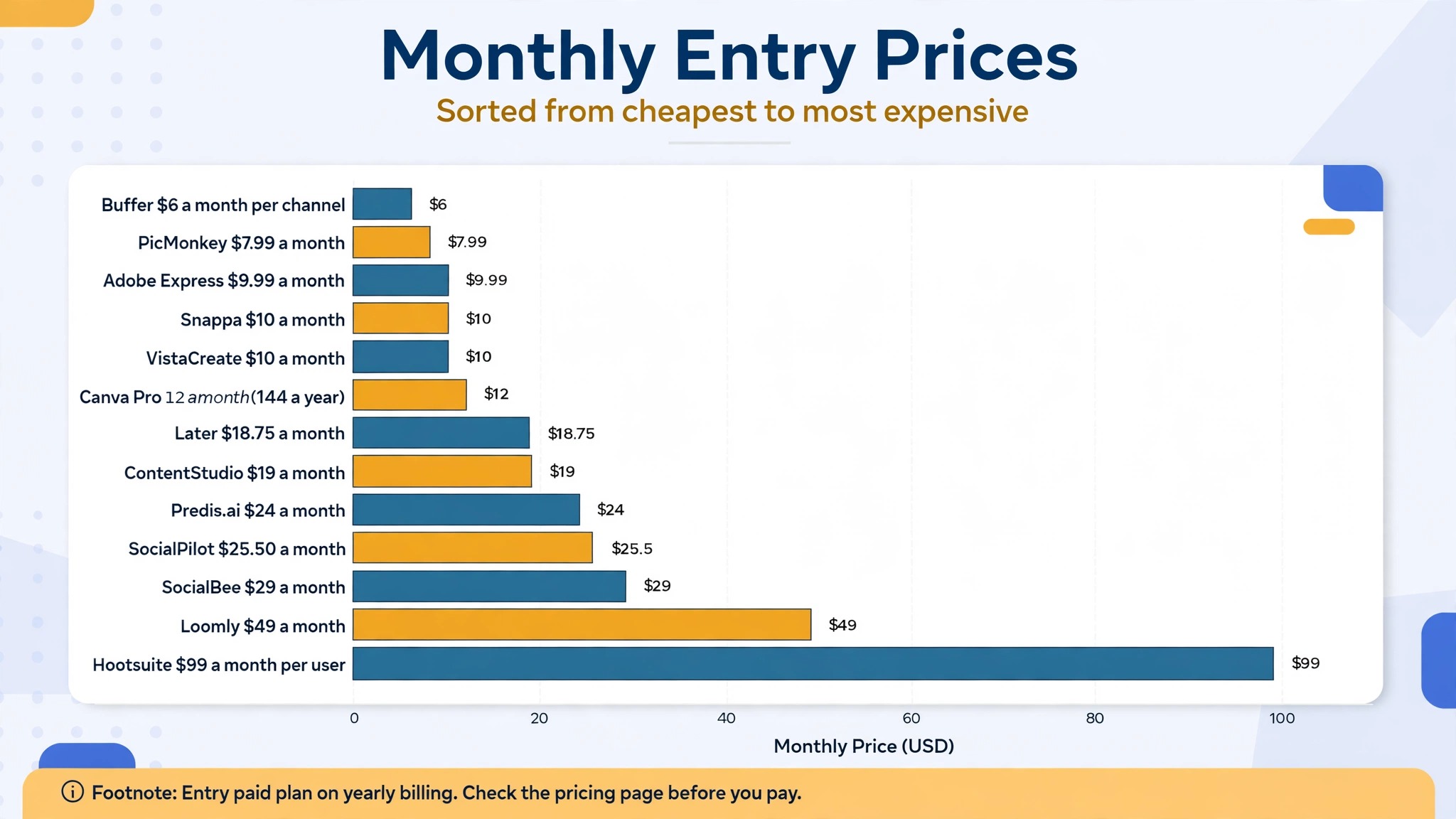
The tables below compare the thirteen tools on the facts that decide most purchases, what each one is best at, whether you can try it free, and what the entry paid plan costs. Prices are published prices before tax, and vendors change them without warning, so check the pricing page before you pay.
| Tool | Best for | Free option | Paid entry |
|---|---|---|---|
| Canva | Templates and brand design | Free plan | $144 a year, Pro |
| Adobe Express | Adobe templates and AI | Free plan | $9.99 a month, Premium |
| Snappa | Fast graphics, simple editor | Free plan, 5 downloads | $10 a month, yearly |
| VistaCreate | Team templates, animation | Free plan | $10 a month, yearly |
| Buffer | AI captions plus scheduling | Free plan, 3 channels | $6 a month, per channel |
| Predis.ai | Ad style image and video | Trial, 3 days, card required | $24 a month, yearly |
| ContentStudio | Scheduler, AI captions inside | Trial, 7 days, no card | $19 a month, yearly |
| Tool | Best for | Free option | Paid entry |
| — | — | — | — |
| SocialBee | Flat price, unlimited AI | Trial, 14 days | $29 a month |
| Hootsuite | Teams, listening, approvals | Trial, 30 days | $99 a month, per user |
| SocialPilot | Agencies, many accounts | Trial, 14 days | $25.50 a month, yearly |
| Loomly | Approvals, client review | Free plan | $49 a month, yearly |
| Later | Visual planning, creators | Free plan | $18.75 a month, yearly |
| PicMonkey | Photo editing plus design | Trial only | $7.99 a month, Basic |
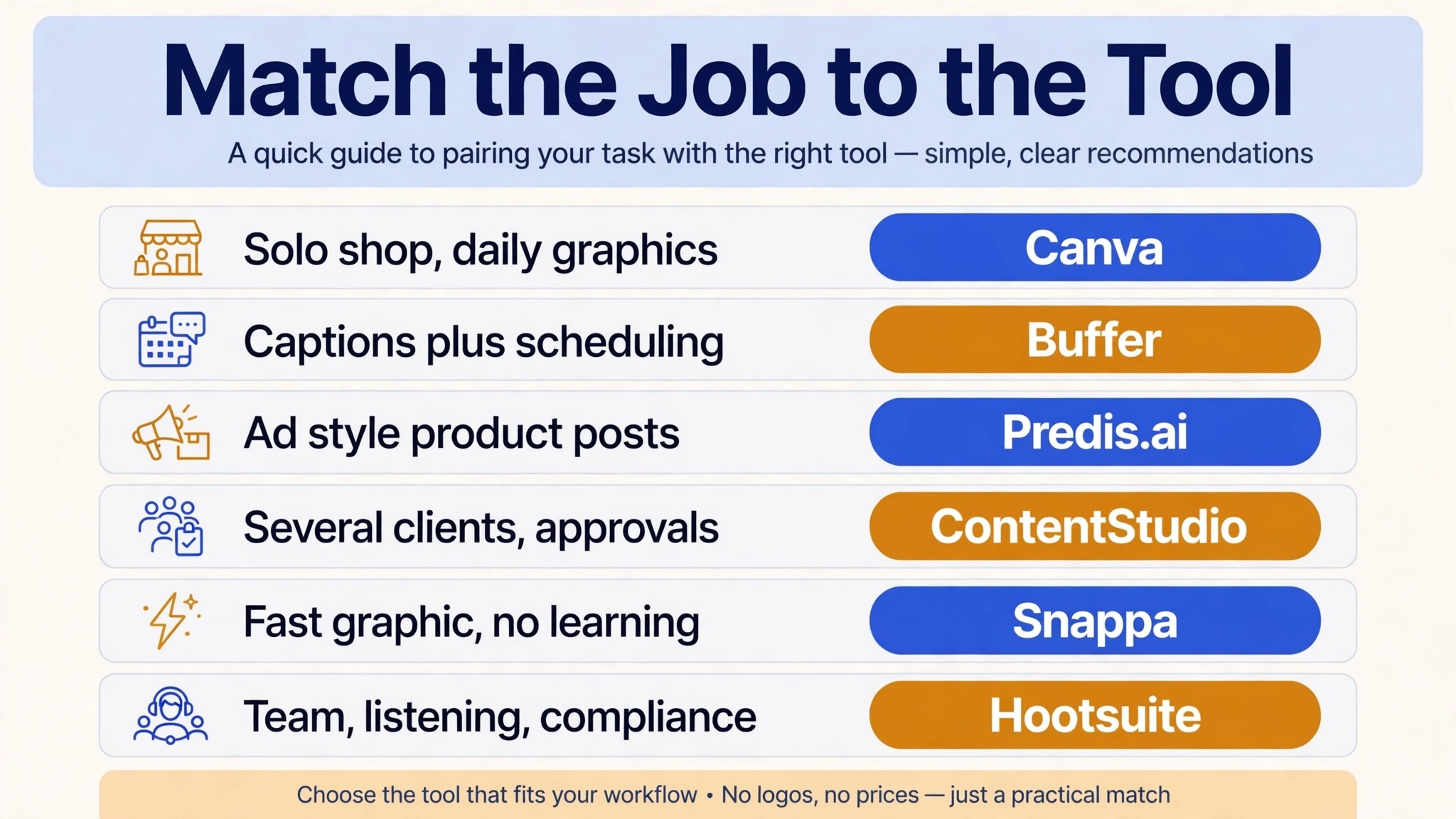
Best Pick by Job
Use this table to match the best Facebook post makers to your job before you read the full reviews. A tool that wins for a solo shop owner can lose for an agency, because the two jobs need different limits, and the table below keeps those jobs separate.
| Job | Pick | Why it wins |
|---|---|---|
| Solo shop, daily graphics | Canva | Deepest templates and brand kits |
| Captions plus scheduling | Buffer | AI drafting inside the composer |
| Ad style product posts | Predis.ai | Visual, caption and hashtags together |
| Several clients, approvals | ContentStudio | AI writing inside a scheduler |
| Fast graphic, no learning | Snappa | Finished post in under a minute |
| Team, listening, compliance | Hootsuite | Listening and approvals at scale |
1. Canva
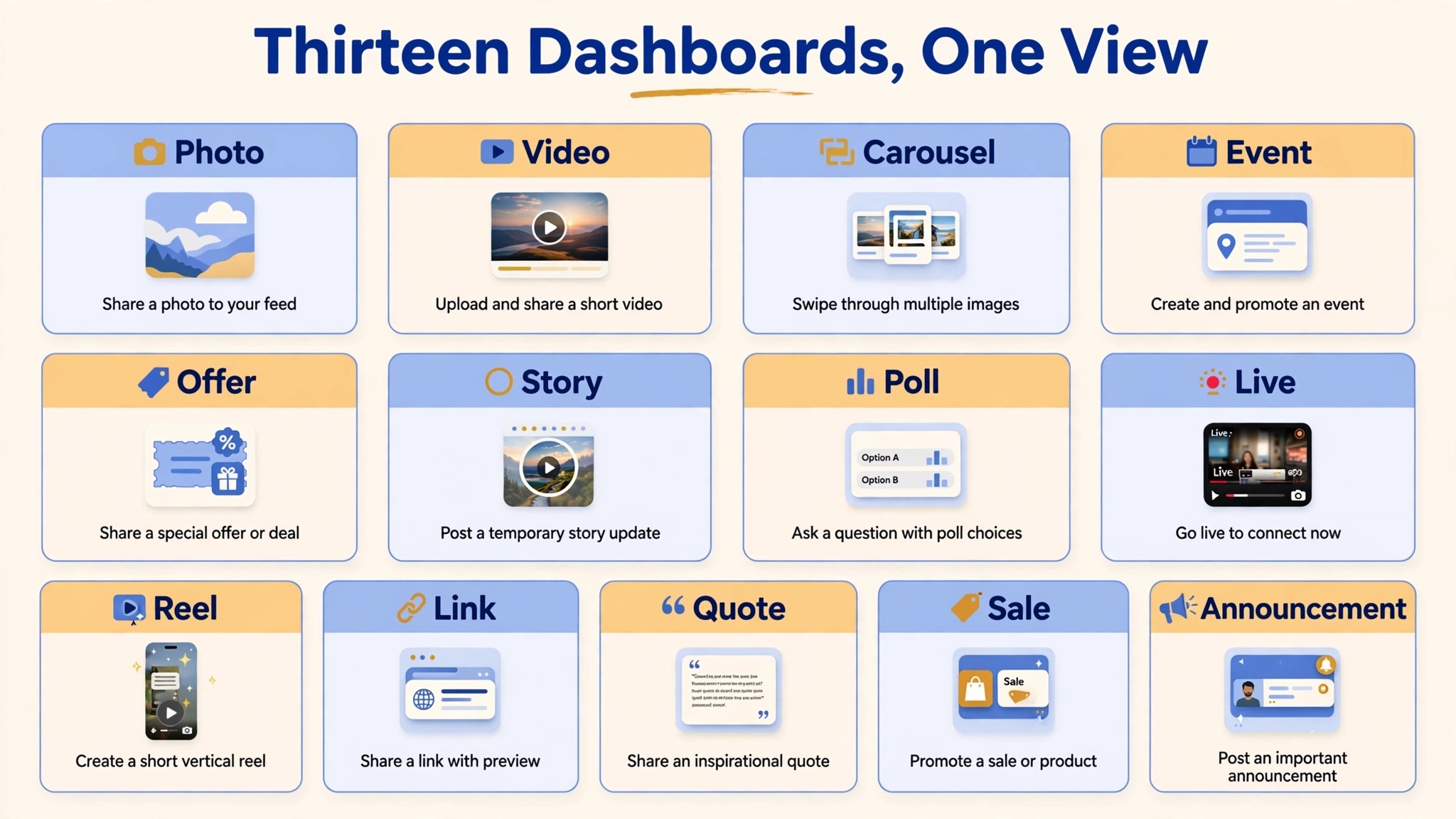
Canva is the design first entry in this set, and it is the tool most Facebook Page owners should learn first. Its template library covers feed posts, stories, reels covers, events, sales, and announcements, all pre sized for Facebook, and the drag and drop editor means a shop owner can finish a graphic in five minutes. Brand kits hold your colors, fonts, and logo in one place, so the tenth post looks like the first, and Magic Studio tools resize one design for feed, story, and reel formats without rebuilding it. That consistency is what makes a Page look professional instead of accidental.
Pro costs 144 dollars a year for one person, and the free plan is genuinely useful, with thousands of templates and limited AI use. The limit is writing depth, because Magic Write produces good short captions but does not learn your voice deeply. For a small business, Canva is the strongest of the best Facebook post makers when the job is the visual half of the post, and it pairs well with a scheduler when captions are your bottleneck.
2. Adobe Express
Adobe Express is the closest like for like alternative to Canva, and it is the right buy when you already live in the Adobe world. It offers more than one hundred thousand templates, over a million Adobe Stock assets, thousands of Adobe Fonts, and Firefly generative tools, with a free plan that needs no card. Premium adds the full template and font libraries, a much larger stock collection, brand kits, and 100 GB of storage, plus background removal and resize tools that turn one Facebook post into a matching set for other networks.
Premium costs 9.99 dollars a month, or 99.99 dollars a year, which undercuts Canva Pro while including the stock collection. If you already pay for Photoshop or certain Creative Cloud plans, Express Premium is included at no extra cost. The limit is scheduling depth, because its calendar is lighter than a dedicated scheduler. Buy Adobe Express when you want Adobe quality templates and stock at a lower price than Canva Pro.
3. Snappa
Snappa is built for one job, getting a polished social graphic out the door in minutes, and it is the fastest tool in this set for that job. The editor loads fast, the templates are organized by use case, and the magic resize button turns one Facebook post into a full set of matching graphics without rebuilding anything. A business owner who hates design can open Snappa, pick a template, change the words, and publish in under a minute.
Pro costs 10 dollars a month on yearly billing, or 15 dollars monthly, with unlimited downloads. The free Starter plan gives you the full library and stock collection, capped at five downloads a month. The limit is range, because the library is smaller than Canva and Snappa writes no captions, so you still need a writer or a scheduler. Buy Snappa when speed matters more than range, and skip it when you need deep design control.
4. VistaCreate
VistaCreate is the template first alternative that small teams love, because one Pro price covers up to ten team members, which is rare at this price. Its library holds more than one hundred thousand templates, with animation features that make static posts feel alive, and its free plan is generous, with unlimited downloads, no watermark, a background remover, a Brand Kit, and 10 GB of storage.
Pro costs 10 dollars a month on yearly billing, and it adds the full asset library and team features. The limit is AI depth, because its AI tools need Pro and its caption help is thinner than Canva or Buffer. Its animation is the standout, because subtle motion stops a scroll better than a static image. Buy VistaCreate when a small team needs templates and animation on one flat price, and skip it when you need strong AI writing.
5. Buffer
Buffer is the scheduler first entry in this set, and it is the best pick when your bottleneck is writing and publishing rather than design. Its AI assistant drafts and rewrites copy inside the post composer, with a smooth handoff to the Facebook publishing calendar, so a caption goes from idea to scheduled post without leaving the tool. The free plan covers three channels with ten posts each, and the paid plans add channels, users, and analytics.
Essentials costs 6 dollars a month per channel, which makes Buffer the cheapest scheduler here for a single Page, though the per channel math adds up fast for many Pages. The limit is design, because Buffer makes no graphics, so you still need Canva or Adobe Express for the visual half. Its strength is the calendar, the queue, and the analytics that show which posts earned replies. Buy Buffer when you want captions and scheduling in one calm tool, and pair it with a design suite for the visuals.
6. Predis.ai
Predis.ai is the strongest generator here for a business that sells with images and video on Facebook. Give it a one line idea, a product link, an uploaded photo, or a link to your website, and it returns an image, a carousel, or a short video with a caption and hashtags, ready to publish. That matters on Facebook, because most generators write text and leave the visual to you, which means the hard half of the post is still your job. Predis.ai does both halves, and it can publish the result to ten channels on its entry plan.
Pricing is credit based, so read the limits before you buy. Core costs 24 dollars a month on yearly billing, or 32 dollars monthly, for 1,300 credits, which the vendor describes as about 325 images or 33 videos. Rise costs 55 dollars a month on yearly billing, or 79 dollars monthly, for 3,200 credits and up to four brands. Auto publishing starts on Rise, not Core, so a Core buyer still schedules by hand. Buy Predis.ai when your feed depends on product and offer creatives at volume.
7. ContentStudio
ContentStudio is a scheduler first and a generator second, and that order is exactly why it fits agencies and small businesses with clients. Its AI writes captions from a prompt, from uploaded images, or from a saved brand voice, and the finished post lives in the same calendar where it will be published to 11 networks, including Facebook. Your client can approve the post in the same tool, which removes the screenshot and email loop that eats agency time every week.
The entry plan costs 19 dollars a month on yearly billing, or 29 dollars monthly, for five social accounts, with a seven day trial that needs no card. That is the lowest annual entry price among the schedulers here, and the no card trial means you can test the approval flow with a real client before you pay. The trade off is generation depth, because ContentStudio writes good captions but does not generate video the way Predis.ai does.
8. SocialBee
SocialBee is the flat price alternative to the credit based generators, and that difference matters for a solo operator who hates counting credits. Its Bootstrap plan costs 29 dollars a month for five social profiles and one user, with unlimited AI captions and images and a 14 day trial. Unlimited generation removes the mental tax of credits, so you can test ten caption variants for one post without wondering what each variant costs.
The tool covers the full loop, generation, Canva visuals inside the workflow, scheduling, and AI suggestions for what to post next, with content categories that keep a feed balanced between promotion, education, and engagement. That category system is the feature most solo operators actually need, because the common failure is a feed that is all promotion. The weakness is scale, because five profiles and one user fit a solo operator, and a second brand pushes you to a higher plan. Buy SocialBee when you want one flat price and a feed that stays balanced.
9. Hootsuite
Hootsuite is the enterprise entry in this set, and it is the tool to buy when your Facebook work needs listening, approvals, and compliance, not just posting. Its OwlyWriter AI writes tone based captions, its listening tools track what people say about your brand, and its approval flows let a team review every post before it goes live.
The price is the reason most small businesses should skip it. Paid plans start at 99 dollars per user a month on yearly billing, which is more than triple the next dearest scheduler here, and the value only appears at team scale. A solo owner paying 99 dollars a month for captions and scheduling is overpaying, because Buffer and ContentStudio cover that job for under 30 dollars. Buy Hootsuite when compliance and listening are business requirements, and skip it when they are nice to have.
10. SocialPilot
SocialPilot is the budget agency tool in this set, built for freelancers and agencies that manage many client Pages and need white label reports. Its entry plan covers seven social accounts with a content library, tags, and analytics, and higher plans add bulk scheduling, a social inbox, client approvals, and white label reporting.
Pricing is where third party trackers disagree, so check the vendor page before you budget. SocialPilot own pricing page lists Essentials at 25.50 dollars a month on yearly billing, or 30 dollars monthly, for seven accounts and one user, while some roundups cite lower figures from older plans. SocialPilot offers no permanent free plan, only a 14 day trial. Buy SocialPilot when you manage client Pages and you need reports your clients can read.
11. Loomly
Loomly is the approval workflow specialist in this set, and it is the tool to buy when client feedback is your bottleneck. Its multi tier approval system lets content pass through internal review and then client review, with comments on each post, roles for each teammate, and a calendar that shows every Page at once.
Starter costs 49 dollars a month on yearly billing, or 65 dollars monthly, for twelve social accounts and three users, with a free plan for testing. That entry price is the highest among the bundled schedulers here, but it includes the approval workflows that others charge extra for. The limit is range, because Loomly does not publish to X, and its jump to the next tier is steep. Buy Loomly when approvals decide your week, and skip it when you post for one brand only.
12. Later
Later is the visual planning tool in this set, built for creators and small businesses that plan a feed by how it looks. Its visual calendar, media library, and grid preview help you see the week before you publish it, and its AI credits help with captions, though AI is thinner here than in Buffer or ContentStudio.
Starter costs 18.75 dollars a month on yearly billing, for one social set of eight profiles and 30 posts per profile, with five AI credits a month. Growth costs 37.50 dollars a month, with 50 AI credits, and Scale costs 82.50 dollars a month, with 100 AI credits. The AI credit limits are the thing to watch, because five credits a month is a small allowance for a business that posts daily. Buy Later when visual planning and creator work matter most, and skip it when AI writing is your bottleneck.
13. PicMonkey
PicMonkey is the photo editing first entry in this set, now part of Shutterstock, and it suits a business whose Facebook posts start from photographs that need work. Its collage maker, retouching tools, effects, and templates sit alongside background removal, Smart Resize, brand kits, and iStock photos on Pro, so a product photo can go from raw shot to finished post without leaving the tool.
Pricing starts at 7.99 dollars a month for Basic, or 72 dollars a year, with Pro at 12.99 dollars and Business at 23 dollars. There is a free trial but no permanent free plan, so budget at least Basic if you shortlist it. The limit is scheduling, because PicMonkey designs but does not publish, so you still need a scheduler. Buy PicMonkey when photo editing leads your Facebook work, and skip it when you need publishing in the same tool.
How to Choose
Start with your bottleneck, not with a feature list, because the best Facebook post makers for your business are the ones that remove the step you skip most often. If you skip posting because design takes too long, buy Canva or Snappa. If you skip posting because writing takes too long, buy Buffer or Predis.ai. If you skip posting because scheduling and approvals take too long, buy ContentStudio or SocialBee. A tool that fixes your real bottleneck will earn its price in the first month, and a tool that fixes a problem you do not have will sit unused.
Next, count your real volume before you pay. A per channel price looks cheap for one Page and dear for five, a credit plan looks cheap until you count video, and a per user price looks fair until you add a teammate. Write down your week, how many posts, how many Pages, how many users, how many videos, and match those numbers to the plan limits, not to the headline price.
Finally, test voice and size before you commit for a year. Generate five posts from the same brief in each finalist, publish none of them, and read them aloud the next morning, then check each visual on a phone at feed size. The tool whose drafts need the least editing and whose graphics read smallest is the tool you will actually use. Pay monthly for the first month even when yearly billing is cheaper, and switch to yearly only after a month of real posts proves the fit.
Mistakes to Avoid
The first mistake is buying on template count. One hundred thousand templates do not help when every caption sounds the same, and a feed of beautiful templates with flat captions still loses followers. Judge a maker on its worst caption, not its best template, because the worst caption is what your audience will remember.
The second mistake is ignoring the publishing tier. Several tools in this set generate on the entry plan and publish only on a higher plan, so the price that attracted you does not buy the workflow you imagined. Read the plan table for the words auto publishing, and add the higher tier to your budget before you compare prices.
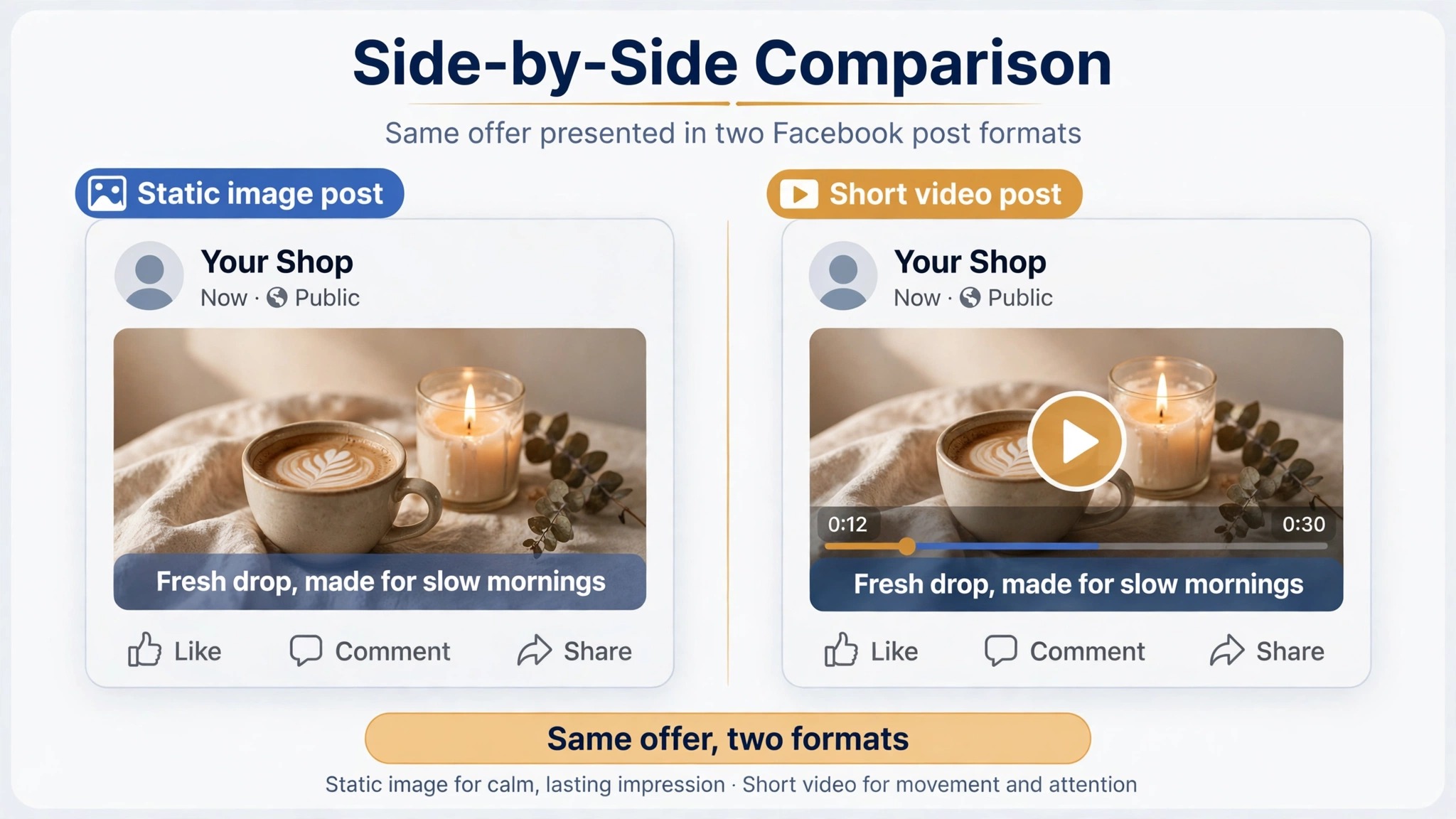
The third mistake is posting static images only. Short vertical video is now the most engaging format on Facebook, so a feed with no motion will lose reach to feeds that move. Add one short video a week, even a simple slideshow with motion.
The fourth mistake is automating everything on day one. Automation that repeats the same pattern every day makes a feed feel mechanical within two weeks, and followers notice repetition faster than any analytics dashboard will show it. Automate the scheduling, keep the ideas human, and review every post before it goes out for the first month.
The fifth mistake is judging a tool on one post. One good caption proves nothing, and one bad caption proves nothing either, because generation quality varies with the brief. Test each finalist on five different jobs, an offer, a product explainer, a customer story, an event reminder, and an opinion post, and buy the tool that is good at three or more of them.
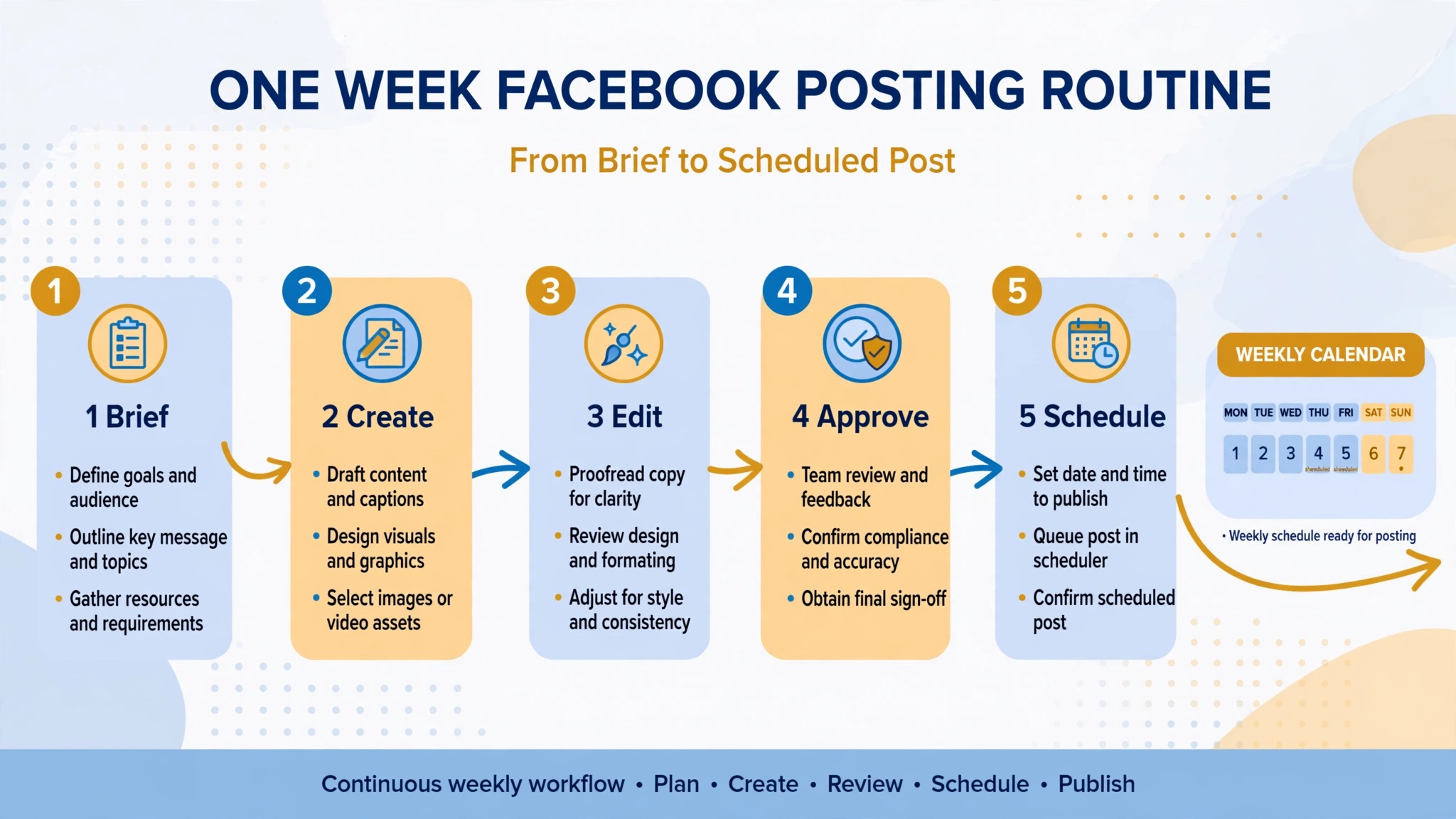
A One Week Workflow
A workable week with one of these makers takes about three hours once the system is running, and it produces ten finished Facebook posts. The workflow below assumes a solo operator with one Page, and you can scale it by adding a second Page day.
- Monday, plan in one sitting. List the products, offers, and stories for the week, write one line briefs for each post, and pick the format for each one, image, video, or link. A week planned on Monday never depends on inspiration on Thursday.
- Tuesday, make in one batch. Design the graphics in Canva or Snappa, write the captions in Buffer or Predis.ai, and save the drafts in your scheduler.
- Wednesday, edit with fresh eyes. Read every caption aloud, fix the first line of each post, check prices, dates, and links, and delete any post that sounds like a template. Editing a day after making catches errors that same day editing misses.
- Thursday, schedule and preview. Queue the posts for their best times, check the preview on a phone, and confirm that each image crops cleanly in the feed. A post that looks right on desktop and wrong on a phone is a post your audience will scroll past.
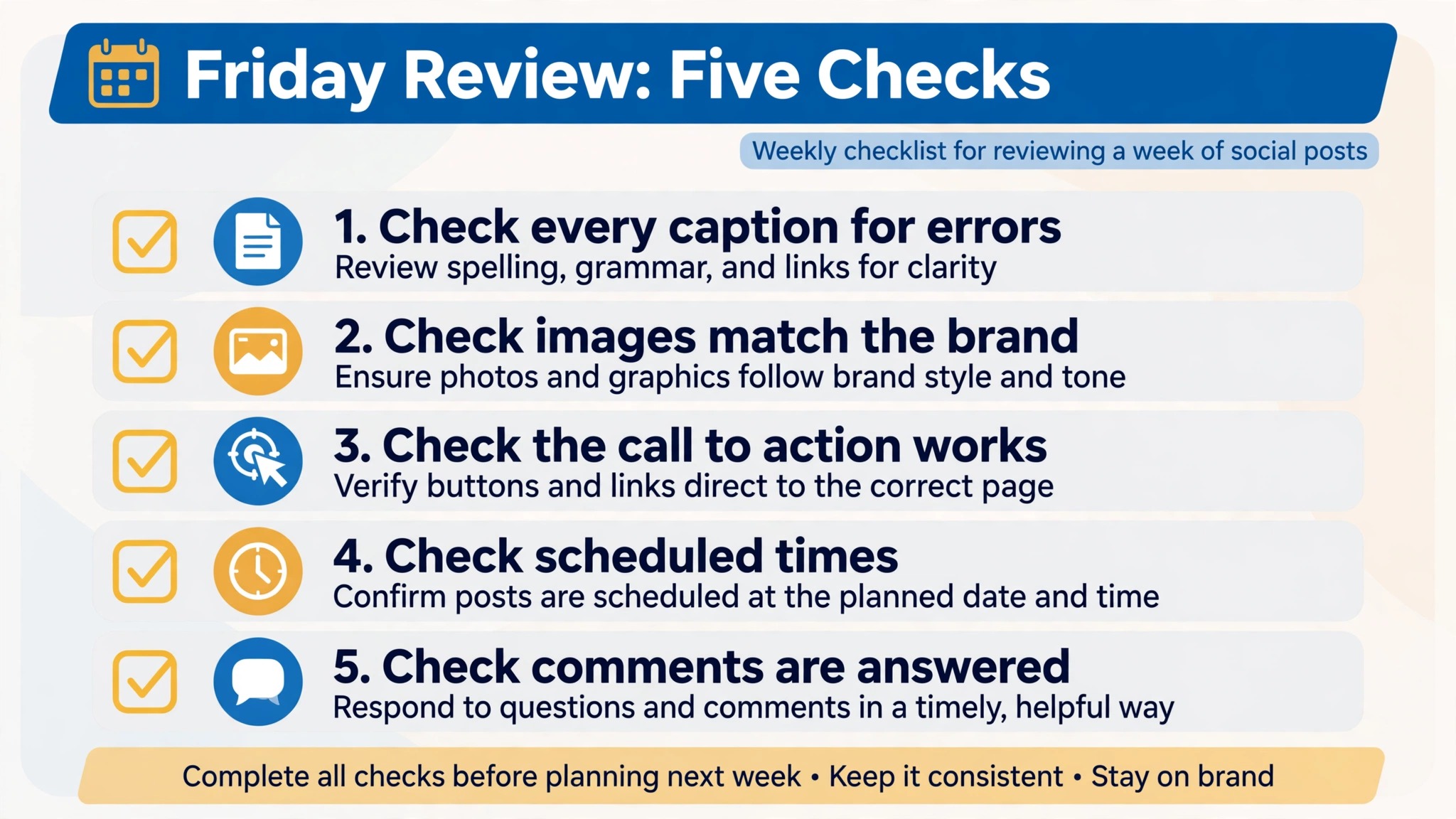
- Friday, reply and review. Answer comments in two short windows, note which posts earned replies and shares, and save the best performing format as a template for next week. The review takes twenty minutes and it is the step that makes next week better than this one.
Frequently Asked Questions
Which Facebook post maker is best for a small business?
Canva Pro is the best first buy for most small businesses, because its templates and brand kits cover the visual half better than anything else here, and Pro adds scheduling. If writing is your bottleneck, Buffer is the better buy, because its AI assistant drafts inside the composer. The best Facebook post makers for a solo owner are the ones that finish the most of the post in one place, so test two finalists on the same real week before you pay for a year.
Is there a free Facebook post maker?
Canva, Adobe Express, Snappa, VistaCreate, Buffer, and Loomly all offer free plans, with limits that matter, such as download caps, watermarked exports, and limited AI use. Meta Business Suite is also free, and it schedules posts to Facebook and Instagram without a subscription, though it designs nothing. The cheapest real workflow is a free design tool plus Meta Business Suite, and the first paid upgrade should be the tool that removes your biggest time cost.
Do these tools publish directly to Facebook?
Most of them do, with limits that matter. Buffer, ContentStudio, SocialBee, SocialPilot, Loomly, Later, and Hootsuite publish to Facebook from their entry plans. Predis.ai publishes on its entry plan but reserves auto publishing for Rise. Canva Pro schedules social content, and Adobe Express offers Meta publishing integrations. PicMonkey designs but does not publish, so it needs a scheduler. Check the network list for your exact Pages before you pay.
What size should a Facebook post image be?
Use 1200 by 630 pixels for link posts, 1080 by 1080 pixels for square feed posts, and 1080 by 1920 pixels for stories and reels. Most makers in this set offer all three as presets. Check each export on a phone before you schedule it, because a graphic that reads on a laptop can lose its headline in the feed crop.
Will AI captions sound like everyone else?
They will if you accept the first draft. Every generator here produces average copy from a blank prompt, because average is what a blank prompt asks for. Give the tool your voice, feed it your best past posts, edit the first line of every caption, and delete filler words before you publish. The tools that learn from your past posts drift less toward generic copy than the ones that start fresh each time.
Can one tool replace a designer and a scheduler?
No single tool in this set replaces both well. Canva comes closest for design, Buffer and ContentStudio come closest for writing and scheduling, and Predis.ai comes closest for finished ad style posts. Most small businesses end up with two tools, one for design and one for writing and scheduling. Start with the half that costs you the most time, and add the second half when the first is working.
The Bottom Line
Start with one tool, not with all thirteen, and give it a real month. If you need daily graphics, start with Canva Pro. If you need captions and scheduling, start with Buffer. If you need finished ad style posts, start with Predis.ai. If you manage clients, start with ContentStudio. Run the one week workflow, edit every caption before it publishes, and review what earned replies on Friday. The best Facebook post makers are the ones that survive a month of real posts, and the price that matters is the price of the plan you actually need, not the price on the homepage.