Canva gives a small business ten thousand templates. Adobe Express gives it Adobe fonts and stock. Snappa gives it a finished post in five minutes. A business that picks the wrong one of the three will still make decent posts, but it will pay for features it never uses or miss the one feature it needs every week. The difference between the best facebook post makers for small business is not quality. It is fit. This guide compares twelve real tools on price, templates, scheduling, and ease of use, so a small business can pick the one that matches its workflow and stop paying for the rest.
What Makes a Good Facebook Post Maker
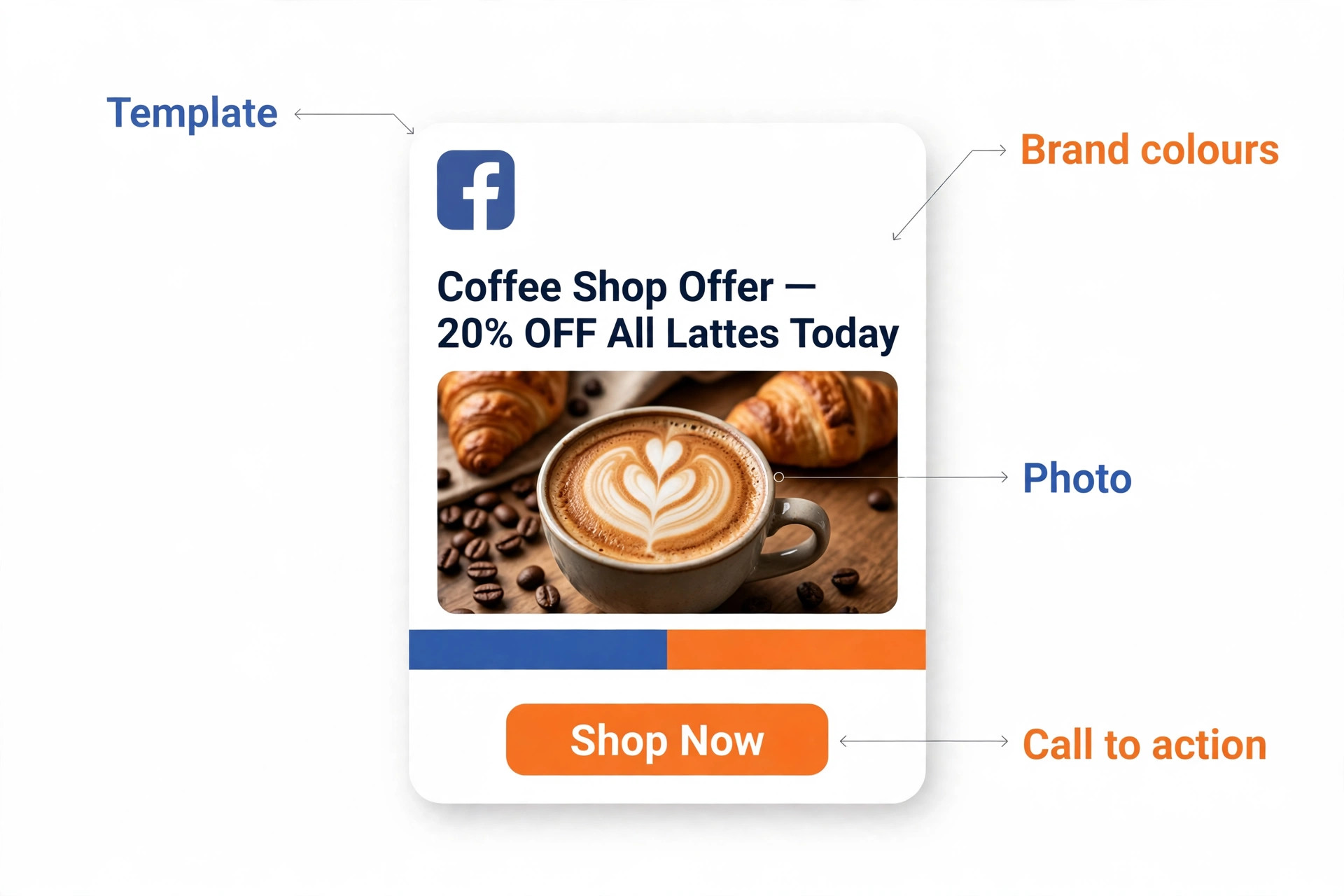
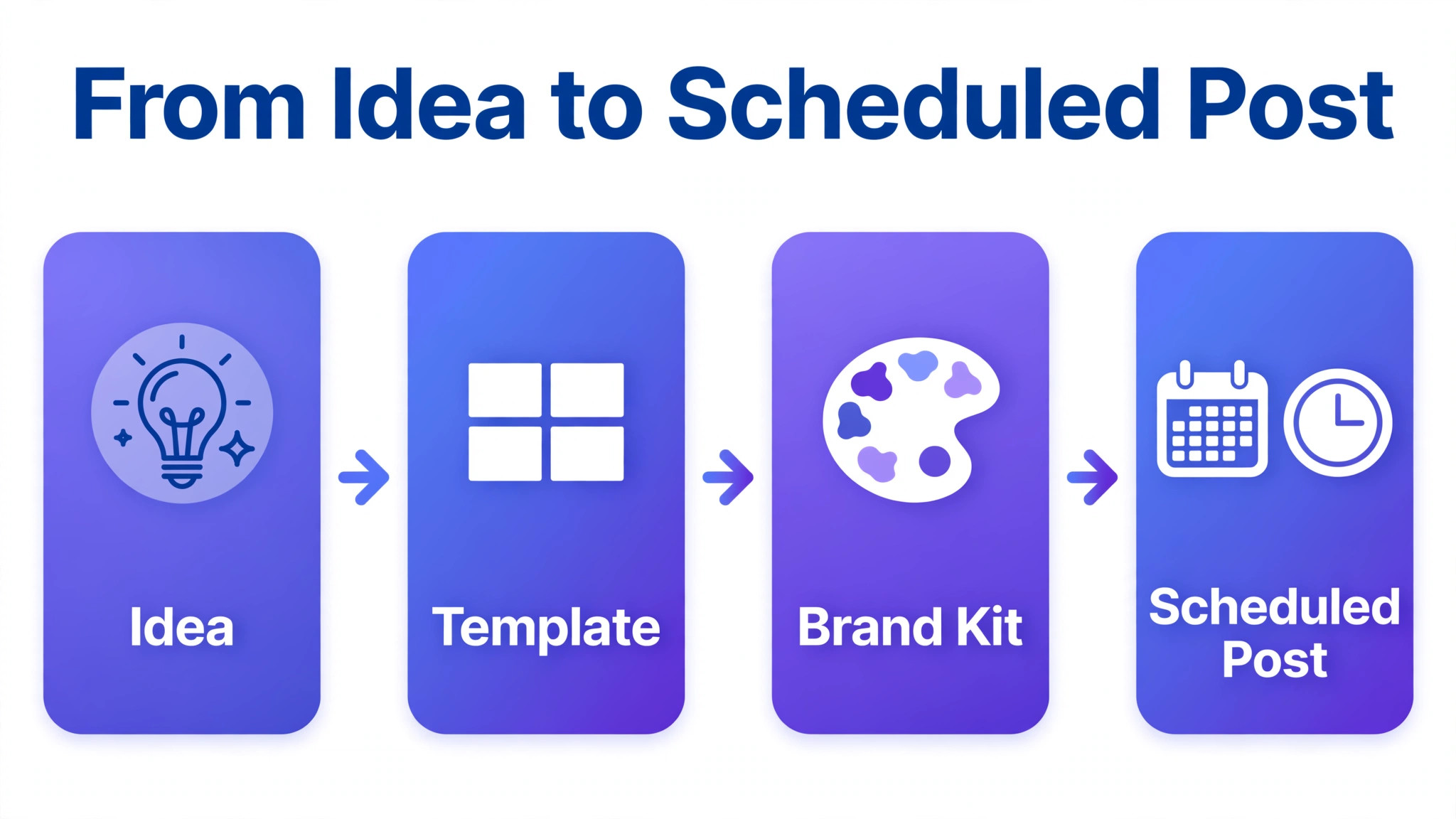
A Facebook post maker has one job. It turns an idea into a finished post fast, in the right size, with the brand looking right. The best tools share four traits. First, they offer Facebook sized templates, so a post never needs manual resizing. A square post, a link preview image, a cover photo, and a Story each have different dimensions, and a tool that resizes with one click saves hours.
Second, they offer a brand kit that stores colours, fonts, and logos, so every post looks like it came from the same business. Third, they include stock photos and graphics, because a small business rarely has a photo library of its own. Fourth, they let the finished post go straight to Facebook, either by download or by direct scheduling.
Ease of use matters more than feature count. A tool with fifty features that a busy owner never learns is worse than a tool with ten features that get used daily. The owner should be able to open the tool, pick a template, change the text, and export in under ten minutes. A tool that needs a tutorial for every post will be abandoned by week three. Free plans matter too. Most tools on this list offer a free plan that is genuinely useful for a business posting a few times a week. A paid plan earns its price only when the business hits a free limit, such as download caps, missing brand kits, or locked premium templates.
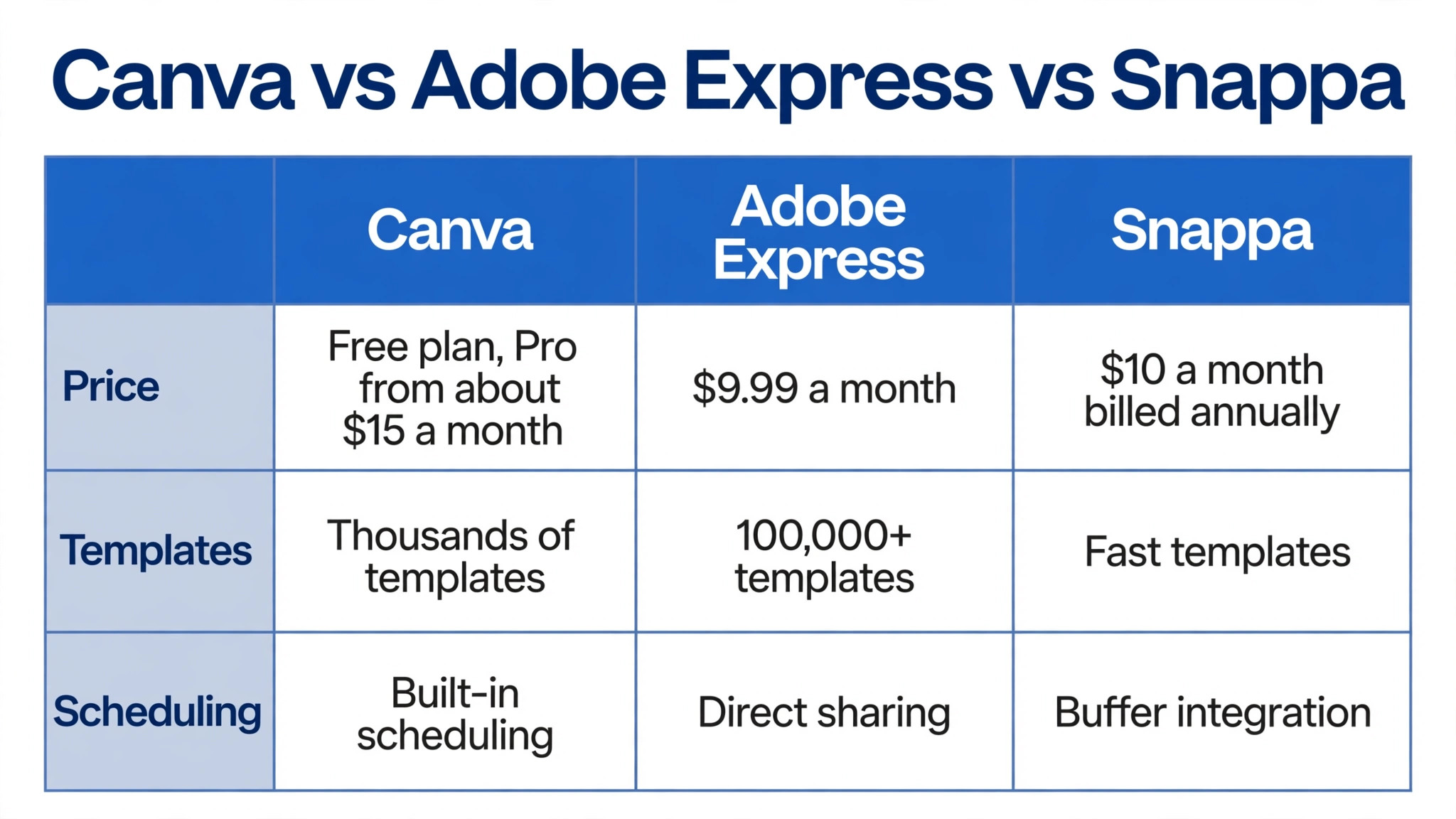
Scheduling is the feature that separates a design tool from a posting system. Tools such as Canva, VistaCreate, and Snappa connect to Facebook and schedule finished designs directly to a Page. That removes the step of downloading and re-uploading, and it keeps the posting rhythm steady when the owner is busy. A business that posts daily should treat scheduling as a requirement, not a bonus. A business that posts twice a week can live without it.
The 12 Best Facebook Post Makers Compared
The table below compares all twelve tools at a glance. Prices are in US dollars and change often, so check the vendor pricing page before buying. Where a price is given, it comes from published 2026 guides. Where no price is given, the vendor does not publish a single headline price and the business should check the site.
| Tool | Free plan | Paid plan from | Best for |
|---|---|---|---|
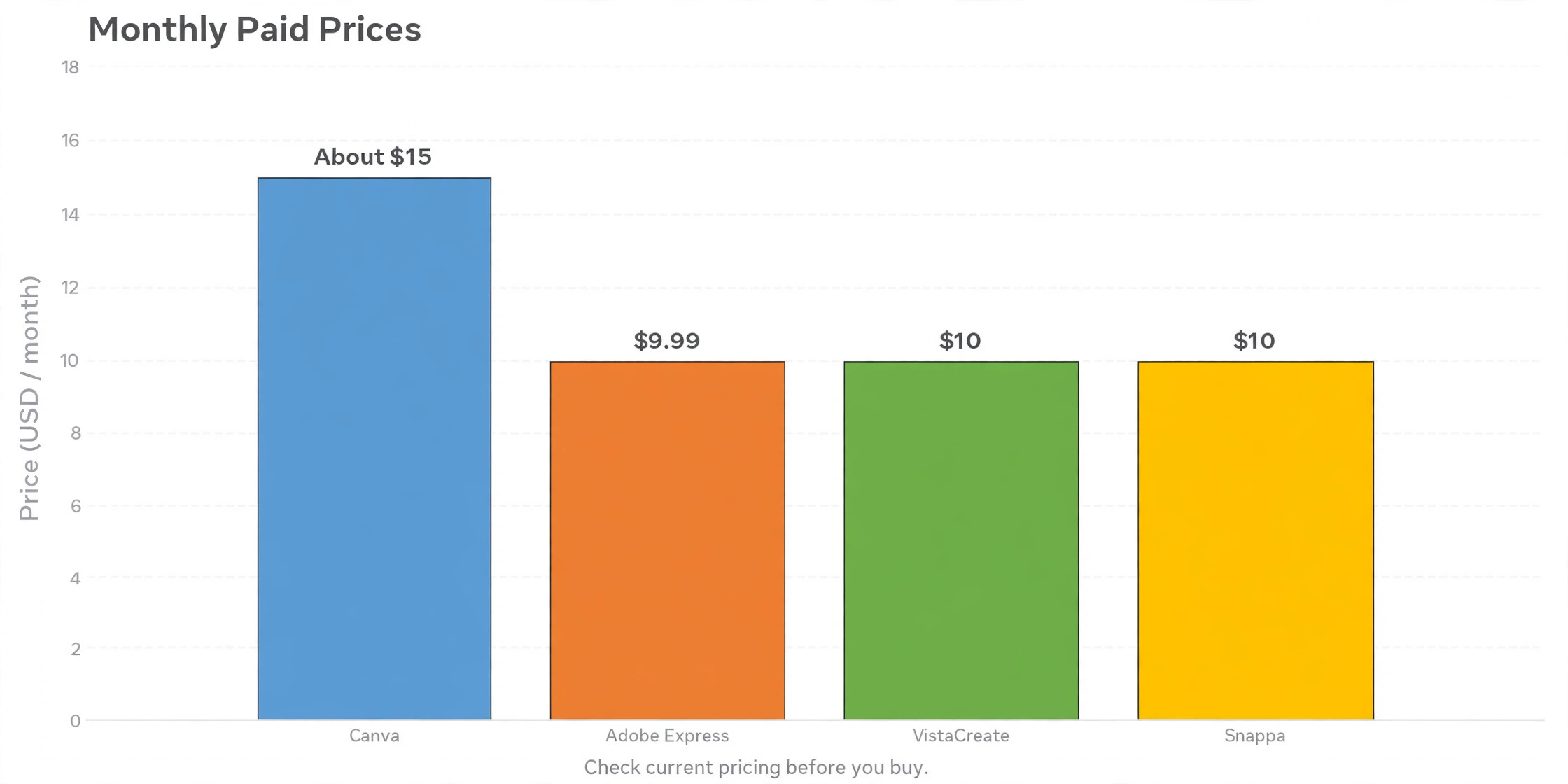
| Canva | Yes | Around 15 dollars monthly | All round posts |
| Adobe Express | Yes | 9.99 dollars monthly | Adobe templates and fonts |
| VistaCreate | Yes | 10 dollars monthly annual | Budget alternative |
| Snappa | Yes, limited | 10 dollars monthly annual | Fast posts |
| PicMonkey | Trial | Paid plans available | Photo editing plus design |
| Fotor | Yes | Paid plans available | Quick edits and templates |
| Pixlr | Yes | Paid plans available | Browser photo editing |
| BeFunky | Yes | Paid plans available | Fun graphics and effects |
| PosterMyWall | Yes | Paid plans available | Flyers, menus, events |
| Visme | Yes | 12.25 dollars monthly annual | Data posts and infographics |
| Easil | Yes | Paid plans available | Team brand templates |
| Stencil | Yes, limited | Paid plans available | Speed, quotes, simple graphics |
No tool on this list is a bad choice. The differences are in depth, price, and the kind of post each tool makes best. A business that wants one tool for everything should start at the top of the list. A business that wants the cheapest paid plan should look at VistaCreate and Snappa. A business that wants the fastest post should look at Snappa and Stencil. The detailed reviews below explain each tool in turn, with an honest verdict on who should use it and who should skip it.
The 12 Best Facebook Post Makers for Small Business
The twelve tools below are ordered by overall usefulness for a small business, not by price. Each review covers what the tool does best, what it costs, and where it falls short. Every tool here is real and currently available. A business that reads all twelve will know exactly which one fits its posts, its budget, and its team.
1. Canva
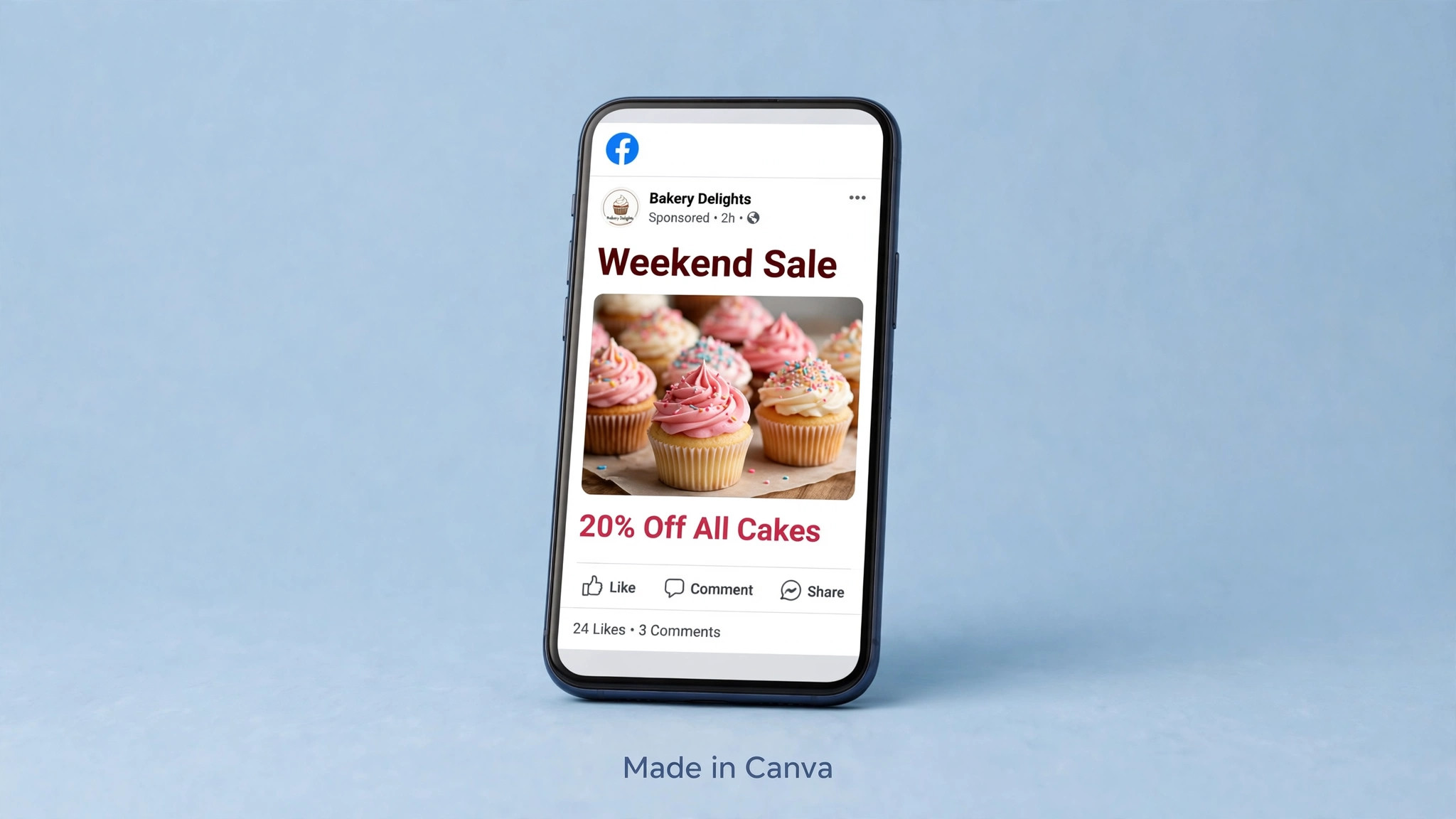
Canva is the default choice for most small businesses, and for good reason. It offers thousands of Facebook templates, a drag and drop editor that needs no design skill, and a library of stock photos, videos, and graphics that covers almost any post. A business can make a square promo post, a Story, a cover photo, and a short video from the same account. Bulk Create builds many graphics from a spreadsheet, which suits a business posting daily offers. Brand Kit stores colours, fonts, and logos, and the resize tool turns one design into every Facebook size in a click.
The free plan is genuinely useful. It includes templates, stock assets, and 5 GB of storage, which is enough for a business posting a few times a week. Canva Pro adds premium templates, the full stock library, background removal, and the brand kit. Published Pro prices conflict across 2026 sources, from about 13 to 18 dollars per month, so a business should confirm the current price on the Canva site before budgeting. The honest verdict is that Canva is the safest all round pick, and the only businesses that should skip it are those that want a simpler tool or a cheaper paid plan.
2. Adobe Express
Adobe Express is the closest rival to Canva, and it wins for businesses that already live in the Adobe world. It offers templates for Facebook posts, Stories, and covers, plus one tap tools for background removal, resizing, and converting a video to a GIF. Adobe Fonts gives access to thousands of typefaces that cheaper tools cannot match, and the Adobe Stock collection adds professional photography to every post. The Social Safe Zones feature shows where Facebook interface elements will cover the design, a small detail that saves a business from publishing a post with hidden text.
The free plan includes over 100,000 templates, more than a million stock assets, Adobe Fonts, and 5 GB of storage, which is generous for a free tier. Premium costs 9.99 dollars per month or 99.99 dollars per year, and it adds the full template and font libraries, a larger stock collection, brand kits, and 100 GB of storage. Premium is included at no extra cost with some Creative Cloud plans, which makes it effectively free for businesses already paying Adobe. A business that wants polished posts with Adobe quality should pick Express. A business that wants the largest template library should pick Canva.
3. VistaCreate
VistaCreate, formerly known as Crello, is the closest thing to Canva at a lower price. The editor feels instantly familiar, with a drag and drop canvas, a template panel on the left, and one click background removal on paid plans. It offers over 200,000 templates and a large stock library, plus animation features that turn a static post into a moving one. A business that makes animated sale posts or moving quote graphics will get more from VistaCreate than from most rivals at this price.
The free Starter plan is unusually generous. It includes around a million royalty free photos, videos, and graphics, unlimited downloads with no watermark, a background remover, a brand kit, and 10 GB of storage. Pro costs 13 dollars per month, or 10 dollars per month when billed annually, and it adds the full 50 million asset library and team features. Pro covers up to ten members on one account, which makes it the cheapest team option on this list. A small business on a tight budget should try the free plan first. It may never need to pay.
4. Snappa
Snappa is built for one job, which is getting a polished social graphic out the door in minutes. The editor is simpler than Canva, with fewer choices and a faster path from template to finished post. One click resizing turns a Facebook post into every other social size without rebuilding the layout. Buffer integration and direct sharing to connected social accounts mean a finished post can go live without leaving the tool. A business owner who hates design software will finish posts in Snappa faster than in any other tool on this list.
The free Starter plan gives access to the template library and tens of thousands of HD photos and graphics, with a small monthly download limit. Pro costs 10 dollars per month billed annually, or 15 dollars per month billed monthly, and it unlocks unlimited downloads, custom font uploads, background removal, and Buffer and social media integrations. The Team plan costs 20 dollars per month billed annually for five users. The trade off is depth. The template library is smaller than Canva, and advanced editing is limited. A business that wants speed over depth should pick Snappa. A business that wants the deepest library should not.
5. PicMonkey
PicMonkey sits between a photo editor and a design tool, which suits businesses whose posts start with a photograph. It offers strong photo editing, including touch up, filters, and background tools, plus templates for Facebook posts, covers, and ads. A shop that photographs its own products will get more from PicMonkey than from a template only tool, because the photo can be edited and the post designed in the same place. The template library is smaller than Canva, but the photo tools are deeper.
PicMonkey offers a free trial rather than a permanent free plan, and paid plans are listed on the vendor site. A business should check the current price before budgeting, because PicMonkey has changed its plans before. The honest verdict is that PicMonkey fits product businesses that edit photos daily. A business that rarely touches a photo should pick a template first tool instead, because it will pay for photo depth it never uses.
6. Fotor
Fotor is a browser based editor that combines photo editing with design templates. It offers Facebook post templates, collage tools, and one click photo enhancements that fix lighting and colour in seconds. A business with average product photos will see a visible improvement from the enhancement tools alone. Fotor also offers AI tools for background removal and image generation on paid plans, which help a small team produce varied posts without a designer.
The free plan covers basic editing and templates, while paid plans add premium features, more storage, and the AI tools. Prices are listed on the Fotor site and change by region, so check before budgeting. Fotor suits a business that wants quick photo fixes plus templates in one tab. It is not the deepest design tool on this list, and a business that wants advanced brand controls should look at Canva or Easil instead.
7. Pixlr
Pixlr is a browser based photo editor with a design side, and it suits businesses that need real editing power without installing software. It offers layered editing, filters, and retouch tools that go beyond the simple sliders in most post makers, plus templates for social posts. A business that removes backgrounds, cleans up product photos, or composites images will find Pixlr more capable than Canva for that work. The interface will feel familiar to anyone who has used Photoshop, though it is simpler to learn.
The free plan covers a useful range of editing and templates, with ads and some locked features. Paid plans add the full feature set, more AI tools, and no ads, with prices listed on the Pixlr site. Pixlr suits a business with someone comfortable editing photos. A business with no photo editing experience should pick Snappa or Canva, because Pixlr rewards skill that a beginner does not yet have.
8. BeFunky
BeFunky is a fun, fast editor that suits businesses whose brand is playful. It offers photo effects, artsy filters, collage layouts, and templates for Facebook posts and covers. A cafe, a gift shop, or a kids brand will find BeFunky templates match its tone better than the corporate look of some rivals. The photo editor includes touch up and effects that turn an ordinary phone photo into a post with personality in a few clicks.
The free plan covers basic editing and templates. Paid plans add premium effects, more templates, and batch processing, with prices on the BeFunky site. The trade off is professionalism. BeFunky is weaker on brand kits and business templates than Canva or Adobe Express, so a business that needs strict brand control should not rely on it alone. A business that wants quick, cheerful posts will enjoy it.
9. PosterMyWall
PosterMyWall is built for flyers, menus, and event posts, which makes it a strong pick for local businesses. It offers thousands of templates for sales, events, menus, and announcements, plus a large stock library and video templates. A restaurant can make a lunch special post, a gym can make a class timetable, and a shop can make a weekend sale flyer, all from the same account. The editor supports both images and short videos, and finished designs can be scheduled to Facebook directly.
The free plan includes templates with a watermark on some exports, while paid plans remove limits and add premium assets, with prices on the PosterMyWall site. PosterMyWall suits any business that promotes events, offers, and menus on Facebook. A business that posts mostly brand stories and educational content will find Canva a better fit, because PosterMyWall templates lean toward promotion.
10. Visme
Visme is the tool for businesses whose Facebook posts carry data. It offers infographic templates, charts, and data widgets that turn numbers into a readable post. A business that shares survey results, price comparisons, or process steps will get more from Visme than from a general design tool. It also offers standard social templates, presentation tools, and brand kits, so it can handle ordinary posts as well as data posts.
The free plan covers basic templates and projects. The Starter plan costs 12.25 dollars per month billed annually, or 147 dollars per year, and it adds premium templates and more projects. Visme suits consultants, educators, and businesses that publish research or guides on Facebook. A business that only posts photos and offers should skip it, because its strength is information design, not speed.
11. Easil
Easil is built for teams that need brand control. It offers drag and drop templates with locked elements, so a team member can change the text and photo without moving the logo, changing the font, or breaking the brand colours. A franchise, a multi location business, or a team with several posters will benefit most. The brand kit stores colours, fonts, and logos, and templates can be shared across the team with permissions.
The free plan covers basic design, while paid plans add brand controls, team features, and premium templates, with prices on the Easil site. Easil suits a business where more than one person makes posts and consistency is a real problem. A solo owner will find Canva simpler and cheaper, because the locking features solve a problem a solo business does not have.
12. Stencil
Stencil is the simplest tool on this list, and that is its strength. It offers a huge stock photo library, simple templates, and a very fast editor that produces a finished Facebook post in minutes. Quote graphics, simple announcements, and blog promotion posts are its best use. A business that posts a daily quote or a quick tip will finish the work in Stencil faster than in any tool except Snappa.
The free plan is limited, while paid plans add unlimited images, more templates, and scheduling, with prices on the Stencil site. Stencil suits a business that wants speed and simplicity above all else. A business that wants deep brand controls, video, or advanced templates should pick a larger tool. Stencil proves that the best facebook post makers for small business are not always the biggest ones. Sometimes the best tool is the one that gets the post done before the owner loses interest.
How to Choose the Right Facebook Post Maker
Choosing starts with the posting habit, not the feature list. A business that posts once a week needs a free plan and a template library. A business that posts daily needs scheduling, bulk creation, and a brand kit. A business with a team needs locked templates and shared brand assets. A business that sells with photos needs photo editing. Write down the posting rhythm, the team size, and the post types before comparing tools. The right tool is the one that fits those three facts.
Try the free plan for two weeks before paying. Make ten real posts, not test designs, and note where the tool slows the work down. That trial is the fastest way to judge the best facebook post makers for small business, because a tool that feels fast on day one but blocks downloads on day ten is not free. A tool that feels slow on day one but saves an hour a week by month two is worth paying for. Check three things during the trial. Whether the brand kit holds the colours and fonts. Whether the Facebook sizes export cleanly. Whether scheduling works with the business Page. A tool that passes all three is the right buy.
Price should be judged per month of real use, not per month of the headline price. A 15 dollar tool used daily costs less per post than a 10 dollar tool used twice a month. A free tool that wastes an hour per post costs more than a paid tool that finishes in ten minutes, because the owner time is the real expense. The best facebook post makers for small business earn their price by saving time, not by having the longest feature list. Pick the tool that makes the weekly posting routine easiest, and the posts will stay consistent long after the excitement of a new tool fades.
Facebook Post Sizes to Use in 2026
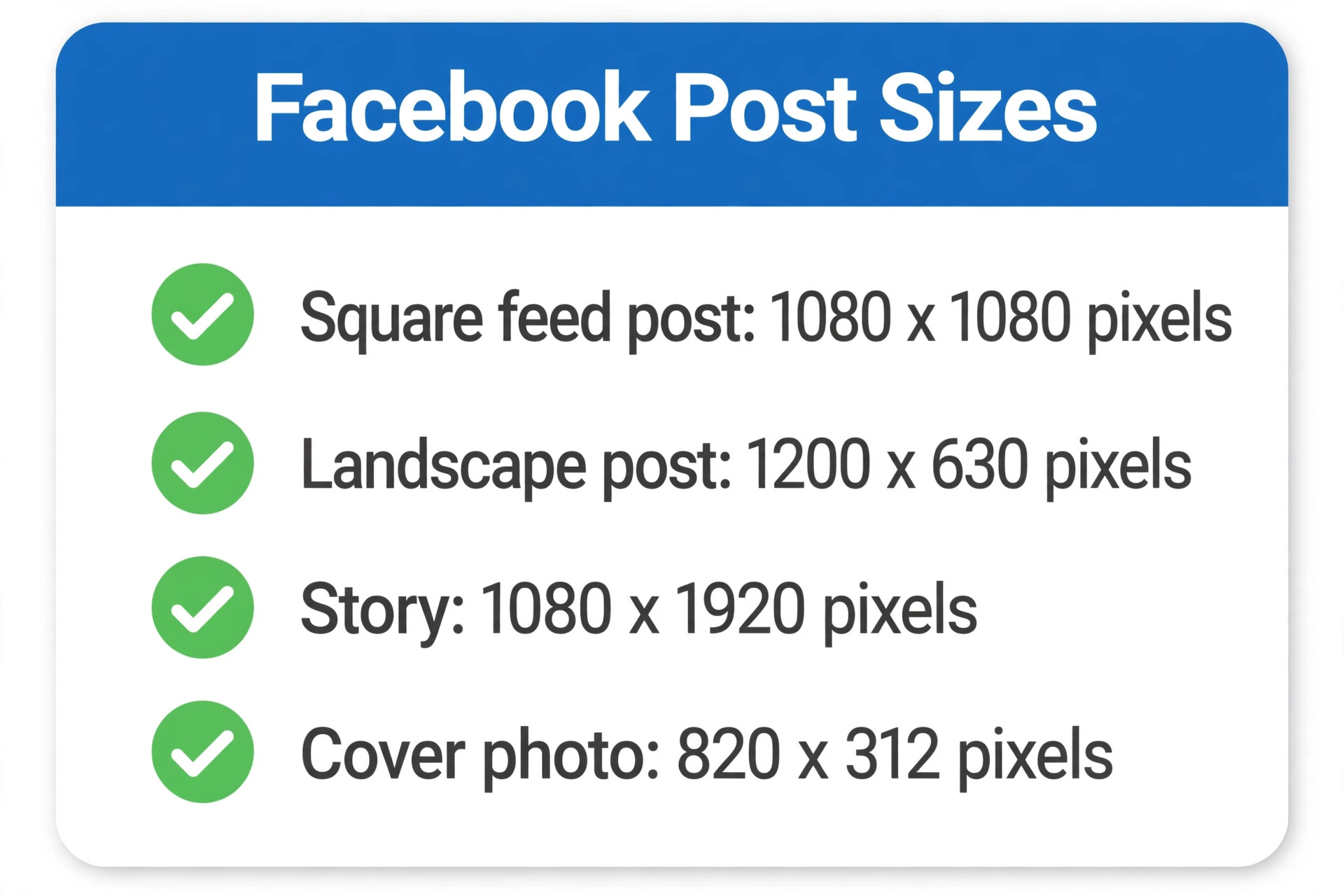
A post made at the wrong size will be cropped, stretched, or shown with empty space, and no template can fix that after export. The sizes below are the practical standards small businesses should use in 2026. A good post maker handles these sizes automatically, but a business should still know them, because a downloaded image at the wrong size is a wasted post.
| Post type | Recommended size | Notes |
|---|---|---|
| Square feed post | 1080 by 1080 pixels | The most reliable size for the feed |
| Landscape feed post | 1200 by 630 pixels | Best for link previews and shared articles |
| Portrait feed post | 1080 by 1350 pixels | Takes more feed space on mobile |
| Facebook Story | 1080 by 1920 pixels | Vertical full screen, keep text central |
| Cover photo | 820 by 312 pixels | Keep key text away from the edges |
| Event cover | 1200 by 628 pixels | Used for event pages and promotion |
Keep important text inside the centre of the design. Facebook interface elements cover the edges of Stories and cover photos, and a headline placed near an edge can be hidden on some screens. Export feed posts as JPG for photographs or PNG for graphics with sharp text. A file under a few megabytes will upload fast and display cleanly. The best facebook post makers for small business include these sizes as one click presets, so a business should check that its chosen tool offers them before committing to a paid plan.
Best Pick by Job
The right tool depends on the business, the budget, and who makes the posts. The table below gives the fastest answer for each common job.
| Job | Best pick | Why it wins |
|---|---|---|
| One tool for everything | Canva | Largest library, brand kit, scheduling |
| Cheapest paid plan | VistaCreate Pro | 10 dollars a month, ten team members |
| Fastest post, no learning | Snappa | Finished in minutes, Buffer built in |
| Adobe quality and fonts | Adobe Express Premium | 9.99 dollars, Adobe Stock and Fonts |
| Photo led product posts | PicMonkey | Deep photo editing plus templates |
| Event and menu promotion | PosterMyWall | Flyer templates, direct scheduling |
| Data and infographic posts | Visme | Charts and infographics built in |
| Team with brand control | Easil | Locked templates, shared brand kit |
| Daily quotes and tips | Stencil | Fastest simple graphics |
A business that is unsure should start with Canva free and switch only when a real limit appears. A download cap, a missing brand kit, or a template that cannot be found are real reasons to change. A feature list is not. Most small businesses will never need more than one tool from this list, and the money saved by not subscribing to three tools pays for better photography instead.
Mistakes That Waste Money on Post Makers
The most common mistake is paying for three tools at once. A business subscribes to Canva, Adobe Express, and a scheduling tool, then uses only one of them. Audit the subscriptions every quarter and cancel the tools that were not opened in the last month.
That audit is the simplest way to keep the best facebook post makers for small business affordable. The second mistake is choosing on price alone. The cheapest paid plan that lacks a brand kit will cost more in inconsistent posts than a slightly dearer plan that keeps the brand consistent. The third mistake is ignoring the free plan. Many businesses pay for Pro features they never use, when the free plan already covers their posting volume.
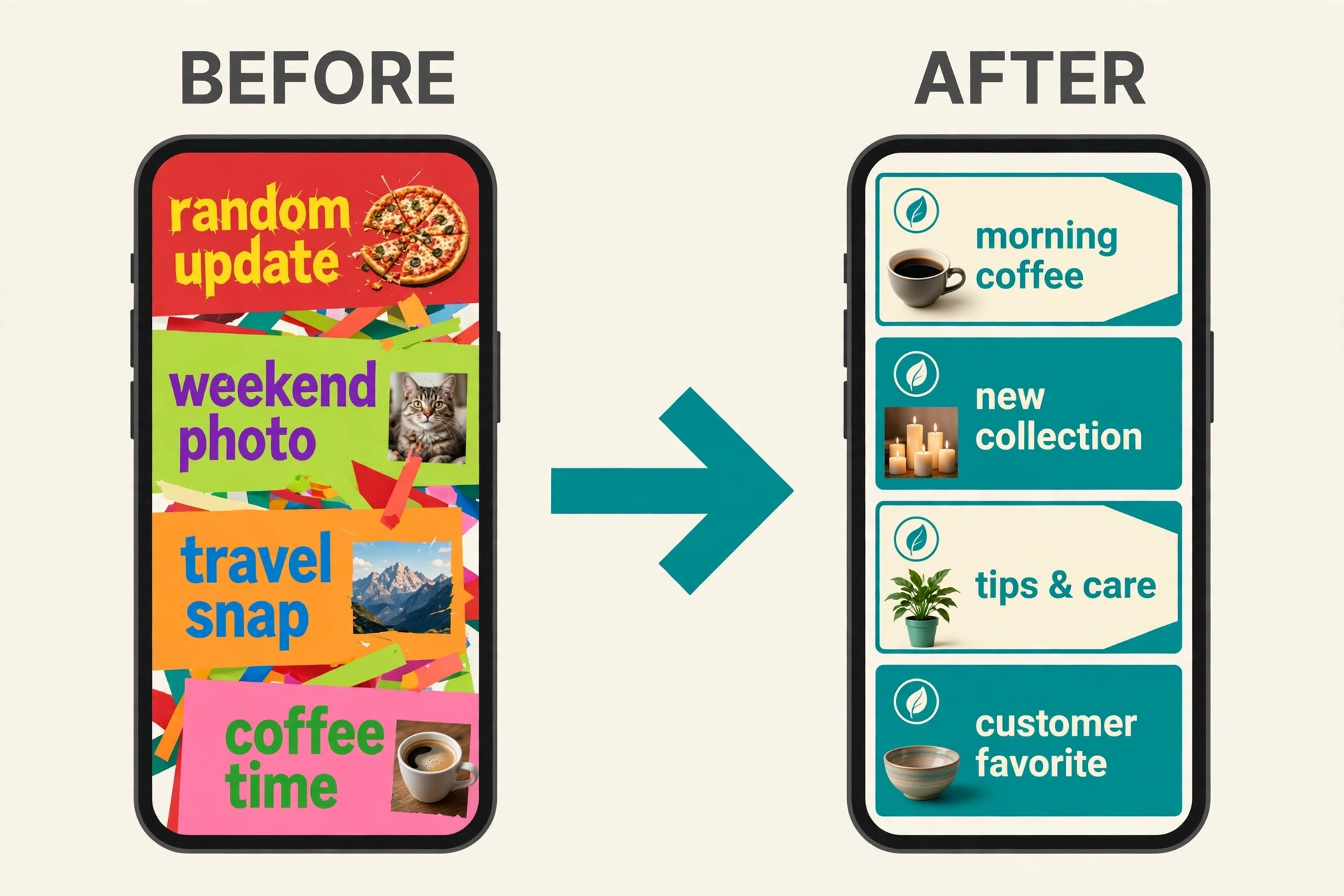
The fourth mistake is making posts that all look the same. A feed of identical templates will bore followers, even if each post is well designed. Rotate the layout, the photo style, and the post type across the week. Mix a photo post, a quote graphic, a short video, and a link post.
The fifth mistake is forgetting the caption. A beautiful graphic with a one word caption will underperform a plain graphic with a caption that asks a question or tells a story. The tool makes the image. The owner still has to write the words. The sixth mistake is never checking results. Facebook Insights shows which posts earned reach and engagement. A business that reviews Insights monthly will learn which templates work and which to retire.
Frequently Asked Questions
Which Facebook post maker is best for a small business
Canva is the best all round choice for most small businesses, because it combines the largest template library with a brand kit, resizing, and scheduling. Adobe Express is the best pick for businesses that want Adobe fonts and stock, while VistaCreate is the best budget pick at 10 dollars per month billed annually. The right answer depends on budget, team size, and posting rhythm, so try the free plan first.
Are there free Facebook post makers for small business
Yes. Canva, Adobe Express, VistaCreate, Snappa, Fotor, Pixlr, BeFunky, PosterMyWall, Visme, Easil, and Stencil all offer free plans or trials. The best facebook post makers for small business on a zero budget are Canva and VistaCreate, because their free plans include templates, stock assets, and brand tools without a watermark on most exports. Check download limits before relying on a free plan for daily posting.
Can I schedule Facebook posts from these tools
Yes, several tools schedule directly to a Facebook Page. Canva, VistaCreate, Snappa, and PosterMyWall all offer scheduling or direct sharing, and Meta Business Suite schedules posts for free as well. A business that posts daily should treat scheduling as a requirement, because it keeps the rhythm steady when the owner is busy.
How much does Canva Pro cost in 2026
Published 2026 guides give conflicting Canva Pro prices, from about 13 to 18 dollars per month, with around 15 dollars per month on annual billing as the most commonly cited figure. Prices vary by region and change often, so check the current price on the Canva site before budgeting. The free plan is enough for a business posting a few times a week.
What size should a Facebook post be
A square feed post should be 1080 by 1080 pixels, a landscape post 1200 by 630 pixels, and a Story 1080 by 1920 pixels. A cover photo should be 820 by 312 pixels. Keep important text in the centre, because Facebook interface elements cover the edges on some screens. Most tools on this list resize with one click.
Do I need a paid plan to make professional Facebook posts
No. A free plan from Canva, Adobe Express, or VistaCreate can make professional posts, provided the business uses its own brand colours and original photos. A paid plan earns its price when the business hits a free limit, such as download caps, missing brand kits, or locked premium templates. Pay for the limit that actually blocks the work, not for the feature list.
Which tool is fastest for making a Facebook post
Snappa and Stencil are the fastest tools on this list, because their editors have fewer choices and a shorter path from template to finished post. A simple post can be finished in about five minutes in either tool. Canva is slower per post but faster across a week of varied posts, because its templates and brand kit remove repeated setup work.