A bookkeeper who charges 400 dollars a month will keep the books clean. A software plan that charges 38 dollars a month will keep the books current, if someone actually opens it every week. The gap between those two numbers is the reason most small businesses buy software first, and the reason many of them still end the year with a mess. The software is only cheap when the business uses it, and bookkeeping software pricing for small business only makes sense once the limits inside each tier are counted.
The limits are where the money hides. One plan caps invoices at 20 a month. Another caps billable clients at 5. A third caps users at one, so the owner and the accountant cannot both be inside the books at once. A fourth includes unlimited users and charges more for the privilege. A business that picks a plan by the headline price and then outgrows a limit in month three will pay twice, once for the cheap plan and once for the upgrade.
The other hidden line is payroll. Most bookkeeping plans do not include it, and payroll adds 40 to 50 dollars a month plus 6 dollars per employee on top of the subscription. A five person business on a 115 dollar plan with payroll lands near 200 dollars a month before a single card processing fee. This guide works through bookkeeping software pricing for small business with published prices checked in November 2026, and it counts the limits and the add ons alongside the headline.
Prices below are US list prices before tax unless stated. Monthly prices are per month, with the annual billing rate beside the monthly rate where the vendor publishes one. Promotional first year rates are excluded, because they expire and the books do not.
At a Glance. bookkeeping software pricing for small business in One Table
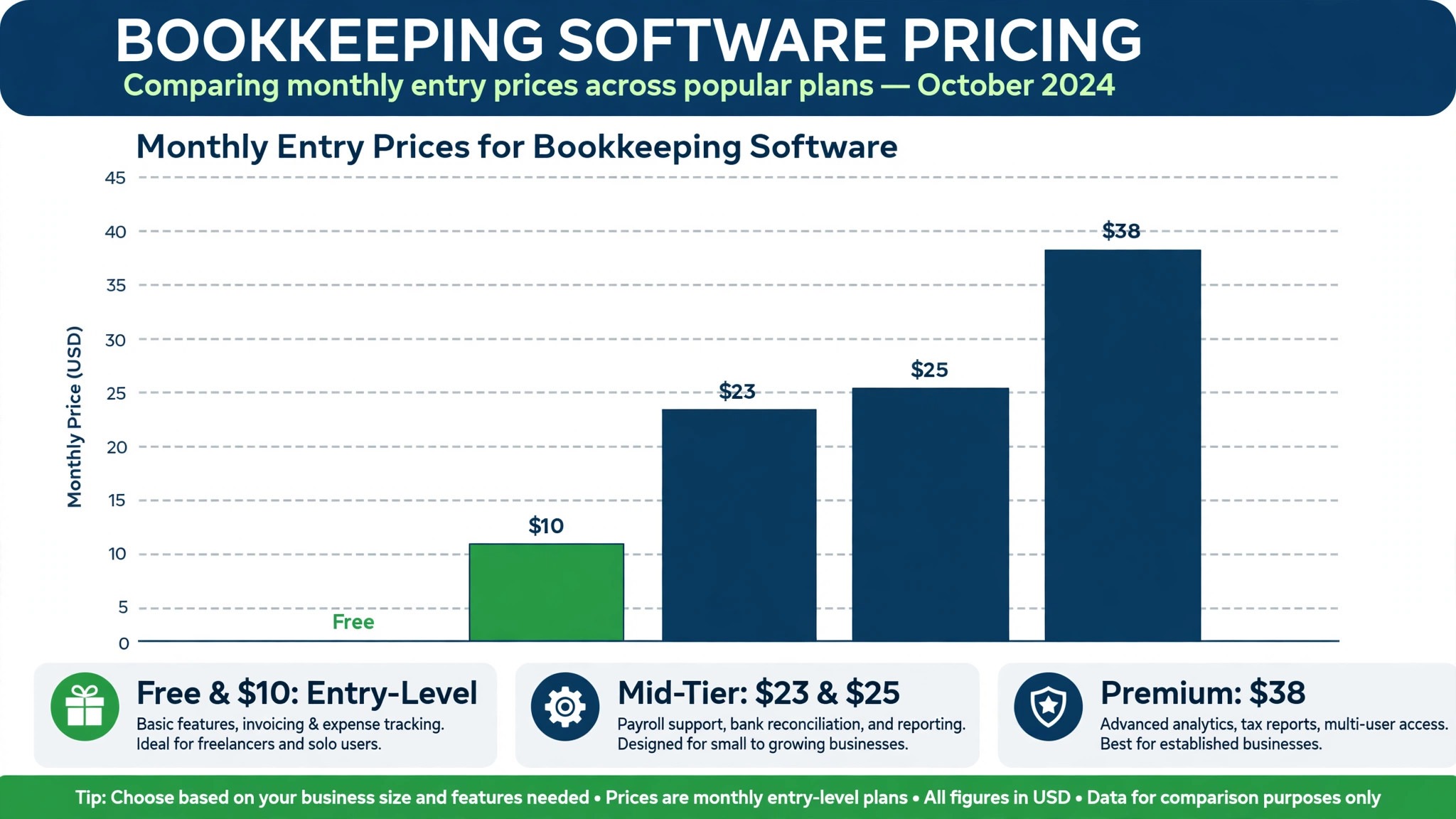
The table below is the short answer. Prices are in US dollars a month before tax, at regular list rates.
| Tool | Free plan | Entry paid price | What you get | Main limit |
|---|---|---|---|---|
| QuickBooks Online | 30 day trial | Simple Start 38 dollars | Invoicing, expenses, mileage, receipts | 1 user only |
| Xero | 30 day trial | Early 25 dollars | Bank reconciliation, invoicing, receipts | 20 invoices, 5 bills a month |
| FreshBooks | 30 day trial | Lite 23 dollars | Invoicing, expenses, time tracking | 5 billable clients |
| Wave | Starter free | Pro 19 dollars | Invoicing, accounting, receipts | No payroll in some states |
| Zoho Books | Free under 50,000 dollars revenue | Standard 20 dollars | Invoicing, expenses, bank feeds | Revenue cap on free plan |
| Sage Accounting | 30 day trial | Start 10 dollars | Invoicing, expenses, bank feeds | 1 user, limited features |
| Bench | No free plan | 349 dollars a month | Bookkeeper plus software | Price, human service |
| Kashoo | 14 day trial | 20 dollars a month | Invoicing, expenses, reports | Small team focus |
| FreeAgent | 30 day trial | 10 dollars a month | Invoicing, expenses, tax | UK focus, US limits |
Read the limit column first, because it decides whether the plan survives the first quarter. A plan that caps invoices at 20 a month is fine for a business that sends 10 invoices, and it is a trap for a business that sends 30. A plan that caps billable clients at 5 is fine for a freelancer with 4 clients, and it is a trap for a freelancer with 6. That limit test is the heart of bookkeeping software pricing for small business, and it matters more than the headline price.
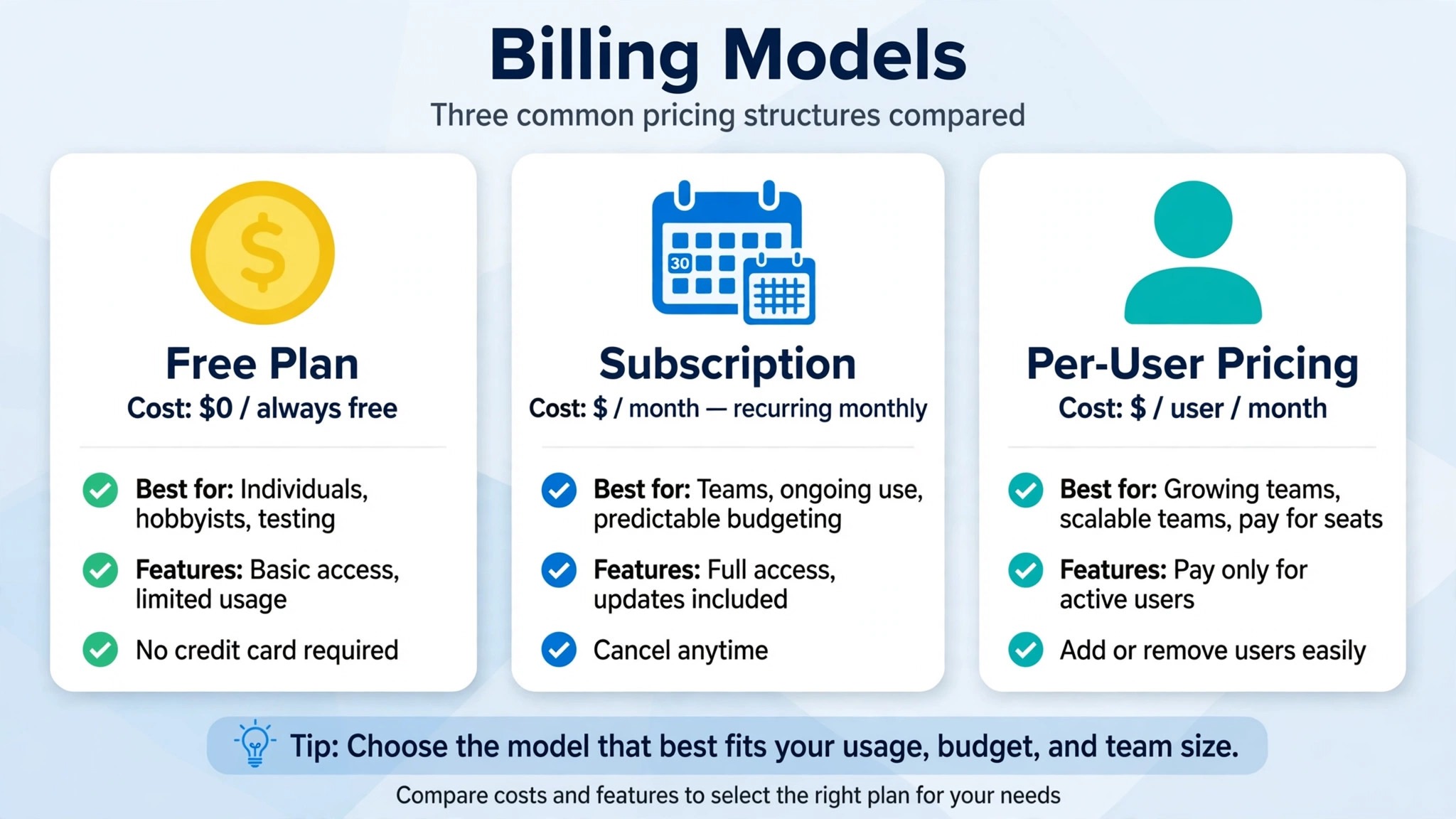
Read the user column second, because users decide who can see the books. QuickBooks Simple Start allows one user, so the owner is the only person inside the books and the accountant needs separate firm access. Xero includes unlimited users on every business plan, so the owner, the bookkeeper, and the accountant can all be inside at once. A business with a team should pay for unlimited users. A solo owner should not.
QuickBooks Online
QuickBooks Online is the default pick in this guide, and its pricing is the most expensive at every comparable tier. Simple Start costs 38 dollars a month, with one user, invoicing, expense tracking, mileage, and receipt capture. Essentials costs 75 to 85 dollars a month depending on the source and the billing date, with three users, bill management, multi currency, and time tracking. Plus costs 115 to 140 dollars a month, with five users, inventory tracking, project profitability, and budgets. Advanced costs 275 to 340 dollars a month, with 25 users, business analytics, batch invoicing, and workflow automation.
Worked cost for a five person business. Plus at 115 dollars a month plus Payroll Core at about 50 dollars a month plus 6 dollars per employee lands near 195 to 202 dollars a month before a single card processing fee. Over a year that is about 2,400 dollars, and the price has more than doubled since 2022, with further increases confirmed for renewals on or after August 1, 2026 for Essentials, Plus, and Advanced. Simple Start pricing stays unchanged in that rise, which is the one piece of good news in the QuickBooks price story.
QuickBooks earns its price with the ecosystem. Accountants know it, lenders accept it, payroll and payments plug in, and the app market covers almost every niche. The weakness is the price creep and the upsell experience, because every feature beyond the base plan is a separate add on. A business that needs the deepest US ecosystem and an accountant who already uses QuickBooks should test it first. A business that wants a predictable bill should look at Xero.
Xero
Xero is the predictable pick in this guide, and its pricing undercuts QuickBooks at every comparable tier while including unlimited users. Early costs 25 dollars a month, with 20 invoices and 5 bills a month, bank reconciliation, and receipt capture. Growing costs 55 dollars a month, with unlimited invoices, bills, and reconciliations. Established costs 90 dollars a month, with multi currency, expense claims, project tracking, and advanced analytics. From October 1, 2026 those prices were scheduled to rise to 27, 59, and 97 dollars a month, so a buyer should confirm the current figure before signing.
Worked cost for a growing business. Growing at 55 dollars a month costs 660 dollars a year, and it covers unlimited invoices with unlimited users, so the owner and the accountant can both work inside the books without an extra seat fee. Established at 90 dollars a month costs 1,080 dollars a year, and it adds the multi currency and project tracking that a business with overseas clients needs. Payroll runs through Gusto at 36 dollars a month plus 6 dollars per employee, which is a separate bill to add on top.
Xero earns its place with the interface and with the user model. The dashboard is cleaner than QuickBooks, the bank reconciliation is fast, and unlimited users remove the seat math that makes QuickBooks expensive for a team. The weakness is the Early cap, because 20 invoices a month is easy to outgrow, and the US payroll story is weaker than QuickBooks, since it runs through a partner. A business with several people who need access should test Xero first.
FreshBooks
FreshBooks is the invoicing pick in this guide, and its pricing is the friendliest for a service business that lives on invoices. Lite costs 23 dollars a month, with 5 billable clients, unlimited invoices, expense tracking, and time tracking. Plus costs 43 dollars a month, with 50 billable clients, proposals, retainers, recurring billing, bank reconciliation, and accountant access. Premium costs 70 dollars a month, with unlimited billable clients, project profitability, email customization, and accounts payable. Additional team members cost 11 dollars per person a month.
Worked cost for a freelancer with 20 clients. Lite at 23 dollars a month does not cover 20 clients, so the real price is Plus at 43 dollars a month, which costs 516 dollars a year. A freelancer with 4 clients pays 23 dollars a month, or 276 dollars a year, and that is the cheapest honest price in this guide for a tiny service business. A freelancer with 60 clients pays 70 dollars a month for Premium, or 840 dollars a year. The client count, not the invoice count, decides the tier.
FreshBooks earns its place with invoicing. The invoices look good, the payment reminders work, and the time tracking feeds straight into the bill. The weakness is that it is not built for inventory, and it has no double entry accounting on the lower tiers and no bank reconciliation on Lite. A service business that invoices clients and tracks time should test FreshBooks first. A product business with stock should not.
Wave
Wave is the free pick in this guide, and its pricing is the simplest of all. Starter costs nothing, with invoicing, accounting, and receipt capture included. Pro costs 19 dollars a month and adds the features a growing business needs. Payroll costs 40 dollars a month plus 6 dollars per employee where it is available. For a solo freelancer, Wave at zero dollars beats QuickBooks Simple Start at 38 dollars a month by 456 dollars a year, and that saving is real money for a business just starting out.
Worked cost for a freelancer for one year. Starter at zero dollars costs nothing for the year, and the only bill is the card processing fee on payments received, which every tool charges. Pro at 19 dollars a month costs 228 dollars a year, and it adds the features that a business with more volume needs. A business that is comfortable with a more manual workflow will be happy here. A business that wants automation and a deep app market will outgrow Wave and should budget for the move.
Wave earns its place with zero risk. There is no card, no trial, and no renewal, so a business can run its books for free and pay only when it needs Pro. The weakness is depth, because the automation and the integrations are thinner than QuickBooks or Xero, and the support is lighter. A very early startup should test Wave first. A business with an accountant who needs a specific tool should check with the accountant before choosing.
Zoho Books
Zoho Books is the bundle pick in this guide, and its pricing is the cheapest for a business already inside Zoho. The free plan costs nothing for a business with revenue under 50,000 dollars a year. Standard costs 20 dollars a month, or about 15 dollars a month on annual billing, with invoicing, expenses, and bank feeds. Premium costs 70 dollars a month, with the full feature set. A business that already uses Zoho CRM or Zoho Inventory gets the most from this pick, because the tools share data without a connector.
Worked cost for a small business for one year. Standard at 20 dollars a month costs 240 dollars a year, or about 180 dollars a year on annual billing, which is the cheapest paid tier in this guide alongside Wave Pro. Premium at 70 dollars a month costs 840 dollars a year. A business that stays under the revenue cap pays nothing, and a business that crosses it pays the Standard price, which is still less than Xero Early at 25 dollars a month.
Zoho Books earns its place with the bundle and with the free tier. The free plan is genuinely usable, not a demo, and the paid tiers are cheap. The weakness is that the US accountant ecosystem is smaller than QuickBooks, so a business whose accountant only works in QuickBooks will face friction. A business already inside Zoho should test Zoho Books first.
Sage Accounting
Sage Accounting is the low cost pick in this guide, and its pricing starts at 10 dollars a month for the Start plan, with invoicing, expenses, and bank feeds. Higher tiers add users and features, and the price rises with them. Sage is a large vendor with a long history, and its accounting software is solid, but its US presence is smaller than QuickBooks or Xero, so the app market and the accountant network are thinner.
Worked cost for a solo business for one year. Start at 10 dollars a month costs 120 dollars a year, which is the cheapest paid plan in this guide. A business that needs only invoicing and expenses will be happy here. A business that needs inventory, project tracking, or a deep integration will need a higher tier or a different tool, and the saving will shrink.
Sage earns its place with price and with stability. The weakness is the US ecosystem, because fewer accountants use it and fewer apps connect to it. A solo business that wants the cheapest paid plan and does not need a US accountant network should test Sage first.
Bench
Bench is the human pick in this guide, and its pricing is a service, not just software. Bench costs 349 dollars a month, and it pairs software with a real bookkeeper who does the books every month. That price is ten times QuickBooks Simple Start, and it buys something the software alone cannot, which is a person who categorizes transactions, reconciles accounts, and prepares the reports without the owner touching the books.
Worked cost for one year. Bench at 349 dollars a month costs 4,188 dollars a year, against 456 dollars a year for QuickBooks Simple Start plus the owner time. A business that values its own time at 50 dollars an hour and spends 5 hours a month on books will spend 3,000 dollars a year of its own time on QuickBooks, so the gap narrows to about 700 dollars a year once time is counted. A business that hates bookkeeping should test Bench. A business that likes control should not.
Bench earns its place with the human. The weakness is price, and the fact that the owner gives up daily control of the books. A business with steady revenue and no time for books should test Bench first.
Kashoo
Kashoo is the simple pick in this guide, and its pricing is 20 dollars a month after a 14 day trial, with invoicing, expenses, and reports. It is built for a small team that wants the books done without learning accounting, and its interface is among the simplest in this guide. It does not try to be a platform, and that focus is its strength.
Worked cost for one year. Kashoo at 20 dollars a month costs 240 dollars a year, the same as Zoho Books Standard. A business that wants a simple tool and nothing else will be happy here. A business that needs payroll, inventory, or a large app market will outgrow it.
Kashoo earns its place with simplicity. The weakness is scale, because the feature set is narrow. A tiny business that wants the simplest possible books should test Kashoo first.
FreeAgent
FreeAgent is the freelancer pick in this guide, and its pricing is 10 dollars a month after a 30 day trial, with invoicing, expenses, and tax. It is built for freelancers and small agencies, and its tax features are strong, but its focus is the UK market, and US users should check the tax and banking features before signing, because some UK features do not carry over.
Worked cost for one year. FreeAgent at 10 dollars a month costs 120 dollars a year, tied with Sage Start as the cheapest paid plan in this guide. A freelancer who wants a simple tool with tax help will be happy here. A US business that needs US payroll and US tax features should check the details carefully.
FreeAgent earns its place with freelancer focus and with tax. The weakness is the US fit. A freelancer with simple needs should test FreeAgent first, after confirming the US features cover the business.
How to Compare Plans in 15 Minutes
A buyer does not need a week to pick a bookkeeping plan. Fifteen minutes with the real numbers is enough, and the comparison should start with the volume the business actually has, not with the price it likes. Count the invoices sent last month, count the billable clients on the books today, and count the people who need to see the books. Those three numbers decide the tier, and any plan that fails one of them is the wrong plan no matter how cheap it looks.
Next, add payroll to every price. A business with three employees adds about 68 dollars a month to a QuickBooks plan, 58 dollars to a Wave plan, and 54 dollars to a Xero plan through Gusto, and those additions change the ranking. A plan that looks cheapest before payroll can look dearest after it, so the comparison is only honest once payroll is inside every number.
Next, check the accountant. Ask the accountant which tool they use every day, because a tool the accountant knows will save more in fees than a cheaper tool will save in subscription. An accountant who works in QuickBooks will charge less to close books in QuickBooks than in a tool they have to learn, and that saving repeats every month. A business that picks a tool its accountant dislikes will pay for the choice in billable hours.
Finally, run a trial with real data. Import last month bank transactions, send one real invoice, and close one real week in the trial, because a demo with sample data hides the friction that real data reveals. A tool that feels fast with ten transactions and slow with five hundred is the wrong tool for a growing business, and the trial is the only place that difference shows up before the money is spent. That fifteen minute check is the fastest way to read bookkeeping software pricing for small business without paying for the wrong plan first.
Total Cost of Ownership
The sticker price is not the total cost, and a buyer that budgets on the sticker price will be surprised in month two. The total cost includes the subscription, the payroll add on, the per user fees, the card processing fees, and the cost of the owner time spent on the books. A 38 dollar plan that needs 5 hours of owner time a month costs far more than 38 dollars, and a 349 dollar plan that needs no owner time costs exactly 349 dollars. The owner time is the line that decides the real bill, and bookkeeping software pricing for small business only makes sense once that line is added.
Add the hidden costs to every tool. A plan that caps users at one forces the accountant onto a separate firm login, which is free but adds friction. A plan that caps clients at 5 forces an upgrade the month the sixth client signs. A plan that charges 11 dollars per extra team member multiplies fast, so a team of five on FreshBooks Plus pays 43 dollars plus 44 dollars for four extra members, or 87 dollars a month. A plan with a promotional first year rate will rise in year two, and the books do not get cheaper when the price rises.
The rule is simple. Take the published price, add payroll if the business has employees, add extra users if the team needs them, add the owner time at a realistic hourly value, and that is the real monthly cost. That figure is the number that decides the value in bookkeeping software pricing for small business, not the entry price on the pricing page.
Cheapest by Situation
| Situation | Best value | Why it wins |
|---|---|---|
| Solo freelancer, just starting | Wave Starter | Free, invoicing and accounting included |
| Freelancer with under 5 clients | FreshBooks Lite | 23 dollars a month, best invoicing |
| Solo owner, cheapest paid plan | Sage Start or FreeAgent | 10 dollars a month each |
| Small team, unlimited users wanted | Xero Growing | 55 dollars a month, unlimited users |
| Service business, 20 clients | FreshBooks Plus | 43 dollars a month, 50 clients |
| US business, accountant uses it | QuickBooks Plus | 115 dollars a month, deepest ecosystem |
| Business already inside Zoho | Zoho Books Standard | 20 dollars a month, bundle value |
| Owner hates bookkeeping | Bench | 349 dollars a month, human does it |
| Tiny business, simplest books | Kashoo | 20 dollars a month, simplest interface |
Read the table by situation, not by price alone. The cheapest tool for a freelancer is not the cheapest tool for a team, because the user cap flips the math. A buyer that chooses the cheapest plan and then discovers it caps invoices at 20 a month will pay twice, once for the cheap plan and once for the upgrade. That situation test is the core of bookkeeping software pricing for small business. A business that buys the plan that fits the volume, the client count, and the team it has will not pay twice.
Frequently Asked Questions
How much does bookkeeping software cost per month?
Most small businesses pay 10 to 115 dollars a month for software alone, or 20 to 200 dollars a month once payroll is added. Free plans from Wave and Zoho Books cost nothing for a tiny business. Entry paid plans run 10 dollars a month for Sage Start and FreeAgent, 19 to 23 dollars for Wave Pro and FreshBooks Lite, 25 dollars for Xero Early, and 38 dollars for QuickBooks Simple Start. A five person business on QuickBooks Plus with payroll lands near 200 dollars a month.
What is the cheapest bookkeeping software for a small business?
Wave Starter is cheapest at zero dollars, and Zoho Books free plan is cheapest for a business under 50,000 dollars revenue. Among paid plans, Sage Start and FreeAgent at 10 dollars a month are cheapest. Among serious paid plans with room to grow, Xero Growing at 55 dollars a month is the best value for a team, because it includes unlimited users and unlimited invoices.
Is QuickBooks or Xero cheaper?
Xero is cheaper at every comparable tier. Xero Early at 25 dollars a month undercuts QuickBooks Simple Start at 38 dollars. Xero Growing at 55 dollars undercuts QuickBooks Essentials at 75 to 85 dollars. Xero Established at 90 dollars undercuts QuickBooks Plus at 115 to 140 dollars. Xero also includes unlimited users, while QuickBooks charges by seat, so the gap grows with team size.
Do I need payroll with bookkeeping software?
A business with employees needs payroll, and it is almost always a separate add on. QuickBooks Payroll Core costs about 50 dollars a month plus 6 dollars per employee. Wave Payroll costs 40 dollars a month plus 6 dollars per employee. Xero payroll runs through Gusto at 36 dollars a month plus 6 dollars per employee. A business with no employees should not pay for payroll, and a business with employees should add it to every price it compares.
Can I switch bookkeeping software later?
Yes, but the move costs time. Export the chart of accounts, the customer and vendor lists, the open invoices, and the transaction history before cancelling, and run the old and new tools side by side for a month. Most tools import CSV files, but the categories rarely match perfectly, so a business should budget a weekend for the move and check the first month end close carefully in the new tool.
Verdict
For most small businesses, the best value is Xero Growing at 55 dollars a month, because it buys unlimited invoices, unlimited users, and bank reconciliation in one predictable price, and it undercuts QuickBooks at every comparable tier. A business with a team should pay that price and stop there. For a solo freelancer just starting out, Wave Starter at zero dollars is the best pick, because it costs nothing and covers invoicing and accounting until the business grows.
For a service business that lives on invoices, FreshBooks Plus at 43 dollars a month is the best pick. For a US business whose accountant already works in QuickBooks, QuickBooks Plus at 115 dollars a month is the best pick despite the price, because the ecosystem is worth the premium.
For an owner who hates bookkeeping, Bench at 349 dollars a month is the best pick, because a human does the work. The right tool is the one that fits the invoice volume, the client count, and the team at the tier the business will use in six months, not at the entry price, because the entry price buys a plan that may cap the very thing the business does most. That is the honest read on bookkeeping software pricing for small business in 2026.