
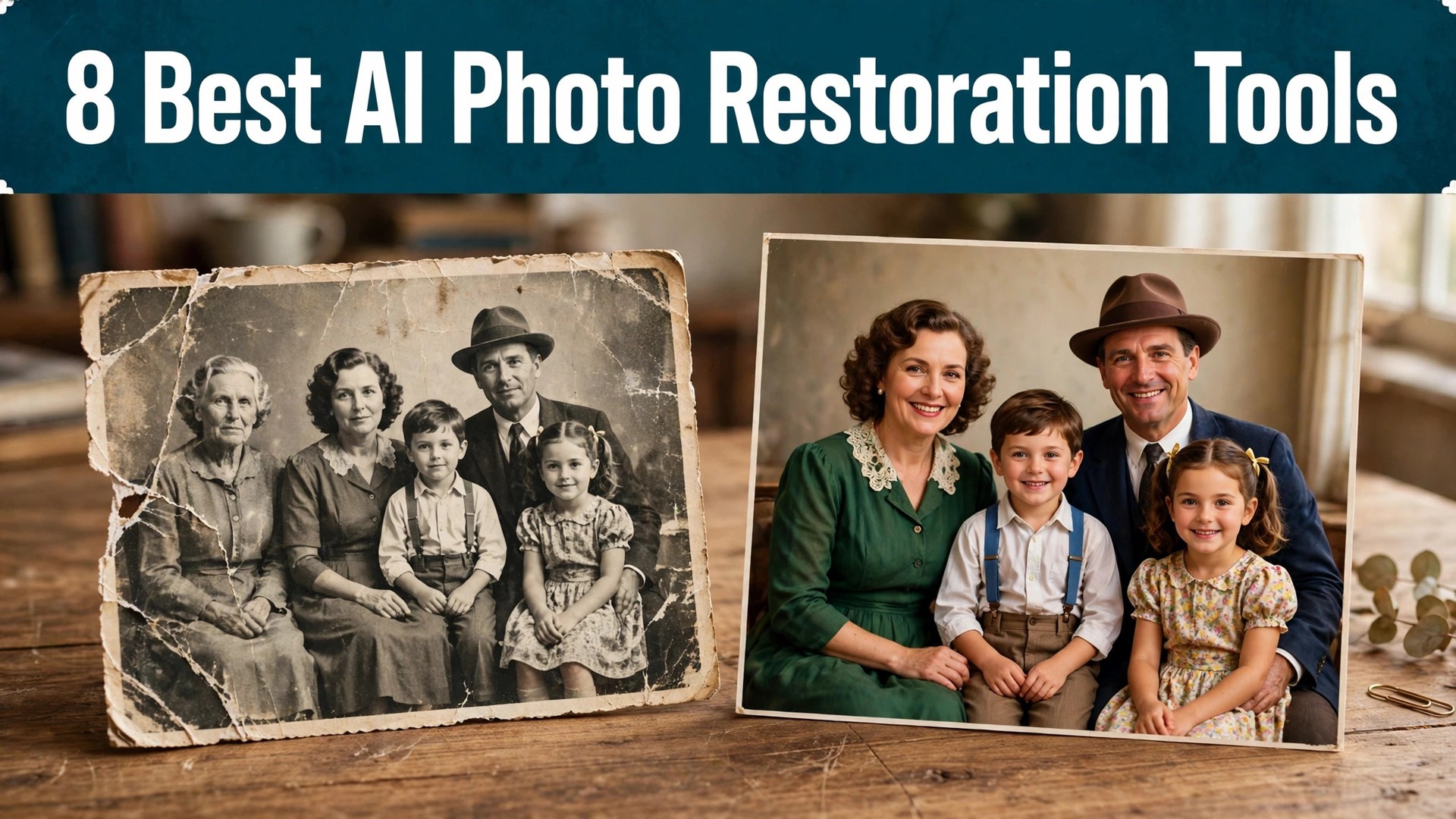
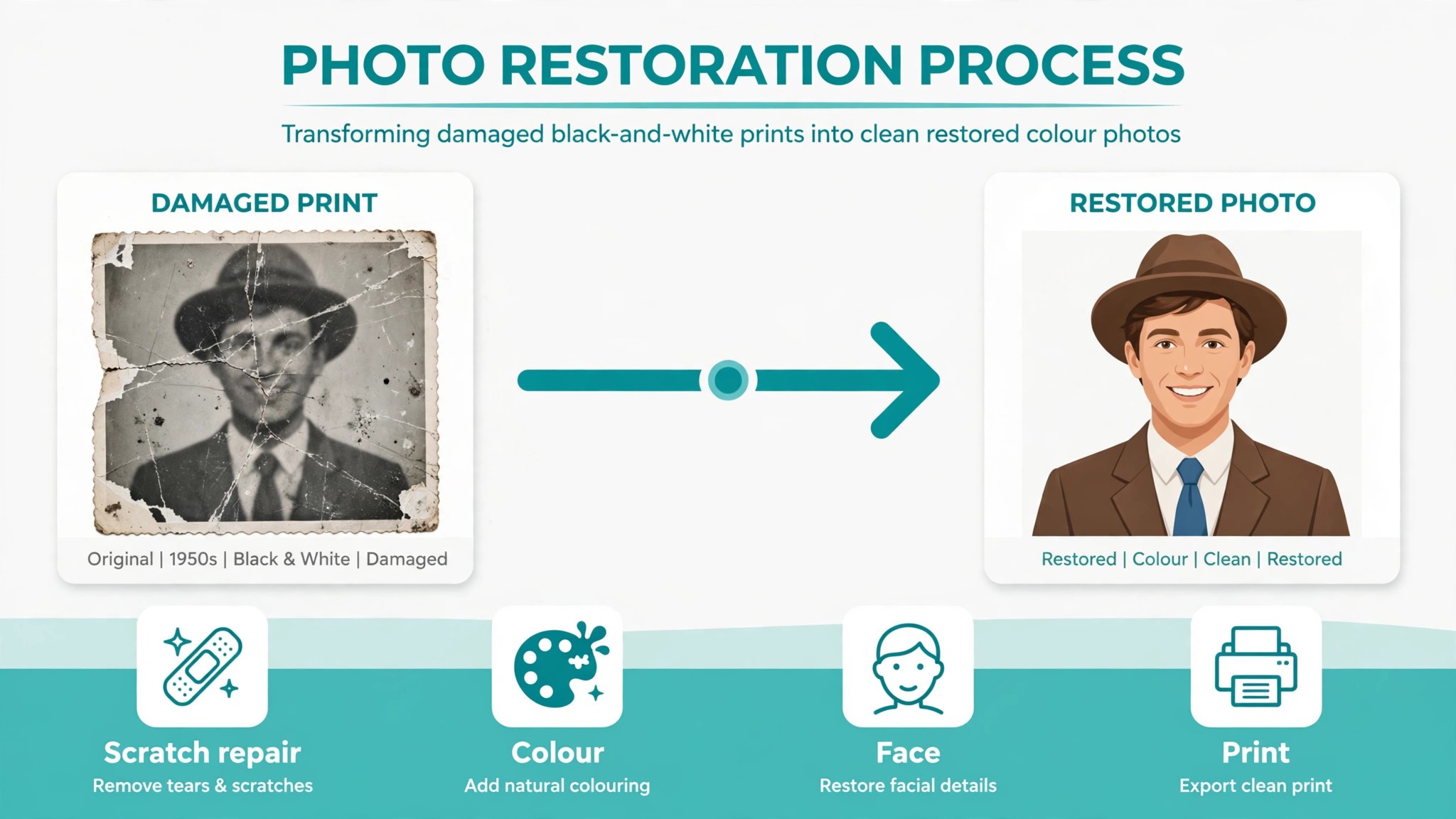
A box of old prints sits in a cupboard, and every year the colours fade a little more, the cracks spread a little wider, and one more face becomes hard to recognise. That slow loss is the problem, because a photo that cannot be read is a memory that cannot be shared. The best ai photo restoration tools rebuild those prints in minutes, and the best ones do it without turning a grandparent into a stranger.
This guide compares eight tools on published prices, the restoration job each one does best and the catch that only shows up after the trial ends. Every price below is the published starting price as of late 2026, with annual billing noted where it changes the number. Start with the shortlist, then read the reviews that match the photos you need to save.
A family archive does not need eight tools. One phone app for faces plus one browser tool for batches covers most boxes of prints, and a third tool only earns its place when it fixes a specific problem, such as colourising a black and white set or repairing a torn corner. The reviews below say plainly which job each tool does, so you can pick two and stop shopping.
The Shortlist at a Glance
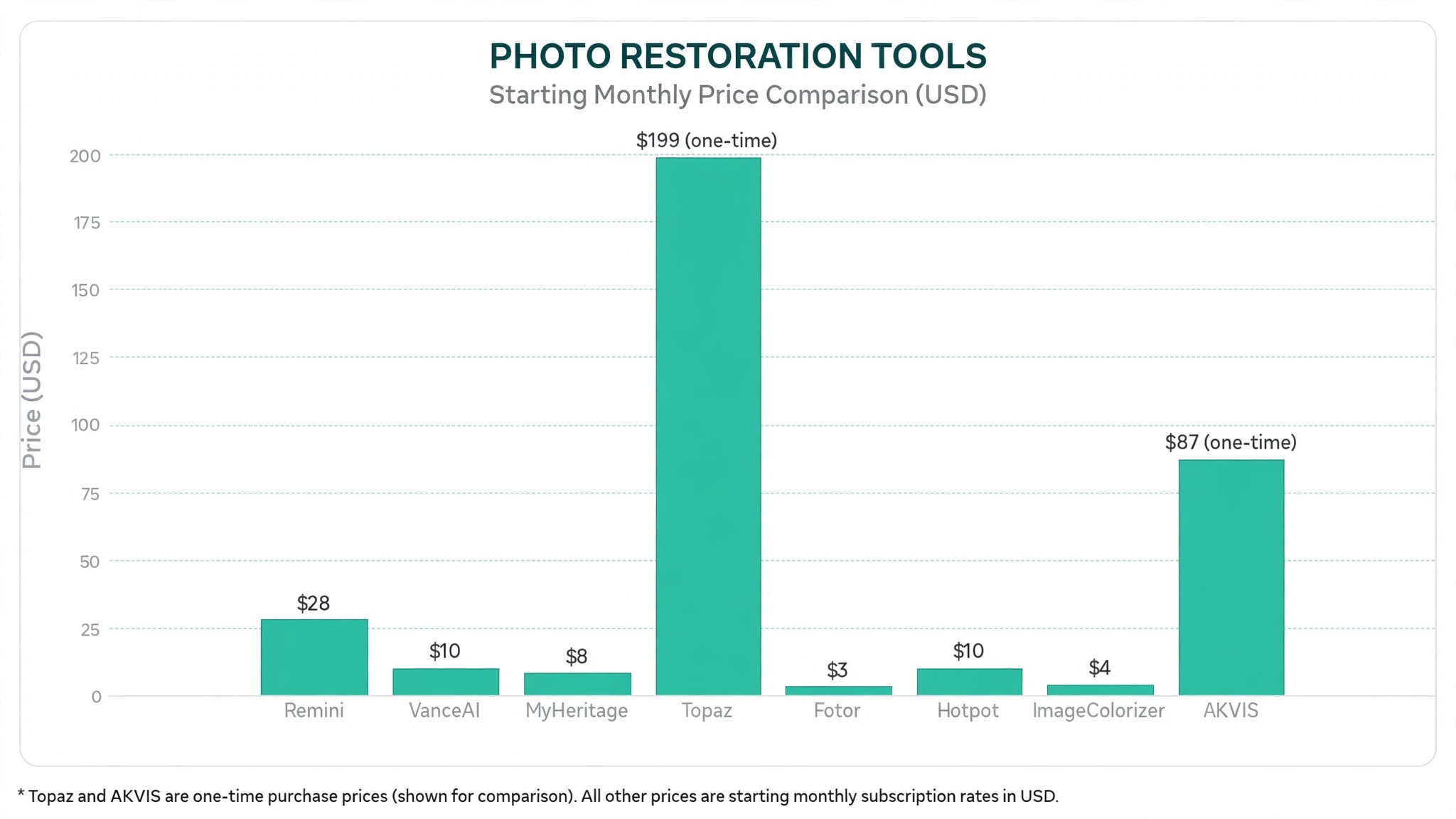
The table below matches each common restoration job to the single tool that handles it best. Use it to narrow the best ai photo restoration tools to two or three candidates before you read the full reviews. Prices are monthly list prices unless noted, and annual billing is usually cheaper than paying month to month.
| Job | Best tool | Why it wins |
|---|---|---|
| Face restoration on a phone | Remini | Rebuilds soft faces in seconds |
| Batch work in a browser | VanceAI Photo Restorer | One click restoration from 9.90 dollars a month |
| Colourising a family archive | MyHeritage | Photo tools built for family history |
| Photographers who want control | Topaz Photo AI | 199 dollars one time, full manual control |
| Budget all in one editing | Fotor | Pro at 39.99 dollars a year |
| Cheap web restoration | Hotpot.ai | About 10 cents per image, no account needed |
| Low cost colourisation | ImageColorizer | Starter from 3.90 dollars a month |
| Manual scratch repair | AKVIS Retoucher | 87 dollars one time, Home licence |
How We Judged the Best AI Photo Restoration Tools
A tool earned a place here only if it does a real restoration job in 2026, not if it added an AI label to an old editor. The best ai photo restoration tools were judged on five things that decide whether a family keeps using it after the first box of prints.
First, the restoration job it does, from scratch repair to colourisation, because a tool that does one job well beats a platform that does five jobs poorly. Second, whether the price is published and how it scales, including credit packs that change the real bill as the archive grows. Third, identity, because a restored face that no longer looks like the person is a worse result than a soft original.
Fourth, batch handling, because a box of 200 prints needs a workflow, not a single image at a time. Fifth, the catch, from weekly subscriptions that add up fast to free tiers that watermark every export.
| Check before you buy | What to ask | Why it matters |
|---|---|---|
| Credit model | Cost per photo and what happens at the cap | Credits decide what a whole archive costs |
| Face handling | How much detail it invents | Invented faces change who the person is |
| Colourisation | Black and white to colour, or repair only | Colour work needs a different model |
| Batch tools | How many photos per run | A box of prints needs batch work |
| Export rights | Watermark, resolution, or commercial use | A watermarked photo cannot be printed |
| Contract terms | Weekly, monthly or one time | Weekly billing adds up fast |
The 8 Tools, Reviewed One by One
1. Remini
Starting price Free plan with ads and daily limits, then Personal from 6.99 dollars a week. Best for Face restoration on a phone. Watch out Weekly billing adds up fast for a large archive.
Remini built its reputation on one thing, taking a blurry face and rebuilding it in seconds. It is the fastest option for phone based face restoration, and its face model is the reason it went viral, because a soft wedding photo or a faded school portrait comes back looking sharp. For a family with a phone full of old scans, that speed is the whole value.
The strength is the face work. No other tool on this list rebuilds a face as cleanly on a phone, and the app handles video enhancement too, which suits families with old clips as well as prints. The free plan gives daily enhancement credits, so a small batch costs nothing to test.
The catch is the business model. Remini runs on weekly subscriptions, with Personal around 6.99 dollars a week and Business around 9.99 dollars a week, which is steep if you have hundreds of photos to process. A monthly option at 9.99 dollars exists, but the app nudges toward weekly billing. For faces on a phone, Remini earns its place, and the free credits are enough to test it on your worst photo.
2. VanceAI Photo Restorer
Starting price Free trial credits, then from 9.90 dollars a month, or 5.94 dollars a month billed annually. Best for Batch work in a browser. Watch out Credits decide what a whole archive costs.
VanceAI Photo Restorer gives you the most restoration specific workflow in a browser, with scratch removal, colourisation and face restoration in one pass. The annual Starter plan works out to about 9 dollars a month for 200 credits, and the credit system suits small batches, because you pay for the photos you restore, not for a month you do not use. For a box of prints worked through on weekends, that credit model is the whole value.
The strength is the workflow. A photo goes through damage repair, colour and face work in one place, instead of three separate tools, and the batch queue handles a set of scans while you do something else. The free credits cover a few images, so the quality can be checked before paying.
The catch is the credit maths. Each restoration uses credits, so a box of 200 scans becomes a budgeting exercise rather than a single purchase, and the monthly plan at 9.90 dollars a month covers fewer credits than the annual rate suggests. For one click restoration in a browser, VanceAI earns its place, and the trial credits are enough to test it on a damaged print.
3. MyHeritage
Starting price Free with an account for a limited number of photos, then subscription from about 7.83 dollars a month billed annually. Best for Colourising a family archive. Watch out The full photo tools sit inside a genealogy priced subscription.
MyHeritage is the natural pick if you are already building a family tree, since its photo tools bundle with the genealogy subscription. You upload a photo to your family site, enhance it, colourise it and attach it to the people in the photo, all in one account. For a family historian, that link between the photo and the person is the whole value.
The strength is the archive fit. Colourisation is the best in this category for a family archive, and the Deep Nostalgia animation turns a still portrait into a short moving clip, which families love to share. The photo only subscription is the only one of its kind among the major platforms, so a user who only wants photos does not have to buy the full genealogy plan.
The catch is the price structure. Continued use needs a subscription, and the Complete plan that includes unlimited photo tools is priced for serious genealogy users, with third party reviews citing around 184 to 209 dollars a year. For colourising a family archive, MyHeritage earns its place, and the free photos are enough to test the colour work.
4. Topaz Photo AI
Starting price 199 dollars one time purchase, with a year of model updates included. Best for Photographers who want control. Watch out The price buys the app, not a cloud service, so your computer does the work.
Topaz Photo AI is the only one time purchase aimed at photographers who want full manual control, and its free trial lets you preview everything before paying. It combines denoise, sharpen and upscale in one app, so a scanned print is cleaned and enlarged in a single pass, with the settings under your hand instead of behind an automatic button. For a photographer restoring an archive, that control is the whole value.
The strength is the quality ceiling. The specialist models cover noise, softness and low resolution recovery, so a damaged print gets the model it needs instead of one setting for everything. The files stay on your computer, which suits anyone restoring sensitive family photos. For full control, Topaz earns its place, and the trial shows the result before you pay.
The catch is the hardware. The app runs on your own machine, so a fast computer finishes a batch in minutes and a slow one waits. The 199 dollar price is a single purchase, but model updates after the first year cost extra. For photographers who want control, Topaz earns its place.
5. Fotor
Starting price Free Basic plan, then Pro at 39.99 dollars a year. Best for Budget all in one editing. Watch out Restoration is one feature among many, not the main job.
Fotor is the budget all in one option, with restoration, enhancement and editing in a single cheap subscription. Pro at 39.99 dollars a year is one of the lowest annual prices on this list, and the photo editing is stronger than most restoration tools, which suits families who also want to crop, straighten and print. For a small batch of photos on a tight budget, that price is the whole value.
The strength is the value. A full year of Pro costs less than a month of Remini on weekly billing, and the free Basic plan is genuinely useful for a handful of photos. The AI tools clean up a scan, fix the colour and sharpen the faces, so the photo looks like it was taken yesterday. For budget restoration, Fotor earns its place.
The catch is depth. Fotor is a general editor first, so heavy damage repair and face reconstruction are weaker than the specialists here, and a badly torn print will still need VanceAI or Topaz. For light restoration and everyday editing, Fotor earns its place, and the free plan is enough to test it.
6. Hotpot.ai
Starting price Free for 2 to 3 uses per tool, then about 5 dollars for 100 credits, or about 10 cents per image. Best for Cheap web restoration. Watch out Credit packs change, so check the price before you buy.
Hotpot.ai suits a quick job, a handful of photos, a browser and no wish to install an app. It is the cheapest per photo option on this list, at about 10 cents per image, and the basic tools work without an account, which suits a family member who only wants to fix five photos. For a small job with no subscription, that price is the whole value.
The strength is the lack of friction. There is no app to install, no monthly bill and no trial to cancel, so a photo can be restored in the time it takes to upload it. The credit packs suit occasional use, because 100 credits last a family a year of small jobs. For cheap web restoration, Hotpot.ai earns its place.
The catch is the ceiling. Hotpot.ai is a set of small tools rather than a full restoration suite, so a badly damaged print or a whole archive needs a stronger tool. The pricing and credits are best confirmed on the vendor page at the time you buy, because web credit packs change. For a quick job, Hotpot.ai earns its place.
7. ImageColorizer
Starting price Free plan with 50 credits a month, then Starter from 3.90 dollars a month. Best for Low cost colourisation. Watch out The free credits run out fast on a large archive.
ImageColorizer is the low cost colourisation pick, built for turning black and white prints into colour without a subscription that costs more than the photos. Starter at 3.90 dollars a month is the cheapest paid plan on this list, and the free plan gives 50 credits a month, which covers a small family set. For a grandparent’s wedding album in black and white, that price is the whole value.
The strength is the focus. Colourisation is the main job, so the model spends its effort on believable skin tones and period colours instead of splitting attention across ten features. The repair tools handle scratches and fading well enough for most prints. For low cost colourisation, ImageColorizer earns its place, and the free credits are enough to test it on your oldest photo.
The catch is the scope. ImageColorizer is a colour and repair tool, not a full photo suite, so a print that needs heavy face work still needs Remini or VanceAI. The credit model means a large archive needs a higher tier. For colour on a budget, ImageColorizer earns its place.
8. AKVIS Retoucher
Starting price 87 dollars one time, Home licence, with a 10 day free trial. Best for Manual scratch repair. Watch out It is a manual tool, so each photo takes minutes, not seconds.
AKVIS Retoucher is the manual pick, built for the damage that automatic tools handle badly, such as a tear across a face or a stain over a dress. It removes scratches, stains and dust with a brush the user controls, so the repair follows the photo instead of guessing at it. For a single precious print with heavy damage, that control is the whole value.
The strength is precision. A user can paint over exactly the damage and leave the rest of the photo untouched, which no automatic tool can promise. The one time price of 87 dollars means the tool never asks for another payment, and the trial is fully featured for ten days. For manual scratch repair, AKVIS earns its place.
The catch is time. Each photo takes minutes of careful work, so a box of 200 prints is a winter project, not a weekend job. A family with a large archive should use VanceAI for the bulk and AKVIS for the ten prints that matter most. For the prints that matter most, AKVIS earns its place.
Side by Side Comparison
The table below puts the best ai photo restoration tools side by side on price, best job and free plan, so you can compare the published prices against the one time and per photo tools at a glance.
| Tool | Starting price | Best for | Free plan |
|---|---|---|---|
| Remini | 6.99 dollars a week | Face restoration on a phone | Yes |
| VanceAI Photo Restorer | 9.90 dollars a month | Batch work in a browser | Trial only |
| MyHeritage | 7.83 dollars a month | Colourising a family archive | Yes |
| Topaz Photo AI | 199 dollars one time | Photographers who want control | Trial only |
| Fotor | 39.99 dollars a year | Budget all in one editing | Yes |
| Hotpot.ai | About 10 cents per image | Cheap web restoration | Yes |
| ImageColorizer | 3.90 dollars a month | Low cost colourisation | Yes |
| AKVIS Retoucher | 87 dollars one time | Manual scratch repair | Trial only |
How to Pick the Right Tool for Your Photos
The best ai photo restoration tools are not the ones with the longest feature list. They are the ones that fix the damage your photos actually have. A family with soft faces should buy Remini. A family with a box of prints should buy VanceAI. A family with black and white albums should buy MyHeritage or ImageColorizer. Start from the damage, not from the vendor homepage.
Budget the full bill, not the headline price. The table below shows what a family actually pays to restore one box of 200 prints, using published starting prices. Weekly billing is the line that surprises families, so work out what the whole archive costs before you sign, and remember that a one time purchase never asks for a second payment.
The second check is the scan. A restoration is only as good as the scan it starts from, so a print scanned at 300 dots per inch gives the tool enough detail to work with, while a phone photo of a print gives it a reflection and a shadow to fix first. Scan the prints that matter at high resolution before you pay for any tool, because a good scan makes a cheap tool look good and a bad scan makes an expensive tool look bad. The ten minutes per print is the best money a family spends on the whole project.
| Plan for one box of prints | Total cost | What it covers |
|---|---|---|
| Hotpot.ai, 200 credits | About 10 dollars | Two credit packs, no subscription |
| ImageColorizer Starter, one month | 3.90 dollars | Colourisation for a small set |
| VanceAI annual Starter | About 71 dollars a year | 200 credits a month, batch work |
| Fotor Pro, one year | 39.99 dollars | Light restoration plus editing |
| Remini Personal, four weeks | About 28 dollars | Face work on a phone, weekly billing |
| Topaz Photo AI, one time | 199 dollars | Full control, your computer does the work |
| AKVIS Retoucher, one time | 87 dollars | Manual repair for the prints that matter |
What Restoring an Archive Costs
A realistic budget is 10 to 40 dollars to restore one box of prints with a credit or budget tool, and 100 to 200 dollars once you buy a one time tool such as Topaz or AKVIS. A family restoring 200 photos on Remini weekly billing pays about 28 dollars for a month of work, which is more than Hotpot.ai charges for the same 200 photos. Budget for the whole archive, not for one photo, and trial each tool on your worst print before you commit.
The hidden cost is the face a tool invents. Every one of these tools invents pixels, and the best looking output is frequently not the same person, so a restored photo needs a careful look beside the original before it is printed or shared. Measure the return in photos your family recognises, not in features used, and drop any tool whose faces look wrong on your prints.
The second cost is the time a family spends checking faces. Every restored photo needs a look beside the original, and that check takes a minute per photo, so a box of 200 prints needs three hours of checking. Do the check in batches of twenty, keep the originals, and only print the photos the family recognises, because a printed stranger is worse than a soft original.
Frequently Asked Questions
What is the cheapest good AI photo restoration tool to start with
Hotpot.ai is the cheapest credible start, at about 10 cents per image with free uses and no account needed, and ImageColorizer Starter at 3.90 dollars a month is the cheapest subscription. Fotor Pro at 39.99 dollars a year is the best value for a family that also wants everyday editing. Start with the damage your photos actually have, and add a specialist only when the cheap tool cannot fix a photo you care about. That is the cheapest way to build a stack from the best ai photo restoration tools without paying for features you never open.
Will AI restoration change how my family looks in photos
It can, and that is the risk to check. Every restoration tool invents pixels, and a face rebuilt from a soft original may look like a different person, especially on old prints where the detail is gone. Compare the restored photo beside the original, and keep the original scan, because a restored photo that no longer looks like your grandparent is a worse result than a soft one. Use the tool for scratches and colour, and be careful with faces.
Which tool is best for colourising black and white photos
MyHeritage is the strongest choice, because its colourisation is built for family archives and it links each photo to the people in it. ImageColorizer is the best low cost option, at 3.90 dollars a month with 50 free credits a month, and VanceAI covers colourisation inside its one click restoration. Price the combination, not one tool, and confirm the current plan limits before you sign, because colour work sits on different tiers across these tools. That colour depth is what separates the best ai photo restoration tools from a basic photo editor.
How much does it cost to restore a whole box of photos
A realistic budget is 10 to 40 dollars for one box of 200 prints with a credit or budget tool, and 100 to 200 dollars once you buy a one time tool such as Topaz at 199 dollars or AKVIS at 87 dollars. A family restoring 200 photos on Remini weekly billing pays about 28 dollars for a month of work, which is more than Hotpot.ai charges for the same 200 photos. Budget for the whole archive, not for one photo, and trial each tool on your worst print before you commit.
Do I need a separate tool for scratches
Not always. VanceAI and Topaz both repair scratches inside their main workflow, and most families get by with one of those for months. A separate scratch tool only earns its place when a print has a tear across a face or a stain over a dress, which you can check by looking at your worst ten prints before spending. If the damage is that bad, AKVIS is the tool that fixes it.
Can AI tools restore a torn or water damaged photo
Partly. VanceAI and Topaz handle cracks, stains and fading well, and AKVIS handles tears with manual control, but no tool on this list rebuilds a missing corner perfectly. A photo with a missing face or a large torn area will always show the repair if you look closely, because the tool invents what was never there. Scan at high resolution, restore the best copy you have, and keep the original, because the scan is the record that matters.
Our Verdict
If you buy one tool this quarter, buy VanceAI Photo Restorer if you have a box of prints and Remini if you have faces to save. VanceAI is the best batch value on this list at about 9 dollars a month billed annually, with scratch repair, colour and face work in one pass. Remini is the best face tool on this list at 6.99 dollars a week, with results no other phone app matches. The best ai photo restoration tools earn their keep by giving you back photos your family can recognise, and both of these do that from the first week.
Whatever you pick, start with your worst print, trial with real scans, and keep a careful eye on every restored face before you print or share it. The tools on this list all work. The difference is whether the tool matches the damage your photos actually have, and whether you measure the return in photos your family recognises rather than in features used. The best ai photo restoration tools are the ones still in your family a year from now, and that is the test every purchase on this list has to pass.