
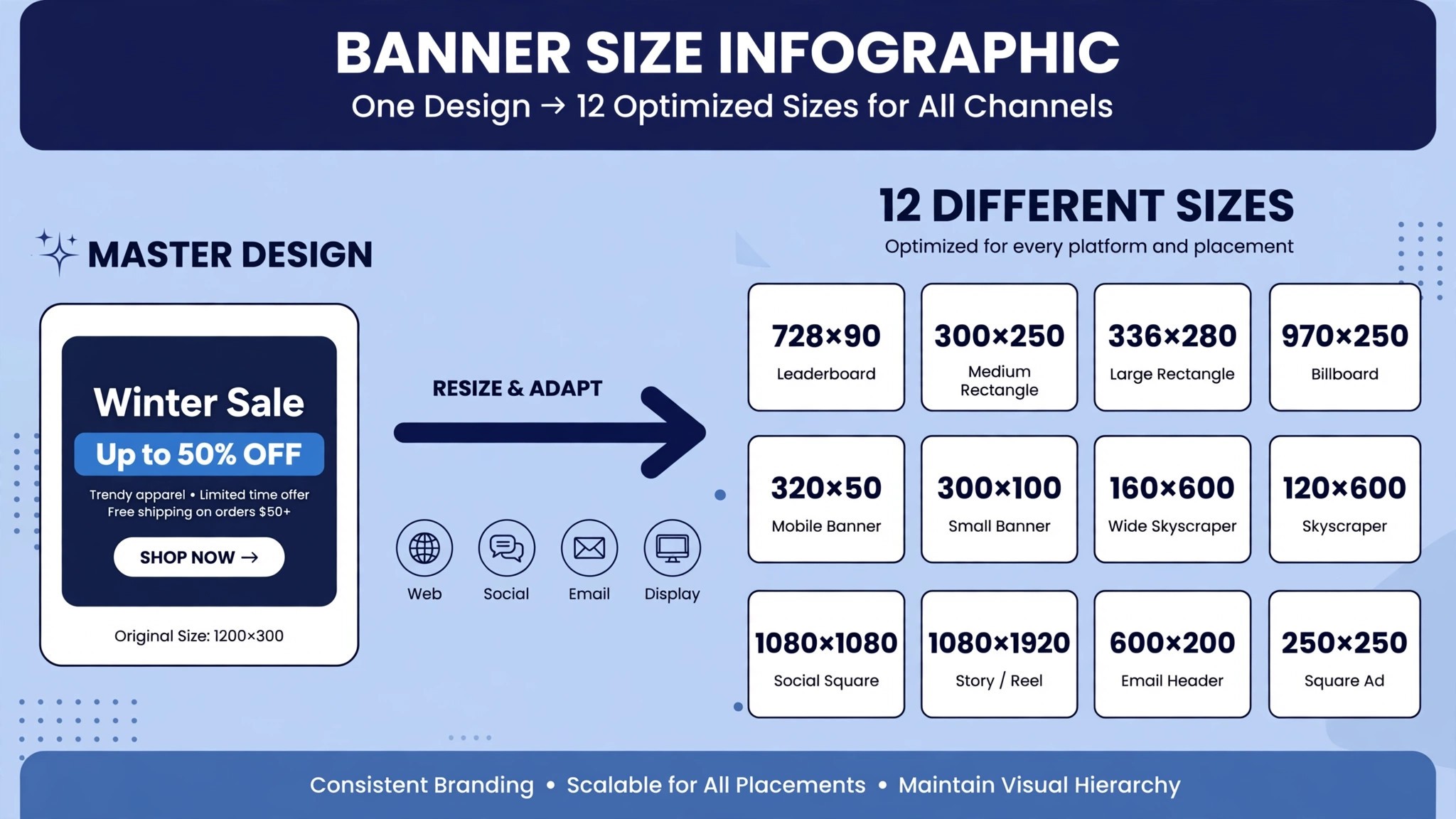
A business that runs ads on five channels needs the same banner in a dozen sizes, and each size used to mean rebuilding the design from scratch. That rebuild is the hidden cost of banner advertising, and it is the reason most small businesses run one tired banner everywhere. The best ai banner makers remove that rebuild, because they resize, reword and re-export a banner in minutes instead of hours.
This guide compares twelve makers on published prices, the banner job each one does best and the catch that only shows up after the trial ends. Every price below is the published starting price as of late 2026, with annual billing noted where it changes the number. Start with the shortlist, then read the reviews that match the banners you make most.
A business does not need twelve makers. One general editor plus one specialist for animated or HTML5 ads covers most banner work, and a third tool only earns its place when it fixes a specific weekly pain, such as resizing for every channel or keeping text readable at small sizes. The reviews below say plainly which job each maker does, so you can pick two and stop shopping.
The Shortlist in One Table
The table below matches each common banner job to the single maker that handles it best. Use it to narrow the best ai banner makers to two or three candidates before you read the full reviews. Prices are monthly list prices unless noted, and annual billing is usually cheaper than paying month to month.
| Job | Best tool | Why it wins |
|---|---|---|
| Most marketing teams | Canva | Largest template library and brand kits |
| Adobe ecosystem users | Adobe Express | Firefly AI plus Adobe Stock assets |
| Startup marketers | VistaCreate | Fast ad creation, Pro from 10 dollars a month annual |
| Small businesses | Snappa | One click resizing across banner sizes |
| Ad agencies | Creatopy | HTML5 and animated banner production |
| Photo heavy banners | Fotor | Pro from 8.99 dollars a month |
| Cheapest capable paid plan | Desygner | Pro+ from 4.95 dollars a month billed annually |
| Mockups and merch banners | Placeit | Templates plus mockups from 14.95 dollars a month |
| Event and local banners | PosterMyWall | Premium from 13 dollars a month |
| Automated banner sets | Bannerbear | API driven banners from 49 dollars a month |
| Interactive banners and reports | Visme | From 12.25 dollars a month billed annually |
| Infographic style banners | Piktochart | Pro from 15 dollars a month, 10 dollars annual |
How We Chose the Best AI Banner Makers
A maker earned a place here only if it does a real banner job in 2026, not if it added an AI label to an old editor. The best ai banner makers were judged on five things that decide whether a business keeps paying after the first year.
First, the banner job it does, from a static web banner to an animated HTML5 ad, because a maker that does one format well beats a platform that does five formats poorly. Second, whether the price is published and how it scales, including per seat charges that change the real bill as a team grows. Third, output quality, because a banner with unreadable text costs more in lost clicks than the subscription saves.
Fourth, resizing, because a banner tool that cannot resize a design for every channel forces a rebuild for each size. Fifth, the catch, from free plans that watermark exports to template libraries that repeat the same ten designs.
| Check before you buy | What to ask | Why it matters |
|---|---|---|
| Resize tool | One click or rebuild per size | Resizing saves hours every week |
| Text tools | Readable type at small sizes | Small text kills clicks |
| Export formats | PNG, JPG, GIF, HTML5, MP4 | Each channel needs its own format |
| Brand kits | Stored colours, fonts and logos | Brand control keeps banners consistent |
| Free plan limits | Watermark, downloads, or templates | A watermarked banner cannot run as an ad |
| Contract terms | Monthly or annual, and what year two costs | Annual billing locks the price but not the need |
The 12 Makers, Reviewed
1. Canva
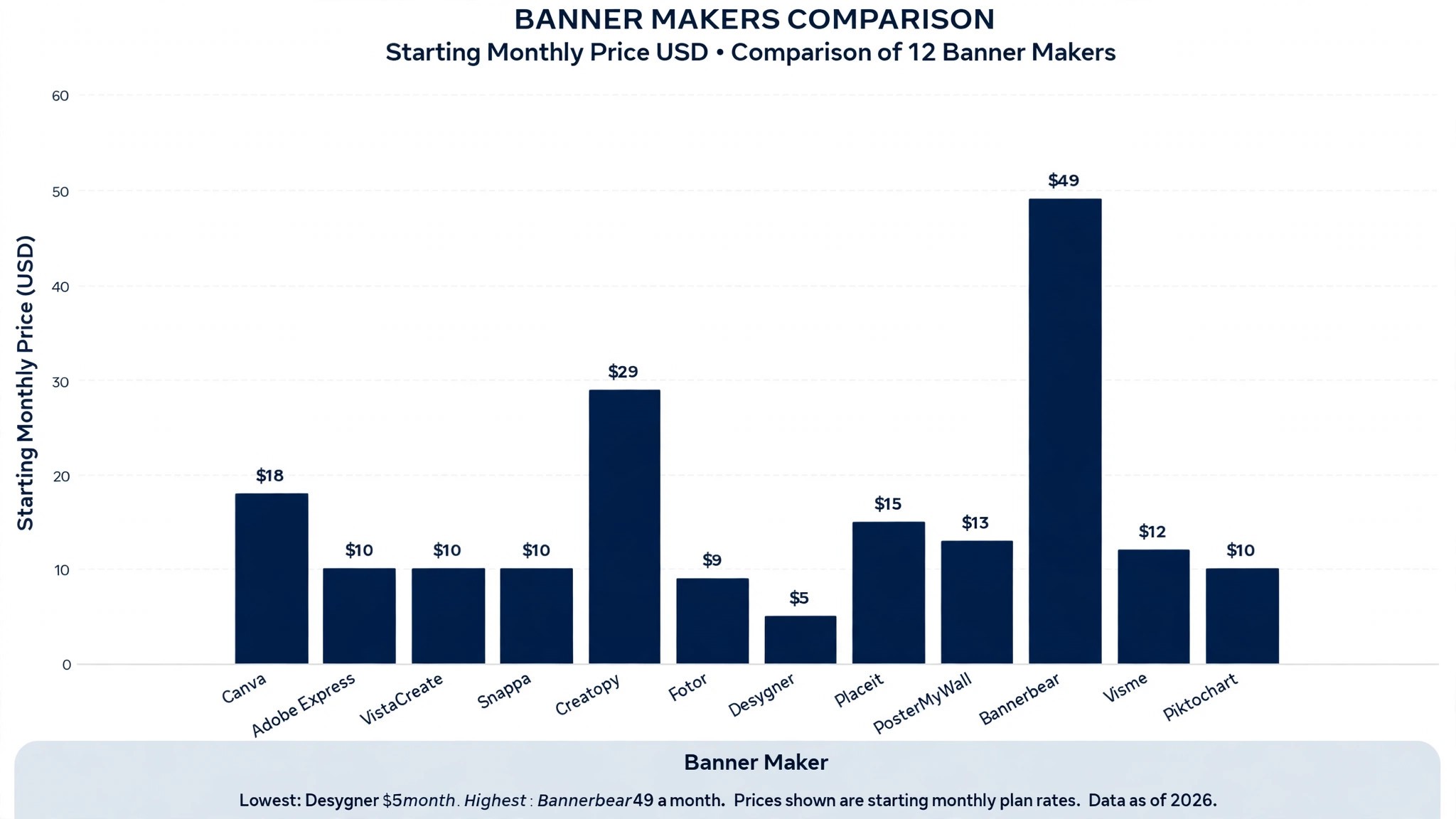
Starting price Free plan, then Pro at 18 dollars a month, or 144 dollars a year. Best for Most marketing teams. Watch out Pro prices have risen twice since 2024, so check the current number.
Canva is the best app for banner design for most people, with the broadest template library and brand kits that keep colours and fonts consistent. Its Magic Resize tool turns one banner into every size a campaign needs, and the AI tools write a first draft of the headline, remove backgrounds and suggest layouts. For a team that makes banners every week, that library plus resize is the whole value.
The strength is the template depth. A marketer can start from a proven banner layout, swap in the product photo and the offer, and export for web, social and email in one sitting. The print ordering is built in too, so a trade show banner goes from screen to delivery without a second vendor. For all round banner work, Canva earns its place, and the free plan is enough to test whether the templates fit your brand.
2. Adobe Express
Starting price Free plan, then Premium at 9.99 dollars a month, or 99.99 dollars a year. Best for Adobe ecosystem users. Watch out The best stock assets sit behind the paid plan.
Adobe Express suits teams already paying for Creative Cloud, with templates, stock assets and AI tools in one editor. Firefly AI generation covers image generation, generative fill and text effects, while one click tools handle background removal, resizing and cropping. For a team that already lives in Adobe fonts and libraries, that fit is the whole value.
The strength is the asset quality. Adobe Stock photos and fonts look better than the free libraries most rivals ship, and brand kits keep every banner on message across a campaign. The AI text effects turn a plain headline into a banner that stops a scroll, without a designer. For on brand banners at a fair price, Adobe Express earns its place, and Premium at 9.99 dollars a month undercuts Canva Pro.
3. VistaCreate
Starting price Free plan, then Pro at 13 dollars a month, or 10 dollars a month billed annually. Best for Startup marketers. Watch out The editor is simpler than Canva, with fewer advanced controls.
VistaCreate suits startup marketers, with fast ad creation and over 200,000 templates. Animation support covers animated banners for social and display, and Pro at 10 dollars a month billed annually adds full template access and brand tools. For a small team that needs a banner today, that speed is the whole value.
The strength is the flat team price. One Pro subscription covers up to ten team members, which undercuts every per seat rival on this list for a small team. The interface is close enough to Canva that a new marketer starts in minutes, and the template volume means a fresh design is always a search away. For budget teams, VistaCreate earns its place, and the 14 day trial needs a card.
4. Snappa
Starting price Free Starter plan, then Pro at 15 dollars a month, or 10 dollars a month billed annually. Best for Small businesses. Watch out The template library is smaller than Canva.
Snappa suits small businesses that need one click resizing across banner sizes. Design once, then resize instantly for social, web and display formats without rebuilding the layout, and the Buffer integration schedules the result. For a business that posts the same offer on five channels, that resize is the whole value.
The strength is simplicity. There is almost nothing to learn, and a non designer can make a clean banner in ten minutes, which is the point for a business owner, not a designer. The free Starter plan allows three downloads a month, which is enough to test whether the tool fits. For fast marketing graphics, Snappa earns its place, and Pro at 10 dollars a month billed annually is one of the cheaper paid plans here.
5. Creatopy
Starting price Pro from 29 dollars a month. Best for Ad agencies. Watch out The tool is complex for beginners, and non ad design features are limited.
Creatopy suits ad agencies that need HTML5 and animated banner production. It builds animated display ads at scale, with feed driven banners that update prices and images automatically, and team workflows for approval before a campaign goes live. For an agency running hundreds of ad variants, that production line is the whole value.
The strength is the ad format depth. HTML5, animated and video banners come out of one editor, with brand automation that keeps every variant on message. A campaign that needs fifty sizes of one ad is a batch job, not fifty rebuilds, which is the difference between a profitable account and a loss. For animated display ads, Creatopy earns its place, and the price from 29 dollars a month is fair for the volume it handles.
6. Fotor
Starting price Free Basic plan, then Pro at 8.99 dollars a month, or 39.99 dollars a year. Best for Photo heavy banners. Watch out The design tools are thinner than Canva for layout work.
Fotor is the budget all rounder for photo heavy banners, with quick edits, background removal and a capable template set. Pro at 39.99 dollars a year is one of the lowest annual prices on this list, and the photo editing is stronger than most banner tools, which suits businesses whose banners start from a product photo. For a shop that sells with images, that photo strength is the whole value.
The strength is the price. A full year of Pro costs less than three months of Canva Pro, and the free Basic plan is genuinely useful for small batches. The AI tools clean up a product photo, remove a background and sharpen the result, so the banner looks like it came from a studio. For photo heavy banners on a tight budget, Fotor earns its place.
7. Desygner
Starting price Free plan, then Pro+ at 4.95 dollars a month billed annually. Best for Cheapest capable paid plan. Watch out The template library is smaller than the big rivals.
Desygner is the cheapest capable paid plan with real PDF editing on this list, at 4.95 dollars a month billed annually. It covers banners, posters and social graphics with a straightforward editor, and the PDF tools let a business edit a print file without opening a desktop app. For a small business counting every dollar, that price is the whole value.
The strength is the value. A paid plan under five dollars a month that removes limits and adds brand tools is hard to beat, and the free plan is enough to test the editor on real banners. The learning curve is gentle, and a non designer can produce a clean banner in a first session. For the tightest budget, Desygner earns its place, and it is the lowest risk paid plan on this list.
8. Placeit
Starting price From 14.95 dollars a month. Best for Mockups and merch banners. Watch out The design tools are basic beside a full editor.
Placeit suits businesses that sell with mockups, because it puts a design onto a t shirt, a mug, a laptop or a billboard in seconds. The banner templates cover web, social and video, and the mockup library is the largest of its kind, which suits merch sellers and print on demand stores. For a store that sells the mockup as much as the product, that library is the whole value.
The strength is the mockup speed. A seller can photograph nothing, generate the product shot from a design file, and build the banner around it, which cuts a photo shoot out of every product launch. The video templates add motion to a banner without an editor. For mockup led banners, Placeit earns its place, and the subscription from 14.95 dollars a month is fair for the library.
9. PosterMyWall
Starting price Free plan, then Premium at 13 dollars a month, or 109 dollars a year. Best for Event and local banners. Watch out Watermarked downloads on the free plan.
PosterMyWall suits event posters and local business banners, with templates for sales, openings, classes and community events. Premium at 13 dollars a month removes watermarks and unlocks the full library, and the editor is simple enough for a shop owner to use between customers. For a local business that promotes an event every week, that template fit is the whole value.
The strength is the event focus. A poster for a weekend sale, a class timetable or a new menu can be made in minutes from a template built for exactly that job, instead of adapting a generic design. The social scheduling is built in, so the banner goes out on the day it is made. For local event banners, PosterMyWall earns its place.
10. Bannerbear
Starting price From 49 dollars a month. Best for Automated banner sets. Watch out It needs a template built first, and it is not a design editor.
Bannerbear is the automation pick, built for businesses that generate banners from data. An API turns a spreadsheet of products, prices and images into hundreds of finished banners, which suits marketplaces, real estate listings and ecommerce stores with large catalogues. For a business that needs a banner per product, that automation is the whole value.
The strength is scale. A template built once produces a banner for every product in the catalogue, with the price and the image pulled in automatically, so a thousand product launch is a data job, not a design job. The API connects to the store, so a price change updates the banner without a human. For automated banner sets, Bannerbear earns its place, and the price from 49 dollars a month pays for itself at volume.
11. Visme
Starting price Free plan, then from 12.25 dollars a month billed annually. Best for Interactive banners and reports. Watch out The editor is heavier than a quick banner tool.
Visme suits interactive banners, infographics and reports, with a stronger data visual side than most banner makers. The templates cover presentations, reports and social graphics, and the interactive elements turn a static banner into a clickable experience. For a business that reports results as well as advertising, that range is the whole value.
The strength is the data visuals. Charts, maps and diagrams drop into a banner without a separate tool, which suits agencies that show numbers in their ads. The brand kit and collaboration tools keep a team on message, and the analytics show which version gets the clicks. For interactive and data led banners, Visme earns its place.
12. Piktochart
Starting price Free plan, then Pro from 15 dollars a month, or 10 dollars a month billed annually. Best for Infographic style banners. Watch out The banner templates are fewer than the infographic ones.
Piktochart is the infographic pick, and it does one job that no general banner tool does as well, which is turning data into a visual a reader understands in seconds. Pro at 10 dollars a month billed annually adds the full template set and brand tools, and the editor is simple enough for a non designer. For a banner that has to show numbers, that clarity is the whole value.
The strength is the chart tools. A banner with a comparison, a timeline or a statistic looks designed rather than pasted, because the charts are built for the page, not bolted on. The AI tools draft the copy and suggest layouts, which saves the hour a marketer used to spend on each data banner. For infographic style banners, Piktochart earns its place.
The Makers Side by Side
The table below puts the best ai banner makers side by side on price, best job and free plan, so you can compare the published prices against the per seat tools at a glance.
The cheapest way to read the table is by job, not by price. A maker that costs 5 dollars a month and cannot resize is more expensive than a maker that costs 18 dollars and resizes in one click, because the rebuild eats an hour on every campaign. A team that runs five campaigns a month saves five hours with the resize tool, which is worth far more than the 13 dollar gap between the two plans. Read the best for column first, then check the price, and the right maker is usually obvious in under a minute.
| Tool | Starting price | Best for | Free plan |
|---|---|---|---|
| Canva | 18 dollars a month | Most marketing teams | Yes |
| Adobe Express | 9.99 dollars a month | Adobe ecosystem users | Yes |
| VistaCreate | 10 dollars a month | Startup marketers | Yes |
| Snappa | 10 dollars a month | Small businesses | Yes |
| Creatopy | 29 dollars a month | Ad agencies | No |
| Fotor | 8.99 dollars a month | Photo heavy banners | Yes |
| Desygner | 4.95 dollars a month | Cheapest capable paid plan | Yes |
| Placeit | 14.95 dollars a month | Mockups and merch banners | Trial only |
| PosterMyWall | 13 dollars a month | Event and local banners | Yes |
| Bannerbear | 49 dollars a month | Automated banner sets | Trial only |
| Visme | 12.25 dollars a month | Interactive banners and reports | Yes |
| Piktochart | 10 dollars a month | Infographic style banners | Yes |
Choosing the Right Maker for Your Banners
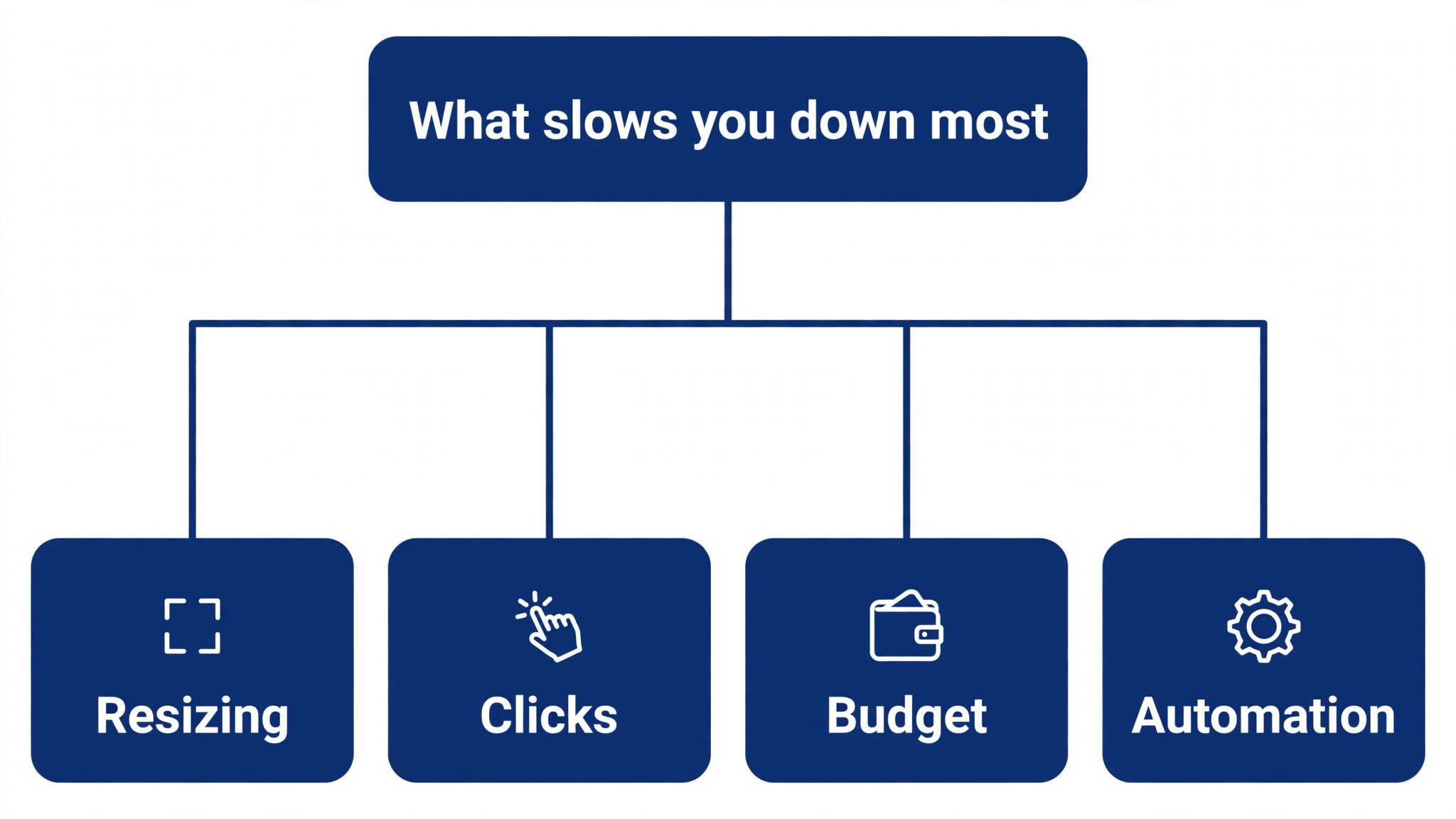
The best ai banner makers are not the ones with the longest feature list. They are the ones that fix the slowest part of your week. A marketer drowning in resizing should buy Canva or Snappa. A marketer whose banners never get clicked should buy Adobe Express for better assets. A business on a tight budget should buy Desygner or Fotor. Start from the slow part, not from the vendor homepage.
Budget the full bill, not the headline price. The table below shows what a solo marketer and a small team actually pay in year one for the most common combinations, using published starting prices. Per seat charges are the lines that surprise buyers, so ask for them in writing before you sign, and remember that annual billing usually saves about twenty percent against monthly billing.
The second check is the export. A banner that looks perfect in the editor and exports with a watermark cannot run as an ad, and a banner that exports only as a PNG cannot run on a display network that needs HTML5. Check the export formats on the pricing page before you pay, because the format decides where the banner can run. A maker that exports PNG, JPG, GIF, HTML5 and MP4 covers every channel, and a maker that exports one format covers one channel.
| Stack for one marketer | Monthly cost | What it covers |
|---|---|---|
| Desygner Pro+ plus Fotor Pro | About 14 dollars | Budget banners plus photo edits |
| Adobe Express Premium | 9.99 dollars | On brand banners with stock assets |
| Canva Pro, one seat | 18 dollars | Templates, resize and brand kits |
| VistaCreate Pro, ten seats | 10 dollars | Banner tools for a whole team |
| Snappa Pro plus Placeit | About 25 dollars | Resizing plus mockups |
| Creatopy Pro | From 29 dollars | Animated and HTML5 ad production |
Frequently Asked Questions
What is the cheapest good AI banner maker to start with
Desygner is the cheapest credible start, with Pro+ at 4.95 dollars a month billed annually, and Fotor Pro at 39.99 dollars a year is close behind. Adobe Express Premium at 9.99 dollars a month is the best value for a marketer who wants stock assets included, and VistaCreate Pro at 10 dollars a month billed annually covers ten team members. Start with the banner job you do most each week, and add a specialist only when the general tool cannot do a job you are paid to do. That is the cheapest way to build a stack from the best ai banner makers without paying for features you never open.
Will AI banners look the same as every other business using the same tool
They will if you publish the template unchanged. AI makers produce a usable first banner, but the photo, the offer and the wording still come from the business. A banner that goes live unedited will read generic, and customers notice generic ads fast. Use the AI to beat the blank canvas, then change the image, the headline and the colours for your brand, and the banner will look like you, not like the tool.
Which maker is best for animated banners
Creatopy is the strongest choice, because it builds HTML5 and animated display ads at scale, with feed driven banners that update prices and images automatically. VistaCreate is the best low cost option for simple animated social banners, and Canva covers basic animation for teams that already use it. Price the combination, not one tool, and confirm the current plan limits before you sign, because animation features sit on different tiers across these tools. That animation depth is what separates the best ai banner makers from a static image editor.
How much should a small business budget for banner tools
A realistic year one budget is 10 to 20 dollars a month for one general maker such as Canva Pro or Adobe Express Premium, and 30 to 50 dollars a month once you add an animation or automation specialist such as Creatopy or Bannerbear. A team of ten on VistaCreate Pro pays 10 dollars a month for the whole team, while the same team on Canva Pro pays 18 dollars a month per person. Budget for the stack, not for one tool, and trial each one on real campaigns before you commit to annual billing.
Do I need a separate tool for resizing banners
Not always. Canva, Snappa and Adobe Express all resize a design for every channel, and most businesses get by with one of those for months. A separate resizing tool only earns its place when banners run on many channels every week and the rebuild eats hours, which you can check by timing your last campaign before spending. If resizing is the bottleneck, Snappa is the cheapest fix.
Can AI banner makers export HTML5 ads
Some can, most cannot. Creatopy exports HTML5 and animated display ads, and Bannerbear generates banner sets through its API, but Canva, Adobe Express and Snappa export static images and video. If your ads run on a display network that needs HTML5, check the export format before you buy, because a beautiful banner that cannot be uploaded is a wasted afternoon.
Our Verdict
If you buy one tool this quarter, buy Canva Pro if you make banners every week and Adobe Express Premium if you want better assets for less. Canva is the best all round value on this list at 18 dollars a month, with the largest template library and the resize tool that saves hours. Adobe Express is the best value per dollar at 9.99 dollars a month, with Firefly AI and Adobe Stock included. The best ai banner makers earn their keep by giving you back the hours that resizing used to eat, and both of these do that from the first week.
Whatever you pick, start with the slowest part of your week, trial with real campaigns, and keep a human eye on every AI banner before it goes live. The tools on this list all work. The difference is whether the maker matches the banners you actually make, and whether you measure the return in hours saved and clicks earned rather than in features used. The best ai banner makers are the ones still in your stack a year from now, and that is the test every purchase on this list has to pass.