

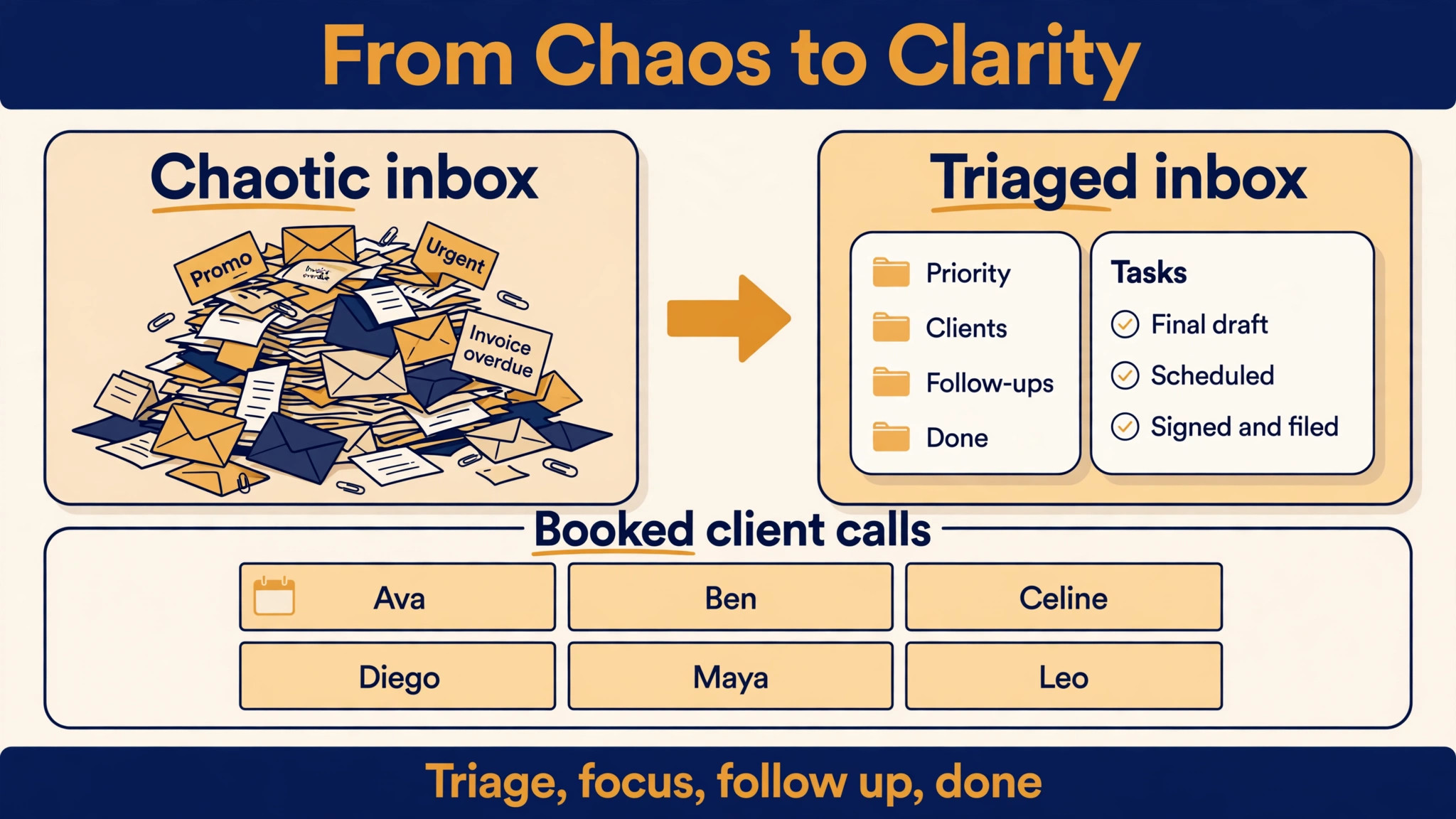
A virtual assistant who serves eight clients lives in eight inboxes, eight calendars and eight task lists, and the day disappears in switching between them. The client never sees the switching, only the late reply and the missed meeting. The best ai tools for virtual assistants exist because the inbox, the calendar and the report now decide who keeps the client, not just how fast the assistant types.
This guide compares twelve tools on published prices where they exist, the job each one does best and the catch that only shows up after the contract is signed. Most productivity tools charge by seat or by member, so where a price is reported by a third party roundup rather than published by the vendor, this guide says so. Start with the shortlist, then read the reviews that match the problem your work feels most.
The pattern across all twelve is simple. The tools that win are the ones that triage the inbox, defend the calendar, draft the report and automate the handoff between apps. Everything else is a bonus, and an assistant who buys the bonus first usually keeps the leak.
The Quick Shortlist
The table below matches each common virtual assistants job to the single tool that handles it best. Use it to narrow the best ai tools for virtual assistants to two or three candidates before you read the full reviews. Prices are monthly list prices unless noted, and annual billing is usually cheaper than paying month to month.
| Need | Best tool | Why it wins |
|---|---|---|
| general drafting, research and client work for any assistant | ChatGPT Plus | it is the default general assistant for drafting, summarising, analysing documents and |
| long documents, careful writing and client reports | Claude Pro | it handles long documents and careful writing better than most assistants, which |
| auto scheduling a task list around meetings | Motion | it takes projects and tasks, with their priorities, deadlines and durations, and |
| docs, client wikis and a shared knowledge base | Notion Business | its full Notion Agent completes multi step tasks across pages, with AI |
| automation between apps for every client | Zapier Professional | it connects AI steps into more than 7,000 app workflows, so a |
| booking client calls without the email back and forth | Calendly | it lets a client pick a call time from a link, which |
| meeting transcription and searchable notes | Otter.ai | it transcribes meetings live and turns them into searchable notes, so the |
| meeting notes that sync to the CRM | Fireflies.ai | it records meetings, writes the notes and syncs them to the CRM, |
| defending focus time and scheduling habits around meetings | Reclaim.ai | it protects focus time without replacing the calendar app, blocking habits and |
| a simple task list that works for every client | Todoist | it is the simplest task list on this list, with projects, labels |
| proofreading every client message before it goes out | Grammarly Pro | it proofreads every email, report and message before it goes to the |
| inbox triage at speed for heavy email users | Superhuman | it is built for speed in the inbox, with keyboard shortcuts, AI |
How We Judged the best ai tools for virtual assistants
A tool earned a place here only if it does a real assistant job in 2026, not if it added an AI label to an old product. The best ai tools for virtual assistants were judged on five things that decide whether an assistant keeps paying after the first year.
First, the inbox and calendar job it does, from triaging email to auto scheduling tasks around meetings and protecting focus time. Second, whether the price is published or hidden behind a sales call, including per seat charges that multiply fast across clients. Third, drafting and research, because a report written in minutes beats a report written in hours when eight clients are waiting.
Fourth, automation between apps, because an assistant who retypes the same data into three systems is doing the work the software should do. Fifth, the catch, from AI features gated to the top tier to model based pricing that burns through the task quota fast.
| Check before you buy | What to ask | Why it matters |
|---|---|---|
| Price transparency | Is the price published, or does it need a sales call | Hidden prices hide the real first year bill |
| Integration | Does it write back to the systems you already use | Write back saves double entry every day |
| Price structure | Per user, per seat, per location, or flat | Per user fees multiply across a team |
| Setup and renewal terms | Setup fee, and what year two costs | Renewal increases are common in this category |
| The catch | What does the cheapest plan leave out | The missing feature is usually the one you need |
| Trial on real work | Can you test it on real jobs before you pay | A trial on fake data proves nothing |
The 12 Tools, Reviewed One by One
Read the reviews that match the problem your virtual assistant business feels most, then check the price at your real team size before you trial anything. Each review names the starting price, the job the tool does best and the catch to ask about.
1. ChatGPT Plus
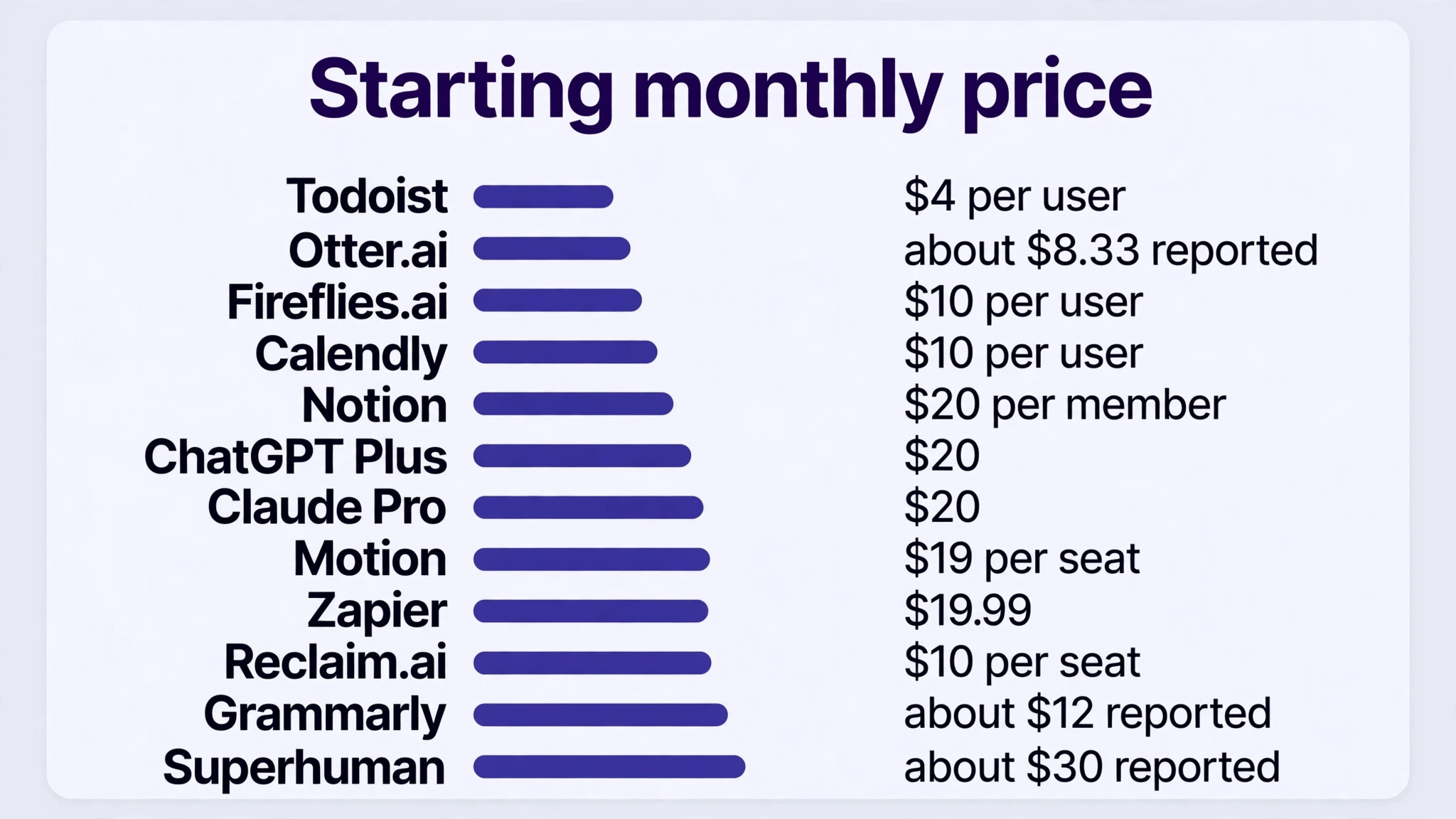
Starting price From 20 dollars a month for Plus, with Team at 25 dollars per user a month billed annually. Best for general drafting, research and client work for any assistant Watch out It is not built for calendar or task workflows natively, so pair it with a scheduling tool.
ChatGPT Plus is the pick for virtual assistants who want general drafting, research and client work for any assistant. it is the default general assistant for drafting, summarising, analysing documents and answering research questions. For a crew that want one assistant for every kind of task, that combination covers the daily work without a second subscription.
Pricing is where buyers need care. From 20 dollars a month for Plus, with Team at 25 dollars per user a month billed annually. It is not built for calendar or task workflows natively, so pair it with a scheduling tool. The right move is a trial on real jobs, priced at your real team size, so the monthly bill you compare is the bill you will actually pay.
2. Claude Pro
Starting price From 20 dollars a month for Pro, or 17 dollars a month billed annually. Best for long documents, careful writing and client reports Watch out It cannot read a calendar without the assistant connecting it, so the setup matters more than the subscription.
What sets Claude Pro apart is it handles long documents and careful writing better than most assistants, which suits a client report with real detail. The result is a tool that carries the job from the first call to the final payment, and most teams learn it in days rather than weeks.
The catch is worth knowing before the trial. It cannot read a calendar without the assistant connecting it, so the setup matters more than the subscription. From 20 dollars a month for Pro, or 17 dollars a month billed annually. If that trade off fits the way your virtual assistants work, the tool earns its place, and if it does not, the next tool on this list probably fits better.
3. Motion
Starting price From 19 dollars per seat a month billed annually for Pro AI, or 29 dollars month to month. Best for auto scheduling a task list around meetings Watch out There is no free plan, only a trial, and the rigid scheduling can feel stressful if the assistant resists it.
Motion built its name on it takes projects and tasks, with their priorities, deadlines and durations, and plans the day from them., and the 2026 version adds That mix suits a virtual assistants that wants the job done properly rather than the longest feature list.
The price is the honest part. From 19 dollars per seat a month billed annually for Pro AI, or 29 dollars month to month. There is no free plan, only a trial, and the rigid scheduling can feel stressful if the assistant resists it. Ask for the full first year cost in writing before you sign, including any setup fee, because the headline price rarely tells the whole story.
4. Notion Business
Starting price From 20 dollars per member a month billed annually for Business, with Plus at 10 dollars a member a month for a limited AI trial. Best for docs, client wikis and a shared knowledge base Watch out Full Notion AI lives on the Business tier, so the cheaper plan only gets a limited trial.
Notion Business is the pick for virtual assistants who want docs, client wikis and a shared knowledge base. its full Notion Agent completes multi step tasks across pages, with AI search and AI meeting notes on the Business tier. For a crew that want client knowledge kept in one place, that combination covers the daily work without a second subscription.
Pricing is where buyers need care. From 20 dollars per member a month billed annually for Business, with Plus at 10 dollars a member a month for a limited AI trial. Full Notion AI lives on the Business tier, so the cheaper plan only gets a limited trial. The right move is a trial on real jobs, priced at your real team size, so the monthly bill you compare is the bill you will actually pay.
5. Zapier Professional
Starting price From 19.99 dollars a month billed annually for Professional, with a free plan of 100 tasks a month. Best for automation between apps for every client Watch out AI steps now consume 1, 3 or 5 times the task quota depending on the model tier, so a heavy workflow can burn tasks fast.
What sets Zapier Professional apart is it connects AI steps into more than 7,000 app workflows, so a form submission can become a task, an email and a calendar event without retyping. The result is a tool that carries the job from the first call to the final payment, and most teams learn it in days rather than weeks.
The catch is worth knowing before the trial. AI steps now consume 1, 3 or 5 times the task quota depending on the model tier, so a heavy workflow can burn tasks fast. From 19.99 dollars a month billed annually for Professional, with a free plan of 100 tasks a month. If that trade off fits the way your virtual assistants work, the tool earns its place, and if it does not, the next tool on this list probably fits better.
6. Calendly
Starting price From 10 dollars per user a month for Standard. Best for booking client calls without the email back and forth Watch out The free plan is thin, so an assistant who books a lot of calls should budget for the paid plan.
Calendly built its name on it lets a client pick a call time from a link, which removes the three email round trip that kills a busy week., and the 2026 version adds That mix suits a virtual assistants that wants the job done properly rather than the longest feature list.
The price is the honest part. From 10 dollars per user a month for Standard. The free plan is thin, so an assistant who books a lot of calls should budget for the paid plan. Ask for the full first year cost in writing before you sign, including any setup fee, because the headline price rarely tells the whole story.
7. Otter.ai
Starting price Reported from 8.33 dollars per user a month billed annually, according to third party roundups. Best for meeting transcription and searchable notes Watch out The reported price is not published by the vendor on a clear page, so confirm the current figure before you budget.
Otter.ai is the pick for virtual assistants who want meeting transcription and searchable notes. it transcribes meetings live and turns them into searchable notes, so the assistant can find what was agreed without replaying the call. For a crew that want every meeting written down, that combination covers the daily work without a second subscription.
Pricing is where buyers need care. Reported from 8.33 dollars per user a month billed annually, according to third party roundups. The reported price is not published by the vendor on a clear page, so confirm the current figure before you budget. The right move is a trial on real jobs, priced at your real team size, so the monthly bill you compare is the bill you will actually pay.
8. Fireflies.ai
Starting price Reported from 10 dollars per user a month, according to third party roundups. Best for meeting notes that sync to the CRM Watch out The reported price is not published by the vendor on a clear page, so confirm the current figure before you budget.
What sets Fireflies.ai apart is it records meetings, writes the notes and syncs them to the CRM, so the client record updates itself after every call. The result is a tool that carries the job from the first call to the final payment, and most teams learn it in days rather than weeks.
The catch is worth knowing before the trial. The reported price is not published by the vendor on a clear page, so confirm the current figure before you budget. Reported from 10 dollars per user a month, according to third party roundups. If that trade off fits the way your virtual assistants work, the tool earns its place, and if it does not, the next tool on this list probably fits better.
9. Reclaim.ai
Starting price Free for the Lite plan, with Starter at 10 dollars per seat a month billed annually. Best for defending focus time and scheduling habits around meetings Watch out The deepest features are gated to the Business and Enterprise plans, so check what is included at your tier.
Reclaim.ai built its name on it protects focus time without replacing the calendar app, blocking habits and tasks around meetings automatically., and the 2026 version adds That mix suits a virtual assistants that wants the job done properly rather than the longest feature list.
The price is the honest part. Free for the Lite plan, with Starter at 10 dollars per seat a month billed annually. The deepest features are gated to the Business and Enterprise plans, so check what is included at your tier. Ask for the full first year cost in writing before you sign, including any setup fee, because the headline price rarely tells the whole story.
10. Todoist
Starting price From 4 dollars per user a month billed annually for Pro. Best for a simple task list that works for every client Watch out The AI features are light compared with Motion, so an assistant who wants auto scheduling should look there instead.
Todoist is the pick for virtual assistants who want a simple task list that works for every client. it is the simplest task list on this list, with projects, labels and priorities that keep eight clients work separate and visible. For a crew that want one task list for all clients, that combination covers the daily work without a second subscription.
Pricing is where buyers need care. From 4 dollars per user a month billed annually for Pro. The AI features are light compared with Motion, so an assistant who wants auto scheduling should look there instead. The right move is a trial on real jobs, priced at your real team size, so the monthly bill you compare is the bill you will actually pay.
11. Grammarly Pro
Starting price Reported from 12 dollars per member a month billed annually, according to third party roundups. Best for proofreading every client message before it goes out Watch out The reported price is not published by the vendor on a clear page, so confirm the current figure before you budget.
What sets Grammarly Pro apart is it proofreads every email, report and message before it goes to the client, catching the errors that damage trust. The result is a tool that carries the job from the first call to the final payment, and most teams learn it in days rather than weeks.
The catch is worth knowing before the trial. The reported price is not published by the vendor on a clear page, so confirm the current figure before you budget. Reported from 12 dollars per member a month billed annually, according to third party roundups. If that trade off fits the way your virtual assistants work, the tool earns its place, and if it does not, the next tool on this list probably fits better.
12. Superhuman
Starting price Reported at 30 dollars per user a month, according to third party roundups. Best for inbox triage at speed for heavy email users Watch out The reported price is not published by the vendor on a clear page, and the onboarding is famously strict.
Superhuman built its name on it is built for speed in the inbox, with keyboard shortcuts, AI triage and scheduled send that turn a full inbox into an empty one., and the 2026 version adds That mix suits a virtual assistants that wants the job done properly rather than the longest feature list.
The price is the honest part. Reported at 30 dollars per user a month, according to third party roundups. The reported price is not published by the vendor on a clear page, and the onboarding is famously strict. Ask for the full first year cost in writing before you sign, including any setup fee, because the headline price rarely tells the whole story.
Side by Side Comparison
The table below puts the best ai tools for virtual assistants side by side on price, best job and free plan, so you can compare the published prices against the quote only tools at a glance. Use it after the reviews to narrow the list to two finalists, then trial both on real jobs before you sign anything.
| Tool | Starting price | Best for | Free plan |
|---|---|---|---|
| ChatGPT Plus | From 20 dollars a month for Plus, with Team at 25 dollars per user | general drafting, research and client work for any assistant | No |
| Claude Pro | From 20 dollars a month for Pro, or 17 dollars a month billed annually | long documents, careful writing and client reports | No |
| Motion | From 19 dollars per seat a month billed annually for Pro AI, or 29 | auto scheduling a task list around meetings | No |
| Notion Business | From 20 dollars per member a month billed annually for Business, with Plus at | docs, client wikis and a shared knowledge base | No |
| Zapier Professional | From 19 | automation between apps for every client | No |
| Calendly | From 10 dollars per user a month for Standard | booking client calls without the email back and forth | No |
| Otter.ai | Reported from 8 | meeting transcription and searchable notes | No |
| Fireflies.ai | Reported from 10 dollars per user a month, according to third party roundups | meeting notes that sync to the CRM | No |
| Reclaim.ai | Free for the Lite plan, with Starter at 10 dollars per seat a month | defending focus time and scheduling habits around meetings | Yes |
| Todoist | From 4 dollars per user a month billed annually for Pro | a simple task list that works for every client | No |
| Grammarly Pro | Reported from 12 dollars per member a month billed annually, according to third party | proofreading every client message before it goes out | No |
| Superhuman | Reported at 30 dollars per user a month, according to third party roundups | inbox triage at speed for heavy email users | No |
Choosing the Right Tool for Your virtual assistant business
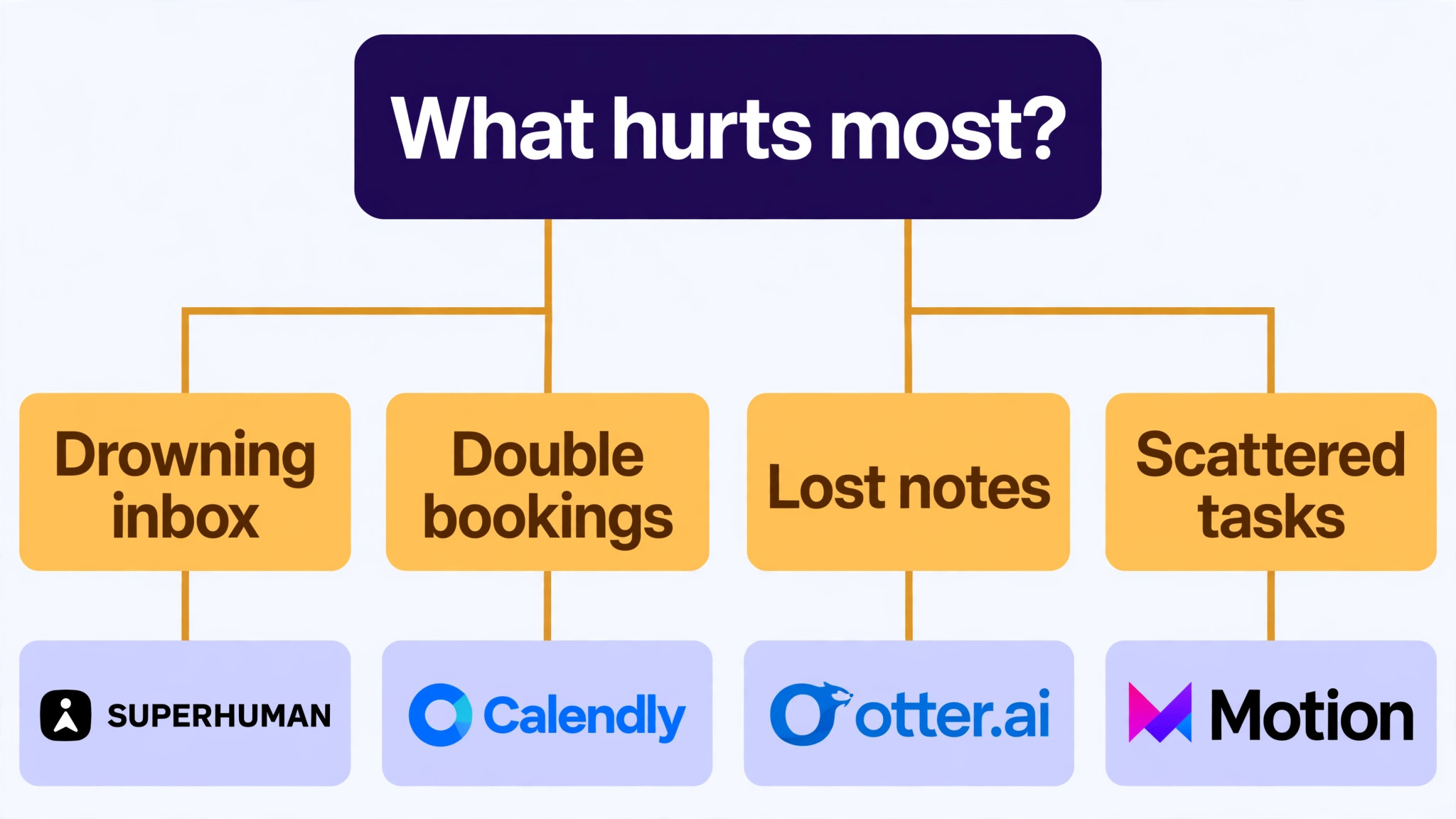
The best ai tools for virtual assistants are not the ones with the longest feature list. They are the ones that fix the leak your virtual assistant business feels every week. Start from the leak, not from the vendor homepage, and budget the full bill rather than the headline price.
Budget the full bill, not the headline price. The table below shows what a single virtual assistant business actually pays in year one for the most common combinations, using published or reported starting prices. Setup fees, per user charges and renewal increases are the lines that surprise buyers, so ask for them in writing before you sign.
| Stack for one business | Monthly cost | What it covers |
|---|---|---|
| ChatGPT Plus | From 20 dollars a month for Plus, with Team at 25 dollars | general drafting, research and client work for any assistant |
| Claude Pro | From 20 dollars a month for Pro, or 17 dollars a month | long documents, careful writing and client reports |
| Motion | From 19 dollars per seat a month billed annually for Pro AI, | auto scheduling a task list around meetings |
| Notion Business | From 20 dollars per member a month billed annually for Business, with | docs, client wikis and a shared knowledge base |
| Zapier Professional | From 19 | automation between apps for every client |
Start with one tool and one job, then add a second tool only when the first one runs without daily fixes. Two half working tools cost more time than one working tool and a spreadsheet, and the team will tell you quickly which one they open every day and which one they avoid.
Questions Owners Ask Most
What is the cheapest good AI tool for a new virtual assistant to start with
ChatGPT is free for basic drafting, and Claude is free for basic writing, which makes them the cheapest honest start for a new assistant. Reclaim.ai Lite is free for calendar defence, and Zapier is free for 100 tasks a month. Todoist Pro at 4 dollars a month is the cheapest paid task list. Start with the job that loses you the most time, not with the cheapest tool overall.
Can an AI assistant read my inbox safely
It can, but the assistant must keep approvals switched on for anything that sends, deletes or books. An assistant that can read the inbox can be tricked by what lands in it, and researchers have shown that a malicious calendar invite can hijack an AI agent. Keep the human in the loop on every send, and never let the AI book or pay without a check first.
Which tool is best for a virtual assistant with many clients
ChatGPT Plus is the strongest pick for many clients, because the same subscription drafts, researches and summarises for all of them. Motion suits an assistant whose calendar is the bottleneck, and Zapier suits one whose apps never talk to each other. Price all three at the real workload before you choose, because the per seat figure is only part of the bill.
How much should a virtual assistant budget for this software
A realistic budget for the best ai tools for virtual assistants is 0 to 40 dollars a month for one or two tools on a solo assistant, and 60 to 150 dollars a month once the assistant runs a full stack of drafting, scheduling, notes and automation. Per seat pricing is the line that surprises buyers, so multiply the price by the real number of seats before you compare.
The Bottom Line
If you buy one tool this quarter, buy ChatGPT Plus. It covers the jobs a virtual assistant feels every day, drafting, research and summarising, at a published price a solo assistant can afford, with connections to Gmail and Google Calendar that keep the work flowing. The best ai tools for virtual assistants earn their keep by turning a day of switching into a day of finishing, and ChatGPT does that from the first week.
Whatever you pick, start with the leak, trial with real client work, and measure the return in replies sent and meetings kept rather than in features used. The best ai tools for virtual assistants on this list all work. The difference is whether the tool matches the job your work actually needs done, and whether the client notices the difference before you tell them.