About 7 in 10 resumes never reach a human reader. They are filtered by software first, and a pretty template cannot save a resume that the software cannot read. That single fact decides which of the best resume makers is worth your money. A good builder gives you a clean file that applicant tracking software can parse, honest wording help, and a download you can actually use without a surprise charge. A bad one gives you a watermark, a trial that renews before you notice, and a PDF that looks great and parses terribly.
The best resume makers in this guide were compared on the same questions. Can you download a usable PDF without paying first. Does the builder help you match the words in a real job ad. Is the price clear before you enter card details. And does the finished file stay readable when it passes through hiring software. Thirteen tools made the list, from free single resume builders to full job search workspaces, and each one below names its real strength, its real limit, and the job seeker it fits.
How We Picked the Best Resume Makers
We judged every tool on five things that matter after the excitement of a new template wears off. First, the free plan, and whether free means a finished PDF or only a preview you cannot use. Second, hiring software readability, because a resume that cannot be parsed is a resume that is never read. Third, writing help that improves real bullet points instead of filling the page with generic phrases. Fourth, price clarity, including trial terms and what renews automatically. Fifth, the extras that save time, such as cover letters, job tracking, and version control for different roles.
Prices in this guide come from vendor pricing pages and 2026 comparisons that rechecked those pages in September and October 2026. Prices change often, and trial terms change even faster, so treat every figure here as a starting point and confirm the total charge on the vendor page before you subscribe. Where two comparisons disagreed on a price, this guide says so instead of picking the friendlier number.
The Best Resume Makers at a Glance
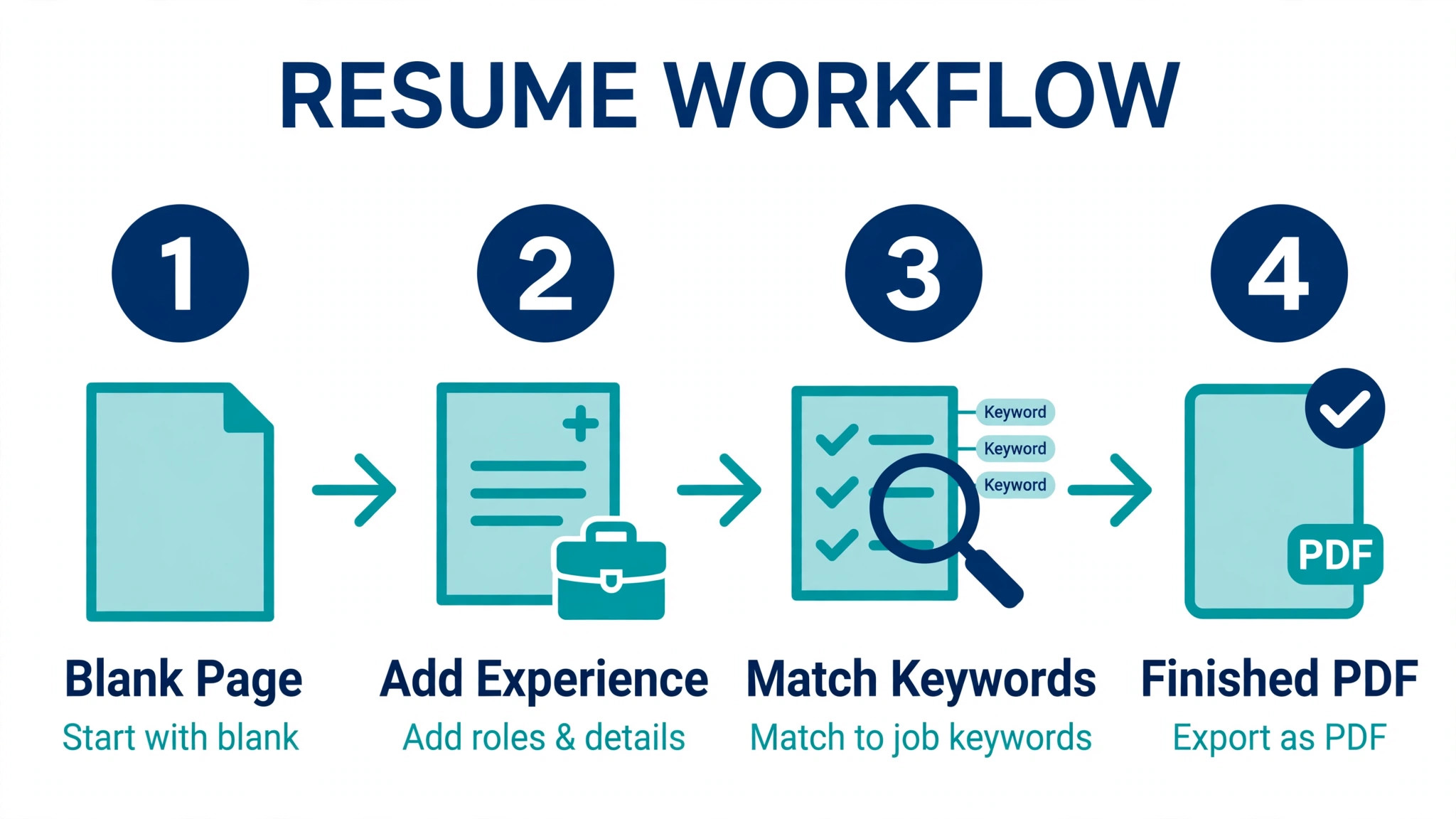
The table below covers the first seven tools. Free plan limits matter more than feature lists, because the limit is what you hit on day one.
| Tool | Best for | Free plan | Paid from |
|---|---|---|---|
| Teal | Active job searches with many applications | Unlimited resumes and PDF downloads | 13 dollars per 7 days |
| Rezi | Keyword matching to a job ad | 1 resume and 3 PDF downloads | 29 dollars a month |
| Kickresume | Design plus cover letters in one place | 4 basic templates and free downloads | 24 dollars a month |
| Zety | Guided building for first time writers | Build free and pay to download | Around 24 dollars a month |
| Enhancv | Creative sections and visual resumes | Trial with watermarked downloads | 39 dollars a month |
| Novoresume | Polished structured templates | 1 one page resume | 23.99 dollars a month |
| Resume.io | Fast building with templates | Build free with TXT download | 2.95 dollars for a 7 day trial |
The second table covers the remaining six tools. FlowCV and Cake stand out here, because both let free users download a finished PDF without a watermark or a trial clock running.
| Tool | Best for | Free plan | Paid from |
|---|---|---|---|
| FlowCV | One free resume with no branding | 1 resume and 1 cover letter | 60 dollars a year |
| Canva | Visual resumes from existing content | Free templates and PDF export | 144 dollars a year |
| Cake | Templates plus a shareable profile | Free PDF download and link | Paid tiers listed on site |
| JobSprout | Document quality and AI editing | Unlimited PDF downloads | 19.99 dollars a month |
| Wonsulting AI | Rewriting experience bullets | Unlimited downloads | 19.99 dollars a month |
| VisualCV | Resumes with an online profile | Free plan with basic templates | Paid tiers listed on site |
Best Pick by Job
No single builder wins for every job seeker, so the table below matches the pick to the situation instead of crowning one winner for everyone.
| Your situation | Best pick | Why it fits |
|---|---|---|
| You apply to many jobs each week | Teal | Resume versions and application tracking live together |
| The job ad uses specific keywords | Rezi | Keyword targeting and scoring are built in |
| You need one free PDF today | FlowCV | A watermark free PDF with no trial attached |
| You want a creative visual resume | Enhancv | Visual sections and design control go further |
| You are writing your first resume | Zety | The guided builder explains each section as you go |
| You already have strong content | Canva | Layout and typography carry the document |
The 13 Best Resume Makers in Detail
1. Teal
Teal is the strongest choice for someone in the middle of an active search, because it treats the resume as one part of a larger job hunt. You can build unlimited resumes, tailor one to a specific posting, save the job, and track the application in the same workspace. The free plan includes unlimited resumes and PDF downloads, which is rare in this category, and the limit sits on AI credits instead of on the finished document.
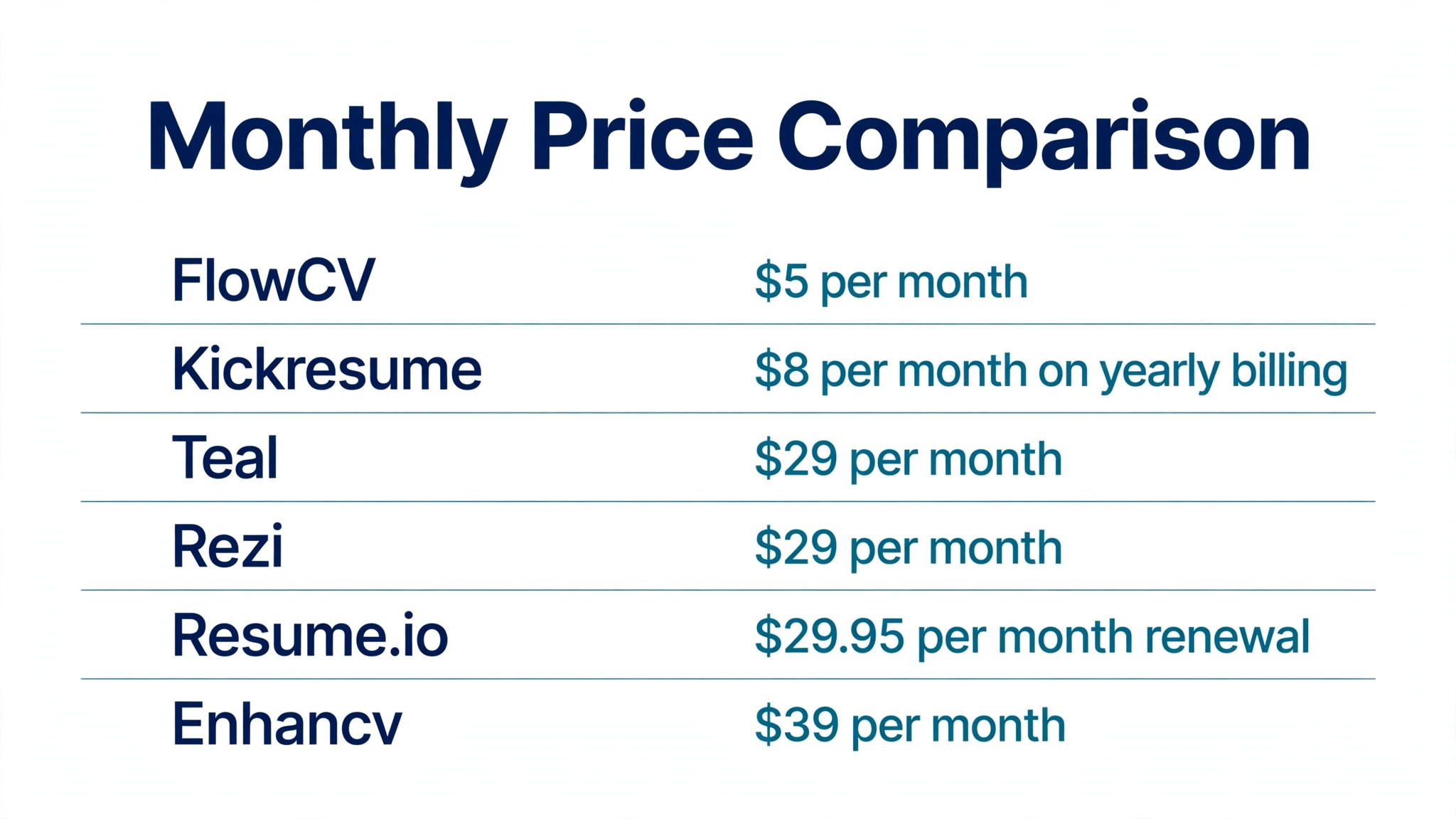
Teal Plus costs 13 dollars every 7 days, 29 dollars every 30 days, or 79 dollars every 90 days. The paid tier removes the limits on matching, advanced design controls, and AI features. If you send five or more applications a week and you reuse parts of your resume across roles, Teal saves more time than any single document builder in this guide.
The trade off is focus. Teal is a job search tool that contains a resume builder, not a pure design studio, so its templates are clean and professional rather than striking. That is the right trade for most applicants, because hiring software reads clean templates better than decorative ones, and recruiters skim for content before they admire layout.
2. Rezi
Rezi is built around one idea, and it executes that idea well. Your resume should mirror the words in the job ad, because hiring software scores the match before a person reads a line. Rezi gives you bullet level editing, ATS keyword targeting, and a score that shows where the gaps are, so you can fix the document before you submit it.
The free plan allows 1 resume and 3 PDF downloads, with AI writing and editing included. Pro costs 29 dollars a month, and a lifetime plan costs 149 dollars as a one time payment. That lifetime option is worth a look if you expect to job hunt more than once, since a few months of monthly billing passes the lifetime price quickly.
Rezi is the pick when keyword matching is the bottleneck. If your resume already gets interviews, you do not need it. If your applications vanish without a reply, and the roles match your experience, the keyword gap is the most likely cause, and Rezi is the most direct fix in this guide.
3. Kickresume
Kickresume is the all in one option for people who want the resume, the cover letter, and the interview preparation in a single account. It works on the web and on iOS and Android, so you can edit on a phone between interviews. The free plan includes 4 basic templates with free downloads, which is enough to test the builder properly before paying.
Premium costs 24 dollars a month or 96 dollars a year, which works out to 8 dollars a month on the yearly term. The AI writer sits in the paid tier, along with the wider template library and the matching application documents. Kickresume also includes a website builder for a personal page, which suits freelancers and recent graduates who need somewhere to send people beyond a PDF.
Choose Kickresume when you want one subscription to cover the whole application packet. It is less specialised than Rezi for keyword work and less connected than Teal for tracking, but it covers more ground than either one on its own.
4. Zety
Zety is the guided builder for people writing a resume for the first time, or rewriting one after years in the same role. Each section comes with prompts and example phrases, so you are never staring at a blank box wondering what belongs in it. The templates are professional and restrained, which keeps the finished file readable by hiring software.
You can build for free and pay to download, which is the catch to understand before you invest an hour in the builder. Monthly billing is listed around 24 dollars a month in 2026 comparisons, with a low cost trial that converts to a recurring charge if you do not cancel. Read the renewal terms on the checkout page and set a reminder if you only need the tool for one resume.
Zety earns its place through guidance rather than power. Experienced job seekers who already know their bullet points will find it slow. First time writers, career changers, and anyone returning to work after a gap will find the structure genuinely helpful.
5. Enhancv
Enhancv is the builder for resumes that need to show personality without breaking hiring software. It offers creative sections for projects, achievements, and personal notes, plus design controls that go further than most rivals. The result can look like a designed document rather than a form, which helps in creative, marketing, and product roles where presentation is part of the job.
Pricing is the part to check twice. Enhancv lists monthly billing at 39 dollars, with a quarterly option at 69 dollars and a six month option at 99 dollars, which brings the effective monthly cost down sharply on longer terms. Some comparison tables list a lower monthly figure, so confirm the live price before you buy, and pick the longer term only if you expect a long search.
Pick Enhancv when the role rewards visual judgement. For engineering, finance, and operations roles, the extra design freedom adds little, and a simpler builder will serve you just as well for less money.
6. Novoresume
Novoresume combines structured templates with guidance about what each section should contain. The free Basic account supports 1 one page resume version and a matching cover letter, with 8 templates and a small monthly AI credit allowance. The free PDF carries Novoresume branding, which is the limit that pushes most users to paid.
Premium costs 23.99 dollars for one month, 59.99 dollars for 3 months, or 199.99 dollars for one year, and the pricing page states there is no automatic subscription. That last point matters, because it removes the trial renewal trap that catches buyers on several rival builders. You pay once for the term you choose and it ends.
Novoresume fits job seekers who want a polished result with guardrails. The templates keep spacing and section order sensible, and the guidance keeps the content honest. It is less flexible than Canva and less connected than Teal, but it is one of the easiest routes to a finished resume that looks professional.
7. Resume.io
Resume.io is built for speed. Pick a template, fill in your history, and the builder handles spacing, alignment, and section order while you type. The free plan lets you build and download a TXT file, with one PDF template available, and full PDF access sits behind a trial that renews.
The trial costs 2.95 dollars for 7 days, then 29.95 dollars every 4 weeks unless you cancel. That renewal is the whole story with Resume.io, so treat the trial as a purchase decision, not a free sample. If you need one resume and you will cancel the same day, it works. If you forget, the charge repeats.
Resume.io suits a fast single resume when the content is already written in your head. It does not offer the tailoring depth of Rezi or the tracking of Teal, and the trial model means the real price is the renewal, not the first payment.
8. FlowCV
FlowCV is the best free option in this guide, and the reason is simple. The free plan includes 1 resume and 1 cover letter, all templates, and unlimited watermark free PDF downloads. There is no trial clock, no branding on the finished file, and no card required to get a usable document.
Pro costs 60 dollars a year, which works out to 5 dollars a month, and adds AI writing and translation plus more saved versions and content imports. That is the cheapest paid tier among the serious builders here, and the free plan is strong enough that many users never need it.
FlowCV is the first tool to try when the budget is zero and the deadline is today. Its templates are clean rather than flashy, and it will not help you track applications, but it produces a finished, professional PDF that hiring software can read, and it charges nothing for that.
9. Canva
Canva is not a resume specialist, and that is both its strength and its limit. If you already have strong content, Canva gives you the best layout control in this guide, with typography, spacing, and colour handled by a design tool rather than a form. Free templates and PDF export cover the basics, and the finished file can look genuinely designed.
Canva Pro costs 144 dollars a year for one person, which works out to 12 dollars a month, and unlocks premium templates and tools. Monthly billing and local prices can differ, so check the pricing page for your region. The risk with Canva is a resume that looks great and parses badly, so keep the design simple, use one column, and test the PDF by copying the text out of it before you send it anywhere.
Choose Canva when the writing is done and the layout is the job. For anyone who needs writing help or keyword matching, a specialist builder will do more for the same effort.
10. Cake
Cake pairs resume creation with an online profile and portfolio features, which suits designers, writers, and other applicants whose work needs to be seen. It offers more than 50 resume templates, drag and drop editing, resume analytics, and a free PDF download or shareable link. The analytics show when someone views your resume, which is useful after you send a speculative application.
Cake does not publish a single headline price in the same way as its rivals, and paid tiers are listed on its own pricing page, so check the current terms before you commit. The free tier is generous enough to build and share a real resume, and the portfolio angle is the reason to pick it over a pure document builder.
Pick Cake when your work samples matter as much as your job history. For roles where the resume is only text, the extra profile features add little, and a simpler builder will be faster.
11. JobSprout
JobSprout is a newer name in this category, and its free tier is unusually generous. You get unlimited PDF downloads on free designs, a free ATS checker, and a personal website, which is more than most rivals give paying customers. The paid plans are 9.99 dollars a week, 19.99 dollars a month, 84 dollars a year, or 129 dollars as a one time lifetime payment.
The builder focuses on document quality and controllable AI. Edits are shown as a diff you approve rather than applied silently, which matters when an AI rewrite changes the meaning of a bullet point you wrote carefully. The one click job tailoring is the feature that saves the most time for people applying to similar roles with different wording.
JobSprout is worth trying early in your search, because the free tier answers the important question without a payment. Does this builder produce a resume you would actually send. If the answer is yes, the yearly and lifetime prices are competitive with every other paid option here.
12. Wonsulting AI
Wonsulting AI is built for one painful part of the process, which is turning raw experience into bullet points that sound like achievements. The free plan includes unlimited resume downloads, 5 bullet generations, 3 cover letters, and 1 interview preparation session. Premium costs 19.99 dollars a month.
The tool is at its best when you have the experience but not the wording. Paste a job history, get reframed bullets, and edit them until they sound like you. It is less of a design tool than its rivals, so pair it with a clean template rather than expecting a finished visual document from it alone.
Choose Wonsulting AI when the writing is the bottleneck. If your resume already reads well and the problem is formatting or tracking, spend the money on a different tool in this guide instead.
13. VisualCV
VisualCV has been building resumes for years, and it pairs the document builder with a shareable online profile and view analytics. Templates are professional and varied, and the online version gives you a link to include in an email signature or a networking message when a PDF feels too formal.
Paid plans are listed on the VisualCV pricing page, and the terms change often enough that quoting a figure here would be out of date quickly, so check the live page before you buy. The free plan covers basic templates and a finished document, which is enough to judge the quality before paying.
VisualCV fits applicants who network as much as they apply. The shareable profile and the analytics turn a static document into something you can track, and that extra visibility is worth more than another template when your search depends on referrals.
How to Choose a Resume Maker Without Wasting Money
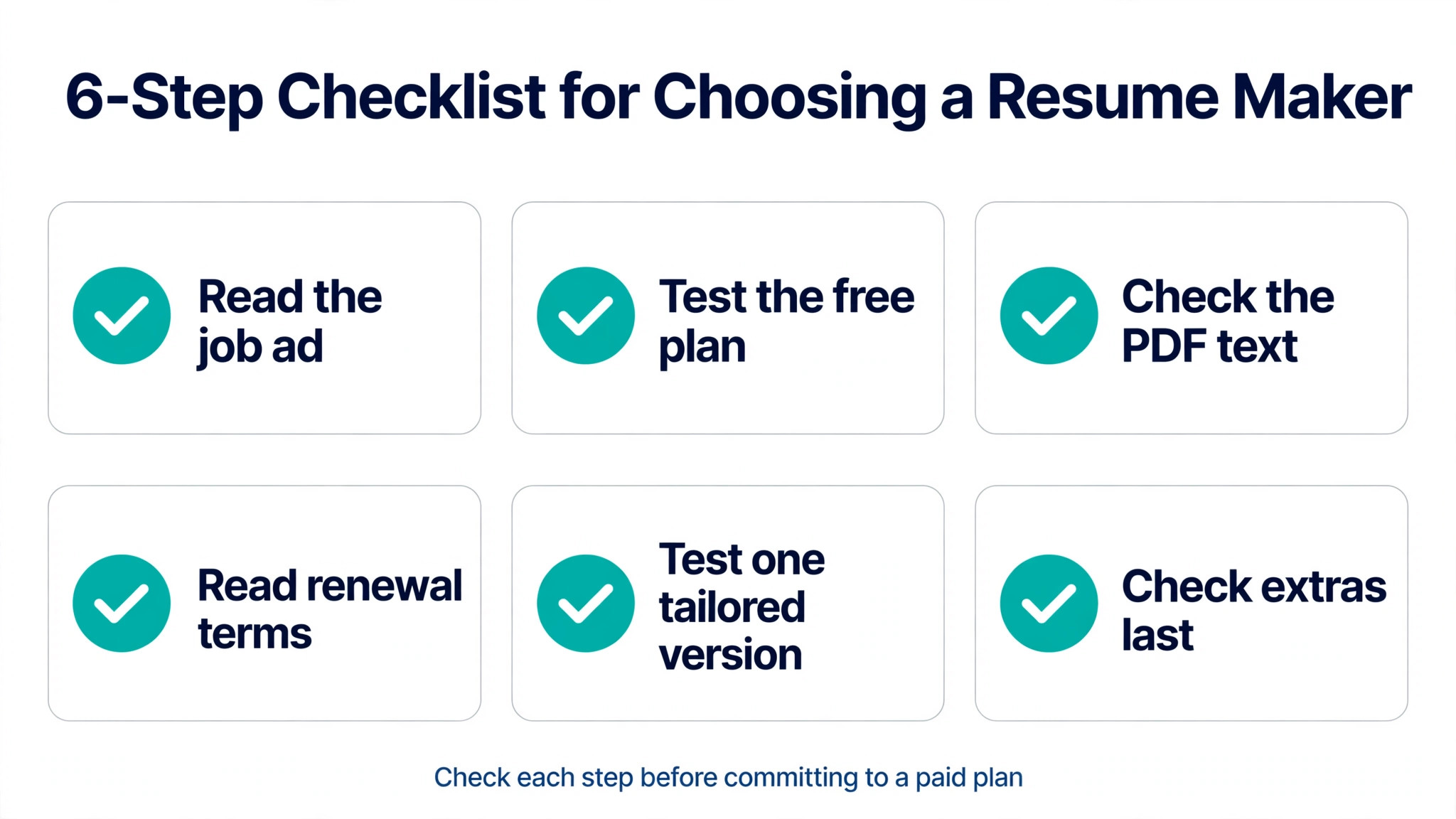
Choosing well takes ten minutes and saves a month of frustration. Work through the steps below in order, and do not pay until the free tier has shown you a finished file you would send.
- Start with the job ad, not the template. Copy the posting into a document, highlight the skills and tools it repeats, and check whether your resume already uses those words. A builder with keyword matching helps here, and a pretty template does not.
- Build one resume on the free plan first. If the free tier will not let you download a usable PDF, that is your answer. FlowCV and Teal both let you download without paying, so they are good first tests.
- Copy the text out of the exported PDF and paste it into a plain document. If the text comes out in the right order with no missing sections, hiring software can probably read it. If it comes out scrambled, change the template before you change the content.
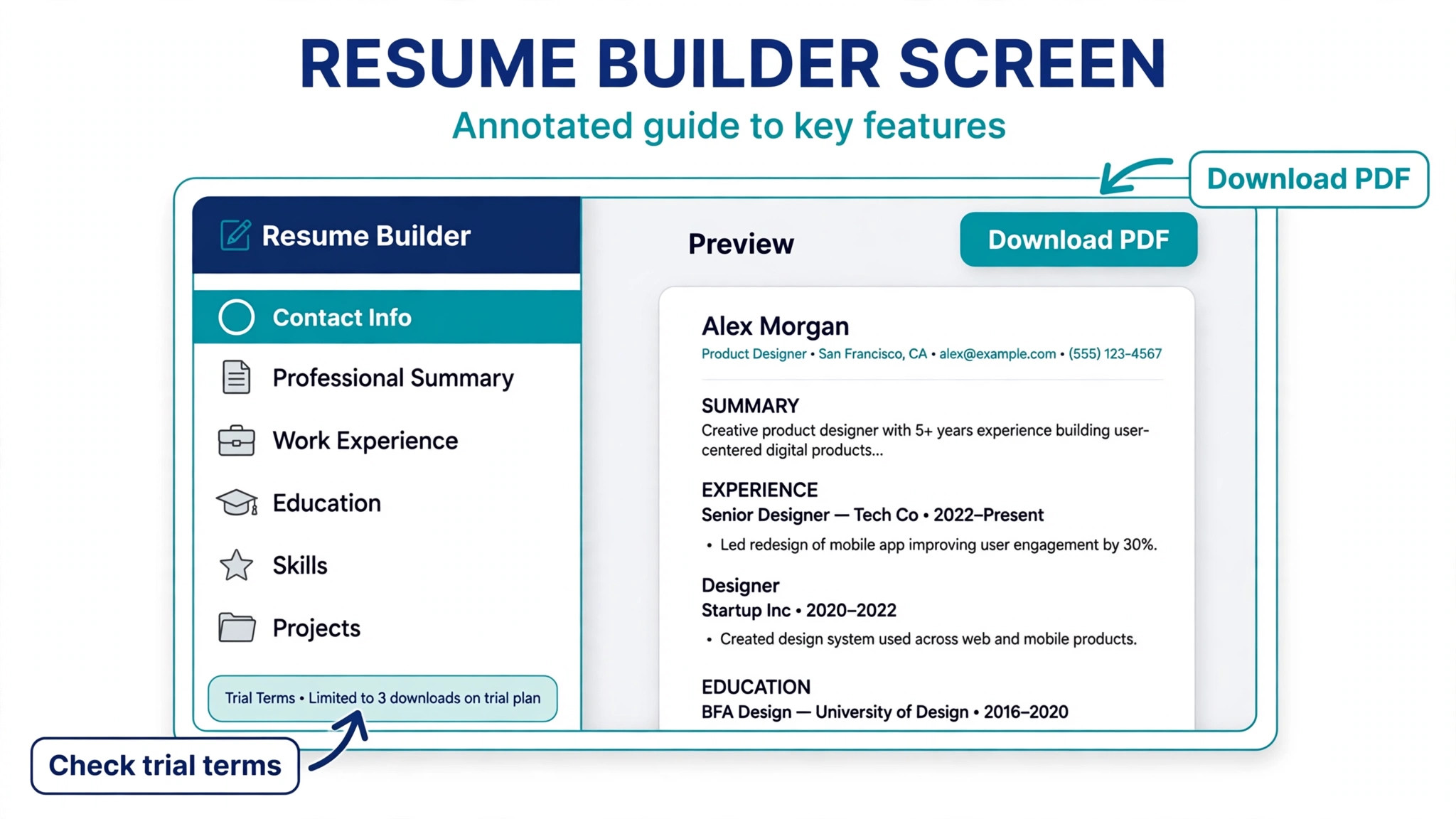
- Read the trial and renewal terms on the checkout page before you enter card details. Note the trial length, the renewal price, and whether the plan renews automatically. Set a calendar reminder for the day before the trial ends.
- Test one tailored version against a real posting. Change the summary and the top three bullets to match the ad, then compare the result with the generic version. If the builder makes tailoring easy, it will save you hours across a full search.
- Check the cover letter and tracking extras only after the resume itself works. A builder that produces a great resume and a weak cover letter is still a good buy. A builder with great extras and a broken export is not.
Mistakes That Cost Interviews
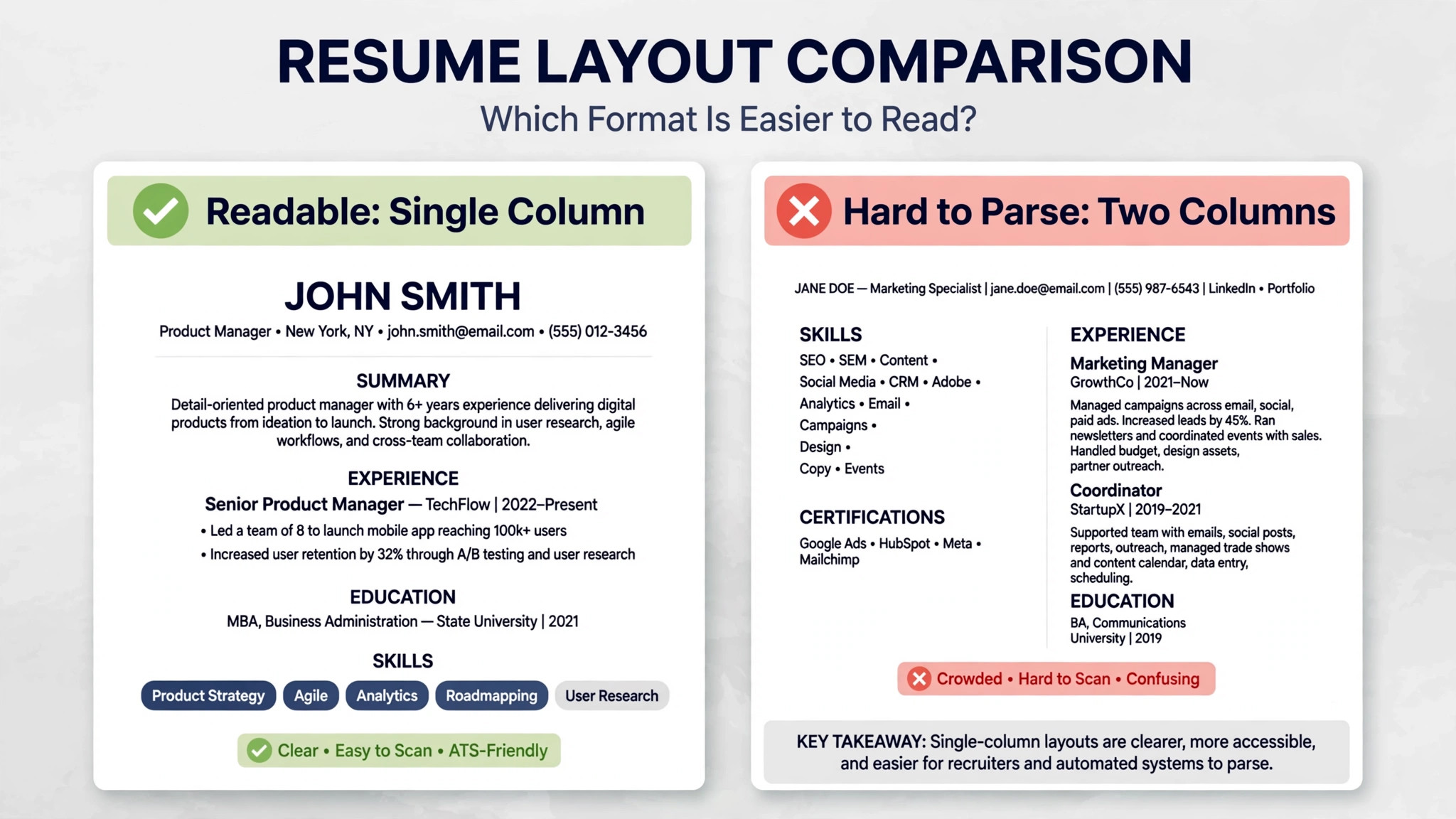
The most expensive mistake is trusting a template that hiring software cannot read. Two column layouts, text inside graphics, tables used for structure, and icons instead of words all break parsing in different ways. A single column layout with standard section headings is less exciting and far more effective, and every builder in this guide offers one.
The second mistake is paying for a trial and forgetting it. Several builders in this guide charge a small trial fee and then renew at a much higher rate, and the renewal is where the real cost lives. Treat every trial as a purchase, set a reminder, and cancel the same day if you only needed one document.
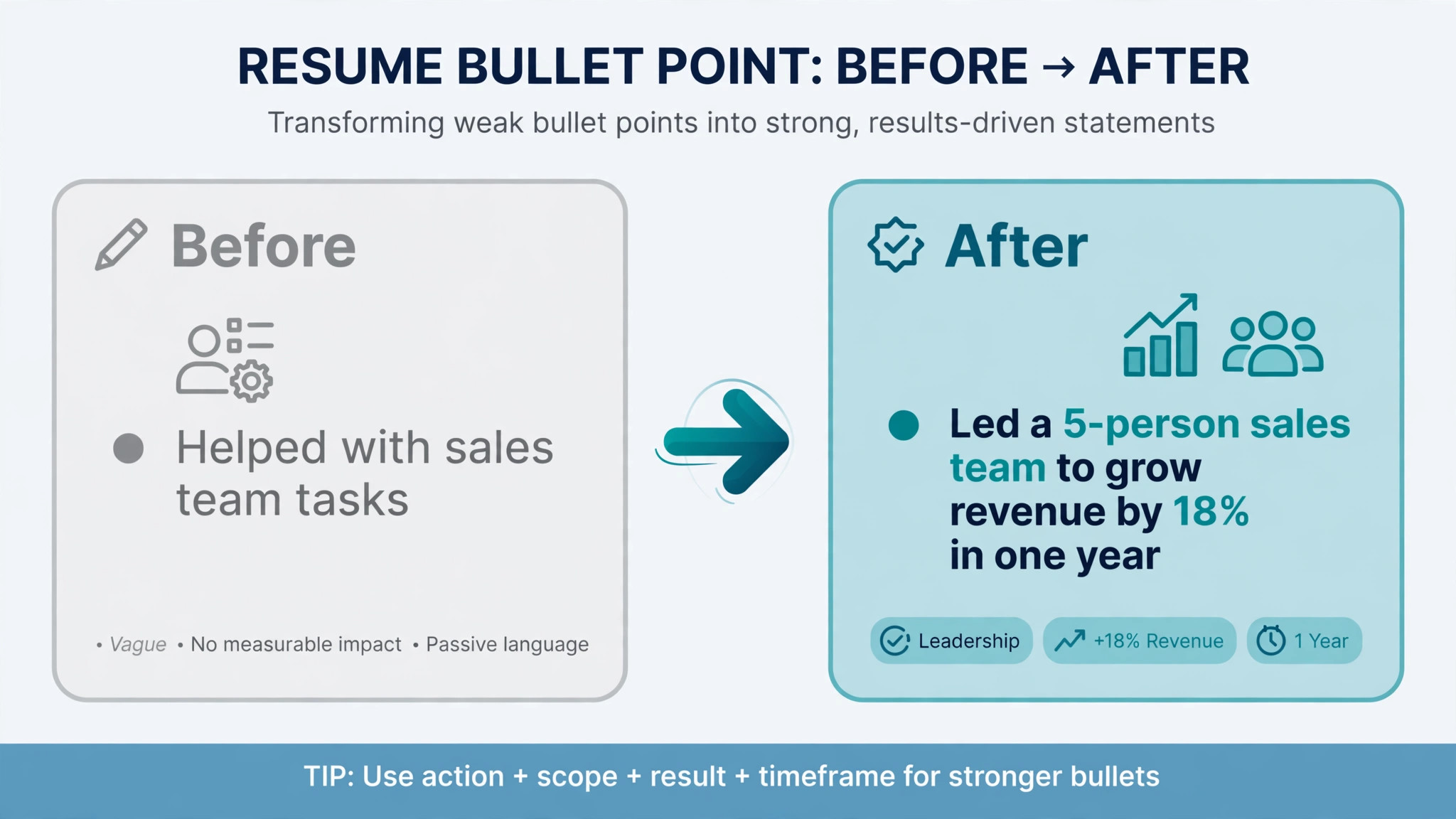
The third mistake is letting AI rewrite your experience into phrases you would never say. Hiring managers notice generic language instantly, and a bullet that could describe anyone describes no one. Use AI for structure and first drafts, then rewrite every line in your own words with a number attached, such as the size of a team, a budget, or a result you can defend in an interview.
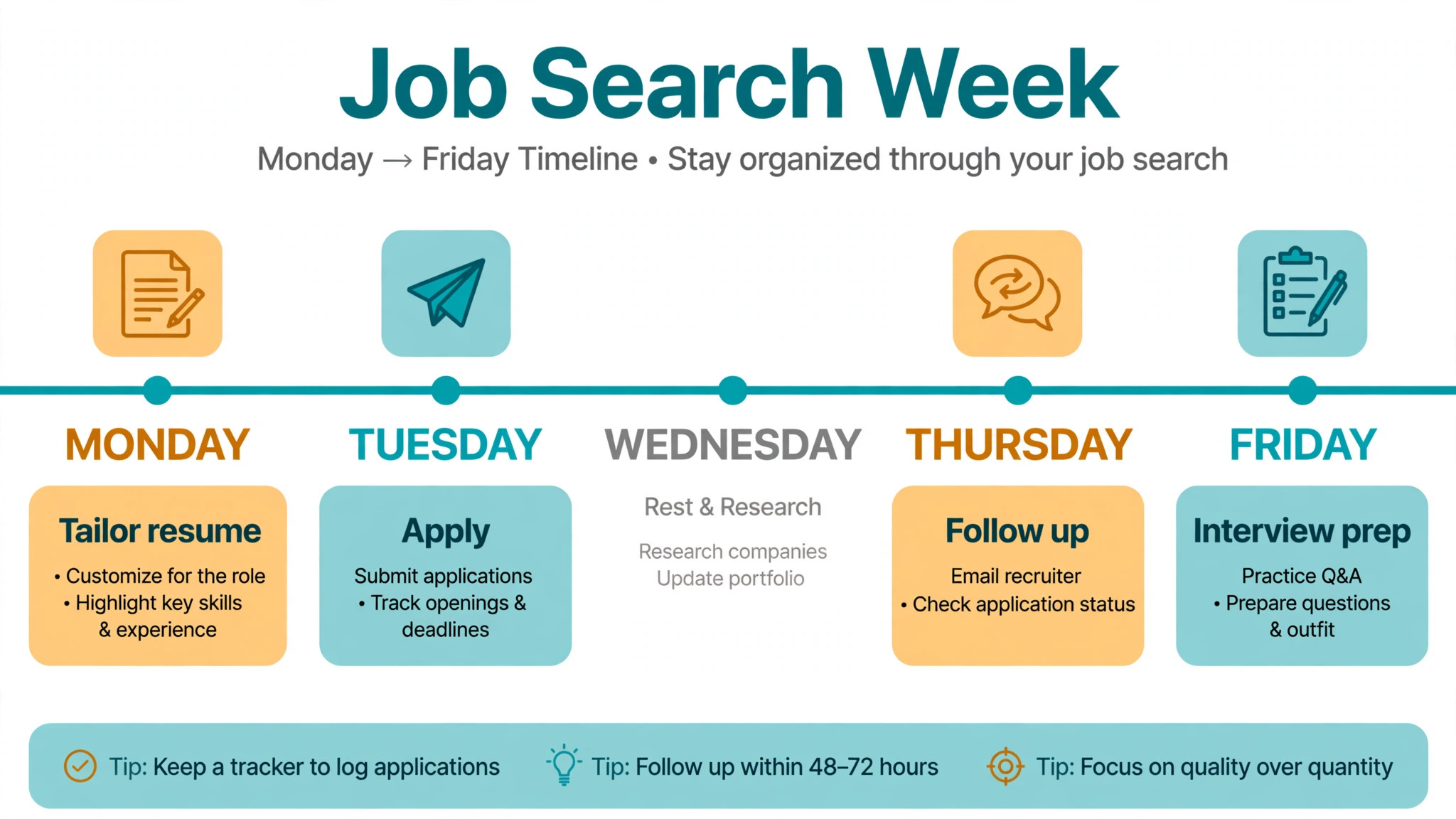
The fourth mistake is sending the same resume to every role. A single generic resume is convenient and ineffective. Tailor the summary and the top bullets for each application, even if the changes are small, because the hiring software and the human reader both reward the match.
The fifth mistake is ignoring the file itself. Export as PDF unless the posting asks for another format, check the file size, open it on a phone, and confirm that nothing is cut off at the margins. A resume that looks perfect on a laptop and broken on a phone still loses the recruiter who reads on the move.
Frequently Asked Questions
Which of the best resume makers is free?
FlowCV is the strongest free option, because it gives you one resume and one cover letter with unlimited watermark free PDF downloads and no trial attached. Teal also lets free users download PDFs without limit, and Cake offers a free PDF download with a shareable link. The rest of the tools in this guide let you build for free but charge for the finished download, so test the free tier before you pay.
Do I need to pay for a resume maker at all?
No, not for a single solid resume. FlowCV proves that a free builder can produce a professional, readable PDF. Paying makes sense when you need keyword tailoring, AI writing help, application tracking, or many versions for different roles. If you only need one document for one application, use a free plan and spend the money on nothing at all.
Will hiring software read a resume from these builders?
It depends on the template you choose, not only on the builder. Single column templates with standard headings parse reliably, while two column designs, graphics, and tables often break. After you export, copy the text out of the PDF and paste it into a plain document. If the text reads in the right order, the software can probably read it too.
What is the cheapest paid resume maker in this guide?
FlowCV Pro costs 60 dollars a year, which works out to 5 dollars a month, and it is the cheapest paid tier among the serious builders here. Kickresume costs 96 dollars a year on its yearly term, and JobSprout costs 84 dollars a year. Monthly billing is always more expensive than the yearly equivalent, so pick a monthly plan only when your search will be short.
Is a lifetime plan worth it?
A lifetime plan is worth it if you expect to job hunt more than once. Rezi charges 149 dollars once, and JobSprout charges 129 dollars once, and both pass the cost of a few months of monthly billing quickly. If this is a one time search and you will not need the tool again, a single month is cheaper, so do the arithmetic for your own situation before you commit.
Should I use AI to write my resume?
Use AI for structure and first drafts, then rewrite every line yourself. AI is good at turning a rough note into a clean bullet and bad at knowing which of your achievements actually mattered. Keep the numbers, the tools, and the outcomes that only you can describe, and remove any phrase that could appear on a thousand other resumes without changing a word.
The Bottom Line
The best resume makers are the ones that give you a readable file, honest pricing, and help with the words that actually win interviews. Start with FlowCV if the budget is zero, use Teal if you are applying every week, and pick Rezi when keyword matching is the reason your applications vanish. Test the free tier first, read the renewal terms before you pay, and check the exported PDF on a phone before you send it anywhere. A resume is a tool for getting a conversation, and the builder that gets you to that conversation fastest is the right one for you.