If you need one free static code with your logo on it, QRCode Monkey is the pick, and you can stop reading. If you need codes you can edit after printing, QR TIGER at $7 a month is the cheapest serious option, and QRCodeChimp gives you the most free dynamic codes at ten. If your company needs compliance paperwork and a sales contract, Uniqode is the one procurement will approve. Those three sentences settle the choice for most buyers, and the rest of this guide explains why, with the prices, free plans and traps that decide whether the best QR code generators for your job are the cheap ones or the enterprise ones.
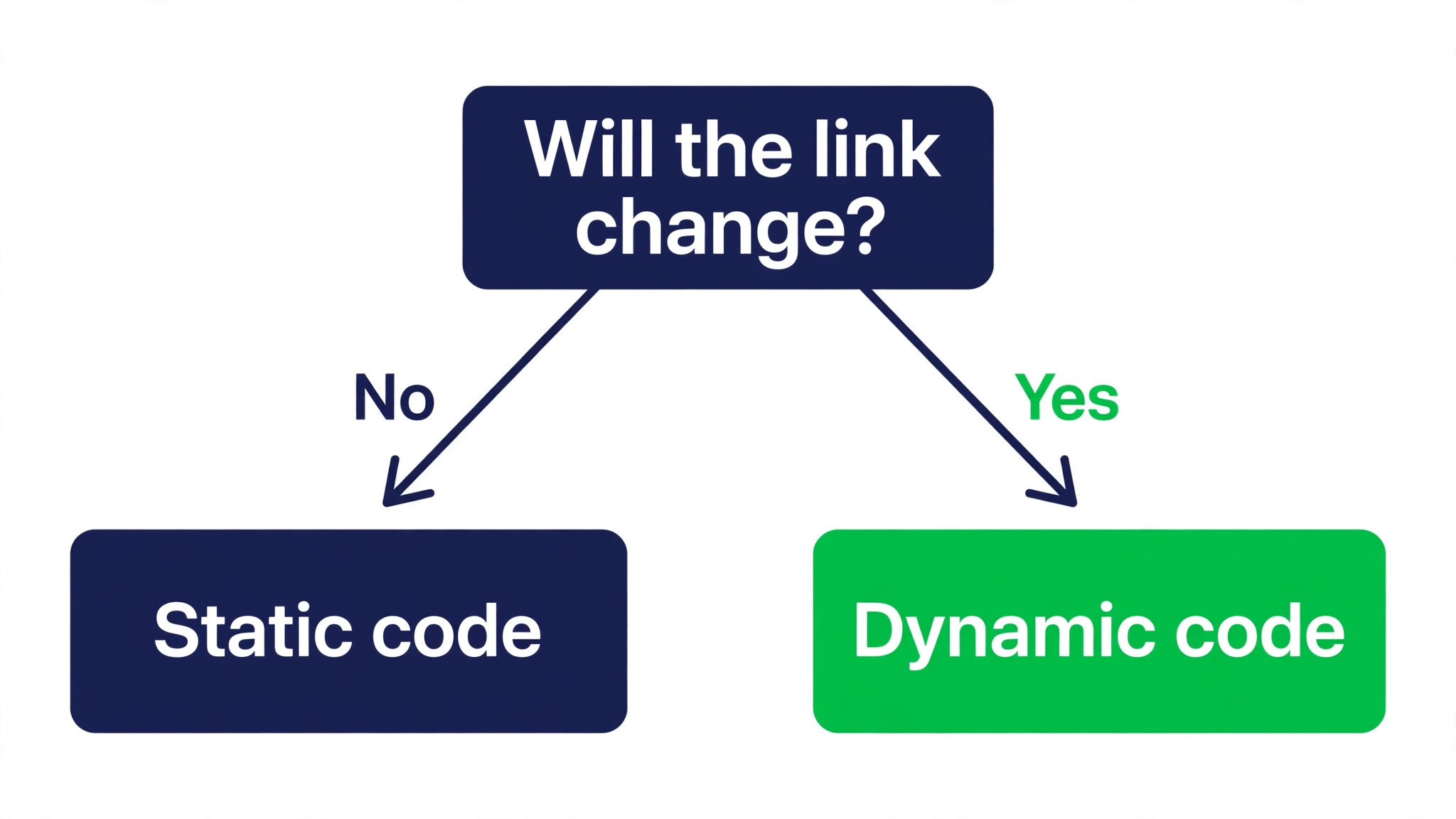
A QR code looks simple, and the free ones are simple. The trouble starts after you print. A code on a menu, a poster or a product box cannot be peeled off and fixed. If the link changes, the price changes or the campaign ends, a static code keeps pointing at the old page forever. A dynamic code points at a short link on the vendor server, so you can change the destination and see how many people scanned it. That single difference decides almost every purchase in this category, and it is the first thing to get right.
Static vs Dynamic Codes
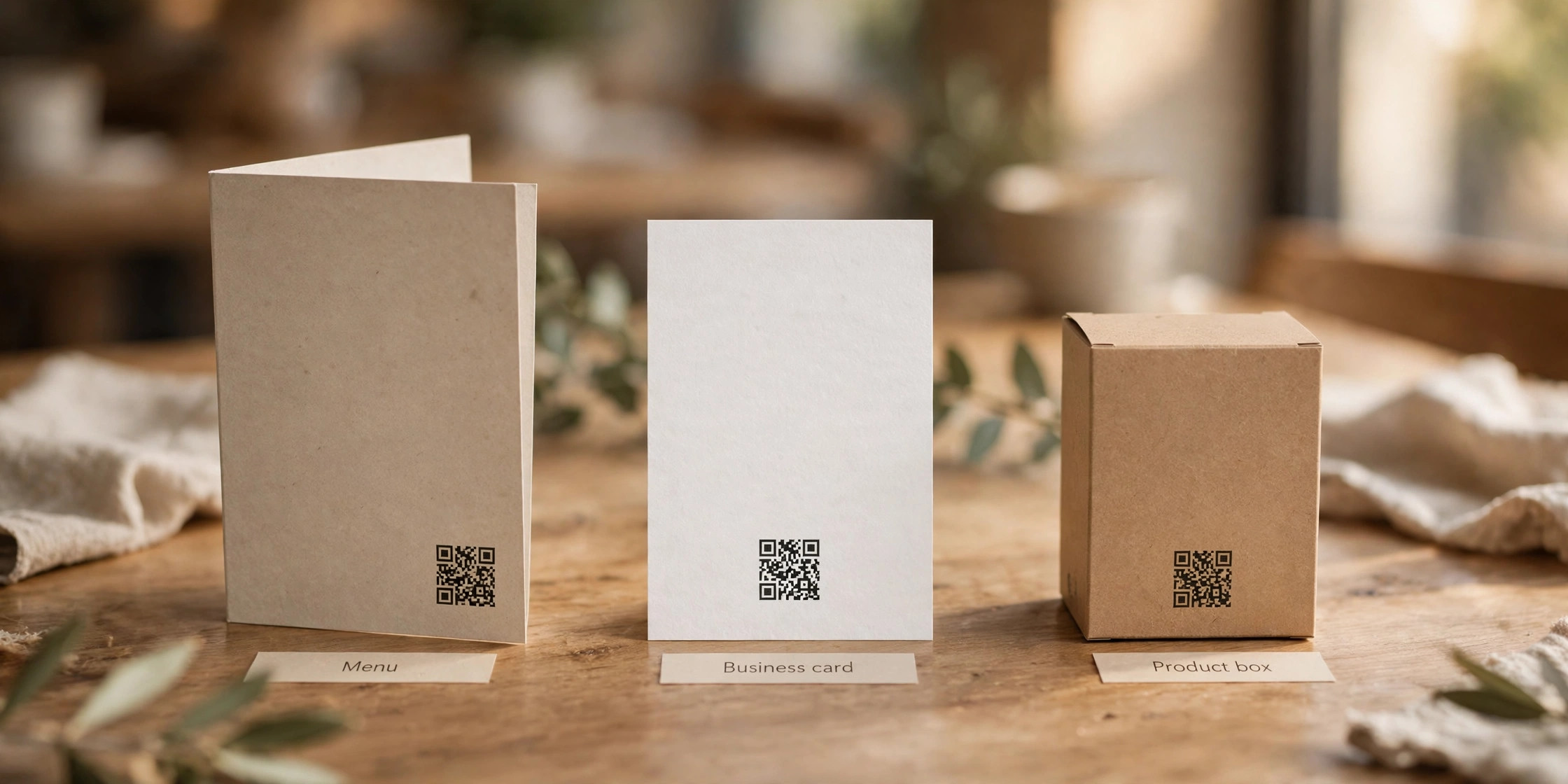
A static code stores the destination inside the pattern itself. The phone reads the pattern and goes straight to your website, with no vendor in the middle. It never expires, it cannot be edited, and nobody can track it. That makes it perfect for anything permanent. A link to your homepage on a business card, a WiFi password on a cafe table, or a link to a product manual will not change, so a static code is the right tool and it should be free.
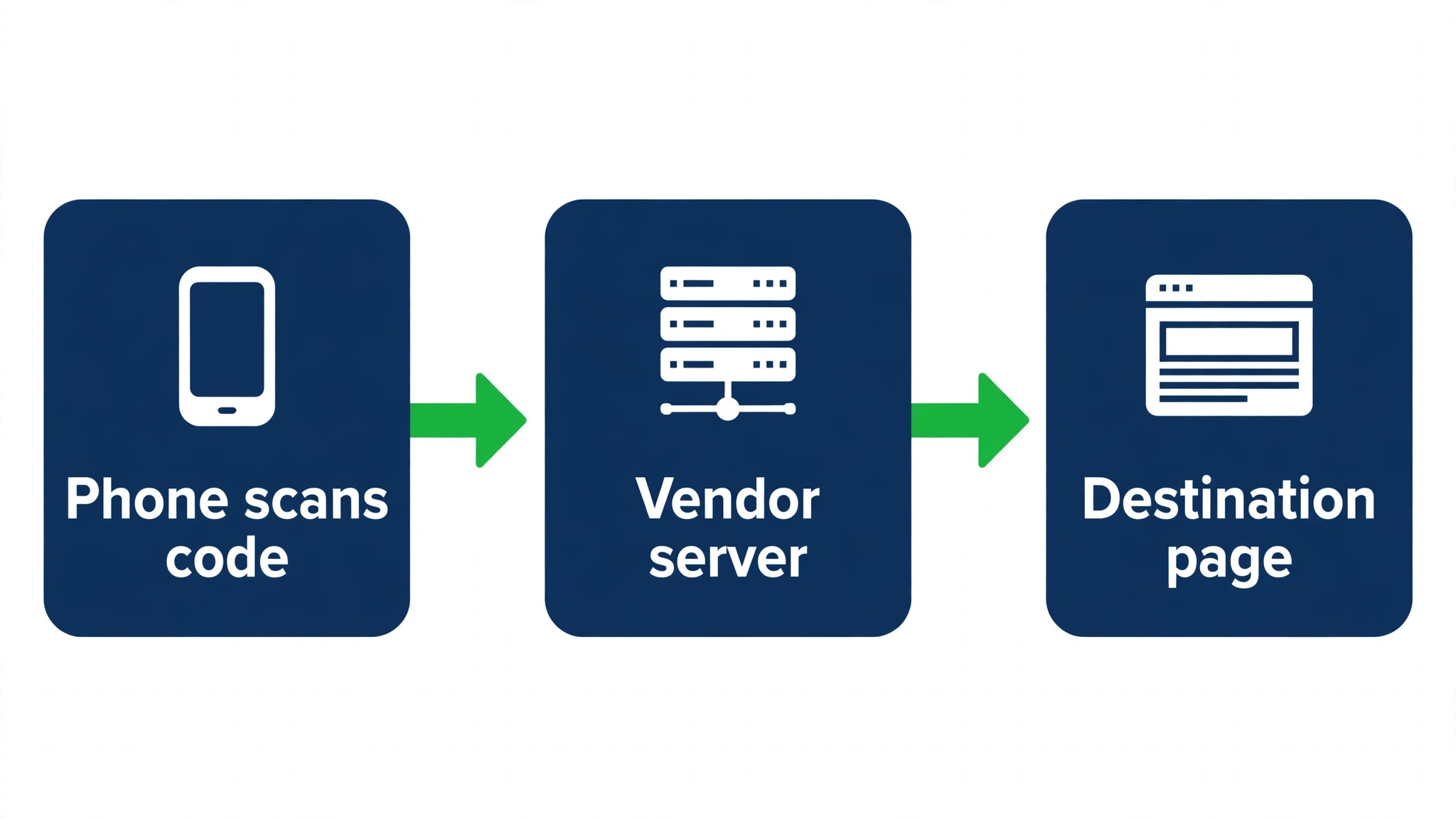
A dynamic code stores a short link on the vendor server instead. When someone scans it, the vendor logs the scan and redirects the phone to your real page. Because the redirect lives on the vendor server, you can change where it points without reprinting anything, and you can see scans by time, place and device. The catch is that the code only works while you pay. Stop paying and most vendors switch the code off, so scanners land on an error page. That is the real cost of dynamic codes, and it matters more than the monthly price.
| Feature | Static codes | Dynamic codes |
|---|---|---|
| Destination | Fixed forever | Editable any time |
| Tracking | None | Scans, place, device |
| Cost | Usually free | Paid plan needed |
| Expiry | Never | Stops if you cancel |
| Best for | Business cards, manuals | Menus, campaigns, packaging |
The rule is short. If the destination will never change and you do not need scan data, use a static code and pay nothing. If the destination might change, or you need to know whether anyone scans it, use a dynamic code and budget for the subscription for as long as the code stays in print. A restaurant that prints a dynamic code on a thousand menus and cancels the plan a year later has a thousand dead codes on its tables.
Print quality matters as much as the code type, and the best QR code generators all offer vector export for this reason. A QR code is a pattern of small squares, and a printer needs enough resolution to draw them cleanly. Always download the vector format, SVG or EPS, for anything that goes to print, because a vector scales to any size without going soft.
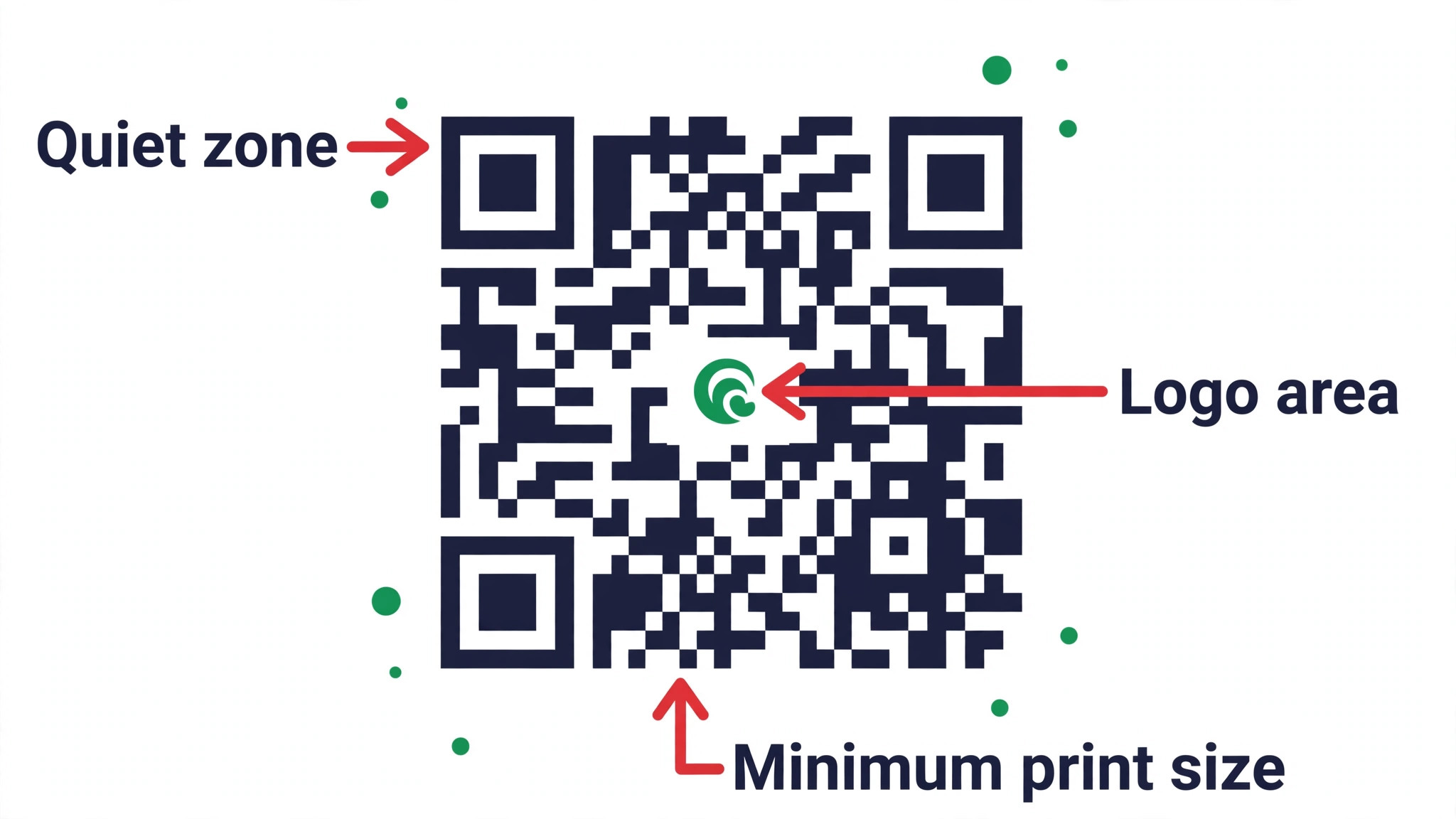
A PNG is fine for a screen or a small flyer, but it turns blurry when a print shop enlarges it. Keep the quiet zone, the empty white border around the code, at least four modules wide on every side, and never print a code smaller than 2 by 2 centimetres. A code that is too small or too crowded fails on older phones, and nobody scans twice.
Best QR Code Generators Compared
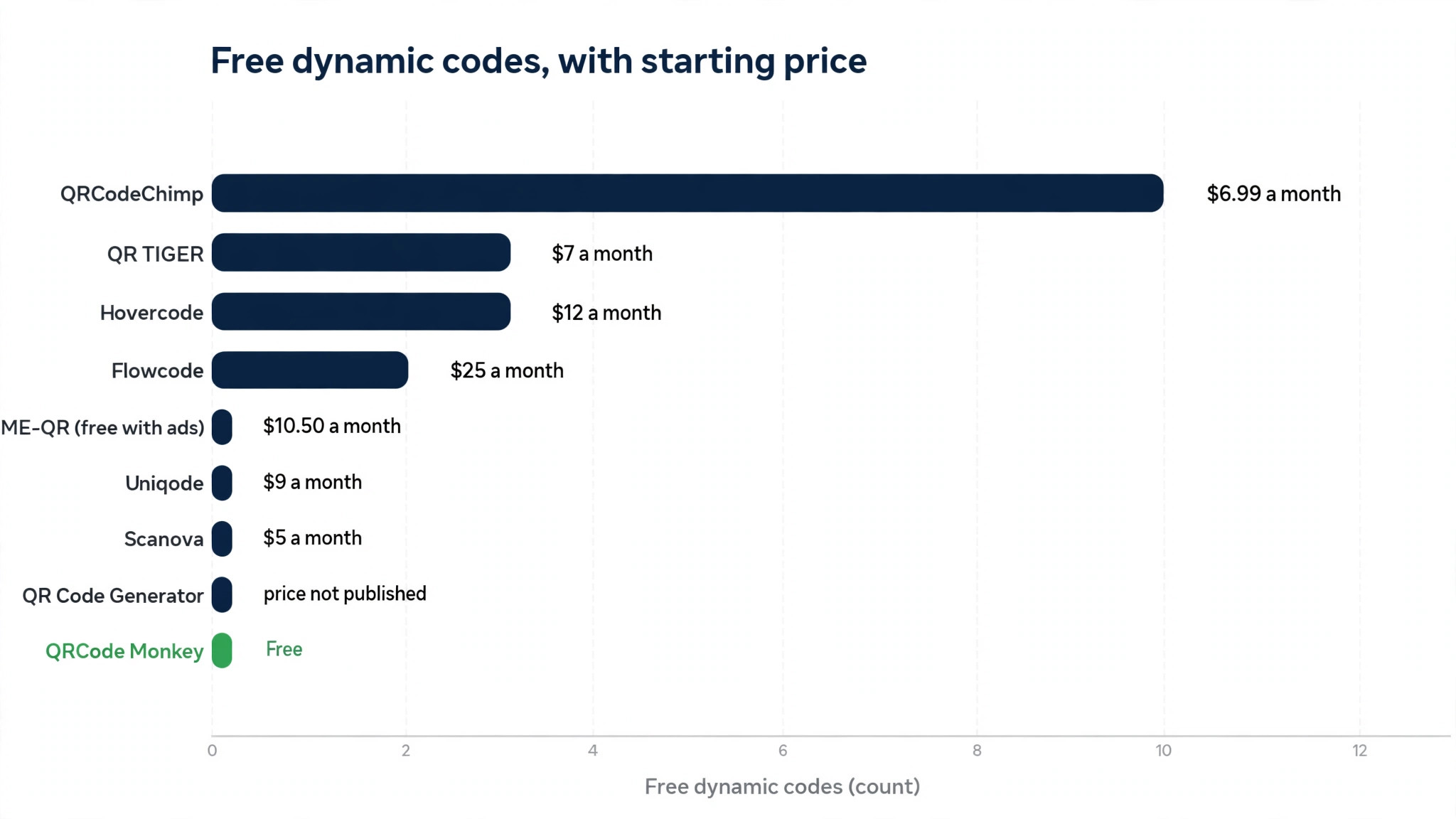
Every tool below was checked against its own pricing page in late 2026. Prices move often, and some vendors show different prices by region, so confirm the current figure before you pay. Scores reflect the free plan, the starting paid price, design control and analytics depth, not marketing claims. That is how the best QR code generators in this guide earned their scores.
| Tool | Free dynamic codes | Free static codes | Starting paid price | Score |
|---|---|---|---|---|
| QRCode Monkey | 0 | Unlimited | Free | 9.0 |
| QR TIGER | 3 | Unlimited | $7 a month | 9.2 |
| Uniqode | 0, trial only | Unlimited | $9 a month | 8.8 |
| QR Code Generator | 0, trial only | Yes | Price not published | 8.0 |
| QRCodeChimp | 10 | Unlimited | $6.99 a month | 9.1 |
| Flowcode | 2 | Yes | $25 a month | 8.4 |
| Hovercode | 3 | Unlimited | $12 a month | 8.9 |
| Scanova | 0, trial only | Yes | $5 a month | 8.6 |
| ME-QR | Yes, with ads | Yes | $10.50 a month | 7.5 |
Best Pick by Job
| Job | Pick | Why it wins |
|---|---|---|
| One free static code | QRCode Monkey | Unlimited free codes, logo, vector export |
| Most free dynamic codes | QRCodeChimp | Ten dynamic codes free |
| Cheapest paid dynamic plan | Scanova | $5 a month on annual billing |
| Bulk codes for products | QR TIGER | Bulk creation and API access |
| Enterprise and compliance | Uniqode | SOC 2 Type 2, GDPR, team controls |
| Creative branded codes | Flowcode | AI creative and geo fenced campaigns |
| Free codes that keep working | Hovercode | Three codes free forever, unlimited scans |
| Ad supported free dynamic | ME-QR | Free dynamic codes, scanners see an ad |

1. QRCode Monkey
QRCode Monkey is the best free static code generator, and it has held that spot for years because it asks for nothing. You open the site, paste a link, add your logo, pick colours and a shape, and download a PNG, SVG, PDF or EPS with no account and no watermark. There is no limit on the number of static codes, and the vector export means a code designed on a laptop prints cleanly on a shop window.
The limits are honest. QRCode Monkey does not offer dynamic codes on its own platform. A button on the site sends you to a separate paid trial elsewhere, which is a weaker experience than a tool with dynamic codes built in. There are no analytics, no bulk creation and no team features. If you need to know how many people scanned a code, or you need a hundred codes for a product run, look at QR TIGER or QRCodeChimp instead.
Use QRCode Monkey for business cards, packaging, manuals, event badges and any print job where the destination is permanent. It is the tool to reach for when the answer to the question “will this link ever change” is no. For a small business that needs five codes a year, it is also the tool that costs nothing, forever, which is a hard price to beat.
2. QR TIGER
QR TIGER is the strongest all round dynamic code tool for small teams. Its free plan gives you three dynamic codes with 500 scans each, plus unlimited static codes, which is enough to test a real campaign before paying. The Regular plan costs $7 a month on annual billing and covers twelve dynamic codes with unlimited scans, and the Advanced plan at $16 a month adds bulk creation and more codes. The Premium plan at $37 a month adds a dedicated account manager and higher limits.
Bulk creation is where QR TIGER earns its place. You upload a spreadsheet of links and it generates a code for each row, which is exactly what a shop with two hundred products needs. The API lets developers build code generation into their own apps, and the analytics cover scans by time, place, device and operating system. Logo and frame customisation is strong, and the codes export as SVG, EPS, PDF and PNG.
The warning is the same one that applies to every dynamic tool. If the plan expires, QR TIGER says the codes stop working. Its own FAQ states that plainly. So budget for the subscription for as long as the codes are in the world, and keep a record of every code you print, where it is printed and when it can be retired. A code on a product box can live for years, and its subscription has to live that long too.
3. Uniqode
Uniqode, formerly Beaconstac, is the enterprise pick in this group. Every paid plan lists GDPR and SOC 2 Type 2 compliance, which is what procurement teams ask for before they sign anything. The Essential plan costs $9 a month on annual billing for fifteen dynamic codes and 50,000 scans a year, Core costs $49 a month for 250 codes with the API and GPS data, and Plus costs $99 a month for 500 codes and three seats. All plans are annual billing only, which is the main friction for small buyers.
Uniqode also covers digital business cards and landing pages, so a company can run its codes, its team cards and its campaign pages in one place. The analytics are deep, with Google Analytics 4 integration on Core and above, retargeting pixels, and white label options that remove Uniqode branding from scan pages. Team controls let an admin set permissions per user, which matters when twenty people create codes.
The free plan is static codes only, and dynamic codes made in the 14 day trial stop working when the trial ends. That is a fair trial, but it means you cannot test a dynamic code in print without paying. Small businesses that only need a few codes will find QR TIGER or Scanova cheaper, but a company that needs compliance, scale and governance will find Uniqode the safest choice.
4. QR Code Generator
QR Code Generator, the tool at qr-code-generator.com, is owned by Bitly, and that ownership shapes the whole product. It pairs code creation with Bitly link management, so a team that already shortens and tracks links in Bitly gets its QR codes in the same dashboard, with the same analytics and the same short domains. That integration is the reason to choose it over a standalone tool.
The free plan covers static codes with logo and design options. Dynamic codes come with a 14 day trial, and paid pricing is not published on the public pricing page, which means you have to talk to sales or start a trial to see a number. That lack of a published price is a real drawback for a small buyer who wants to compare costs in ten minutes. The tool suits marketing teams that already pay for Bitly and want codes inside that workflow, and it suits them well. For everyone else, a tool with a published price is easier to buy.
5. QRCodeChimp
QRCodeChimp has the most generous free plan in this group, with ten dynamic codes and 1,000 scans a month at no cost. That is enough for a small business to run its menus, its posters and its business cards on dynamic codes without paying anything. The paid Starter plan costs $6.99 a month and raises the limits, and higher plans add bulk creation, white labelling and team seats.
Design is the other strength. QRCodeChimp offers more shapes, frames and stickers than most rivals, and its codes for vCards, menus, app downloads and feedback forms are genuinely useful rather than decorative. The analytics on the free plan are basic, and deeper data needs a paid plan, but for a business that wants to know whether a code works at all, the free tier answers the question.
The trade off is polish at scale. QRCodeChimp is a strong small business tool, but it does not offer the compliance paperwork or the enterprise governance of Uniqode, and its support is lighter than a tool that charges $49 a month. For a cafe, a salon, a market stall or a small shop, that trade off is invisible. For a regulated company, it matters.
6. Flowcode
Flowcode is the creative pick. It builds codes that look like part of the design rather than a black square stuck on it, with AI generated creative, custom shapes and colours that stay scannable. It also offers geo fenced campaigns, so a code can show different content depending on where it is scanned, and first party data capture that feeds scans into a CRM. That combination suits marketing teams at larger brands, and Flowcode says so openly.
The free plan gives you two codes with 500 analytics scans across the account, and the codes keep resolving after the cap, though later scans stop appearing in the dashboard. Pro Plus costs $25 a month on annual billing for fifty codes, and Growth costs $250 a month on annual billing. Month to month pricing is higher, at $60 a month for Pro Plus, so the annual figure is the one to budget against.
Flowcode is not a budget tool, and it does not try to be. A small business that needs three codes will find better value elsewhere. A brand that runs a national campaign and wants the code itself to carry the campaign look, with geo targeting and CRM data, will find Flowcode worth the price. The free plan is thin, so test the design tools on a code you do not print, and confirm the scan limits before you put a Flowcode on anything that will see real traffic.
7. Hovercode
Hovercode is the quiet pick for people who want free dynamic codes that never expire. The free plan gives you three dynamic codes, forever, with unlimited scans and no watermark. Paid plans start at $12 a month for one hundred dynamic codes, and the limits are stated plainly on the pricing page, which is rarer than it should be in this category.
The reason Hovercode can afford that free plan is focus. It does one thing, dynamic codes with short links, and it does it well. The editor is simple, the analytics cover the basics with three months of history on the free plan, and the codes export in the formats a print shop needs. There is no bulk creation on the free plan, no enterprise compliance paperwork, and no digital business card product. What you get is a code that works, for free, for as long as you need it.
If you cancel a paid plan, your first three dynamic codes stay live, and the rest pause until you subscribe again. That is a fairer deal than most vendors offer, and it makes Hovercode the safest free choice for a code you plan to print and forget. For a freelancer, a market stall or a small charity, three free dynamic codes cover the website, the menu and the donation page, and that is often the whole job.
8. Scanova
Scanova is the budget paid pick. The Basic plan costs $5 a month on annual billing for three dynamic codes with unlimited scans, which is the cheapest entry point to real dynamic codes in this group. Higher plans raise the code count, and Pro at $60 a month covers five hundred codes. Scanova also lists a $150 one time option for a single lifetime dynamic code, which suits a business that wants one permanent code without a subscription.
Design is a genuine strength. Scanova codes look polished, with clean frames, good logo placement and reliable vector exports. The analytics are solid for the price, and the editor is fast enough that a first time user can make a good code in five minutes. The free offer is a 14 day trial rather than a permanent free plan, so you cannot test a code in the real world without paying, though $5 a month is a small test.
Scanova suits small and mid sized businesses that want a cheap paid plan with unlimited scans and a professional result. It does not offer the free dynamic codes of QRCodeChimp or Hovercode, and it does not offer the enterprise governance of Uniqode, but at $5 a month it does not need to. If your budget is five dollars and your code has to look good in print, this is the pick.
9. ME-QR
ME-QR is the free dynamic code tool with a visible trade off. It lets you create dynamic codes at no cost, with logo options and basic analytics, and paid plans start at $10.50 a month on annual billing. The catch is advertising. People who scan a free ME-QR code see an ad before they reach your page, which is how the free plan pays for itself.
For a personal project, a school event or a test campaign, that trade off is acceptable. The codes work, the editor is simple, and the paid plan removes the ads. For a business, the ad is a problem, because the first thing a customer sees after scanning your code is someone else’s promotion. That single detail is why ME-QR sits last in this list despite a genuinely useful free tier.
Use ME-QR when the budget is zero and the audience is forgiving, such as a classroom handout or a community notice. Move to a paid plan, or to QRCodeChimp or Hovercode, the moment the code represents your business. A customer who meets an ad before your menu will remember the ad, not the menu.
How to Make a Code People Actually Scan
A code that nobody scans is a decoration, and the best QR code generators cannot fix a code that is printed too small or placed where nobody can reach it. Most unscanned codes fail for reasons that have nothing to do with the generator. The first reason is placement. A code on the back of a menu, at the bottom of a poster in small print, or on a moving vehicle will not get scanned, because nobody can reach it or hold their phone steady long enough. Put the code where the phone is already in the hand, at eye level, with space around it and a reason to scan.
The second reason is the lack of a call to action. A bare code with no words next to it asks the scanner to take a risk. Add a short line that says what happens next, such as scan to see the menu, scan to book a table, or scan for 10 percent off. That line is the difference between a code that gets used and a code that gets ignored, and it costs nothing.
The third reason is size and contrast. Print the code at least 2 by 2 centimetres, larger for anything viewed from a distance, and keep it black on white or dark on light. A code in pale grey on a photo background looks elegant and scans badly. Test the printed code with three different phones, including an older one, before you print a thousand copies. A test that takes two minutes can save a reprint that costs hundreds.
The fourth reason is the destination. A code that opens a desktop website on a phone, a PDF that takes twenty seconds to load, or a page with a pop up covering the content will lose the scanner in seconds. Point codes at mobile friendly pages that load fast and do one thing. A menu code should open the menu. A booking code should open the booking page. Every extra tap loses people.
Mistakes That Waste a Print Run
The best QR code generators cannot save a print run that was never tested. These five mistakes are the ones that waste money.
The first mistake is printing a dynamic code before testing the subscription. Create the code, print a single copy, scan it, cancel nothing, and check that it still works a week later. Then print the run. A team that prints first and tests later discovers the problem when the posters are already on the wall.
The second mistake is using a low resolution PNG for print. A PNG looks fine on screen and turns soft at poster size. Download the SVG or EPS version for anything that goes to a printer, and send the print shop the vector file, not a screenshot. If the generator you chose does not offer vector export on its free plan, that alone is a reason to pay or to switch tools.
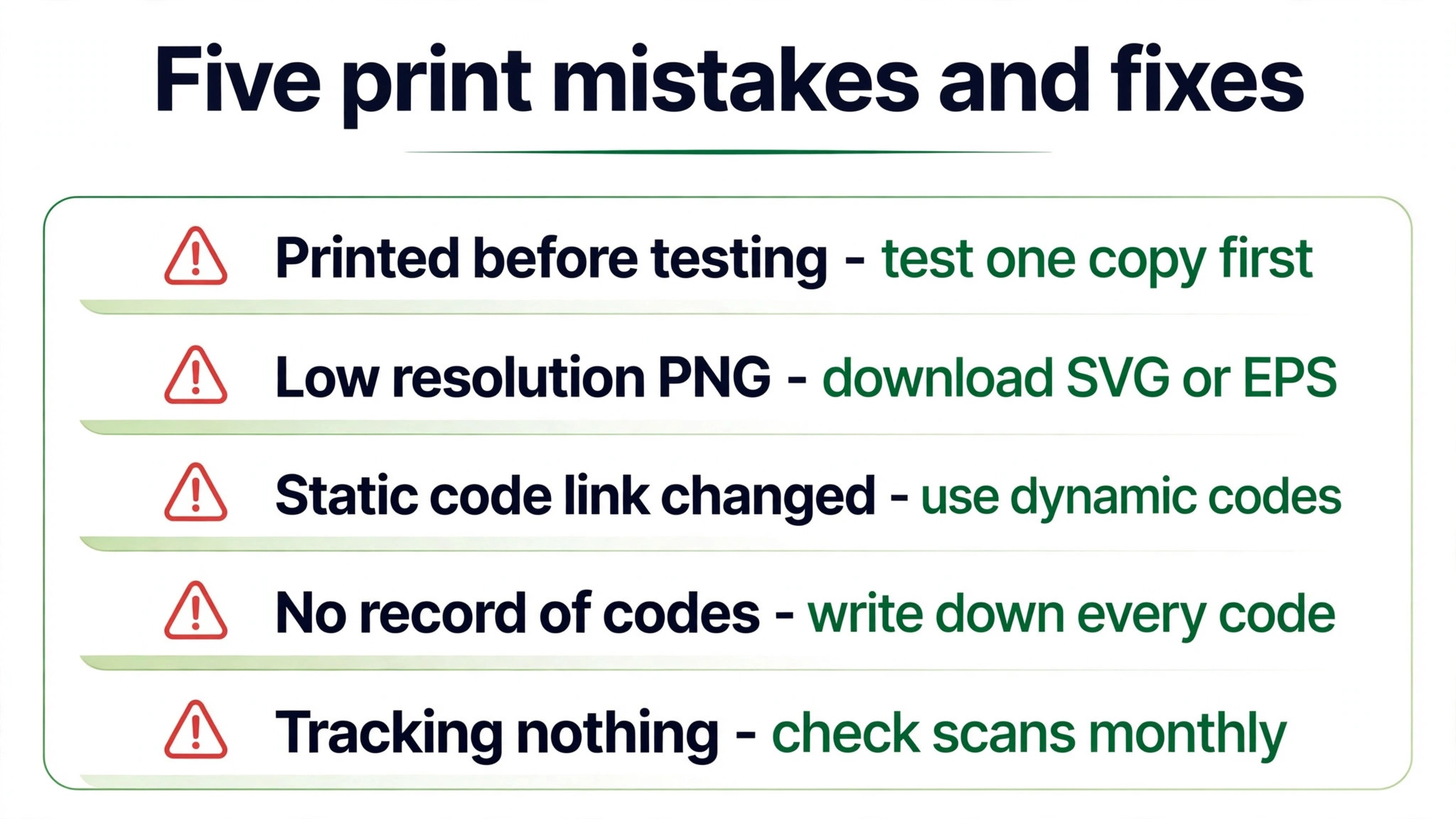
The third mistake is changing the link on a static code. You cannot. A static code is permanent, so a static code that points at a campaign page will point at that page forever. Use dynamic codes for anything with a date on it, a price on it, or a campaign behind it, and keep static codes for the permanent pages only.
The fourth mistake is forgetting that a code outlives the person who made it. A code on a product box can be scanned two years after it was printed. Write down every code you print, where it is printed, which tool made it, which account holds it, and when the subscription renews. When the person who made the codes leaves, that list is the only thing standing between the business and a wall of dead codes.
The fifth mistake is tracking nothing. A code with no analytics is a poster with no feedback. Even the free analytics on QR TIGER or Hovercode will tell you whether anyone scans at all, and that single number decides whether the next print run is worth the money. Check the numbers monthly, retire the codes nobody scans, and put the budget where the scans are.
Frequently Asked Questions About QR Code Generators
Are free QR code generators safe to use?
Free static codes from established tools such as QRCode Monkey are safe, because the destination lives inside the code and no vendor sits between the scan and your site. Free dynamic codes are different, because the vendor server handles the redirect. Stick to vendors with a real company behind them, read the terms on what happens when a plan ends, and never use a free dynamic code for anything where an ad or a dead link would damage trust.
What is the difference between a static and a dynamic QR code?
A static code stores the destination in the pattern itself, so it never expires and cannot be edited or tracked. A dynamic code stores a short link on the vendor server, so you can change the destination after printing and see scan data, but the code usually stops working if you stop paying. Use static codes for permanent links and dynamic codes for campaigns, menus and anything that might change.
How much should a small business pay for a QR code generator?
Nothing, if the codes are static and the destinations are permanent. For dynamic codes, the best QR code generators for a small business cost $5 to $12 a month, with Scanova at $5 a month the cheapest paid entry and QR TIGER at $7 a month the strongest all round option. QRCodeChimp and Hovercode both offer free dynamic codes, which cover a small business that only needs a few codes.
Can I put my logo in the middle of a QR code?
Yes, and most of the tools in this guide offer it. Keep the logo small, covering no more than about a fifth of the code, and use a high error correction setting so the code still scans when part of it is covered. Always test the finished code on several phones before printing, because a logo that is too large is the most common reason a branded code fails.
Do QR codes expire?
Static codes never expire, because nothing about them depends on a vendor. Dynamic codes can stop working when a trial ends or a subscription lapses, and the exact behaviour depends on the vendor. QR TIGER codes stop working when the plan expires, Uniqode trial codes are deactivated when the trial ends, and Hovercode keeps your first three codes live even after you cancel. Check the vendor terms before you print anything you cannot reprint.
Which QR code generator is best for bulk codes on products?
QR TIGER is the strongest pick for bulk work, with spreadsheet upload, API access and plans built around large code counts. Uniqode is the pick when the bulk run also needs compliance paperwork and team controls. For a small run of under fifty codes, QRCodeChimp or Scanova will do the job at a lower price, and both offer bulk creation on paid plans.
Choosing Your QR Code Generator
The best QR code generators are not the ones with the longest feature lists. They are the ones whose free plan matches your real need and whose paid plan you can afford for as long as the code stays in print. QRCode Monkey wins for free static codes, QRCodeChimp wins for free dynamic codes, QR TIGER wins for paid dynamic codes at $7 a month, and Uniqode wins when the business needs compliance and scale.
Pick the tool that fits the job, print one test copy, scan it on three phones, and only then order the full run. A code is cheap to make and expensive to fix, so the test copy is the most valuable step in the whole process.