What makes a poster worth printing? It is not the software, it is the moment a stranger stops, reads the headline and decides to come to the event, buy the product or remember the message. The best poster makers are the tools that get you to that moment fastest, with templates that fit real print sizes, text that stays readable from across a room, and exports that a print shop can actually use. This guide compares nine of them, with real prices, print quality and the best pick for every job.
A poster is a different job from a social post. It has to work at 18 by 24 inches as well as on a phone screen, it has to survive a print shop, and it usually has one headline, one image and one call to action. The tools below all make posters, but they range from free template editors to data tools that turn a report into a wall display, and the right one depends on what you are printing and who will see it.
Best Poster Makers at a Glance
The table below compares all nine tools on the job each one does best, the starting price and whether you can try it free.
| Tool | Best for | Starting price | Free plan |
|---|---|---|---|
| Canva | All round poster design | Free, Pro 12 dollars a month billed yearly | Yes |
| Adobe Express | Quick branded posters | Free, Premium 9.99 dollars a month | Yes |
| PosterMyWall | Event and print focused posters | Free, Premium 13 dollars a month | Yes, watermarked downloads |
| VistaCreate | Low cost team posters | Free, Pro 10 dollars a month billed yearly | Yes |
| Piktochart | Posters that carry data | Free, Pro 10 dollars a seat a month billed yearly | Yes, 2 PNG downloads |
| Venngage | Infographic style posters | Free, paid plans from 10 dollars a month | Yes |
| Visme | Interactive and data posters | Free, Starter 12.25 dollars a seat a month billed yearly | Yes |
| Snappa | Fast simple posters | Free, Pro 10 dollars a month billed yearly | Yes, 3 downloads a month |
| PicMonkey | Photo heavy posters | Basic 7.99 dollars a month billed yearly | No, trial |
Prices are United States list prices checked in October and November 2026, and they change often, so confirm the current figure on the vendor site before you buy. Where two pricing checks disagree, this guide says so in the tool section instead of hiding it.
The 9 Best Poster Makers, Scored
The scores below are editorial scores out of 10, based on template quality, print readiness, ease of use and price. They are a starting point for comparison, not a measurement, and the best pick by job section below matters more than the number.
| Tool | Templates | Print quality | Ease of use | Price | Score |
|---|---|---|---|---|---|
| Canva | 9.5 | 9.0 | 9.5 | 9.0 | 9.2 |
| Adobe Express | 9.0 | 9.5 | 9.0 | 9.0 | 9.1 |
| PosterMyWall | 9.0 | 9.0 | 8.0 | 8.0 | 8.5 |
| VistaCreate | 8.5 | 8.0 | 8.5 | 9.0 | 8.5 |
| Piktochart | 8.0 | 8.0 | 8.5 | 8.0 | 8.1 |
| Venngage | 8.5 | 8.0 | 8.0 | 7.5 | 8.0 |
| Visme | 8.0 | 8.0 | 7.5 | 7.5 | 7.8 |
| Snappa | 7.5 | 7.5 | 9.0 | 8.5 | 8.1 |
| PicMonkey | 7.5 | 8.0 | 8.0 | 7.0 | 7.6 |
Canva and Adobe Express lead because they combine the biggest template libraries with the strongest free plans and the cleanest print exports. PosterMyWall and VistaCreate follow on value, with PosterMyWall winning on print focus and VistaCreate winning on team price. The gap between the top and the bottom of this list is small, and a tool that scores lower overall can still be the best pick for one specific job.
The 9 Best Poster Makers, One by One
The nine tools below are ordered by their score, and each section gives the price, the strength and the limit that decides whether it fits your work. The best poster makers are not the ones with the most features, they are the ones that match the poster you actually need to print, whether that is an event flyer, a classroom display or a marketing wall piece.
1. Canva
Canva is the default answer for poster design, and it earns that position. Its poster templates number in the thousands, cover every size from flyers to billboards, and include proper print presets with bleed and crop marks on paid plans. The editor is drag and drop, the stock library is large, and the Brand Kit keeps colors and fonts consistent across a whole campaign of posters.
The free plan is genuinely usable, with thousands of templates and no watermark on free designs, which makes Canva one of the best free poster makers for simple needs. Pro costs 12 dollars a month billed annually, or 18 dollars billed monthly, as listed in November 2026, although some pricing checks still show the older 120 dollars a year figure, so confirm the current price on the pricing page. Pro adds the full template library, background removal, one click resize and print ordering in the app. The tradeoff is that Canva is a general editor, so it has no poster specific features like PosterMyWall event tools.
2. Adobe Express
Adobe Express is the best poster maker for print quality, and it is the closest rival to Canva on this list. The free tier is generous, with no watermarks, high resolution exports and access to the core feature set, and the template library is deep in poster sizes. Adobe Firefly AI can generate backgrounds and fill text, and the typography library through Adobe Fonts is the deepest available in a browser editor.
Premium costs 9.99 dollars a month, or 99.99 dollars a year, and it adds the full Adobe Stock library, premium templates and brand controls. Express fits businesses that already live in the Adobe world, because it feels like a natural extension of Acrobat or Photoshop rather than a new tool to learn. The limit is collaboration, because Canva still leads on real time teamwork, and Express has no built in print ordering.
3. PosterMyWall
PosterMyWall is the most poster focused tool here, and it shows in the template library. Event posters, real estate signage, restaurant menus and church bulletins are each sized and laid out for actual printing, rather than adapted from social templates. The editor includes built in tools for social media and email campaigns alongside the design, so one poster can become a whole promotion. Premium costs 13 dollars a month or 109 dollars a year, although one older vendor summary lists 9.95 dollars a month, so confirm the current price before you buy.
The free plan exports with a watermark, which is the main limit, and the credit model for extra AI edits or sends can be confusing. PosterMyWall is the best pick when the poster is for an event or a local business and print is the point, and it is the only tool here that started with posters as its core job.
4. VistaCreate
VistaCreate, formerly Crello, is a Canva style editor at a flat yearly price, and it is owned by Vista, the parent of Vistaprint. Pro costs 10 dollars a month billed annually, or 120 dollars a year paid upfront, or 13 dollars a month billed monthly, and it covers up to 10 team members under one price, which makes it the cheapest team option here. The library runs to more than 200,000 templates across 85 design formats, with AI image generation, a background remover and one click resizing on Pro.
Starter is free with more than 100,000 templates and no time limit, and it includes the background remover, which most rivals lock behind a paid plan. The tradeoff is that the AI tools, the resize tool and HD exports all sit on Pro, so the free plan suits occasional posters rather than daily volume. Pick VistaCreate when you want a Canva like editor for a small team at one flat price.
5. Piktochart
Piktochart is the pick when your poster is really an infographic with data in it. The editor handles charts, maps and data widgets alongside templates, so a poster that carries numbers looks like it was made by a designer rather than pasted into a template. The free plan allows 2 PNG downloads in total, unlimited projects, 60 AI credits and 1GB of storage, which is enough to test the workflow but not to run a campaign.
Pro costs 10 dollars a seat a month billed annually, or 15 dollars billed monthly, with unlimited PNG downloads, premium templates, 500 AI credits and 100GB of storage. Business costs 17 dollars a seat a month billed annually and adds PDF and PowerPoint downloads. Pick Piktochart when the poster has to communicate data, and pick a general editor when it only has to announce an event.
6. Venngage
Venngage is a user friendly poster maker with AI and built in collaboration, and its AI Poster Generator can create a poster from a simple text prompt. The template library is strong on infographics, reports and data posters, and the editor is simple enough for non designers to use without training. The free plan is available, and paid subscriptions start at 10 dollars a month on the vendor own pricing summary, although some directories list a higher starting price, so confirm it on the site.
The tradeoff is that Venngage is narrower than Canva or Adobe Express, with fewer general poster templates and less stock photography. It is the best pick when the poster needs to explain something, like a process, a result or a comparison, and the AI generator is genuinely useful for a first draft that a human then improves.
7. Visme
Visme is built for presentations, infographics and interactive content, and it treats a poster as one format among many rather than the main job. The editor handles data widgets, charts and interactive elements, so a poster made in Visme can carry a link to a live version with animations and clickable areas. Starter costs 12.25 dollars a seat a month billed annually, or 147 dollars a seat a year, and Pro costs 24.75 dollars a seat a month billed annually.
The free plan exists, and the 200 monthly AI credits on Starter are enough to test the workflow. The tradeoff is price per seat, because a team of three pays three times, and the poster template library is smaller than Canva for pure announcement posters. Pick Visme when the poster is part of a report or a presentation, and pick a general editor when it stands alone.
8. Snappa
Snappa is the fastest route to a simple poster, and it is ideal when you want a finished design in ten minutes rather than a design project. The free Starter plan includes the whole template and photo library, with 6,000 plus templates and 5 million plus stock photos and graphics, and every preset size is available free. The catch is downloads, because Starter allows only three downloads a month, which decides whether free is enough for you.
Pro costs 10 dollars a month billed annually, or 15 dollars billed monthly, with unlimited downloads, Buffer and social media integrations, custom font uploads and background removal. Snappa is the right pick for a small business that makes a poster now and then and wants the lowest paid price in the group, and the wrong pick when you need video, documents or large format print.
9. PicMonkey
PicMonkey is the photo editor of this list, and it suits posters that start from a photograph rather than a template. The editing tools are deeper than Canva or Snappa, with real retouching, effects and text tools, and the template library covers posters alongside social posts, ads and print. Basic starts at 7.99 dollars a month billed annually, with Pro and Business plans above it for more features and team seats.
The limit is that PicMonkey has no permanent free plan, so budget at least 7.99 dollars a month if you shortlist it, and the template library is smaller than Canva or VistaCreate. Pick PicMonkey when your poster is photo led, for food, travel, fashion or a product launch, and you want the editing and the design in one place. For a fully professional large format print, a tool like Adobe Photoshop at 22.99 dollars a month still wins on control, but it needs real skill and it is not a poster maker for beginners.
Best Pick by Job
The right tool depends on the poster, not on the score. The table below matches each common job to the tool that does it best at the lowest honest cost.
| Your job | Best pick | Price | Why it wins |
|---|---|---|---|
| All round posters, any topic | Canva | Free, Pro 12 dollars a month billed yearly | Biggest library, print presets, Brand Kit |
| Print quality first | Adobe Express | Free, Premium 9.99 dollars a month | Best free stock, Firefly AI, no watermark on free |
| Event and local business posters | PosterMyWall | Free, Premium 13 dollars a month | Poster specific templates, print focus |
| A small team at one flat price | VistaCreate | Free, Pro 10 dollars a month billed yearly | Up to 10 members on one price |
| Posters that carry data | Piktochart | Free, Pro 10 dollars a seat a month billed yearly | Charts and data widgets built in |
| Posters that explain something | Venngage | Free, paid plans from 10 dollars a month | AI poster generator, infographic strength |
| Posters inside a report | Visme | Free, Starter 12.25 dollars a seat a month billed yearly | Interactive and data content |
| A fast simple poster | Snappa | Free, Pro 10 dollars a month billed yearly | Smallest learning curve, cheapest paid plan |
| Photo led posters | PicMonkey | Basic 7.99 dollars a month billed yearly | Real photo editing built in |
The best poster makers for your work are the ones that match the poster you print most often. If you print event posters every week, PosterMyWall wins on templates. If you print one poster a month for a shop window, Canva free wins on price. If the poster has to carry numbers, Piktochart or Venngage wins on clarity.
Most people end up with two tools rather than one, a general editor for the design and a specialist for the job that repeats. A teacher might design in Canva and print through PosterMyWall, while a marketer might build the data visual in Piktochart and finish the layout in Adobe Express. The stack costs about 20 dollars a month when both tools are paid, and it is worth it when the second tool removes a step you repeat every week.
How to Make a Poster That Gets Read
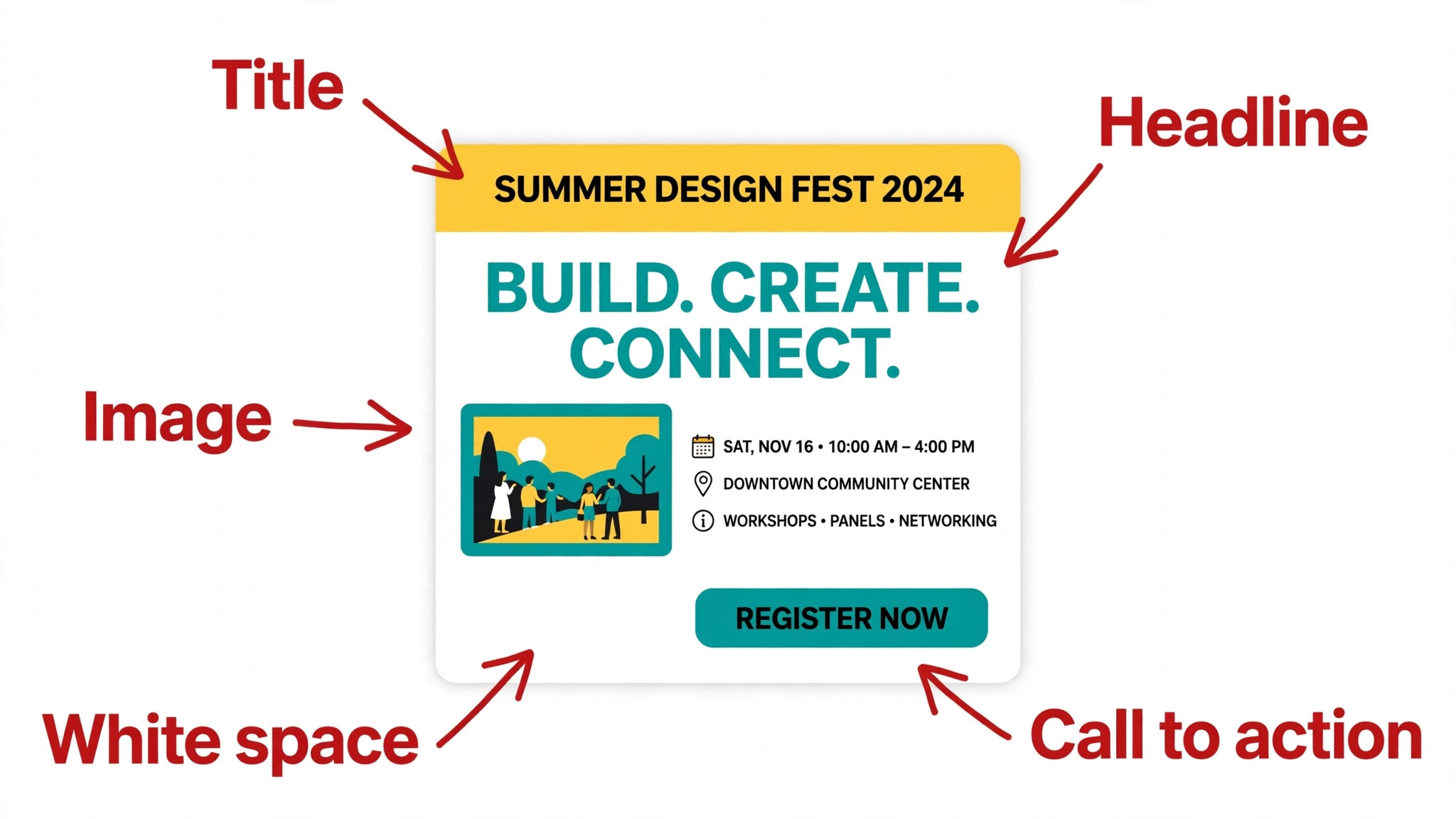
A poster has one job, and that job is to be read from a distance in a few seconds. The design rules below are what separate a poster that works from a poster that gets ignored, and they apply whatever tool you use. The first rule is hierarchy, because the reader should see the headline first, the image second and the details last. Make the headline the largest element on the poster, and make everything else smaller in proportion to its importance.
The second rule is one message. A poster that announces a concert, a sale and a new menu at the same time announces nothing, because the reader cannot decide what matters. Pick the single thing the poster must communicate, and cut everything that does not support it. The third rule is contrast, because text that is close in color to the background disappears at a distance, so use dark text on a light background or light text on a dark image, and test it by stepping back from the screen.
The fourth rule is a clear call to action. Tell the reader exactly what to do next, with a date, a place and a way to respond, and put it at the bottom where the eye lands last. A QR code works well here, because it turns a wall poster into a link, but it needs a quiet zone of empty space around it and a short line of text that says what it leads to. A poster without a next step is decoration, and decoration does not fill a room.
Free vs Paid Poster Makers
A poster maker costs nothing to start, because eight tools on this list have free plans, and two of them, Canva and Adobe Express, export without a watermark. The free plan is enough when you make a poster now and then, you do not need a brand kit, and you print at home or at a local shop. The moment you make posters every week, the paid plan pays for itself in time saved, and the cheapest paid plans here run from 7.99 dollars a month for PicMonkey to 13 dollars a month for PosterMyWall Premium.
The honest way to budget is to price the poster, not the tool. A free plan with a watermark is useless for a client facing poster, so PosterMyWall free is a trial rather than a solution. A paid plan that adds a brand kit, background removal and one click resize saves an hour on every poster, and that hour is worth more than the subscription. Pay when the poster is public and the brand matters, and stay free when the poster is for a classroom wall or a one off event.
Poster Makers for Classrooms and Schools
Schools are one of the biggest poster users, and the needs are different from a business. A teacher makes a new poster every week, the budget is usually zero, and the poster has to be readable from the back of a classroom. Canva is the strongest pick here, because the free plan covers most classroom needs, and Canva offers a free education plan for eligible teachers and schools that adds the Pro features. PosterMyWall is the second pick, because its event templates cover school plays, fundraisers and sports days, and the free plan is enough to design while the watermark is acceptable for a draft.
Piktochart fits science and history classrooms, because a poster that explains a process or shows data is exactly what it is built for, and the free plan allows enough downloads to test it. The rule for schools is simple, and it is the same as for businesses. Start free, use the tool the students can learn in one lesson, and pay only when the watermark or the download limit gets in the way of real work.
Poster Sizes and Print Settings
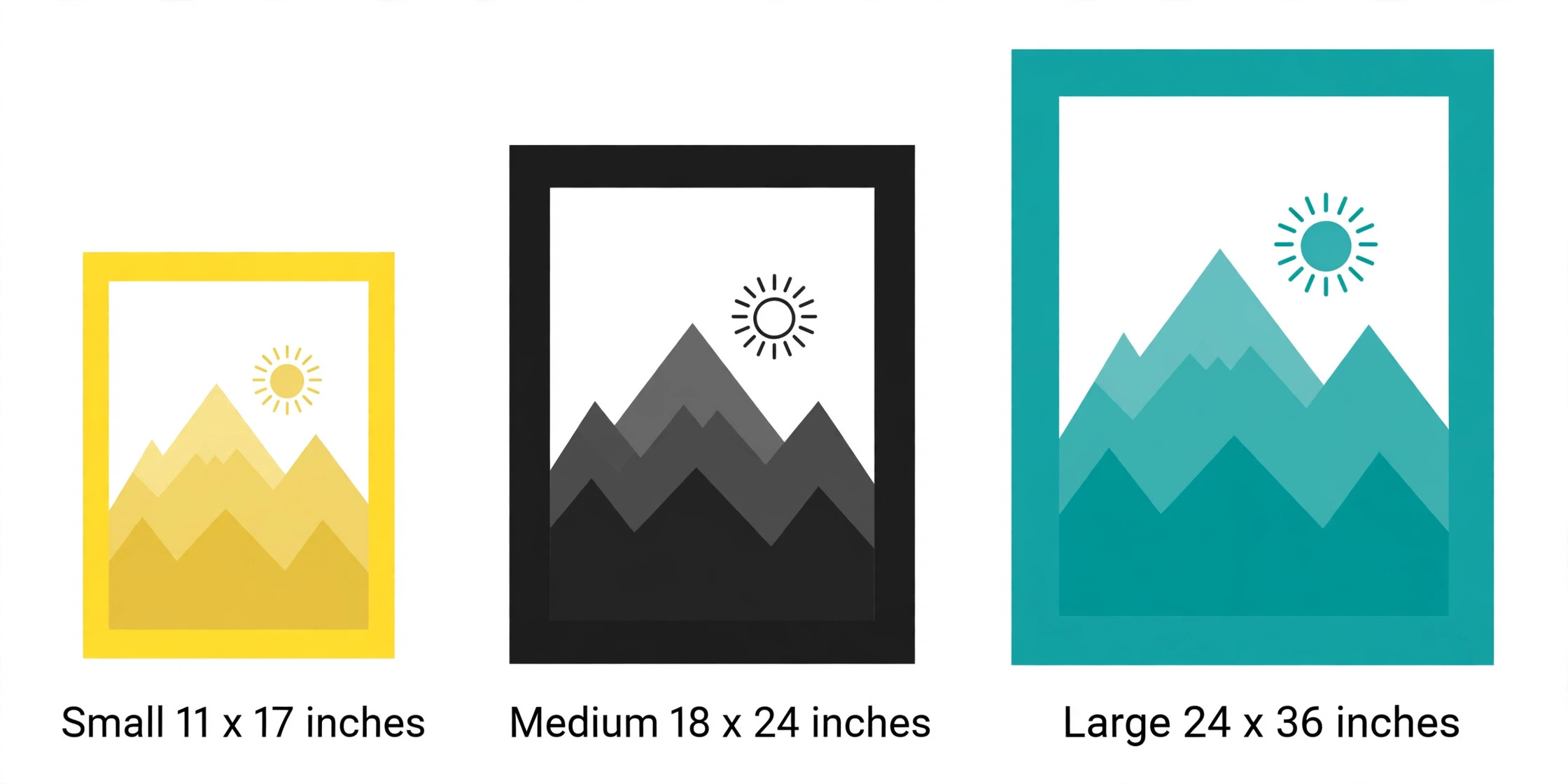
A poster that looks right on screen can still print wrong, and the cause is almost always size or export settings. The table below lists the common poster sizes, and the paragraphs after it cover the settings that matter.
| Poster size | In inches | Best for |
|---|---|---|
| Small | 11 by 17 | Shop windows, notice boards, classrooms |
| Medium | 18 by 24 | Events, promotions, retail displays |
| Large | 24 by 36 | Movie style posters, trade shows, lobbies |
| A3 | 11.7 by 16.5 | European standard, offices and schools |
| A2 | 16.5 by 23.4 | European standard, events and exhibitions |
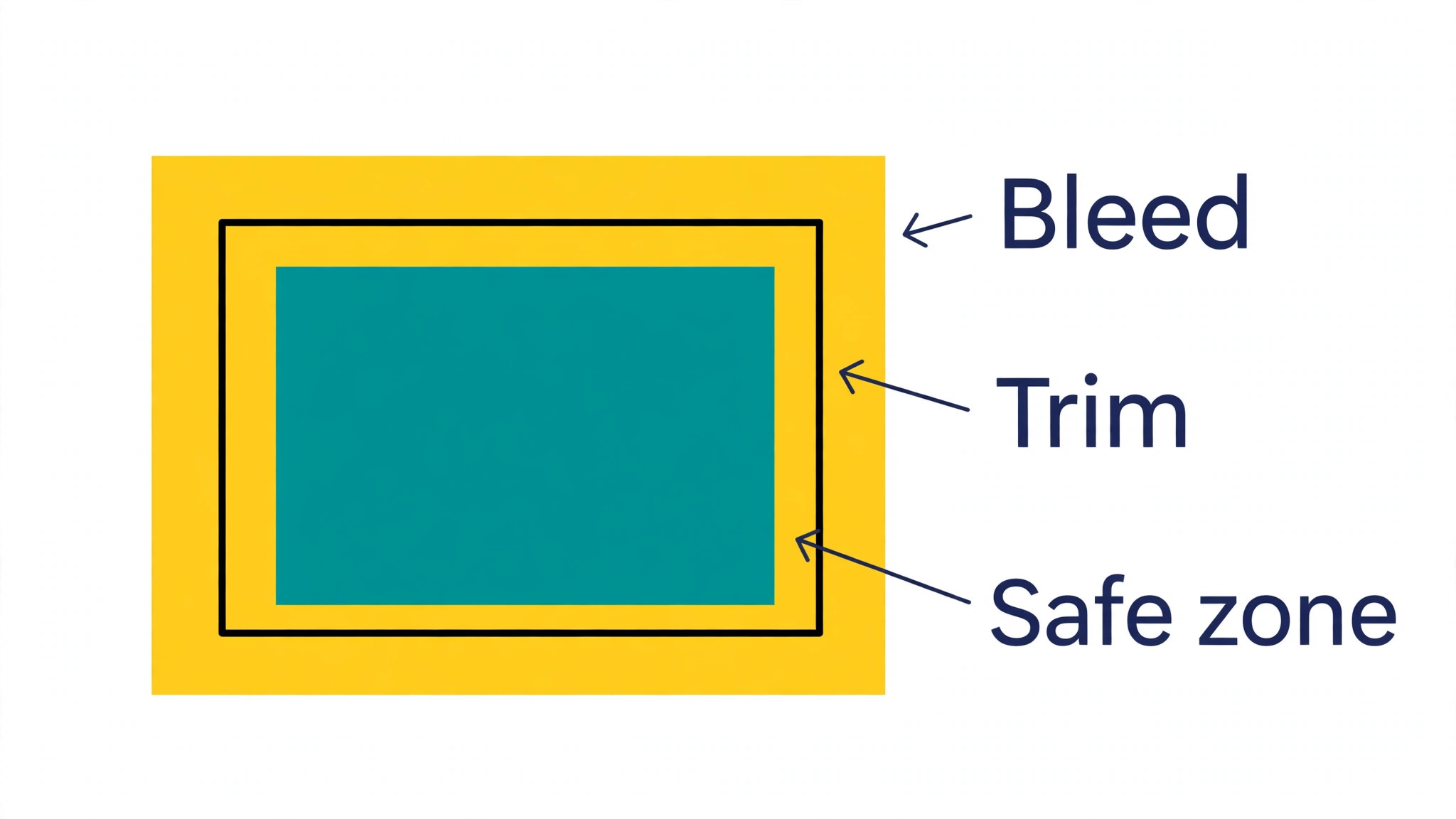
Start the design at the final print size, because enlarging a small design makes the text and images soft. Use 300 DPI for anything that will be printed, and check that every photo is high resolution at the size it prints. Export as a PDF for a print shop, because a PDF preserves fonts, layout and spacing, and turn on bleed and crop marks where the tool offers them, so the printer can trim the poster cleanly.
The best poster makers for print all offer a PDF export with bleed, and Canva Pro, Adobe Express Premium and VistaCreate Pro all include it. For color, remember that screens show RGB and printers print CMYK, so bright screen colors will print duller than they look, and a test print on the cheapest paper is worth more than a guess on screen.
Mistakes That Ruin a Printed Poster
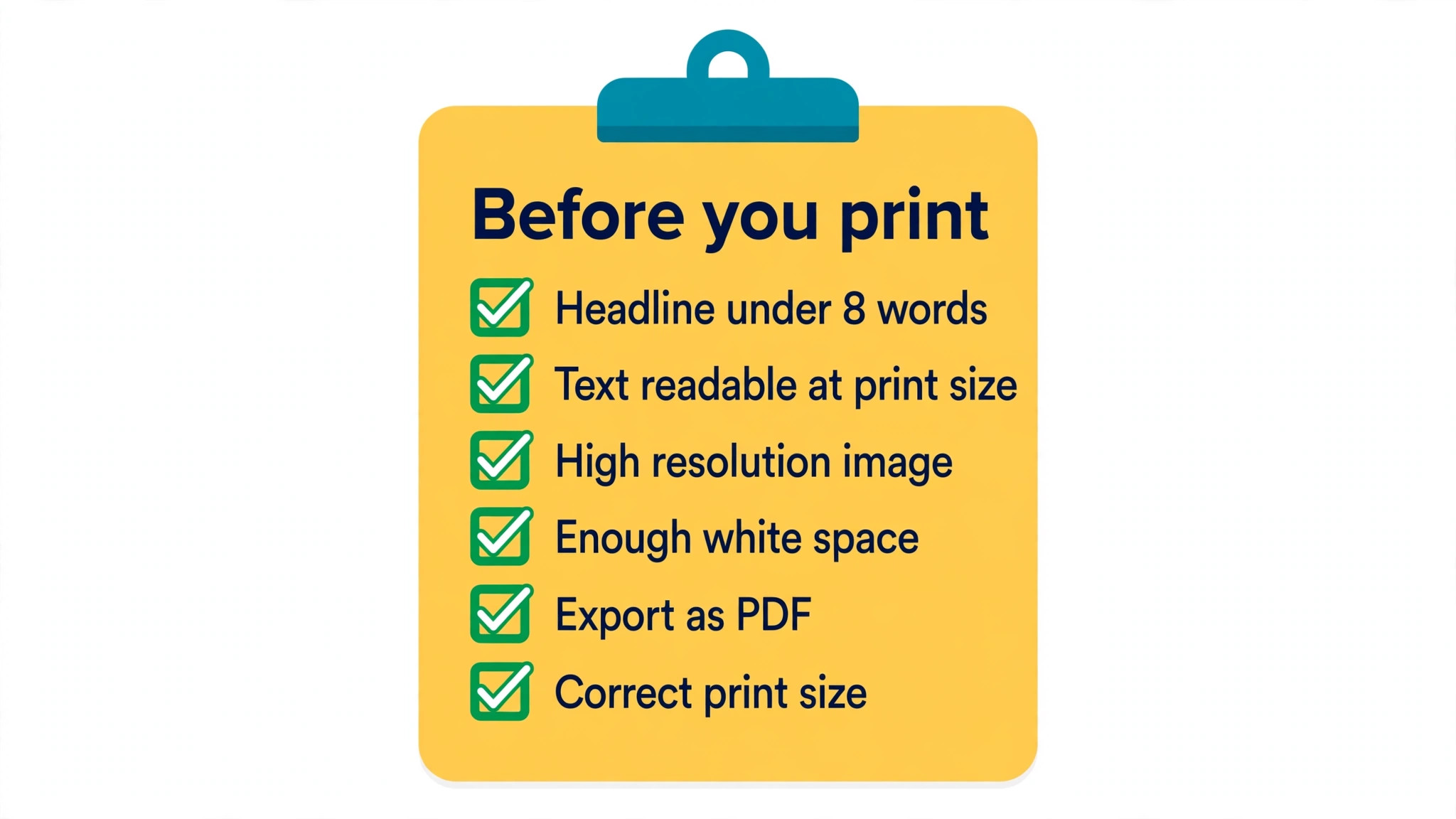
The most common mistake is too much text. A poster is not a flyer, and a reader will not stand in front of it reading paragraphs, so keep the headline under eight words, the supporting text under thirty, and let the image do the rest. The second mistake is text that is too small, because a headline that reads fine on a laptop disappears at 18 by 24 inches on a wall, so test the design by stepping back from the screen or printing a small proof.
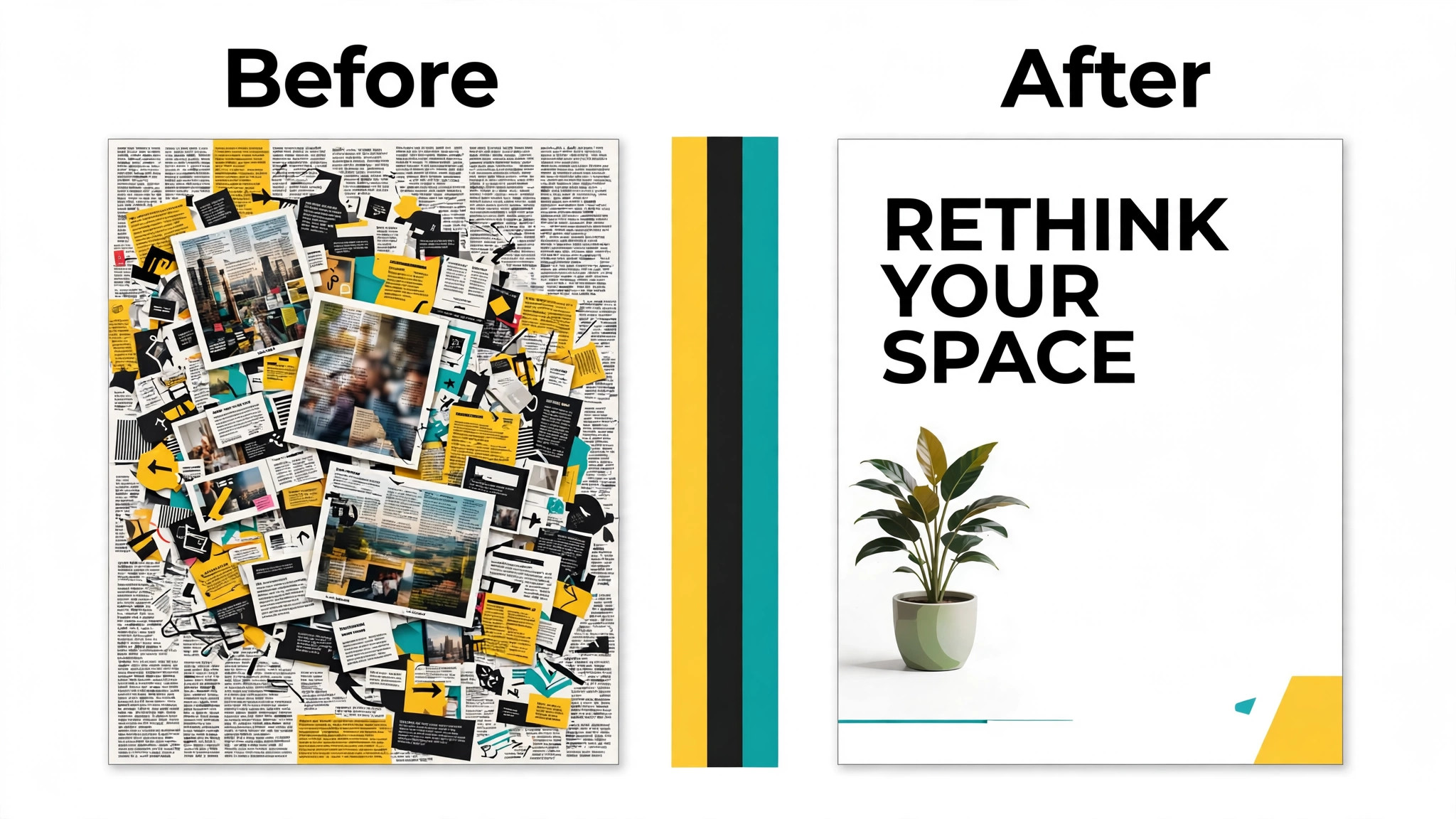
The third mistake is a low resolution image stretched to fill a large poster, because print makes a soft image softer, and a blurry photo on a big poster is visible from across the room. The fourth mistake is no white space, because a poster with every inch filled looks crowded and nobody knows where to look first. The fifth mistake is exporting as a JPG for a print shop, because a JPG compresses the image and a PDF keeps it sharp. The sixth mistake is designing at the wrong size, because a design made for a phone screen cannot become a 24 by 36 poster without rebuilding it.
Frequently Asked Questions
What is the best free poster maker?
Canva and Adobe Express are the best free poster makers, because both export without a watermark, with large template libraries and high resolution downloads at no cost. VistaCreate free is close behind, with more than 100,000 templates and a background remover included. PosterMyWall free exports with a watermark, so it works as a trial but not for a finished poster.
What size should a poster be?
The most common sizes are 11 by 17 inches for small posters, 18 by 24 inches for events and retail, and 24 by 36 inches for large displays. Start the design at the final print size, and use 300 DPI for anything that will be printed. In Europe, A3 at 11.7 by 16.5 inches and A2 at 16.5 by 23.4 inches are the standard sizes.
Can I print a poster made in Canva?
Yes. Design the poster at the final print size, export it as a PDF Print with bleed and crop marks turned on, and send the PDF to a print shop or order the print inside Canva. Canva Pro adds CMYK export, which improves color accuracy, and the free plan exports in RGB, so check a test print before a large order.
Do poster makers work for large format printing?
Yes, for most sizes, because Canva, Adobe Express and PosterMyWall all support large poster dimensions and PDF export at print resolution. The limit is the image, not the tool, because a low resolution photo stretched to 24 by 36 inches will look soft whatever tool you use. For billboard size work or color critical printing, a professional tool like Adobe Photoshop still wins on control.
Which poster maker is best for events?
PosterMyWall is the best poster maker for events, because its templates are built for concerts, fundraisers, church events, sports and community gatherings, and each one is sized for actual printing. Canva is the best all round alternative, with more templates overall and better collaboration when a team designs the poster together.
How much does a poster maker cost?
Most poster makers are free to start, and the paid plans run from 7.99 dollars a month for PicMonkey Basic to 13 dollars a month for PosterMyWall Premium, with Canva Pro at 12 dollars a month billed yearly and Adobe Express Premium at 9.99 dollars a month in between. A single user making posters every week should budget about 10 to 13 dollars a month, and a team should look at VistaCreate Pro, which covers up to 10 members for 10 dollars a month billed yearly.
The Bottom Line
The best poster makers in 2026 split into three groups, and the right group depends on the poster. Canva and Adobe Express are the general editors for any poster, with the strongest free plans and the cleanest print exports. PosterMyWall is the specialist for events and local business, with templates built for print rather than adapted from social sizes. Piktochart, Venngage and Visme are the data tools for posters that have to explain something, while Snappa, VistaCreate and PicMonkey cover speed, team price and photo led design. Start free, design at the final print size, export a PDF with bleed, and pay only when the poster is public and the brand matters.