Mailchimp charges by contacts stored, Brevo charges by emails sent, and that single difference decides whether a growing list costs 135 dollars a month or 29 dollars a month. A business with 10,000 contacts pays about 135 dollars a month on Mailchimp Standard whether it emails once a month or weekly, while the same business sending 20,000 emails a month on Brevo Starter pays 29 dollars, with unlimited contacts stored free. That gap is why the move to switch from mailchimp to brevo email marketing is the most cost driven platform switch a small business makes in 2026, and it is also why the migration deserves a careful plan rather than a rushed export.
This guide walks through every step in order, from auditing the Mailchimp account to the first send from Brevo, so the list, the automations and the deliverability all survive the move.
The switch is not only about price. Brevo includes native transactional email on every plan, while Mailchimp charges separately for Mandrill, and Brevo bundles SMS, WhatsApp and a basic CRM without extra tools. Mailchimp wins on template polish, ease of use and the size of its integration library, so the move trades some polish for a much lower bill and a wider channel mix. Done correctly, most businesses complete the migration in one to three weeks, and this guide shows how to use that time well.
Why Businesses Switch From Mailchimp to Brevo
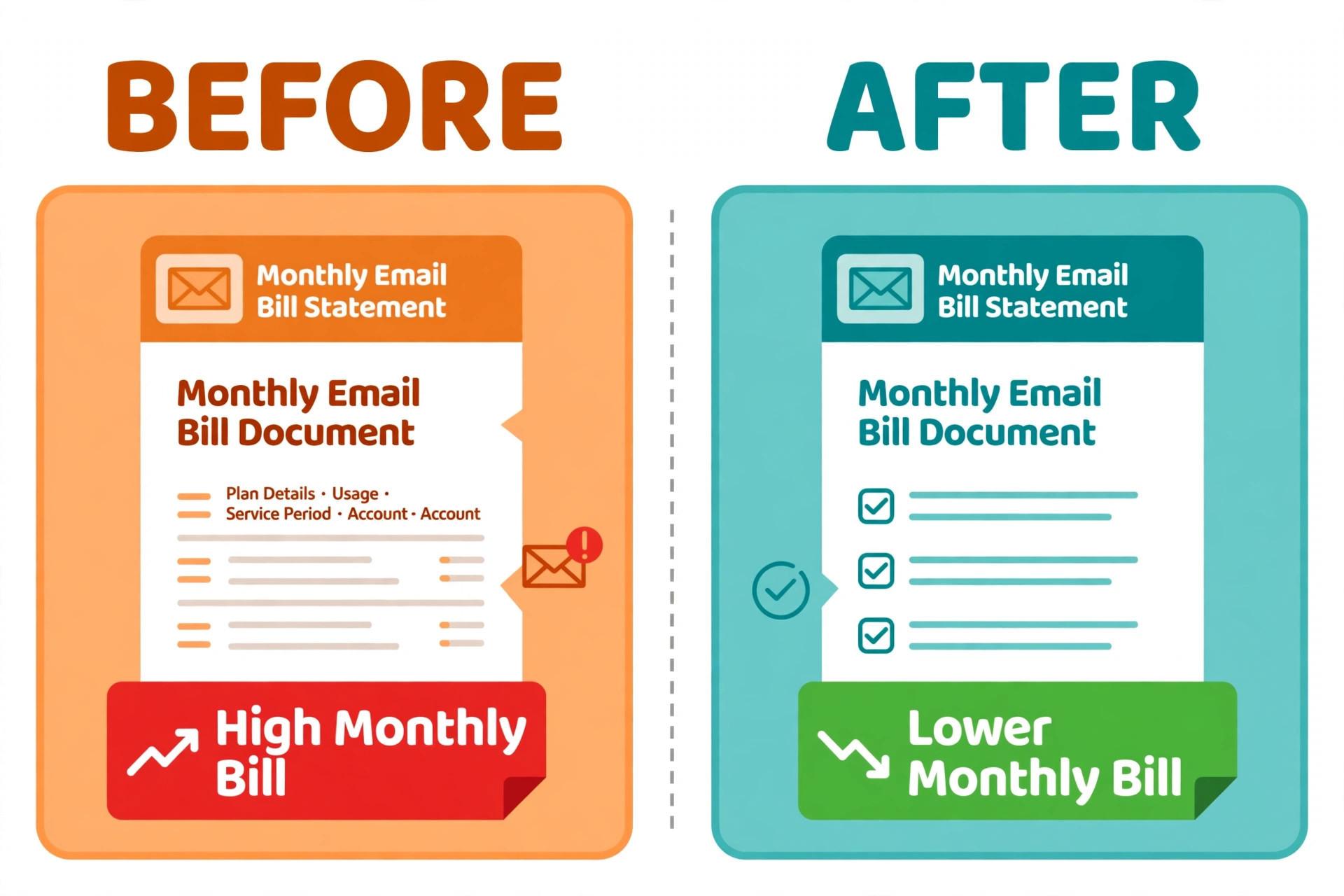
The pricing model is the reason most businesses start the conversation, and the numbers make the case plainly. Mailchimp bills by audience size, so a list of 20,000 contacts costs about 250 dollars a month on Standard, and unsubscribed contacts count toward the total even though they can never receive an email. A business that emails 5,000 active subscribers from a 20,000 contact list still pays for all 20,000.
Brevo bills by email volume with unlimited contacts, so the same business sending 20,000 emails a month pays 65 dollars on the Business plan, and a business sending 5,000 emails a month pays 9 dollars on Starter. The saving grows with the list, which is exactly the wrong direction for a growing business on Mailchimp.
The second reason is the channel mix. Brevo includes transactional email, SMS and WhatsApp marketing and a basic CRM in the same account, so a store can send an order confirmation, a shipping update and a promotional SMS without buying three extra tools. Mailchimp needs Mandrill for transactional mail, which is a separate paid add on, and it has no native SMS or WhatsApp marketing. The third reason is the free plan, because Brevo free covers 300 emails a day with up to 100,000 contacts stored, while Mailchimp free covers 500 sends a month for 250 contacts. A business can run the whole migration on the Brevo free plan and pay only when it is ready to send at volume.
The fourth reason is control over the bill. On Mailchimp the bill rises whenever the list grows, even when the business emails less, because every new subscriber adds cost whether they open an email or not. On Brevo the bill rises only when sending volume rises, so a business that grows its list through a lead magnet and emails twice a month pays the same as before. That difference is why the decision to switch from mailchimp to brevo email marketing usually comes from the finance side rather than the marketing side, because the saving is visible on the first invoice and it grows every month the list grows.
Mailchimp vs Brevo Pricing in 2026
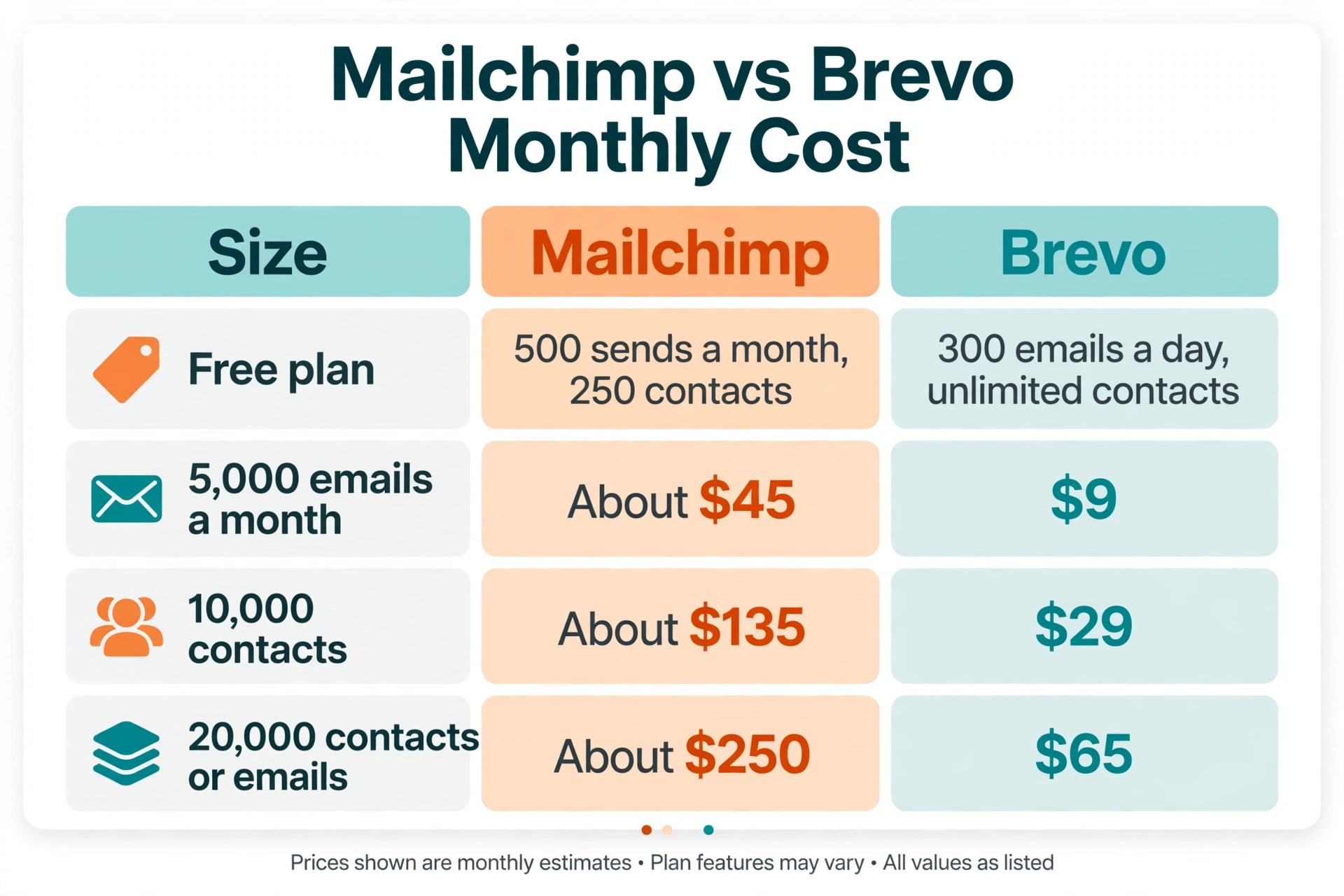
The table below compares the two platforms at the list sizes where the decision is usually made. Prices are from vendor pricing pages and independent October 2026 checks, and Mailchimp prices are introductory rates for the first 12 months, so confirm the renewal price before you budget a full year.
| List or volume | Mailchimp | Brevo |
|---|---|---|
| Free plan | 500 sends a month, 250 contacts | 300 emails a day, unlimited contacts |
| 5,000 emails a month | About 45 dollars a month | 9 dollars a month Starter |
| 10,000 contacts | About 135 dollars a month Standard | 29 dollars a month for 20,000 emails |
| 20,000 contacts or emails | About 250 dollars a month Standard | 65 dollars a month for 20,000 emails |
Read the table by your own sending pattern, because the winner depends on how often you email. A business with 5,000 contacts that emails weekly sends about 20,000 emails a month, and Brevo saves about 185 dollars a month at that volume. A business with 2,000 contacts that emails twice a month saves less, though Brevo still wins, because the free plan covers 300 emails a day and Starter costs 9 dollars. The only case where Mailchimp wins on price is a very small list that emails rarely and values the template library more than the bill, and even then the gap is small.
How to Switch from Mailchimp to Brevo Email Marketing, Step by Step
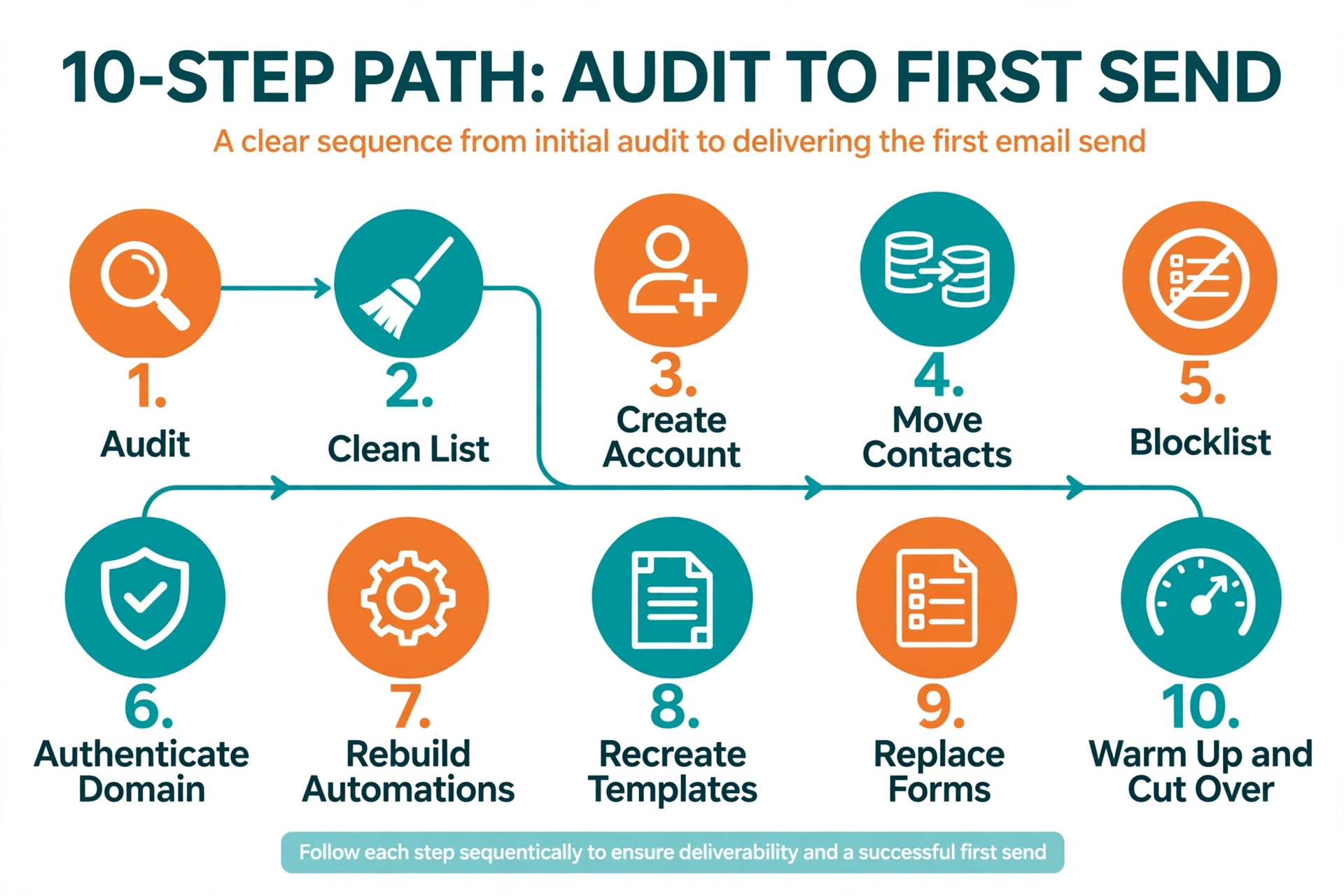
The ten steps below run in order, and each one depends on the one before it. Do not skip the audit or the cleaning, because a dirty list imported into Brevo damages deliverability on the new platform exactly as it did on the old one.
- Audit your Mailchimp account before you touch anything. List every audience, tag, segment, automation, template, signup form and integration, and note which ones are still used and which ones are dead. Export the list of Customer Journeys with their triggers and emails, because journeys do not transfer and you will rebuild them by hand. This audit takes a day and saves a week of confusion later.
- Clean the list while it is still in Mailchimp. Remove hard bounces, unsubscribed contacts and addresses that have not opened an email in a year, and export the unsubscribed and cleaned contacts as separate files. A smaller, engaged list sends better from Brevo, costs less on Mailchimp while the migration runs, and protects the new sending reputation from day one.
- Create the Brevo account and set up contact attributes. Brevo allows time for account approval, so create the account early rather than on cutover day. Map every Mailchimp merge field to a Brevo contact attribute, such as first name, last name, city and purchase date, and decide in advance whether each tag becomes a list or an attribute in Brevo.
- Move the contacts with the native Mailchimp integration or a CSV export. Brevo has a native Mailchimp integration that syncs contacts automatically, which is the easiest path for a standard list. For a complex list, export the audience as a CSV with merge fields and tags, then import it into Brevo and check the field mapping on a small sample before you import the full file.
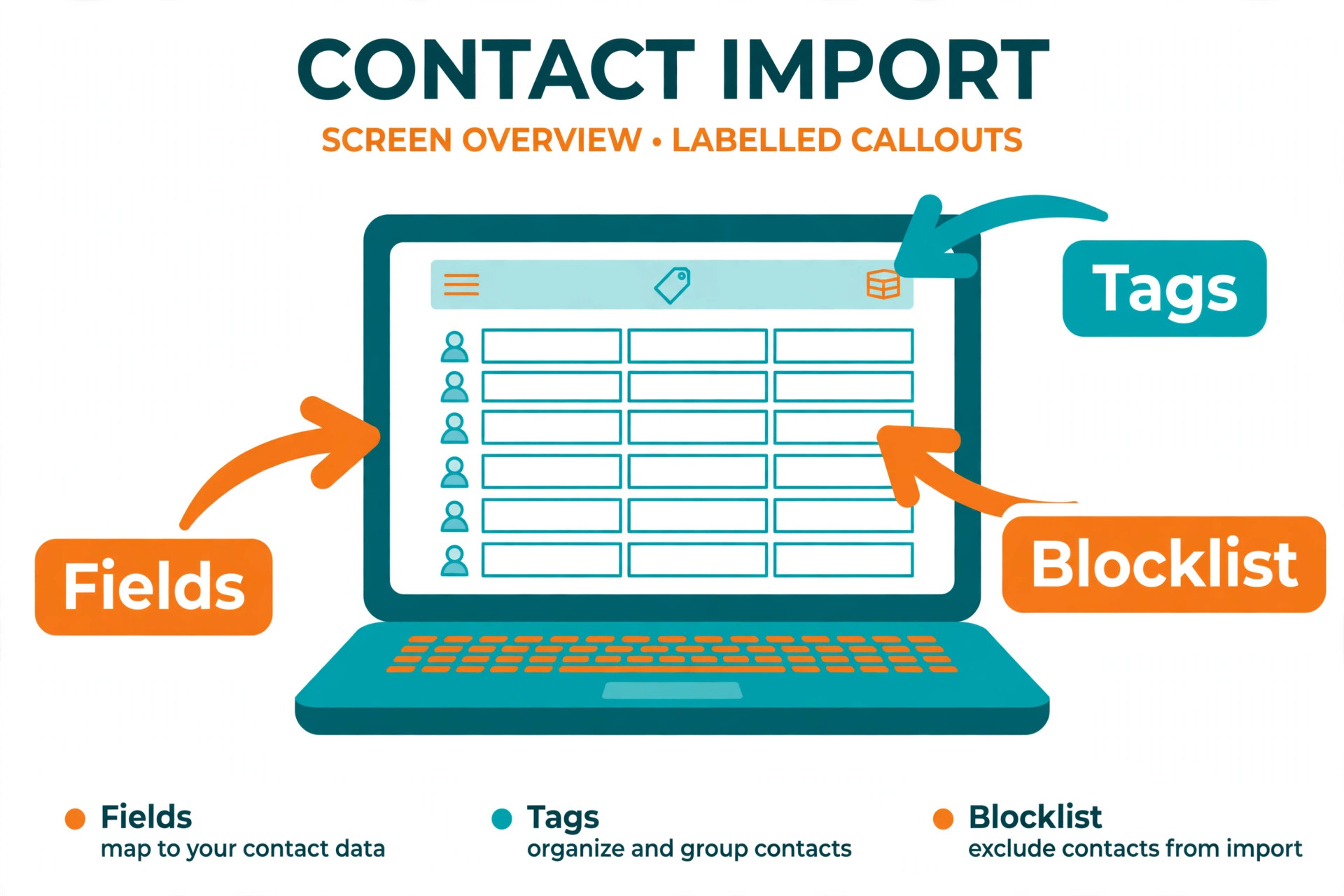
- Import unsubscribes to the blocklist so they stay suppressed. This step is the one that causes compliance trouble when it is skipped, because an unsubscribed contact who receives a Brevo email is a complaint waiting to happen. Import the unsubscribed and cleaned files as blocklisted contacts, then verify the blocklist count matches the Mailchimp count before you send anything.
- Authenticate the sending domain with DKIM and SPF records, and keep DMARC in place. Add the records Brevo gives you to the domain DNS, then wait for Brevo to confirm the domain is authenticated before the first campaign. Sending from an unauthenticated domain is the fastest way to land in spam on a new platform, and no amount of good content fixes it.
- Rebuild automations as Brevo workflows, starting with the ones that earn money. Customer Journeys do not import, so rebuild the welcome series, the abandoned cart flow and the re engagement series first, and add SMS steps where they help. Test each workflow with a test contact before it goes live, because a broken trigger can send the wrong email to the whole list.
- Recreate the templates in Brevo, either by exporting the Mailchimp HTML or by rebuilding in the Brevo editor. Exported HTML works but is hard to edit later, so rebuild the three most used templates in the Brevo drag and drop editor and keep the exported HTML only for complex designs. Check every template on mobile before you use it, because a template that looked right in Mailchimp can break in a different editor.
- Replace every signup form on the website, the landing pages and the checkout. Update the embedded forms, the popups and the checkout opt in to point at Brevo, and test each one with a real signup. A form that still points at Mailchimp silently loses subscribers after cutover, and the loss is only noticed weeks later when the list stops growing.
- Warm up the new sending reputation and cut over in stages. Send the first Brevo campaign to the most engaged segment, about 20 percent of the list, then expand to the full list over two weeks as open rates and inbox placement hold steady. Keep Mailchimp running in parallel during the warm up, then cancel it only after two full Brevo campaigns have delivered cleanly.
What Does Not Transfer in the Switch
Automations do not transfer, and this is the largest piece of manual work in the migration. Mailchimp Customer Journeys, with their triggers, delays and conditional branches, have no Brevo equivalent file, so every journey must be rebuilt as a Brevo workflow. The rebuild is also an opportunity, because most accounts carry journeys that were built years ago and never updated, and rebuilding them forces a review of what each automation should do now. Budget two to four hours per journey, and rebuild the revenue automations first.
Templates do not transfer cleanly either. A Mailchimp template exported as HTML will render in Brevo, but the drag and drop blocks do not carry over, so future edits need HTML skills or a rebuild. Signup forms, landing pages and surveys built in Mailchimp stay in Mailchimp, and the Brevo versions must be built fresh. Transactional email needs the most care, because a store using Mandrill must recreate every transactional template in Brevo and swap the SMTP or API credentials in the application, then test every message type, order confirmation, password reset and shipping notice, before the old credentials are removed.
SMS, WhatsApp and chat history have no Mailchimp home to move from, so there is nothing to lose there, and the Brevo versions are new capabilities rather than replacements. The data that does transfer cleanly is the contact list, the tags, the segments and the campaign history, which is enough to keep the business running while the automations and templates are rebuilt. Knowing what does not transfer before you start is what keeps the migration to one or two weeks instead of a month of surprises.
Domain Authentication and Deliverability
Deliverability is the quiet risk in every platform switch, because a new sending domain and a new IP range start with no reputation. The fix is authentication plus a warm up, and both are simple when they are done in order. Add the DKIM and SPF records Brevo provides, confirm DMARC is in place, and wait for Brevo to verify the domain before the first send. Use the same sending domain and the same from name as Mailchimp, because a familiar from address keeps open rates steady while the platform changes underneath.
The warm up matters more than most owners expect. Sending the full list on day one from a new platform triggers spam filters, because the volume spike looks like a compromised account. Start with the most engaged 20 percent, the subscribers who opened in the last 90 days, and expand by about 20 percent per send as long as open rates stay close to the Mailchimp baseline. Watch bounces and spam complaints on every send, and pause the expansion if the complaint rate rises. Two weeks of careful warm up protects a reputation that took years to build, and it is the cheapest insurance in the whole migration.
A second deliverability habit protects the switch after the warm up ends. Keep the sending cadence steady for the first month, because a sudden jump from two emails a month to eight looks as suspicious to a filter as the first day spike. Keep the list clean by removing hard bounces after every send and by sunsetting subscribers who have not opened in six months, because an engaged list is the strongest deliverability signal a sender has. When you switch from mailchimp to brevo email marketing, the platform changes but the reputation rules do not, and the owners who treat the first month carefully keep the open rates they had on Mailchimp.
Rebuilding Automations and Templates
Rebuilding automations is the work that decides whether the switch feels like an upgrade or a downgrade, so give it the same care as the contact migration. Start with the three flows that earn money, the welcome series for new subscribers, the abandoned cart flow for stores, and the post purchase follow up, and build them in Brevo with the same triggers and timing as the Mailchimp originals.
Add the SMS step Brevo makes easy, such as a text reminder an hour after an abandoned cart, and test the whole flow with a test contact before it goes live. Then rebuild the re engagement series and the win back flow, which matter less day to day but protect the list over time.
Templates deserve the same discipline. Rebuild the newsletter, the promotional email and the transactional templates in the Brevo editor, and check each one on a phone and in a dark mode inbox, because most subscribers read on mobile now. Keep the brand consistent, the same logo, the same colours and the same footer, so subscribers do not notice the platform change. A template that looks the same and sends from the same domain makes the switch invisible to the reader, and an invisible switch is a successful switch.

The Cutover Week Plan
A cutover plan turns a risky weekend into a routine week, and the table below shows the schedule that works for most small businesses. Each day has one job, so a problem on any day is small and fixable before the next step.
| Day | Job | Check before moving on |
|---|---|---|
| Monday | Send the first Brevo campaign to the engaged segment | Open rate matches the Mailchimp baseline |
| Tuesday | Rebuild the welcome automation and test it | Test contact receives every email in order |
| Wednesday | Replace website forms and test signups | A test signup appears in Brevo |
| Thursday | Send the second campaign to half the list | Bounces and complaints stay low |
| Friday | Send to the full list and monitor closely | Inbox placement holds steady |
Keep Mailchimp active through the whole cutover week, and cancel it only after the Friday send delivers cleanly and the automations have run for a full cycle. Keep a copy of the Mailchimp exports for a month after cancellation, because a missing segment or a forgotten automation usually surfaces in the second week. If anything goes wrong on cutover day, the fallback is simple, which is to send from Mailchimp for one more week while the Brevo issue is fixed, because a delayed switch costs less than a broken send.
What Brevo Does Better, and What Mailchimp Still Wins
Brevo wins on the bill, on transactional email and on the channel mix, and those three wins decide the switch for most businesses. The send based pricing with unlimited contacts is the biggest saving, the native transactional email removes the Mandrill fee and the separate setup, and the built in SMS, WhatsApp and CRM mean one login covers the channels that used to need three tools. The automation builder is also strong, with visual workflows, SMS steps and A and B testing on the Standard plan, and the AI send time optimisation helps a small team send at the right hour without studying reports.
Mailchimp still wins on polish and on ecosystem. The template library is larger and the designs look better out of the box, the editor is easier for a first time user, and the integration library covers tools Brevo has never heard of. A team that relies on a specific Mailchimp integration, or a brand that judges every email on design, will feel the difference.
The honest way to decide is to weigh the monthly saving against the polish, because a business that saves 100 dollars a month and loses an hour a week to a weaker editor has not saved anything. For most small businesses the saving wins, and the editor gap closes after a month of use, which is why the switch from mailchimp to brevo email marketing keeps its momentum in 2026.
How to Choose the Right Brevo Plan
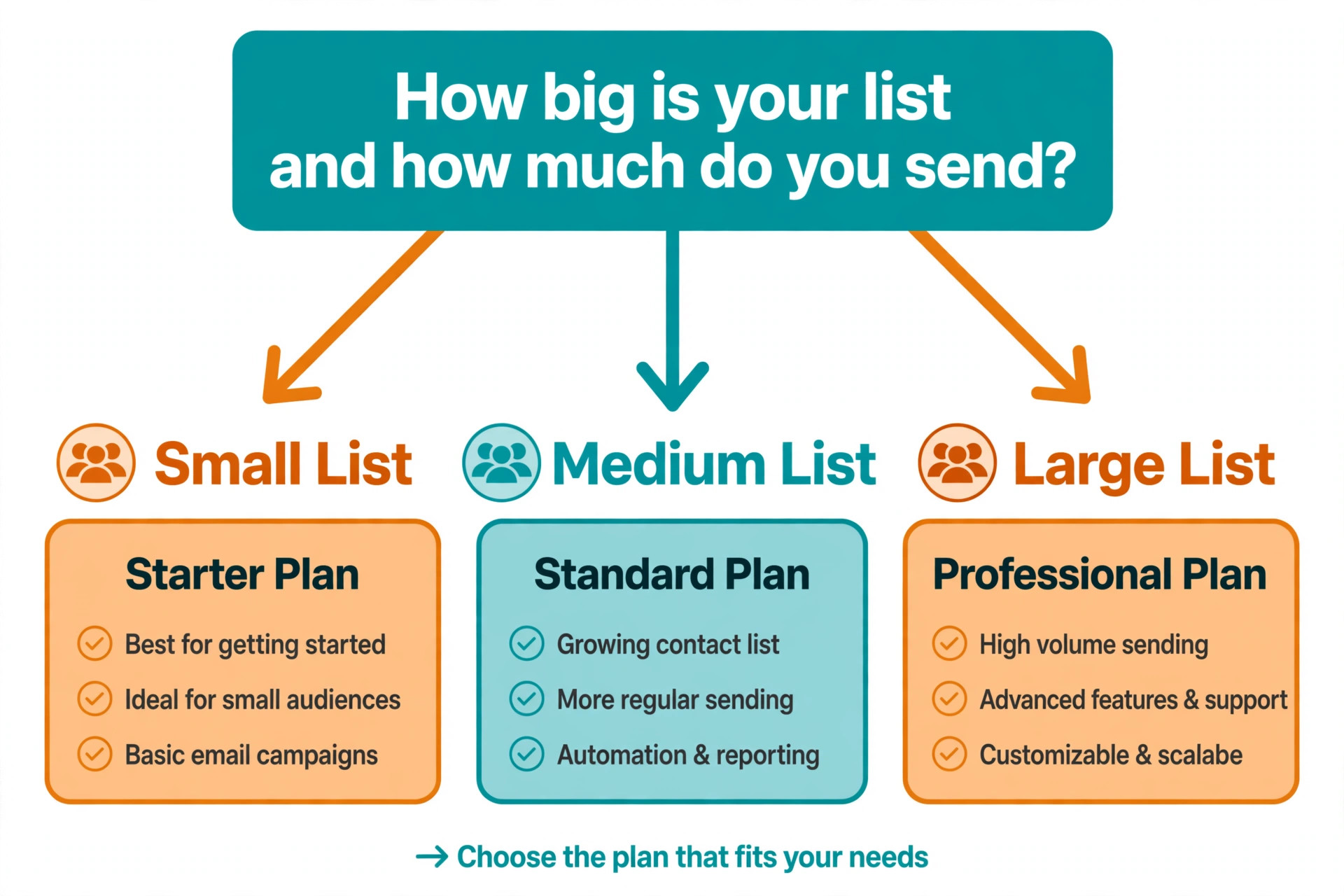
Start with monthly email volume, because Brevo prices by sends and the plan follows the count. Under 5,000 emails a month, Starter at 9 dollars a month covers the job, and the free plan at 300 emails a day covers a business that sends twice a month to a small list. From 5,000 to 20,000 emails a month, compare Starter and Standard, because Standard at 18 dollars a month for 5,000 emails adds marketing automation, A and B testing, AI send time optimisation and advanced reports, and at 20,000 emails it costs 65 dollars a month. Above 150,000 emails a month, Professional at 499 dollars a month adds WhatsApp, popups, web and mobile push and ten seats.
Then check the features the business actually needs. A store that runs abandoned cart flows and A and B tests needs Standard, while a newsletter that sends one campaign a week needs only Starter. A business that wants SMS and WhatsApp in the same account should price those channels on Brevo against a separate SMS tool, because the bundled price is usually lower than two subscriptions. The last step when you switch from mailchimp to brevo email marketing is to count contacts, because Brevo stores unlimited contacts free, so a large list that emails rarely is where the saving is biggest, and a small list that emails daily is where the saving is smallest.
Mistakes That Break a Mailchimp to Brevo Migration
- Importing the full list without cleaning it first. Bounces, unsubscribes and year old inactive addresses damage the new sending reputation on the first send, and the damage takes weeks to repair, so clean the list in Mailchimp before anything moves.
- Forgetting the blocklist. Unsubscribed contacts who receive a Brevo email generate complaints and legal risk, and the blocklist import is the step most often skipped, so verify the blocklist count matches Mailchimp before the first campaign.
- Sending from an unauthenticated domain. A campaign sent before DKIM and SPF are verified lands in spam, and the first send sets the tone for the new reputation, so authenticate the domain and wait for confirmation before anything goes out.
- Rebuilding automations last instead of first. A store that migrates contacts and forgets the abandoned cart flow loses sales every day the flow is down, so rebuild the revenue automations before the first campaign, not after.
- Cancelling Mailchimp on cutover day. A missing segment, a broken form or a forgotten template usually surfaces in the second week, so keep Mailchimp running for a month after the switch and keep the exports for longer.
Our Verdict
Brevo is the right move for most small businesses that outgrow Mailchimp pricing, because the send based model, the unlimited contact storage and the bundled transactional email, SMS and CRM cut the monthly bill by half or more at most list sizes. A business with 10,000 contacts saves about 106 dollars a month moving from Mailchimp Standard to Brevo Starter at 20,000 emails, which is more than 1,200 dollars a year, and the saving grows as the list grows. The migration takes one to three weeks, and the work is mostly rebuilding automations and templates rather than moving data.
Mailchimp remains the better choice for a very small list that values template polish and the integration library more than the bill, and for a team that uses a Mailchimp integration no other platform matches. For everyone else, the switch pays for itself in the first month. Follow the ten steps in order, authenticate the domain before the first send, warm up the list in stages, and keep Mailchimp running until the second Brevo campaign lands cleanly. That is the whole secret to a switch from mailchimp to brevo email marketing that saves money without losing subscribers.
Frequently Asked Questions
How do I migrate from Mailchimp to Brevo?
Export your Mailchimp audience with merge fields and tags, plus unsubscribed and cleaned contacts as separate files, then import into Brevo using the native Mailchimp integration or a CSV upload, mapping merge fields to contact attributes and tags to lists or attributes. Import unsubscribes as blocklisted so they stay suppressed, authenticate your domain with DKIM and SPF before sending, rebuild Customer Journeys as Brevo workflows, recreate templates, and replace signup forms. Warm up by sending to the most engaged segment first and expanding over two weeks.
How long does it take to switch from Mailchimp to Brevo?
Most businesses complete the switch in one to three weeks. The contact migration itself takes a day, domain authentication takes a day for DNS to propagate, and the rest of the time goes to rebuilding automations and templates. A small list with two automations can finish in a week, while a store with ten journeys, transactional templates and many signup forms needs the full three weeks. Keep Mailchimp running in parallel during the migration so a delay never stops an email from going out.
Is Brevo really cheaper than Mailchimp?
Yes, for most small businesses Brevo is much cheaper, because Mailchimp charges by contacts stored and Brevo charges by emails sent with unlimited contacts. A 10,000 contact list costs about 135 dollars a month on Mailchimp Standard, while 20,000 emails a month costs 29 dollars on Brevo Starter or 65 dollars on Standard. A business with a large list that emails infrequently saves the most, while a tiny list that emails daily saves the least, though Brevo still wins at most sizes.
Will I lose my subscribers when I switch from Mailchimp to Brevo?
No, the subscriber list transfers cleanly, including tags, segments and custom fields, as long as the export includes merge fields and the import mapping is checked on a sample first. The risk is not the list itself but the unsubscribes, so import unsubscribed and cleaned contacts to the Brevo blocklist and verify the count matches Mailchimp before the first send. Tell subscribers nothing needs to change on their side, because the from address and the brand stay the same.
Do Mailchimp automations transfer to Brevo?
No, Mailchimp Customer Journeys do not transfer to Brevo, and every automation must be rebuilt as a Brevo workflow. Rebuild the welcome series, the abandoned cart flow and the post purchase follow up first, then the re engagement and win back flows, and test each one with a test contact before it goes live. Budget two to four hours per journey, and treat the rebuild as a review, because most accounts carry automations that were built years ago and never updated.
Can Brevo replace Mandrill for transactional email?
Yes, Brevo includes native transactional email on every plan, including the free plan, which is one of the main reasons stores switch. Recreate each transactional template in Brevo, swap the SMTP or API credentials in the application, and test every message type, order confirmation, password reset, shipping notice and invoice, before removing the Mandrill credentials. Transactional sending in Brevo shares the account with marketing email, so keep the templates and the sending domains organised from the start.
The switch from Mailchimp to Brevo is a pricing decision with a migration attached, and the migration is straightforward when it runs in order. Audit, clean, import, authenticate, rebuild and warm up, and the list arrives intact, the automations earn again, and the monthly bill drops by half or more. Start on the Brevo free plan, run the first campaign to the most engaged subscribers, and cancel Mailchimp only after the second campaign lands cleanly. That is how a switch from mailchimp to brevo email marketing saves money without costing a single subscriber.