
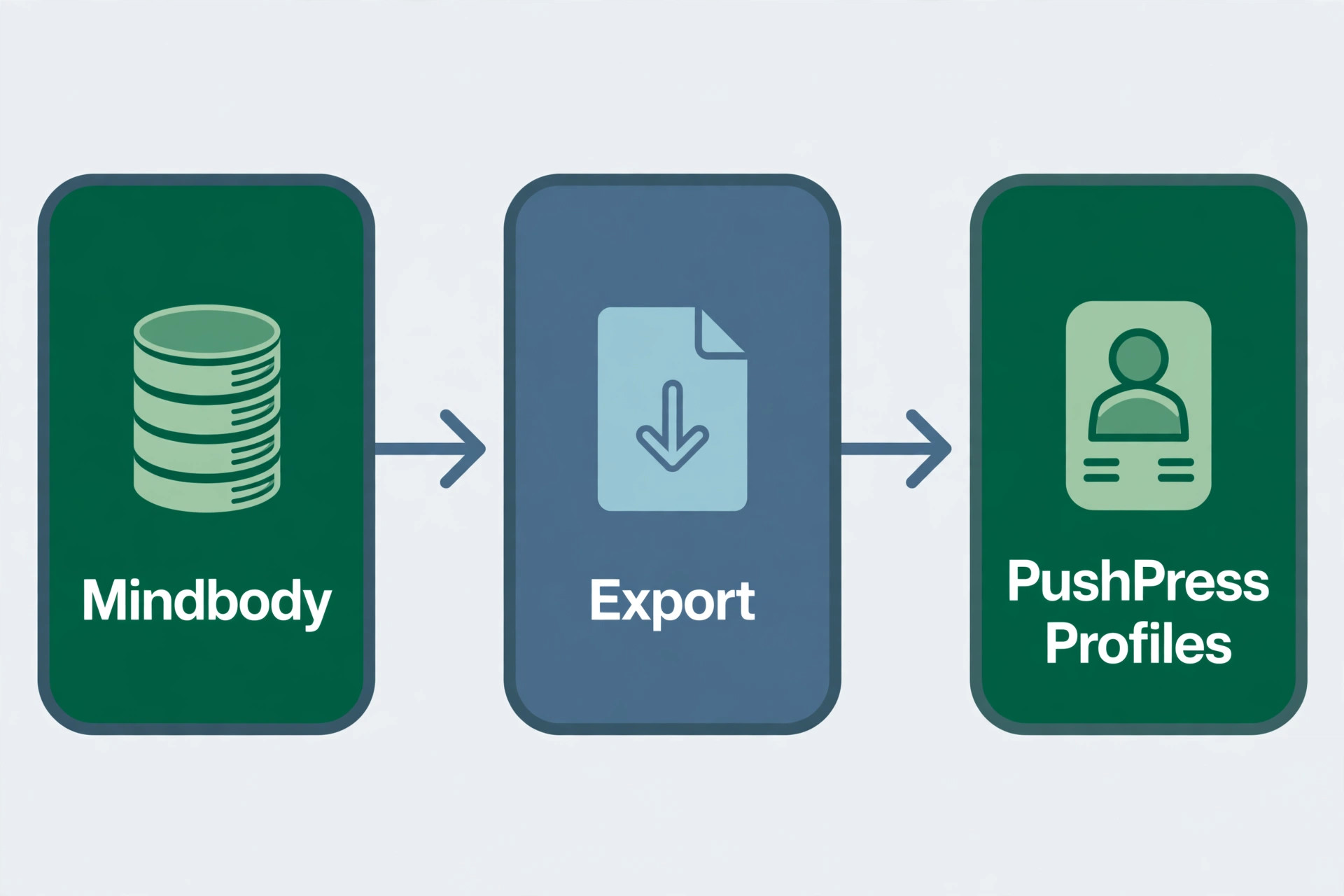
Your members book classes, pay on time and show up every week, and the software that runs all of it is the last thing you want to touch. That is exactly why a bad switch hurts so much, because a missed billing date, a lost membership plan or a member who cannot book a class turns a software decision into a front desk crisis. The good news is that the switch from mindbody to pushpress is a well travelled path, and PushPress built a Migration Assistant specifically for it.
This guide walks through the move without losing a member, a payment or a week of classes, with a 12 step checklist, a real cost comparison and a go live plan you can follow.
Mindbody is the biggest name in fitness software, and for many studios it was the right choice when they opened. The problems usually start later. Mindbody publishes exactly one price, 79 dollars a month per location for Starter, and the features most owners reach for sit in tiers whose prices are not published at all. The platform also runs a marketplace that shows your members other gyms, which is a strange thing to pay for when you are trying to keep them. Add the per location pricing that multiplies with every site, and the bill grows faster than the membership.
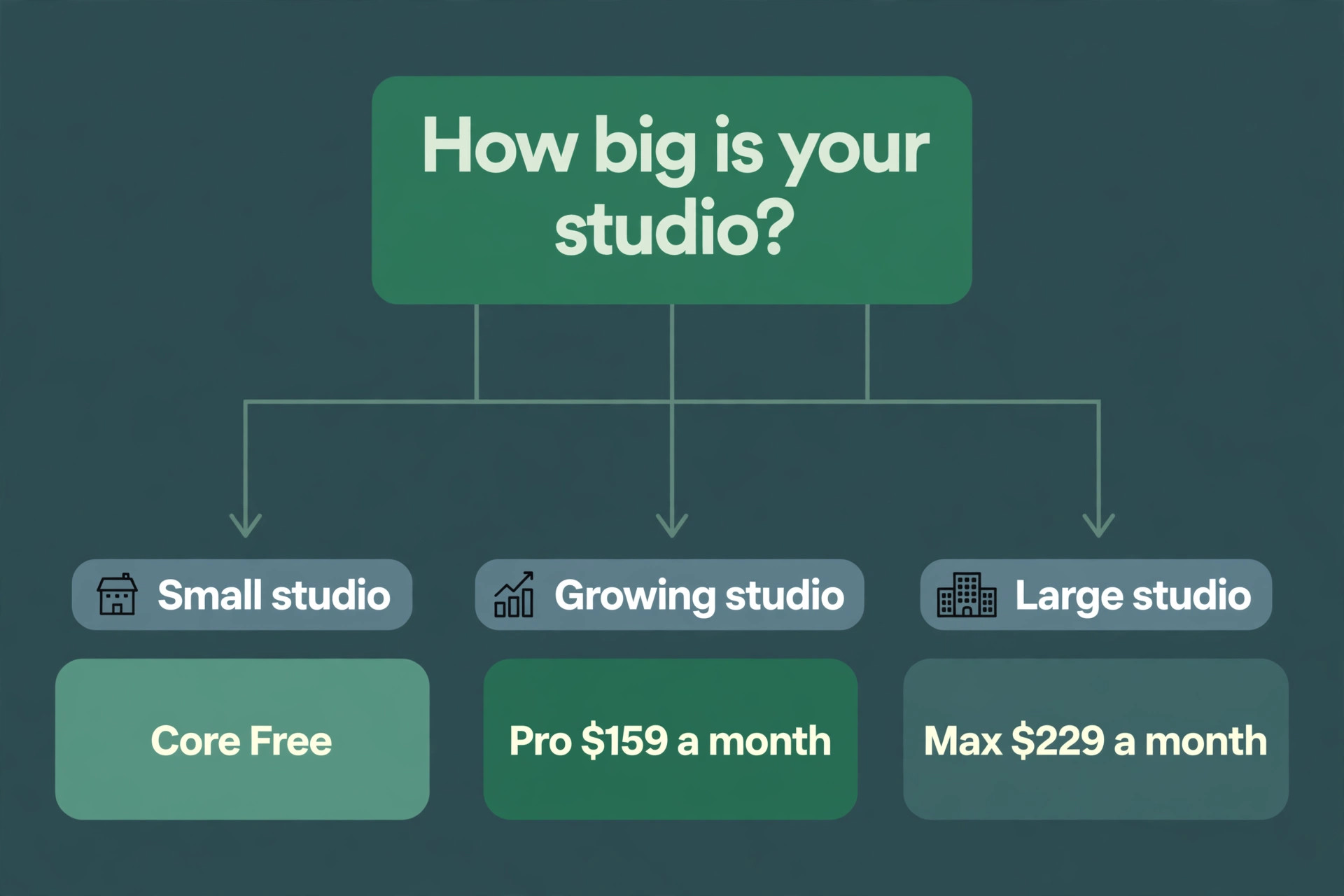
PushPress was founded by gym owners who got tired of fighting their own software, and that origin shows up in every product decision. The platform is designed around how gyms actually operate, with recurring appointments for streamlined booking, group classes, attendance tracking and automated billing that does not require a finance degree. Core is free, Pro is 159 dollars a month and Max is 229 dollars a month, and the pricing is published rather than quoted. PushPress also carries a 4.8 out of 5 rating on G2, which is the highest in the category, and it was built first for CrossFit boxes and functional fitness gyms, so the workout and class workflows run deep.
The switch is not only about price. PushPress gives you control over transaction costs with Flex Fees, so more of each payment goes to your gym instead of a middleman, and the billing engine handles renewals and failed payment recovery on rules you set once. Grow adds a website builder, a full CRM with pipeline tracking, automated workflows for lead follow up and member re engagement, plus GymHappy review generation that turns happy members into social proof. The difference is direction. Mindbody shows your members other gyms. Every Grow tool is built to bring members to your gym.
The marketplace is the detail that pushes many owners over the line. Mindbody built its business partly on discovery, which means your members see competing studios inside the same app they use to book your classes. For a small studio that fought hard for every member, paying a platform that advertises the competition feels wrong, and it is the complaint that comes up most often in owner forums. PushPress has no marketplace, so the member app shows your gym, your classes and your coaches, and nothing else. When you decide to switch from mindbody to pushpress, that closed loop is often the reason that matters more than the price.
PushPress vs Mindbody: Where Each One Wins
Mindbody wins on breadth. It serves gyms, salons, spas, studios and wellness businesses of every shape, it has the largest marketplace of bookable businesses, and its enterprise tooling covers multi location groups with reporting that smaller platforms cannot match. A business with five locations, a spa menu and a retail shop will find more of what it needs inside Mindbody than inside PushPress, and the sheer size of the Mindbody ecosystem means integrations, consultants and staff who already know the system are easy to find.
PushPress wins on focus and on clarity. It was built for gyms, specifically for CrossFit boxes and functional fitness, and every workflow assumes a coach, a class and a membership rather than a treatment room. The pricing is published, the free Core plan is a real product, and the billing engine is stronger than Mindbody at the same price point, with failed payment recovery and Flex Fees that give the gym control over processing costs. Support is also closer to the gym floor, because the company was founded by gym owners and its help centre is written for owners rather than for enterprise administrators.
The booking experience is where members notice the difference. PushPress member app is built around recurring appointments and class booking, so a member can book a regular slot once and have it repeat, which matches how real gym members train. Mindbody booking works well but carries the weight of a platform that serves many industries, so the flow has more steps and more upsells. A member who books three classes a week will feel the difference within a fortnight, and the front desk team will feel it in the number of booking questions they answer.
Reporting is the one area where the comparison is genuinely close. Both platforms produce the reports a small studio needs, including attendance, revenue, retention and membership counts. Mindbody reporting is deeper for multi location groups, while PushPress reporting is simpler to read and faster to act on. A single location studio will not miss anything by moving to PushPress, while a group with five sites should test the PushPress reporting carefully before committing, because the gap only appears at that scale.
What the Switch Really Costs
| Item | Mindbody | PushPress |
|---|---|---|
| Entry price | 79 dollars a month per location, Starter | Free Core plan, Pro from 159 dollars a month |
| Card processing on free plan | Varies by tier, not published | 4.99 percent plus 30 cents per card transaction |
| Card processing on Pro | Varies by tier, not published | 2.89 percent plus 30 cents per card transaction |
| Card processing on Max | Varies by tier, not published | 2.75 percent plus 30 cents per card transaction |
| Branded member app | Separate add on, price not published | 81 to 97 dollars a month |
| Workout programming | Add on | Train from 79 dollars a month |
| Marketing CRM and website | Add on | Grow at 329 dollars a month |
| Full bundle | Quoted per location | Full Stack around 559 dollars a month |
Read the table carefully, because the plan price is the beginning of the number rather than the end of it. PushPress sells its capabilities as separate products, so a gym that wants programming, marketing and a branded app is looking at a very different figure than 159 dollars a month. The bundled Full Stack package lists around 559 dollars a month, and Grow alone is 329 dollars a month. That is still a published number you can budget against, which is more than Mindbody offers, but do not compare the 159 dollar Pro price with the 79 dollar Mindbody Starter price and call the job done. Compare the full stack you will actually run.
The processing rate deserves its own line in your maths. On the free Core plan, card transactions cost 4.99 percent plus 30 cents, which is high, and ACH costs 2.89 percent plus 30 cents. Pro drops card processing to 2.89 percent plus 30 cents, and Max drops it to 2.75 percent plus 30 cents. A gym taking 20,000 dollars a month in card payments saves roughly 420 dollars a month moving from Core processing to Pro processing, which is more than the 159 dollar Pro subscription. Do the same calculation on your own revenue before you choose a tier, because the processing rate often decides the plan.
There are also costs that never appear in a comparison table. Mindbody add ons for a branded app, advanced reporting and marketing tools are priced by quote, so a studio can discover the real bill only after the sales call. PushPress add ons are published, with Train from 79 dollars a month, Grow at 329 dollars a month and a branded app at 81 to 97 dollars a month, so the full stack can be budgeted in advance. Budget the stack you will actually run, including the app and the programming tool, and compare that number with the Mindbody quote rather than with the 79 dollar Starter headline.
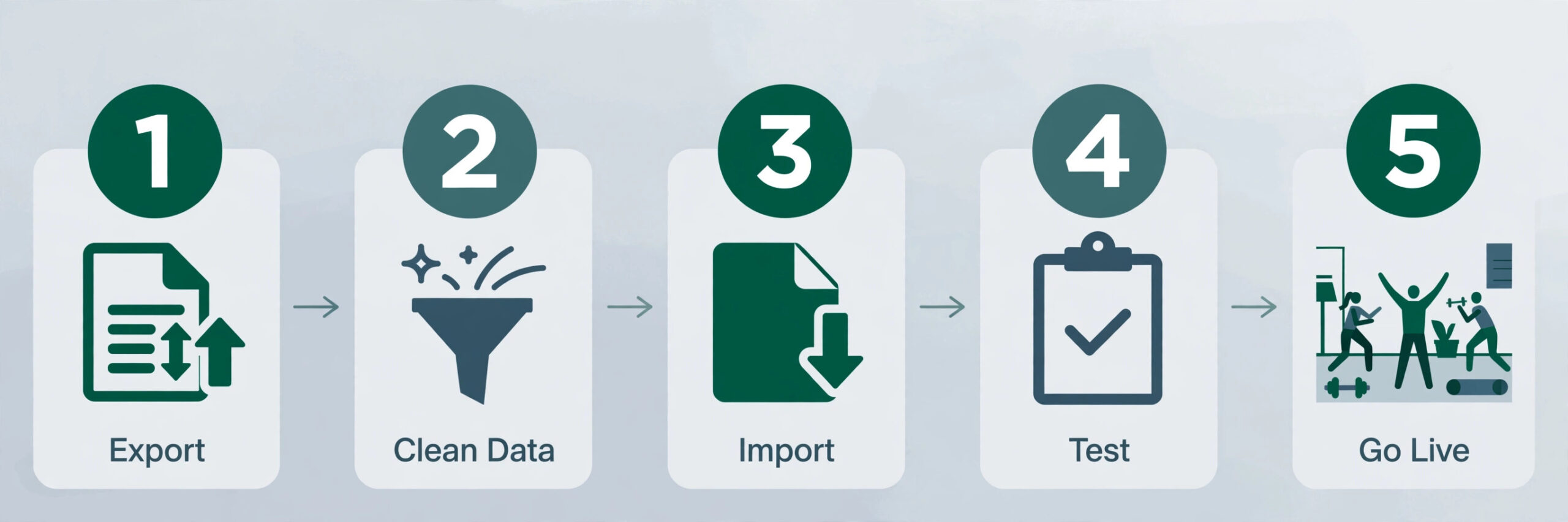
How to Switch from Mindbody to PushPress in 12 Steps
Work through these 12 steps in order. Each one removes a category of risk before go live day arrives, and skipping one is how studios end up with members who cannot book and payments that never arrive.
- Audit what you actually use in Mindbody before you touch anything else. Open Mindbody and list every feature your team touches in a normal week, including class scheduling, memberships, retail, appointments, reports and the branded app. Most studios use a third of what they pay for, and the audit tells you what must be rebuilt in PushPress and what can simply be dropped. Write the list down, because it becomes the checklist for the rest of the migration.
- Export every data set Mindbody allows before you cancel anything. Pull member profiles, contact details, membership plan history, payment history, waivers, class attendance and staff records, and store the files somewhere safe outside Mindbody. Do this while the account is still active, because exports disappear the moment the subscription ends, and a missing waiver file is a legal problem rather than an admin one.
- Map your membership plans before you rebuild them in PushPress. Write down every plan, its price, its billing cycle, its freeze rules and its perks, then decide which plans survive the move and which ones get retired. Studios usually find two or three plans that only one or two members hold, and the switch is the best moment to retire them cleanly with a personal conversation rather than carrying the complexity forward.
- Choose a go live date that avoids billing run days and your busiest class week. The safest window is just after a monthly billing run, with at least two quiet weeks before the next one, so any billing problem shows up while the stakes are low. Tell your team the date early and put it on the wall, because a switch without a date drifts for months.
- Set up PushPress Core and open the Migration Assistant. The Core Migration Assistant makes migrating members from a previous platform straightforward, and it is built to take an exported member list and walk you through the rest. Create the account, confirm your business details and open the migration flow before you upload anything, so you can see what fields it expects.
- Upload your active member list and let PushPress request payment information. Once you have exported and uploaded your active member list, you will be able to request their payment information and add their plan, anniversary dates, historic check ins and more to their profile. Members receive an email asking them to set up and verify the information already on file, which is the step that protects your billing continuity.
- Assign plans and discounts in bulk, then check the edge cases by hand. Use bulk actions to assign plans and discounts to many members at once, which saves hours on a list of hundreds. Then check families and sub accounts separately, because each sub account must have its own distinct email address entered into the system for the link to work, and payments focus on primaries while sub accounts are excluded from automatic matching to avoid errors.
- Recreate your class timetable in PushPress before you invite anyone to book. Build the recurring classes, the coaches, the capacity limits and the booking windows, then compare the new timetable against the Mindbody one side by side for two full weeks. A missing Sunday class or a wrong capacity limit is the kind of error that only shows up when a member tries to book, so find it yourself first.
- Set your billing rules, failed payment recovery and Flex Fees. PushPress lets you control transaction costs with Flex Fees, so decide who absorbs the processing fee before the first charge runs. Turn on failed payment recovery and set the retry rules, because a failed card that is retried automatically is revenue that would otherwise need a phone call. Test the billing flow with a staff member account before any real member is charged.
- Tell your members early, clearly and more than once. Communication is the step studios skip, and it is the step members complain about. Send an email that says you are changing to PushPress to provide a better member experience, from reserving classes on the member app to checking in on arrival, and that PushPress needs less time in the office and more hands on time with members. Say the change will take place over the next few weeks and that they will receive an email asking them to verify their information.
- Train your staff and run a test class week. Give every coach and front desk team member a login, walk them through check in, booking, freezing a membership and taking a payment, and then run a full week of classes on PushPress while Mindbody still runs in parallel. Staff who have practised the common tasks will not freeze on go live day, and the parallel week catches the timetable errors that step eight missed.
- Go live and monitor for 72 hours. Switch the booking links, turn off Mindbody bookings, and watch the first three days closely. Check every failed payment, every member who cannot log in, and every class that looks under booked against the old pattern. Keep Mindbody read only for a month after go live, so you can look up any record that did not migrate, and only cancel it once the first full billing run has completed cleanly in PushPress.

What PushPress Migrates and What It Does Not
The Migration Assistant handles the core of the move, and knowing its limits in advance prevents the surprises that derail a switch. It takes your active member list and lets you add plans, anniversary dates and historic check ins to each profile, with bulk import of up to 3,000 check ins per batch. You can start a plan immediately but defer billing to a later date, which is useful when the go live date and the billing date do not line up.
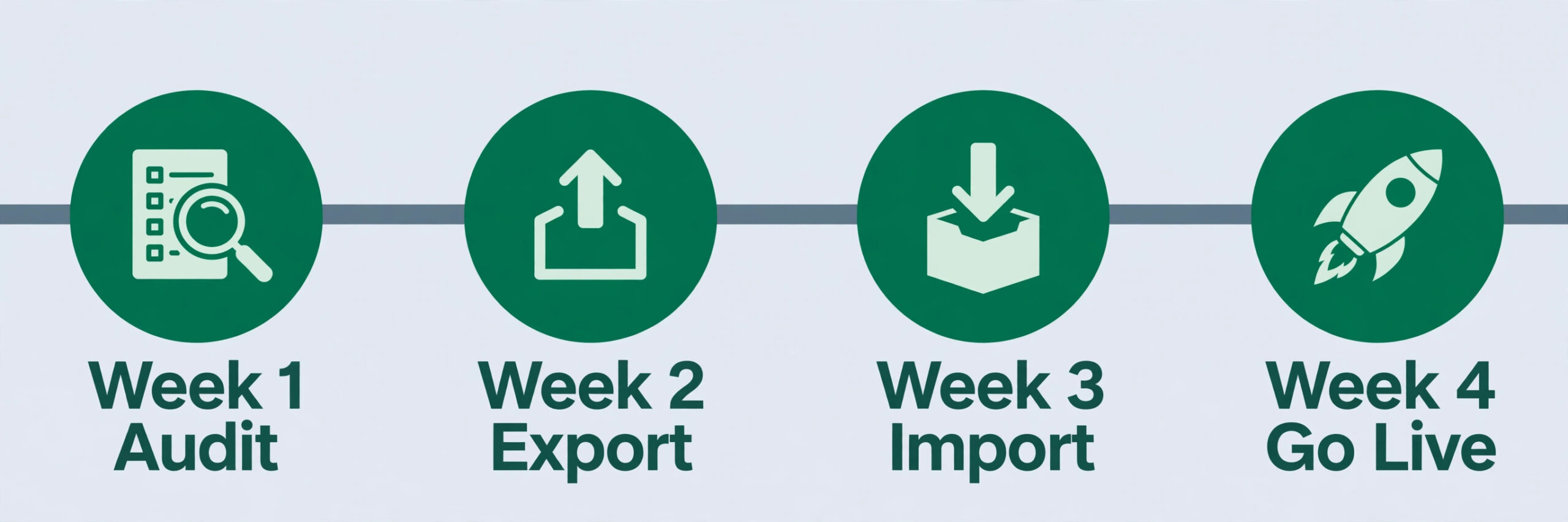
Payment information is requested from members rather than copied across, because card details cannot legally move between platforms in a file. That is the single most important fact in the whole migration. Every member must complete the payment setup email, so the success of the switch depends on how many members open it. Send a reminder after three days, then a text after a week, and have the front desk team ask in person at check in. A member who never verifies payment will fail their next billing run.
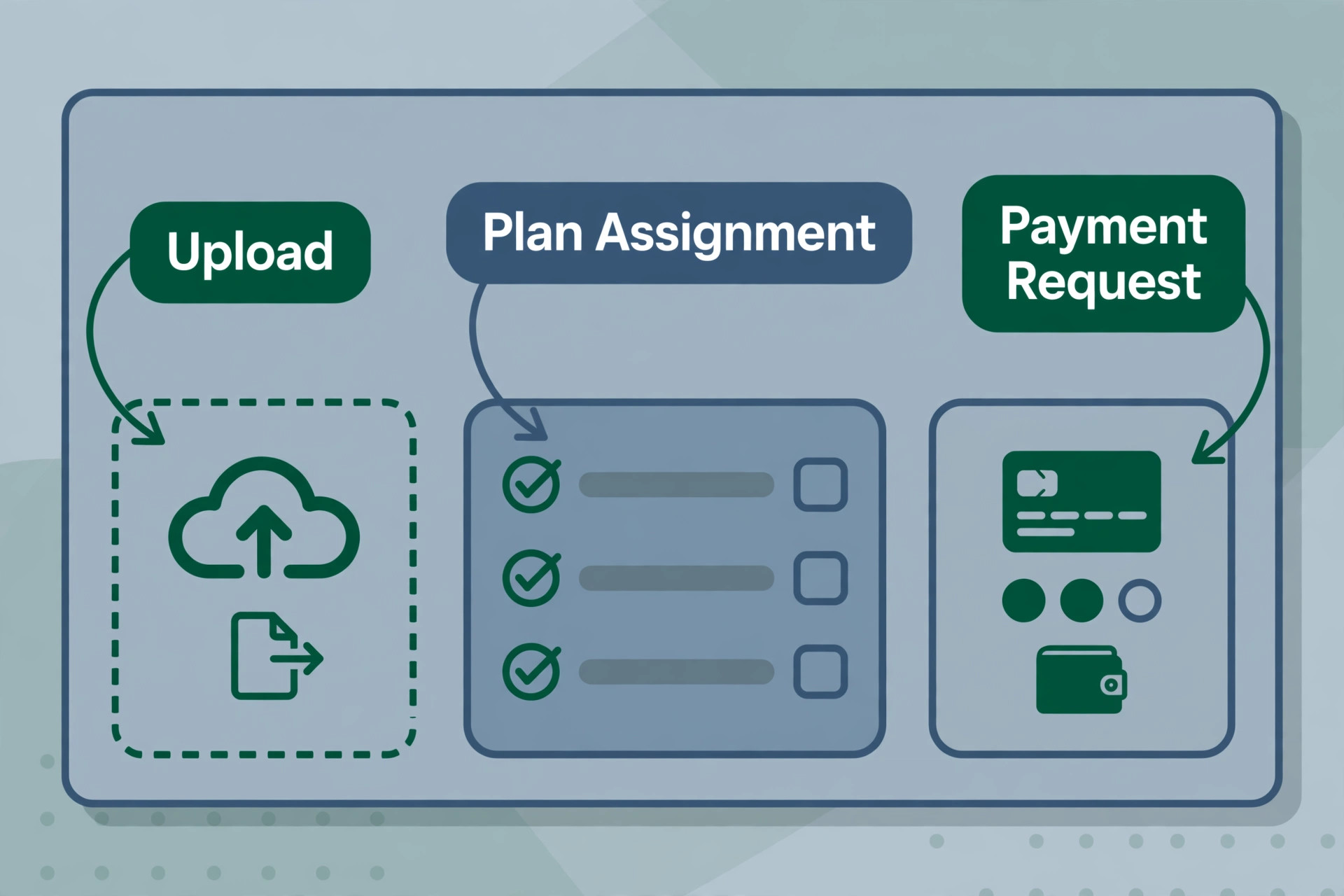
Family accounts need attention too. Sub accounts for children under a parent must be linked correctly before activation, each with its own distinct email address, and payments focus on primaries, so a family that paid on one card in Mindbody may need a short conversation to set up the same arrangement in PushPress. Waivers, retail history and old class attendance may not migrate cleanly, so keep your Mindbody exports as an archive even after the switch is done. This is the part of the move where a checklist beats memory, so when you switch from mindbody to pushpress, tick off each data set as it lands in PushPress and note anything that needs a manual fix.
The First 30 Days After the Switch
The first month is where a switch succeeds or quietly fails, and the work is mostly watching numbers rather than fixing software. Compare the first billing run in PushPress against the last billing run in Mindbody, member by member, and chase every gap the same day. A member who was charged twice, a member who was not charged at all, and a member whose plan changed price are all problems that get harder to fix with every passing week.
Watch attendance too, because a drop in bookings usually means members cannot find a class rather than that they stopped coming. Check the booking flow on a phone, confirm the timetable matches the old one, and ask the front desk team what members are asking about. The questions members ask in week one are the documentation you should have written before go live, so write it then and send it out.
Finally, measure the time your team saves. PushPress promises less time in the office and more hands on time with members, and the first month is when that promise is tested. If the front desk still spends an hour a day on admin, find out which task is eating the time, because it is usually one workflow that was set up wrong rather than a problem with the platform. Fix that workflow and the switch pays for itself.
The last job in the first month is to close the loop with members. Send a short message thanking them for updating their details, tell them where to book and how to check in, and invite questions directly to the front desk rather than to a support inbox. Members who feel looked after during a switch become the strongest advocates for the new system, and their word of mouth does more for retention than any feature. A switch that ends with a thank you lands very differently from a switch that ends in silence.
Mistakes That Cost Studios Members
The most common mistake is cancelling Mindbody before the exports are done. A studio owner gets excited about the new system, cancels the old one, and then discovers the waiver files, the payment history and the old attendance records are gone. Exports disappear the moment the subscription ends, so pull everything first and store it outside Mindbody, even if you never look at it again.
The second mistake is telling members too late. A member who discovers the switch when their card is declined or their class booking fails will assume the gym is in trouble, and no apology email fixes that first impression. Tell members early, tell them twice, and tell them what they need to do, which is to open the payment verification email and confirm their details. The switch from mindbody to pushpress succeeds or fails on how many members complete that one step.
The third mistake is comparing only the subscription price and ignoring the processing rate. A studio that saves 80 dollars a month on the subscription and pays 400 dollars a month more in card processing has made the business worse, not better. Run the processing maths on your real monthly revenue before you choose a tier, because the rate gap between Core at 4.99 percent and Pro at 2.89 percent is larger than the subscription itself for most studios.
The fourth mistake is rebuilding every plan and every feature instead of using the switch to simplify. A studio that carries ten membership plans and five unused features into PushPress has paid for a migration and kept the complexity that made Mindbody painful. Retire the plans that only one or two members hold, drop the features nobody used, and let the new system be simpler than the old one.
Our Verdict
PushPress is the right move for a small studio that wants published pricing, a free starting point and software built by people who have run gyms, and the Migration Assistant makes the member move far easier than a manual rebuild. The free Core plan is a legitimate starting point, Pro at 159 dollars a month is the sensible tier for a studio taking real card volume, and the processing rate alone can justify the upgrade.
Stay on Mindbody when your studio needs its marketplace reach, its salon and spa features, or its deep enterprise tooling, because PushPress is a gym platform first and it does not try to be everything. But for a CrossFit box, a functional fitness gym or a small studio that wants simpler billing and more of each payment, the switch is worth the month of work. Follow the 12 steps in order, tell your members early, and let the first billing run be the test that proves it worked.

Frequently Asked Questions
How long does it take to switch from mindbody to pushpress?
A small studio with under 300 members can complete the move in three to four weeks, including the audit, the exports, the member list upload and a test class week. The slowest part is usually member payment verification, because every member must open an email and confirm their card details, and that takes as long as your least responsive members allow. Start the payment requests early and send reminders after three days and again after a week.
Will I lose my members payment details in the switch?
Yes, in the sense that card details cannot move between platforms in a file, so every member must enter their payment information again through the email PushPress sends. The member list, plans, anniversary dates and historic check ins do migrate through the Migration Assistant, with up to 3,000 check ins per batch. The payment step is the reason member communication matters so much, because a member who never verifies their card will fail their next billing run.
Does PushPress offer free migration from Mindbody?
PushPress provides the Core Migration Assistant free with a Core account, and it walks you through uploading your active member list, assigning plans and discounts, and requesting payment information. The tool is self serve rather than a white glove service, so your team does the upload and the checking. Studios that want a fully managed migration should ask PushPress support what concierge help is available on their plan before they start.
Is PushPress really free?
Core is a real free plan, not a trial, with member management, scheduling, billing and attendance included. The cost on Core is the card processing rate, at 4.99 percent plus 30 cents per card transaction or 2.89 percent plus 30 cents for ACH, which is high compared with Pro at 2.89 percent plus 30 cents. Add ons such as Train from 79 dollars a month, Grow at 329 dollars a month and a branded app at 81 to 97 dollars a month are all charged separately, so the free plan is the starting point rather than the whole product.
What happens to my Mindbody data after I cancel?
Your data becomes inaccessible once the subscription ends, which is why every export must happen before cancellation. Pull member profiles, contact details, membership plan history, payment history, waivers, class attendance and staff records, and store the files outside Mindbody. Keep the exports as an archive even after the switch is complete, because waiver files and old payment history are the records a dispute needs months later.
Should a small studio choose PushPress Pro or Max?
Pro at 159 dollars a month is the right tier for most small studios, because it drops card processing to 2.89 percent plus 30 cents and adds the controls a growing gym needs. Max at 229 dollars a month drops processing to 2.75 percent plus 30 cents and adds more, which only earns its keep at higher monthly card volume. Run the processing maths on your real revenue, and upgrade when the rate saving beats the price gap between the tiers.
A switch is a month of careful work for years of simpler billing, and the studios that do it well are the ones that treat member communication as seriously as the data export. Audit first, export everything, tell your members early, and let the first clean billing run be the proof. The switch from mindbody to pushpress is a well travelled path, and the 12 steps above are the map.