Your spreadsheet worked fine when you had five clients and one invoice a month. Now you have 40 clients, three unpaid invoices you forgot about, and a tax deadline that needs a total you cannot produce without an afternoon of manual sums. The switch from spreadsheets to invoicing software is the moment a freelancer or small business stops chasing paperwork and starts getting paid on time, because the software sends the invoice, tracks the payment and reminds the client for you. This guide walks you through the move in eight steps, shows what it really costs, and tells you which tool fits your business, so nothing gets lost on the way over.
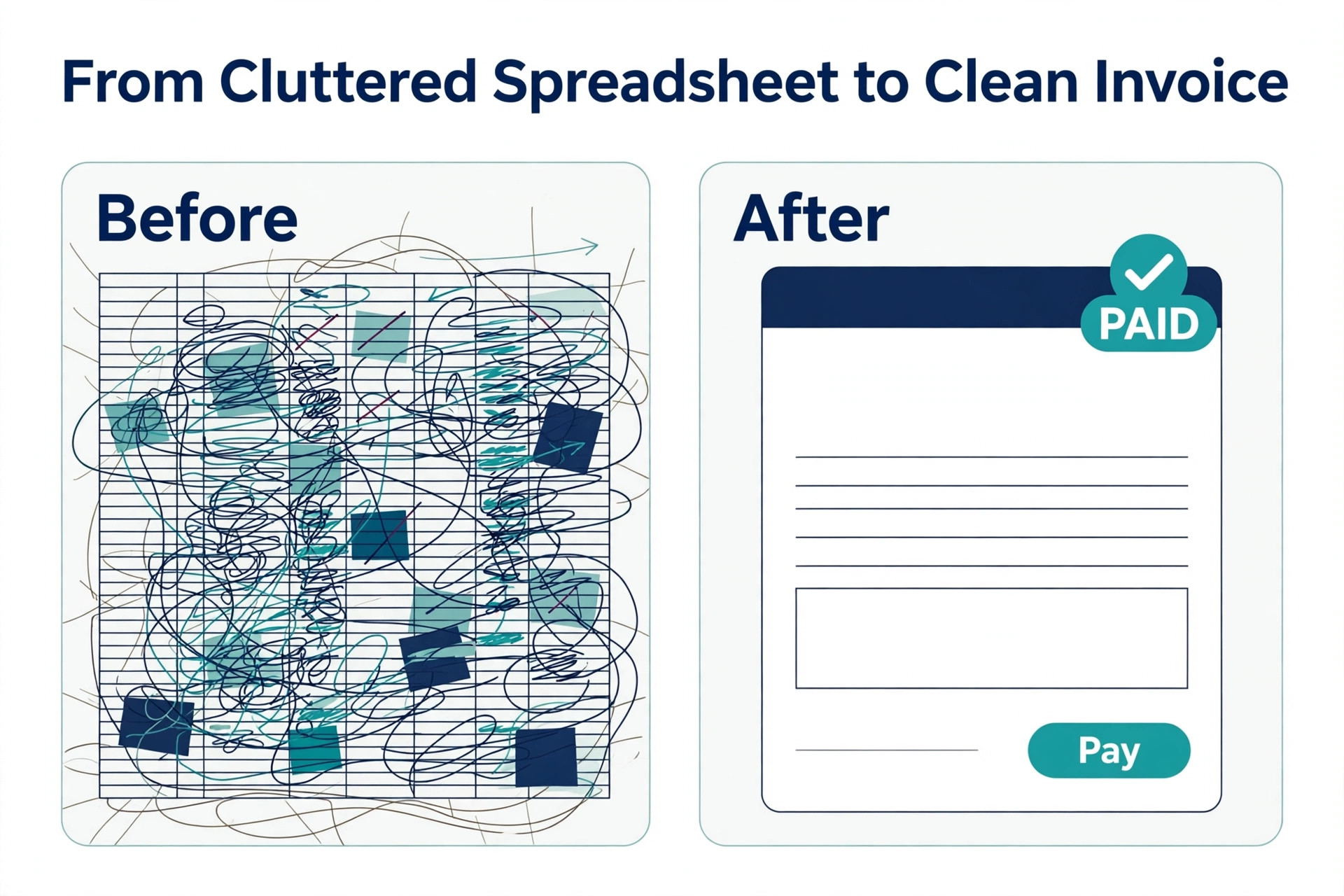
Spreadsheets fail quietly. A formula breaks and a total is wrong by a hundred dollars. A client changes their email and the invoice goes nowhere. A payment arrives and nobody records it, so the same client gets chased for money they already paid. None of these are dramatic failures, and that is the problem, because each one costs a little trust and a little time, and the total adds up to real money by the end of the year. Invoicing software exists to remove exactly these failure points, with one record per client, one record per invoice, and a payment status that updates itself.
The good news is that the move is smaller than it looks. Most invoicing tools import a client list from a CSV file in minutes, and the whole migration fits into a single weekend for a business with fewer than 100 clients. The expensive mistakes happen when people rush the move, skip the data cleanup, or pick a tool on price alone and discover six months later that it cannot handle recurring billing or multi currency invoices. This guide is built to prevent those three mistakes.
Why Spreadsheets Break as You Grow
A spreadsheet is a calculator, not a billing system, and the difference shows up the moment the business grows past a handful of clients. A billing system knows that an invoice has a status, and it moves that status from sent to viewed to paid without anyone touching it. A spreadsheet only knows what someone typed into it last, so the status is only as accurate as the last time someone remembered to update it. That gap is where unpaid invoices hide.
The second problem is reminders. A spreadsheet cannot send an email, so every reminder depends on a person remembering to send it, and people forget. Invoicing software sends a polite reminder on a schedule you set, and businesses that switch usually report faster payment, because the reminder goes out on day seven whether the owner is busy or not. FreshBooks, for example, is built around this idea, and its automated late fees and payment reminders are the reason many freelancers pick it over a cheaper tool.
The third problem is tax time. An accountant needs a clean record of income, expenses and outstanding invoices, and a spreadsheet gives them a pile of tabs with inconsistent labels. Invoicing software produces a profit and loss report, a tax summary and an aged receivables report in one click, and tools like QuickBooks Online and Xero go further, with bank feeds that match payments to invoices automatically. The hours saved at tax time alone often pay for a year of the software.
What to Move Before You Start
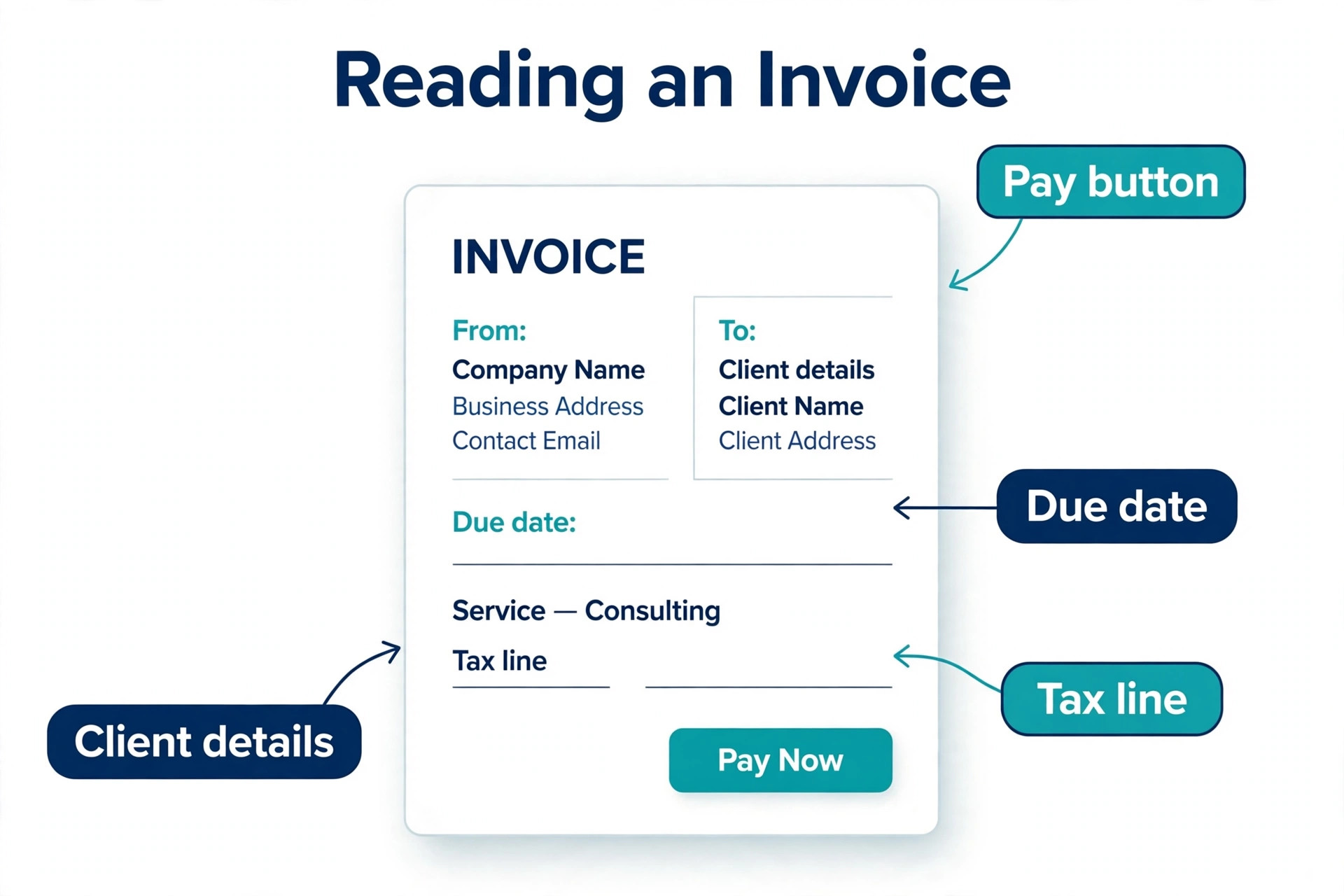
Before you touch any new tool, gather the four things it needs. First, the client list, with names, email addresses, billing addresses and any tax numbers. Second, the open invoices, meaning every invoice that has been sent but not yet paid, with the amount, the date and the payment terms. Third, the product and service list, with the rates you actually charge, because most spreadsheets hide rate changes in old rows. Fourth, the payment history for the current year, at least, because your accountant will ask for it and your new tool needs it to produce accurate reports.
Clean the client list before you import it, because the import will copy every duplicate and every typo exactly as it stands. Merge duplicate clients, fix the email addresses that bounce, and delete the clients you have not billed in two years. A clean list of 60 clients imports in minutes and works from day one. A dirty list of 200 rows with 40 duplicates creates a mess that takes longer to fix inside the new tool than it would have taken to clean in the spreadsheet.
Decide what not to move, too. Old paid invoices from three years ago can stay in the spreadsheet as an archive, because the new tool does not need them to work. What it needs is the current year, the open invoices and the active clients. Keeping the archive where it is also protects you, because if anything goes wrong during the move, the old records are still there untouched.
One decision that saves time later is to agree the cutover date before you start, because the switch from spreadsheets to invoicing software works best when everyone knows which day the new system takes over. Pick a Monday, tell your clients the change is coming, and send every invoice after that date from the new tool. A clear cutover date stops the two systems from running side by side, which is how invoices get sent twice or forgotten entirely.
How to Switch from Spreadsheets to Invoicing Software in 8 Steps
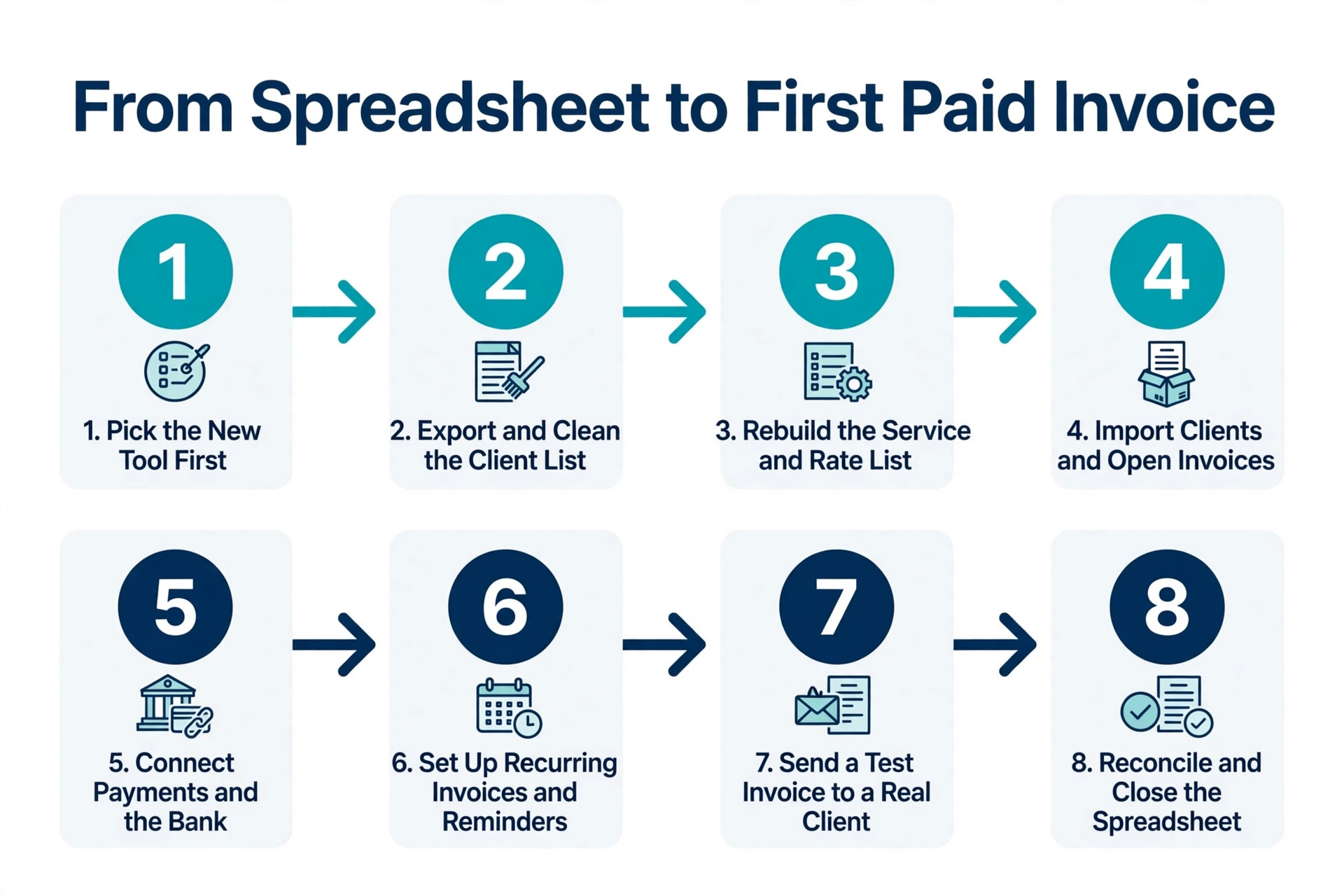
The eight steps below are the whole migration, in the order that causes the least disruption. Steps one to three are preparation and take about two hours. Steps four to six are the actual move and take about three hours for a business with fewer than 100 clients. Steps seven and eight are the checks that confirm nothing was lost. Do not skip the checks, because a migration that looks finished and is not will cost more than a migration that takes an extra hour.
Step 1. Pick the New Tool First
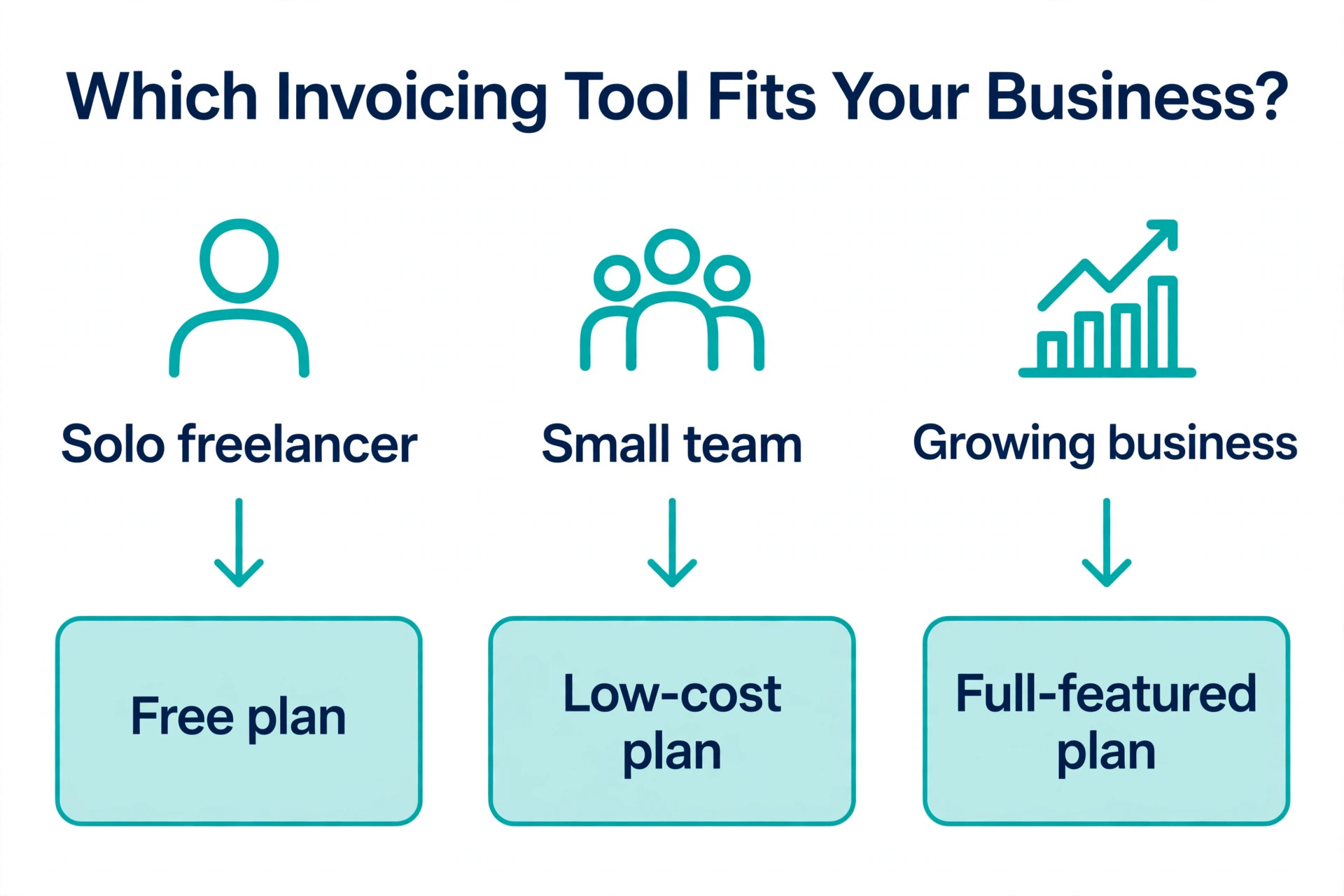
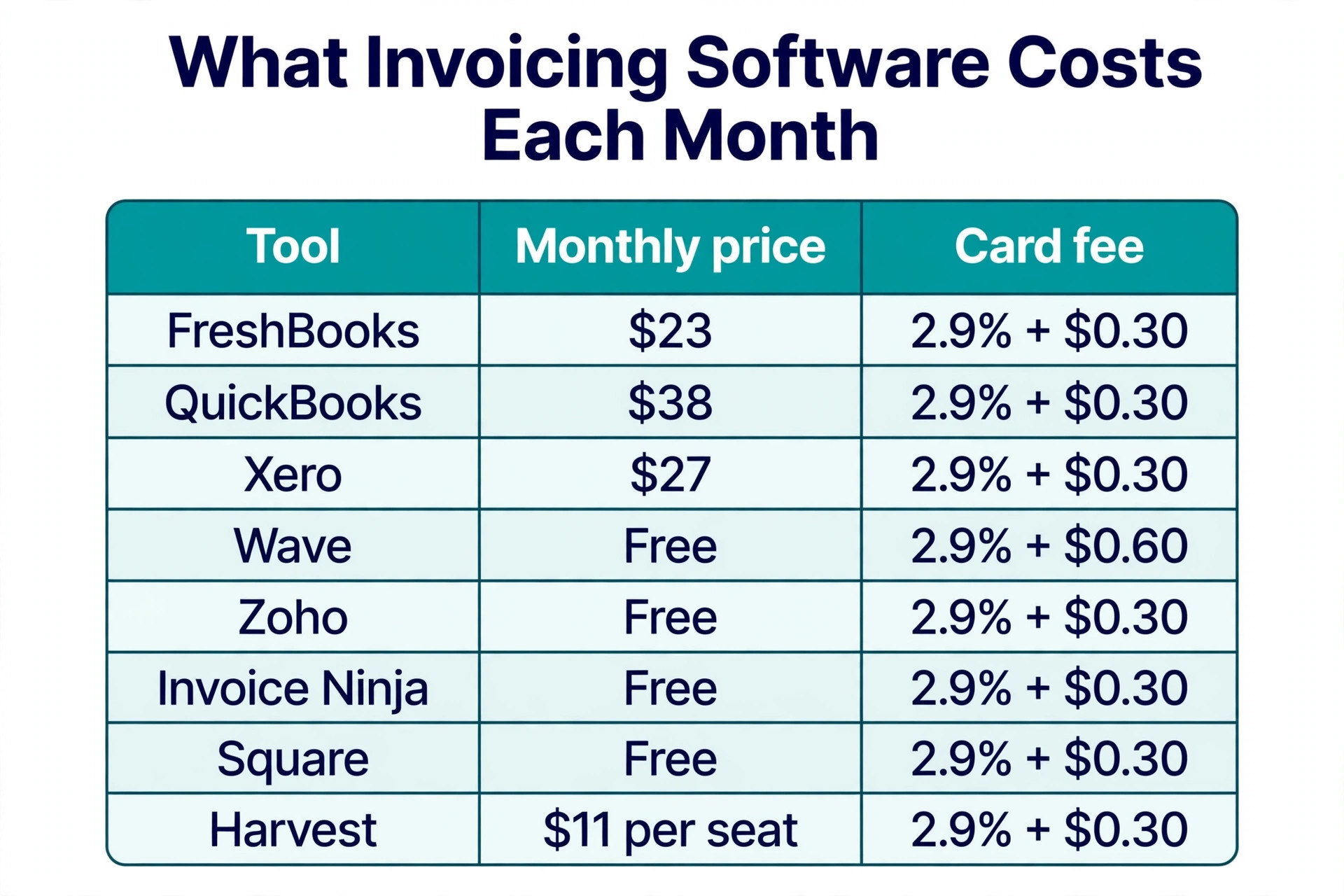
Choose the invoicing tool before you export anything, because the tool decides what format your data needs to be in. A freelancer who bills by the hour fits FreshBooks, which starts at 23 dollars a month for the Lite plan with five billable clients, and covers time tracking, estimates and payment reminders in one place. A business that needs full accounting behind the invoices fits QuickBooks Online, which starts at 38 dollars a month for Simple Start, or Xero, which starts at 27 dollars a month for the Early plan with unlimited users.
A business with no budget fits Wave or Zoho Invoice, because both offer genuinely free invoicing, with Wave adding free accounting and Zoho Invoice staying free with no paid tier at all. A business that bills for projects fits Harvest, which starts at 11 dollars per seat per month for the Pro plan and tracks time against each project. Read the comparison later in this guide before you decide, because switching tools twice costs more than choosing carefully once.
Step 2. Export and Clean the Client List
Export the client list from the spreadsheet as a CSV file, which is the format every invoicing tool accepts. Open the file and check four columns, the client name, the email address, the billing address and the payment terms. Fix the email addresses first, because a wrong email means the first invoice from the new tool goes nowhere, and the client will not tell you it never arrived.
Merge duplicates by keeping the row with the most complete information and deleting the rest, and standardise the payment terms, so that every client shows either 14 days or 30 days rather than a mix of Net 14, net 14 and 14 days. Save the cleaned file with a new name, and keep the original untouched as a backup. This step takes about an hour for 100 clients, and it is the step most people skip and most regret skipping.
Step 3. Rebuild the Service and Rate List
Open the spreadsheet and list every service you charge for, with the current rate beside it. Most spreadsheets hide old rates in old rows, so check the last three invoices for each service and use the rate on the most recent one. A rate that is wrong in the new tool will be wrong on every future invoice, and clients notice a price change faster than anything else.
Enter the services into the new tool before you import the clients, because the invoice import will ask which service each line belongs to, and an empty service list turns a quick import into a slow manual job. Include the tax treatment for each service if your business charges tax, because fixing tax on a hundred invoices after the fact is far harder than setting it once now. This step takes about 30 minutes, and it prevents the most common post migration complaint, which is invoices that look right but calculate wrong.
Step 4. Import Clients and Open Invoices
Import the cleaned client CSV into the new tool, and check the result before you go further. Count the clients in the new tool and compare the number with the spreadsheet, then open five client records at random and check the email address and the billing address on each one. When the counts match and the samples are correct, the import worked.
Then enter the open invoices, meaning every invoice that has been sent but not yet paid. Most tools let you import these from a CSV too, and the columns you need are the client name, the invoice number, the date, the amount and the due date. Keep the original invoice numbers, because a client who queries an invoice will quote the number from the spreadsheet, and a new number will confuse the conversation. Mark the due dates exactly as they stand, because the new tool will start sending reminders based on them.
Step 5. Connect Payments and the Bank
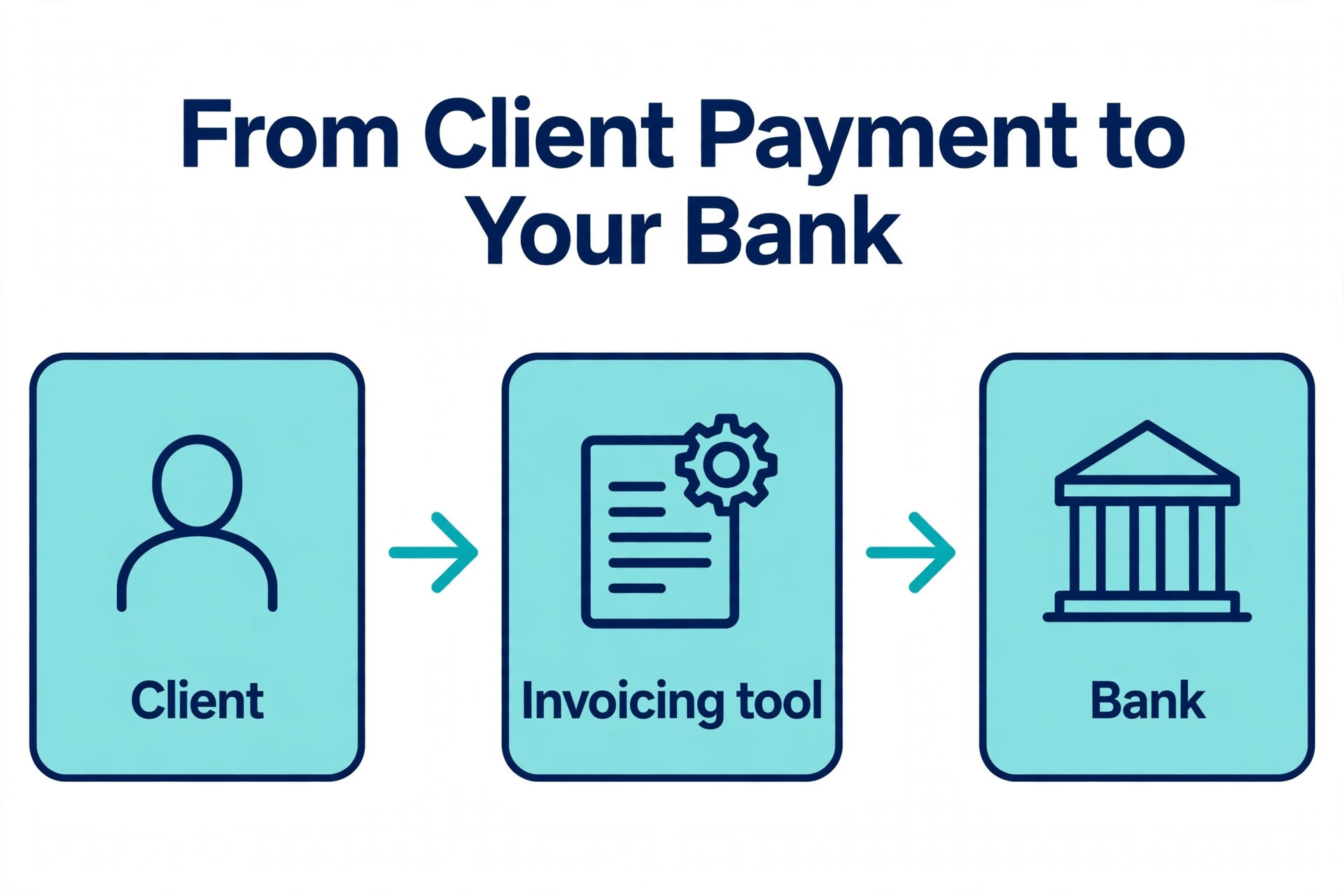
Connect a payment method so clients can pay from the invoice itself, because an invoice with a pay button gets paid faster than an invoice that asks for a bank transfer. Most tools charge around 2.9 percent plus 30 cents per card transaction, and Wave charges 2.9 percent plus 60 cents. FreshBooks, QuickBooks Online and Xero all support card and bank payments, and Square Invoices is the pick when the business already takes Square payments in person.
Connect the bank feed at the same time, so payments that arrive by transfer match to invoices automatically. QuickBooks Online and Xero do this well, and it is the feature that saves the most time after the move, because bank reconciliation drops from an hour a week to a few minutes. Test the payment link with a one dollar invoice to yourself before you send anything real, because a broken payment link on the first invoice from a new system is the worst possible first impression.
Step 6. Set Up Recurring Invoices and Reminders
Set up the recurring invoices before you send anything new, because this is the feature that pays for the software. A retainer client who gets billed the same amount every month should be on a recurring invoice, and a project client who pays in stages should be on a scheduled invoice for each stage. FreshBooks handles recurring billing from the Plus plan at 43 dollars a month, and QuickBooks Online and Xero include it on every plan.
Set the reminder schedule at the same time, and keep it polite. A reminder three days before the due date, a reminder on the due date, and a reminder seven days after it is the schedule most businesses use, and it works because it is consistent rather than aggressive. Add late fees only when you are ready to enforce them, because a late fee you never charge teaches clients that the deadline is flexible. Test the whole flow with a test client and a one dollar invoice, and watch the reminder arrive before you trust it with a real client.
Step 7. Send a Test Invoice to a Real Client
Pick one friendly client and send the first real invoice from the new tool. Tell them in advance that you have moved to a new invoicing system, and ask them to confirm that the invoice arrived and that the payment link works. This one test catches more problems than any amount of internal checking, because it tests the email deliverability, the invoice layout and the payment flow all at once.
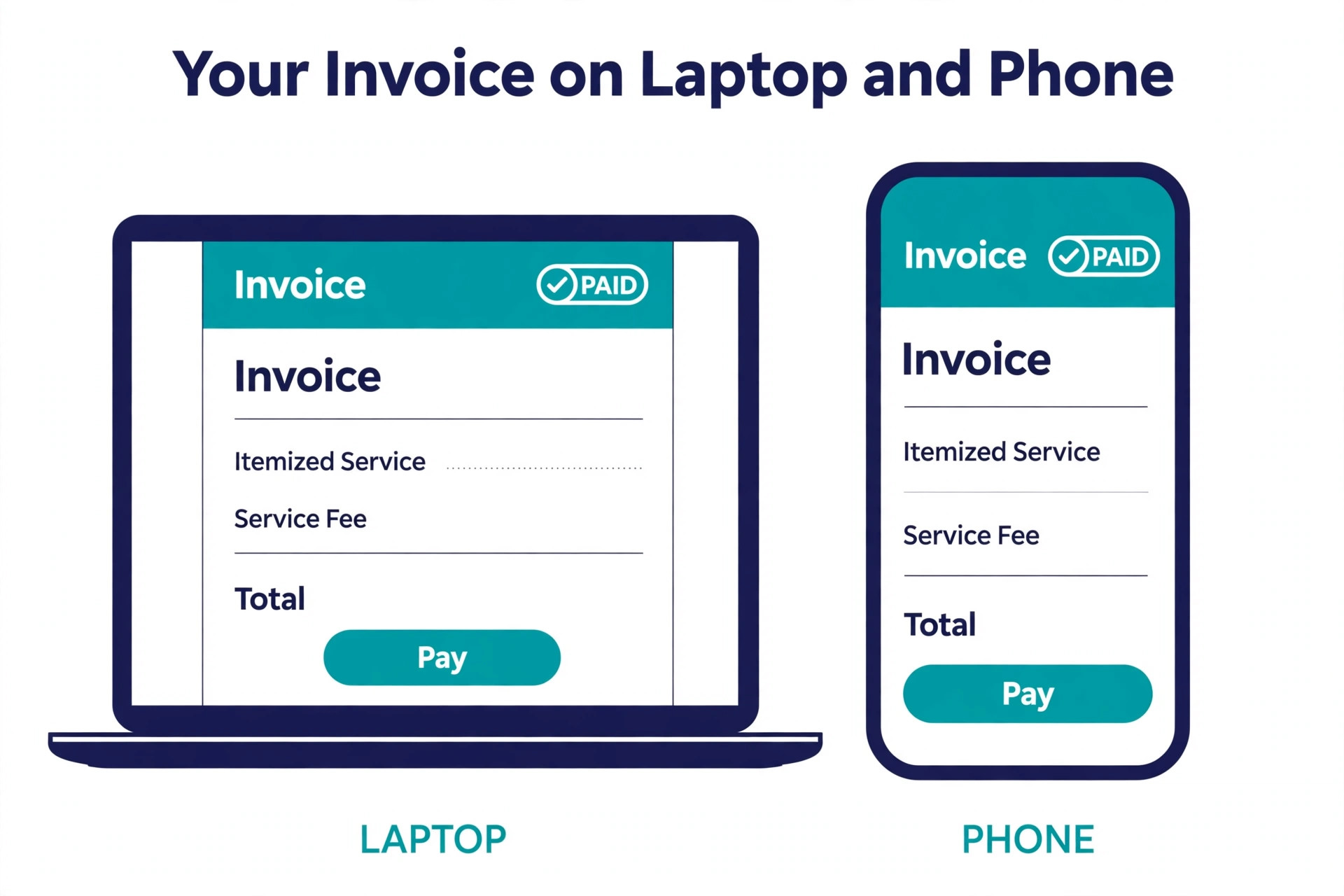
Check the invoice the client sees, not just the one you see in the dashboard. Open the payment link on a phone, because most clients pay from their phone, and a payment page that is hard to use on a small screen will cost you real money. When the test client pays without a problem, the system is ready. When they report a problem, fix it before you send the next invoice, because the first impression of a new system is the one clients remember.
Step 8. Reconcile and Close the Spreadsheet
Reconcile the new tool against the spreadsheet before you stop using the old one. The test is simple, and it has three numbers. The number of clients in the new tool must match the cleaned spreadsheet. The total value of open invoices in the new tool must match the total of unpaid invoices in the spreadsheet. The total income for the current year in the new tool must match the spreadsheet within a few dollars, allowing for any invoices you deliberately left in the archive.
When all three numbers match, mark the spreadsheet as an archive and stop adding to it. Keep the file, because your accountant may ask for it, but do not use it for new invoices, because two systems running at once is how invoices get sent twice. Set a date one month ahead to check the numbers again, and when they still match, the migration is finished.
Choosing the Right Invoicing Tool
| Tool | Best for | Starting price | Free plan |
|---|---|---|---|
| FreshBooks | Freelancers who bill by the hour | 23 dollars a month | 30 day trial |
| QuickBooks Online | Businesses that need full accounting | 38 dollars a month | 30 day trial |
| Xero | Teams where several people need access | 27 dollars a month | 30 day trial |
| Wave | Free invoicing with free accounting | Free | Yes |
| Zoho Invoice | Free invoicing with no paid tier | Free | Yes |
| Invoice Ninja | Free invoicing with open source roots | Free | Yes |
| Square Invoices | Businesses already taking Square payments | Free | Yes |
| Harvest | Agencies billing time against projects | 11 dollars per seat a month | Free for 1 seat |
FreshBooks is the best invoicing first pick for freelancers and service businesses, because invoicing, time tracking, expense capture, estimates and payment reminders are polished and genuinely easy. The Lite plan at 23 dollars a month covers five billable clients, Plus at 43 dollars a month covers 50 clients with bank reconciliation and double entry reports, and Premium at 70 dollars a month removes the client cap. The limit to know is the client cap on Lite, because a freelancer with six active clients must pay for Plus.
QuickBooks Online is the pick when the invoice is only half the job, because it is the accounting standard your accountant already knows. Simple Start at 38 dollars a month covers one user with invoicing and expense tracking, and the higher tiers add more users and deeper reporting. Xero is the alternative when several people need access, because every plan includes unlimited users, and the Early plan at 27 dollars a month covers 20 invoices a month. Wave and Zoho Invoice are the free picks, and Wave is the stronger of the two when you also want free accounting, while Zoho Invoice is the simpler tool when you only need invoices.
The Migration Checklist
- Choose the invoicing tool and confirm it handles your client count, your currency and your tax rules.
- Export the client list as a CSV file and clean it, merging duplicates and fixing email addresses.
- Rebuild the service and rate list from the most recent invoices, not from old spreadsheet rows.
- Import the cleaned clients, then count them and check five records at random.
- Import the open invoices with their original numbers, amounts and due dates.
- Connect card payments and the bank feed, then test the payment link with a one dollar invoice.
- Set up recurring invoices and the reminder schedule before sending anything new.
- Send a test invoice to one friendly client and confirm it arrives and the payment link works.
- Reconcile client count, open invoice total and year to date income against the spreadsheet.
- Archive the spreadsheet, stop adding to it, and recheck the numbers after one month.
What the Switch Really Costs
The software cost is the smallest part of the move, and that surprises most people who switch from spreadsheets to invoicing software for the first time. A paid plan runs from 23 to 43 dollars a month for most small businesses, and the free tools cost nothing for the software itself. Payment processing is the larger ongoing cost, at around 2.9 percent plus 30 cents per card transaction on most tools, and 2.9 percent plus 60 cents on Wave. A business that invoices 5,000 dollars a month and takes half of it by card pays about 75 dollars a month in processing fees, which is more than the software itself.
The hidden cost is time, and it is about six hours for a business with fewer than 100 clients, spread across a weekend. Two hours of preparation, three hours for the move itself, and one hour for the checks. The return on that time comes fast, because the first month of automatic reminders usually recovers at least one invoice that would have been forgotten, and one recovered invoice often pays for a year of the software. Businesses that switch usually find that the real cost of staying on spreadsheets was higher than the cost of moving, because the spreadsheet was quietly losing them money every month.
Mistakes That Cost Money
The most common mistake is importing dirty data, and it is the mistake that causes the most trouble after you switch from spreadsheets to invoicing software. A client list with duplicates and dead email addresses creates a new tool full of problems, and fixing them inside the tool takes longer than cleaning the spreadsheet would have taken. Spend the hour on cleanup before the import, because it is the cheapest hour in the whole migration.
The second mistake is running two systems at once. A business that sends some invoices from the spreadsheet and some from the new tool will eventually send one invoice twice, or forget one entirely, and the client will notice before the owner does. Pick a cutover date, send everything new from the tool after that date, and keep the spreadsheet as an archive only.
The third mistake is choosing on price alone. A free tool that cannot handle recurring billing will cost more in manual work than a 23 dollar plan that handles it, and a tool without bank feeds will cost more in reconciliation time than the monthly saving is worth. Match the tool to the way you actually bill, not to the lowest sticker price.
Our Verdict
The switch from spreadsheets to invoicing software pays for itself in the first month for most small businesses, because automatic reminders recover forgotten invoices and a payment link on every invoice gets money in faster. FreshBooks at 23 dollars a month is the pick for freelancers who bill by the hour, QuickBooks Online at 38 dollars a month is the pick for businesses that need full accounting, and Wave is the pick when the budget is zero and free invoicing plus free accounting is enough.
Start the move on a Friday evening, work through the eight steps across the weekend, and send the first real invoice on Monday. The migration is not a technical project, it is a data cleanup project with a software change at the end, and the businesses that treat it that way finish it in a weekend and never go back to the spreadsheet.
Frequently Asked Questions
How long does it take to switch from spreadsheets to invoicing software?
For a business with fewer than 100 clients, the move takes about six hours spread across a weekend. Preparation takes about two hours, the import and setup take about three hours, and the reconciliation checks take about one hour. Larger businesses with hundreds of clients should allow a full week, because the data cleanup takes longer. The fastest way to finish is to clean the client list before you start, because a clean import works the first time and a dirty import does not.
Will I lose my old invoices when I switch?
No, you will not lose them if you follow the steps in this guide. The old invoices stay in the spreadsheet as an archive, and you import only the open invoices and the current year history into the new tool. Keep the original spreadsheet file untouched as a backup, and keep the cleaned CSV export as well. Your accountant can still work from the archive, and the new tool only needs the current data to produce accurate reports.
Which invoicing software is best for freelancers?
FreshBooks is the best pick for freelancers who bill by the hour, because invoicing, time tracking, expense capture and payment reminders are built into one product, and the Lite plan at 23 dollars a month covers five billable clients. Wave is the best free pick for freelancers who want invoicing and accounting at no monthly cost. Harvest is the best pick for freelancers who bill time against projects, because it tracks hours per project and turns them into invoices. The right choice depends on whether you bill by the hour, by the project or by retainer.
Can I import my client list from a spreadsheet?
Yes, every major invoicing tool accepts a CSV import of the client list, and most also accept a CSV import of open invoices. Export the list from the spreadsheet as a CSV file, check that the name, email address, billing address and payment terms columns are correct, and import it into the new tool. Count the clients after the import and check five records at random, because an import that looks right can still hide a truncated column or a shifted field.
How much does invoicing software cost per month?
Most small businesses pay between zero and 43 dollars a month for the software. Wave, Zoho Invoice, Invoice Ninja and Square Invoices all offer free invoicing, FreshBooks starts at 23 dollars a month, Xero starts at 27 dollars a month, and QuickBooks Online starts at 38 dollars a month. Payment processing is a separate cost, at around 2.9 percent plus 30 cents per card transaction on most tools. A business that invoices 5,000 dollars a month and takes half by card pays about 75 dollars a month in processing fees.
Do I need accounting software as well as invoicing software?
It depends on how your business is set up. When you only need to send invoices and track payments, an invoicing first tool like FreshBooks, Wave or Zoho Invoice is enough. When you need bank reconciliation, payroll, inventory or a full set of financial reports for an accountant, a full accounting platform like QuickBooks Online or Xero is the better choice, because invoicing is built into it. Many businesses start with an invoicing tool and move to full accounting when the business grows, and that is a reasonable path as long as the invoicing tool exports clean data.
Moving off spreadsheets is a weekend of work that pays you back every month after it. Clean the data, pick the tool that fits how you bill, test it with one friendly client, and reconcile before you close the old file. The businesses that switch from spreadsheets to invoicing software rarely go back, because getting paid on time without chasing anyone is the kind of change you notice in the first month.