A creator who sells 1,560 dollars of digital products a month pays about 187 dollars a month in platform fees on the Linktree free plan, and about 140 dollars a month on the Beacons free plan. On the paid plans the gap is just as real, because the fee only drops to zero on Linktree Premium at 35 dollars a month and on Beacons Creator Plus at 30 dollars a month. The switch from linktree to beacons for creators is a money decision first and a design decision second, because Beacons gives a free plan user a media kit, an email sender and Instagram auto messages that Linktree keeps behind paid tiers.
This guide walks you through the move in eight steps, shows the real fee maths, and tells you what to check before you change the link in your bio.
Linktree is a link page first, with selling added on. Beacons is a creator toolkit first, with a link page, a store, email, a media kit and AI tools in one app. That difference is why the switch appeals to creators who sell, because the page that used to send people elsewhere now takes the payment, captures the email and updates the media kit without a second tool. A creator who only shares links and never sells will not feel the difference, and should think twice before moving.
The move itself is smaller than most creators expect, and the hard part is not technical. Linktree has no full export button, so the links, the products and the email list must be moved by hand, and that manual work is where things get lost. The eight steps below cover each piece in order, so the new page is live and tested before the old one comes down, and no sale or subscriber disappears in the gap between the two.
Why Creators Switch to Beacons
The first reason is the fee. Linktree charges 12 percent on digital product and course sales on the free plan, 9 percent on Starter and Pro, and zero only on Premium at 35 dollars a month. Beacons charges 9 percent on the free plan and on Creator at 10 dollars a month, and zero on Creator Plus at 30 dollars a month and on Creator Max.
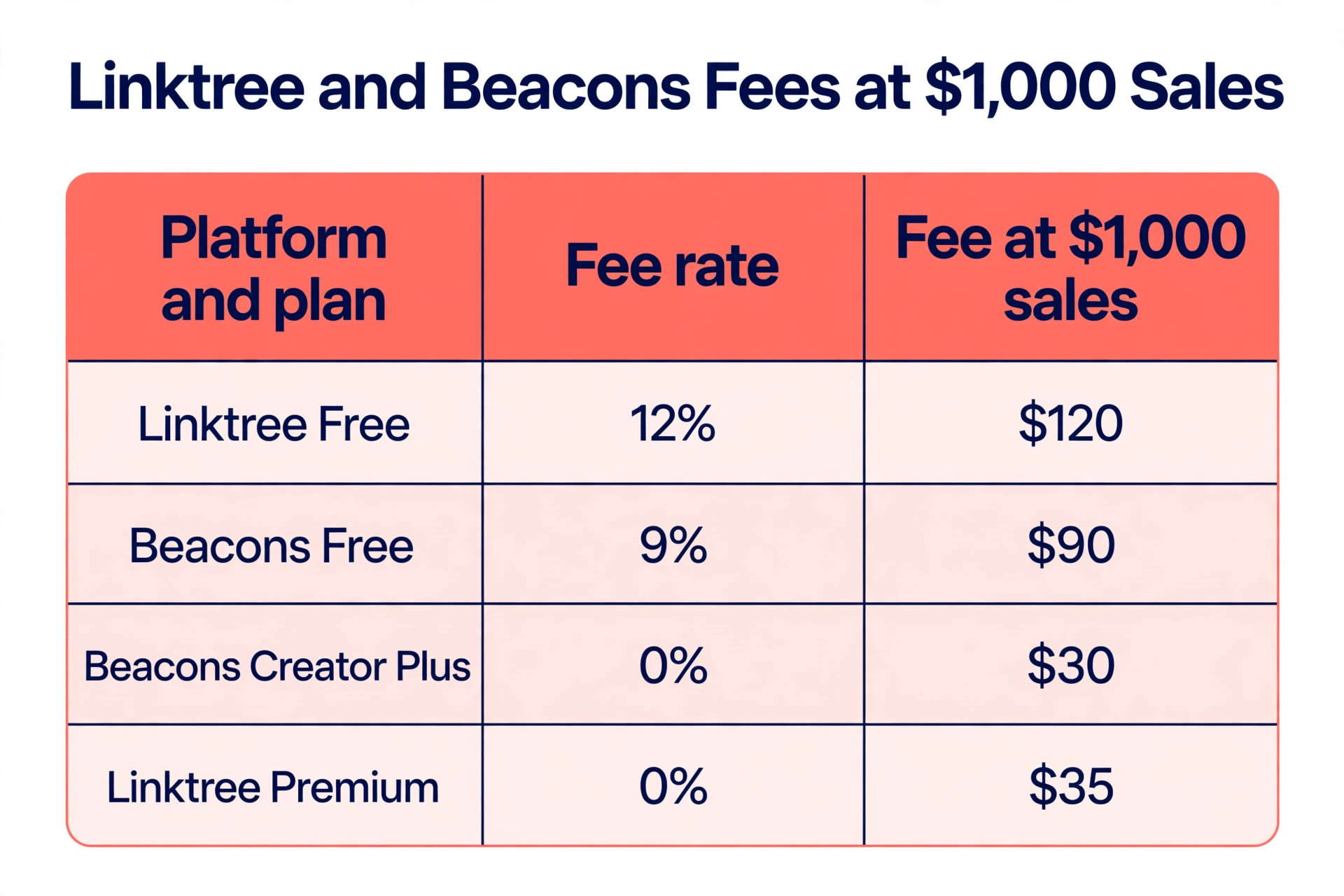
A creator selling 1,000 dollars a month pays 120 dollars on Linktree free and 90 dollars on Beacons free, a difference of 30 dollars a month for the same sales. At 1,560 dollars a month the difference is about 47 dollars a month, which is more than the cost of the Beacons Creator plan itself.
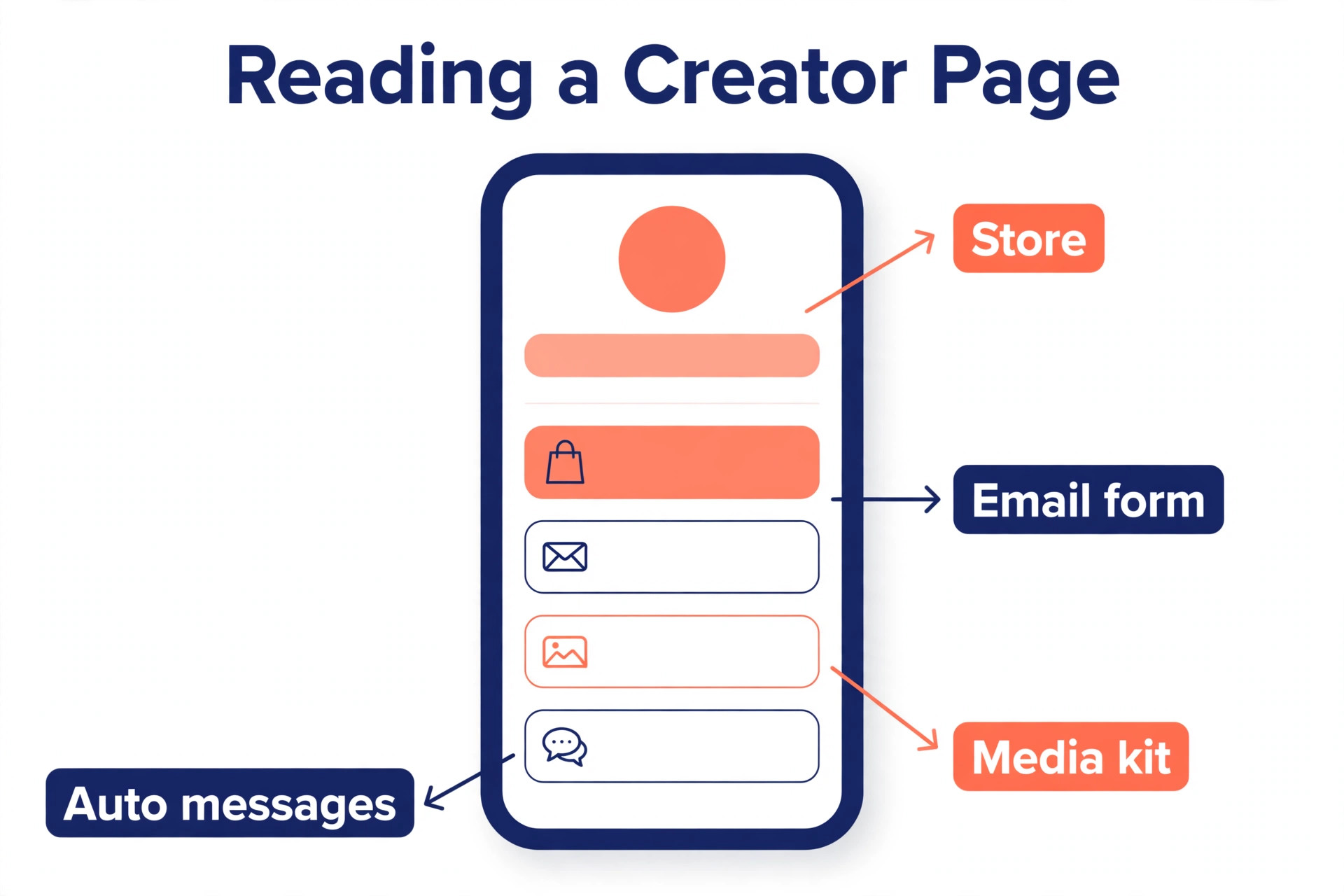
The second reason is what the free plan includes. Beacons free gives the creator a store, a media kit with rate cards and invoices, 50 email sends a month, 30 daily AI credits and Instagram auto messages on every plan. Linktree free gives unlimited basic links, product sales and brand offers, but no email capture tool of its own, no media kit and no auto messages. A creator who pitches brand deals will feel the media kit most, because Beacons updates it automatically with follower counts and rates, while Linktree leaves the creator to build a media kit in another tool.
The third reason is the ceiling. Beacons Creator Plus at 30 dollars a month unlocks courses, memberships, unlimited email sends and zero percent fees, which is a full creator business in one subscription. Linktree Premium at 35 dollars a month removes the fee and adds advanced analytics, but it does not include courses, memberships or unlimited email, so a creator who wants those must buy a second tool. Beacons fits creators who sell. Linktree fits creators who only share links, and for them the switch from linktree to beacons for creators is not worth the effort.
What to Move Before You Start
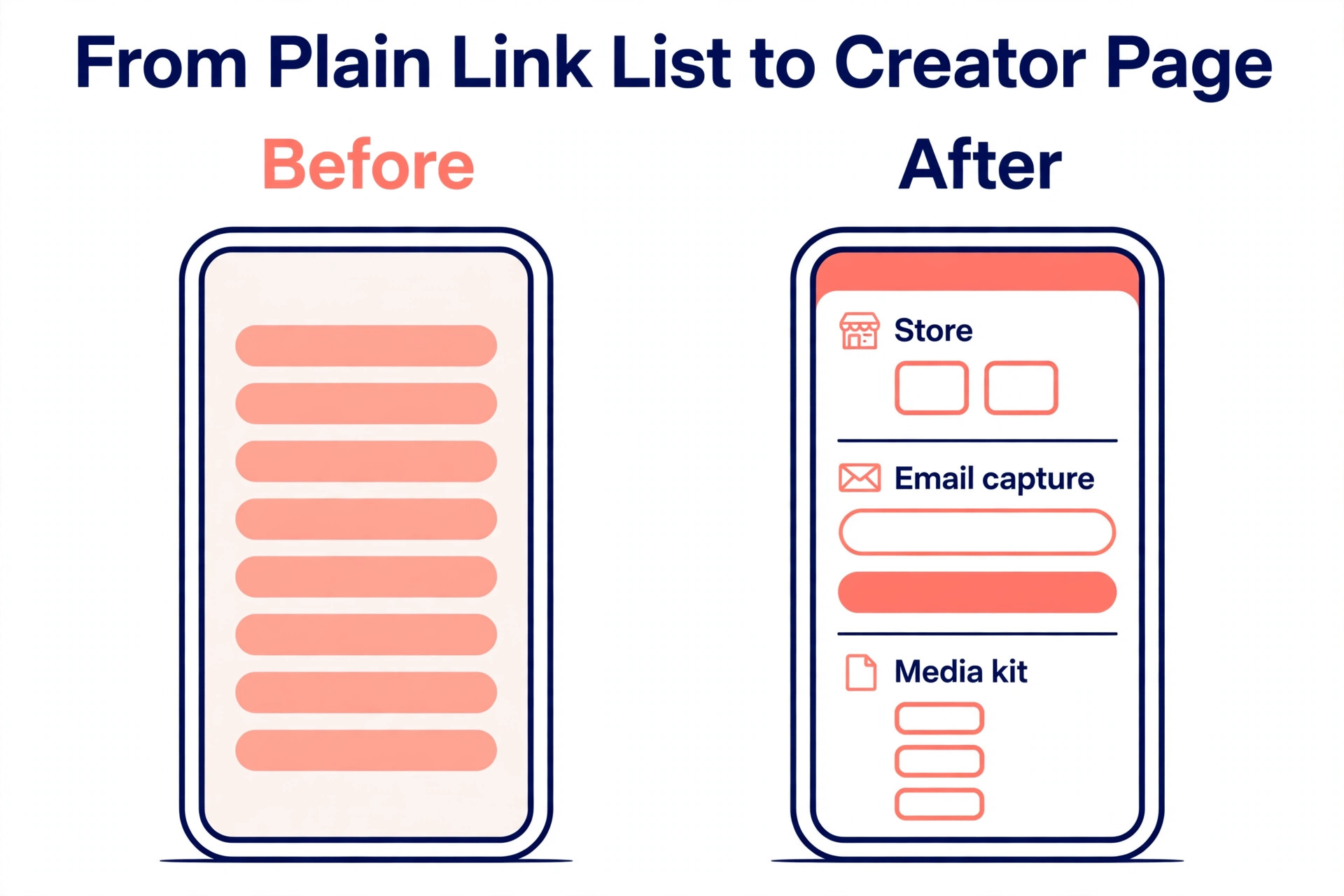
Before you touch Beacons, gather the four things it needs. First, the link list, meaning every link on the Linktree page, with the exact destination address and the display text. Open the Linktree page in a browser, copy each link into a document, and check that every destination still works, because a dead link copied to the new page is a dead link twice. Second, the email list, meaning every subscriber captured through Linktree, exported as a CSV file where the plan allows it, and the welcome message those subscribers expect.
Third, the products, meaning every digital product, course and paid booking on the Linktree page, with the price, the description and the delivery file. Beacons needs the files re uploaded, because there is no import for product files, so find the original files before you start rather than hunting for them mid move. Fourth, the brand assets, meaning the profile photo, the background image, the colours and the custom domain settings, because the new page should look like the same creator from the first minute it goes live.
Decide what not to move, too. Old links to expired promotions, dead collaborations and products you no longer sell should stay behind, because the move is the best chance to clean the page. A link page with eight live links earns more clicks than a page with 30 links, half of which go nowhere. Keep the old Linktree page live until the Beacons page is tested, because the bio link is the only door your audience has, and it must never lead to a half built page. That single rule is the one that saves most creators from a bad first week after they switch from linktree to beacons for creators.
How to Switch from Linktree to Beacons for Creators in 8 Steps
The eight steps below are the whole migration, in the order that causes the least disruption. Steps one to three are preparation and take about an hour. Steps four to six are the actual move and take about two hours for a creator with fewer than 20 links and a handful of products. Steps seven and eight are the checks that confirm nothing was lost. Do not change the bio link until step seven is done, because a bio link that points to an unfinished page costs followers and sales.
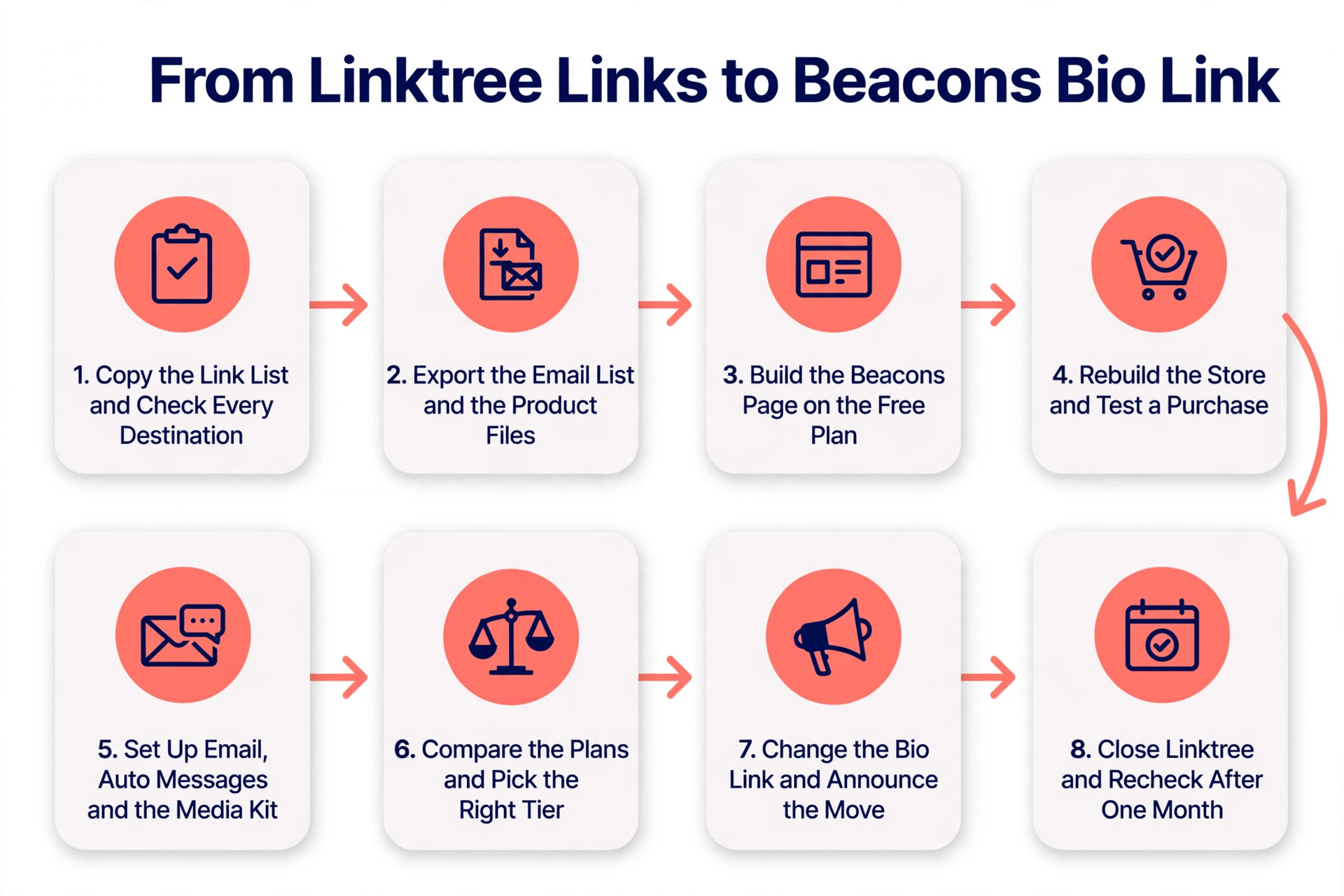
Step 1. Copy the Link List and Check Every Destination
Open the Linktree page and copy every link into a document, with the display text beside the destination address. Click each destination and confirm it loads, because a link that broke months ago will not fix itself in the move. Delete the dead links, the expired promotions and the products you no longer sell, and keep the eight to 12 links that earn the clicks.
Sort the surviving links by priority, with the product or offer that earns the most money at the top, followed by the newest content, then the social profiles. Linktree and Beacons both let you reorder links by dragging, but a sorted list on paper makes the rebuild in Beacons take minutes rather than an hour. Save the document, because it is also the backup of the old page, and you will need it again if anything goes wrong.
Step 2. Export the Email List and the Product Files
Export the email list from Linktree as a CSV file, if the plan allows it, and save the file in a safe place. Check the row count against the subscriber number shown in the Linktree dashboard, because an export that silently drops rows is worse than no export at all. When Linktree does not allow an export on the free plan, copy the subscriber count and the welcome message, and plan to rebuild the list from the new Beacons capture form, because the subscribers themselves are not lost, only the list history is.
Gather the product files at the same time, meaning the digital downloads, the course videos and the preset packs, with the price and the description for each one. Beacons needs the files uploaded again, so find the originals now rather than searching for them while the new page is half built. Write down the price of each product exactly as it stands, because a price that changes during the move will confuse buyers who saw the old price yesterday.
Step 3. Build the Beacons Page on the Free Plan
Create the Beacons account and build the page on the free plan first, because the free plan is enough to test everything that matters. Add the profile photo, the bio and the background, then add the links from the document you made in step one, in the same priority order. Turn on the email capture form, because Beacons includes it on the free plan with 50 sends a month, and it is the feature Linktree free does not offer.
Add the media kit, because Beacons builds it automatically from the connected social accounts, and check that the follower counts and the rates are correct. Connect the custom domain if you have one, because Beacons includes a free custom domain from the Creator plan at 10 dollars a month, while Linktree does not list a custom domain on its pricing page. Keep the page unpublished or unlinked while you build, because nobody should find it before it is ready.
Step 4. Rebuild the Store and Test a Purchase
Add the products to the Beacons store one by one, with the same price, description and delivery file as the Linktree versions. Set the store currency and the payout account, because Beacons pays out through Stripe, and the payout details must be correct before the first sale. Check the fee on the plan you are using, because the free plan and the Creator plan both charge 9 percent on sales, and only Creator Plus at 30 dollars a month drops the fee to zero.
Test the store with a real purchase before you tell anyone the page exists. Buy the cheapest product yourself, confirm the payment goes through, confirm the delivery file arrives, and confirm the payout shows in Stripe. A store that has never been tested will fail at the worst moment, which is the first time a real buyer tries it. When the test purchase works, the store is ready, and the fee on the test sale is the cheapest insurance in the whole migration.
Step 5. Set Up Email, Auto Messages and the Media Kit
Set up the Beacons email sender with a welcome message for new subscribers, because the welcome email is the first thing a new subscriber reads, and it should say what the list is for and how often it arrives. Import the exported email list if you have one, and send a short message to the list explaining the move, so subscribers know the new page is the same creator they already follow.
Turn on the Instagram auto messages, because Beacons includes them on every plan, and they reply to comments and messages automatically while you are away. Update the media kit with the current rates and the services you offer, because brand deals are the income that grows fastest after the switch, and an up to date media kit is what turns an inquiry into a paid deal. Check the analytics, because Beacons shows real time analytics on every plan, while Linktree keeps advanced analytics behind the Pro and Premium tiers.
Step 6. Compare the Plans and Pick the Right Tier
Compare the Beacons plans before you pay, because the middle tier is the one to avoid. The free plan costs nothing and charges 9 percent on sales, with 30 daily AI credits, 50 email sends a month and unlimited products. The Creator plan costs 10 dollars a month, or 8.33 dollars a month billed annually, and still charges 9 percent on sales, adding a free custom domain, 500 email sends and advanced search optimisation. The Creator Plus plan costs 30 dollars a month, or 25 dollars a month billed annually, and drops the fee to zero, adding courses, memberships, unlimited email sends and full affiliate commissions.
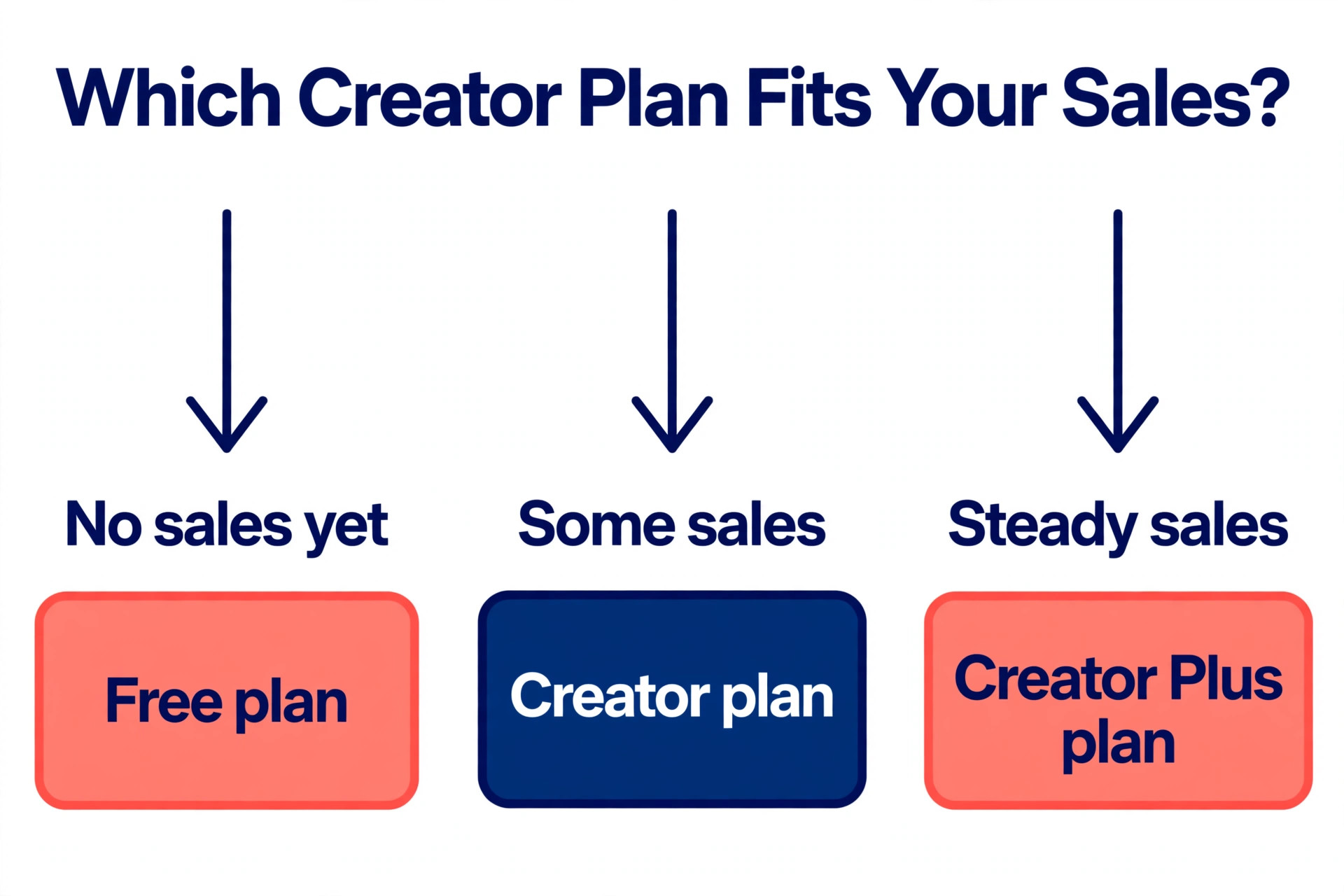
The maths decides the tier. At 1,000 dollars of monthly sales, the free plan costs 90 dollars in fees, the Creator plan costs 100 dollars in fees plus the subscription, and Creator Plus costs 30 dollars with no fees. A creator selling more than about 350 dollars a month saves money on Creator Plus, because the fee saving covers the subscription. A creator selling less than that should stay on the free plan and keep the 9 percent fee, because the subscription would cost more than the fee it removes.
Step 7. Change the Bio Link and Announce the Move
Change the link in the Instagram, TikTok and YouTube bios to the new Beacons page, and do it on a quiet day rather than in the middle of a launch. Check the link from a phone, because most followers tap it from a phone, and a page that looks right on a laptop can be hard to use on a small screen. Tap every link on the new page from the phone and confirm each destination loads, because the bio link is the only door the audience has, and a broken link there costs followers.
Announce the move in a post or a story, and say plainly that the page has moved and that the products, the email list and the links are all in the new place. Keep the announcement short, because followers care that the links work, not why the tool changed. Watch the analytics for the first week, and compare the clicks with the Linktree numbers from the previous week, because a sharp drop means a link is broken or the page is confusing, and both are fixable in minutes when caught early.
Step 8. Close Linktree and Recheck After One Month
Keep the Linktree page live for one week after the bio link changes, because some followers will have the old page bookmarked or cached, and a live old page with a note pointing to the new one catches them. After a week, downgrade the Linktree plan to free if you were paying, and cancel the paid plan so the subscription stops. Do not delete the Linktree account yet, because the old analytics and the old product history are useful for comparison, and a deleted account cannot be recovered.
Recheck the numbers after one month, and compare three figures with the Linktree month before the move. The clicks from the bio link should be the same or higher. The sales should be the same or higher, and the fees should be lower. The email list should be growing, because the Beacons capture form works on the free plan. When all three figures look right, the migration is finished, and the old account can be closed.
Linktree and Beacons Plans Compared
| Platform | Plan | Monthly price | Fee on sales | What the tier adds |
|---|---|---|---|---|
| Linktree | Free | 0 dollars | 12 percent | Unlimited basic links, product sales |
| Linktree | Starter | 8 dollars | 9 percent | Personalised page, basic analytics |
| Linktree | Pro | 15 dollars | 9 percent | Advanced analytics, mailing list integrations |
| Linktree | Premium | 35 dollars | 0 percent | Advanced analytics, unlimited auto replies |
| Beacons | Free | 0 dollars | 9 percent | Store, media kit, 50 email sends a month |
| Beacons | Creator | 10 dollars | 9 percent | Free custom domain, 500 email sends |
| Beacons | Creator Plus | 30 dollars | 0 percent | Courses, memberships, unlimited email |
| Beacons | Creator Max | 90 dollars | 0 percent | Everything in Creator Plus, higher limits |
The table shows the decision clearly. Linktree free charges 12 percent, which is the highest fee on either platform, and Beacons free charges 9 percent with more features included. The cheapest tier that removes the fee is Beacons Creator Plus at 30 dollars a month, against Linktree Premium at 35 dollars a month, so Beacons is 5 dollars a month cheaper at the top and includes courses, memberships and unlimited email that Linktree Premium does not. The middle tiers on both platforms are the ones to avoid, because they charge a monthly subscription and still take 9 percent of every sale.
What the Switch Really Costs
The switch costs nothing when the creator stays on the free plan, because Beacons free costs zero dollars a month and charges 9 percent on sales, against Linktree free at 12 percent. A creator selling 1,000 dollars a month saves 30 dollars a month on the free plan alone, and a creator selling 1,560 dollars a month saves about 47 dollars a month. The only cost is time, about three hours for the whole move, and that time pays for itself in the first month of lower fees. That is the whole case for the switch from linktree to beacons for creators in one paragraph, lower fees from the first sale with no subscription to buy.
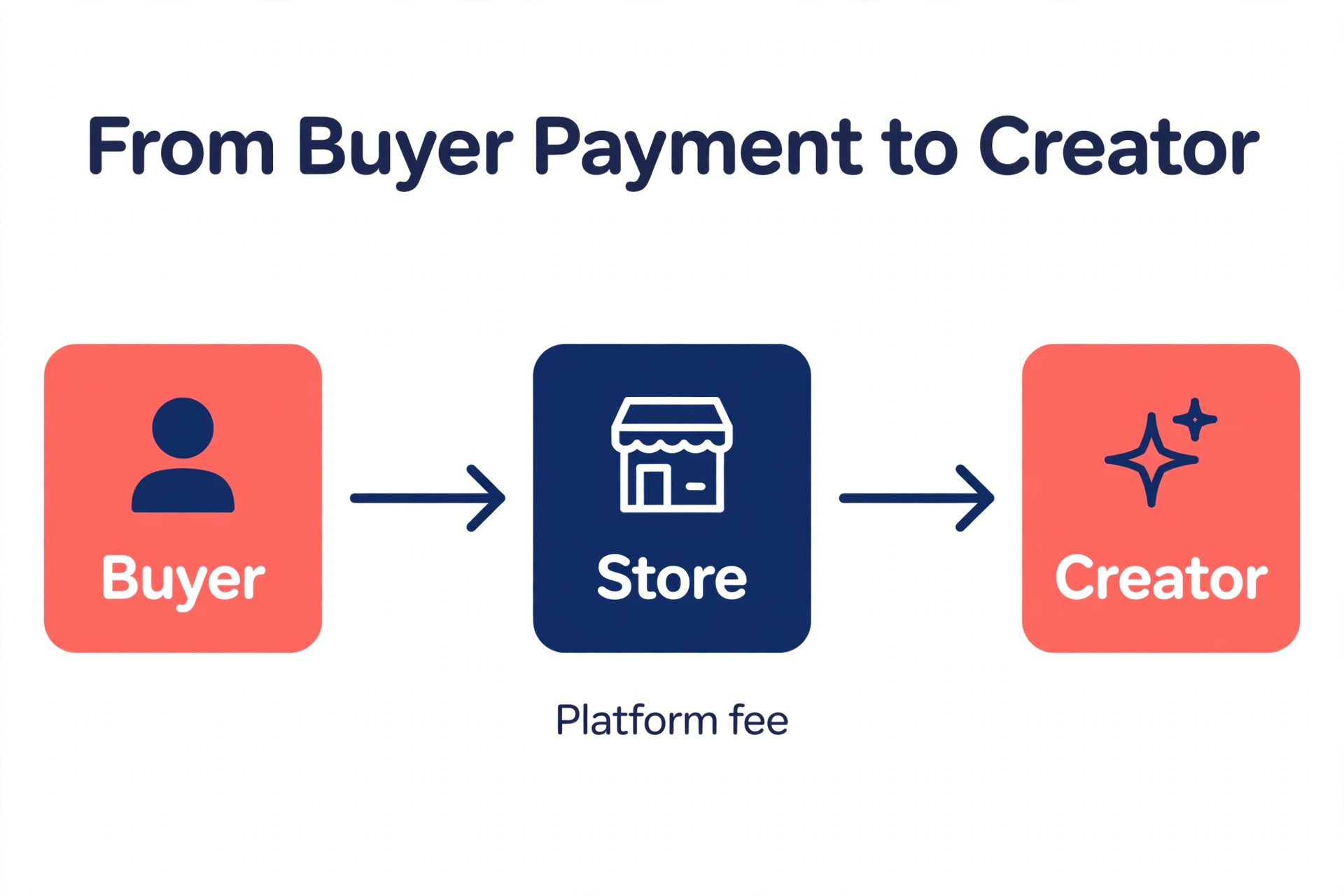
The paid plan maths is just as clear. Beacons Creator Plus at 30 dollars a month removes the fee entirely, so a creator selling 1,000 dollars a month pays 30 dollars instead of 90 dollars on Beacons free or 120 dollars on Linktree free. Linktree Premium at 35 dollars a month also removes the fee, so the difference between the two top tiers is 5 dollars a month plus the features, and Beacons includes the courses, memberships and unlimited email that Linktree does not. Card processing of about 2.9 percent plus 30 cents per sale applies on both platforms through Stripe, and it is left out of the fee numbers above, because it is the same on both.
Mistakes That Cost Money
The most common mistake is changing the bio link before the new page is tested. A bio link that points to a half built page costs followers and sales, and the followers who tap it once and find a broken page rarely tap it again. Test every link, test a real purchase, and check the page on a phone before you change the bio, because the bio link is the only door the audience has.
The second mistake is paying for the middle tier. Both platforms charge a monthly subscription on the middle plans and still take 9 percent of every sale, so the creator pays twice, once for the subscription and once in fees. When the sales pass about 350 dollars a month, move straight to the tier that removes the fee, and when the sales are below that, stay on the free plan. The middle tier is the most expensive way to run either platform.
The third mistake is forgetting the email list. Creators who rebuild the links and the store but never export the subscribers lose the most valuable asset they own, because an email list is the only audience no platform can take away. Export the list before the move, import it into Beacons, and send the welcome message on the first day, because a list that goes quiet for a month is a list that stops opening. Every guide to the switch from linktree to beacons for creators puts the email list first for this reason, and the creators who skip it are the ones who regret the move.
Our Verdict
Beacons is the better buy for a creator who sells, because Creator Plus at 30 dollars a month removes the 9 percent seller fee and unlocks courses, memberships and unlimited email sends, which Linktree Premium at 35 dollars a month does not include. The free plan is also better, because Beacons free charges 9 percent against Linktree free at 12 percent, and throws in a media kit, email sends and Instagram auto messages. Linktree is the better buy for a creator who does not sell, because its free plan is cleaner and its brand is instantly recognised, and the switch is not worth three hours of work for links alone.
The switch from linktree to beacons for creators pays for itself in the first month for anyone selling more than a few hundred dollars a month, because the fee saving alone covers the time spent moving. Build the Beacons page on the free plan, test a real purchase, change the bio link on a quiet day, and recheck the numbers after a month. When the clicks, the sales and the fees all look right, the move is done, and the old page can go.
Frequently Asked Questions
How long does it take to switch from Linktree to Beacons?
For a creator with fewer than 20 links and a handful of products, the move takes about three hours. Preparation takes about an hour, building the Beacons page and the store takes about two hours, and the checks take a few minutes. Creators with dozens of products or a large email list should allow a full afternoon, because re uploading the product files takes the longest. The fastest way to finish is to copy the link list and gather the product files before you start, because hunting for files mid move is what turns three hours into a whole day.
Will I lose my links or followers when I switch?
No, you will not lose your followers, because the followers belong to Instagram, TikTok and YouTube, not to Linktree. The links themselves must be rebuilt by hand, because Linktree has no full export, so copy each link into a document before you start and check that every destination still works. The followers will find the new page as soon as the bio link changes, and the old page can stay live for a week with a note pointing to the new one, so nobody gets lost in the gap between the two.
Is Beacons really cheaper than Linktree?
Yes, for creators who sell, Beacons is cheaper at every tier. Beacons free charges 9 percent on sales against Linktree free at 12 percent. Beacons Creator Plus at 30 dollars a month removes the fee entirely, against Linktree Premium at 35 dollars a month, so Beacons is 5 dollars a month cheaper at the top. A creator selling 1,000 dollars a month pays 90 dollars in fees on Beacons free, 120 dollars on Linktree free, and 30 dollars on Beacons Creator Plus with no fees. Card processing of about 2.9 percent plus 30 cents per sale applies on both platforms through Stripe.
Can I keep my custom domain when I switch to Beacons?
Yes, Beacons includes a free custom domain from the Creator plan at 10 dollars a month, and you can connect a domain you already own by updating the DNS settings with your domain registrar. Linktree does not list a custom domain on its pricing page, so a creator who wants a custom domain will find Beacons the easier option. Update the DNS settings before you change the bio link, and check that the domain loads the new page, because a domain that still points at the old page will confuse followers.
Does Beacons have a media kit and email tools?
Yes, and these are the features that make the switch worthwhile for creators who pitch brand deals. Beacons includes an auto updating media kit on every plan, with rate cards and invoices, so the follower counts and the rates stay current without manual work. The email tools include a capture form and a native sender, with 50 sends a month on the free plan, 500 on Creator, and unlimited sends from Creator Plus. Linktree collects emails and phone numbers, and offers mailing list integrations from Pro, but it has no native sender and no media kit on its pricing page.
Should I switch to Beacons if I do not sell anything?
Probably not, because the switch is a money decision first, and a creator who does not sell gains nothing from the lower fees. Linktree free is cleaner, its brand is instantly recognised, and a page of links works the same on either platform. Beacons is worth the move when the creator sells products, runs a course or a membership, captures emails, or pitches brand deals with a media kit. When none of those apply, the three hours of moving are better spent making content, and the Linktree page can stay as it is.
Moving a link page is a small job with a real payoff for creators who sell. Copy the links, export the list, build the new page on the free plan, test a purchase, and change the bio link only when everything works. The fees drop from the first sale, and the media kit, the email sender and the auto messages keep paying after the move is forgotten. That is why the switch from linktree to beacons for creators is worth three hours of a quiet afternoon, and why the creators who sell rarely go back.