Your team answers the same question three times in three different email threads, a decision made last Tuesday is buried under 40 unread messages, and a new hire spends their first week asking where anything lives. That is the email trap, and it is the reason teams move to chat. Learning how to switch from email to team chat software is not about installing an app. It is about moving the daily conversation out of inboxes and into shared channels where everyone can see it, search it and act on it, without losing the history that matters.
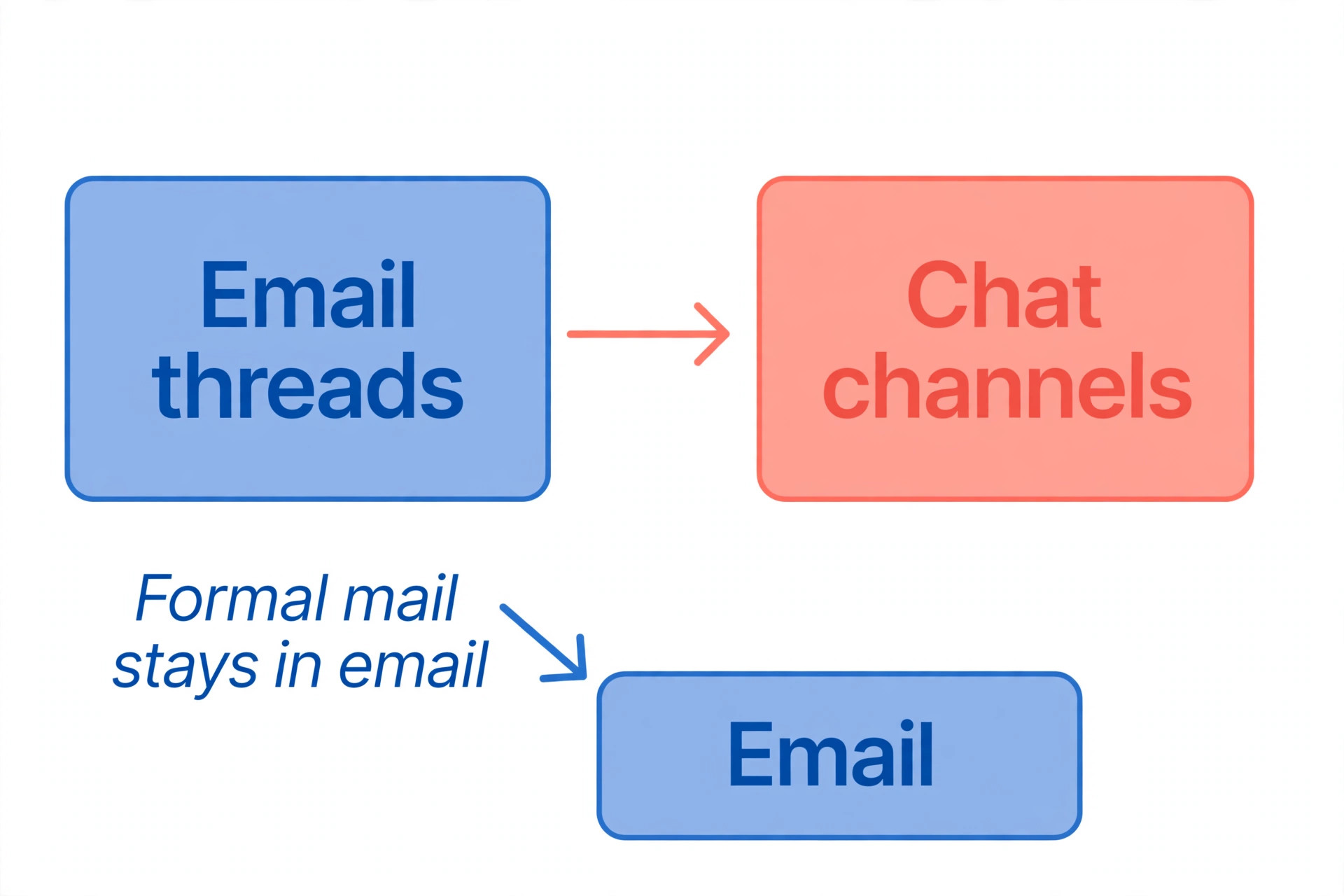
Email will not disappear, and it should not. Email is still the right tool for formal messages, external clients, contracts and anything that needs a paper trail. What changes in this switch is the internal conversation. Quick questions, daily updates, project talk and decisions move to chat, where they are visible, searchable and fast. Email keeps the formal work. Chat takes the daily work. Teams that get this split right answer faster and meet less. Teams that get it wrong end up with two inboxes and twice the noise.
The switch also fails more often than it succeeds, and the reason is almost never the software. It fails because nobody agreed on which conversations belong in chat, because half the team kept emailing, or because the old messages were never moved and nobody trusted the new system. This guide covers the whole move in eight steps, from picking the tool to the day email stops being the default, with real prices, a migration checklist and the mistakes that send teams back to email within a month.
Why Email Stops Working as a Team Grows
Email was built for messages between people, not for conversations inside a team. A five person team can run on email, because everyone knows what everyone else is doing. A fifteen person team cannot, because the same update must be sent to five people, and each reply creates a new thread. The inbox becomes a filing cabinet that nobody files, and the search finds the wrong version of the decision.
Chat fixes the structure, not just the speed. A channel is a room for one topic, and everyone in the room sees the same conversation. A thread keeps a side discussion attached to the message that started it, instead of spawning a new email chain. A search finds the decision in seconds, because the conversation lives in one place. The result is not just faster replies. It is fewer meetings, because the status update already happened in the channel, and fewer repeated questions, because the answer is searchable.
The numbers back the move. Teams that switch well report faster decisions and fewer internal emails, because the quick questions leave the inbox entirely. The gain is largest for teams that share files, approve work and coordinate schedules every day, which is most small teams. The gain is smallest for teams that rarely talk to each other, because chat cannot create a conversation that does not exist.
Pick the Right Team Chat Tool
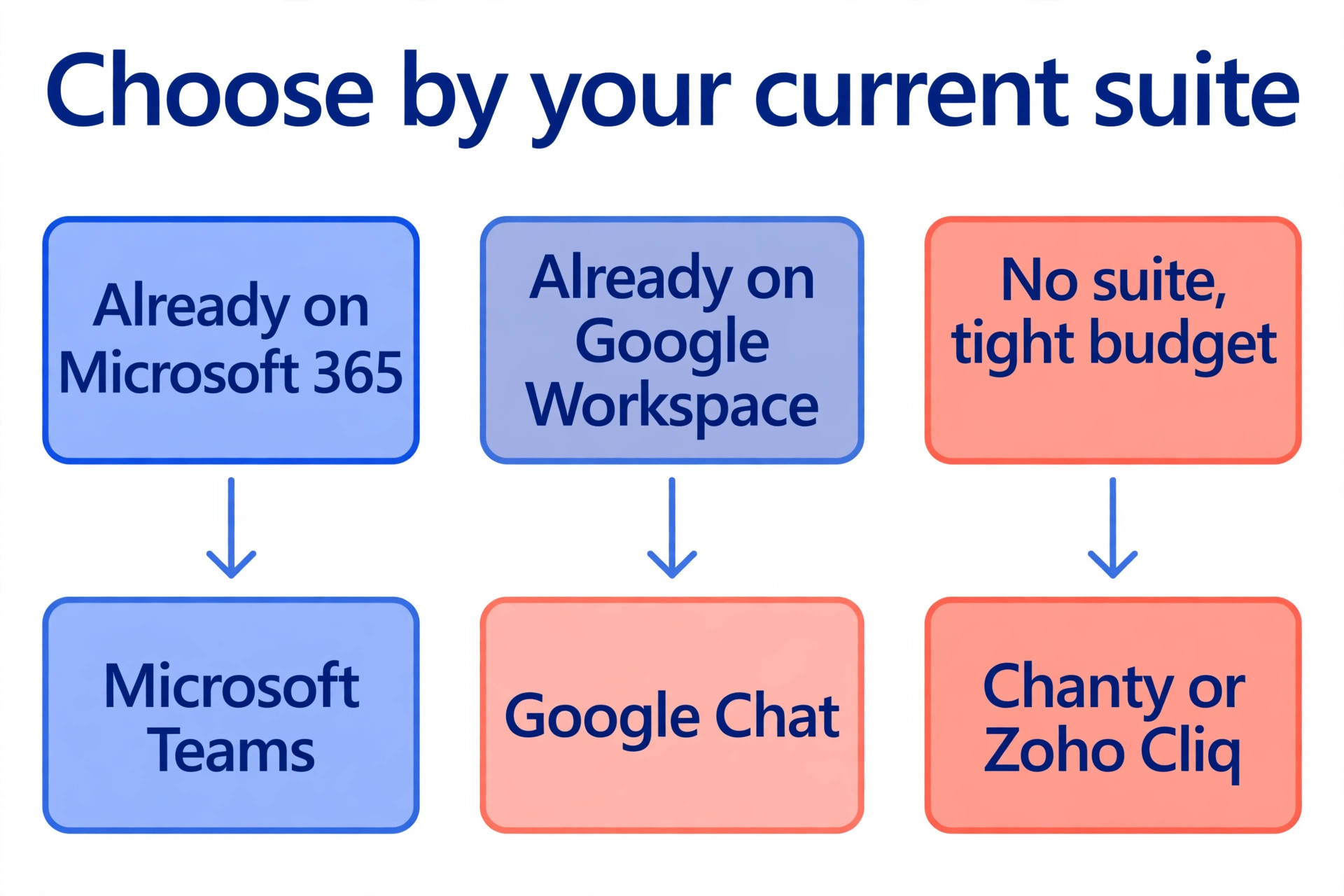
The tool matters less than the migration, but the wrong tool still hurts. A team inside Microsoft 365 should use Teams, because it is already paid for. A team inside Google Workspace should use Google Chat, because it is included with the subscription. A team with no suite should compare Slack against the free and self hosted options below, and pick on price, integrations and how the team actually works.
| Tool | Price | Best for |
|---|---|---|
| Slack | Pro 7.25 dollars per user a month billed yearly | Most teams, biggest app library |
| Microsoft Teams | Essentials 4 dollars per user a month | Teams already on Microsoft 365 |
| Google Chat | Included with Workspace from 7 dollars per user a month | Teams already on Google Workspace |
| Discord | Free, Nitro from 2.99 dollars a person | Communities and creative teams |
| Rocket.Chat | Free self hosted, paid cloud plans | Teams that need full control |
| Twist | Paid plans per user, async first | Remote teams across time zones |
| Mattermost | Free self hosted, paid plans | Technical teams, privacy first |
| Zoho Cliq | Free plan, paid from 3 dollars per user | Teams already on Zoho |
| Chanty | Free plan, paid from 3 dollars per user | Small teams on a tight budget |
| Flock | Free plan, Pro from 4.50 dollars per user | Small teams that want simple chat |
Slack Pro costs 7.25 dollars per user a month on annual billing, or 8.75 dollars month to month, with unlimited message history and more than 2,600 apps in its marketplace. The free plan keeps only 90 days of message history, which is the limit that pushes most growing teams to pay. For ten people on annual billing, Slack Pro costs about 870 dollars a year.
Microsoft Teams Essentials costs 4 dollars per user a month on annual billing, and Microsoft 365 Business Basic costs 7 dollars a month with Teams plus business email, web Office apps and 1 TB of storage per user. Google Chat is included with every paid Workspace subscription, starting at 7 dollars per user a month, with Gemini summaries and deep Gmail and Drive integration.
Discord is free and familiar to younger teams, but it was built for communities, not companies, and the admin controls are weaker. Rocket.Chat and Mattermost are free when self hosted, which suits technical teams that want to own their data, but the hosting and maintenance is real work. Twist is built for asynchronous work, with threads instead of live chat, which suits remote teams across time zones. Zoho Cliq, Chanty and Flock all offer free plans and paid tiers from about 3 to 4.50 dollars per user, and they suit small teams that want simple chat without paying Slack prices.
Choose the tool your team will actually open every morning. A perfect tool that nobody opens is worse than a good tool that everyone uses. Run a two week trial with the whole team, not just the managers, and let the team vote with their usage.
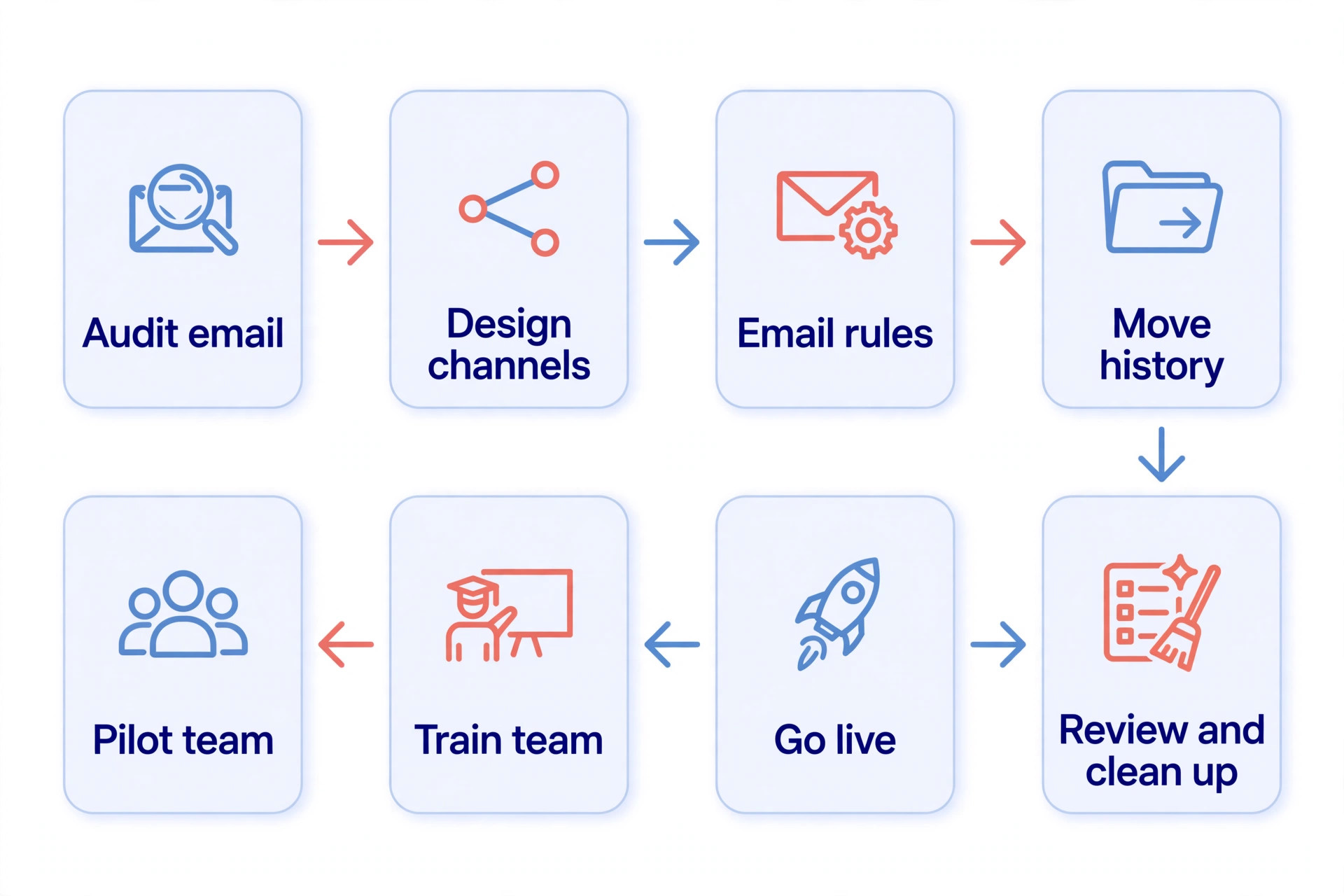
How to Switch from Email to Team Chat Software in 8 Steps
The steps below work for a team of five and a team of fifty. The order matters more than the speed, because a channel structure built in a hurry becomes a mess that nobody trusts, and a migration without a pilot becomes a company wide complaint.
Step 1. Audit the Email You Actually Send
Before you move anything, look at what email is doing today. Ask each team member to count their internal emails for one week, and sort them into four piles. Quick questions that need an answer today. Project updates and status reports. File sharing and approvals. Formal messages, external mail and records. The first three piles move to chat. The fourth pile stays in email. Most teams find that 60 to 70 percent of internal email belongs in the first three piles, which is the size of the prize. Write the result down as a one page brief, because the brief becomes the case for the switch when someone asks why the team is changing tools.
Step 2. Design the Channel Structure Before You Invite Anyone
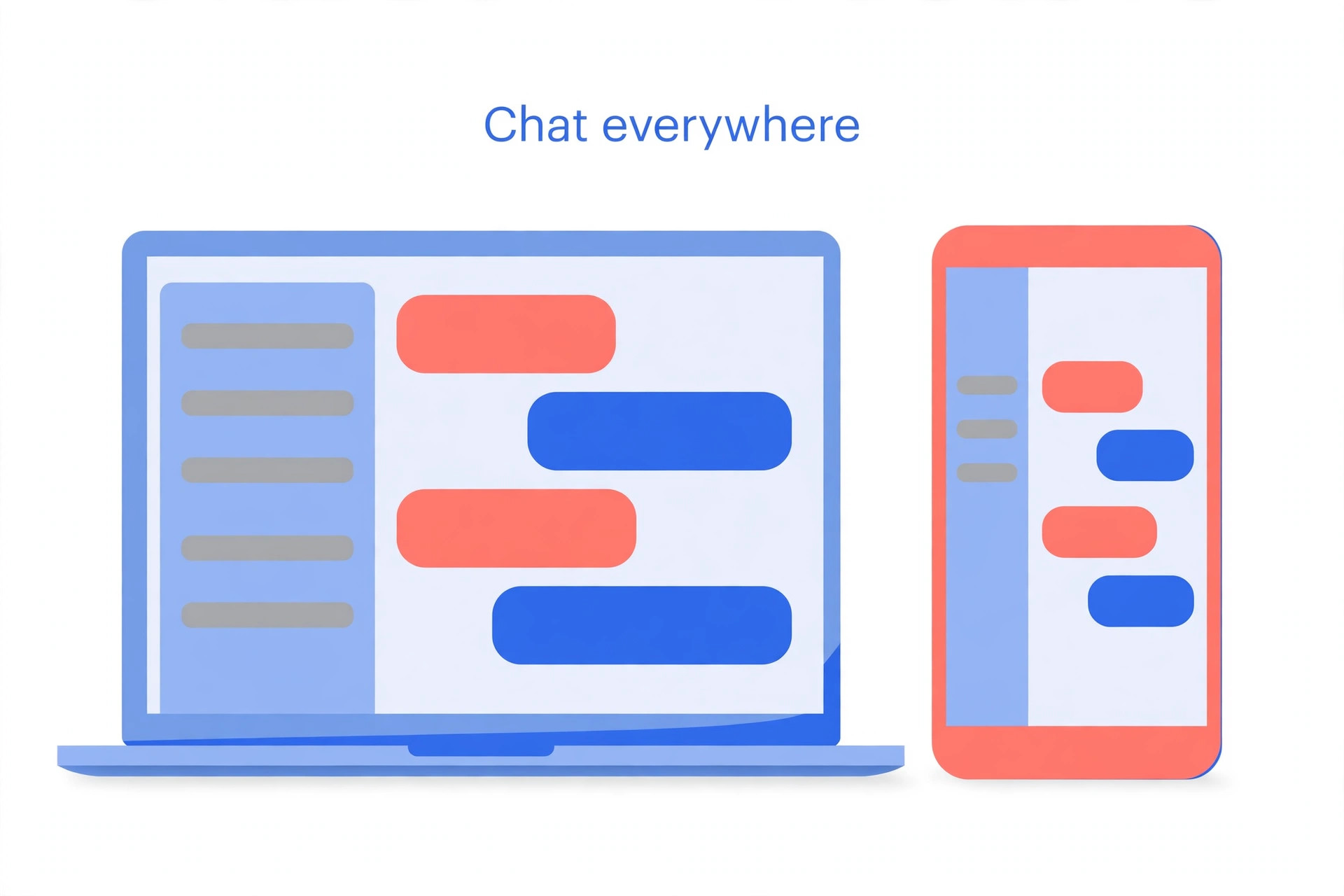
A channel is a room for one topic, and the structure should mirror how the team actually works, not the org chart. Create one channel per project, one per department, and one for company wide announcements. Add a channel for social talk, because a team that cannot chat about lunch will use the project channels for it. Keep the total under 15 channels at launch, because 40 empty channels look abandoned and nobody posts in them.
Write a one sentence purpose for every channel, and pin it at the top. The purpose tells a new hire where to ask, and it tells everyone else where not to ask. Decide the naming rule now, such as a prefix for projects and a prefix for departments, because renaming 30 channels later is a job nobody wants. Create the structure in the tool before you invite the team, so the first thing people see is an organised workspace, not an empty one.
Step 3. Decide What Stays in Email
Write the rule down and share it with the whole team. External mail, contracts, invoices, formal approvals and anything that needs a legal record stays in email. Internal questions, updates, decisions and file sharing move to chat. The rule needs to be short enough to remember, because a rule nobody remembers is not a rule. One useful version is that anything with a client, a contract or a deadline in writing stays in email, and everything else goes to chat.
The grey area is the danger zone. A decision made in chat should be confirmed by email when it involves money, a client or a commitment. A file shared in chat should live in the shared drive, not only in the chat history, because chat search finds messages, not versions. Write these two exceptions into the rule, and the team will stop arguing about where things belong.
Step 4. Move the History That Matters
Moving to chat does not mean deleting the past. Export the email threads that contain live decisions, active projects and important contacts, and save them where the team can find them. For most teams, that means the last 90 days of project email, saved as a shared folder or a document, not a full migration of every message ever sent. A full history migration is possible with tools such as Cloudiway and CloudFuze, which map channels to spaces and preserve messages, files and timestamps, but it costs money and time, and most small teams do not need it.
Google Workspace offers a built in migration from Microsoft Teams to Google Chat, which must be completed within 90 days of starting, and it moves up to 1,000 teams in one migration. Slack offers an import tool for other chat systems, and Teams offers migration partners for larger moves. For a small team moving from email, the practical answer is simpler, which is to move the live decisions, archive the rest, and start fresh in chat with a clean structure.
Step 5. Run a Pilot With One Team
Pick one team of five to ten people, ideally a team that already talks a lot, and run the new tool with them for two weeks. Give the pilot team the channel structure, the email rule and a short training session, then let them work. Watch what happens. Which channels get used, which stay empty, what questions come up, and where people fall back to email. Fix the structure based on what the pilot shows, not what the plan assumed.
The pilot also creates champions. The people who used the tool for two weeks can answer questions from the rest of the company, and their enthusiasm carries more weight than any announcement from management. Do not skip the pilot to save two weeks, because a company wide launch that fails costs far more than two weeks.
Step 6. Train Everyone in 30 Minutes
Training for chat software should take 30 minutes, not a day. Show the team how to join a channel, start a thread, share a file, search for a decision and set notifications. Show them the email rule, and show them where to ask when they are stuck. Then let them practice on real work, because a training session with fake examples teaches nothing.
The most important training point is notifications. Show each person how to mute channels they do not need, how to set working hours, and how to use mentions so urgent messages reach the right person. A team that cannot control notifications will mute everything and miss the urgent message, which is how chat gets blamed for a missed deadline that was really a notification problem.
Step 7. Set the Go Live Date and the Email Rules
Pick a go live date and announce it two weeks ahead. On that date, internal email stops for the topics that moved to chat, and the team uses the new tool for daily work. Keep email for external mail and formal records, as decided in Step 3. Appoint one person per department as the chat owner for the first month, so questions have a human answer and the structure gets fixed quickly.
Expect a messy first week. People will post in the wrong channel, forget threads, and email out of habit. Correct gently and in public, because a correction in the channel teaches everyone at once, while a private correction teaches one person. After two weeks, the new habits start to stick, and after a month, the team will wonder how they worked in email.
Step 8. Review, Clean Up and Make It Stick
After 30 days, review the channels. Archive the ones nobody used, split the ones that became noisy, and rename the ones with confusing names. Check the search, because if the team cannot find a decision from last week, the channel structure needs fixing, not the search tool. Ask the team what still goes to email that should be in chat, and what goes to chat that should be in email, then update the rule.
Make the new way the default. New hires should be invited to the chat on day one, before they get their email login. Meeting notes should be posted in the project channel, not emailed. Decisions should be written in the channel where the work happens, not in a private message. When the tool becomes the place where work happens, the switch is done. Until then, it is just another app.
A Four Week Migration Timeline
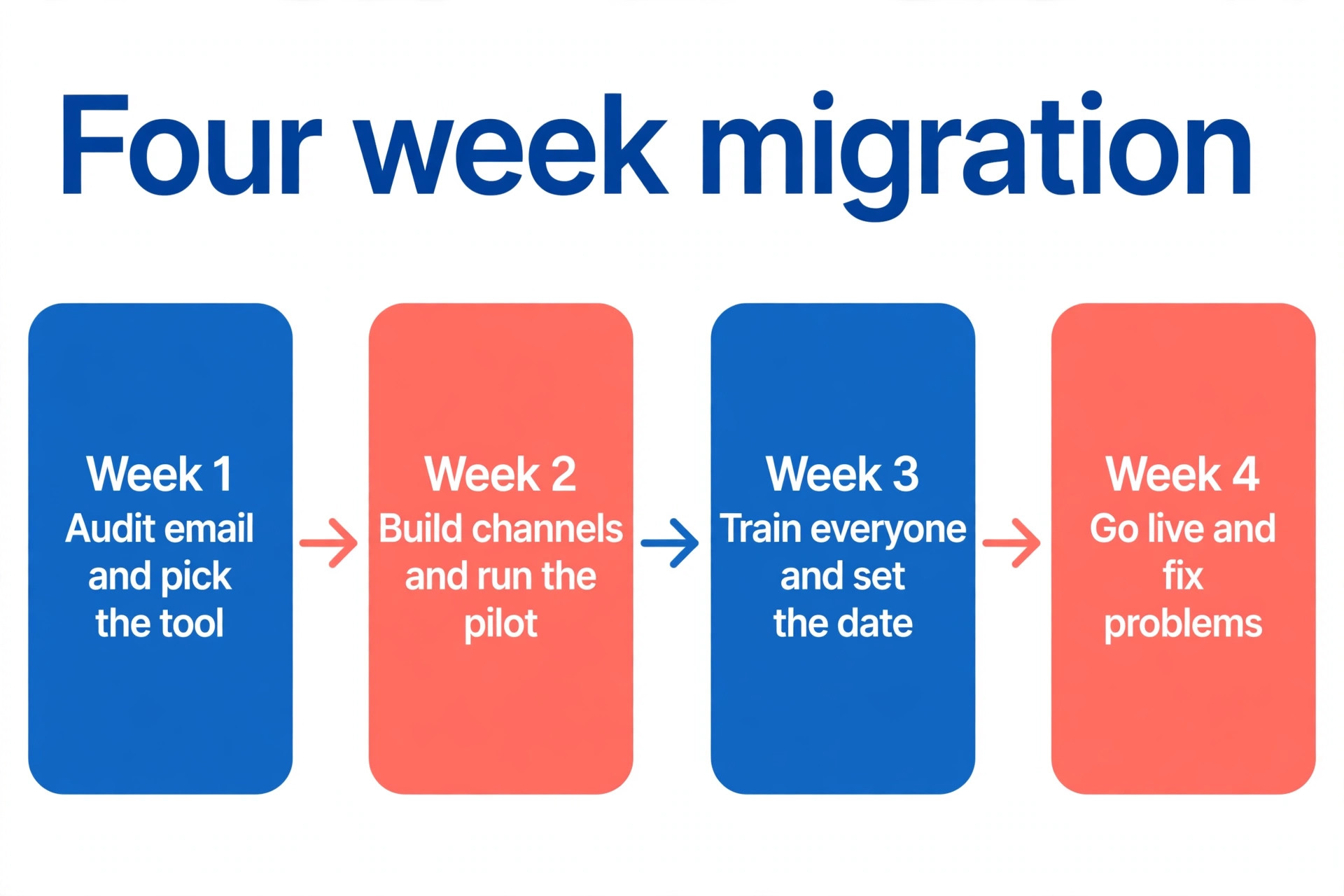
A rushed migration fails, and a slow one loses momentum. Four weeks is the right pace for most small teams, with each week doing one job well.
| Week | Job | Done when |
|---|---|---|
| Week 1 | Audit email and pick the tool | The brief is written and the tool is chosen |
| Week 2 | Build channels and run the pilot | One team works in chat for two weeks |
| Week 3 | Train everyone and set the date | Every person has logged in and posted |
| Week 4 | Go live and fix the problems | Internal email for daily work has stopped |
Week one is research, and it should not be skipped. The email audit tells you what will move, and the tool trial tells you what the team will actually use. Week two is the pilot, and the pilot team should be the loudest team in the company, because their feedback will be the most useful. Week three is training, and the training should be short, practical and based on real work. Week four is the launch, and the launch should be boring, because all the hard decisions were made in the first three weeks.
If the team is larger than 50 people, add two weeks and run two pilots instead of one. If the team is smaller than ten, compress the timeline to two weeks, but keep the pilot, because even a small team benefits from testing the structure before everyone moves.
What Changes for Remote and Hybrid Teams
Remote and hybrid teams feel the email problem first, because they cannot walk over to a desk and ask a quick question. For them, the move to switch from email to team chat software is not a nice improvement. It is the difference between a team that knows what is happening and a team that guesses. Chat gives a remote team a shared room, and that room replaces the office corridor where updates used to happen by accident.
Time zones change the rules. A team spread across three time zones cannot rely on live chat, because half the team is asleep when the other half is working. The answer is to write decisions down in the channel, not just discuss them, so the person who wakes up can read the decision and act on it without waiting for a reply. Threads help here, because a thread keeps the discussion attached to the original message, and a new reader can follow it from the start.
Hybrid teams face a different risk, which is that the office half talks in person and the remote half misses it. The rule for hybrid teams is simple. If it was said in the office and it affects the work, it goes in the channel the same day. A five minute habit of posting decisions keeps the remote half in the loop, and it also creates a record the whole team can search later. Without that habit, chat becomes another place the remote team is excluded from, and the switch will fail for the people who needed it most.
Migration Checklist
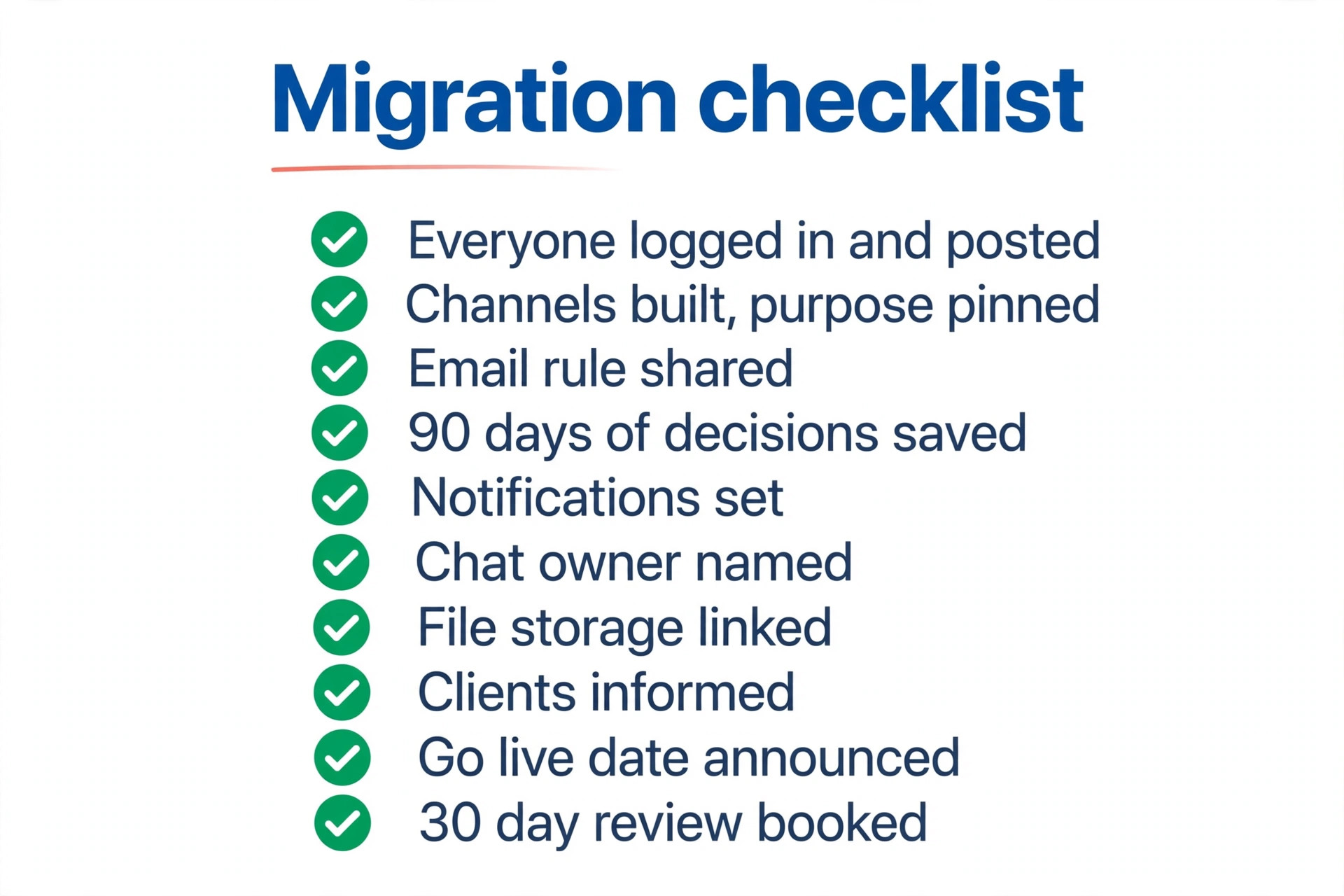
Use this checklist on the go live date. Each item is a check you can verify in minutes, and a failed item is a reason to delay the launch, not to explain it later.
- Every team member has an account, has logged in, and has posted once.
- The channel structure is built, with a purpose pinned in every channel.
- The email rule is written, shared, and short enough to remember.
- The last 90 days of live project decisions are saved where the team can find them.
- Notification settings are shown to everyone, with working hours set.
- A chat owner is named for each department for the first month.
- The file storage is linked, so shared files live in the drive, not only in chat.
- External contacts and clients know that internal mail has moved.
- The go live date is announced, with the email topics that stop on that date.
- A 30 day review is booked, with channel cleanup on the agenda.
Mistakes That Send Teams Back to Email
The most common mistake is launching without a pilot. A company wide launch on a structure nobody tested will produce 40 channels, half of them empty, and a team that cannot find anything. The pilot is the cheapest insurance in this project, and skipping it to save two weeks is the most expensive decision in the whole migration.
The second mistake is keeping email as an equal option. When the team can choose email or chat for the same question, half the team will choose email out of habit, and the conversation will split across two places. The go live date must mean something, which is that internal daily work moves to chat, and email keeps only the formal work. A soft launch with no date is not a launch.
The third mistake is ignoring notifications. A team that gets pinged for every message in every channel will mute everything within a week, and then the urgent message gets missed. Teach notification settings in the training, set sensible defaults, and use mentions for urgent messages instead of posting in a busy channel and hoping someone reads it.
The fourth mistake is letting chat become a meeting replacement for everything. Chat is fast, but a complex decision still needs a call or a meeting. When a thread passes 20 messages without a decision, someone should call a five minute huddle and post the decision back in the channel. Chat records the decision. It does not always make it.
Our Verdict
The best tool for most teams is the one they already pay for. Microsoft 365 teams should use Teams, Google Workspace teams should use Google Chat, and everyone else should start with Slack Pro at 7.25 dollars per user a month, or a free plan such as Discord or Chanty when the budget is zero.
The tool choice matters far less than the migration, and the migration that works is the one with a pilot, a written email rule, a clear channel structure and a go live date that means something. Teams that switch from email to team chat software with that discipline answer faster, meet less, and keep their decisions searchable. Teams that install an app and hope for the best end up with two inboxes and the same mess in a new place.
Frequently Asked Questions
How long does it take to switch from email to team chat software?
A small team of ten people can complete the switch in four weeks, with one week for the audit, one week for the pilot, one week for training and one week for the launch. A team of 50 people should allow six weeks and run two pilots. The software install takes an afternoon. The habits take a month, and the 30 day review is part of the project, not an afterthought. That four week pace is the realistic timeline when you switch from email to team chat software properly, because the pilot and the training cannot be rushed without paying for it later.
Do we lose our old emails when we switch to team chat?
No, email stays for external mail, contracts and formal records, and the old inbox remains searchable. The migration moves the live decisions from the last 90 days into a shared folder or document, and archives the rest. Full history migration tools exist for chat to chat moves, but a small team moving from email rarely needs them, because the live decisions are a small fraction of the inbox.
Which team chat tool is best for a small business?
Slack is the best all round pick for a small business with no existing suite, because of its app library and its free plan for testing. Microsoft Teams is the best pick for a team already paying for Microsoft 365, and Google Chat is the best pick for a team already on Google Workspace. The cheapest honest options are Discord, Chanty and Zoho Cliq, all of which offer free plans. Pick the tool the team will actually open every morning, because the best tool for a switch from email to team chat software is the one the whole team uses, not the one with the longest feature list.
Should email be turned off after the switch?
No, email should not be turned off. External clients, suppliers and formal messages still arrive by email, and contracts, invoices and legal records still need it. What stops is internal email for daily work, such as quick questions, status updates and project talk. The rule is that anything with a client, a contract or a deadline in writing stays in email, and everything else goes to chat.
How do we stop people from emailing internally after the switch?
Set a go live date and enforce it gently but firmly. Reply to internal emails with a link to the right channel, and answer the question in chat so the conversation moves. Appoint a chat owner per department for the first month, and correct in public so the whole team learns at once. Most people switch within two weeks when the channel structure is clear and the tool is faster than email for the same question.
Is team chat secure enough for business use?
Yes, when the tool is set up properly. Slack, Teams and Google Chat all offer encryption, admin controls, guest access rules and data retention settings on paid plans. Self hosted tools such as Rocket.Chat and Mattermost give full control over data, which suits teams with strict privacy needs. Whatever tool you choose, set guest access rules, enable two factor authentication, and decide the data retention policy before the first sensitive message is sent.
Moving from email to chat is a change of habits, not a change of software, and habits change when the new way is faster, clearer and easier than the old one. Build the channels before you invite anyone, run a pilot with the loudest team, write the email rule in one paragraph, and set a go live date that means something. Do that, and the switch will stick. Skip it, and the team will be back in email within a month, with a new app nobody opens. The teams that succeed at how to switch from email to team chat software are the ones that treat the migration as a people project first and a software project second.