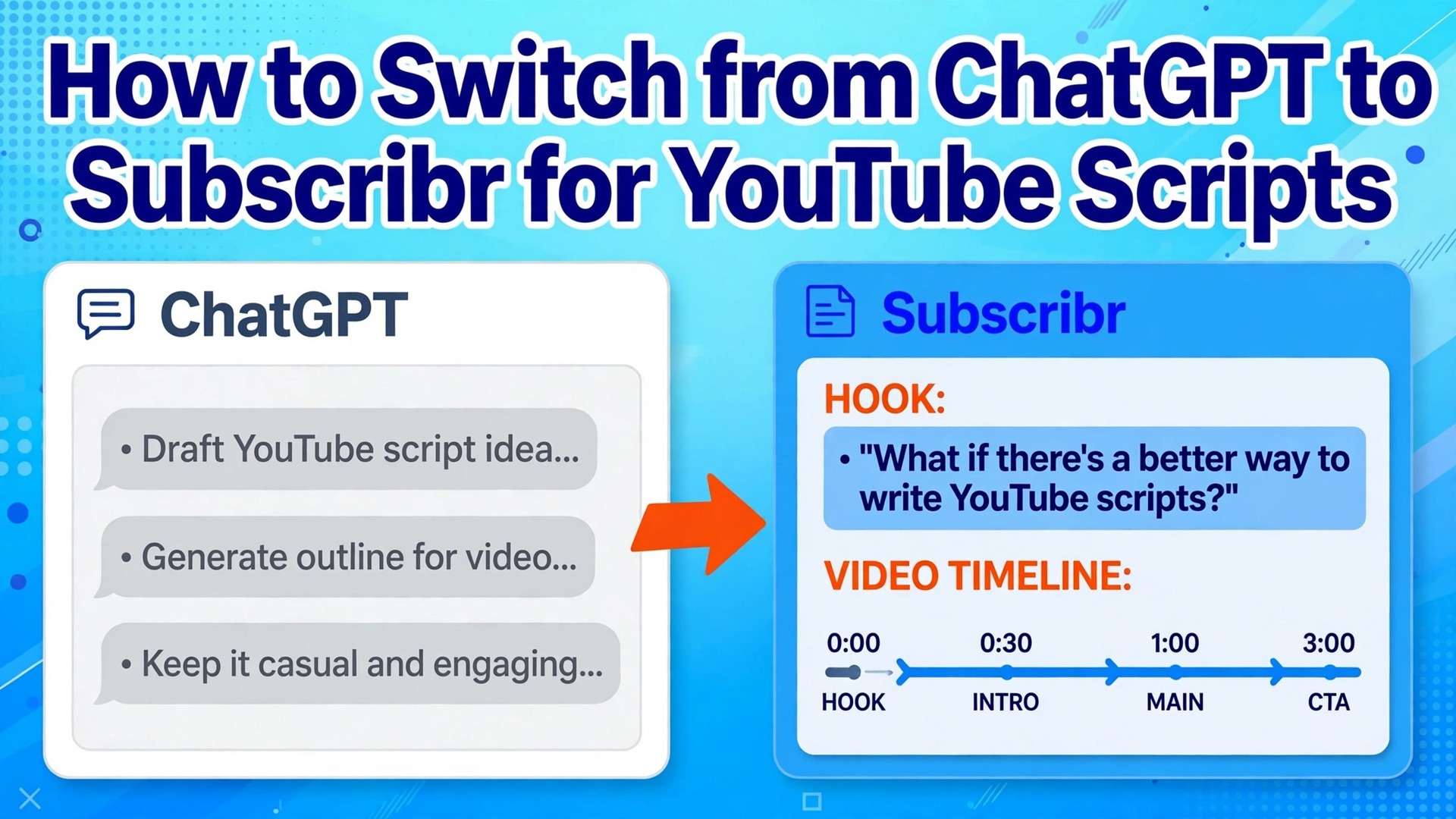
Your ChatGPT scripts sound fine on the page and then fall flat on camera, because a general chat tool does not know what keeps a viewer watching past the first thirty seconds. That gap is the reason to switch from chatgpt to subscribr for youtube scripts. Subscribr is built around YouTube research, hooks, retention and your channel voice, while ChatGPT is built to answer almost any writing request. This guide walks you through the move in seven practical steps, so you keep the prompts and examples that already work, rebuild the rest inside a tool made for video, and publish your first Subscribr script without losing a week to setup.
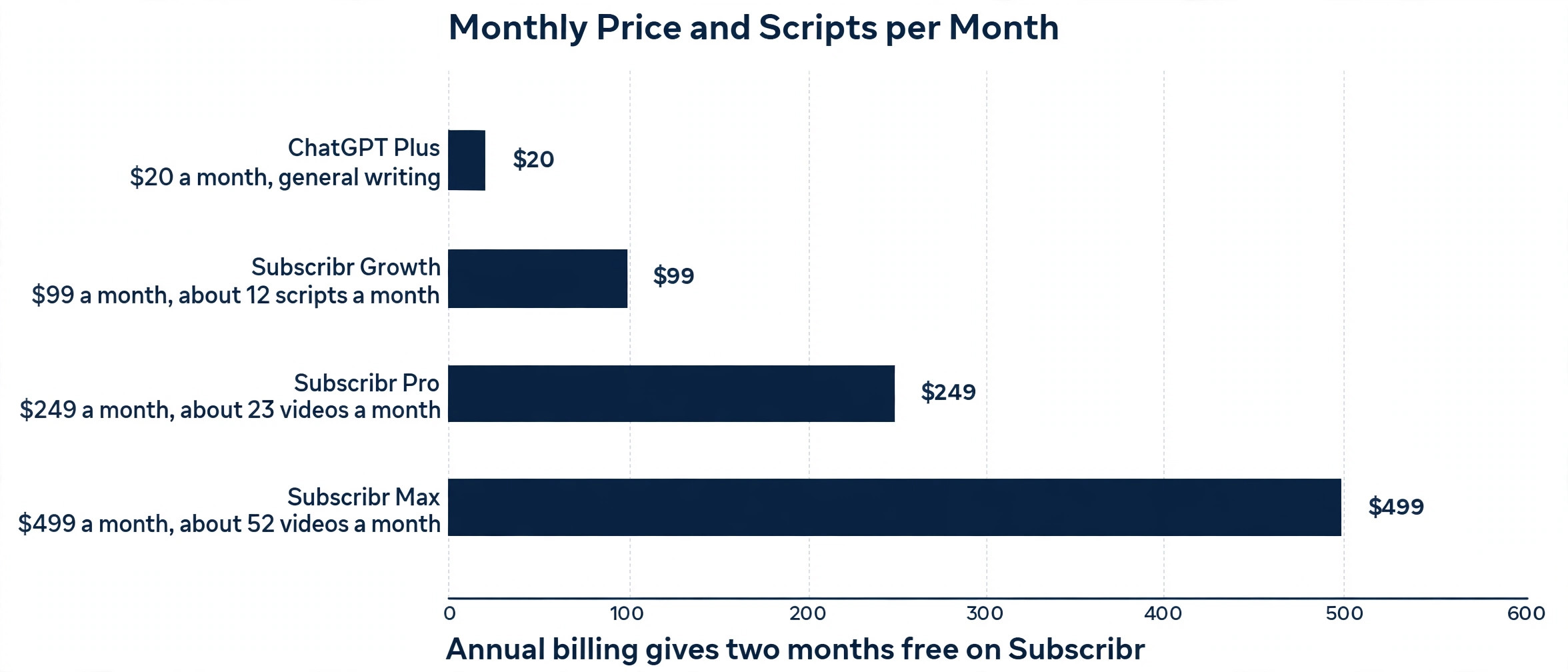
ChatGPT Plus costs 20 dollars a month and gives you a strong general writer, projects, custom GPTs and a capped allowance for reasoning models and deep research. Subscribr Growth costs 99 dollars a month on the current pricing page and gives you about 12 scripts a month, 150 thumbnails a month, video generation for up to 8 videos a month and an idea tool that searches a database of more than 35 million videos. The price gap is real, and it is the first decision in this move. If you publish one video a month, Subscribr will cost more than it returns.
If you publish weekly and your scripts are the bottleneck, the research and structure may pay for themselves in watch time.
One price warning matters before you budget. Older reviews from mid 2026 report a Subscribr entry plan near 49 dollars a month on annual billing, with a 7 dollar trial, while October 2026 pricing pages list Growth at 99 dollars a month, Pro at 249 dollars a month and Max at 499 dollars a month, with a free plan that covers planning and research but no script generation. The 99 dollar figure is the one to plan around today, and you should confirm the current price on the Subscribr pricing page before you pay, because the lower figure still appears in older roundups.
ChatGPT pricing is steadier, with Plus at 20 dollars a month since 2023 and Pro at 100 dollars, 200 dollars or 500 dollars a month.
Why Creators Switch from ChatGPT to Subscribr for YouTube Scripts
ChatGPT writes a clean first draft from a good prompt, and that is exactly where its value ends for most YouTube creators. It does not study which videos in your niche are outperforming their channel average, it does not check whether your hook matches the patterns that hold viewers, and it does not remember how your last ten videos were paced. You can teach it those things with careful prompts, but you have to repeat the teaching in every chat, and the result still drifts toward generic advice and tidy summaries.
Subscribr starts from the opposite direction. Its idea tool mines a large video database for outlier topics, which are videos that beat the average performance of their own channel. Its script agent works through 12 steps that cover research, hooks, retention, a human sounding tone and your own voice. It can take videos, PDFs and articles as source material, so a research heavy script starts from real material rather than from a model memory of the topic. It also adds a thumbnail studio and video generation around the script, which ChatGPT does not try to do.
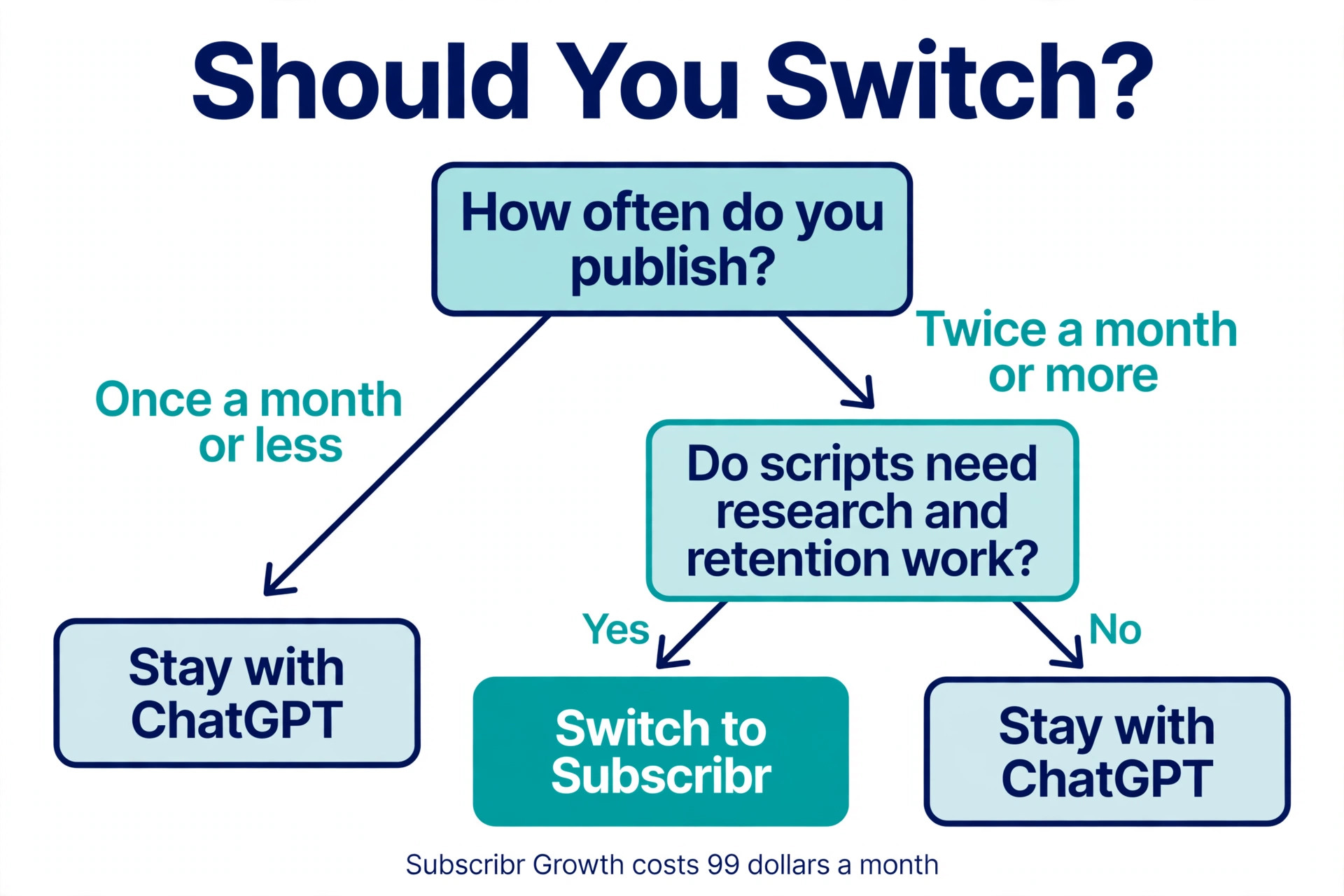
The trade is clear. You give up a cheap general tool that can write anything, and you pay more for a narrow tool that understands one job. That trade only makes sense when YouTube is a core part of your work, when you publish at least twice a month, and when your scripts need research and retention work rather than a quick outline. If you write scripts once a month for a hobby channel, stay with ChatGPT and spend the saved money on better audio or editing.
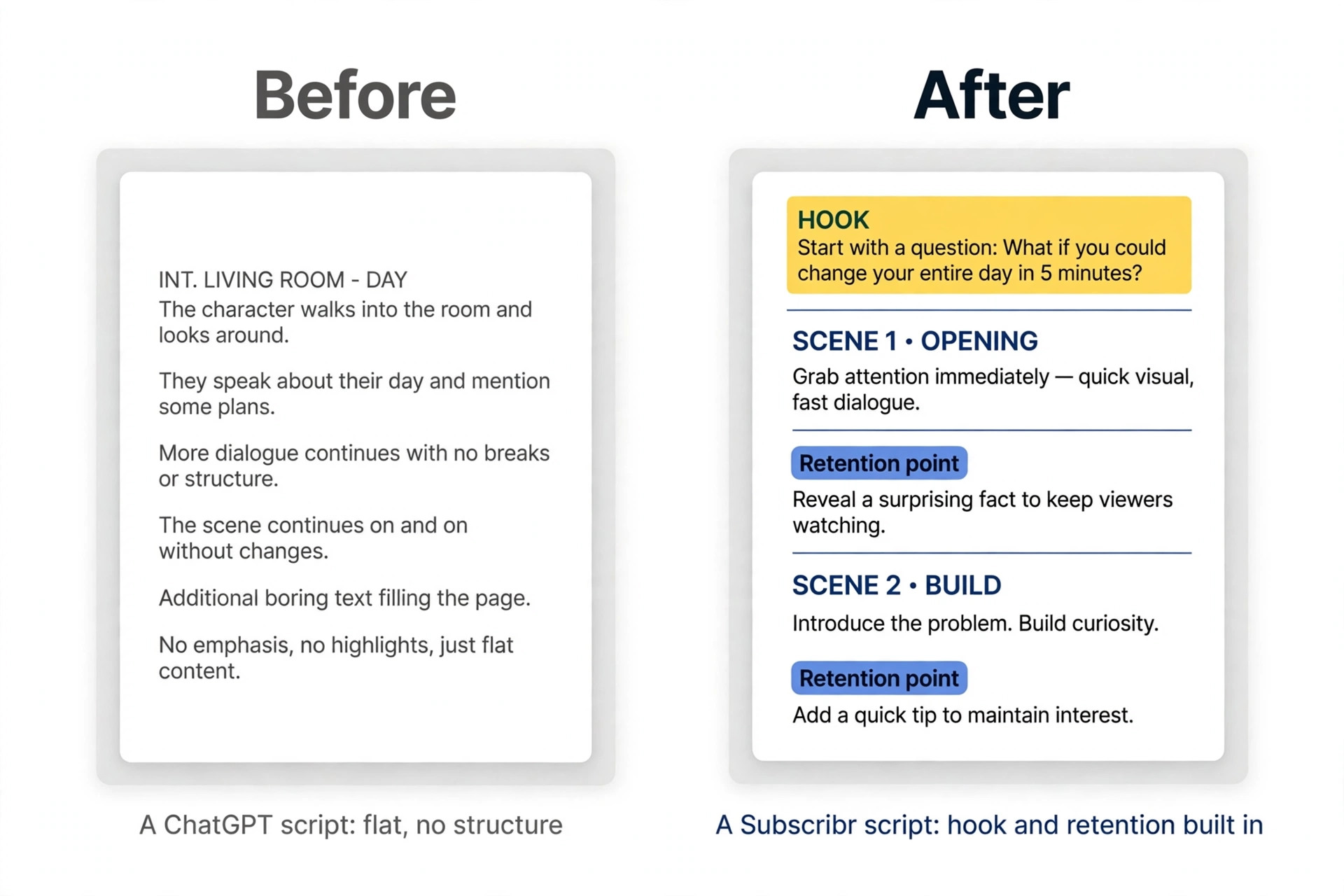
ChatGPT and Subscribr Side by Side
| Area | ChatGPT Plus | Subscribr Growth |
|---|---|---|
| Monthly price | 20 dollars | 99 dollars |
| Main job | General writing and chat | YouTube scripts, ideas and thumbnails |
| Research | Deep research on request | Outlier video database and source uploads |
| Script structure | Whatever your prompt asks for | 12 step script agent with hooks and retention |
| Channel voice | Custom instructions and projects | Voice matching and channel memory |
| Thumbnails | Image generation on request | Thumbnail studio with proven formats |
| Video generation | No finished video export | Faceless video, avatar or your own recording |
| Publishing | No upload or scheduling | No upload or scheduling listed |
| Best for | Occasional scripts and varied writing | Weekly YouTube publishing |
Use the table to set expectations. Neither tool publishes your video for you, and neither one replaces editing, filming or your judgment about what your audience wants. Subscribr changes how the script is researched and shaped. ChatGPT changes nothing about the YouTube workflow, because it was never built for it.
Before You Move Anything
Do not cancel ChatGPT on day one. Keep both tools for at least one full publishing cycle, so you can compare a Subscribr script against your usual ChatGPT script on the same channel, with the same thumbnail style and the same promotion. A single video proves nothing, because topic and timing move the numbers more than the script tool. Two or three videos on each side give you a fair read on retention, comments and how long each script took to finish.
Start by gathering the material Subscribr will need to learn your voice. Export or copy your last five published scripts, or the ChatGPT chats that produced them, and save the final spoken version rather than the first draft. Add the titles and the audience retention notes you already have, even if those notes are short. A note that says viewers drop at minute two in tutorial videos is more useful than a long style guide, because it tells the script agent where your real problem sits.
Then list the prompts that already work in ChatGPT. Most creators have two or three, one for ideas, one for an outline and one for a full draft. Keep the exact wording, and note which one produces the best hooks and which one produces the flattest openings. You will not paste these prompts into Subscribr unchanged, because Subscribr does not work from free text prompts in the same way. You will use them as a record of your rules, and you will rebuild each rule inside the new tool.
Finally, set a simple success test before you start. Write down the number you want to improve, whether it is average view duration, the share of viewers who reach the midpoint, or the time from idea to finished script. A test with no number turns into a feeling, and feelings favour the tool you already know. A number lets the new tool win or lose on evidence.
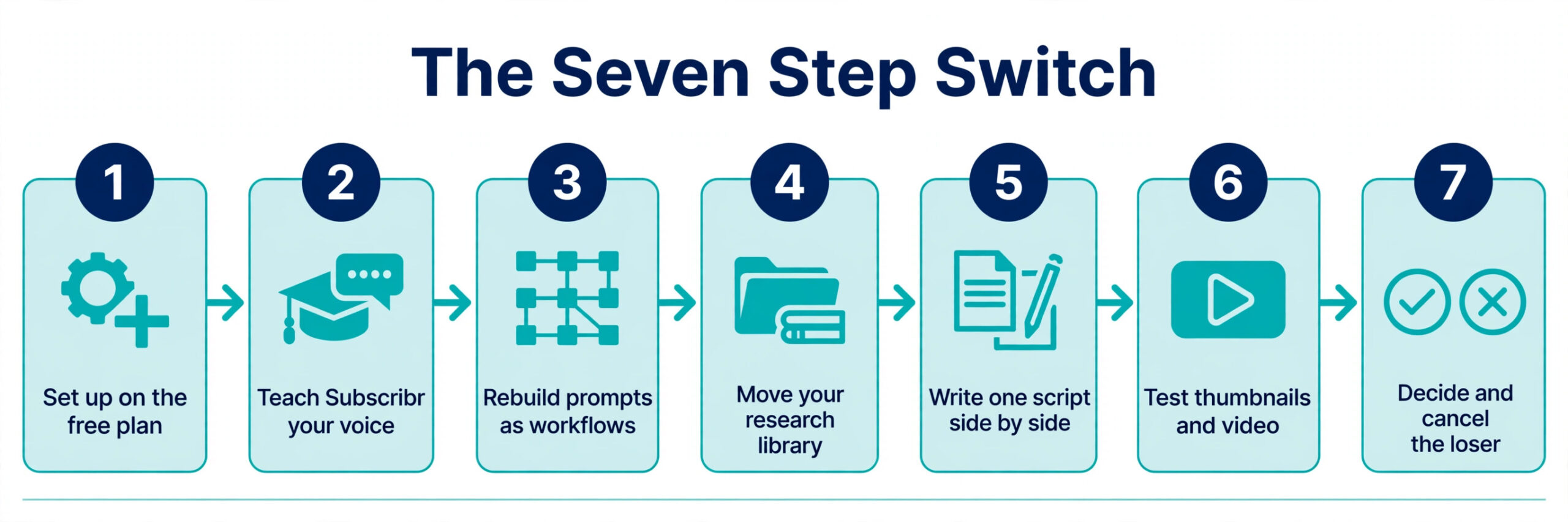
The Seven Step Migration
The move works best as a short project, not as a single afternoon of clicking around. Each step below builds on the one before it, and the whole sequence fits inside one week if you publish weekly. If you publish less often, stretch the same steps across two publishing cycles and keep ChatGPT as your safety net until the Subscribr script beats it on your own test.
Step 1. Set Up Subscribr on the Free Plan
Create a Subscribr account and start on the free plan, which covers one channel, the project board, channel setup, three idea batches a month with up to ten ideas each, and ten research searches a month. The free plan does not generate scripts, thumbnails or videos, so treat it as a research and planning space for the first day. Connect your channel, complete the channel setup questions, and run one idea batch in your niche to see whether the outlier ideas match the videos your audience already watches.
Use this free stage to test the idea quality before you pay. If the ideas feel generic or far from your niche, the paid script tool will not fix that, because the script agent builds on the same research base. If the ideas surface two or three topics you had not considered, and those topics match videos that are outperforming in your niche, the tool is reading your market correctly and the paid plan is worth testing.
Step 2. Teach Subscribr Your Voice
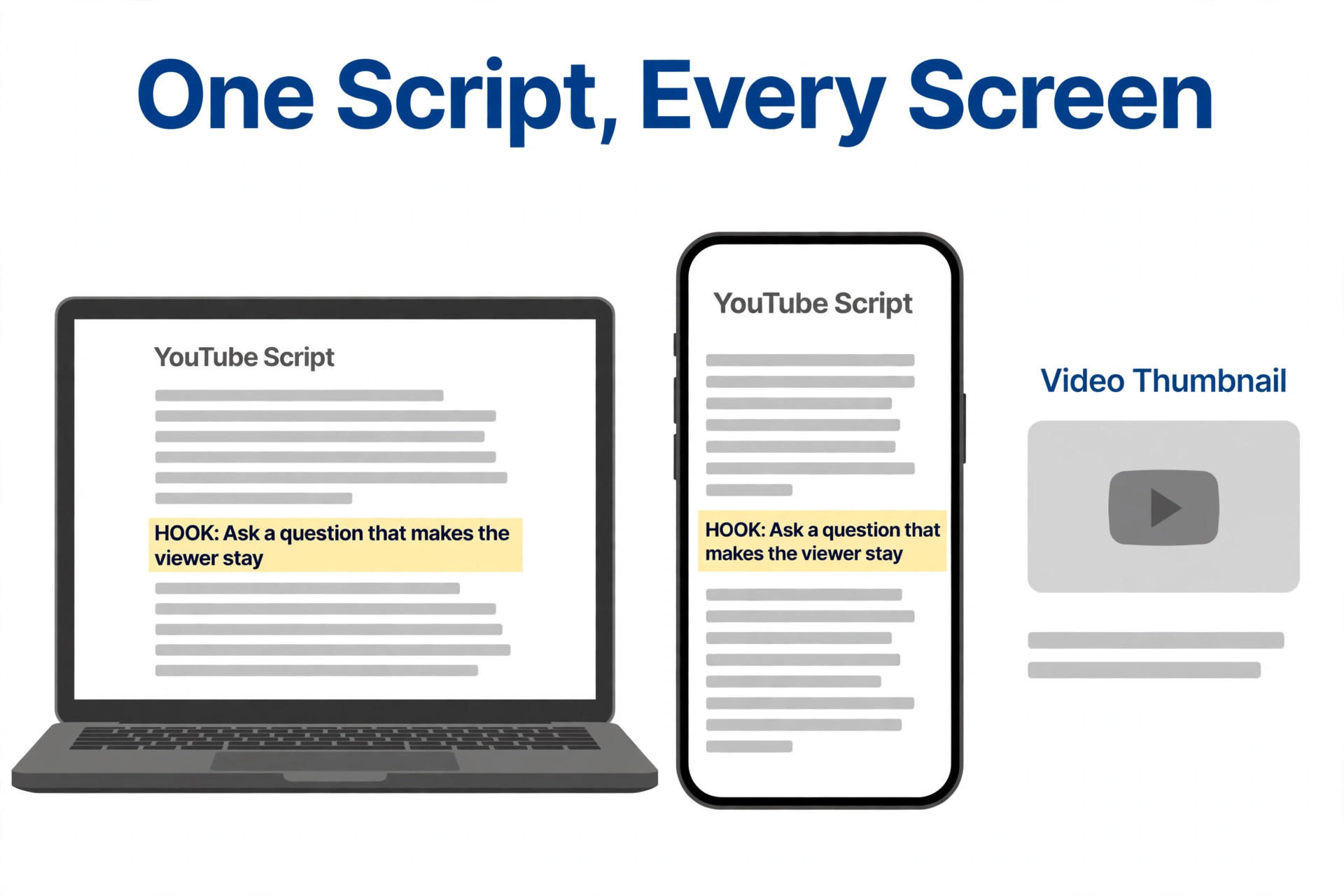
Upload or paste your best published scripts into the channel voice setup, and add a short written note about how you speak on camera. Name the habits that matter, such as short sentences, direct address to the viewer, no jargon without a plain example, and a question at the end of each section that pulls the viewer forward. Add the habits to avoid as well, such as formal openings, long background sections before the point, and closing summaries that repeat the whole video.
Then generate one short test script on a topic you know well, and read it aloud. Mark every line that sounds like a blog post rather than a spoken script, and every line that you would never say on camera. Feed those corrections back as voice notes, not as a complaint about the tool, because the voice model improves from concrete examples. Two rounds of this test are usually enough to tell whether the voice matching is close or whether you will spend more time editing than you saved.
Step 3. Rebuild Your Best ChatGPT Prompts as Subscribr Workflows
Open your saved ChatGPT prompts and split each one into its parts. A typical idea prompt contains a niche, a target viewer, a list of topics to avoid, and a request for ten ideas with a reason for each. In Subscribr, the niche and viewer live in the channel setup, the topics to avoid live in your notes, and the idea tool supplies the ten ideas with performance data behind them. You are not losing the prompt, you are moving its rules into the places where the new tool actually uses them.
Do the same for your outline prompt. ChatGPT needs the outline rules in the prompt because it starts fresh each time. Subscribr carries the outline rules in the script agent, so your job is to check that the agent covers your essentials, such as a hook in the first thirty seconds, a clear promise, three main points and a call to action that fits the video. When a rule is missing, add it to your script brief rather than trying to force it through a chat prompt that the tool does not use.
Step 4. Move Your Research Library
Subscribr accepts videos, PDFs and articles as source material for a script, and this is where it pulls ahead of a general chat tool. Gather the five sources you trust most in your niche, such as a competitor video with strong retention, a research report, a product manual or a long article that your audience cites. Upload them to the relevant project, and label each one with what it is for, such as background facts, a counter argument, or a worked example.
Do not upload everything you have ever saved. A large pile of weak sources produces a script that tries to cover too much, while five strong sources produce a script with a clear spine. For each source, write one sentence about the fact or story you want the script to use from it. That sentence is the bridge between your research and the script agent, and it stops the tool from inventing details to fill gaps in the material.
Step 5. Write Your First Script Side by Side
Pick a real upcoming video, not a test topic, and write it in both tools. Use ChatGPT the way you always have, with your best prompt and your usual editing pass. Then use Subscribr with the same topic, the same sources and the same voice notes, and let the script agent run its full process. Time both drafts from the first prompt to a script you would record, and note where each tool saved time and where each one created extra editing.
Read both scripts aloud and score them on four points. The hook should make a clear promise in the first thirty seconds. The middle should hold a reason to keep watching at each section break. The language should sound spoken, not written. The ending should tell the viewer what to do next without repeating the whole video. The tool that wins three of the four is the one to keep for the next video, and the loser tells you what to fix in your setup rather than proving the tool is useless.
Step 6. Test Thumbnails and Video Generation Carefully
Subscribr Growth includes 150 thumbnails a month and video generation for up to 8 videos a month, with 66 minutes of video generation and editing a month. Test both, but test them as separate decisions, because a good script tool can still produce a weak thumbnail or a video style that does not fit your channel. Generate three thumbnail options for your first Subscribr script, and compare them with your usual thumbnail at small size on a phone screen. If the text is hard to read or the idea is unclear at that size, the thumbnail needs a human pass before it goes live.
For video generation, start with a short faceless segment rather than a full video, and check the pacing, the voice and the visuals against your own footage. The tool offers 14 visual styles and three ways to make the video, which are faceless with narration over generated visuals, with an AI avatar, or with your own recording. The third option is the safest for most creators, because your own recording keeps the human connection that faceless video often loses. Use the generated video only when it clearly beats a simple screen recording or a static image with your voice over it.
Step 7. Decide, Cancel and Clean Up
After two or three Subscribr scripts, look at your success test from the start of the move. Compare average view duration, the midpoint retention figure, the time from idea to finished script, and the number of editing passes each script needed. If Subscribr wins on retention or on time, and the cost fits your monthly budget, move your main workflow to Subscribr and keep ChatGPT only for the writing it still does best, such as titles for other platforms, email drafts, research summaries and short social posts.
If Subscribr does not win, keep ChatGPT as your main script tool and use Subscribr only for idea research during the free or trial period, or cancel it and return to your old workflow with better prompts. Do not keep paying for both tools out of habit. Cancel the loser in the same week you decide, remove the unused prompts from your daily routine, and write down the reason for the decision so you do not reopen the same comparison in three months without new evidence.
What to Keep from ChatGPT
A switch is not a deletion. ChatGPT remains useful for work that Subscribr was never built to do, and the creators who get the most from the move keep both tools in different roles. ChatGPT is still the better tool for a quick title test, a community post, a video description, a sponsor email, a research summary from a long document, and a brainstorm that has nothing to do with YouTube. Its general knowledge and its ability to switch topics in one chat make it a strong assistant for the business around the channel.
Keep your best ChatGPT prompts in a single document, with a note on what each one is for and when you last used it. That document becomes your backup if Subscribr changes price or features, and it stops you from rebuilding prompts from memory. Keep your ChatGPT projects and custom GPTs as well, because they hold the context that a fresh chat cannot rebuild. The goal of the move is a better script workflow, not a smaller toolbox.
The First Week Checklist
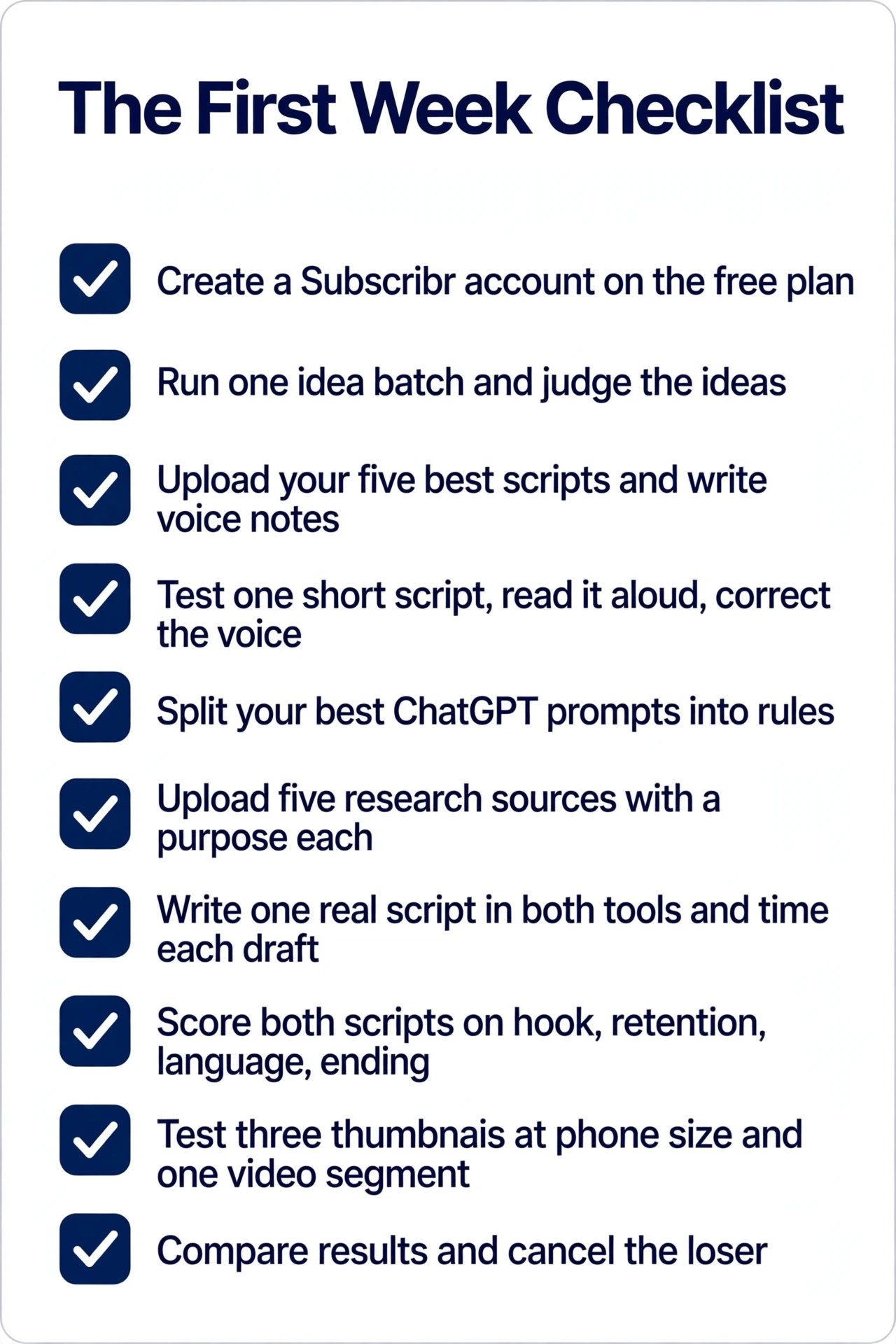
Use this checklist to run the move without missing a step, and treat each item as a small task you can finish in one sitting. The list covers setup, voice, research, the first script and the decision, so you can see progress even when the writing itself feels slow.
- Create a Subscribr account on the free plan and complete channel setup.
- Run one idea batch and judge whether the outlier ideas fit your niche.
- Upload your five best published scripts and write your voice notes.
- Generate one short test script, read it aloud, and correct the voice.
- Split your best ChatGPT prompts into rules and move each rule to the right place.
- Upload five strong research sources with a one sentence purpose for each.
- Write one real video script in both tools and time each draft.
- Score both scripts on hook, retention, spoken language and ending.
- Test three thumbnails at phone size and one short video segment.
- Compare the results against your success test and cancel the loser.
Mistakes That Waste the Move
The most common mistake is paying for the top plan on day one. Growth at 99 dollars a month already covers about 12 scripts a month, and most solo creators do not need the 23 videos a month on Pro at 249 dollars a month or the 52 videos a month on Max at 499 dollars a month. Start on Growth, or on the free plan for research, and move up only when you hit a real limit, such as running out of script credits in the third week of the month. A higher plan does not write better scripts, it only writes more of them.
The second mistake is copying ChatGPT prompts into Subscribr and expecting the same result. The tools work in different ways, and a prompt that is perfect for a chat model can be useless inside a script agent that already has its own steps. Rebuild the rules, do not paste the prompt, and judge the result by the script it produces rather than by how familiar the input felt.
The third mistake is judging the move on one video. A topic can lift or sink a video by more than any script tool, and a single comparison tells you about the topic rather than about the tool. Run the side by side test for at least two videos, and ideally three, before you cancel anything. The fourth mistake is ignoring the thumbnail and video features until after you have paid for a year. Test them in the first week, because they are part of the price, and a feature you never use is money you gave away.
How Much the Switch Really Costs
Add up the full monthly cost before you decide, because the subscription is only part of it. Subscribr Growth at 99 dollars a month is 1,188 dollars a year on monthly billing, and annual billing brings it to about 83 dollars a month, or 990 dollars a year, with two months free. ChatGPT Plus at 20 dollars a month is 240 dollars a year. Keeping both tools costs about 119 dollars a month, or 1,428 dollars a year on monthly billing, which is a real budget line for a small channel.
Ask whether the switch saves you at least five hours a month, or lifts retention enough to earn back the extra 79 dollars a month over ChatGPT alone. For a channel that earns from ads, sponsorships or product sales, a modest lift in watch time can cover that gap quickly. For a channel that earns nothing yet, the gap is a cost you carry while you grow, and you should be honest about how long you can carry it. The AppSumo lifetime tiers, from 79 dollars to 459 dollars as a one time payment, appear in older listings and may not be available now, so do not plan your budget around a deal you cannot buy today.
How to Switch from ChatGPT to Subscribr for YouTube Scripts on a Tight Budget
A tight budget does not rule out the move, but it changes the order of the steps. Start with the free Subscribr plan for idea research, and keep writing scripts in ChatGPT while you test whether the outlier ideas are worth paying for. When one paid month is in your budget, buy Growth for a single month, write as many scripts as the plan allows, and record them in a batch, so one month of cost covers several weeks of publishing. That batch approach is the cheapest honest way to switch from chatgpt to subscribr for youtube scripts without committing to a full year.
If the batch test wins, look at annual billing, which brings Growth to about 83 dollars a month, and check whether a lifetime tier is available at the time you buy. Do not stretch for Pro or Max until Growth limits you, because the extra videos and minutes only help when you publish that often. The smartest way to switch from chatgpt to subscribr for youtube scripts on a small budget is to pay for one strong month, measure the result, and only then decide whether the monthly cost earns its place.
A creator who plans the move this way can switch from chatgpt to subscribr for youtube scripts, keep ChatGPT for general writing, and still spend less in a year than a creator who pays for both tools every month without a test.
Our Verdict
Switch from ChatGPT to Subscribr for YouTube scripts when YouTube is your main work, when you publish at least twice a month, and when your scripts need research, hooks and retention work that a general chat tool cannot supply. Start on the free plan for research, test Growth for one full publishing cycle, and keep ChatGPT for the general writing around the channel. Cancel the tool that loses your side by side test, and do not pay for both out of habit.
Stay with ChatGPT when you publish once a month or less, when your scripts are short and simple, or when the 99 dollar monthly price would strain your budget. A better prompt and a stricter editing pass will improve a ChatGPT script more than a new subscription will, and the money you save can go to audio, lighting or editing, which viewers notice faster than a script tool. The right tool is the one that lifts your retention or saves your time on your own numbers, not the one with the longer feature list.
Frequently Asked Questions
Is Subscribr better than ChatGPT for YouTube scripts?
Subscribr is better for YouTube scripts when you need research, outlier ideas, hooks and retention structure, because it is built for that single job. ChatGPT is better for general writing, quick drafts and varied tasks, because it is built to handle almost any request. The best choice depends on how often you publish and whether your scripts need YouTube specific research or just a clean first draft.
How much does Subscribr cost in 2026?
The current pricing page lists a free plan with no script generation, Growth at 99 dollars a month, Pro at 249 dollars a month and Max at 499 dollars a month, with annual billing giving two months free. Older reviews report a lower entry price near 49 dollars a month, so confirm the current price on the Subscribr pricing page before you pay. Growth covers about 12 scripts a month, based on 60 script credits where five credits cover about a ten minute script.
Can I keep using ChatGPT after I switch to Subscribr?
Yes, and most creators should. Keep ChatGPT for titles, descriptions, emails, research summaries and other general writing, and use Subscribr for the YouTube script workflow. The two tools do different jobs, and keeping both is only wasteful when you pay for a Subscribr plan you do not use or when you duplicate the same writing in both tools.
Will Subscribr copy my channel voice?
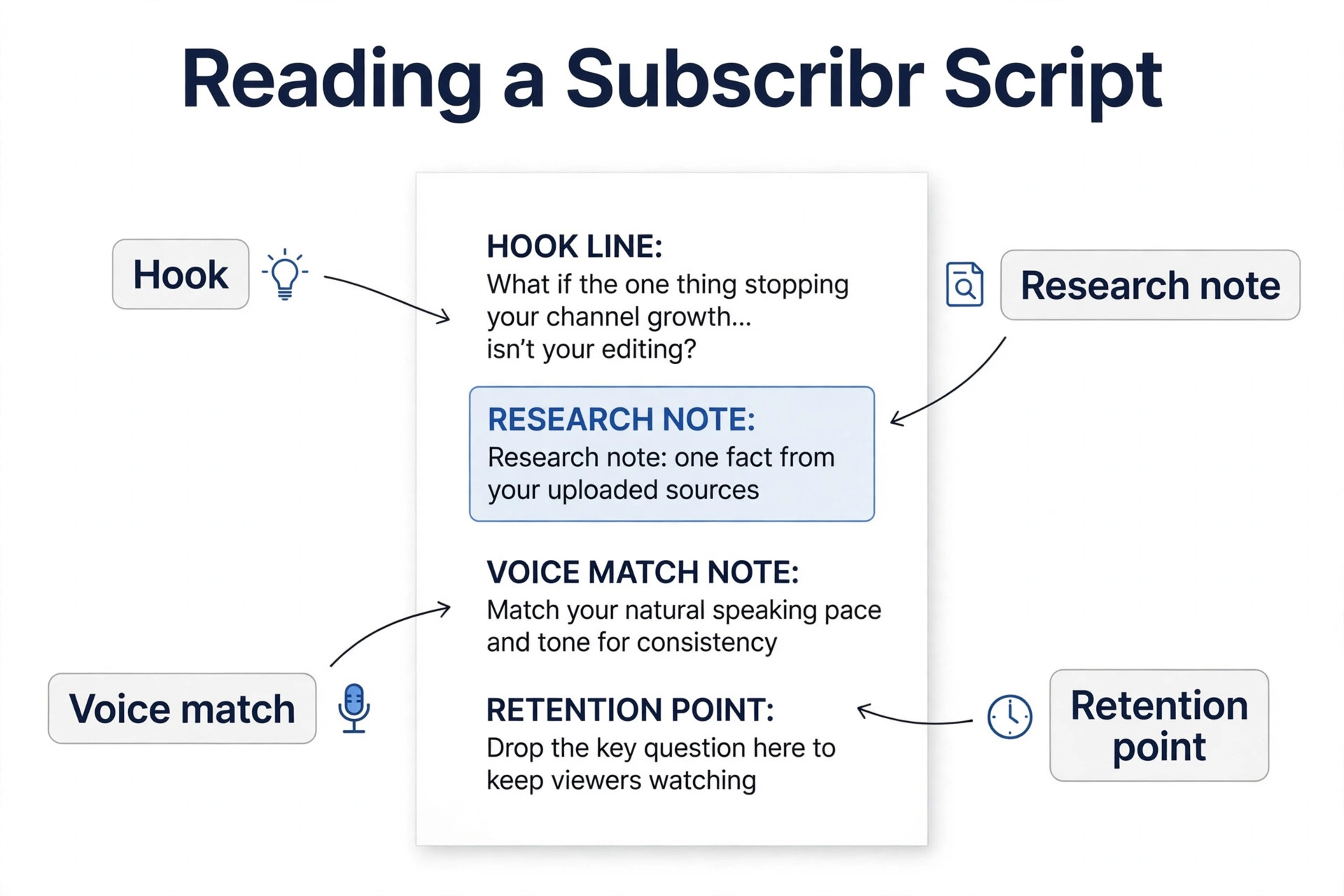
Subscribr offers voice matching and channel memory, and it improves when you feed it your best published scripts and correct the lines that do not sound like you. It will not copy your voice perfectly from one script, so plan for two rounds of correction on your first test script. Read every script aloud before you record, because a line that looks fine on the page can still sound wrong on camera.
Do I need to cancel ChatGPT to use Subscribr?
No. Keep ChatGPT through at least one full publishing cycle, run a side by side script test, and cancel only the tool that loses on your own numbers. Cancelling ChatGPT on day one removes your safety net and forces you to judge Subscribr without a fair comparison. Cancel the loser in the same week you decide, so you do not pay for both out of habit.
Does Subscribr publish videos to YouTube for me?
No, the pricing page does not list publishing, upload or scheduling among the plan features. Subscribr covers ideas, research, scripts, thumbnails and video generation, and you still upload and schedule the finished video yourself. Plan your workflow around that gap, and do not assume a tool will post for you until its own pricing page says so.