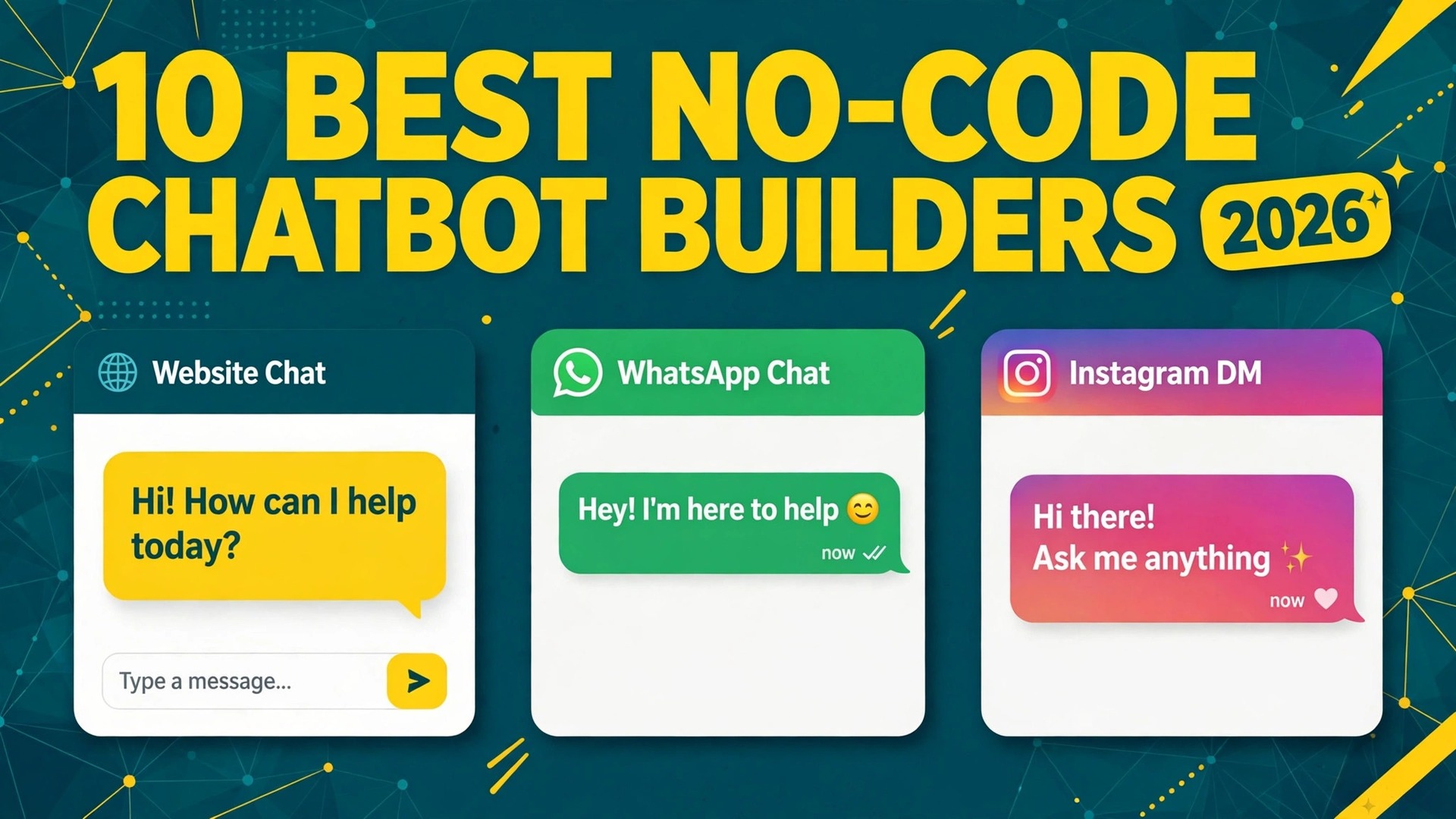
Landbot is the best overall pick among the best no-code chatbot builders we compared, because it pairs a visual flow builder with WhatsApp and website chat in one account. Chatbase is the better choice when you want a bot trained on your own pages and documents, and Tidio is the strongest pick for a small online store that needs live chat and an AI agent together.
We compared 10 tools on the same points, how the bot gets its answers, how you build it, where it can run, what it costs at a realistic volume, and how a human takes over when the bot cannot help. This guide shows what each tool actually delivers, so you can stop comparing homepages and pick one that fits the job in front of you.
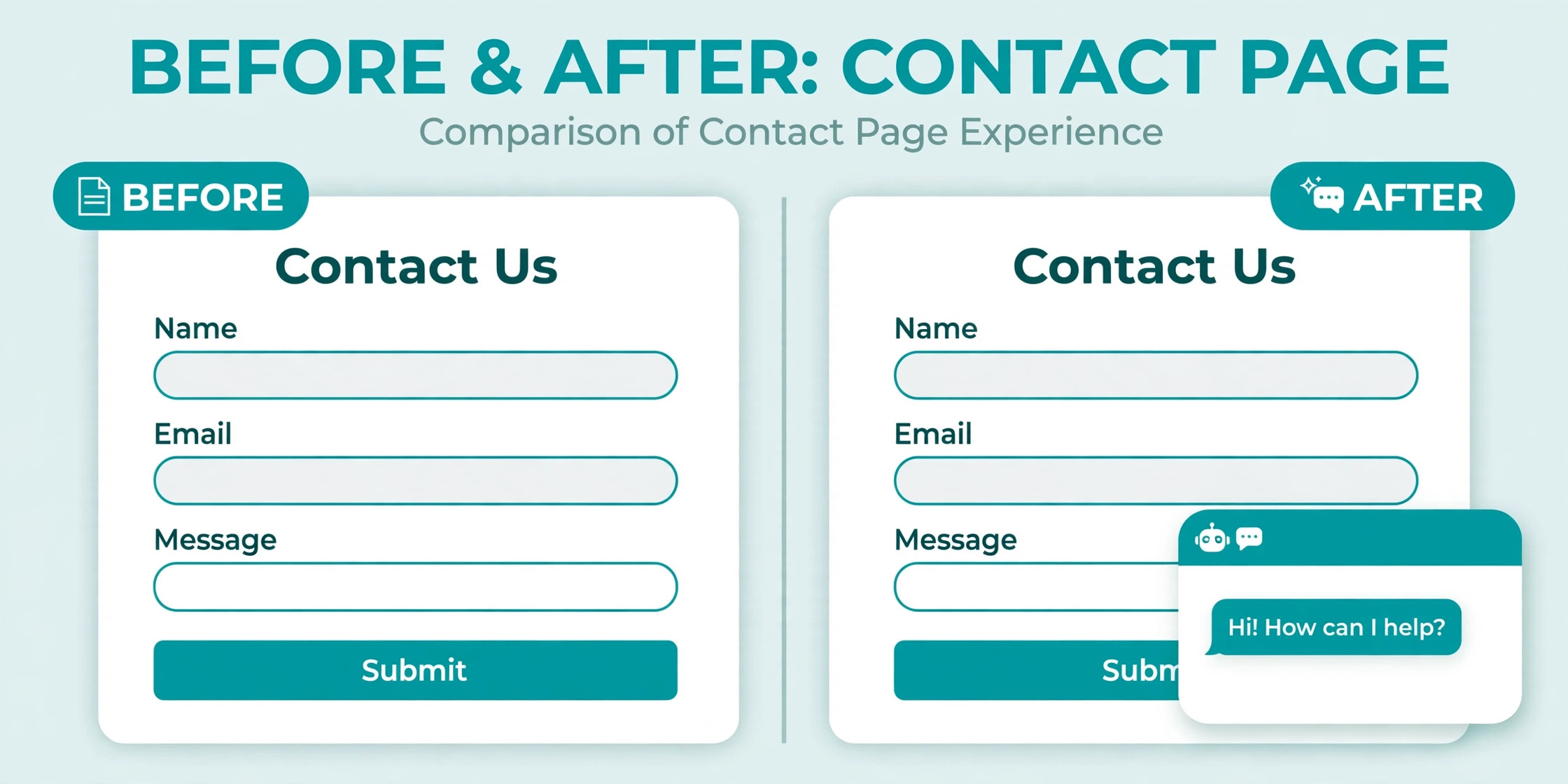
A chatbot is no longer a novelty on a contact page. For a small business it is the first reply a visitor gets at midnight, the lead form that works while the team sleeps, and the support agent that answers the same five questions a hundred times a week. The difference is whether the bot answers from your own content, whether you can change it without a developer, and whether the bill stays predictable when traffic rises.
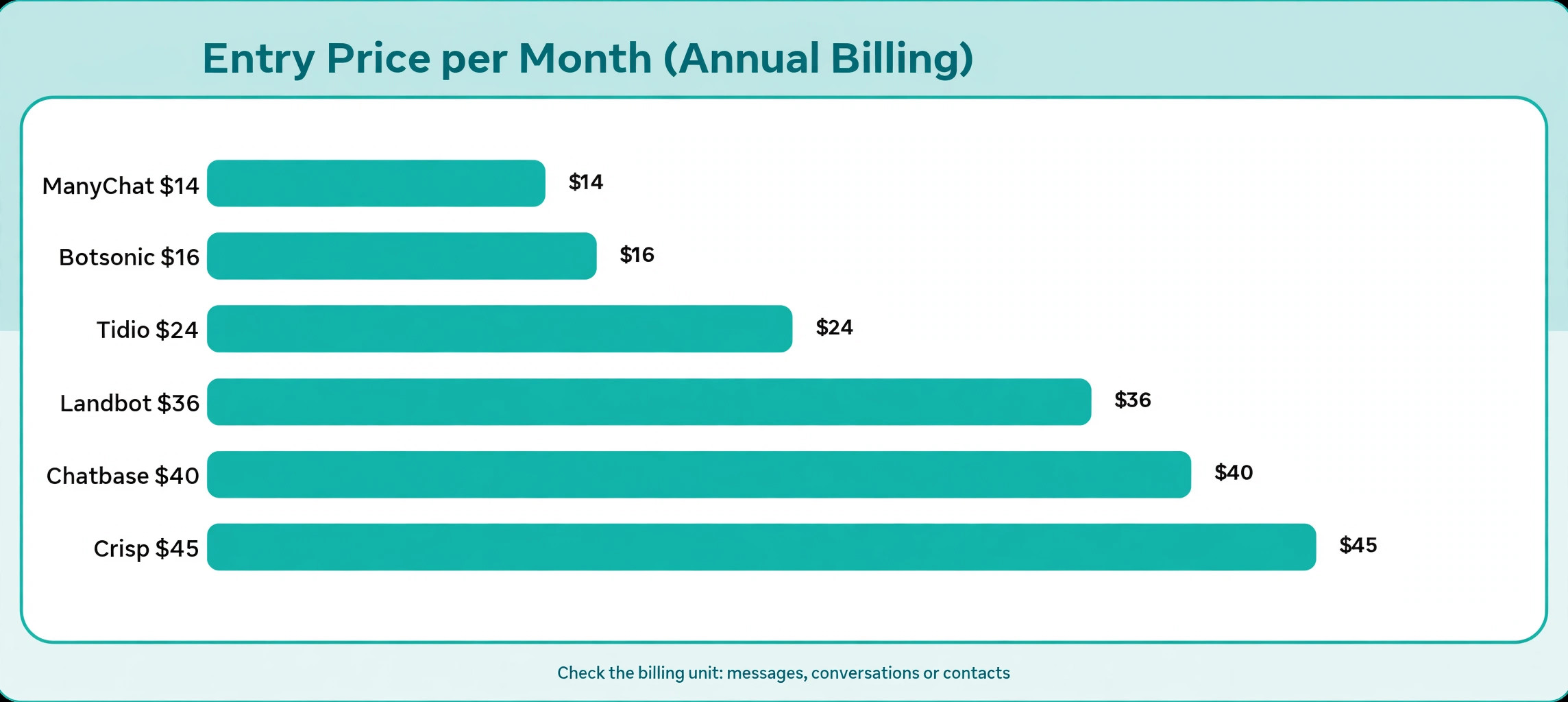
That last point matters more than most buyers expect. Chatbot tools charge in different units, and the unit decides the real cost. Some charge per conversation, some per message credit, some per active contact, and some per resolved chat. A tool that looks cheap at 16 dollars a month can cost more than a 40 dollar plan once volume grows, because the cheaper plan counts every message while the dearer plan counts only finished chats.
How We Tested 10 Chatbot Tools
We started with the job, not the feature list. A bot for a shop needs live chat and order answers, a bot for a service business needs lead capture and booking, and a bot for a creator needs social messages that turn comments into conversations. We scored each tool on five points that cover those jobs, because the best no-code chatbot builders win on the job in front of them, not on a feature list.
First, we checked how the bot gets its answers. Some tools train on your website and documents, so the bot answers in your words. Others run on flows you draw yourself, so every answer is scripted in advance. A third group mixes both. Content trained bots launch faster, while flow bots give you exact control over sales and lead capture.
Second, we checked how you build and change the bot. A visual canvas suits a non technical owner, while a text prompt and a knowledge base suit someone who wants to paste a link and go live in an afternoon. We also checked testing tools, because a bot you cannot preview before publishing will embarrass you in public.
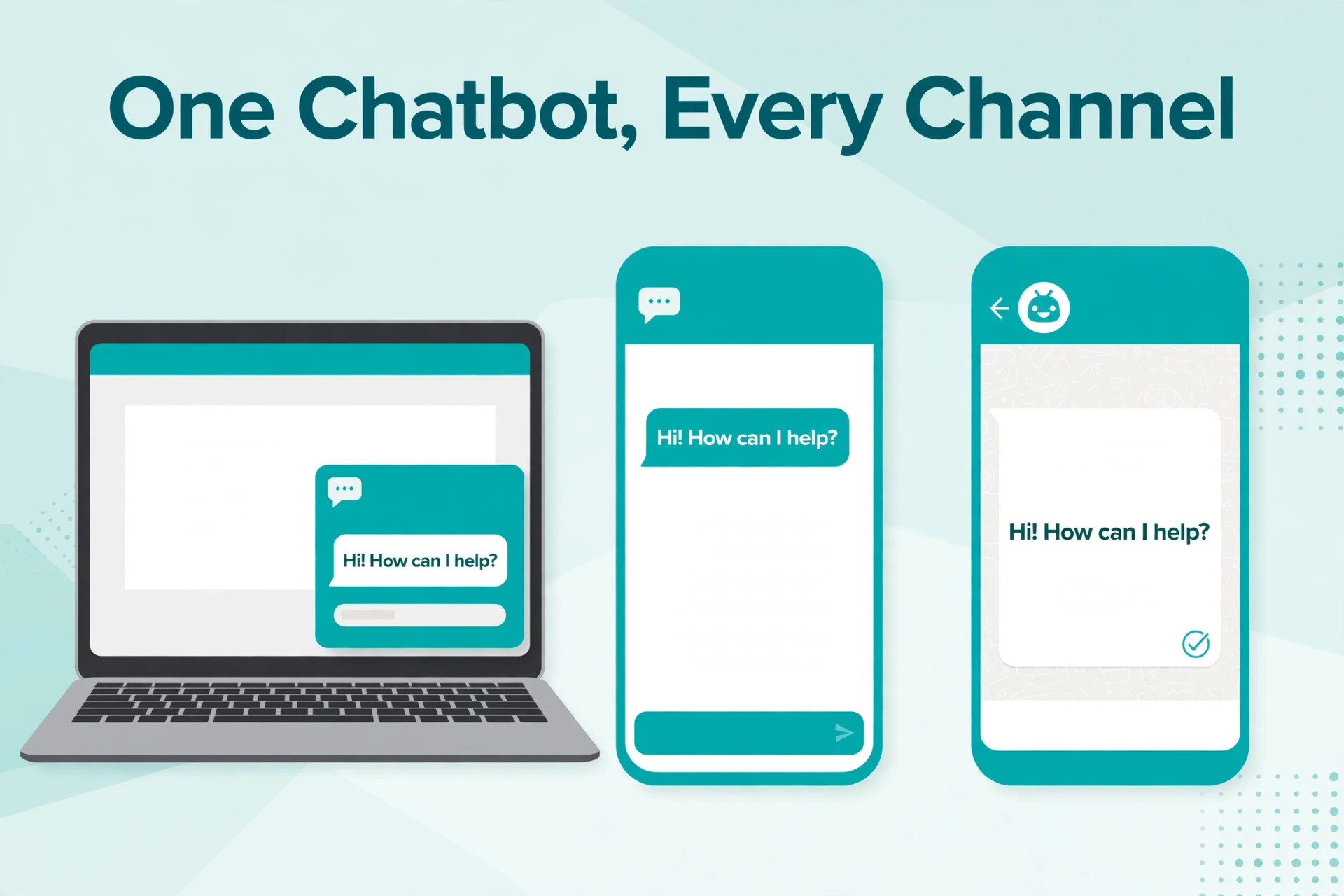
Third, we checked channels. A website widget is the minimum, while WhatsApp, Instagram, Messenger and Telegram matter when your customers message you on social first.
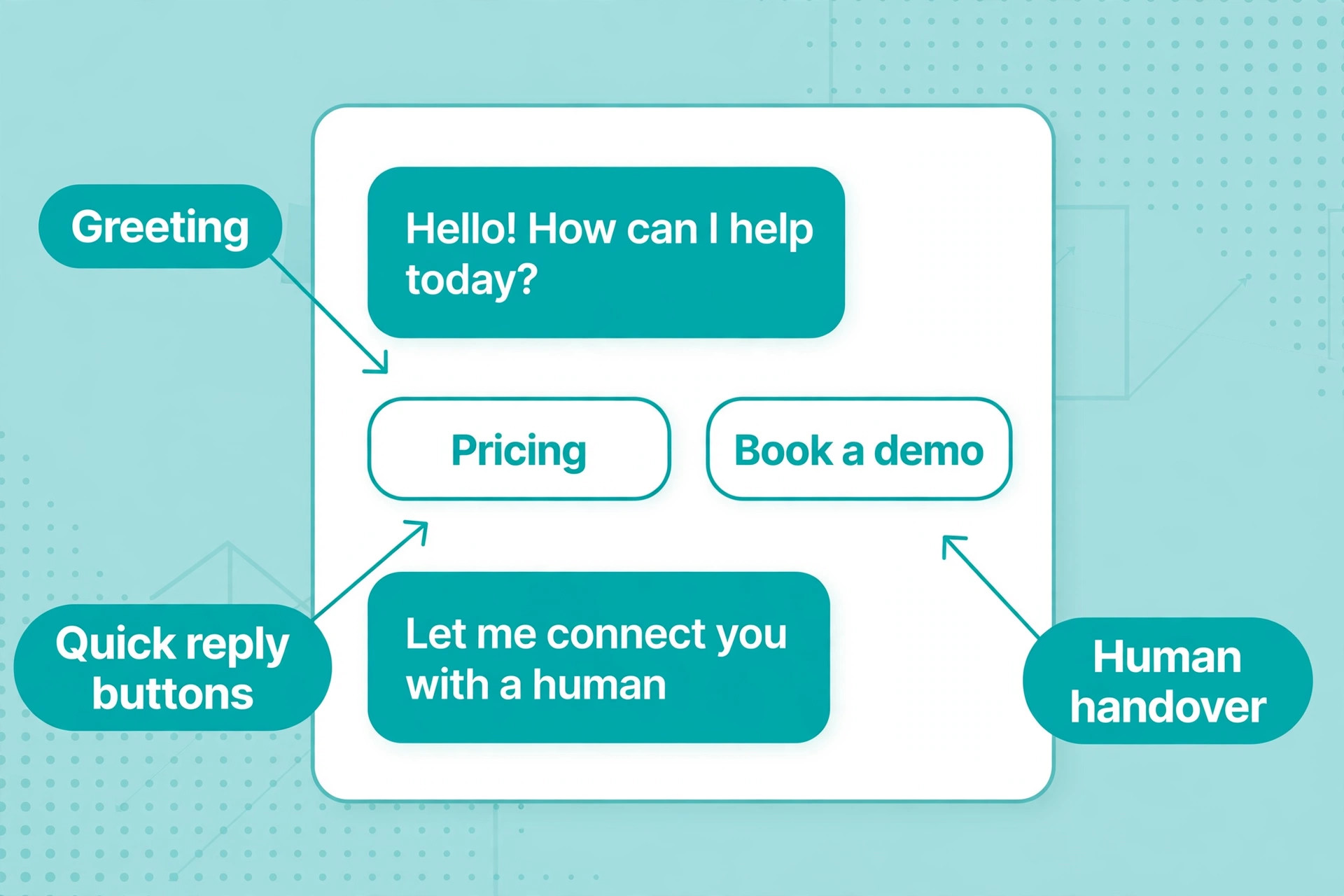
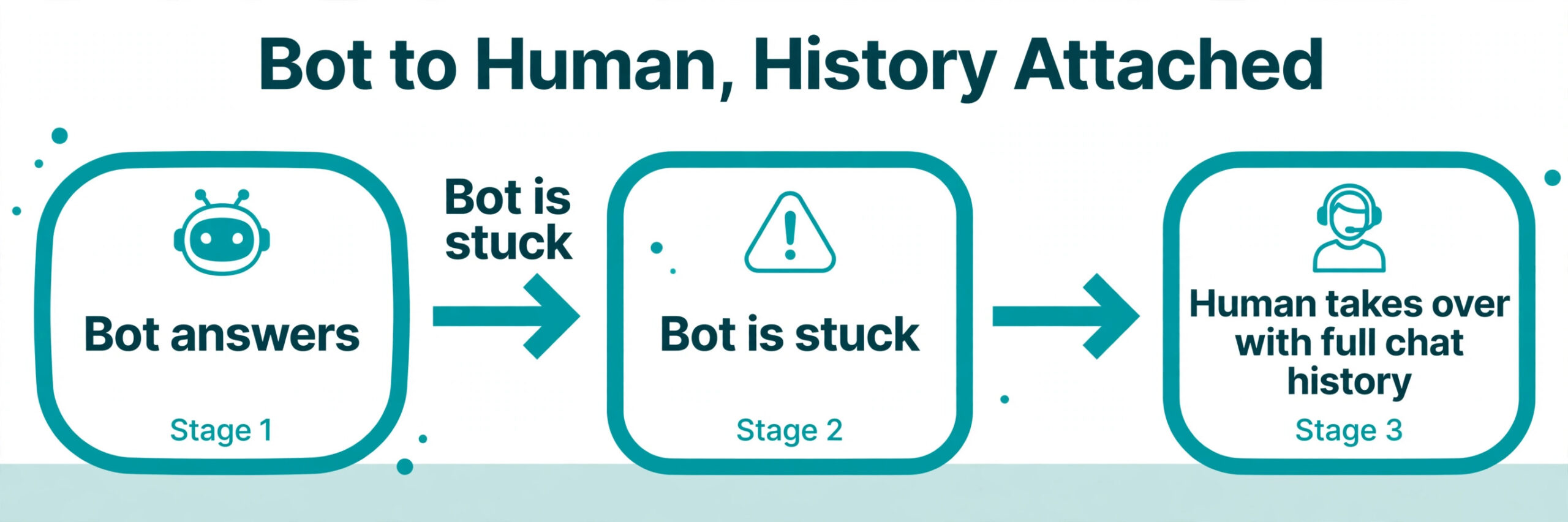
Fourth, we checked the handover to a human. A bot should know when it is stuck and pass the chat to a person with the full history attached. Tools that drop the conversation or restart it from the beginning cost you the customer the bot was meant to keep.
Fifth, we checked price at a realistic volume. We priced each tool for a small business with about 1,000 website visitors a month and 100 to 200 bot conversations a month, then noted what happens when that volume doubles. Prices were read from vendor pricing pages and 2026 roundups in November 2026, so confirm the price at checkout.
The Best Pick for Each Job
| Job | Pick | Why it wins |
|---|---|---|
| Visual flows on a website and WhatsApp | Landbot | Drag and drop canvas plus WhatsApp plans |
| A bot trained on your own content | Chatbase | Fast setup from pages and documents |
| Live chat plus AI for a small store | Tidio | Lyro agent and human inbox in one widget |
| Instagram and Messenger marketing | ManyChat | Comment to DM automation at scale |
| A custom agent with room to grow | Botpress | Open platform with a free starting tier |
| The lowest paid entry price | Botsonic | Content trained bot from 16 dollars a month |
| A bot that stays current with your site | SiteGPT | Auto updating content library |
| Support at volume with per outcome billing | Intercom Fin | Pay only when the AI resolves the chat |
| Voice plus chat agent design | Voiceflow | Agent design for voice and chat together |
| An all in one messaging suite | Crisp | Chat, bot and shared inbox from 45 dollars a month |
Use this table as a shortcut to the best no-code chatbot builders for your job, then read the full section for the tool you are leaning toward. The cheapest option is not the best value when it cannot run on the channel your customers use, and the most expensive option is not the best choice when you only need 100 conversations a month.
The 10 Best No-Code Chatbot Builders in 2026, Ranked
The 10 tools below fall into three groups. The first group trains on your content, so the bot answers from your own pages. The second group runs on flows you draw, so you control every branch. The third group is a suite, where the bot sits beside live chat, a help desk or a CRM. The best no-code chatbot builders in any group share one trait, which is that a non technical owner can launch in a day and change the bot in minutes.
1. Landbot
Landbot is the strongest visual flow builder on this list, and the best overall pick for a business that wants to design conversations rather than train an AI and hope it answers well. The canvas is clear, with blocks for questions, buttons, images and conditional branches, and you can preview the whole flow as a visitor would see it. The result feels like a guided conversation, not a search box.
Landbot runs on your website and on WhatsApp, which matters for service businesses that take bookings and quotes by message. The free plan covers 100 chats a month, so you can test a real flow before you pay. Paid plans start at 45 dollars a month, or 36 dollars a month billed annually, with 500 chats and 100 AI chats a month on Starter. Professional rises to 110 dollars a month, or 88 dollars billed annually, with 2,500 chats and 300 AI chats.
The limit to watch is the chat allowance. A flow that asks five questions can use several chats in one visit if the visitor restarts it, so count conversations, not visitors, when you pick a plan. Landbot suits a business that wants lead capture, booking and qualification in a scripted flow, with WhatsApp in the same account as the website widget.
2. Chatbase
Chatbase is the fastest route from a website to a working bot. You paste a link, upload documents, or connect a sitemap, and the bot answers questions from that content in minutes. There is no canvas to draw and no flow to script, which is why it suits a business with a large help centre and no time to build branches by hand.
The free plan includes 50 message credits a month, and agents are deleted after 14 days of inactivity on the free tier, so treat the free plan as a test, not a home for a live bot. Paid plans start at 40 dollars a month on the Hobby plan in the most recent pricing we checked, with higher tiers at 120 dollars and 400 dollars a month on annual billing. Other roundups list Hobby from 32 dollars a month billed annually, so the exact figure depends on the billing period and the date you check. Confirm it at checkout.
Chatbase lets you pick the AI model on some plans, and it supports AI actions that can trigger tasks outside the chat. The trade off is control. A content trained bot can answer in a way you did not script, so review its answers in the first weeks and fix the source pages it learned from. Chatbase suits a knowledge heavy business, a course seller, or a service firm with a long FAQ page.
3. Tidio
Tidio is the best pick for a small online store, because it puts live chat, a no code flow builder and the Lyro AI agent in one widget. A visitor can talk to the bot, then to a human, without leaving the page or losing the history. That single inbox is the reason many Shopify and WordPress stores choose Tidio over a bot only tool.
The free plan covers 50 billable conversations, and Starter costs 24.17 dollars a month billed annually for 100 conversations. Lyro is an add on, from 32.50 dollars a month for 50 AI conversations, with larger tiers priced on request in some roundups and from 39 dollars a month in others. Add the two together before you compare Tidio with a bot only tool, because the headline plan price does not include the AI.
Tidio also sells a Premium tier that charges per resolved conversation, which suits a store with seasonal spikes. The weakness is that Lyro answers from the content you give it, so a thin help centre gives thin answers. Feed it your shipping, returns and product pages first, then turn it on.
4. ManyChat
ManyChat is the best tool on this list for social direct messages, and the only one where Instagram is the first channel, not an afterthought. It turns a comment on a post into a DM, delivers a lead magnet, runs a giveaway, and follows up with a sequence, all from visual flows. For a creator or a brand that sells through social, that is the job.
The free plan covers 25 active contacts, which is enough to test one automation. Essential starts at 14 dollars a month, Pro at 29 dollars a month billed annually, and Business at 69 dollars a month, with prices rising as your active contact count grows. AI features start on Pro, and they are still labelled beta in some pricing notes, so test them on a small audience before you rely on them.
ManyChat bills by active contact, not by message, so a viral post can push you into a higher tier in a single week. That is the right meter for DM marketing, where one person may receive several messages, and the wrong meter for support. ManyChat suits a creator, a coach, or a shop that runs Instagram first and a website second.
5. Botpress
Botpress is the most powerful platform on this list, and the best pick when you want a custom agent with room to grow into complex logic. It is an open platform with a visual flow builder, AI agents, integrations and a free tier, so a technical team can start free and build a bot that a simpler tool could not run.
Pricing is where sources disagree, so treat this figure with care. One 2026 roundup lists Plus at 89 dollars a month, while another lists Plus at 150 dollars a month billed annually, with a free tier covering 1,000 messages. The gap is large enough that you should read the live pricing page before you budget, and check whether the plan you need includes the AI usage you expect. Team plans rise steeply from there.
Botpress suits a team comfortable with logic, APIs and integrations, even if no one writes code every day. It is too much tool for a shop that only needs 100 FAQ answers a month. The ceiling is the attraction here, because a bot that starts as a FAQ answerer can grow into an agent that checks orders and books appointments.
6. Botsonic
Botsonic is the cheapest credible paid entry on this list, and the best pick when budget decides the shortlist. It is a content trained bot from Writesonic, so you train it on your website and documents, embed the widget, and let it answer. There is no visual flow canvas to learn, which keeps the setup time under an hour for a small site.
Paid plans start at 19 dollars a month, or 16 dollars a month billed annually, for 1,000 messages. That message count is the key number, because a single conversation can use several messages. A busy site will outgrow the entry plan faster than the price suggests, so track messages per conversation in the first month, not just conversations per month.
Botsonic suits a small business, a blogger, or a freelancer who wants an AI answer bot on a website and does not need WhatsApp, Instagram, or a human inbox. It does one job well, which is answering from your content, and it does not try to be a full support suite.
7. SiteGPT
SiteGPT is the best pick when your website changes often and you want the bot to keep up without manual retraining. It builds a content library from your site and updates it automatically, so a new help page or a changed price appears in the bot answers without you re-uploading files. That auto update is the feature that separates it from most content trained rivals.
There is no free plan, only a trial, which is a real drawback for a buyer who wants to test before paying. Starter costs 59 dollars a month, or 39 dollars a month billed yearly, for 4,000 messages, 1,000 pages and one chatbot. Growth costs 129 dollars a month, or 79 dollars billed yearly, for 10,000 messages and two chatbots. The annual discount is steep, so the monthly price and the annual price tell very different stories.
SiteGPT has no visual flow builder, so it cannot run a scripted lead capture flow the way Landbot can. It answers, it does not guide. That makes it a strong pick for a documentation heavy site or a publisher with hundreds of pages, and a weak pick for a business whose main goal is qualification and booking. Check the page limit before you buy, because a large site can exceed 1,000 pages quickly.
8. Intercom Fin
Intercom Fin is the best pick for a support team that already runs a help desk and wants to pay for outcomes, not seats or messages. Fin is an AI agent that resolves conversations on its own, and you pay 0.99 dollars per Fin outcome, which is a conversation Fin actually resolves. That model is superb at volume and hard to justify at 50 tickets a month.
Fin runs on your existing help desk, including Salesforce, without a seat in some setups, so you do not need to move your whole support stack to use it. When you do use Intercom as the desk, seats cost 29 dollars a month on Essential, 85 dollars on Advanced, and 132 dollars on Expert, billed annually. New customers have seen a lower Essential price in some periods, so check the current offer.
The strength of Fin is accuracy on real support work, because it reads your help centre and past tickets. The weakness is cost structure. A team with a small ticket volume pays the seat price and the per outcome price for a small return, while a team with thousands of tickets saves real staff time. Fin suits an established support team, not a solo owner answering 20 chats a week.
9. Voiceflow
Voiceflow is the best pick when the bot needs to work by voice as well as by chat. It is an agent design platform, so you design conversations, test them, and deploy them to voice assistants and chat widgets from one canvas. That dual channel design is rare on this list, and it matters for businesses whose customers call as often as they type.
Voiceflow publishes no self serve price, which is a drawback for a small buyer who wants a number before a sales call. Roundups list a Pro plan from about 60 dollars a month, with additional editors adding cost, and an enterprise tier above that. Treat those figures as a guide, not a quote, and ask for the full price in writing before you commit.
Voiceflow suits a team building an agent for a product or a voice channel, and it suits an agency that designs bots for clients. It is not the fastest route to a simple website FAQ bot, because the design tools are deeper than that job needs.
10. Crisp
Crisp is the best all in one messaging suite on this list, and the best pick when you want chat, a bot, and a shared inbox without buying three tools. It covers website chat, email, and social messages in one inbox, with a bot builder, canned replies, and a knowledge base alongside. For a small team that lives in the inbox all day, that unity saves more time than any single bot feature.
Pricing starts from about 45 dollars a month per workspace in the most recent roundups we checked, with a free plan to start. That per workspace price is kinder than per seat pricing when several people share the inbox, but check how the plan you need counts seats, bots and automations before you buy, because add ons can change the total.
Crisp suits a small business that wants one place for every customer message, with a bot handling the first reply and a human taking over in the same window. It does not train on documents as deeply as Chatbase or SiteGPT, and it does not run Instagram automation as well as ManyChat, so pick it for the suite, not for a single standout bot feature.
How to Choose the Right Chatbot Builder
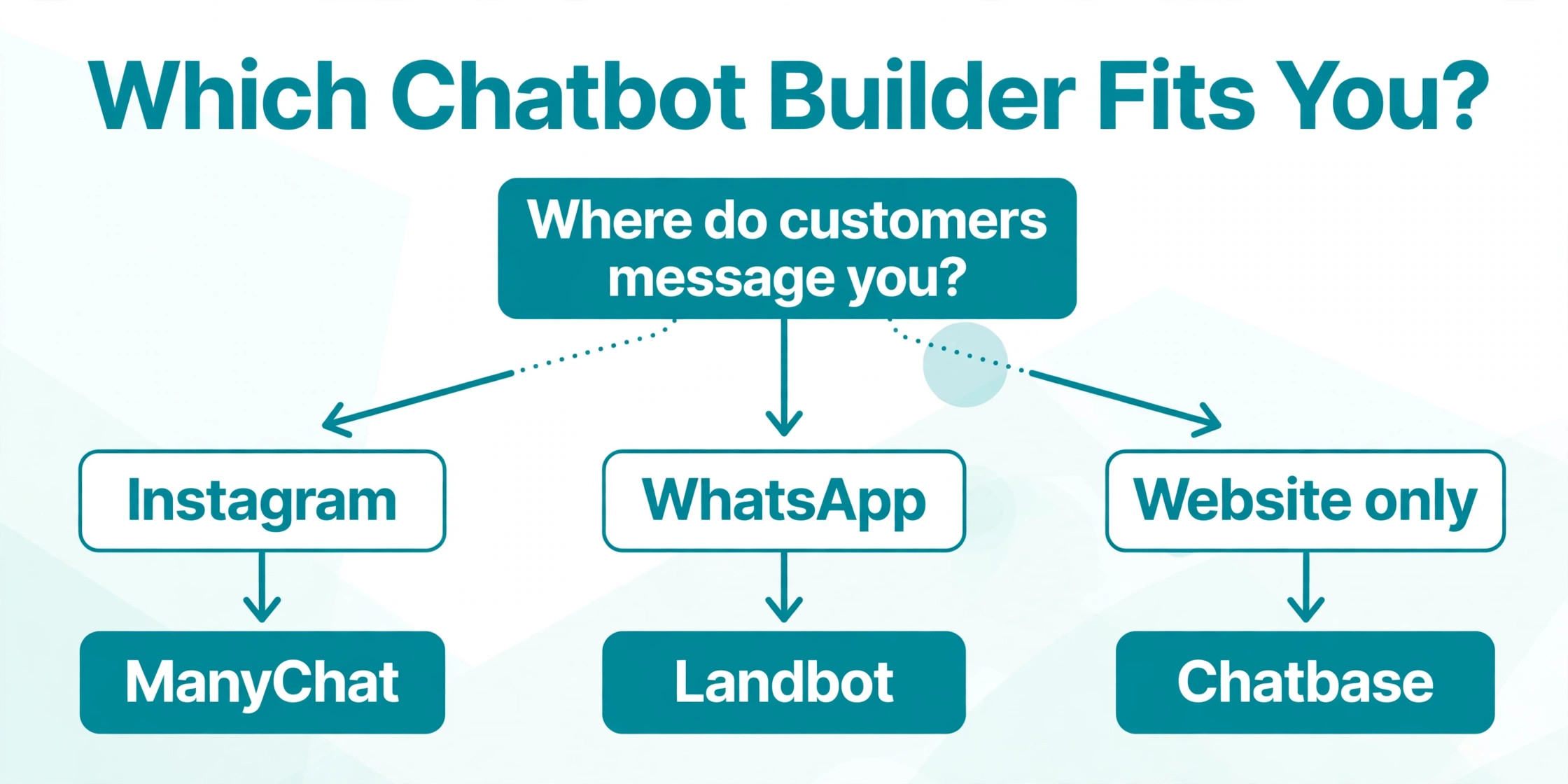
Start with the channel, because it removes half of the best no-code chatbot builders in one step. If your customers message you on Instagram, ManyChat is the only serious pick here. If they use WhatsApp, Landbot and Crisp cover it best. If they only visit your website, a content trained bot such as Chatbase, SiteGPT or Botsonic will launch fastest. A bot that cannot run where your customers already are will sit unused, however good its AI looks in a demo.
Next, decide how the bot should answer. A content trained bot suits a business with a large help centre, because it answers from pages you already wrote. A flow bot suits a business that needs exact control, such as a quote, a booking, or a qualification sequence where the wrong answer costs a sale. A suite bot suits a team that wants the bot and the human inbox together. Do not buy a flow builder when you need 500 FAQ answers, and do not buy a content bot when you need a strict sales script.
Then price the bot in its own unit at your real volume. Count conversations per month, messages per conversation, active contacts, or resolutions, depending on the tool. A 16 dollar plan that counts messages can cost more than a 40 dollar plan that counts conversations, because one chat can use ten messages. Run your last month of support volume through each pricing page before you choose, and add the AI add on to the base plan price where it is sold separately, as it is with Tidio.
Finally, test the handover. Send the bot a question it cannot answer, then watch what happens. The best tools pass the full history to a human and let the human pick up without asking the visitor to repeat everything. A bot that drops the chat at the hard question is worse than no bot.
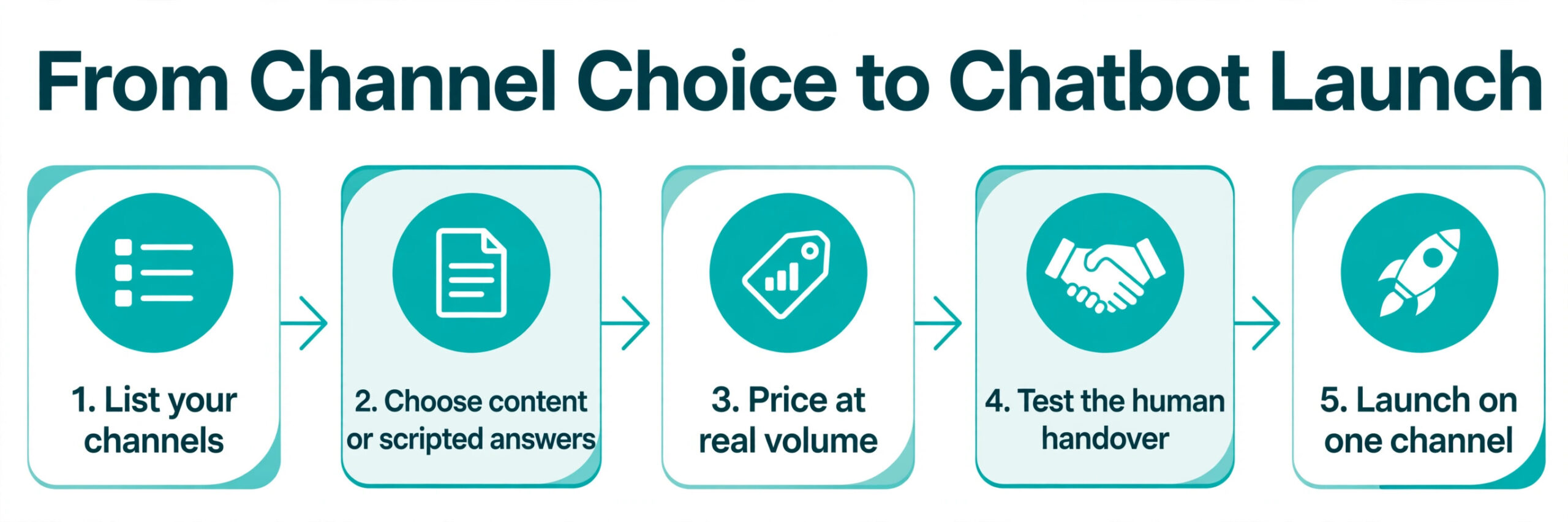
- List the channels your customers already use, then keep only the tools that run there.
- Decide whether the bot should answer from your content or follow a script you draw.
- Price each shortlisted tool at your real monthly volume, in its own billing unit.
- Test the human handover with a question the bot cannot answer.
- Launch on one channel first, review the answers weekly, then expand.
What to Verify Before You Launch
Check the billing unit before the price, because it decides the real monthly cost. A conversation, a message credit, an active contact and a resolved outcome are four different things, and vendors count them differently. Ask support how a restarted chat is counted, how a bot reply inside a human conversation is counted, and what happens when you exceed the allowance. An overage charge can double a small bill in a busy month.
Check the free plan limits with the same care. Some free plans delete the bot after inactivity, some cap contacts at 25, and some give AI conversations only once. A free plan that deletes your work is a demo, not a starting point, so read the terms before you build a live bot on it.
Check the exit route as well. Can you export your flows, your training content and your conversation history if you leave. A tool that locks your flows inside its own format costs you a rebuild when you switch.
Mistakes That Waste Money
The most common mistake is buying on the headline price without adding the AI add on. A buyer sees Tidio Starter at 24 dollars a month, launches, then finds Lyro costs another 32 dollars a month for 50 conversations, so the real starting price is closer to 57 dollars a month. The same trap applies to any tool that sells the bot separately from the chat widget. Add every part you need before you compare prices, and compare totals, not headlines.
The second mistake is training a bot on thin content and expecting good answers. A content trained bot is only as good as the pages it reads, so a site with a three line FAQ will get three line answers. Write the help pages first, with real prices, real policies and real examples, then train the bot. The best no-code chatbot builders cannot invent knowledge you have not published, and a bot that guesses will invent a price or a policy you do not offer.
The third mistake is launching on every channel at once. A bot that works on the website may fail on Instagram, where visitors expect short replies and quick buttons, or on WhatsApp, where they expect a human tone. Launch on one channel, review the conversations for two weeks, fix the answers that failed, then expand. A slow launch that works beats a fast launch that annoys every visitor on every channel.
The Short Answer
Landbot is the pick for most readers, because the visual canvas, the WhatsApp coverage and the free starting tier cover the widest set of jobs without a developer. It is the tool we would choose for a service business that needs lead capture and booking in a guided flow.
Chatbase is the pick when the job is answering from your own content, because it launches fastest and answers in your words. Tidio is the pick for a small store, because the bot and the human inbox live in one widget. ManyChat is the pick for social first selling, because no other tool on this list turns comments into DMs as well. Botsonic is the pick when the budget is tight and the job is a website FAQ bot, because 16 dollars a month billed annually is the lowest credible paid entry here.
When your support volume is large and your team already runs a help desk, price Intercom Fin on per outcome billing before you choose a flat plan, because 0.99 dollars per resolved chat can be cheaper than a seat for every agent. When voice matters, talk to Voiceflow, and when the inbox is the centre of your work, look at Crisp.
Frequently Asked Questions
How much does a no-code chatbot builder cost?
Among the best no-code chatbot builders, the cost runs from free to about 150 dollars a month at the entry paid tier, depending on how the tool bills. Botsonic starts at 16 dollars a month billed annually, ManyChat at 14 dollars a month, Tidio at 24.17 dollars a month billed annually before the Lyro add on, and Chatbase at about 32 to 40 dollars a month depending on billing period. Intercom Fin adds 0.99 dollars per resolved conversation on top of seats from 29 dollars a month. The real cost depends on the billing unit, so price your actual volume first.
Can a no-code chatbot answer from my website?
Yes, several tools on this list train on your website, help pages and documents. Chatbase, SiteGPT and Botsonic all build a bot from your content, and SiteGPT updates its library automatically when your site changes. The quality of the answers depends on the source pages, so write clear help pages with real prices and policies before you train the bot.
Which chatbot builder is best for Instagram?
ManyChat is the best pick for Instagram, because it is built for comment to DM automation, lead magnets, giveaways and follow up sequences on Instagram, Messenger and WhatsApp. The free plan covers 25 active contacts, Essential starts at 14 dollars a month, and AI features start on Pro at 29 dollars a month billed annually. No other tool on this list treats Instagram as the first channel.
Do I need a developer to build a chatbot?
No, none of the tools on this list needs a developer to launch a basic bot. Landbot and ManyChat use a visual canvas, Chatbase and Botsonic train from a link or a document upload, and Tidio installs as a widget or a Shopify app. A developer helps only when you need custom integrations, such as checking an order status in your own system.
What happens when the chatbot cannot answer?
A good bot passes the chat to a human with the full history attached, so the visitor does not repeat the question. Tidio, Crisp and Intercom do this inside a shared inbox. Test this handover before you launch, because a bot that drops the conversation at the hard question costs more trust than it saves in time.
Is a free chatbot plan enough for a small business?
A free plan is enough to test a bot, but rarely enough to run one live for long. Landbot gives 100 chats a month free, Tidio gives 50 billable conversations, ManyChat gives 25 active contacts, and Chatbase gives 50 message credits a month with inactivity limits. Those allowances cover a test and a quiet week, not a growing business. Budget for the first paid tier once the bot handles real customers every day.
A good chatbot earns its keep in the first month, by answering the questions your team already answers every day and by capturing the leads that arrive after hours. Start with one channel, train the bot on pages you trust, test the handover, and review the conversations every week.