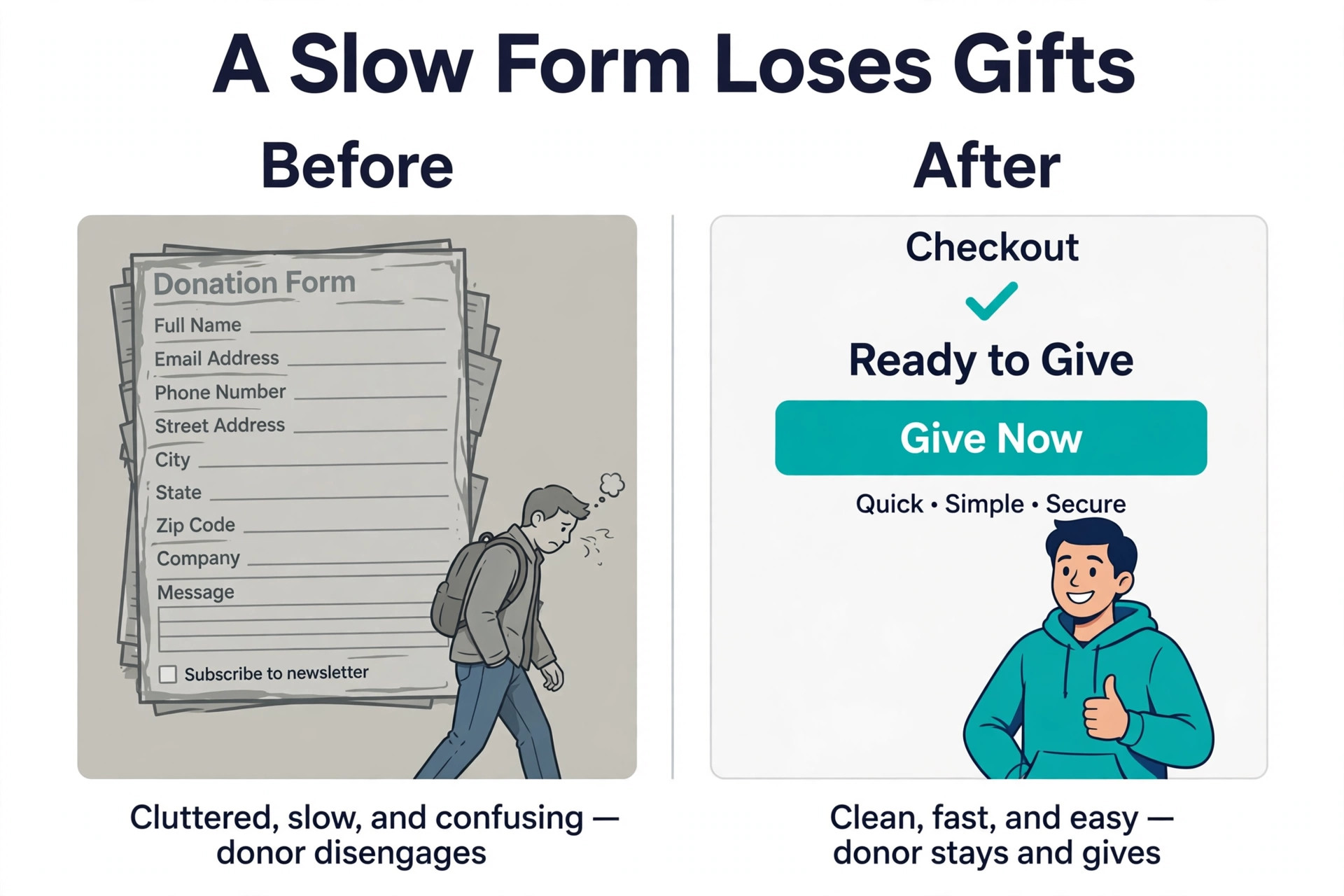
Every month you wait to fix a donation page that leaks gifts is a month of donations you will never get back. A donor who hits a slow form, a confusing fee, or a page that does not work on a phone does not try again next week, they give to another cause or they give nothing at all. That cost of waiting is the reason to choose the best nonprofit donation software now, not after the next campaign.
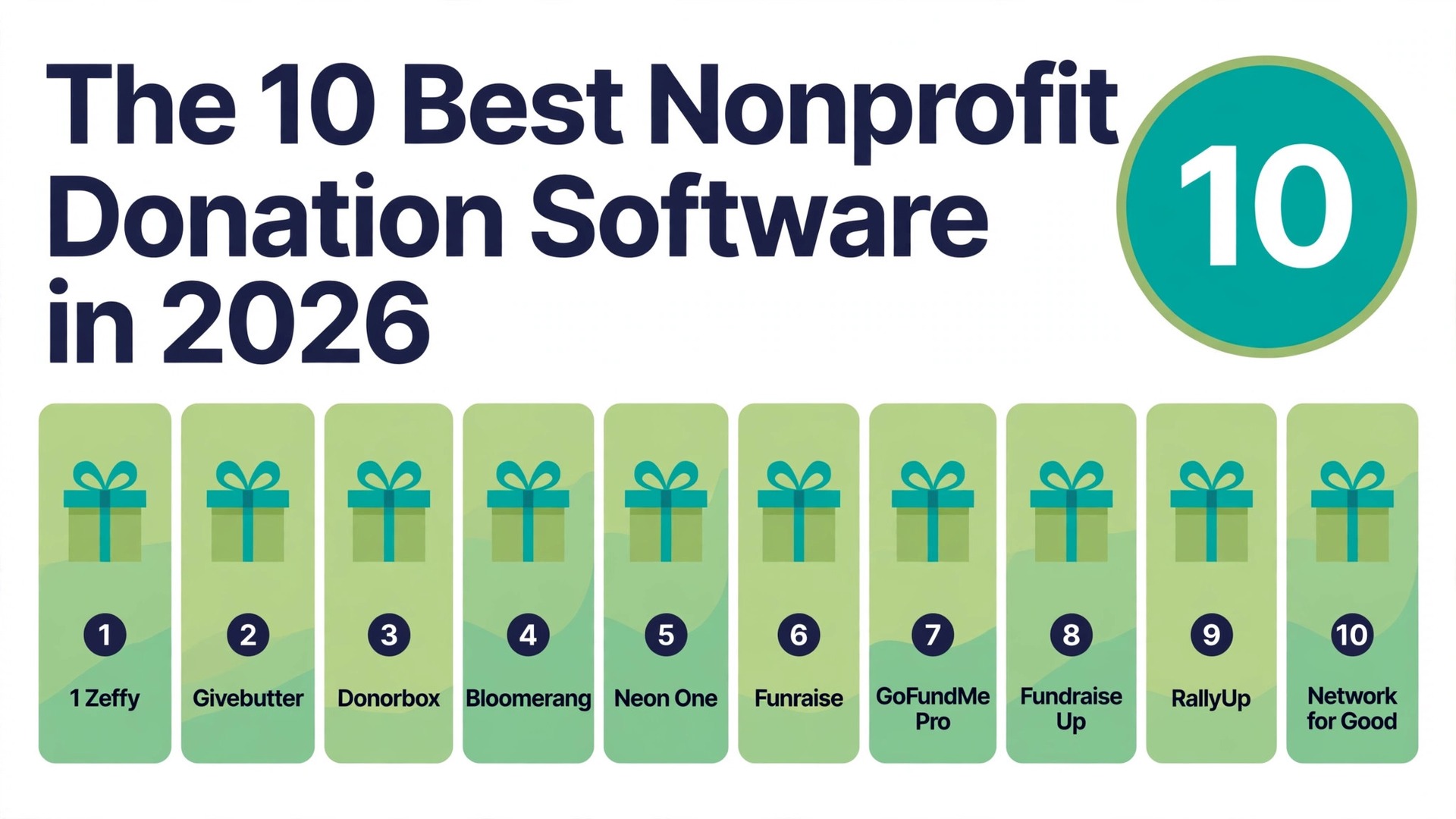
Zeffy is the best choice when you want to keep 100 percent of every gift, Givebutter is the best free all round platform, Donorbox is the fastest way to launch a donation form, and Bloomerang is the best choice when donor retention is the priority. We compared ten real tools on the fees that decide what you keep, on the donor tools that decide whether a gift becomes a repeat gift, and on the true cost at real donation volumes.
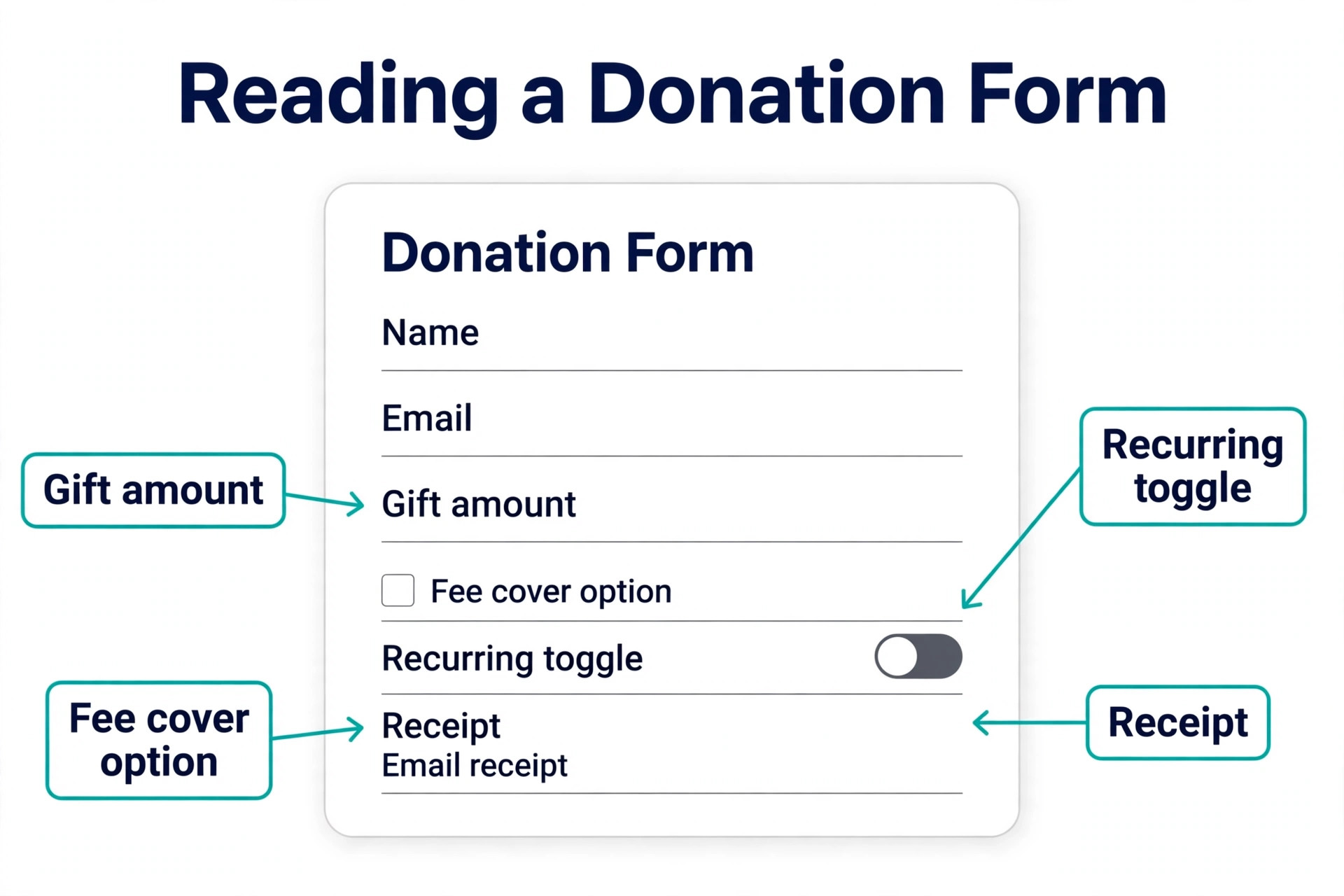
Donation software has three layers of cost, and vendors advertise them differently. The platform fee is what the software company takes, from zero percent to about 2.95 percent depending on the tool and the plan. The processing fee goes to the card network or to Stripe or PayPal, typically 2.2 to 2.9 percent plus 30 cents per gift for nonprofits. The subscription is the monthly fee for the software itself, from free to custom enterprise quotes.
A free platform with a 2.95 percent fee costs more than a 150 dollar a month plan with a 1.75 percent fee once you pass roughly 125,000 dollars in annual online giving, so the cheapest headline price is rarely the cheapest tool at your volume.
Prices in this guide are regular list prices in United States dollars, checked against vendor pricing pages and current 2026 roundups in November 2026. Processing fees change by card type, by nonprofit status and by whether the donor covers the fee, so confirm the exact fee in writing before you launch a campaign. We flag the fee conflicts we found, and we show the cost on 10,000 dollars raised and on 50,000 dollars raised so you can see the real difference rather than the marketing claim.
How We Compared Ten Donation Tools
We scored each tool on six points that matter to a nonprofit. Fees covered the platform fee, the processing fee, the subscription, and the true cost on 10,000 dollars and on 50,000 dollars raised. Donation forms covered speed to launch, embed options, recurring giving, donor covered fees and mobile checkout. Campaign tools covered peer to peer fundraising, events, auctions, raffles and memberships. Donor management covered the CRM, segmentation, receipts, thank you messages and retention reporting. Integrations covered accounting, email, Salesforce, HubSpot and other CRMs. Ease of use covered setup time, the learning curve for volunteers, and the help available when a campaign is live and something breaks.
The Best Pick for Each Job
| Job | Pick | Why it wins |
|---|---|---|
| Best for keeping every gift | Zeffy | Zero platform and processing fees |
| Best free all round platform | Givebutter | Free core with peer to peer and events |
| Best for fast donation forms | Donorbox | Embeddable forms live in about 15 minutes |
| Best for donor retention | Bloomerang | CRM built around retention and journeys |
| Best for CRM plus fundraising | Neon One | One vendor for CRM and online giving |
| Best for design led campaigns | Funraise | Strong pages and donor experience |
| Best for large campaigns | GoFundMe Pro | Enterprise peer to peer and events |
| Best for conversion | Fundraise Up | Optimised checkout and donor prompts |
| Best for auctions and raffles | RallyUp | Free donation pages plus raffles |
| Best for small nonprofits | Network for Good | Free plan with CRM and events |
Use this table as a shortcut, then read the full section for the tool you are leaning toward. The tool with the lowest fee is not the best value when it cannot run a peer to peer campaign, and the tool with the deepest CRM is not the best choice when you only need a donation form this week.
The Best Nonprofit Donation Software in 2026, Ranked
The ten tools below fall into three groups. The first group is free or low cost platforms that let a small nonprofit start raising money this week, and these are the strongest picks for most readers. The second group is CRM led platforms that pair fundraising with donor management, and these suit nonprofits that need to retain donors rather than just collect gifts. The third group is enterprise and specialist platforms that serve large campaigns, auctions and high volume fundraising, and these suit nonprofits with a dedicated fundraising team.
1. Zeffy
Zeffy is the only tool on this list where a 5,000 dollar gift reaches your bank as 5,000 dollars, online and at an in person event, because Zeffy charges no platform fee, no processing fee and no subscription. The model is funded by optional donor tips at checkout, and Zeffy absorbs the Stripe processing cost when the donor does not cover it. More than 100,000 nonprofits use Zeffy and have raised more than 2 billion dollars through it, according to the vendor, and it scores 4.9 out of 5 on G2 from more than 3,000 reviews checked in October 2026.
The platform covers donation forms, events, peer to peer campaigns, raffles, memberships and auctions, with a donor CRM built in, unlimited contacts, automatic tax receipts and a free Tap to Pay app for iPhone and Android that takes card payments, sells tickets and runs check in. That breadth matters, because a free tool that only covers donation forms still leaves you paying for events and a CRM elsewhere. Zeffy is genuinely free for a registered nonprofit, and the only cost to watch is the donor tip prompt, which some donors may find intrusive, though they can decline it.
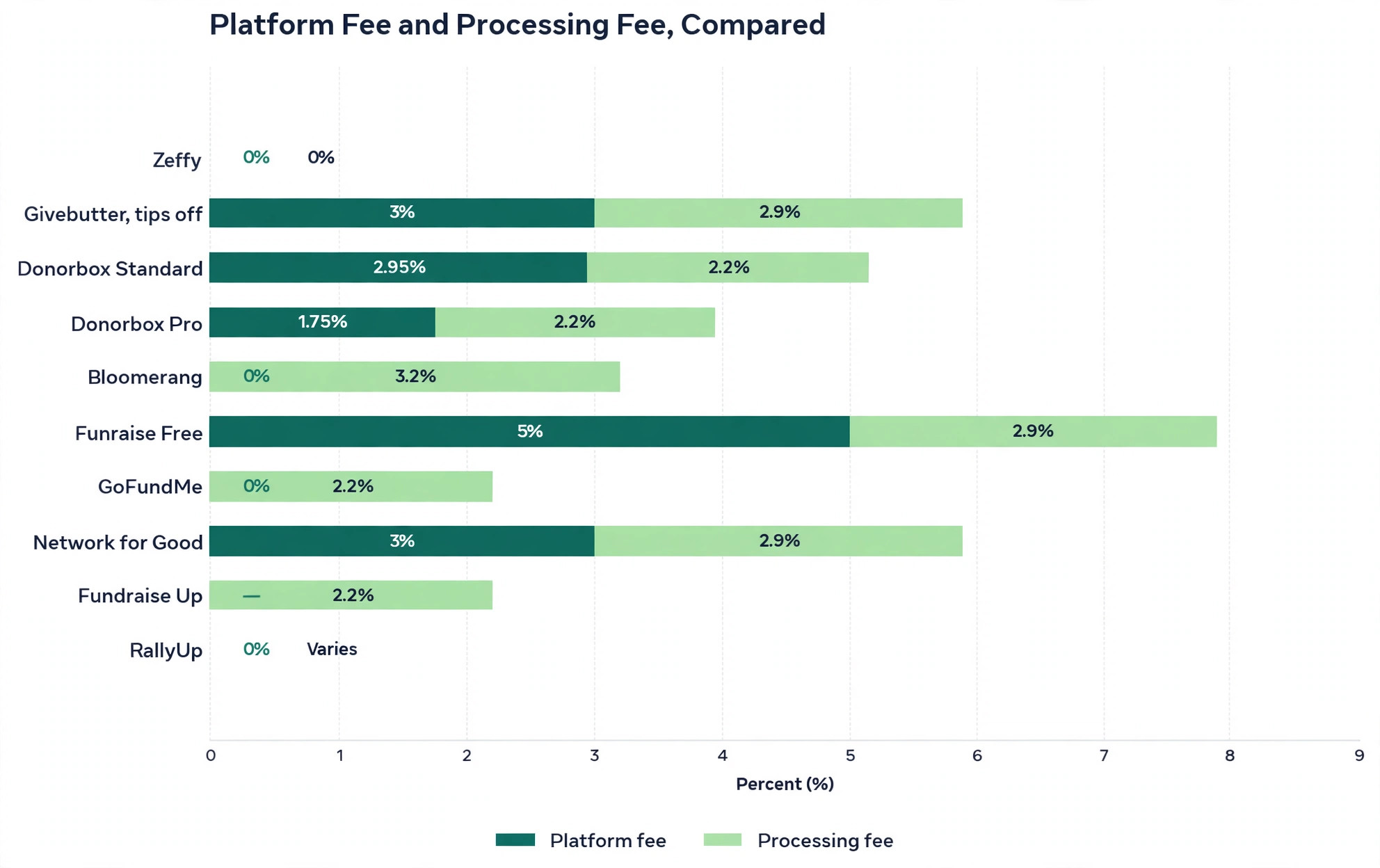
Zeffy wins on the number that matters most, which is what you keep. On 10,000 dollars raised, Zeffy keeps 10,000 dollars, while a platform that passes 2.2 to 2.9 percent plus 30 cents in processing back to the nonprofit loses roughly 300 to 440 dollars before the campaign clears. Choose Zeffy when you are a small or mid sized nonprofit, when every gift counts, and when you want one free platform for donations, events and donor records.
2. Givebutter
Givebutter is the modern campaign pick, with a free core platform covering donation pages, peer to peer campaigns, events, auctions and donor management, funded by optional donor tips at checkout. The core is free with tips on, and a flat 3 percent platform fee applies when tips are off, plus card processing at 2.9 percent plus 30 cents, or 1.9 percent plus 30 cents for ACH gifts. Givebutter Plus starts at 29 dollars a month for advanced features, with QuickBooks Online sync on Plus plans, and the platform is rated as the number one online donation platform on G2 in 2026.
Givebutter wins on the campaign experience. The donation forms are high converting, the peer to peer pages are easy for supporters to share, the event tools cover ticketing and check in, and the free donor CRM covers unlimited users and contacts. The fee model is honest, because the donor sees the tip ask and can cover the processing fee, and the Givebutter Guarantee covers the rest when the donor does not. The limit is the tip model itself, because a nonprofit that turns tips off pays 3 percent plus processing, which is more than Donorbox Pro at high volume.
Choose Givebutter when you run peer to peer campaigns and events, when you want a modern interface your volunteers can learn in an afternoon, and when you are comfortable with a donor tip model. It is the best free all round platform for a nonprofit that needs more than a donation form.
3. Donorbox
Donorbox is the fast path to online giving, because an embeddable donation form can live on your site in about 15 minutes, with recurring giving, donor accounts, text to give and crowdfunding available. The forms are clean, the checkout is friction free, and the donor portal lets supporters update their own recurring gifts without emailing your team. Integrations cover Salesforce, Blackbaud, HubSpot, Bloomerang and Little Green Light, which makes Donorbox easy to add to a stack you already run.
Pricing is where you need to read carefully. The Standard plan costs nothing a month but takes a 2.95 percent platform fee for donation forms and fundraising pages, and 3.95 percent for events, peer to peer and memberships, plus standard Stripe or PayPal processing. The Pro plan at 150 dollars a month drops the platform fee to 1.75 percent, with a lower range of 1.75 to 2 percent depending on the feature, and Premium is custom priced. The CRM is priced separately based on contacts, so the total cost is the subscription plus the platform fee plus processing plus the CRM.
Donorbox wins on speed and on recurring giving, and it loses on cost at scale, because the platform fee applies on every plan including the free one. Choose Donorbox when you need a donation form live this week, when recurring giving is the priority, and when your annual online giving is below the point where Pro pays for itself, which is roughly 125,000 dollars a year.
4. Bloomerang
Bloomerang is a donor CRM built around retention, with engagement scoring, retention dashboards, donor profiles, timelines and automated journeys that nudge a lapsed donor back. The CRM starts at 125 dollars a month billed annually, priced by database size, and the Fundraising add on, formerly Qgiv, starts at 40 dollars a month billed annually, covering donation forms, events, auctions, peer to peer and text donations. Processing is 3.2 percent plus 30 cents on CRM forms and 3.95 percent plus 30 cents on Fundraising forms, with no platform fee when you use Bloomerang payment processing.
Bloomerang wins on the question that decides long term fundraising, which is whether a donor gives again. The retention tools show which donors are at risk, which donors are ready for a larger gift, and which journeys bring a lapsed donor back, and the training and support are built for small teams rather than for enterprise buyers. It loses on cost, because the CRM plus the Fundraising add on is 165 dollars a month before processing, and the processing rate is higher than the nonprofit Stripe rate that other tools pass through.
Choose Bloomerang when donor retention is the priority, when you have a donor list worth managing rather than just a donation form, and when you can afford the CRM plus the add on. It is the best pick for a nonprofit that has grown past the free tools and needs to keep the donors it already has.
5. Neon One
Neon One pairs a donor CRM with online fundraising in one vendor, so a gift posts to the CRM and to the books without a sync between two tools. Neon CRM runs from 99 dollars to 409 dollars a month depending on the plan, and Neon Fundraise is quote based, with online giving, peer to peer, pledges, real time dashboards and unified donor profiles. The platform covers A-Thons and livestreaming, but it has no auctions and no raffles, so check that gap before you commit if those formats matter to your fundraising.
Neon wins on the single vendor promise, because a CRM and a fundraising tool from the same company share the same donor record, the same reporting and the same support team. It loses on price transparency, because Fundraise is quoted rather than published, and on the auction gap, which means a nonprofit that runs a gala auction will need a second tool. Choose Neon One when you want one vendor for CRM and fundraising, when you have a mid sized donor list, and when you are willing to get a quote rather than buy from a published price page.
6. Funraise
Funraise is the design led choice, with drag and drop pages, peer to peer campaigns, events, SMS, analytics and a donor experience that looks polished on every device. The free plan carries a 5 percent platform fee and is capped for organisations under 1 million dollars raised, while the paid tier runs at zero to 3 percent, on processing of 2.9 percent plus 60 cents. The pricing is sales led rather than fully published, so you will need a conversation with the vendor to get a firm quote for your volume.
Funraise wins on design control and on launch speed, because a team can build a campaign page that looks like a professional site without a developer. It loses on fee transparency, because the free plan fee is high and the paid pricing is not published, so you cannot compare it honestly without a quote. Choose Funraise when the donor experience is the priority, when you run design led campaigns, and when you are willing to get a quote and test the economics of a campaign before you commit.
7. GoFundMe Pro
GoFundMe Pro, formerly Classy, is the enterprise fundraising platform for large campaigns, with peer to peer, crowdfunding, events, corporate giving and embeddable pages, backed by the reach of the GoFundMe brand. The Essentials plan carries no subscription for organisations under 1 million dollars in revenue, though access is by request, and the full platform is custom priced by contract. Processing runs at 2.2 to 2.5 percent plus 30 cents, plus 1 percent for American Express, and the Giving Cart, Live Events and the Salesforce integration are paid add ons rather than included features.
GoFundMe Pro wins on scale and on the donor network, because a campaign on GoFundMe Pro can reach donors who already trust the GoFundMe name, and the peer to peer tools are built for large teams of fundraisers. It loses on cost transparency and on fit for a small nonprofit, because a custom contract, paid add ons and an enterprise rollout are more platform than a small organisation needs when its main requirement is a donation form and a basic recurring workflow. Choose GoFundMe Pro when you are a large nonprofit running a major campaign, when peer to peer is the core of your fundraising, and when you have the staff to run an enterprise platform.
8. Fundraise Up
Fundraise Up is the conversion specialist, with an optimised checkout, donor prompts, recurring giving nudges and a checkout flow that is tested to lift the share of visitors who complete a gift. The platform charges no subscription, and the processing fee is 2.2 percent plus 30 cents at the Stripe nonprofit rate, plus an unpublished share that Fundraise Up takes from the gift. That unpublished share is the gap to check before you buy, because a tool that does not publish its cut cannot be compared honestly on price alone.
Fundraise Up wins on conversion, because a small lift in checkout completion is worth more than a small saving in fees when the traffic is already there. It loses on transparency and on CRM depth, because there is no built in CRM, and you will need to sync to the CRM you already pay for. Choose Fundraise Up when your donation page already gets traffic and the checkout is the bottleneck, when you want a tool that focuses only on turning visitors into donors, and when you have a CRM to receive the donor records.
9. RallyUp
RallyUp covers donation pages, peer to peer, auctions, raffles, A-Thons and livestreaming, with donation pages free and no donor tipping required, and Flex pricing that charges a small fee per component, with several components at zero percent and auction fees capped at 100 dollars per item. That model suits a nonprofit that runs a raffle or an auction once a year and does not want to pay a monthly subscription for a tool it uses twice a year. The platform is built for the event and raffle formats that other tools treat as an afterthought.
RallyUp wins on raffles and auctions, and on the free donation page, which makes it a low risk starting point for a small nonprofit. It loses on CRM depth, because the donor management is lighter than Bloomerang or Neon One, and on the breadth of the campaign tools compared with Givebutter or Zeffy. Choose RallyUp when you run raffles, auctions or A-Thons, when you want a free donation page without a donor tip ask, and when you already have a CRM or you do not need a deep one yet.
10. Network for Good
Network for Good is the long standing option for small nonprofits, with a free plan that carries a 3 percent platform fee plus 2.9 percent plus 30 cents in processing, and contact management included on the free plan. Paid Essentials and Intelligence plans are not published, and pricing is by database size, so you will need a quote for the paid tiers. The platform covers donations, events, auctions and peer to peer, with a donor CRM that is simpler than Bloomerang but stronger than the free tools that offer only a donation form.
Network for Good wins on the free plan, because a small nonprofit can start with donations, events and contact management at no subscription, and only pay the platform and processing fees on the gifts it actually receives. It loses on fee cost, because 3 percent plus processing is more than Zeffy or Givebutter with tips on, and on price transparency for the paid plans. Choose Network for Good when you are a small nonprofit that wants a free starting point with a CRM included, and when you are willing to compare the fee cost against Zeffy before you commit.
What You Keep on 10,000 Dollars Raised
| Tool | Platform fee | Processing passed to you | You keep on 10,000 dollars |
|---|---|---|---|
| Zeffy | Zero percent | Zero dollars, Zeffy absorbs it | 10,000 dollars |
| Givebutter, tips on | Zero percent | Zero dollars with donor cover | 10,000 dollars |
| Givebutter, tips off | 3 percent | 2.9 percent plus 30 cents | About 9,380 dollars after fees |
| Donorbox Standard | 2.95 percent | 2.2 percent plus 30 cents | About 9,455 dollars |
| Donorbox Pro | 1.75 percent | 2.2 percent plus 30 cents | About 9,575 dollars before subscription |
| GoFundMe | No platform fee | 2.2 percent plus 30 cents | About 9,750 dollars |
| Network for Good Free | 3 percent | 2.9 percent plus 30 cents | About 9,380 dollars |
| Funraise Free | 5 percent | 2.9 percent plus 60 cents | About 9,180 dollars |
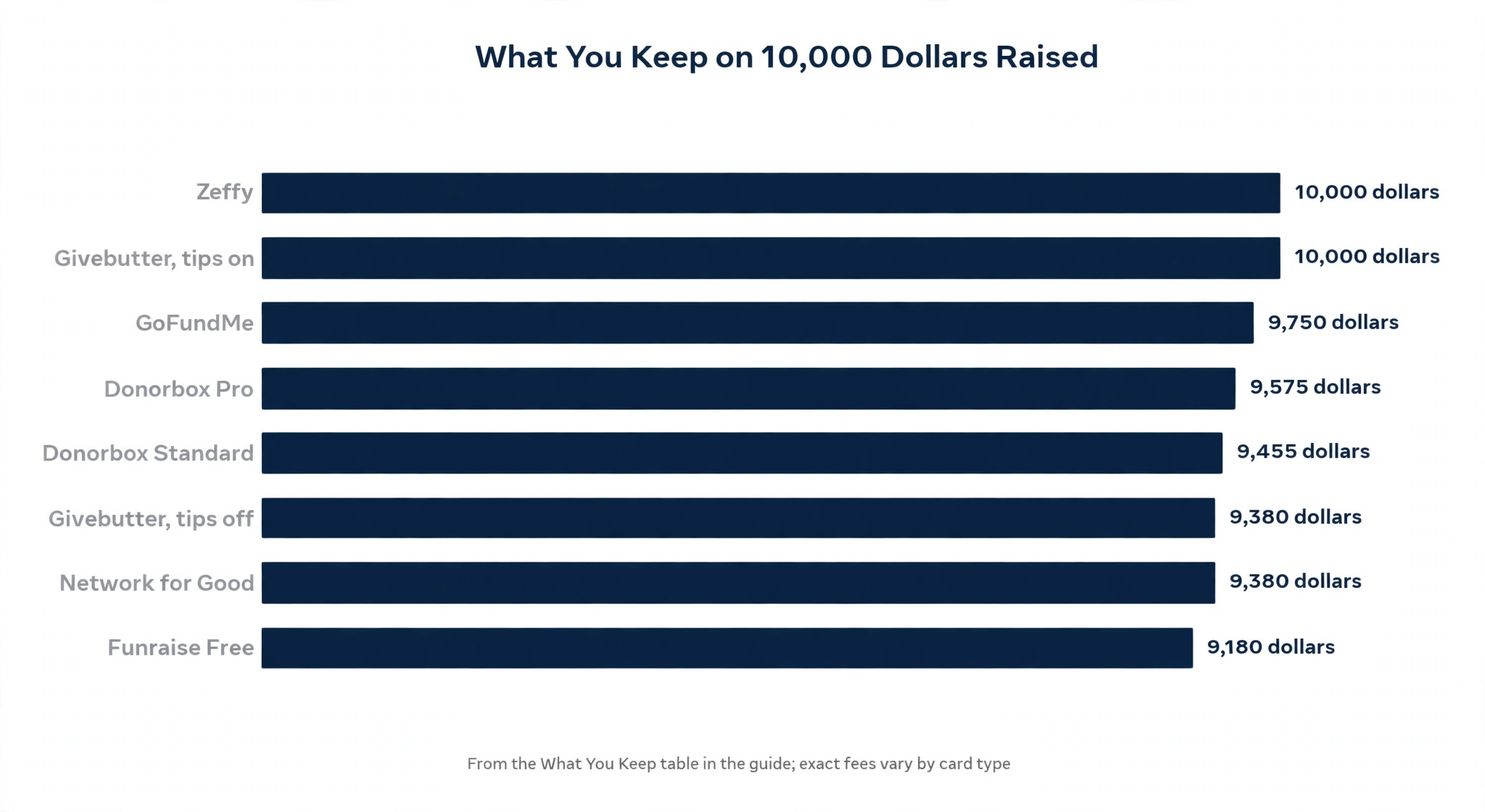
Use the table as a guide when you compare the best nonprofit donation software, not as a final invoice, because the exact processing fee depends on card type, nonprofit status and whether the donor covers the fee. The point is the range, because a free tool that looks cheap can cost 600 dollars on 10,000 dollars raised, while a tool that charges a subscription can cost less at high volume. Run the same maths on your own annual giving before you choose, because the best tool at 10,000 dollars a year is not always the best tool at 100,000 dollars a year.
How to Choose the Right Donation Tool
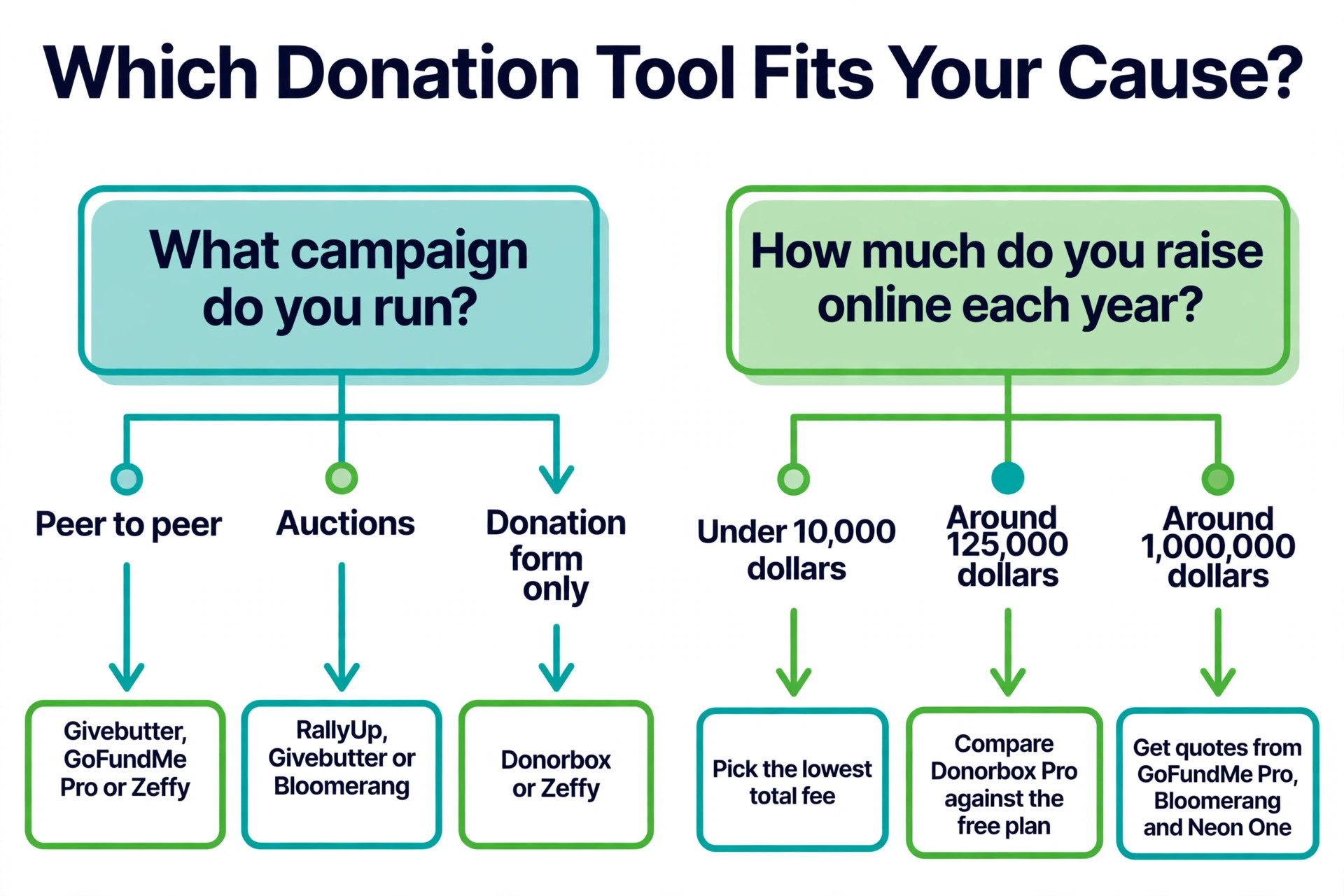
Choosing the best nonprofit donation software starts with the fee maths at your real volume. A nonprofit that raises 10,000 dollars online a year should pick the tool with the lowest total fee, because a subscription will cost more than it saves. A nonprofit that raises 125,000 dollars online a year should compare the subscription plus the lower platform fee against the free plan plus the higher fee, because the crossover point is near that figure for Donorbox. A nonprofit that raises a million dollars a year should get quotes from GoFundMe Pro, Bloomerang and Neon One, because the contract, the support and the reporting matter more than the headline fee.
Next, match the tool to the campaign you actually run. A nonprofit that runs peer to peer campaigns needs Givebutter, GoFundMe Pro or Zeffy, while a nonprofit that runs auctions needs RallyUp, Givebutter or Bloomerang, and a nonprofit that runs only a donation form needs Donorbox or Zeffy. A tool that cannot run your main campaign format is the wrong tool, even when its fee is zero. Then check the CRM, because a gift without a donor record is a gift you cannot repeat, and a tool with a built in CRM will save you a sync, a subscription and a lost donor.
What to Check Before You Launch
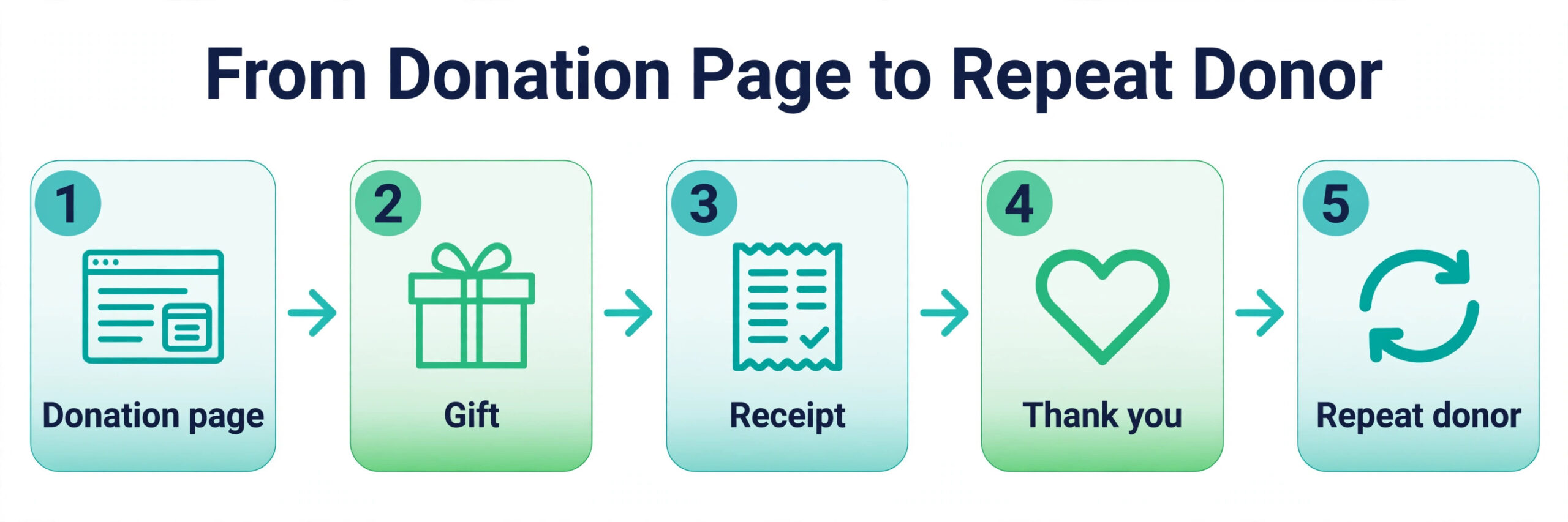
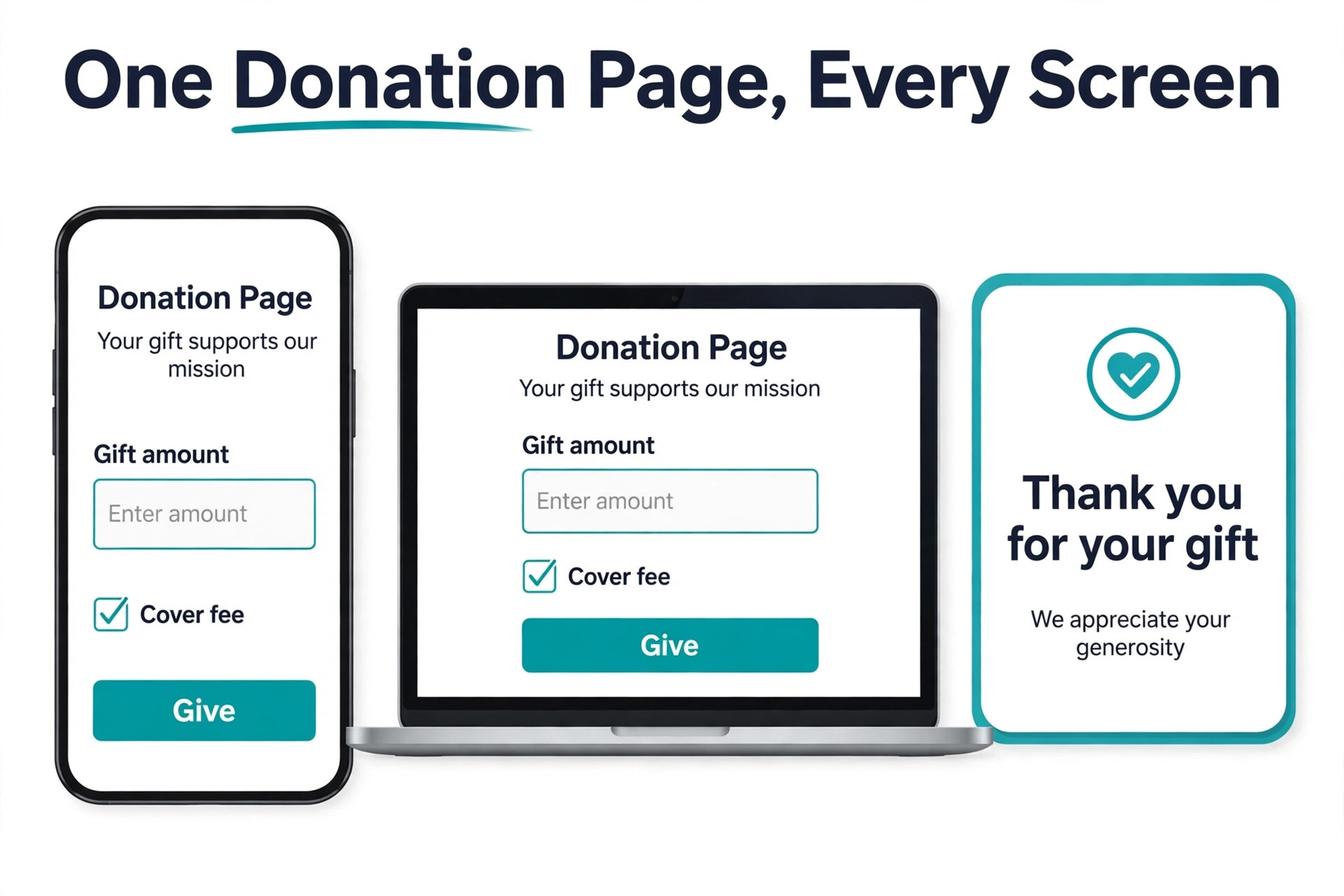
A donation page is a payment page, and a payment page needs a test before it goes live. Make a test gift with a real card, check that the receipt arrives, check that the donor record appears in the CRM, check that the recurring gift is set up correctly, and check that the thank you message is the one you wrote. A test gift that fails in private is a fix, while a test gift that fails on launch day is a lost donor and a public problem.
- Confirm the platform fee, the processing fee and the subscription in writing.
- Confirm the donor can cover the fee, and the total they will pay is clear.
- Confirm recurring giving, receipts and the donor portal work as expected.
- Confirm the CRM receives the donor record without a manual import.
- Confirm payout timing, refund rules and support hours before launch.
Mistakes That Lose Donations
The most common mistake when you compare the best nonprofit donation software is choosing by the subscription alone. A buyer picks a free plan because the monthly cost is zero, then loses 600 dollars on 10,000 dollars raised to platform and processing fees, while a 150 dollar a month plan with a lower fee would have kept more. Add up the total cost at your real volume, including the platform fee, the processing fee and the subscription, before you compare tools.
The second mistake is launching a donation page without a test gift. A form that looks right can still fail on mobile, on a specific card type, or on the recurring gift setup, and the first donor to hit that failure will not email you about it, they will simply leave. Make a test gift on a phone and on a laptop, with a real card, before you share the link. The third mistake is treating the gift as the end of the relationship.
A donor who gives once and never hears from you again is a donor who will not give twice, and the CRM, the thank you message and the follow up are the tools that turn a gift into a repeat gift.
Our Verdict
Zeffy is the pick for most readers among the best nonprofit donation software, because it is genuinely free, with no platform fee, no processing fee and no subscription, and it covers donations, events, peer to peer, raffles and a donor CRM in one place. On 10,000 dollars raised, Zeffy keeps 10,000 dollars, which no other tool on this list matches. Givebutter is the pick when you want the strongest free campaign platform with peer to peer and events, and Donorbox is the pick when you need a donation form live in 15 minutes.
Bloomerang is the pick when donor retention is the priority, because the CRM is built to bring a lapsed donor back, and Neon One is the pick when you want one vendor for CRM and fundraising. GoFundMe Pro is the pick for large campaigns, Fundraise Up is the pick when checkout conversion is the bottleneck, and RallyUp is the pick when raffles and auctions are the main event. The right tool is the one that keeps the most of every gift at your volume, runs the campaign you actually run, and records the donor so you can ask again next year.
Frequently Asked Questions
What is the best nonprofit donation software?
Zeffy is the best overall choice for most nonprofits, because it charges no platform fee, no processing fee and no subscription, and it covers donations, events, peer to peer and a donor CRM. Givebutter is the best free campaign platform, Donorbox is the best for fast donation forms, and Bloomerang is the best for donor retention. The best choice depends on your annual giving, your campaign format and whether you need a CRM.
Is there really free nonprofit donation software?
Yes. Zeffy is genuinely free for a registered nonprofit, with no platform fee, no processing fee and no subscription, funded by optional donor tips. Givebutter is free with tips on, and Donorbox, RallyUp and Network for Good offer free plans with a platform fee on each gift. A free plan with a platform fee is not the same as a free tool, so check the fee on 10,000 dollars raised before you choose.
How much does donation software cost per month?
Subscriptions in this guide run from free to 150 dollars a month for Donorbox Pro, 125 dollars a month for Bloomerang CRM plus 40 dollars a month for the Fundraising add on, and custom quotes for GoFundMe Pro and Neon One. The subscription is only part of the cost, because platform fees of zero to 2.95 percent and processing fees of 2.2 to 2.9 percent plus 30 cents per gift add up faster than the monthly fee at most volumes.
What fees should a nonprofit expect on a donation?
Expect three layers, which are the platform fee, the processing fee and the subscription. The platform fee is zero percent on Zeffy and Givebutter with tips on, 2.95 percent on Donorbox Standard, and 3 percent on Givebutter with tips off and on Network for Good Free. The processing fee is typically 2.2 to 2.9 percent plus 30 cents per gift for nonprofits, and the subscription is free to 150 dollars a month or more. Confirm all three in writing before you launch.
Can donors cover the processing fee?
Yes, most tools on this list offer donor covered fees, where the donor can add the processing fee to their gift so the nonprofit receives the full amount. Zeffy, Givebutter, Donorbox and Bloomerang all support this option, and it is the simplest way to keep more of every gift without raising the platform fee. Check that the option is turned on before you launch, because it is not always on by default.
Do I need a CRM with my donation software?
Yes, when you want a donor to give again. A CRM records who gave, how much, when, and what campaign brought them in, so you can thank them, segment them and ask again at the right time. Zeffy, Givebutter and Bloomerang include a CRM, Donorbox prices its CRM separately, and Fundraise Up and GoFundMe Pro sync to a CRM you already pay for. A gift without a donor record is a gift you cannot repeat.