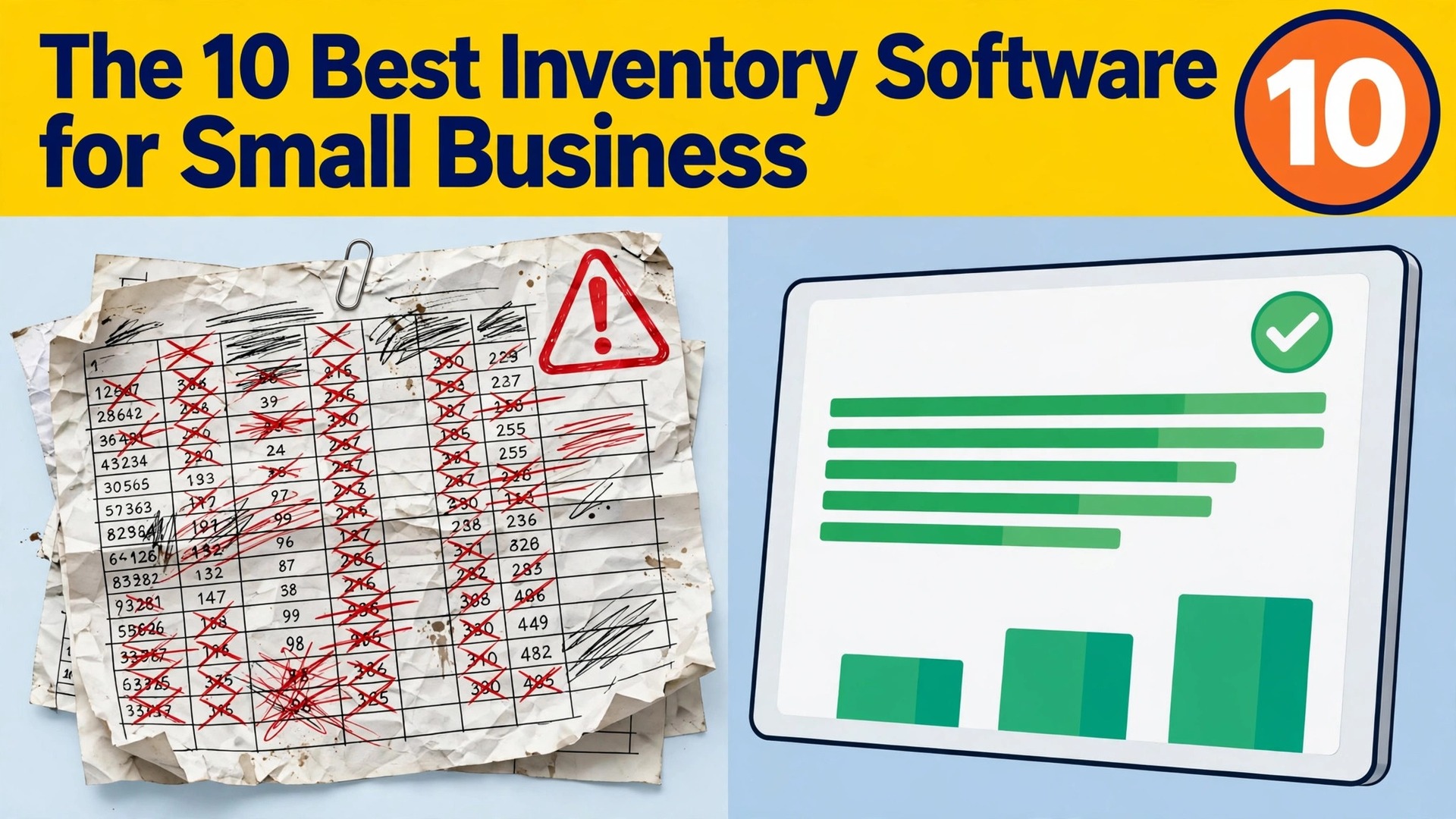
You sold the last unit twice, the spreadsheet still says you have four, and the second customer is already asking for a refund. That is the moment a small business stops trusting its stock count, and it is the moment inventory software starts paying for itself. Zoho Inventory is the best overall pick among the best inventory software for small business use, because the free plan covers 50 orders a month and the paid plan starts at 29 dollars a month, which is the lowest price on this list for a system with real depth.
Square is the better choice for a shop that sells in person, and Cin7 Core is the strongest option when several sales channels must share one stock count. We compared 10 systems on the numbers that decide the real cost, which are the entry price, the meter that sets the bill, the order and user limits, and the channels each tool can sync. This guide shows what each tool does, what it costs, and where the pricing traps sit, so you can pick one that still fits when sales double.
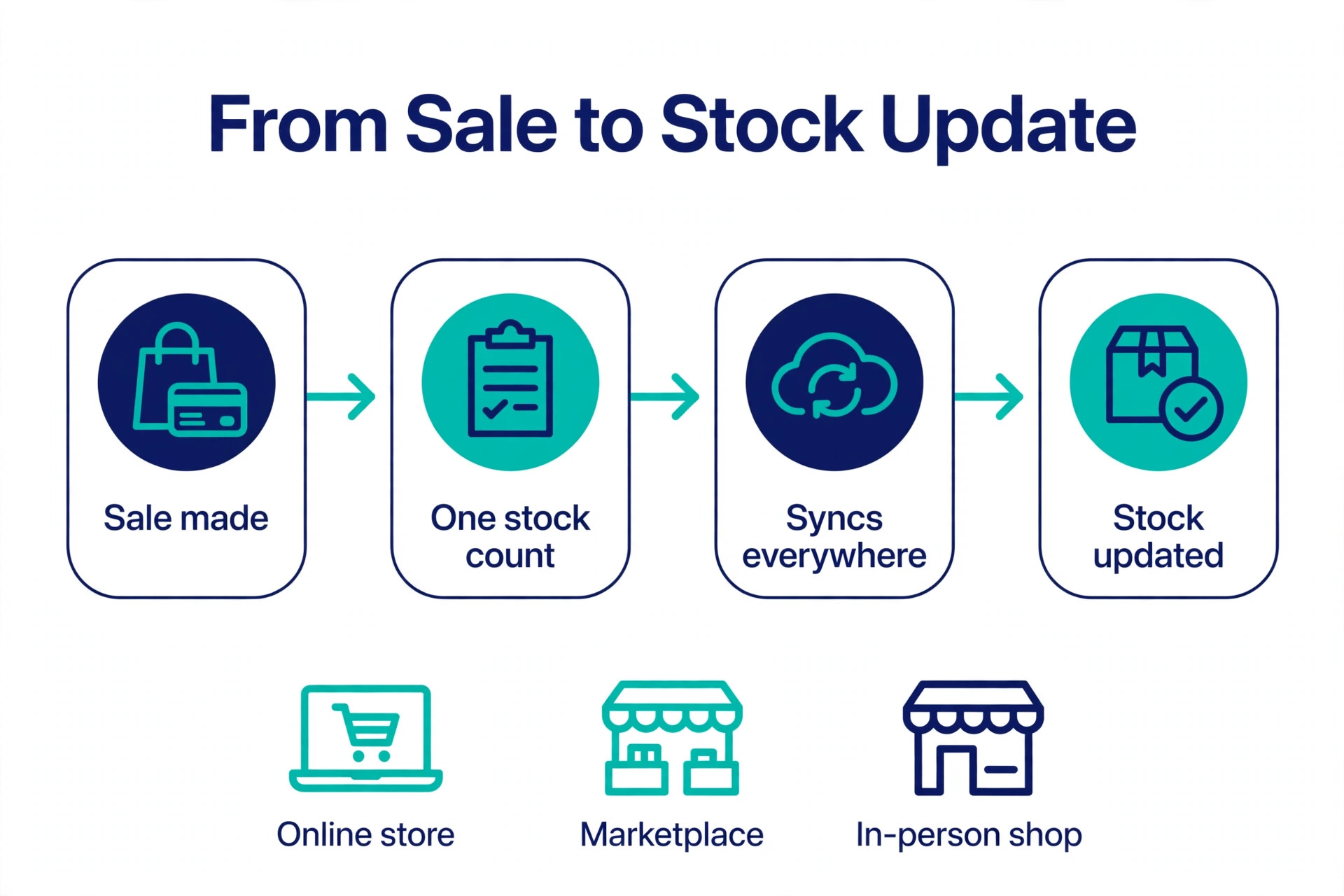
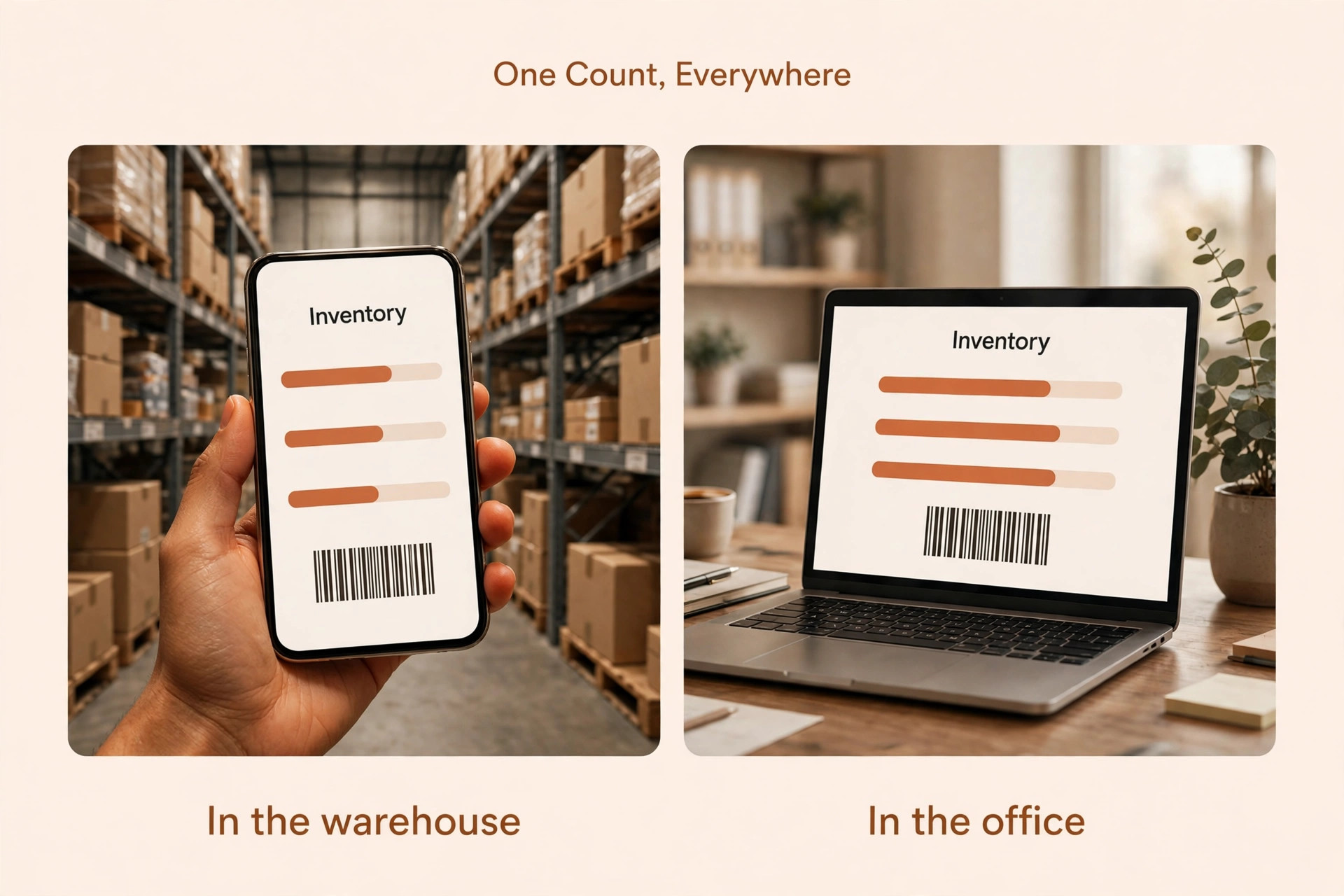
Inventory software does one job that a spreadsheet cannot do reliably, which is to keep a single stock count that updates everywhere the moment a sale happens. A spreadsheet records what someone typed. Inventory software records what actually sold, what was received, what was returned, and what is on order, and it does it across every channel at the same time. When the count is right, a business stops overselling, stops running out of its best sellers, and stops tying cash up in stock that never moves. When the count is wrong, the business pays for it in refunds, in lost sales, and in rush orders that eat the margin.
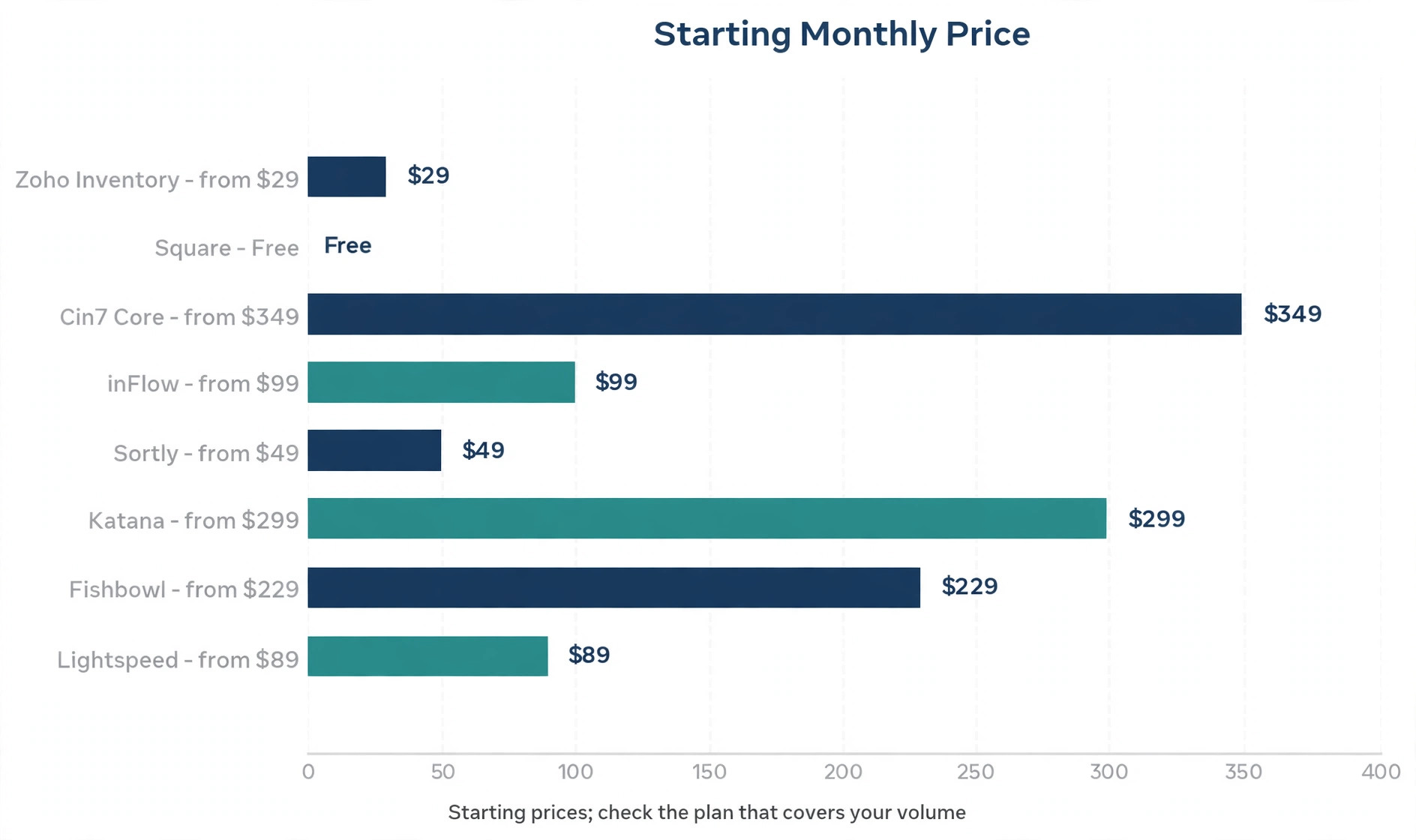
The trap in this category is the meter underneath the monthly price. Most tools charge by orders, users, warehouses, or the number of items you carry, and the entry price on the pricing page is rarely the price a growing business pays. A tool that costs 19 dollars a month for two shops can cost 349 dollars a month for eight, because the bill follows the meter, not the headline. The honest comparison is not the starting price. It is the price of the tier that covers your order volume, your user count, and your locations, and the cost of the next tier up when you grow.
How We Tested 10 Inventory Systems
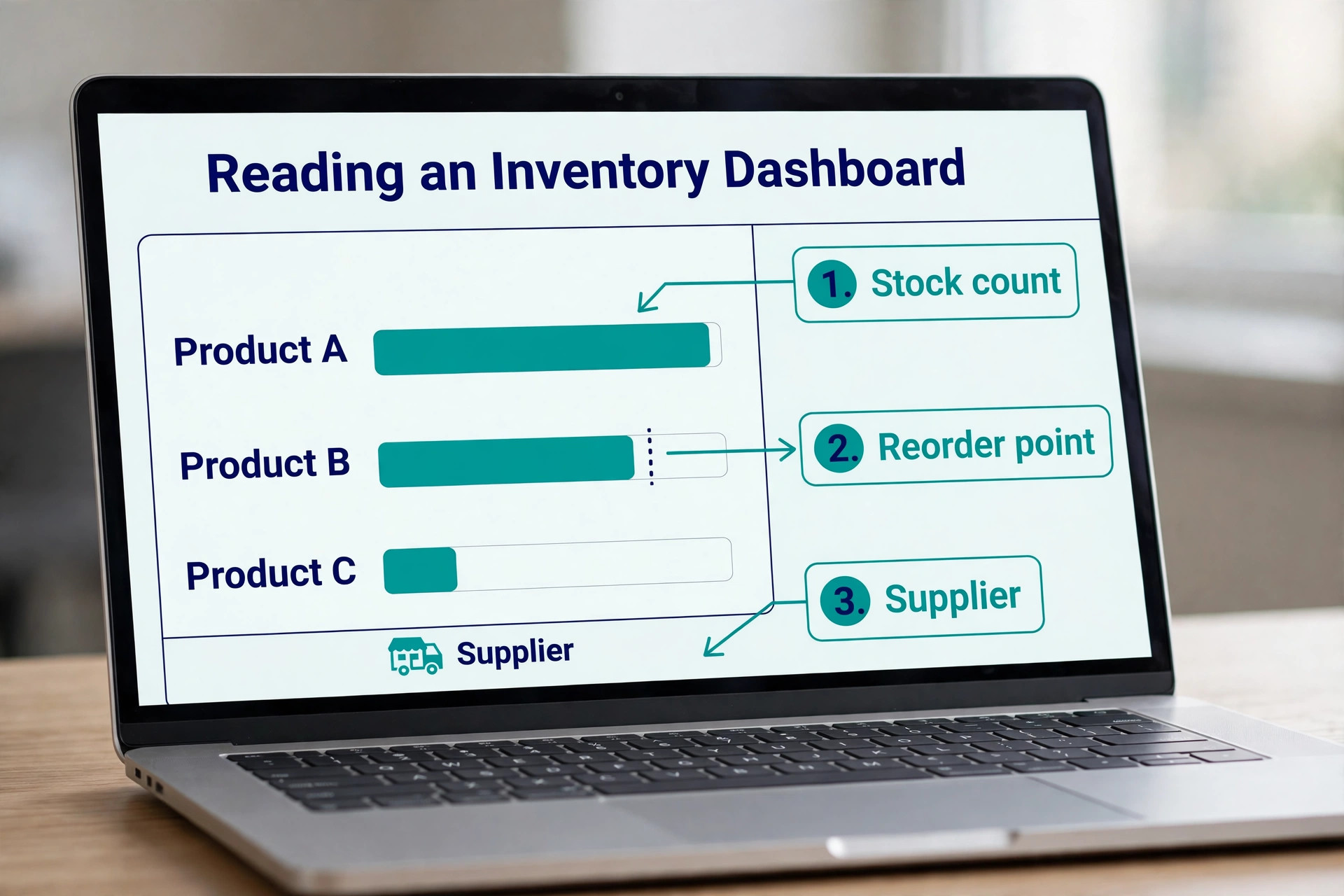
We scored each system on six points that decide whether a small business can run on it day to day. Stock accuracy covered real time counts across channels, locations, and warehouses, plus low stock alerts and reorder points. Order handling covered sales orders, purchase orders, returns, and backorders without manual fixes. Channel sync covered online stores, marketplaces, and in person sales sharing one count.
Pricing covered the entry price, the meter that sets the bill, and the cost of the next tier. Ease of use covered how fast a business can import its catalogue, train staff, and run a stock count. Fit covered whether the tool suits a retailer, a wholesaler, a maker, or an online seller, because a system built for one rarely fits the others.
Prices in this guide were checked against vendor pricing pages and current 2026 roundups in November 2026, and the best inventory software for small business changes its plans often, so confirm the price on the checkout page before you pay. Where two trusted sources disagreed on a price, we say so in the tool section and give both numbers, because a small business should budget on the higher figure until the vendor confirms the lower one.
The Best Inventory Software for Small Business for Each Job
| Job | Pick | Why it wins |
|---|---|---|
| Best overall on a budget | Zoho Inventory | Free plan plus paid from 29 dollars a month |
| Best for in person retail | Square | Free POS with inventory built in |
| Best for multichannel selling | Cin7 Core | One stock count across 700 plus integrations |
| Best for wholesale and B2B | inFlow Inventory | Purchase orders, sales orders, and a B2B portal |
| Best for simple visual tracking | Sortly | Phone first tracking with barcodes and photos |
| Best for makers and production | Katana | Production planning with unlimited users |
| Best for QuickBooks users | Fishbowl | Warehouse depth that sits on QuickBooks |
| Best for specialty retail | Lightspeed Retail | Variants, vendor catalogues, and multi store transfers |
Use this table as a shortcut, then read the full section for the tool you are leaning toward. The cheapest system is not the best value when it cannot sync your channels, and the most expensive system is not the best choice when you sell through one shop and need a simple count.
The Best Inventory Software for Small Business in 2026, Ranked
The 10 tools below fall into three groups. The first group is budget and starter systems, and these are the strongest picks for a business under a few hundred orders a month. The second group is multichannel and wholesale systems, which suit a business that sells on several channels or to other businesses. The third group is retail and production systems, which suit a shop with a till or a maker with a workshop. Every tool on this list tracks stock, so the differences come down to the meter, the channel sync, and the monthly cost once the business grows past the entry tier.
1. Zoho Inventory
Zoho Inventory is the value benchmark for small business inventory, and the free plan is the reason. The free plan covers 50 orders a month with item tracking, barcoding, and vendor management, which is enough for a side business or a new store to run properly. The Standard plan raises that to 500 orders, 3 users, and 2 locations, and you pay per organisation rather than per seat, which keeps the bill low as the team grows. The system covers purchase orders, sales orders, warehouse transfers, and integrations with Zoho Books and the major online stores.
Pricing is where sources disagree, so budget carefully. Several 2026 roundups list the Standard plan at 29 dollars a month billed annually, while the vendor comparison published by inFlow lists Zoho Inventory at 39 dollars a month. The free plan is not in dispute, and the paid tiers rise with order volume, so use the higher figure in your budget until the vendor confirms the lower one. Zoho Inventory is the first tool to check for any small seller, because it resets expectations of what a low price can buy.
2. Square
Square is the pick for a business that sells in person, because the inventory lives inside the point of sale the shop already uses. Stock updates in real time across locations and online channels, purchase orders and vendor profiles handle reordering, and barcode label printing plus mobile stock counts cover the stockroom basics. The free plan is real, not a teaser, because core POS and inventory cost nothing and Square takes its standard card processing fees on sales. Square for Retail adds deeper inventory features from about 49 dollars a month per location.
The limit is depth. Square suits a boutique, a cafe, or a market stall that needs a reliable count and a till in one place, but it is not a wholesale or multichannel system, and a business that sells on several marketplaces will outgrow it. A retailer that already runs Square should start here and spend nothing extra. A retailer that needs warehouse transfers and manufacturing should look at Cin7 or inFlow instead.
3. Cin7 Core
Cin7 Core is the step up when a business outgrows simple stock tracking. The system covers multi location inventory, purchasing workflows, light manufacturing, and warehouse operations in one place, with more than 700 integrations to online stores, marketplaces, and accounting tools. The starting price is 349 dollars a month for the Core plan, which is much higher than the budget tools on this list, and the bill is set by users, orders per year, and integrations. A multichannel brand that sells on its own store, on Amazon, and wholesale needs that depth, and Cin7 is built for exactly that shape.
The trade off is cost and complexity. A business doing a few hundred orders a month will not use most of what Cin7 offers, and the 349 dollar starting price is hard to justify before sales reach real volume. Cin7 also needs a proper setup, with time spent mapping channels and warehouses before the first sale syncs. Choose Cin7 when the business has outgrown a simple tool and the stock errors are costing real money. Choose Zoho Inventory when it has not.
4. inFlow Inventory
inFlow Inventory is the best overall pick for small wholesale and B2B businesses, because it combines inventory, purchasing, and sales orders with a B2B showroom in one system. The platform covers barcode scanning, fulfilment, and invoicing without gating core features behind higher tiers, and it holds a strong Capterra rating of 4.6 out of 5 from more than 500 reviews. The business can pay in CAD, GBP, or EUR as well as USD, which suits sellers outside the United States.
Pricing is where the billing period matters. The vendor lists plans from 99 dollars a month billed annually, while other 2026 roundups list the Entrepreneur plan at 161 dollars a month on monthly billing. Both numbers describe the same product, and the gap is the annual discount plus the plan tier, so check which tier and which billing period the quote uses. inFlow suits a wholesaler or a B2B seller that needs purchase orders, showrooms, and invoicing in one place, and it is the strongest pick on this list for that shape of business.
5. Sortly
Sortly is the simplest visual tracker on this list, and it suits a team that needs to know what is where, not a full order system. Staff scan barcodes from a phone, photograph items, and see stock levels visually, which works well for equipment, supplies, and materials as well as for retail stock. The free plan covers the basics, and paid plans start from 49 dollars a month on monthly billing, with a lower annual figure of 24 dollars a month reported in some 2026 roundups. Confirm the billing period on the pricing page, because the gap between the two figures is the annual discount.
The limit is depth. The Advanced plan omits purchase orders and stock counts, so a business that needs to order and count properly will need a higher tier or a different tool. Sortly is the right pick for a team that tracks physical items visually from a phone and does not need order management. A seller that lives on orders should pick Zoho Inventory or inFlow instead.
6. Katana
Katana is built for production first manufacturers, and it is the only tool here that treats making the product as the centre of the system. The platform covers raw materials, production planning, and finished goods in one count, with unlimited users on every plan, so a workshop team can all work in the system without a per seat bill. Pricing starts at 299 dollars a month, which is high for a small seller and fair for a maker whose production schedule is the business.
The trade off is that Katana is not a general retailer. A shop that only resells finished goods will pay for production depth it never uses, and a cheaper tool will serve it better. A maker who juggles materials, batches, and finished stock will find Katana saves hours every week, because the production plan and the stock count finally agree. Choose Katana when you make what you sell. Choose a retailer tool when you do not.
7. Fishbowl
Fishbowl is the pick for a warehouse heavy small manufacturer that runs on QuickBooks. The system adds warehouse management, manufacturing, and order handling on top of QuickBooks, and the Essentials plan starts at 229 dollars a month for two users billed annually. The platform suits a distributor or a maker with real warehouse work, including bin locations, pick lists, and multi warehouse transfers, where a simple stock tool would break. The QuickBooks link is the reason most buyers choose it, because the accounts and the warehouse share one record.
The trade off is that Fishbowl is not a standalone small business tool. It needs QuickBooks, it needs a proper setup, and the 229 dollar starting price is high for a business with one room of stock. A manufacturer that already pays for QuickBooks and needs warehouse depth will find it good value. A retailer that wants a simple count should pick Zoho Inventory or Square and save the difference.
8. Lightspeed Retail
Lightspeed Retail is the deepest inventory first point of sale for specialty retailers. It handles the situations that break simpler systems, which are apparel matrices with size and colour variants, serialised products, special orders, layaways, and multi store transfers. Vendor catalogues speed up ordering, and the reporting shows which variants sell and which sit on the shelf. The Basic plan starts at 89 dollars a month billed annually, and the Core plan at 149 dollars a month adds the reporting and integrations that justify the platform.
The trade off is cost for a simple shop. A boutique with one location and a small catalogue will not use the variant depth or the multi store tools, and the Basic plan will feel expensive next to Square, which costs nothing for the same job. Lightspeed suits a specialty retailer with complex variants, several stores, or a large vendor list. A simple shop should start free on Square and move to Lightspeed when the variants outgrow it.
9. Odoo
Odoo is the pick for a business that wants inventory inside a full ERP, because the inventory app is one module among many, including sales, purchase, manufacturing, and accounting. The single app is free, and the full suite costs 38 dollars 90 per user per month, which is low for an ERP and high for a business that only needs stock. The platform is open and flexible, with a large app library and a community that builds for niches a commercial vendor would ignore.
The trade off is complexity. Odoo needs setup time, and a small business without technical help will move slowly through the configuration. The per user price also grows with the team, so a business with ten staff pays ten times the single user price. Odoo suits a business that plans to run its whole operation on one system and has the time to set it up properly. A business that only needs a stock count should pick a simpler tool.
10. QuickBooks Online
QuickBooks Online is the pick for a business that already runs its accounts on QuickBooks, because the inventory sits inside the accounting the business already uses. The Plus plan costs 110 dollars a month and covers inventory tracking, purchase orders, and project profitability alongside the bookkeeping. Stock, sales, and accounts share one record, so the profit on a sale is visible without a sync tool or a monthly reconciliation. That single record is the whole case for QuickBooks Online as an inventory tool.
The trade off is that the inventory is good rather than deep. A business that needs multi warehouse transfers, manufacturing, or marketplace sync will find the limits quickly and will need a dedicated tool such as Cin7 or Fishbowl beside it. A business that sells a few hundred items through one channel and wants the accounts and the stock in one place will find Plus enough. Choose QuickBooks Online when the accounts come first. Choose a dedicated inventory system when the warehouse comes first.
How to Choose the Right System for Your Business
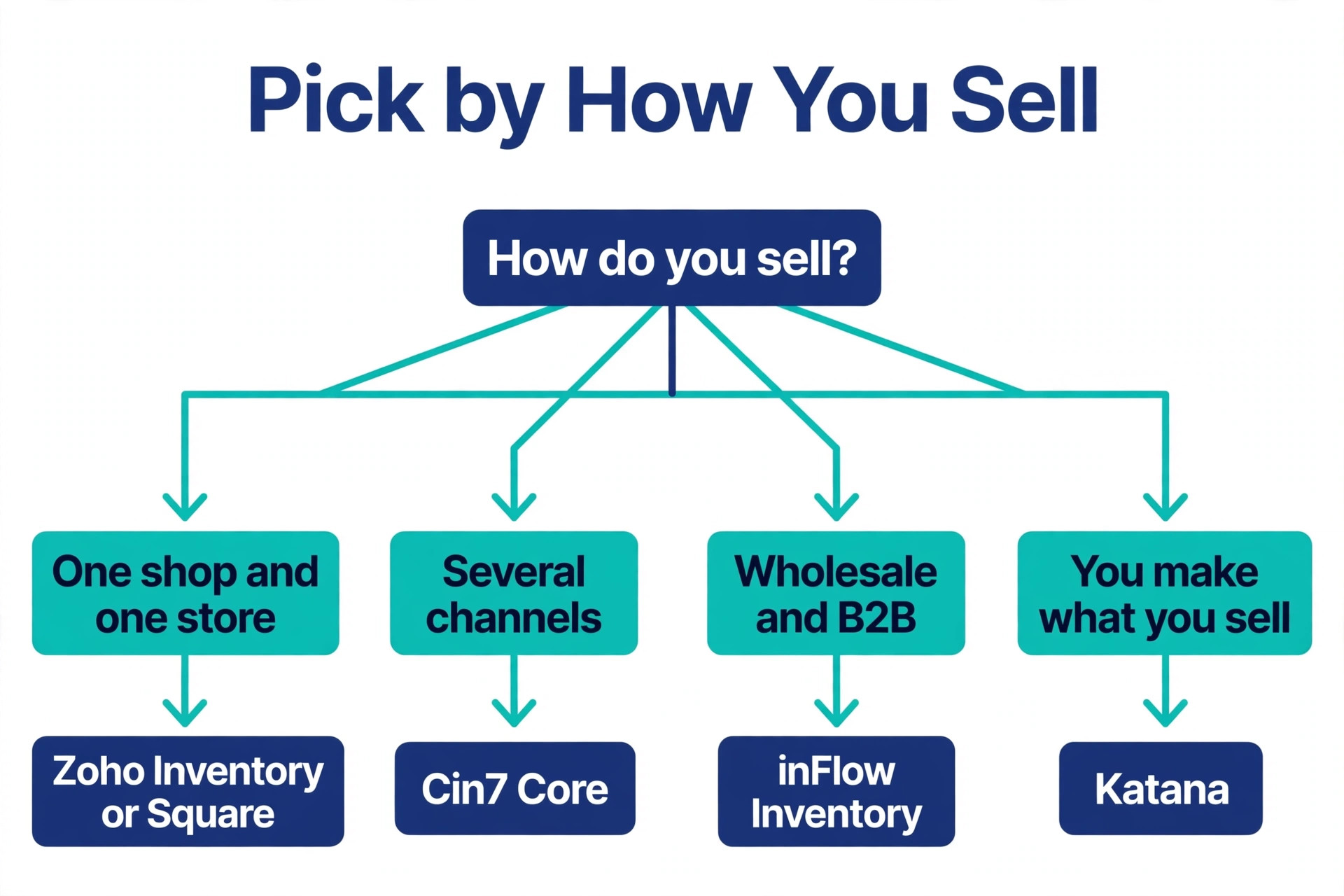
Start with how you sell, because it decides the system. A business with one shop and one online store should look at Zoho Inventory or Square, where the count stays simple and the price stays low. A business that sells on several channels should look at Cin7 Core, where one stock count syncs everywhere. A wholesaler that sells to other businesses should look at inFlow, where purchase orders and a B2B portal are built in. A maker that produces its own goods should look at Katana, where production planning is the centre. The best inventory software for small business use is the one that matches how you sell, not the one with the longest feature list.
Next, find the meter and price the tier you will actually need. A tool that charges by orders will cost more as sales grow, a tool that charges by users will cost more as the team grows, and a tool that charges by locations will cost more as the business opens new sites. Work out your order volume, your user count, and your location count for the next year, and price the tier that covers all three. A bill that follows orders grows with revenue, which is fair. A bill that follows users grows with headcount, which can surprise a business that hires.
Then test the import with your real catalogue. Export your product list, import it into the trial, and check five items by hand, including variants, barcodes, and costs. A system that mangles variants on import will cost hours to fix, and the import test is the fastest way to find out. Run one sale, one return, and one purchase order through the trial, and check that the stock count moves correctly at each step. A system that passes those three tests will survive real use.
Finally, check the integrations you already pay for. The inventory system must connect to your online store, your marketplace, your accounting tool, and your shipping tool without a paid extra or a fragile workaround. A system with 700 integrations sounds impressive, but the only integrations that matter are the four you use. Confirm each one exists on the plan you will buy, because some vendors gate key integrations behind higher tiers.
Costs and Limits to Check First
An inventory subscription is easy to start and hard to leave, because the stock data lives inside it, so check the exit before the entry. Confirm you can export your full product list, stock levels, costs, and supplier records at any time, because a system that will not export your data is a system you can never leave. Confirm the contract length and whether the price rises after the first year, because several vendors discount the first year and charge the full price from the second.
- Confirm the meter that sets the bill, and price the tier that covers your orders, users, and locations.
- Confirm the system syncs every channel you sell on, with one stock count everywhere.
- Confirm you can export your full catalogue, stock levels, and costs at any time.
- Confirm the integrations you already use are included on the plan you will buy.
- Confirm the price after any first year discount, and the cost of the next tier up.
Mistakes That Cost Small Businesses Money
The most common mistake is buying on the entry price and meeting the meter later. A business signs up at 29 dollars a month, sales double, and the order limit forces an upgrade to a tier that costs three times more. The upgrade is fair, because the business is bigger, but the surprise is avoidable. Price the tier that covers next year’s volume before you buy, not this year’s. A second mistake is running two stock counts, which are the spreadsheet and the software, because the two will disagree within a week and nobody will know which one is right. Pick one count, put it in the software, and delete the spreadsheet.
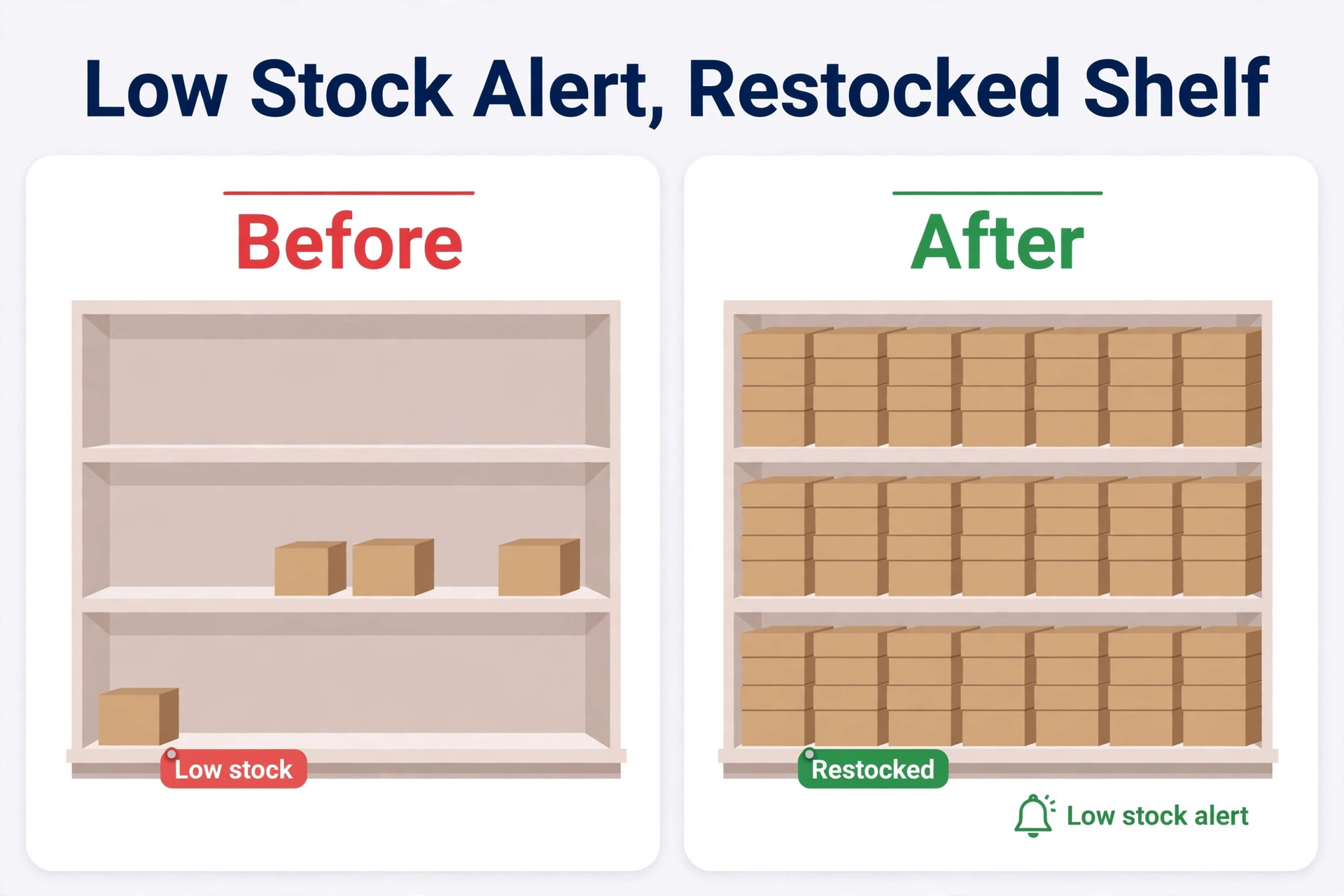
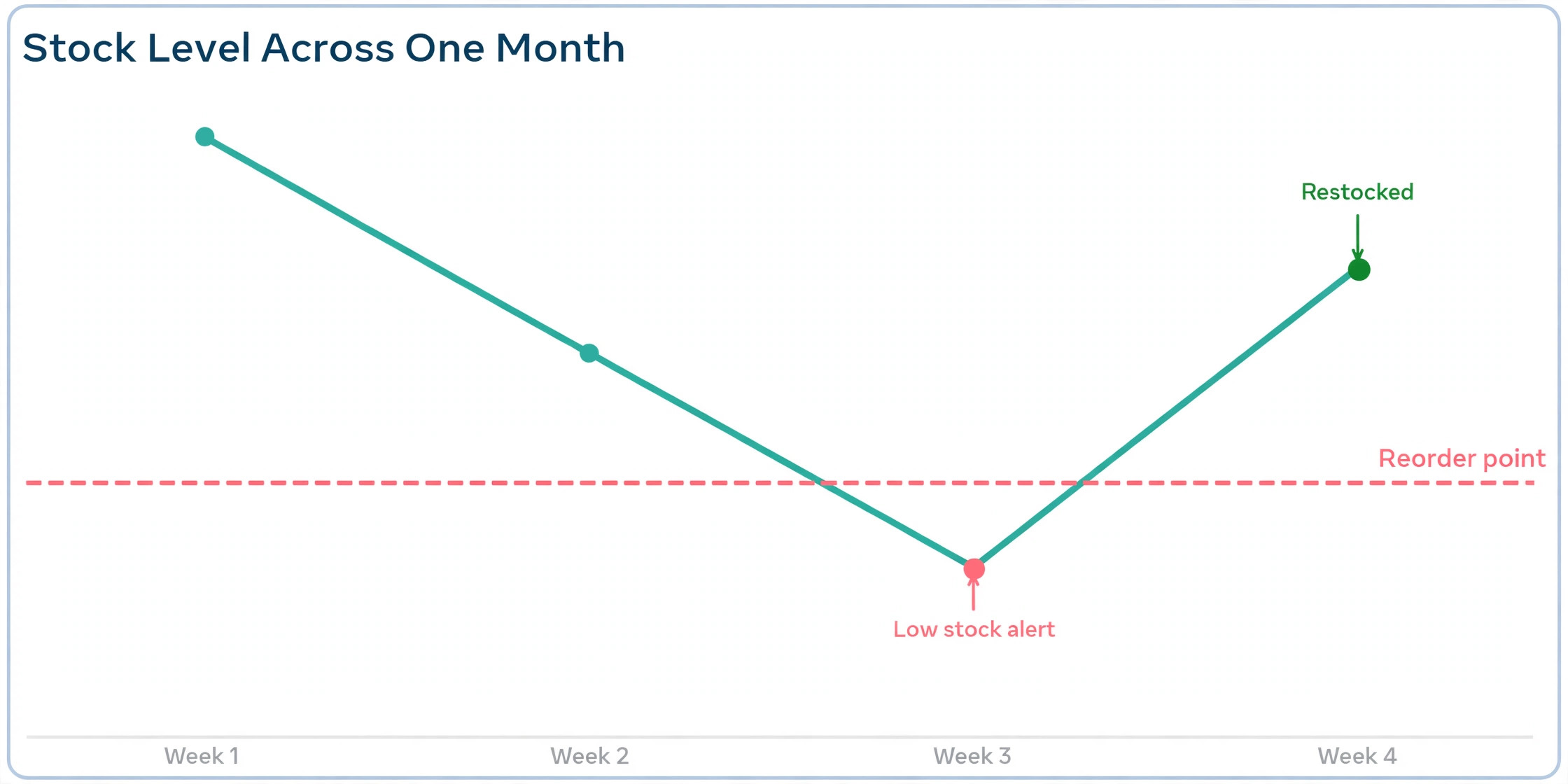
A third mistake is skipping the stock count at launch. A system that starts with wrong opening quantities will be wrong forever, because every sale after that subtracts from a wrong number. Count the stock properly once, enter the real numbers, and then let the system keep them right. A fourth mistake is ignoring low stock alerts until the best seller runs out, because a stockout on the best seller costs more than a year of software.
A fifth mistake is choosing a system for its accounting link and discovering it cannot sync the marketplace where most sales happen. The best inventory software for small business budgets is the one that syncs the channels where the sales actually happen, not the one with the tidiest accounts.
What to Buy First
Zoho Inventory is the pick for most small businesses, because the free plan covers 50 orders a month and the Standard plan starts at 29 dollars a month billed annually, which is the lowest price here for a system with real depth. Square is the pick for a shop that sells in person, because the inventory is free inside the till the shop already uses.
Cin7 Core is the pick when several channels must share one stock count, and inFlow is the pick for wholesale and B2B. Import your real catalogue into the trial of your top two tools, run one sale, one return, and one purchase order through each, price the tier that covers next year’s volume, and pick the system whose count you can trust.
Frequently Asked Questions
Which of the best inventory software for small business is cheapest?
Zoho Inventory is the cheapest starting point, because the free plan covers 50 orders a month and the Standard plan starts at 29 dollars a month billed annually, with some sources listing 39 dollars a month. Square is also free for core POS and inventory, with Square for Retail from about 49 dollars a month per location. Sortly is free for basic tracking, with paid plans from 49 dollars a month on monthly billing. Among paid systems with order management, Zoho Inventory is the cheapest route to real depth.
How much should a small business pay for inventory software?
Most small businesses pay 0 to 160 dollars a month for software alone, with the free plans covering the smallest sellers and the 99 to 161 dollar a month tier covering B2B and wholesale. Multichannel and manufacturing systems start at 229 to 349 dollars a month, which only makes sense above roughly one million dollars in annual revenue. Budget on the tier that covers next year’s order volume, not this year’s, and add card processing and any integration fees on top.
Do I need inventory software if I sell on one channel?
Yes, when the catalogue passes about 100 items or the order volume passes about 100 orders a month. Below that, a spreadsheet that logs movements instead of overwriting counts can work, with a reorder point per item. Above that, the spreadsheet breaks, because one mistyped count or one forgotten return puts the whole list wrong. A free plan from Zoho Inventory or Square costs nothing and removes the risk, so there is little reason to stay on a spreadsheet once the catalogue grows.
What is the difference between inventory software and a POS system?
A POS system records sales at the till and tracks the stock in that shop. Inventory software tracks stock across every channel, every location, and every warehouse, plus purchase orders, suppliers, and returns. A POS with inventory, such as Square or Lightspeed, covers both jobs for a single shop. A business that sells online, wholesale, and in person needs inventory software behind the POS, because the till only sees one channel.
Can inventory software sync Amazon, Shopify, and a physical shop?
Yes, when the system is built for multichannel selling. Cin7 Core syncs more than 700 integrations, including online stores and marketplaces, with one stock count everywhere. Zoho Inventory syncs the major online stores and marketplaces on its paid plans. Square syncs its own online store and its physical locations. Confirm each channel you use is supported on the plan you will buy, because some vendors gate marketplace sync behind higher tiers.
How long does it take to set up inventory software?
Most small businesses can set up a system in one to two weeks, with the stock count taking most of the time. Importing the catalogue takes a day, checking variants and costs takes another day, and counting the physical stock takes a weekend for a small shop. A multichannel setup with several warehouses takes longer, because each channel must be mapped before the first sale syncs. Count the stock properly once at launch, because every number after that depends on the opening count being right.
A business does not need the most expensive system, and it does not need the system with the most integrations. It needs one stock count that updates everywhere the moment a sale happens, a meter it can afford as sales grow, and a setup it can trust. Test those three things with a real catalogue in the trial, and the right system will be obvious before the trial ends.