A five truck HVAC shop that runs on Jobber at 99 dollars a month and the same shop that runs on ServiceTitan at roughly 2,500 dollars a month are not buying the same product, and the cheaper one is often the better buy. That gap is the first thing to understand about the best hvac dispatch software for small firms, because the category spans a 29 dollar a month solo tool and an enterprise platform that costs more per technician than the technician van payment.
Small firms do not need the enterprise platform. They need a dispatch board that shows the day clearly, a mobile app technicians will actually use, and a price that stays flat when a sixth truck joins the fleet.
This guide compares 12 tools on the same terms, with prices checked against vendor pages and current 2026 roundups in November 2026. Where a vendor hides pricing behind a sales call, the guide says so and gives the reported range from contractor sources, so you can budget before you book the call. Every price should still be confirmed on the vendor page or in a written quote before you sign, because field service pricing changes often and several vendors charge extra for onboarding, GPS or payment processing.
What the Best HVAC Dispatch Software for Small Firms Costs
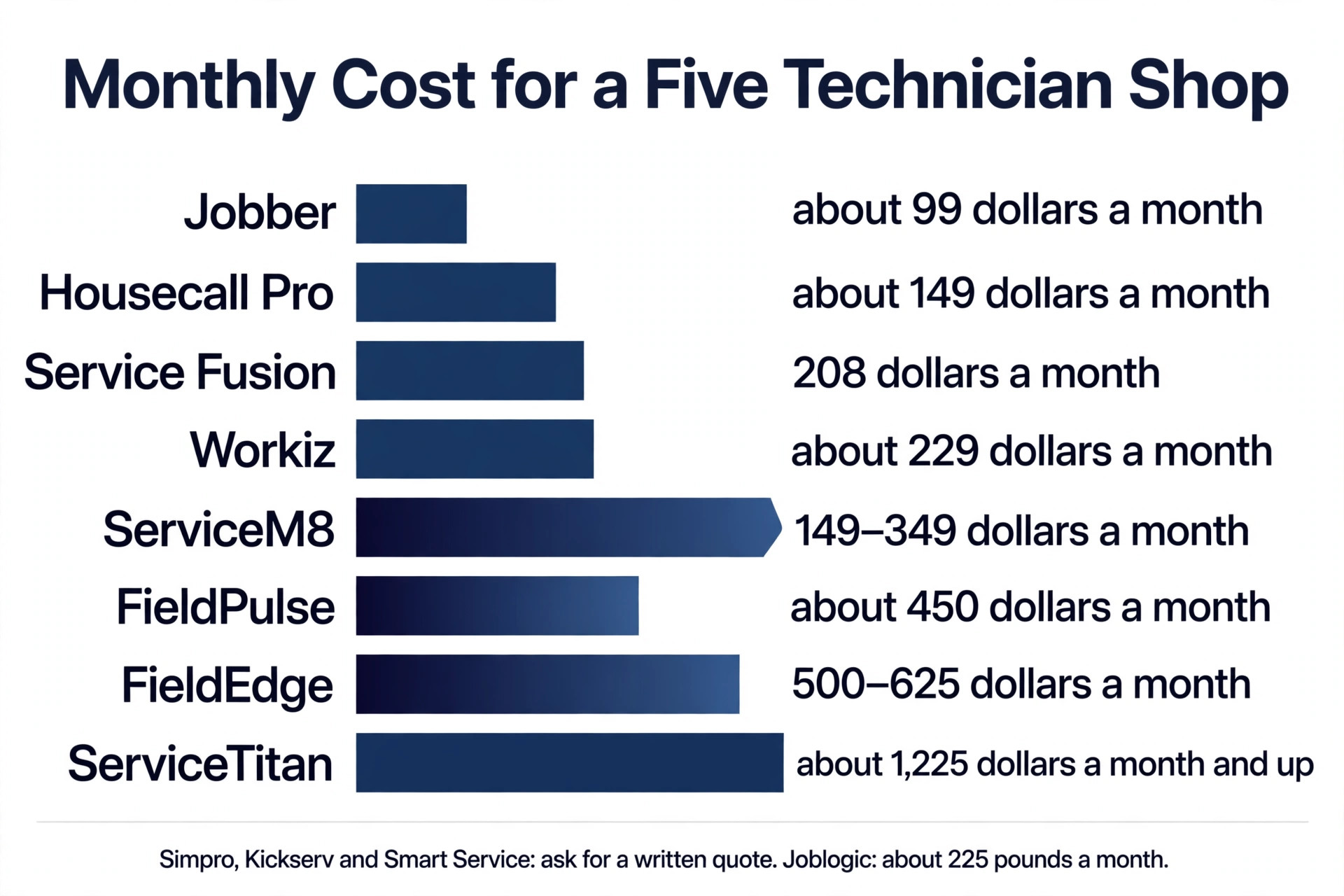
The table below shows the entry price for each tool and the rough monthly cost for a five technician shop. Per user tools climb with every hire, flat tier tools stay flat, and that difference is worth more than the entry price once the crew grows past five trucks.
| Tool | Entry price | Rough cost for 5 technicians | Pricing model |
|---|---|---|---|
| Jobber | 29 dollars a month Core, billed annually | About 99 dollars a month | Tiered by users |
| Housecall Pro | 59 dollars a month Basic, billed annually | About 149 dollars a month | Tiered by users |
| ServiceTitan | Quote only, about 245 dollars per technician a month | About 1,225 dollars a month and up | Per technician |
| FieldEdge | Quote only, about 100 to 125 dollars per user a month | About 500 to 625 dollars a month | Per user |
| Service Fusion | 208 dollars a month Starter, billed annually | 208 dollars a month | Flat, unlimited users |
| Workiz | Quote only | About 229 dollars a month reported | Flat base plus per user past 5 |
| FieldPulse | Quote only, about 90 dollars per user a month reported | About 450 dollars a month | Per user |
| Simpro | Quote only | Ask for a written quote | Per user |
| ServiceM8 | Free capped plan, paid from about 149 dollars a month | About 149 to 349 dollars a month | Flat tiers |
| Joblogic | About 45 pounds per user a month, billed annually | About 225 pounds a month | Per user |
| Kickserv | Quote only | Ask for a written quote | Tiered |
| Smart Service | Quote only | Ask for a written quote | Per user |
The pattern is clear. A small firm pays under 150 dollars a month on Jobber or Housecall Pro, about 200 dollars on Service Fusion, and five to ten times more on the per technician platforms. The per technician tools earn that price only when the firm uses their deeper features, including pricebooks, capacity planning, marketing automation and advanced reporting. A firm that only needs dispatch, invoicing and payments should not pay for depth it will never open.
How We Compared the 12 Tools
We compared each tool on five points, because dispatch software wins on the day to day work, not on the sales demo. Dispatch depth covered the board itself, drag and drop scheduling, route planning, capacity view and how the board behaves when a job runs long. Mobile quality covered the technician app, offline work, photos, signatures and how fast a tech can close a job from a roof or a basement.
Pricing transparency covered whether the price is published, whether the trial is real, and what onboarding, GPS and processing add to the bill. HVAC fit covered pricebooks, equipment tracking, service agreements and flat rate pricing, the features that separate HVAC tools from general field service tools. Support and setup covered how long implementation takes, whether a trial exists, and what help is available when the board breaks on a busy Monday.
We weighted transparency heavily. Three of the 12 tools publish no price at all, and a small firm should treat that as information. A vendor that will not publish a price is a vendor that expects to negotiate, and negotiation favours the larger buyer. The tools with published prices and real trials earned higher marks for small firms, even when their feature lists were shorter.
The Best Pick for Each Job
| Job | Pick | Why it wins |
|---|---|---|
| Solo operator or 2 truck crew | Jobber | 29 dollars a month, live in a day |
| Small residential shop, 1 to 7 trucks | Housecall Pro | Best mobile app, strong customer experience |
| Growing shop that hates per user fees | Service Fusion | 208 dollars flat, unlimited users |
| HVAC specific pricebook and agreements | FieldEdge | Coolfront flat rate pricebook, agreement automation |
| Large shop past 3 million dollars revenue | ServiceTitan | Deepest dispatch, pricebook and reporting |
| Flat tiers with strong automation | Workiz | AI dispatch and answering, automation heavy |
| Franchise or multi location crew | FieldPulse | Custom quoting, strong mobile, AI operator |
| Job costing and project work | Simpro | Project and job costing depth |
| Small crew that wants a free start | ServiceM8 | Free capped plan, flat tiers |
| UK or Commonwealth HVAC firm | Joblogic | Local pricing, job planner, route scheduling |
| Simple dispatch with QuickBooks | Kickserv | Clean board, QuickBooks sync |
| QuickBooks centred scheduling | Smart Service | Built around QuickBooks, scheduling first |
Use this table as a shortcut, then read the full section for the tool you are leaning toward. The cheapest option is not the best value when it cannot handle your pricebook, and the most expensive option is not the best choice when your crew is under five trucks.
The 12 Best HVAC Dispatch Software for Small Firms, Ranked
The 12 tools below fall into three groups. The first group is the small firm core, with published prices, fast setup and a mobile app that works. The second group is the mid market, with deeper HVAC features and quote based pricing. The third group is the specialist and regional picks, which fit a specific setup rather than every shop. Pick the group first, then pick the tool inside it.
1. Jobber
Jobber is the default pick for a small HVAC crew, and the reason is simple. The price is published, the setup takes about a day, and the mobile app is smooth enough that technicians use it without being told twice. Core costs 29 dollars a month billed annually for one user, Connect costs 99 dollars a month for up to five users, Grow costs 149 dollars a month for up to ten, and Plus costs 399 dollars a month for up to 15. Every plan works month to month with no contract, and the 14 day trial gives full access.
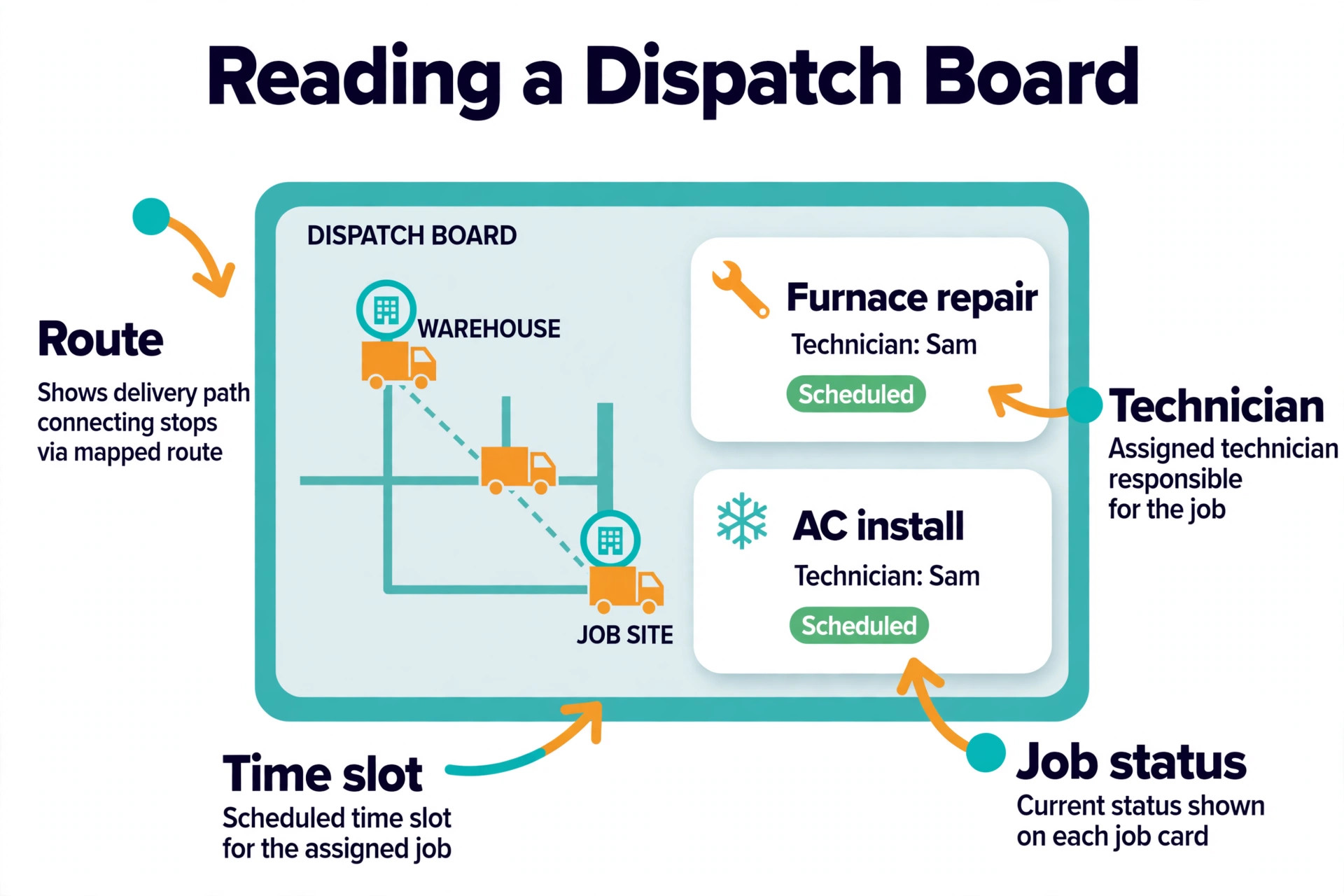
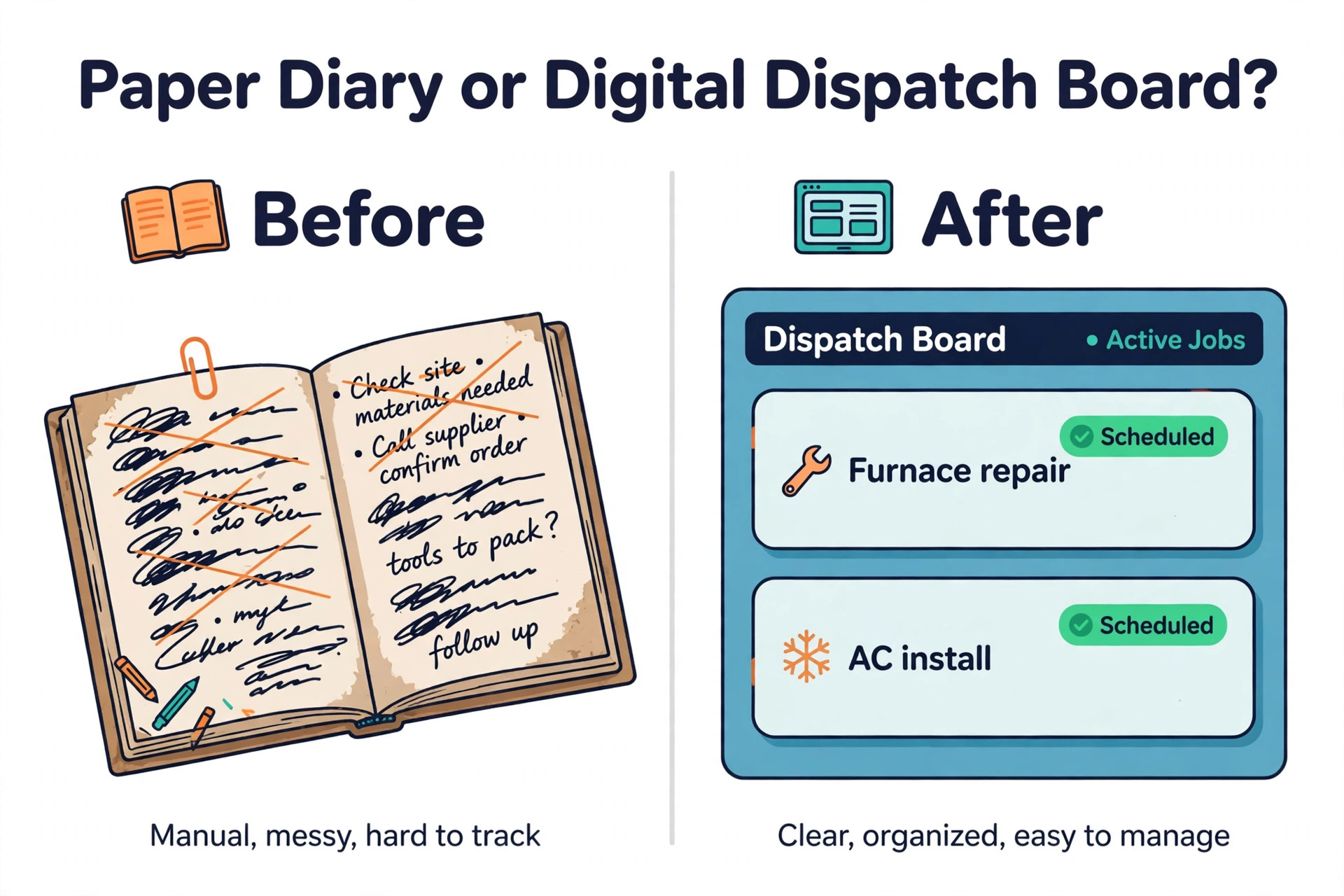
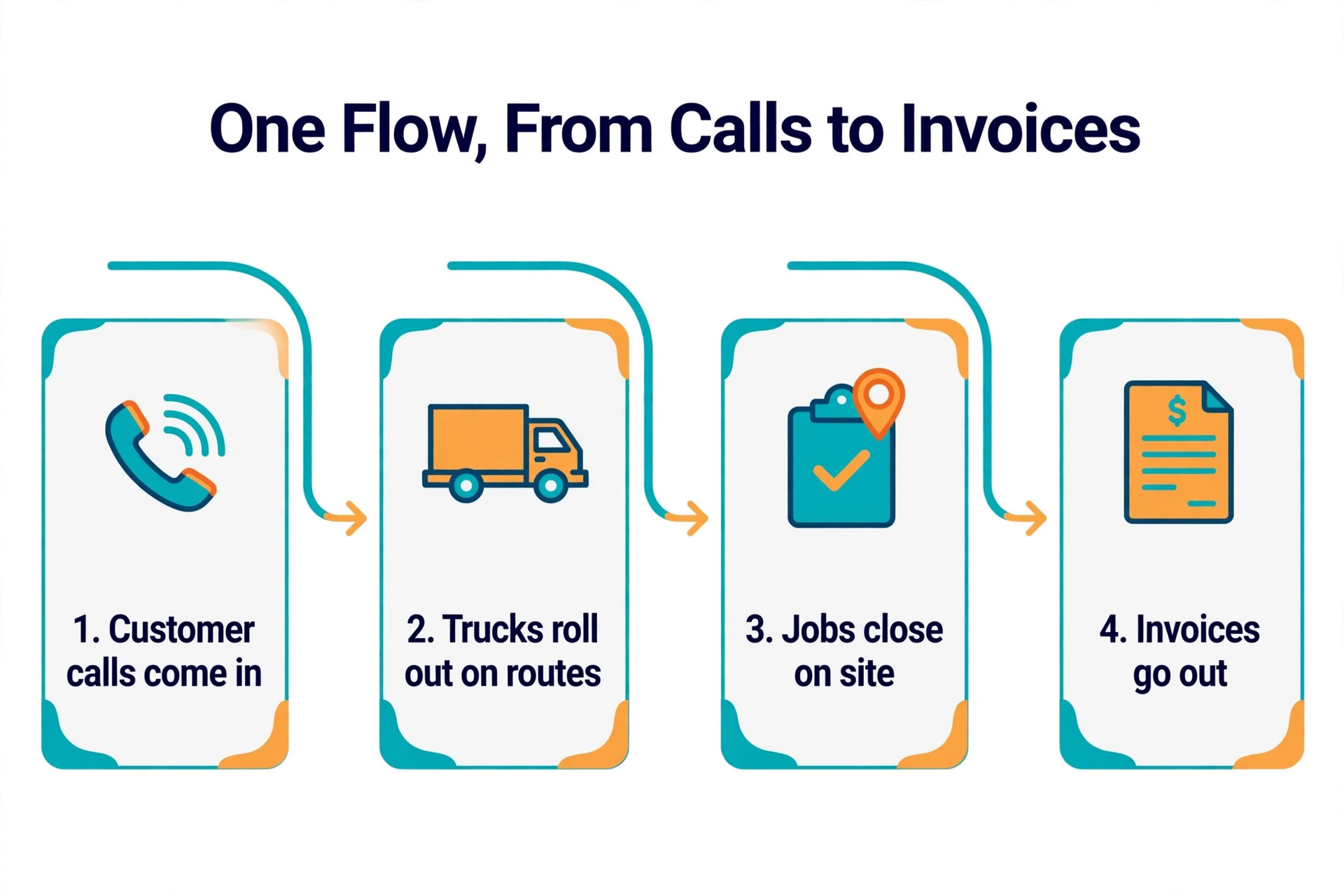
The dispatch board covers scheduling, quoting, job tracking, invoicing, client communication and payments in one flow, and the client hub portal lets customers approve quotes and pay online. Route planning is strong for a tool at this price, and the 2026 additions of an AI receptionist, AI job summaries and Copilot assisted quote writing cover the automation that actually saves office time. The trade off is HVAC depth. There is no built in flat rate pricebook or equipment tracking, so a shop that lives on its pricebook will need a third party library. For a crew under 15 users that wants honest pricing and a board that just works, Jobber is the right first look.
2. Housecall Pro
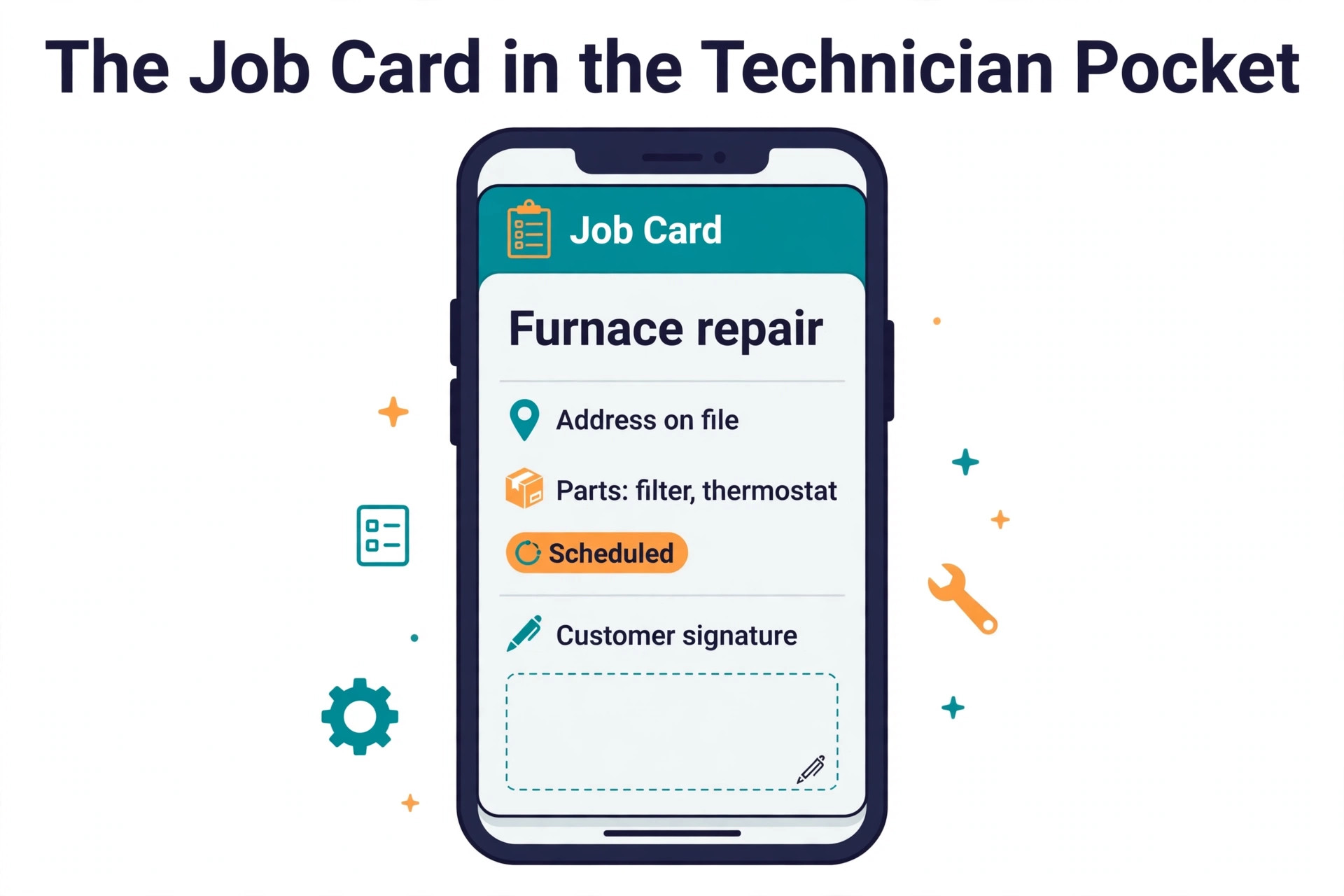
Housecall Pro is the best mobile experience in the category, and it serves more than 40,000 home service businesses, with HVAC as its largest trade. Basic costs 59 dollars a month billed annually for one user, Essentials costs 149 dollars a month for up to five users, and MAX costs 299 dollars a month for up to eight. HVAC and plumbing businesses see a different package after a pricing quiz, with Essentials and MAX running 299 to 649 dollars, so confirm your trade price on the pricing page before you budget. The 14 day trial covers MAX.
The strength is the customer experience. Visual proposals lift close rates, online booking is smooth, and the customer portal, SMS updates and review prompts make a small shop look like a large one. The dispatch board is good rather than advanced, and the tool lacks HVAC specific features such as equipment tracking and flat rate pricebooks. For a residential shop of one to seven trucks that competes on service and reviews, Housecall Pro is the strongest pick. For a shop that needs deep dispatch intelligence, look at ServiceTitan or FieldEdge instead.
3. ServiceTitan
ServiceTitan is the enterprise standard for HVAC, and it is the deepest platform on this list by a wide margin. It covers advanced dispatch intelligence, call recording, payroll, inventory, a flat rate pricebook, marketing automation and phones, with more than 180 integrations. It serves about 9,500 customers and reported 916 million dollars in revenue in its 2025 fiscal year, which tells you how large its customer base has become.
The price is the reason most small firms should not buy it. Pricing is quote only, and independent 2026 estimates put it at roughly 245 to 500 dollars per technician per month, with implementation fees estimated between 5,000 and 50,000 dollars. A ten technician shop on the Essentials tier spends roughly 36,000 to 48,000 dollars a year before implementation, and the fully loaded cost with common add ons runs 63,000 to 80,000 dollars a year. That maths only works past about 3 million dollars in revenue with a dedicated dispatcher. Below that line, the depth sits unused while the bill arrives every month.
4. FieldEdge
FieldEdge is the HVAC specific mid market pick, built for contractors with five to 100 technicians. The dispatch board is intelligent, the mobile apps work offline, and the Coolfront flat rate pricebook is bundled in, which is the pricing library most HVAC shops already know. MarketingEdge automates service agreement renewals, and Proposal Pro supports good better best bidding. QuickBooks Desktop and Sage Intacct integrations are strong, though staff must be created in QuickBooks first.
Pricing is quote only, and third party sources consistently report about 100 to 125 dollars per user per month plus 500 to 2,000 dollars in setup, with some implementations reaching higher. There is no free trial, because onboarding takes about five weeks and needs direct involvement. FieldEdge has no native AI dispatcher and no announced 2026 AI roadmap, which matters against Workiz and FieldPulse. For a shop that lives on its pricebook and its agreements, FieldEdge is the right depth at a mid market price.
5. Service Fusion
Service Fusion wins on pricing logic. Every plan carries unlimited users with flat rate pricing, so the bill stays flat while the crew grows. Starter costs 208 dollars a month billed annually, Plus costs 325 dollars a month and adds integrated voice and text, and Pro costs 533 dollars a month and adds the open API and progress billing. At ten technicians, Plus is roughly a third cheaper than Workiz Pro on its last published rates and far cheaper than any per user tool.
The platform covers scheduling, dispatching, customer management, estimates, invoicing, payments and mobile field work in one workflow, and the QuickBooks integration earns its reputation. The trade off is that several features are paid add ons rather than included, including job photo uploads, inventory, job costing, custom documents, eSign, the customer portal, recurring invoicing and GPS fleet tracking. There is no free trial, only a sales led demo. For a growing shop that hires seasonally and hates per user fees, Service Fusion is the most predictable bill in the category.
6. Workiz
Workiz is the automation heavy mid market pick for home service teams. It covers scheduling, dispatch, invoicing, payments and automation in one system, with AI dispatch and Genius Answering, its AI phone answering product launched in December 2024, as the headline features. The dispatch board is strong, the automation rules cut office work, and the mobile app is built for crews that move fast.
Pricing is quote only, and reported figures put the entry around 229 dollars a month, with extra users costing 46 to 65 dollars a month depending on the tier. The 7 day trial needs no card. Reporting depth varies by plan, and the quote based pricing means a small firm should get the number in writing before comparing it with Jobber or Service Fusion. For a multi truck shop that wants automation to replace office headcount, Workiz earns its price. For a small crew that only needs dispatch, the automation is more than the job requires.
7. FieldPulse
FieldPulse is the franchise friendly pick, with the highest user ratings among its closest rivals at 4.7 stars on G2 from 358 reviews. It covers scheduling, dispatch, invoicing, estimates and customer management, with a strong mobile app and Operator AI, its AI assistant, which won a 2025 industry innovation award and supports more than 30 languages. Franchises like the custom quoting and the consistent experience across locations.
Pricing is quote only, and reported figures put it near 90 dollars per user per month, which makes a ten technician crew cost about 900 dollars a month. There is no free trial, only a demo and a quote, and the pricing page publishes less than any rival in the category. For a franchise or a multi location crew that needs custom terms and a polished mobile experience, FieldPulse is worth the sales call. For a single location shop under ten trucks, Jobber or Housecall Pro deliver more value for less money.
8. Simpro
Simpro is the pick for HVAC firms that do project work alongside service calls. It covers job costing, project management, scheduling, dispatch and invoicing with more depth than the generalist tools, and it suits firms that quote large installs and need to track costs against the quote. The dispatch board handles multi day jobs and linked work orders, and the reporting goes deeper into profitability than most rivals.
Pricing is quote only, and the firm should expect a sales process rather than a self serve trial. Simpro rates 4.1 stars on G2, lower than Jobber and FieldPulse, and the depth comes with a longer setup. For a service only shop, Simpro is more tool than the job needs. For a firm where installs and projects are half the revenue, the job costing alone can justify the price, because it shows which jobs make money and which ones quietly lose it.
9. ServiceM8
ServiceM8 is the best free start in the category, with a capped free plan that lets a solo operator run real jobs before paying. Paid plans run about 149 to 349 dollars a month in flat tiers, which makes the cost predictable as the crew grows. The platform covers scheduling, dispatch, quoting, invoicing and payments, with a clean mobile app and a phone agent product launched in September 2025.
The trade off is depth. ServiceM8 lacks the HVAC specific pricebook and the advanced dispatch intelligence of ServiceTitan and FieldEdge, and the flat tiers can feel expensive for a solo operator once the free cap is passed. For a one to three truck shop that wants to start free and grow into a flat fee, ServiceM8 is a strong choice. For a shop that needs a flat rate pricebook from day one, FieldEdge is the better fit.
10. Joblogic
Joblogic is the pick for UK and Commonwealth HVAC firms, with pricing in pounds and a product built around the job planner and route scheduling. Standard starts at about 45 pounds per user per month billed annually, with planned preventative maintenance plans quoted separately. The tool covers scheduling, dispatch, quoting, invoicing and job tracking, with route scheduling on the Premium tier and above.
The strength is the fit for firms that run maintenance contracts and planned visits alongside reactive calls. The trade off is that the tool is less known in the United States, and the integration list is shorter than the American platforms. For a UK firm that wants local pricing, local support hours and a planner built for maintenance rounds, Joblogic is the natural choice. For a United States firm, Jobber or Housecall Pro are the closer fit.
11. Kickserv
Kickserv is the simple dispatch pick for small firms that want a clean board and a reliable QuickBooks sync without enterprise complexity. It covers scheduling, dispatch, estimating, invoicing and customer management, with a dispatch board that shows the day at a glance and a mobile app that lets technicians update job status from the field. The QuickBooks integration keeps the books in sync without double entry.
Pricing is quote only, so a firm should ask for a written quote and compare it against Jobber Core at 29 dollars a month before deciding. Kickserv suits a shop that finds Jobber too general and ServiceTitan too large, and wants a middle ground with a board the whole team can read in seconds. It is not the pick for a firm that needs a flat rate pricebook or advanced marketing automation, because those features sit elsewhere.
12. Smart Service
Smart Service is built around QuickBooks, and that is its whole pitch. It adds scheduling, dispatch, customer management and mobile field work on top of a QuickBooks company file, so the office never leaves the accounting system it already knows. The dispatch board is straightforward, the mobile app covers job details and invoicing, and the setup is fast for a firm already running QuickBooks.
Pricing is quote only, and the firm should get the number in writing and check what the QuickBooks integration covers before signing. Smart Service suits a small firm that runs its whole business in QuickBooks and wants dispatch without a second system. It is not the pick for a firm that wants a standalone platform with its own pricebook, marketing tools or advanced reporting, because the tool is deliberately narrow and QuickBooks centred.
How to Choose the Best HVAC Dispatch Software for Small Firms
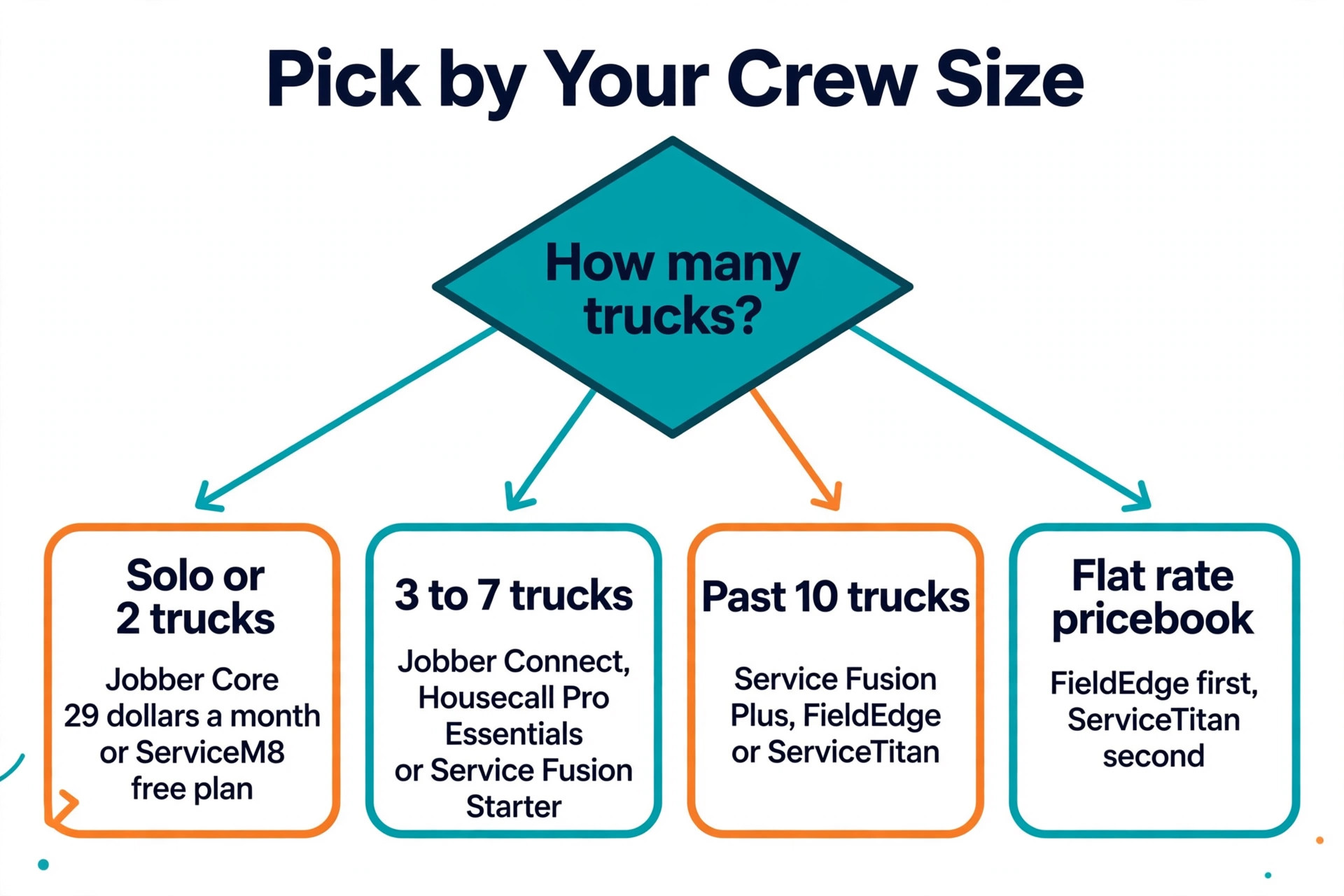
Start with crew size, because it decides the pricing model. A solo operator or a two truck crew should pick Jobber Core at 29 dollars a month or the ServiceM8 free plan, and should not pay for depth they will not use. A three to seven truck shop should compare Jobber Connect, Housecall Pro Essentials and Service Fusion Starter, and should pick the one whose mobile app the technicians like best. A shop past ten trucks should compare Service Fusion Plus against FieldEdge and ServiceTitan, and should price the per technician cost over a full year before deciding.
Next, check the pricebook. A shop that prices from a flat rate book should shortlist FieldEdge first, because the Coolfront pricebook is bundled, and ServiceTitan second, because its pricebook is the deepest in the category. A shop that prices by time and materials can ignore the pricebook question and pick on dispatch quality and price instead. Ask each vendor whether the pricebook is included or an add on, because a pricebook sold separately can double the first year cost.
Then test the mobile app in the field. Give two technicians the trial version, send them on real jobs, and watch how fast they close a job from a basement with weak signal. A board that looks good in the office and fails in the field is a board the team will stop using, and a dispatch tool the team stops using is a monthly bill with no value. The trial is the real test, so use it on real work rather than on demo data. That field test is the fastest way to judge the best hvac dispatch software for small firms, because it shows the tool under the conditions your crew actually works in.
Mistakes That Waste Money on Dispatch Software
The most common mistake is buying ServiceTitan too early. A five truck shop signs a per technician contract, pays more than a thousand dollars a month, and uses a tenth of the features. The depth is real, but depth that sits unused is waste. The rule is simple. Do not buy enterprise dispatch until revenue passes about 3 million dollars and a dedicated dispatcher is on staff, because that is when the depth starts to pay.
The second mistake is ignoring the per user maths. A tool that costs 90 dollars per user per month looks cheap at two technicians and costs 900 dollars a month at ten. A flat tier tool that costs 208 dollars a month looks expensive at two technicians and costs the same at ten. Multiply the per user price by the crew size you expect in two years, not the crew size you have today, and compare that number.
The third mistake is skipping the trial. A firm that buys from a demo has never seen the mobile app in a basement, the board on a Monday morning, or the invoice flow at the end of a long day. Use the 14 day trial on real jobs, with real technicians, and decide from that evidence. A tool that survives two real weeks will survive the year, and that trial is the cheapest insurance a buyer of the best hvac dispatch software for small firms can get.
Our Recommendation
Jobber is the pick for most small firms among the best hvac dispatch software for small firms, because 29 dollars a month buys a complete dispatch, invoicing and payments workflow that a crew can run in a day, with no contract and a real trial. Housecall Pro is the pick for a residential shop that competes on customer experience, because its mobile app and proposals are the best in the category. Service Fusion is the pick for a growing shop that hires seasonally, because the flat 208 dollars a month never rises with headcount.
ServiceTitan remains the right answer past 3 million dollars in revenue, and FieldEdge remains the right answer for a shop that lives on its pricebook. Every other firm should start with the small firm core, test the mobile app on real jobs, and let the crew size decide when to move up. The best dispatch software is the one the technicians open every morning without being asked.
Frequently Asked Questions
What is the cheapest HVAC dispatch software for a small firm?
Jobber Core at 29 dollars a month billed annually is the cheapest real platform with published pricing, and ServiceM8 offers a free capped plan for a solo operator. Housecall Pro Basic at 59 dollars a month is the next step up. The cheapest tool is only the best value when it covers dispatch, invoicing and payments, so compare the included features before you compare the price alone.
How much does ServiceTitan cost a small HVAC firm?
ServiceTitan publishes no pricing, and independent 2026 estimates put it at roughly 245 to 500 dollars per technician per month, with implementation fees estimated between 5,000 and 50,000 dollars. A five technician shop should expect about 1,225 dollars a month and up, before implementation. A small firm should get a written quote and compare the full year cost against Jobber or Service Fusion before signing.
Does Jobber work for HVAC companies?
Yes, Jobber works well for small HVAC crews, covering scheduling, dispatch, quoting, job tracking, invoicing, client communication and payments, with a strong mobile app and route planning. It lacks a built in flat rate pricebook and equipment tracking, so a shop that prices from a flat rate book will need a third party library or should look at FieldEdge. For a crew under 15 users that prices by time and materials, Jobber is the default pick.
What is the best hvac dispatch software for small firms with 5 technicians?
For a five technician shop, Housecall Pro Essentials at 149 dollars a month billed annually and Jobber Connect at 99 dollars a month are the strongest picks, with Service Fusion Starter at 208 dollars a month as the flat fee alternative. Housecall Pro wins on mobile experience and customer proposals, Jobber wins on price and simplicity, and Service Fusion wins when the crew is likely to grow past ten technicians.
Should a small HVAC firm pay per user or per flat tier?
A firm that expects to stay under five technicians can pay per user without pain, because the bill stays small. A firm that expects to grow past ten technicians should prefer a flat tier, because a per user price of 90 dollars a month becomes 900 dollars a month at ten technicians while a flat tier stays at 208 dollars. Multiply the per user price by the crew size you expect in two years and compare that number against the flat tier before you decide.
How long does it take to set up HVAC dispatch software?
Jobber and Housecall Pro can be live in about a day, with a 14 day trial to test on real jobs. Service Fusion and Workiz take a few days to a week, depending on the data migration. FieldEdge takes about five weeks of onboarding, and ServiceTitan takes two to three months to implement fully. A firm that needs to be dispatching next week should pick a tool with a real trial and a fast setup, not an enterprise platform.