Ramp is the best overall pick among the best expense tracking software for small business, because its core platform is free and it removes reimbursements entirely with corporate cards, automatic receipt matching and real time spend controls. Zoho Expense is the better choice when you want the lowest subscription cost and you already work inside Zoho Books, while Expensify is the strongest pick when your team wants to keep its existing bank and cards. We compared 11 tools on price, receipt capture, approval flows, card programs and accounting sync, and this guide shows what each one actually costs and where it falls short, so you can pick one without a trial that eats a month.
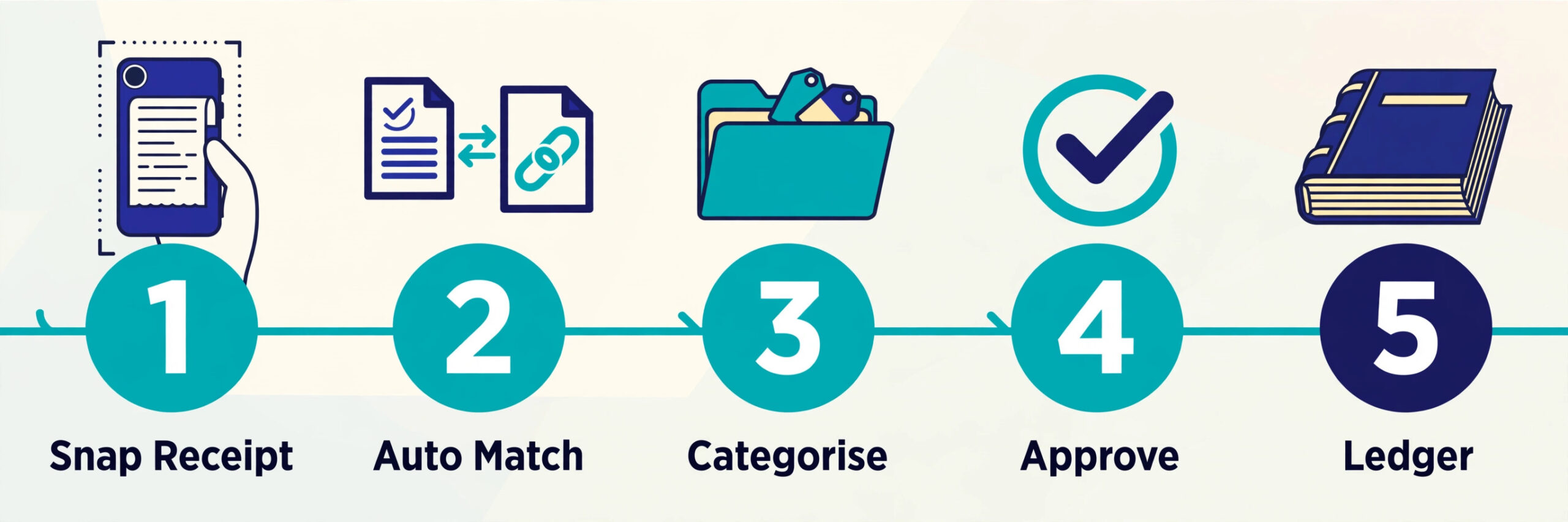
Expense tracking breaks in the same place for most small businesses. Receipts sit in pockets and inboxes, card statements arrive weeks after the spending, and the bookkeeper spends the first week of the month chasing paperwork instead of closing the books. The cost is not only the admin time. Late and miscategorised expenses mean tax deductions get missed, budgets drift, and a duplicate charge can sit unnoticed for months. A good tool fixes the timing problem first, by capturing the expense at the moment of the swipe, and then makes the approval and the accounting sync boring and automatic.
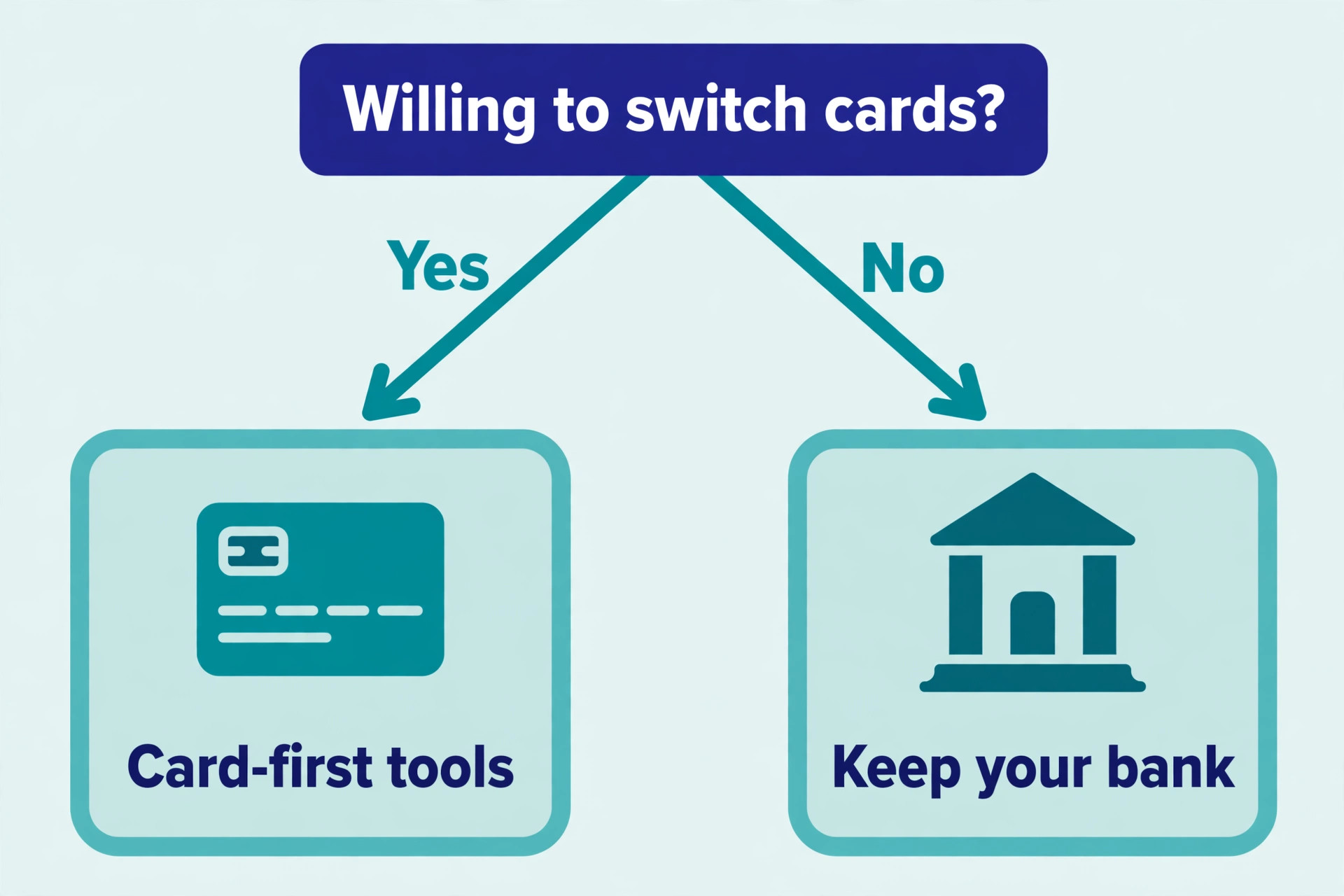
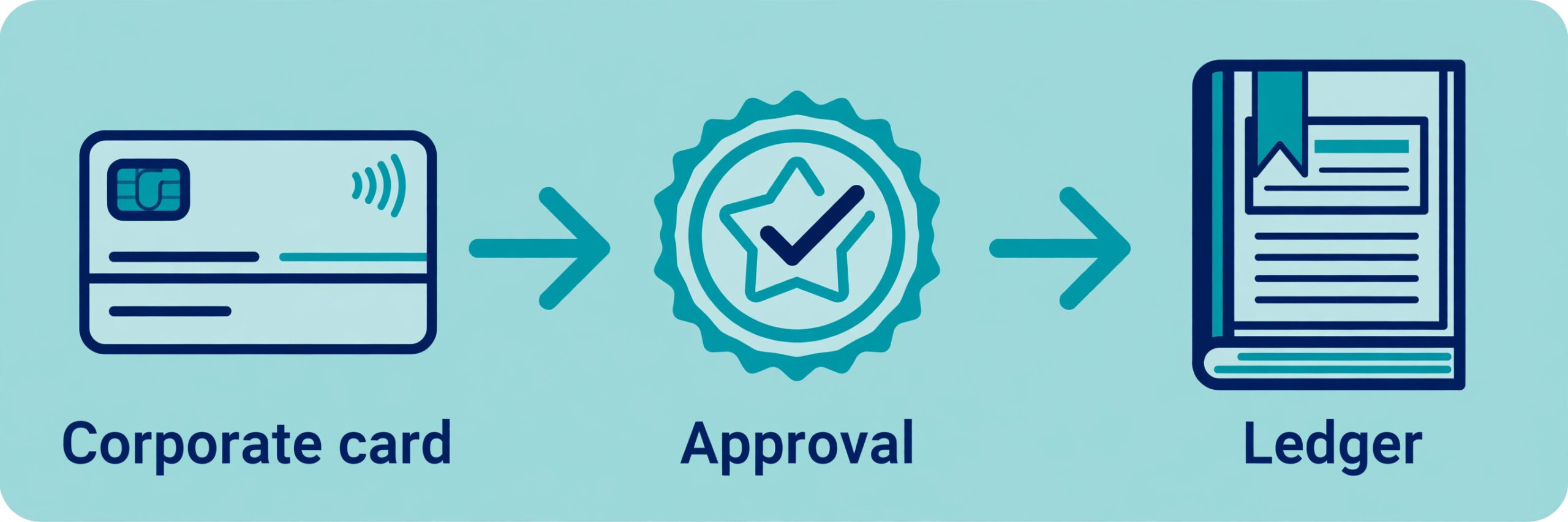
The category split into two models in 2026, and the split decides most of the choice. Card first platforms such as Ramp, Brex and BILL issue corporate cards and control spending before it happens, which suits teams that want to end reimbursements. Report first tools such as Expensify, Zoho Expense and Sage Expense Management capture spending after the fact and route it through approvals and reimbursements, which suits teams that want to keep their existing bank and card program. Neither model is better in the abstract. The right one is the model that matches how your team already spends.
How We Compared 11 Expense Tools
We checked each vendor pricing page and current 2026 roundups in November 2026, and we scored every tool on five points that decide whether a small business actually sticks with it. Price covered the true monthly cost for a team of ten, including the per user fees that hide behind a free headline. Receipt capture covered mobile scanning, email forwarding and automatic matching to card transactions. Approvals covered multi level rules, policy flags and how fast a manager can clear a report. Cards covered whether the tool issues its own corporate cards or works with the cards you already hold. Accounting sync covered direct feeds into QuickBooks, Xero and the other ledgers small businesses run on.
Two facts shaped the whole comparison and are worth knowing before you read the rankings. First, several tools are genuinely free at the core, because they earn money on card interchange rather than on subscriptions, so a zero dollar price can be a complete product rather than a trial. Second, three of the tools on this list changed hands or changed names in the last two years, so a review written in 2024 can describe a product that no longer exists under that name.
That is why the best expense tracking software for small business is decided by fit rather than by feature count. Prices change often and some vendors show different prices by region, so confirm the price on the checkout page before you commit.
The Best Pick for Each Job
| Job | Pick | Why it wins |
|---|---|---|
| The best overall value | Ramp | Free core plan with unlimited cards and automatic receipt matching |
| The lowest subscription cost | Zoho Expense | Free for up to 3 users, paid plans from 3 dollars per user a month |
| Keeping your current bank and cards | Expensify | Works with Amex, Chase, Citi and most other business cards |
| Travel plus expenses in one place | Navan | Booking and expense capture together, first 5 users free |
| A free card program with budgets | BILL Spend and Expense | Free employee cards with built in budgets and no per seat fee |
Use this table as a shortcut, then read the full section for the tool you are leaning toward. The best expense tracking software for small business is the one that matches your spending model, not the one with the longest feature list. The cheapest option is not the best value when it cannot sync with your accounting system, and the most expensive option is not the best choice when your team only files ten expenses a month.
The Best Expense Tracking Software for Small Business in 2026, Ranked
The 11 tools below fall into three groups. The first group is the card first platforms, which issue corporate cards and control spend in real time. The second group is the report first tools, which capture and approve expenses after the fact and work with any card. The third group is the accounting led tools, which bundle expense tracking into a broader bookkeeping product. Start with the group that matches how your team spends, then compare inside it.

1. Ramp
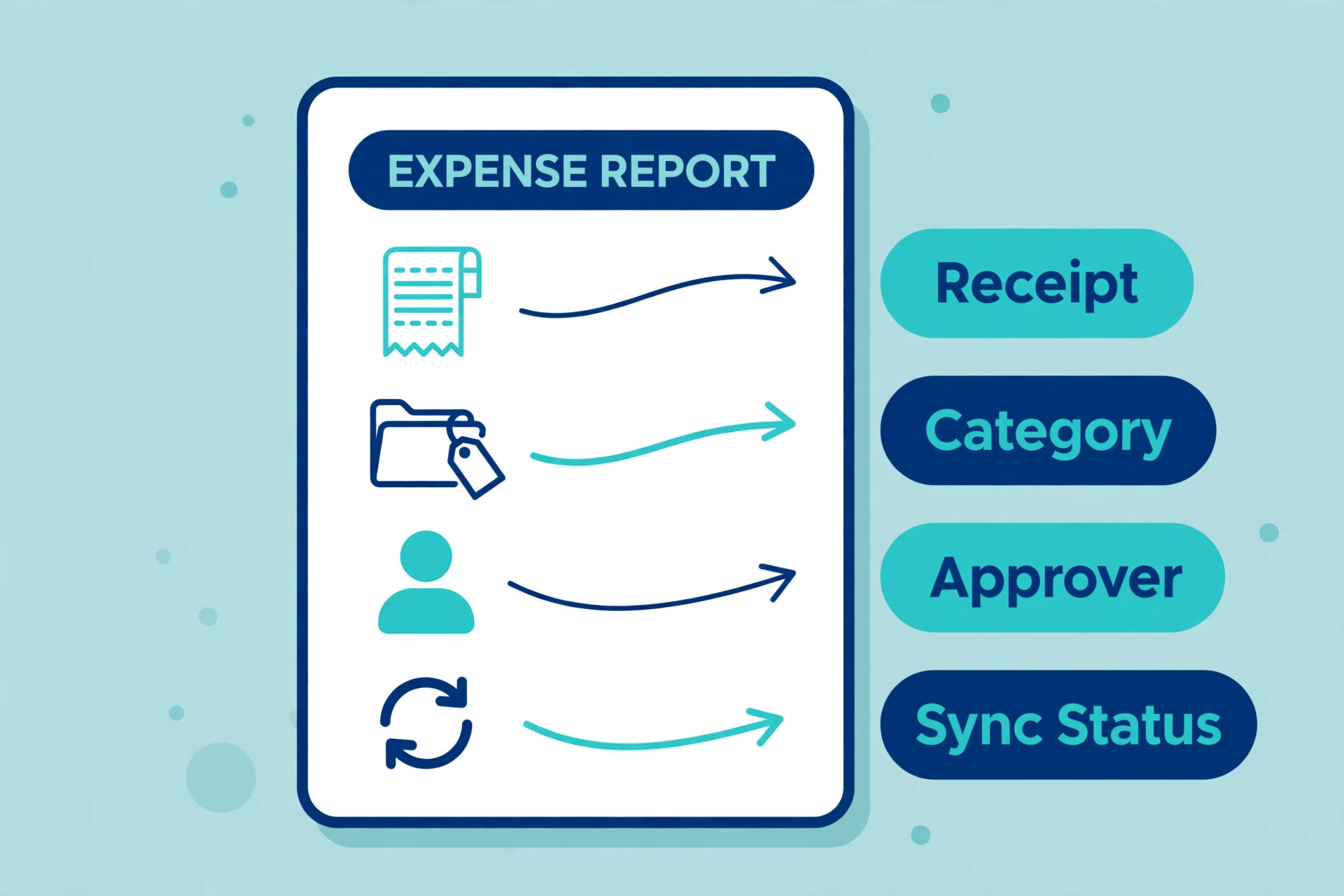
Ramp is the strongest free option in this category, and the free plan is a complete product rather than a trial. The core platform includes unlimited physical and virtual Visa cards, expense management with automatic receipt matching, AI policy review, accounts payable with OCR, and sync with QuickBooks and Xero, all at zero dollars per user per month. Ramp earns its money on card interchange and on optional paid tiers, which is why the free tier can be this generous.
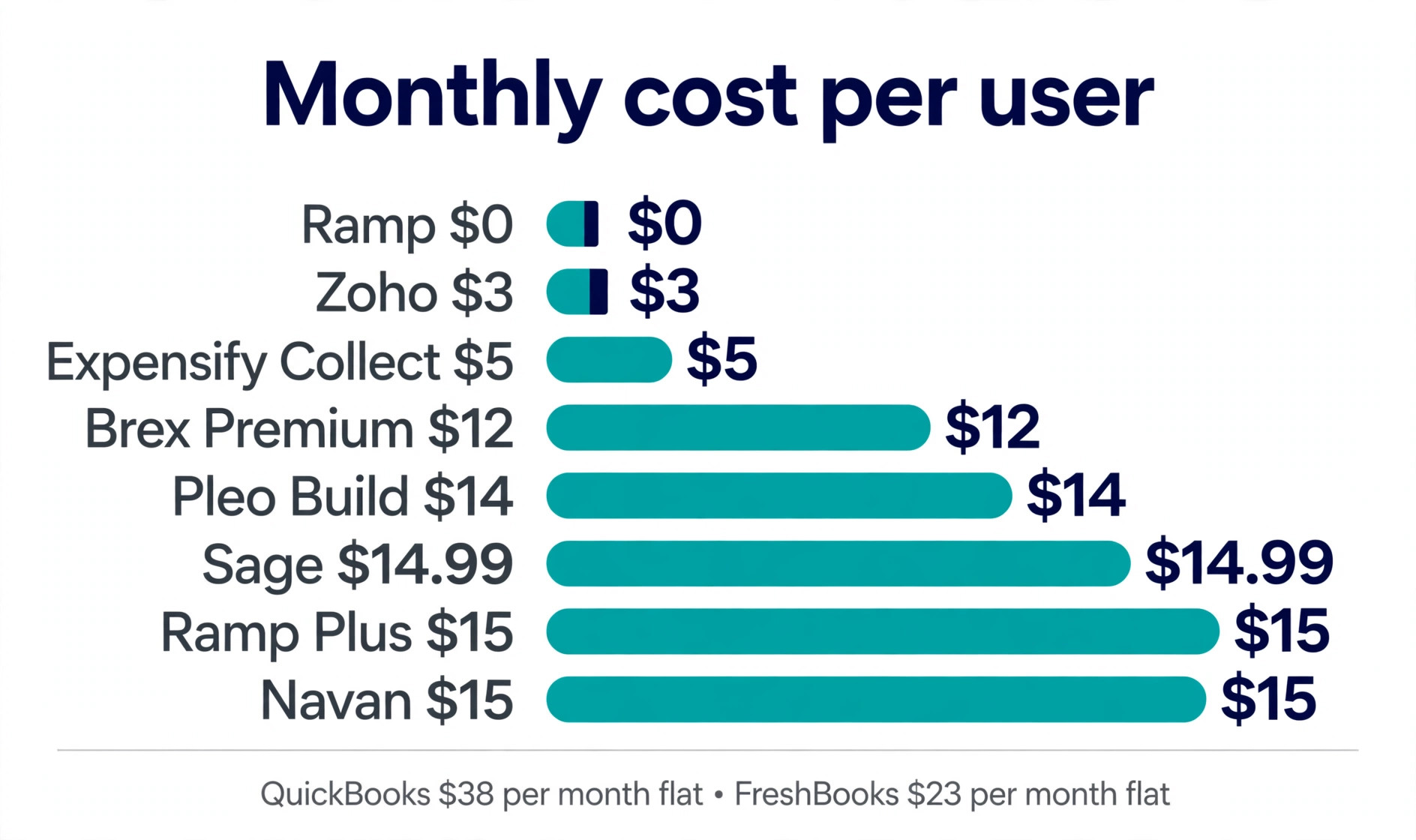
Ramp Plus costs 15 dollars per user per month and adds AI driven approval recommendations, custom user roles, deeper NetSuite and Sage Intacct integrations, multi entity support, auto coded line items and live budget against actual tracking. The trade off is that Ramp only works for United States registered businesses and it only delivers its value when your team moves its spending onto Ramp cards. If your team is willing to switch cards, Ramp is the best value in the whole list. If it is not, look at Expensify or Zoho Expense instead.
2. Expensify
Expensify remains the classic expense reporting tool, and it is the best choice when you want to keep your existing bank and card program. It pulls transactions from Amex, Chase, Citi, Capital One and most other business cards through direct feeds, so your team keeps the cards and the rewards it already has. Employees photograph receipts, the SmartScan feature reads them, and managers approve reports in the app or by email.
Pricing starts with a free basic plan that includes 25 SmartScans a month. Collect costs 5 dollars per member per month and Control costs 9 dollars, both on annual billing, and the company card is optional rather than required. Expensify also runs an AI concierge that can now act on expenses by chat, answering questions and flagging problems without opening the dashboard. The weakness is that the per user price climbs fast on larger teams, and the card program is less central than Ramp or Brex, so a team that wants spend control before the swipe will find Ramp stronger.
3. Zoho Expense
Zoho Expense is the budget pick and the best overall expense tracker in several independent 2026 roundups, because it pairs real depth with the lowest paid price on this list. The free plan covers up to 3 users with 5 GB of receipt storage and 20 autoscans a month. Standard costs 3 dollars per user per month on annual billing, or 4 dollars month to month, and Premium costs 5 dollars per user per month on annual billing.
The feature set covers receipt scanning, mileage tracking, per diem, approval policies, card feeds and reimbursements, and it syncs cleanly with Zoho Books and with QuickBooks. The mobile app is solid and the approval flows handle multi level rules without a consultant. The limit is scale. Zoho Expense suits teams up to a few dozen people, and a business that needs deep ERP controls or a corporate card program will outgrow it. For a small team that wants a proper expense system for the price of a coffee, nothing else on this list comes close.
4. Brex
Brex pairs corporate cards with spend controls and banking in one account, and it suits funded startups that want cards, banking and expenses together. The Essentials plan is free and covers cards, expense capture and basic controls. Premium costs 12 dollars per user per month and adds advanced approvals, deeper accounting integrations and stronger policy controls. The card program includes virtual cards per vendor, real time limits and automatic categorisation.
One fact to know before you buy is that Capital One closed its acquisition of Brex in April 2026, for roughly 5.15 billion dollars, and Brex now sits inside a much larger bank. Capital One has said pricing will hold for now, but a startup that chose Brex for its independence should watch the roadmap. Brex is the pick when your team is young, card heavy and growing fast, and when you want banking and expenses in the same place. A team that wants the lowest cost or the deepest accounting sync will find Ramp or Zoho Expense a better fit.
5. BILL Spend and Expense
BILL Spend and Expense gives small businesses free employee cards with built in budgets and no per seat software fee, which makes it one of the best free entry points on this list. Managers set budgets per employee or per team, cards enforce the limits at the point of purchase, and receipts flow into the same dashboard for approval. The tool syncs with QuickBooks and Xero, and it sits beside BILL accounts payable, so a business that already pays vendors through BILL gets a single money workflow.
The catch is the card switch. BILL only delivers its value when your team moves spending onto BILL cards, and the expense tool is strongest as part of the wider BILL platform rather than as a standalone purchase. A business that wants expense software without changing its card program should look at Expensify or Zoho Expense. A business that is happy to switch cards and wants free spend management with budgets will find BILL hard to beat.
6. Navan
Navan combines travel booking with expense capture in one platform, which makes it the pick for teams that travel. An employee books a flight or a hotel inside Navan, the receipt is captured automatically, and the expense report practically writes itself. The first 5 monthly expensing users are free for companies under 300 employees, and paid users cost 15 dollars per user per month after that.
The travel side is the real strength. Navan enforces travel policy at booking time, so an out of policy hotel simply cannot be booked, and the finance team sees travel spend before the trip rather than after the expense report. The weakness is scope. A team that rarely travels pays for a travel platform it does not need, and the expense features alone are thinner than Expensify or Zoho Expense. Choose Navan when travel is a real line in your budget. Choose a pure expense tool when it is not.
7. Sage Expense Management
Sage Expense Management is the new name for Fyle, which Sage acquired in 2025 and rebranded in 2026. It is the pick for businesses already running Sage Intacct or Sage 300, because the integration is native and deep. The tool works with your existing cards rather than issuing its own, pulling transactions through direct card feeds and matching them to receipts in real time. Managers see spending as it happens, not at month end, and policy violations are flagged before approval rather than after payment.
Pricing starts at 14.99 dollars per user per month on the Growth plan, with a five user minimum, and there is no free plan beyond a trial. That price is the highest entry point among the report first tools on this list, and it only makes sense when the Sage integration saves real admin time. A business that does not run Sage should buy Zoho Expense or Expensify for less. A business that does run Sage will find the native sync worth the premium, because it removes the export and import step that eats an afternoon every month.
8. Pleo
Pleo is a European spend management platform built around company cards, and it suits small businesses that spend across currencies and want tight control per employee. Each employee gets a card with a personal limit, receipts are captured by photo, and managers approve spending in real time from the app. The platform covers reimbursements, mileage, per diem and vendor cards, and it connects natively to Xero, QuickBooks, NetSuite and Sage Intacct.
Pricing is per user and varies by market. In the United States the small business plans start at 14 dollars per user per month for the Build plan, with Optimise at 18 dollars per user per month adding advanced reporting, up to 50 vendor cards and cashback for eligible customers. The free Starter tier that Pleo once offered is gone, so every plan now carries a fee. Pleo is the pick when your team is spread across countries or currencies and you want one card platform for all of it. A United States only team will usually find Ramp cheaper and simpler.
9. Airbase
Airbase combines corporate cards, bill payment and expense claims in one spend management platform, and it now sits inside Paylocity after an acquisition. The Essentials plan starts free per user and covers global corporate cards with core expense management, while paid tiers add bill pay automation, deeper approvals and advanced accounting sync. The platform is strongest on the procure to pay side, where a purchase request, a virtual card and a bill payment all live in the same workflow.
Pricing beyond the free tier is custom, with published starting points around 29 dollars a month for the platform, so a small business should get a written quote before budgeting. Airbase suits a team that wants to control spending from the first purchase request to the final payment, and that already runs payroll or HR inside Paylocity. A team that only needs receipt capture and reimbursements will find Zoho Expense simpler and cheaper, because Airbase is a spend platform first and an expense tracker second.
10. QuickBooks Online
QuickBooks Online is the pick when expense tracking is one part of a full bookkeeping system rather than a standalone job. Expenses flow straight into the ledger, receipts attach to transactions, mileage is tracked in the app, and the same login that records a receipt also runs payroll, invoicing and tax reports. That single system is the reason so many small businesses never buy a separate expense tool at all, because the expense features are already inside the accounting they pay for.
Pricing starts at 38 dollars a month for the Simple Start plan, which is a flat monthly fee rather than a per user charge. QuickBooks also sells Solopreneur at 20 dollars a month for a single freelancer who needs expense and mileage tracking for tax time. The weakness is depth. QuickBooks expense capture is simpler than Expensify or Zoho Expense, with fewer approval rules and no corporate card program of its own. Choose it when you want one system for the whole back office. Choose a dedicated expense tool when approvals and policy control are the main job.
11. FreshBooks
FreshBooks is the pick for service businesses and freelancers that want invoicing and expense capture in one place. A consultant can log an expense against a client, attach the receipt, and add it to the next invoice without opening a second tool. The interface is the friendliest on this list, and the learning curve is measured in minutes rather than days. Receipts can be photographed in the app, mileage is tracked automatically, and reports show profit per client rather than only total spend.
Pricing starts with a 30 day free trial and the Lite plan at 23 dollars a month for up to 5 billable clients. The weakness is that FreshBooks is an invoicing tool with expense features, not an expense platform. There is no corporate card program, approval flows are basic, and a team with more than a handful of spenders will outgrow it fast. Choose FreshBooks when invoicing is the centre of your business and expenses ride along. Choose Ramp or Zoho Expense when expenses are the centre and invoicing lives elsewhere.
How to Choose the Right Expense Tool
Start with the card question, because it removes half the list in one move. If your team is willing to move its spending onto new corporate cards, the free card first platforms are the best value you will find anywhere, and Ramp leads them. If your team will not switch cards, skip straight to the report first tools and compare Expensify, Zoho Expense and Sage Expense Management on price and on the accounting system you already run. That single answer narrows the best expense tracking software for small business field from eleven tools to five or six.
Next, count your real spenders rather than your total headcount. Per user pricing looks cheap at 3 dollars a month until you multiply it by 40 people who each file two expenses a year. A flat monthly fee such as QuickBooks Online or a free card platform can be far cheaper at that shape, while a per user tool wins when only five people spend and the rest only approve. Model the cost for your actual team before you compare sticker prices.
Then check the accounting sync before you fall in love with any interface. An expense tool that exports a clean file to QuickBooks or Xero saves hours every month, and one that only exports a spreadsheet creates a new chore. Run the free plan or the trial with five real expenses, push them into your ledger, and see how much manual fixing the sync needs. That one test tells you more than any feature list.
Finally, test receipt capture on a real receipt, not a demo image. Photograph a crumpled taxi receipt in bad light and see whether the tool reads the amount and the vendor correctly. The best tools get it right almost every time, and the weak ones leave your team typing numbers by hand, which is the exact job you bought the software to remove.
What to Check Before You Pay
A subscription is easy to start and easy to forget, so run these five checks before you enter card details. Each one takes a few minutes and each one has saved small businesses from a year of the wrong tool.
- Confirm the price for your actual team size, including any minimum user count and whether the quoted price needs annual billing.
- Confirm whether the free plan is a complete product or a trial, and what happens to your data when the trial ends.
- Confirm the accounting sync works with your ledger by pushing five real expenses through it, not by reading a feature page.
- Confirm the receipt scanner reads a real crumpled receipt in bad light, because that is the receipt your team will actually file.
- Confirm the refund and cancellation terms, including whether you can export all your expense history if you leave.
Mistakes That Cost Small Businesses Money
The most common mistake is buying a subscription for a job a free card platform does better. A founder pays 9 dollars per user per month for expense software, then discovers Ramp or BILL would have done the same job for nothing with better controls, because the team was willing to switch cards all along. Ask the card question before you pay for anything, because it is the single biggest fork in the road.
The second mistake is ignoring the per user maths. A tool that costs 3 dollars per user per month sounds cheap until the whole company gets a login, including people who never file an expense. At 50 users that is 150 dollars a month, or 1,800 dollars a year, for a tool that five people use. Count spenders, not employees, and check whether approvers need a paid seat.
The third mistake is buying for the demo rather than for the month end close. A tool can look beautiful in a sales call and still export a messy file that your bookkeeper has to fix by hand every month. The month end close is where the tool earns its price, so test that flow during the trial and walk away if it needs manual cleanup. That test is what separates the best expense tracking software for small business from the tools that only look good in a demo.
Our Verdict
Ramp is the pick for most readers, because the free core plan covers unlimited cards, automatic receipt matching and accounting sync at zero dollars, and Plus at 15 dollars per user per month adds the controls a growing team needs. It only works when your team will switch cards, so treat that as the first decision rather than a detail.
Zoho Expense is the pick when you want the lowest subscription and a proper expense system, with a free plan for up to 3 users and paid plans from 3 dollars per user per month. Expensify is the pick when your team keeps its existing bank and cards and wants the most proven reporting flow. Navan is the pick when travel is a real budget line, and QuickBooks Online is the pick when expenses belong inside a full bookkeeping system. Pick the model first, then pick the tool inside it, and the rest of the decision gets easy.
Frequently Asked Questions
What is the best expense tracking software for small business?
Ramp is the best overall pick for most small businesses, because its core platform is free and it removes reimbursements with corporate cards, automatic receipt matching and real time controls. Zoho Expense is the best low cost subscription at 3 dollars per user per month, and Expensify is the best choice when your team wants to keep its existing bank and cards. The right answer depends on whether your team will switch cards, how many people actually spend, and which accounting system you run.
Is free expense tracking software actually free?
Yes, for the card first tools it is. Ramp, Brex and BILL run genuinely free core plans funded by card interchange, which is the fee merchants pay when a card is used, so the software costs your business nothing. The trade off is that you must move your spending onto their cards. Report first tools such as Zoho Expense also offer free plans, but those are limited to a few users, and the full product needs a subscription.
How much does expense tracking software cost per month?
The range in 2026 runs from free to about 15 dollars per user per month. Zoho Expense starts at 3 dollars per user per month on annual billing, Expensify Collect at 5 dollars, Brex Premium at 12 dollars, Ramp Plus at 15 dollars, and Sage Expense Management at 14.99 dollars. Flat fee tools such as QuickBooks Online start at 38 dollars a month for the whole business rather than per user, which can be cheaper for larger teams.
Do I need a corporate card to track expenses?
No. Report first tools such as Expensify, Zoho Expense and Sage Expense Management pull transactions from the cards you already hold, including Amex, Chase and Citi, and route them through approvals and reimbursements. A corporate card only becomes necessary when you want to control spending before it happens, which is what Ramp, Brex and BILL do. Choose the model that matches how your team already spends.
Can expense software sync with QuickBooks and Xero?
Yes, every tool on this list syncs with QuickBooks and most sync with Xero, but the depth varies. Ramp, Expensify and Zoho Expense offer direct feeds that push categorised expenses into the ledger with receipts attached. Sage Expense Management syncs natively with Sage Intacct and Sage 300. Test the sync with five real expenses during the trial, because a sync that needs manual fixing every month is not a sync.
What is the difference between Ramp and Expensify?
Ramp is a card first platform that issues corporate cards and controls spending before it happens, with a free core plan funded by card interchange. Expensify is a report first tool that works with the cards you already hold, captures receipts after the fact, and routes expenses through approvals and reimbursements for 5 dollars per member per month on Collect. Pick Ramp when your team will switch cards and you want to end reimbursements. Pick Expensify when your team keeps its bank and cards.
A good expense system is one your team actually uses, and the best way to find it is to run the free plan with real receipts for two weeks. Photograph a crumpled receipt, push five expenses into your ledger, and see which tool makes month end feel boring. The best expense tracking software for small business is the one that survives that test, not the one with the longest feature list.