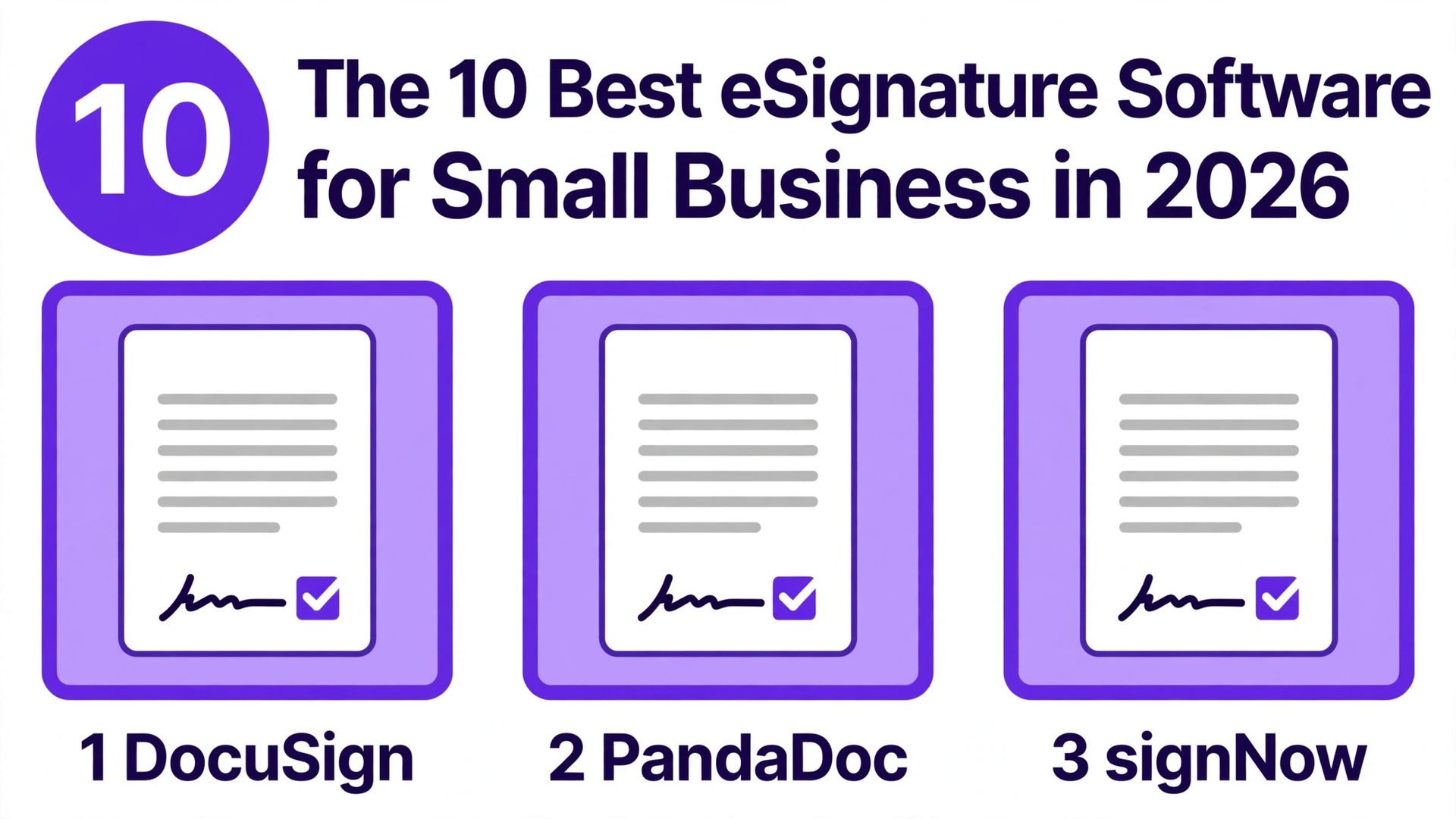
DocuSign is the name every client recognises, signNow is the cheapest credible seat, and PandaDoc is the tool that builds the document before it collects the signature. Those three sentences already contain the whole decision, because the best esignature software for small business is not the tool with the longest feature list. It is the tool whose price matches your document volume, whose limits you will not hit in month two, and whose signing experience your clients trust without a phone call to explain it. We compared ten real tools on price, envelope and document limits, free plans, signing experience, legality, templates and integrations.
This guide shows what each tool actually costs, where the limits hide, and which one fits your business, so you can stop printing, scanning and chasing signatures.
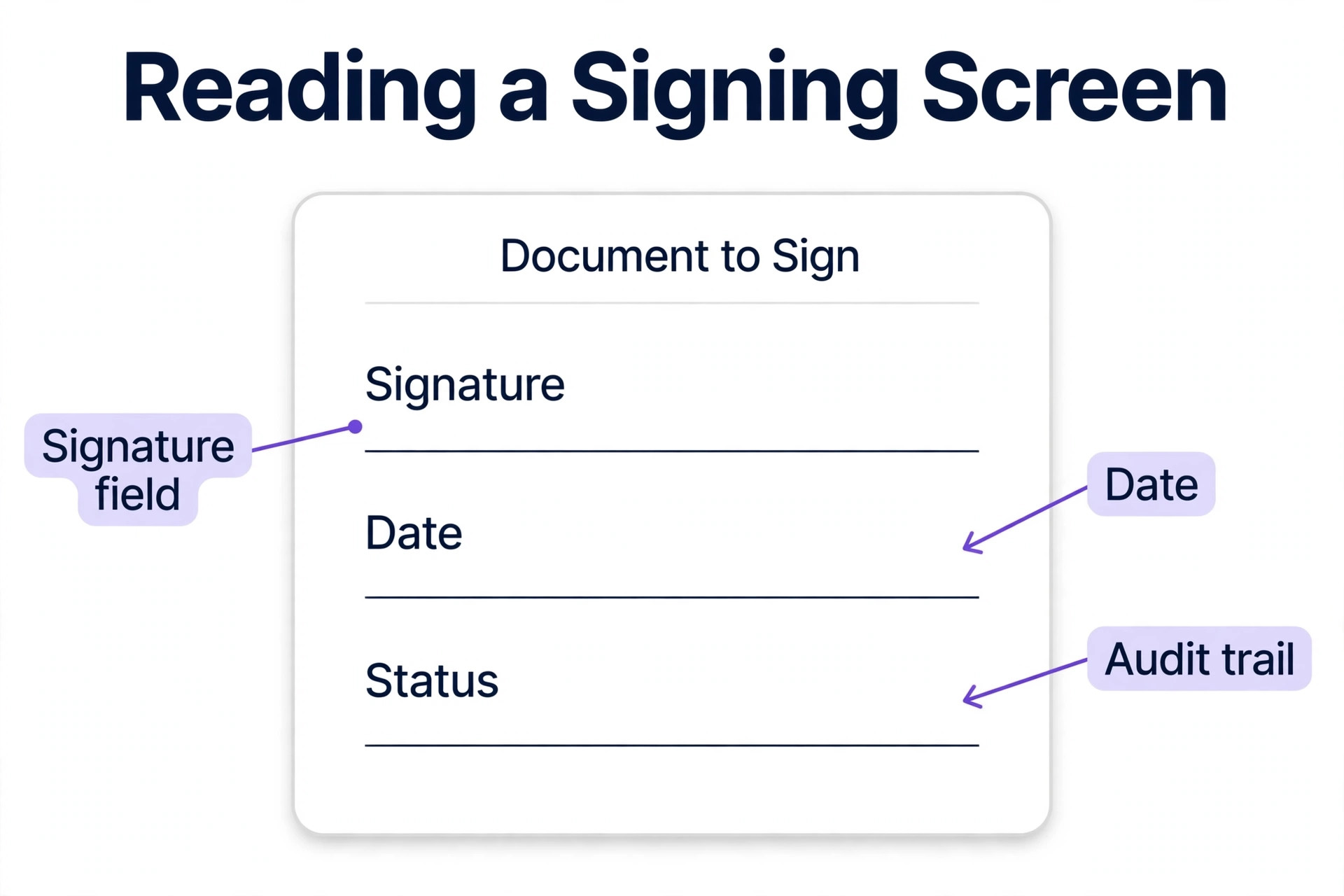
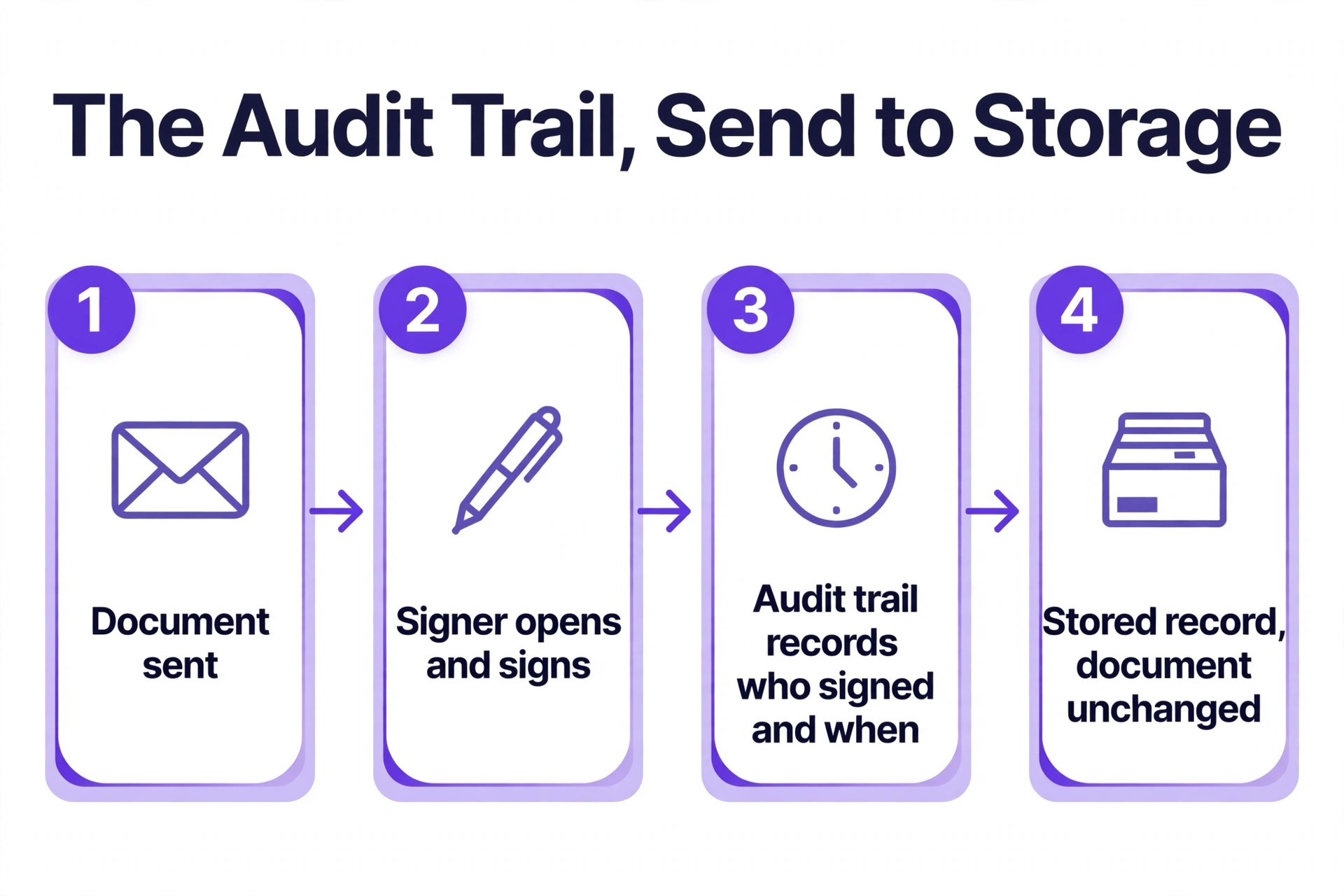
An electronic signature is a legal signature in the United States under the ESIGN Act and in most states under UETA, and in the European Union under eIDAS, provided the tool records who signed, when they signed, and that the document was not changed afterwards. That record is called an audit trail, and it is the real product you are buying. A signature image pasted into a PDF is not an electronic signature.
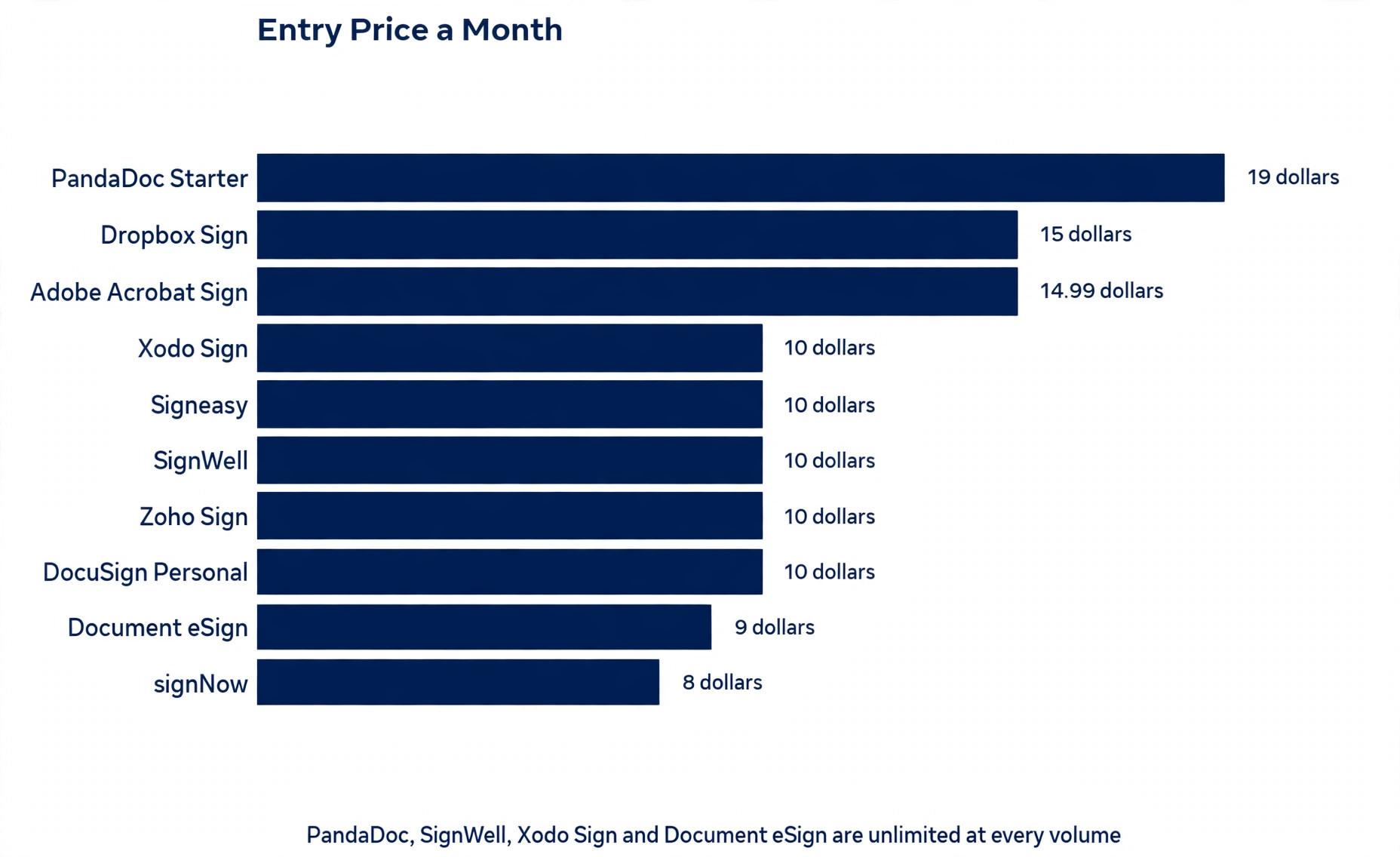
The pricing trap in this category is the envelope. An envelope is one document sent for signature, and most tools cap how many you can send on the entry plan. A plan that costs 10 dollars a month and allows five envelopes a month costs more per signed document than a 19 dollars a month plan with unlimited sends, once your volume rises.
How We Compared 10 Tools for Small Teams
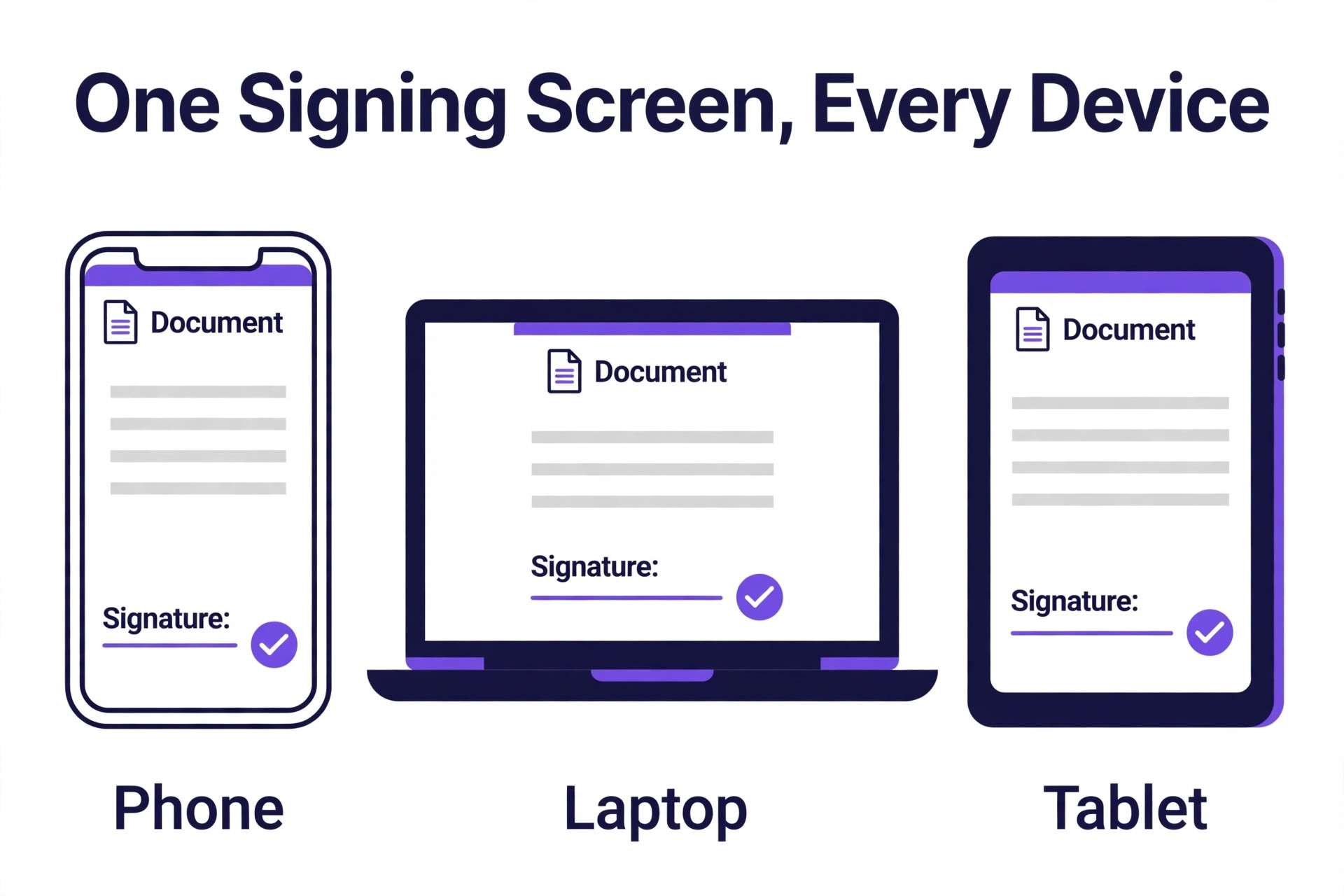
We judged each tool the way a small business owner would, with a handful of staff and no legal department. The tool had to let a client sign from a phone in under two minutes, send reminders automatically, and keep a clear record of every signature. A tool that confuses the signer fails, because every confused client becomes a phone call for you.
We scored the best esignature software for small business on six points. Price covered the real monthly cost at low volume, including seat minimums and the cost of moving to the next tier. Envelope limits covered how many documents you can send, and what happens when you hit the cap. Free plan covered how many documents you can send without paying, and for how long. Signing experience covered mobile signing, signing order, and how easy the process feels for a first time signer. Document tools covered templates, reusable forms, bulk sending and payment collection. Legality covered ESIGN and UETA compliance, audit trails, and certificate based signing where it matters.
Prices in this guide were checked against vendor pricing pages and current 2026 roundups in November 2026. E signature prices moved during 2026, and several vendors show different prices in different places, so we flag the conflicts honestly where they appear, and you should confirm the price on the checkout page before you pay.
The Best Pick for Each Job
| Job | Pick | Why it wins |
|---|---|---|
| The name clients trust most | DocuSign | The market standard for signatures |
| Proposals plus signatures | PandaDoc | Build the document, then collect the signature |
| The lowest per seat price | signNow | 8 dollars a user a month with 100 invites a year |
| Inside the Zoho ecosystem | Zoho Sign | Free for 5 documents a month, paid from 10 dollars |
| Simple signing plus storage | Dropbox Sign | Clean signing for teams already on Dropbox |
| PDF heavy workflows | Adobe Acrobat Sign | Full PDF tools plus signing in one place |
| Flat fee simplicity | SignWell | 10 dollars a month with unlimited documents |
| Mobile first signing | Signeasy | The best rated mobile app on this list |
| Budget signing plus PDF tools | Xodo Sign | 10 dollars a user a month with a free plan |
| The most generous free plan | Document eSign | 30 free documents a month, paid from 9 dollars |
Use this table as a shortcut to the best esignature software for small business, then read the full section for the tool you are leaning toward. The cheapest headline price is not the best value when the envelope cap forces an upgrade in month two, and the most recognised name is not the best choice when you only send five documents a month.
The Best eSignature Software for Small Business in 2026, Ranked
The ten tools below fall into three groups. The first group is the recognised standards, and these suit businesses whose clients expect a familiar name on the signing request. The second group is the value tools, and these suit small teams that want core signing at the lowest per seat price. The third group is the specialists, and these suit businesses that need document creation, PDF editing or mobile signing alongside the signature itself.
1. DocuSign
DocuSign is the default e signature brand, and that recognition has practical value. When a client or a partner sees a signing request from DocuSign, they trust it immediately, they know how to sign it, and they do not call you to ask whether the email is real. That trust is the reason DocuSign remains the market leader in enterprise digital transactions, and it is the reason many small businesses choose it even though cheaper tools exist.
Pricing starts at 10 dollars a month for Personal, with Standard at 25 dollars a user a month billed annually and Business Pro at 40 dollars a user a month. Some guides list Personal at 11 dollars a month, which conflicts with the 10 dollars figure, so confirm the current price before you commit. The limits matter more than the price. Personal covers only 5 envelopes a month, and Standard covers 100 envelopes per user per year, so a team sending dozens of documents a month will need a higher tier quickly. There is no free plan, only a free trial.
Pick DocuSign when your clients expect the market standard name, when you send high value contracts where trust matters more than price, or when a partner or a regulator requires it. For a small team sending a handful of documents a month, the Personal plan is enough, but check the envelope cap before you pay, because it is the first limit you will hit.
2. PandaDoc
PandaDoc is not just a signature tool. It is a document platform where you build proposals, quotes and contracts, then collect signatures in the same flow, and that combination is the reason sales teams choose it. A proposal that needs a signature does not have to move between a document editor and a signing tool, and the client signs the same document they just read, without a second email or a second login.
Pricing starts at 19 dollars a user a month for Starter billed annually, with Business at 49 dollars a user a month. The free eSign plan covers 60 documents a year, which is five a month, although it limits you to two recipients per document, with no bulk sending and no payment collection. Paid plans include unlimited documents, templates and CRM integrations, and PandaDoc also collects payments inside the document, which turns a signed proposal into a paid order in one step.
Pick PandaDoc when you create documents from scratch, when you send proposals and quotes that need a signature, and when the document itself is part of the sale. If you only need signatures on documents you already have, the cheaper tools on this list do the same job for less money.
3. signNow
signNow is the price leader among the major platforms, and it wins on a pricing model the other vendors avoid. The Business plan costs 8 dollars a user a month billed annually, or 20 dollars a month billed monthly, and every plan includes unlimited users rather than charging per seat in the way some guides describe it. Business Premium costs 15 dollars a user a month billed annually, or 30 dollars month to month, and Enterprise costs 30 dollars a user a month billed annually.
Every plan includes 100 signature invites per user per year, which covers most small team volumes, plus unlimited templates, role based signing order and custom branding. The signing experience is clean, the mobile app works well, and the integrations cover Google Workspace, Salesforce and Microsoft 365. The trade off is brand recognition. Clients know DocuSign, and they may not know signNow, so a first time signer may need a short note explaining that the request is legitimate.
Pick signNow when budget is the deciding factor, when you have many users and per seat pricing would punish you, and when you send a steady volume of documents every month. At 8 dollars a user a month, it is the lowest per seat price among the major platforms, and the feature list is stronger than the price suggests.
4. Zoho Sign
Zoho Sign is the natural pick inside the Zoho ecosystem, and it is the affordable option for a business already using Zoho CRM, Zoho Books or another Zoho app. The free plan lets an individual send or sign up to five documents a month, and paid plans start at 10 dollars a user a month, with certificate based signing options and compliance coverage including ISO 27001, 21 CFR 11, HIPAA and GDPR.
The integration is the real advantage. A contract signed in Zoho Sign can update a deal in Zoho CRM automatically and attach itself to a customer record in Zoho Books. The signing experience is simple, the templates are easy to build, and the audit trail is complete. The trade off is that Zoho Sign is at its best inside Zoho, and a business running on Google Workspace or Microsoft 365 will find the integrations thinner than DocuSign or signNow.
Pick Zoho Sign when your business already runs on Zoho, when you need certificate based signatures for regulated work, or when the free plan covers your volume. Five free documents a month is enough for many very small businesses to run without paying at all.
5. Dropbox Sign
Dropbox Sign, formerly HelloSign, is the best pick for simplicity plus storage, with the cleanest signing experience among the paid tools on this list. A team already storing documents in Dropbox can send a file for signature without downloading it, re uploading it or switching apps, and the signed copy lands back in Dropbox automatically. That small workflow saving adds up when you send documents every day.
Pricing is the one conflict to flag. Several guides list Dropbox Sign at 15 dollars a month, while the vendor own pricing has also been reported at 10 dollars and 5 cents a month with current yearly billing. The free tier covers 3 documents a month, which suits occasional senders rather than a sales team.
Pick Dropbox Sign when your files already live in Dropbox, when you want the simplest signing flow on this list, and when you send a modest volume of documents. If you do not use Dropbox, the integration advantage disappears, and signNow or SignWell give you the same signing for less money.
6. Adobe Acrobat Sign
Adobe Acrobat Sign makes sense when PDFs are already your workflow. You can send a document for signature directly from Acrobat, collect signatures from multiple signers at once, and track status without leaving the PDF tools your team uses daily. The full PDF editing, the branded web forms and the Microsoft 365 and Salesforce integrations make it a strong choice for a team that lives in documents all day.
Pricing is the hard part to compare, because Acrobat bundles and standalone Sign solutions are priced differently. Adobe lists Acrobat Standard for teams at 16 dollars and 99 cents per license per month and Acrobat Pro for teams at 23 dollars and 99 cents, both on annual commitments billed monthly, while other guides list a standalone Standard plan at 14 dollars and 99 cents a month billed yearly. The Standard team plan caps signature transactions at 150 per user per year. There is no free plan, only a trial.
Pick Adobe Acrobat Sign when your team already pays for Acrobat, when PDFs are the document format for everything you send, and when you need strict formatting and compliance alongside the signature. If you do not use Acrobat, the price buys PDF tools you will never open, and a focused signing tool is the better spend.
7. SignWell
SignWell is the flat fee simplicity pick, and it suits freelancers and small teams that send the same documents repeatedly. The Free plan includes one sender, one template and three documents a month. Light costs 10 dollars a month billed annually and includes one sender, five templates and unlimited documents. Business costs 30 dollars a month and includes three senders, unlimited templates and unlimited documents.
The pricing model is the point. You pay per sender, not per document, so a team that sends 200 documents a month pays the same as a team that sends 20, provided the sender count stays the same. That makes SignWell the best value for a high volume sender with a small team, and a poor fit for a large team where every person needs to send. The templates are the other strength. A team that sends the same contract, the same waiver or the same onboarding pack every week can build it once and reuse it forever, with an audit trail on every signature.
Pick SignWell when your volume is high, your sender count is low, and your documents repeat. A freelancer sending the same client agreement 50 times a month will save money here, while a ten person team where everyone sends will find the per sender pricing adds up fast.
8. Signeasy
Signeasy is the mobile first pick, and it is built for field and mobile teams that sign on the go. The app is the best rated mobile signing app on this list, and it lets a team member send, sign and track a document from a phone or a tablet without opening a laptop. That matters for real estate agents, field service teams, event staff and anyone whose office is a car.
Pricing starts at 10 dollars a user a month for Personal billed annually, with Business at 20 dollars a user a month and Business Pro at 30 dollars a user a month. Business includes unlimited regular sends, five reusable templates and reminders, while Business Pro adds unlimited templates, roles and permissions and approval workflows. There is no free plan, only a 14 day trial.
Pick Signeasy when your team signs in the field, when mobile signing is the daily reality rather than the exception, and when you want contract management alongside the signature. For an office based team that signs at a desk, the mobile advantage is wasted, and signNow gives you the same core signing for less.
9. Xodo Sign
Xodo Sign, formerly known as Eversign, is the budget pick for small teams that want eSignature plus PDF tools in one account. It covers the core signing features, templates, reminders, audit trails and team management, and it adds a lightweight PDF editor, so a team can fix a document before sending it without opening a separate app. The free plan covers occasional sending, and the paid plan starts at 10 dollars a user a month billed annually, with unlimited signing.
The trade off is brand and depth. Xodo Sign is less recognised than DocuSign, its integration list is shorter than signNow, and its document creation tools are lighter than PandaDoc. The strength is the combination. A small team that needs to edit PDFs and collect signatures, and does not want to pay for Acrobat, gets both jobs done in one 10 dollars a month seat.
Pick Xodo Sign when you edit PDFs as often as you sign them, and the budget is 10 dollars a user a month. It is the quiet value option that does two jobs for the price of one.
10. Document eSign
Document eSign is the free plan leader on this list, and it earns its place on that single fact. The free plan covers 30 documents a month, which is ten times the free allowance of SignWell and six times the free allowance of Zoho Sign, and it is enough for many small businesses to run their whole signing workflow without paying. The paid plan starts at 9 dollars a user a month and adds unlimited documents.
The tool covers the basics, with templates, reminders, audit trails and a clean signing flow. The trade off is track record and integrations. Document eSign is a smaller vendor than the names above, its integration list is shorter, and there are fewer long term reviews to lean on. One source for this guide is the vendor own comparison, which lists its own product first, so verify the free plan claim on the pricing page.
Pick Document eSign when your volume is under 30 documents a month, when you want the most generous free plan available, and when you are comfortable using a smaller vendor in exchange for paying nothing. If the program grows past 30 documents a month, the 9 dollars a user a month paid plan is still among the cheapest on this list.
How to Choose the Right Tool for Your Business
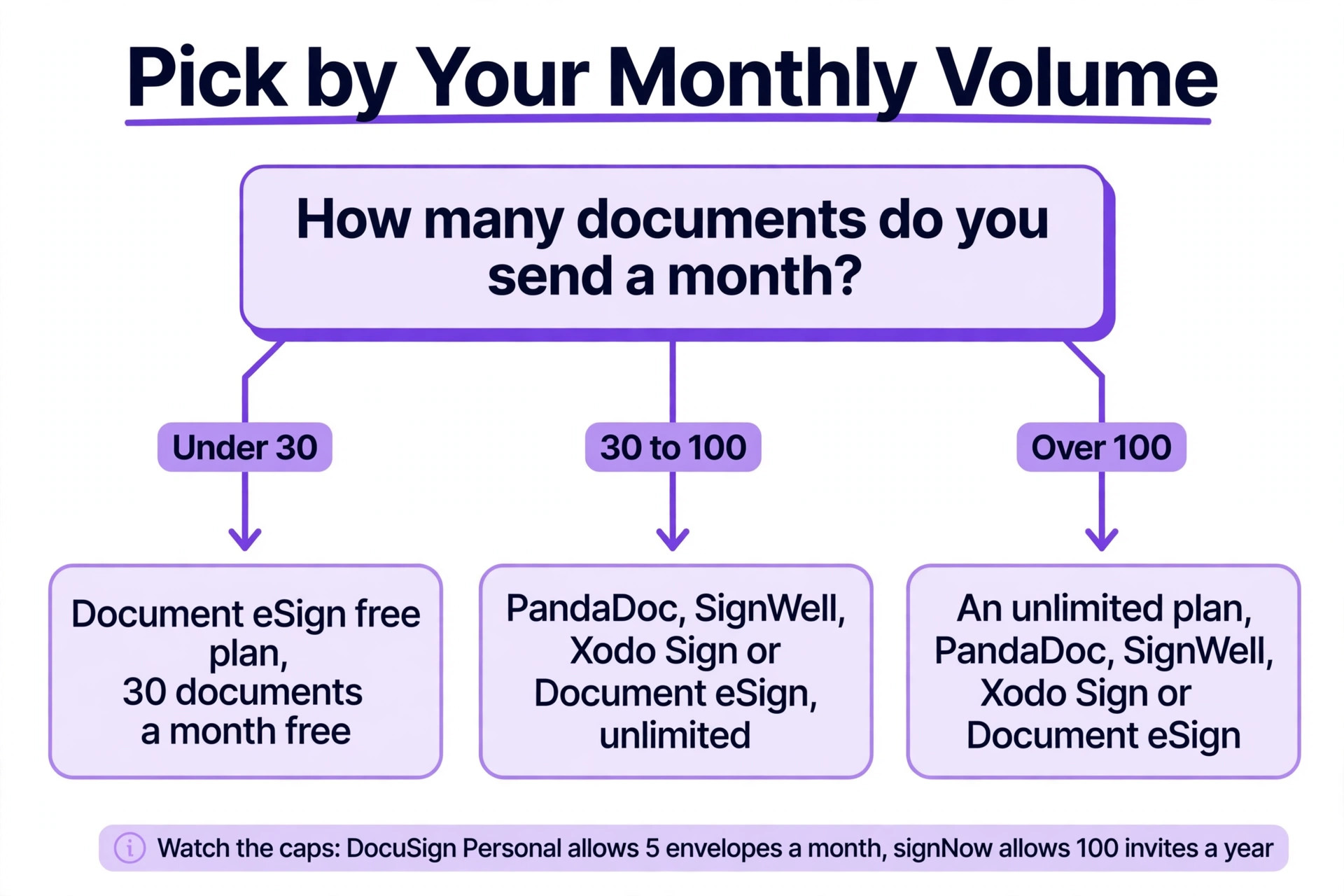
Start with your monthly volume, because it decides which of the best esignature software for small business wins for you. Count how many documents you sent last month, and how many you expect to send next month. If the number is under five, a free plan from Zoho Sign, SignWell or Document eSign may cover you entirely. If the number is between five and fifty, a flat fee tool like signNow or SignWell is usually cheapest. If the number is above fifty, an unlimited plan is the only sensible choice, because envelope caps will force an upgrade at the worst moment.
Next, check the envelope cap on the plan you are considering, and read what happens when you hit it. Some tools stop you sending, some charge per extra document, and some move you to a higher tier automatically. A 10 dollars a month plan that allows five envelopes a month costs 2 dollars per signed document, while a 19 dollars a month plan with unlimited sends costs less per document once you pass ten sends a month. Do this maths for your real volume before you compare features.
Then test the signer experience yourself. Send a test document to your own phone, open it and sign it. If the process takes more than two minutes, or the signer needs to create an account, your clients will call you instead of signing. The best esignature software for small business makes the signer side invisible, and the test takes five minutes.
Finally, check the legality for your work. Every tool on this list meets ESIGN and UETA baseline requirements for the United States, and most cover eIDAS for Europe, but regulated work needs more. If you handle health records, financial agreements or government forms, look for certificate based signing, HIPAA coverage and 21 CFR 11 compliance, which Zoho Sign and Adobe Acrobat Sign both offer. When the terms are unclear, email support and keep the reply.
The True Cost at 10, 30 and 100 Documents a Month
This table shows what each tool costs at three volumes, using the entry paid plan and the published limits. It is the clearest way to see how envelope caps change the ranking.
| Tool | Entry price a month | 10 documents | 30 documents | 100 documents |
|---|---|---|---|---|
| DocuSign Personal | 10 dollars | Fits, 5 envelope cap exceeded | Upgrade needed | Upgrade needed |
| PandaDoc Starter | 19 dollars | Fits, unlimited | Fits, unlimited | Fits, unlimited |
| signNow Business | 8 dollars | Fits, 100 invites a year | Fits within yearly cap | Upgrade needed |
| Zoho Sign Standard | 10 dollars | Fits | Fits | Fits |
| Dropbox Sign Essentials | 15 dollars | Fits, unlimited | Fits, unlimited | Fits, unlimited |
| Adobe Acrobat Sign Standard | 14 dollars and 99 cents | Fits | Fits | Fits |
| SignWell Light | 10 dollars | Fits, unlimited | Fits, unlimited | Fits, unlimited |
| Signeasy Personal | 10 dollars | Fits | Fits | Fits |
| Xodo Sign | 10 dollars | Fits, unlimited | Fits, unlimited | Fits, unlimited |
| Document eSign | 9 dollars | Fits, unlimited | Fits, unlimited | Fits, unlimited |
The lesson is plain. DocuSign Personal looks cheap at 10 dollars a month, but its 5 envelope cap makes it the most expensive tool on this list at 30 documents a month, because you must upgrade. signNow looks cheapest at 8 dollars a month, but its 100 invites per user per year cap means a team sending 100 documents a month will hit the yearly limit in a single month. The unlimited tools, PandaDoc, SignWell, Xodo Sign and Document eSign, are the honest value at volume, because the price never changes with the number of documents you send.
Mistakes That Waste Money on Signatures
The most common mistake is paying for a brand name you do not need. A small business signs up for DocuSign because every client recognises it, sends five documents a month, and pays 25 dollars a user a month for a Standard plan whose 100 envelope yearly cap they never approach. signNow at 8 dollars a month would have done the same job, and the client would have signed just as happily with a short note explaining the tool.
The second mistake is ignoring the seat minimum. Some plans require three seats, which turns a 25 dollars a user a month price into a 75 dollars a month bill for a one person business. Check the minimum before you compare prices, because the headline rate is not the real floor.
The third mistake is buying a subscription for a one time need. A business pays 19 dollars a month for a document platform, signs one contract, and keeps paying for a year because cancelling feels like a chore. That is 228 dollars for a file that a free plan would have covered. When you only need a few signatures, use the free plan, and upgrade only when the volume justifies it.
Our Verdict
signNow is the pick for most small businesses among the best esignature software for small business, because 8 dollars a user a month gives you core signing, templates, custom branding and a solid API at the lowest per seat price among the major platforms. Watch the 100 invites per user per year cap, and upgrade to Business Premium at 15 dollars a month when your volume grows past it.
DocuSign is the pick when trust decides, because no other name reassures a client as fast, and Personal at 10 dollars a month is enough for a team sending a handful of documents. PandaDoc is the pick when you build proposals and contracts from scratch, because Starter at 19 dollars a user a month turns a proposal into a signed, paid order in one flow. Zoho Sign is the pick inside the Zoho ecosystem, and SignWell is the pick for high volume senders with a small team.
For a business sending under 30 documents a month, Document eSign free plan is worth testing first, because 30 free documents a month costs nothing to try. For a mobile team, Signeasy is the pick. For a PDF heavy team, Adobe Acrobat Sign is the pick. Start with your volume, test the signer experience on your own phone, and pay only for the plan whose limits you will not hit in month two.
Frequently Asked Questions
Which of the best esignature software for small business is the cheapest?
signNow is the cheapest credible paid pick, at 8 dollars a user a month billed annually, with 100 signature invites per user per year. Document eSign is cheaper still at 9 dollars a user a month for unlimited documents, and its free plan covers 30 documents a month, which is the most generous free allowance on this list. The cheapest tool overall is the free plan that covers your volume, so count your documents before you compare prices.
Are electronic signatures legally binding for a small business?
Yes. Electronic signatures are legally binding in the United States under the ESIGN Act and in most states under UETA, and in the European Union under eIDAS, provided the tool records who signed, when they signed, and that the document was not changed afterwards. Every tool on this list provides that audit trail. For regulated work, such as health records or financial agreements, look for certificate based signing and specific compliance coverage, which Zoho Sign and Adobe Acrobat Sign both offer.
What is an envelope limit, and why does it matter?
An envelope is one document sent for signature, and an envelope limit is the maximum number you can send on your plan. It matters because it decides the real cost. DocuSign Personal allows 5 envelopes a month, Standard allows 100 per user per year, and signNow allows 100 invites per user per year. A plan that looks cheap can become expensive the moment you pass the cap, while an unlimited plan from PandaDoc, SignWell, Xodo Sign or Document eSign costs the same at 10 documents and at 100 documents.
Do clients need an account to sign a document?
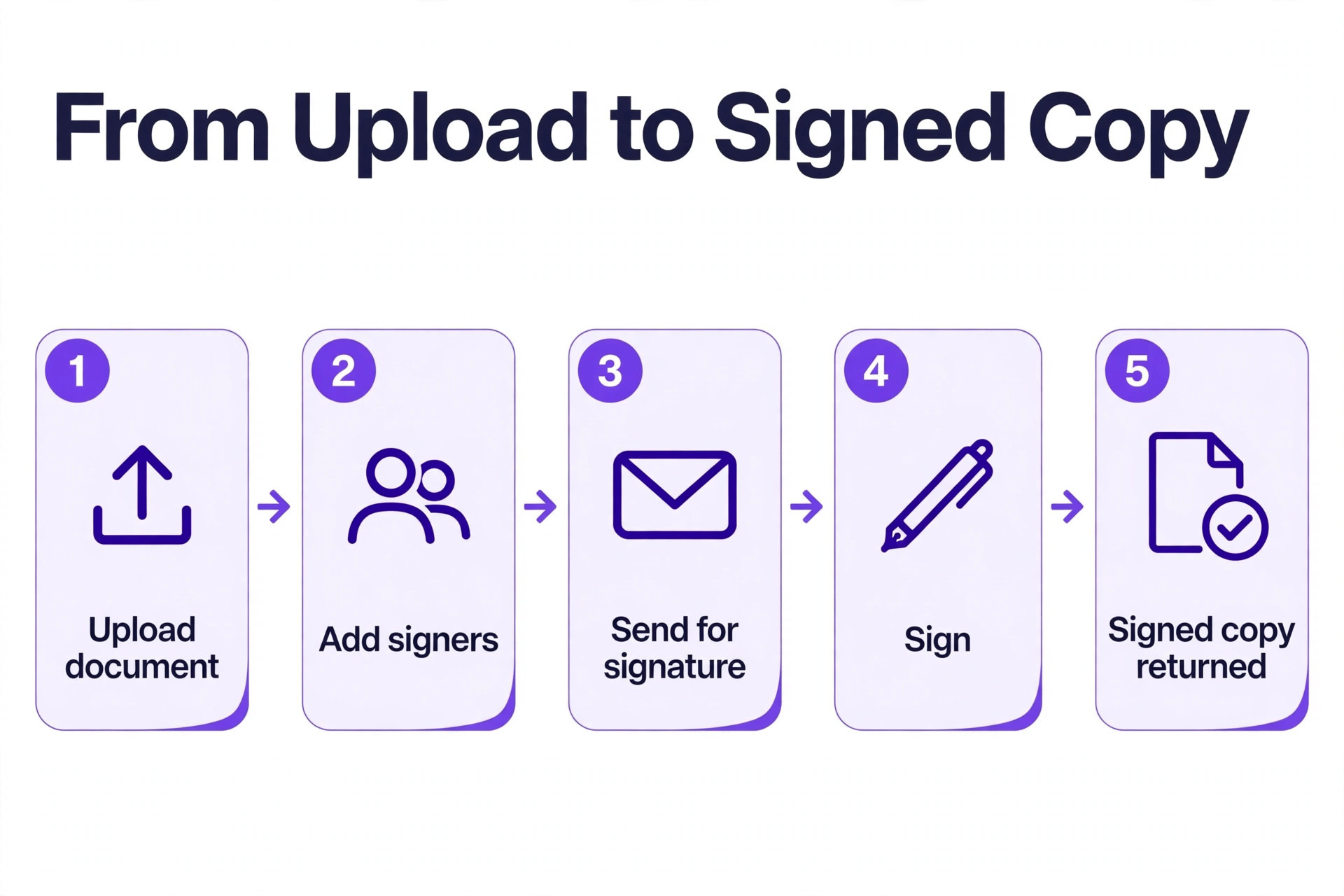
No, not on the tools on this list. The signer opens a link in an email, signs on a phone or a computer, and the signed copy is returned to you automatically. Creating an account is never required for the signer, and a tool that forces the signer to register is a sign of a poor signing experience. Test the flow on your own phone before you commit, and pick the tool that lets a first time signer finish in under two minutes.
Can I use a free eSignature plan for my business?
Yes, if your volume fits inside the free allowance. Document eSign covers 30 documents a month free, Zoho Sign covers 5 documents a month free, SignWell covers 3 documents a month free, and PandaDoc covers 60 documents a year free. Free plans usually limit recipients, templates and bulk sending, so they suit a very small business or a business testing whether electronic signatures work for its clients. When the volume grows past the free cap, upgrade to the cheapest unlimited plan rather than paying per extra document.
Should I choose DocuSign or signNow for a small team?
Choose DocuSign when your clients expect the market standard name, when you send high value contracts where trust matters more than price, or when a partner requires it. Choose signNow when budget decides, when you have many users, and when you send a steady volume of documents every month. At 8 dollars a user a month against 25 dollars a user a month for DocuSign Standard, signNow saves a five person team more than 1,000 dollars a year, which is a meaningful saving for a small business.