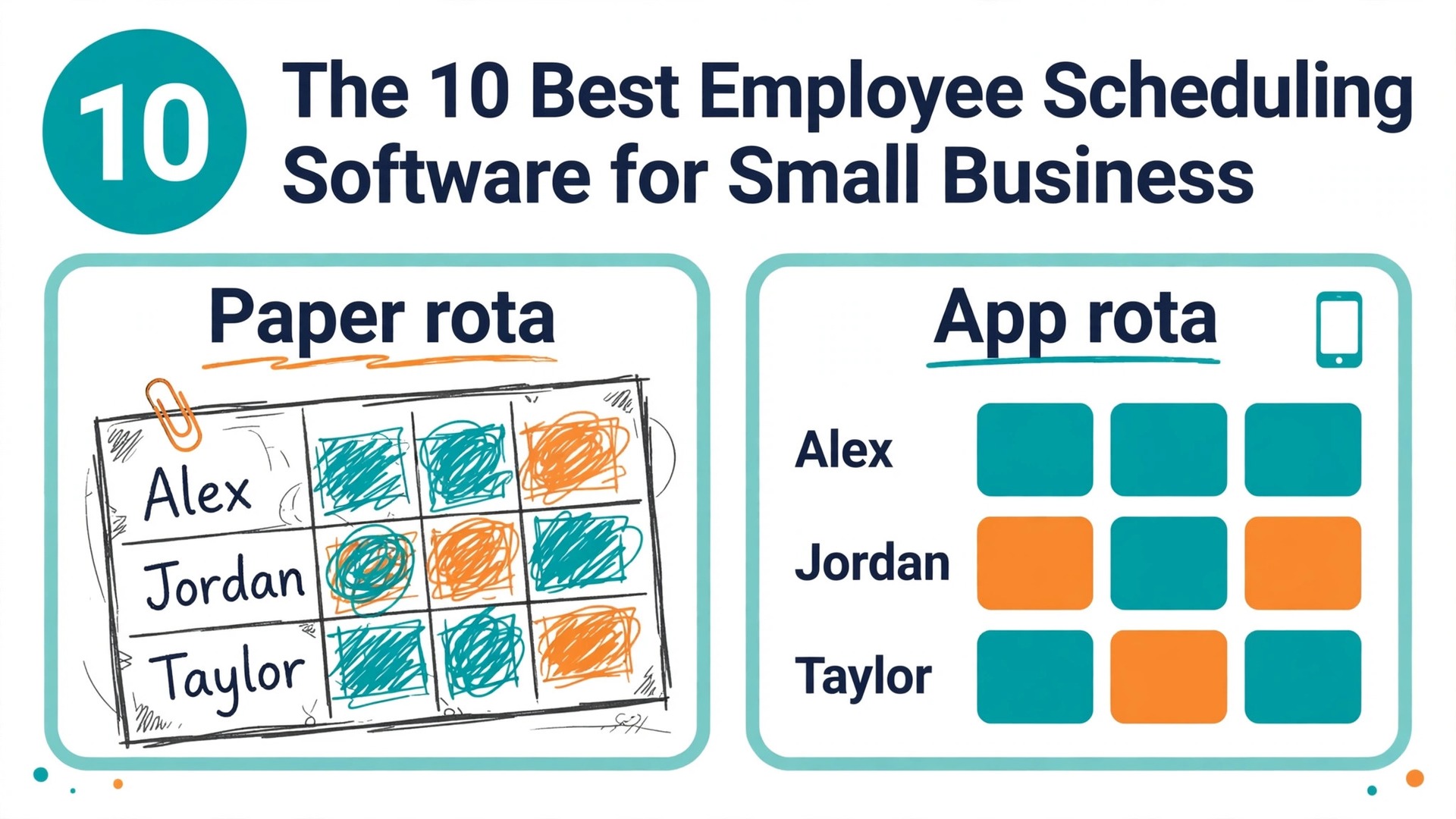
For most small businesses, Homebase wins among the best employee scheduling software for small business. The free plan covers one location and up to 10 staff, and the paid plan stays flat at 24 dollars per location a month no matter how many staff you add. Sling wins when the budget is zero and the team is 15 to 30 people, because the free plan covers up to 30 users. When I Work wins when speed matters most, with auto scheduling from 2.50 dollars per user a month.
We compared 10 tools on the work a small business actually does. We checked the published price on each vendor pricing page in October 2026, worked out the monthly cost for 25 staff at one site and for 60 staff across three sites, and noted the free plan limits, because a free plan that covers 30 people is a different offer from a free plan that covers 10. We also compared shift swaps, availability, time clocks, labour cost tracking, payroll links and mobile apps, because a scheduler that staff will not use on their phones is a scheduler that fails.
The split that matters most is how the tool charges. Homebase and 7shifts charge per location, so the bill stays flat as staff numbers grow. When I Work, Deputy, Sling and ZoomShift charge per user, so the bill grows with every hire. Connecteam charges a flat price for the first 30 users, which sits between the two. For a business with 25 hourly staff, that difference can be worth 50 dollars a month or more, and it should decide the shortlist before any feature does.
How We Compared 10 Tools
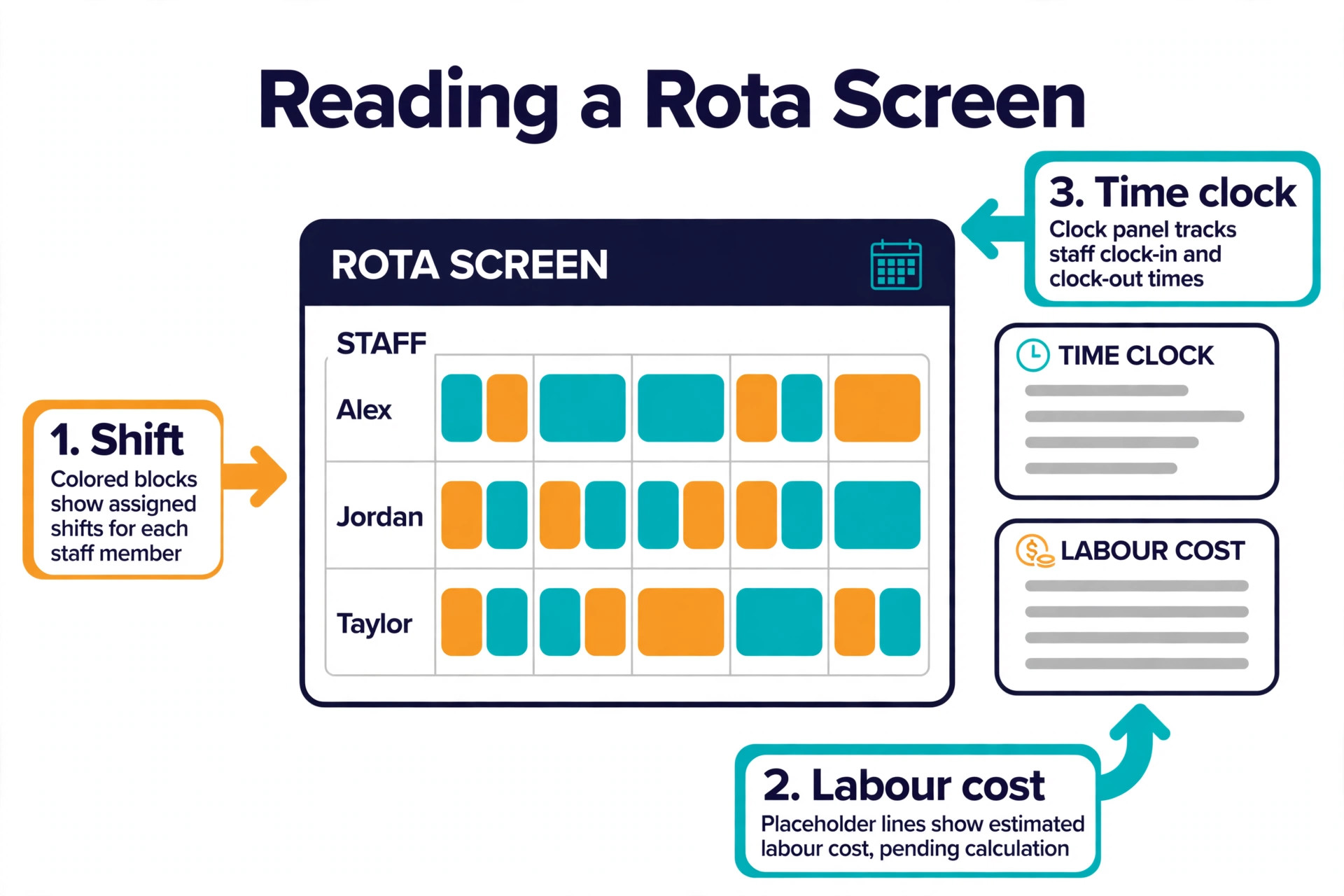
We scored each tool on five points that decide whether the best employee scheduling software for small business works in real life. Scheduling covered drag and drop building, recurring shifts, templates, availability and multi location support. Shift swaps covered whether staff can trade shifts, claim open shifts and request cover without a manager in the middle. Time tracking covered mobile clocks, geofencing, overtime rules and timesheet approval. Labour cost covered whether the tool shows the cost of the rota before you publish it, so a manager can see an expensive week before it happens. Price covered the true monthly cost at 25 staff, including add ons for time tracking where the vendor charges extra.
We also noted the free plan, because a small business should not pay for scheduling until the free tier pinches. Sling is free for up to 30 users, ZoomShift is free for up to 20 users at one location, 7shifts is free for one location with up to 15 employees, Homebase is free for one location with up to 10 employees, and Connecteam is free for up to 10 users. When I Work and Deputy offer trials, not free plans, so they cost money from day one. Prices in this guide were checked against vendor pricing pages and current 2026 roundups, and you should confirm the price on the vendor page before you buy, because pricing changes often.
The Best Pick for Each Job
| Job | Pick | Why it wins |
|---|---|---|
| A free start for one location | Homebase | Free for 1 location, up to 10 employees |
| The largest free plan | Sling | Free scheduling for up to 30 users |
| The cheapest paid start | When I Work | Essentials at 2.50 dollars per user a month |
| Rules, compliance and multi site teams | Deputy | Break and fatigue rules, kiosk clock, payroll add on |
| Restaurants | 7shifts | Schedules against sales forecasts |
| A flat price for a small team | Connecteam | Flat price covers the first 30 users |
| The simplest paid scheduler | ZoomShift | 2 dollars per user a month, free for up to 20 |
Use this table as a shortcut, then read the section for the tool that matches your team size and your industry. The cheapest tool at 10 staff is rarely the cheapest at 25 staff, and the cost table later in this guide shows exactly where each pricing model breaks.
The Best Employee Scheduling Software for Small Business in 2026, Ranked
The 10 tools below fall into three groups. The first group is the free tier leaders that suit a single site starting out. The second group is the low per user tools that suit a growing team that will pay from day one. The third group is the specialists for restaurants, deskless teams and businesses that already live in Square or Microsoft Teams. Read the group that matches your team, then compare the two or three tools inside it.
1. Homebase
Homebase is the friendliest on ramp in workforce management, and it is the best free start for a single small location. The Basic plan is free for one location with up to 10 employees, and it includes basic scheduling, basic time tracking, team messaging and a point of sale integration, with no credit card required.
The Essentials plan costs 24 dollars per location per month billed annually, or 30 dollars month to month, with unlimited employees, and it adds advanced scheduling, advanced time tracking and team messaging. The Plus plan costs 56 dollars a month billed annually and adds PTO controls and departments, and the All in One plan costs 96 dollars billed annually and adds onboarding, labour cost management and HR and compliance tools.
The reason Homebase wins for a single shop, cafe or restaurant is the per location pricing. A location with 25 staff pays the same 24 dollars a month as a location with 10 staff, which makes it the cheapest paid option at that size in this guide. Payroll is an add on at 49 dollars a month plus 6 dollars per employee paid, which turns tracked hours into filed payroll. The caution is that the free plan stops at 10 employees, so a growing team moves to a paid plan sooner than on Sling. For a single location that wants to start free and grow into payroll and HR in one app, Homebase is the default pick.
2. When I Work
When I Work is the speed pick, and it is the cheapest paid starting point for teams that outgrow free tiers. The Essentials plan costs 2.50 dollars per user per month, with unlimited users, auto scheduling, multi week and multi location scheduling, shift swaps and payroll and point of sale integrations. The Pro plan costs 5 dollars per user per month and adds scheduling rules, role permissions and labour sharing. The Premium plan costs 8 dollars per user per month and adds API access, webhooks and SAML single sign on. The trial lasts 14 days with no card required.
The maths is simple and it scales. A team of 25 staff on Essentials pays 62.50 dollars a month before the time tracking add on, which raises the tiers to 4, 7 and 10 dollars per user. That is still cheap, and the mobile first design means staff see the schedule on their phones within minutes of it being published. The caution is that the vendor pricing page has contradicted itself on whether time tracking is included or an add on, so confirm the current terms before you budget. For a shift based team that wants scheduling live this afternoon, When I Work is the fastest route.
3. Deputy
Deputy is the strongest all round pick for multi site teams that need labour rules, and it is the most powerful scheduler in this guide. It covers scheduling, timesheets, time clocks with a kiosk and face recognition, shift swaps, leave management and forecasting, and it enforces break and fatigue rules that matter when a team works long or night shifts. The Lite plan costs 5 dollars per user per month billed annually, or 5.50 dollars month to month, and the Core plan costs 6.50 dollars billed annually with forecasting, while Pro costs 9 dollars billed annually with deeper reporting and compliance tools. There is a 30 dollar minimum monthly spend on monthly plans.
Deputy suits a business with two or more sites, or a single site with complex rosters and a need to prove compliance. A single small shop should start with Homebase or Sling and move to Deputy only when the rules outgrow the simpler tools.
4. Sling
Sling, now Sling by Toast, offers the largest free plan in this guide, with free shift scheduling for up to 30 users. The free plan includes time off requests, available shifts, long term scheduling and private messaging, which is enough to run a rota for a team of 25 without paying anything. The Premium plan costs 2 dollars per user per month billed monthly, or 1.70 dollars billed annually, and it adds a mobile time clock, labour cost management and overtime tracking. A higher tier adds further reporting and integrations.
The free plan is the reason to choose Sling, and the missing time clock is the reason to upgrade. A team that needs a clock, geofencing and labour cost tracking will pay the Premium price, which at 25 staff costs 42.50 dollars a month billed annually, still one of the cheapest paid options here. Sling suits a single site team of 15 to 30 people that needs shift swaps and time off requests before it pays for anything. It does not auto build a schedule the way When I Work does, so a manager who wants the rota built automatically should look there instead.
5. Connecteam
Connecteam is the all in one app for deskless workers, and it prices by flat blocks rather than per head. The free plan covers up to 10 users and includes scheduling, a GPS time clock, forms, checklists, training and team chat in one employee app. The paid plans start at 29 dollars a month billed annually for the first 30 users, or 35 dollars month to month, which makes it one of the cheapest flat prices for a team of 25. Auto assign scheduling arrives on the higher Operations tier, so a team that wants automatic rostering should check the tier before buying.
The breadth is the appeal. A field crew can clock in with GPS, fill in a form, complete a training module and read the schedule in the same app, which cuts the number of tools a small business has to manage. The scheduling itself is simpler than Deputy, with fewer compliance rules and less forecasting, so a business with strict labour rules should look elsewhere. Connecteam suits a small team of fewer than 30 deskless workers that wants scheduling, a clock, forms and chat in one place for a flat monthly price.
6. 7shifts
7shifts is the restaurant specialist, and it is the obvious pick when the business is a kitchen and a dining room rather than a shop floor. It schedules restaurants against sales forecasts, so labour is matched to expected covers rather than to a flat template, and it covers manager log books, team communication, time clocks and a payroll add on. The Comp plan is free for a single location with up to 15 employees, and it includes an employee schedule, automatic reminders, shift confirmation and unlimited positions. The Essentials plan costs 39.99 dollars per location per month billed annually, or 44.99 dollars month to month, for up to 30 employees.
The sales forecasting is the feature that justifies the price for a restaurant. A rota built against expected sales keeps labour cost in line on a slow Tuesday and covers the rush on a busy Friday, which a generic scheduler cannot do. The limitation is scope. 7shifts is built for restaurants and cafes, so a retail shop or a field service team will find Homebase or Deputy a better fit. For a single restaurant or cafe of up to 15 people that wants a free rota and time off requests, the Comp plan is a strong start, and the paid plan is a fair price for a tool that thinks in covers, not just in hours.
7. ZoomShift
ZoomShift is the minimalist scheduler, and it is the cheapest simple paid route when free tiers pinch. The free Essentials plan covers up to 20 users at one location, with scheduling up to two weeks ahead, reminders and shift confirmation. The Starter plan costs 2 dollars per active team member per month billed annually, or 2.50 dollars month to month, and it adds unlimited users and locations, swaps, cover requests, timesheets and a time clock. The interface is clean, the setup takes minutes, and a small team can be live the same afternoon.
The limits are honest. ZoomShift does not auto build a schedule, it has no payroll of its own, and its reporting is lighter than Deputy or Homebase. A team that needs forecasting, compliance rules or deep integrations should look elsewhere. ZoomShift suits a single location cafe or store of up to 20 people that does not need shift swaps yet, and a team of 25 that wants a simple paid scheduler at 50 dollars a month. It is the pick for a manager who wants the rota to be simple, cheap and done, without a second app to learn.
8. Square Shifts
Square Shifts is the pick for a business that already runs Square point of sale, because the schedule, the time clock and the sales data live in one account. Staff clock in on the Square register or on their phones, hours flow into payroll, and labour cost can be checked against the sales the shift actually made. The free plan covers basic scheduling and time tracking for a small team, and the paid plans add more locations, more users and deeper reporting, with pricing shown on the Square pricing page for the plan you choose.
The advantage is the integration, not the scheduler itself. Square Shifts scheduling is simpler than Deputy, with fewer compliance rules and no auto scheduling to match When I Work, so a business that needs those features should not choose it for scheduling alone. The value is that a shop already on Square avoids a second system, a second login and a second bill for the clock. Square Shifts suits a cafe, a retail shop or a salon that already takes payments through Square and wants the rota and the clock in the same place. Confirm the current plan prices on the Square site before you budget, because they change with the Square plan you hold.
9. Zoho Shifts
Zoho Shifts is the free plan pick for a team that already uses Zoho, and it is generous. The free plan covers up to 25 users, which is wider than Homebase and 7shifts and close to Sling, and it includes scheduling, shift swaps, availability and basic reporting. The paid plans add more users, more locations and deeper features, with a 10 user minimum on paid tiers, and the pricing is shown on the Zoho pricing page. The integration with Zoho People, Zoho Payroll and the wider Zoho suite is the reason to choose it over a standalone scheduler.
The scheduling itself is straightforward rather than advanced, with no auto scheduling and no sales forecasting, so a restaurant should pick 7shifts and a team that wants the rota built automatically should pick When I Work. Zoho Shifts suits a small business of up to 25 staff that already runs Zoho for email, CRM or accounting, and that wants the rota in the same suite without a new vendor. It is a quiet, capable pick that costs nothing at the size most small businesses actually are.
10. Microsoft Shifts
Microsoft Shifts is the pick for a team that already lives in Microsoft Teams, because it is included with Microsoft 365 and needs no separate subscription. Staff see the schedule inside Teams, swap shifts, request time off and clock in from the same app they already use for chat, which removes the adoption problem that kills many schedulers. Managers build the rota in Teams, copy last week schedule, and publish it to the team channel in one step.
The limits are real. Shifts is simpler than Deputy or Homebase, with no payroll of its own, no sales forecasting and fewer compliance tools, so a business with strict labour rules or several locations should look elsewhere. The value is that the tool is already paid for and already installed, so the cost is zero and the learning curve is short. Microsoft Shifts suits an office, a clinic or a small business whose staff already work in Teams every day, and that wants scheduling inside the tool they already open, rather than a new app to learn.
How to Choose the Right Scheduler
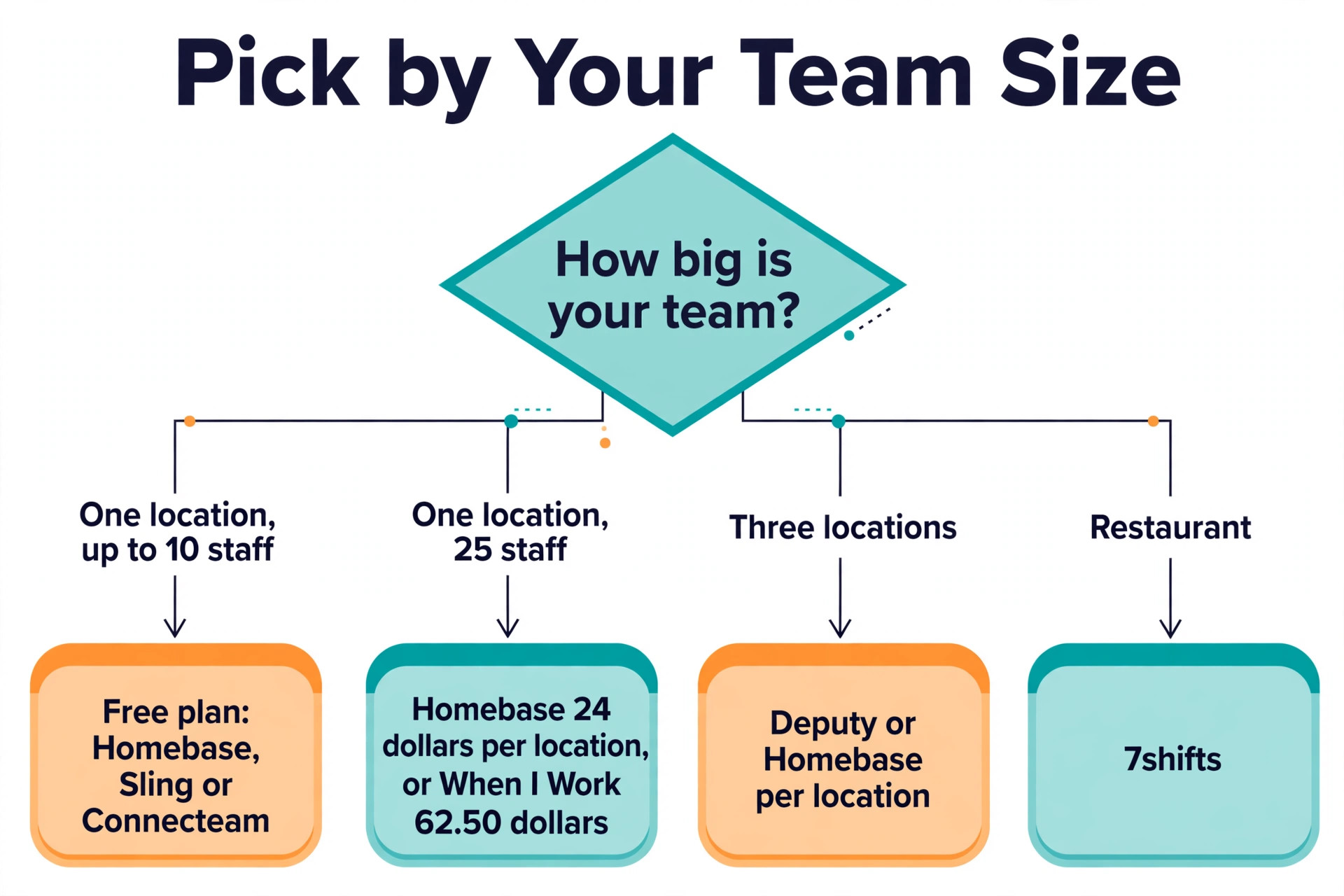
Start with team size and locations, because they decide the shortlist among the best employee scheduling software for small business before any feature does. A single location with up to 10 staff should start on a free plan, and Homebase, Sling and Connecteam all offer one, with Sling covering the most people. A single location with 25 staff should compare Homebase per location at 24 dollars a month with When I Work per user at 62.50 dollars, because the per location price wins at that size. A business with three locations should compare Deputy and Homebase per location, because per user pricing multiplies across sites.
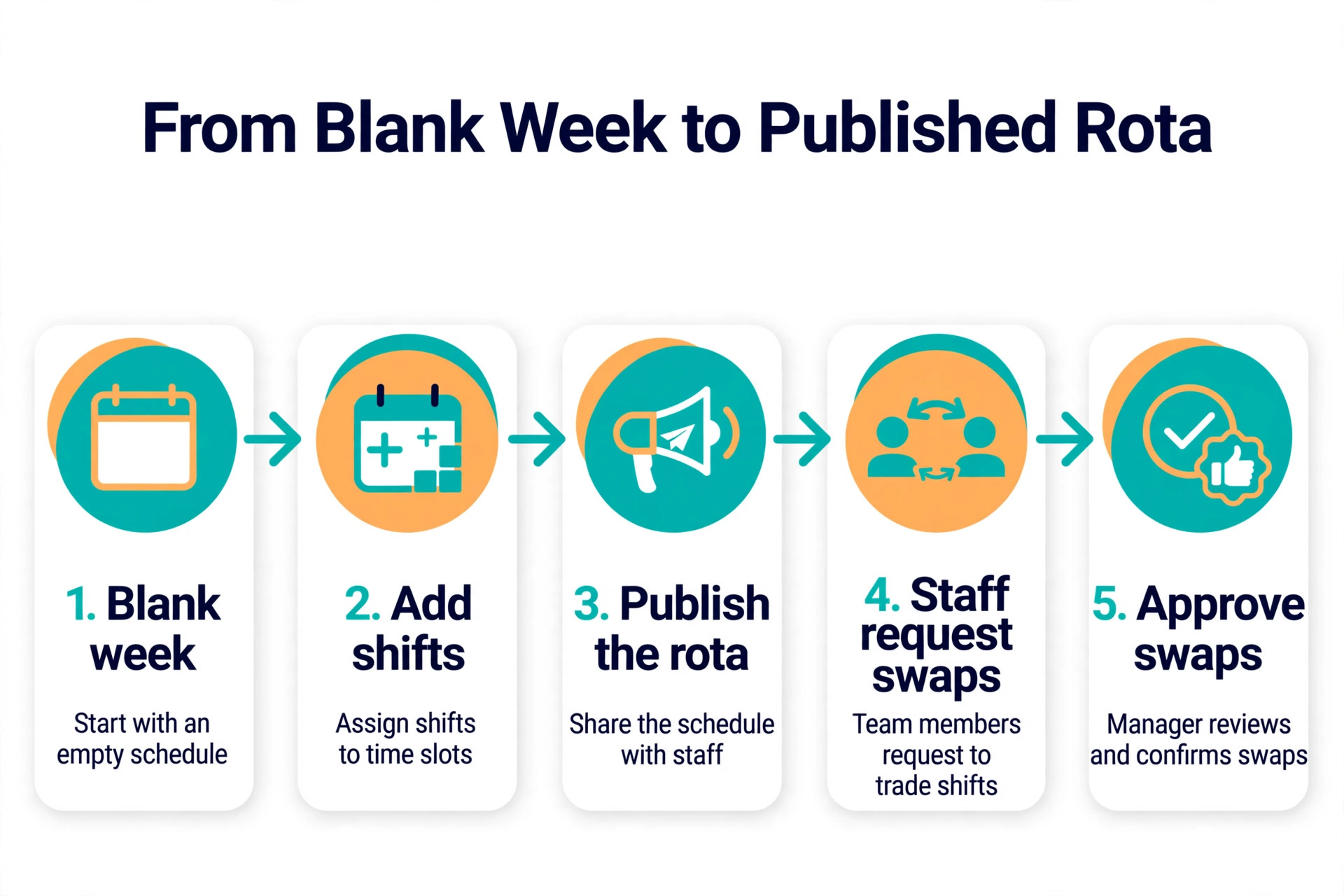
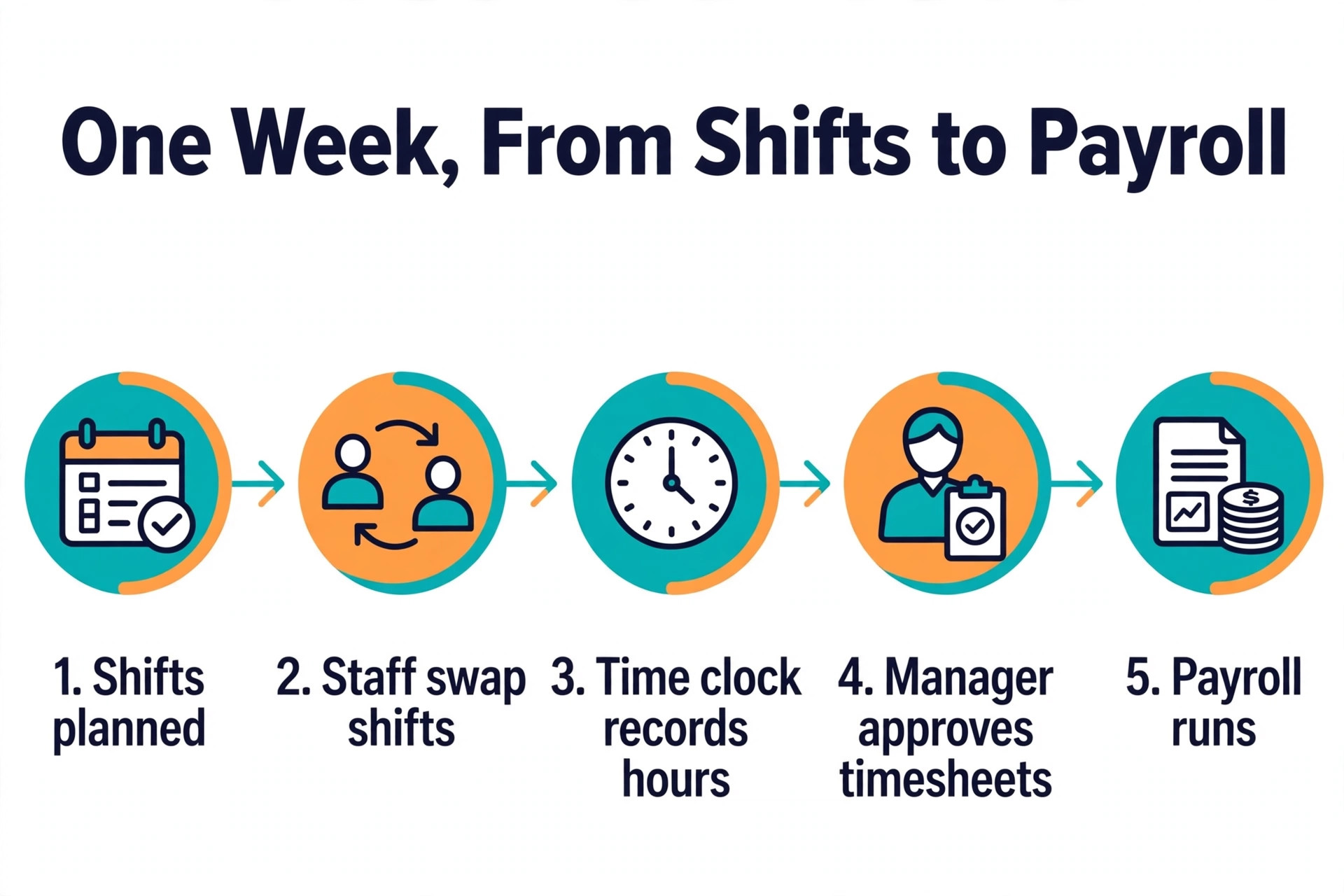
Next, decide whether you need a time clock and payroll, or only a rota. A rota alone is free on several tools, but a clock with geofencing, overtime rules and payroll export is a paid feature on most of them. If the team already runs payroll elsewhere, a scheduler with a good export is enough. If payroll is a weekly pain, Homebase with its own payroll add on, or Deputy with its payroll add on, will save more time than the cheapest rota. Check whether time tracking is included or an add on before you compare prices, because the add on can double the bill.
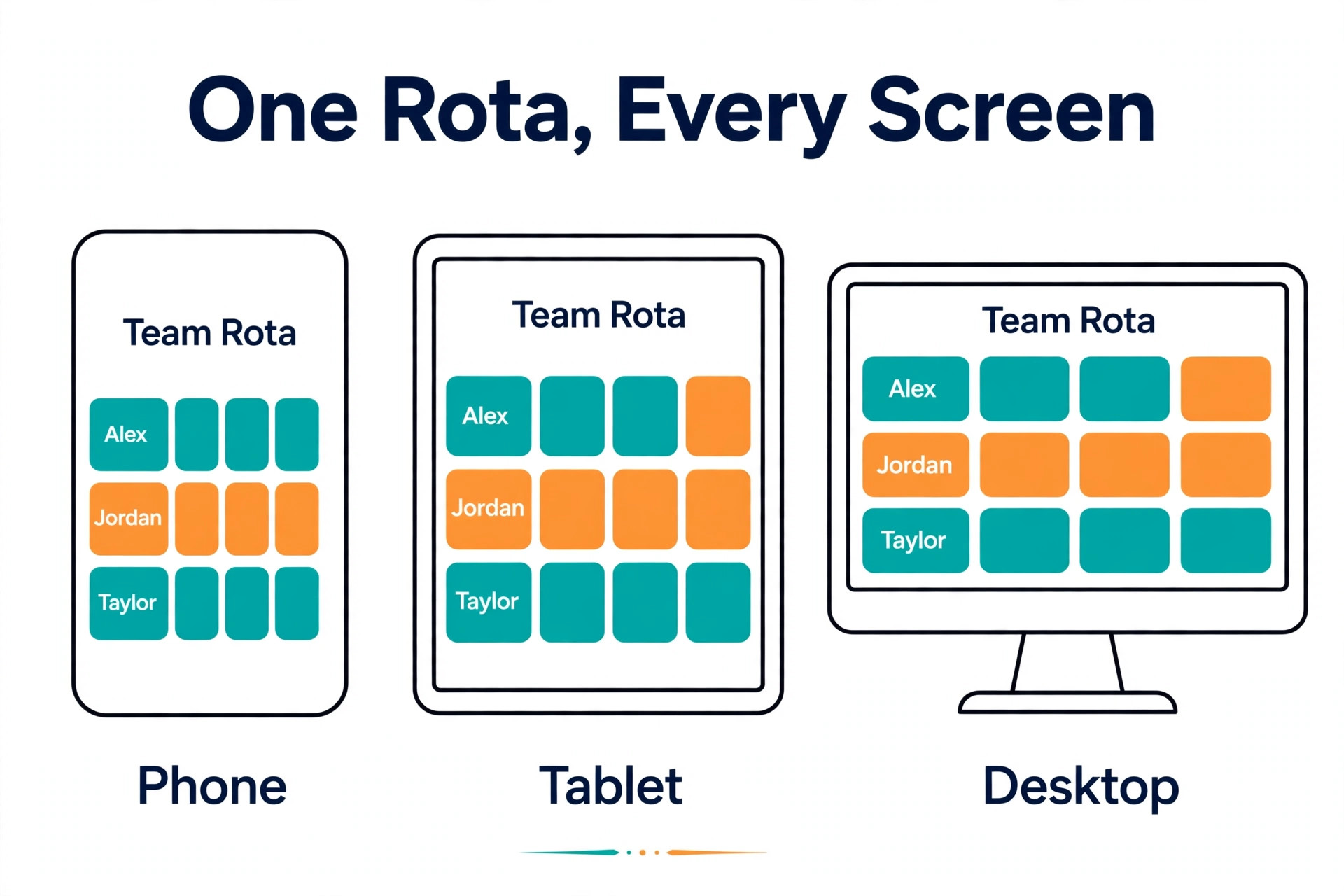
Then check how staff will use it. A scheduler that staff will not open on their phones fails, whatever its feature list says. Ask two staff members to try the free plan for a week, and watch whether they check the rota, request time off and swap shifts without being chased. The tool that staff actually use is the tool that saves the manager hours, and the tool that staff ignore is a cost, not a saving.
What 25 Staff Cost on Each Tool
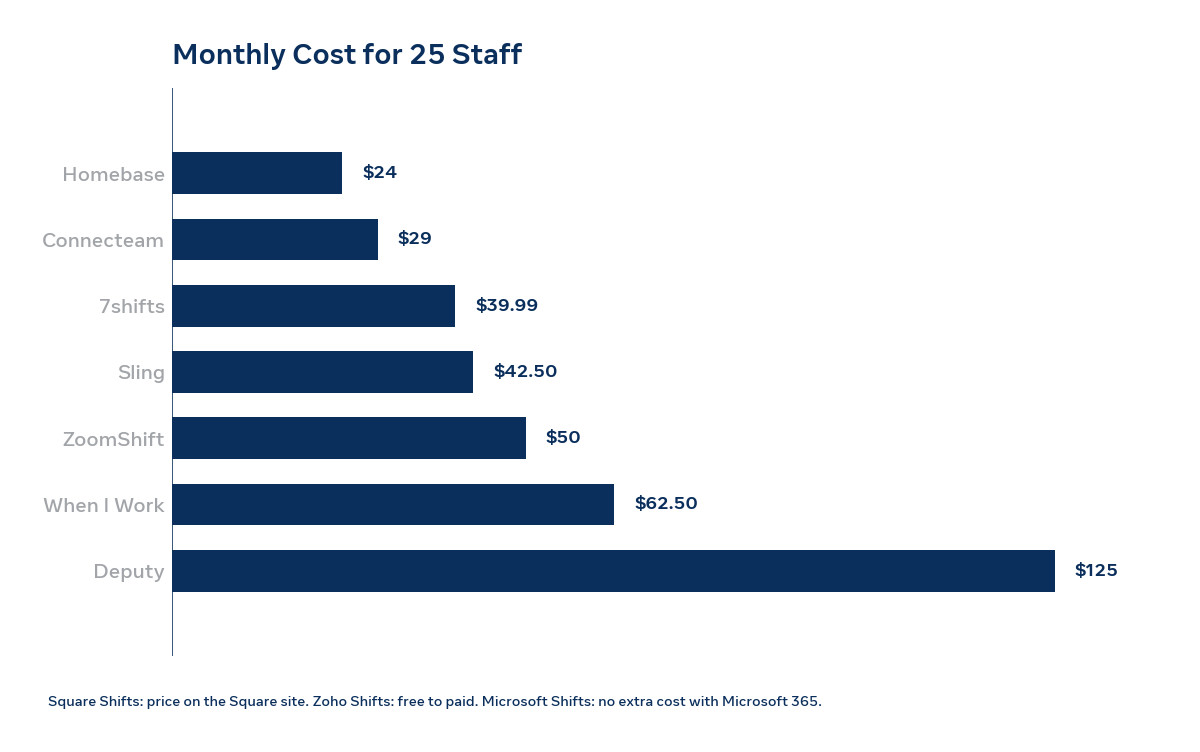
The table below works out the monthly cost for 25 staff at one site, using published prices checked in October 2026 on annual billing where the vendor offers it. Time tracking is included where the plan includes it, and noted where it costs extra. Confirm the price with the vendor before you budget, because pricing pages change.
| Tool | How it charges | 25 staff, 1 site | Free plan |
|---|---|---|---|
| Homebase Essentials | Per location | 24 dollars a month | 1 location, up to 10 staff |
| When I Work Essentials | Per user | 62.50 dollars a month | Trial only |
| Deputy Lite | Per user | 125 dollars a month | Trial only |
| Sling Premium | Per user | 42.50 dollars a month | Up to 30 users |
| Connecteam Basic | Flat for 30 users | 29 dollars a month | Up to 10 users |
| 7shifts Essentials | Per location | 39.99 dollars a month | 1 location, up to 15 staff |
| ZoomShift Starter | Per active user | 50 dollars a month | Up to 20 users, 1 location |
| Square Shifts | Per location | Price on the Square site | Basic plan free |
| Zoho Shifts | Per user | Free to paid, price on the Zoho site | Up to 25 users |
| Microsoft Shifts | Included with Microsoft 365 | No extra cost | Included with Microsoft 365 |
The pattern is plain. Per location pricing wins at 25 staff, with Homebase at 24 dollars and Connecteam flat at 29 dollars the cheapest paid options. Per user pricing costs 42.50 to 125 dollars at the same size, and the gap grows with every hire. A free plan that covers 25 to 30 people, such as Sling or Zoho Shifts, costs nothing at all at this size, which is why the free plan limit should be the first number you check.
Mistakes That Waste Money on Scheduling
The most common mistake is comparing headline prices instead of the cost at your real headcount. A tool that costs 2.50 dollars per user sounds cheap until you multiply it by 25 staff and add the time tracking add on, while a tool that costs 24 dollars per location sounds expensive until you realise the price never grows. Work out the monthly cost at your real staff count, including managers who need admin seats, before you compare.
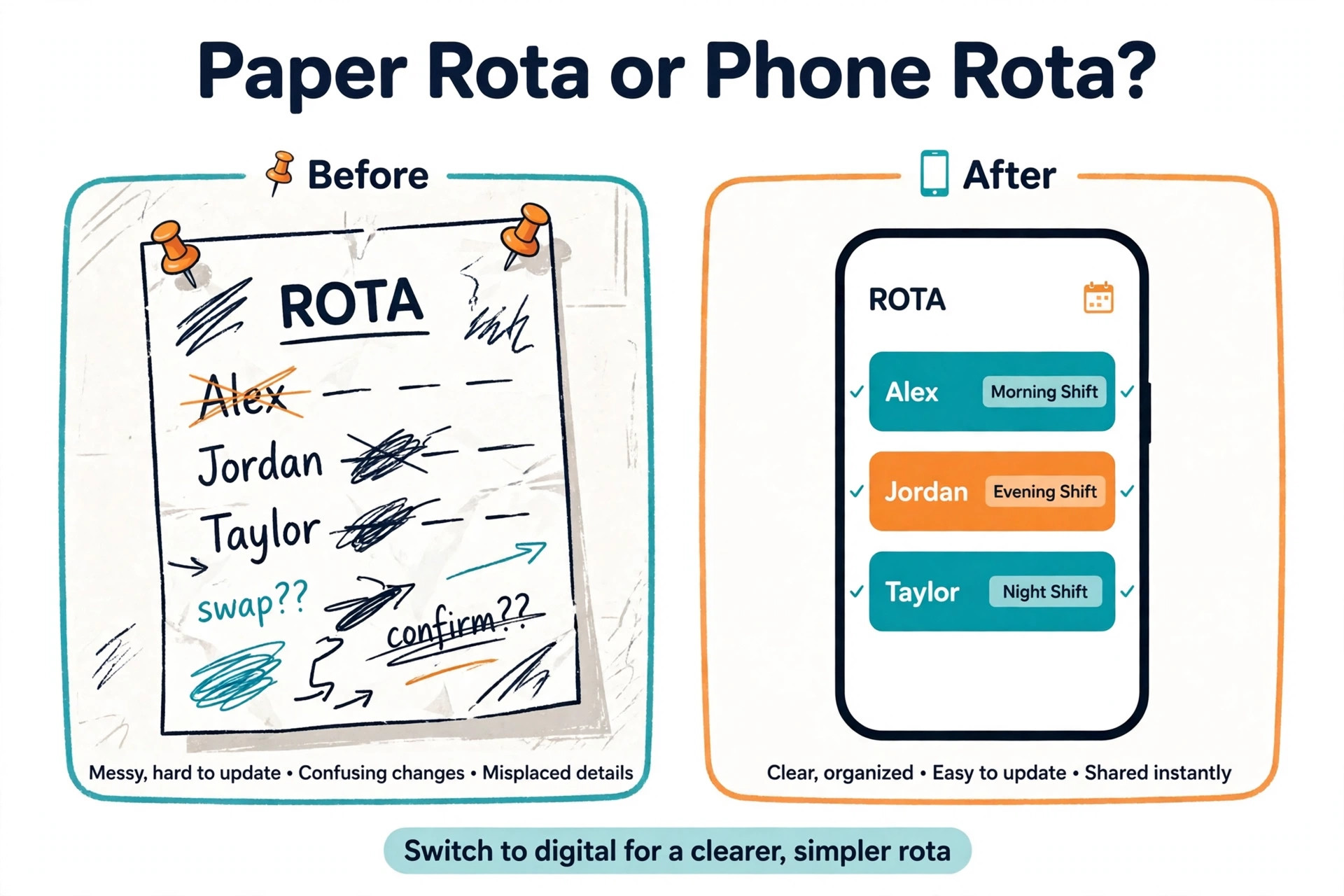
The second mistake is buying a scheduler that staff will not use. A manager picks a powerful tool with compliance rules and forecasting, and the staff keep texting each other about swaps because the app is hard to open. Trial the tool with two staff members for a week before you pay, and pick the tool they actually use, even if its feature list is shorter. Adoption is the feature that matters most.
The third mistake is ignoring the time clock. A rota without a clock tells you who was meant to work, not who actually worked, and payroll becomes a weekly argument about hours. If the free plan has no clock, budget for the paid tier that adds it, or pair the scheduler with a separate clock. The cost of one payroll dispute is more than a month of the paid plan.
- Work out the monthly cost at your real headcount, including admin seats.
- Trial the tool with two staff members for a week before you pay.
- Check whether the time clock is included or a paid add on.
- Confirm the free plan limit covers your whole team, not just part of it.
- Pick the tool staff will actually open on their phones.
Our Verdict
Homebase is the pick for most small businesses, because the free plan covers a single location with up to 10 staff, and the paid plan at 24 dollars per location a month is the cheapest paid rota for 25 staff. Sling is the pick when the team is 15 to 30 people and the budget is zero, because the free plan covers up to 30 users. When I Work is the pick when the team wants scheduling live this afternoon and is happy to pay 2.50 dollars per user for speed and auto scheduling.
Deputy is the pick for multi site teams and strict labour rules, 7shifts is the pick for restaurants, Connecteam is the pick for deskless teams that want a clock, forms and chat in one app, and ZoomShift is the pick for the simplest cheap paid rota. Start on the free plan that covers your team, trial it with real staff for a week, and move to a paid plan only when the free limit pinches or the clock becomes a need. The best employee scheduling software for small business is the one your staff actually use, at a price that stays flat as the team grows.
Frequently Asked Questions
What is the best employee scheduling software for small business?
Homebase is the best employee scheduling software for small business for most single location teams, because the free plan covers up to 10 staff and the paid plan costs 24 dollars per location a month with unlimited employees. Sling is the better pick when the team is 15 to 30 people and the budget is zero, and When I Work is the better pick when the team wants auto scheduling from 2.50 dollars per user a month.
Is there really free employee scheduling software?
Yes. Sling is free for up to 30 users, Zoho Shifts is free for up to 25 users, ZoomShift is free for up to 20 users at one location, 7shifts is free for one location with up to 15 employees, and Homebase is free for one location with up to 10 employees. A free trial is not a free plan, so When I Work and Deputy, which offer trials only, will cost money from day one. Check the free plan limit before you build the rota on it.
How much does employee scheduling software cost for 25 staff?
At 25 staff at one site, Homebase Essentials costs 24 dollars a month per location, Connecteam Basic costs 29 dollars a month flat, Sling Premium costs 42.50 dollars a month, ZoomShift Starter costs 50 dollars a month, When I Work Essentials costs 62.50 dollars a month before the time tracking add on, and Deputy Lite costs 125 dollars a month. Per location pricing is cheapest at this size, and a free plan such as Sling costs nothing at all.
Does scheduling software include a time clock?
It depends on the plan. Homebase includes a clock on every plan, Connecteam includes a GPS clock on the free plan, and Deputy includes a kiosk clock with face recognition. Sling adds the clock on the Premium plan, ZoomShift adds it on Starter, and When I Work charges extra for time tracking on some tiers. Check whether the clock is included or an add on before you compare prices, because the add on can double the bill.
Can staff swap shifts without a manager?
Yes, on most tools in this guide. When I Work, Deputy, Sling, Connecteam, ZoomShift and Microsoft Shifts all let staff trade shifts, claim open shifts and request cover from their phones, with the manager approving the swap. Homebase and 7shifts also support swaps and cover requests. The exact approval flow differs, so trial the swap with two staff members before you roll the tool out to the whole team.
What is the difference between per user and per location pricing?
Per user pricing charges for every staff member, so the bill grows with each hire, while per location pricing charges a flat fee for the site, so the bill stays flat as staff numbers grow. At 25 staff, Homebase per location costs 24 dollars a month, while Deputy per user costs 125 dollars a month. Per user pricing can be cheaper for a tiny team, and per location pricing wins once the team passes about 10 people.
A rota that staff actually use is worth more than a rota with more features. Start on the free plan that covers your team, trial it with real staff for a week, and pick the tool whose price stays flat as the team grows. The best employee scheduling software for small business saves the manager hours every week, and it does that by being simple enough for staff to open on their phones.