Between 45 and 68 percent of small businesses that use AI start with writing, and the reason is simple. Writing is the work every small business does every day, from product descriptions to emails to social posts, and it is the work that eats the most hours. The best ai writing tools for small business cut that time sharply, but they do it in very different ways. Some generate marketing copy from a prompt, some correct and polish what you already wrote, and some optimise a finished article so it ranks in search. Picking the wrong type wastes the subscription, because a generator cannot fix your grammar and a grammar checker cannot write your blog post.
We compared 10 tools on published pricing pages, plan limits, output quality, and the workflow each one is built for. Prices in this guide were checked in November 2026, and you should confirm the price on the checkout page before you pay, because vendors change list prices and plan limits often. The list runs from free tools that cover daily writing to a 79 dollar a month platform built for search visibility, and the right pick depends on what you write, how much you write, and who checks the work before it goes out.
How We Compared the Best AI Writing Tools for Small Business
We scored each tool on six points, because an AI writing tool is a workflow, not a word count. Writing quality covered whether the output reads like a competent human draft or needs heavy rewriting, and whether the tool holds a consistent voice across a long document. Task fit covered the job the tool is built for, from drafting to editing to search optimisation, because a tool built for one job rarely does the others well.
We also scored limits, because the plan limits decide the real cost. Word limits, seat counts, brand voice counts, and plagiarism checks all vary widely, and a plan that looks cheap can run out mid month. Pricing covered the monthly cost on annual billing, the free plan, and the trial terms. Team features covered shared workspaces, style guides, and approval flows, which matter the moment more than one person writes for the business.
Finally, we scored accuracy and trust. AI writing tools invent facts, and a tool that drafts confidently about your prices, your services, or your industry can publish an error that costs you a customer. The tools that make fact checking easy, by showing sources or by keeping your own knowledge base close, score higher than the tools that generate text and leave the checking to you.
The Best Pick for Each Job
| Job | Pick | Why it wins |
|---|---|---|
| Brand controlled marketing copy | Jasper | Brand voices and knowledge assets |
| A small team writing together | Copy.ai | 5 seats for 24 dollars a month |
| Everyday drafting and research | ChatGPT Plus | The most versatile assistant |
| Long form writing and careful editing | Claude Pro | Holds voice across long documents |
| Day to day correction and tone | Grammarly | Works everywhere you type |
| Rewording stiff drafts | QuillBot | Fast paraphrasing and grammar |
| Budget short form copy | Rytr | Unlimited generation from 7.50 dollars |
| SEO content and visibility | Writesonic | Search optimisation built in |
| Editing and polishing finished drafts | ProWritingAid | Deep style analysis |
| Ranking articles in search | Surfer | Content editor scored against search results |
Use this table as a shortcut, then read the full section for the tool you are leaning toward. The cheapest option is not the best value when it cannot hold your brand voice, and the most expensive option is not the best choice when you only write a few emails a week.
The Best AI Writing Tools for Small Business, Ranked
The 10 tools below fall into three groups. The first group is content generation platforms, built to draft marketing copy, blog posts, and ads from a prompt. The second group is general assistants, which draft, research, summarise, and brainstorm across every kind of writing. The third group is editors and optimisers, which improve what you already wrote or score it against the pages that rank. The best ai writing tools for small business for you depend on whether you need new words, better words, or words that rank.
1. Jasper
Jasper is the best pick for a business producing a steady volume of marketing content with a brand voice that must stay consistent. It is built for marketing teams, not for occasional emails, with brand voices, knowledge assets, audiences, and campaign workflows that keep every draft on brand. Give it a brand brief and a product description, and it returns blog drafts, ad text, and social posts in the same voice.
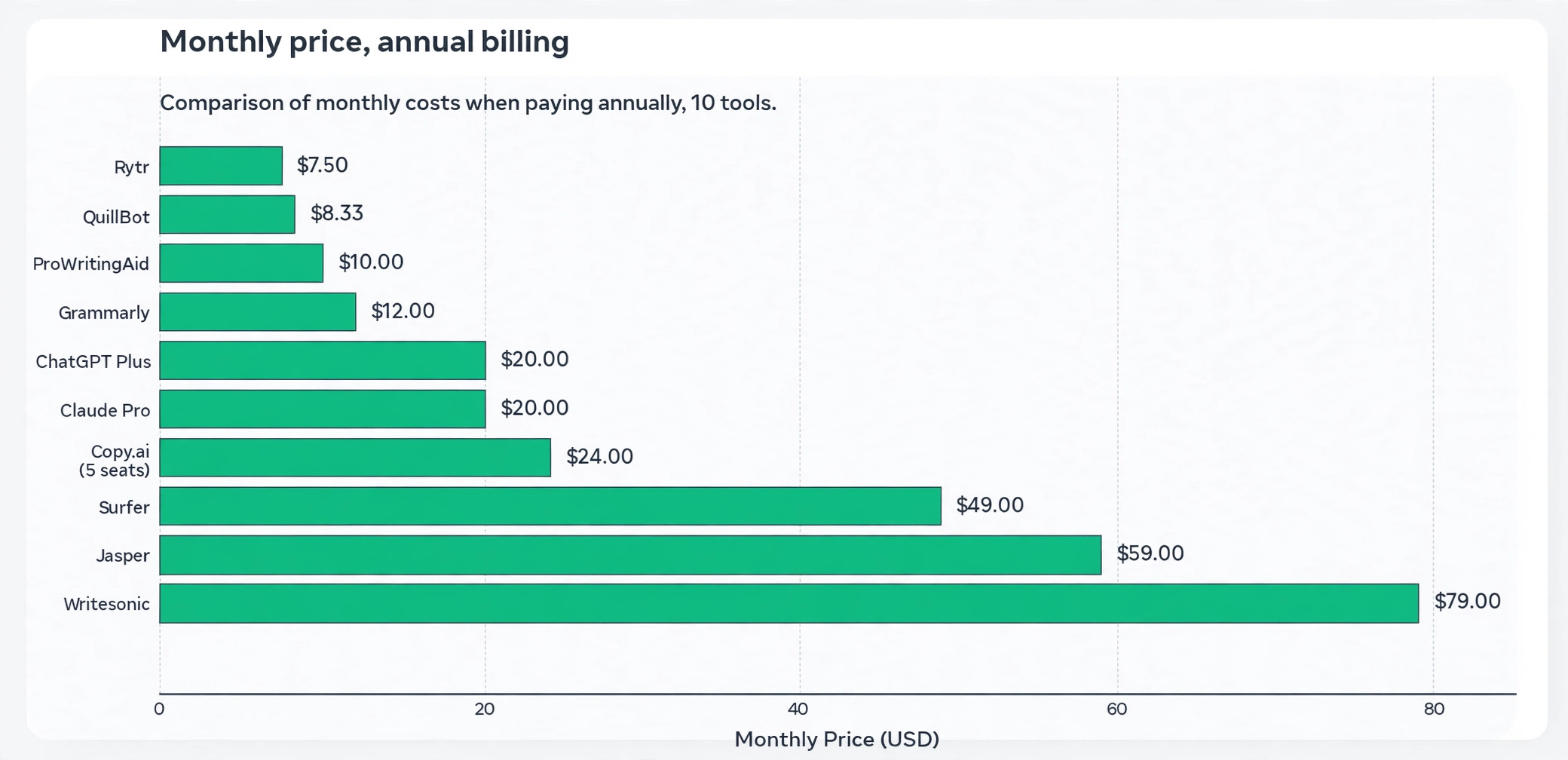
The Pro plan costs 69 dollars a month per seat billed monthly, or 59 dollars a month on a 12 month commitment, and includes 2 brand voices, 5 knowledge assets, 3 audiences, image generation, and a 7 day free trial. The Business plan is custom priced and adds unlimited brand voices, API access, and enterprise governance features. There is no free plan, only the trial, so budget for the subscription from day one.
Jasper is the right choice when one marketer produces a steady volume of content and the brand voice matters. It is the wrong choice when you only write occasionally, because the price buys a workflow you will not use enough to justify it.
2. Copy.ai
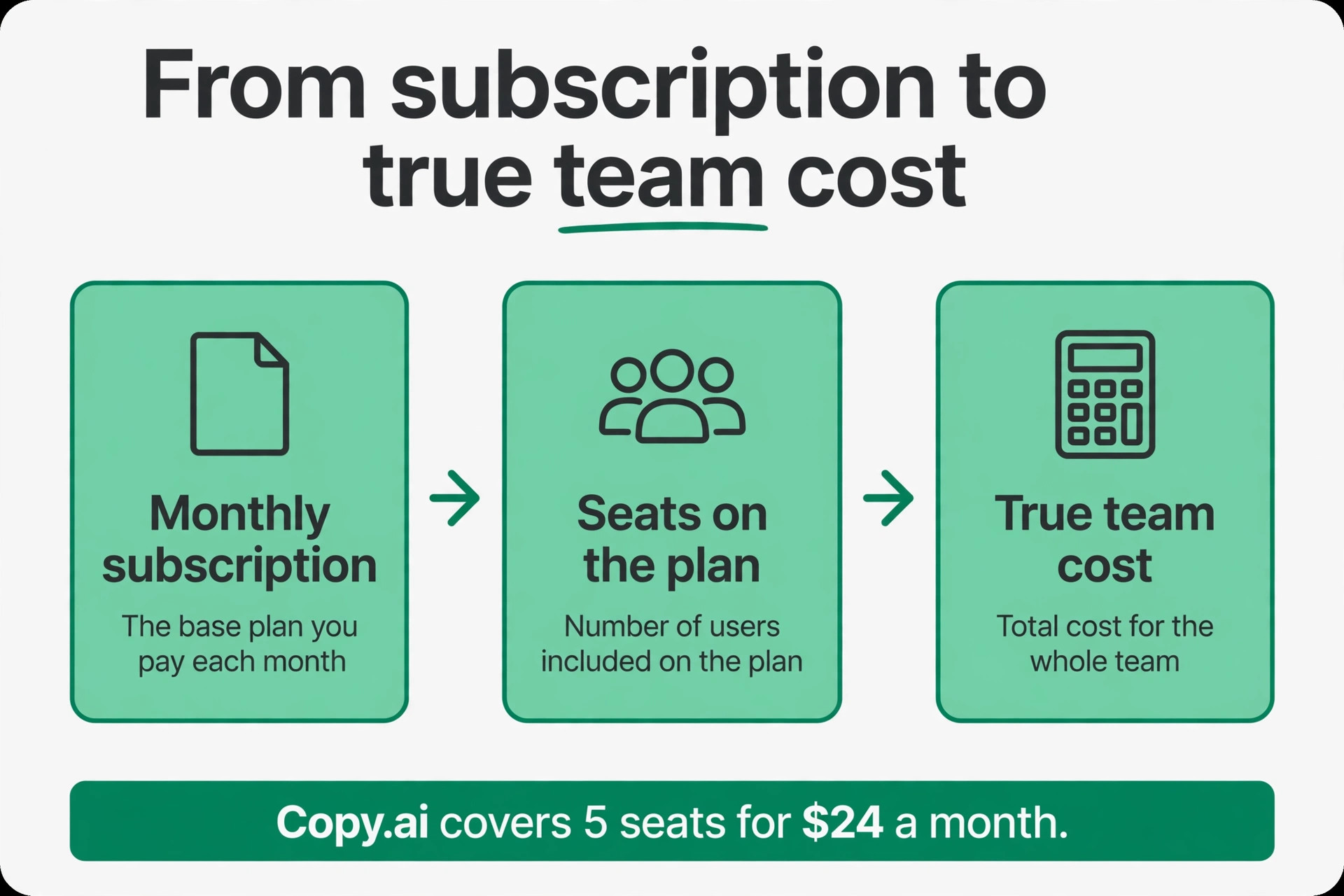
Copy.ai is the best pick for a small team that writes together, because the Chat plan covers 5 seats for 24 dollars a month billed annually, or 29 dollars a month billed monthly, with unlimited words in chat and access to OpenAI, Anthropic, and Gemini models. That per seat price is the lowest team rate on this list, and the multi model access means the team can switch models for different jobs without a second subscription.
The higher tiers climb fast. Growth costs 1,000 dollars a month, Expansion costs 2,000 dollars, and Scale costs 3,000 dollars, all aimed at much larger teams running automated content workflows. A typical small business will never need those tiers, and the Chat plan is the one to buy. The tool covers drafting, brainstorming, and workflow automation, with templates for sales emails, social posts, and blog outlines.
Copy.ai is the right choice when a team of two to five people writes marketing copy together and wants one shared tool. It is the wrong choice when you need deep SEO optimisation or long form editing, because those jobs belong to Surfer and ProWritingAid instead.
3. ChatGPT Plus
ChatGPT Plus is the best all round AI assistant on this list, and the tool most small businesses should try first. It drafts, brainstorms, summarises, analyses data, writes code, and generates images, all for 20 dollars a month. A business that needs help with a product description in the morning, a customer email at lunch, and a social post in the afternoon gets all three from the same tool.
The free tier covers everyday drafting with limits on daily usage and model access. Plus removes most of those limits and adds faster responses, more capable models, and file uploads for analysis. The trade off is specialisation. ChatGPT has no brand voice system like Jasper, no content editor like Surfer, and no style guide enforcement like Grammarly, so the output needs a human editor to keep it consistent and accurate.
ChatGPT Plus is the right choice when you want one versatile tool for every writing job. It is the wrong choice when you need brand controlled marketing at scale, because the lack of brand voices means every draft starts from scratch.
4. Claude Pro
Claude Pro is the best pick for long form writing and careful editing, because it holds a consistent voice across a long document better than any other general assistant on this list. Bloggers, newsletter writers, and small business owners who write their own website and email copy will notice the difference on a 2,000 word article, where other tools drift in tone halfway through.
Pricing is 20 dollars a month for Pro, with a free tier for lighter use. The larger context window lets Claude work with long documents, style guides, and past writing samples in a single conversation, which makes it the strongest tool here for learning your voice from examples. The trade off is the same as ChatGPT, because there is no built in SEO editor, no brand voice system, and no team workspace for approvals.
Claude Pro is the right choice when your writing is long form and the quality of the prose matters most. It is the wrong choice when you need marketing templates, SEO scoring, or team features, because Claude is a writing partner, not a marketing platform.
5. Grammarly
Grammarly is the best pick for day to day correction and tone, because it works everywhere you type, in the browser, in desktop apps, and in most places you write online. It checks grammar, clarity, and tone as you write, and it catches the mistakes that slip through when you are writing fast. For a small business, that means every email, proposal, and post goes out clean.
The free plan includes basic mistake catching and 100 AI prompts. Pro costs 12 dollars a month per seat on annual billing, or 30 dollars a month billed monthly, and adds full sentence rewrites, tone adjustment, and team style guides. Enterprise is custom priced. Grammarly is not a content generator, so it will not write your blog post, but it will make the post you wrote read better.
Grammarly is the right choice for every person in the business who writes to customers, because it improves the writing you already do. It is the wrong choice when you need new copy generated from scratch, because that is a job for Jasper, Copy.ai, or ChatGPT.
6. QuillBot
QuillBot is the best pick for rewording stiff drafts, because its paraphrasing tool rewrites a sentence or a paragraph in a different style while keeping the meaning. A product description that reads like a specification becomes a sentence a customer wants to read, and a formal email becomes a friendly one. The grammar checker and summariser sit alongside the paraphraser, so one tool covers the whole polish step.
The free plan covers basic paraphrasing with limits on words and modes. Premium costs about 8.33 dollars a month billed annually, and adds unlimited paraphrasing, more writing modes, and a plagiarism checker. The price is the lowest paid plan on this list, and the value is real for a business that writes in a second language or rewrites supplier copy for its own site.
QuillBot is the right choice when your drafts exist but the wording feels stiff, formal, or repetitive. It is the wrong choice when you need original content from a blank page, because paraphrasing needs a draft to work from.
7. Rytr
Rytr is the best value pick for fast everyday copy, because the Unlimited plan costs 7.50 dollars a month billed annually, or 9 dollars a month billed monthly, with unlimited generation. The free plan covers 10,000 generated characters a month in one language with preset tones. The Premium plan costs 24.16 dollars a month billed annually and adds multiple tone matches, more plagiarism checks, and doubled input limits.
Rytr covers short form copy best, with templates for social posts, emails, product descriptions, and ad text. The output is solid for everyday marketing copy, though it needs more editing than Jasper or Claude on long form work. The interface is simple, the learning curve is short, and a small business can be generating usable copy within an hour of signing up.
Rytr is the right choice when the budget is tight and the copy is short form. It is the wrong choice when you need long form articles, brand voice control, or SEO optimisation, because those jobs need a more capable tool.
8. Writesonic
Writesonic is the best pick for SEO content and AI search visibility, because it is built as a content platform rather than a simple generator. It drafts articles, optimises them for search, tracks how they perform in AI search results, and scores the content against the pages that already rank. A small business that depends on search traffic gets more from Writesonic than from a general assistant.
Paid plans start at 79 dollars a month billed annually for the SEO and AI visibility platform, which is the highest entry price among the generation tools on this list. There is a trial, but no free plan that covers serious use. The price buys the SEO workflow, the content editor, and the visibility tracking in one subscription, so compare it with the cost of Surfer plus a generator, not with the cost of a generator alone.
Writesonic is the right choice when search traffic is the goal and you want drafting and optimisation in one tool. It is the wrong choice when you only need everyday copy, because the price buys search features you will not use.
9. ProWritingAid
ProWritingAid is the best pick for editing, style analysis, and long form polish, because it goes deeper than a grammar checker. It analyses sentence variety, readability, repeated words, pacing, and style, then shows you exactly where a long document gets boring, repetitive, or hard to follow. Novelists and long form writers use it, and a small business writing guides, white papers, or long blog posts gets the same value.
The free plan covers basic checks with limits. Premium costs 120 dollars a year, or 10 dollars a month billed annually, and adds the full reports, unlimited checks, and integrations with Word, Google Docs, and Scrivener. The tool does not generate content, so it pairs with a generator or a general assistant rather than replacing one.
ProWritingAid is the right choice when you write long documents and the polish matters. It is the wrong choice when you need new copy generated, because it edits what exists rather than creating it.
10. Surfer
Surfer is the best pick for optimising articles to rank, because its content editor scores your draft against the pages that already rank for your keyword, then tells you which terms to add, how long the article should be, and how the structure should look. The Discovery plan costs 49 dollars a month billed yearly, with 120 documents. There is a 7 day trial, but no free plan.
Surfer does not write the article for you, though it includes AI drafting as part of the workflow. Its strength is the score, because a draft that scores 80 or higher in Surfer has the terms, the length, and the structure that search engines reward. The trade off is that the score can push a writer toward keyword stuffing, so use it as a guide and keep the prose natural.
Surfer is the right choice when you publish articles to rank in search and you want a clear optimisation target. It is the wrong choice when you need everyday copy or grammar correction, because it is a search tool, not a writing tool.
How to Choose the Right AI Writing Tool
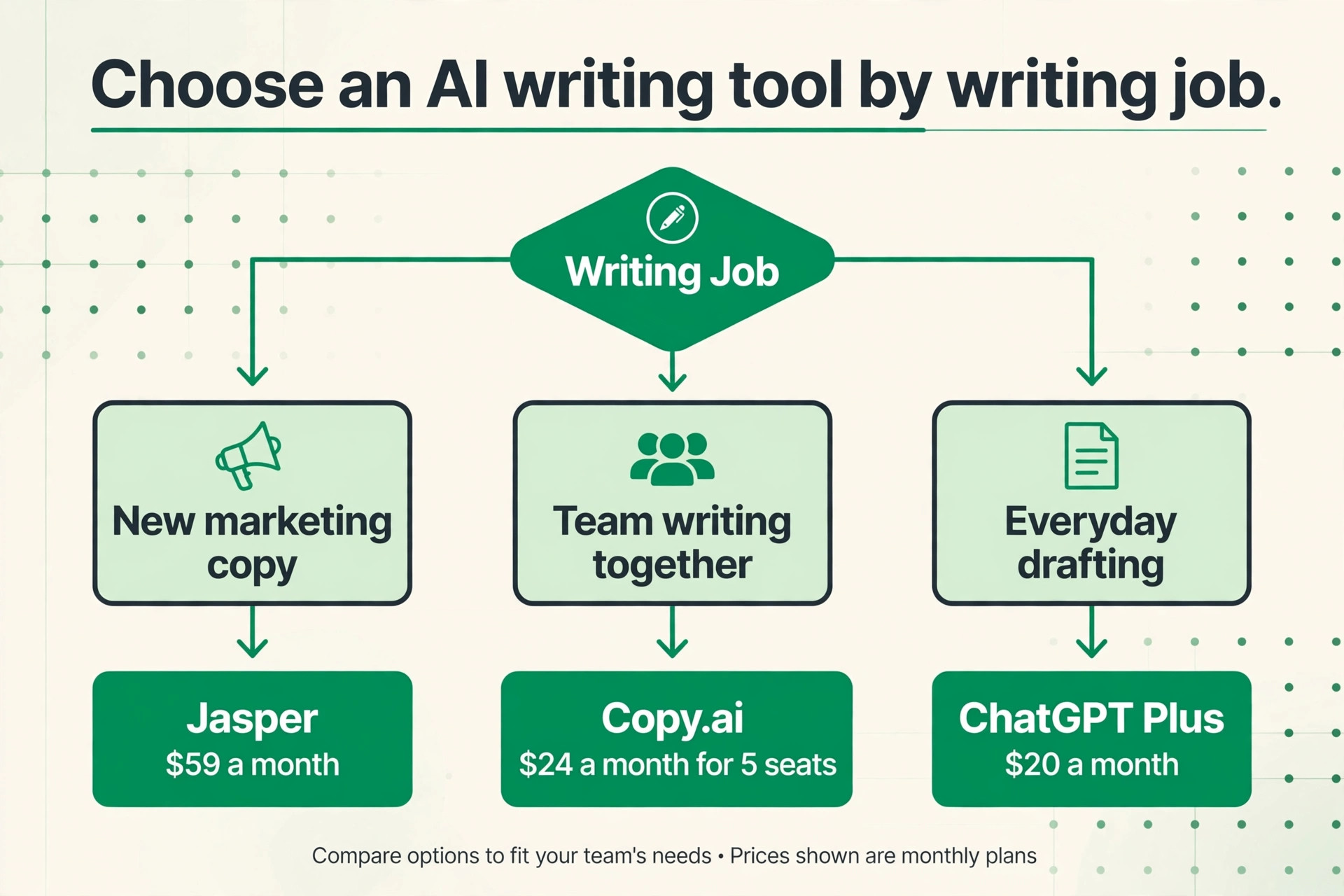
Start with the job, not the tool. A business that needs new marketing copy should compare Jasper at 59 dollars a month, Copy.ai at 24 dollars a month for five seats, and Rytr at 7.50 dollars a month, because the difference is the brand control and the volume, not the ability to generate words. A business that needs better writing should compare Grammarly at 12 dollars a month and ProWritingAid at 10 dollars a month, because the difference is daily correction versus deep editing. A business that needs search traffic should compare Writesonic at 79 dollars a month and Surfer at 49 dollars a month, because the difference is an all in one platform versus a dedicated optimiser.
Next, count the seats. A tool that costs 20 dollars a month for one person costs 100 dollars a month for a team of five, while Copy.ai covers five seats for 24 dollars a month. A tool that charges per seat, such as Jasper at 59 dollars or Grammarly at 12 dollars, gets expensive fast as the team grows. Add up the per seat price for everyone who will use the tool before you compare the headline rates.
Then check the limits. Word limits, brand voice counts, plagiarism checks, and document counts all vary, and a plan that looks cheap can run out mid month. The best ai writing tools for small business are the ones whose limits fit your real monthly volume, not the ones with the lowest sticker price.
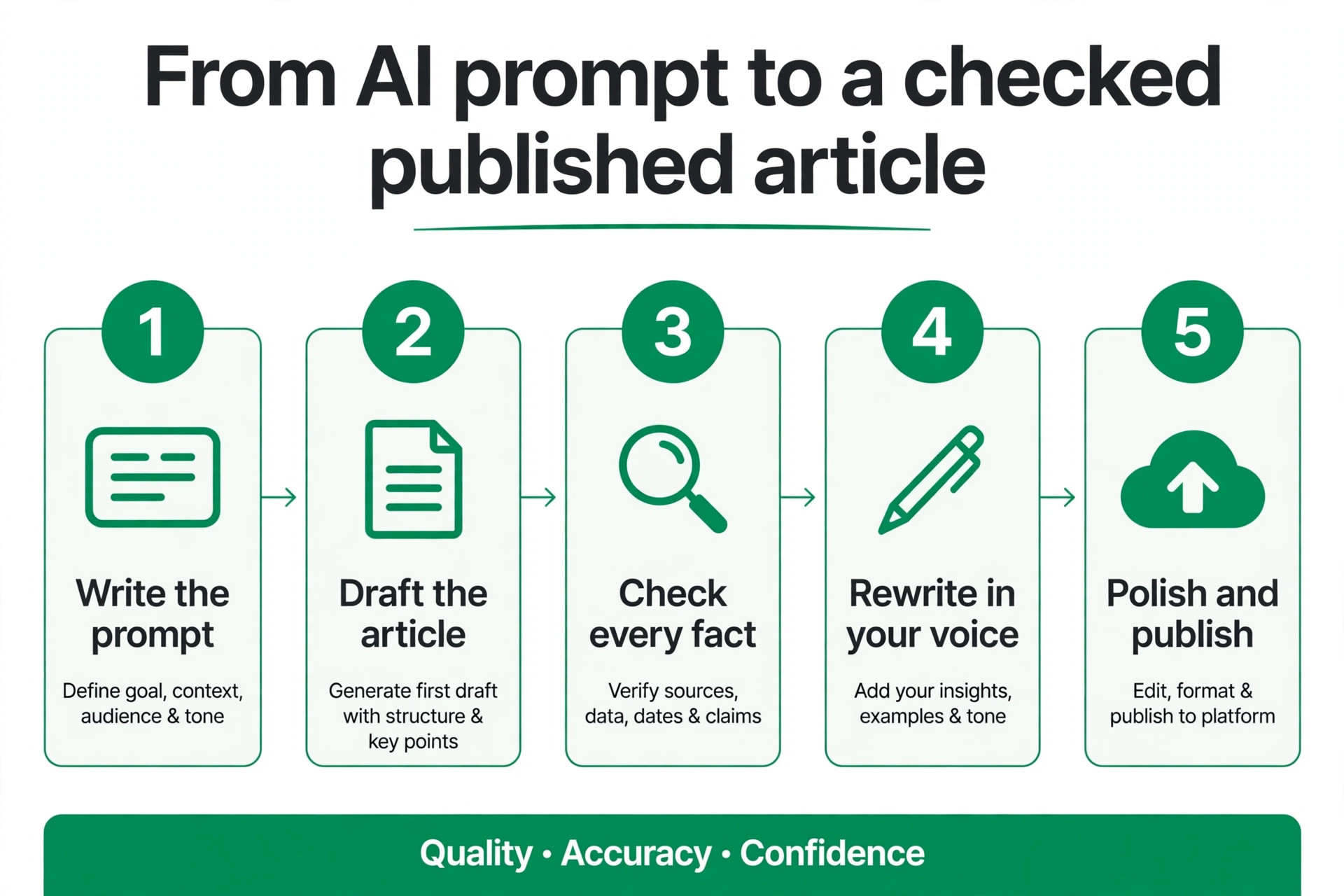
The Human Check Every AI Draft Needs
Every AI draft needs a human check before it goes out, and the check has four steps. First, read the draft for facts. AI tools invent prices, dates, features, and statistics with total confidence, and a wrong price on your website costs you a customer or a dispute. Check every number, every claim, and every name against your own records before you publish.
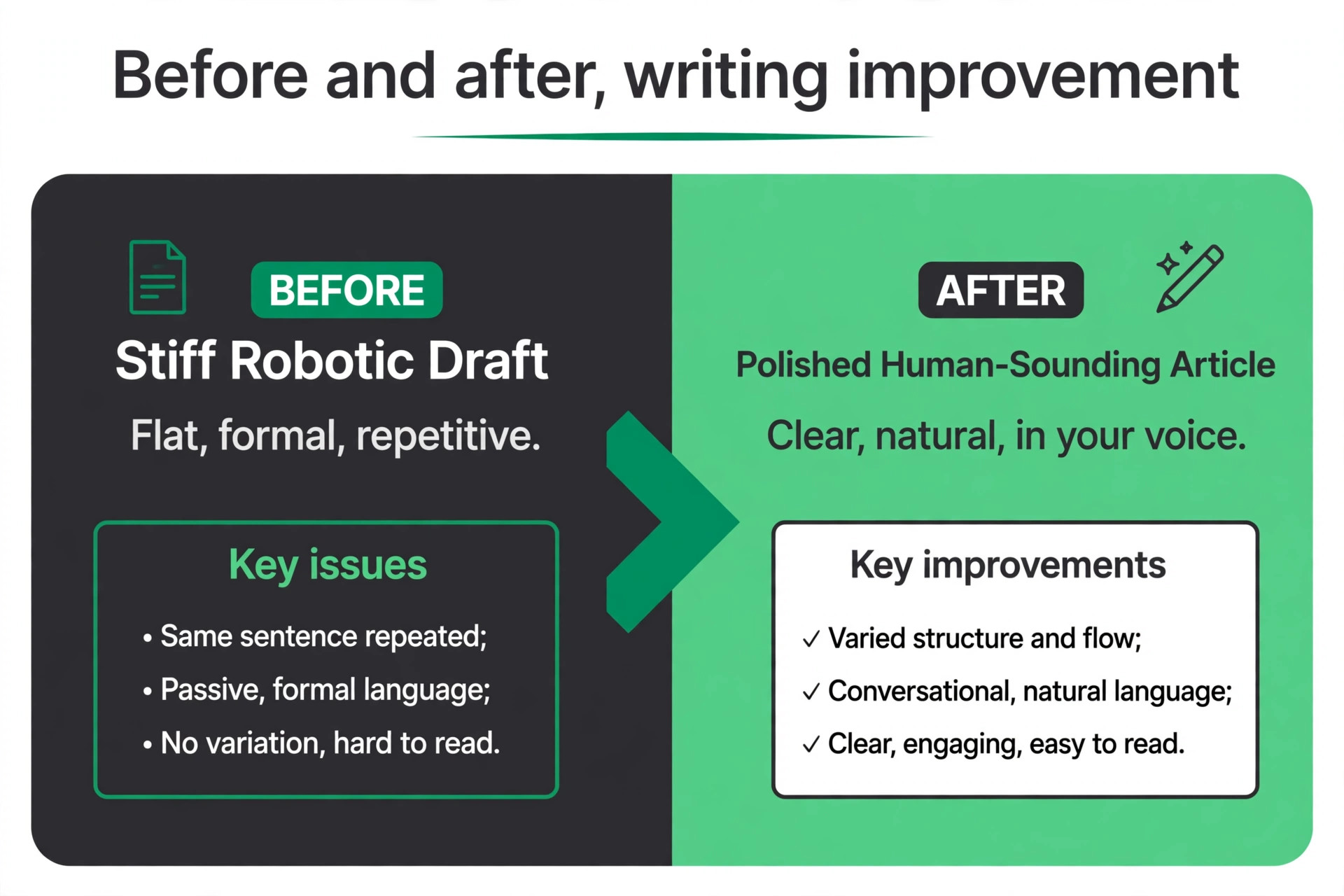
Second, read the draft for voice. AI writing tends toward the same flat, formal tone, with the same sentence shapes and the same filler phrases. Rewrite the opening and the closing in your own words, cut the sentences that sound like a brochure, and add a detail only your business could know. That edit is what makes the copy yours.
Third, read the draft for repetition. AI tools repeat the same point in different words, especially in long articles, and the repetition makes the reader stop. Cut the second version of every point, shorten the paragraphs, and keep only the sentences that add something new.
Fourth, run the draft through a plagiarism check when the tool offers one, and through Grammarly or ProWritingAid for a final polish. The check takes ten minutes, and it is the difference between content that reads like your business and content that reads like every other business using the same tool.
A fifth check matters for anything that makes a promise. Read every claim about what your product does, how fast it works, and what it costs, and compare it with your real offer. AI tools love superlatives and guarantees, and a promise your business cannot keep becomes a refund request or a bad review. Cut every claim you cannot prove, and keep only the ones your customers would confirm.
Mistakes That Waste the Subscription
The most common mistake is buying a generator when you needed an editor, or an editor when you needed a generator. A business that already writes good drafts wastes money on Jasper, because the drafts exist and the need is polish. A business that writes nothing wastes money on Grammarly, because there is nothing to correct. Match the tool to the job before you pay, using the table at the top of this guide.
The second mistake is publishing AI output without checking it. A wrong price, a wrong feature, or a made up statistic on your website damages trust faster than any marketing can rebuild it. Check every fact in every AI draft, every time, because the tool will not tell you when it guessed.
The third mistake is paying for seats nobody uses. A five seat plan is cheap only when five people write. Audit the seats every quarter, remove the people who never log in, and move the saving into the tool the team actually uses.
- Match the tool type to the job before you pay.
- Check every fact in every AI draft before publishing.
- Rewrite the opening and closing in your own voice.
- Audit seats every quarter and remove unused ones.
- Pair a generator with an editor instead of buying two generators.
Our Verdict
ChatGPT Plus is the pick for most readers, because 20 dollars a month buys the most versatile writing help on this list, from drafting to research to brainstorming, and the free tier lets you test it before you pay. A small business that adopts one AI tool should start here, then add a specialist when a specific job outgrows it.
Jasper is the pick when marketing volume and brand voice justify 59 dollars a month, and Copy.ai is the pick when a small team writes together and wants five seats for 24 dollars a month. Start with one tool, use it every day for a month, and only then decide whether a second one earns its price. Grammarly is the pick every business should add, because 12 dollars a month per seat keeps every email and proposal clean. The best ai writing tools for small business are the ones that match the job you actually do, fit the seats you actually need, and leave a human in charge of the facts.
Frequently Asked Questions
Which of the best ai writing tools for small business is best for a beginner?
ChatGPT Plus is the best beginner pick, because it handles every writing job in one place for 20 dollars a month, and the free tier lets you learn the workflow before you pay. A beginner who wants the simplest start should try Rytr instead, because the Unlimited plan costs 7.50 dollars a month billed annually and the templates guide every draft. Add Grammarly when the drafts are ready, because correction is a separate job from generation.
How much do AI writing tools cost per month?
Entry prices run from free for ChatGPT, Claude, Grammarly, QuillBot, and Rytr, to 79 dollars a month billed annually for Writesonic. Most small businesses land between 10 and 25 dollars a month for a single paid tool, with ChatGPT Plus and Claude Pro at 20 dollars, Grammarly Pro at 12 dollars, and Rytr Unlimited at 7.50 dollars. A team of five should budget 24 dollars a month for Copy.ai Chat, which covers all five seats.
What is the best ai writing tools for small business pick for SEO content?
Surfer is the best pick for optimising articles to rank, because its content editor scores your draft against the pages that already rank and tells you which terms to add. The Discovery plan costs 49 dollars a month billed yearly. Writesonic is the best all in one alternative, because it drafts and optimises in the same platform for 79 dollars a month billed annually. Pair either tool with a human editor, because the score is a guide, not a guarantee of quality.
Can AI writing tools replace a human writer?
No, not for a small business that cares about trust. AI tools draft fast and polish well, but they invent facts, repeat themselves, and write in a flat tone that readers recognise. The tools work best as a first draft and a polish step, with a human checking every fact, rewriting the opening and closing, and adding the details only the business knows. A business that publishes unchecked AI output will publish errors, and errors cost customers.
Is it safe to use AI tools for customer emails?
Yes, when a human checks the draft before sending. Grammarly and Claude Pro are the safest picks for customer email, because they correct and polish rather than invent. Never let a generator send an email directly, and never paste customer data, prices, or personal details into a free AI tool without checking the privacy terms. The draft is a starting point, and the send button belongs to a human.
Which AI writing tool is best for social media posts?
Rytr is the best budget pick for social posts, because the Unlimited plan costs 7.50 dollars a month billed annually and the templates cover every platform. Copy.ai is the best team pick, because five seats share the same templates and brand voice for 24 dollars a month. Jasper is the best pick when the posts must match a strict brand voice across campaigns. Whichever tool you use, rewrite the hook in your own words, because the hook is what stops the scroll.