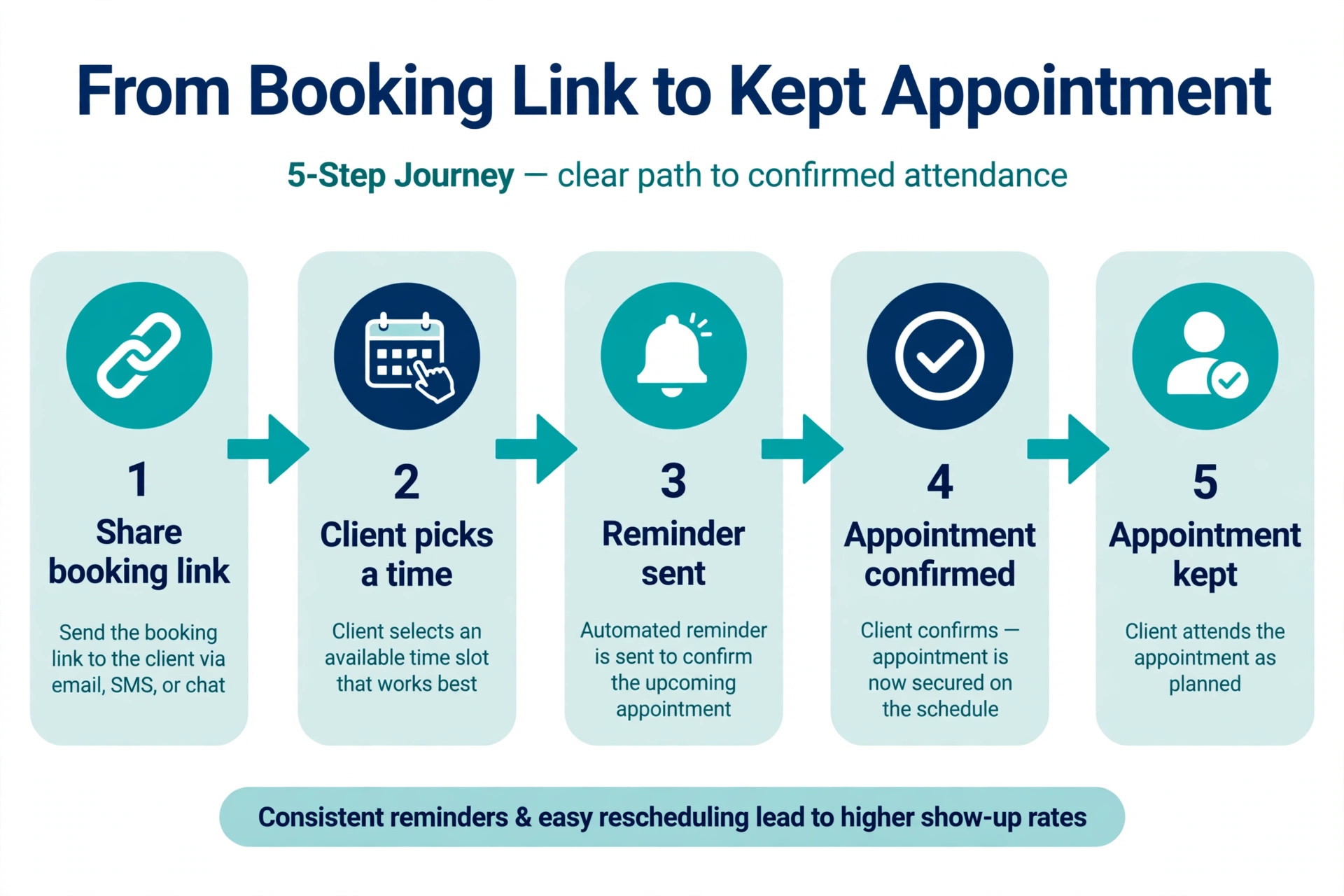
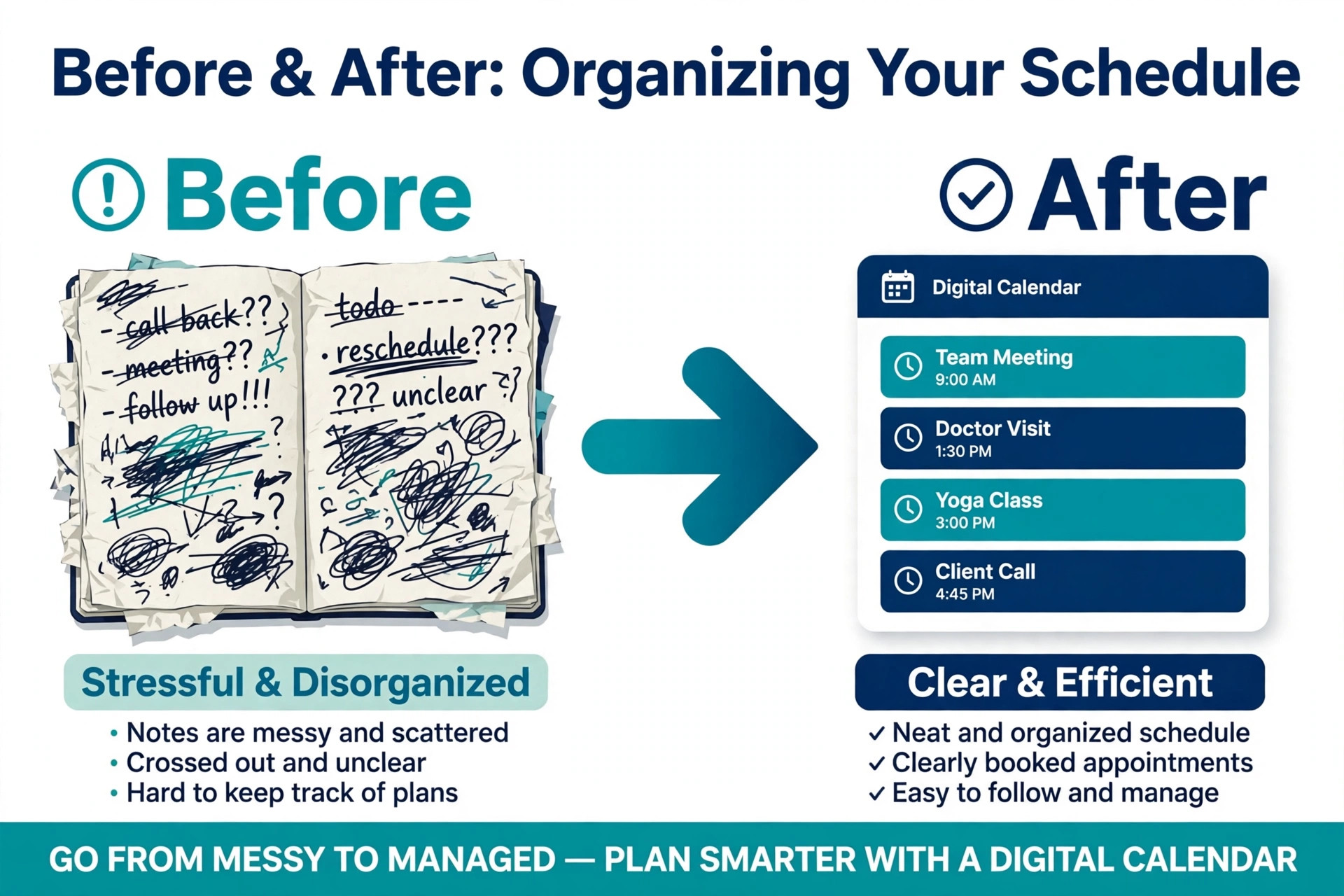
A small business loses a fifth of its booked appointments to no shows when it relies on phone calls and memory, and every empty slot is revenue that never comes back. It is a booking page that takes the appointment, the deposit and the reminder without staff touching it. The best appointment scheduling software for small business does that job for a price a small team can defend, and the wrong one charges per seat until a five person team pays more for scheduling than for its phone system. We compared 10 tools on small business needs, booking, payments, reminders, intake forms and team pricing, and priced each one for one person and for a team of four.
This guide shows what each tool costs at your size, where the limits sit, and which one fits the way your clients actually book.
The first question is what kind of booking you do. A consultant books meetings, one person at a time, with a video link and a calendar invite. A salon books services, with staff, durations, deposits and a chair. A clinic books patients, with intake forms, privacy rules and reminders that cannot fail. A meeting scheduler that cannot take a deposit is useless to a salon, and a salon platform that charges per location is wasteful for a consultant. This guide splits the tools into those two groups so you compare like with like.
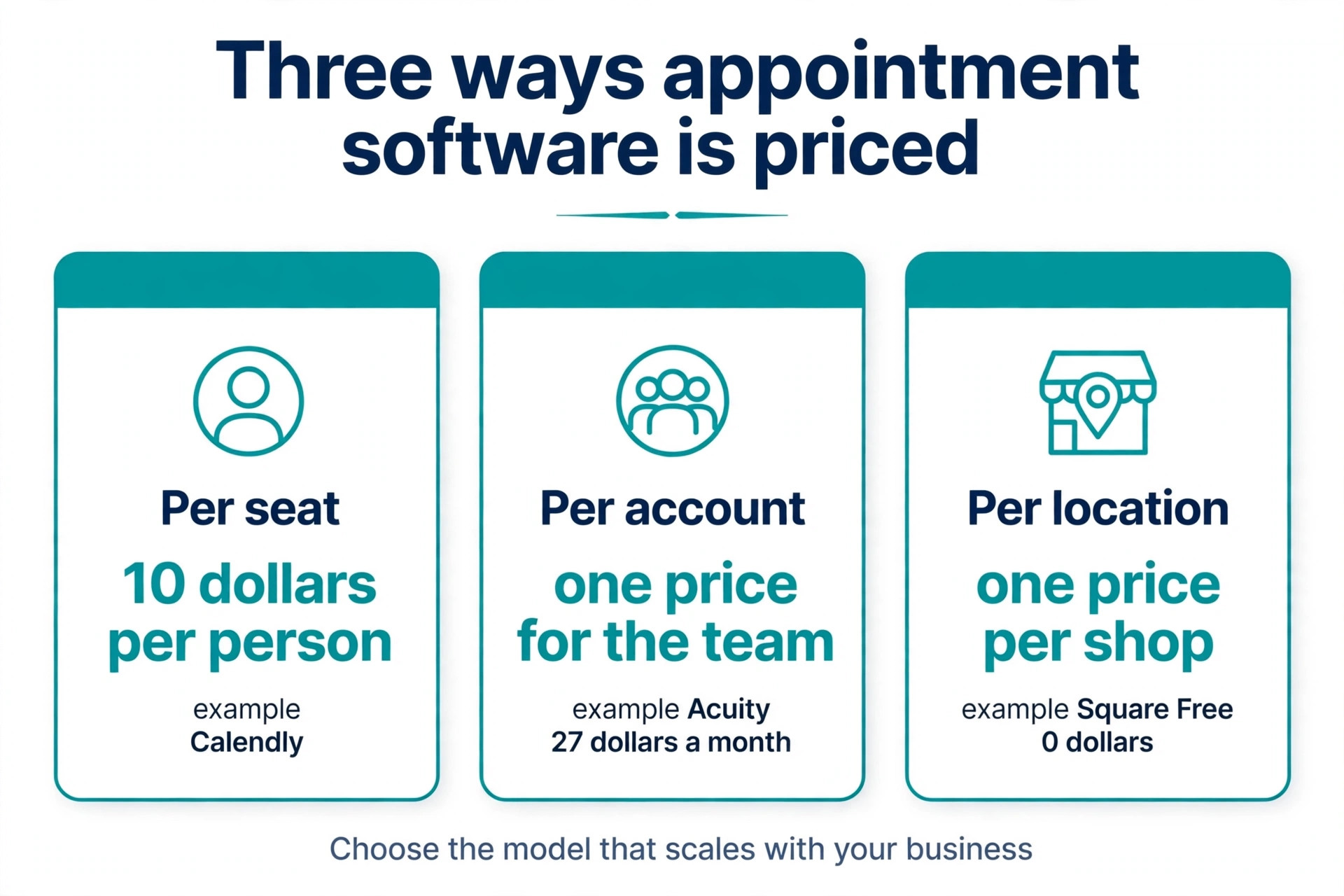
The second question is how the price scales. Calendly charges per seat, so six hosts cost six times one host. Acuity charges per account, so six calendars cost the same as one. Square charges per location, so ten staff at one shop cost the same as one. Setmore charges per user but gives four users free. The headline price tells you almost nothing until you multiply it by your team. Every tool in this guide is priced for one person and for four people, so the comparison is honest.
How We Compared 10 Scheduling Tools
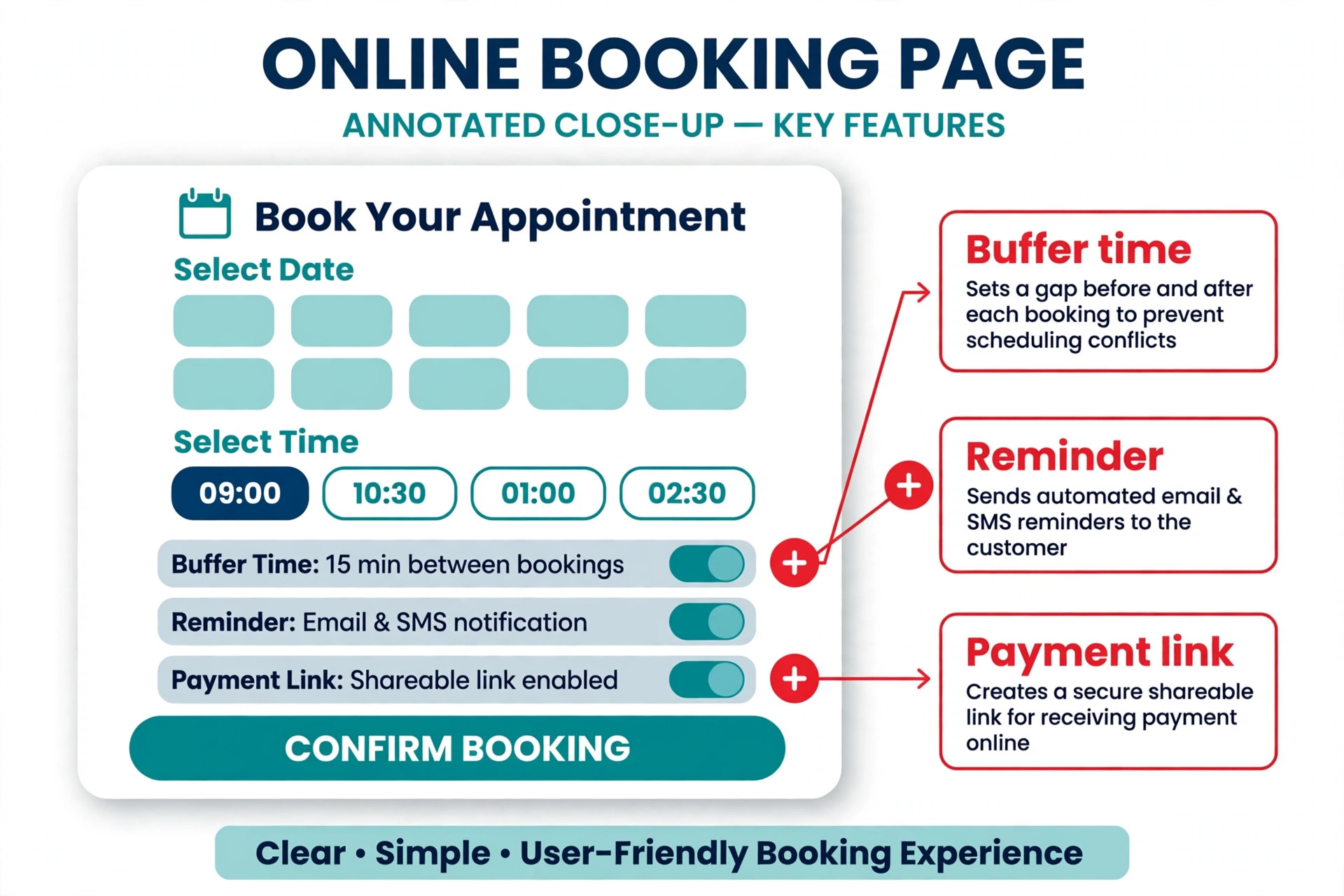
We scored each tool on the five jobs a small business needs done every day. Booking covers a booking page, two way calendar sync, time zone handling, buffer time between appointments, group booking and round robin routing for teams. Payments cover deposits, full prepayment, packages, gift certificates and card processing. Reminders cover email and text reminders, no show protection and cancellation rules. Intake covers custom forms, client notes and file uploads before the appointment. Team covers staff calendars, permissions, reporting and the price at one, four and ten staff.
We checked prices against vendor pricing pages and current 2026 roundups in November 2026. Prices change often, and several vendors show different prices by region or run short promotions, so confirm the price on the checkout page before you pay. Where a vendor publishes no price, we say so plainly instead of guessing.
The Best Pick for Each Job
| Job | Pick | Why it wins |
|---|---|---|
| One person booking meetings | Calendly | Simplest booking link, deepest calendar and CRM links |
| A service business that takes payments | Acuity Scheduling | Intake forms, packages and deposits in one flow |
| A shop that takes cards in person | Square Appointments | Free plan per location with payments built in |
| A small team that wants to pay nothing | Setmore | Free plan covers four users |
| The lowest cost per user | Zoho Bookings | 6 dollars per user a month billed annually |
| A team that wants open source control | Cal.com | Free for individuals, self hosting available |
Use this table as a shortcut, then read the full section for the tool you are leaning toward. The best appointment scheduling software for small business depends on team size more than on features. The cheapest option at one person is rarely the cheapest at four, and the most expensive option is rarely the best choice when you only need one booking page.
The Best Appointment Scheduling Software for Small Business in 2026, Ranked
The 10 tools below fall into three groups. The first group is meeting schedulers, built for consultants, coaches and sales teams who book calls. The second group is service schedulers, built for salons, clinics, tutors and studios that sell appointments as the product. The third group is booking platforms with a point of sale, built for shops that take payment at the counter as well as online.
1. Calendly
Calendly is the most recognized booking link in business, and for a consultant or a sales team that recognition is worth money. A client who has booked through Calendly before trusts the page, picks a time, and the meeting lands in both calendars with a video link attached. Time zones are handled automatically, buffers stop back to back meetings, and the link works with Google Calendar, Outlook, Zoom, Teams, Stripe, PayPal, HubSpot and Salesforce.
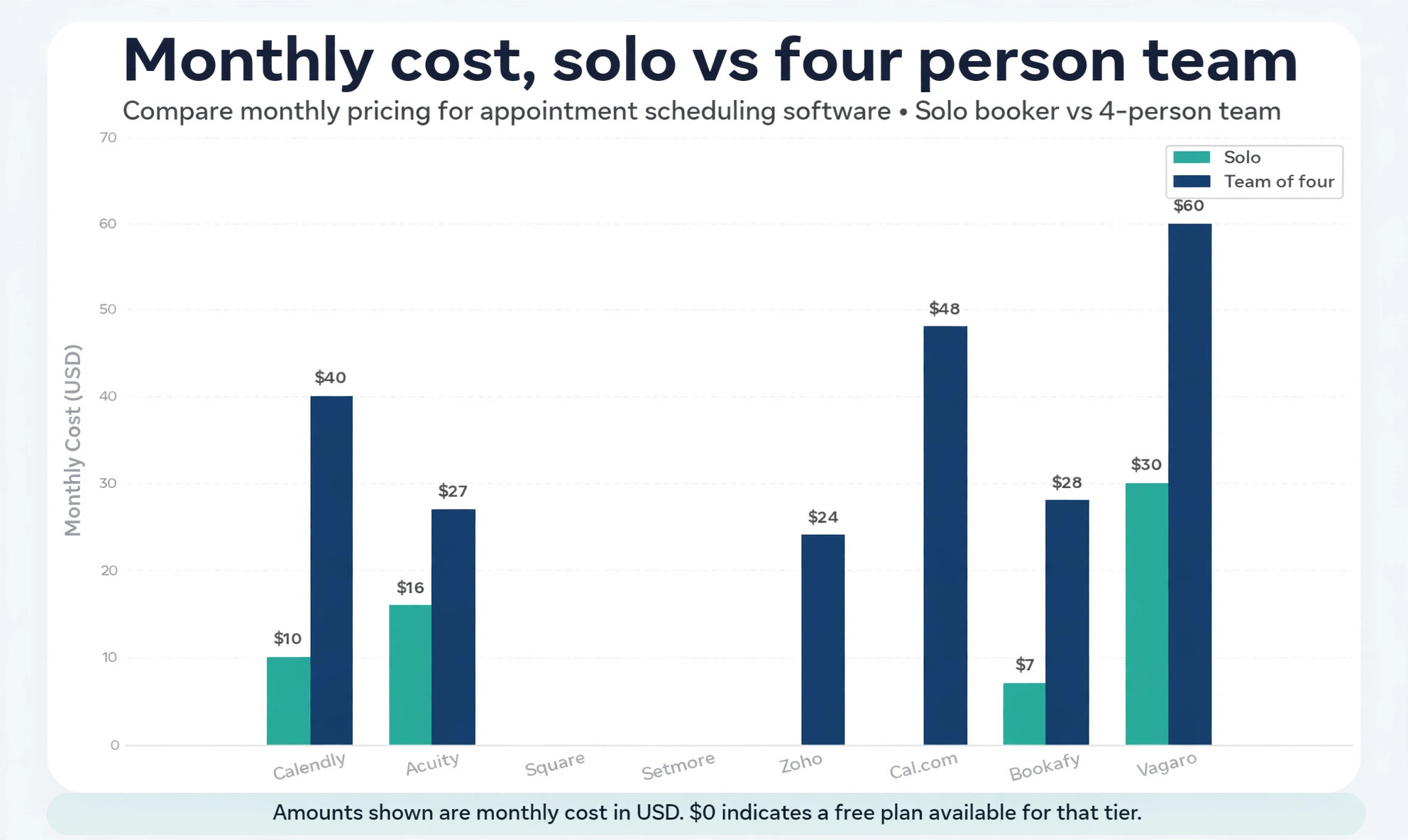
Pricing is per seat. The free plan covers one event type with unlimited one on one meetings. The Standard plan costs 10 dollars per seat a month billed annually, or 12 dollars month to month, and adds unlimited event types, automated reminders, Stripe and PayPal payments, and video links. The Teams plan costs 16 dollars per seat a month billed annually, or 20 dollars month to month, and adds round robin routing, collective scheduling, routing forms and team reporting. One person pays 10 dollars a month on Standard. Four people pay 40 dollars a month.
The trade off is that Calendly is a meeting scheduler, not a service scheduler. It has no packages, no memberships, no gift certificates, no class capacity and no intake forms as deep as Acuity. Six hosts on Standard cost 720 dollars a year against 324 dollars a year for one Acuity Standard account, so a service team with several staff pays far more here. Use Calendly when the appointment is a meeting. Use a service scheduler when the appointment is the product.
2. Acuity Scheduling
Acuity Scheduling, owned by Squarespace, is built for businesses where appointments are the product. It supports intake forms, packages, memberships, gift certificates, deposits and payments through Stripe, Square or PayPal, all in the booking flow. A wellness clinic can take a client history form and a deposit in one step. A tutor can sell a package of ten sessions and let clients book against it. A coach can sell a membership and let members book weekly.
Pricing is per account, by calendars. There is no free plan, only a seven day trial. The Starter plan costs 16 dollars a month billed annually, or 20 dollars month to month. The Standard plan costs 27 dollars a month billed annually, or 34 dollars month to month, and covers up to six calendars with text reminders and packages. The Premium plan costs 49 dollars a month billed annually, or 61 dollars month to month, and adds HIPAA compliance and AI features. One person pays 16 dollars a month on Starter. Four people share one Standard account at 27 dollars a month.
The trade off is setup time and the missing free plan. Acuity takes longer to configure than Calendly, because the intake forms, packages and payment rules need real thought. Text reminders and packages start on Standard, so the cheapest plan is thinner than it looks. The payoff is that a small service team gets a complete booking and payment flow for the price of one Calendly seat, and that gap grows with every extra staff member.
3. Square Appointments
Square Appointments combines online booking with Square point of sale and payment processing, and it is the best free plan in this guide for a business that takes card payments in person. Clients book online, the shop takes payment at the appointment or upfront, and no show protection, deposits and prepayment keep the book full. The customer record, the payment record and the booking record live in one place, so the front desk never retypes a name.
Pricing is per location. The Free plan costs nothing per location and covers unlimited appointments, a booking site, reminders and staff calendars. The Plus plan costs 49 dollars a month per location and adds up to five staff calendars, prepayment, deposit collection, no show protection and commission tracking. The Premium plan costs 149 dollars a month per location. In person card processing costs 2.6 percent plus 15 cents on Free, and online payments cost 3.3 percent plus 30 cents. One person pays nothing on Free. Four people at one location still pay nothing on Free, or 49 dollars on Plus.
The trade off is that you marry the Square payment stack. A business that processes cards elsewhere will find the integration less useful, and the free plan has no no show protection, so deposits sit behind the paid plan. Use Square when the appointment ends at a counter with a card reader.
4. Setmore
Setmore is the best free plan for a small team, and the hardest tool on this list to beat on price. The free plan covers up to four users with unlimited appointments and payments, which is enough for a small salon, clinic or tutoring team to run without paying anything. The booking page is clean, the apps cover Android, iOS, macOS and Windows, and payments run through Stripe, Square or PayPal.
Pricing is per user. The Pro plan costs 5 dollars per user a month billed annually, or about 7 dollars month to month, and adds text reminders, recurring appointments and deeper reporting. One person pays nothing on Free. Four people pay nothing on Free, or 20 dollars a month on Pro. That is half the price of Calendly Standard for the same four people, and a third of the price of Cal.com Teams.
The trade off is depth. Setmore has thinner logic and reporting than Acuity or Calendly, and its intake forms and packages are simpler. A business with complex rules, multiple locations or heavy reporting needs will outgrow it. A small team that wants online booking, reminders and payments without a monthly bill will find the free plan covers the job and the Pro plan is cheap when the team needs more.
5. Zoho Bookings
Zoho Bookings is the low cost per user rival, and the obvious pick for a business already running Zoho. The free plan covers one user with online meetings, notification emails and two way calendar sync. The Basic plan costs 6 dollars per user a month billed annually, or 8 dollars month to month. The Premium plan costs 9 dollars per user a month billed annually, or 12 dollars month to month, and adds more integrations and workflow rules. Zoho One customers get the Premium plan included, which makes the real price zero for many Zoho shops.
One person pays 6 dollars a month on Basic. Four people pay 24 dollars a month. That is cheaper than Calendly Standard at 40 dollars and Cal.com Teams at 48 dollars for the same four people, and the feature list is close. Booking pages, payments, reminders and calendar sync are all included, and the integration with Zoho CRM, Zoho Desk and Zoho Mail is deep for a business that lives in that suite.
The trade off is that the value depends on the suite. A business that does not use Zoho will find the integrations less useful and the interface less polished than Calendly. Support and documentation are thinner than the bigger rivals. Use Zoho Bookings when the business already runs Zoho, and judge it on its own merits when it does not.
6. Cal.com
Cal.com is the open source option, and the pick for a technical team that wants control over its scheduling. The cloud product covers booking pages, two way calendar sync, round robin routing, collective scheduling, payments and integrations with Zoom, Teams and major CRMs. The community edition can be self hosted for free, which means a business with its own server pays nothing for the software itself and keeps its booking data on its own systems.
Pricing is per seat on the cloud plans. The free plan covers one user with unlimited bookings. The Teams plan costs 12 dollars per seat a month billed annually, or 15 dollars month to month, and adds team scheduling, routing and admin controls. The Organizations plan costs 28 dollars per seat a month billed annually and adds HIPAA, single sign on and user provisioning. One person pays nothing on Free. Four people pay 48 dollars a month on Teams.
The trade off is that Cal.com is a platform to build on, not a finished product for a non technical team. Setup, branding and workflow configuration take more work than Calendly, and support is thinner. A salon or clinic that wants to set up booking in an afternoon should pick Setmore or Acuity instead.
7. SimplyBook.me
SimplyBook.me is the pick for unusual requirements and long feature checklists. It has one of the longest add on lists in the category, covering classes, memberships, gift cards, coupons, loyalty points, a point of sale, intake forms, video meetings and multi location booking. A business with a requirement no other tool covers, a class timetable plus a membership plus a deposit, will often find it here.
Pricing is by bookings and providers, not by people. The free plan covers 50 bookings a month and one provider. The Basic plan costs 11.90 dollars a month billed annually for 100 bookings and five providers. The Standard plan costs 24.90 dollars a month billed annually for 500 bookings and 15 providers. The Premium plan costs 49.90 dollars a month billed annually for 2,000 bookings and 30 providers. A quiet business pays 11.90 dollars. A busy month costs more, because the price follows booking volume.
The trade off is that busy months cost more, and the interface carries the weight of all those features. A business with simple needs will find the setup noisy and the add on list distracting. A business with complex needs will find the flat price by bookings cheaper than per seat pricing once the team grows, because five providers on Basic cost 11.90 dollars against 50 dollars for five Calendly seats.
8. Vagaro
Vagaro is the all in one platform for salons, spas and fitness businesses that want booking, point of sale, marketing and payments in one place. It covers online booking, staff calendars, client records, memberships, packages, gift certificates, text and email marketing, and its own payment processing with card readers, a QR scanner and a receipt printer. A salon that wants one system for the whole front of house will find Vagaro complete.
Pricing is per calendar. The base price is 30 dollars a month for one bookable calendar, or 23.99 dollars a month for the first six months on a limited time rate, plus 10 dollars for each additional calendar up to seven, after which more calendars cost nothing extra. One person pays 30 dollars a month. Four people pay 60 dollars a month, which is 30 dollars plus three extra calendars. There is no free plan, only a 30 day trial.
The trade off is weight and the missing free plan. Vagaro is a heavy platform with classes, memberships and fitness features a small service business may never use, and setup takes longer than Setmore or Calendly. Clients must create an account to book, which adds friction.
9. Bookafy
Bookafy is the pick for a small team with services of different lengths. Many schedulers handle a 30 minute meeting well and a 90 minute service badly, because the buffer, the preparation time and the room booking differ by service. Bookafy lets each service carry its own duration, buffer, price and staff rule, so a clinic with 15 minute follow ups and 90 minute first visits can run both on one booking page without workarounds.
Pricing is per user. The free plan covers one user. The Pro plan costs 7 dollars per user a month billed annually, and the Pro Plus plan costs 11 dollars per user a month billed annually. One person pays 7 dollars a month on Pro. Four people pay 28 dollars a month. That is cheaper than Calendly Standard and Cal.com Teams for the same four people, and the service length handling is better than either.
The trade off is the smaller ecosystem. Bookafy has no mobile app, no class packs, no resources and no waitlists, and its integrations are thinner than Calendly or Acuity. A business that needs a mobile app for staff or a waitlist for popular slots will miss those features. A small team that needs different service lengths handled properly will find Bookafy does that one job better than the bigger tools.
10. YouCanBookMe
YouCanBookMe is the quiet pick for a business that wants a booking page, a calendar connection and nothing else. It has a free forever plan with one calendar connection and one booking page, and paid plans from 8.10 dollars a month billed annually per user. The setup takes minutes, the booking page is clean, and the calendar sync is two way with Google Calendar and Outlook.
Pricing is per user. One person pays nothing on Free or 8.10 dollars a month on a paid plan. Four people pay about 32 dollars a month on paid plans. That sits between Zoho Bookings at 24 dollars and Calendly Standard at 40 dollars for the same four people. Payments, reminders and team booking are included on paid plans, and the interface stays simple because the feature list stays short.
The trade off is the short feature list. There are no packages, no memberships, no gift certificates and no point of sale, so a service business that sells packages will need a second tool for that job. A consultant, a coach or a tutor who books one on one sessions will find YouCanBookMe does the job with less noise than the bigger platforms. Use it when the booking page is the whole job.
How to Choose the Best Appointment Scheduling Software for Small Business
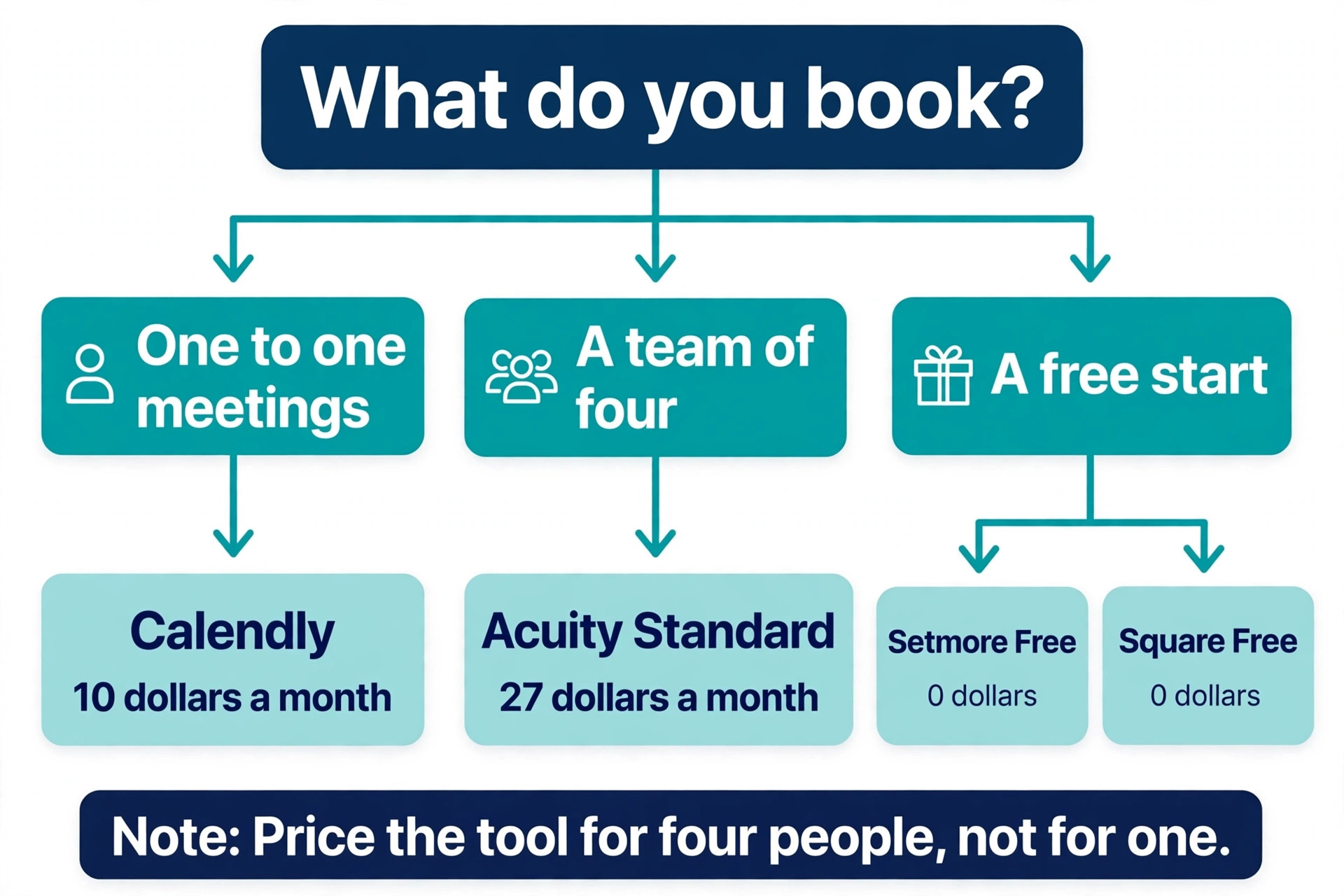
Start with the kind of appointment you book. A meeting needs a booking link, a video link and a calendar invite, which points to Calendly, Cal.com or YouCanBookMe. A service needs staff, durations, deposits and intake forms, which points to Acuity, Setmore or Vagaro. A shop that takes payment at a counter needs a point of sale, which points to Square. Write down the appointment type before you compare features, because it removes half the list in one step.
Next, price the tool at your team size. Multiply the per seat price by the number of people who host appointments, and compare that with the per account and per location prices. Four people on Calendly Standard cost 40 dollars a month. Four people on Acuity Standard cost 27 dollars a month. Four people on Setmore Free cost nothing. Four people on Square Free at one location cost nothing. The cheapest tool at one person is rarely the cheapest at four, and the gap grows with every hire.
Then check the two features that decide whether clients actually show up. The first is reminders, by text as well as email, because a text reminder cuts no shows far more than an email alone. The second is a deposit or a card on file, because a client who has paid a deposit almost always shows up. A tool that charges extra for text reminders or locks deposits behind a higher tier costs more than the subscription suggests. Acuity puts texts on Standard, Square puts deposits on Plus, and Setmore puts texts on Pro.
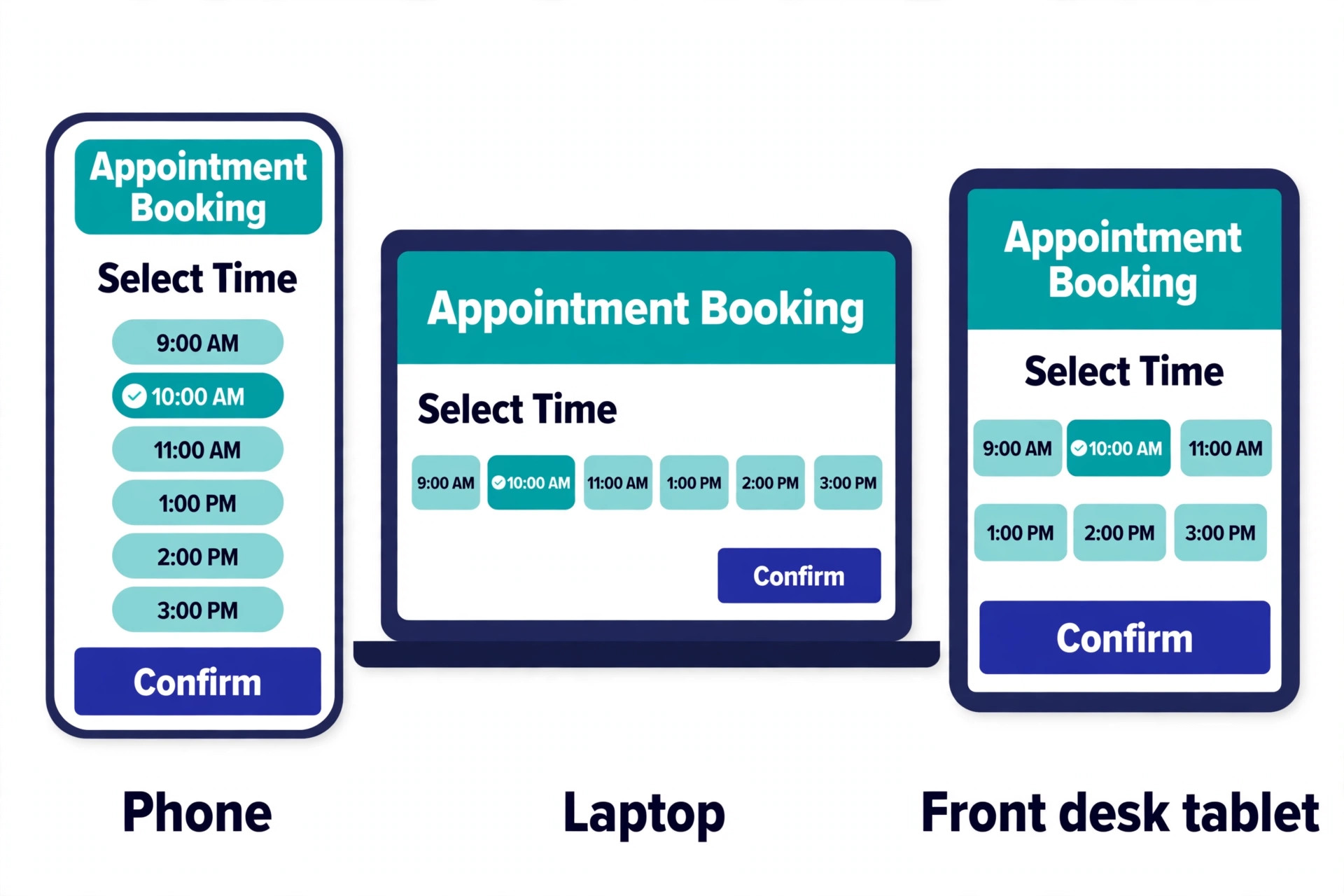
Finally, test the booking page as a client. Book an appointment on your own phone, from the link to the confirmation screen, and count the taps. A page that needs an account, a password and an email confirmation will lose clients who would have booked in two taps. Calendly, Square, Setmore and GlossGenius style booking pages all book without a client login on most plans. Vagaro needs an account. That difference can cost more clients in a month than the subscription saves.
Mistakes That Waste Money
The most common mistake is buying per seat pricing for a team that books services. A five person salon on Calendly Standard pays 50 dollars a month for a meeting scheduler that cannot sell a package, while the same team on Acuity Standard pays 27 dollars a month for a service scheduler that can. The per seat model suits consultants and sales teams, where each seat is a revenue earner with its own pipeline. It punishes service teams, where the booking account is shared and the staff count is high.
The second mistake is choosing a tool with no free plan before testing the booking flow. Acuity and Vagaro have no free plan, only a trial, so a business that signs up and finds the setup too heavy has spent the trial learning a tool it will not keep. Start with a free plan tool, Setmore, Calendly, Square or Zoho, run real bookings through it for two weeks, and move to a paid plan only when the free plan limits the business.
The third mistake is ignoring the reminder and deposit tier. A business that buys the cheapest plan and then discovers text reminders cost extra, or deposits need the next tier, ends up paying the higher price anyway, or runs without the two features that prevent no shows. Check which tier carries texts and deposits before you pay, and budget for that tier, not the entry tier.
- Write down the appointment type first, meeting, service or counter sale.
- Price the tool for four people, not for one, before you compare.
- Confirm text reminders and deposits are included at your tier.
- Test the booking page on your own phone as a client.
- Run real bookings on a free plan for two weeks before you pay.
Our Verdict
Calendly is the pick for most meeting based businesses among the best appointment scheduling software for small business, because the booking link is trusted, the calendar and CRM links are the deepest, and one person pays 10 dollars a month on Standard. Acuity is the pick for most service businesses, because one account at 27 dollars a month on Standard covers six calendars, intake forms, packages and deposits. Square is the pick for a shop that takes cards in person, because the free plan per location covers booking and payments with no subscription.
A small team that wants to pay nothing should start with Setmore Free, which covers four users, and move to Pro at 5 dollars per user a month when text reminders matter. A Zoho shop should use Zoho Bookings, because the price is 6 dollars per user a month and the Premium plan is included in Zoho One. A technical team should look at Cal.com, and a business with unusual requirements should look at SimplyBook.me. The right tool is the one whose pricing unit matches your team, whose booking flow your clients finish, and whose reminder and deposit features sit in the tier you actually buy.
Frequently Asked Questions
Which of the best appointment scheduling software for small business tools is cheapest for a team of four?
Setmore is the cheapest for a team of four, because the free plan covers four users with unlimited appointments, so the subscription costs nothing. Square Appointments Free is also free for four people at one location. Among paid plans, Zoho Bookings Basic costs 24 dollars a month for four people, Acuity Standard costs 27 dollars a month for up to six calendars, and Bookafy Pro costs 28 dollars a month. Calendly Standard costs 40 dollars a month for four seats, so it is the most expensive of the meeting schedulers at that size.
Does Calendly or Acuity take deposits?
Calendly takes payments through Stripe and PayPal on the Standard plan, so a consultant can charge for a session at booking, but it has no deposit and package flow built for services. Acuity takes deposits, full prepayment, packages, memberships and gift certificates through Stripe, Square or PayPal, and the deposit flow is built into the booking page. A service business that needs deposits should pick Acuity. A consultant who needs a simple paid session can use Calendly Standard.
Is there a free appointment scheduling tool for a small business?
Yes, several tools on this list have a genuinely useful free plan. Setmore Free covers four users with unlimited appointments. Square Appointments Free covers one location with unlimited appointments. Calendly Free covers one event type with unlimited one on one meetings. Zoho Bookings Free covers one user. Cal.com Free covers one user. YouCanBookMe Free covers one calendar and one booking page. The free plans differ on reminders and payments, so check those limits before you commit.
What is the difference between per seat and per account pricing?
Per seat pricing charges for every person who hosts appointments, so the bill grows with the team. Calendly, Cal.com, Zoho Bookings and Setmore Pro all charge per seat or per user. Per account pricing charges one price for the account, however many calendars it covers, so the bill stays flat as the team grows. Acuity charges per account by calendars, with six calendars on Standard. Per location pricing charges per shop, however many staff work there. Square charges per location, so ten staff at one shop cost the same as one.
Do I need text reminders or is email enough?
Text reminders cut no shows far more than email alone, because clients read texts within minutes and often miss emails entirely. A business with a high no show rate should treat text reminders as essential, not optional. Check which tier carries them before you pay, because Acuity puts texts on Standard, Square puts reminders on Free but deposits on Plus, and Setmore puts texts on Pro. Budget for the tier that includes texts, not the entry tier.
Should a salon use Calendly or a salon platform?
A salon should use a salon platform, not Calendly, because the appointment is a service with a staff member, a duration, a deposit and often a package or a membership. Calendly is built for meetings, with no packages, memberships, gift certificates or class capacity. Acuity, Vagaro, Square Appointments and Setmore all handle services, staff calendars and deposits. A salon that books through Calendly will manage packages and deposits outside the software, which defeats the purpose of buying it.
A booking page that works is a quiet employee. It takes the appointment while you cut hair, see a patient or run a class, it reminds the client, it holds the deposit, and it never forgets. The best appointment scheduling software for small business is the one your clients finish booking on, not the one with the longest feature list.