ElevenLabs sounds the most human. Murf runs the smoothest studio workflow. WellSaid keeps one brand voice consistent across a whole course library. Those three sentences settle most buying decisions among the best ai voiceover tools for creators, because voiceover tools win on three different things, and no single tool wins all three. This guide compares ten real tools on voice quality, voice cloning, languages, commercial licenses and price, with prices checked in October and November 2026, so you can match the tool to the work you actually publish.
Voiceover used to mean hiring an actor, booking a studio and waiting a week for a revision. AI voice tools changed the timeline to minutes, and the quality gap closed fast. The best voices now handle emotion, pacing and emphasis well enough that listeners often cannot tell they are synthetic, and dubbing tools can carry one voice across dozens of languages. The trade off is licensing. A free plan that sounds great is useless for a monetized channel when the license forbids commercial use, and a credit system that looks cheap can cost more than a flat plan once you publish weekly.
Two famous names are gone, and any list still quoting them is recycling stale copy. PlayHT shut down on December 31, 2025, after its team was acquired by Meta, and accounts, saved audio and voice clones were deleted with no export path. LOVO filed for Chapter 7 bankruptcy in May 2026, and its website is offline. If an old tutorial recommends either one, skip it and pick from the ten below, all of which are live and selling in November 2026.
The Best Pick for Each Job
| Job | Pick | Why it wins |
|---|---|---|
| Most natural voices and cloning | ElevenLabs | Expressive voices, cloning, dubbing |
| Best studio workflow for video | Murf | Timeline editor, music, slide sync |
| Most consistent brand voice | WellSaid | Curated English voices, steady tone |
| Cheapest voiceovers with a license | Speechify Studio | 100 dollars a year, commercial rights |
| Best for podcast and video editing | Descript | Edit audio by editing the transcript |
| Best script to video workflow | Fliki | Voice plus scenes in one tool |
| Best narration plus dubbing | HeyGen | Voice inside the finished video |
| Best real time voice API | Cartesia | 5 dollars a month, low latency |
| Cheapest occasional use | Narakeet | 6 dollar credit packs, no subscription |
| Best free voiceover | CapCut | Text to speech free inside the editor |
Use this table as a shortcut, then read the full section for the tool you are leaning toward. The right pick depends on your format, because a YouTuber, a course creator and a podcaster need different things from the same technology.
The Best AI Voiceover Tools for Creators in 2026, Ranked
The ten tools below fall into three groups. The first group is pure voice generation, and these are the strongest picks for narration quality. The second group is studio tools that put voiceover inside a video or course workflow. The third group is specialist tools for APIs, occasional use and free production.
1. ElevenLabs
ElevenLabs is the benchmark every other voice tool is judged against, and it sets the quality bar for lifelike AI voices. Its voices handle emotion, pacing and emphasis well enough that listeners often cannot tell they are synthetic, and the library spans dozens of languages. The September 2026 launch of the Eleven v4 model added more than 90 languages and faster generation, which makes it the strongest choice for multilingual projects and dubbing.
The free plan gives 10,000 credits a month for testing, but it carries no commercial license and requires attribution, so it is not usable for a monetized channel. Starter costs 6 dollars a month and adds 30,000 credits, a commercial license and instant voice cloning. Creator costs 22 dollars a month with 121,000 credits and professional voice cloning, and Pro costs 99 dollars a month for 600,000 credits. Text to speech costs one credit per character on standard models. Choose ElevenLabs when voice realism matters most, and when you want cloning and dubbing in the same account.
2. Murf
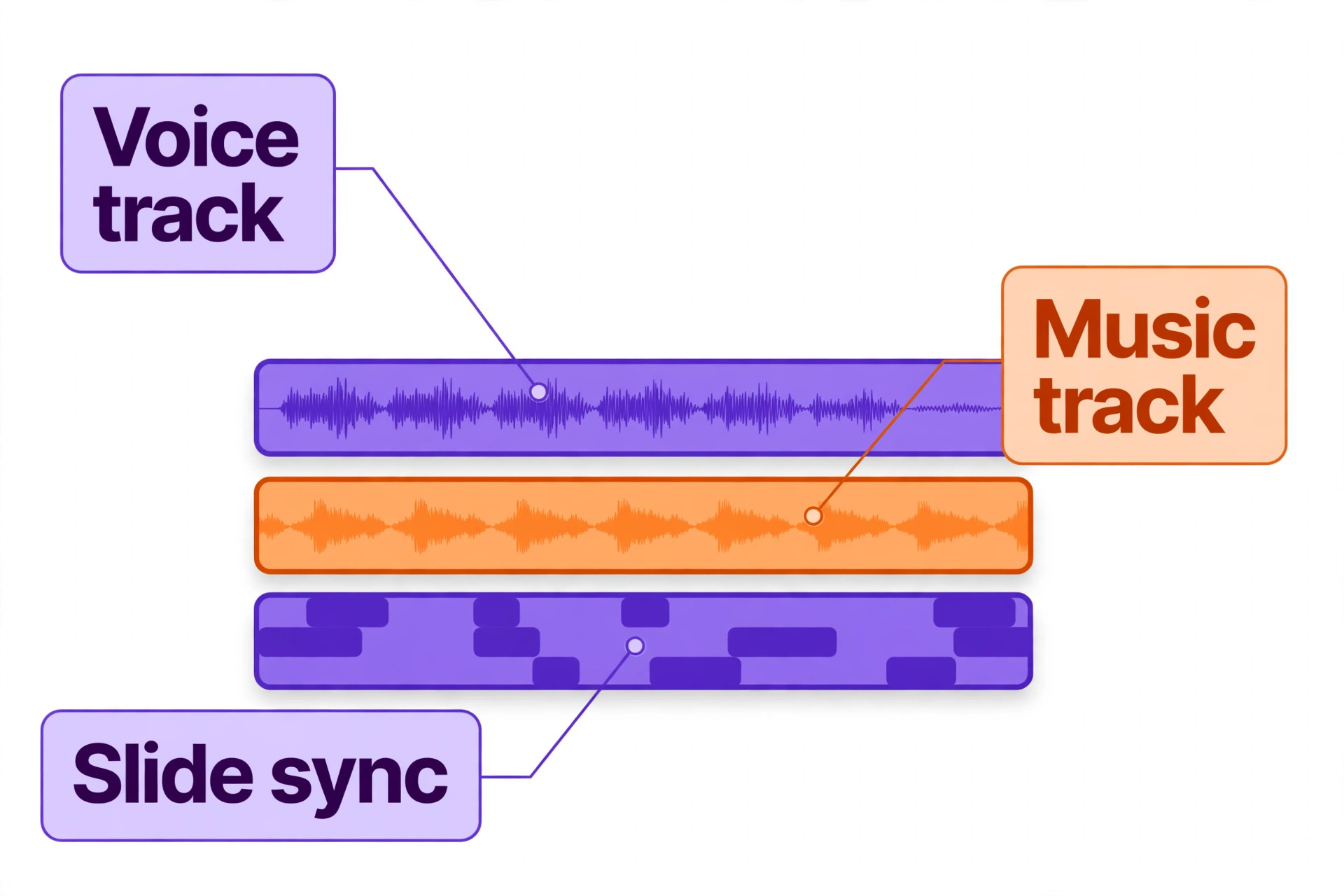
Murf is built for production teams making videos, courses and presentations. The visual studio arranges voiceover on a timeline, layers background music, and syncs narration to slides, which makes it the smoothest workflow on this list for anyone producing training content. The voices are polished and consistent, with emphasis controls that let you stress the right word in a sentence, and the minute based billing makes costs predictable.
The free plan offers about 10 minutes a month with no commercial downloads. Creator costs 19 dollars a month on annual billing, or 29 dollars month to month, with roughly two hours of generation. Business costs 66 dollars a month on annual billing. Voice cloning is an Enterprise add on, which is the main limitation next to ElevenLabs. Choose Murf when your workflow is video first and you need a studio, not just a voice.
3. WellSaid
WellSaid focuses on polished, consistent English narration for e-learning and corporate training. The voice library is curated rather than huge, and every voice is recorded to a professional standard, so a course module recorded in January sounds the same as one recorded in June. That consistency is the reason training teams pick WellSaid over tools with more voices but more variation.
The free trial gives 3 download minutes a month with no commercial rights. Starter costs 10 dollars a month on annual billing, or 19 dollars month to month, for 240 downloaded minutes a year. Paid plans carry full commercial rights, and custom brand voices are available on Enterprise plans. Choose WellSaid when your brand needs one steady voice across a whole library, and you work in English.
4. Speechify Studio
Speechify Studio is the cheapest route to licensed voiceovers on this list. Studio Starter costs 100 dollars a year for 86,400 credits and adds commercial rights, and Studio Creator costs 300 dollars a year for 345,600 credits. The studio covers voiceovers, dubbing and voice changing, with more than 1,000 voices. It is a separate product from the Speechify reader app, which costs 29 dollars a month or 139 dollars a year and is built for listening to documents rather than producing audio.
The free tier offers 600 credits but no commercial usage rights, so treat it as a test drive. Choose Speechify Studio when you publish voiceovers regularly and you want the lowest annual bill with a proper license. Do not confuse it with the reader app, which solves a different problem.
5. Descript
Descript is not a pure voice tool. It is an editor where you change a video or a podcast by editing its transcript, and its AI Speech feature lets you clone your own voice and fix a misspoken word by typing the correction. That workflow is the reason solo creators love it, because a retake becomes a typing job instead of a recording session. It also handles transcription, filler word removal and studio sound in the same project.
The free plan includes 60 media minutes a month at 720p. Hobbyist costs 16 dollars a month on annual billing, or 24 dollars month to month, with 10 media hours, 400 AI credits and custom voice clones. Choose Descript when you edit your own videos or podcasts and you want a voice clone inside the editor, rather than a separate voiceover tool.
6. Fliki
Fliki skips the voiceover step entirely and goes straight to video. You paste a script, pick a voice, and Fliki builds scenes, images and narration into a finished video, which makes it the fastest path from an idea to a published faceless video. The voice quality is solid rather than outstanding, and the workflow suits creators who publish volume, such as news explainers, list videos and social clips.
The free plan gives 3 credits a month at 720p with a watermark. Standard costs 16.80 dollars a month on annual billing, or 28 dollars month to month, with 180 credits a month and commercial rights. API access starts on the Premium plan. Choose Fliki when the finished video is the product and the voice is one ingredient, not the whole job.
7. HeyGen
HeyGen is the best pick when the voice lives inside a finished video, because it narrates, clones your voice and dubs the whole video into more than 177 languages. For a YouTube channel going international, that combination is hard to beat, and it scored the highest in a recent priced comparison of narration tools for four ten minute videos a month. The voice quality is strong, and the avatar features let you present without a camera.
Creator costs 24 dollars a month on annual billing, or 288 dollars a year, and the free plan covers one to three videos a month. Voice only access through the API is available from about 19 dollars a year. Choose HeyGen when you make videos for an international audience and you want narration, cloning and dubbing in one subscription.
8. Cartesia
Cartesia is the best real time voice API on this list, built for developers and creators building voice features that talk back. The voices are low latency, the API is clean, and the commercial license starts from 5 dollars a month. It is not a studio, so there is no timeline editor or course workflow, and a creator who only needs narration files should look elsewhere.
The free tier includes 20,000 credits a month for testing. Choose Cartesia when you are building a voice agent, a real time app or an interactive feature, and you need API pricing that stays low at volume.
9. Narakeet
Narakeet is the cheapest route for occasional paid use, because it sells one off credit packs instead of a subscription. A 6 dollar pack buys enough credits for a short project, and there is no monthly bill when you are not publishing. The voice library is large, the output is clean, and the tool suits creators who need a voiceover a few times a year rather than every week.
There is no free plan with commercial rights, so test with the smallest pack before a real project. Choose Narakeet when your voiceover needs are irregular and a subscription would sit unused for months at a time.
10. CapCut
CapCut is the best free voiceover option, because text to speech is free inside the editor, with no subscription and no credit system. It suits short form creators who edit in CapCut already, and the voices are good enough for social clips, explainers and product videos. The limitation is depth. There is no voice cloning, no dubbing workflow and no studio grade control over emphasis and pacing.
The tool is free, with paid Pro features for other editing jobs. Choose CapCut when you make short videos, you edit in CapCut, and you want a voiceover without opening another app or paying another bill.
What Four Videos a Month Actually Cost
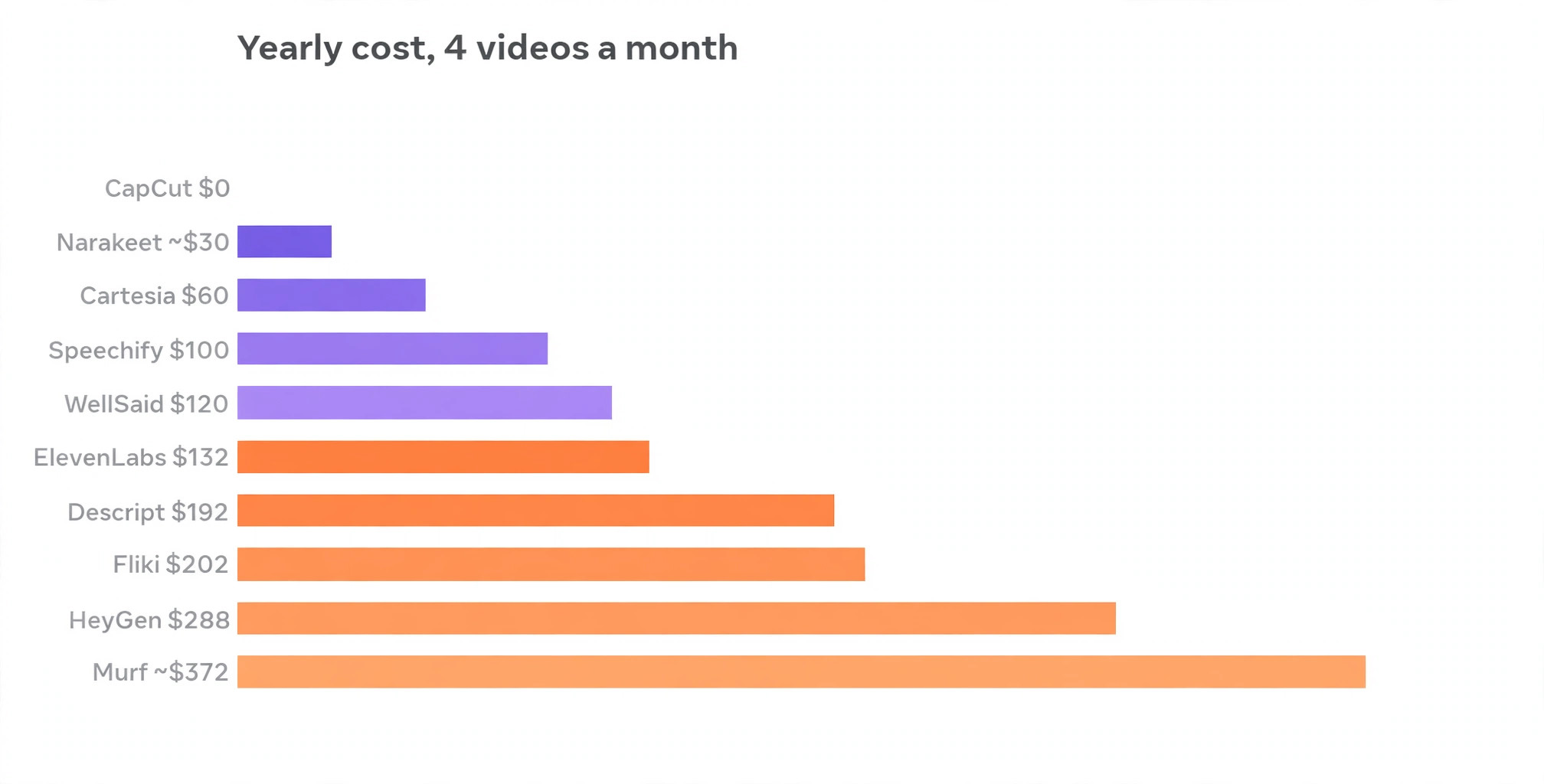
The table below prices each tool for one realistic creator job, which is four ten minute narrated videos a month with monetization rights, about 40 minutes or 40,000 characters of audio. Prices use published pages checked in October and November 2026, and annual billing where the vendor shows it.
| Tool | Plan for this job | Yearly cost |
|---|---|---|
| CapCut | Free text to speech | 0 dollars |
| Narakeet | Credit packs as needed | About 30 dollars |
| Cartesia | 5 dollars a month plan | 60 dollars |
| Speechify Studio | Starter, 100 dollars a year | 100 dollars |
| ElevenLabs | Creator, 11 dollars a month billed yearly | 132 dollars |
| WellSaid | Starter, 10 dollars a month billed yearly | 120 dollars |
| Descript | Hobbyist, 16 dollars a month billed yearly | 192 dollars |
| Fliki | Standard, 16.80 dollars a month billed yearly | 202 dollars |
| HeyGen | Creator, 24 dollars a month billed yearly | 288 dollars |
| Murf | Creator, about 31 dollars a month billed yearly | About 372 dollars |
Two lessons hide in this table. First, the cheapest tool is not the best value when the voice quality is the product, because a listener who leaves in the first minute costs more than the saving. Second, the pricing unit decides the bill. ElevenLabs charges per character, Murf charges per generation minute, WellSaid charges per downloaded minute, and Fliki charges per credit. Before you commit, price your own monthly volume in the unit that tool uses, because a plan that looks cheap at ten minutes can turn expensive at forty.
Voice Cloning, Dubbing and Languages Explained
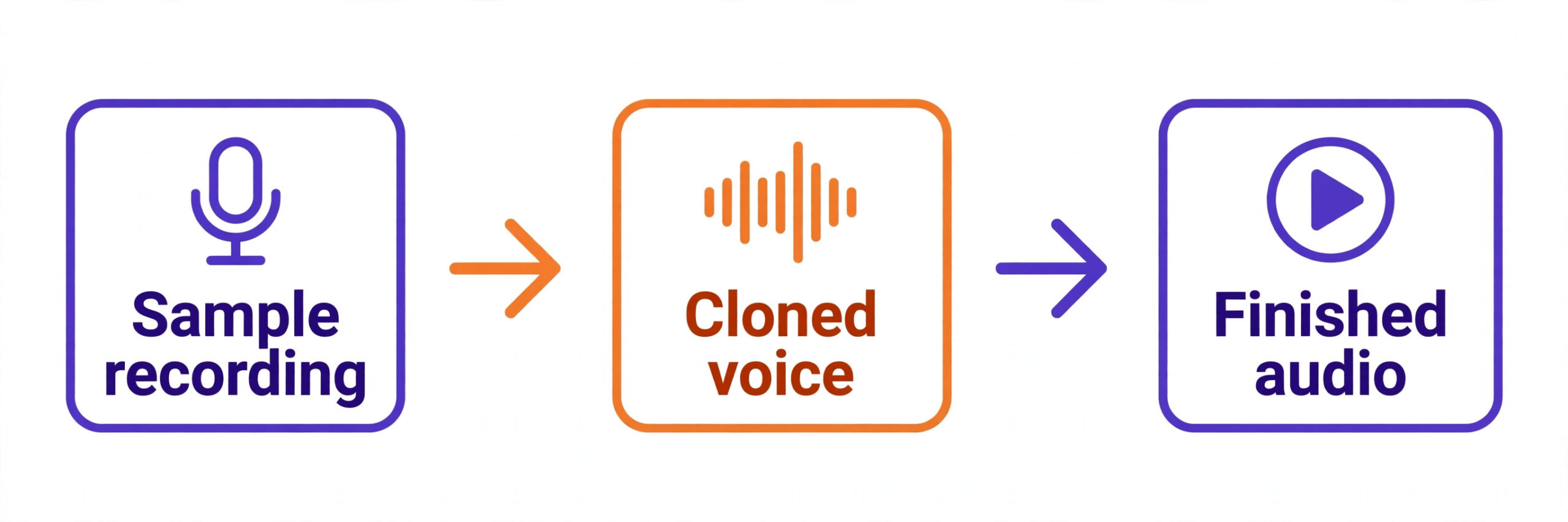
Voice cloning is the feature that separates the best ai voiceover tools for creators from simple text to speech, and it is also the feature most buyers misunderstand. Cloning starts with a sample recording of a voice, usually one to three minutes of clean speech. The tool studies the tone, pace and character of that voice, then builds a model that can read any script in the same voice.
ElevenLabs does this best on a small budget, with instant cloning on the Starter plan and professional cloning on Creator. Descript clones the creator own voice inside the editor, which suits podcasters who want to fix a sentence without re-recording. HeyGen clones a voice for narration and dubbing together, so one recording can carry a video into another language.
Cloning only works with consent. Only clone your own voice, or a voice you have written permission to clone, and keep that permission in writing. Several tools now ask for a consent recording before they will build a clone, and that step protects both the creator and the person whose voice is being copied. A cloned voice used without permission can create legal trouble that no monthly saving is worth, and the rules are tightening every year.
Dubbing is the second feature worth understanding. A dubbing tool does not just translate the words. It translates the script, generates the voice in the new language, and times the result to the original video, so the lips and the audio stay close. ElevenLabs and HeyGen lead here, with HeyGen covering more than 177 languages and ElevenLabs covering more than 90 with its v4 model. A channel that dubs into Spanish, Hindi and Portuguese can reach an audience several times larger than the English original, and the cost of dubbing is a fraction of hiring actors in each language.
Languages matter even without dubbing. A creator publishing in one language should still check how the tool handles names, numbers and technical terms in that language, because a voice that mispronounces the product name in every video will cost listeners. Test the tool on a real script in your language before you pay, and listen for the words your audience will notice first.
How to Choose the Best AI Voiceover Tools for Creators
Start with the license, because it decides whether you can publish at all. A free plan with no commercial rights is a test drive, not a production tool. ElevenLabs, Murf, WellSaid and Speechify Studio all require a paid plan for commercial use, and CapCut is the only tool on this list with free text to speech you can publish. Read the license for the plan you will actually buy, not the free tier, and confirm it covers monetized video, ads and client work if any of those apply.
Next, test the voice on your own script. Every tool sounds good on its demo page, because the demo script was written for that voice. Paste 200 words of your own script, with your own names, numbers and technical terms, and listen for mispronounced words, flat emotion and awkward pauses. A voice that handles your content well is worth more than a voice that sounds great on someone else script.
Then check the pricing unit against your volume. A creator publishing four videos a month needs a different plan from a creator publishing four videos a week. Credit systems punish long scripts, minute systems punish retakes, and flat plans reward volume. Run your last month of scripts through the pricing page of your top two tools and compare the real numbers.
Finally, check the workflow. A YouTuber who edits in Descript should not buy a separate voice tool. A course creator who needs one steady voice should not buy a tool with 1,000 voices and no consistency. A developer building a voice agent should not buy a studio. Match the tool to the format, and the choice becomes obvious.
How to Write Scripts for AI Voices
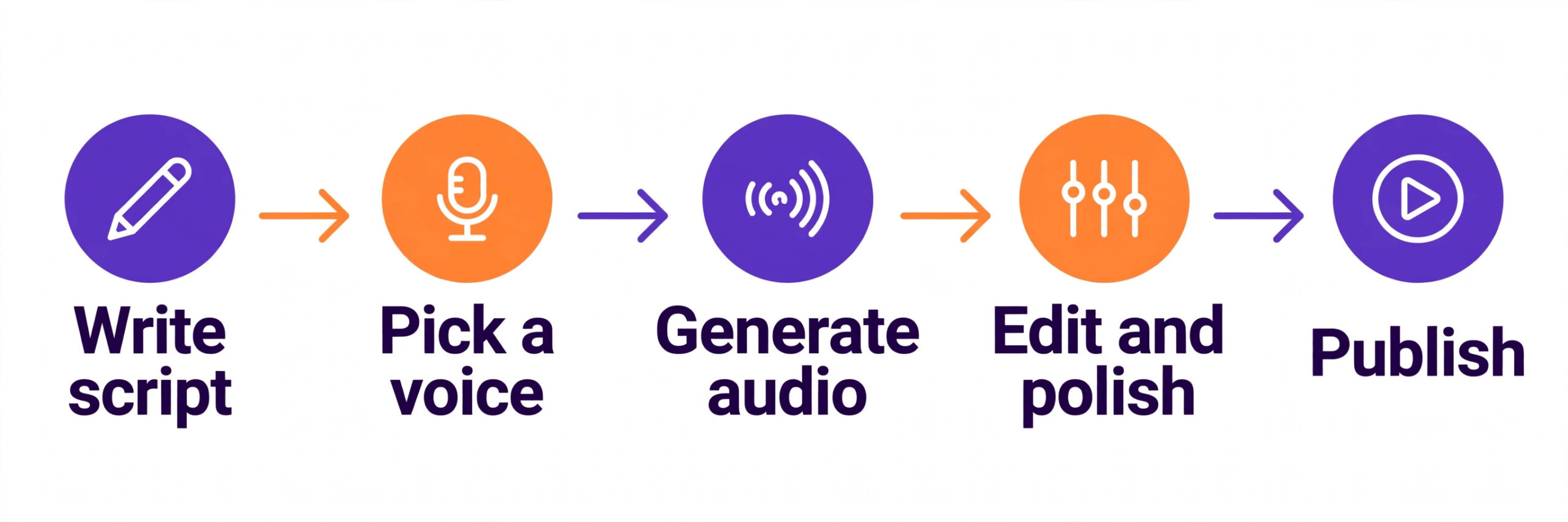
The voice is only half the result. The script decides whether the best ai voiceover tools for creators sound human or mechanical, because the model reads the punctuation you give it. Write short sentences, with one idea per sentence, and put a comma where you want a pause. A 40 word sentence with no punctuation will sound flat on every tool, while the same idea split into three short sentences will sound natural.
Read the script aloud before you generate the audio. If you stumble on a sentence, the voice will stumble too. Replace jargon with plain words where the audience does not need the technical term, and spell out numbers the way you want them heard. Write 2026 as twenty twenty six when the voice should say it that way, and write 10 dollars as ten dollars when the spoken form matters more than the written form.
Mark the emphasis yourself. Most studio tools let you stress a word or add a pause, and a single emphasized word can change the meaning of a sentence. Use that control on the words that carry the point, such as the price, the deadline or the warning. A script written for the ear, with short sentences and clear emphasis, is the cheapest upgrade any creator can make, because it costs nothing and it improves every tool on this list.
Mistakes That Waste Money
The most common mistake is paying for a subscription you barely use. A creator who publishes one voiceover a month does not need a 22 dollar monthly plan. Narakeet credit packs or the CapCut free tool cover that job for a few dollars, and the saving over a year buys a better microphone for the recordings you do make yourself.
The second mistake is trusting the free plan license. Creators have had videos claimed or taken down because the voice was generated on a free tier with no commercial rights. The fix is simple. Never publish audio from a free plan unless the license page says commercial use is allowed, and keep a screenshot of the license terms for the plan you bought.
The third mistake is cloning a voice without consent. Voice cloning is powerful, and it is also the feature most likely to create legal trouble. Only clone your own voice, or a voice you have written permission to clone, and keep the permission in writing. Several tools now require a consent recording before they will clone, and that is a feature, not a friction.
The fourth mistake is buying for voice count instead of voice fit. A library of 1,000 voices is useless when none of them fits your brand, and a library of 50 curated voices is plenty when one of them is right. Shortlist two voices per tool, test them on your script, and pick the tool whose best voice fits your content.
Our Verdict
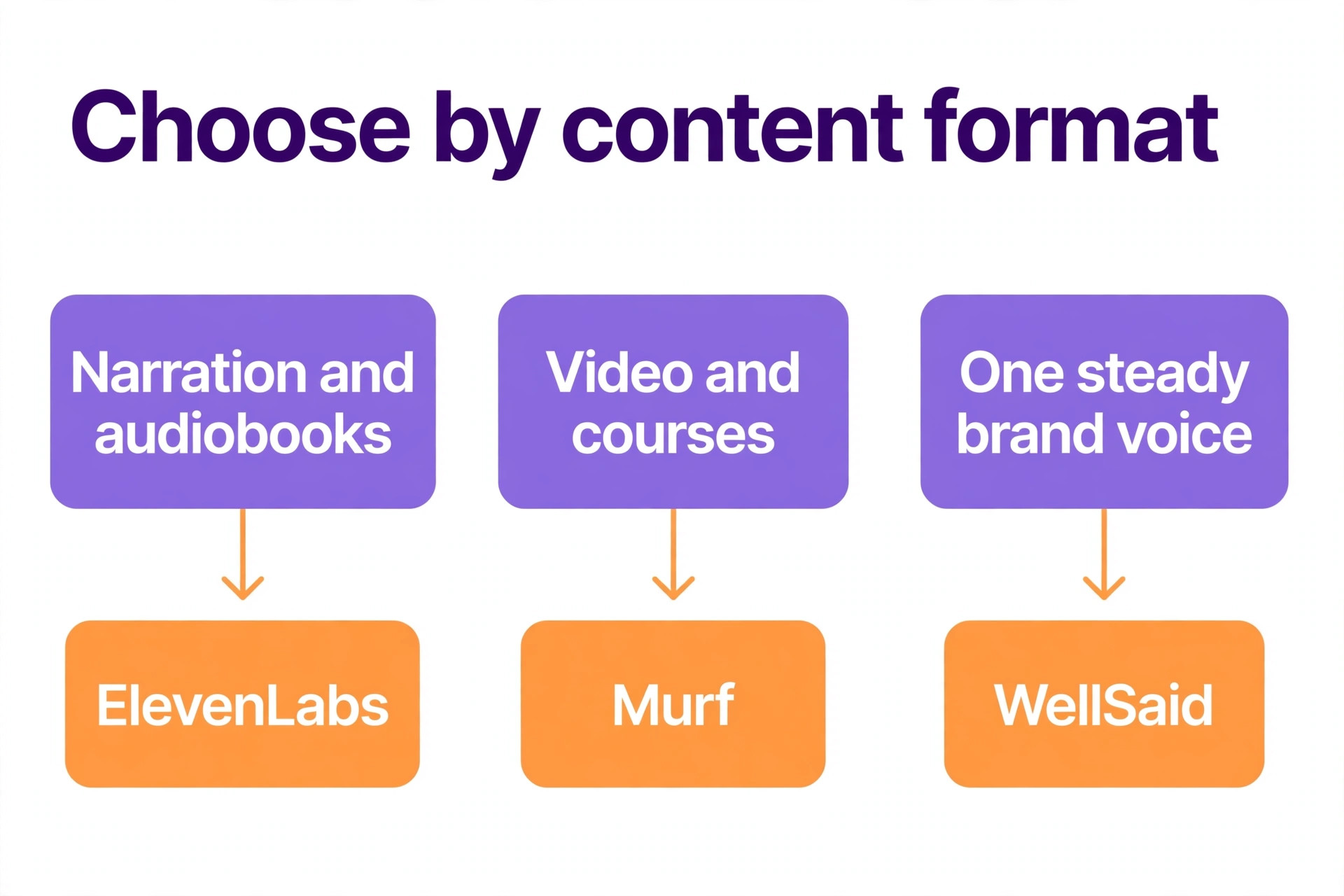
ElevenLabs is the pick for most creators among the best ai voiceover tools for creators, because the voices are the most expressive, the cloning is self serve, and the Creator plan at 22 dollars a month covers a serious publishing schedule. Murf is the pick when the studio workflow matters more than raw voice realism, and WellSaid is the pick when one consistent English voice must carry a whole course library.
Speechify Studio is the pick when the annual bill is the deciding factor, and CapCut is the pick when the budget is zero and the videos are short. Test two tools on your own script before you pay, check the license on the plan you will buy, and price your real monthly volume. The best voice is the one your audience keeps listening to, right through to the final word.
Frequently Asked Questions
Which of the best ai voiceover tools for creators is the cheapest?
CapCut is the cheapest, because its text to speech is free inside the editor. Among paid tools with a commercial license, Speechify Studio Starter at 100 dollars a year is the lowest annual bill, followed by WellSaid Starter at 120 dollars a year and ElevenLabs Creator at 132 dollars a year on annual billing. Narakeet is the cheapest for occasional use, because a 6 dollar credit pack covers a short project with no subscription.
Can I use AI voiceovers in monetized YouTube videos?
Yes, when the plan you bought includes commercial rights. ElevenLabs, Murf, WellSaid, Speechify Studio, Fliki and HeyGen all grant commercial rights on paid plans. Free plans usually do not, so never publish audio from a free tier unless the license page says commercial use is allowed. Keep a record of the plan and the license terms, because a dispute is much easier to resolve with proof, and a monetized channel is worth protecting properly.
Is ElevenLabs better than Murf for creators?
ElevenLabs is better for raw voice realism, voice cloning and multilingual dubbing, and it is the stronger pick for narration, audiobooks and character work. Murf is better for the studio workflow, because the timeline editor, music layering and slide sync suit video and course production. Creators who publish courses usually pick Murf, creators who publish narration usually pick ElevenLabs, and many teams use both for different jobs.
Do AI voiceover tools sound robotic?
The best ones no longer do, on the right script. ElevenLabs, Murf and WellSaid all produce voices that handle emotion, pacing and emphasis well enough that listeners often cannot tell they are synthetic. The robotic sound usually comes from a bad script, not a bad voice, because long sentences with no punctuation give the model nothing to work with. Write short sentences, mark the pauses, and test the voice on your own words before you judge it. Also listen on the device your audience uses, because a voice that sounds fine on studio speakers can sound thin on a phone, and the phone is where most listeners will meet it.
Can I clone my own voice with these tools?
Yes, ElevenLabs offers instant voice cloning from a short sample on the Starter plan and professional cloning on Creator, Descript offers custom voice clones on Hobbyist, and HeyGen clones your voice for narration and dubbing. Murf offers cloning only as an Enterprise add on. Only clone your own voice, or a voice you have written permission to clone, and expect the tool to ask for a consent recording first.
What happened to PlayHT and LOVO?
PlayHT shut down on December 31, 2025, after its team was acquired by Meta, and accounts, saved audio and voice clones were deleted with no export path. LOVO filed for Chapter 7 bankruptcy in May 2026, and its website is offline. Both tools appear in older tutorials and roundups, so check the date on any list that recommends them, and rebuild any workflow that depended on them with one of the live tools above.
Voiceover is one of the few creator costs where a small monthly bill replaces a large production bill, and the quality gap between AI and human narration keeps shrinking. The creators who get the most from these tools are not the ones with the biggest voice library. They are the ones who test voices on their own scripts, check the license before they publish, and price their real volume before they subscribe.
Pick the tool that fits your format, write scripts that sound good when read aloud, and let the voice carry the content. That is how the best ai voiceover tools for creators earn their keep, one published video at a time, and one listener who stays to the end.