
HeyGen is the best overall pick among the best ai video generators for small business, because a 24 dollar a month Creator plan covers presenter videos, translation and product clips in one account. InVideo is the better choice when you want stock footage and generative models in a single editor, and Pictory wins when your starting point is a blog post or a script you already wrote. We compared 10 tools on published pricing, output quality, ease of use and the real cost of a month of regular publishing, so you can stop comparing homepages and pick one that fits the videos you actually make.
Small businesses do not need Hollywood footage. They need a product clip for a listing, a short explainer for the website, a social video for a launch and a training clip for a new starter, produced every week without hiring a crew. The tools below split into three kinds. Avatar tools put a presenter on screen from a script. Script to video tools turn text, articles and prompts into edited footage. Editors with AI assists start from real footage and add captions, cuts and voices. Each kind suits a different job, and buying the wrong kind is the most common way to waste a subscription.
Price is the part most comparisons get wrong, because nearly every tool now charges by credits or video minutes rather than a flat subscription. The headline monthly figure tells you little until you know how many finished minutes it buys, whether exports are watermarked, and what resolution you get. Every price in this guide was checked against vendor pricing pages and current 2026 roundups in November 2026. Confirm the figure on the vendor site before you pay, because credit allowances and plan names change often.
How We Tested the Best AI Video Generators for Small Business
We started from the vendor pricing pages, plan tables and feature documentation for each tool, then checked those claims against recent third party roundups that tested the same tools on real briefs. We did not render paid test videos on all 10 tools, and this guide says so plainly where a claim comes from a vendor page or a published test rather than our own render. Where a vendor hides a limit behind a sales page, we say so instead of guessing a number.
We scored each tool on five points that match how a small business actually publishes video. Output quality covered whether the finished video looks professional on a phone and a website, and whether avatars move and sound natural. Speed covered how long it takes to go from a script or a prompt to a finished export. Cost per finished minute covered the credit or minute allowance on the entry paid plan, not the headline price. Ease of use covered whether a non technical owner can finish a video without a tutorial. Business fit covered branding, captions, translation, commercial rights and the formats a small business actually publishes.
Volume changes the answer, so the ranking keeps three publishing levels in mind throughout. A business making four videos a month needs a cheap plan with no watermark and decent resolution. A business making 20 videos a month needs a credit allowance that does not run out in week two. A business making daily social clips needs speed and templates more than cinematic quality. The best pick table below gives a shortcut for each level, and the full reviews explain the trade offs.
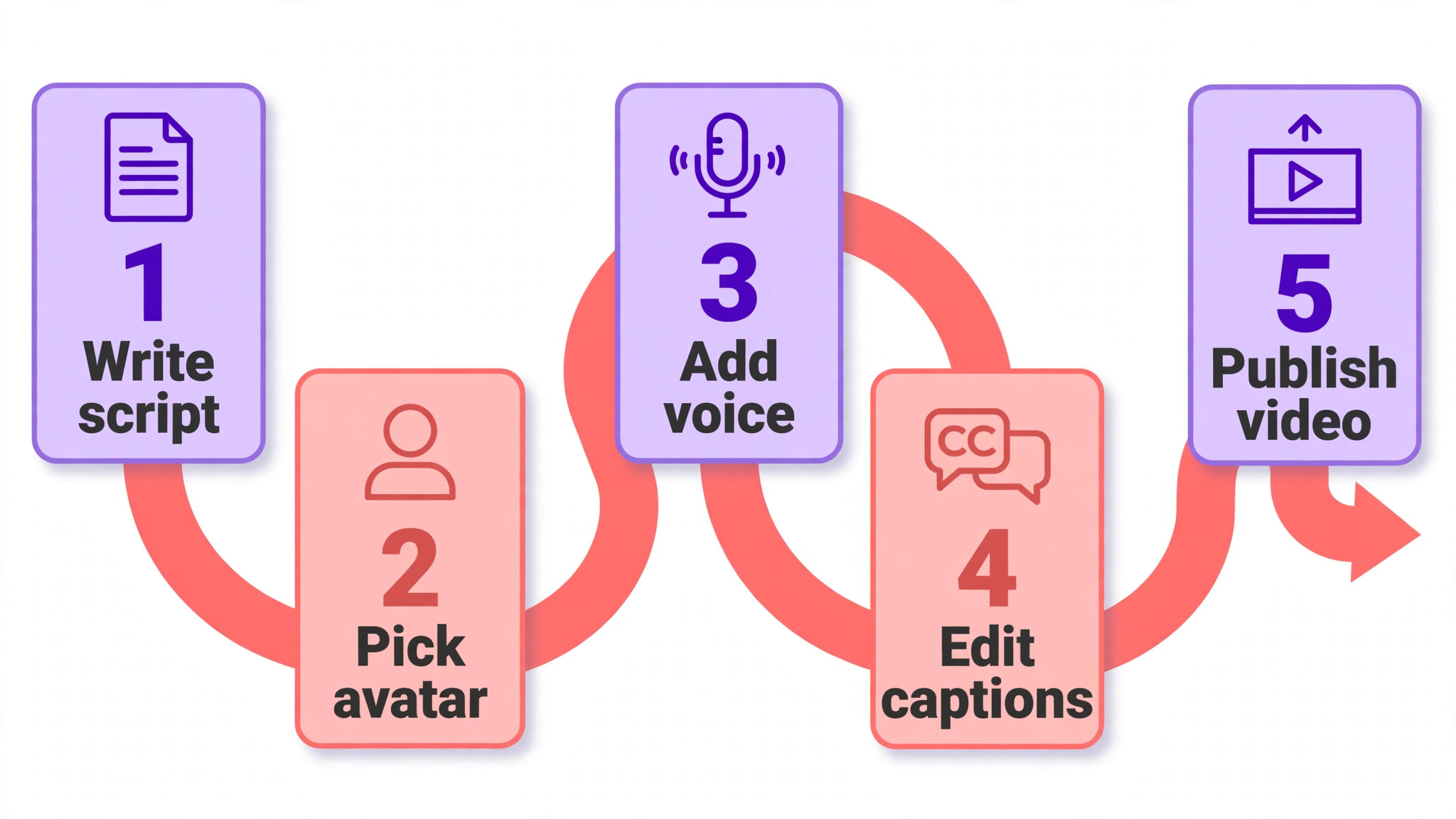
The Best Pick for Each Job
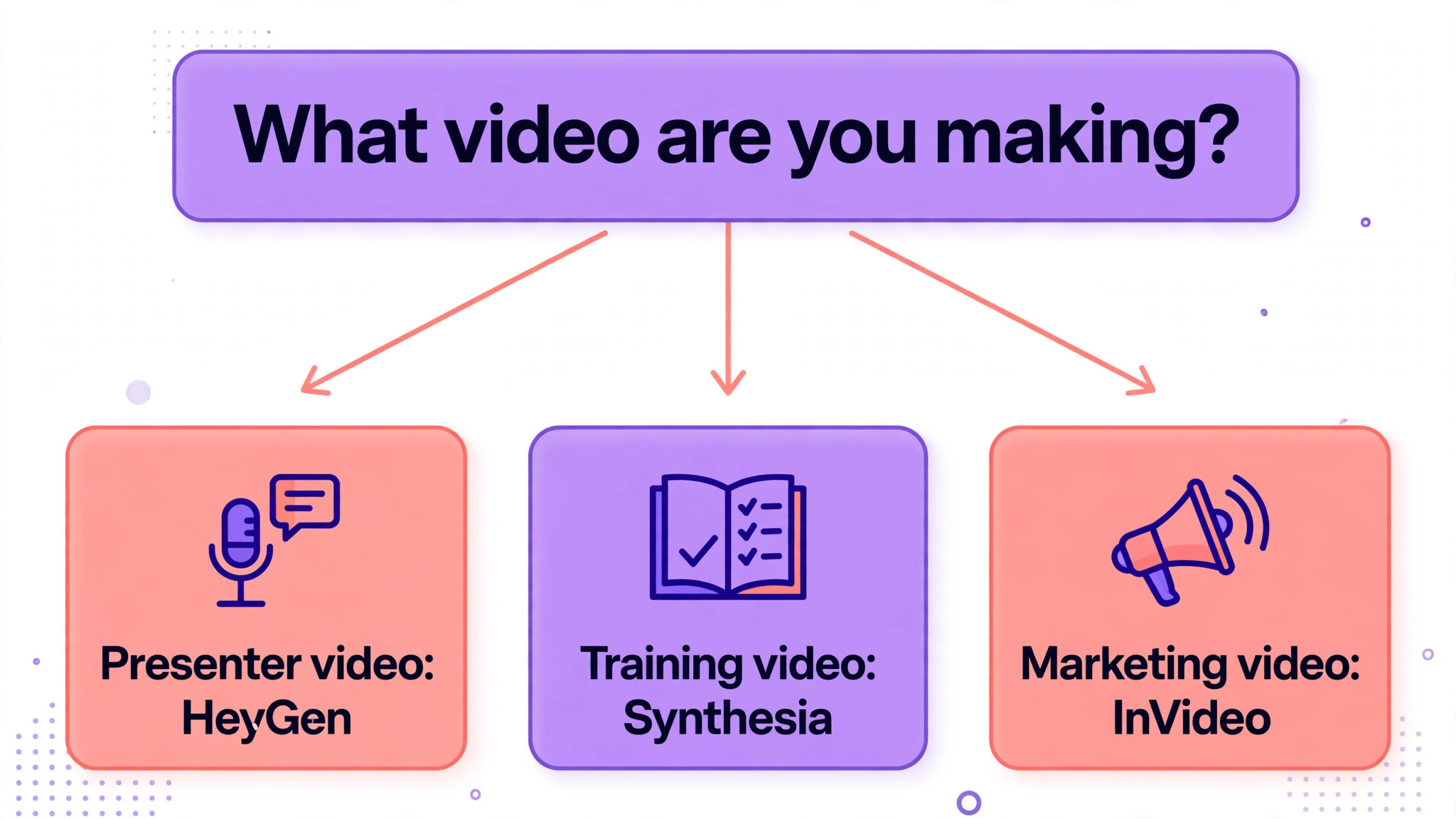
| Job | Pick | Why it wins |
|---|---|---|
| The best all rounder | HeyGen | Presenter video, translation and product clips from 24 dollars a month |
| Training and explainer scripts | Synthesia | Deepest template library for structured presenter video |
| Marketing video from a prompt | InVideo | Stock footage plus generative models from 20 dollars a month |
| Turning articles into video | Pictory | Fastest repurposing of blogs, scripts and webinars |
| Captions and quick social edits | VEED | Browser editor with strong subtitles from 12 dollars a month |
Use this table as a shortcut, then read the full review of the tool you are leaning toward. The cheapest option is not the best value when its credit allowance runs out after four videos, and the most expensive option is not the best choice when you only need one explainer a month.
The 10 Best AI Video Generators for Small Business in 2026, Ranked
The 10 tools below fall into three groups, and the best ai video generators for small business are the ones that match the videos you make most often rather than the ones with the longest feature list. The first group is avatar led, and these suit explainers, training and sales messages. The second group turns text into video, and these suit marketing and social content. The third group is editors and all rounders, and these suit businesses that start from real footage or need one tool for everything.
1. HeyGen
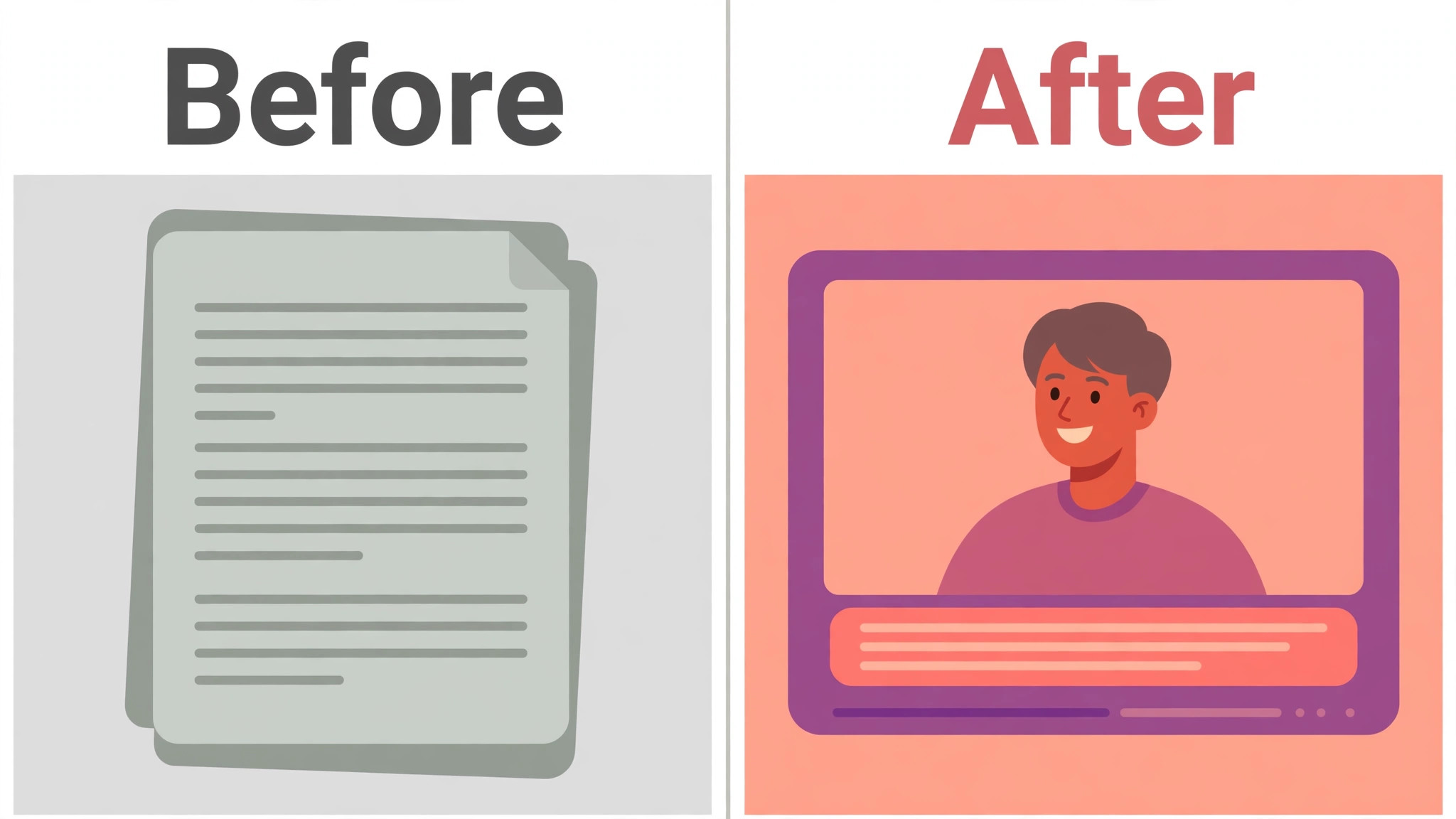
HeyGen is the strongest all rounder in this guide, because it covers presenter video, generated scenes, translation and automation in one platform. You can pick from more than 1,100 stock avatars, clone your own face and voice from a few minutes of webcam footage, and translate a finished video into more than 175 languages with matched lip sync. Product Placement lets a presenter hold your real product in the video, which suits shops selling on more than one channel.
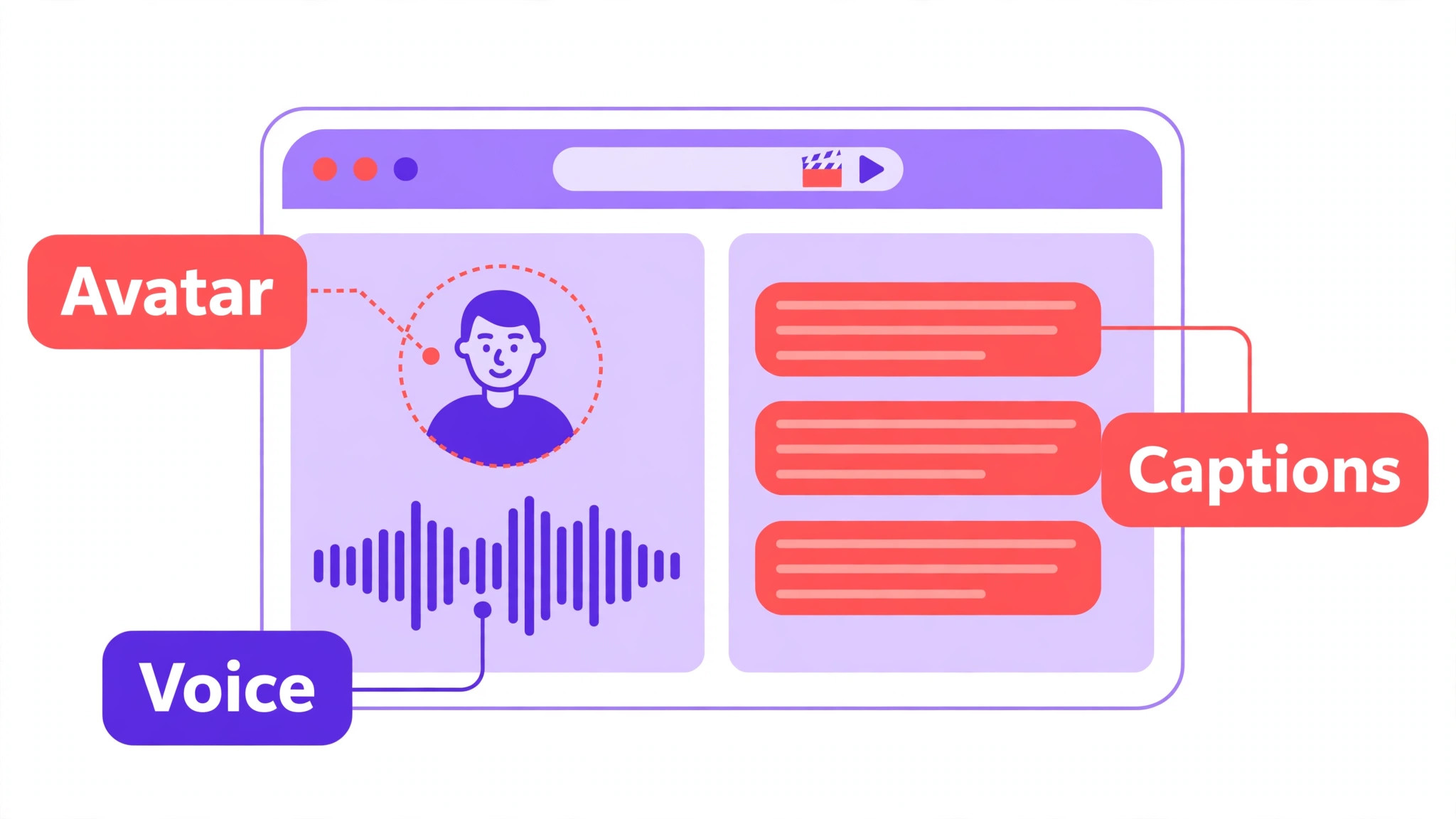
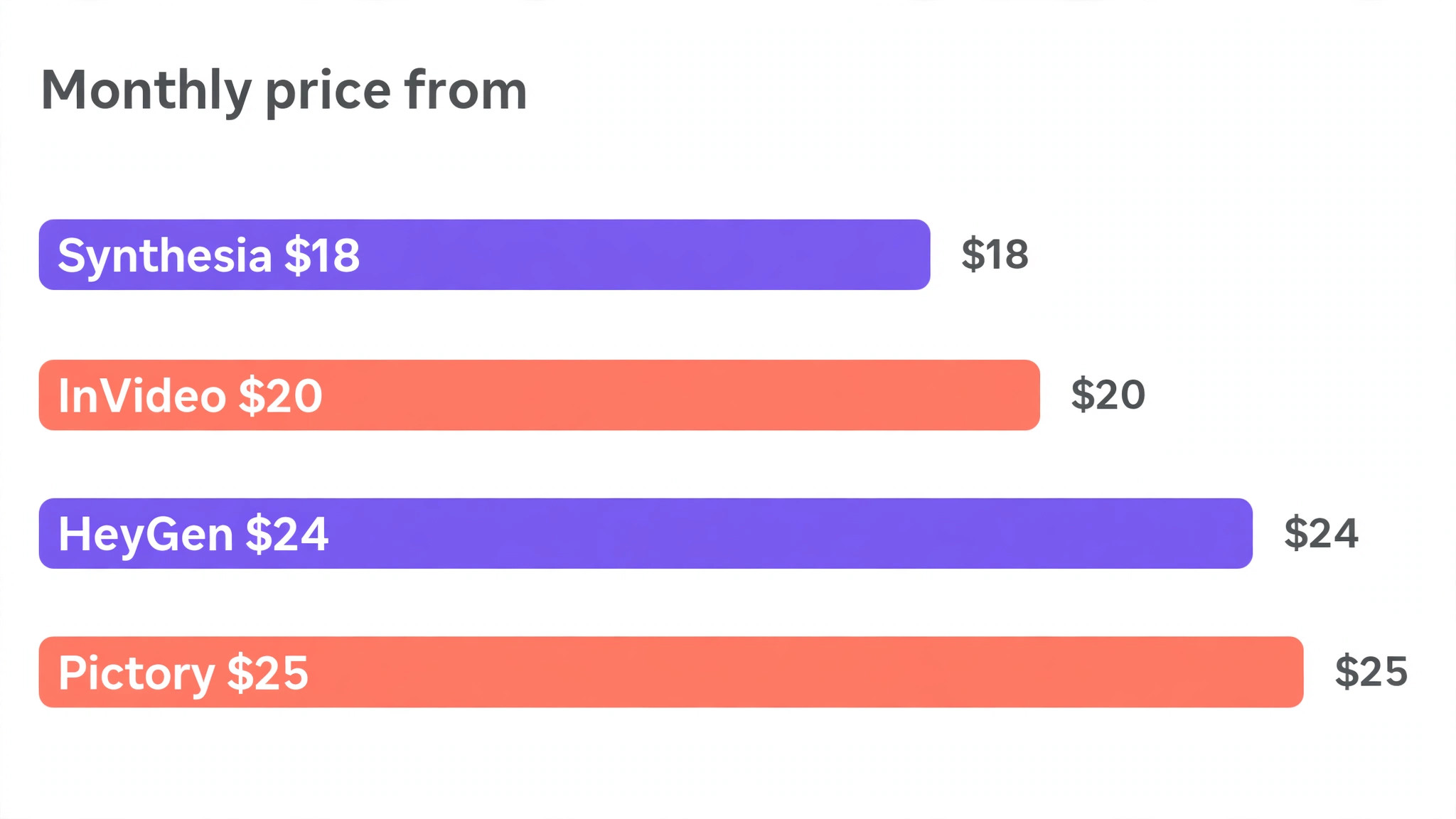
Pricing starts with a free plan that gives one to three watermarked videos a month depending on region. The Creator plan costs 24 dollars a month billed annually, or 29 dollars month to month, and gives 600 credits a month at 1080p with voice cloning. The Business plan costs 149 dollars a month and adds 4K export, team seats and SCORM export for training. In a published test of 50 product listing videos a month, HeyGen finished the job on the Creator plan at about 58 cents a video in list price credits. For most small businesses this is the pick, because one subscription covers the presenter, the translation and the product clip.
2. Synthesia
Synthesia is the platform corporate training teams reach for first, and it earns that position with the deepest template library for structured presenter content. Paste a script, choose an avatar and a voice, pick a template, and the tool renders a clean presenter video that reads your words. The output is polished and consistent, which suits onboarding, product training and website explainers where a steady professional tone matters more than a cinematic look.
Pricing starts with a free Basic plan for limited minutes. The Starter plan costs about 18 dollars a month billed annually and gives 120 minutes of video a year, which is 10 minutes a month. The Creator plan costs about 64 dollars a month billed annually and gives 360 minutes a year. Custom avatar creation costs about 1,000 dollars a year as an add on, and SCORM export and one click translation sit on the custom priced Enterprise tier. For a small business that makes training and explainer videos every week, Synthesia is the most reliable choice. For fast social promos, it is slower and more formal than the tools built for social.
3. InVideo
InVideo is the best all rounder for marketing teams that want stock footage and generative models in one editor. Type a prompt or paste a script, and the tool assembles a draft from stock clips, adds a voiceover and captions, and lets you edit the result on a timeline. Higher plans add generative models such as Sora 2 and Veo 3.1 for footage that stock libraries cannot cover, which makes it the most flexible marketing tool in this guide.
Pricing starts with a free plan that is limited and watermarked. The Starter plan costs 10 dollars per seat a month billed annually, and Plus costs 20 dollars a month billed annually. Max costs 48 dollars a month billed annually and adds 200 AI minutes and 4K export, while the Generative tier at 120 dollars a month bundles the newer generative models. In a published comparison, Plus at 20 dollars a month was the sweet spot for a small business making regular marketing video. For a team that publishes promos, ads and social clips every week, InVideo covers the most ground for the money.
4. Pictory
Pictory is the specialist for turning content you already have into video. Paste a blog post, a script, a URL or a webinar recording, and Pictory selects stock scenes, adds voiceover and captions, and assembles a finished video in minutes. It is the fastest tool here for repurposing, and it suits a business that publishes written content every week and wants a video version without filming anything new.
Pricing starts at 25 dollars a month billed annually for the Starter plan, with 200 export minutes and a 14 day trial instead of a free plan. The Professional plan costs about 35 dollars a month billed annually and triples the minutes while adding ElevenLabs voices. The loss of the free plan is the main drawback, because the trial clock runs from day one and you must decide quickly. For a business with a blog, a newsletter or a webinar library, Pictory turns that archive into social video faster than any rival. For a business starting from a blank prompt, InVideo is the better tool.
5. VEED
VEED is an editor first and a generator second, which is the right order when you start from real footage rather than a prompt. The browser based editor handles trimming, subtitles, translation, branding and publishing, and its text to video tools create a rough cut that you finish on a multi track timeline. The caption tool is one of the best in this guide, and that matters because most social video is watched with the sound off.
Pricing starts with a free plan that exports watermarked video at 720p. The Lite plan costs 12 dollars per user a month billed annually, and Creator costs about 29 dollars a month with AI scripts capped at 5,000 characters and voice at 20 minutes a month. The free tier is genuinely usable for testing, and the paid plans are cheap next to the avatar tools. For a business that films its own clips on a phone and needs fast captioned edits, VEED is the pick. For a business that wants a presenter without filming, HeyGen or Synthesia fits better.
6. Runway
Runway is the tool for generated footage, and it leads this guide on creative control. Type a text prompt and it generates cinematic clips that no stock library holds, with controls for camera movement, style and motion that suit ads and brand films. It is the choice when the video needs to look crafted rather than assembled, and when the business has someone who enjoys directing a shot rather than filling in a template.
Pricing starts with a free plan that gives 125 one time credits for testing. The Standard plan costs 12 dollars a month billed annually, or 15 dollars month to month, and higher plans run to 76 dollars a month. Credits buy generated seconds, so a business that makes many clips will climb the tiers quickly. Runway is not the tool for a quick product explainer or a training script, because it takes longer to learn and costs more per finished minute than the script to video tools. For paid ads and brand video where the footage itself is the selling point, it is the strongest generator here.
7. Lumen5
Lumen5 does one thing extremely well, and that one thing is turning a blog post or article into a social ready video in minutes. Paste a URL or a block of text, and the tool pulls out the key points, matches stock visuals, adds text overlays and music, and enforces your brand kit so every video looks like it came from the same business. The results look like animated slide decks rather than YouTube explainers, which suits content marketing and LinkedIn.
Pricing starts with a free Community plan that covers five videos a month at 720p with a watermark. The Basic plan costs 19 dollars a month billed annually, with unlimited videos, though exports stay at 720p and voice minutes are capped at 20 a month. The video length cap is 10 minutes on Basic, which is enough for social clips and short explainers. For a business that publishes articles every week and wants each one as a video, Lumen5 is the fastest path. For long form video or presenter content, look at Pictory or HeyGen instead.
8. Fliki
Fliki is the budget pick for script to video with strong AI voices. Paste a script, pick from a huge voice library, and the tool assembles scenes, narration and captions into a finished video. The voice quality is the standout, with natural sounding narration in many languages, which suits faceless YouTube channels, product explainers and social videos where the voice carries the message.
Pricing starts with a free plan that gives five minutes of video a month for testing. The Standard plan costs 21 dollars a month billed annually and gives 625 monthly credits, which covers regular short form publishing. The voice library is wider than most rivals at this price, and the interface is simple enough for a first time user to finish a video in one sitting. The stock footage is less varied than InVideo, and the templates are plainer than Synthesia. For a business that needs many narrated videos on a tight budget, Fliki is the cheapest serious entry in this guide.
9. Canva
Canva is not a dedicated video generator, and that is both its strength and its limit. Magic Media sits inside a design platform most small businesses already use, so you can generate a clip, drop it into a social post, a presentation and a flyer, and keep the brand kit consistent across all of them without opening another tool. The editor is the easiest on this list for a complete beginner, and the template library covers every social format.
Pricing starts with a free plan that covers basic video and Magic Media with limits. Canva Pro costs about 15 dollars a month in the United States and unlocks the full Magic Media allowance, premium stock, the Brand Kit and transparent exports. The video generation itself is simpler than HeyGen or Runway, with shorter clips and less control over motion and voice. Use Canva when the video is one of many designs you make each week and you already pay for Pro. When video is the main job, a dedicated tool will do it better for a similar price.
10. CapCut
CapCut is the social first editor that most small businesses already have on a phone, and its AI tools turn raw clips into finished short form video fast. Auto captions, templates, trending effects, background removal and text to speech cover the jobs that eat time on TikTok, Instagram Reels and YouTube Shorts. The desktop and web versions add a fuller timeline for longer edits, and the learning curve is short because the interface is built for creators rather than editors.
Pricing starts with a generous free plan that covers most editing and AI features. CapCut Pro costs about 10 dollars a month and adds premium templates, effects, cloud storage and higher export quality. The free plan is genuinely usable for daily social publishing, which makes CapCut the cheapest way to start. The trade off is depth, because there is no avatar presenter, no long form script to video workflow and no training template library. For a business that lives on short form social video, CapCut is the pick. For explainers and training, pair it with HeyGen or Synthesia.
How to Choose the Best AI Video Generators for Small Business
Start with the video you make most often, because the tool must fit that job first. A presenter explainer needs an avatar tool. A blog repurposing job needs a script to video tool. A phone clip needs an editor with captions. A brand ad needs a generative footage tool. List your last 10 videos by type, count which kind appears most, and buy the tool that does that kind best. A tool that is second best at everything will lose to a tool that is best at your main job.
Next, work out the cost per finished minute on the plan you would actually buy. Take the monthly price, divide it by the minutes or credits the plan allows, and compare that figure across tools. A 20 dollar plan that allows 10 minutes costs 2 dollars a finished minute, while a 25 dollar plan that allows 200 export minutes costs far less per minute but may cap voice minutes first. Read every cap, because credit systems hide the real limit behind the headline allowance, and the first cap you hit decides the true price.
Then check the commercial rights and the export quality before you pay. Free plans usually watermark exports, cap resolution at 720p, or limit commercial use, and those limits make a free video unusable for a paid ad or a website hero. Confirm that the paid plan gives you 1080p exports without a watermark, a commercial license for the footage and voices, and the right to use the video in ads. When the terms are unclear, email support and keep the reply, because a video you cannot legally publish is wasted work.
Finally, test two tools with the same script before you commit. Give HeyGen and Synthesia the same 60 second explainer, or give Pictory and Lumen5 the same blog post, and compare the results side by side on a phone. The test takes an afternoon and shows you which voice, avatar and pacing your customers will actually watch. The best tool in a roundup is not always the best tool for your voice, your brand and your audience, and a side by side test settles that question faster than any review.
Mistakes That Waste Money
The most common mistake is paying for a cinematic generator when the business needs consistency. A small business buys Runway for its beautiful footage, then discovers that every video takes an hour to direct and the team publishes twice a month instead of twice a week. Consistency beats cinema for a small business, because a steady stream of clear short videos builds more trust than one beautiful film. Buy the tool that lets you publish weekly without a struggle, and rent the cinematic tool for a single campaign when you need it.
The second mistake is buying on the headline price and ignoring the credit cap. A 20 dollar plan looks cheap until the credits run out in week two and the team either stops publishing or upgrades to a 60 dollar plan mid month. Count how many finished minutes you publish in a normal month, then buy the plan that covers that volume with room to spare. When the volume is uncertain, start on the free plan, measure a month of real use, and upgrade with numbers rather than guesses.
The third mistake is ignoring captions and translation until after the video is made. Most social video is watched without sound, and a video without captions loses viewers in the first three seconds. A tool with strong auto captions and easy translation, such as VEED or HeyGen, saves an hour of manual work per video and opens new audiences without a reshoot. Check the caption quality on a test export before you pay, because a caption tool that misspells your product name will cost you more than it saves.
Our Verdict
HeyGen is the pick for most readers, because the Creator plan at 24 dollars a month billed annually covers presenter video, product clips and translation in one account, and the free plan lets you test with real scripts before paying. The avatars move naturally, the voices sound less flat than most rivals, and the translation feature turns one video into many without a reshoot. For a small business that needs one tool for explainers, sales messages and multilingual content, it is the best balance of price and capability.
Synthesia is the pick when training and structured explainers are the main job, because the template library and the steady professional output suit onboarding and product education better than any rival. InVideo is the pick when marketing video is the main job, because stock footage plus generative models covers promos, ads and social clips at 20 dollars a month. Among the best ai video generators for small business, the right choice is the one that matches the videos you publish every week, not the one with the longest feature list.

Frequently Asked Questions
Which of the best ai video generators for small business is the cheapest?
CapCut is the cheapest starting point, because the free plan covers most editing and AI features and Pro costs about 10 dollars a month. Among paid script to video tools, Fliki at 21 dollars a month billed annually and InVideo Plus at 20 dollars a month are the cheapest serious entries. HeyGen Creator at 24 dollars a month is the cheapest avatar tool that covers translation as well. Always compare the credit or minute allowance, because a cheap plan that runs out after four videos costs more than a dearer plan that covers the whole month.
Can I use AI generated video in paid ads?
Yes, when the plan you pay for gives you a commercial license for the footage, voices and avatars. Most paid plans include commercial use, while free plans often limit it or watermark the export. Check the license for the specific tool, and confirm that stock footage, generated clips and AI voices are all covered for advertising. When a tool uses a third party model, read the model terms too, because some generative models carry their own limits on commercial use.
Do AI avatars look realistic enough for customers?
Avatar quality has improved fast, and the best tools now produce presenters that most viewers accept for a 60 second explainer or training clip. HeyGen avatars move more naturally than most rivals, and Synthesia presenters are steady and professional. The limits show in longer videos, where gestures repeat and the voice can sound flat on emotional lines. Keep avatar videos short, write scripts in plain spoken language, and test the result on a few real customers before you publish widely.
How many videos can I make on the cheapest paid plan?
It depends on the credit or minute system, and the number varies widely. HeyGen Creator gives 600 credits a month, which covered 50 short product videos in a published test. Synthesia Starter gives 120 minutes a year, which is 10 minutes a month. Pictory Starter gives 200 export minutes a month, though voice minutes cap first. Lumen5 Basic gives unlimited videos but caps voice at 20 minutes a month. Count your finished minutes for a normal month before you choose, and buy the plan that covers that volume.
Is a free AI video plan good enough for a small business?
A free plan is good enough for testing and for occasional social posts, but it is rarely good enough for regular business publishing. Free exports are usually watermarked, capped at 720p, or limited to a few minutes a month, and those limits make the video look unfinished on a website or in a paid ad. Use the free plan to test two tools with the same script, then pay for the plan that covers your monthly volume without a watermark. The cheapest paid plan on most tools in this guide costs less than one hour of freelance editing.
Do I still need to film anything myself?
Not for avatar and script to video tools, which is the point. HeyGen and Synthesia create a presenter from a script, Pictory and Lumen5 create a video from text, and Runway generates footage from a prompt. You will still get better results when you supply real product photos, your own logo and brand colours, and a script written in your own voice. For social video, filming short phone clips and finishing them in CapCut or VEED often beats a fully generated video, because real footage builds trust faster than generated footage.