Rev is the pick when the transcript must be right, because it offers AI transcription plus human verification under one roof, with human accuracy above 99 percent. Otter is the pick for meetings, Descript is the pick for creators who edit audio by editing text, and TurboScribe is the pick when the job is simply turning many files into text for the lowest price. That spread is why the best ai transcription tools are compared on billing model and workflow rather than on accuracy alone.
On clean audio the gap between the best and the worst mainstream engines is only three to five percentage points of word error rate, so they are ranked by the billing model and the workflow you can live with. This guide compares 10 tools on price per hour of audio, accuracy, languages and what happens after the transcript.
The meter is the price, not the sticker. Otter cut Pro from 6,000 minutes a month to 1,200 minutes a month without cutting the price. Fireflies added a 200 hour monthly cap to a tier previously sold as unlimited. Descript replaced transcription hours with a media minutes model that caps monthly usage. Every vendor in this category changed what a plan includes in the last year, so a comparison that only lists the monthly price is comparing the wrong number. The number that matters is the cost per hour of audio you actually transcribe, and the cap that stops you when you need the tool most.
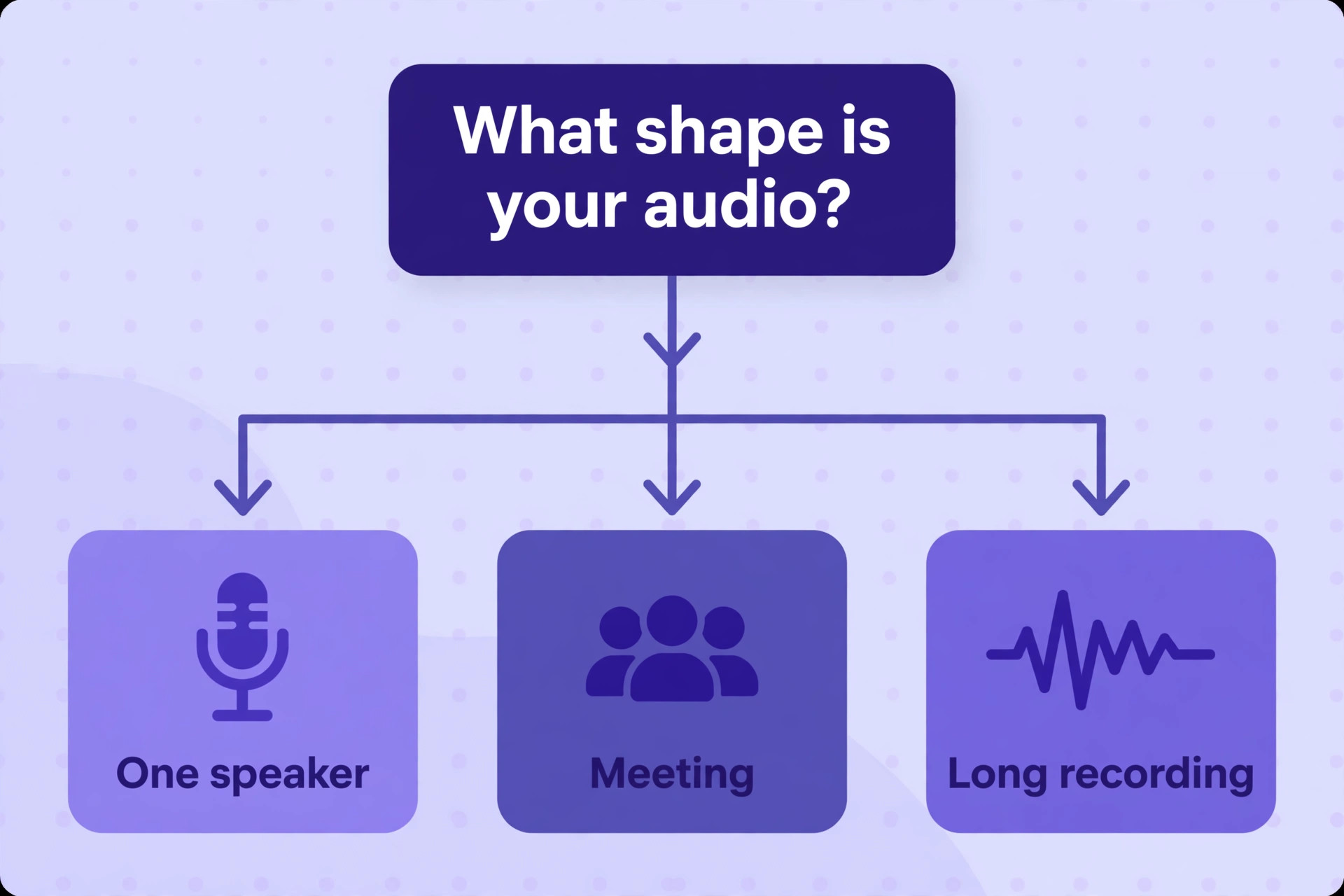
The category splits into three shapes, and the shape decides most of the choice. Meeting tools join your calls, capture the audio live, and produce notes and summaries for the team. File tools take an uploaded recording and return a polished transcript you can correct, label, subtitle and export. Editor tools turn the transcript into the editing timeline, so cutting a word in the text cuts it from the audio. A podcaster who buys a meeting tool gets notes they do not need, and a sales team that buys a file tool gets transcripts with no CRM plumbing. Start with the shape, then compare inside it.
How We Compared 10 Transcription Tools
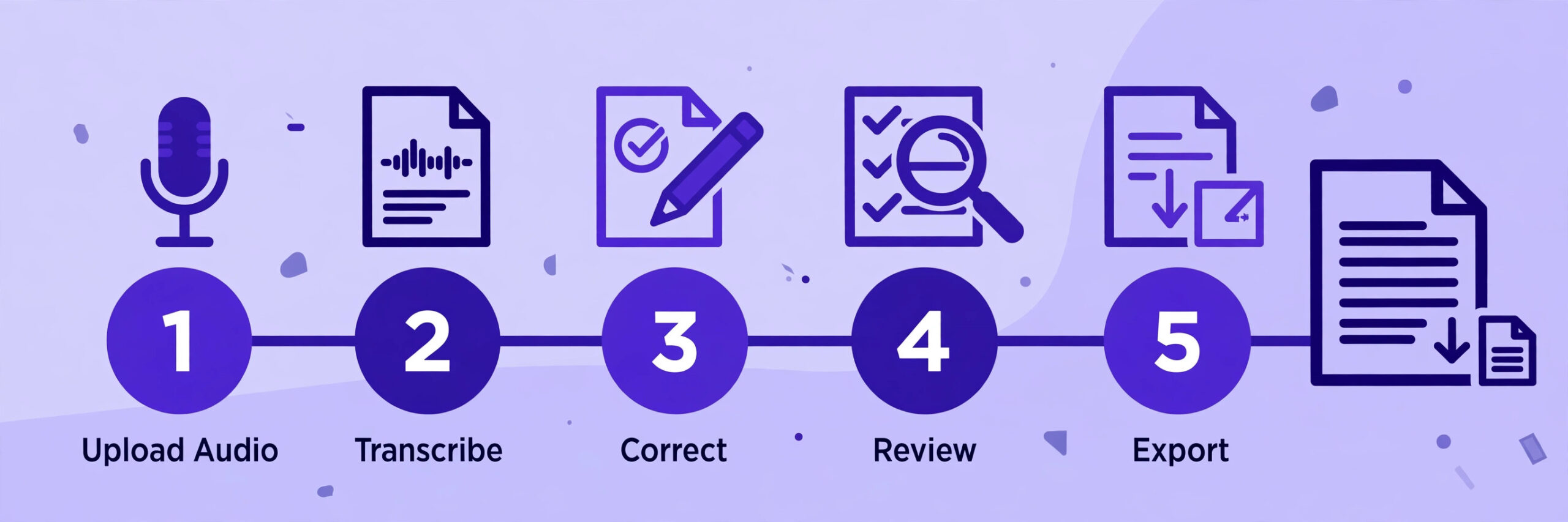
We checked each vendor pricing page and current 2026 roundups in November 2026, and we scored every tool on five points that decide whether a buyer actually keeps it. Price per hour covered the cost of transcribing 10 hours of audio a month, because the sticker price hides the meter. Accuracy covered independent benchmark word error rates where they exist, and vendor claims where they do not. Languages covered how many the engine supports and how well it handles accents and crosstalk. Workflow covered what happens after the transcript, including editing, speaker labels, summaries, subtitles and exports. Free plan covered how much you can transcribe before paying, because the free tier is the real trial.
One fact shaped the whole comparison. Independent March 2026 testing puts Otter at 5.8 percent word error rate on clean studio audio but 11.5 percent on a three speaker meeting and 15 percent on a phone call, and Sonix leads the self serve tools at 4.2 percent on clean audio. Vendor accuracy figures are measured under ideal conditions, and real world results vary with accents, crosstalk and background noise. The best ai transcription tools are the ones whose workflow survives messy audio, not the ones with the best number on a clean test. Prices change often, so confirm the price and the minute cap on the checkout page before you commit.
The Best Pick for Each Job
| Job | Pick | Why it wins |
|---|---|---|
| Transcripts that must be right | Rev | AI plus human verification, human accuracy above 99 percent |
| Meetings and team notes | Otter | Fastest live captions, deep transcript search, free 300 minutes a month |
| Podcast and video editing | Descript | The transcript is the editing timeline |
| High volume files on a budget | TurboScribe | Unlimited plan at 120 dollars a year, or 1 dollar per audio hour |
| Long files and many languages | Sonix | Pay as you go at 10 dollars an hour, 54 plus languages, no seat trap |
Use this table as a shortcut, then read the full section for the tool you are leaning toward. The best ai transcription tools are the ones whose billing model matches your volume and whose workflow matches what happens after the transcript, and the cheapest sticker price is not the best value when the minute cap stops you mid month.
The Best AI Transcription Tools in 2026, Ranked
The 10 tools below fall into three groups. The first group is the meeting tools, which join calls and produce notes and summaries for teams. The second group is the file tools, which turn uploaded recordings into polished, searchable transcripts. The third group is the editor and specialist tools, which serve creators, newsrooms and buyers who need human accuracy. Start with the group that matches your audio, then compare inside it.
1. Otter.ai
Otter is the default for meeting transcription, and it remains the default because it is the fastest to set up and the easiest to search later. The bot joins Zoom, Meet and Teams calls, captures live audio, produces notes and summaries, and builds a searchable transcript library across the whole team. The free plan includes 300 minutes a month, which is enough to test the workflow on real meetings before paying. Pro costs 8.33 dollars per user per month on annual billing, or 16.99 dollars month to month, and Business costs around 20 dollars per seat per month on annual billing.
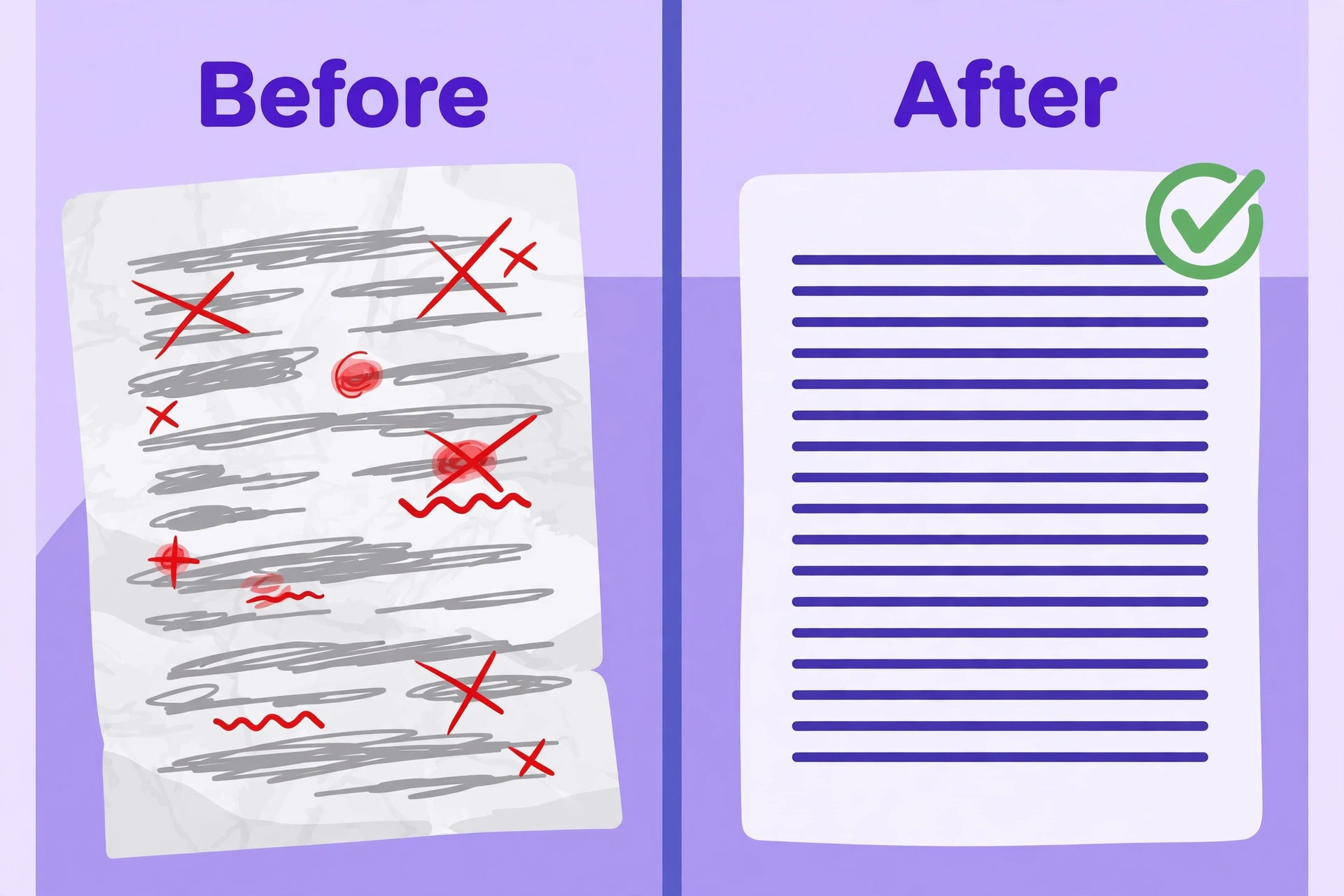
The weakness is the meter. Otter cut Pro from 6,000 minutes a month to 1,200 minutes a month without cutting the price, and Business caps each file at four hours. Independent testing puts Otter at 5.8 percent word error rate on clean studio audio but 11.5 percent on a three speaker meeting and 15 percent on a phone call, so messy audio needs a human pass. Choose Otter when meetings are the job and the team needs searchable notes fast. Choose Sonix or Rev when the audio is long, messy or legally important.
2. Fireflies.ai
Fireflies is the best team plumbing in this category, because the meeting bot connects to the CRM and the team workflow rather than only producing a transcript. It joins calls, transcribes, summarises, tracks action items and pushes notes into Salesforce, HubSpot and the other systems a sales team already runs. Pro costs 10 dollars per seat per month on annual billing, Business costs 19 dollars, and Enterprise costs 39 dollars, with a limited free plan for testing.
The asterisk is the cap. In July 2026 Fireflies rolled a 200 hour monthly cap onto Pro, a tier previously sold as unlimited under an undefined fair use policy, so a team that records heavily can hit the limit. The legal note matters too, because a bot that joins calls must be disclosed to participants in many jurisdictions, and Fireflies is the tool most likely to be in the room. Choose Fireflies when the team needs CRM plumbing and meeting notes in one flow. Choose Otter when the job is simpler and the price per seat matters more.
3. Descript
Descript is the pick for creators, because it turns transcription into text based audio and video editing. You transcribe a podcast or a video, delete a sentence in the transcript, and the audio is cut to match, which is a workflow no other tool on this list offers. The transcript is the editing timeline, and the same account handles studio sound, filler word removal, subtitles and publishing. The free plan includes one media hour a month and 100 AI credits.
Pricing runs from Hobbyist at 16 dollars a month on annual billing, with 10 media hours and 400 credits, to Creator at 24 dollars a month with 30 media hours and 800 credits, and Business at 50 dollars a month with 40 media hours. The November 2025 re metering replaced transcription hours with a media minutes model that caps monthly usage, so heavy creators hit the ceiling. Choose Descript when you edit audio or video every week. Choose Sonix or TurboScribe when you only need the transcript itself.
4. Rev
Rev is the accuracy first choice, because it offers both AI and human transcription under one roof. The AI plan starts at 14.99 dollars a month, and human transcription starts at 1.25 dollars a minute, with a higher tier at 29.99 dollars a month that adds human verification from 1.99 dollars a minute. Human transcripts carry accuracy above 99 percent, which is the level court work, research and published interviews demand, and no pure AI tool on this list can promise it.
The trade off is cost at volume. Human transcription gets expensive fast, because an hour of audio at 1.25 dollars a minute costs 75 dollars, and a research project with fifty hours of interviews costs thousands. The AI tier is the affordable path for everyday work, and the human tier is the right call when the transcript must stand up in court or in print. Choose Rev when accuracy is non negotiable. Choose TurboScribe or Notta when volume matters more than the last two percent of accuracy.
5. Sonix
Sonix is the pay as you go transcription workhorse, and it is the best per hour deal for a pile of files. Pay as you go costs 10 dollars per audio hour with no subscription required, which suits researchers with grant funded projects, journalists between assignments and businesses with sporadic needs. The subscription tiers run from Core at 25 dollars a month with 5 hours, to Advanced at 50 dollars a month with 20 hours, and Pro at 80 dollars a month with 40 hours. Sonix covers 54 plus languages and offers a clean browser editor for correcting, labelling, subtitling and exporting without moving the work into another app.
Independent benchmarks make Sonix the accuracy leader among the self serve AI tools, at 4.2 percent word error rate on clean audio and 9 percent on a three speaker meeting. The trade off is that subscription hours do not roll over, so a quiet month wastes the allowance. At 120 used audio hours a year, Advanced costs 4.58 dollars per used audio hour, which is more than TurboScribe but buys a far stronger correction and export workflow. Choose Sonix when the audio is irregular and the transcript needs real editing. Choose TurboScribe when the job is simply turning many files into text.
6. Trint
Trint serves newsrooms and media teams that need collaborative transcript editing at volume. The platform includes live captioning, a Story Builder for journalists that turns transcripts into publishable stories, and multi user editing with comments and approvals, which is a workflow no other tool on this list matches. A newsroom that transcribes interviews all day and publishes from them will find Trint built for exactly that loop.
Pricing is the steepest on this list. Starter costs 52 dollars per seat per month on annual billing and covers seven files, which is a small allowance for the price, and there is no free plan beyond a seven day trial. The seat based pricing punishes low usage, because a journalist who transcribes three files a month pays the same as one who transcribes thirty. Choose Trint when the team is a newsroom or a broadcast operation and collaborative editing is the job. Choose Otter or Sonix when the work is solo and the price per seat matters.
7. Notta
Notta is the budget team tier with the most generous free plan, offering 120 minutes a month free and 58 plus languages with strong multilingual support. Pro costs 8.17 dollars a month on annual billing and includes 1,800 minutes a month, which is the most minutes per dollar on this list. The platform covers live meeting transcription, file upload, summaries and light CRM export, which suits small teams that need meeting notes in several languages without paying for a premium tool.
The trade off is that the free tier caps each file at three minutes, so long recordings need a paid plan, and the editing workflow is lighter than Sonix. Notta is the pick when the budget is tight, the team is multilingual, and the volume is high, because 1,800 minutes a month for 8.17 dollars is a price no other tool here touches. Choose Notta when minutes per dollar is the deciding number. Choose Otter when the team needs the deepest search and the fastest live captions.
8. Happy Scribe
Happy Scribe is the multilingual specialist, covering 150 plus languages with optional human proofreading on top of the AI transcript. The Basic plan costs 8.50 dollars a month on annual billing and covers 120 minutes, scaling to a Business plan whose per minute rate is among the best in the market at full usage. The platform also handles subtitles well, which makes it a strong choice for video teams that publish in several languages.
The trade off is that the entry allowance is small, so a buyer who transcribes more than two hours a month will need the Business plan quickly, and the meeting capture features are thinner than Otter or Fireflies. Happy Scribe suits a creator or a media team that works across languages and needs subtitles as well as transcripts. Choose it when language coverage is the deciding factor. Choose Notta when the budget is tighter and 58 languages are enough.
9. TurboScribe
TurboScribe is the cheapest way to turn many files into text, and it is the pick when the job is simply transcription at volume. The free plan allows three files a day, which is enough to test the quality on real audio, and the Unlimited plan costs 10 dollars a month on annual billing, or 120 dollars a year. At 120 used audio hours a year, that is 1 dollar per used audio hour, a price no other tool on this list comes close to, and it is difficult to beat when the job is a pile of files.
The trade off is the workflow. TurboScribe is a file in, text out tool, with no meeting bot, no CRM plumbing and a lighter editor than Sonix or Descript. A buyer who needs summaries, speaker labels, subtitles and team search will outgrow it, but a buyer who needs a hundred hours of audio turned into searchable text will not find a better price. Choose TurboScribe when volume and price are the whole job. Choose Sonix when the transcript needs real editing after it is made.
10. Temi
Temi is the cheapest per minute AI transcription on this list, at 25 cents per minute on a pay as you go basis with no subscription and no free plan. It is a Rev product, and it suits a buyer who transcribes rarely and wants to pay only for what they use, such as a journalist with one interview a month or a researcher with a single recording. The transcript is machine generated with speaker labels and a simple editor, and the price is the whole pitch.
The trade off is accuracy and workflow. Temi is a budget engine, so messy audio with crosstalk and accents will need a human pass, and there is no meeting bot, no summaries and no team library. At 25 cents a minute, an hour of audio costs 15 dollars, which is more than Sonix pay as you go at 10 dollars an hour, so Temi only wins at low volume where the absence of a subscription matters more than the per minute rate. Choose Temi when you transcribe less than an hour a month and you refuse to pay a subscription. Choose Sonix when the volume is higher.
How to Choose the Right Transcription Tool
Start with the shape of your audio, because it removes half the list in one move. Meetings belong in Otter, Fireflies or Notta, which join calls and produce notes for the team. Uploaded files belong in Sonix, TurboScribe, Temi or Rev, which take a recording and return a transcript. Podcasts and videos belong in Descript, which turns the transcript into the editing timeline. Newsroom work belongs in Trint. Buying the wrong shape is the most expensive mistake in this category.
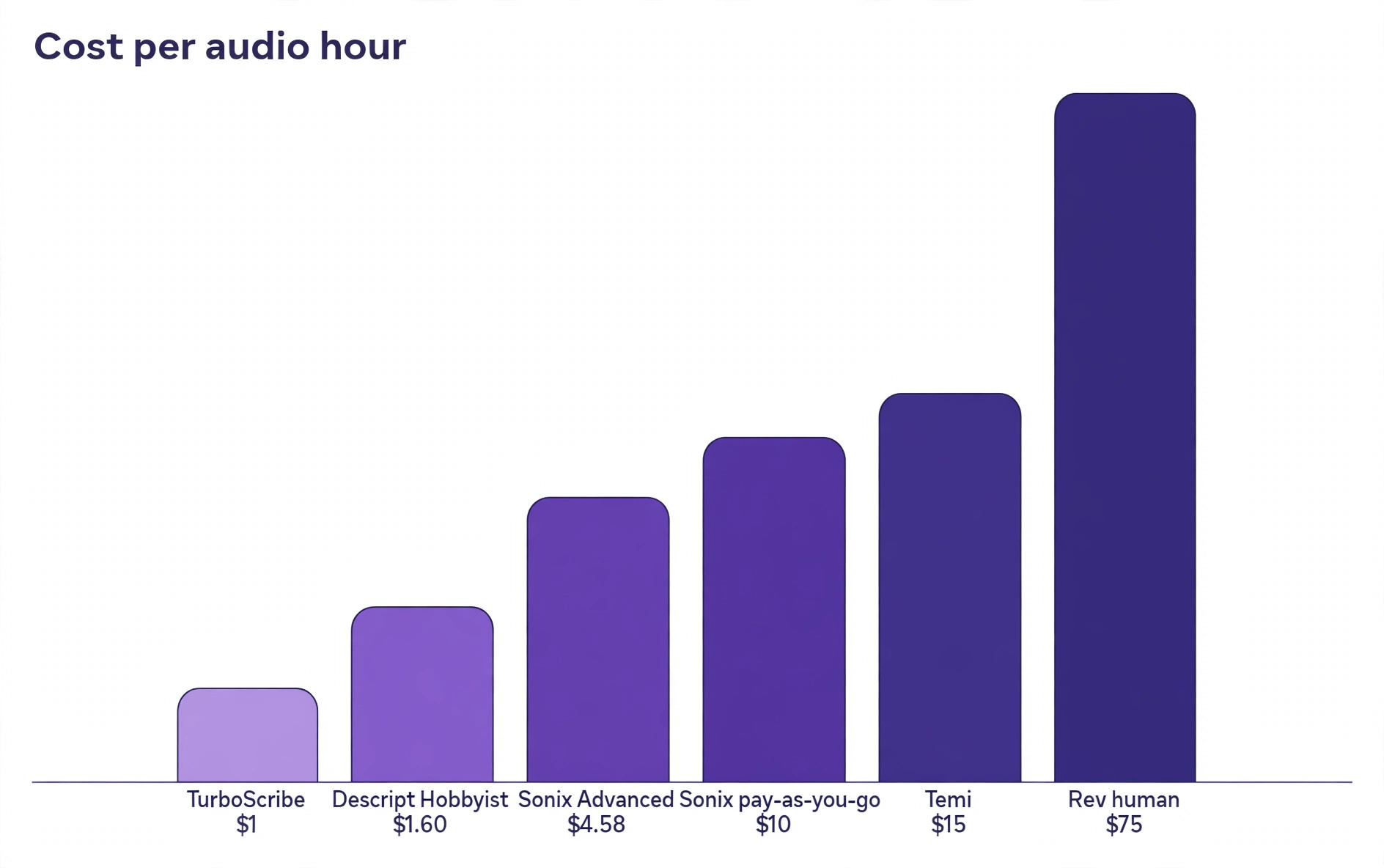
Next, calculate the cost per hour of audio at your real volume, not the sticker price. At 10 hours a month, TurboScribe Unlimited costs 1 dollar per hour, Descript Hobbyist costs 1.60 dollars per hour, and Sonix Advanced costs 4.58 dollars per hour, while Otter Pro gives you 1,200 minutes and Fireflies Pro gives you 200 hours. Write down your monthly hours, divide the plan price by that number, and compare the result, because the cheapest sticker is rarely the cheapest hour.
Then check the cap before you fall in love with any plan. Otter cut Pro minutes, Fireflies added a cap to Pro, and Descript replaced transcription hours with media minutes, so every vendor in this category has tightened the meter in the last year. A cap that stops you mid month is worse than a higher price, because it breaks the workflow at the moment you need it most. Read the plan limits on the pricing page, not on a review from last year.
Finally, test with your worst audio, not your best. Transcribe a phone call with crosstalk, a meeting with three speakers and an accent the engine has never heard, and see how much correction the transcript needs. The best ai transcription tools earn their price on messy audio, and a tool that only works on clean studio recordings will cost you hours of editing on every real file. That single test is the most honest review any buyer can run.
What to Check Before You Pay
A subscription is easy to start and easy to forget, so run these five checks before you enter card details. Each one takes a few minutes and each one has saved buyers from a year of the wrong tool.
- Confirm the minute or hour cap on the plan you are buying, and what happens when you hit it mid month.
- Confirm whether unused minutes roll over, because most tools in this category do not carry them forward.
- Confirm the export formats, including Word, PDF, SRT subtitles and plain text, and whether speaker labels survive the export.
- Confirm the privacy terms, including where audio is stored, how long it is kept, and whether it is used to train models.
- Confirm the refund and cancellation terms, including whether you can export all your transcripts if you leave.
Mistakes That Cost Buyers Money
The most common mistake is comparing sticker prices instead of cost per hour. A buyer picks the 8 dollar plan over the 10 dollar plan, then discovers the 8 dollar plan includes 1,200 minutes and the 10 dollar plan includes unlimited files, and the cheaper plan costs more by the third week of the month. Divide the plan price by your real monthly hours before you compare anything, because the meter is the price.
The second mistake is trusting a vendor accuracy claim. Vendor figures are measured on clean audio with one speaker and no background noise, and your audio is a phone call with three people talking over each other. Test with your worst recording during the free plan, count the errors in the first five minutes, and decide on that number rather than on the marketing page.
The third mistake is buying a meeting tool for file work, or a file tool for meetings. A sales team that buys Sonix gets beautiful transcripts with no CRM plumbing, and a researcher who buys Fireflies gets meeting notes for interviews that never happened on a call. The best ai transcription tools are the ones matched to the shape of the audio first, so match the tool to the shape before you compare prices, and the rest of the decision gets easy.
Our Verdict
Rev is the pick when the transcript must be right, because AI plus human verification under one roof is the only path to accuracy above 99 percent, and the AI plan from 14.99 dollars a month makes the everyday work affordable. Otter is the pick for meetings, with the fastest live captions and the deepest search at 8.33 dollars per user per month on annual billing. Descript is the pick for creators who edit audio by editing text, at 16 dollars a month for Hobbyist.
TurboScribe is the pick when the job is volume on a budget, with Unlimited at 120 dollars a year working out to 1 dollar per audio hour. Sonix is the pick when the audio is irregular and the transcript needs a real editor, with pay as you go at 10 dollars an hour and 54 plus languages. Pick the shape first, calculate the cost per hour second, and the rest of the decision gets easy.
Frequently Asked Questions
What is the best ai transcription tool?
Rev is the best overall pick when accuracy matters most, because it offers AI transcription plus human verification with accuracy above 99 percent. Otter is the best choice for meetings at 8.33 dollars per user per month on annual billing, Descript is the best choice for creators who edit audio by editing text, and TurboScribe is the best choice for high volume files at 120 dollars a year. The right answer depends on whether your audio is meetings, files or podcasts, and how many hours you transcribe each month.
How much does AI transcription cost per hour?
The range in 2026 runs from 1 dollar to about 10 dollars per audio hour depending on the billing model. TurboScribe Unlimited costs 1 dollar per used audio hour at 120 hours a year, Descript Hobbyist costs 1.60 dollars, Sonix Advanced costs 4.58 dollars, and Sonix pay as you go costs 10 dollars an hour. Temi charges 25 cents per minute, which is 15 dollars an hour, and Rev human transcription starts at 1.25 dollars a minute, which is 75 dollars an hour. Always calculate the cost per hour at your real volume, because the sticker price hides the meter.
Is AI transcription accurate enough for legal work?
Pure AI transcription is not accurate enough for court work, because word error rates rise sharply on messy audio, with Otter at 15 percent on a phone call in independent testing. Rev human transcription carries accuracy above 99 percent and is the right choice when the transcript must stand up in court or in print. Use AI for drafts, interviews and meeting notes, and use human verification whenever the transcript is evidence, a published quote or a research record.
Can AI transcription handle multiple speakers and accents?
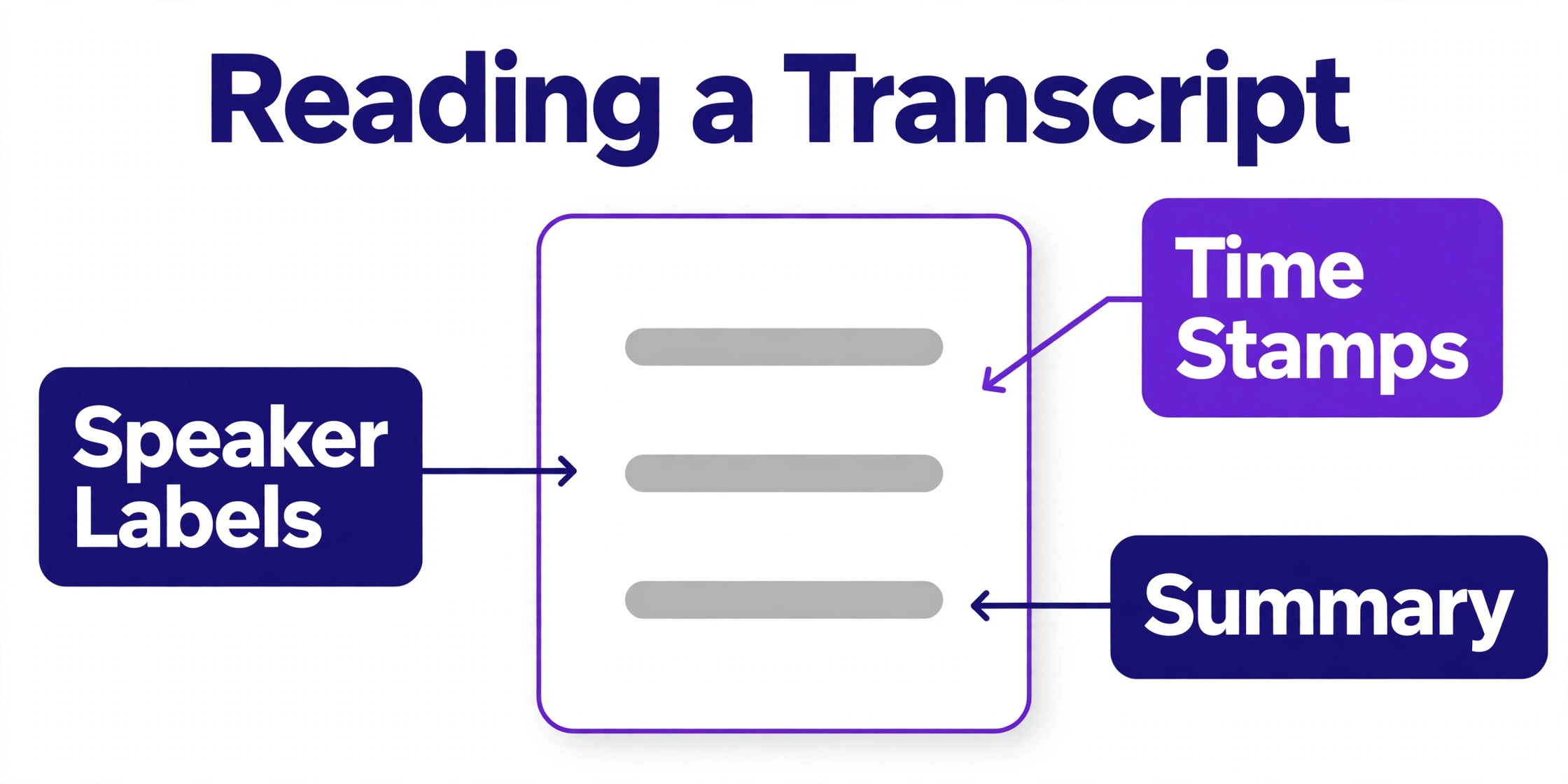
Yes, but accuracy drops as the audio gets harder. Independent testing puts Otter at 5.8 percent word error rate on clean studio audio, 11.5 percent on a three speaker meeting and 15 percent on a phone call. Sonix leads the self serve tools at 4.2 percent on clean audio and 9 percent on a three speaker meeting. Speaker labels help, and most tools on this list offer them, but crosstalk and heavy accents still need a human pass. Test with your worst recording before you commit.
What is the difference between Otter and Fireflies?
Otter is the simpler meeting tool, with the fastest live captions, deep transcript search and a free plan of 300 minutes a month, at 8.33 dollars per user per month on annual billing for Pro. Fireflies is the stronger team tool, with CRM integrations, action item tracking and summaries that push into Salesforce and HubSpot, at 10 dollars per seat per month on annual billing for Pro. Pick Otter when the job is meeting notes and search. Pick Fireflies when the team needs the notes inside the CRM.
Do transcription minutes roll over to the next month?
Almost never. Sonix subscription hours do not roll over, Otter minutes reset each month, and Descript media minutes reset as well. That makes the monthly allowance a use it or lose it budget, so a buyer with irregular volume should prefer pay as you go, such as Sonix at 10 dollars an hour or Temi at 25 cents a minute, rather than a subscription that wastes a quiet month. Check the rollover rule on the pricing page before you buy, because it is the detail that decides the true cost.
A good transcription tool is one that survives your worst audio, and the best way to find it is to test with a real recording. Transcribe the phone call with crosstalk, count the errors in the first five minutes, and see which tool makes the correction pass feel short. The best ai transcription tools are the ones that hold up on messy audio at a price per hour you can live with, not the ones with the best number on a clean test.