
A small business that posts to five networks spends about 10 hours a week writing, formatting and publishing by hand, and most of that time goes to repetition rather than creativity. A scheduler with real AI help cuts that work to a few hours, because the best ai social media schedulers draft captions, pick posting times, recycle evergreen posts and publish while the owner is doing anything else.
The problem is that every tool now claims AI, and the difference between a caption generator and a genuinely useful scheduling system is worth real money. This guide compares the best ai social media schedulers on what the AI actually does, what each plan costs, and which tool fits a solo creator, a small team or an agency.
AI scheduling is not one feature, and the marketing hides that fact. Some tools only generate caption text, which saves minutes. Others recommend posting times from your own performance data, which saves guesswork. A few connect scheduling to analytics, so the next month of posts learns from the last month of results, and that is where the real time saving lives. The tools on this list are ranked on the whole system, the quality of the AI help, the scheduling workflow, the approval process, the analytics and the price, not on a single chatbot feature.
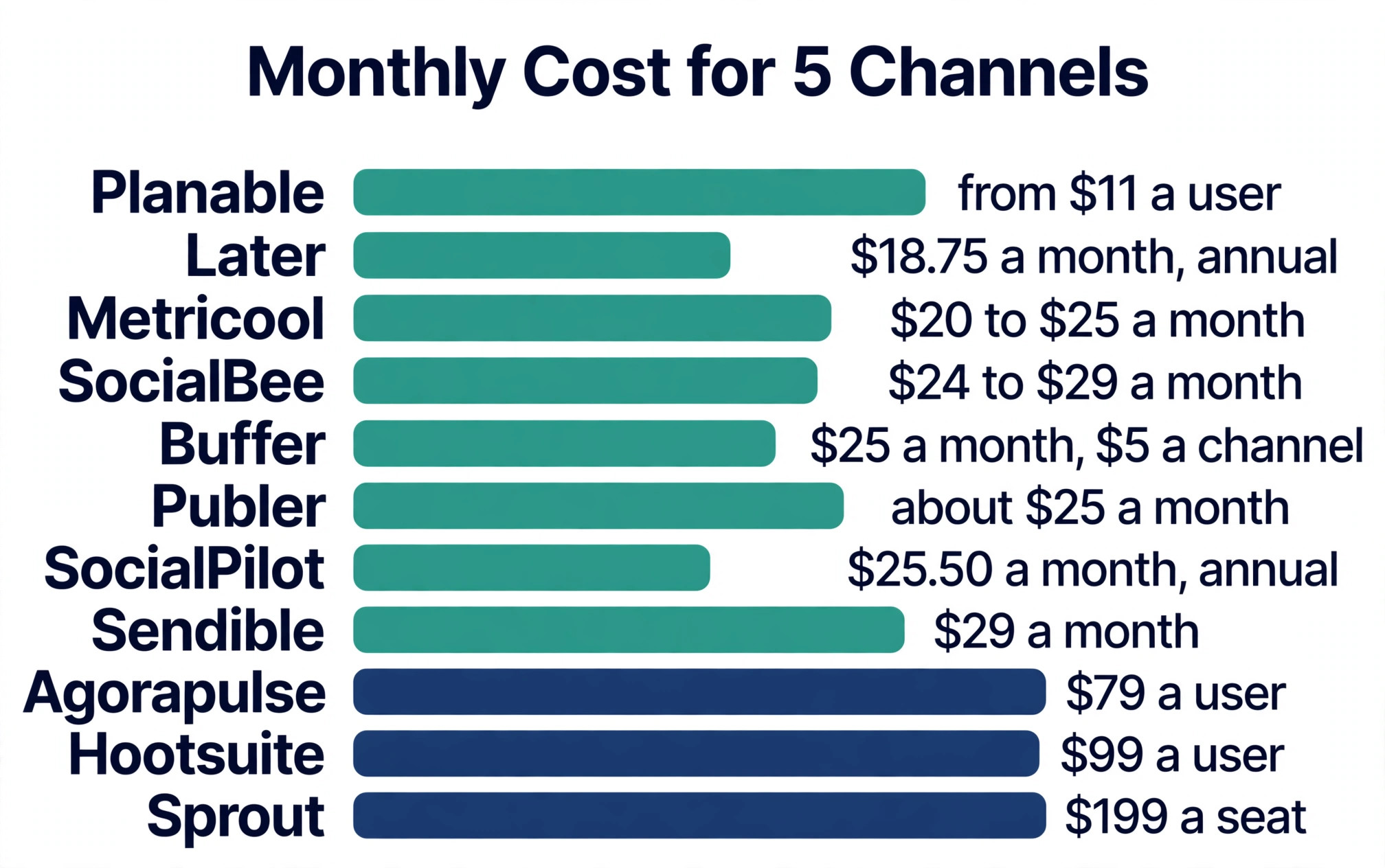
Prices in this guide were checked against vendor pricing pages and independent October 2026 roundups in November 2026. Scheduling tools change prices often, and the billing unit matters as much as the number, because per user, per channel and per account pricing produce very different bills for the same five accounts.
What AI Actually Does Inside a Scheduler
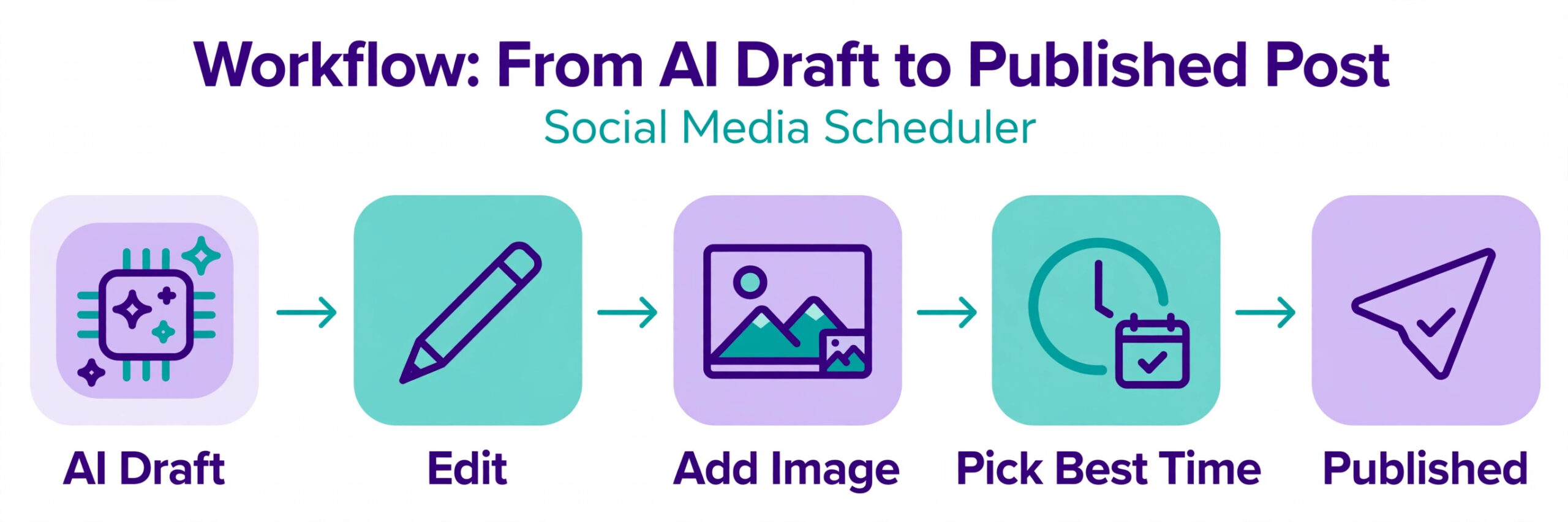
The first AI job is drafting, and every tool on this list does it. Give the tool a topic, a link or a rough idea, and it returns caption options, hashtags and sometimes a full post. The quality varies more than the marketing admits. Buffer, Metricool and Publer produce usable first drafts that need a short edit, while the enterprise tools produce longer drafts that need a heavier rewrite to sound human. No tool on this list writes posts you should publish without reading them, and the best workflow is AI draft plus human edit, not AI publish.
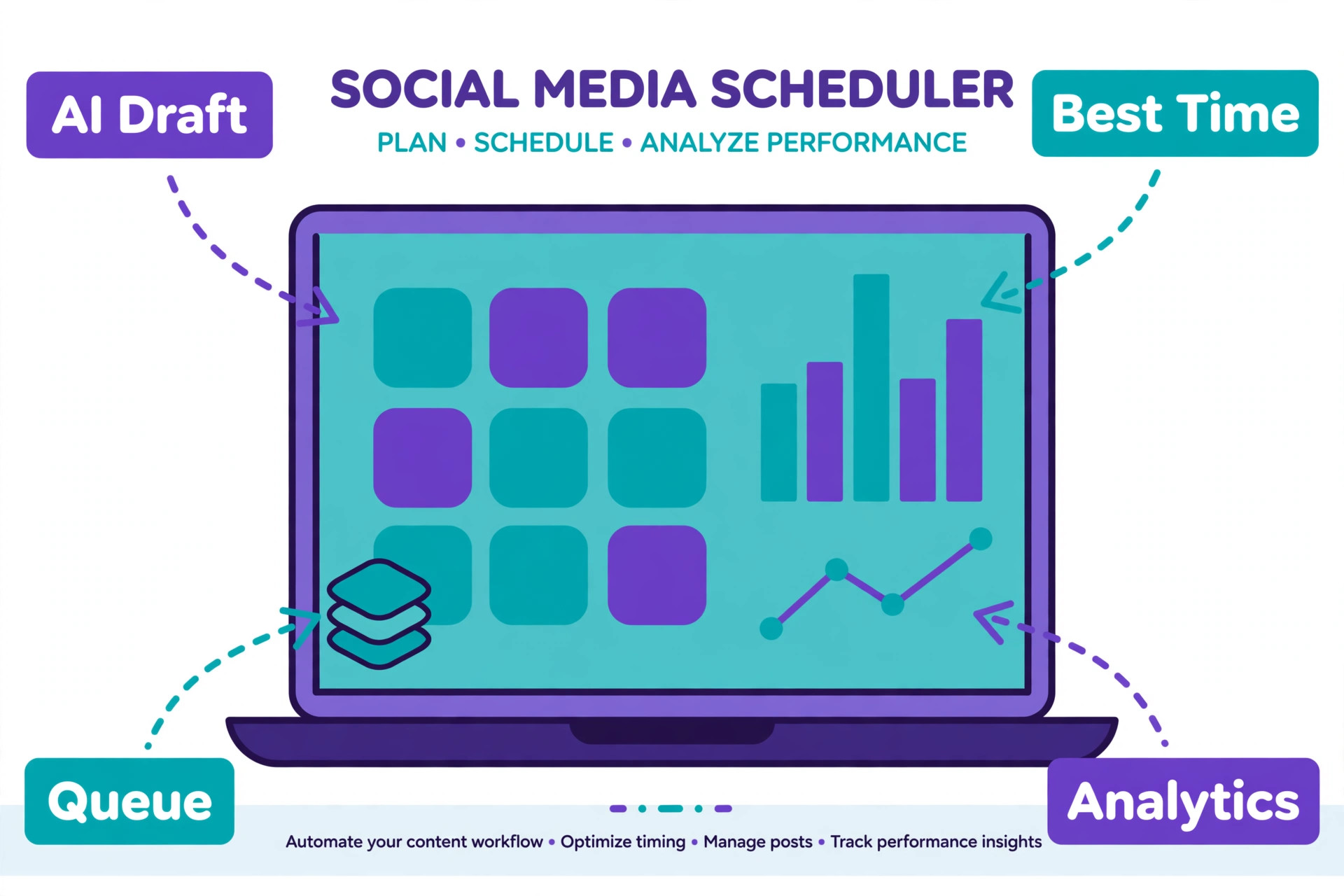
The second AI job is timing. The better tools study when your audience actually engages and suggest the best slot for each post, and Hootsuite, Sprout Social and Metricool all do this from your own account data rather than generic best times. The third AI job is recycling, where SocialBee leads, because it sorts posts into categories and reposts evergreen content on a schedule, so a library of 100 posts can fill a calendar for months.
The fourth AI job is analysis, where the tool connects a post to its result and tells you what to repeat, and Metricool and Sprout Social do this best at their price points. When you judge the best ai social media schedulers, weigh timing, recycling and analysis as heavily as drafting, because drafting is the easiest AI job and the least valuable on its own.
The Best Pick for Each Job
| Job | Pick | Why it wins |
|---|---|---|
| Simplest start, lowest cost | Buffer | Free plan, 5 dollars a channel a month |
| Visual Instagram planning | Later | Feed planner plus AI credits |
| Evergreen recycling | SocialBee | Category queues that refill themselves |
| Analytics plus scheduling | Metricool | Reports and competitor tracking included |
| Large team with approvals | Hootsuite | Inbox, listening and AI in one suite |
Use this table as a shortcut, then read the full section for the tool you are leaning toward. The cheapest option is not the best value when its AI only writes captions, and the most expensive option is not the best choice when one person runs five accounts alone.
The Best AI Social Media Schedulers, Compared
The 11 tools below fall into three groups. The first group is the simple schedulers, which cover one person or a small team at a low price. The second group is the mid range platforms, which add analytics, recycling and client workflows. The third group is the enterprise suites, which add a shared inbox, social listening and approvals at a per user price.
1. Buffer
Buffer is the simplest scheduler on this list and the cheapest way to cover many networks. The free plan covers three channels with 10 queued posts per channel and one user, plus the AI Assistant, which is enough to test the workflow properly. Essentials costs 5 dollars per channel a month on annual billing, or 6 dollars month to month, and adds unlimited scheduled posts and advanced analytics. Team costs 10 dollars per channel a month on annual billing and adds unlimited team members and approval workflows. Five channels on Essentials costs 25 dollars a month, and ten channels costs 60 dollars on annual billing.
The AI Assistant drafts captions and post ideas from a prompt or a link, and it is genuinely useful for a solo founder who needs a first draft fast. Buffer covers the most networks here, including Facebook, Instagram, X, TikTok, YouTube, LinkedIn, Mastodon, Bluesky, Pinterest, Threads and Google Business Profile, so one account reaches everywhere. The limit is depth, because Buffer has no shared inbox, no listening and no recycling categories, so a team that answers comments all day or recycles evergreen content will outgrow it. For a solo creator who wants simple scheduling with solid AI drafting, Buffer is the best starting point.
2. Hootsuite
Hootsuite, now sold as Perch by Hootsuite for larger teams, is the broadest suite on this list. Standard costs 99 dollars per user a month on annual billing for up to 10 social accounts, Professional costs 199 dollars per user a month with unlimited accounts, and Advanced costs 399 dollars per user a month with approvals, team routing and performance reporting. The AI assistant, called Wisdom, sits on every plan, and Perch adds AI recommended posting times, AI drafted content and performance data connected to publishing.
What Hootsuite does best is cover the whole job in one login, scheduling, a social inbox, listening, approvals and analytics, with the AI tying the pieces together. A team that manages ten accounts, answers messages and reports to a client will find everything in one place, and the 14 day trial is enough to test the core workflow. The cost is the obvious limit, because 99 dollars a user a month is four times the price of Buffer for five channels, and there is no free plan. Hootsuite fits a growing team that needs the full command centre, and it is the wrong pick for a solo creator on a budget.
3. Later
Later is the visual scheduler, built first for Instagram and grown into a platform for TikTok, Pinterest and the other networks. Starter costs 25 dollars a month billed monthly, or 18.75 dollars a month on annual billing, for one social set, one user and 30 posts per profile per month, plus 5 AI credits. Growth costs 50 dollars a month, or 37.50 dollars on annual billing, for two social sets, two users and 180 posts per profile with 50 AI credits, and Scale costs 110 dollars a month with six social sets and unlimited posts. The visual feed planner shows exactly how the Instagram grid will look before anything publishes, which no other tool here does as well.
The AI credits generate captions and post ideas, and the scheduling workflow is the smoothest for a visual brand that plans content in batches. The limit is X, because Later dropped X scheduling in 2025 to 2026, so a brand that relies on X must look elsewhere. Later has also shifted toward influencer marketing, which means scheduling is no longer the headline act. For a visual brand on Instagram and TikTok that plans in grids and batches, Later remains a strong pick, and the Starter price is fair for what it covers.
4. Sprout Social
Sprout Social is the premium suite for teams that live in analytics and social listening. Standard costs 199 dollars per seat a month on annual billing, with higher tiers at 299 and 399 dollars, and a 30 day trial lets a team test the full product. The AI features cover optimal send times, caption suggestions and performance reporting, and the Smart Inbox, which starts on Standard, pulls messages and comments from every network into one queue. Reporting is the deepest here, with profile and post level analytics that a client facing team can send without rebuilding the numbers.
The price is the decision, because Sprout costs more than Hootsuite at the entry tier and the per seat model grows fast with a team. A three person team pays about 600 dollars a month before add ons, which only makes sense when the reporting and listening earn their keep. For an agency or a mid size brand that reports to stakeholders and monitors mentions across networks, Sprout is the best tool on this list. For a small business that only needs scheduling, it is far more than the job requires.
5. SocialPilot
SocialPilot is the agency pick for small teams that want flat, predictable pricing. The entry plan costs 30 dollars a month billed monthly, or 25.50 dollars a month on annual billing, for seven social accounts and one user, with a 14 day trial. Higher plans run 50, 100 and 200 dollars a month and add more accounts, users and client approvals, with white label reporting on the Premium tier. The AI assistant helps with captions and post ideas, and the scheduling calendar handles bulk uploads, which matters when an agency queues a month of posts for several clients at once.
What SocialPilot does best is keep the bill flat while the account count grows, because the plan charges by tier rather than by seat or by channel. An agency with seven accounts pays the same 30 dollars whether it posts twice a week or twice a day. The limit is AI depth, because the assistant drafts text but does not match Metricool on analytics or Hootsuite on listening. For a small agency that wants client approvals and white label reports without per seat pricing, SocialPilot is the best value in the mid range.
6. Metricool
Metricool pairs scheduling with analytics at a low price, and that combination is why it wins the value comparison for data led creators. The free plan covers one brand with up to 20 scheduled posts a month, and Starter costs 25 dollars a month billed monthly, or 20 dollars a month on annual billing, for five brands. The planner auto publishes on a visual calendar with suggested posting times, and the analytics cover automatic monthly reports in PDF and PPT, competitor benchmarking, hashtag tracking and Google and TikTok ads data, plus a Looker Studio connection. The AI assistant writes captions and alt text, and an approval system is included.
The catch is X, which costs 10 dollars a month as an add on, so a brand that relies on X pays 35 dollars rather than 25. The scheduling itself is straightforward rather than fancy, with no recycling categories to match SocialBee. But for a creator or small business that wants to know which posts worked and why, Metricool gives more reporting per dollar than any tool on this list. It is the best pick when analytics decide the next month of content.
7. Publer
Publer is the cheapest per account scheduler on this list, and its free plan is the widest. The free plan covers three social accounts with 10 scheduled posts at a time per account, and Professional starts at 5 dollars a month for one account, or 4 dollars a month on annual billing, with extra team members at 2 dollars a month each. The AI Assist feature drafts captions, the AutoSchedule feature picks posting slots, and bulk scheduling handles a large queue fast. Publer covers 13 networks, including X and YouTube, which is more than Later and as many as Buffer.
The per account model is the whole story. A creator with two accounts pays about 10 dollars a month, while a creator with ten accounts pays about 50 dollars, so the bill grows with the network count rather than staying flat. The interface is functional rather than beautiful, and the analytics are thinner than Metricool. But for a creator or small team that wants the lowest price per account and a free plan that actually works, Publer is the best deal here, and the 7 day Professional trial is enough to test the paid features.
8. SocialBee
SocialBee is the evergreen specialist, and it solves a problem the other tools ignore, which is what to post when there is nothing new to say. Posts are sorted into categories, such as tips, promotions and behind the scenes, and the queue refills itself from those categories, so a library of 100 posts can fill a calendar for months without new writing. Bootstrap costs 29 dollars a month, or about 24 dollars a month on annual billing, for five social profiles and one workspace, with higher plans at 49 and 99 dollars a month. The AI features help with captions and post variations, and a 14 day trial needs no card.
The trade off is price per profile. At 29 dollars a month for five profiles, SocialBee costs more than Buffer for the same five channels, and the analytics are basic. But no other tool on this list recycles content this well, and a business with a deep library of tips, quotes and product posts will save more hours here than on any other scheduler. Use SocialBee when evergreen content is the strategy, and use Buffer or Publer when every post is new and the queue empties each week.
9. Agorapulse
Agorapulse is the mid market team tool, built around a shared inbox as much as a scheduler. Standard costs 79 dollars per user a month on annual billing, and the platform covers Facebook, Instagram, X, TikTok, YouTube, LinkedIn and Google Business Profile. The unified inbox pulls comments and messages into one queue, the scheduling calendar handles bulk posts, and the AI assistant helps with replies and captions. There is a limited free plan for testing, and the reporting covers the basics a small team needs.
Agorapulse sits between SocialPilot and Hootsuite, and the choice between them comes down to the inbox. A team that answers a high volume of comments and messages will use the inbox every day and should pay for Agorapulse, while a team that only schedules posts will get the same result cheaper from SocialPilot. The per user price grows with the team, so a five person team pays about 400 dollars a month, which needs the inbox and the reporting to justify it. For a mid size team that treats social as a conversation rather than a broadcast, Agorapulse is a strong pick.
10. Sendible
Sendible is the agency scheduler for teams that manage many clients and need approvals that clients actually use. The Creator plan starts at 29 dollars a month, and higher plans add more profiles, users and client dashboards, with white label reporting for agencies that send branded reports. The scheduling tools cover bulk uploads, queues and a shared calendar, and the AI features help with caption drafting and post ideas. Client approval workflows are the standout, because a client can review, comment and approve posts without a separate login to a project tool.
The limit is AI depth, because Sendible does not match Hootsuite or Sprout Social on listening or analytics, and the interface feels older than the newer tools. But an agency that manages ten client accounts cares more about approvals and reporting than about AI novelty, and Sendible covers those jobs at a lower price than the enterprise suites. For a small agency that wants client sign off built into the scheduler, Sendible is a practical pick that keeps the workflow in one place.
11. Planable
Planable is the approval first scheduler, built for teams where nothing posts without a sign off. Pricing is per user, starting at 11 dollars per user a month on annual billing for the Basic plan, with higher tiers for more workspaces and features. The calendar shows posts exactly as they will look on each network, the team can comment and approve in place, and the AI features help with captions and post variations. The visual preview is the best on this list for teams that need to see the finished post before it goes live.
The trade off is that Planable is a scheduling and approval tool rather than a full suite, with no inbox and no listening. A team that also answers comments needs a second tool, which adds cost and complexity. But for a marketing team or an agency where approval is the bottleneck, Planable removes the email chains and shared documents that slow publishing down, and the per user price is the lowest of the approval focused tools. Use it when sign off is the problem, and pair it with a separate inbox tool when replies matter.
How to Choose the Right AI Scheduler
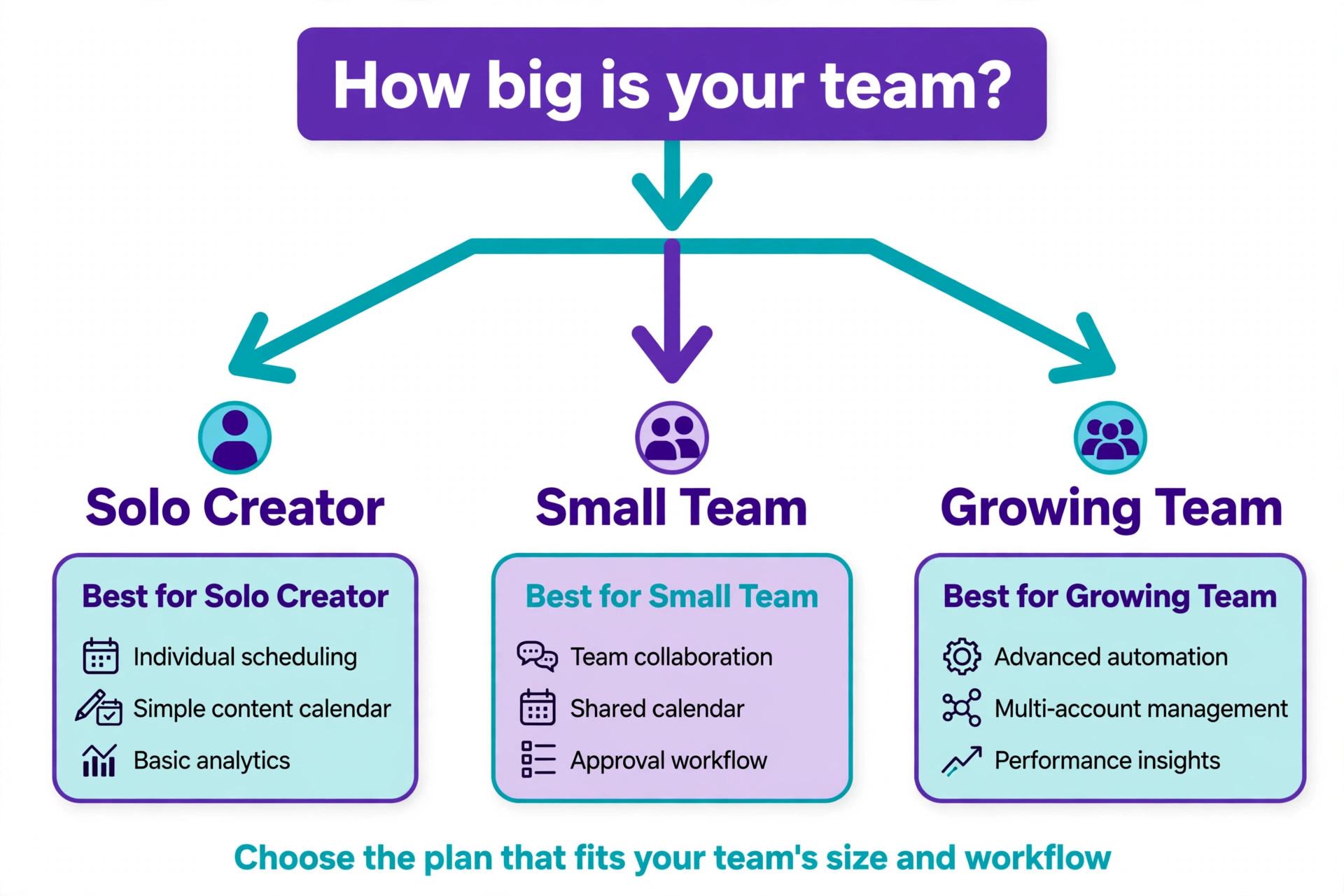
Start with the billing unit, because it decides the bill more than the headline price. Count your accounts, your users and your monthly post volume, then price each tool on those numbers. Buffer charges per channel, so five channels cost 25 dollars a month on Essentials, while Publer charges per account, so two accounts cost about 10 dollars.
Hootsuite, Sprout Social and Agorapulse charge per user, so a three person team pays three times the headline price. That billing unit test is the fastest way to shortlist the best ai social media schedulers, because the tool that looks cheapest on the pricing page can be the most expensive for your team shape, so run your own numbers before you trial anything.
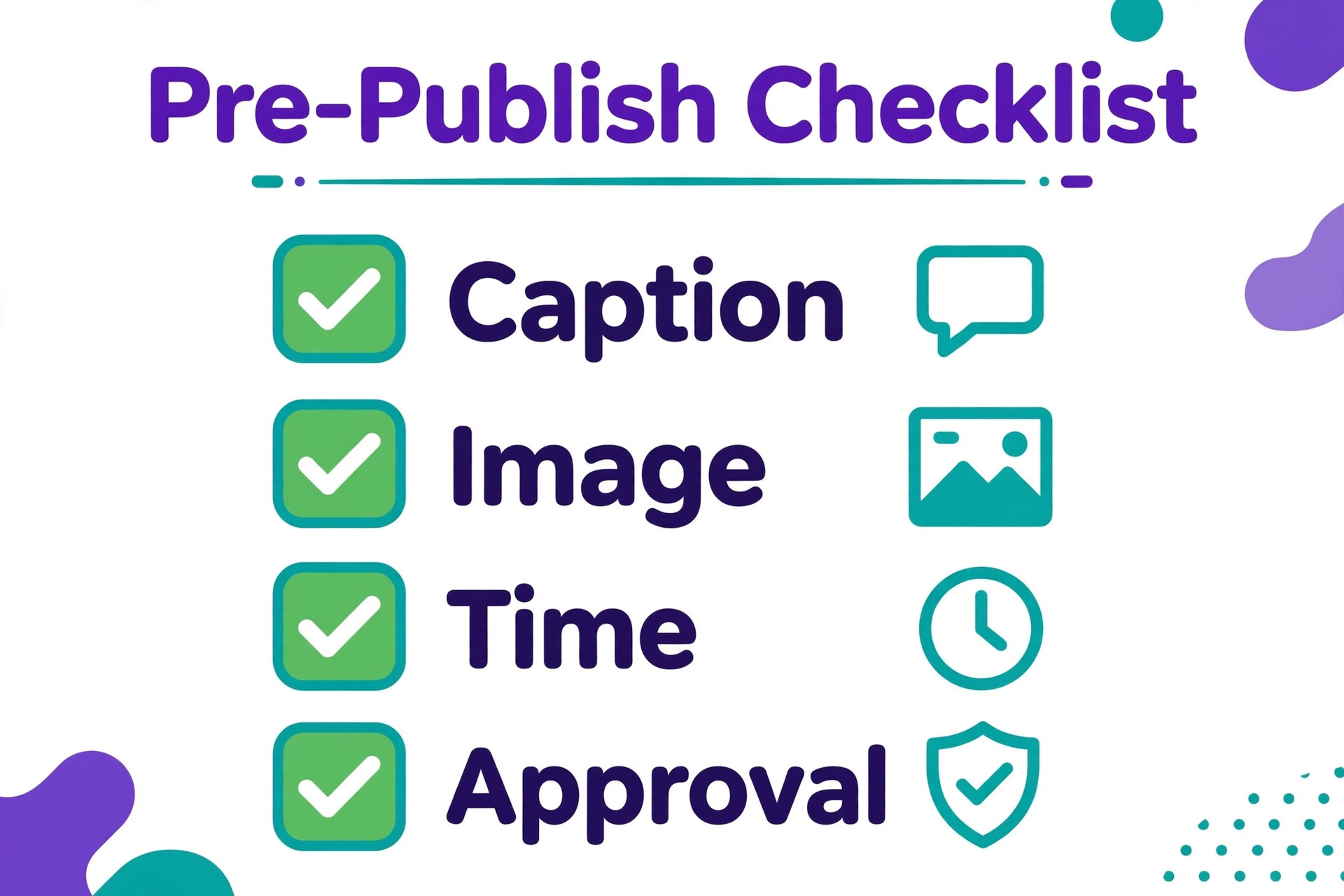
Next, test the AI on your own content, not on the demo. Write ten of your real posts with the AI assistant, edit them as you normally would, and count how many survive without a rewrite. A tool that drafts usable captions for your voice saves hours, while a tool that writes generic text you rewrite anyway saves nothing. Then check the network list, because Later has no X scheduling and Metricool charges extra for X, and a missing network means a second tool. Finally, check the approval flow if more than one person touches a post, because an approval bottleneck will waste more time than the scheduler saves.
Mistakes That Waste Money on Schedulers
- Paying for a per user suite when one person runs the accounts. A 99 dollar per user plan is built for a team, and a solo creator pays four times the Buffer price for features that sit unused, so match the billing unit to the team size.
- Trusting AI captions without an edit. AI drafts that go live unedited sound generic, repeat phrases across posts and miss the brand voice, and followers notice faster than the owner does, so budget an edit pass for every AI draft.
- Choosing a tool that drops a network you need. Later has no X scheduling and Metricool charges extra for X, so a brand that relies on X discovers the gap after migrating, when switching back costs a week of work.
- Ignoring the approval workflow. A team that approves posts by email while the scheduler waits will publish late no matter how good the AI is, so pick the tool whose approval flow matches how the team actually works.
- Paying for listening and inbox features you never open. Enterprise suites charge for a shared inbox and social listening, and a small business that answers five comments a week pays hundreds a month for tools it never uses, so buy the suite only when the inbox is a daily job.
Our Verdict
Buffer is the pick for most readers among the best ai social media schedulers, because the free plan is genuinely usable, Essentials costs 5 dollars a channel a month on annual billing, and the AI Assistant drafts captions well enough to save real hours. A solo creator or a small team with five channels pays 25 dollars a month and gets scheduling across 11 networks with solid AI help. Metricool is the pick when analytics decide the content plan, because the reporting and competitor tracking at 20 to 25 dollars a month beat every rival at the price.
SocialBee is the pick when evergreen content is the strategy, because the category queues keep a library working for months. Hootsuite and Sprout Social are the picks for large teams that need an inbox, listening and approvals, with Hootsuite the broader suite and Sprout the deeper analytics choice. Whatever you choose, trial the AI on your own posts first, price the tool on your real account and user count, and remember that the best ai social media schedulers earn their price in hours saved every week, not in the number of AI features on the homepage.

Frequently Asked Questions
What is the best AI social media scheduler?
Buffer is the best overall pick for most users, because the free plan covers three channels, Essentials costs 5 dollars a channel a month on annual billing, and the AI Assistant drafts usable captions across 11 networks. Metricool is the best pick when analytics matter, SocialBee is the best pick for evergreen recycling, and Hootsuite is the best pick for large teams that need an inbox, listening and approvals in one suite. The right answer depends on team size, account count and whether the AI needs to draft, time, recycle or analyse.
How much does an AI social media scheduler cost?
An AI social media scheduler costs from zero on a free plan to about 30 dollars a month for a solo creator or small team, and 79 to 399 dollars per user a month for an enterprise suite. Real 2026 entry prices include Buffer at 5 dollars a channel a month, Publer at 5 dollars an account a month, Metricool at 20 dollars a month on annual billing, Later at 18.75 dollars a month on annual billing, SocialBee at 29 dollars a month and SocialPilot at 25.50 dollars a month on annual billing. Hootsuite starts at 99 dollars per user a month and Sprout Social at 199 dollars per seat a month, both on annual billing.
Is there a free AI social media scheduler?
Yes, Buffer offers a free plan with three channels, 10 queued posts per channel and the AI Assistant, which is the most usable free plan on this list. Metricool offers a free plan for one brand with 20 scheduled posts a month, and Publer offers a free plan for three accounts. Agorapulse offers a limited free plan as well. A free plan is the right way to test the AI drafting and the scheduling workflow, and the right move is to pay once the account count or the post volume outgrows the free limits.
Can AI schedulers post automatically?
Yes, the tools on this list auto publish to most networks, including Facebook, Instagram, TikTok, LinkedIn, Pinterest and YouTube, once the accounts are connected and the posts are scheduled. Some networks and post types still need manual approval, such as Instagram Stories on some tools and X on Later, which dropped X scheduling in 2025 to 2026. Check the auto publishing list for each network you use before you commit, because a scheduler that cannot auto publish to your main network saves no time at all.
Do AI schedulers work for agencies?
Yes, SocialPilot, Sendible and Planable are built for agencies, with client approvals, white label reporting and multi client calendars, while Hootsuite and Sprout Social cover larger agencies with inbox and listening. SocialPilot charges a flat 30 dollars a month for seven accounts, which suits a small agency, while Planable charges per user from 11 dollars a month and focuses on approval workflows. An agency should trial the approval flow with a real client before committing, because approvals decide whether the tool saves time or creates a new bottleneck.
Will AI captions sound like my brand?
AI captions will sound generic unless you edit them, because the tools draft from a prompt rather than from your brand voice. The best workflow is to give the AI examples of your own posts, let it draft, then edit for tone, facts and phrasing before scheduling. Buffer, Metricool and Publer produce the most usable first drafts in our comparison, while the enterprise tools produce longer drafts that need heavier editing. Treat the AI as a first draft writer, not a publisher, and the quality stays high.
A scheduler should give you hours back every week, not add a new dashboard to check. Pick the tool whose billing unit fits your team, trial the AI on your own posts, and make sure it auto publishes to every network you use. The best ai social media schedulers are the ones that draft fast, time well, recycle wisely and report honestly, and for most small businesses in 2026 the best ai social media schedulers to start with are Buffer or Metricool.