Your Canva logo looked fine on a social profile, and then you needed it on a shop sign, a printed flyer, and a trademark application, and the cracks appeared. The free plan would not export a vector file. The background would not go transparent without a subscription. The template elements you built the mark from are shared with thousands of other users, which makes trademark protection difficult. This is the moment many small business owners decide to switch from Canva to Looka logo maker.
This guide walks through the whole move. You will learn what Looka does differently, what the switch really costs, how to recreate your existing logo or start fresh, and how to move your colours, fonts, and brand assets without losing a week of work.
Why People Leave Canva for a Logo
Canva is a superb general design tool. It is fast, friendly, and good at almost everything visual. Logos are the exception, and the reason is structural. Canva is built around templates and shared stock elements, which means your logo is assembled from pieces other people can also use. That is fine for a social post. For a logo, which is supposed to identify one business and no other, shared elements are a real problem. Several reviewers note that trademarking a Canva logo built on stock graphics is risky, because you cannot claim exclusive rights to elements that are not yours.
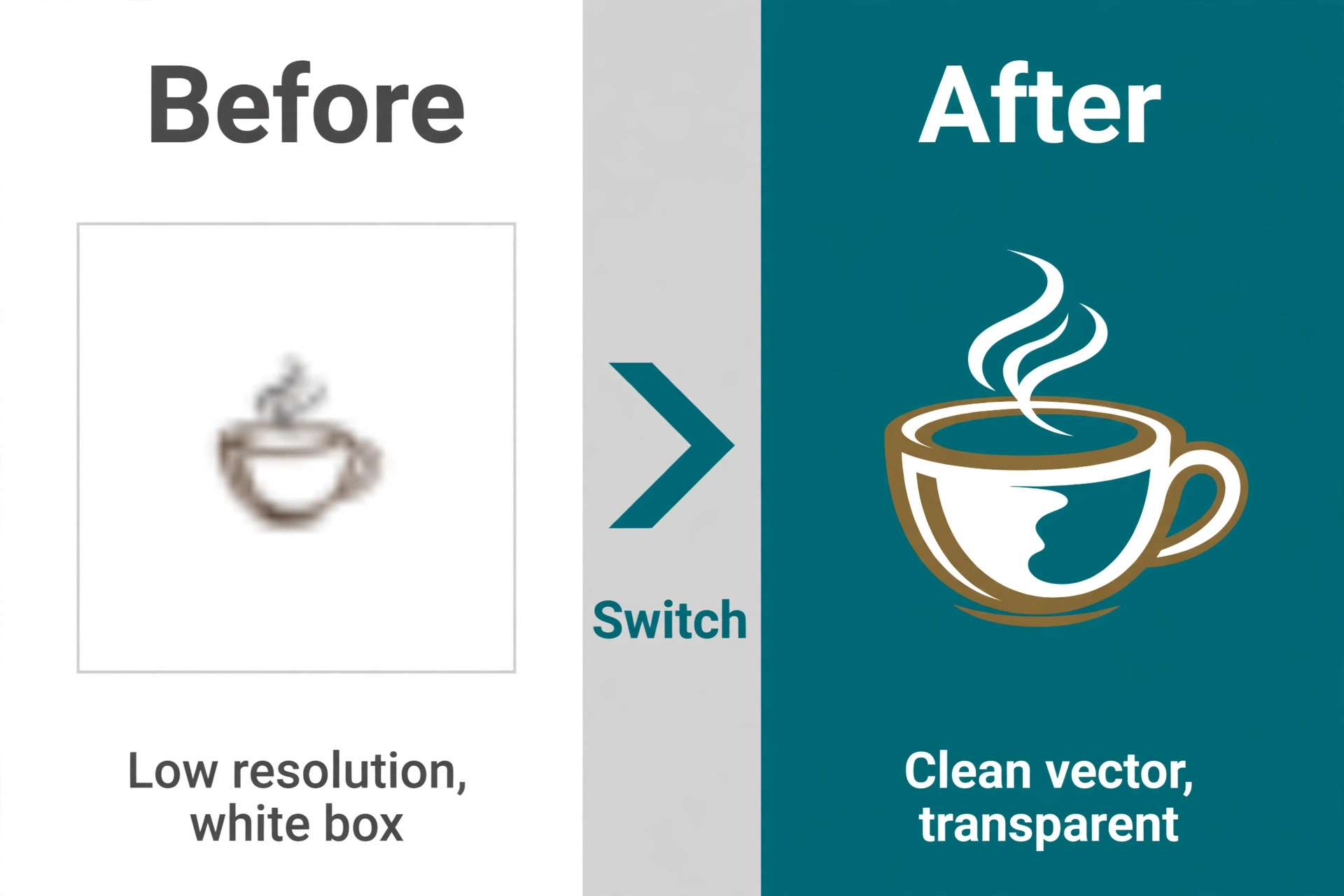
The export limits are the second reason. On the free plan, you can download PNG, JPG, and standard PDF, but not SVG vector files and not PNGs with a transparent background. A logo without a vector version cannot scale cleanly to a sign, a vehicle wrap, or large print, and a logo without transparency sits inside a white box on every coloured background. Canva Pro unlocks both, but only while you keep paying the subscription. Stop paying, and the export options go away with it.
The third reason is focus. Canva does everything, so its logo tools are general. There is no guided flow that asks about your industry, your style, and your colours, then generates hundreds of logo directions to compare. There is no brand kit that turns the logo into business cards, email signatures, and social templates automatically. Owners who want a logo and a finished brand system in one place start looking elsewhere, and Looka is the most direct answer to that need.
Canva vs Looka at a Glance
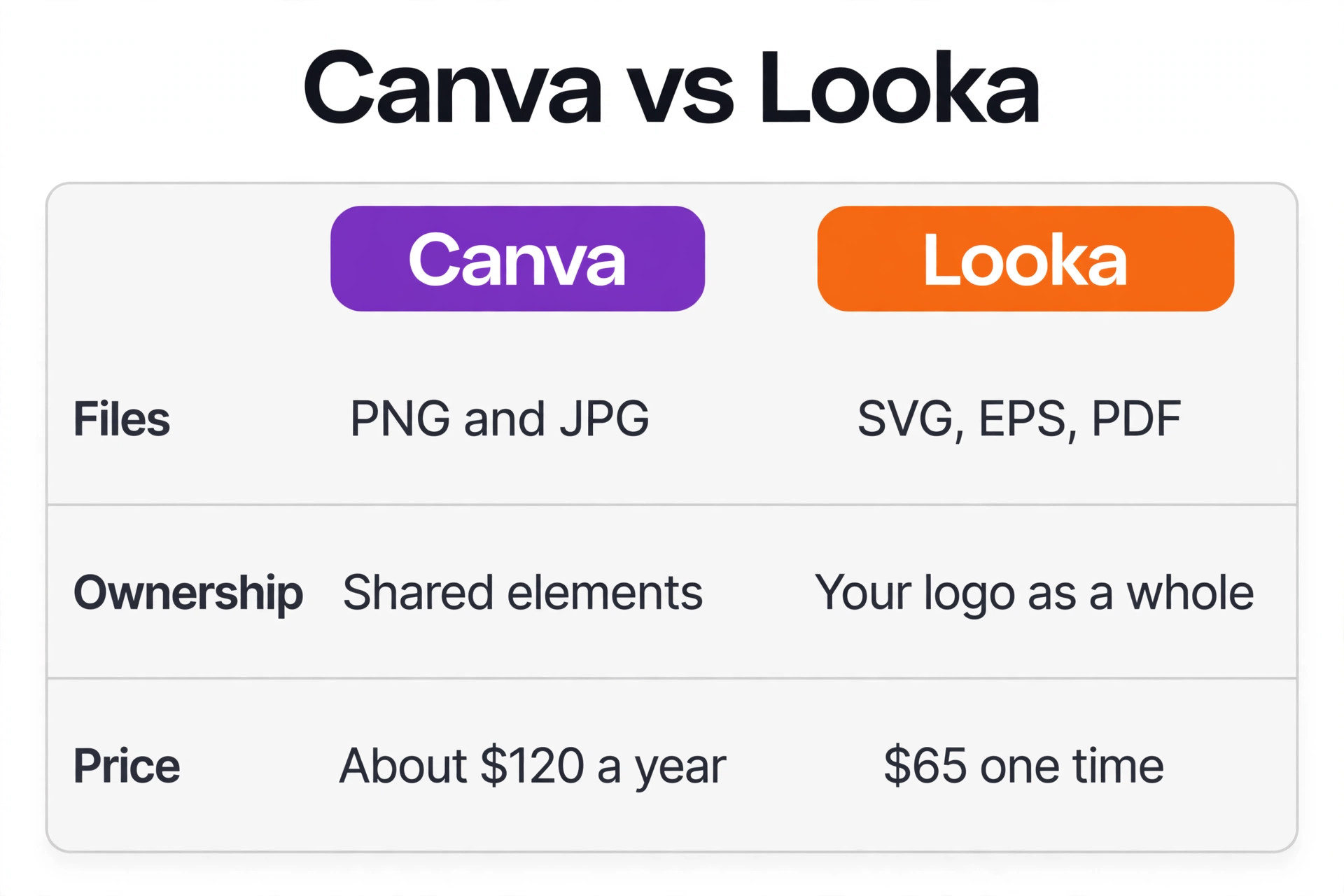
| Area | Canva | Looka |
|---|---|---|
| Main job | General graphic design | Logos and brand identity |
| Logo creation | Manual, from templates | AI generated from name and style |
| Vector export | Pro subscription only | Premium package, one time payment |
| Transparent background | Pro subscription only | Premium package, one time payment |
| Brand kit | Pro, 5 kits with fonts and colours | 300 plus templates, 96 dollars a year |
| Trademark position | Limited by shared stock elements | Full ownership of the logo as a whole |
| Free to try | Yes, design free | Yes, design free, pay to download |
| Best for | Everyday design and social posts | A business that needs a real logo |
What Looka Does Differently
Looka is a web based logo and brand identity platform that starts with your business name and industry, then asks you to pick logo styles you like from a sample wall, choose colour preferences, and add optional symbols or a slogan. Its engine then generates dozens of logo concepts in seconds, built from vector symbols, typefaces, and colour palettes, and you refine the one you like in a simple editor. Looka launched in 2016 as Logojoy, rebranded in 2019, and says it has served more than 20 million small business owners since.
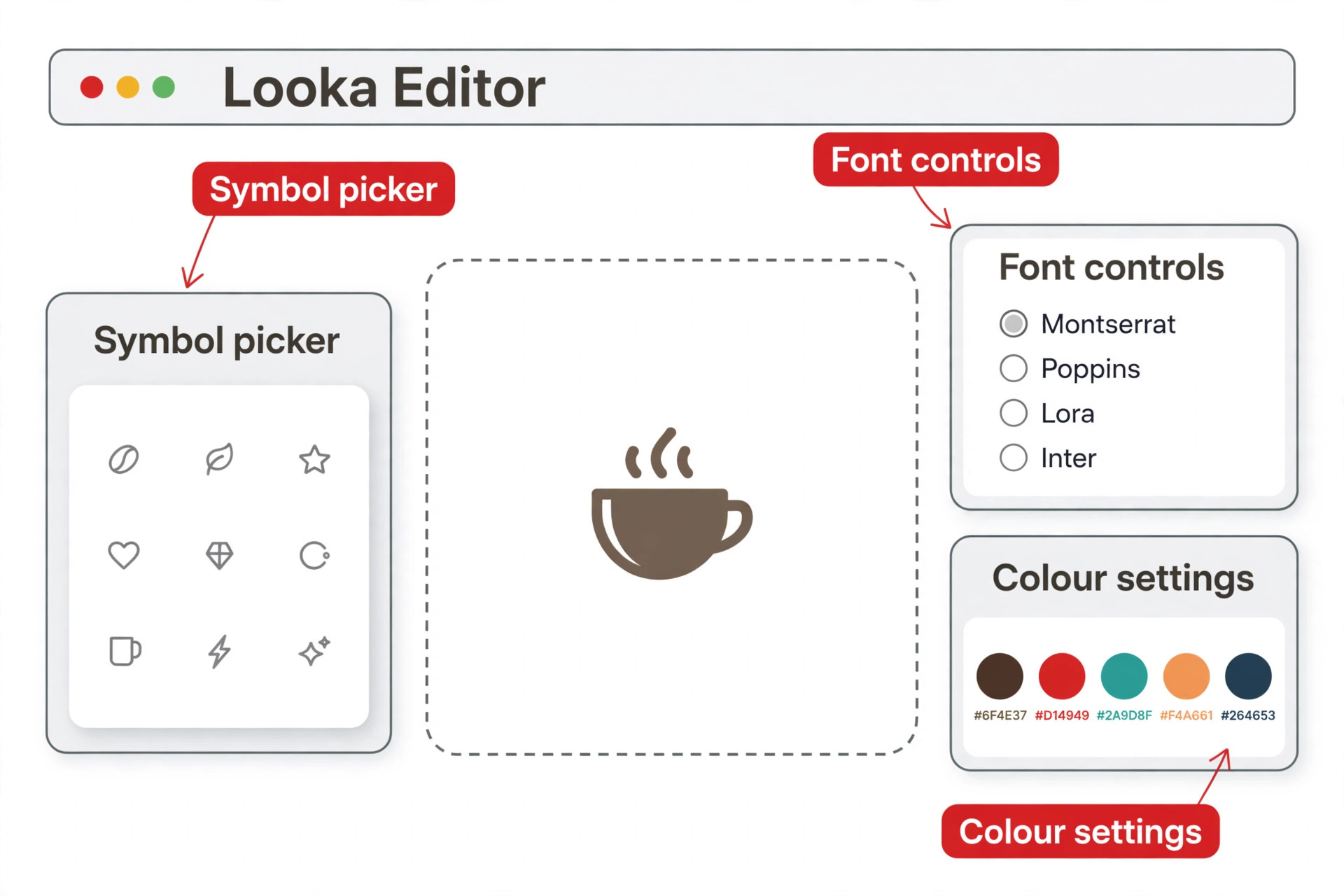
The key difference from Canva is that Looka is a logo first tool. Every step of the flow exists to produce a mark, not a social post. The editor lets you change the symbol, font, layout, colours, spacing, container shapes, and tagline, and every candidate is built from vector components, so the finished logo scales cleanly. The second difference is the Brand Kit. A subscription turns your logo into more than 300 branded templates for business cards, social posts, email signatures, letterheads, invoices, and flyers, plus an automatically generated brand guidelines document. Canva Pro offers brand kits too, but Looka generates the assets for you instead of asking you to design each one.
The third difference is ownership and files. When you buy the Premium package, you get the logo in PNG, SVG, EPS, and PDF formats, in full colour, black, and white, with transparent backgrounds, plus unlimited post purchase edits. That one time purchase is the realistic minimum for professional use. The Basic package, at 20 dollars for a single low resolution PNG, is close to useless for anything beyond a screen, because the file cannot scale for print and cannot sit on a coloured background.
There is a fourth difference that only becomes clear after the switch, and it is the way Looka treats the logo as the start of a system rather than a single file. In Canva, a logo is one design among hundreds, saved in a folder alongside social posts and flyers. In Looka, the logo is the centre of the account, and every template, mockup, and guideline document is generated from it.
That structure changes how you think about the brand. Instead of asking what to design today, you ask what the brand already has and what it still needs. For a small business owner with no design team, that shift is worth as much as the vector files, because it turns branding from a series of one off tasks into a system that maintains itself. The decision to switch from Canva to Looka logo maker is often really a decision to stop improvising the brand and start running it as a system.
How Much the Switch Costs
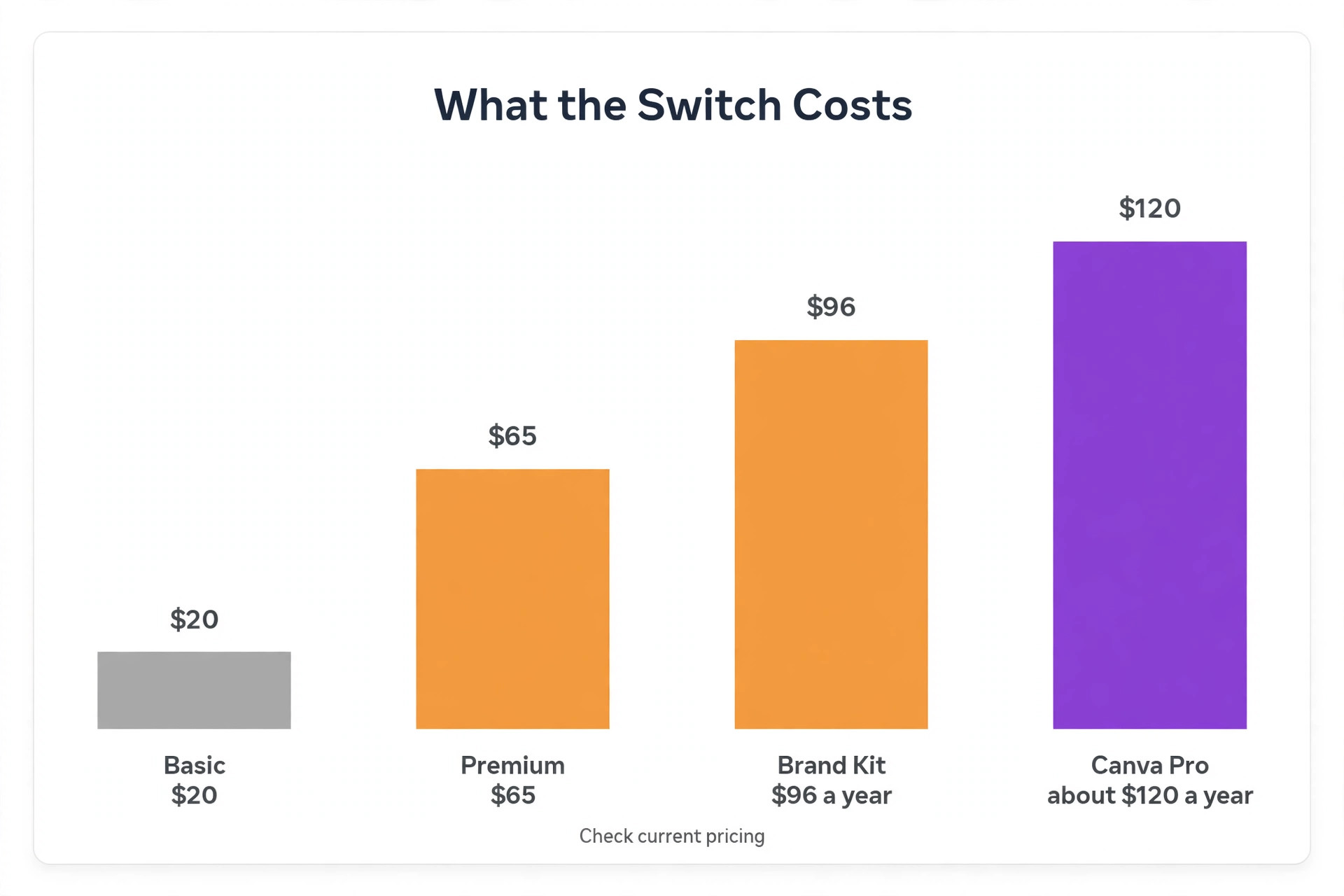
Looka pricing is simple once you see the full menu, because the homepage does not lead with it. Designing and editing logos is free, and you only pay when you download files or subscribe to a Brand Kit. The Basic Logo Package costs 20 dollars as a one time purchase and delivers a single 1,000 by 1,000 pixel PNG.
The Premium Logo Package costs 65 dollars as a one time purchase and delivers high resolution PNG, SVG, EPS, and PDF files, colour variations with transparent backgrounds, and unlimited post purchase changes. The Brand Kit Subscription costs 96 dollars a year and adds more than 300 branded templates, business cards, email signatures, social templates, and a brand guidelines document. Brand Kit Web costs 129 dollars a year and adds an AI generated website.
Compare that with staying on Canva. Canva Pro is a subscription, listed at roughly 120 to 144 dollars a year depending on billing and region, so check the pricing page before you buy. It unlocks SVG and transparent exports, background removal, and brand kits, but only while the subscription is active. A one time Looka Premium purchase at 65 dollars can be cheaper than a single year of Canva Pro if the logo is your only reason for paying, and you keep the files forever.
That cost comparison is the clearest reason many owners decide to switch from Canva to Looka logo maker, because the maths favours a one time purchase over a subscription they only keep for two export buttons. The Brand Kit at 96 dollars a year is a closer comparison to Canva Pro, and the right choice depends on whether you want Looka to generate your branded assets or prefer to design them yourself in Canva.
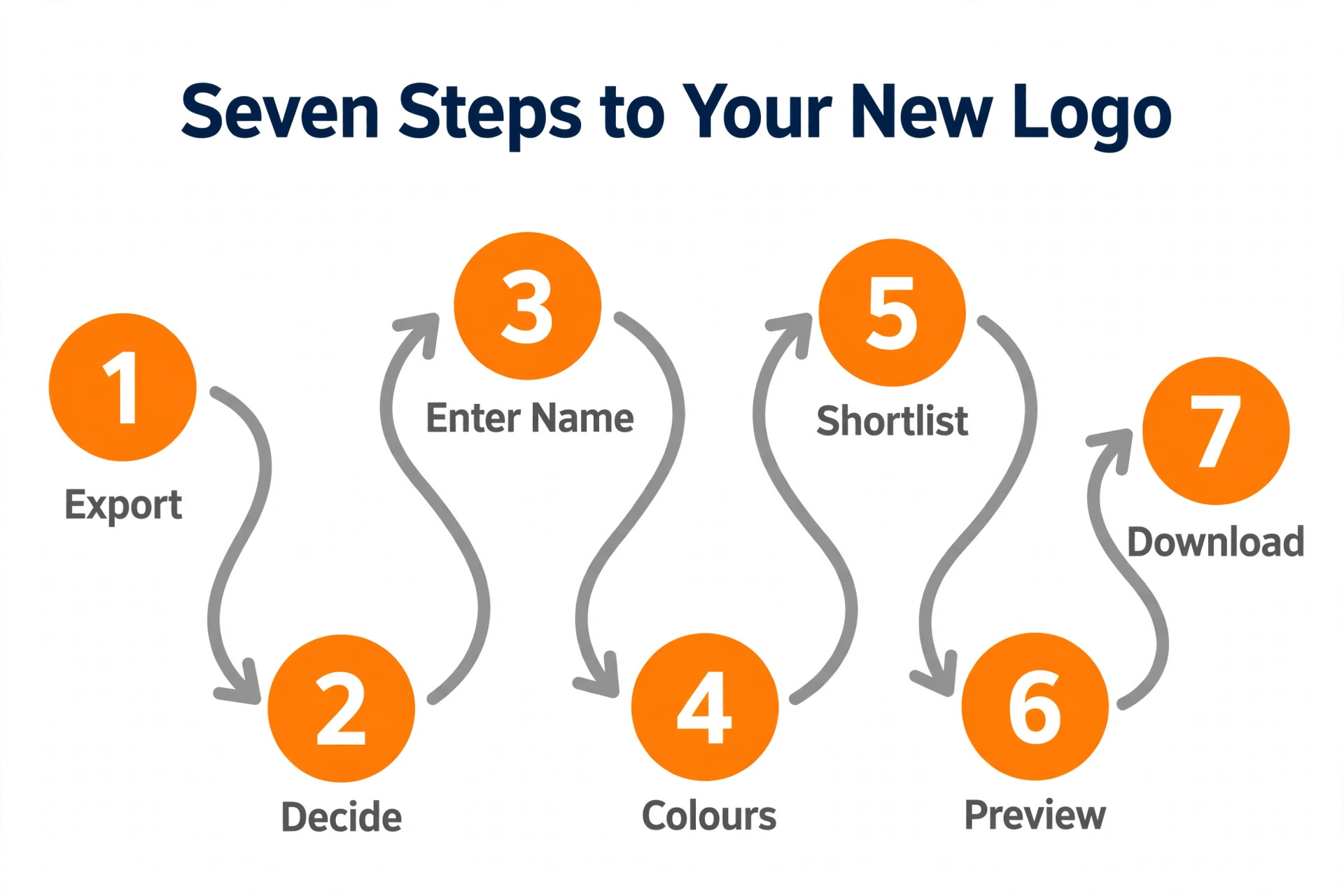
How to Switch from Canva to Looka Logo Maker in 7 Steps
The switch itself is straightforward, and most of it happens in an afternoon. The steps below assume you already have a Canva logo and a business name. If you are starting from scratch, skip to step three and let Looka generate fresh directions.
- Export everything you have from Canva. Download your current logo as a PNG, save your brand colours and fonts, and export any business cards or social templates you still use.
- Decide whether to recreate or redesign. If your current logo works and customers recognise it, recreate it in Looka. If it never felt right, let Looka generate fresh concepts.
- Enter your business name and industry in Looka. Add a slogan if you have one, then pick the logo styles you like from the sample wall.
- Choose colours and symbols. Pick colours close to your current brand so the change feels like an upgrade, not a rebrand, and add symbol keywords that describe what you do.
- Browse the generated concepts and shortlist three. Open each one in the editor and adjust the font, spacing, and layout until it feels like your business.
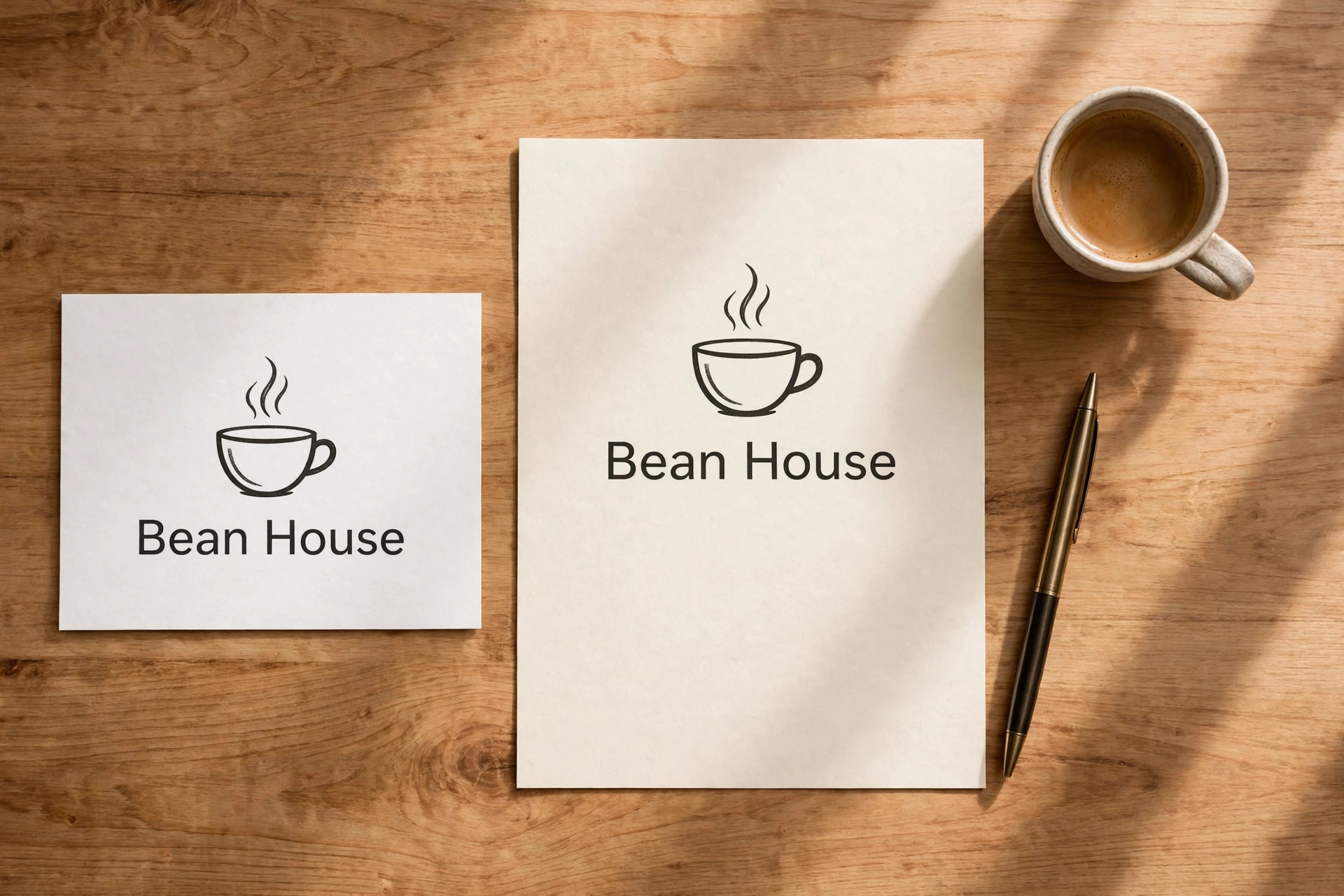
- Preview the logo on mockups. Looka shows business cards, T shirts, and storefronts. Check the logo at small sizes, because a mark that only works large is a mark that will fail on a social profile.
- Buy the Premium package and download every file. Save the SVG, EPS, PDF, and PNG versions in a folder, then update your profiles, website, and print materials with the new files.
The most common error is skipping step six. A logo that looks good in the editor can fall apart on a business card, where the text becomes unreadable, or on a dark background, where a dark mark disappears. Preview first, pay second.
Best Pick by Job
| Job | Best pick | Why it wins |
|---|---|---|
| Solo owner who needs a logo file | Looka Premium, 65 dollars one time | Vector files and full ownership, no subscription |
| Owner who wants branded templates | Looka Brand Kit, 96 dollars a year | 300 plus templates generated from your logo |
| Owner who also needs a website | Looka Brand Kit Web, 129 dollars a year | Brand kit plus an AI built website |
| Designer who makes social content daily | Stay on Canva Pro | Better for everyday design beyond logos |
| Tight budget, screen only use | Looka Basic, 20 dollars one time | Cheap, but only a low resolution PNG |
Recreating Your Existing Logo in Looka
Recreation is the right choice when customers already know your mark. Open Looka, enter your business name, and choose styles that match your current logo rather than styles you wish you had picked. If your Canva logo uses a bold sans serif font and a blue palette, pick bold styles and blue colours in Looka, so the generated concepts land near your existing design. Browse until you find a concept with a similar structure, then open it in the editor.
The editor lets you swap the symbol, change the font, adjust spacing, and move the layout from icon above text to icon beside text. Match your existing colours by entering their hex codes if you know them, and match the font as closely as the available library allows. The result will not be a pixel perfect copy of your Canva file, and that is acceptable. A recreation that keeps the same idea, colours, and feel is enough for customers to recognise it, and the new version gains vector files, transparency, and clean scaling that the old file never had.
Keep your old Canva file for reference, and keep the new Looka files as the master copies from now on. Update the logo everywhere at once if you can, starting with the places customers see most. Website header, social profiles, email signature, and Google Business Profile come first. Print materials can wait until the next reorder, unless the old logo is actively embarrassing. A phased update is normal, and nobody will notice that your business cards still carry the old file for a month.
Moving Your Brand Kit and Colours
A logo is only part of a brand. The colours, fonts, and templates around it matter just as much, and this is where the switch needs care. Before you cancel anything, write down your brand colours as hex codes, your font names, and the exact wording of your tagline. Canva stores these in its brand kit, but only Pro users can see the full kit, and the free plan limits you to a few saved colours. Screenshot everything if you cannot export it.
In Looka, the Brand Kit subscription builds your colours and fonts into more than 300 templates automatically. Business cards, social posts, email signatures, letterheads, invoices, and flyers all inherit the logo, palette, and typefaces, so you do not rebuild each asset by hand. If you prefer to keep designing in Canva, the Premium logo files work there too. Upload the transparent PNG to Canva, set your colours and fonts in the Canva brand kit, and keep using Canva for daily design while Looka owns the logo itself. Many owners run this hybrid setup, and it is often the best of both worlds.
Trademark and Ownership After the Switch
Ownership is the strongest reason to make this move, and it deserves a plain explanation. Canva logos built from stock elements carry a limit. You cannot claim exclusive rights to elements that other users can also download, which makes trademark registration difficult and sometimes impossible. Looka states that buyers get copyright of their logo as a whole, though not of the individual elements such as the symbols, which are licensed from sources like The Noun Project. That is still a stronger position than a logo assembled from shared templates, because the combination is yours.
Neither tool replaces a lawyer. Before you file a trademark, search your country trademark database for similar marks in your industry, and consider a professional clearance search if the brand matters to your revenue. An AI logo generator gives you a usable mark and clean files. It does not guarantee that no one else has a similar mark, and no generator can promise that.
Treat the switch as a step toward a protectable brand, not the final step. The practical test is simple. If a competitor used a similar mark tomorrow, could you show that your logo is yours, with dated purchase records and original files? After the switch, the answer is yes. Before it, with a Canva template built from shared elements, the answer is often no, and that gap is the whole point of moving.
What Looka Cannot Do
Honesty matters here, because Looka is not a universal replacement for Canva. Looka has no official mobile app, so the work happens in a browser on a computer. Its logos are assembled from a library of vector symbols, typefaces, and layouts, which means the visual vocabulary is constrained. Reviewers note that Looka marks can share structural patterns that are recognisable as machine generated, which makes the tool better suited to functional branding for a local shop, a trades business, or a software startup than to a creative brand where visual distinctiveness is the product itself.
Looka also does not draw a new image from a text prompt the way image models do. It combines existing components according to your preferences, then scores and ranks the combinations. If you want a fully custom illustration or a hand drawn mark, you need a designer, and no logo generator will replace that.
The switch makes sense when your current Canva logo is holding you back on files, ownership, or brand assets. It does not make sense if you love your current logo, already pay for Canva Pro for other reasons, and only need the logo on a screen. Be honest about which group you are in before you spend anything, because the cheapest switch is the one you do not need to make.
Mistakes to Avoid During the Switch
The first mistake is buying the Basic package. A single low resolution PNG cannot scale for print, cannot sit on a coloured background, and will not survive a trademark filing. If you are switching for professional files, the Premium package at 65 dollars is the minimum, and the price difference is small compared with the cost of rebuying later.
The second mistake is cancelling Canva before the new logo is live everywhere. Keep both tools until the website, the social profiles, and the email signature all show the new mark. The third mistake is changing the logo and the name at the same time. Customers can absorb one change. Two at once feels like a different business, and it costs you recognition you spent years building.
The fourth mistake is skipping the small size test. A logo that looks good at full screen can become unreadable as a social profile picture, where it appears at a fraction of its size. Test the mark at 100 pixels wide before you pay. The fifth mistake is forgetting the places a logo lives.
Favicons, invoice headers, email signatures, packaging, and staff uniforms all carry the old file, and a half finished switch looks worse than no switch at all. Make a list, work through it, and check each item off. A careful owner who plans to switch from Canva to Looka logo maker and follows the list will finish with a brand that looks intentional everywhere, while a rushed owner finishes with two logos in circulation and no idea which one is current.
A Real Switch Timeline
A switch feels bigger than it is, so it helps to see it on a calendar. Morning is for preparation. Export your Canva files, write down your colours and fonts, and decide whether to recreate or redesign. This takes about an hour, and it is the most important hour of the whole move, because a rushed decision here costs days later. Do not skip the colour and font notes. They are the bridge between the old brand and the new one.
Afternoon is for generation and editing. Enter your name and industry in Looka, pick styles and colours, and browse the concepts. Shortlist three, open each in the editor, and refine the best one. Preview it on mockups at several sizes, and test it on a dark background and a light one. This session takes two to three hours for most owners, and it should not be rushed. A logo is a decision you will live with for years, so an extra hour now is cheap.
Evening is for the purchase and the first updates. Buy the Premium package, download every file, and update the website header, social profiles, and email signature the same day. Those are the places customers see most, and updating them together avoids a week where the brand looks different in every place. The rest of the assets can follow over the next two weeks, as you work through a list of every place the old logo appears.
A full switch, done properly, takes one focused day plus a fortnight of small updates. Anyone who tells you it takes a month is selling you a service. Anyone who tells you it takes an hour has not updated their invoice template yet. The honest timeline for a decision to switch from Canva to Looka logo maker is a day of focused work and two weeks of tidying, and that is a fair price for a logo that finally works everywhere.
Switching the Rest of Your Brand Assets
The logo is the headline, but the brand lives in dozens of small places. Business cards, email signatures, invoice headers, social profile images, presentation templates, and packaging all carry the mark, and each one needs the new file. Start with a list. Open every account and document you own and write down where the logo appears. Most owners find fifteen to twenty places they had forgotten, including the favicon on their website and the logo on their email footer.
Work through the list in order of visibility. Website and social profiles first, then email and documents, then print. For print, wait until the next reorder unless the old logo is wrong in a way that costs you business. A box of old business cards is not a crisis. Hand them out until they are gone, and order the new design next time. For digital assets, the switch is instant and free, so there is no reason to delay. Update the favicon, the social avatars, and the email signature on the same day you buy the logo, because those are the places customers check without thinking.
Keep a master folder with the new files, named clearly, so the next person who needs the logo finds the vector version instead of a screenshot from the website. A folder called Logo Final with subfolders for print, web, and social saves more time over a year than the entire switch cost. This is unglamorous work, and it is the work that makes the switch stick.
Should You Switch or Stay
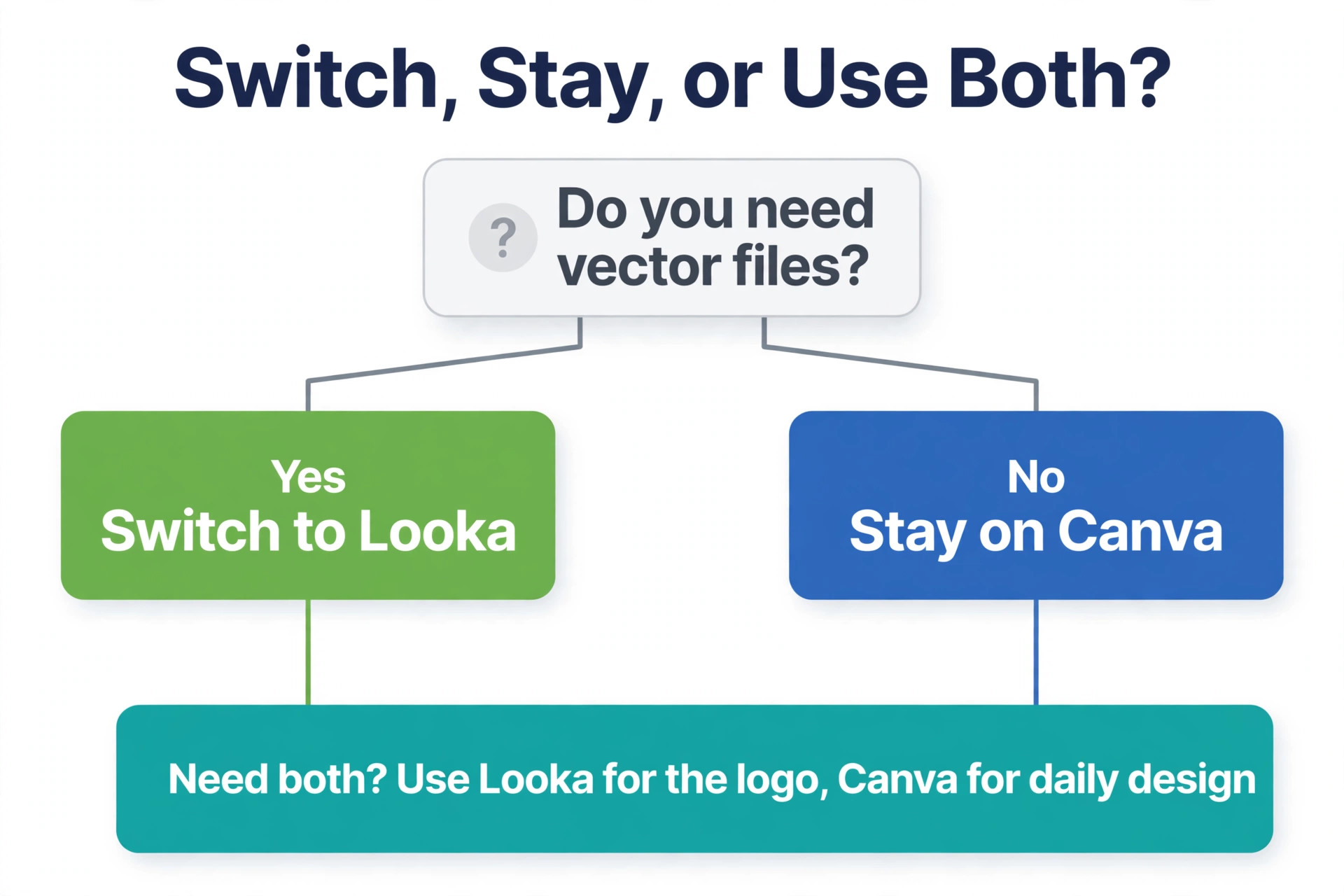
Stay on Canva if you design social content every day, already pay for Pro, and your logo only appears on screens. Canva is the better daily design tool, and the logo limits may never affect you. Switch to Looka if you need vector files, transparent backgrounds, a trademark friendly mark, or a brand kit that generates your assets for you. The one time Premium purchase is cheap compared with a designer, and the Brand Kit saves hours of template work every month.
The hybrid answer suits many owners best. Buy the Looka Premium package for the logo files, keep Canva for daily design, and upload the new transparent PNG into Canva as your brand mark. You get a real logo and a familiar design tool, for the cost of one Canva Pro month or less. That combination is the quiet winner of this whole comparison, and it is what this guide recommends for most small businesses. If you decide to switch from Canva to Looka logo maker in this hybrid way, you keep every workflow you already like and fix only the part that was broken, which is the logo itself.
Frequently Asked Questions
Can I import my Canva logo directly into Looka?
No. Looka has no import tool for Canva files, so you recreate the logo by entering your business name and choosing styles, colours, and symbols that match your current design. The editor lets you adjust the font, layout, and spacing until the new mark feels familiar. Export your Canva colours and fonts first, so the recreation stays close to the original.
Is Looka free to use?
Designing in Looka is free, and you can generate and edit unlimited logo concepts without paying. You only pay when you download files. The Basic package costs 20 dollars for a single low resolution PNG, while the Premium package costs 65 dollars for vector files and full colour variations. The Brand Kit subscription costs 96 dollars a year.
Can I trademark a Looka logo?
Looka states that buyers receive copyright of the logo as a whole, though not of the individual symbol elements. That is a stronger position than a Canva logo built from shared stock elements, but it is not a guarantee. Search your country trademark database before filing, and consider a professional clearance search if the brand is central to your business.
Does Looka have a mobile app?
No. Looka has no official mobile app for iOS or Android, so logo creation and editing happen in a web browser on a computer. The site works on mobile browsers for browsing concepts, but serious editing is best done on a desktop or laptop screen where the editor is easier to use.
What files do I get with Looka Premium?
The Premium package delivers more than 15 files, including PNG, SVG, EPS, and PDF formats in full colour, black, and white, with transparent backgrounds and versions sized for social profiles. You also get unlimited post purchase edits, so you can refine the logo later without paying again.
Can I use my Looka logo in Canva afterwards?
Yes. Download the transparent PNG from Looka and upload it to Canva, then add it to your Canva brand kit along with your colours and fonts. Many owners use this hybrid setup, with Looka as the source of the logo files and Canva as the daily design tool for social posts and marketing materials.
Is it worth switching from Canva to Looka for a small business?
It is worth it when you need vector files, transparent backgrounds, a trademark friendlier mark, or a brand kit that builds your assets automatically. The Premium package costs 65 dollars once, which is less than a year of most design subscriptions. It is not worth it if your logo only appears on screens and you already use Canva Pro daily.