A Facebook event page with no promotion plan is a poster in an empty hallway. The page exists, the details are correct, and nobody sees it. A Facebook event page with a real plan is a different thing entirely. It reaches people who have never heard of the organiser, it reminds the people who said they were interested, and it turns a scroll past into a ticket sale. The difference is not budget. It is knowing how to promote an event on Facebook as a workflow, and this guide lays it out from the first post to the final reminder.
How to Promote an Event on Facebook: The Full Workflow
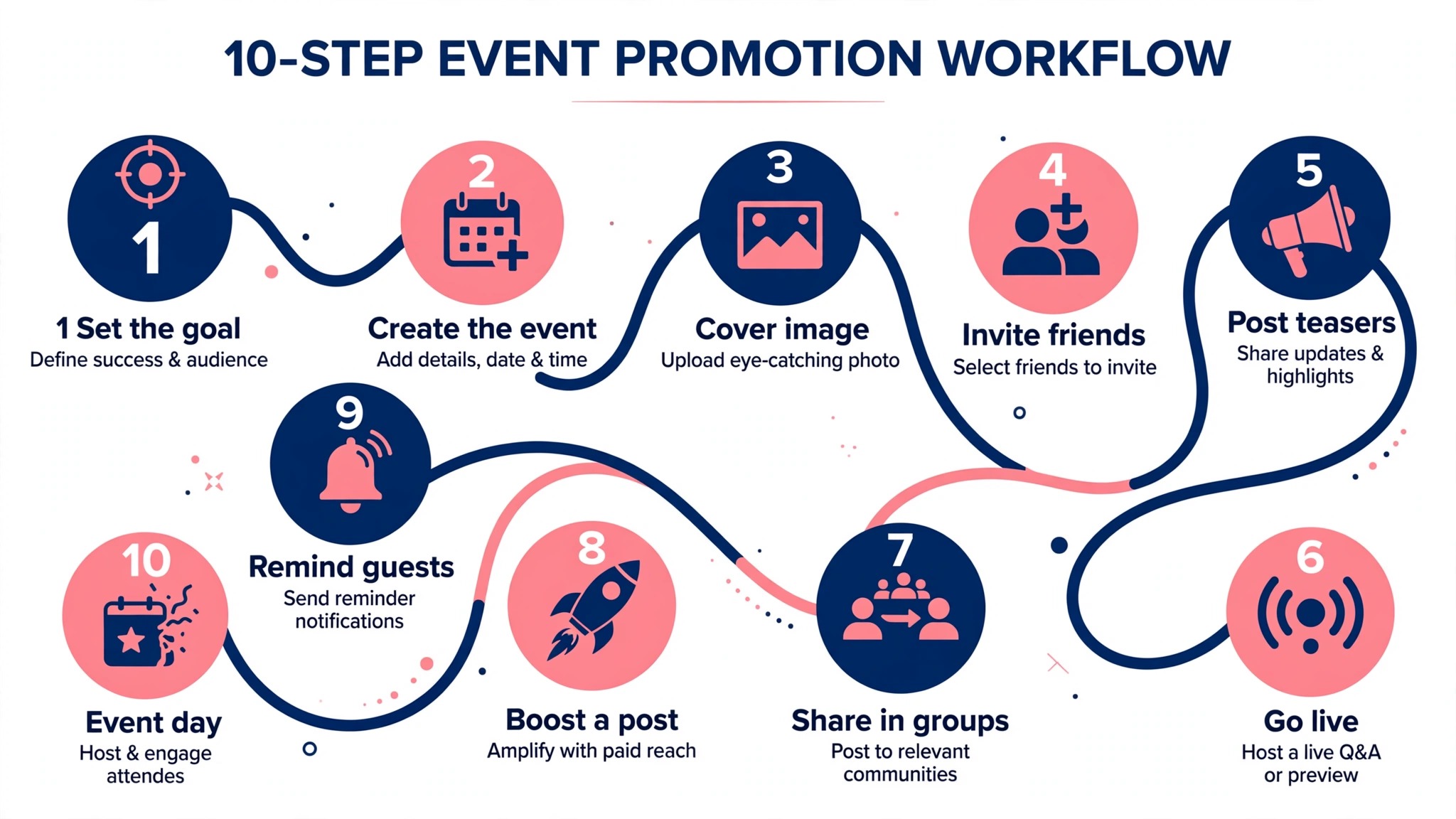
This workflow covers how to promote an event on Facebook from the moment tickets go on sale to the day of the event. It mixes free organic promotion with paid ads, because either one alone leaves reach on the table. Work through the steps in order, and adjust the timing to fit your event.
1. Create the Facebook Event the day tickets go on sale.
Set up the official event listing the moment tickets go on sale, and attach it to your page rather than a personal profile. A page event notifies your followers when it goes live, keeps every detail in one place, and gives you access to insights and ads. Fill in the venue, the date, the ticket link and a clear description before you publish, because the first version is the one people share.
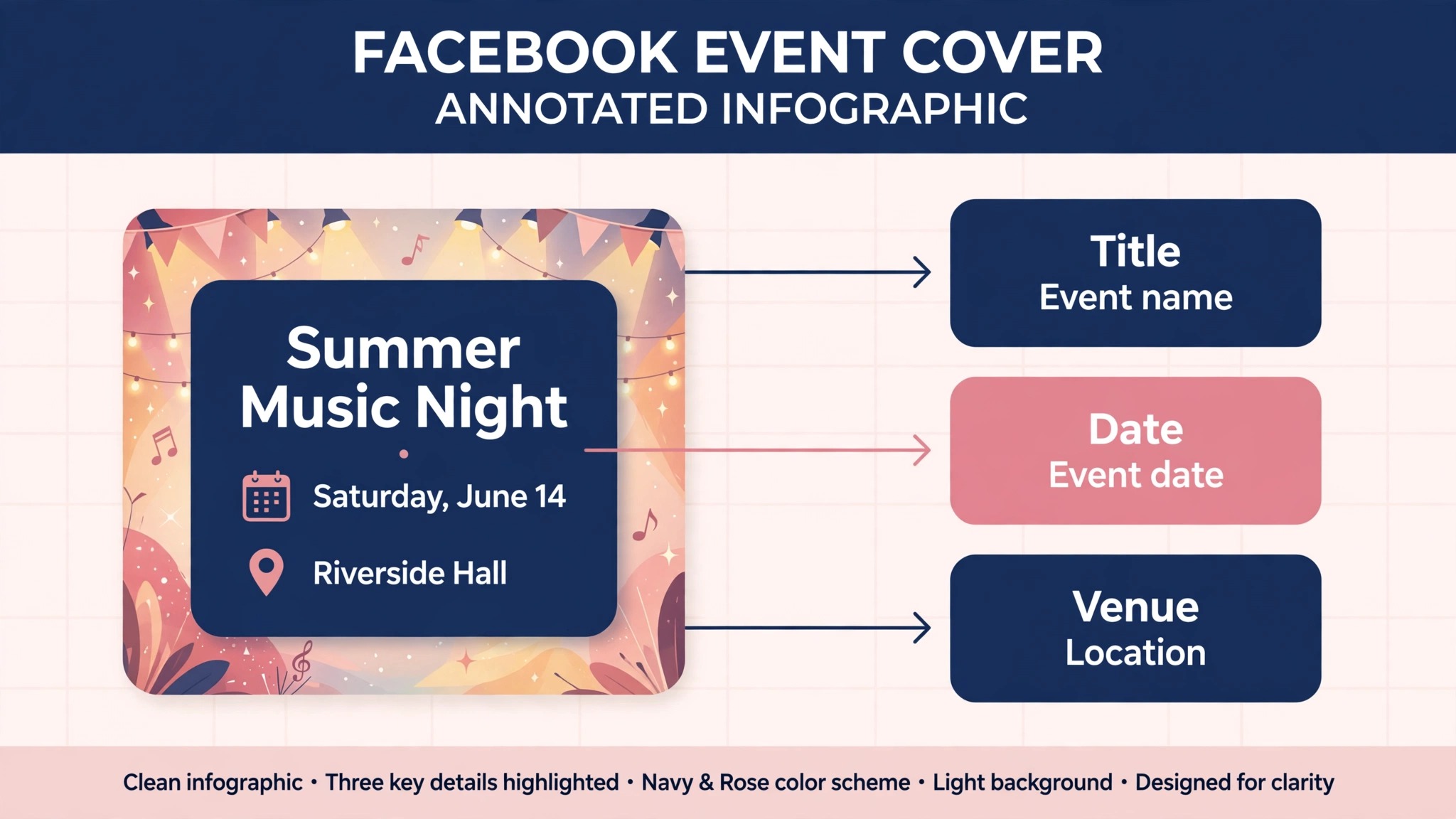
2. Make the event cover image first, not last.
The cover image is the first thing anyone sees, and it decides whether they read the details. Use a clear photo of the venue, the performers or the crowd, with the event name and date in large type. Keep text short, because the image crops on mobile. A cover that shows the experience beats a cover that shows a logo.
3. Post a launch Reel on the day tickets go on sale.
Reels are the biggest organic reach tool on Facebook in 2026, and short vertical video now accounts for around half of the time people spend on the platform. Film a 7 to 15 second Reel that shows the venue, the energy and the date, and post it from the page on launch day. Link it to the event page so viewers can tap through to tickets.
4. Invite your page followers and past attendees.
Use the invite function to reach people who already follow the page, and message past attendees directly with a personal note about the new event. Past buyers are the cheapest audience you will ever reach, and a personal message converts far better than a generic post. Do not spam the same people twice in one week.
5. Post in local Facebook Groups.
Community groups are one of the last genuinely high reach organic surfaces on Facebook, and they are free to use. Find the groups for your town, your neighbourhood and your niche, read their rules, and post about the event where the rules allow it. A post that tells the story of the event beats a post that only drops a link, and a post that answers questions in the comments beats a post that disappears.
6. Publish a content calendar, not random posts.
Plan three posts a week from launch to event day, and mix the formats. One Reel for discovery, one behind the scenes post for engagement, and one practical post with ticket information. A calendar keeps the event visible without flooding the feed, and it gives you something to post when the week gets busy.
7. Go live from the venue or the rehearsal.
Facebook Live drives deeper engagement than any other format, because viewers comment in real time and the algorithm rewards the interaction. Go live from the venue a week before the event, show the setup, answer questions and mention the ticket link. A ten minute live session can do more for ticket sales than a week of static posts.
8. Launch a small Meta Ads test with a clear budget.
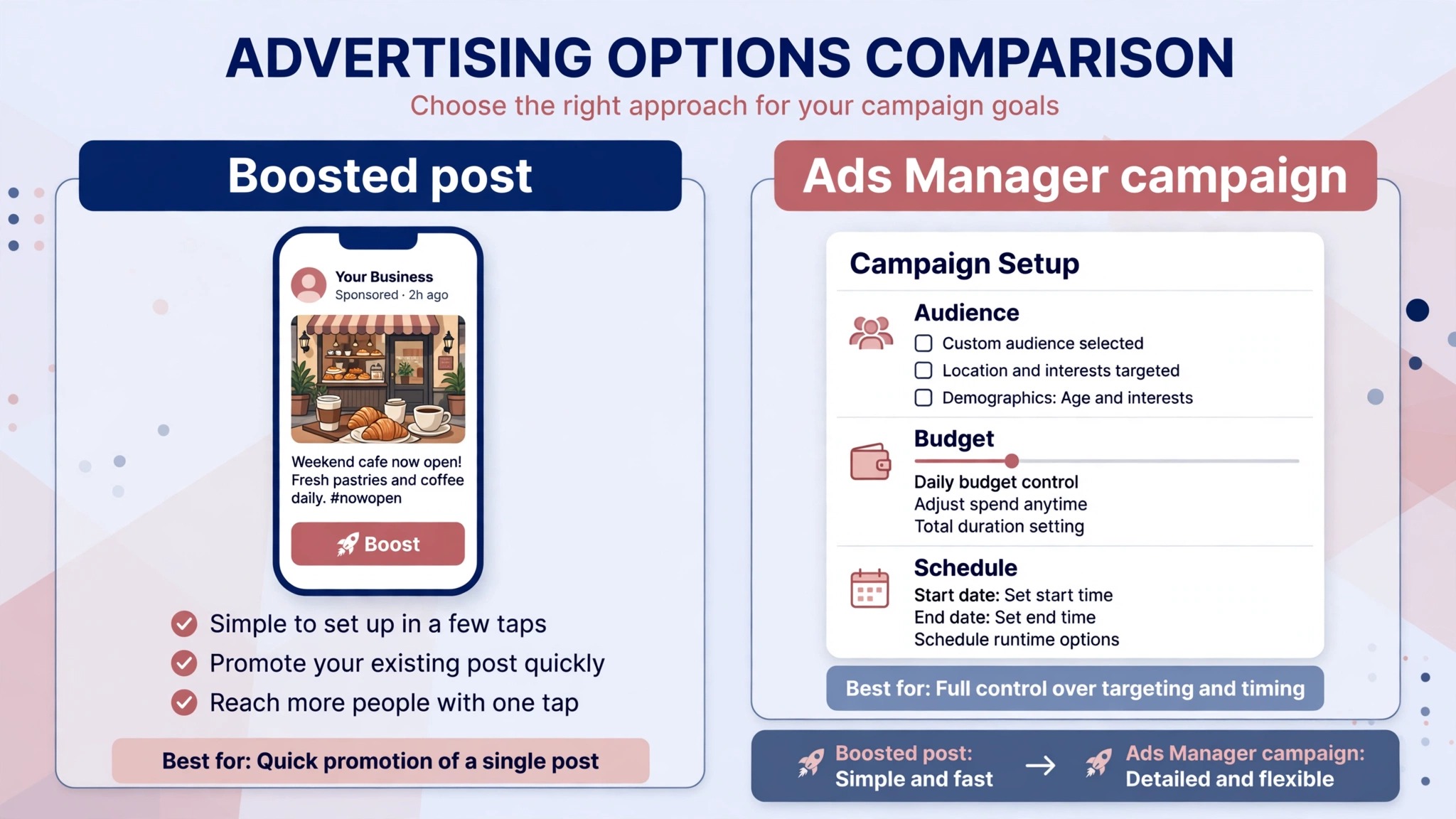
Start paid promotion two to three weeks before the event, with a small daily budget and two or three ad creatives. Test a Reel against a static image, and test a broad local audience against a lookalike of past buyers. Kill the losing creative after three days and move the budget to the winner. Paid ads stabilise reach, they do not replace organic content, so keep posting while the ads run.
9. Retarget the people who showed interest.
Build a custom audience from people who viewed the event page, watched the Reel or clicked the ticket link, and show them a reminder ad in the final week. Retargeting is the cheapest paid audience, because these people already know the event exists. A simple reminder with the date and the ticket link is enough, and it often closes the sale that the first ad started.
10. Send reminders in the final 48 hours.
Post a final Reel, a Story with a countdown sticker, and a post in the event page itself in the last two days. Remind attendees of the door time, the address and what to bring. Most last minute ticket sales happen in this window, and a clear reminder is what turns an interested click into a person at the door.
Set Up the Facebook Event Page Right
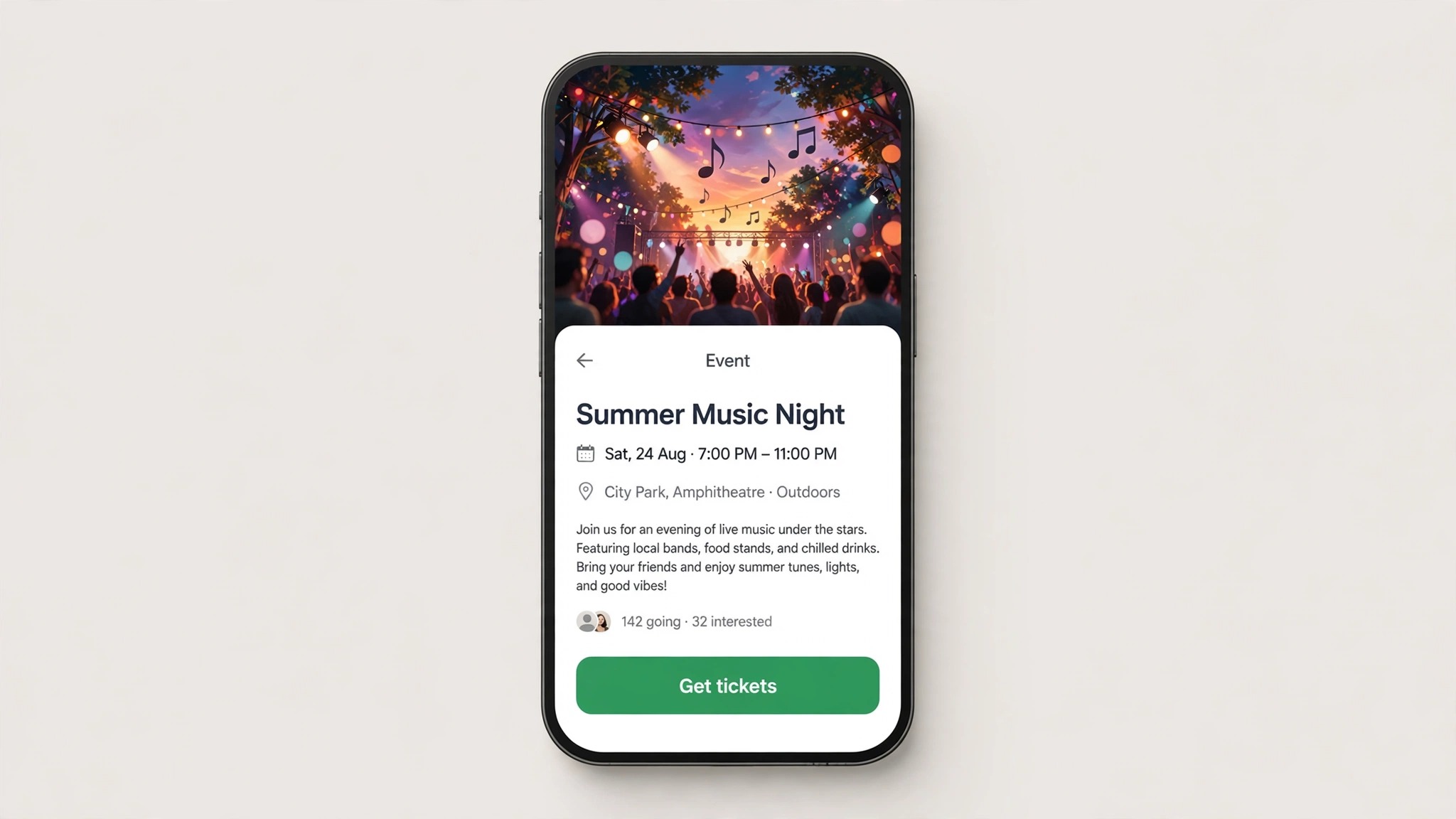
The event page is the hub of the whole campaign, and a weak page wastes every post that points to it. Start with the name. Use the event name people will search for, with the year when there are repeat editions, and keep it under 60 characters so it displays fully on mobile. Write the description for a stranger, not for a regular. Lead with what the event is, who it is for and why it is worth the ticket price, then give the practical details, and finish with the ticket link. A description that reads like a press release gets skimmed, while a description that reads like an invitation gets read.
Add the ticket link as the official ticket URL, not as a link buried in the description, because Facebook surfaces the official link with a button. Set the venue as a real Facebook place when one exists, so the map and the address appear automatically. Add co-hosts when other pages are involved, because each co-host page exposes the event to its own followers. Upload the cover image at 1920 by 1080 pixels for the sharpest result, and check it on mobile, where the sides crop. Turn on the discussion tab, and answer every question within a few hours, because a page that answers questions looks alive and a page that ignores them looks abandoned.
The event settings deserve the same care. Set the event to public unless there is a real reason to keep it private, because a private event cannot be shared and cannot be found in search. Allow guests to invite friends when the event is open, because a guest invite is free promotion from a trusted source. Add the event to your page as a pinned post in the final week, so anyone who visits the page sees it first. A page that treats the event as the main story sells more tickets than a page that buries it under unrelated posts.
Organic Promotion That Still Works in 2026
Organic reach on Facebook is harder than it used to be, but it is not dead. The free half of how to promote an event on Facebook is organic promotion, and it still works when the content earns engagement. The algorithm in 2026 rewards content that generates comments, shares and watch time, and it recommends that content to people who do not follow the page yet.
That change makes Facebook a genuine discovery channel for local events, if the content earns the recommendation. Reels lead the way. Short vertical video gets distributed to non-followers at far higher rates than static posts, and a Reel that shows the venue, the crowd or the performers can reach thousands of people who have never heard of the event.
Facebook Groups are the second organic channel that still delivers. A post in a local community group reaches people who live near the venue, and it reaches them for free. The rules matter. Read the group rules before posting, ask the admin when the rules are unclear, and post once with a real story rather than five times with a link. Stories are the third channel. A Story with a countdown sticker, a poll or a question box keeps the event in front of followers daily, and the interactive stickers generate the engagement signals the algorithm rewards.
Facebook Live is the fourth channel, and it is the deepest. A live session from the venue, a rehearsal or a Q and A with the performers generates comments in real time, and those comments push the video to more feeds. The content that fails is the content that broadcasts. A generic post that asks “Are you excited?” generates nothing, because it asks for nothing. An open ended question that invites a real answer, such as asking followers to pick a song for the setlist, generates comments, and comments generate reach.
Paid Promotion with Meta Ads
Paid ads are the reliable half of the plan for how to promote an event on Facebook. Organic reach fluctuates daily, and ads give you control over who sees the event and when. The first step is not Ads Manager, it is a number. Decide the most you will pay to sell one ticket, and work backwards from the ticket price.
A sound benchmark is to keep the blended acquisition cost under 15 to 20 percent of the ticket face value. A $40 ticket means the campaign has to produce buyers at $6 to $8 each to be worth running past the test phase. That ceiling protects the margin, because fees and variable costs come out of the same money the ads do.
Meta made Advantage+ the default setup for Sales, Leads and App campaigns in early 2026, and the manual controls now live inside the Advantage+ flow as overrides. Campaign budget optimisation, Advantage+ Placements and Advantage+ Audience are switched on when you start. The practical advice is to let the broad audience run rather than stacking six interest groups, because slicing a small signal into tiny audiences starves all of them, and Meta finds the buyers faster with a broad signal. Test two or three creatives, keep the budget small for the first three days, and move money to the winner.
The learning phase is the trap that kills small event campaigns. Meta needs roughly 50 optimisation events per ad set within seven days to leave the learning phase and deliver efficiently, and only the event you optimise toward counts. A 400 capacity show selling 85 tickets through Meta over four weeks will never log 50 purchases in a single week.
The fix is to optimise toward an action you generate enough of, usually ViewContent or InitiateCheckout, which fires many times for every purchase, and let the campaign exit learning on that. A modest budget spent well beats a large budget spent blind, and a $1,000 plan spread over a four week on sale is a sensible shape for a mid sized local event.
The Four Week Promotion Timeline
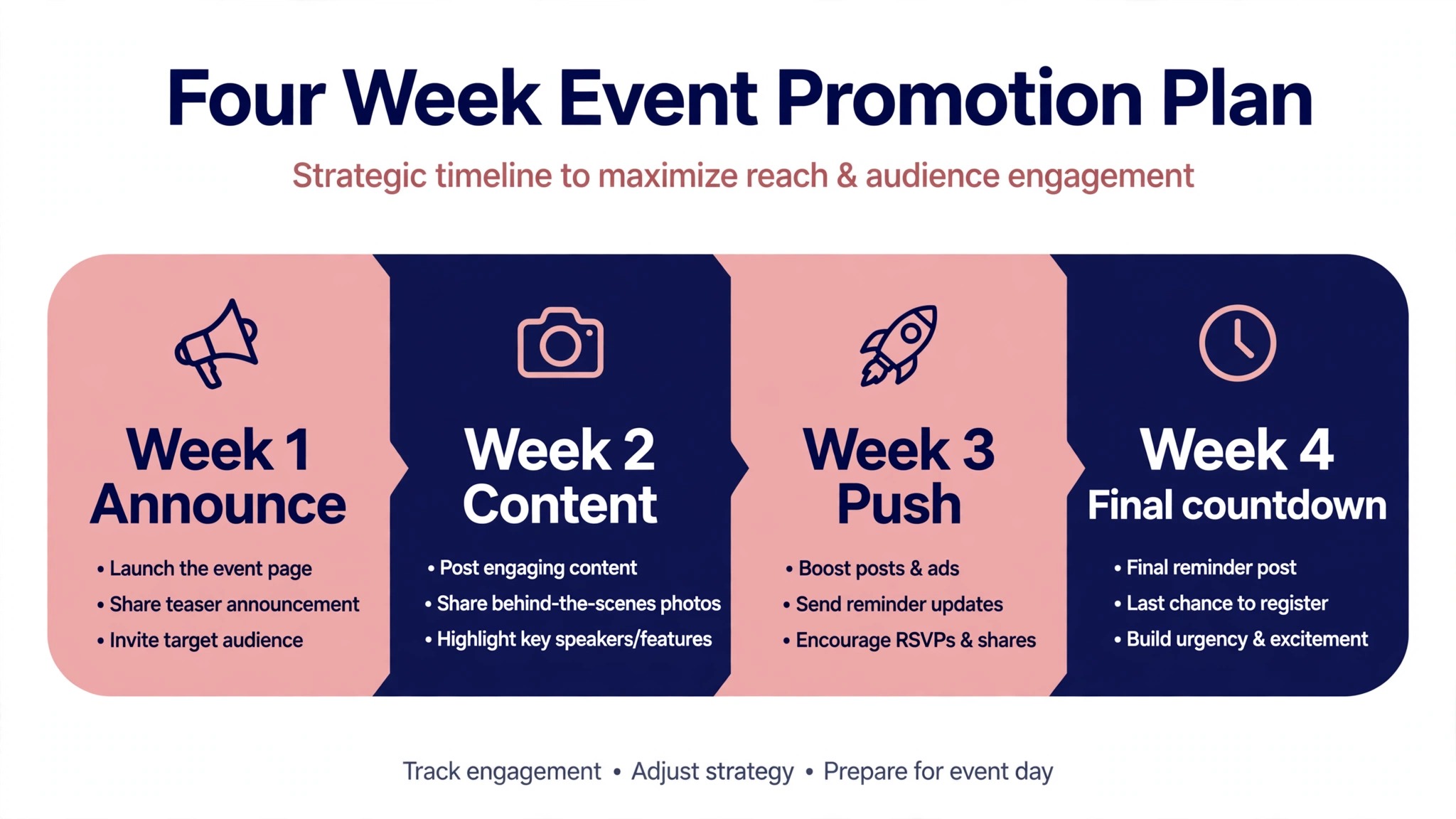
| Week | Focus | Main actions |
|---|---|---|
| Week 4 | Launch | Create event page, post launch Reel, invite followers |
| Week 3 | Discovery | Post in Groups, publish Reels, start small ad test |
| Week 2 | Engagement | Go live, post behind the scenes, answer questions |
| Week 1 | Conversion | Retarget warm audiences, scale winning ads, daily Stories |
| Final 48 hours | Reminders | Countdown Stories, final Reel, event page post |
| Event day | Live coverage | Stories from the venue, live video, attendee reposts |
The timeline compresses for a short notice event, but the order stays the same. Launch first, discovery second, engagement third, conversion last. An organiser who starts ads before the event page is ready wastes money, because the ads send people to a page with no details. An organiser who posts only in the final week misses the discovery window, because Reels and Groups need time to find an audience. Print the timeline, pin it above your desk, and tick each week off as it passes, so the plan survives the busy days.
Promotion Checklist
Use this checklist for every event, and adjust the dates to fit your on sale period. It covers how to promote an event on Facebook without missing a step.
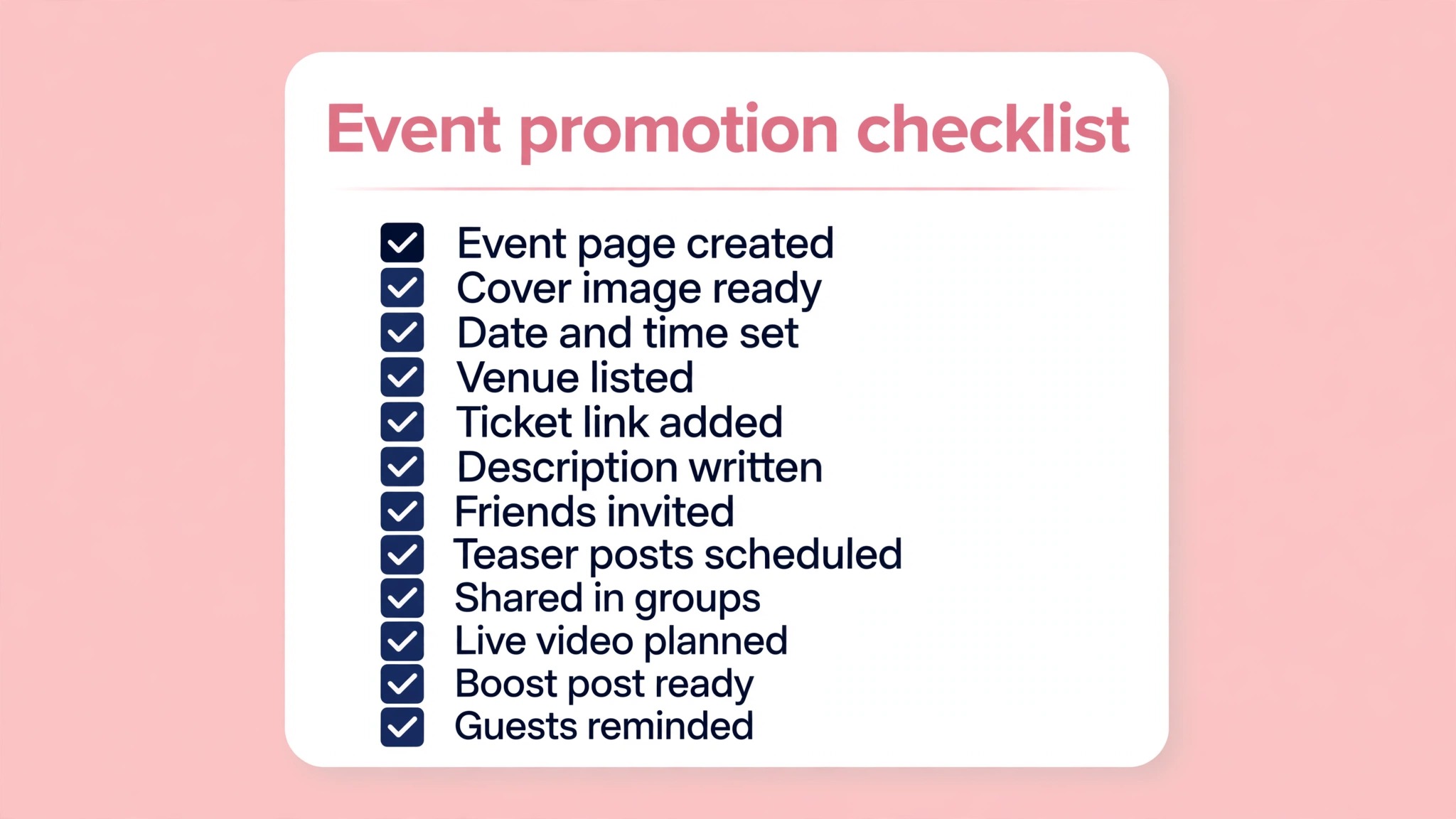
- Event page created on the day tickets go on sale, with venue, date and ticket link.
- Cover image uploaded at 1920 by 1080 and checked on mobile.
- Launch Reel posted on day one and linked to the event page.
- Page followers and past attendees invited personally.
- Local Groups identified and rules read before posting.
- Three posts a week planned, mixing Reels, behind the scenes and practical posts.
- Live session scheduled for the week before the event.
- Meta Ads test launched with two or three creatives and a clear budget.
- Retargeting audience built from event page viewers and Reel watchers.
- Final 48 hour reminders posted as a Reel, a Story and an event page post.
- Meta Pixel installed on the ticket page before ads launch.
- Ticket link tested from a phone before any post goes live.
Measuring What Worked
Promotion without measurement is guessing, and guessing wastes the next event budget. Install the Meta Pixel on the ticket page before the ads launch, because the Pixel is what lets Meta report which ad produced which sale. Without it, you know the total sales and nothing about the source. Use tracking links with UTM parameters on every post and every ad, so the ticket platform reports which channel drove the sale. A simple spreadsheet that records the source of every sale is enough for a small event, and it is the habit that separates organisers who improve from organisers who repeat the same spend.
The metrics that matter are cost per ticket sold, not likes or reach. A Reel with 50,000 views and no ticket sales is a worse result than an ad with 5,000 views and 20 sales. Track the cost per purchase for each ad creative, each audience and each placement, and move the budget to the combination with the lowest cost per sale.
Track the conversion rate from event page views to ticket purchases, because a low rate means the page is the problem, not the promotion. Track the retargeting audience separately, because it should convert at a far lower cost than cold audiences. When the event is over, write down what worked and what did not, with the numbers attached, and use that note to plan the next event.
Mistakes That Waste Budget
The most common mistake is boosting a post instead of running a proper ad campaign. A boosted post optimises for engagement, not for ticket sales, and it spends the budget on likes from people who will never buy. Use Ads Manager with a sales objective, and let the campaign optimise for the action that matters. The second mistake is targeting too narrowly. Six stacked interest groups on a small local budget starve every audience, and Meta cannot learn from a signal that small. Start broad, let the algorithm find the buyers, and narrow only when the data shows a clear winner.
The third mistake is running one creative. A single image or video tells you nothing about what works, and it fatigues fast. Run at least two creatives, compare them after three days, and replace the loser. The fourth mistake is stopping organic posts when ads start. Ads stabilise reach, they do not replace the content that earns trust, and an event page that goes quiet while ads run looks abandoned to the people the ads bring in. The fifth mistake is ignoring the final 48 hours. Most last minute sales happen in that window, and an organiser who stops promoting three days before the event leaves the easiest sales on the table.
Free vs Paid: What Each One Is For
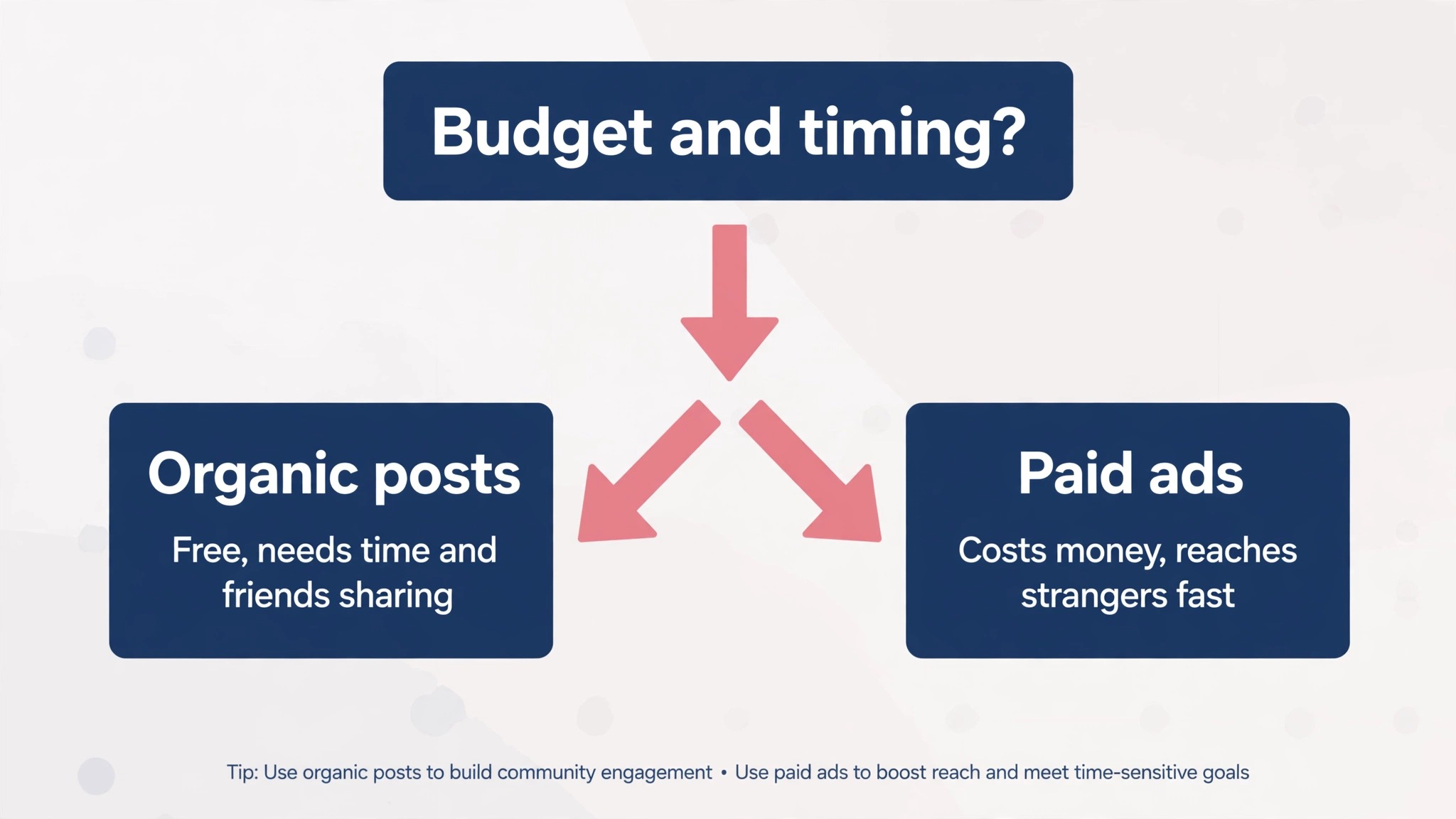
Free promotion and paid promotion do different jobs, and the strongest campaigns use both for what each does best. Free promotion earns trust and discovery. A Reel that reaches a stranger, a Group post that starts a conversation and a live session that answers questions all build the kind of interest that money cannot buy.
Paid promotion adds reliability and scale. It guarantees that the right local audience sees the event, it retargets the people who showed interest, and it fills the gaps on days when organic reach dips. An organiser with no budget can still sell out a small event on organic promotion alone, but the work is slower and less predictable. An organiser with a budget but no organic content buys reach without trust, and the cost per ticket shows it. The mix is the answer, with organic content doing the persuading and paid ads doing the delivering.
Working With Performers, Sponsors and Partners
An event is rarely promoted by one page alone, and the partners around it are free promotion waiting to be used. Ask every performer to share the event with their own followers, and give them a ready made Reel, a square image and a short caption they can post without extra work. Performers who post themselves reach audiences the organiser page never touches, and a post from the artist carries more trust than a post from the promoter. Set a date for the shares, so the posts land across the week rather than all on the same day.
Sponsors and venues are the second partner channel. A venue that shares the event reaches its regulars, and a sponsor that shares it reaches its customers. Give both a simple asset pack with the cover image, the ticket link and two caption options, and ask for one post each in the week before the event. Co-host the event page with the venue and the main performers, because each co-host page exposes the event to its own followers at no cost. A partner who is asked once, with everything prepared, will usually say yes, while a partner who is asked to do the work themselves will usually say nothing.
After the Event: Turning Attendees Into the Next Audience
Promotion does not end when the doors open. The people who attended are the warmest audience for the next event, and the 48 hours after this one are the best time to capture them. Post a thank you Reel with crowd footage on the night of the event, while the energy is still fresh, and invite attendees to follow the page for the next date. Ask attendees to share their photos and tag the page, because user generated content is the most trusted promotion for the next event, and it costs nothing.
Build the retargeting audience for the next event from this one. Save the list of people who clicked going or interested, the people who watched the Reels, and the people who bought tickets, and use those lists as the seed for the next campaign. A lookalike audience built from real buyers is far stronger than one built from page followers, because buyers have already shown the behaviour you want. Write the post event note while the numbers are fresh, with the cost per ticket, the best creative and the best channel recorded, and the next event starts from data instead of from zero.
Frequently Asked Questions
How far in advance should I promote an event on Facebook?
Four weeks is a good default for a local event, with the event page created the day tickets go on sale. Larger events benefit from six to eight weeks, because Reels and Groups need time to find an audience. A short notice event can still work in one week, but the timeline compresses, and paid ads carry more of the weight. Whatever the window, create the event page first and start promotion the same day.
How much should I spend on Facebook ads for an event?
Start with a small test budget and a clear ceiling. Keep the blended acquisition cost under 15 to 20 percent of the ticket face value, so a $40 ticket means $6 to $8 per sale. A $1,000 budget spread over four weeks is a sensible shape for a mid sized local event, with most of the spend in the final two weeks when buyers decide. Test two or three creatives for three days, then move the budget to the winner.
Do Facebook Events still work in 2026?
Yes. Facebook Events remain the hub of event promotion, because they collect the details, the discussion and the ticket link in one place, and they notify followers when they go live. The algorithm now recommends event content to people who do not follow the page yet, which makes Reels and Groups genuine discovery channels. An event page with no promotion still fails, but a page with a real workflow behind it works as well as it ever has.
What is the best time to post about an event on Facebook?
Post Reels in the early evening, when people scroll after work, and post practical ticket information in the morning, when people plan their day. The exact best time depends on your audience, so check the page insights for when your followers are online, and test two posting times for a week. Consistency matters more than the hour, because three posts a week at the same times builds a habit that one viral post does not. The final 48 hours are the exception, because reminders then should go out whenever the audience is awake, even outside your usual posting times.
Can I promote an event on Facebook for free?
Yes, and the free channels are real. Reels, Groups, Stories and Live all reach people without ad spend, and a well run organic campaign can sell out a small local event. Free promotion costs time instead of money, and it needs consistency to work. Paid ads add reliability and scale, and the strongest campaigns mix both, with organic content earning trust and ads guaranteeing reach. The free channels also build the audience that makes the next event cheaper to promote, because followers and past buyers cost nothing to reach the second time.
How do I know if my Facebook event promotion worked?
Install the Meta Pixel on the ticket page before ads launch, and use tracking links on every post and ad. The metric that matters is cost per ticket sold, broken down by creative, audience and placement. A Reel with high views and no sales is a worse result than an ad with modest views and real sales. Write down the numbers after the event, and use them to plan the next one. Keep the note somewhere you will find it, because the most common waste in event promotion is repeating a test you already ran and forgot.
Your Event Promotion, in Short
Promoting an event on Facebook in 2026 is a workflow, not a single post. Create the event page the day tickets go on sale, lead with Reels, use Groups for local reach, go live to build trust, and add paid ads with a clear cost per ticket ceiling. Measure everything against ticket sales, not likes, and keep promoting through the final 48 hours, when the easiest sales happen.
An organiser who follows the workflow will sell more tickets than an organiser with a bigger budget and no plan, because the plan is what turns attention into attendance. That is how to promote an event on Facebook, and it works for a 50 person gig as well as a 500 person conference. Start with the event page today, and let the workflow carry the rest of the campaign.