Your best customer emailed twice, your best lead went cold, and nobody on your team can say who spoke to either of them last. That is the problem a CRM solves, and it is also the problem a bad CRM makes worse, because a tool your team will not open is just a more expensive spreadsheet. HubSpot is the strongest free starting point among the best small business crm software we compared, because the free tier is genuinely usable and grows with you.
Pipedrive is the better choice when your team lives in the sales pipeline. Zoho is the best value when you want the most features per dollar. We compared nine tools on price, free plans, the limits that force an upgrade, and the hidden costs that turn a 14 dollar seat into a 90 dollar seat. This guide gives you the numbers, so you can pick a CRM your team will actually use.
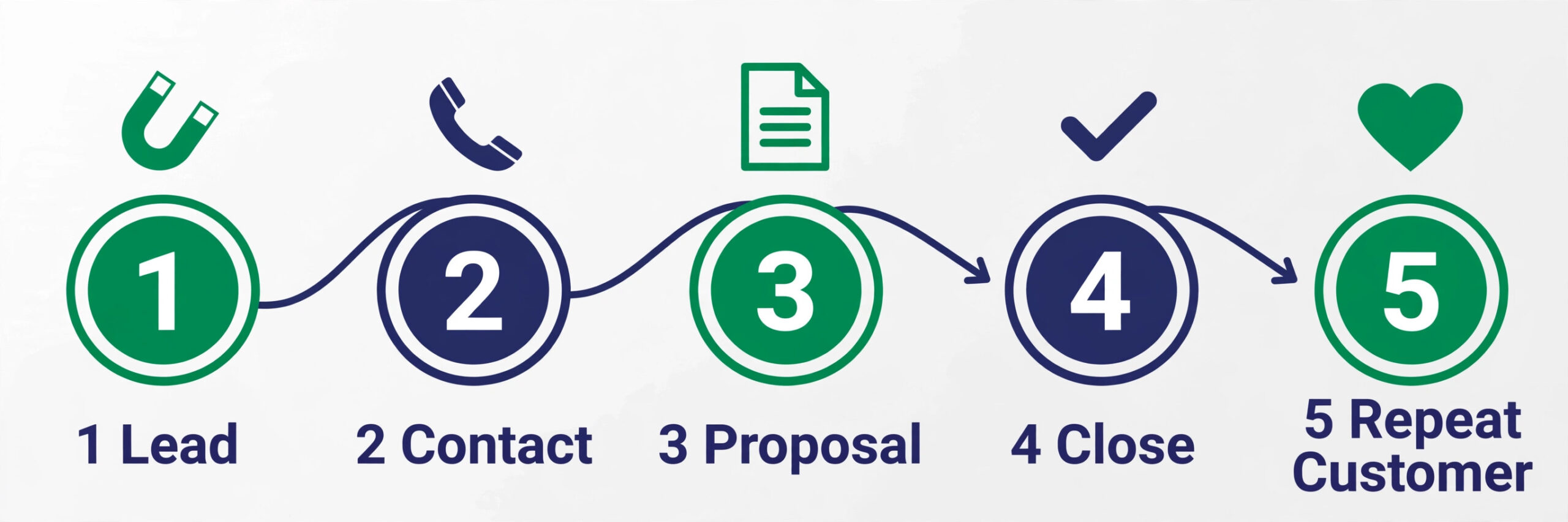
A small business CRM is not a smaller version of an enterprise CRM. It is a different product, because a team of three to twenty people needs a tool that sets up in hours, not weeks, and that a new hire can learn in an afternoon. The best tools in this list share three traits. They show every deal, contact and conversation in one place. They remind you who to follow up with and when. And they cost a predictable amount per person per month, with no onboarding fee that doubles the first year bill.
Prices in this guide were checked against vendor pricing pages and current 2026 roundups in November 2026. CRM pricing changes often, and several vendors show different prices by region or run short promotions, so confirm the price on the checkout page before you pay. All prices below are in US dollars per user per month unless stated otherwise, and annual billing is noted where it changes the monthly figure.
How We Compared Nine CRMs
We set the same test for every tool before we looked at a single price. The test business was a small company with five people in sales and support, about 2,000 contacts, and a pipeline of fifty open deals. That profile matches most readers of this guide, and it keeps the comparison honest, because a tool that only shines for a team of fifty will not shine here.
We scored each tool on five points. Ease of setup covered how long it takes to import contacts, build a pipeline and invite a team, because a CRM that needs a consultant to set up is the wrong tool for a small business. Pipeline clarity covered whether a salesperson can see every deal and its next step in one glance. Automation covered follow up reminders, email sync and workflow rules, because a small team needs the tool to do the chasing. Price honesty covered what the entry plan really includes, and what sits behind the next tier. Growth room covered whether the tool still fits when the team doubles, or whether a move to a new CRM becomes inevitable.
The Best Pick for Each Job
| Job | Pick | Why it wins |
|---|---|---|
| The safest free start | HubSpot | Free tier that grows into marketing and support |
| The most features per dollar | Zoho CRM | Free for 3 users, Standard from 14 dollars |
| The clearest sales pipeline | Pipedrive | Visual pipeline built for sales led teams |
| The lowest priced paid plan | Freshsales | Growth from 9 dollars with real automation |
| The most visual team board | Monday CRM | Boards and automations your team already knows |
| Calling heavy outbound sales | Close | Built in calling, SMS and email in one place |
| The simplest flat price | Less Annoying CRM | One plan, 15 dollars, no tiers or upsells |
| The easiest contact manager | Capsule | Clean contacts and tasks for tiny teams |
| CRM plus project delivery | Insightly | Deals and projects tracked in one place |
Use this table as a shortcut for the best small business crm software, then read the full section for the tool you are leaning toward. The cheapest option is not the best value when it caps the exact work you do every week, and the most expensive option is not the best choice when you only need one job done well.
The Best Small Business CRM Software in 2026, Ranked
The nine tools below fall into three groups. The first group is the free and low cost starters, and these are the strongest picks for most small businesses. The second group is the sales led tools, and these suit teams that live in the pipeline and on the phone. The third group is the specialist picks, and these suit teams with a specific need such as simplicity, project delivery or a clean contact list.
1. HubSpot
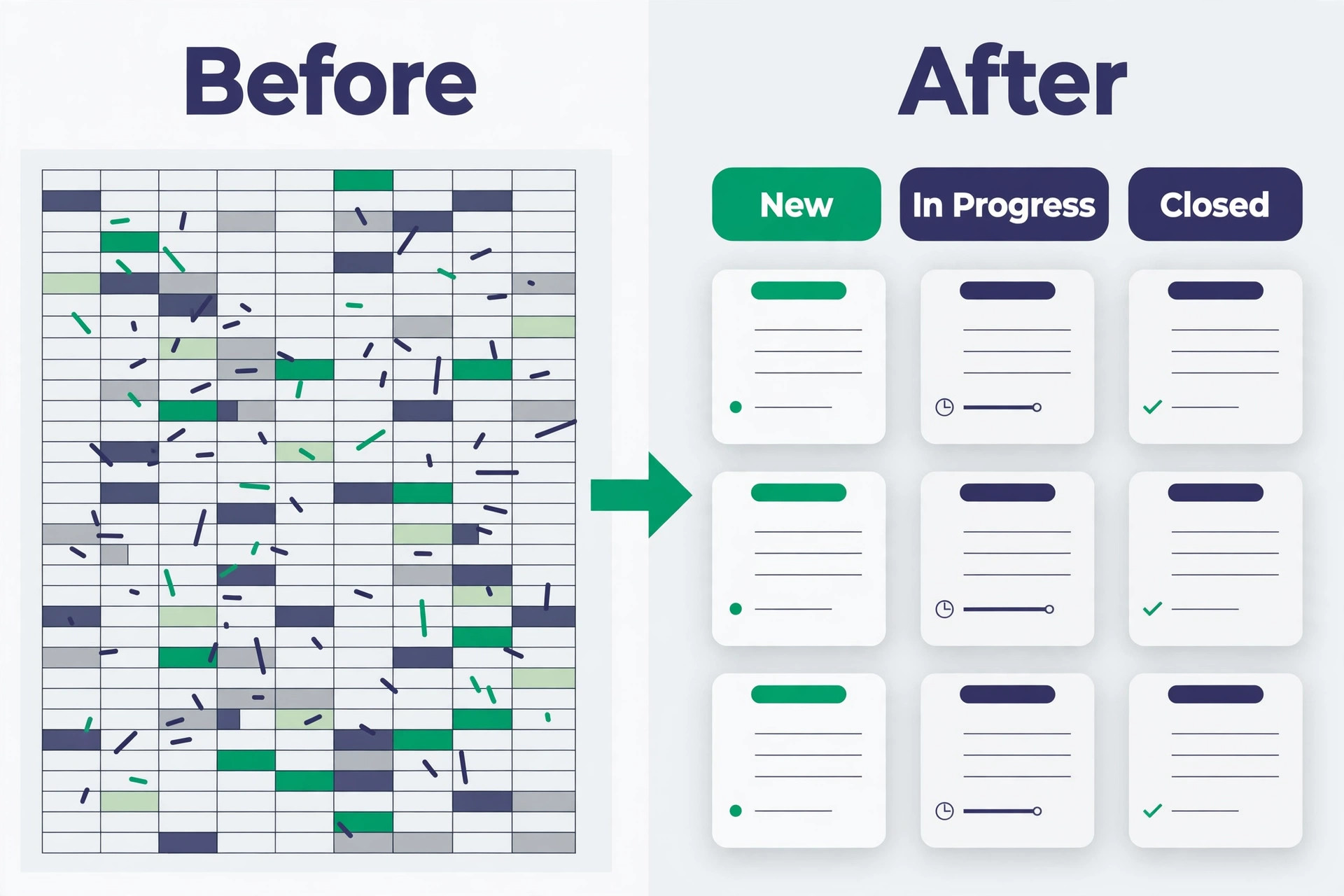
HubSpot is the easiest CRM to start with at no cost, and it is the safest default for most small businesses in 2026. The free tier covers contacts, deals, pipelines, email tracking and basic reporting, with no expiry and no credit card. Recent listings put the free tier at up to two users and a 1,000 contact limit in some comparisons, and up to 1 million contacts in others, so check the current terms on the signup page before you import a large list. The single record that can carry sales, marketing and support later is the real advantage, because you grow into the paid plans without switching tools.
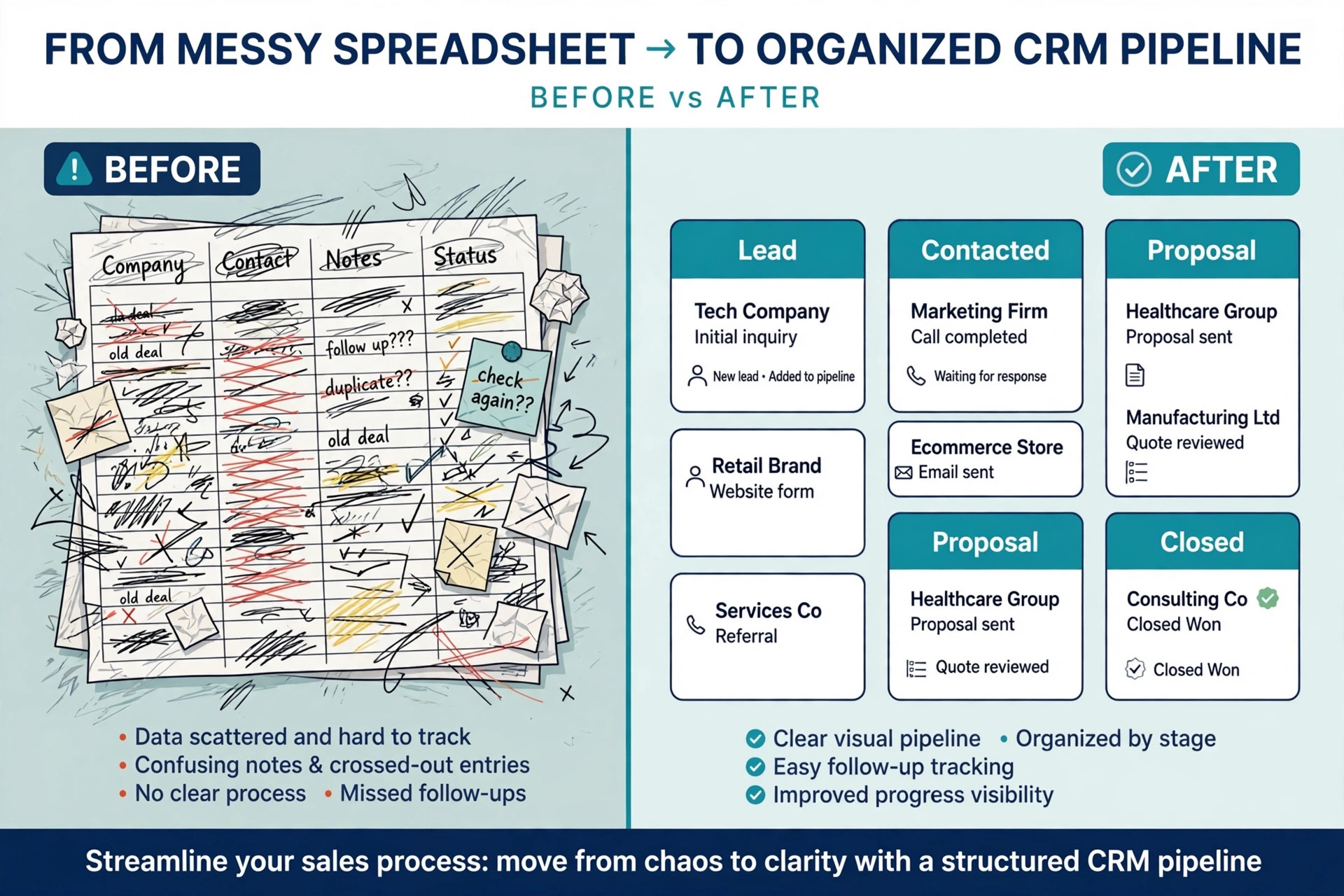
Paid plans start with the Starter Customer Platform at 15 dollars per seat a month on an annual commitment, and 20 dollars a seat on the standard annual rate, with promotional first year pricing often lower for new accounts. Starter bundles all five hubs, sales, marketing, service, CMS and commerce, and removes HubSpot branding. Sales Hub Professional jumps to 90 dollars per seat a month with annual billing, or 100 dollars paid monthly under an annual commitment, plus a required one time 1,500 dollar onboarding fee. That jump is the pricing cliff to plan for, because a five person team goes from 75 dollars a month to 450 dollars a month plus 1,500 dollars upfront.
HubSpot fits best when you want one platform that can grow from a free CRM into marketing and support, when you have two people to start, and when you value a large integration library. It fits worst when you need deep sales automation on a budget, because the first useful paid tier for teams is Professional at 90 dollars a seat, and the onboarding fee makes the first year expensive.
2. Zoho CRM
Zoho CRM gives small businesses the most features for the price, and it is the value pick in this list. A free plan covers up to three users, which beats HubSpot free tier when your team has three people. Standard starts at 14 dollars per user a month billed yearly, or 20 dollars monthly, and adds email integration with Gmail, Outlook or Zoho Mail, multiple sales pipelines, scoring rules, workflows and deeper customization. Professional costs 23 dollars a month, Enterprise costs 40 dollars, and Ultimate costs 52 dollars.
Zoho fits best for budget teams that want everything in one account, for teams of three who want a free start, and for businesses already using other Zoho apps. It fits worst when you want the cleanest interface in the category, or when your team needs a tool a new hire can learn in an hour without training.
3. Pipedrive
Pipedrive is built around one clear idea, a visual pipeline that shows where every deal sits and what happens next. Every feature serves that pipeline view, and for a sales led small business that focus is an advantage, because there is no marketing suite, no service desk and no CMS to configure. Setup takes hours, not days, and a salesperson can see the whole pipeline and the next action for each deal in one glance.
Pricing starts at 14 dollars per seat a month billed yearly for Lite, or 24 dollars monthly, and covers lead, calendar and pipeline management. Growth costs 39 dollars per seat a month billed yearly, or 49 dollars monthly, and adds full email sync and automated follow up, which is the tier most active teams actually need. Premium costs 49 dollars a seat, and Ultimate costs 79 dollars a seat. There is a 14 day free trial and no permanent free tier, so budget for a paid plan from day one.
Pipedrive fits best for sales led teams that live in the pipeline, for founders who sell every day, and for teams that want a clear visual view of every deal. It fits worst when you need marketing tools, support tools or a free plan, because Pipedrive does none of those jobs and charges from the first seat.
4. Freshsales
Freshsales, by Freshworks, is the underrated value pick in this list. The free plan covers three users with basic features, and Growth costs 9 dollars per user a month billed yearly, which is the lowest priced paid plan here. Growth covers 10,000 contacts, multiple pipelines and workflow automation, which is a genuinely functional plan, not a teaser. Pro costs 39 dollars per user a month for 100,000 contacts, territory management and time based workflows, and Enterprise costs 59 dollars for custom modules, auto profile enrichment and a dedicated account manager.
Freshsales fits best for budget teams that want automation from the first paid plan, for teams that outgrow a free plan but cannot justify 20 dollars a seat, and for businesses that want a fast setup. It fits worst when you need a large marketplace of integrations, or when you plan to grow into marketing and support tools from the same vendor.
5. Monday CRM
Monday CRM is the visual pick, built on the same boards your team may already know from Monday work management. Deals move across columns, automations move them for you, and the whole pipeline looks like a board rather than a list of records. That visual style suits teams that moved off spreadsheets and want a tool that feels familiar on day one.
Pricing starts at 12 dollars per seat a month billed yearly for Basic, or 18 dollars monthly, with a three seat minimum, so one person pays for three seats. Standard costs 17 dollars a seat a month billed yearly, or 25 dollars monthly, and adds two way Gmail and Outlook sync, which is the tier most teams need. Pro costs 28 dollars a seat. There is a 14 day trial and no free plan. The seat minimum is the cost to watch, because a solo founder pays 36 dollars a month for Basic even though only one person uses it.
Monday fits best for visual teams moving off spreadsheets, for teams already using Monday for projects, and for managers who want automations and boards in one place. It fits worst for a solo user, because the three seat minimum triples the bill, and for a team that needs deep sales calling or marketing tools, because those sit outside the Monday CRM core.
6. Close
Close exists for a sales motion built on calls, texts and emails handled inside one system. It has built in calling and SMS, a centralized inbox, and a power dialer on the higher tier, so a rep never leaves the CRM to make a call or send a follow up. That matters when your team makes fifty calls a day, because every switch between tools costs time and loses context.
Pricing starts with Essentials at 35 dollars per user a month billed yearly, or 49 dollars monthly, and includes unlimited contacts and leads, built in forms, a centralized inbox, and native calling and SMS. Growth costs 99 dollars per user a month billed yearly, or 109 dollars monthly, and adds automated workflows, the power dialer and bulk email. Calling and SMS usage cost extra on top of the seat price, so budget for that as well. There is a 14 day trial and no free plan.
Close fits best for calling heavy outbound teams, for inside sales teams that live on the phone, and for founders who sell by call and text. It fits worst for a team that rarely calls, because the calling features are the reason to pay 35 dollars a seat, and a team that only emails will get the same result cheaper from Freshsales or Zoho.
7. Less Annoying CRM
Less Annoying CRM does exactly what the name promises. One plan, 15 dollars per user a month, no tiers, no contracts, no upsells, no paid add ons. Every user gets the same features, including contact management, pipeline tracking, tasks, calendar and 25 GB of storage per user. There is a 30 day trial and no free plan, and the vendor advises staying under 50,000 contacts.
The simplicity is the product. There is no workflow automation in the plan, no AI layer to configure, and no tier to upgrade to when you need more. That is a limit for a team that wants automation, and it is a relief for a team that wants a tool that never changes price and never surprises them with a new tier. A five person team pays 75 dollars a month, every month, with no onboarding fee and no seat minimum beyond the people who use it.
Less Annoying fits best for tiny teams that want a flat simple price, for businesses that hate tiered pricing, and for owners who want a CRM their whole team can learn in an hour. It fits worst for a team that needs automation, calling, marketing tools or deep reporting, because none of those features exist in the single plan.
8. Capsule
Capsule is the easiest contact manager in this list, and it suits a tiny team that needs contacts, tasks and a simple pipeline without the weight of a full sales platform. The free plan covers two users and 250 contacts, which is enough to test the tool on a real list. Paid plans start at about 18 dollars per user a month for Starter, or 22 dollars monthly, and Growth costs about 36 dollars a month, adding workflows, email sync and extra pipelines.
Capsule fits best for tiny teams, for service businesses that sell by relationship rather than by volume, and for owners who want the simplest possible CRM. It fits worst for a sales team that needs automation, territory management or calling, because Capsule does not do those jobs.
9. Insightly
Insightly blends CRM with project management, which makes it a good pick for professional services firms that need to track deals and delivery in one place. A deal closes, and the same record becomes a project with tasks, milestones and a team, without moving the data to a second tool. That handoff is where most CRMs lose information, and Insightly is built to prevent it.
Pricing starts at 29 dollars per user a month billed yearly for Plus, and Professional costs 49 dollars, while Enterprise costs 99 dollars. Workflow automation starts on Professional, so budget for that tier if automation matters to you. Insightly also charges a mandatory guided onboarding fee of 1,500 dollars, which is a real cost for a small business and must be counted in the first year bill. There is a 14 day trial and no free plan.
Insightly fits best for professional services, agencies and consultancies that deliver projects after they close deals, and for teams that want relationship linking and advanced reporting. It fits worst for a pure sales team that only needs a pipeline, because the project features add cost and complexity, and the onboarding fee makes the first year the most expensive in this list for a small team.
How to Choose the Right CRM for a Small Business
Start with the team, not the feature list. Count the people who will actually open the CRM every day, and count the contacts you will import in the first month. A free plan that caps at two users is useless when your team has three people, and a paid plan that charges per user is expensive when ten people need access but only three sell. Write those two numbers down before you look at any pricing page, because they decide the real bill.
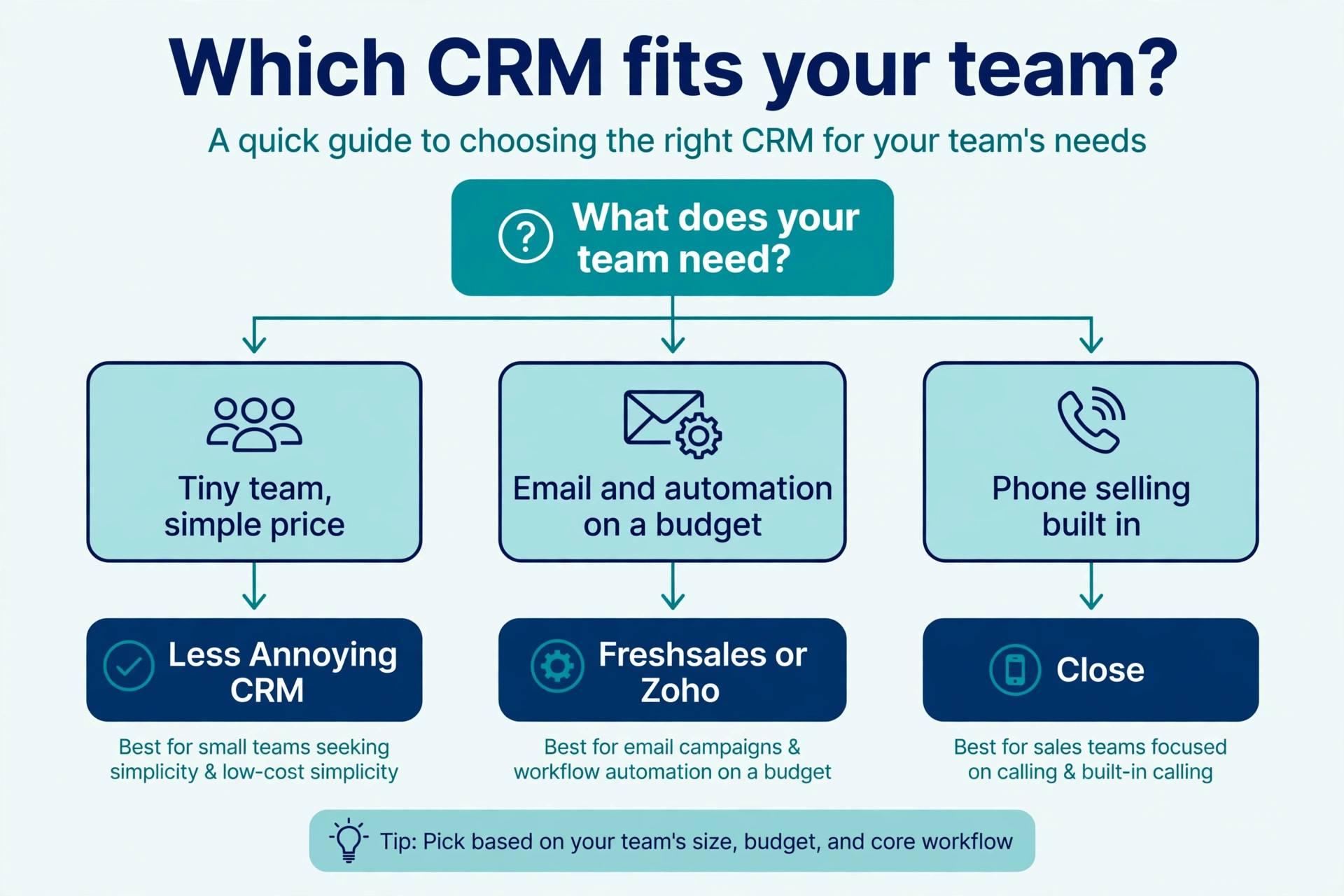
Next, match the pricing model to how your team sells. A team that sells by email and follow up needs email sync and automation in the entry plan, and Freshsales Growth at 9 dollars or Zoho Standard at 14 dollars covers that. A team that sells by phone needs calling built in, and Close at 35 dollars is the honest price for that job. A team that sells by relationship and referral needs a clean contact list and simple tasks, and Less Annoying at 15 dollars or Capsule from 18 dollars covers that without extra weight.
Then add up the full year. Multiply the seat price by your headcount and by twelve, add any onboarding fee, add the cost of the next tier if your contact count or automation needs grow, and add the cost of calling or storage add ons. A 14 dollar seat with a 1,500 dollar onboarding fee costs more in year one than a 20 dollar seat with no fee. Do that arithmetic before you enter card details, and the cheapest tool on the page will often change. The best small business crm software for your team is the one whose full year bill fits your budget and whose interface your team will open every morning.
Finally, trial with real data. Every tool here offers a free plan or a free trial, so import 100 real contacts, build your real pipeline, and run a week of real follow ups in two tools before you choose. A CRM that feels easy with your data is the right CRM, and a CRM that feels hard with your data will stay hard after you pay. Spend a week testing before you spend a year paying.
What to Check Before You Pay
Check the free plan limits first in any best small business crm software comparison, because they decide whether you can start free at all. HubSpot free covers up to two users, Zoho free covers up to three users, Freshsales free covers three users, and Capsule free covers two users and 250 contacts. A team of three people cannot start free on HubSpot, and a team with 500 contacts cannot start free on Capsule. Count your users and your contacts before you choose a free plan.
Check the automation tier second. Email sync, workflows and scoring rules sit on different tiers in every tool here, and the tier that includes them is the tier you must budget for. Pipedrive Lite at 14 dollars does not include full email sync and automation, and Growth at 39 dollars does. Insightly Plus at 29 dollars does not include workflow automation, and Professional at 49 dollars does. The entry price is not the working price when the feature you need sits one tier up.
Check the onboarding fee third, because two tools in this list charge one. HubSpot Professional requires a 1,500 dollar onboarding fee, and Insightly charges a mandatory 1,500 dollar guided onboarding fee. Those fees are not optional, and they are not refunded when you cancel. Add them to the first year bill before you compare any monthly price.
- Confirm the free plan user limit and contact limit against your real team and list.
- Confirm which tier includes email sync, workflows and automation.
- Confirm whether an onboarding fee applies, and how much it is.
- Confirm whether calling, SMS and storage cost extra on top of the seat price.
- Confirm whether the price changes when you add a user, a contact tier or a second seat.
Mistakes That Waste Money
The most common mistake is buying the most powerful CRM before the team is ready to use it. A five person team buys HubSpot Professional at 90 dollars a seat plus a 1,500 dollar onboarding fee, uses a tenth of the features, and cancels after a year having spent more than 6,000 dollars on a tool the team never learned. Start free or on the cheapest paid plan that covers your weekly work, and upgrade when the team asks for a feature, not when a sales page lists one.
The second mistake is paying for seats nobody uses. A team invites ten people to the CRM, and only three of them open it each week. Every other seat is wasted money, and the fix is simple. Only pay for the people who sell, support or manage customers every day, and give everyone else a view only access or a shared report. That single change can cut the bill in half.
The third mistake is choosing a CRM nobody on the team likes. A founder picks a powerful tool, the team finds it hard to use, and within a month everyone is back in spreadsheets and email. The CRM is not the problem, the fit is. Trial two tools with real data, ask the team which one they would open on a Monday morning, and buy that one. The best small business crm software is the one your team actually uses, not the one with the longest feature list.
Our Verdict
HubSpot is the pick for most readers among the best small business crm software, because the free tier is genuinely usable, the platform grows into marketing and support without a switch, and the Starter plan at 15 to 20 dollars a seat is a fair price for a team that outgrows free. Start free, import your real contacts, and only pay when you need more users, more contacts or the Starter features.
Pipedrive is the pick when your team lives in the pipeline, because the visual view, the fast setup and the clear next step for every deal make it the easiest sales tool to use every day. Budget for Growth at 39 dollars a seat when you need full email sync and automation, because Lite at 14 dollars does not include them. Zoho is the pick when you want the most features per dollar, and Freshsales is the pick when you want the lowest priced paid plan with real automation at 9 dollars a user.
Start with the free tier that fits your team size, trial two tools with real data, and buy the one your team will open every morning. A CRM that gets used is worth ten times a CRM that gets paid for and ignored.
Frequently Asked Questions
Which of the best small business crm software is the cheapest?
Freshsales Growth at 9 dollars per user a month billed yearly is the cheapest paid plan in this list, and HubSpot, Zoho and Freshsales all offer free plans that cost nothing to start. The cheapest plan is not always the best value, because Freshsales Growth covers 10,000 contacts and real automation, while some free plans cap at two users or 250 contacts. Count your users and your contacts before you judge a price, because a cheap plan that caps your team costs more than a dearer plan that covers it.
Is HubSpot really free for small businesses?
HubSpot free CRM costs nothing, with no expiry and no credit card, and it covers contacts, deals, pipelines, email tracking and basic reporting. Recent listings put the free tier at up to two users, with a contact limit that varies by listing, so check the current terms on the signup page before you import a large list. Paid plans start at 15 to 20 dollars a seat a month for Starter, and Professional jumps to 90 dollars a seat plus a 1,500 dollar onboarding fee, which is the price to plan for when you outgrow the free tier.
What is the best CRM for a team of three?
Zoho CRM is the best fit for a team of three, because the free plan covers up to three users, while HubSpot free covers up to two. Freshsales free also covers three users, and its Growth plan at 9 dollars a user is the cheapest paid step up. A team of three should trial Zoho free and Freshsales free with real data, and pick the one the team finds easier to use, because both cover the same job at the same price or less.
Do I need to pay for CRM onboarding?
It depends on the tool. HubSpot Professional requires a one time 1,500 dollar onboarding fee, and Insightly charges a mandatory 1,500 dollar guided onboarding fee. Most other tools in this list charge no onboarding fee, and they set up in hours with an import wizard and a help center. When a vendor charges an onboarding fee, add it to the first year bill before you compare monthly prices, because it can double the cost of the first year for a small team.
Is Pipedrive better than HubSpot for small businesses?
Pipedrive is better when your team sells every day and lives in the pipeline, because the visual view is clearer and the setup is faster. HubSpot is better when you want a free start, when you plan to grow into marketing and support tools, and when you value a large integration library. A sales led team should trial Pipedrive, and a team that wants one platform to grow with should trial HubSpot free, and the team that opens the tool every morning is the team that picked correctly.
How much does a CRM cost for five people?
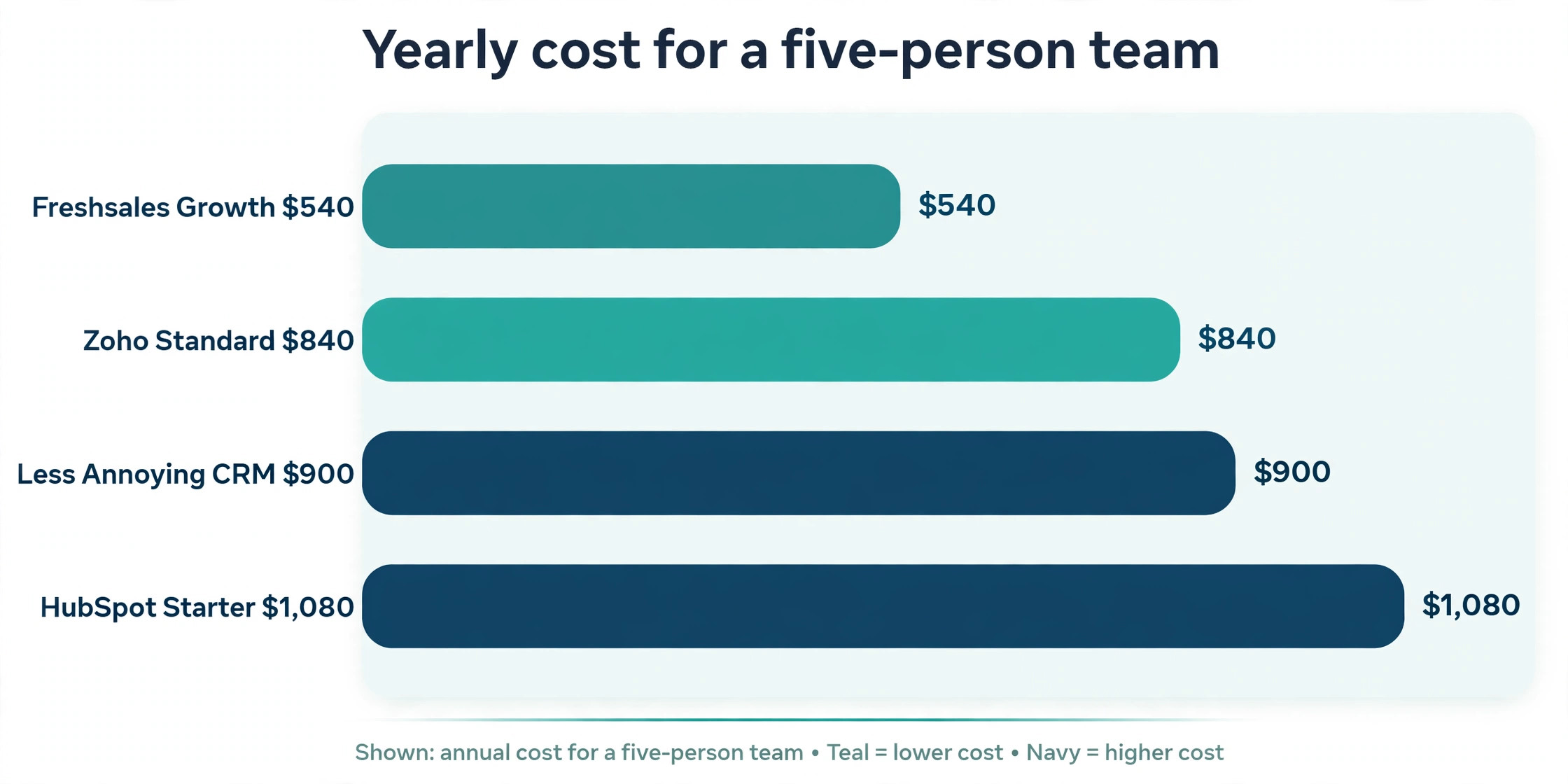
A five person team pays 0 dollars a year on a free plan that covers five users, which none of the free plans here do, because they cap at two or three users. On paid plans, five people pay 540 dollars a year on Freshsales Growth at 9 dollars a user, 840 dollars a year on Zoho Standard at 14 dollars, 900 dollars a year on Less Annoying at 15 dollars, and 1,080 dollars a year on HubSpot Starter at 18 dollars a seat. Add any onboarding fee and any add ons to those figures, because the seat price is only part of the first year bill.
A CRM should make follow up easier, not more expensive. Start free where you can, count your users and contacts, trial two tools with real data, and buy the one your team will actually use every day.