
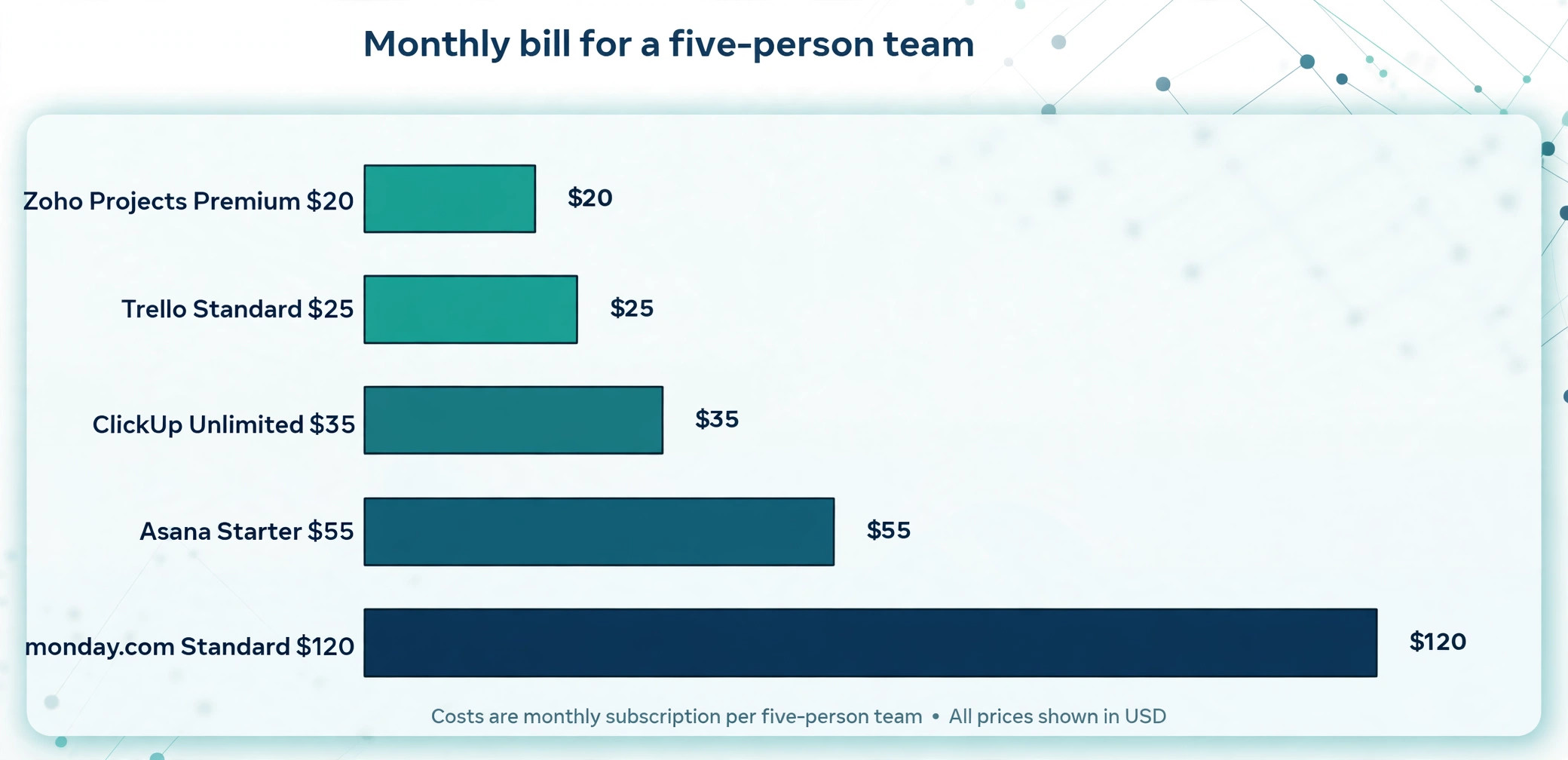
A five person team pays 35 dollars a month on ClickUp, 55 dollars on Asana Starter, and 120 dollars on monday.com Standard, for work that looks almost identical on the surface. That gap is the whole story of choosing the best project management software for small teams, because the headline price per seat hides seat minimums, bucket pricing, feature gates and free plan limits that decide the real bill. We compared 10 tools on published pricing, the free plan terms, views, automations and how fast a small team can actually adopt them, so you can pick the one that fits your team rather than the one with the loudest homepage.
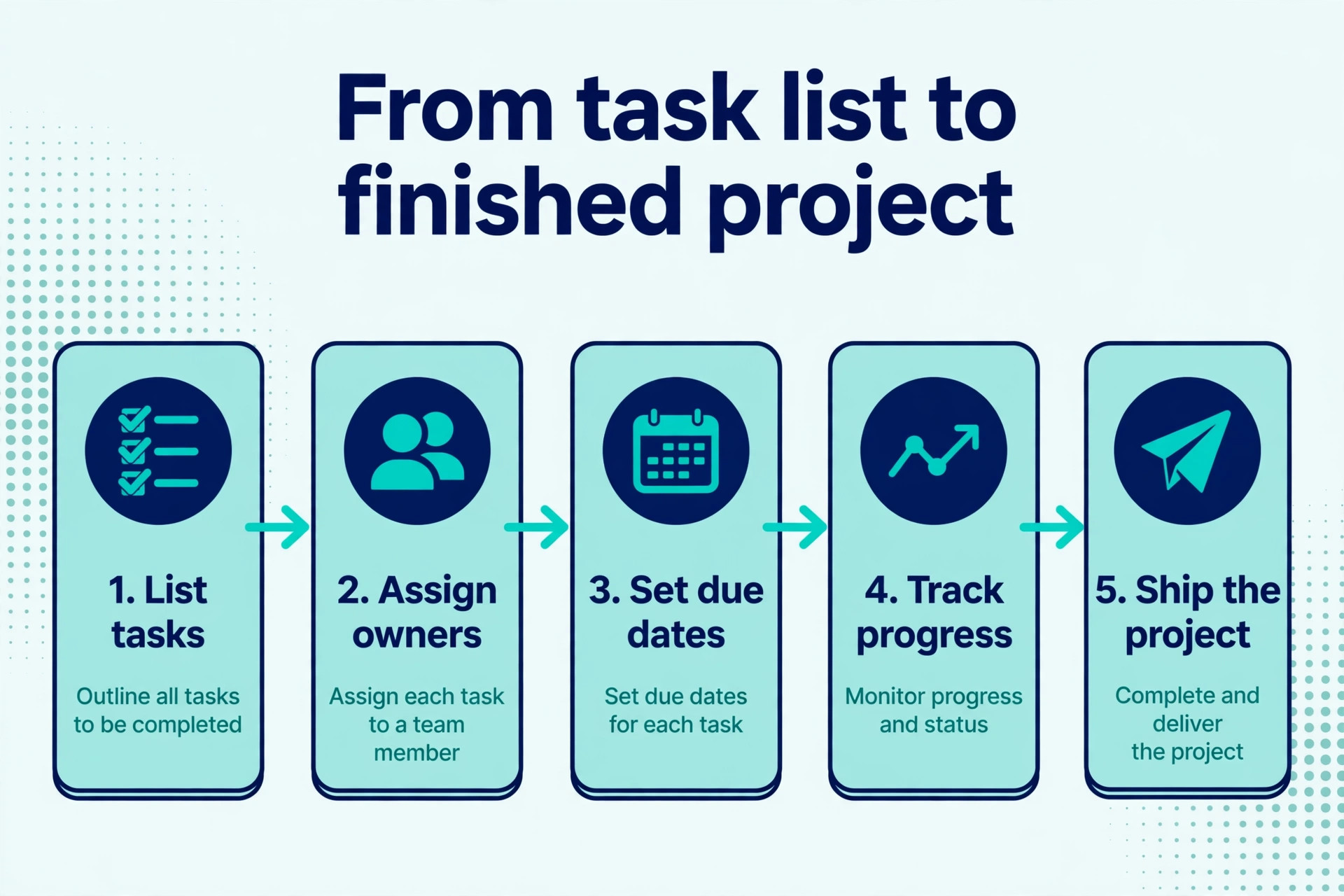
Small teams need something different from enterprise buyers. A team of three to 15 people needs a tool that is running by Friday, not a platform that needs an administrator and a month of configuration. It needs boards and lists everyone understands, a timeline when a launch has a date, and a way to see who is overloaded before a deadline slips. It does not need portfolio management, resource forecasting or 40 integrations on day one. The tools below were judged on that small team reality first, and on depth second.
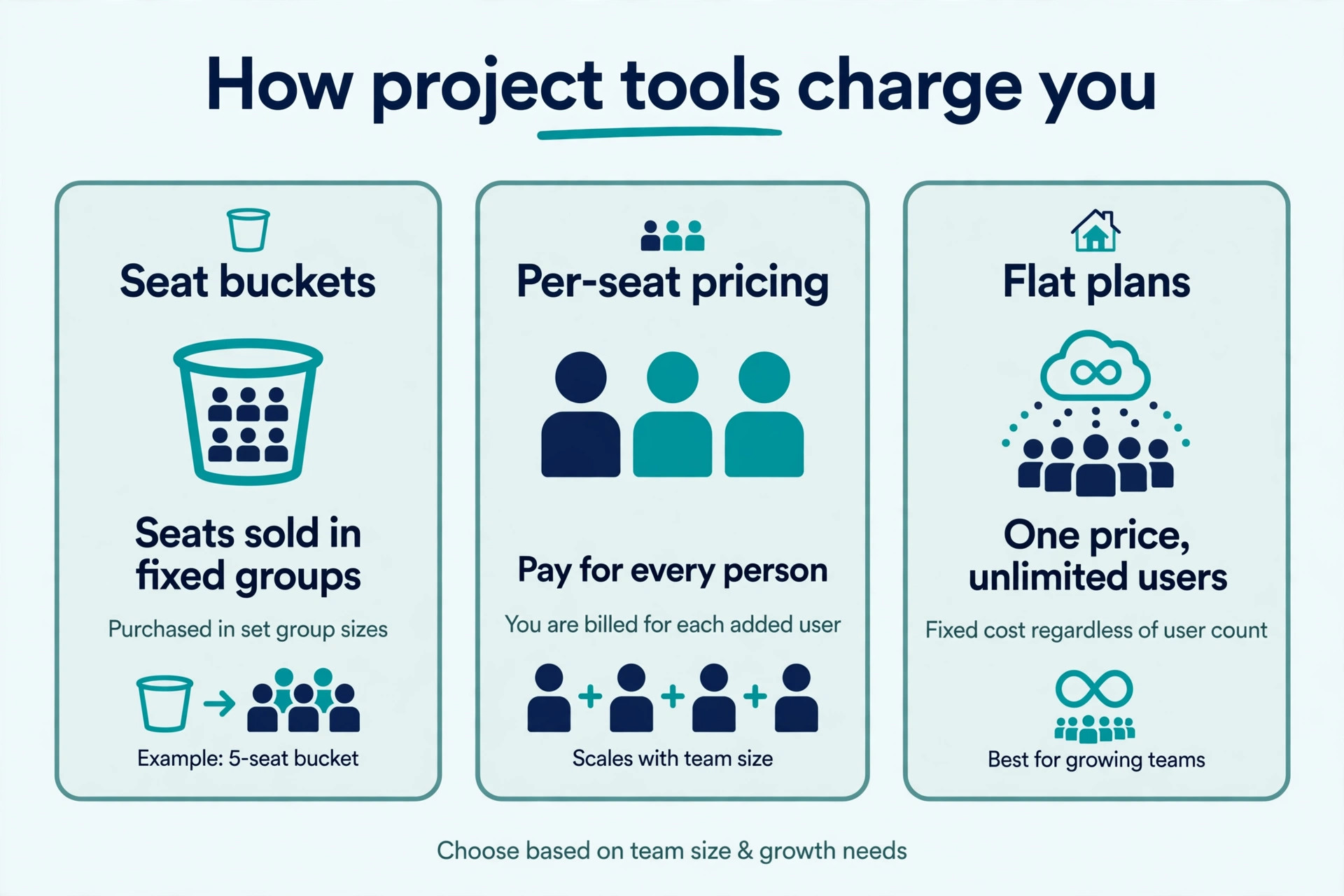
Price is the part most comparisons get wrong, because per seat pricing is not the whole bill. Monday.com sells seats in fixed buckets of 3, 5 and 10, so a seven person team pays for 10 seats. Asana sells seats in blocks and reserves portfolio views for a 24.99 dollar tier. ClickUp charges per person but gives unlimited members on the free plan. Every price in this guide was checked against vendor pricing pages and current 2026 roundups in November 2026. Confirm the figure on the vendor site before you pay, because plans and seat rules change often.
How We Tested the Best Project Management Software for Small Teams
We started from the vendor pricing pages, plan tables and feature documentation for each tool, then checked those claims against recent third party roundups and public review scores on sites such as G2 and Capterra. We did not run a live project on all 10 tools, and this guide says so plainly where a claim comes from a vendor page rather than hands on use. Where a vendor hides a limit behind a sales page, we say so instead of guessing a number.
We scored each tool on five points that match how a small team actually works. Adoption covered how fast a new member can open the tool and understand what to do next without training. Views covered lists, boards, timelines, calendars and Gantt charts, because different work needs different views. Cost covered the real monthly bill for a five person team, including seat minimums and bucket pricing, not the headline per seat figure. Free plan covered how many people can actually use it and what it blocks. Depth covered automations, reporting, time tracking and integrations, because a tool that cannot grow with the team will be replaced in a year.
Team shape changes the answer, so the ranking keeps three shapes in mind throughout. A tiny team of two to four people that mostly needs shared task lists can live on a free plan. A team of five to 10 running campaigns and launches needs timelines, automations and reporting. A team of 10 to 15 with clients needs guest access, permissions and a flat price that does not climb with every hire. The best pick table below gives a shortcut for each shape, and the full reviews explain the trade offs.
The Best Pick for Each Job
| Job | Pick | Why it wins |
|---|---|---|
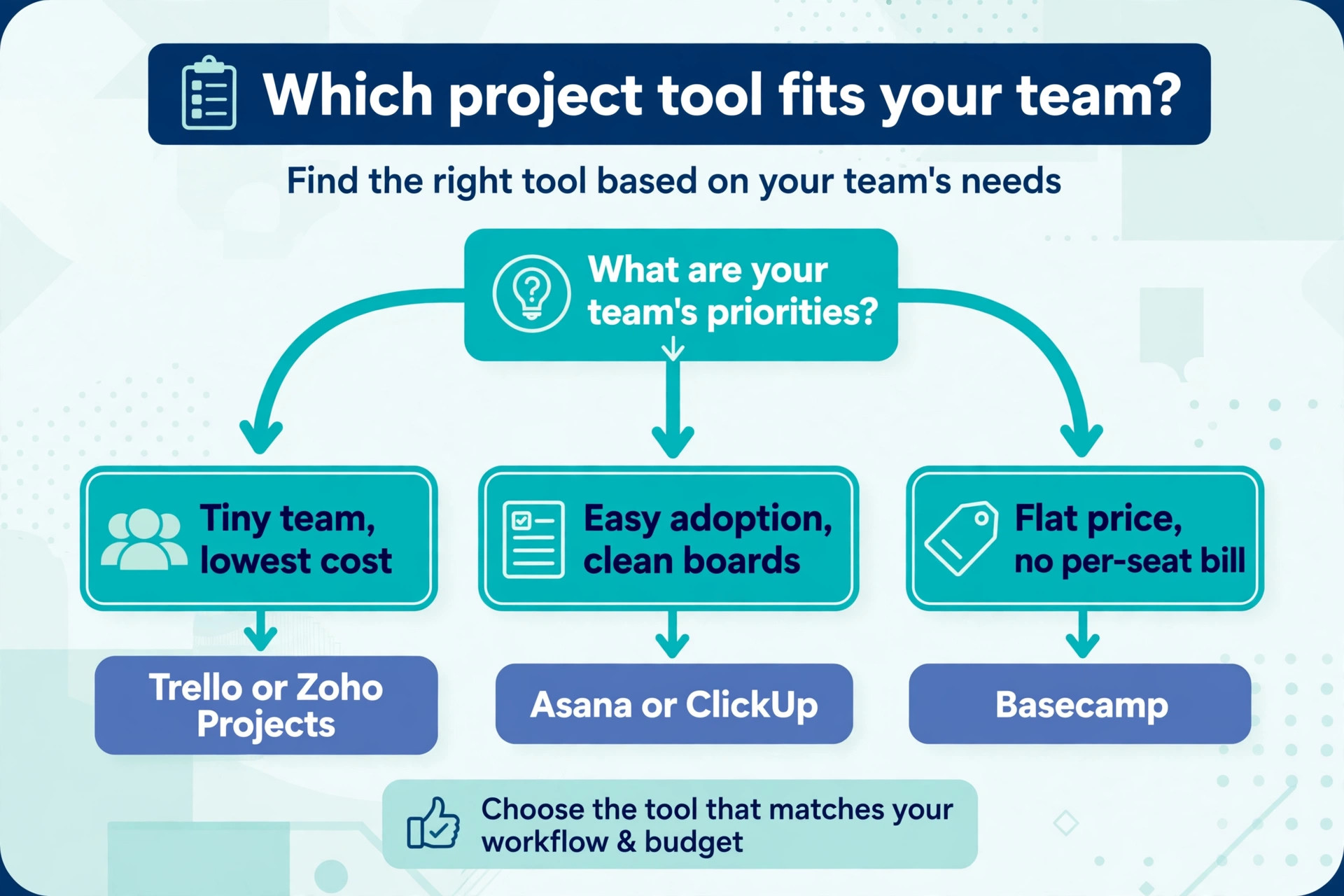
| The most features per dollar | ClickUp | Unlimited members free, paid from 7 dollars a user a month |
| The easiest team adoption | Asana | Cleanest lists, boards and timelines from 10.99 dollars a month |
| The most visual boards | monday.com | Colourful boards and fast onboarding from 9 dollars a seat |
| Simple Kanban with zero learning | Trello | Easiest board to adopt, paid from 5 dollars a user a month |
| The cheapest paid plan | Zoho Projects | Premium at 4 dollars a user a month with real depth |
Use this table as a shortcut, then read the full review of the tool you are leaning toward. The cheapest option is not the best value when its free plan caps at two users, and the most expensive option is not the best choice when your team only needs a shared list.
The 10 Best Project Management Tools for Small Teams in 2026, Ranked
The 10 tools below fall into three groups, and the best project management software for small teams is the one that matches your team shape rather than the one with the longest feature list. The first group is the work management platforms, and these suit most teams. The second group is the specialists, and these suit a particular way of working. The third group is the simple and flat priced tools, and these suit teams that want calm and predictable costs.
1. ClickUp
ClickUp wins the spec sheet at nearly every price point, and that is why it leads this guide. The Unlimited plan at 7 dollars per user a month billed annually includes native time tracking, Gantt charts, unlimited storage and dashboards, features that Asana and monday.com reserve for plans costing half as much again. Docs, goals, chat and whiteboards sit in the same workspace, so a small team can replace several subscriptions with one account. The free Forever plan allows unlimited members with 60 MB of storage, which makes it the only free plan here that covers a whole team.
The trade off is setup. ClickUp gives you so many options that a new team can spend a week configuring views, statuses and automations before any work moves. The interface is busy, and the learning curve is steeper than Asana or Trello. Business at 12 dollars per user a month billed annually adds more automations and permissions, and ClickUp Brain, the AI add on, costs about 9 dollars per user a month on top of the plan. For a team willing to invest a day in setup, ClickUp is the cheapest full featured option. For a team that wants to start today with no configuration, Asana or Trello will feel faster.
2. Asana
Asana is the most polished tool in this guide for straightforward project tracking, and it is the easiest for a new team to adopt. Lists, boards and timelines are clean, handoffs between people are clear, and a new member can open a project and understand what to do next without a training session. The design is calm, the mobile app is strong, and the tool scales from a three person team to a whole company without changing systems. Marketing, operations and cross functional teams adopt it fastest.
Pricing is the catch. The free Personal plan now caps at two users, so it no longer serves a whole small team. Starter costs 10.99 dollars per user a month billed annually, or 13.49 dollars month to month, and adds timeline and Gantt views, dashboards, forms and unlimited automations. Advanced costs 24.99 dollars per user a month billed annually, and most teams that need goals, workload reporting and portfolios end up there, which roughly doubles the bill. For a team of five to 10 that values adoption speed and clean structure, Asana is worth the price. For a team on a tight budget, ClickUp gives more for less.
3. monday.com
Monday.com is the most visual tool in this guide, and the most beginner friendly for non technical teams. Boards are colourful, columns are easy to understand, and a team can configure a board, a timeline and a dashboard without an admin or a tutorial. Client facing teams like it because the free viewer model makes client visibility cheap, and the automations are easy to set up without code. For a marketing or operations team that wants something running this week, it is the fastest start.
Pricing needs careful reading. The free Individual plan covers up to two seats and three boards. Basic costs 9 dollars per seat a month billed annually, and Standard at 12 dollars per seat a month is the real entry tier, adding timeline, Gantt and calendar views with 250 automation actions a month. Pro costs 19 dollars per seat a month. Seats sell in fixed buckets of 3, 5, 10, 15 and more, with a three seat minimum, so a seven person team pays for 10 seats and a 12 person team pays for 15. That bucket rule quietly inflates the per person price, so price your actual team size before you compare.
4. Trello
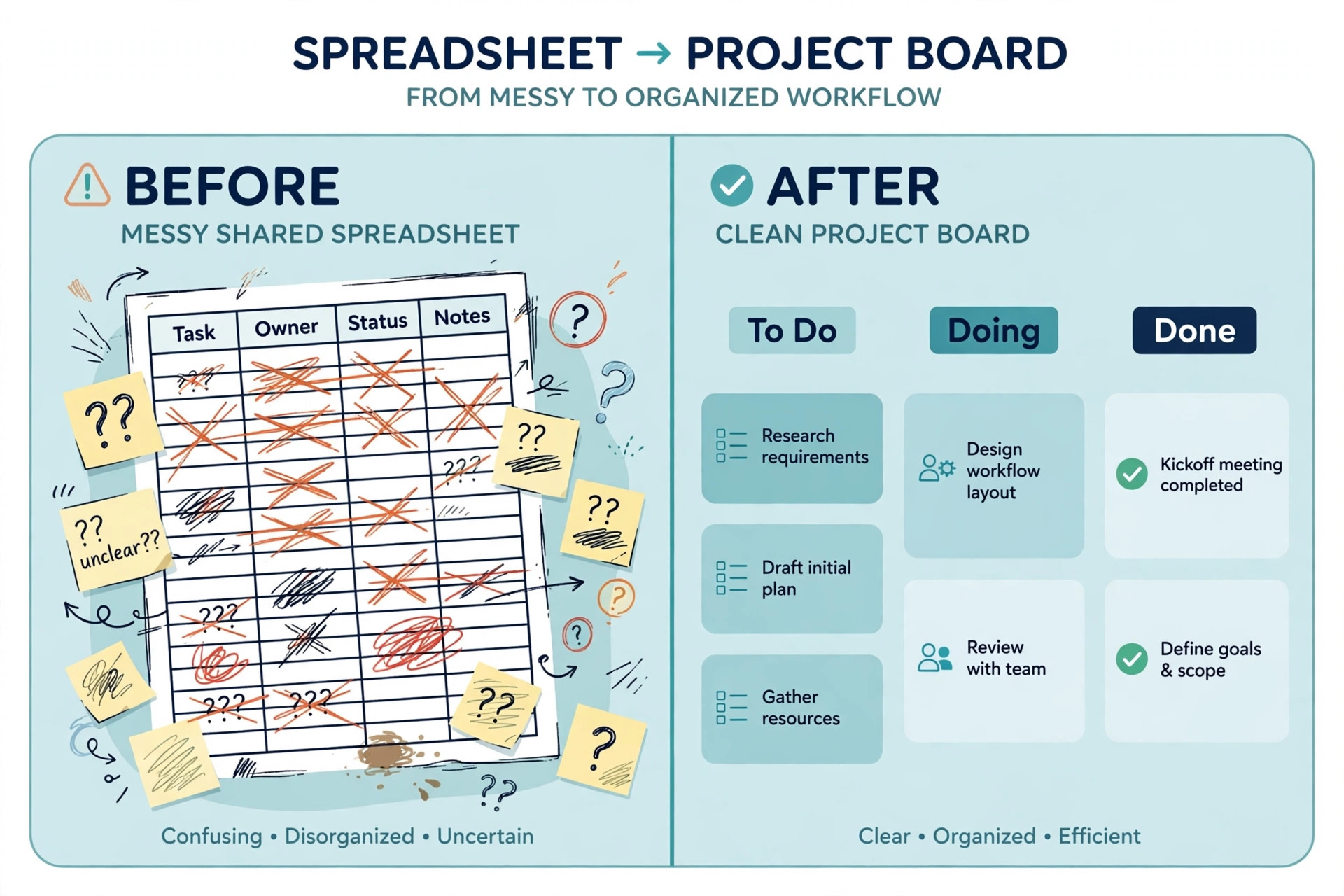
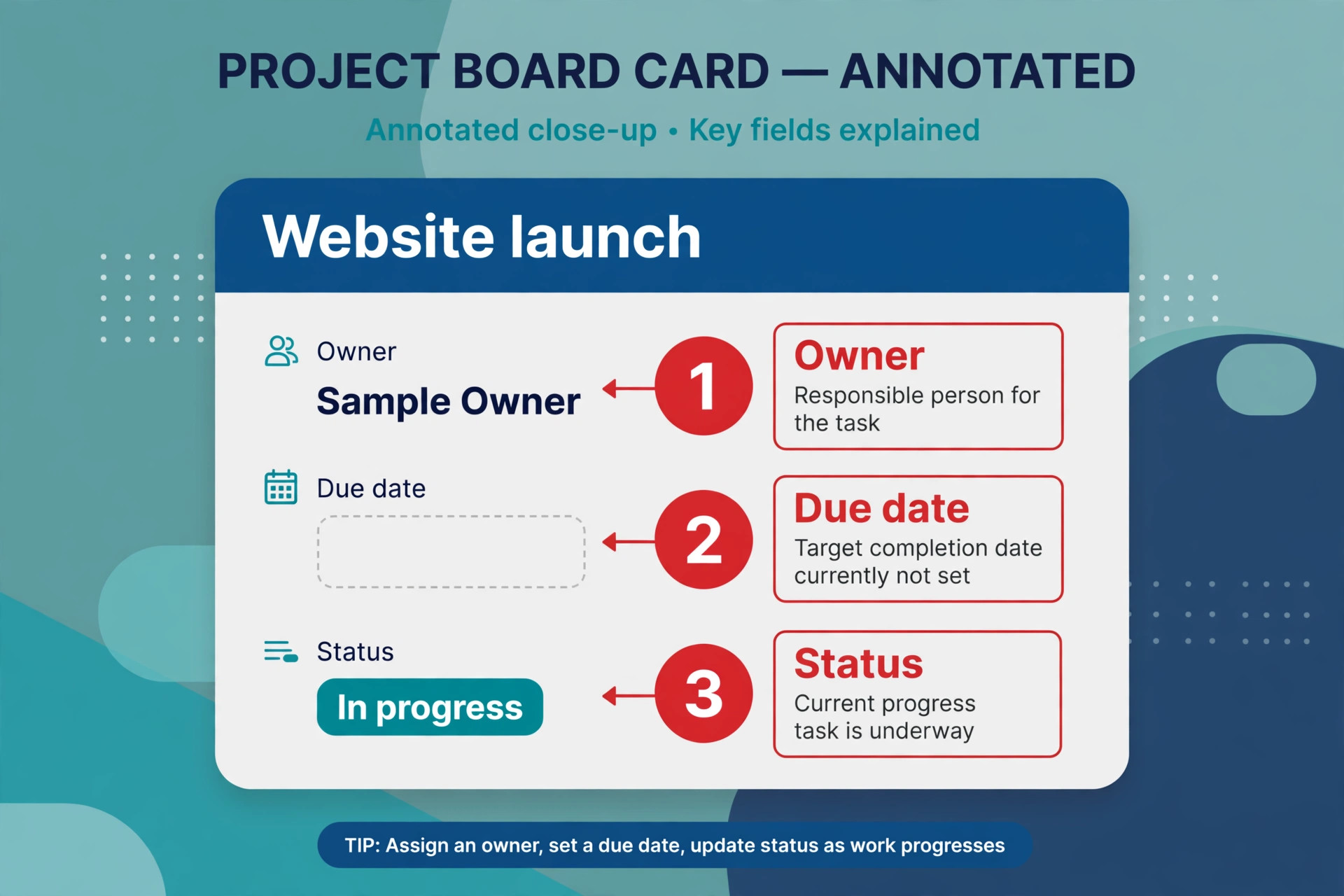
Trello remains the easiest board to adopt, and for a team that works in Kanban it is still the fastest tool to start. A board is a set of lists and cards, a card holds the task, the owner, the due date and the checklist, and a new member understands the whole system in 10 minutes. There is no configuration to get wrong, no admin to wait for, and the mobile app is simple enough to update a card between meetings. Small teams that want Kanban with zero learning curve should start here.
Pricing starts with a free plan that covers up to 10 boards and unlimited cards. Standard costs 5 dollars per user a month billed annually, or 6 dollars month to month, and adds advanced checklists and custom fields. Premium costs 10 dollars per user a month billed annually and adds more views, including timeline and calendar, plus better reporting. Enterprise starts at about 17.50 dollars per user a month. Reporting and dependencies are thin even on paid plans, so a team that outgrows simple boards will need to move. For a team of up to 10 that lives on boards, Trello is the cheapest real team tool here.
5. Notion
Notion is the pick when your team needs docs, wikis and tasks in one workspace instead of separate apps. A project page can hold the brief, the meeting notes, the task list and the decision log together, which suits knowledge centred teams that lose time switching between a docs tool and a task tool. The databases are flexible, the templates are strong, and the free plan covers individuals and small teams well enough to test the whole workflow before paying.
Pricing starts with a free plan, and Plus costs 10 dollars per seat a month billed annually, or 12 dollars month to month. Business costs about 15 dollars per seat a month billed annually. As a project tool Notion is lighter than Asana or ClickUp, with weaker timelines, dependencies and reporting, and a team that needs Gantt charts and workload views will feel the gap. For a team that writes as much as it executes, and that wants one calm workspace rather than three apps, Notion is the right choice. For a team that plans around dates and dependencies, pick a dedicated project tool.
6. Basecamp
Basecamp is the calmest tool in this guide, and it suits teams that are tired of per seat pricing and feature creep. Projects, message boards, to do lists, schedules, files and group chat sit in one simple place, and the interface deliberately does less than its rivals. There are no 40 integrations to configure and no automation builder to learn, which is the point. A team that wants simple project communication without per feature upgrades will find Basecamp restful after ClickUp or Asana.
Pricing is flat, which is the real selling point. Plus costs 15 dollars per user a month billed monthly, and Pro Unlimited costs 299 dollars a month billed annually, or 349 dollars month to month, for unlimited users. The flat plan beats every per seat plan once a team passes about 20 people, though for a five person team it is the most expensive option here. There is a free plan for one project with up to 20 users, and a 30 day free trial on paid plans. For a larger small team that wants predictable costs and a calm tool, Basecamp is the pick. For a team of five, the per seat tools cost far less.
7. Todoist
Todoist is the best tool here for a team that only needs tasks done well. Natural language input lets you type a task such as a report due Friday and have the date, the project and the priority set automatically. Shared lists, comments, reminders and a clean mobile app cover the daily work of a small team without the weight of a full project platform. The interface is fast, the learning curve is nearly flat, and a new member can be productive in an hour.
Pricing starts with a free Beginner plan that covers personal and shared lists. Pro costs about 4 dollars per user a month billed annually in some comparisons and 5 dollars a month billed annually in others, so confirm the current figure on the vendor page, and Business costs about 8 dollars per user a month billed annually. Todoist has no timelines, no Gantt charts and no reporting worth the name, so a team running launches with dates and dependencies will outgrow it. For a tiny team that lives on lists and wants the cheapest paid tool, it is the simplest choice in this guide.
8. Wrike
Wrike suits larger small teams and cross department work, where custom workflows and portfolio reporting matter more than a quick start. The Team plan covers unlimited projects and effective Gantt charts, and the Business plan adds nested projects, approvals and advanced reporting that marketing teams value. Cross tagging lets one task appear in several projects, which helps a team that shares work across departments. The free plan covers a simple task list for a small team at no cost.
Pricing starts with a free plan, and Team costs 10 dollars per user a month billed annually. Business costs about 24.80 dollars per user a month billed annually, which is a steep jump, so most small teams should stay on Team unless they need approvals and portfolio views. Wrike is heavier than Asana and slower to adopt, and the interface feels built for managers rather than for the people doing the work. For a team of 10 to 15 that needs structured workflows and reporting, it is a strong choice. For a team of five, Asana or ClickUp will feel lighter and cheaper.
9. Zoho Projects
Zoho Projects is the cheapest paid plan in this guide with real project management depth, and it is the natural pick for a team already using Zoho apps. Premium costs 4 dollars per user a month billed annually, or 5 dollars month to month, and covers unlimited projects, task automation, Gantt charts and time tracking for up to 50 users. Enterprise costs 9 dollars per user a month billed annually and adds unlimited usage and advanced customisation. The free plan supports up to three users and two projects, which is enough to test the tool with a real project.
The trade off is polish. The interface is less refined than Asana or monday.com, the mobile app is plainer, and the template library is smaller. Integrations with Zoho CRM, Zoho Mail and Zoho Books are deep, while integrations outside the Zoho world are thinner than ClickUp. For a budget conscious team, especially one already paying for Zoho, Premium at 4 dollars a user is the best value in this guide. For a team that wants the most polished experience and does not use Zoho, ClickUp or Asana will feel better.
10. Jira
Jira is the default for software and IT teams that live in sprints, and it remains the cheapest serious option for a small software team willing to handle the configuration. Scrum boards, Kanban boards, backlogs, sprints and release planning are built in rather than added on, and the tool scales from a three person dev team to a whole engineering department. The free plan covers up to 10 users with 2 GB of storage, which makes it genuinely free for a small software team.
Pricing starts with that free plan, and Standard costs 7.91 dollars per user a month billed annually. The configuration is the cost, because Jira expects the team to set up workflows, issue types and permissions before work flows smoothly, and a non technical team will find it heavy and confusing. For a software team running sprints, Jira is the right tool and the free plan is hard to beat. For a marketing, operations or generalist team, Asana or monday.com will be adopted faster and used more.
How to Choose the Best Project Management Software for Small Teams
Start with how your team actually works, because the tool must match the work rather than the other way round. A team that works in sprints needs Jira. A team that works in boards needs Trello or monday.com. A team that works in docs needs Notion. A team that works in lists needs Todoist or ClickUp. List your last 10 projects, note how each one was planned and tracked, and buy the tool that fits the most common pattern. A tool that forces a new way of working will be abandoned in a month, however good its feature list looks.
Next, price the real bill for your team size, not the headline per seat figure. Take the per seat price, multiply it by the seats you must buy rather than the people you have, and add the cost of the tier that unlocks the views and automations you need. A five person team on monday.com Standard pays for 10 seats, while the same team on ClickUp Unlimited pays for five. A team that needs portfolio views on Asana pays 24.99 dollars a seat rather than 10.99. Run those numbers for your actual headcount before you compare, because the seat rules decide the real bill more than the headline price does.
Then run a real project in two tools for two weeks before you commit. Every tool here offers a free plan or a trial, and two weeks of real work shows you which interface your team opens without being asked, which mobile app they actually use, and which tool produces a status update without a meeting. The test also shows whether the free plan is enough, because a team that finishes the trial on the free plan has just saved a subscription. The best tool is the one your team still uses in week three without a reminder.
Finally, check the exit terms before you sign. Ask how you export tasks, comments, files and history, and whether the export keeps the structure or dumps everything into a flat file. A tool that locks your project history inside its own system will cost you far more later than a slightly higher monthly price today. The vendors that publish prices openly usually publish export options openly too, and that transparency is a useful signal when you compare two tools that look equal on features.
Mistakes That Waste Money
The most common mistake when choosing the best project management software for small teams is buying before you map your workflow. A team buys ClickUp for its feature list, then discovers that no one configures it and the work stays in chat and email. A team buys Asana Advanced for portfolios, then discovers that no one looks at a portfolio. Map the workflow first, list the views, automations and reports you actually need, and buy the cheapest tool that covers that list. Most small teams overpay by buying depth they never use, and the fix is a one page list written before the trial starts.
The second mistake is ignoring the seat rules. A team of seven signs up for monday.com at 12 dollars a seat, then finds the bill is 120 dollars a month because seats sell in buckets of 10. A team of three signs up for Asana, then finds the free plan caps at two users and the whole team needs a paid seat. Price the team you have, not the team the homepage imagines, and check the seat minimum, the bucket size and the free plan cap before you enter card details. Those three numbers decide the bill more than the per seat price.
The third mistake is choosing a tool no one adopts. A project tool only works when the whole team updates it, and a tool that feels heavy, slow or confusing will be abandoned in favour of chat and email within a month. Adoption is a feature, not a soft concern, and it matters more than Gantt charts or automations for a small team. Test adoption during the trial by watching who updates tasks without being asked, and pick the tool with the highest voluntary use. A simple tool everyone uses beats a powerful tool no one opens.
Our Verdict
ClickUp is the pick for most readers, because Unlimited at 7 dollars per user a month gives a small team Gantt charts, time tracking, dashboards and unlimited storage, and the free plan covers unlimited members while you test it properly. The setup takes a day, and the value per dollar is the best in this guide. Asana is the pick when adoption speed matters more than price, because the cleanest interface in this guide gets a new team running in hours rather than days.
Trello is the pick when the work is simple Kanban and the budget is tight, because Standard at 5 dollars a user a month is the cheapest real team tool and the free plan often covers a small team entirely. The best project management software for small teams is the one your team actually opens every day, at a price that matches your headcount rather than the headline, and the two week trial with a real project is the test that settles the choice.
Frequently Asked Questions
What is the best project management software for small teams?
For most teams under 10 people, ClickUp is the strongest pick, because the free plan covers unlimited members and Unlimited at 7 dollars per user a month includes Gantt charts, time tracking and dashboards. Asana at 10.99 dollars per user a month is the easiest to adopt, and monday.com Standard at 12 dollars per seat is the fastest to set up. When the work is simple Kanban, Trello free plan often covers it. Run a real project in two tools for two weeks before you commit, because adoption decides the winner more than the feature list.
How much should a small team pay for project software?
For five people on an entry paid tier, list prices range from about 25 dollars to about 55 dollars a month, before add ons. ClickUp Unlimited costs 35 dollars for five people, Trello Standard costs 25 dollars, Asana Starter costs about 55 dollars, and monday.com Standard costs 120 dollars for five people because seats sell in buckets of 10. Zoho Projects Premium costs 20 dollars for five people. Always price your actual headcount, including seat minimums and bucket rules, and confirm the figure on the vendor page before you buy.
Is there a good free project management tool for a small team?
Yes, and the free plans are not equal, which is why the best project management software for small teams is often decided by the free plan rather than the paid tiers. ClickUp free covers unlimited members with 60 MB of storage, which is the most generous free plan here. Jira is free for up to 10 users, which suits a small software team. Trello free covers up to 10 boards with unlimited cards. Notion free covers individuals and small teams well.
Asana and monday.com free plans cap at two users, so they no longer serve a whole team. Test the free plan with a real project before you pay, because a team that finishes the trial on free has saved a subscription.
Should a small team use Notion or a dedicated project tool?
Use Notion when your team needs docs, wikis and tasks in one workspace, and when writing and knowledge matter as much as execution. Use a dedicated tool such as Asana, ClickUp or monday.com when the team plans around dates, dependencies and workload, because Notion timelines and reporting are lighter. Many teams use both, with Notion for the wiki and a dedicated tool for the project plan. When you must pick one, choose the tool that fits the work you do most often, and test both with a real project first.
Does monday.com seat pricing really cost more than it looks?
Yes, when your team size does not match a bucket. Monday.com sells seats in fixed buckets of 3, 5, 10, 15 and more, with a three seat minimum, so a four person team pays for five seats and a seven person team pays for 10. At Standard pricing of 12 dollars a seat, a seven person team pays 120 dollars a month rather than 84 dollars. The per seat price is honest, but the bucket rule is the number that decides the bill, so price your actual headcount before you compare monday.com with a per person tool.
When does Basecamp flat pricing beat per seat pricing?
Basecamp Pro Unlimited at 299 dollars a month billed annually beats per seat pricing once a team passes about 20 users, because the bill stops growing with every hire. For a team of five, per seat tools cost far less, with ClickUp at 35 dollars and Trello at 25 dollars a month. For a team of 25, per seat pricing at 10 dollars a user costs 250 dollars, which is close to Basecamp, and at 30 users Basecamp is clearly cheaper. The flat price also makes budgeting simple, because the bill is the same every month whatever the headcount.