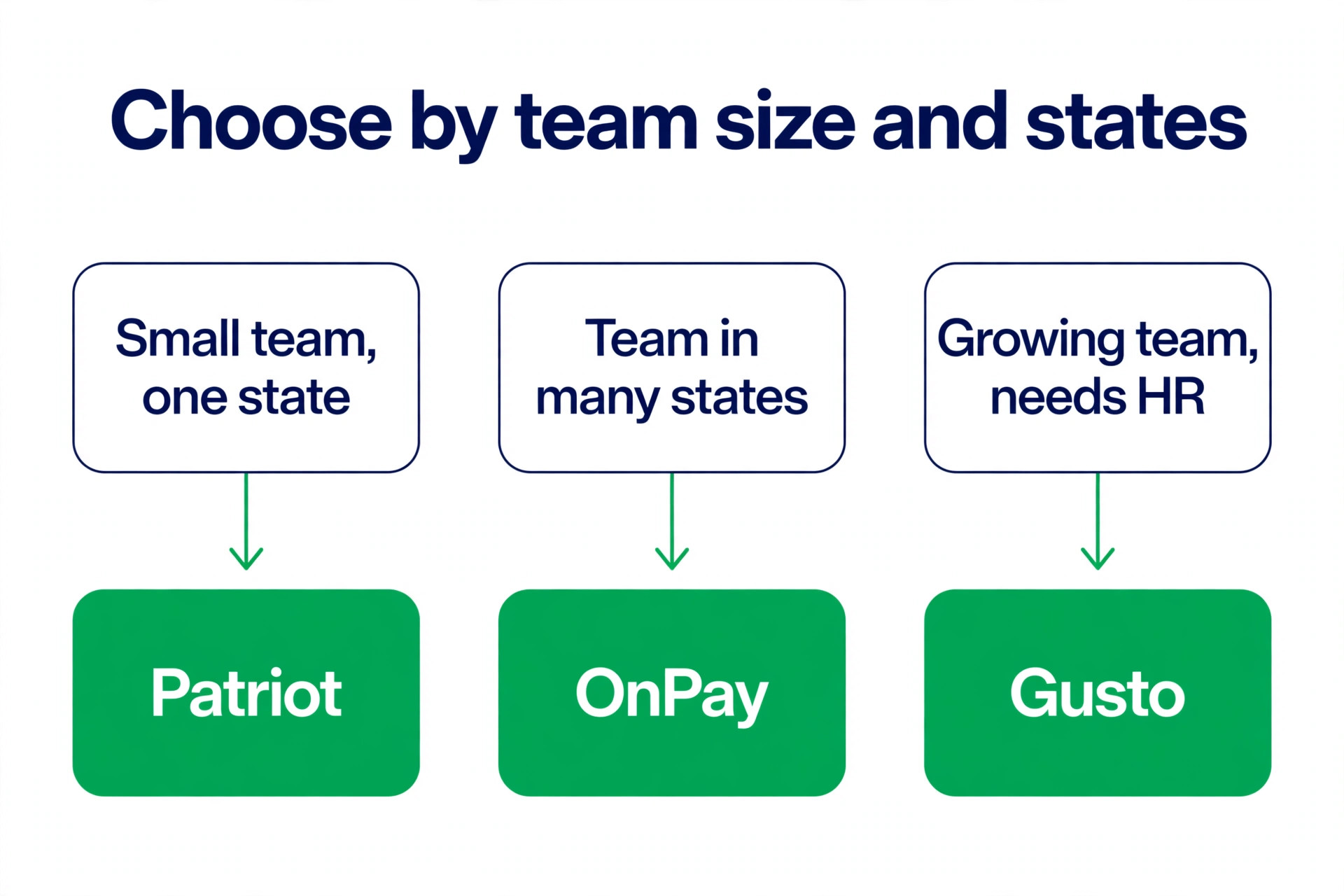
Gusto is the best payroll software for small business owners who want the job done with the least friction, because it files taxes automatically, shows its prices in public, and adds HR and benefits without a sales call. OnPay is the better buy when you run payroll in more than one state and you want one flat price that never changes. Patriot is the cheapest honest option for a very small team. We compared ten tools on published prices checked in November 2026, tax filing, direct deposit, benefits and how each one bills as your team grows, so you can pick on numbers instead of marketing.
Payroll is the one business system where a mistake costs more than the software. A late tax filing brings a penalty. A wrong deduction brings an angry employee. A missed state registration brings a letter from a tax agency. The software exists to remove those risks, and the best tools do it quietly, by calculating, filing and depositing on schedule while you run the business. The differences between tools are not about whether they pay people. They are about price structure, which states they cover, how they handle benefits, and what happens when your team grows from five people to fifty.
One warning before the list. Payroll prices change often, and several vendors show different prices by region or run short promotions. The prices below were checked against vendor pricing pages and current 2026 roundups in November 2026. Confirm the price on the checkout page before you commit, and ask every quote based vendor to itemize implementation, year end forms and multi state fees in writing.
The Best Pick for Each Job
| Job | Pick | Why it wins |
|---|---|---|
| Best overall for most small businesses | Gusto | Full tax filing, public pricing, HR included |
| Best value for multi-state payroll | OnPay | One plan, all 50 states, no upgrade needed |
| Cheapest full-service option | Patriot | 37 dollars a month plus 5 dollars per worker |
| Best for restaurants and retail | Square Payroll | Tips and timecards flow from the register |
| Best for fast growing teams | Rippling | Payroll tied to HR, IT and devices |
| Best for a PEO and better benefits | Justworks | 79 dollars per employee, benefits included |
Use this table as a shortcut, then read the full section for the tool you are leaning toward. The cheapest plan on this list is not the cheapest payroll once you add the fees that matter, such as extra state filings and year end forms, so read the cost breakdown before you decide.
The Best Payroll Software for Small Business in 2026, Ranked
The ten tools below fall into three groups. The first group is full service payroll with HR built in, and these are the strongest picks for most businesses. The second group is payroll first tools that keep the price low and the setup simple. The third group is specialist tools for restaurants, growing startups and businesses that want a PEO to handle benefits and compliance.
1. Gusto
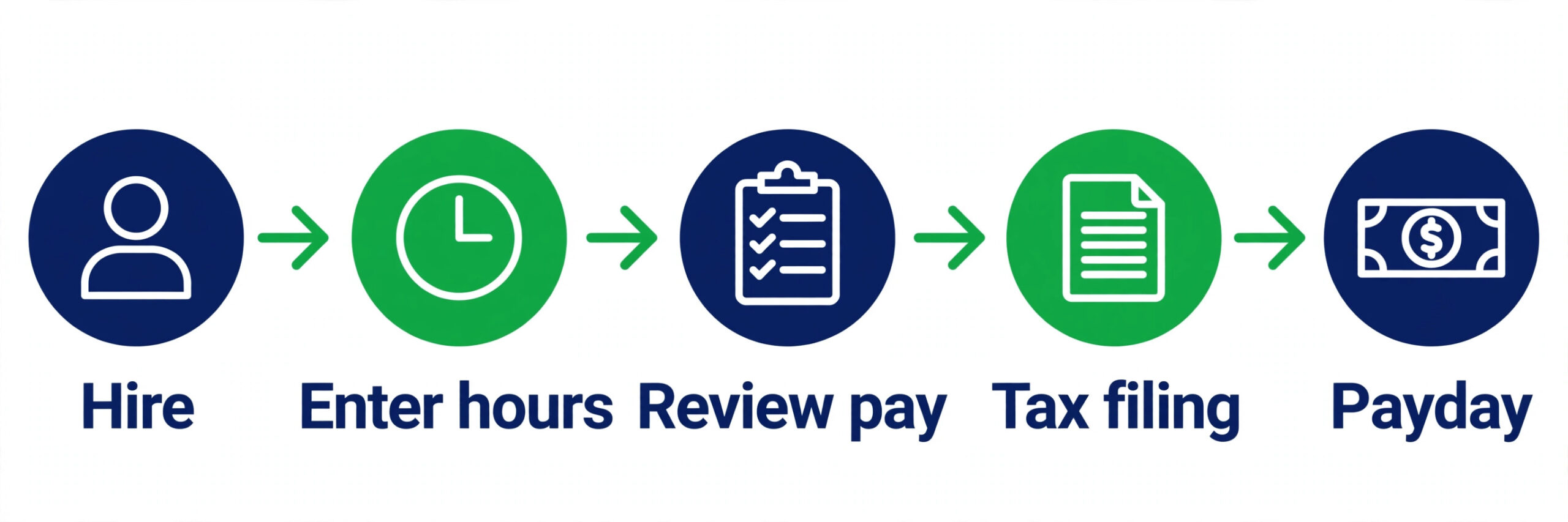
Gusto is the default recommendation for small business payroll for a reason. It runs unlimited payroll, calculates and files federal, state and local taxes automatically, prepares W-2 and 1099 forms, offers direct deposit and gives employees a self service portal. The interface is the cleanest on this list, and a new business can finish setup in one or two days without a payroll specialist.
Pricing is public, which is rare in this category. Simple costs 49 dollars a month plus 6 dollars per person and covers single state payroll with basic HR. Plus costs 80 dollars a month plus 12 dollars per person and adds multi state payroll, next day direct deposit, time tracking and PTO management. Premium costs 180 dollars a month plus 22 dollars per person and adds priority support and compliance alerts. A ten person team pays 109 dollars a month on Simple, which makes Gusto the benchmark every other tool is measured against. Gusto works well up to roughly 100 employees, and it handles contractors as well as employees, though international workers are supported as contractors only.
2. OnPay
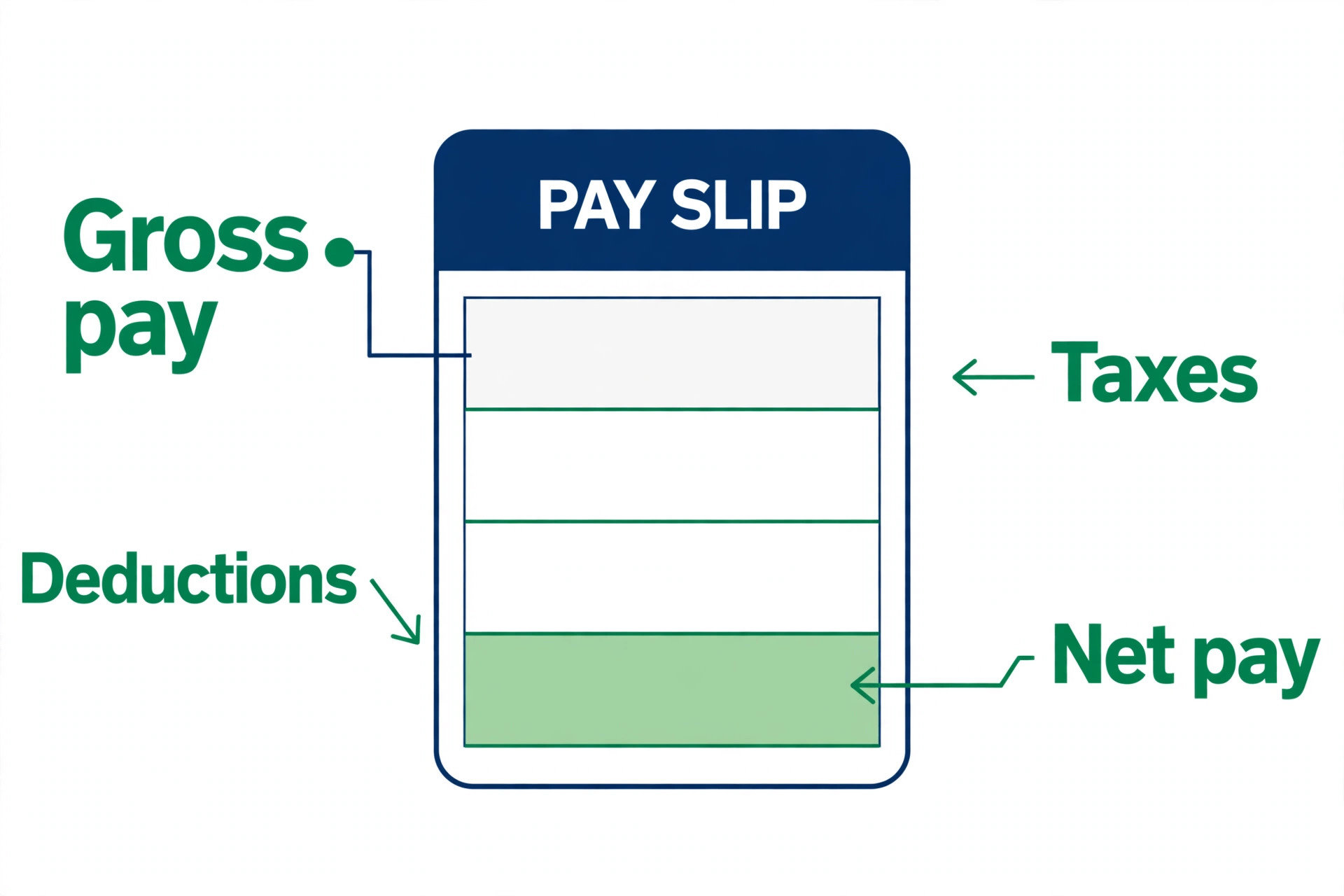
OnPay removes the decision fatigue that plagues payroll shopping. There is one plan and one price, 49 dollars a month plus 6 dollars per worker, and that covers unlimited pay runs, all federal, state and local tax filings, W-2 and 1099 forms, multi state payroll, garnishments and multiple pay rates. A ten person team pays 109 dollars a month, identical to Gusto Simple at that headcount, but OnPay includes multi state payroll that Gusto only offers on the 80 dollar Plus plan.
The trade off is a plainer interface and fewer HR extras than Gusto. OnPay includes hiring tools and benefits administration basics, with licensed agents to help with health insurance, and it serves niche industries such as nonprofits, farms and clergy that other tools ignore. There are no setup fees and no contracts, and the first month is free. Choose OnPay when you pay people in more than one state and you want one flat price with no upgrade trap.
3. Rippling
Rippling is the most ambitious platform on this list, because it ties payroll to one employee record that also drives app access, devices, expenses and benefits. When a new hire starts, Rippling pays them, gives them a laptop, adds them to the right apps and enrolls them in benefits from one workflow. That integration is the reason fast growing startups choose it, and it is also the reason small businesses should think twice, because the platform is built for teams that plan to scale.
Pricing is modular, which sounds flexible until you add it up. The base platform costs 40 dollars a month, and payroll starts at 8 dollars per user per month, so a ten person team pays about 120 dollars a month before any added modules. Most companies add modules, and the minimum contract is typically 12 months. Choose Rippling when your team is growing fast and you want payroll, HR and IT in one system. Do not choose it when you want the cheapest payroll for a stable team of ten.
4. ADP RUN
ADP RUN is the small business product from the largest payroll company in the United States, and it brings service depth no startup can match. The platform handles federal, state and local tax filing, direct deposit, time tracking and HR add ons, with a support team that has seen every edge case, from multi entity payroll to complex garnishments. It suits businesses with 1 to 49 employees that expect to keep growing and may one day need ADP Workforce Now.
The catch is price transparency. ADP does not publish prices, and quotes vary widely. Published estimates put the Essential plan at around 59 to 79 dollars a month plus about 4 dollars per employee, with Enhanced and Complete tiers adding HR features at higher prices. Negotiate, ask for the full itemized quote, and compare the three year cost rather than the first year discount. Choose ADP RUN when you want a big provider with service teams behind the software and you are comfortable negotiating a contract.
5. Paychex Flex
Paychex Flex is the other big name in small business payroll, and its Flex Essentials plan is aimed squarely at businesses with under 50 employees. It covers payroll, tax filing, direct deposit and employee self service, with add ons for time tracking, benefits and HR. Paychex is especially strong for businesses that want a dedicated payroll specialist on the phone, rather than a chat window, when something goes wrong.
Pricing is quote based, with published estimates starting around 59 dollars a month plus 4 dollars per employee for the Essentials plan. Like ADP, the quoted price depends on headcount, states and add ons, so get the quote in writing with every fee listed. Choose Paychex Flex when you want human support from a large provider and you run payroll in states with tricky local taxes.
6. QuickBooks Payroll
QuickBooks Payroll is the obvious pick for the millions of businesses that already run QuickBooks for accounting, because payroll and the books share one ledger. Hours, expenses and payroll costs flow into the accounts without retyping, and the tax filing is handled inside the same system. The plans cover full service tax filing on the higher tiers, with next day direct deposit and workers comp integration available.
Pricing starts at about 50 dollars a month plus 6 dollars per person on the entry plan, with Premium at 75 dollars a month adding full tax filing. Intuit is rebranding the product as QuickBooks Workforce during 2026, with prices reported 15 to 25 percent higher than 2025 rates, so confirm the current price before you budget. Choose QuickBooks Payroll when your accounting already lives in QuickBooks and you want payroll inside the same system.
7. Square Payroll
Square Payroll is built for one buyer, the hourly workforce business already running Square at the register. Timecards, tips, overtime and commissions flow straight from Square POS into payroll, which kills the weekly ritual of retyping hours from a separate system. It handles full service tax filing, direct deposit and contractor payments, and the interface is the simplest on this list for a restaurant or retail owner.
Pricing is 35 dollars a month plus 6 dollars per person paid, and contractor only payroll costs 6 dollars per person with no base fee. A ten person team pays 95 dollars a month. The limitation is scope. Square Payroll fits shops, cafes and restaurants, but it is not the right tool for a salaried office team with complex benefits. Choose Square Payroll when your team is hourly, tipped and already on Square.
8. Patriot Software
Patriot Software is the cheapest credible payroll on this list, and the best pick for a micro business watching every dollar. The Basic plan costs 17 dollars a month plus 4 dollars per worker paid, and it covers payroll and direct deposit while you file your own taxes. The Full Service plan costs 37 dollars a month plus 5 dollars per worker paid and adds federal, state and local tax filings and deposits plus every year end form, with a tax filing reliability guarantee.
A ten employee company pays 87 dollars a month on Full Service, the lowest ten person total on this list. The trade offs are real. Patriot charges 12 dollars a month for each additional state, the interface is plainer than Gusto, and the benefits tools are thinner. Choose Patriot when the team is small, the budget is tight, and you want full service tax filing at the lowest possible price.
9. SurePayroll
SurePayroll is the best pick for very small teams and household employers, because it handles the payroll situations most tools avoid, including nanny tax filings and multi state payroll for teams of one to ten. The Full Service plan costs 29 dollars a month plus 7 dollars per employee, which is the lowest base fee on this list, and a ten person team pays 99 dollars a month.
Watch the add ons. SurePayroll bills 9.99 dollars a month for multi state payroll and charges 50 dollars plus 5 dollars per form at year end, which OnPay includes for free. For a single state team with no year end complications, the low base fee wins. For a multi state team, the add ons can erase the saving. Choose SurePayroll when the team is tiny, the payroll is simple, and you want the lowest starting price.
10. Justworks
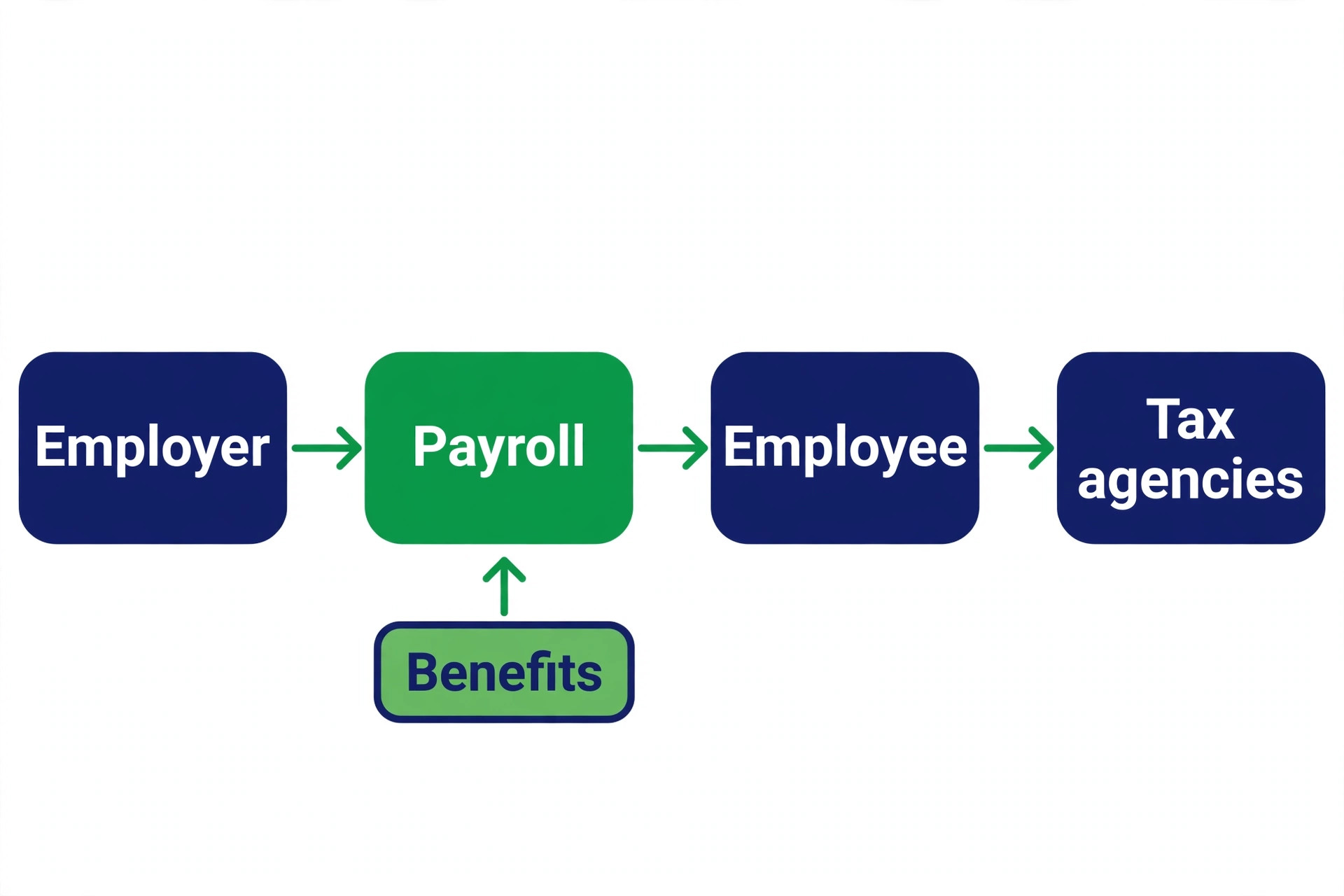
Justworks is different from every other tool on this list, because it is a PEO, a professional employer organization, rather than a payroll software company. Justworks becomes the employer of record for tax and benefits purposes, which lets a small business offer the kind of health insurance and benefits that usually only large companies can buy. Payroll, compliance, benefits administration and HR support come in one package.
Pricing is 79 dollars per employee per month on the Basic PEO plan, with no base fee. That is far more than Gusto for a ten person team, but the comparison is not like for like, because the PEO price includes benefits administration and access to group health plans that can save more than the fee. Choose Justworks when better health insurance is the goal and payroll is only part of the problem. Do not choose it when you only need payroll.
What 10 Employees Actually Cost Each Month
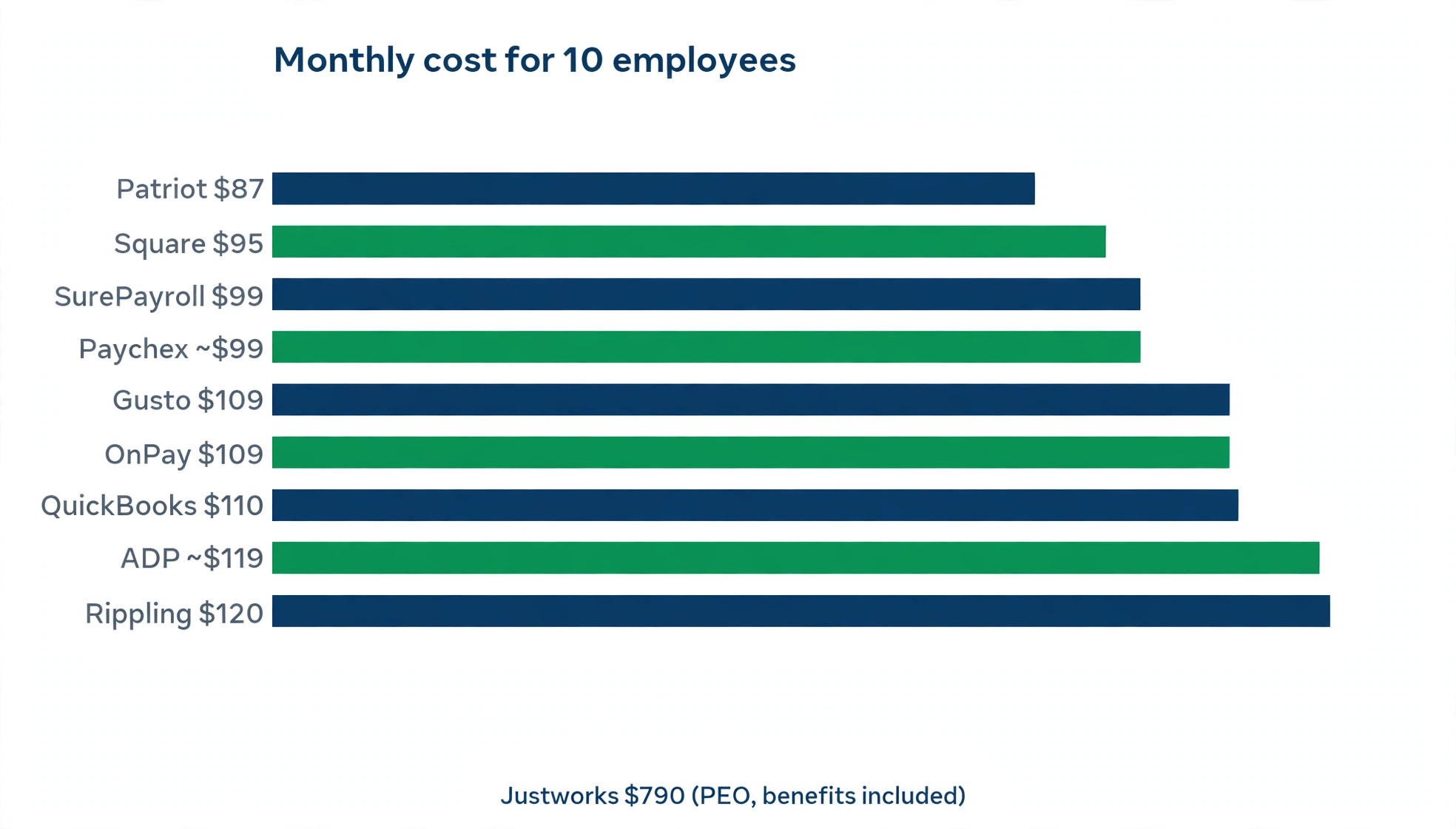
The table below prices each tool for a ten person team on its entry full service plan, using published prices from November 2026. Quote based vendors use published estimates, and PEO pricing is shown separately because it includes benefits administration.
| Tool | Monthly math for 10 people | Monthly total |
|---|---|---|
| Patriot Full Service | 37 dollars plus 10 times 5 | 87 dollars |
| Square Payroll | 35 dollars plus 10 times 6 | 95 dollars |
| SurePayroll | 29 dollars plus 10 times 7 | 99 dollars |
| Gusto Simple | 49 dollars plus 10 times 6 | 109 dollars |
| OnPay | 49 dollars plus 10 times 6 | 109 dollars |
| Rippling | 40 dollars plus 10 times 8 | 120 dollars |
| QuickBooks Payroll | 50 dollars plus 10 times 6 | 110 dollars |
| ADP RUN | About 79 dollars plus 10 times 4 | About 119 dollars |
| Paychex Flex | About 59 dollars plus 10 times 4 | About 99 dollars |
| Justworks | 79 dollars times 10 people | 790 dollars |
Two patterns matter more than the totals. First, the gap between the cheapest and the most expensive pure payroll tool is only about 30 dollars a month at ten people, which is less than one hour of an owner time spent fixing a tax mistake. Second, the fees outside the headline price decide the real ranking. Patriot adds 12 dollars per extra state. SurePayroll adds multi state and year end form fees. Gusto charges more per person on Plus for multi state payroll. Always price your own headcount, your own states and your own year end forms before you sign, because a tool that wins at five people can lose at twenty five.
Payroll Features That Matter Most
The best payroll software for small business buyers is not the one with the longest feature list. It is the one that handles the five jobs that actually cause trouble, and handles them without extra fees or extra work.
The first job is automatic tax filing with a guarantee. The vendor should calculate, file and deposit federal, state and local taxes, and put the guarantee in writing. A guarantee matters because it tells you who pays when a filing is late or wrong. Gusto, OnPay and Patriot Full Service all offer it, and any vendor that will not guarantee the filing should be struck from the list.
The second job is direct deposit that arrives on time. Next day direct deposit sounds like a small detail until a Friday payday slips to Monday and your team notices. Gusto Plus offers next day deposit, and most full service tools offer two to four day deposit on entry plans. Ask for the exact deposit schedule before you sign, because the plan page often hides it.
The third job is employee self service. A portal where staff can download pay stubs, update their address and check PTO balances saves the owner dozens of small interruptions a month. Every tool on this list offers it, but the quality varies. Test the employee view during the trial, not just the admin view, because your team will live in the portal and you will live in the dashboard.
The fourth job is benefits administration. Health insurance, retirement plans and workers comp all create deductions that must flow into payroll correctly. Gusto and Justworks handle this best, with licensed agents and partner retirement plans. A tool that cannot handle your benefits will force you to track deductions in a spreadsheet, which defeats the purpose of buying payroll software.
The fifth job is clean reporting. You need payroll cost by employee, by department and by month, plus year to date totals for your accountant. Rippling and Gusto produce the clearest reports, and both export cleanly to common accounting tools. Run one report during the trial and send it to your accountant. If your accountant cannot read it, the software is not ready.
How to Choose the Best Payroll Software for Small Business Needs
Start with tax filing, because that is the job you are actually buying. Full service payroll means the vendor calculates, files and deposits your federal, state and local taxes, and guarantees the filing. Every tool on this list offers it on at least one plan, but Patriot Basic and some entry tiers do not, so check the plan, not the brand. If the vendor will not guarantee the filing in writing, keep shopping.
Next, count your states. A business with employees in one state can buy the cheapest plan on this list and be happy. A business with employees in two or three states should compare OnPay, which includes all 50 states in its single plan, against Gusto Plus, which charges 80 dollars a month plus 12 dollars per person for the same coverage. The multi state question alone can change the winner.
Then look at the work around payroll. Benefits administration, time tracking, PTO management and hiring tools all save hours when they live inside the payroll system. Gusto Plus and Rippling are the strongest here, and Justworks wins outright when health insurance is the priority. A tool that only runs payroll is fine for a team of three. A team of twenty needs the extras, and buying them separately usually costs more.
Finally, test the support. Run a trial, call the support line with a real question, and time the answer. Payroll problems arrive on deadline day, and a vendor that answers in ten minutes is worth 20 dollars a month more than one that answers tomorrow. Read the contract for the renewal terms too, because quote based vendors often discount year one and raise the price in year two.
Mistakes That Cost Small Businesses Money
The most expensive mistake is choosing on the base fee alone. A 29 dollar base fee with 10 dollars a month per extra state and 50 dollars per year end form can cost more than a 49 dollar flat plan by February. Price the whole year, including every state, every form and every add on, before you compare.
The second mistake is staying on a DIY tax plan to save 20 dollars a month. Filing your own payroll taxes saves a small fee and risks a penalty that costs ten times more. Unless you genuinely understand payroll tax law in every state where you have employees, buy full service filing.
The third mistake is ignoring the contract. Quote based vendors such as ADP and Paychex often require an annual agreement, and the first year discount hides the renewal price. Ask for the year two price in writing, and ask what happens to your data if you leave. A payroll vendor that makes it hard to export your history is a vendor you will regret.
The fourth mistake is switching at the wrong time. The safest moments to change payroll are the start of a quarter or the start of a year, when the tax records are clean. A mid quarter switch forces you to reconcile two systems, and that is where errors creep in. If you must switch mid quarter, run both systems in parallel for one pay period and compare every number before you cut over.
Our Verdict
Gusto remains the best payroll software for small business owners in 2026, because the 49 dollar Simple plan covers the essentials, the pricing is public, and the Plus plan adds the HR tools a growing team actually uses. OnPay is the pick when you pay people in more than one state and you want one flat price with no upgrade. Patriot is the pick when the budget is the whole decision and the team is small.
Square Payroll is the pick for restaurants and shops already on Square, Rippling is the pick for startups that plan to scale fast, and Justworks is the pick when benefits, not payroll, is the problem you are solving. Any of the ten will pay your people correctly. The right one is the one whose price structure matches your states, your headcount and your plans for next year.
Frequently Asked Questions
How much does the best payroll software for small business cost per month?
Most small businesses pay between 87 and 120 dollars a month for ten employees on a published full service plan. Patriot Full Service is the cheapest at 87 dollars, Square Payroll costs 95 dollars, SurePayroll costs 99 dollars, and Gusto Simple and OnPay both cost 109 dollars. Quote based vendors such as ADP RUN and Paychex Flex land in the same range once quoted. A PEO such as Justworks costs far more, about 790 dollars for ten people, because the price includes benefits administration and group health insurance access.
Which payroll software is easiest for a first time owner?
Gusto is the easiest for a first time owner, because the setup takes one to two days, the interface explains each step, and the pricing is public so there is no sales call. OnPay is nearly as easy, with one plan and one price, and Square Payroll is the easiest for a restaurant owner already using Square. Whichever tool you choose, gather employee details, pay rates, tax IDs and bank information before you start, because the setup stalls on missing paperwork more than on software.
Does payroll software file taxes automatically?
Full service payroll software calculates, files and deposits federal, state and local payroll taxes automatically, and most vendors guarantee the filing. Gusto, OnPay, Rippling, Square Payroll, Patriot Full Service and SurePayroll all offer full service filing. Basic or self service plans, such as Patriot Basic, run the payroll but leave the tax filing to you. Always check the plan details, because the brand name does not guarantee the filing, and the plan does. That guarantee is the single most important thing the best payroll software for small business buyers should demand, because it is the difference between a vendor that stands behind its work and one that leaves you holding the penalty notice.
Can I switch payroll software in the middle of the year?
Yes, you can switch mid year, but the start of a quarter or the start of a year is safer. A mid quarter switch means reconciling year to date totals between two systems, and errors in that step can cause tax filing mistakes. If you must switch now, run both systems in parallel for one pay period, compare every employee total, and confirm the new vendor has the year to date figures before the first live run.
Is a PEO such as Justworks worth it for a small business?
A PEO is worth it when better health insurance is the goal, because the PEO pools small businesses together to buy group rates a ten person company cannot get alone. Justworks costs 79 dollars per employee per month, which is far more than payroll software alone, but the benefits saving can outweigh the fee. A PEO is not worth it when you only need payroll, because you pay for benefits administration you do not use.
What is the cheapest payroll software for a team of five?
Patriot Full Service is the cheapest honest option for five people, at 62 dollars a month, with full service tax filing included. Square Payroll costs 65 dollars for five people, SurePayroll costs 64 dollars before add ons, and Gusto Simple and OnPay both cost 79 dollars. The cheapest headline price is not always the cheapest year, so add the extra state fees and year end form charges for your own situation before you decide.
Payroll software is a small monthly bill that protects a large monthly risk. The best choice is rarely the cheapest or the most famous. It is the tool whose tax filing guarantee, state coverage and price structure match the business you run today and the team you plan to have next year. Price your own headcount, test the support, and switch at the start of a quarter. Do that, and the best payroll software for small business owners becomes a quiet background process instead of a monthly worry.