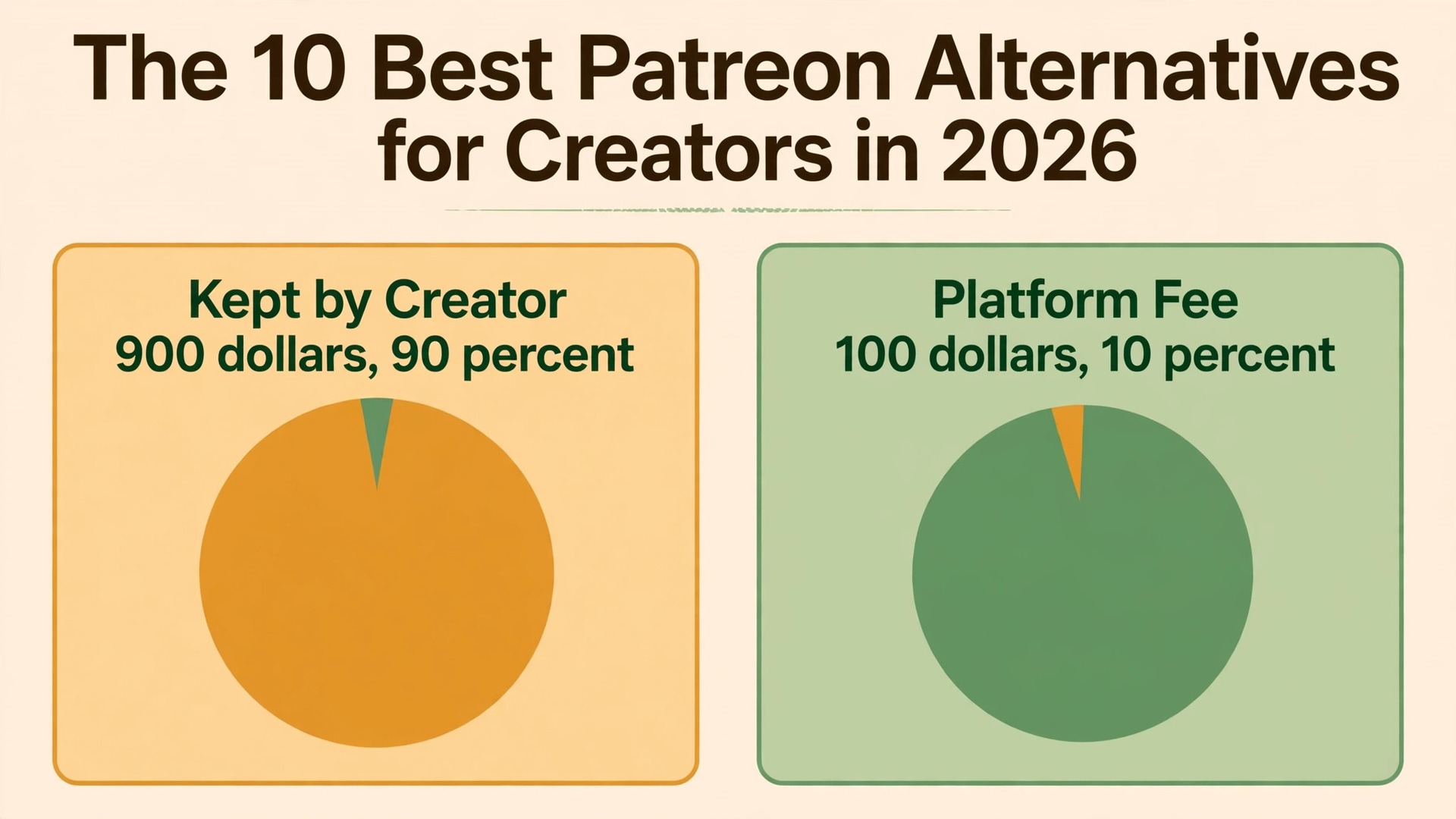
Ko-fi is the best overall pick among the best patreon alternatives for creators, because a small creator keeps more of every dollar than on Patreon and can start with no monthly fee. Ghost is the better choice once paid writing passes about 290 dollars a month, and Substack is the fastest route to a paid newsletter with zero setup. Patreon now charges new pages a flat 10 percent platform fee plus payment processing of 2.9 percent and 30 cents per pledge, and that change is the reason so many creators are doing the maths for the first time.
The fee is only half the story. Patreon owns the member relationship, the page and the discovery, and a creator who leaves takes the audience only if the email list comes too. The alternatives below split into two camps. The low fee camp takes a smaller cut and hands the creator the payment link. The ownership camp charges a flat monthly fee, takes no cut at all, and puts the membership on the creator own site and domain. This guide compares both camps on the same 1,000 dollar month, so the fee difference is visible in dollars instead of percentages.
Prices and fees in this guide were checked against vendor pricing pages and current 2026 roundups in November 2026. Fees change often, and several platforms show different prices by region, so confirm the fee on the pricing page before you move your members.
What the Best Patreon Alternatives for Creators Cost on 1,000 Dollars a Month
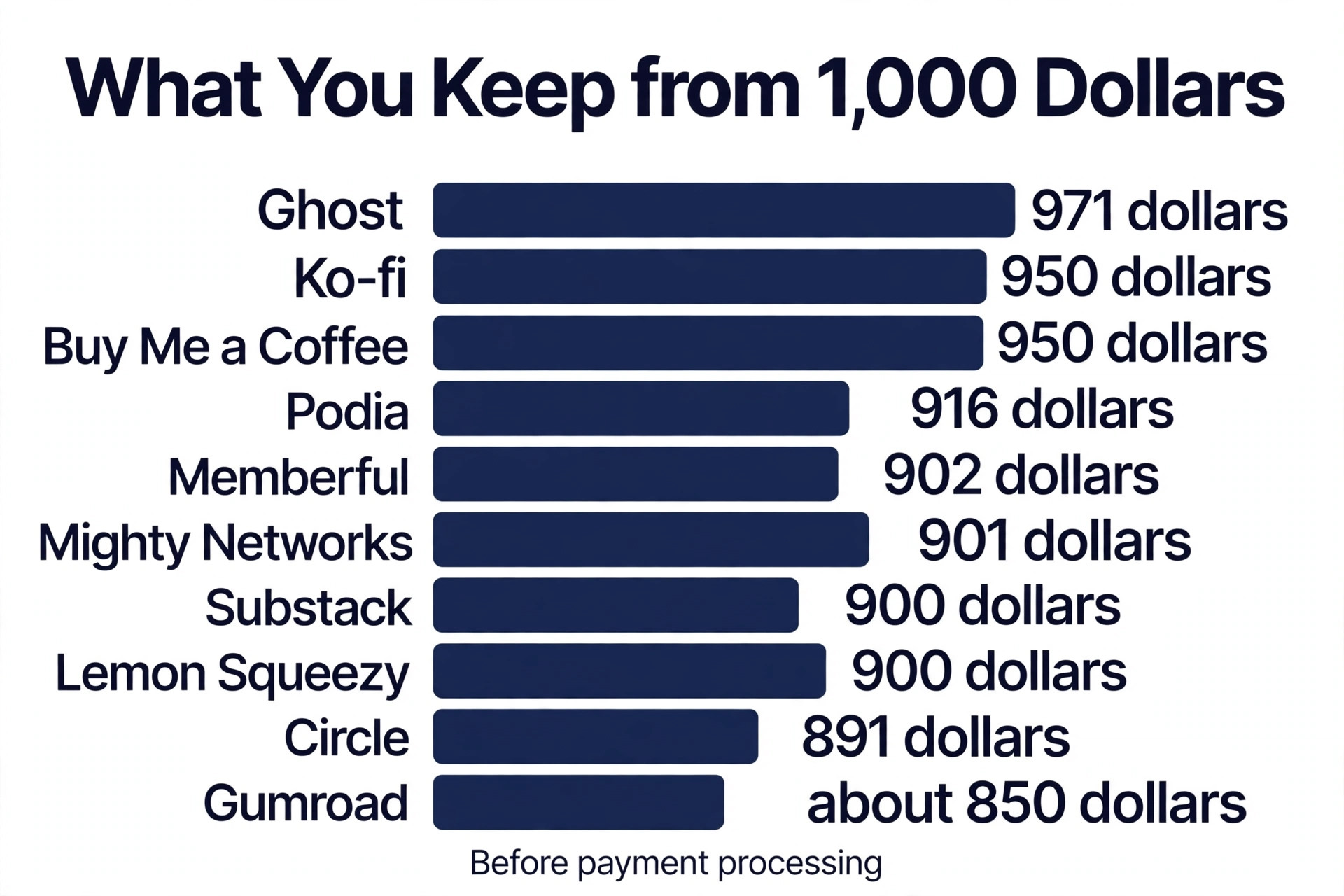
The table below runs the same month through each platform. It assumes 100 payments of 10 dollars, and it shows the platform cut before payment processing, because processing is charged on top by Stripe or PayPal on most tools. Read it as a comparison, not a quote, because your mix of monthly and annual pledges will shift the processing line.
| Platform | Platform cut on 1,000 dollars | Monthly fee | You keep before processing |
|---|---|---|---|
| Ko-fi free | 50 dollars on memberships, 0 on tips | 0 dollars | 950 dollars |
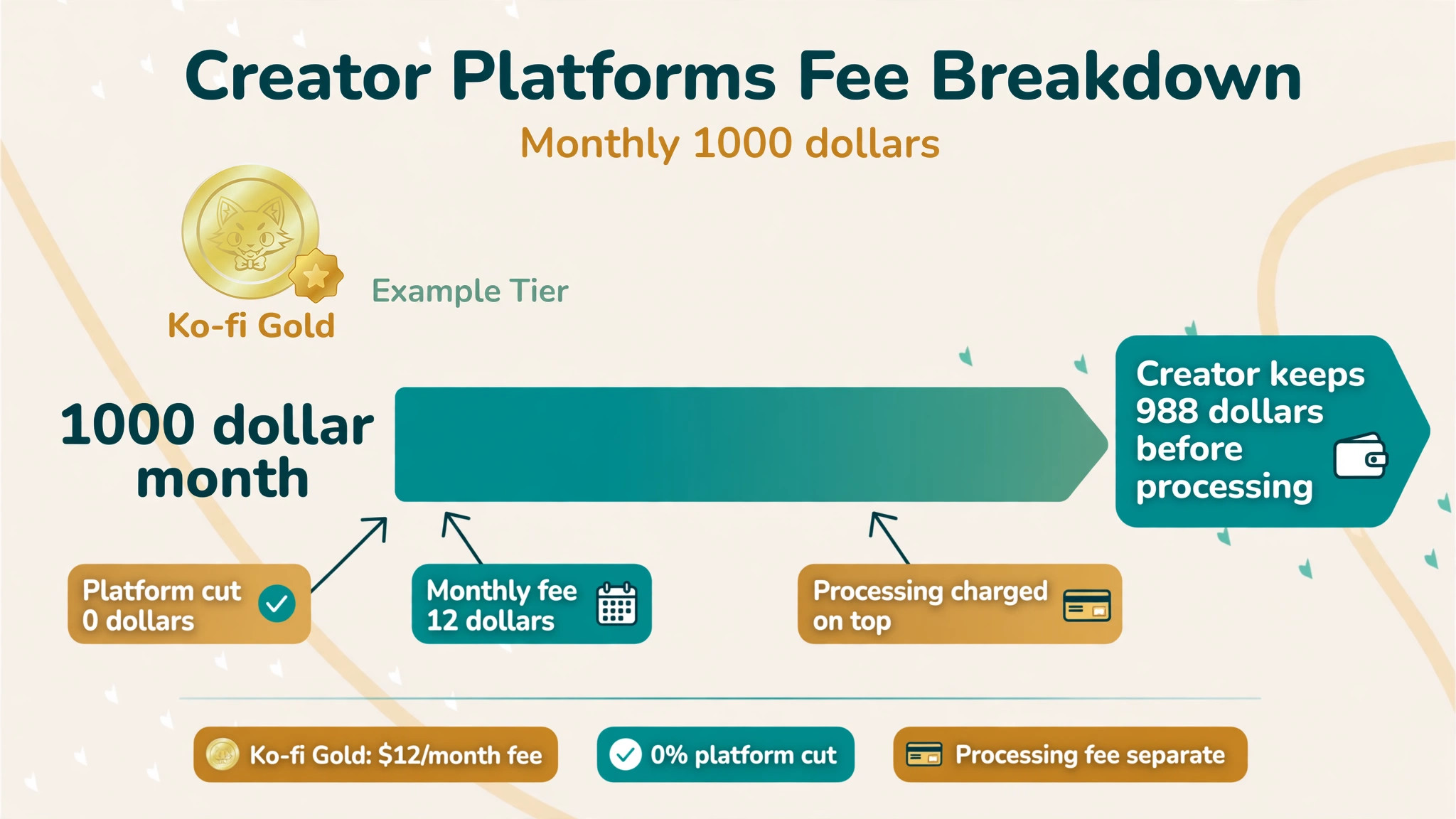
| Ko-fi Gold | 0 dollars | 12 dollars | 988 dollars |
| Buy Me a Coffee | 50 dollars | 0 dollars | 950 dollars |
| Substack | 100 dollars | 0 dollars | 900 dollars |
| Ghost Publisher | 0 dollars | 29 dollars | 971 dollars |
| Memberful | 49 dollars | 49 dollars | 902 dollars |
| Podia Shaker | 0 dollars | 84 dollars | 916 dollars |
| Gumroad | 100 dollars plus 50 cents per sale | 0 dollars | About 850 dollars |
| Mighty Networks | About 20 dollars at 2 percent | 79 dollars | About 901 dollars |
| Circle Professional | About 20 dollars at 2 percent | 89 dollars | About 891 dollars |
| Lemon Squeezy | 50 dollars plus 50 cents per sale | 0 dollars | About 900 dollars |
| Patreon standard | 100 dollars | 0 dollars | 900 dollars |
Ko-fi Gold is the cheapest way to keep a small membership, because 12 dollars a month beats a 10 percent cut once earnings pass about 120 dollars a month. Ghost beats Patreon once earnings pass about 290 dollars a month, because the flat 29 dollars replaces the 100 dollar cut. Memberful only beats Patreon once earnings pass about 961 dollars a month, because the 49 dollar fee sits on top of a 4.9 percent cut. The lesson is simple. Percentage fees punish growth, flat fees reward it, and the right choice depends on how much you earn today and how fast that number is rising.
How We Compared the 10 Tools
We compared each tool on five points, because the best patreon alternatives for creators win on the money the creator keeps and the control the creator holds, not on the prettiest page. Fee structure covered the platform cut, the monthly fee and the processing charged on top. Ownership covered whether the creator keeps the member list, the domain and the brand, or rents space on someone else platform. Fit covered the creator type each tool serves best, from tip jar writers to course sellers. Migration covered how hard it is to move existing members and whether the tool helps with the move. Payouts covered how fast money reaches the creator and what holds apply.
We also checked the fine print that roundups usually skip. Apple in app purchase rules now push Patreon creators toward subscription billing through Apple, which can add a further cut on iOS pledges. Several flat fee tools still charge Stripe processing on top, so a 0 percent headline never means zero cost. And Memberful is owned by Patreon, which matters to creators whose reason for leaving is independence from Patreon itself.
Which Alternative Fits You Best
| Job | Pick | Why it wins |
|---|---|---|
| Lowest fees at small scale | Ko-fi Gold | 12 dollars a month, 0 percent cut |
| Tips and first dollars | Buy Me a Coffee | 5 percent, no monthly fee |
| Paid newsletter, fastest launch | Substack | Free to start, 10 percent only when paid |
| Owned publishing that scales | Ghost | 29 dollars a month, 0 percent cut |
| Memberships on your own site | Memberful | WordPress plugin, member system, 49 dollars plus 4.9 percent |
| Courses plus memberships in one | Podia | Storefront, courses, downloads, email in one tool |
| Digital products plus memberships | Gumroad | No monthly fee, marketplace discovery |
| Paid community with courses | Mighty Networks | Cohort courses, events, challenges |
| Paid community with live streams | Circle | Discussion, courses and live streams as the product |
| Digital products with tax handled | Lemon Squeezy | Merchant of record, 5 percent plus 50 cents |
Use this table as a shortcut, then read the full section for the tool you are leaning toward. The cheapest option is not the best value when it cannot do the job your members pay for, and the most expensive option is not the best choice when you earn under 200 dollars a month.
The 10 Best Patreon Alternatives for Creators, Ranked
The 10 tools below fall into three groups. The first group takes tips and small memberships with the lowest fees. The second group owns publishing and memberships on the creator own site. The third group builds communities and sells digital products alongside the membership. Pick the group first, then pick the tool inside it.
1. Ko-fi
Ko-fi started as a tip jar and grew into memberships, commissions and a small shop, and it remains the lowest cost way to accept support. The free plan charges 0 percent on one time tips and 5 percent on memberships and shop sales, with supporter payments going straight to the creator PayPal or Stripe account. Ko-fi Gold costs 12 dollars a month for new users and drops the platform fee to 0 percent, which is why the worked example above shows Gold keeping 988 dollars from 1,000 dollars before processing.
The page is simple, and that is both the strength and the limit. A creator can set up a support page in an afternoon, add membership tiers, sell a digital file and take commissions without learning a new platform. There is no real community space, no native video hosting and only limited custom domain control, so a creator who wants discussion threads or courses will outgrow it. For a writer, artist or streamer who wants fans to pay with the least friction and the lowest cut, Ko-fi is the default answer, and Gold is the best 12 dollars a month in the creator economy.

2. Buy Me a Coffee
Buy Me a Coffee is the closest rival to Ko-fi, and the choice between them comes down to small differences. The platform fee is a flat 5 percent with no monthly fee, plus Stripe processing on top. Supporters can send a one time coffee, join a monthly membership, buy a digital extra or book a one to one call, all from one hosted page with a button and a widget for the creator own site.
The membership tools are lighter than Ko-fi Gold, and there is no 0 percent tier to grow into, so a creator who scales past a few hundred dollars a month will pay more here than on Gold. The page design is friendly and the setup is fast, which makes it a strong first step for a creator earning their first dollars. It also suits creators who want a tip jar more than a full membership business, because the one time payment flow is the smoothest in this group.
3. Substack
Substack made paid newsletters a business model, and it is still the fastest way to have a paid publication live today. Publishing is free no matter how many subscribers you have. When paid subscriptions are turned on, Substack keeps 10 percent of subscription revenue and Stripe charges 2.9 percent plus 30 cents per payment, with a further 0.7 percent Stripe billing fee on recurring payments. A custom domain costs a one time 50 dollars.
The 10 percent cut is the same as Patreon standard, so Substack does not save money. It saves time. A writer can publish, charge and build a subscriber list in one place, with chat and comments built in and payouts daily after a seven day hold. The trade off is ownership. The publication lives on Substack, the recommendation engine decides who sees it, and the fee never falls as revenue grows. Writers who earn under 300 dollars a month and want the fastest launch should start here. Writers who earn more should compare Ghost, where the flat fee replaces the cut.
4. Ghost
Ghost is the independence pick. It is open source publishing software with memberships and paid subscriptions built in, running on the creator own site and domain, with no revenue share from Ghost itself. Hosting through Ghost starts at 18 dollars a month billed yearly, and paid subscriptions begin on the Publisher plan at 29 dollars a month for up to 1,000 members, rising to 63 dollars at 5,000 members and 88 dollars at 10,000.
The maths is what sells it. At 1,000 dollars a month, the creator pays 29 dollars plus Stripe processing and keeps 971 dollars before processing, against 900 dollars on Substack and Patreon. At 5,000 dollars a month, Ghost costs 63 dollars while Substack takes 500 dollars. The trade off is effort. Ghost needs more setup than Substack, the community layer is members only comments rather than a discussion space, and the creator handles the site. For a publisher whose business is writing and charging for it, Ghost is the cheapest credible route to owning the whole stack.
5. Memberful
Memberful runs memberships on the creator own website and domain rather than on a profile page the creator rents. It offers a website and newsletter builder, landing pages and a WordPress plugin, and it does not cap the member count. The price is 49 dollars a month plus a 4.9 percent transaction fee, plus Stripe processing on top, which makes it the most expensive flat fee tool here before the break even point.
The worked example shows why the maths matters. At 1,000 dollars a month, Memberful costs 49 dollars plus 49 dollars in fees, keeping 902 dollars before processing, almost the same as Patreon. It only beats Patreon once earnings pass about 961 dollars a month, and it only beats Ghost at much higher volumes. The value is control. The member system, the brand and the email list all sit on the creator domain, and the WordPress plugin suits creators who already run a site. Creators should also know that Memberful is owned by Patreon, so it is a poor choice for anyone whose move is about leaving Patreon entirely.
6. Podia
Podia bundles courses, digital downloads, coaching, events, a community built from spaces and email marketing into one creator storefront. Paid memberships come with every plan, which makes it the closest thing here to running a publication and a membership in the same tool. The Mover plan costs 42 dollars a month billed annually and carries a 5 percent transaction fee. The Shaker plan costs 84 dollars a month billed annually with no Podia fees, and the Earthquaker plan costs 150 dollars a month.
Shaker is the plan most membership creators should price. At 1,000 dollars a month, Shaker keeps 916 dollars before processing, and the creator also gets courses and email without a second subscription. The trade off is that Podia is a storefront first and a community second. The spaces are useful but thinner than a dedicated community platform, and the email tools are capped by plan. A creator who sells a course and a membership together will save money and time here. A creator who only needs a membership should compare Ko-fi Gold or Ghost first.
7. Gumroad
Gumroad lets creators sell ebooks, courses, software and art alongside membership subscriptions, all from one storefront with one checkout. The marketplace brings some discovery, and the fee on sales model means there is no monthly cost to start. The fee is 10 percent plus 50 cents per sale, with processing included in that figure, and payouts run weekly on Fridays after a seven day hold.
The fee is high. On the 1,000 dollar worked example with 100 sales of 10 dollars, Gumroad takes 100 dollars plus 50 dollars in per sale fees, keeping about 850 dollars, which is less than Patreon keeps. The value is the storefront and the discovery, not the fee. A creator who sells digital products every week and wants memberships as an extra tier will find the single checkout convenient. A creator whose income is mostly memberships should not pay a per sale fee on every pledge, because the cost grows with every member.
8. Mighty Networks
Mighty Networks is built for paid communities where discussion, courses and live events are the product rather than an add on to a publication. It supports cohort courses with a start date, challenges, events and member spaces, and it suits creators who run programs rather than publish posts. Pricing runs from 79 dollars a month to 354 dollars a month, with a transaction fee of 2 percent on the lower plans falling to 0.5 percent on the higher plans.
At 1,000 dollars a month, the entry plan costs about 99 dollars in fees and subscription combined, keeping about 901 dollars before processing, which is close to Patreon. The value appears at scale, where the community tools keep members paying month after month. The trade off is price. A creator with a small audience will pay 79 dollars a month before earning it back, so Mighty Networks fits creators who already have an audience and a program to sell, not creators starting from zero.
9. Circle
Circle is the best known community platform for paid communities, built so discussion, courses and live streams are the product. The Professional plan costs 89 dollars a month billed yearly with three admins and a 2 percent transaction fee, plus 0.7 percent Stripe billing on recurring payments. At 1,000 dollars a month, Circle keeps about 891 dollars before processing, which is slightly less than Patreon.
The value is the community experience. Members get a clean discussion space, live streams, courses and member profiles in one place, without the noise of a social network. The trade off is that Circle is a community tool, not a publishing or storefront tool, so a creator still needs a separate place to publish and sell. It fits creators whose members pay to talk to each other, not creators whose members pay to read. Compare Mighty Networks before you choose, because the two tools overlap heavily and the price difference is small.
10. Lemon Squeezy
Lemon Squeezy is the pick for creators who sell digital products and want global tax handled for them. It acts as the merchant of record, which means it collects and remits sales tax and VAT on the creator behalf, a job that takes real time when buyers come from many countries. The fee is 5 percent plus 50 cents per sale, with processing included, and there is no monthly fee.
On the 1,000 dollar worked example, Lemon Squeezy keeps about 900 dollars, the same as Patreon and Substack, but the comparison misses the point. The creator who saves hours on tax paperwork each month is buying time, not just a checkout. The trade off is that Lemon Squeezy is a storefront, not a membership platform, so it suits product sellers who add a membership tier, not membership first creators. A writer with a paid newsletter should look at Ghost. A seller with templates, presets or software should look here.
How to Choose Among the Best Patreon Alternatives for Creators
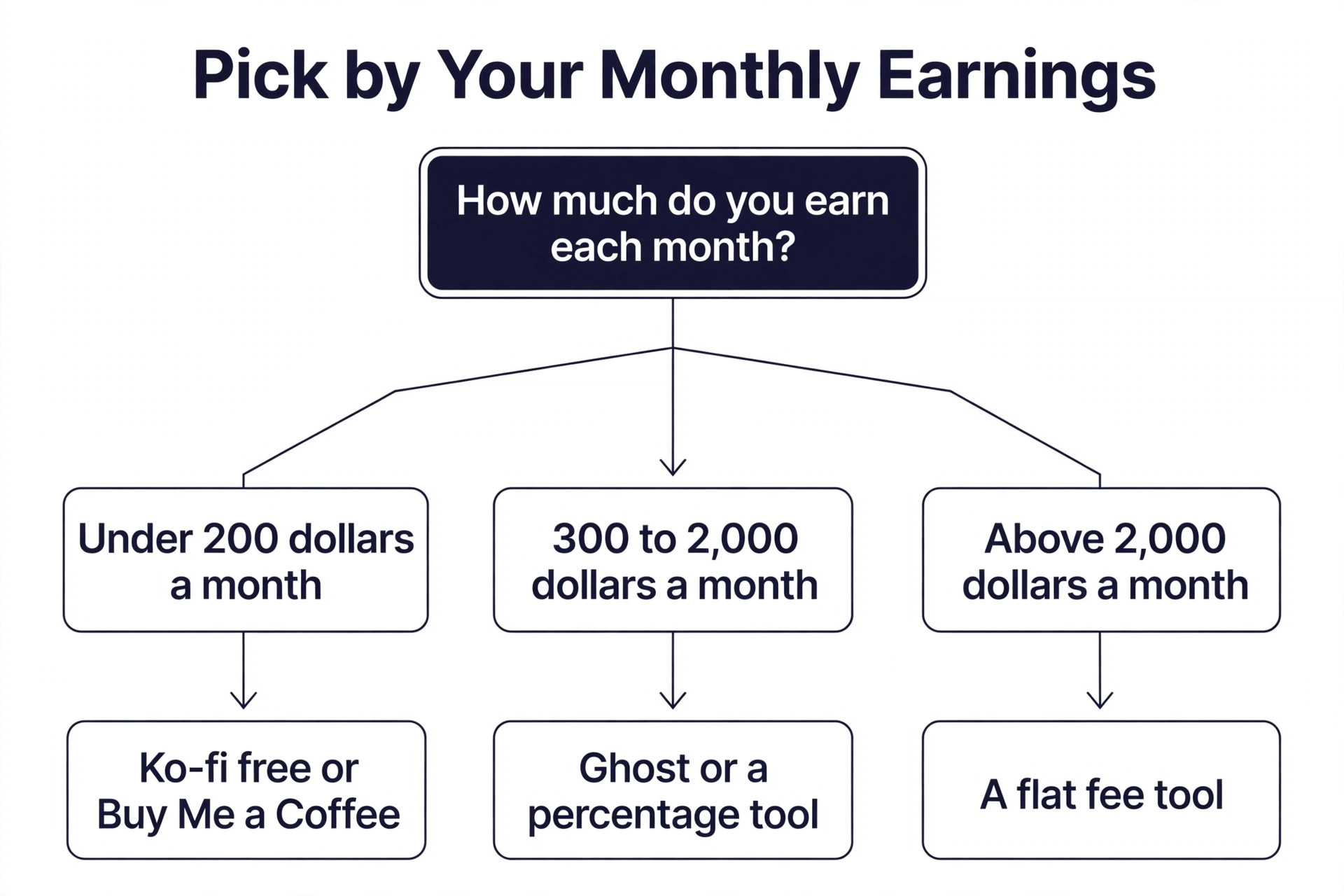
Start with the money you earn today, not the money you hope to earn. A creator under 200 dollars a month should pick a tool with no monthly fee, because a flat fee eats the whole margin. Ko-fi free or Buy Me a Coffee are the right answers at that size, and Ko-fi Gold becomes the cheapest option once earnings pass 120 dollars a month. A creator between 300 and 2,000 dollars a month should compare Ghost against the percentage tools, because the flat fee starts to win quickly. A creator above 2,000 dollars a month should be on a flat fee tool already, because a 10 percent cut at that size is 200 dollars a month or more.
Next, match the tool to the job your members pay for. Tips and one time support belong on Ko-fi or Buy Me a Coffee. Paid writing belongs on Substack for speed or Ghost for ownership. Memberships on your own site belong on Memberful. Courses plus memberships belong on Podia. Digital products belong on Gumroad or Lemon Squeezy. Paid discussion belongs on Mighty Networks or Circle. A tool that does the wrong job well is still the wrong tool, and the fee saving will not fix a community that has nowhere to talk.
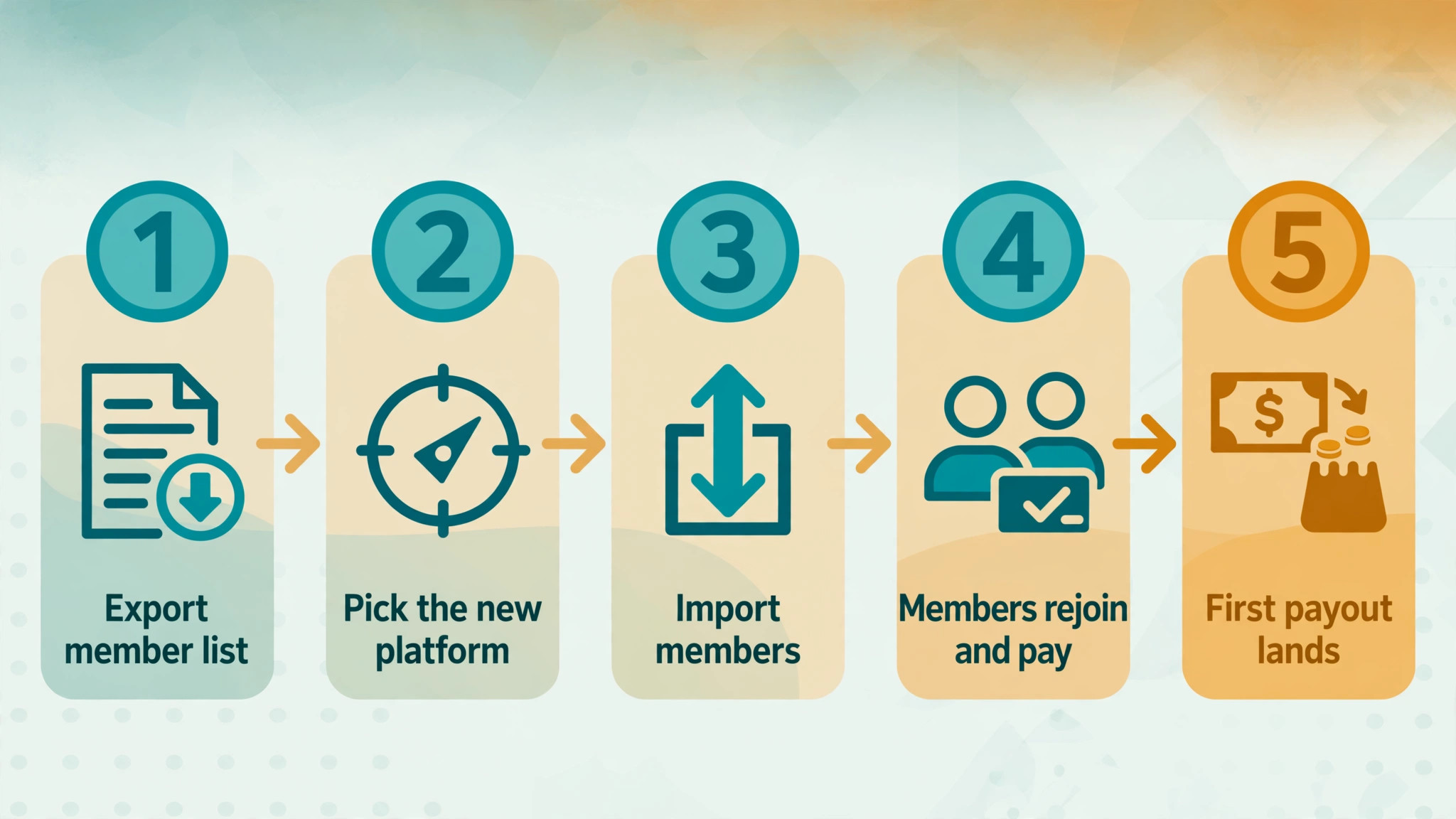
Then check the exit. Before you move, export your member list from Patreon and confirm the new tool can import it. Tell members why you are moving, give them a clear date, and offer the same tiers at the same price for the first month, so the move feels like an upgrade rather than a disruption. A move that loses a fifth of the members to confusion costs more than a year of fee savings.
Test the move with a small group before you move everyone. Pick ten loyal members, invite them to the new platform first, and ask them to join, pay and comment, so you see the real checkout flow through a member eyes. Fix any confusing step they report, then open the move to the full list. A small test catches a broken tier, a wrong price or a confusing signup page while only ten people are watching, and it gives you ten members who can help answer questions when the rest arrive.
Mistakes That Cost Creators Money
The most common mistake is moving for the fee and losing the audience. A creator announces the move in one post, half the members miss it, and the membership shrinks by a third. The fee saving on a smaller membership is worth nothing. Announce the move three times, in a post, an email and a direct message, and keep the Patreon page live for a month after the move so stragglers can find the new home.
The second mistake is ignoring processing fees. A 0 percent headline never means zero cost, because Stripe still charges 2.9 percent plus 30 cents per payment on most tools. A creator who compares a 0 percent tool against Patreon without adding processing on both sides will overstate the saving by about 30 dollars on every 1,000 dollars. Add processing to every row before you decide.
The third mistake is picking a tool that cannot do the job. A writer who picks a community platform will spend months building discussion spaces nobody uses. A community builder who picks a publishing tool will spend months wishing for live streams. Match the tool to the job first, then compare fees inside the right group. The fee table only helps when the tools in it can all do the work.
Our Verdict
Ko-fi Gold is the pick for most creators among the best patreon alternatives for creators, because 12 dollars a month and a 0 percent cut keeps more money than any other tool at small scale, and the setup takes an afternoon. Ghost is the pick once paid writing passes about 290 dollars a month, because the flat 29 dollars replaces a cut that only grows. Substack is the pick when speed matters more than the fee, because a paid newsletter can be live today with no setup at all.
Move when the maths says so, not when frustration says so. Run your own numbers on the 1,000 dollar table, add processing, and check the break even point for the tool you like. Then move the members carefully, keep the old page live for a month, and watch the first payout land before you close anything. The best alternative is the one your members follow you to, and the fee saving is the reward for a move done well.
Frequently Asked Questions
Which of the best patreon alternatives for creators is the cheapest?
Ko-fi Gold is the cheapest for most small creators, at 12 dollars a month with a 0 percent platform fee, keeping 988 dollars from 1,000 dollars before processing. Ko-fi free and Buy Me a Coffee are cheaper at zero earnings, because they charge no monthly fee, but they take 5 percent on memberships. Ghost becomes the cheapest once earnings pass about 290 dollars a month, because its flat 29 dollars beats any percentage cut from that point on.
Can I move my Patreon members to another platform?
Yes, you can export your member list from Patreon and import it into most alternatives, including Memberful, Ghost and Podia, though the exact steps differ by tool. Members usually need to re enter payment details on the new platform, so expect some drop off and plan for it. Announce the move three times, keep the same tiers and prices for the first month, and keep the Patreon page live for a month so members who miss the announcement can still find you.
Is Substack cheaper than Patreon?
No, Substack costs the same as Patreon on the platform fee, at 10 percent of subscription revenue plus Stripe processing. The saving on Substack is time, not money, because a paid newsletter can be live in an afternoon with no setup. A creator who wants a lower fee should look at Ko-fi Gold at small scale or Ghost at larger scale, where a flat monthly fee replaces the percentage cut.
Do I own my audience on these alternatives?
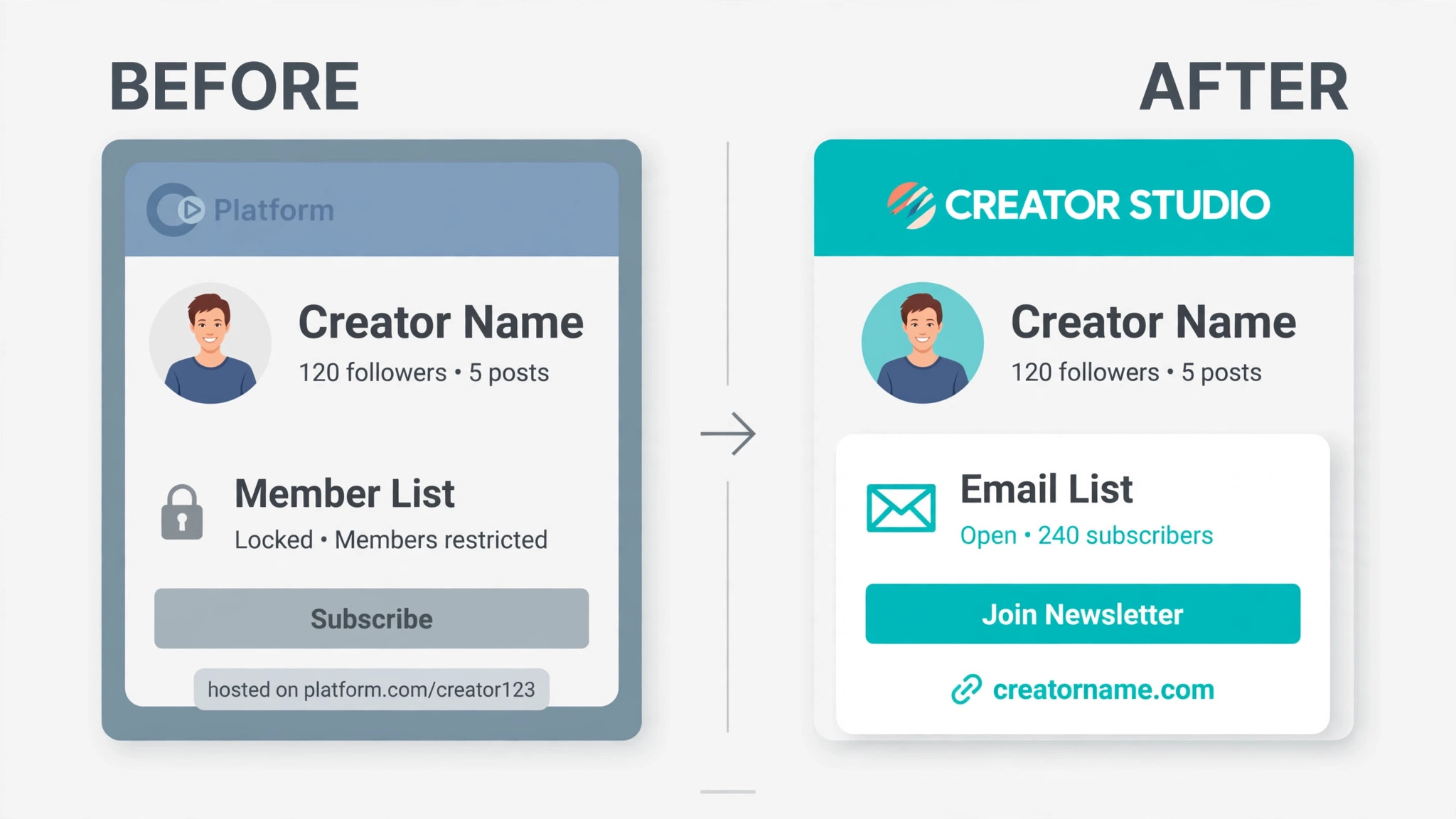
Ownership varies by tool. Ghost, Memberful and Podia put the membership on your own site and domain, so you own the member list and the brand. Ko-fi and Buy Me a Coffee give you a hosted page, but payments go to your own PayPal or Stripe account and you can export the supporter list. Substack and Patreon host the audience on their platform, so you should always keep your own email list as a backup, whatever tool you use.
What fees should I expect on top of the platform cut?
Expect Stripe or PayPal processing of about 2.9 percent plus 30 cents per payment on most tools, plus a 0.7 percent Stripe billing fee on recurring payments where it applies. Some tools include processing in their headline fee, including Gumroad and Lemon Squeezy, so read the pricing page carefully. Add processing to every platform before you compare, because a 0 percent headline never means zero cost.
Should I stay on Patreon instead of switching?
Stay on Patreon when your audience is still growing and discovery matters more than the fee, because Patreon is the only tool here that brings you members rather than only taking payments from members you already have. Stay also when your members are happy and the fee is a small share of your income. Move when the fee passes a few hundred dollars a month, when you want your own site and domain, or when you need courses, products or community tools that Patreon does not offer.