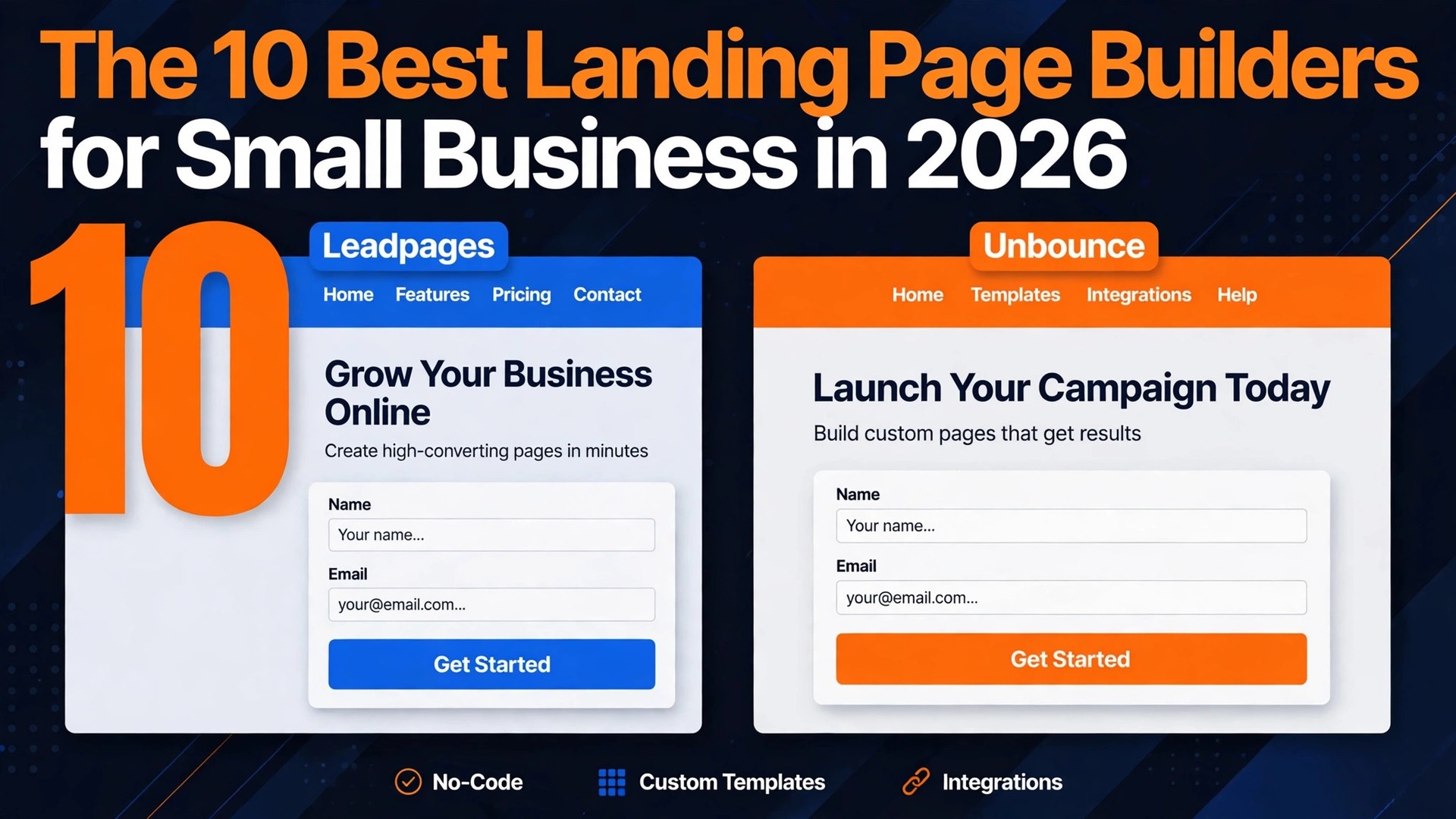
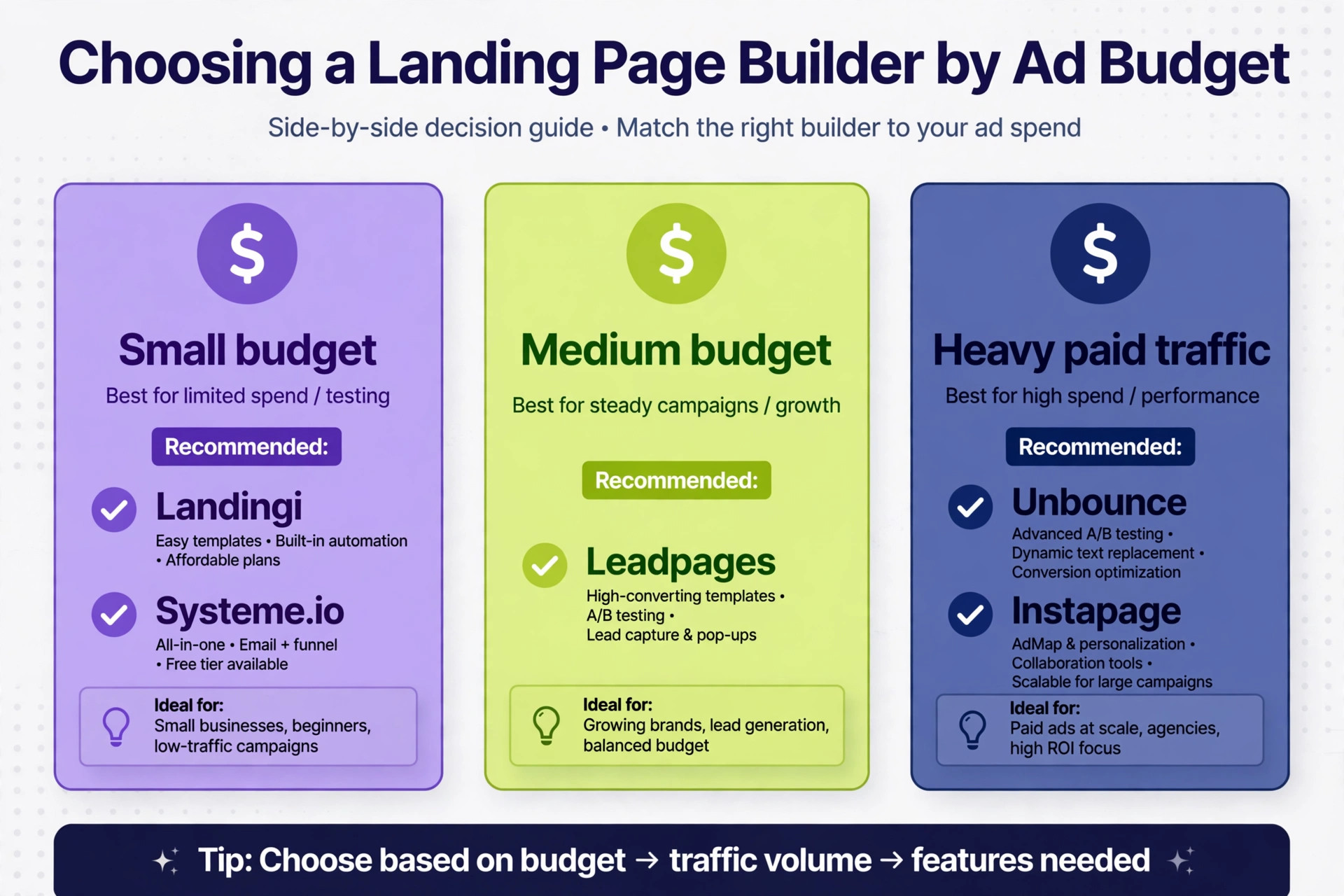
Among the best landing page builders for small business, Leadpages beats Unbounce for most small businesses, and the reason is not the editor. Leadpages puts A/B testing on unlimited traffic at 79 dollars a month billed annually, while Unbounce gates real testing behind a 149 dollar a month tier and caps the Starter plan at 500 visitors. Unbounce still wins when paid traffic is heavy enough to justify its Smart Traffic routing, and Landingi wins when the budget is tight and one or two campaign pages are enough.
We compared the best landing page builders for small business use on the four numbers that decide the real cost, which are the entry price, the visitor cap, the tier that turns on A/B testing, and the tier that turns on AI features. This guide shows what each builder does, what it costs, and where the pricing traps sit, so you can pick one that still fits when the campaign starts working.
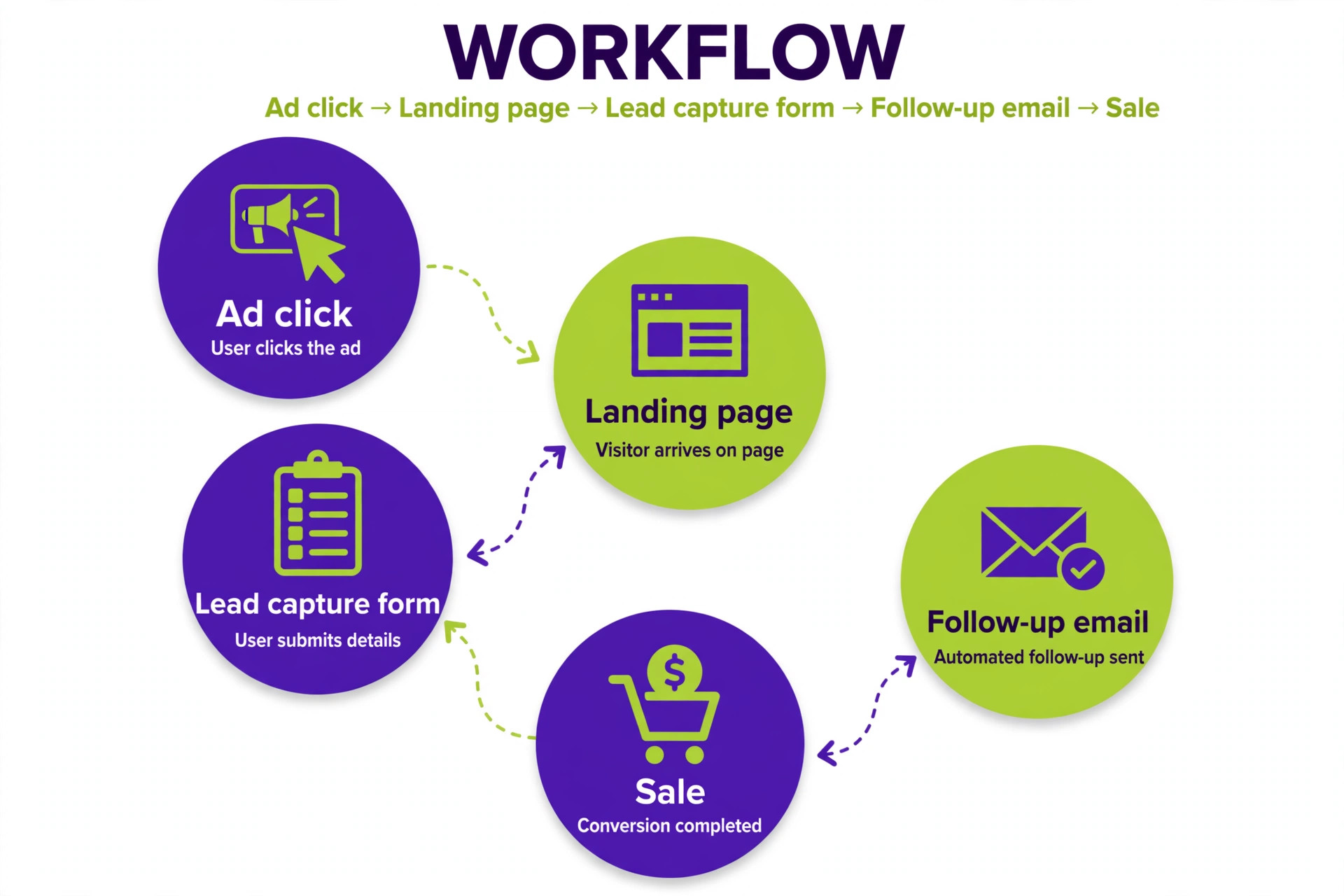
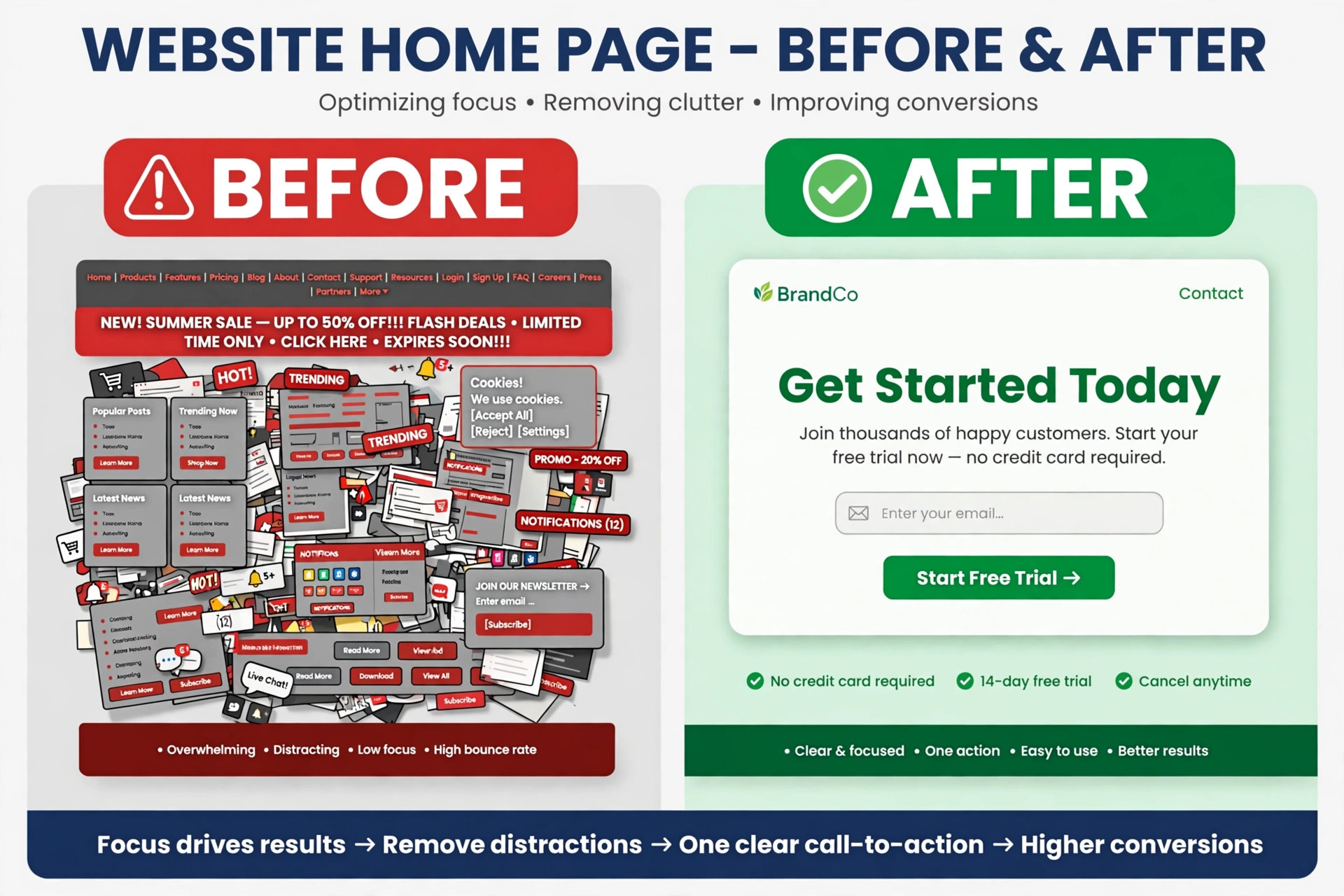
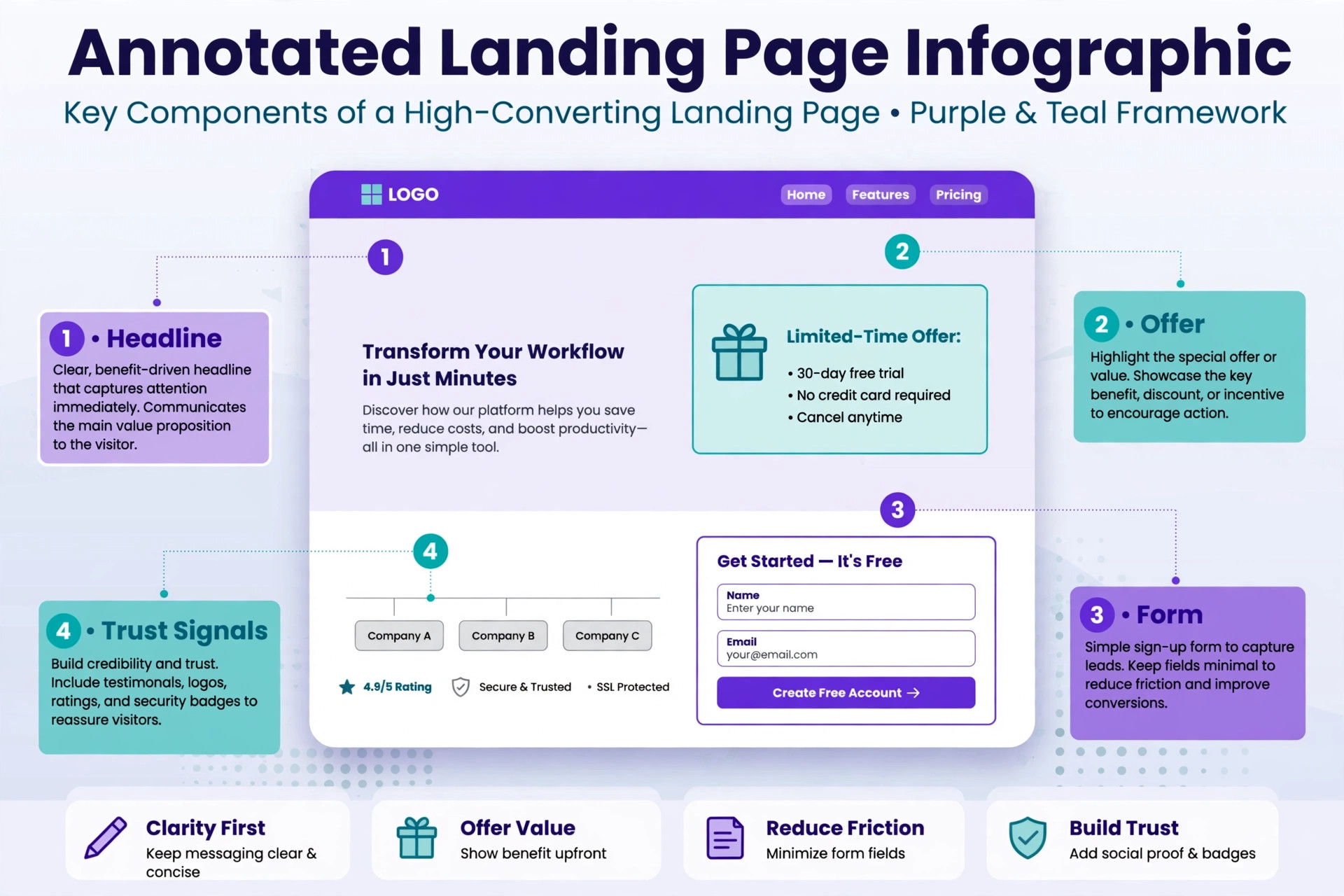
A landing page is the one page a small business cannot afford to get wrong, because it is where an ad click turns into a lead or a sale. A homepage can be vague. A landing page cannot. It has one offer, one form, and one action, and every extra link on the page is a way for a visitor to leave without converting. That focus is why a dedicated builder matters. A general website builder can make a page, but a landing page builder adds the pieces that turn a page into a test, which are forms, A/B testing, visitor analytics, and a connection to the email tool that follows up.
The trap in this category is the meter. Most builders charge by visitors, pages, or domains, and the entry price on the pricing page is rarely the price a working campaign pays. A builder that costs 29 dollars a month for 500 visitors costs far more the month an ad starts performing, because the traffic cap forces an upgrade at the worst moment. The honest comparison is not the starting price. It is the price of the tier that includes testing, the visitor cap on that tier, and the monthly cost after a year of growth.
How We Tested 10 Landing Page Builders
We scored each builder on six points that decide whether a small business can run campaigns on it without surprises. Page building covered templates, the drag and drop editor, mobile layout, and how fast a first page goes live. Lead capture covered forms, pop ups, and the connection to email and CRM tools. Testing covered A/B testing, dynamic text replacement, and AI traffic routing, with attention to which tier turns each feature on.
Traffic limits covered visitor caps, page caps, and domain caps on each tier. Pricing covered the monthly cost on annual billing, the monthly billing premium, and the trial terms. Small business fit covered whether the tool works for one person with a small ad budget, not just for a marketing team.
Prices in this guide were checked against vendor pricing pages and current 2026 roundups in November 2026, and the best landing page builders for small business change their plans often, so confirm the price on the checkout page before you pay. Where two trusted sources disagreed on a price, we say so in the tool section and give both numbers, because a small business should budget on the higher figure until the vendor confirms the lower one.
The Best Landing Page Builders for Small Business for Each Job
| Job | Pick | Why it wins |
|---|---|---|
| Best all round value | Leadpages | A/B testing on unlimited traffic from 79 dollars a month billed annually |
| Best for heavy paid traffic testing | Unbounce | Smart Traffic AI routing, the most mature in this group |
| Best for PPC teams | Instapage | AdMap, personalisation, and deep experiment tools |
| Cheapest entry price | Landingi | Build plan from 24 dollars a month billed annually |
| Best for mobile first campaigns | Swipe Pages | Fast mobile pages from 29 dollars a month billed annually |
| Best all in one on a budget | Systeme.io | Free plan with funnels, email, and split testing |
| Best for full sales funnels | ClickFunnels | Funnels, checkout, and email in one place |
| Cheapest one page sites | Carrd | Pro from 9 dollars a year, free for three sites |
Use this table as a shortcut, then read the full section for the tool you are leaning toward. The cheapest builder is not the best value when its testing tier costs three times the entry price, and the most expensive builder is not the best choice when you only need two campaign pages a month.
The Best Landing Page Builders for Small Business in 2026, Ranked
The 10 tools below fall into three groups. The first group is specialist landing page builders, and these are the strongest picks for a business that runs paid ads and tests copy. The second group is all in one funnel and marketing platforms, which suit a business that wants the page, the checkout, and the email follow up in one subscription. The third group is website builders and CRM native pages, which suit a business that wants landing pages inside a system it already runs. Every tool on this list can publish a page in an afternoon, so the differences come down to the meter, the testing tier, and the total cost after a year.
1. Leadpages
Leadpages is the best all round pick for a small business, because its Grow plan is the only entry level testing tier in this group with no visitor cap at all. The Grow plan costs 99 dollars a month, or 79 dollars a month billed annually, and it bundles A/B testing with up to two variants per test plus dynamic text replacement, a feature Unbounce gates behind 149 dollars a month and Instapage behind 199 dollars a month. The builder covers templates, forms, pop ups, lead enrichment, and a connection to the email tools a small business already uses, and pages publish fast without a developer.
Pricing needs care, because Leadpages rebuilt its platform in 2026 and sources disagree on the entry price. The Pro plan is listed at 29 dollars a month on monthly billing in several 2026 roundups, while other sources list Pro at 23 dollars a month billed annually. The full product starts at the 99 dollar Grow plan in the newest pricing, with cheaper publish only tiers from 8 dollars a month that do not include A/B testing, AI page creation, or Smart Traffic. The 7 day trial needs a card. Budget on Grow at 79 dollars a month billed annually when testing matters, because the cheaper tiers do not include the features that make Leadpages worth buying.
2. Unbounce
Unbounce is the pick for a paid traffic team that tests constantly, because Smart Traffic is still the most mature AI variant routing feature in this group. Smart Traffic sends each visitor to the page variant most likely to convert them, instead of waiting for a manual split test to finish, and that depth matters when ad spend is high enough that a small lift pays for the tool. The editor is strong, the template library is deep, and the platform handles dynamic text replacement and detailed experiment reporting.
The price ladder is the trade off. Starter costs 29 dollars a month, or 22 dollars a month billed annually, but it caps at 500 visitors with no A/B testing at all. Real testing turns on at the 149 dollar a month Experiment tier, and Smart Traffic is reserved for the 249 dollar a month Optimize plan. Reviewers also report the most documented billing complaints in this group, including price rises of 120 to 415 percent and a no refund policy named directly by reviewers. Choose Unbounce when the ad budget justifies the Optimize tier. Choose Leadpages when it does not.
3. Instapage
Instapage packs the deepest PPC toolkit on this list. AdMap maps ad accounts to pages, personalisation changes page content by audience, and the experiment tools cover the testing a large ad program needs. The Create plan costs 79 dollars a month billed annually, or 99 dollars a month on monthly billing, and covers up to 15,000 visitors. The Optimize plan costs 159 dollars a month for 30,000 visitors, with an expanded tier at 50,000 visitors. The 14 day trial needs a card.
Instapage suits a business that already spends seriously on ads and manages many pages per campaign. For a small business with one or two campaigns, the Create plan is the honest entry point, and the testing depth that makes Instapage special sits on the higher tiers. The platform is also the most expensive route to a simple lead page, so a business that does not run paid ads should pick a cheaper builder and spend the difference on traffic.
4. Landingi
Landingi is the cheapest entry price among the specialist builders, and that is its whole case. The Build plan costs 29 dollars a month on monthly billing, or 24 dollars a month billed annually, and it covers 10 pages and 2,000 visits. The editor is straightforward, Smart Sections keep content consistent across pages, and the platform suits agencies and small teams that scale pages and domains. The 14 day trial includes 1,000 credits and a 200 visit cap, which is enough to test the editor but not enough to run a real campaign.
The limit is the testing tier. A/B testing, Smart Sections, EventTracker, and AI insights are locked behind the Optimize plan, which jumps to 119 dollars a month billed annually. A small business that buys Landingi for the low entry price and then needs testing will pay more than it would have paid for Leadpages Grow. Buy Landingi when you need one or two campaign pages and can accept the 2,000 visit cap. Buy Leadpages when testing is part of the plan from day one.
5. Swipe Pages
Swipe Pages is the mobile first pick, and speed is the feature. Pages load fast on phones, the editor is built around mobile layouts, and the platform suits campaigns where most traffic arrives from a phone. The Startup plan costs 39 dollars a month on monthly billing, or 29 dollars a month billed annually, and A/B testing starts from 69 dollars a month. The 14 day trial needs no card, which makes it the easiest builder here to test properly.
The trade off is depth. Swipe Pages covers the core job of fast mobile pages well, but the template library and the integration list are smaller than Leadpages or Unbounce, and the testing tools are simpler. A small business with mobile heavy traffic and a tight budget will get more from Swipe Pages than from a heavier platform. A business that needs deep personalisation or complex experiments should look at Unbounce or Instapage instead.
6. Systeme.io
Systeme.io is the all in one budget pick, because the free plan covers funnels, email, and split testing without a card. The free tier includes 2,000 contacts, three funnels, and split testing, which is more than most free plans in this category offer. The Startup plan costs 17 dollars a month in several 2026 roundups, the Webinar plan costs 47 dollars a month, and the Unlimited plan costs 97 dollars a month. The platform covers funnels, checkout, email, courses, and affiliate management in one subscription, so a small business can run its whole sales process without a second tool.
The trade off is polish. The page editor is simpler than Leadpages or Unbounce, the templates look plainer, and the design control is limited. A business that cares most about a beautiful page will feel the difference. A business that cares most about running funnels, email, and checkout for the lowest monthly cost will not. Systeme.io is the right pick when the budget is the deciding factor and the funnel matters more than the design.
7. ClickFunnels
ClickFunnels is the pick when the landing page is only the first step of a sales funnel. The platform covers funnels, checkout, order bumps, upsells, email follow up, and membership areas in one place, so a business can run a launch or a webinar funnel without connecting five tools. The entry plan costs 81 dollars a month billed annually, or 97 dollars a month on monthly billing, and the 14 day trial gives a team time to build a full funnel before paying.
The trade off is price and focus. ClickFunnels costs more than any specialist builder on this list for a single landing page, and the page editor is built for funnels rather than for a clean standalone page. A business that sells through a funnel will get its money back quickly. A business that only needs a lead capture page for a local service should pick Leadpages or Landingi and save the difference every month.
8. Carrd
Carrd is the cheapest way to make a one page site, and the price gap is not small. The free plan covers three sites, Pro Lite costs 9 dollars a year, Pro Standard costs 19 dollars a year, and Pro Plus costs 49 dollars a year. There is no visitor cap on the core plans, which means a page that goes viral costs the same as a page nobody visits. The editor is minimal, the pages load fast, and the tool suits a coming soon page, a link page, a simple lead magnet, or a personal portfolio.
The limits are real. Carrd builds one page sites only, with no multi variant testing, no A/B testing, and no funnel tools. The free plan does not include Google Analytics or payment widgets, so the 19 dollar a year Pro Standard plan is the honest starting point for a business page. Carrd is the right pick for a single simple page at the lowest possible cost. It is the wrong pick for a business that tests copy or runs paid campaigns.
9. Webflow
Webflow is the pick for a design led team that wants landing pages on its real website, not on a separate subdomain. The free Starter plan covers a staging site, and the Basic site plan costs 14 to 15 dollars a month billed annually depending on the source, with the Premium plan at 25 dollars a month. The visual editor gives full control over layout, animation, and responsive design, and the CMS handles content driven pages that a specialist builder cannot. The Optimize testing add on starts at 299 dollars a month, which puts serious testing out of reach for most small businesses.
The trade off is the learning curve. Webflow takes longer to learn than any other tool on this list, and a small business without a designer will move slowly. The platform also charges per site, so each new campaign site adds a subscription. Choose Webflow when the landing page must match a real website pixel for pixel and the team has design skill. Choose a specialist builder when speed and testing matter more than design control.
10. HubSpot
HubSpot is the pick for a business that already runs on HubSpot CRM, because the landing pages are born inside the contact record. Every form submission writes directly to the CRM without a sync tool, a webhook, or a lost lead between systems, and the follow up, the scoring, and the revenue report share one record. The free tools include up to 20 published landing pages and one million contacts, which is the most generous free tier on this list. The Starter plan costs 20 dollars a month per seat, and paid Marketing Hub tiers add testing and personalisation as the business grows.
The trade off is that A/B testing sits behind the Pro tier, which is priced far above a small business budget, with published figures ranging from 300 dollars to 890 dollars a month depending on the source and the plan family. A business that wants free pages inside its CRM will be happy. A business that wants testing inside HubSpot will pay a premium for it, and should compare that premium with the cost of Leadpages Grow before deciding.
How to Choose the Right Builder for Your Business
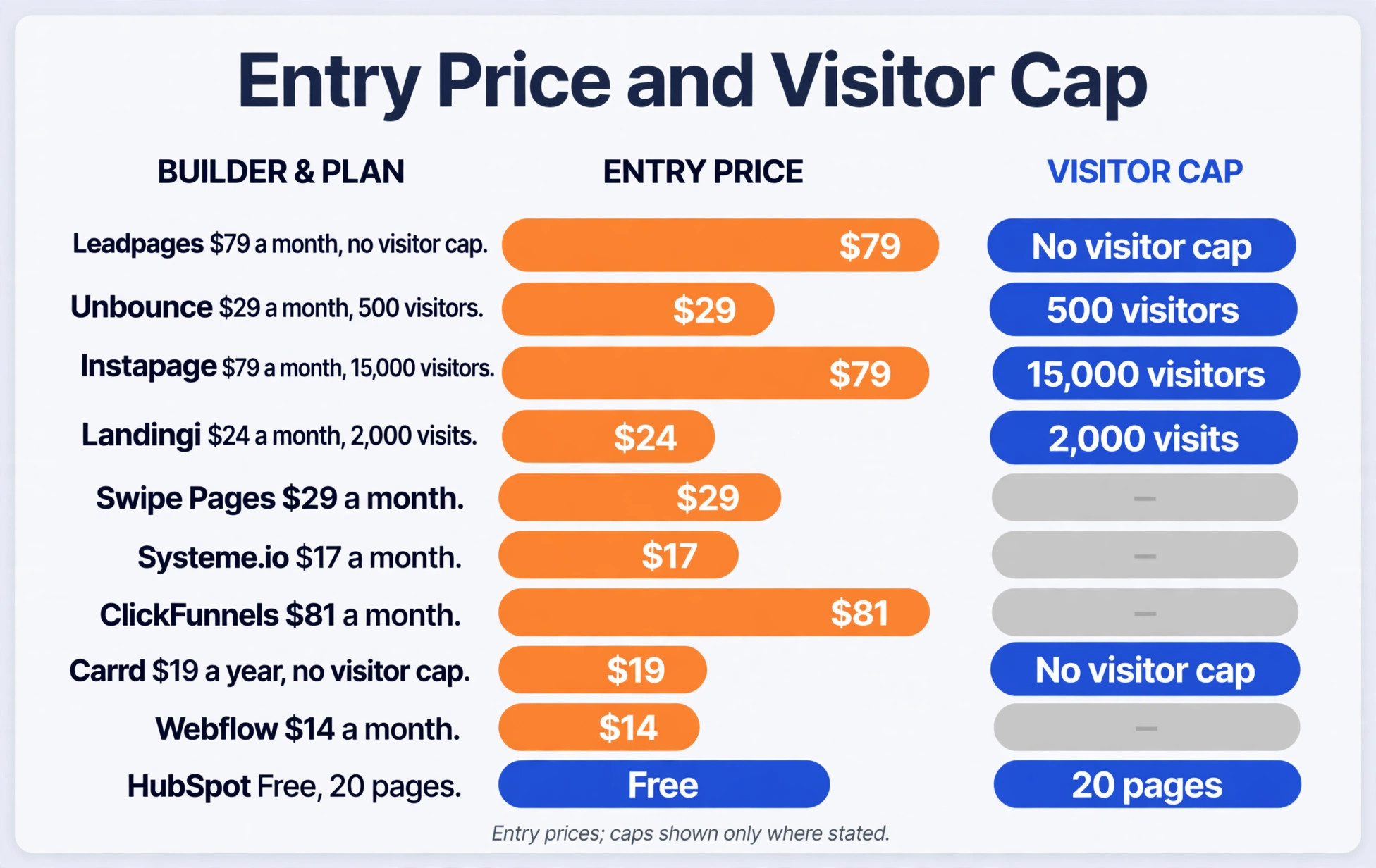
Start with the meter, because it decides the bill when the campaign works. Check the visitor cap on the plan you would actually buy, not on the free plan, and work out what happens when traffic doubles. Leadpages Grow has no visitor cap, which removes the whole problem. Unbounce Starter caps at 500 visitors, Landingi Build caps at 2,000 visits, and Instapage Create caps at 15,000 visitors. A builder with a low cap is fine for a quiet campaign and expensive for a working one, so pick the cap that fits the traffic you expect in six months, not the traffic you have today.
Next, find the testing tier and price it. A builder that charges 29 dollars a month for pages and 149 dollars a month for testing is a 149 dollar a month builder for any business that tests. Leadpages turns testing on at 79 dollars a month billed annually, Unbounce at 149 dollars, Instapage at 159 dollars, Landingi at 119 dollars, and Swipe Pages at 69 dollars. Systeme.io includes split testing on its free plan, which makes it the cheapest route to testing of any tool here. Write the testing price on a card next to the entry price, and compare the testing prices, not the entry prices.
Then check the page and domain limits. A business that runs one campaign a month needs few pages, while an agency that runs a page per client needs many. Leadpages Pro covers 25 pages, Landingi Build covers 10 pages, and Carrd covers one page per site. Check whether a custom domain is included, because some tools charge extra for it or limit the number of domains. A page on a vendor subdomain converts worse than a page on your own domain, and the domain is worth paying for.
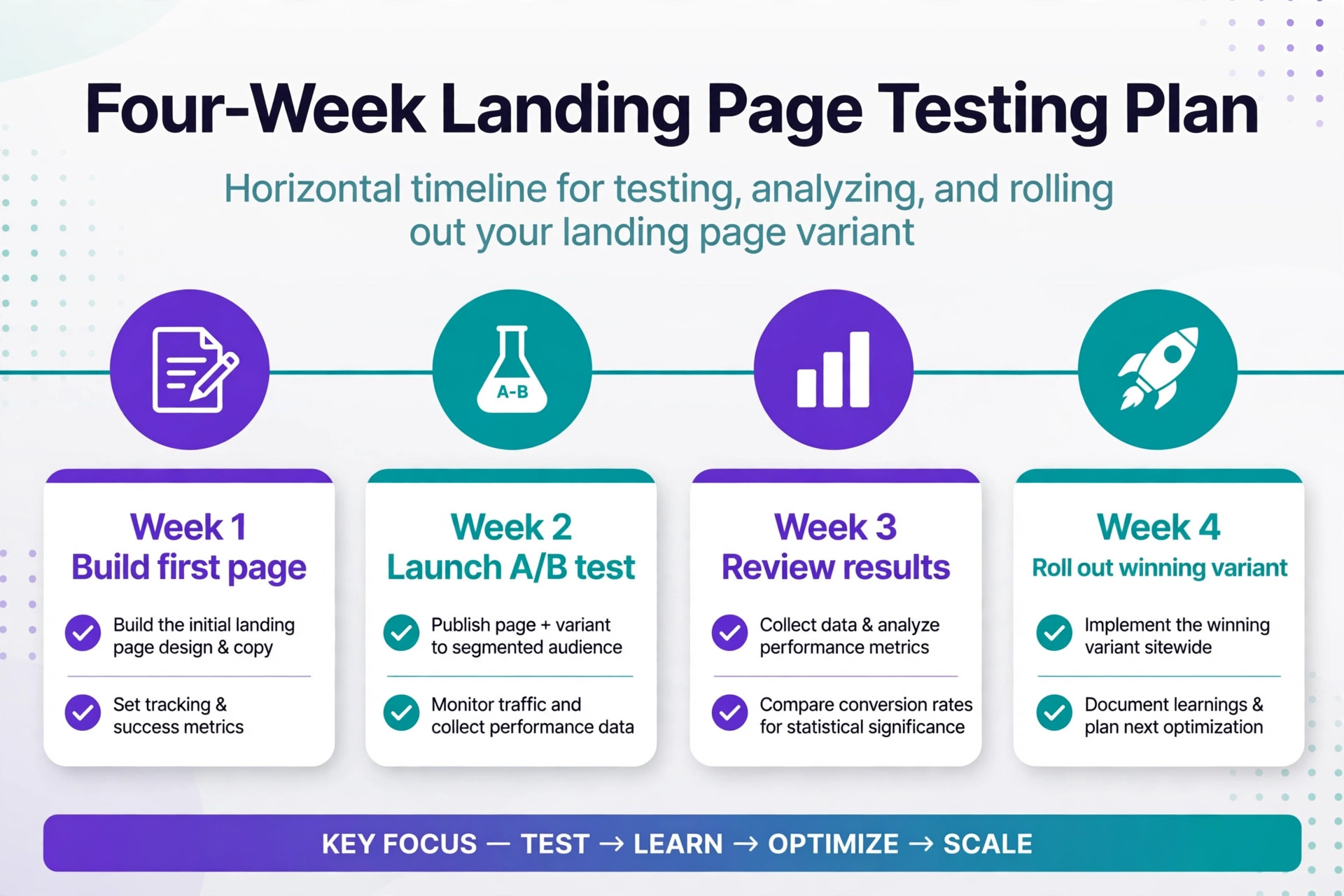
Finally, run a real page through the trial. Build the page you actually need, connect the form to your email tool, publish it on your domain, and send it to five people on their phones. If the form works, the page loads fast, and the analytics show the visits, the builder has passed the test that matters. If any of those steps needs a support ticket, the builder will cost you time every month, and time is the one cost that never appears on the pricing page.
What to Check Before You Build
A landing page subscription is easy to start and easy to forget, so check the billing terms before the trial ends. Confirm whether the trial needs a card, because a card on file turns into a charge the day the trial ends. Confirm the monthly billing premium, because paying monthly instead of annually adds 20 to 34 percent on most tools here. Confirm the refund policy, because several builders in this group state a no refund policy directly, and a yearly plan paid upfront is a year of cost when the tool does not fit.
- Confirm the visitor cap on the tier you will actually buy, and the price of the next tier up.
- Confirm A/B testing is included on that tier, and whether dynamic text replacement is included too.
- Confirm the monthly billing premium and the refund policy before you enter card details.
- Confirm the form connects to your email tool and your CRM without a paid extra.
- Confirm a custom domain is included and that pages publish on it, not on a vendor subdomain.
Mistakes That Waste Ad Spend
The most common mistake is buying the cheapest entry plan and discovering that testing costs three times more. A business pays 29 dollars a month for pages, runs an ad, and then cannot test the headline without upgrading to a 149 dollar a month tier. The upgrade arrives in the same month the ad starts working, which is the worst moment to change the bill. Price the testing tier first, and buy the entry tier only when testing is not part of the plan. The best landing page builders for small business budgets are the ones where the testing price is close to the entry price, not the ones where the entry price looks low.
A second mistake is ignoring the visitor cap until the campaign works. A cap of 500 visitors sounds generous until a good ad sends 600 visitors in a week, and the builder either blocks the extra traffic or forces an upgrade mid campaign. A third mistake is publishing on a vendor subdomain, because a page on your own domain converts better and keeps the traffic data in your own analytics.
A fourth mistake is building a page with ten links, because every link is an exit and a landing page needs one action. A fifth mistake is never testing at all, because a page that never changes is a page that never improves, and the builder was bought for testing in the first place.
Start With One Page
Leadpages is the pick for most small businesses, because Grow at 79 dollars a month billed annually is the only testing tier here with no visitor cap, and it bundles dynamic text replacement at the same price. Unbounce is the pick when paid spend is heavy enough to justify Smart Traffic at the 249 dollar Optimize tier. Landingi is the pick when the budget is tight and one or two campaign pages are enough, and Systeme.io is the pick when the whole funnel and the email follow up must fit in one free or 17 dollar a month subscription.
The best landing page builders for small business use are the ones whose testing price you can afford every month, so price the testing tier first, run a real page through the trial, and pick the builder that still fits when the campaign starts working.
Frequently Asked Questions
Which of the best landing page builders for small business is cheapest?
Carrd is the cheapest, because the free plan covers three sites and Pro Standard costs 19 dollars a year with no visitor cap. Systeme.io is the cheapest full funnel option, with a free plan that includes split testing and a Startup plan from 17 dollars a month. Among specialist builders, Landingi Build at 24 dollars a month billed annually is the cheapest entry price, but testing sits on the 119 dollar Optimize plan, so Leadpages Grow at 79 dollars a month is cheaper for a business that tests.
Do I need A/B testing on a landing page?
Yes, when the page receives paid traffic or more than a few hundred visitors a month. A/B testing shows whether a headline, a form, or an offer actually lifts conversions, instead of leaving the decision to opinion. A page with very low traffic cannot run a meaningful test, because the sample is too small to trust, so a business with ten visitors a week can skip testing until traffic grows. When testing starts, it should run on the same tool that hosts the page, so the results and the traffic share one report.
What is the difference between a landing page and a website?
A landing page has one offer, one form, and one action, and it exists to convert a visitor from a specific ad or email. A website has many pages, many links, and many purposes, and it exists to inform a visitor about the whole business. A landing page removes navigation and extra links on purpose, because every exit is a lost conversion. A business needs both, but it should never send ad traffic to a homepage when a landing page exists.
How many landing pages does a small business need?
Most small businesses need three to five live pages, which are one for the main service, one for the lead magnet, one for a seasonal offer, and one or two for paid campaigns. A business that runs a new campaign every month will need more, and should check the page cap on the plan it buys. Leadpages Pro covers 25 pages, Landingi Build covers 10 pages, and Carrd covers one page per site, so the page cap is a real limit for a business that tests often.
Can I build a landing page for free?
Yes, several tools on this list have free plans. Carrd is free for three one page sites, Systeme.io is free with funnels and split testing, HubSpot is free for up to 20 pages inside its CRM, and Webflow has a free Starter plan for a staging site. Free plans usually limit custom domains, analytics, or testing, so a business that runs paid ads should budget for a paid plan that includes testing and a custom domain.
Is Unbounce worth the price for a small business?
Unbounce is worth the price when paid traffic is heavy and Smart Traffic can lift conversions enough to cover the 249 dollar a month Optimize tier. For a small business with a modest ad budget, the 149 dollar Experiment tier buys testing without Smart Traffic, and Leadpages Grow at 79 dollars a month buys testing on unlimited traffic for less. The honest test is the monthly ad spend, because a builder that costs more than the ads it serves is the wrong builder for that business.
A landing page builder is a testing tool that happens to host pages, and the price that matters is the price of the tier that tests. Compare the testing price, the visitor cap, and the monthly cost after a year of growth, and the right builder will be the one that still fits when the campaign works. Build one real page in the trial, test it with real traffic, and let the numbers decide.