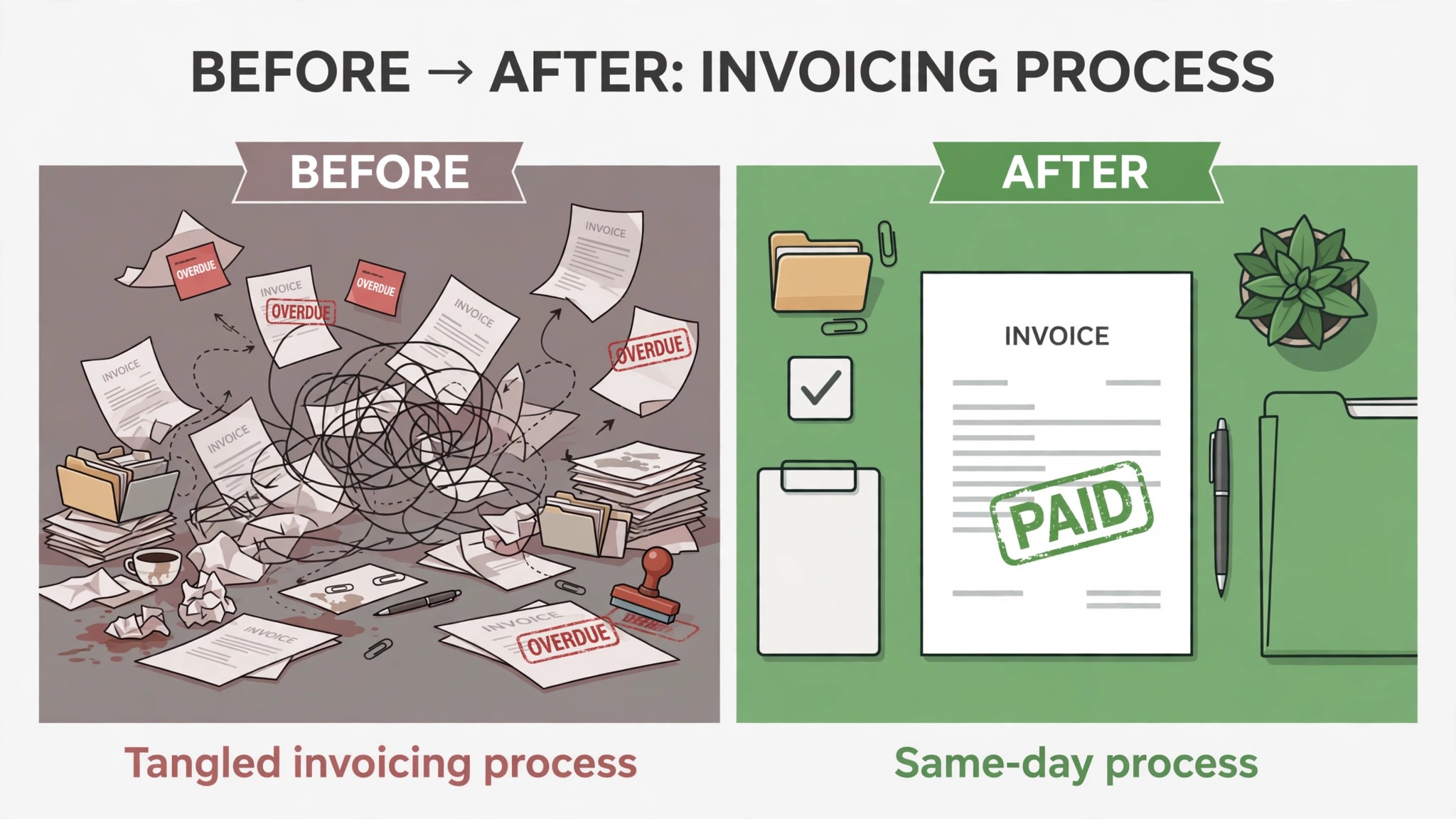
You finished the work, the client is happy, and the money still is not in your account. That gap between done work and paid invoice is where most freelance cash flow problems live, and it is almost always a process problem rather than a client problem. Learning how to invoice clients as a freelancer means building a repeatable workflow, so every job ends with a correct invoice, sent on time, with clear terms and a payment link the client can actually use.
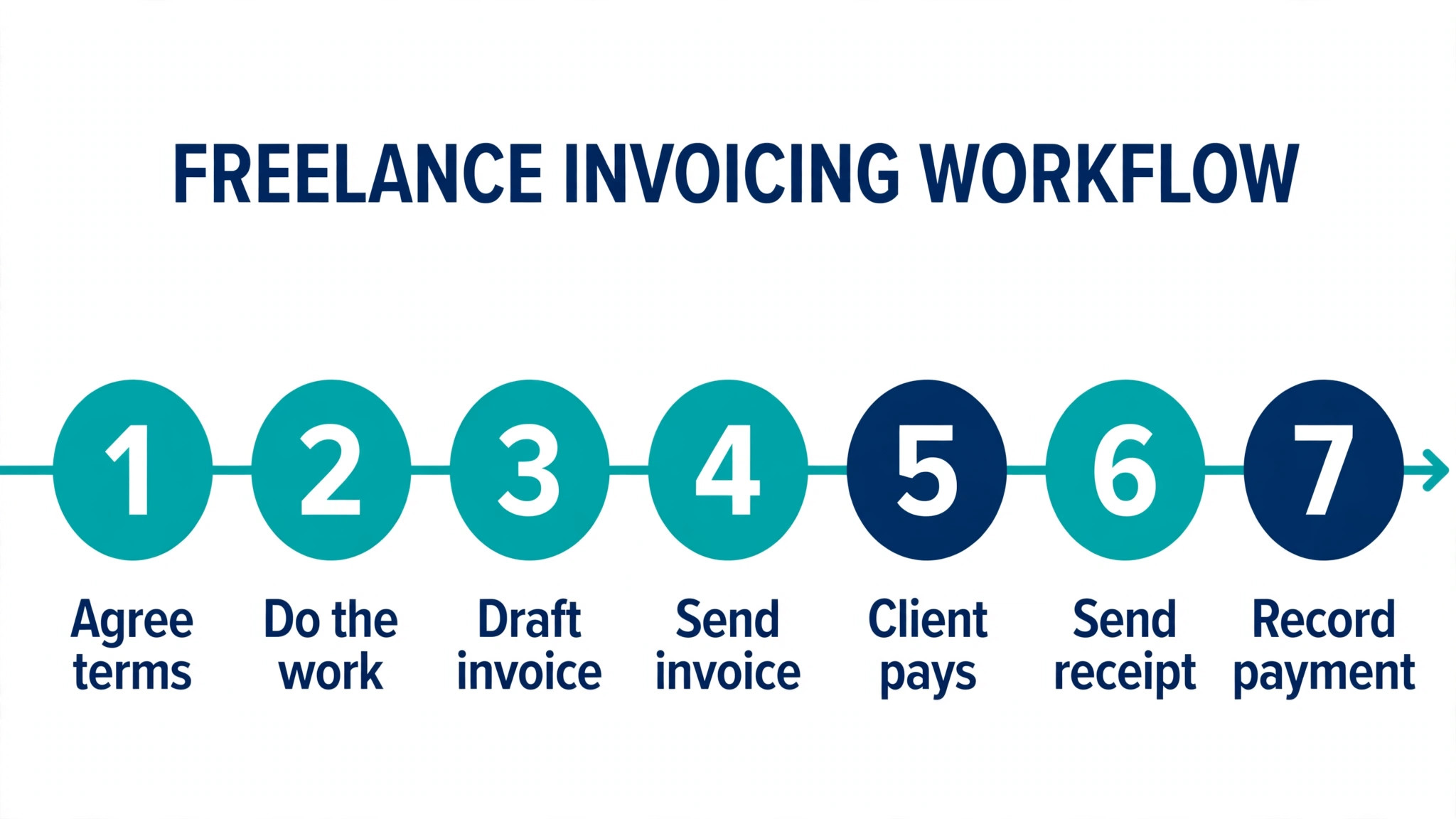
This guide gives you that workflow in seven steps, plus a template you can copy, payment terms that get you paid faster, and a comparison of the tools freelancers actually use in 2026. Prices below are United States list prices checked in October and November 2026, and they change often, so confirm the current figure on the vendor site before you buy.
How to Invoice Clients as a Freelancer in 7 Steps
The seven steps below run in order, and they work for a first invoice as well as for a hundredth. The habit that matters most is sending the invoice the same day the work is delivered, because every day of delay is a day added to the wait for payment.
Step 1. Agree the Terms Before You Start
No invoice should ever be a surprise. Before you begin work, agree the price, the payment schedule, the due date and the late fee in writing, even if the writing is only an email the client replies to. A 50 percent deposit before you start is normal for new clients and for large projects, and it protects you from doing a month of work for a client who disappears. Put the deposit, the balance due date and the payment method in the same message as the price, so the client approves the whole deal at once instead of negotiating each part later.
Step 2. Track Time and Expenses as You Go
An invoice built from memory is an invoice with missing hours. Track time daily, even on fixed price work, because the record protects you when a client questions the bill. Keep receipts for every expense you plan to pass on, and photograph them the day you get them, because a faded receipt found three weeks later is a cost you absorb yourself. If you bill by the hour, log the task as well as the time, so the invoice can show what each block of hours produced.
Step 3. Build the Invoice from a Template
Use the same template for every client, and fill it in the same order every time. The template section below lists every field a freelance invoice needs, and using one template means you never forget the due date, the invoice number or your payment details. Number invoices in sequence starting from 1 or 1001, and never reuse a number, because a clean sequence is what your accountant and the tax office expect to see. Save each invoice as a PDF, because a PDF cannot be edited by the client and it looks the same on every device.
Step 4. Send the Invoice the Day the Work Is Delivered
Send the invoice on delivery day, not at the end of the week and not at the end of the month. Late invoicing is the most common reason freelancers wait 60 days for payment on 30 day terms, because the clock starts when the client receives the invoice, not when you finish the work. Send it by email with the PDF attached, and put the amount, the due date and the invoice number in the body of the email, so the client does not have to open the file to know what is owed.
Step 5. Make Payment Easy
A client who has to ask how to pay will pay late. Put a payment link or a Pay Now button on the invoice, and accept at least cards and bank transfer, because limiting payment to one method is the same as adding a delay. Card payments cost about 2.9 percent plus 30 cents on most tools, and that fee is worth paying when it turns a 30 day wait into a same day payment. If the client prefers bank transfer, put your account details on the invoice itself, not in a separate message they have to find.
Step 6. Follow Up on a Fixed Schedule
A polite reminder is not rude, and clients expect it. Send a reminder on the due date if payment has not arrived, then again seven days later, then again at fourteen days, and each time attach the invoice again so the client has no excuse to ask for it. Keep every reminder short and factual, with the amount, the due date and the payment link, and never apologize for asking for money you have earned. If a client misses two reminders, switch from email to a phone call, because a call resolves in five minutes what email cannot resolve in five weeks.
Step 7. Record the Payment and Reconcile
When the money arrives, mark the invoice paid, record the date and the method, and match it against your bank statement. This takes two minutes and it is the step most freelancers skip, which is how unpaid invoices get forgotten and how tax time becomes a search through old emails. At the end of each month, list every unpaid invoice with its age, and chase anything older than 30 days before it becomes a problem you cannot solve.
What Every Freelance Invoice Must Include
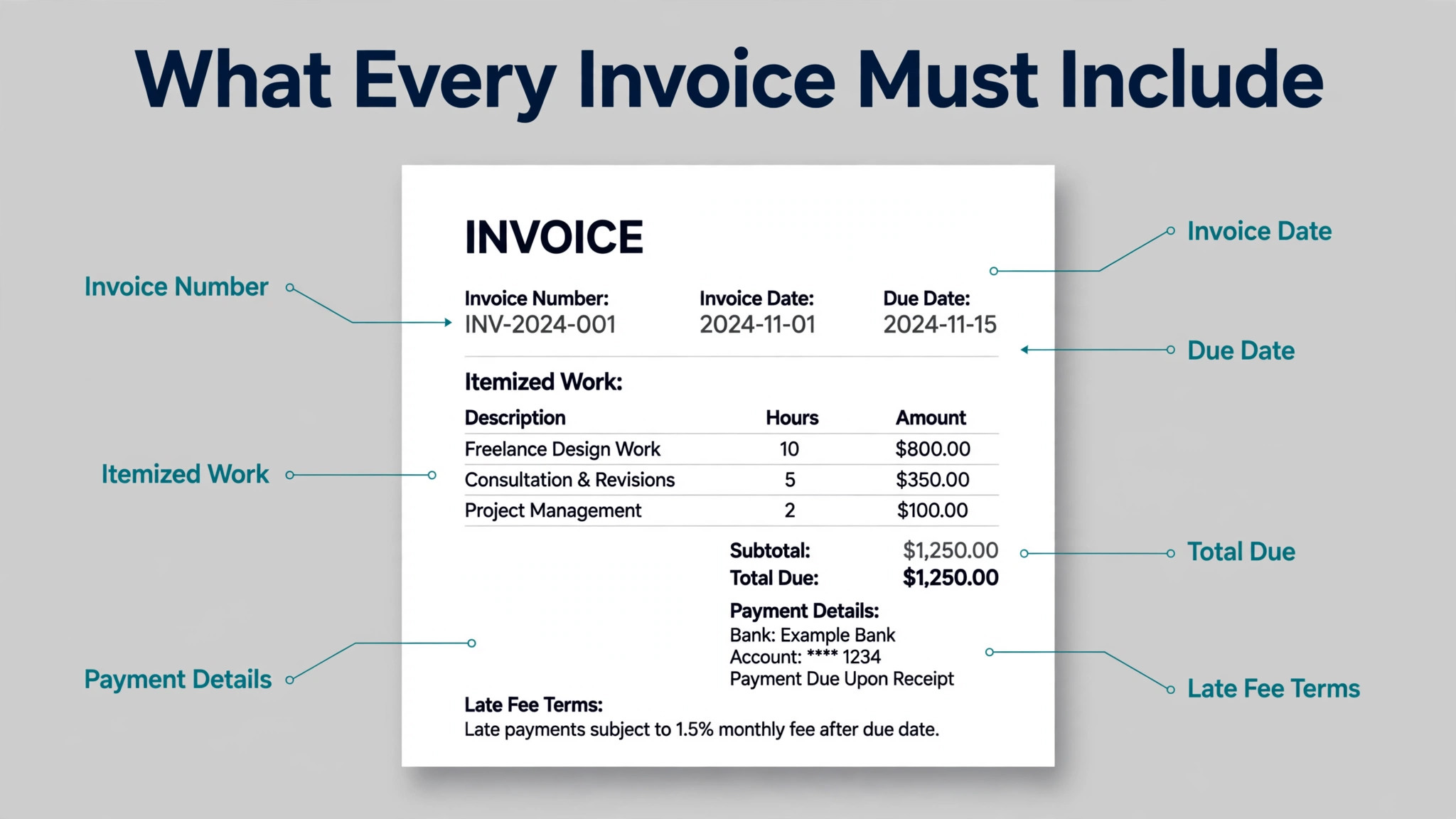
A freelance invoice is a legal record as well as a request for payment, so it needs to be complete and consistent. Getting this part right is the core of how to invoice clients as a freelancer, because every field below earns its place.
| Field | What to put there | Why it matters |
|---|---|---|
| Your name and business name | Your legal name or registered business name | Identifies who is owed the money |
| Your contact details | Email, phone and business address | Lets the client reach you about the bill |
| Client name and address | The person or company being billed | Proves who owes the money |
| Invoice number | A unique sequential number | Keeps your records and the tax office happy |
| Invoice date | The date you send it | Starts the payment clock |
| Due date | The date payment is expected | Sets a clear deadline |
| Itemized work | Each task, with hours and rate | Shows the client what they paid for |
| Expenses | Each cost passed on, with receipts | Separates your costs from your fees |
| Subtotal | The total before tax | Makes the math easy to check |
| Tax | Sales tax or VAT where it applies | Keeps you compliant |
| Total due | The final amount in the invoice currency | Leaves no doubt about the amount |
| Payment methods | Card link, bank details or both | Makes payment easy |
| Late fee terms | The fee and when it starts | Gives you a remedy for late payment |
Two details deserve extra attention. The first is the invoice number, because a gap or a duplicate in your numbering is the first thing an accountant asks about, and a simple sequence starting at 1001 avoids the problem entirely. The second is the itemized work, because a single line that says “design work, 3,000 dollars” invites questions, while five lines that name each deliverable and its hours close the conversation before it starts.
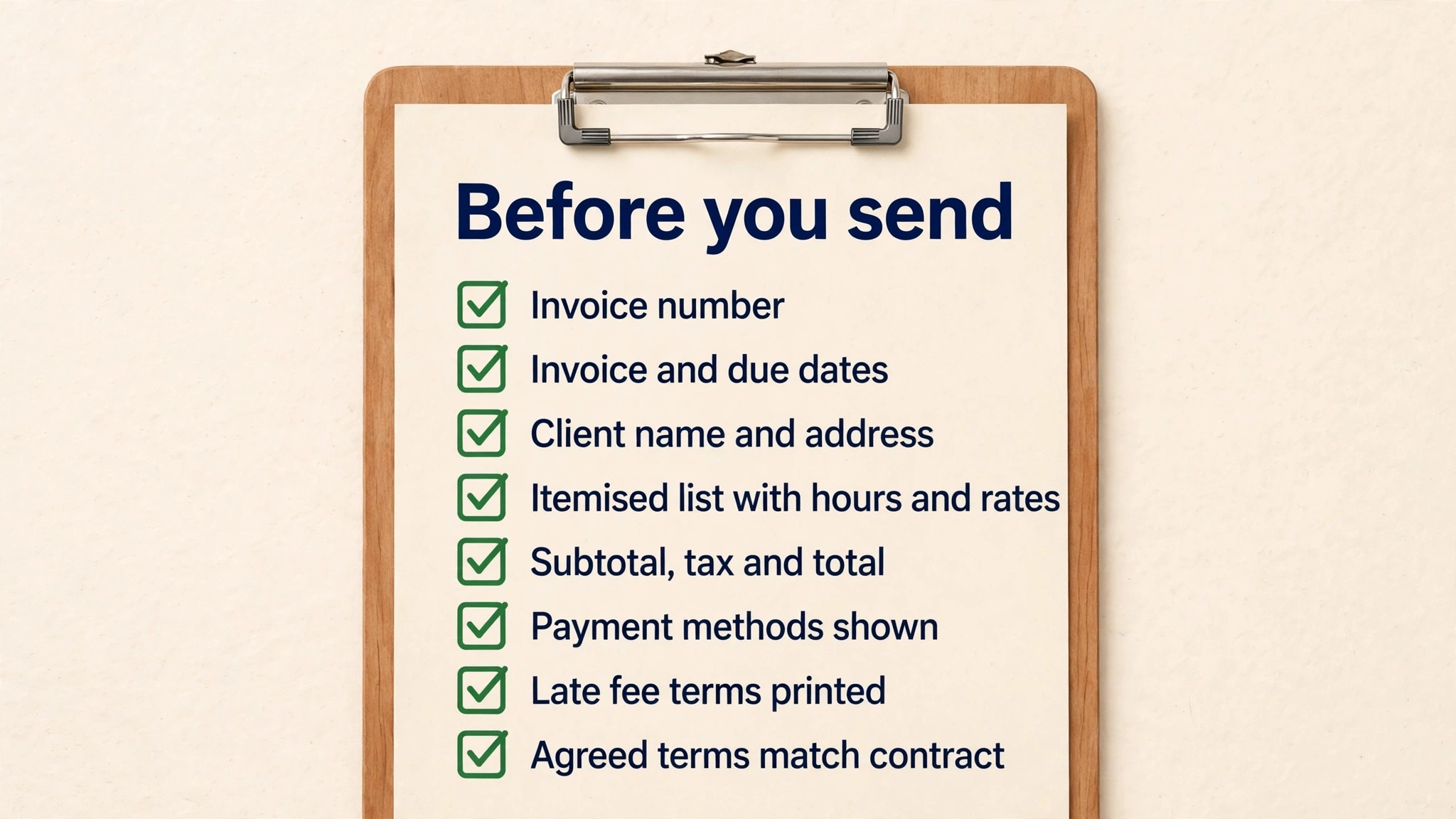
Use the checklist below every time you send an invoice, and treat a missing item as a reason to stop and fix it before you send.
- Client name and address are correct and match the contract.
- Invoice number is unique and follows the last number in sequence.
- Invoice date and due date are both printed on the invoice.
- Every task is listed with hours and rate, and the math adds up.
- Tax is shown separately where it applies, and the total is clear.
- Payment link or bank details are printed on the invoice itself.
- Late fee terms are printed, and they match the contract.
- The invoice is saved as a PDF and the file name includes the invoice number.
Payment Terms That Get You Paid on Time
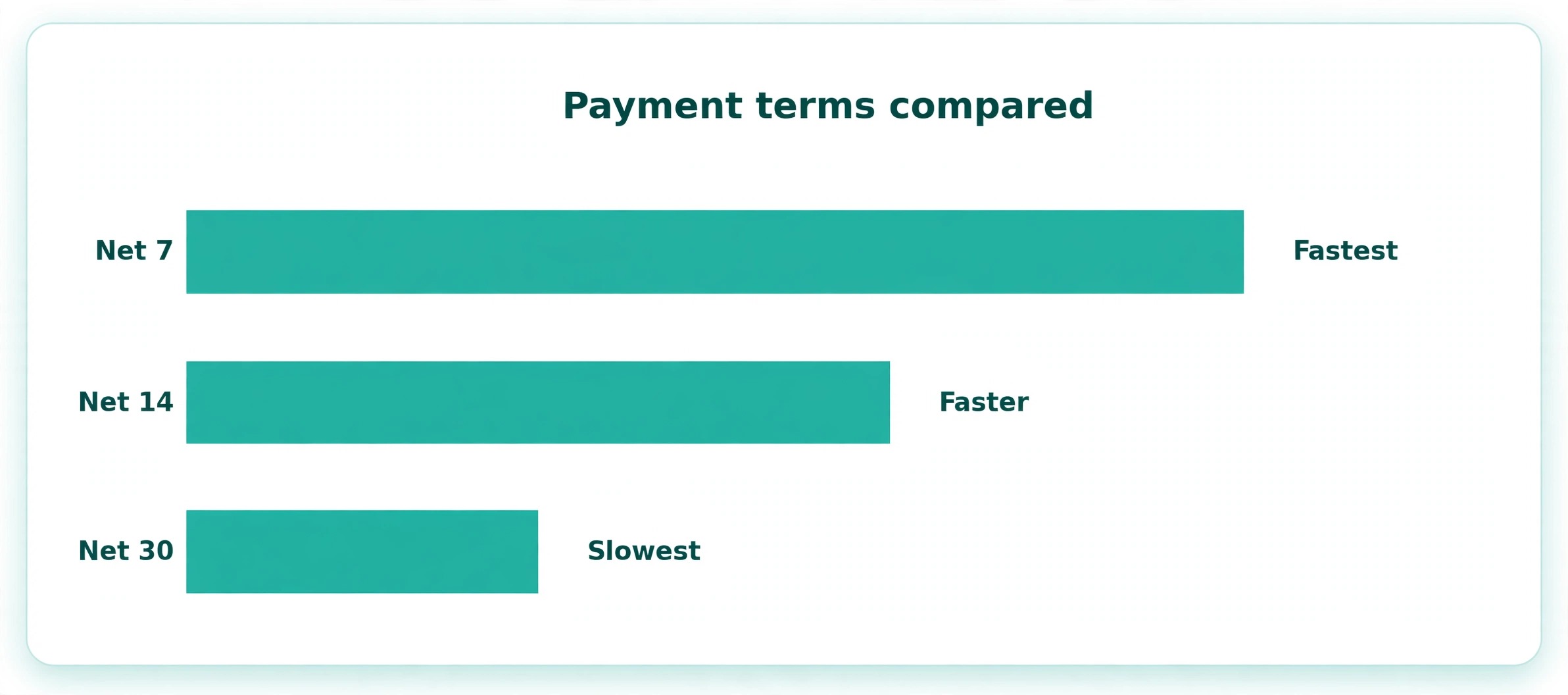
Payment terms are the part of the invoice that most freelancers copy from someone else without thinking, and that is a mistake. Net 30 is the standard in many industries, but it means you wait a month for money you earned today, and a freelancer with rent to pay should think hard before accepting it. Net 14 or Net 7 is a fairer term for project work, and many clients accept it without argument when it is agreed before the work starts.
The terms you agree are part of how to invoice clients as a freelancer, and they decide whether you wait seven days or thirty.
A deposit changes the whole conversation. Asking for 50 percent upfront on a new client, or on any project over a few thousand dollars, is normal practice, and it filters out the clients who were never going to pay. For ongoing work, bill weekly or every two weeks instead of monthly, because smaller invoices get paid faster than large ones, and a client who falls behind on a small invoice is easier to catch than one who owes you a month of work.
Late fees work when they are agreed in advance and stated on the invoice. Many freelancers charge a late fee of 1 to 1.5 percent per month on overdue balances, and they put it in the contract before the work starts, because a fee you never agreed cannot be enforced. The fee itself rarely earns much money, and that is not the point. The point is that a stated fee makes the due date real, and clients pay on time when the cost of waiting is visible.
The Best Invoicing Tools for Freelancers Compared
Manual invoice processing costs between 12 and 30 dollars per document, while automated invoicing drops the cost to about 2.50 dollars, according to IOFM benchmarks from 2025. That gap is why learning how to invoice clients as a freelancer includes picking a tool, not just writing a template. The table below compares the tools freelancers actually use, with prices checked in October and November 2026.
| Tool | Free option | Entry paid plan | Card fee when a client pays |
|---|---|---|---|
| Wave | Free Starter, unlimited invoices | Pro, 19 dollars a month | 2.9 percent plus 60 cents |
| Zoho Invoice | Free, up to 500 invoices a year | None, the product is free | Set by your gateway, usually 2.9 percent plus 30 cents |
| FreshBooks | 30 day trial, no free plan | Lite, 23 dollars a month | 2.9 percent plus 30 cents |
| Bonsai | 7 day trial, no free plan | Essentials, 25 dollars a month | 2.99 percent plus 30 cents |
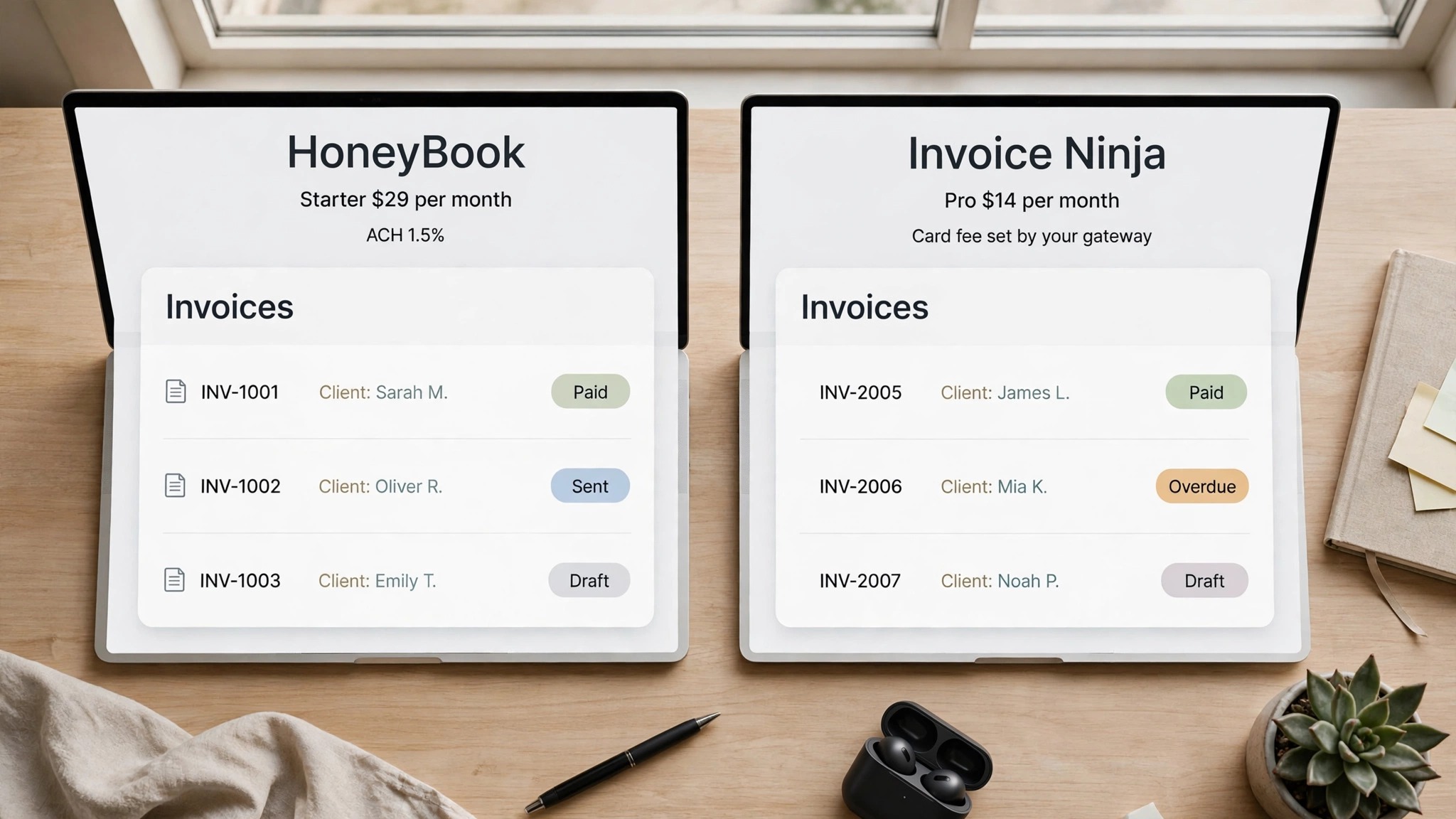
| HoneyBook | Free trial, no free plan | Starter, 29 dollars a month billed yearly | Varies by method, ACH 1.5 percent |
| QuickBooks Online | 30 day trial, no free plan | Simple Start, 38 dollars a month | 2.9 percent plus 25 cents |
| Invoice Ninja | Free up to 5 clients | Pro, 14 dollars a month | Set by your gateway |
| Square Invoices | Free to send invoices | None, pay only on card payments | 2.9 percent plus 30 cents online |
| PayPal Invoicing | Free to send invoices | None, pay only when paid | Set by PayPal published rate |
Wave
Wave is the best free invoicing tool for a freelancer who sends many invoices, because its free Starter plan includes unlimited invoices, estimates and basic bookkeeping at no cost. You pay only when a client pays you online, with card payments at 2.9 percent plus 60 cents per transaction and American Express at 3.4 percent plus 60 cents. Pro costs 19 dollars a month and adds more automation, including recurring billing with autopay. The limit is geography, because Wave only supports businesses in the United States and Canada, so freelancers elsewhere need a different tool.
Zoho Invoice
Zoho Invoice is completely free for freelancers, with up to 500 invoices a year, and there is no paid plan to upgrade to, which makes it the simplest free option on this list. You get professional invoices, time tracking, expense tracking and automated payment reminders, and payments route through your own gateway, usually Stripe at 2.9 percent plus 30 cents. The free plan carries Zoho branding, and it works worldwide, which is the main reason to pick it over Wave. The tradeoff is that Zoho Invoice is invoicing only, so you need a separate tool for full accounting when your business grows.
FreshBooks
FreshBooks is the polished choice for service freelancers, and it has been built for writers, designers, consultants and developers for nearly two decades. Lite costs 23 dollars a month for up to 5 billable clients, Plus costs 43 dollars a month for up to 50 clients and adds proposals, and Premium costs 70 dollars a month for unlimited clients with project profitability tracking.
Every plan includes recurring invoices, automatic late payment reminders, time tracking, estimates and a client portal, and card payments cost 2.9 percent plus 30 cents with ACH at 1 percent. There is a 30 day free trial and no free plan, so FreshBooks suits a freelancer who already has paying clients and wants the invoicing to run itself.
Bonsai
Bonsai is an all in one platform for freelancers, covering proposals, contracts, time tracking, invoicing, accounting, tax prep and a client portal under one roof. Essentials costs 25 dollars a month, or 19 dollars a month billed yearly, for invoicing with contracts and proposals. Professional costs 39 dollars a month and adds workflow automations, subcontractor management and a client portal, while Business costs 52 dollars a month for freelancers hiring help. Bonsai fits a freelancer who wants one subscription for the whole back office, and it is overkill for someone who only needs to send an invoice.
HoneyBook
HoneyBook is built for creative businesses that sell packaged projects, and it bundles invoicing with proposals, contracts, scheduling and a client portal. Starter costs 29 dollars a month billed yearly, or 36 dollars month to month, Essentials costs 39 dollars a month and adds automation workflows, and Premium costs 79 dollars a month with priority support and advanced reporting. Card fees vary by method and ACH costs 1.5 percent. HoneyBook works in the United States, Canada, the United Kingdom and Australia, and it is the strongest pick when the client experience matters as much as the invoice itself.
QuickBooks Online
QuickBooks Online is invoicing inside full accounting, and it is the right choice when the business needs a real ledger rather than just a way to send bills. Simple Start costs 38 dollars a month for one user, and it includes invoicing, expense tracking and reporting that a standalone invoicing tool cannot match. Card payments cost 2.9 percent plus 25 cents. The tradeoff is price and complexity, because QuickBooks is more than most solo freelancers need in year one, and it is the tool you grow into when the bookkeeping starts to matter.
Invoice Ninja
Invoice Ninja is the open source option, and it is the only tool here you can self host, which matters to freelancers who want full control of their data. The free plan covers up to 5 clients, and Pro costs 14 dollars a month with unlimited clients and more features. Card fees are set by your own payment gateway rather than by Invoice Ninja. Pick it when you want low cost and control, and skip it when you want a polished client portal and hands off support.
Square Invoices
Square Invoices is free to send, and you pay only when a client pays by card, at the standard online rate of 2.9 percent plus 30 cents. It suits a freelancer who already uses Square in person, because the invoices, the card reader and the payouts all sit in one account. The invoicing itself is simpler than FreshBooks or Bonsai, with no contracts or proposals, so it fits a freelancer who sells a service and takes payment on the spot rather than a freelancer who runs long projects.
PayPal Invoicing
PayPal Invoicing is free to send, and it works almost everywhere, which is its main strength. You create and send an invoice from a PayPal account, the client pays by card or PayPal balance, and PayPal takes its published commercial transaction fee from the payment. The fee is set by PayPal and changes from time to time, so confirm the current rate on PayPal’s fee page before you quote a client. PayPal is the fallback every freelancer should have, because a client who cannot pay any other way can almost always pay with PayPal.
A Warning About AND.CO
If an old guide recommends AND.CO for freelance invoicing, ignore it. AND.CO was acquired by Fiverr in 2018, rebranded as Fiverr Workspace in 2021, and shut down completely on March 1, 2026, with all accounts terminated and all data permanently deleted. Fiverr now points former users toward HoneyBook instead. Any invoice template or workflow built on AND.CO is gone, so if you still have records there, they are no longer recoverable. This is a useful reminder to keep your own copies of every invoice as PDFs, no matter which tool you use, because a tool can disappear and your records must not disappear with it.
How to Chase a Late Payment Without Burning the Client
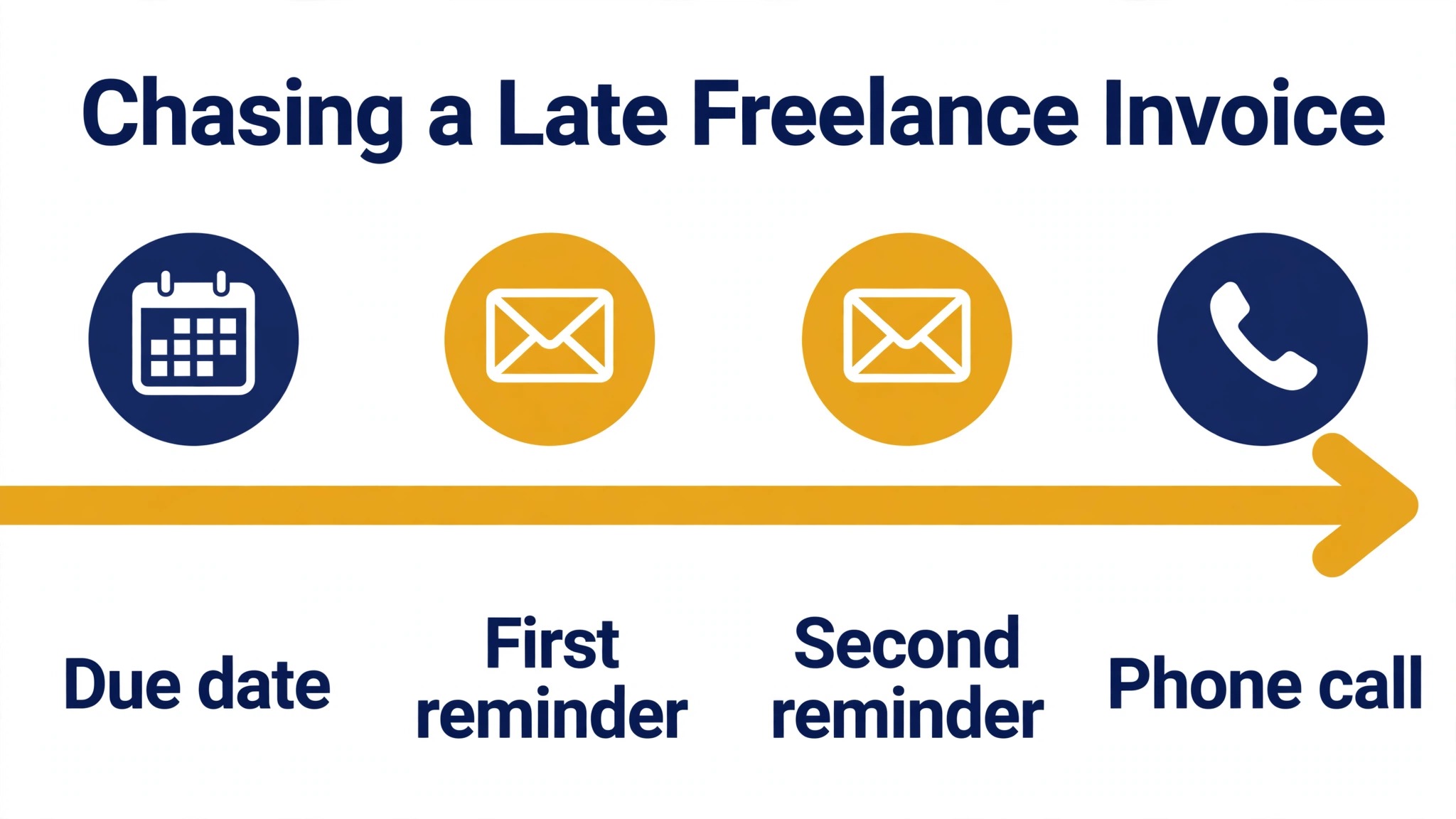
Most late payments are not refusals, they are forgotten invoices, busy inboxes and approval chains. Start with the assumption that the client intends to pay, and let the process do the pushing. Send the first reminder on the due date, short and factual, with the amount, the due date and the payment link, and attach the invoice again. Send the second reminder seven days later, and add one line asking whether anything is wrong with the invoice, because a client who disputes a line item will not tell you unless you ask.
The follow up below is part of how to invoice clients as a freelancer, because the reminder schedule matters as much as the invoice itself.
If the invoice is still unpaid at fourteen days, call the client. A phone call resolves in five minutes what email cannot resolve in five weeks, and it tells you immediately whether the problem is approval, cash flow or a dispute. Ask directly when the payment will be made, and write down the date they give you, then send a short email confirming it, so the promise is in writing. If the client misses their own promised date, stop work on any open project, because continuing to work for a client who does not pay is how a small debt becomes a large one.
For a genuinely unpaid invoice, the steps are firm and in order. Send a final written demand with a new due date, then pause all work, then consider a collection agency or a small claims filing, depending on the amount and your local rules. Keep every email, every invoice and every promise in one folder, because a paper trail is what makes a demand credible. The goal is always to get paid and keep the client, in that order, and most late payments resolve at the phone call stage when the follow up is prompt and professional.
Mistakes That Cost Freelancers Money
The most expensive mistake is invoicing late. An invoice sent three weeks after delivery is an invoice paid three weeks later than it should be, and no payment term can fix a late start. The second mistake is invoicing without agreed terms, because a client who never agreed to a due date or a late fee has no reason to treat either as binding. The third mistake is the vague invoice, with a single line for the whole project and no breakdown, because a client who cannot see what they paid for will ask questions instead of paying.
The fourth mistake is accepting one payment method only, usually bank transfer, and then waiting while the client finds time to make the transfer. A card link on the invoice turns a chore into a click, and the fee is a small price for getting paid this week instead of next month. The fifth mistake is never following up, because many freelancers feel rude chasing money and let invoices age until the client forgets them entirely. A reminder schedule, written down and followed every time, is worth more than any invoicing tool, because the tool only sends what you tell it to send.
Frequently Asked Questions
How do I invoice a client for the first time as a freelancer?
Start with the terms, not the invoice. Agree the price, the due date and the payment method in writing before you begin, then use a template that carries your details, the client details, a unique invoice number, the invoice date, the due date, an itemized list of the work, the total and your payment details. Send it as a PDF on the day the work is delivered, and include the amount and the due date in the body of the email. A free tool like Wave or Zoho Invoice will generate the invoice for you and keep the numbering clean.
What should I put on a freelance invoice?
Put your name and business name, your contact details, the client name and address, a unique invoice number, the invoice date, the due date, an itemized list of each task with hours and rate, any expenses, the subtotal, tax where it applies, the total due, the payment methods and the late fee terms. The itemized list matters most, because it shows the client exactly what they paid for and it stops most disputes before they start.
How long should I give a client to pay an invoice?
Net 14 or Net 7 is a fair term for freelance project work, and many clients accept it without argument when it is agreed before the work starts. Net 30 is the standard in many industries, but it means waiting a month for money you earned today, so only accept it when the client insists and the project is large enough to justify the wait. Whatever term you pick, put it on the invoice and in the contract, and follow up on the due date.
Should I ask for a deposit before starting freelance work?
Yes, for new clients and for any project over a few thousand dollars. A 50 percent deposit before you start is normal practice, and it protects you from doing a month of work for a client who disappears. It also filters out clients who were never going to pay, which is a service to your future self. For small repeat jobs with a trusted client, invoicing on delivery is fine.
What is the best free invoicing software for freelancers?
Wave is the best free option for freelancers in the United States and Canada, because its free plan includes unlimited invoices and basic bookkeeping. Zoho Invoice is the best free option worldwide, with up to 500 invoices a year at no cost. Both are free to send invoices, and you pay only the card fee when a client pays online, so a slow month costs you nothing. Either one is a solid first step in learning how to invoice clients as a freelancer.
What do I do if a client refuses to pay a freelance invoice?
Send a final written demand with a new due date, stop all open work for that client, and keep every email, invoice and promise in one folder. Then consider a collection agency or a small claims filing, depending on the amount and your local rules. Most disputes resolve earlier, at the phone call stage, when you ask directly when the payment will be made and confirm the date in writing, so try the call before you try anything formal.
Putting It Into Practice
Knowing how to invoice clients as a freelancer is a workflow, not a document. Agree the terms before you start, track your time as you go, send the invoice the day the work is delivered, make payment easy with a card link, follow up on a fixed schedule, and record every payment when it arrives. Pick a tool that fits your situation, with Wave or Zoho Invoice free to start, FreshBooks or Bonsai when you want the process to run itself, and QuickBooks when the bookkeeping starts to matter. The freelancers who get paid on time are rarely the ones with the best clients. They are the ones with the best invoicing habit.