If you make pins every week, buy Tailwind. If you make pins occasionally, use Canva free and spend nothing. If you run a blog with hundreds of posts, use a bulk tool like BlogToPin and turn each post into a set of pins in one pass. That is the short version of this guide to the best Pinterest pin makers, and the rest of it explains why, with real prices, real limits and the best pick for every job.
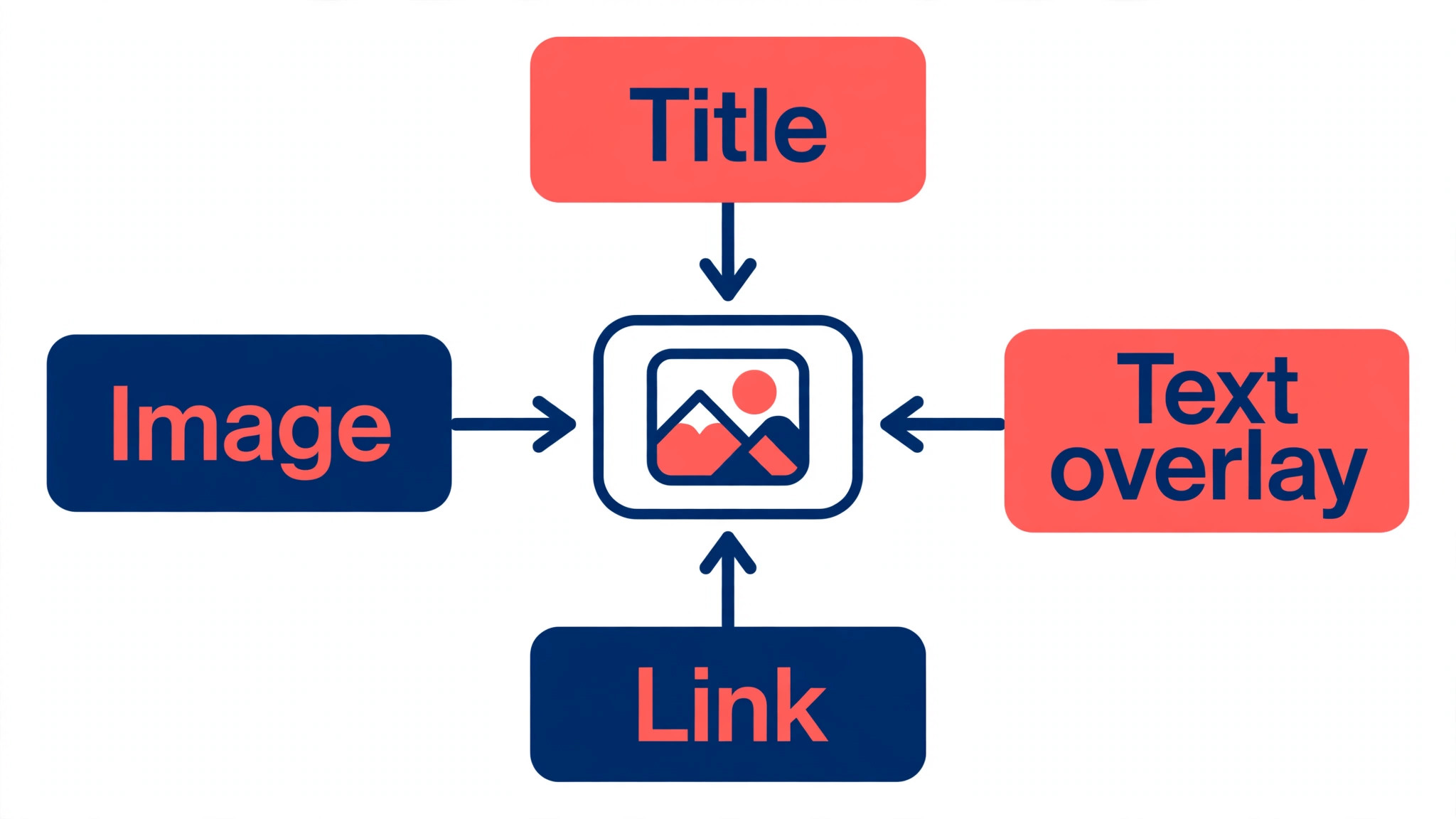
Pinterest passed 631 million monthly users in early 2026, and it is still a search engine dressed as a social feed, which means a good pin keeps working for months after you publish it. A pin is a vertical image at a 2 to 3 ratio, usually 1000 by 1500 pixels, with readable text, a clear image and a link behind it. The tools below all make that image, but they solve different problems, from hand crafting one beautiful pin to generating fifty pins from a single blog post.
Best Pinterest Pin Makers at a Glance
The table below compares all twelve tools on the job each one does best, the starting price and whether you can try it free.
| Tool | Best for | Starting price | Free plan |
|---|---|---|---|
| Canva | Hand crafted pins with full control | Free, Pro 12 dollars a month billed yearly | Yes |
| Adobe Express | Quick branded pins with Adobe stock | Free, Premium 9.99 dollars a month | Yes |
| Tailwind Create | Pinterest first design plus scheduling | 17.99 dollars a month billed yearly | Free to start |
| VistaCreate | Canva style editing at a flat yearly price | Free, Pro 10 dollars a month billed yearly | Yes |
| PicMonkey | Photo heavy pins with real editing | Basic 7.99 dollars a month billed yearly | No, trial |
| Snappa | Fast social graphics on a budget | Free, Pro 10 dollars a month billed yearly | Yes, 3 downloads a month |
| Easil | Brand locked templates for teams | Free, Plus 7.50 dollars a user a month | Yes |
| Visme | Data driven pins and infographics | Free, Starter 12.25 dollars a seat a month billed yearly | Yes |
| Stencil | The simplest pin maker for beginners | Pro from 9 dollars a month | Trial |
| Desygner | Brand kits and cheap paid plans | Free, Pro Plus from 4.95 dollars a month billed yearly | Yes |
| Pin Magic | Many pins from one blog link | 10 dollars a month or 70 dollars a year | Free test pins |
| BlogToPin | Turning a whole site into pins | 25 dollars a month billed yearly | Preview before paying |
Prices are United States list prices checked in October and November 2026, and they change often, so confirm the current figure on the vendor site before you buy. Where two pricing checks disagree, this guide says so in the tool section instead of hiding it.
The 12 Best Pinterest Pin Makers, One by One
The twelve tools below are ordered from the most general to the most specialized, and each section gives the price, the strength and the limit that decides whether it fits your work. The best Pinterest pin makers are not the ones with the most features, they are the ones that remove the biggest bottleneck in your own process, whether that bottleneck is design time, brand consistency or publishing volume.
1. Canva
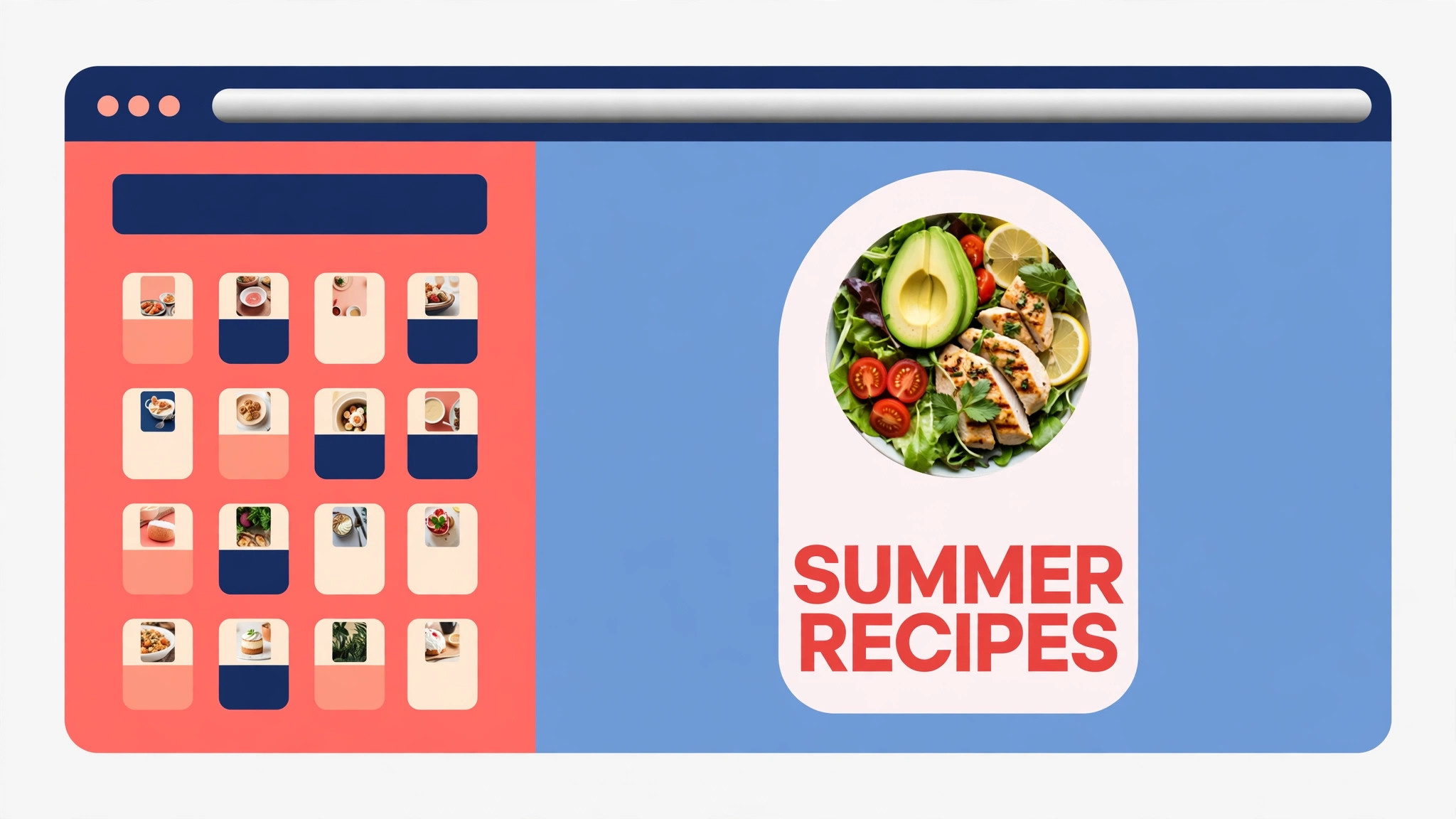
Canva is the safest overall pick for most Pinterest creators, because it balances AI help with full human control. Magic Design can turn a URL or a product photo into complete pin layouts, and the template library covers every Pinterest size, including the standard 1000 by 1500 pin. Brand Kits keep your colors and fonts consistent across every pin, and Pro adds direct Pinterest publishing, which removes the design, download and upload friction that kills consistency.
The free plan is genuinely usable, with thousands of templates and no watermark on free designs. Pro costs 12 dollars a month billed annually, or 18 dollars billed monthly, as listed in November 2026, although some pricing checks still show the older 120 dollars a year figure, so confirm the current price on the pricing page. The tradeoff is time, because every pin is still a separate design, and Canva cannot generate fifty pins from one post the way a bulk tool can.
2. Adobe Express
Adobe Express is the strongest Canva alternative, and it is better than its market share suggests. The free plan includes thousands of templates and Adobe Stock photos, which are a cut above typical free stock, and the Firefly AI tools can generate backgrounds and fill text for a pin in seconds. Premium costs 9.99 dollars a month, or 99.99 dollars a year, and it adds the full stock library, premium templates and brand controls.
Express fits creators who already live in the Adobe world, because it feels like a natural extension of Acrobat, Photoshop or Adobe Fonts rather than a new tool to learn. The free plan exports without a watermark, which makes it one of the best free options for print quality pins. The limit is volume, because like Canva it makes pins one at a time, and there is no bulk generation from a blog or a store.
3. Tailwind Create
Tailwind Create is the AI design engine built into Tailwind, and it is the only tool here designed around Pinterest from the ground up. Drop in a URL, a product photo or a blog post link, and it generates dozens of pin designs in your brand colors and fonts, ready to schedule. Tailwind is an official Pinterest partner and one of the scheduling partners Pinterest itself names, and its SmartPin feature turns one URL into fresh pins on a weekly cycle.
The Pin Scheduling and Creation plan costs 17.99 dollars a month billed annually, or 29.99 dollars billed monthly, per Pinterest account, with 300 credits a month and one credit per scheduled pin. Tailwind says pins scheduled through its platform are 54 percent more likely to go viral, which is its own data rather than an independent test, so treat it as marketing rather than proof. The free plan is limited to 5 posts a month, which is too restrictive for real growth, so budget for the paid plan from the start.
4. VistaCreate
VistaCreate, formerly Crello, is a Canva style editor at a flat yearly price, and it is owned by Vista, the parent of Vistaprint. Pro costs 10 dollars a month billed annually, or 120 dollars a year paid upfront, or 13 dollars a month billed monthly, and it covers up to 10 team members under one price, which makes it the cheapest team option here. The library runs to more than 200,000 templates across 85 design formats, with AI image generation, a background remover and one click resizing on Pro.
Starter is free with more than 100,000 templates and no time limit, and it includes the background remover, which most rivals lock behind a paid plan. The tradeoff is that the AI tools, the resize tool and HD exports all sit on Pro, so the free plan is best for occasional pins rather than daily volume. Pick VistaCreate when you want a Canva like editor for a small team at one flat price.
5. PicMonkey
PicMonkey is the photo editor of this list, and it suits pins that start from a photograph rather than a template. The editing tools are deeper than Canva or Snappa, with real retouching, effects and text tools, and the template library covers Pinterest sizes alongside social posts, ads and print. Basic starts at 7.99 dollars a month billed annually, with Pro and Business plans above it for more features and team seats.
The limit is that PicMonkey has no permanent free plan, so budget at least 7.99 dollars a month if you shortlist it, and the template library is smaller than Canva or VistaCreate. Pick PicMonkey when your pins are photo led, for food, travel, fashion or product shots, and you want the editing and the design in one place. Skip it when you need bulk generation or scheduling, because PicMonkey does neither.
6. Snappa
Snappa is the simplest and cheapest paid option for fast social graphics, and it is ideal when you want a pin in five minutes rather than a design project. The free Starter plan includes the whole template and photo library, with 6,000 plus templates and 5 million plus stock photos and graphics, and every preset size is available free. The catch is downloads, because Starter allows only three downloads a month, which decides whether free is enough for you.
Pro costs 10 dollars a month billed annually, or 15 dollars billed monthly, with unlimited downloads, Buffer and social media integrations, custom font uploads and background removal. Team costs 20 dollars a month billed annually for five users. Snappa is the right pick for a blogger who makes a few pins a week and wants the lowest paid price in the group, and the wrong pick when you need video, documents or print.
7. Easil
Easil is built for teams that need brand locked templates, and it is the most structured tool on this list. You set up brand colors, fonts and logos once, lock the parts nobody should change, and let the team produce on brand pins without a designer checking every file. The template library runs to more than 10,000 designs, and the editor is simple enough for non designers to use without training.
Basic is free, Plus costs 7.50 dollars a user a month, although one pricing check shows 6.25 dollars a user a month on annual billing, so confirm the current figure before you buy. Edge costs 49 dollars a user a month for larger teams. Easil fits a small business with several people making pins, and it is overkill for a solo creator who only needs a template library.
8. Visme
Visme is the pick when your pin is really a data visual, because it is built for infographics, reports and interactive content rather than plain social graphics. The editor handles charts, maps and data widgets alongside templates, so a pin that carries numbers looks like it was made by a designer rather than pasted into a template. Starter costs 12.25 dollars a seat a month billed annually, or 147 dollars a seat a year, and Pro costs 24.75 dollars a seat a month billed annually.
The free plan exists, and the 200 monthly AI credits on Starter are enough to test the workflow. The tradeoff is price per seat, because a team of three pays three times, and the template library is smaller than Canva for pure social graphics. Pick Visme when your pins carry data, statistics or comparisons, and pick a general editor when they do not.
9. Stencil
Stencil is the simplest pin maker on this list, and that is its whole pitch. It is a fast image creation tool for social media marketers, bloggers and small businesses, with templates, stock photos, icons and quotes in one small editor that takes minutes to learn. There is no AI generation and no scheduling, and that is the point, because Stencil does one job and stays out of your way.
Pro starts at 9 dollars a month, with a 7 day free trial. The library is smaller than Canva or Snappa, and the editor has fewer features, so a creator who outgrows it will move on within a year. Pick Stencil when you want the fastest route from an idea to a finished pin, and skip it when you need brand kits, bulk creation or a deep template library.
10. Desygner
Desygner is a drag and drop design platform with a proper brand kit at its center, and it is now part of Automo, a wider business workspace covering CRM, HR, marketing and finance. You upload your logos, colors and fonts once, and they apply across every template and format you touch after that, which is the same idea as Canva Brand Kits at a lower price. The free tier gives you the editor, the template library, the brand kit and the PDF tools with no paywall on the core features.
Pro Plus costs 4.95 dollars a month billed yearly, or 9.95 dollars billed monthly, which is the cheapest paid plan on this list, although one pricing directory still lists the older 9.95 dollar monthly figure as the starting price, so confirm it on the site. AI features use credits, so tools like the Mockup Builder and the AI PDF tools will consume them. Pick Desygner when budget is the main constraint and you want a real brand kit for under five dollars a month.
11. Pin Magic
Pin Magic is built for one job, turning a blog post link into many pins fast. Paste a link, pick from more than 100 templates, colors and fonts, add your own photos and export 10 or more pins as 1000 by 1500 PNG files. The Studio plus Extension plan costs 10 dollars a month or 70 dollars a year, and a 100 dollar lifetime deal is also available. A browser extension pulls blog images and internal links from WordPress, which speeds up the workflow further.
The limit is that Pin Magic creates pins but does not publish them, so you use it next to Pinterest own scheduler or another tool. It is the best pick for a blogger who publishes weekly and wants ten fresh pins per post without designing each one by hand. Skip it when you need scheduling in the same tool, because that is a job for Tailwind or BlogToPin.
12. BlogToPin
BlogToPin turns a whole site into pins in bulk, which is the fastest route when you have dozens of existing posts and no pins for them. It reads your sitemap or a list of URLs, including Shopify and Etsy listings, generates pins with AI, writes titles and descriptions around your keywords, picks boards and schedules everything in a spread out queue. Starter costs 39 dollars a month, or 25 dollars a month billed yearly, with 200 AI credits a month and up to 35 pins a day.
Agency costs 79 dollars a month, or 50 dollars billed yearly, and Enterprise costs 179 dollars a month, or 125 dollars billed yearly. There is no free plan, but you can generate and preview pins before paying. The tradeoff is control, because AI generated pins need editing to look on brand, and the credit system means heavy use costs more. Pick BlogToPin when your bottleneck is volume across a whole site, and pick Pin Magic when you want to control each post by hand.
Best Pick by Job
The right tool depends on the job, not on the feature list. The table below matches each common job to the tool that does it best at the lowest honest cost.
| Your job | Best pick | Price | Why it wins |
|---|---|---|---|
| One beautiful pin, full control | Canva | Free, Pro 12 dollars a month billed yearly | Biggest template library, Brand Kits, Magic Design |
| Quick branded pins with Adobe stock | Adobe Express | Free, Premium 9.99 dollars a month | Best free stock, Firefly AI, no watermark on free |
| Design plus scheduling in one app | Tailwind Create | 17.99 dollars a month billed yearly | Pinterest first, SmartPin, official partner |
| A small team at one flat price | VistaCreate | Pro 10 dollars a month billed yearly | Up to 10 members on one price |
| Photo led pins | PicMonkey | Basic 7.99 dollars a month billed yearly | Real photo editing built in |
| A few pins a week on a budget | Snappa | Free, Pro 10 dollars a month billed yearly | Cheapest paid plan with unlimited downloads |
| Brand locked templates for a team | Easil | Free, Plus 7.50 dollars a user a month | Locks brand elements, simple editor |
| Pins that carry data | Visme | Free, Starter 12.25 dollars a seat a month billed yearly | Charts and data widgets built in |
| Fastest route to a finished pin | Stencil | Pro from 9 dollars a month | Smallest learning curve on this list |
| Cheapest paid plan with a brand kit | Desygner | Free, Pro Plus from 4.95 dollars a month billed yearly | Brand kit free, lowest paid price |
| Many pins from one blog post | Pin Magic | 10 dollars a month or 70 dollars a year | 100 plus templates, WordPress extension |
| A whole site turned into pins | BlogToPin | 25 dollars a month billed yearly | Sitemap to scheduled pins in one pass |
The best Pinterest pin makers for your work are the ones that match your bottleneck. If design time is the bottleneck, a bulk tool wins. If brand consistency is the bottleneck, a brand kit tool wins. If publishing is the bottleneck, a scheduler wins. Most creators end up with two tools, a designer like Canva and a scheduler like Tailwind, and that stack costs about 30 dollars a month for a serious Pinterest presence.
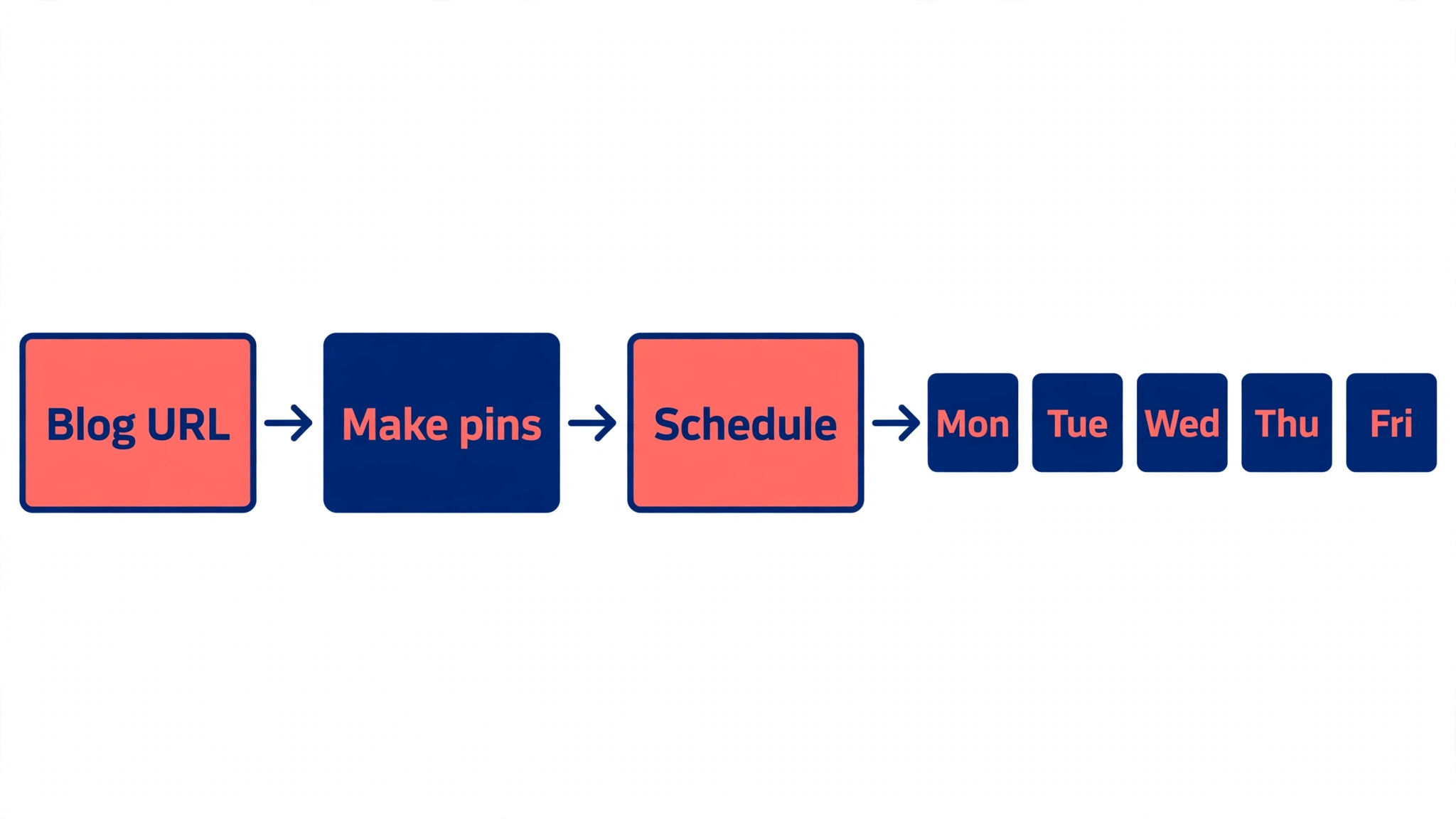
How Much Should You Pay for a Pin Maker
A pin maker costs nothing to start, because seven tools on this list have free plans that export without a watermark. The free plan is enough when you make a few pins a month and you do not need a brand kit, bulk generation or scheduling. The moment you make pins every week, the paid plan pays for itself in time saved, and the cheapest paid plans here run from 4.95 dollars a month for Desygner to 12 dollars a month for Canva Pro.
The honest way to budget is to price the stack, not the tool. A creator who designs in Canva Pro and schedules in Tailwind pays about 30 dollars a month for the two together, and that stack covers design, brand control and publishing for a serious Pinterest presence. A blogger who needs volume instead can pair Pin Magic at 10 dollars a month with Pinterest own free scheduler and pay a third of that.
The best Pinterest pin makers for your budget are the ones that match how often you publish. A tool you open once a month should be free, a tool you open every day should be paid, and a tool that does both design and scheduling is worth more than two tools that each do half the job.
How to Design a Pin That Gets Clicks
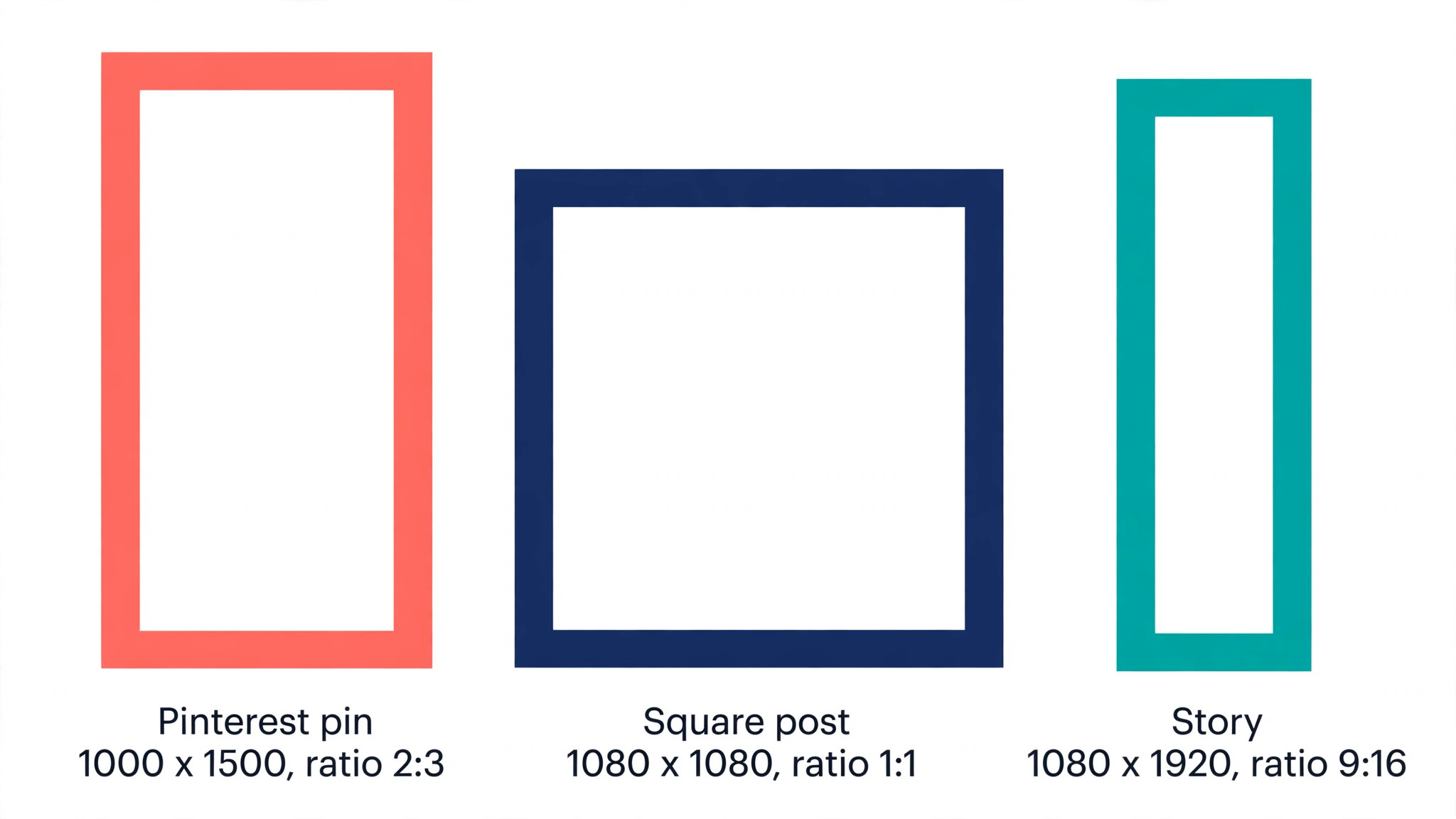
A pin has about one second to earn a click, and the design rules below are what separates a pin that travels from a pin that sits still. The first rule is size, because Pinterest favors vertical images at a 2 to 3 ratio, and 1000 by 1500 pixels is the standard. A square image gets cropped in the feed, and a horizontal image gets buried, so start every pin at the right size and never resize a square post and hope for the best.
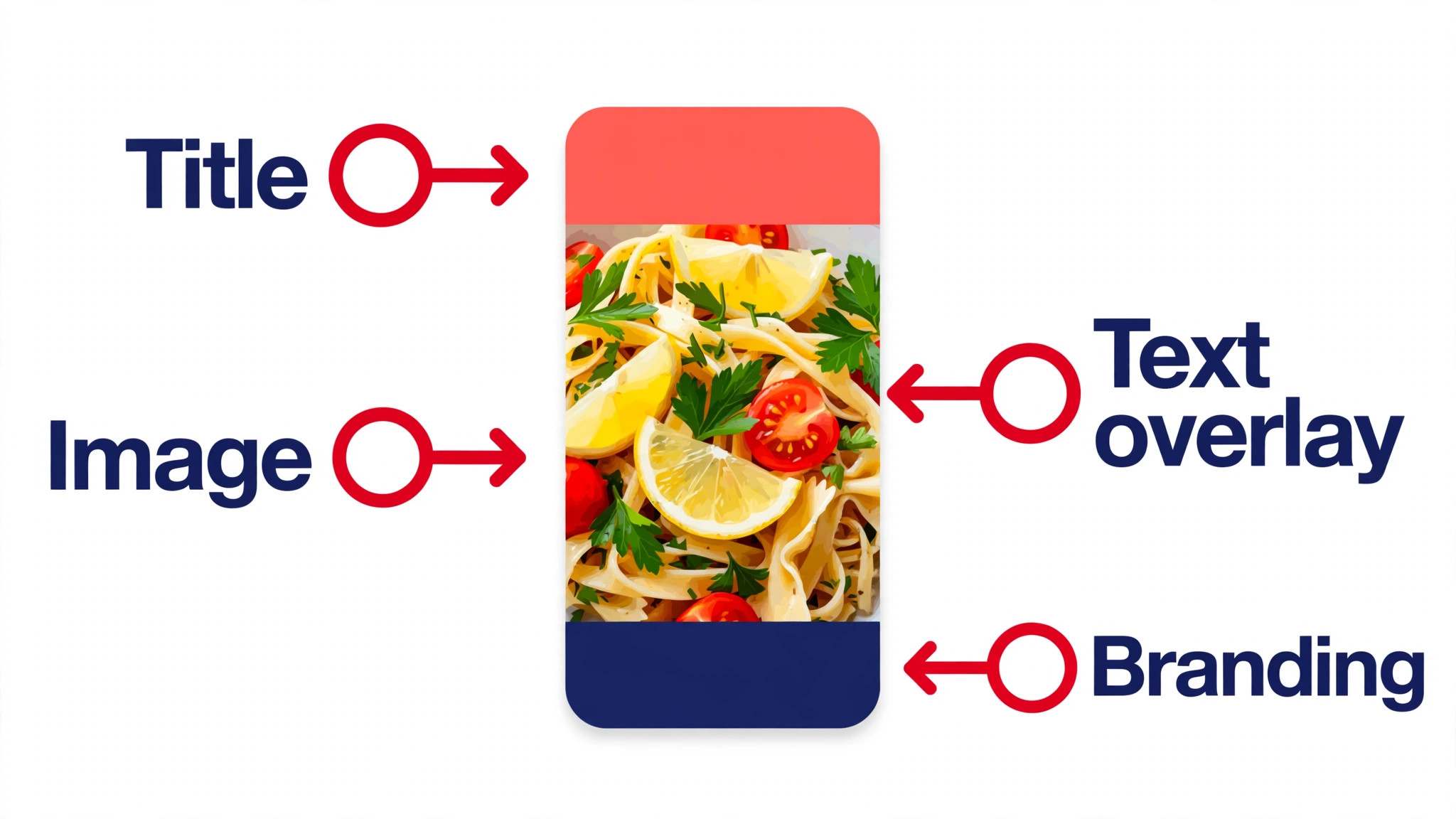
The second rule is readable text. Put the promise of the pin in large type that can be read on a phone screen, keep it to fewer than eight words, and use a high contrast color against the image behind it. A pin with tiny text is a pin nobody reads, and a pin with no text at all relies on the image to do all the work, which only works for photography.
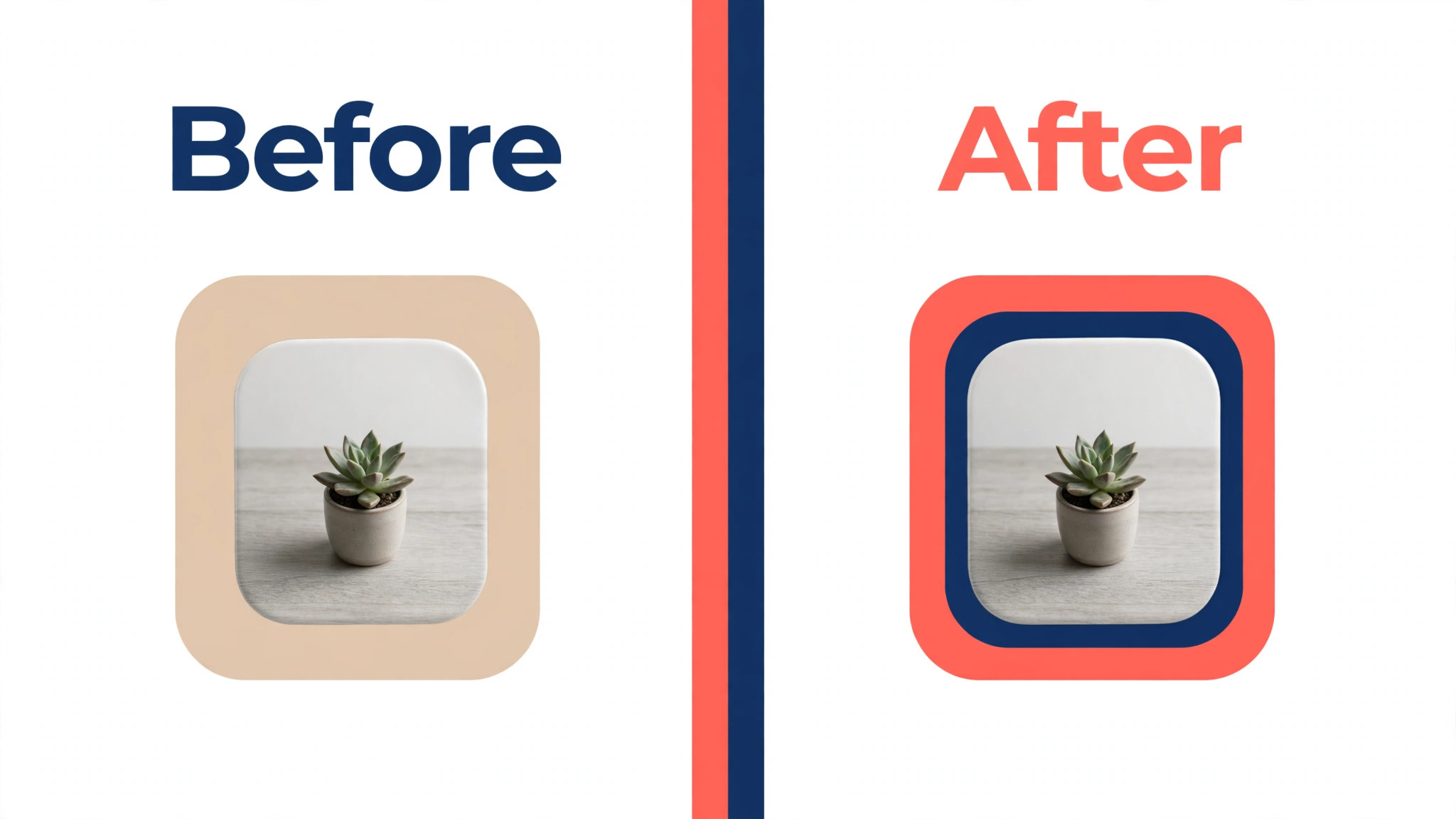
The third rule is brand consistency. Use the same two or three colors and the same fonts on every pin, so a reader recognizes your work before reading the title. A Brand Kit in Canva, VistaCreate or Desygner makes this automatic, and it is the single cheapest way to make a Pinterest account look professional.
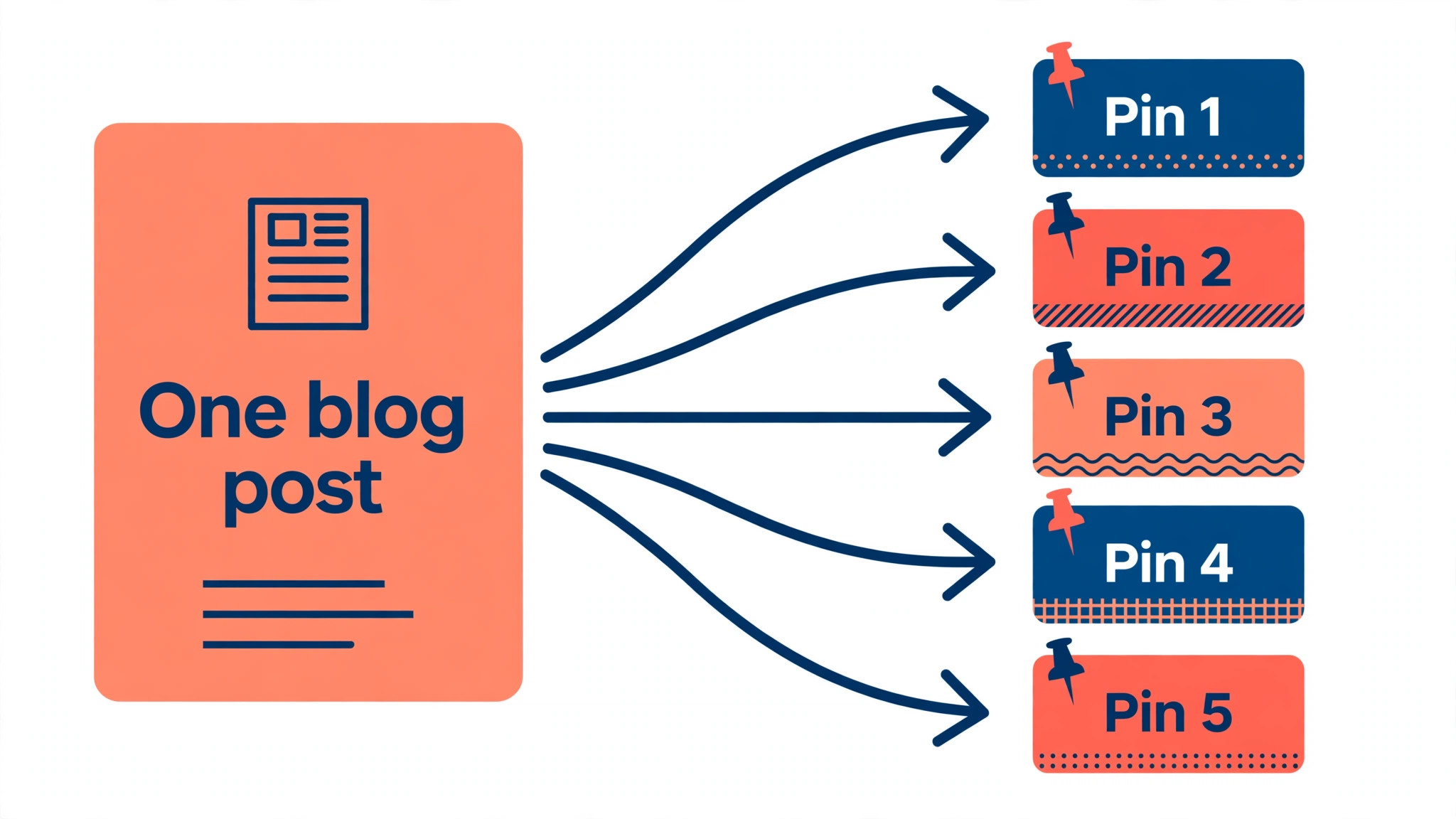
The fourth rule is fresh pins. Pinterest rewards new images, so make three to five different pins for each blog post or product, with different images, different headlines and different layouts, and publish them weeks apart rather than all at once. A bulk tool like Pin Magic or BlogToPin makes this practical, because designing five pins by hand for every post is a job nobody sustains.
The fifth rule is the title and description. Write the pin title around the words people search for, and write the description as a plain sentence that tells the reader what they get when they click. Keyword research on Pinterest own search bar is free, and it shows you the exact phrases people type, which is more useful than guessing.
Mistakes That Kill Pin Performance
Most pin problems are design problems, and the same six mistakes show up in almost every account that struggles. The best Pinterest pin makers cannot fix a pin that breaks these rules, so check the list below before you blame the tool.
The most common mistake is reusing the same image for every pin, because Pinterest treats a repeated image as old content, and it stops showing it. The second mistake is text that cannot be read on a phone, which is where most Pinterest browsing happens, so test every pin at phone size before you publish it. The third mistake is linking to a homepage instead of the exact page the pin promises, because a reader who clicks for a recipe and lands on a homepage never clicks again.
The fourth mistake is publishing all your pins at once, which floods your own feed and wastes fresh content that should have been spread over weeks. The fifth mistake is ignoring the description, because a pin with no description has no keywords, and a pin with no keywords cannot be found in search. The sixth mistake is paying for a tool before you know your bottleneck, because a bulk generator cannot fix a brand problem, and a brand kit cannot fix a volume problem.
Frequently Asked Questions
What size should a Pinterest pin be?
A standard pin is 1000 by 1500 pixels, which is a 2 to 3 ratio, and that is the size Pinterest recommends. Use that size for every pin, because square images get cropped in the feed and horizontal images get buried. Video pins use the same 2 to 3 ratio, and the file should stay under the size limit Pinterest publishes on its help pages.
Is there a free Pinterest pin maker?
Yes, several. Canva, Adobe Express, VistaCreate, Snappa, Easil, Visme and Desygner all have free plans that export pins without a watermark, and Pinterest own scheduler is free for publishing. The free plans differ on downloads, templates and brand kits, so the best free pick depends on whether you need volume, brand control or just a few pins a month.
How many pins should I make per blog post?
Make three to five different pins per post, with different images, headlines and layouts, and publish them weeks apart. Pinterest rewards fresh images, so five pins spread over two months will bring more traffic than five identical pins published on the same day. A bulk tool like Pin Magic or BlogToPin makes this practical without designing each pin by hand.
Can I schedule Pinterest pins for free?
Yes. Pinterest own scheduler is free, and it lets you schedule pins within Pinterest limits, including bulk upload from a CSV file with a publish date on each one. Tailwind free plan allows 5 posts a month, which is enough to test it, and the paid plan at 17.99 dollars a month billed yearly is the upgrade when scheduling becomes a daily job.
Do AI pin generators work for Pinterest?
They work for volume, and they need editing for quality. Tools like Tailwind Create, Pin Magic and BlogToPin can turn one URL into dozens of pins in minutes, which no human can match, but the results need a check for brand colors, readable text and correct titles before they go live. Use AI generation for the first draft of a pin, and keep a human check for the final version.
Which Pinterest pin maker is best for a small business?
Canva is the best all round pick for a small business, because the free plan covers most needs and Pro at 12 dollars a month billed yearly adds Brand Kits and direct publishing. Add Tailwind at 17.99 dollars a month billed yearly when Pinterest becomes a real traffic channel and scheduling matters. A business with a large blog should look at BlogToPin instead, because it turns the whole site into pins in one pass. That stack is the default answer in most guides to the best Pinterest pin makers, because it covers design and scheduling for about 30 dollars a month.
The Bottom Line
The best Pinterest pin makers in 2026 split into three groups, and the right group depends on your bottleneck. Canva, Adobe Express and VistaCreate are the general editors for hand crafted pins, with free plans that cover most creators. Tailwind Create, Pin Magic and BlogToPin are the volume tools for bloggers and shops that need many pins from each post. Snappa, Stencil, Desygner and Easil are the budget and brand picks for small teams that want low cost and consistency. Start free, find your bottleneck, and pay only for the tool that removes it.