
A small business can spend anywhere from nothing to several hundred dollars a month on pool service software, and the gap comes down to how the vendor charges rather than how good the tool looks in a demo. This guide compares best pool service software for small businesses across 10 tools, with the published prices, the billing basis and the limits that decide the real yearly bill spelled out, so you can see the true cost before you invite your team or move your customer records.
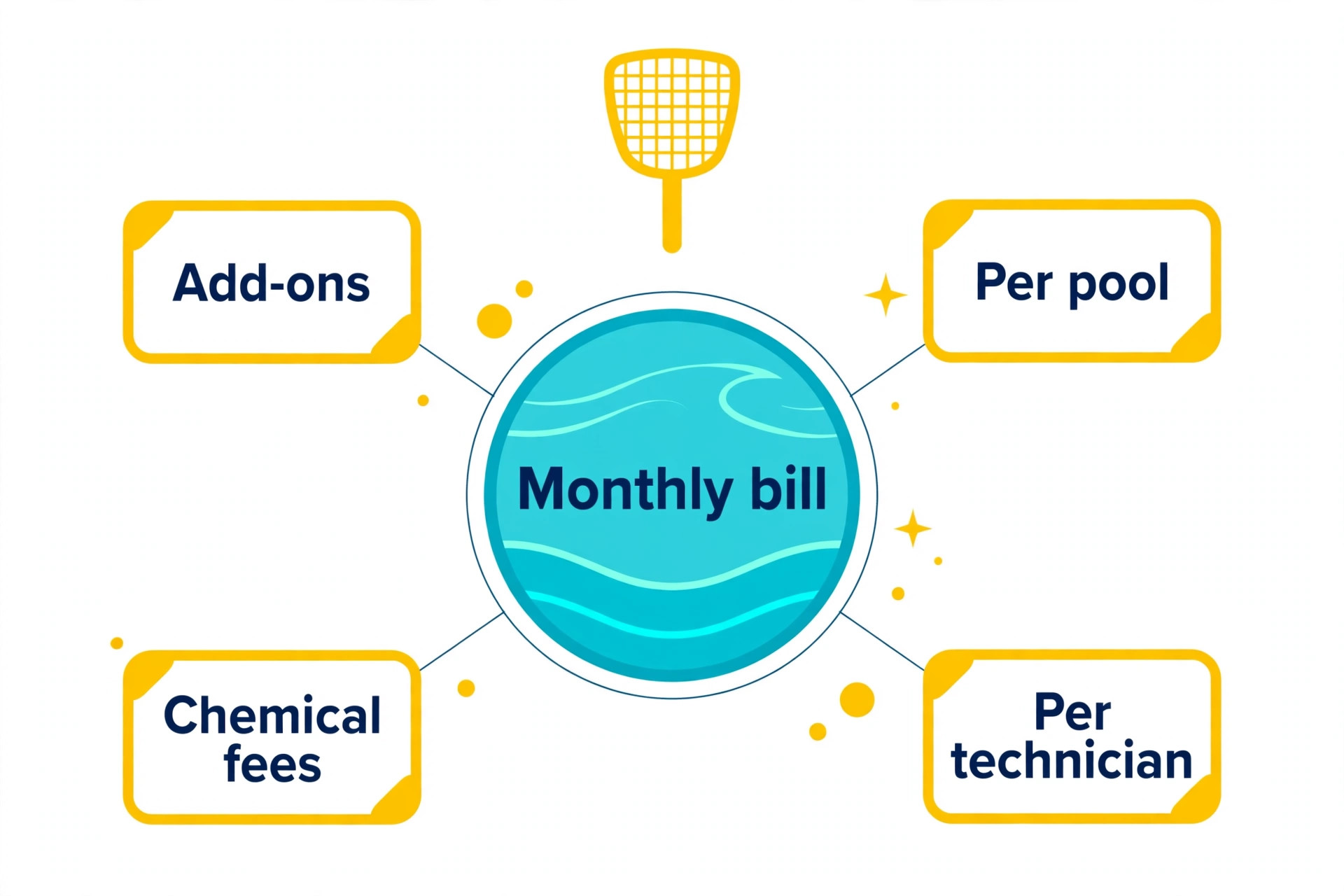
Most buyers compare the monthly sticker price and stop there. That is the wrong comparison, because vendors in this category bill in different ways at once. Some charge per user, some charge per location or per route, some charge per client or per return, and several charge extra for the features that make the tool useful in daily work. A tool that looks cheap at a low monthly figure can cost more than a dearer tool once you add the seats, the locations, the add-ons and the fees that only appear after signup.
Prices in this guide were checked against vendor pricing pages and current 2026 roundups in November 2026. Where a vendor publishes no price, the section says so plainly instead of inventing a figure, and where published sources disagree, both figures are shown with the conflict flagged. Confirm the price on the checkout page or in a written quote before you pay, because prices change often and several vendors show different prices by region or run short promotions.
How We Compared the Tools
We compared every tool on the same five tests. First, the published price and the billing basis, because a per-user price and a per-location price are not comparable until both are priced at your actual size. Second, the core workflow in this niche, whether that is scheduling, billing, record keeping or follow-up, and whether the tool handles it without workarounds. Third, the limits that bite in daily use, such as seat minimums, caps, storage and retention. Fourth, the add-ons that turn a low sticker price into a high monthly bill. Fifth, the fit for a small business, because a tool built for an enterprise chain can be the wrong buy even when it is the best known name.
The shortlist is limited to tools that serve small businesses as a core market, not tools that merely allow a small account. That matters because support, onboarding and pricing are built around the buyer the vendor actually wants. A tool that treats a ten-person team as a trial account will feel different in week six from a tool that treats the same team as its main customer. The verdict at the end names a pick for each common situation rather than a single winner, because the right tool depends on size, volume and the job you do most.
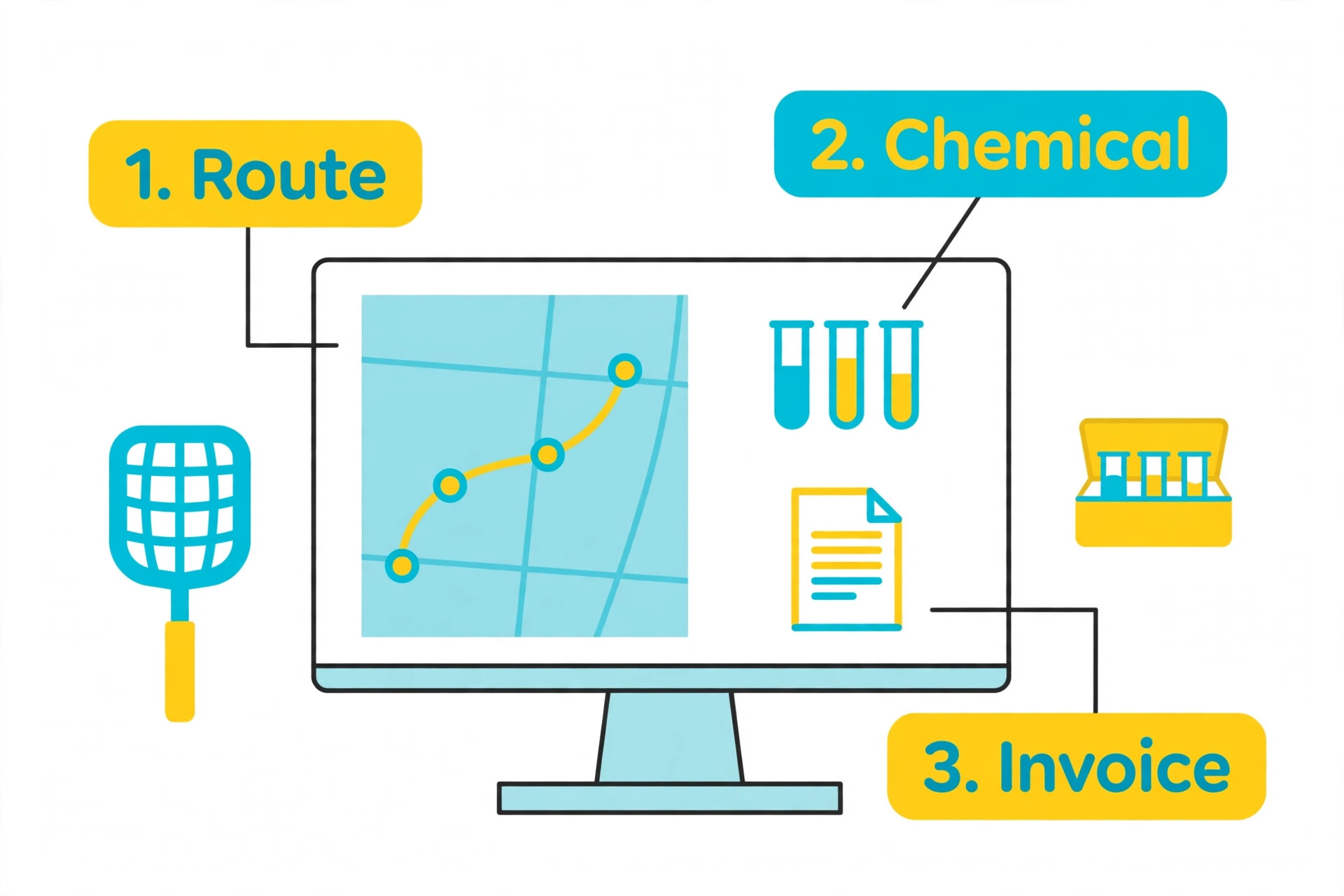
The overview-proof element in this guide is the route, chemical log and recurring-billing comparison. A search result can list prices, but it cannot show which tool wins at your size, which billing basis punishes growth, or which add-on doubles the bill. The tables and the checklist below do that work, and they are built from the published figures in the tool sections, so you can check every number against its source.

Best Pool Service Software For Small Businesses at a Glance
Use this table as a shortcut for best pool service software for small businesses, then read the tool sections below for the team plans, the caps and the limits that decide the real bill. The cheapest entry price is not the cheapest yearly bill once seat minimums and volume pricing are counted.
| Tool | Best for | Starting price |
|---|---|---|
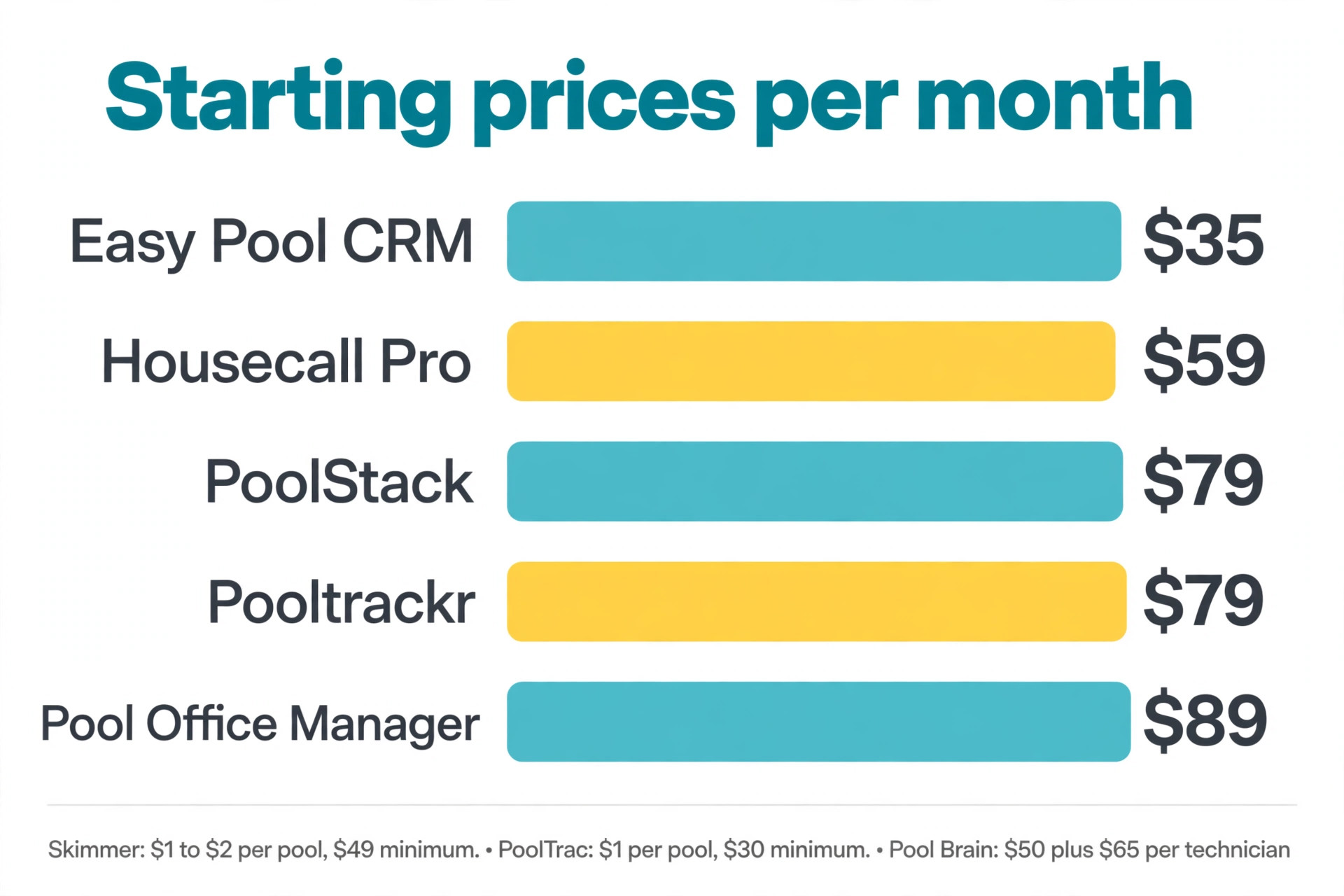
| Skimmer | pool-native default for routes of 50 to 500 pools | $1 to $2 per pool a month, $49 a month minimum on Getting Started, $98 on Scaling Up |
| Pool Office Manager | routes of 200 to 1,000 pools that need chemical and water testing depth | $89 to $199 a month flat in published guides |
| Pooltrackr | routes of 300 or more stops that need route optimization | $79 to $179 a month flat in published guides |
| Jobber | multi-trade shops where pools are one service among others | Core from $29 a month billed annually for one user, to $499 a month on higher plans |
| Pool Brain | pool operators that want chemical dosage and route management together | $50 a month for office access plus $65 a month per active field technician in published guides |
| PoolStack | pool companies that want one flat price for service and construction | $79 a month flat, every feature included |
| PoolTrac | small operators that want per-pool pricing with a low floor | $1 per visited location a month, $30 a month minimum in published guides |
| PayThePoolMan | small operators that want simple per-technician pricing | $50 a month plus $15 per technician, no per-pool charge, no contract |
| Easy Pool CRM | pool companies that want flat pricing by team size | Starter $35 a month, flat plans by team size, no per-pool fees |
| Housecall Pro | pool companies that also sell other home services | from $59 a month billed annually for one user |
The Tools in Full
The 10 tools below are ordered by value for a small business, starting with the lowest published price and ending with the tools that cost more but do more. Each section gives the starting price, the best fit and the limit that matters most. Read the sections for your two finalists in full, and skim the rest.
1. Skimmer
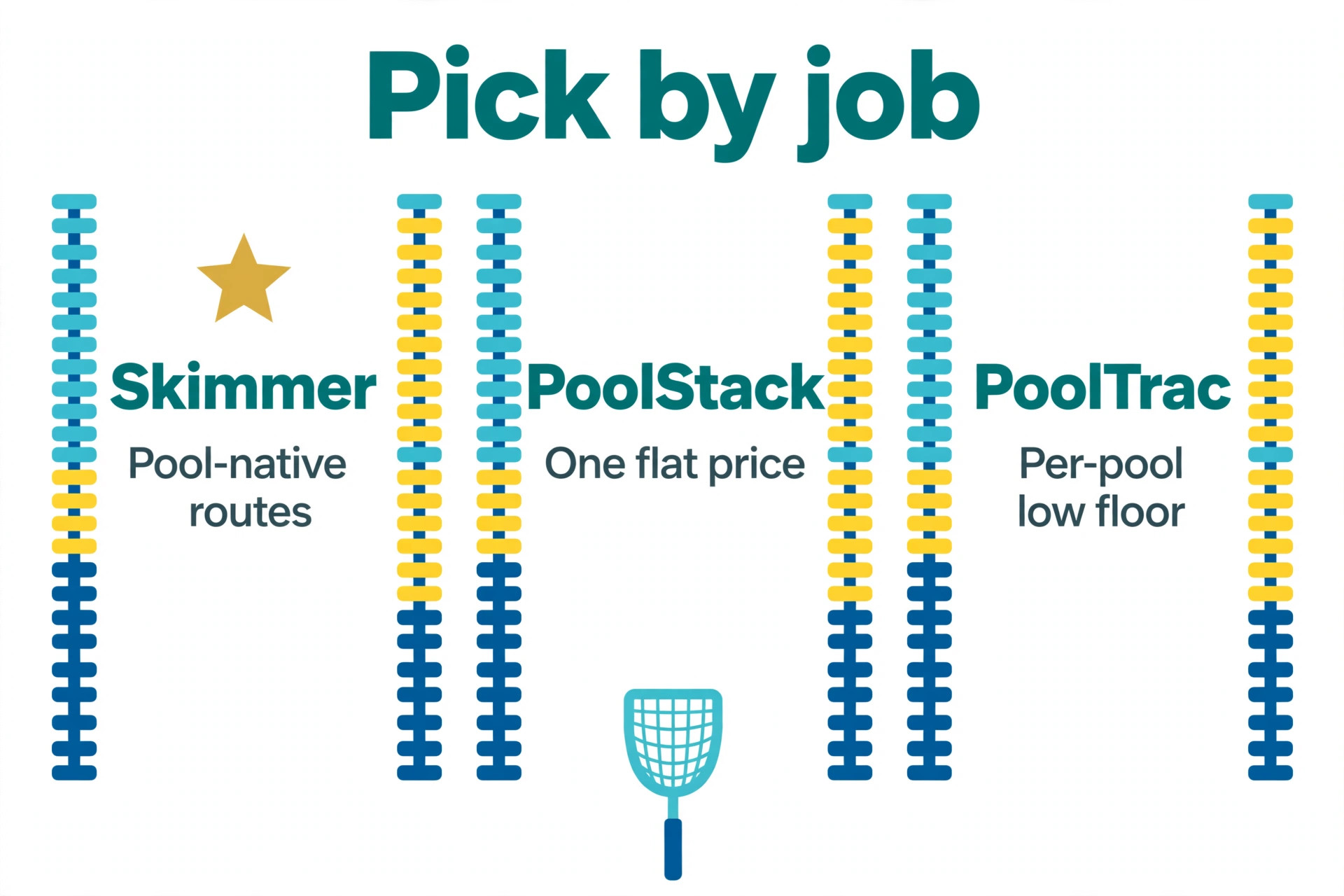
Skimmer is the pick for pool-native default for routes of 50 to 500 pools. Route-first scheduling, chemical dosing, photo visits and per-pool pricing suit a pool-only business, and unlimited technicians are included. The starting price is $1 to $2 per pool a month, $49 a month minimum on Getting Started, $98 on Scaling Up.
The Scaling Up price doubled from $1 to $2 per pool in recent guides, so a 400-pool route costs $800 a month, and the LSI calculator needs Scaling Up. Trial it with real records and real staff for a full week before you pay, and ask for the total monthly bill in writing, including add-ons, texting, card processing and any setup fee.
2. Pool Office Manager
Pool Office Manager is the pick for routes of 200 to 1,000 pools that need chemical and water testing depth. The chemical calculator and water testing tools are the strongest in this list, and flat pricing is easy to budget. The starting price is $89 to $199 a month flat in published guides.
The interface is older than Skimmer, and route optimization is less polished. Trial it with real records and real staff for a full week before you pay, and ask for the total monthly bill in writing, including add-ons, texting, card processing and any setup fee.
3. Pooltrackr
Pooltrackr is the pick for routes of 300 or more stops that need route optimization. Route optimization and automated billing suit a large route, and flat pricing avoids the per-pool bill that grows with every new customer. The starting price is $79 to $179 a month flat in published guides.
Pool-specific chemical depth is thinner than Pool Office Manager, and the setup needs care for a large route. Trial it with real records and real staff for a full week before you pay, and ask for the total monthly bill in writing, including add-ons, texting, card processing and any setup fee.
4. Jobber
Jobber is the pick for multi-trade shops where pools are one service among others. Scheduling, quoting, invoicing and a customer portal are polished, and QuickBooks sync is available from the Connect plan upward. The starting price is Core from $29 a month billed annually for one user, to $499 a month on higher plans.
No chemistry logging is listed, so a pool tech spends extra time per stop on manual chemical entry. Trial it with real records and real staff for a full week before you pay, and ask for the total monthly bill in writing, including add-ons, texting, card processing and any setup fee.
5. Pool Brain
Pool Brain is the pick for pool operators that want chemical dosage and route management together. Chemical dosage, LSI, pool records and routing are built for pool work, and the field app is made for technicians. The starting price is $50 a month for office access plus $65 a month per active field technician in published guides.
Per-technician pricing adds up fast for a larger crew, and the office fee is charged on top. Trial it with real records and real staff for a full week before you pay, and ask for the total monthly bill in writing, including add-ons, texting, card processing and any setup fee.
6. PoolStack
PoolStack is the pick for pool companies that want one flat price for service and construction. One flat price with no per-pool fee suits a growing route, and service and construction work sit in one app. The starting price is $79 a month flat, every feature included.
The product is newer than Skimmer, so the review base is smaller and some integrations are still maturing. Trial it with real records and real staff for a full week before you pay, and ask for the total monthly bill in writing, including add-ons, texting, card processing and any setup fee.
7. PoolTrac
PoolTrac is the pick for small operators that want per-pool pricing with a low floor. Per-visit pricing with a $30 minimum is cheap for a small route, and routing and billing are included. The starting price is $1 per visited location a month, $30 a month minimum in published guides.
The feature set is lighter than Skimmer or Pool Office Manager, and chemical tools are basic. Trial it with real records and real staff for a full week before you pay, and ask for the total monthly bill in writing, including add-ons, texting, card processing and any setup fee.
8. PayThePoolMan
PayThePoolMan is the pick for small operators that want simple per-technician pricing. No per-pool charge and no contract suit a solo operator, and the price is easy to explain to a partner. The starting price is $50 a month plus $15 per technician, no per-pool charge, no contract.
The tool is smaller and less widely reviewed than Skimmer, so support depth is worth testing in a trial. Trial it with real records and real staff for a full week before you pay, and ask for the total monthly bill in writing, including add-ons, texting, card processing and any setup fee.
9. Easy Pool CRM
Easy Pool CRM is the pick for pool companies that want flat pricing by team size. Flat monthly prices with no per-pool fees suit a route that keeps growing, and scheduling and billing are included. The starting price is Starter $35 a month, flat plans by team size, no per-pool fees.
The product is newer and the review base is smaller than the established pool tools. Trial it with real records and real staff for a full week before you pay, and ask for the total monthly bill in writing, including add-ons, texting, card processing and any setup fee.
10. Housecall Pro
Housecall Pro is the pick for pool companies that also sell other home services. Scheduling, dispatch, invoicing and a customer portal cover the general home-service job, and the mobile app is strong. The starting price is from $59 a month billed annually for one user.
Pool-specific chemical logging is missing, and the per-user price rises with each technician. Trial it with real records and real staff for a full week before you pay, and ask for the total monthly bill in writing, including add-ons, texting, card processing and any setup fee.
What a Small Business Actually Pays
The sticker price for best pool service software for small businesses is per user, per location or per route, so multiply it before you compare. The table below prices a small operation on the entry paid plan of each tool, using annual billing where the vendor offers it. That is the number that matters for a budget, not the monthly figure on the pricing page.
| Tool | Entry price | Yearly maths |
|---|---|---|
| Skimmer | $1 to $2 per pool a month, $49 a month minimum on Getting Started, $98 on Scaling Up | Check the billing basis before multiplying |
| Pool Office Manager | $89 to $199 a month flat in published guides | Check the billing basis before multiplying |
| Pooltrackr | $79 to $179 a month flat in published guides | Check the billing basis before multiplying |
| Jobber | Core from $29 a month billed annually for one user, to $499 a month on higher plans | Check the billing basis before multiplying |
| Pool Brain | $50 a month for office access plus $65 a month per active field technician in published guides | Check the billing basis before multiplying |
| PoolStack | $79 a month flat, every feature included | Check the billing basis before multiplying |
| PoolTrac | $1 per visited location a month, $30 a month minimum in published guides | Check the billing basis before multiplying |
| PayThePoolMan | $50 a month plus $15 per technician, no per-pool charge, no contract | Check the billing basis before multiplying |
| Easy Pool CRM | Starter $35 a month, flat plans by team size, no per-pool fees | Check the billing basis before multiplying |
| Housecall Pro | from $59 a month billed annually for one user | Check the billing basis before multiplying |
A free plan deserves a real trial before you pay for anything, and that advice applies across best pool service software for small businesses. A small team a real trial before you pay for anything. A small team can run the free tier for a month, count the jobs, check the limits, and only then decide whether a paid plan adds anything worth paying for. That trial costs nothing and answers the pricing question better than any comparison table. Keep the paid workspace small, share records by link or export where the tool allows it, and only pay for the people who actually use the tool every day.
Hidden Fees and Limits to Watch
Add-ons are the hidden cost in best pool service software for small businesses. Several vendors in this category. Several vendors charge for the features that make the tool useful, such as advanced reporting, marketing, texting, integrations and extra storage, on top of the seat price. Budget for the features you will actually use, not just the seat price, and ask for an itemised quote that names every add-on before you sign.
Caps and limits are the second hidden cost. A free plan may cap minutes, storage, history or the number of records, and a paid plan may cap users, locations or routes. A tool that deletes your archive or blocks your next booking when you hit a cap is charging you to keep your own history. Check the retention period and the cap on every plan, because the cheapest plan is not cheap when it stops your work in week three.
Payment processing and marketplace fees are the third hidden cost. Card processing is usually charged separately, and marketplace tools take a commission on new clients they send you. A commission of 20 percent on a first visit can exceed a whole month of subscription, so count the commission on your actual new-client volume, not just the monthly fee.
Mistakes That Waste Money
Five mistakes waste money on best pool service software for small businesses more than any other cause. Each one is easy to avoid once you know it, and each one costs more than the subscription it started with.
- Paying for a tool when the free plan already covers the job. A solo user who does a modest number of jobs a week can run a free tier for months, and a small team can do the same. Paying hundreds of dollars a year for features you already get free is the easiest money to save in this whole category. Trial the free plan for a full month before you enter card details.
- Buying seats for readers. A team invites the whole company to a workspace, and every member becomes a paid seat, even the people who never record a job or book a client. Keep the paid workspace small, share records by link or export where the tool allows it, and only pay for the people who do the work. That single change can cut the bill in half.
- Ignoring the cap until it bites. A team buys a plan with a low cap, records every job or books every client, and runs out in week three. The fix is either a higher plan or a different tool, and both cost more than choosing correctly at the start. Count your real volume for a month before you buy, and pick the plan whose cap covers that number with room to spare.
- Skipping the written quote. A vendor quotes a low monthly figure on a call, and the contract adds setup fees, add-ons and a minimum term. Ask for the total monthly bill in writing, including every add-on, and check the contract term before you sign. A month-to-month plan is worth more than a small discount on an annual contract you cannot leave.
- Choosing on brand name alone. The best known tool in a category is often built for a larger business than yours, with a price and a setup to match. The right tool is the one that fits your size, your volume and your daily workflow, not the one with the most reviews or the biggest marketing budget.
Trial the two finalists side by side for a week with real records. Give each tool the same jobs, the same staff and the same customers, and write down where each one slows the team down. A tool that looks good in a demo can feel slow in daily use, and a tool that looks plain can feel fast when the workflow matches your day. The trial is the only test that shows the truth, because a sales call will not show the slow parts.
Check the support that comes with the plan before you pay. A tool with a phone number and a fast answer is worth more than a tool with a lower price and an email queue that takes two days. Ask how long onboarding takes, whether training is included, and what happens when you need help on a busy day. The answers matter more for a small team, because there is no IT department to work around a weak support team.
Check the contract term and the exit path before you sign. A month-to-month plan lets you leave when the tool stops fitting, while an annual contract locks the price and the tool for a year. Ask whether your records export cleanly, whether the export includes history and attachments, and whether there is a fee to leave. A tool that holds your records hostage is expensive even when the monthly price is low.
Ask for a reference from a business like yours before you commit. A vendor can name a customer in your niche, your size and your region, and that customer can tell you what the first month felt like. Ask what broke, what cost extra, and what the team wishes it had known before signing. A vendor that cannot name a similar customer is telling you something about who the tool is really built for.
Check whether the tool works offline or on a weak connection before you rely on it in the field. A crew that works in a basement, a rural property or a building with thick walls needs an app that keeps working when the signal drops. Ask whether records sync when the connection returns, and whether the offline mode is full or read only. A tool that stops when the signal stops will cost you a job on the worst day of the month.
Look at the reporting the tool gives you at the end of the month. A good report shows revenue, repeat customers, no-shows, cancellations and the busiest hours without a spreadsheet. A weak report shows a list of bookings and leaves the maths to you. The report is where the tool earns its price, because it tells you which service makes money and which one only fills the calendar.
Our Verdict
Our pick for most readers on best pool service software for small businesses is the tool that matches your size and your billing basis, not the cheapest sticker price. For a solo operator, start with the lowest fixed cost and the free tier, and only pay when a paid feature earns its place. For a small team, price the tool at your real headcount or route count, and choose the one whose yearly total is lowest at that size.
Start free, count your real volume, and only pay when a paid feature earns its place. A tool you use every day is worth paying for, and a tool you pay for and ignore is the most expensive tool in this list. Trial two finalists with real records for a week each, compare the yearly totals side by side, and pick the one your team actually opens every morning.
Frequently Asked Questions
What is the cheapest tool in this category?
The cheapest tool in best pool service software for small businesses is the one whose free tier covers your real volume, because it costs nothing. Among paid plans, the lowest published entry price in the table above is usually the cheapest for a solo operator, but the cheapest yearly bill depends on your size. A per-user price that looks low can cost more than a flat price once you add every user, so price each finalist at your actual size before you decide.
How much should a small business budget per month?
A solo operator should budget from nothing to about $100 a month, a small team of three to ten should budget $100 to $400 a month, and a multi-location business should budget $200 to $600 a month per location. Those ranges cover the published entry prices in this guide, but add-ons, texting and card processing sit on top. Get a written quote that names the total monthly bill before you sign.
Do these tools charge per user or per month?
Both, and the billing basis is the whole pricing story. Some charge per user, some per location, some per route, some per client and some per return. A per-user price grows with every hire, a per-location price grows with every site, and a per-client price grows with every customer. Check the billing basis in the table above, then multiply by your real numbers.
Is there a free plan worth using?
Yes, in most niches in this guide at least one tool offers a free tier or a free trial that is genuinely usable for a small volume. The free tier usually caps records, history or users, so it suits a solo operator or a new business better than a busy team. Trial it for a full month with real work before you decide whether the paid plan adds anything worth paying for.
What hidden fees should I check before I buy?
Check four things before you buy. First, whether every workspace member pays, including people who only read records. Second, the caps on records, storage and history. Third, whether advanced features, marketing and texting cost extra. Fourth, the seat minimum, the contract term and whether monthly billing costs more than annual billing. Ask for each answer in writing.
Which tool is best for a team of ten?
The best tool for a team of ten is the one whose yearly total is lowest at ten users, ten routes or ten locations, depending on the billing basis, and whose core workflow matches your daily work. Price your two finalists at ten, trial both with real records for a week, and pick the one your team actually opens every morning. The verdict section above names a pick for each common size.
The right software for best pool service software for small businesses should save you time after the job is done, not create a new bill to manage. Trial the free plan, count your real volume, check who pays for a seat, and pick the plan whose limits match the way your team actually works.