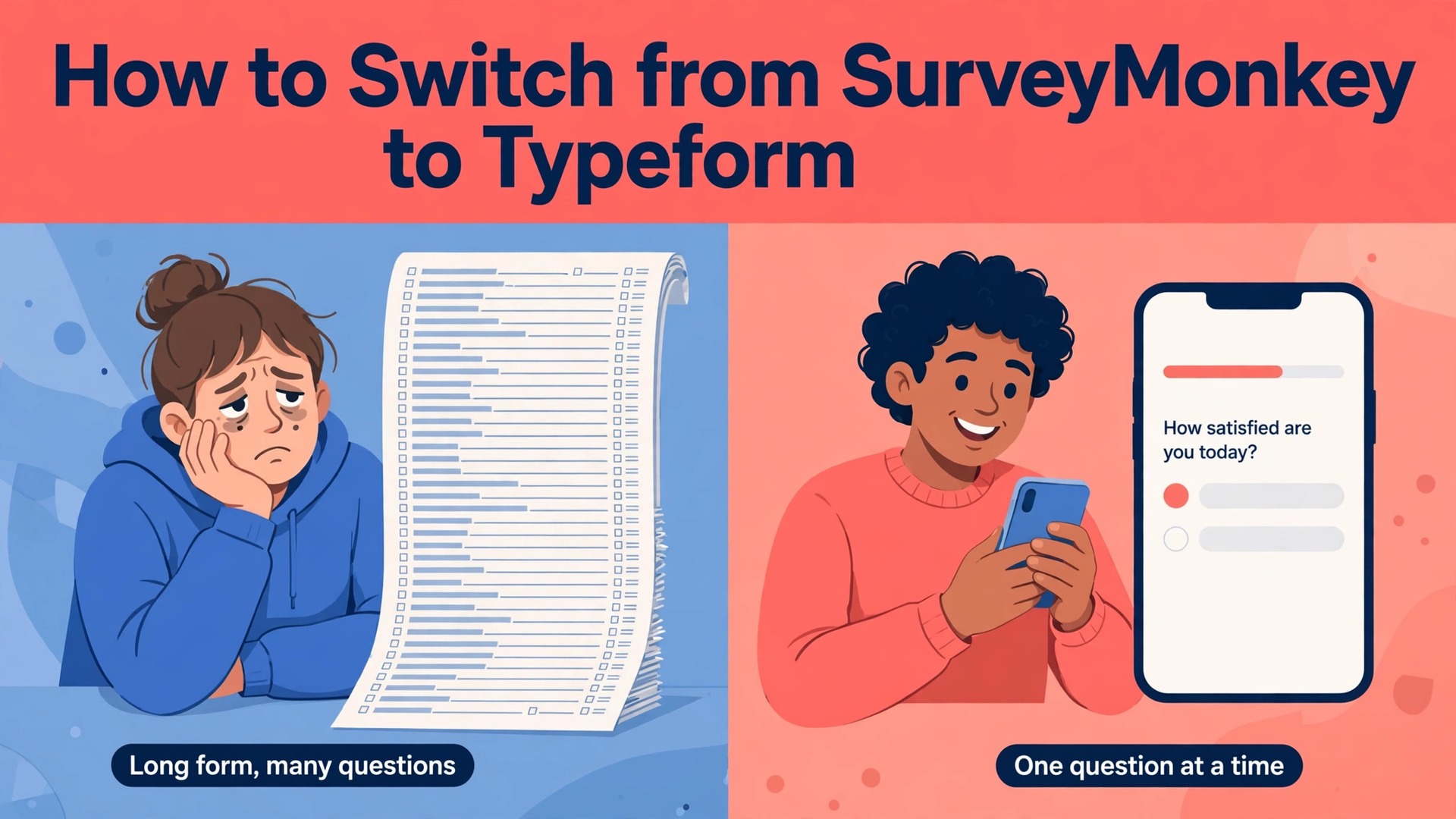
Switching is worth it when completion rate matters more than analysis depth, and that is the honest verdict before the steps begin. When you switch from surveymonkey to typeform, you trade SurveyMonkey deep analysis, cross tabs and research panels for Typeform one question at a time format, which feels shorter to respondents and often earns more finished surveys. This guide shows the full move in four weeks, including what exports cleanly, what must be rebuilt by hand, what it costs, and how to keep your old responses safe.
The first fact to accept is that there is no one click migration between these two tools. Typeform offers no direct import from SurveyMonkey, and its only direct form import is from Google Forms. Typeform does offer an Import questions feature that uses AI to build a form from questions you paste in, with a limit of 6,000 characters in the importer text box. That feature is the fastest path for most surveys, but it still needs checking, because logic, scoring and design do not travel with the text.
The second fact is that your old responses do not move into Typeform as live data. You can export SurveyMonkey responses as CSV or Excel files and keep them for analysis, and you can re import them into most analysis tools, but they will not appear inside your new Typeform results. Plan the move as two jobs, one to save the history and one to rebuild the survey, and keep both jobs separate so neither is rushed.
Before You Start, Audit Your SurveyMonkey Account
Open SurveyMonkey and list every survey you actually use. Most teams find surveys they forgot, including old tests, duplicates and one off polls that no one needs. Keep only the surveys that still collect responses or that hold history you must keep, and archive the rest. A move with 12 surveys is a week of work, while a move with 40 surveys is a month, so the audit decides the timeline.
For each survey you keep, write down the owner, the purpose, the number of questions, the logic rules, the integrations and the place the link lives. A survey embedded on a website, linked in an email or printed on a QR code needs its link updated after the move, and a survey that feeds Salesforce or HubSpot needs its integration rebuilt. The switch from surveymonkey to typeform starts with that inventory, because a link or an integration you forget will break quietly after launch.
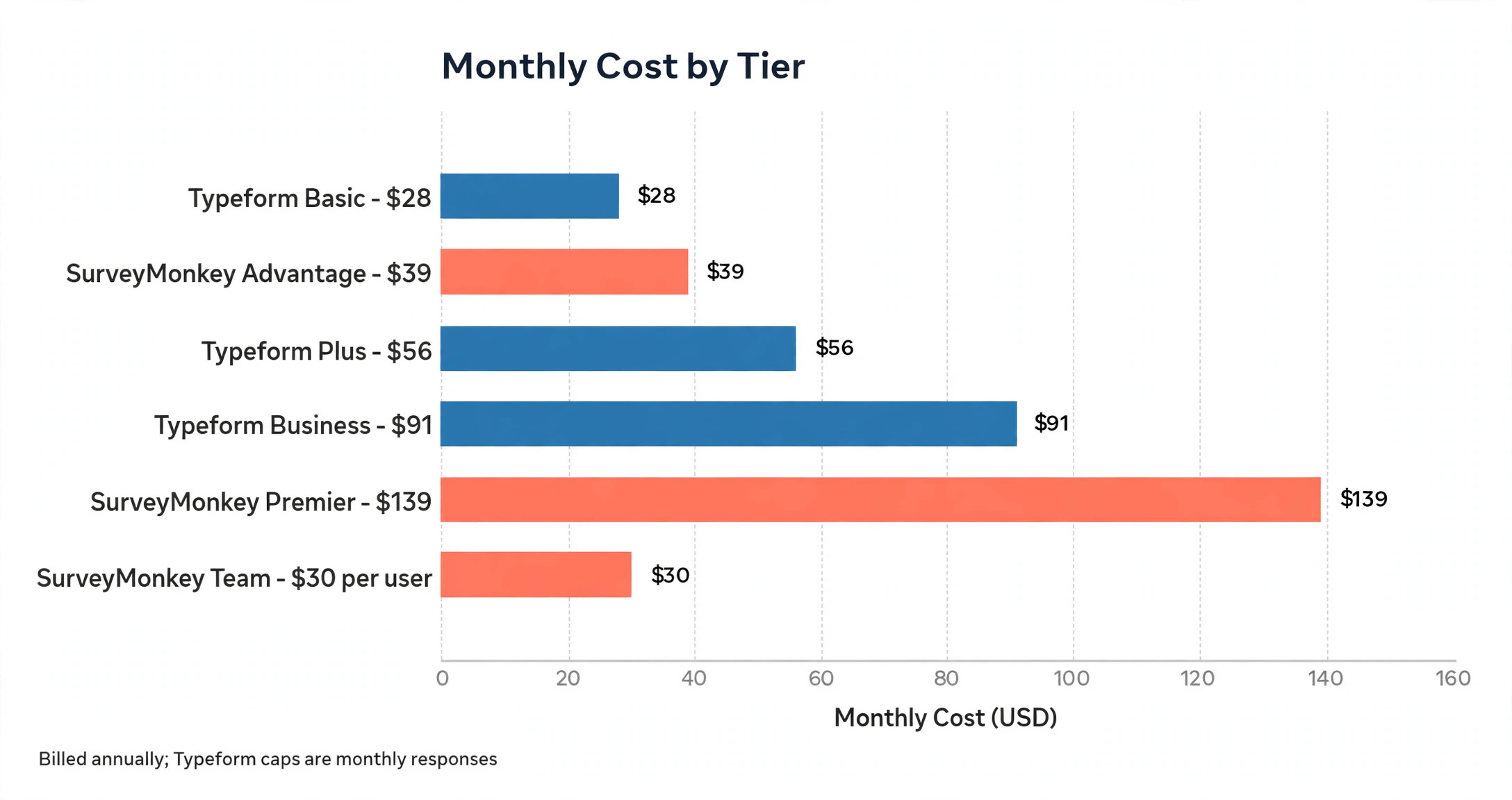
Finally, check your SurveyMonkey plan and renewal date. Individual Advantage costs about 39 dollars a month billed annually, with 15,000 responses a year, Premier costs about 139 dollars a month billed annually, and Team Advantage costs about 30 dollars per user per month with a three user minimum and 50,000 responses a year. Do not cancel until the new Typeform surveys are live and tested, and do not let the SurveyMonkey renewal charge while you are still moving.
How to Switch from SurveyMonkey to Typeform in Four Weeks
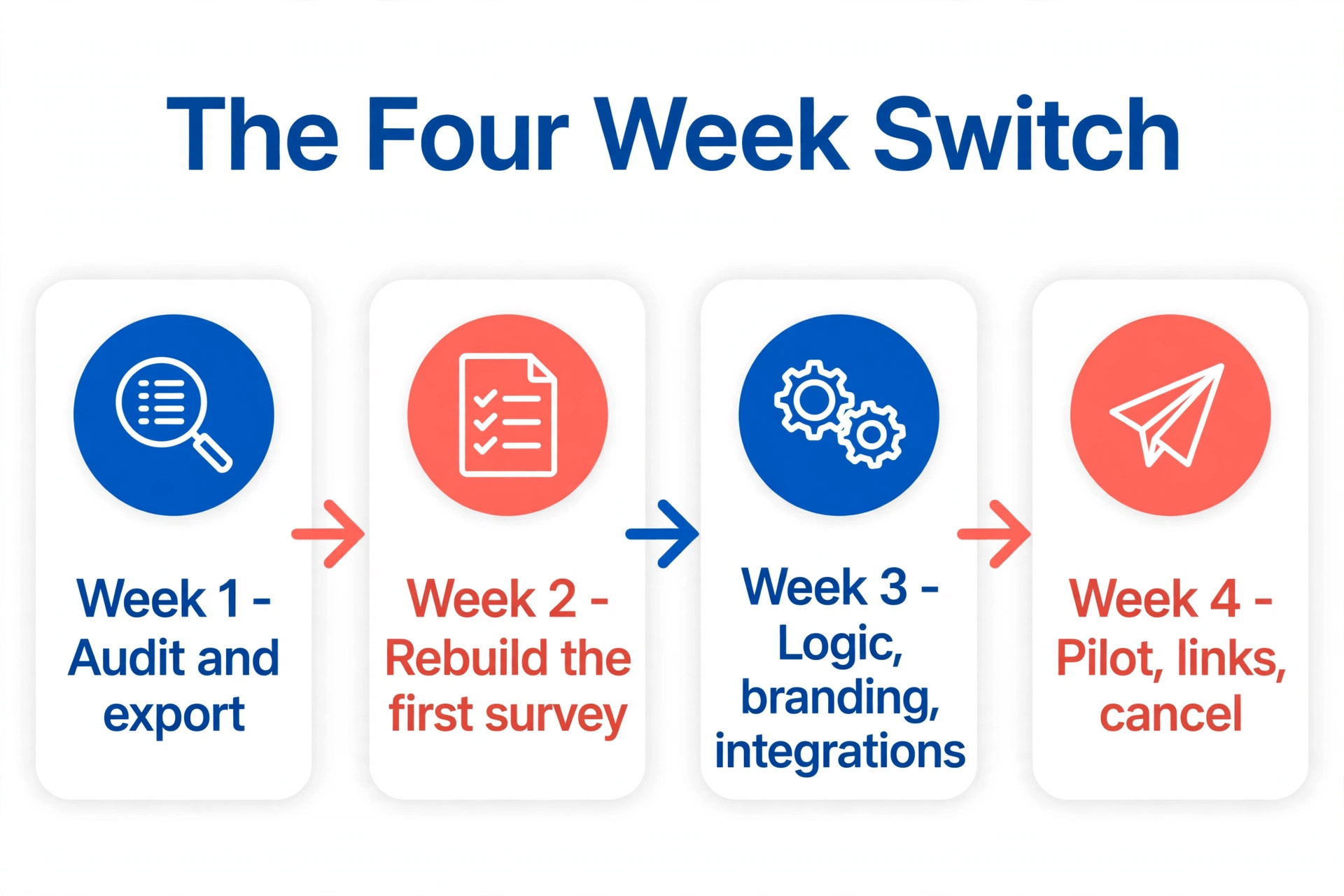
The eight steps below are the whole move, in order. Week one is for the audit and the export. Week two is for rebuilding the first survey in Typeform. Week three is for logic, branding and integrations. Week four is for the pilot, the link updates and the cancellation. Do not cancel SurveyMonkey until the pilot survey has collected real responses and the team is happy with the results.
Step 1. Export every response and save the history
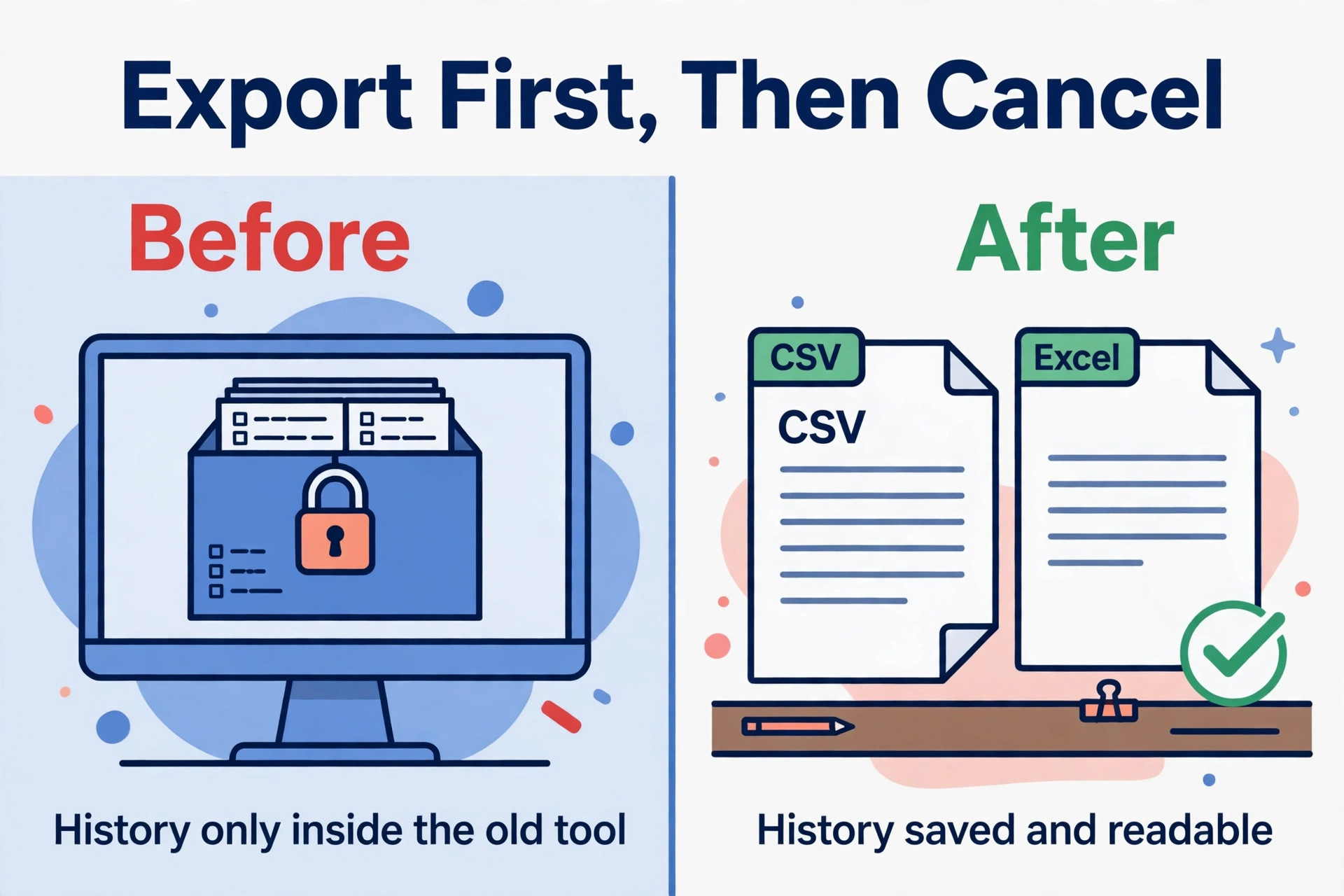
Export the responses for every survey you keep, in both CSV and Excel formats where possible, and store the files where the team can find them. Export the survey design as well, including the question text, the answer choices and the logic rules, because you will rebuild from that document. Save a PDF of the results summary for each survey, so the history is readable even if the export files are lost.
Check the export limits on your plan before you start, because the free Basic plan caps each survey at 10 questions and 25 responses, with no data export, and paid plans have response limits of their own. If a survey is near its limit, export it first and confirm the file opens with all rows present. A missing export discovered after cancellation cannot be recovered, so verify each file before you move on.
Open the CSV in a spreadsheet, count the rows against the response count shown in SurveyMonkey, and check that the last response in the file matches the last response in the dashboard. A file that looks complete but is missing the final week of responses is worse than a file that fails to open, because the gap will only be found when someone asks for that week.
Step 2. Choose the Typeform plan that fits your volume
Typeform prices by responses, and the cap is a hard wall. Basic costs 28 dollars a month billed annually, or 39 dollars billed monthly, with 100 responses a month and one user. Plus costs 56 dollars a month billed annually, or 79 dollars billed monthly, with 1,000 responses a month and three users. Business costs 91 dollars a month billed annually, or 129 dollars billed monthly, with 10,000 responses a month and five users. The free plan covers 10 responses a month.
Work out your monthly responses before you choose, because a lead form doing 1,800 responses a month will clear the Plus cap and force Business at 1,092 dollars a year. Note that some sources list slightly different Typeform prices, such as Basic at 29 dollars a month or Plus at 59 dollars, and one November 2026 check found the comparison table showing lower figures than the plan cards. Confirm the price at checkout, and pick the plan that covers your busiest month, not your average month.
Step 3. Rebuild the first survey with Import questions
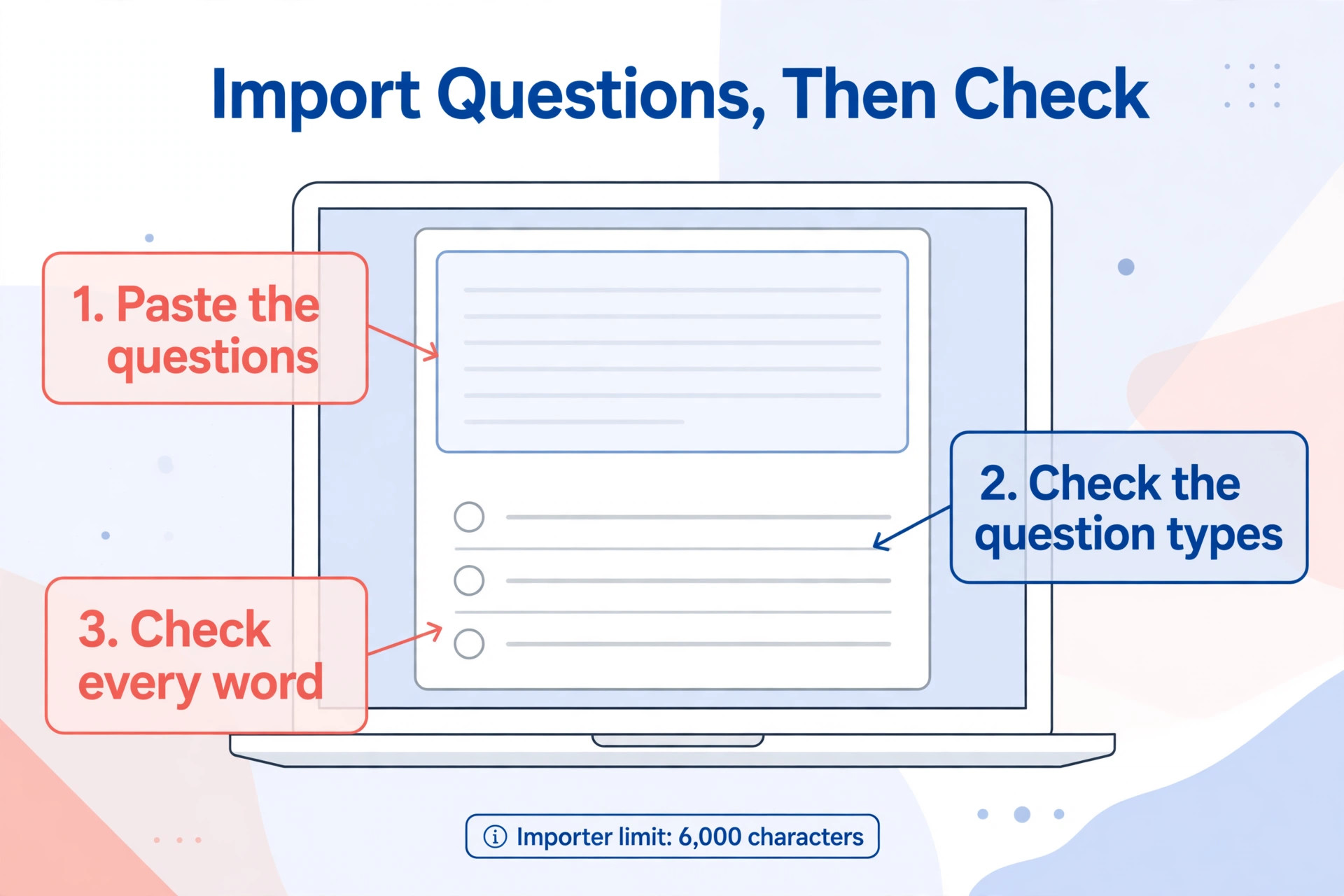
Start with your smallest live survey, not your largest, so the team learns the tool on a low risk form. In Typeform, create a new form, choose Import questions, and paste the questions and answer choices from your SurveyMonkey export into the text field. Typeform AI will build the form from that text, and you can also open an existing form, click Add content and choose Import questions to add questions to it.
Remember the 6,000 character limit in the importer text box, so a long survey must be pasted in parts. After the import, change any question type that came through wrong, because a multiple choice question that allows several answers may need to become a checkboxes field. Check every question against the original, word for word, before you move on, because a changed word can change the answer.
Step 4. Rebuild logic, scoring and branching by hand
Logic does not travel with the questions, so rebuild it by hand in Typeform. SurveyMonkey skip logic and branching must be recreated as Typeform logic rules, and that is the step most teams underestimate. Open the original survey beside the new one, list every branch, and test each path with a real response. A branch that sends the wrong respondents to the wrong questions will corrupt your results silently.
Scoring needs the same care. If your SurveyMonkey survey scores answers or calculates a result, rebuild the calculation in Typeform and test it with known answers. A quiz that gave 80 points in SurveyMonkey must give 80 points in Typeform for the same answers, or the comparison with old results will be meaningless. Write the expected score for three test answers on paper, then run those answers through the new form.
Step 5. Match the branding and the welcome screens
Typeform is chosen for its look, so match the branding properly. Set the colours, fonts and logo to match your website, add a welcome screen that states the purpose and the time needed, and add an ending screen that tells respondents what happens next. A form that looks like your brand will earn more completions than a form that looks like a default template.
Keep the design simple. One question at a time is the point of Typeform, so do not crowd the screen with long introductions or extra images. Test the form on a phone, because most respondents will answer on a phone, and a welcome screen that looks fine on a desktop can feel long on a small screen. Ask two colleagues to complete the form and tell you where they hesitated.
Step 6. Rebuild integrations and notifications
Typeform connects to more than 500 tools through native integrations and Zapier, including Slack, HubSpot, Salesforce, Google Sheets and Notion. SurveyMonkey integrations cover the essentials, including Salesforce, HubSpot, Slack, Google Analytics, Marketo and Tableau, plus its own API. List every integration the old survey used, and rebuild each one in Typeform before launch, because a missing Slack notification or a missing Google Sheets row will be noticed only after responses are lost.
Test each integration with a real response, not only with the test button. Send a response through the live form, confirm it appears in the destination, and check that the fields map to the right columns. A field that maps to the wrong column will corrupt your data quietly, so check the first five real responses against the destination before you tell anyone the form is live.
Step 7. Run a pilot and compare the results
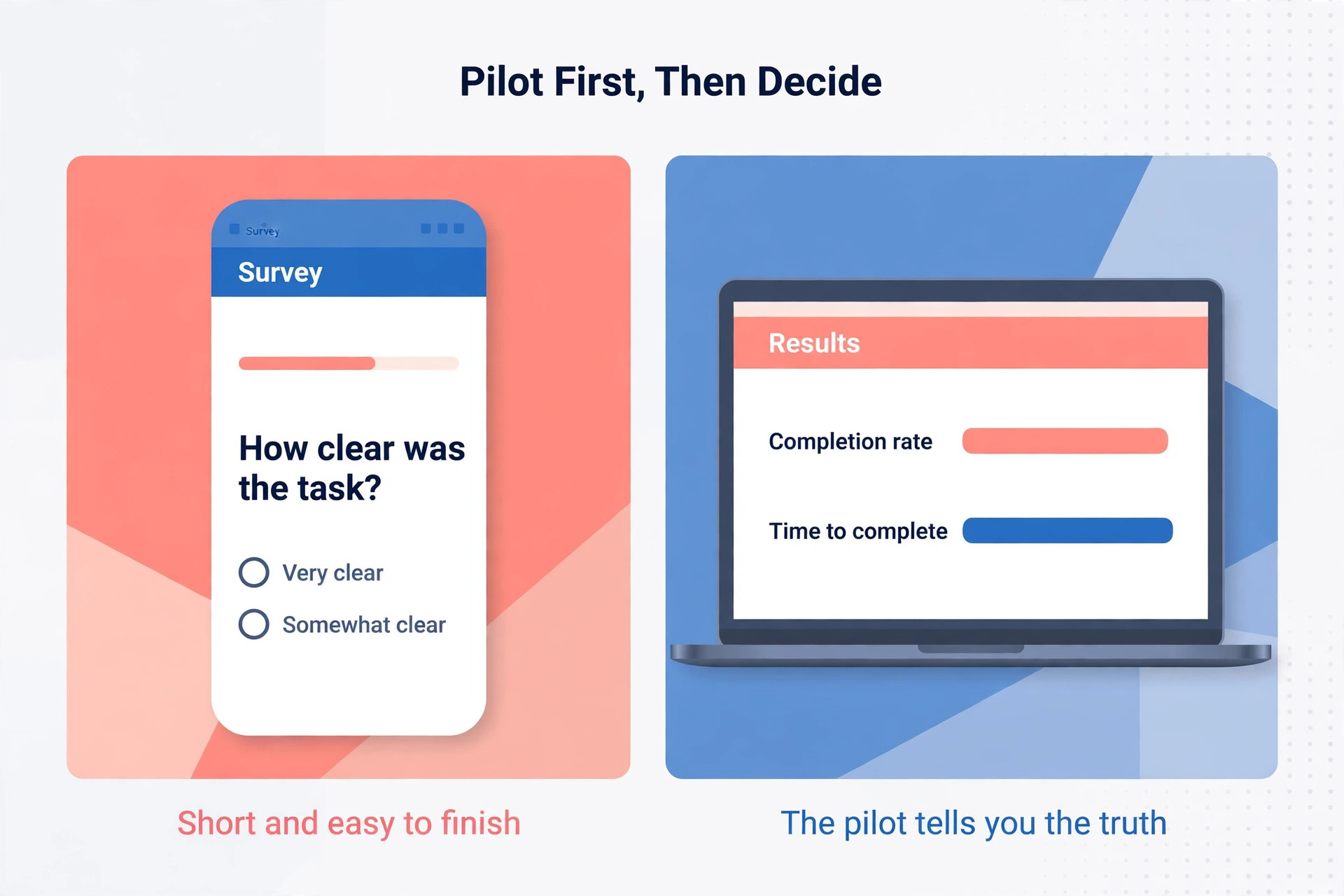
Run the new Typeform survey beside the old SurveyMonkey survey for one week, with a small group of real respondents. Send the Typeform link to half the group and the SurveyMonkey link to the other half, then compare completion rate, time to complete and the answers themselves. Typeform claims the conversational format doubles completion rates against traditional layouts, and your pilot will show whether that holds for your audience.
If the pilot shows a higher completion rate and the answers match, you have the evidence to move. If the answers differ, check whether a question changed in the rebuild, because a reworded question is the usual cause. Do not launch the new form to everyone until the pilot answers match the old answers on the questions that did not change.
Step 8. Update links, tell the team and cancel SurveyMonkey
Update every place the old link lives, including the website embed, the email templates, the QR codes and the social media bios. A survey embedded on a website needs the new embed code, not only a new link, and a QR code printed on paper needs reprinting. List every link from your audit and tick it off as you update it, because a single missed link will send respondents to a dead survey.
Tell the team the move is done, share the new results link, and keep SurveyMonkey for one more billing cycle while the new form collects responses. Cancel only after the new form has run for a full month without a problem, and export the responses one last time before you cancel. The {F} is finished when the old account is closed and the history is saved, not when the first new response arrives.
What Moves and What Does Not Move
| Item | Moves | What to do |
|---|---|---|
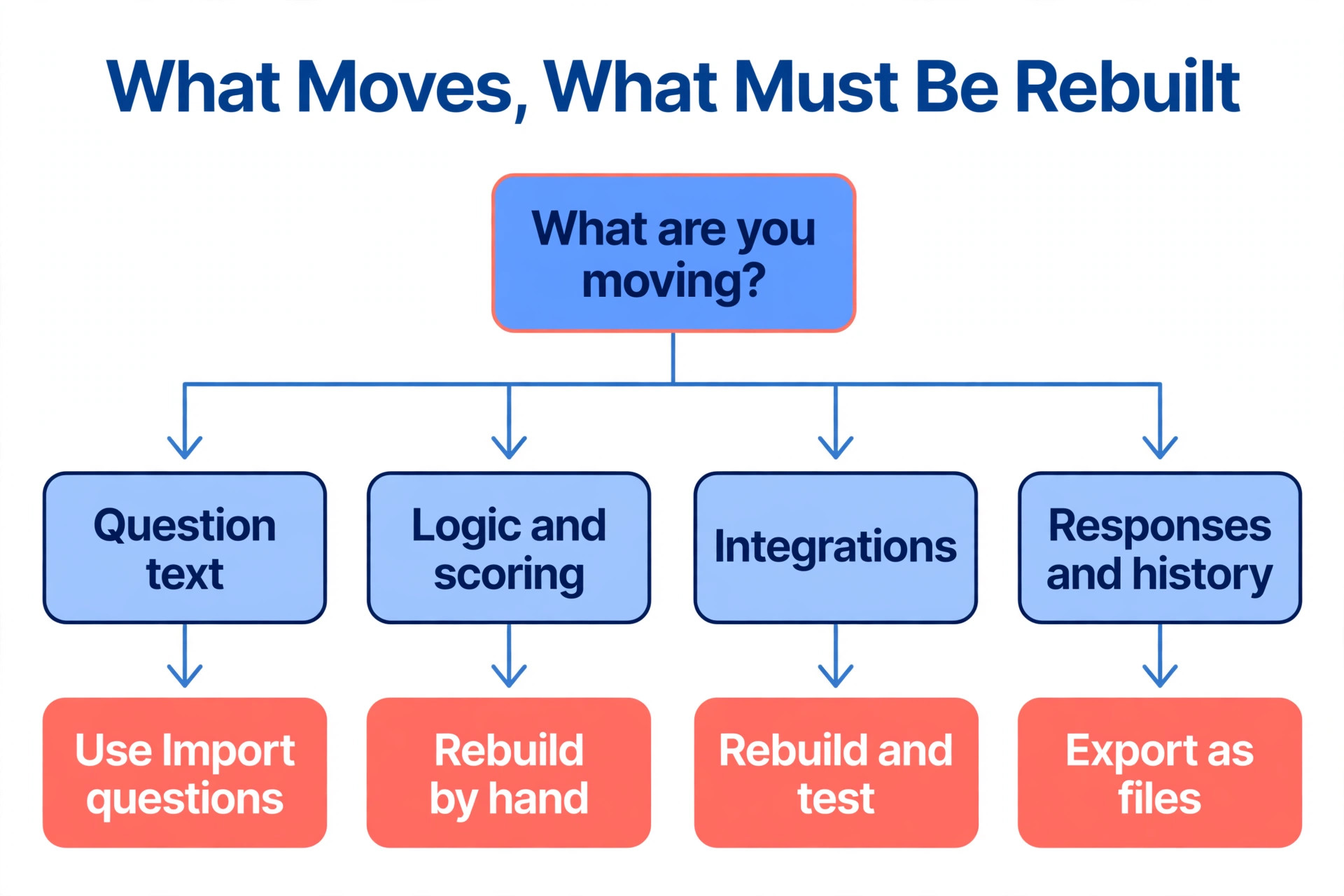
| Question text | Yes, by paste | Use Import questions in parts under 6,000 characters |
| Answer choices | Yes, by paste | Check multiple choice against checkboxes after import |
| Responses and history | Yes, as files | Export CSV and Excel before you cancel |
| Logic and branching | No | Rebuild by hand and test each path |
| Scoring and calculations | No | Rebuild and test with known answers |
| Integrations | No | Rebuild each one and test with a real response |
Use the table as a checklist, and do not assume any item moves until you have tested it. The questions are the easy part, while logic, scoring and integrations are the work that decides whether the move succeeds.
Cost Comparison, Typeform Against SurveyMonkey
| Plan | Typeform | SurveyMonkey |
|---|---|---|
| Free | 10 responses a month | 10 questions and 25 responses per survey |
| Entry paid | Basic 28 dollars a month billed annually, 100 responses a month | Advantage 39 dollars a month billed annually, 15,000 responses a year |
| Mid tier | Plus 56 dollars a month billed annually, 1,000 responses a month | Premier 139 dollars a month billed annually, 40,000 responses a year |
| Top individual | Business 91 dollars a month billed annually, 10,000 responses a month | Team Advantage 30 dollars per user a month, 3 user minimum |
Read the table by volume, not by sticker price. SurveyMonkey gives far more responses for the money, while Typeform charges for the conversational format and the completion lift. A team that collects 1,000 responses a month will pay 672 dollars a year for Typeform Plus, while the same volume on SurveyMonkey Advantage costs about 468 dollars a year. The move is worth it only when the extra completions earn more than the price difference.
Migration Checklist, Tick Each Item Before You Cancel
- Audit is complete, with every live survey, owner, link and integration listed.
- Responses are exported as CSV and Excel, and each file opens with all rows present.
- Typeform plan is chosen for your busiest month, not your average month.
- First survey is rebuilt with Import questions and checked word for word.
- Logic, scoring and branching are rebuilt by hand and tested on each path.
- Branding, welcome screen and ending screen match your website and read well on a phone.
- Integrations are rebuilt and tested with real responses in each destination.
- Pilot ran for one week, completion rate and answers match the old survey.
- Every link, embed and QR code is updated and ticked off the audit list.
- SurveyMonkey is kept for one more cycle, then cancelled after a final export.
When the Switch Is a Bad Idea
The switch is a bad idea when your team lives in SurveyMonkey analysis. Cross tabs, significance testing, A B testing and research panels are SurveyMonkey strengths, and Typeform does not match them. A research team that runs panel surveys or needs deep analysis will lose more than it gains, and the prettier form will not recover the lost analysis.
The switch is also a bad idea when your volume is high and your budget is fixed. Typeform response caps are hard walls, and a survey that grows past its cap will stop collecting or force an upgrade in the middle of a campaign. A team that collects 15,000 responses a year on SurveyMonkey Advantage will pay far more on Typeform for the same volume. Work out the annual cost at your real volume before you move, and do not let a free trial hide the yearly bill.
Finally, the switch is a bad idea when the survey is long and complex. A 40 question survey with heavy branching will take days to rebuild by hand, and every branch is a chance for an error. For a long survey, pilot the smallest survey first, measure the completion lift, and decide on evidence rather than on the look of the form.
A team that moves a long survey on a hunch will spend days rebuilding logic, only to learn that the completion rate barely moved, while a team that pilots first will know the lift before it spends the time. Evidence first, rebuild second, and the move will cost less in both time and money. The switch from surveymonkey to typeform is a good move for short, high value surveys, and a poor move for long research instruments.
How to Compare Completion Rates Fairly
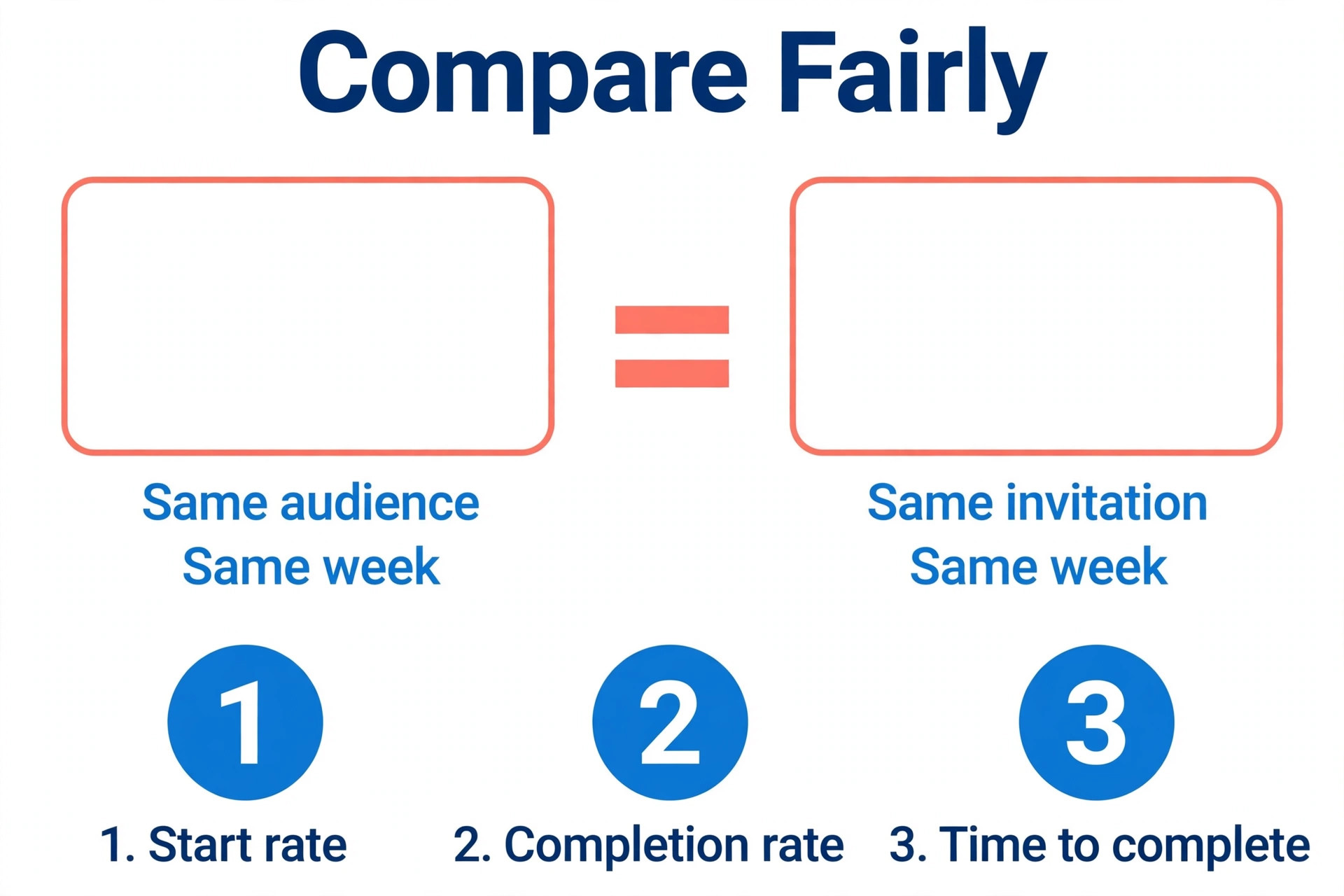
A fair comparison needs the same audience, the same invitation and the same week. Send the Typeform link to half your list and the SurveyMonkey link to the other half, chosen at random, on the same day and with the same subject line. A comparison that sends one form on Monday and the other on Friday will measure the day of the week, not the form, and a comparison that sends one form to engaged readers and the other to a cold list will measure the list, not the tool.
Measure three numbers, not one. The first is the start rate, meaning how many people who opened the link answered the first question. The second is the completion rate, meaning how many people who started finished the survey. The third is the time to complete, because a form that takes twice as long will lose respondents even if the completion rate looks similar. The switch from surveymonkey to typeform is worth it when the completion rate rises without the time to complete rising with it, because a faster finish is the real benefit of the conversational format.
Watch the answers as well as the rates. A form that earns more completions but different answers may have changed a question in the rebuild, and that change matters more than the rate. Compare the answers on the questions that did not change, and check whether the distribution matches the old survey. If the answers match and the completion rate is higher, you have the evidence to move. If the answers differ, fix the rebuild before you decide anything.
What to Tell Respondents About the New Form
Tell respondents the new form is shorter and easier, because that is the reason for the change and it sets the right expectation. A short note in the invitation that says the survey takes three minutes and asks one question at a time will earn more starts than a note that says nothing about the format. Do not promise a time you cannot keep, because a respondent who expects three minutes and finds ten will abandon the form and remember the broken promise.
Keep the invitation the same in every other way. Use the same sender, the same subject line style and the same incentive, so the only change is the form itself. A new incentive or a new sender will change the response rate for reasons that have nothing to do with the tool, and your pilot will measure the incentive instead of the form. Change one thing at a time, and the result will be honest.
Finally, thank respondents in the ending screen and tell them what happens next. A respondent who knows the results will be shared, or that the team will act on the feedback, is more likely to answer the next survey as well. The ending screen is the cheapest retention tool in the whole move, and it costs nothing to write well. Test it on a phone, keep it to two sentences, and make the next step clear.
Mistakes That Lose Data
The most common mistake is cancelling SurveyMonkey before the export is verified. A team that cancels first and exports later will find the data gone, and no support ticket can recover it. Export first, open each file, count the rows, and store the files in two places before you touch the cancellation button.
The second mistake is trusting the AI import without checking it. Import questions will build a form fast, but it can change a question type, drop an answer choice or reword a question. Check every question against the original, word for word, and test the form with known answers. A single changed word can make the new results incomparable with the old ones.
The third mistake is forgetting the integrations. A survey that fed Salesforce or Google Sheets in SurveyMonkey will feed nothing in Typeform until the integration is rebuilt, and the missing responses will only be noticed when someone asks where the data went. Rebuild each integration, test it with a real response, and check the first five responses in the destination before launch.
Should You Make the Switch
Switch when completion rate is the problem and your surveys are short. Typeform one question at a time format earns more finished surveys, and the pilot will prove it for your audience in one week. Start with the smallest survey, rebuild it carefully, and move the rest only when the pilot answers match.
Stay with SurveyMonkey when analysis depth, research panels or high volume matter more than the form look. The analysis tools, the response allowance and the lower cost per response are real advantages, and a prettier form does not replace them. Run the pilot on one short survey, keep the old survey running beside it, and let the numbers decide.
A switch made on evidence is easy to defend to the team, while a switch made on a demo is hard to explain when the bill arrives. The switch from surveymonkey to typeform is the right move for teams that need more completions, and the wrong move for teams that need deeper analysis. Keep both tools live during the pilot so the comparison uses real completion data, not a demo.
Frequently Asked Questions
Can I switch from SurveyMonkey to Typeform without losing my data?
Yes, if you export before you cancel. Export SurveyMonkey responses as CSV or Excel files and store them where the team can find them, and export the survey design so you can rebuild from it. The responses will not appear inside Typeform as live data, so keep the exports as your history and compare new Typeform results against them separately.
Is there a direct import from SurveyMonkey to Typeform?
No, Typeform offers no direct import from SurveyMonkey, and its only direct form import is from Google Forms. The fastest path is the Import questions feature, which uses AI to build a form from questions you paste in, with a limit of 6,000 characters in the importer text box. Logic, scoring and integrations must be rebuilt by hand.
How much does Typeform cost compared with SurveyMonkey?
Typeform Basic costs 28 dollars a month billed annually with 100 responses a month, Plus costs 56 dollars with 1,000 responses, and Business costs 91 dollars with 10,000 responses. SurveyMonkey Advantage costs about 39 dollars a month billed annually with 15,000 responses a year, and Premier costs about 139 dollars. SurveyMonkey gives far more responses for the money, while Typeform charges for the conversational format.
Will my old SurveyMonkey links still work after the switch?
No, the old links point to SurveyMonkey, so every link, embed and QR code must be updated to the new Typeform form. List every place the link lives from your audit, including the website, email templates and printed materials, and tick each one off as you update it. Keep SurveyMonkey running for one more cycle while the new links go live.
Does Typeform really get more completions than SurveyMonkey?
Typeform claims the conversational format doubles completion rates against traditional layouts, and many teams do see a lift on short surveys. Your pilot is the only proof that matters, so run the new form beside the old one for a week and compare completion rate, time to complete and the answers. A lift on a short survey does not guarantee a lift on a long research survey.
How long does the switch take?
A single small survey can move in a week, while a team with 12 surveys should allow four weeks. Week one is the audit and export, week two is the first rebuild, week three is logic, branding and integrations, and week four is the pilot and the link updates. Do not cancel SurveyMonkey until the new form has run for a full month without a problem.
A switch done well is a pilot, a rebuild and a checklist, not a leap. The teams that move smoothly are the ones that export first, rebuild one small survey, test the logic with known answers, and keep the old tool running until the new one has earned their trust over a full month of real responses. Export first, rebuild the smallest survey, test the logic and the integrations with real responses, and cancel only when the new form has earned your trust. The form that earns more completions is the right one, and the pilot will tell you which tool that is for your audience.