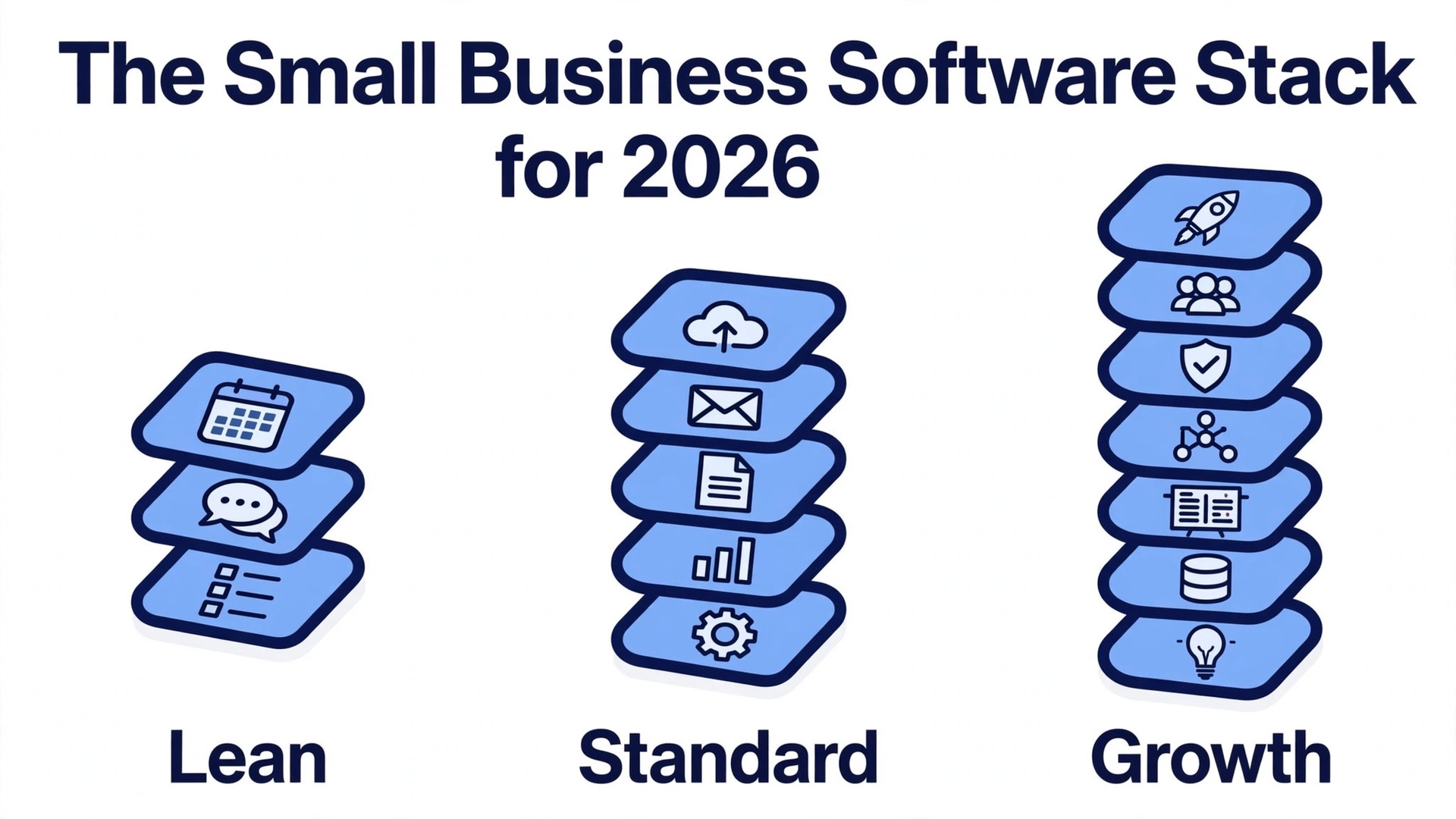
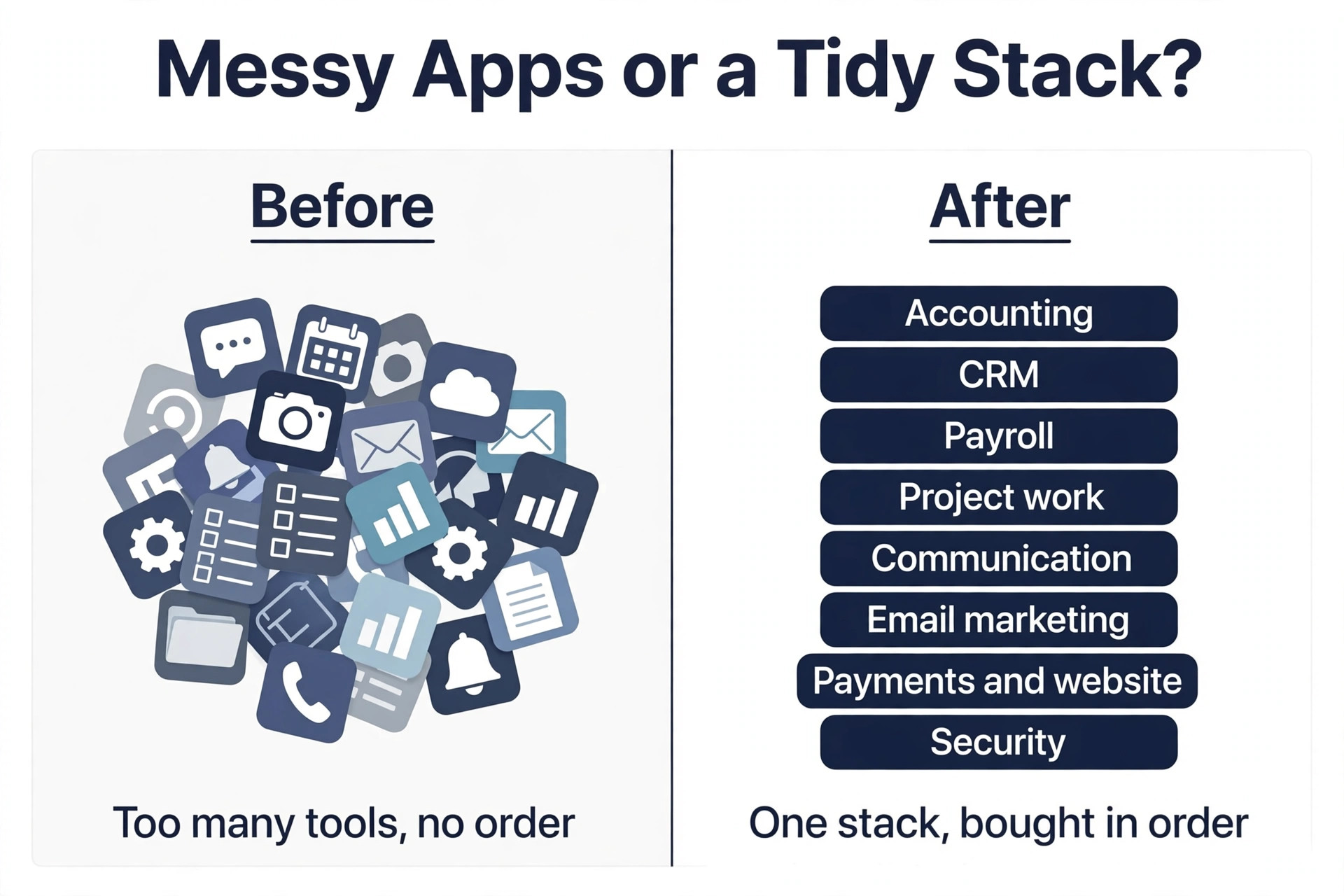
Most small businesses do not have a software problem. They have a software pile. One tool for invoices, one for email, one for chat, one for scheduling, one for files, and none of them talking to each other, while the monthly bill quietly passes 400 dollars. The small business software stack for 2026 in this guide fixes that pile with a clear order. Buy accounting first, then a CRM, then payroll, then the rest, and only buy the next layer when the layer before it is actually working.
The average small business now spends about 9,100 dollars per employee per year on software, up from about 7,900 dollars two years ago, and much of that money goes to tools nobody opens. A tool bought in a hurry becomes a subscription that nobody cancels, and a subscription that nobody cancels becomes a quiet tax on the business. The fix is not a cheaper tool. The fix is a shorter list, bought in the right order, with one owner for each tool and a review date written on the calendar.
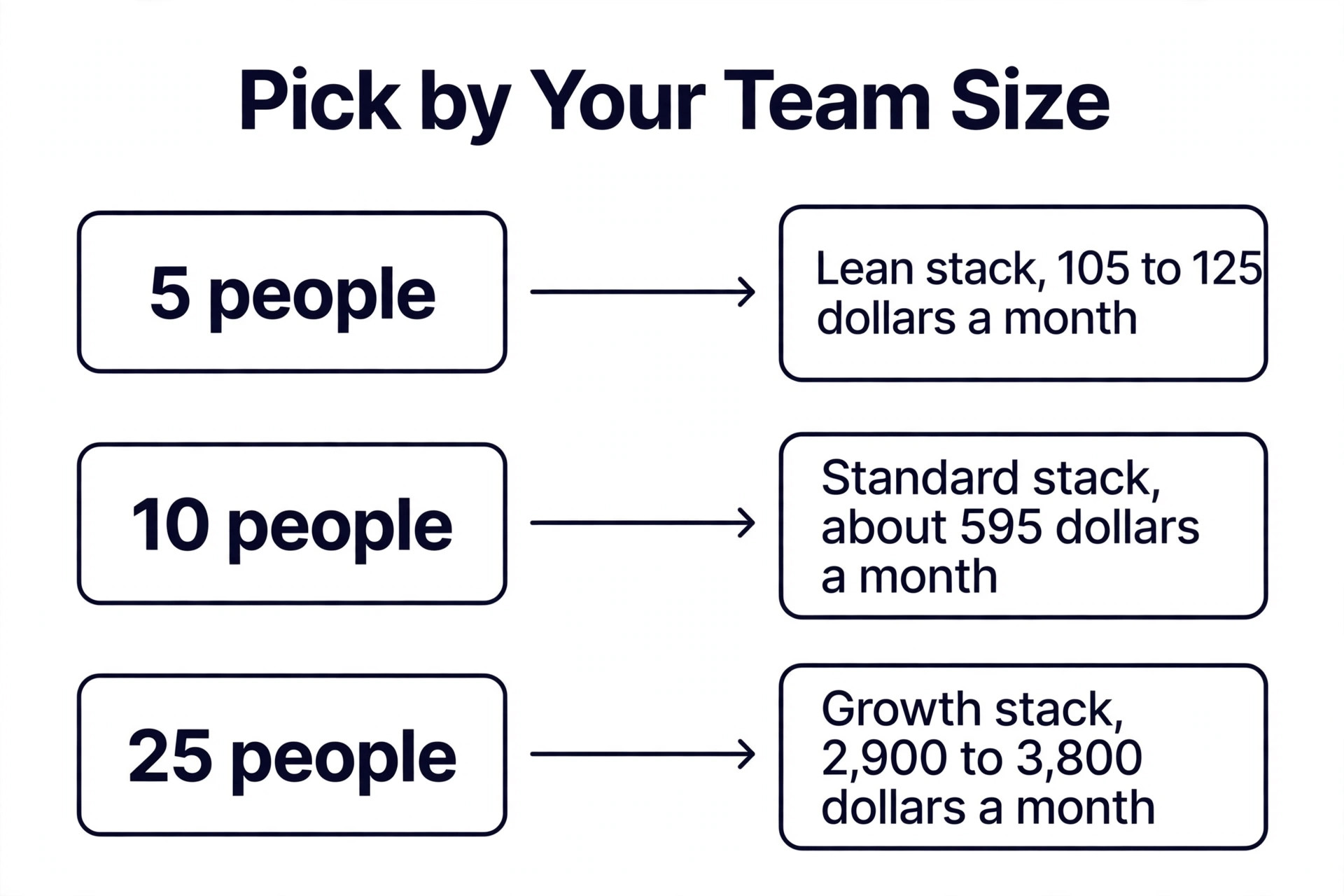
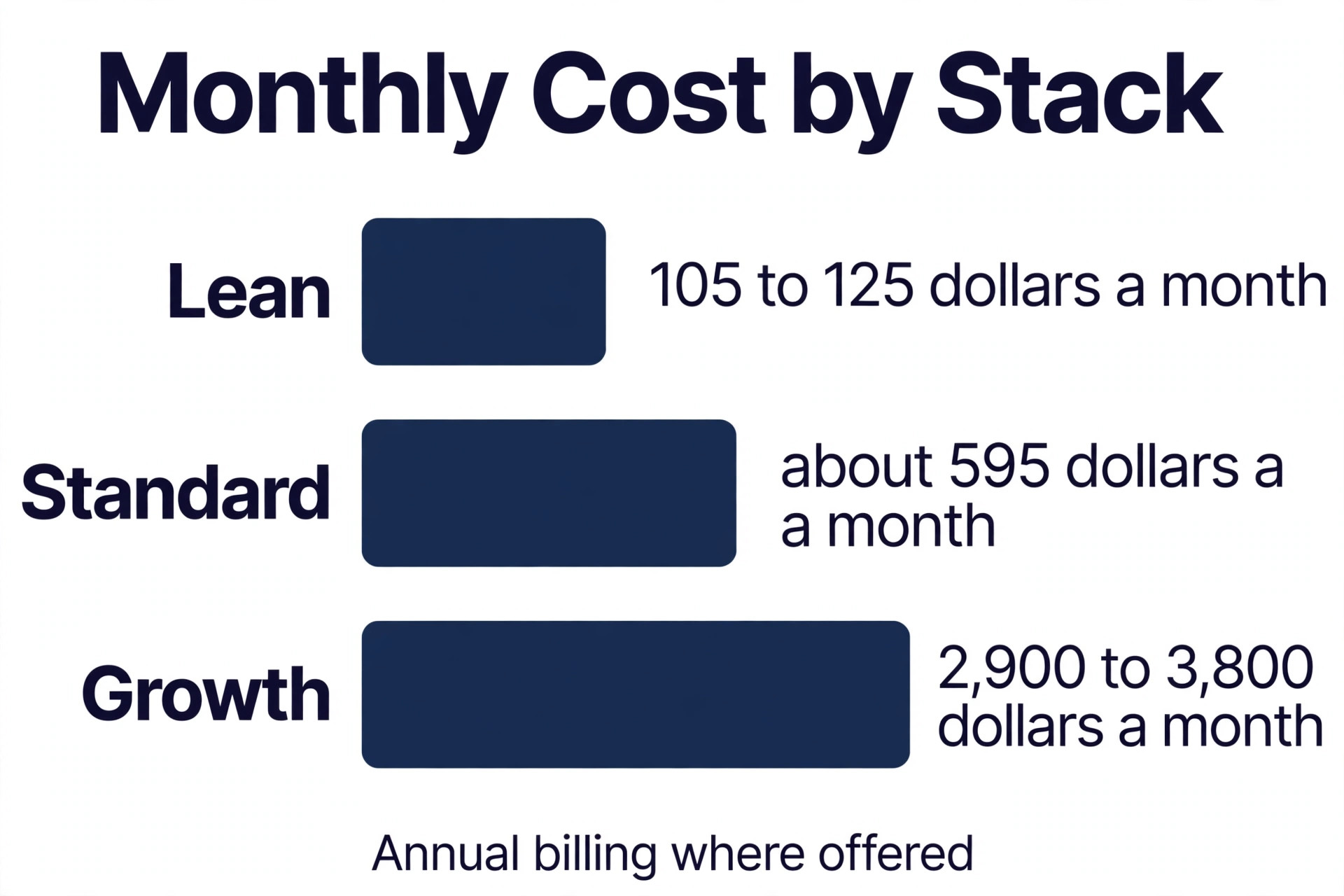
This guide gives you three stacks. The lean stack costs about 105 to 125 dollars a month for a team of five and covers the essentials. The standard stack costs about 595 dollars a month for a team of ten and adds depth where it matters. The growth stack costs about 2,900 to 3,800 dollars a month for a team of 25 and adds the systems a larger team needs to stay organised. Pick the stack that matches your team size today, not the team size you hope to have next year.
How the Small Business Software Stack for 2026 Was Priced
Every price in this guide was checked against vendor pricing pages and current 2026 roundups in November 2026, and the small business software stack for 2026 totals use annual billing where a vendor offers it. Monthly billing usually adds 15 to 20 percent, so a stack that costs 212 dollars a month on annual billing can cost about 230 dollars a month on monthly billing. Per seat tools are priced for the team size named in each stack, because a tool that charges per user costs a very different amount for five people than it does for 25 people.
Prices change often, and QuickBooks alone raised some plans by 10 to 64 percent in mid 2025, so treat every price here as a starting point and confirm it on the vendor pricing page before you buy. The totals also assume one seat per person where a tool charges per seat, and one core seat where a tool such as HubSpot Starter can run on a single seat for a small team. Read the seat minimum before you budget, because a tool with a three seat minimum costs three seats even when only one person uses it.
Why Most Software Stacks Fail
A stack fails for three reasons, and none of them is the software itself. The first reason is buying too much too soon. A five person business buys a CRM built for a 50 person sales team, spends a month setting it up, and then goes back to spreadsheets because the CRM asks for more data than anyone has time to enter.
The second reason is buying the same job twice. Two tools both send email, two tools both store files, and two tools both track tasks, so nobody knows which one is the real record. The third reason is buying with no owner. A tool with no owner has no one to train the team, no one to cancel it, and no one to notice when the price rises.
The rule that fixes all three is simple. One job, one tool, one owner. Every layer in this guide has one recommended tool and one runner up, and every tool has a named owner on your team. When a tool has no owner, it does not get bought. When two tools do the same job, one of them goes. When a price rises, the owner decides whether the tool still earns its place, and that decision happens on a date you set in advance, not when the invoice surprises you.
The Three Stacks at a Glance
| Stack | Team size | Monthly cost | What it covers |
|---|---|---|---|
| Lean | 5 people | 105 to 125 dollars | Accounting, CRM, payroll, project work and communication |
| Standard | 10 people | About 595 dollars | Lean plus deeper CRM, email marketing and scheduling |
| Growth | 25 people | 2,900 to 3,800 dollars | Standard plus advanced CRM, HR and reporting |
Use this table to pick your starting point, then read the layer sections below to see which tool fills each job and what it costs. The lean stack is the right start for most businesses under ten people, and the standard stack is the right step when the lean tools start to pinch. Do not jump to the growth stack until you have 20 or more people, because the growth tools cost more per seat and need more admin time than a small team can give them.
The Best Pick for Each Layer
| Layer | Lean pick | Standard pick | Why it wins |
|---|---|---|---|
| Accounting | Wave free | QuickBooks Online Plus | Your accountant already knows QuickBooks |
| CRM | HubSpot Free | HubSpot Starter | Free CRM that scales without a rebuild |
| Payroll | Gusto Simple | Gusto Simple | Payroll, benefits and onboarding in one place |
| Project work | Asana free | Asana Starter | Clean tasks with timeline views on paid plans |
| Communication | Google Workspace Starter | Slack Pro | One inbox for email and one place for chat |
| Email marketing | Mailchimp Essentials | Mailchimp Essentials | Simple lists with automation on paid plans |
| Payments | Stripe | Stripe | Pay as you go with no monthly fee |
Use this table as a shortcut, then read each layer section for the price, the limits and the moment to upgrade. The cheapest option is not the best value when it cannot grow with you, and the most expensive option is not the best choice when your team is still small.
Layer 1. Accounting and Invoicing
Accounting is the first layer because money is the first job. A business that cannot invoice, track expenses and see profit and loss is a business guessing at its own health. QuickBooks Online is the accounting default in the United States for a simple reason, and that reason is that your accountant uses it. It connects to bank accounts, imports and categorises transactions, handles invoicing, tracks billable time and produces profit and loss statements, and it is the tool most accountants expect to see at tax time.
QuickBooks Online Simple Start costs 38 dollars a month for one user, with invoicing and basic accounting. Plus costs 115 dollars a month and adds more users and deeper reporting. Advanced costs 200 dollars a month and adds the controls a larger business needs. The honest caveat is price. Simple Start rose from 25 dollars to 38 dollars, a rise of more than 50 percent, and the higher tiers climb steeply, so budget for the tier you will need in a year, not the tier you need today.
Wave is the free alternative that is actually complete. Invoicing, accounting, receipt scanning and financial reports cost nothing, with payroll and payment processing as paid add ons. Wave suits a very small business with simple books and a low invoice count, and it is the right pick for the lean stack. Choose Wave when your books are simple and your budget is tight, and choose QuickBooks when your accountant asks for it or when your books need full double entry accounting with several users.
Layer 2. Customer Relationships
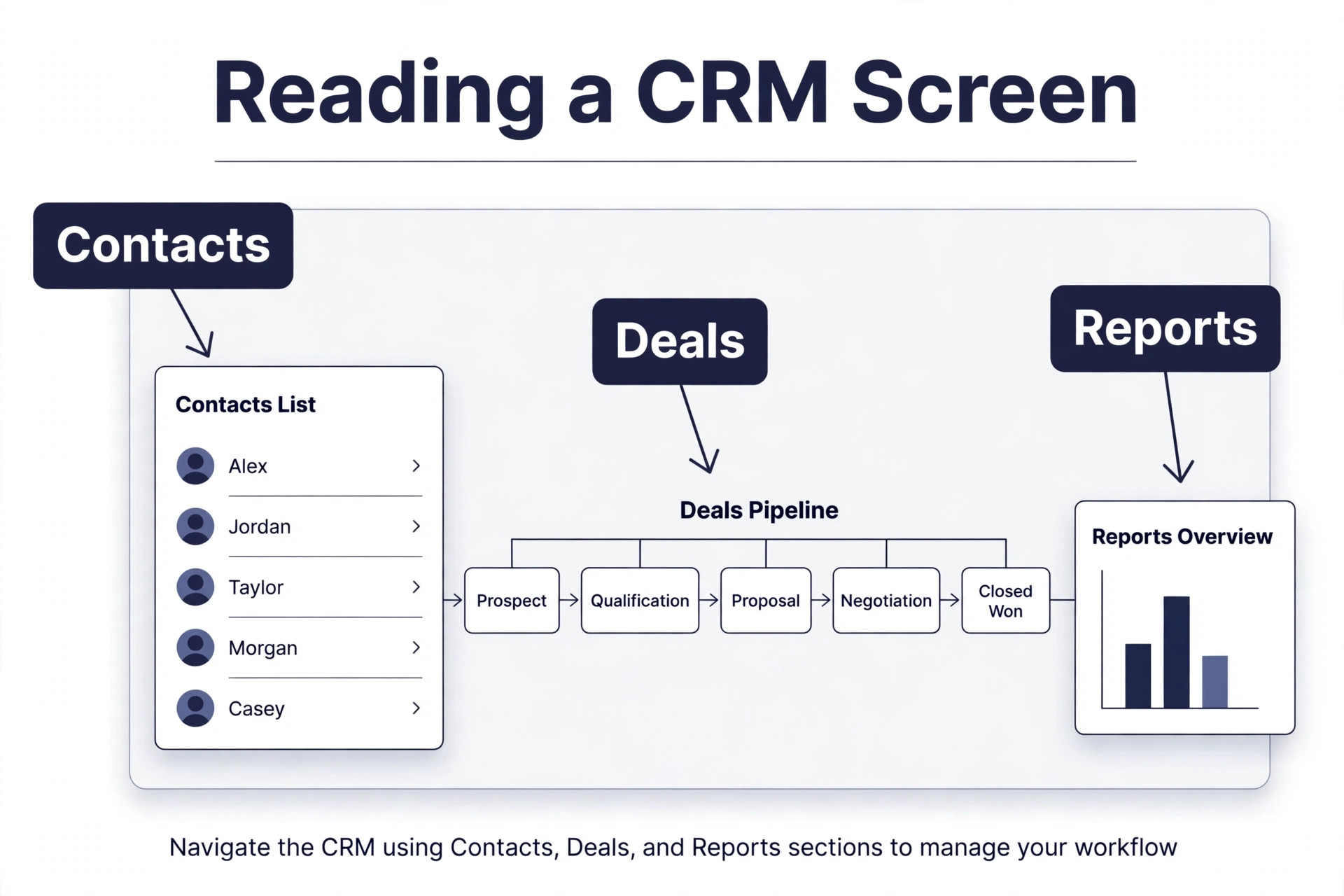
A CRM is the second layer because a business that cannot see its customers cannot grow them. HubSpot CRM is the strongest free option and the natural choice for a small business just getting started. The free tier includes contact management, deal tracking, email templates and basic reporting for unlimited users, and the paid tiers add marketing automation, advanced reporting and sales sequences from about 20 dollars per user per month.
The warning with HubSpot is that the paid platform gets expensive quickly as you add hubs and seats. Marketing Hub Professional runs about 890 dollars a month, and a 25 user sales team on a professional tier can cost more than 2,000 dollars a month, so the free and starter tiers are the right home for a small business. Pipedrive is the runner up, with a simpler sales pipeline and a lower starting price, and it suits a business that only needs deals and contacts without the marketing tools. Zoho CRM is the growth pick, because its Enterprise tier at 50 dollars per user per month saves about 1,000 dollars a month against HubSpot Professional at 25 users.
Buy the CRM only when you have more customers than you can track in your head. A business with 20 customers does not need a CRM, and a business with 200 customers cannot run without one. Start free, enter every customer and every deal, and upgrade only when the free reports stop answering the questions you actually ask.
Layer 3. Payroll and People
Payroll is the third layer because paying people late or wrong destroys trust faster than any other mistake. Gusto handles payroll, benefits and onboarding in one place built for small businesses, and it is the most recommended payroll tool in this guide. Gusto Simple costs 40 dollars a month plus 6 dollars per employee, and it covers payroll, tax filing and basic HR, with benefits and onboarding on higher tiers.
The runner up is a payroll add on inside your accounting tool, and QuickBooks Payroll suits a business that already runs QuickBooks and wants one bill. The trade off is depth. Gusto is built for people work, with onboarding checklists, time off tracking and benefits enrolment, while an accounting add on is built for money work first. Choose Gusto when you have employees and you want one place for hiring, paying and time off, and choose the accounting add on when you have one or two contractors and you want the simplest possible setup.
Do not run payroll on a spreadsheet. A spreadsheet cannot file taxes, cannot track time off, and cannot remind you when a new hire needs a form signed. The cost of a payroll mistake is far higher than the monthly fee, so buy this layer before your third employee starts.
Layer 4. Project Work and Tasks
Project work is the fourth layer because a team that cannot see its work cannot finish it. Asana is the pick here, with a clean interface that supports list views, board views, timeline views and calendar views. The free tier supports up to 10 users with unlimited tasks and projects, and the Starter plan costs 10.99 dollars per user per month and adds timeline views, custom fields and workflow automation.
Monday.com is the runner up, with a Basic plan at 9 dollars per user per month and a minimum of three seats, and it suits a business that wants colourful boards and a more visual layout. The difference between the two is taste more than power, so test both with a real project before you choose. The mistake to avoid is buying a project tool before you have a project process. A tool cannot fix a team that does not know who owns each task, so write down the owner and the due date for every task before you buy the software that tracks them.
Layer 5. Communication and Files
Communication is the fifth layer because email threads are where work goes to hide. Google Workspace Business Starter costs 7 dollars per user per month and covers email, video calls, document collaboration and file storage in one place, with Gemini in Gmail and the Gemini app included. It is the right pick for a business that lives in email and documents, and it is the simplest way to give every employee a professional email address and a shared drive.
Slack is the pick for team chat, with a free tier limited to 90 days of message history and 10 app integrations, and a Pro plan at 8.75 dollars per user per month, or 7.25 dollars billed annually, that removes those limits. Slack organises conversation into channels instead of email threads, and it connects to almost every other tool in this guide. Microsoft Teams is the natural choice when you already use Microsoft 365, because it comes with the office suite and needs no second bill. Choose one chat tool and one file tool, and ban the second copy of each, because two chat tools means half the team misses half the messages.
Layer 6. Email Marketing and Follow Up
Email marketing is the sixth layer because a list you own is the only audience no platform can take away. Mailchimp Essentials costs 13 dollars a month for 500 contacts and covers lists, campaigns and basic automation, with higher tiers as your list grows. It suits a small business that sends a newsletter, a promotion or a follow up sequence, and it connects to most CRMs and store platforms.
Brevo and MailerLite are the runners up, with lower prices for larger lists and simpler interfaces for a first time sender. The choice matters less than the habit. A list that gets one useful email a month is worth more than a list that gets four sales emails a week, because the second list unsubscribes. Start with one list, one monthly email and one clear offer, and grow the automation only when the monthly email earns replies and sales.
Layer 7. Payments and Website
Payments and the website are the seventh layer because getting paid and getting found are the two jobs that keep the lights on. Stripe is the payments pick, with pay as you go pricing and no monthly fee, and it connects to almost every store, invoice and booking tool. Squarespace is the website pick, from 16 dollars a month billed annually for a Personal plan, or 25 dollars month to month, with polished templates, hosting, a domain and SSL in one subscription. Higher tiers add ecommerce, appointment scheduling and marketing tools.
Calendly is the scheduling pick, with a Standard plan at 10 dollars per seat per month, and it removes the back and forth of booking a meeting. Canva Pro at 15 dollars a month covers design for social posts, flyers and presentations, with AI tools included on limited credits. The rule for this layer is to buy the website before the design tool, because a beautiful social post that links to a broken website earns nothing, while a plain website that takes payments earns money from day one.
Layer 8. Security, Backup and Admin
Security is the eighth layer because a hacked email account or a lost laptop can close a small business. This layer has no single hero tool, and that is the point. It is a set of habits with cheap tools behind them. Turn on two factor authentication for every account, use a password manager for every login, and back up your files to a second location that nobody can delete by accident. A password manager costs a few dollars a month per user and saves the business from the most common breach, which is a reused password.
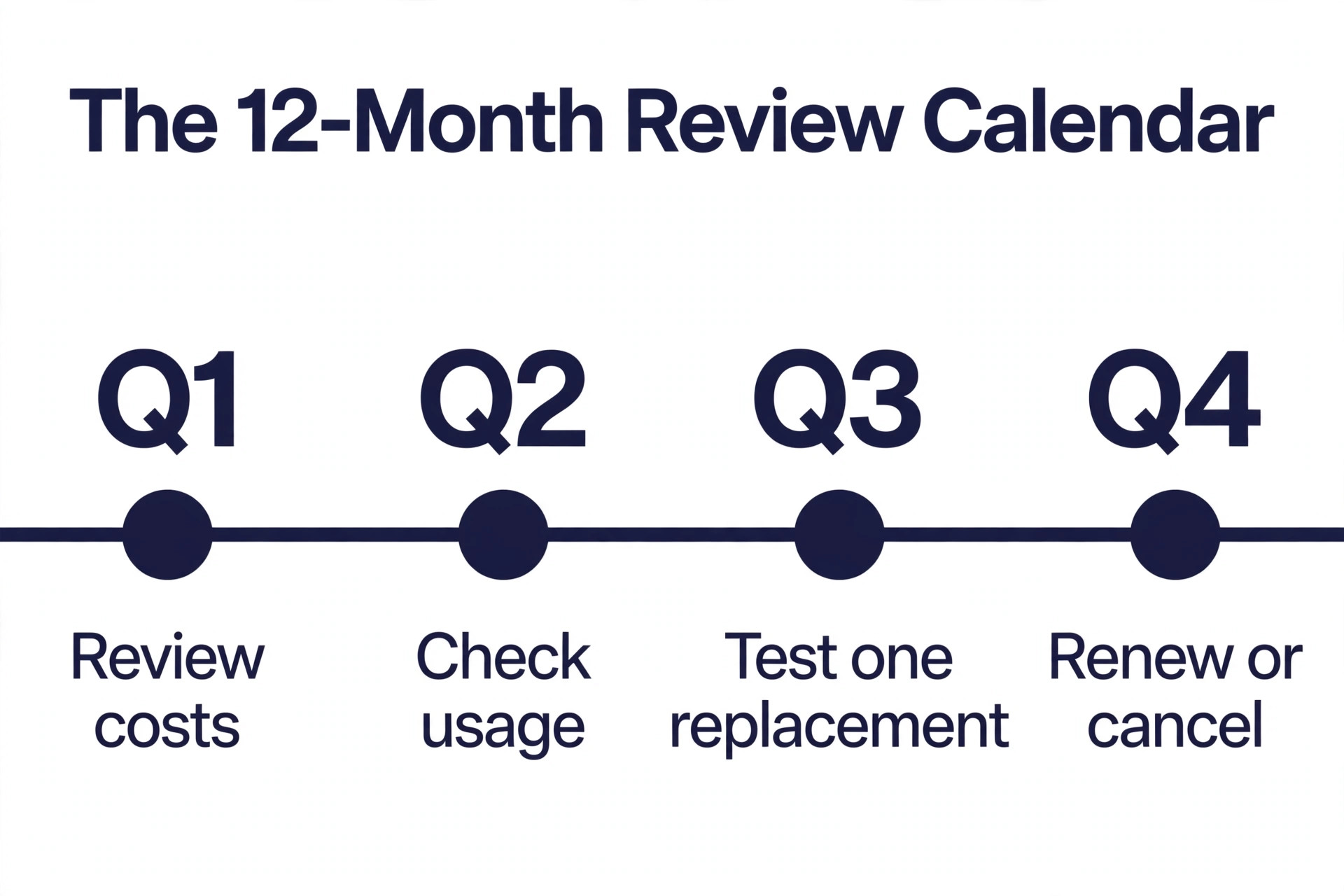
Add a simple admin routine to this layer. One person owns the software list, one date each quarter reviews every subscription, and one rule says that no tool is bought without an owner and a cancel date. A business that reviews its stack every quarter will find at least one tool it no longer uses, and cancelling that tool pays for the review many times over. Write the review date on the calendar now, before the next invoice arrives.
The Stack Checklist for 2026
A checklist keeps the stack honest, because a stack without a checklist grows back into a pile. Work through the items below in order, and do not buy the next layer until the current one is working. A layer is working when the team uses it every day without being reminded, and when the owner can show you a report from it in under a minute. The small business software stack for 2026 works best when this checklist is finished before any new tool is bought.
- Open a business bank account and connect it to your accounting tool.
- Send your first 10 invoices from the accounting tool and record every payment there.
- Enter every customer and every open deal into the CRM.
- Run one full payroll cycle in your payroll tool with tax filing turned on.
- Move every active project into the project tool with an owner and a due date.
- Move team chat out of email and into one chat tool with named channels.
- Build one email list and send one useful email to it this month.
- Connect payments to your website and test a real purchase end to end.
- Turn on two factor authentication and a password manager for every account.
- Put a quarterly stack review on the calendar with a named owner.
How to Buy in the Right Order
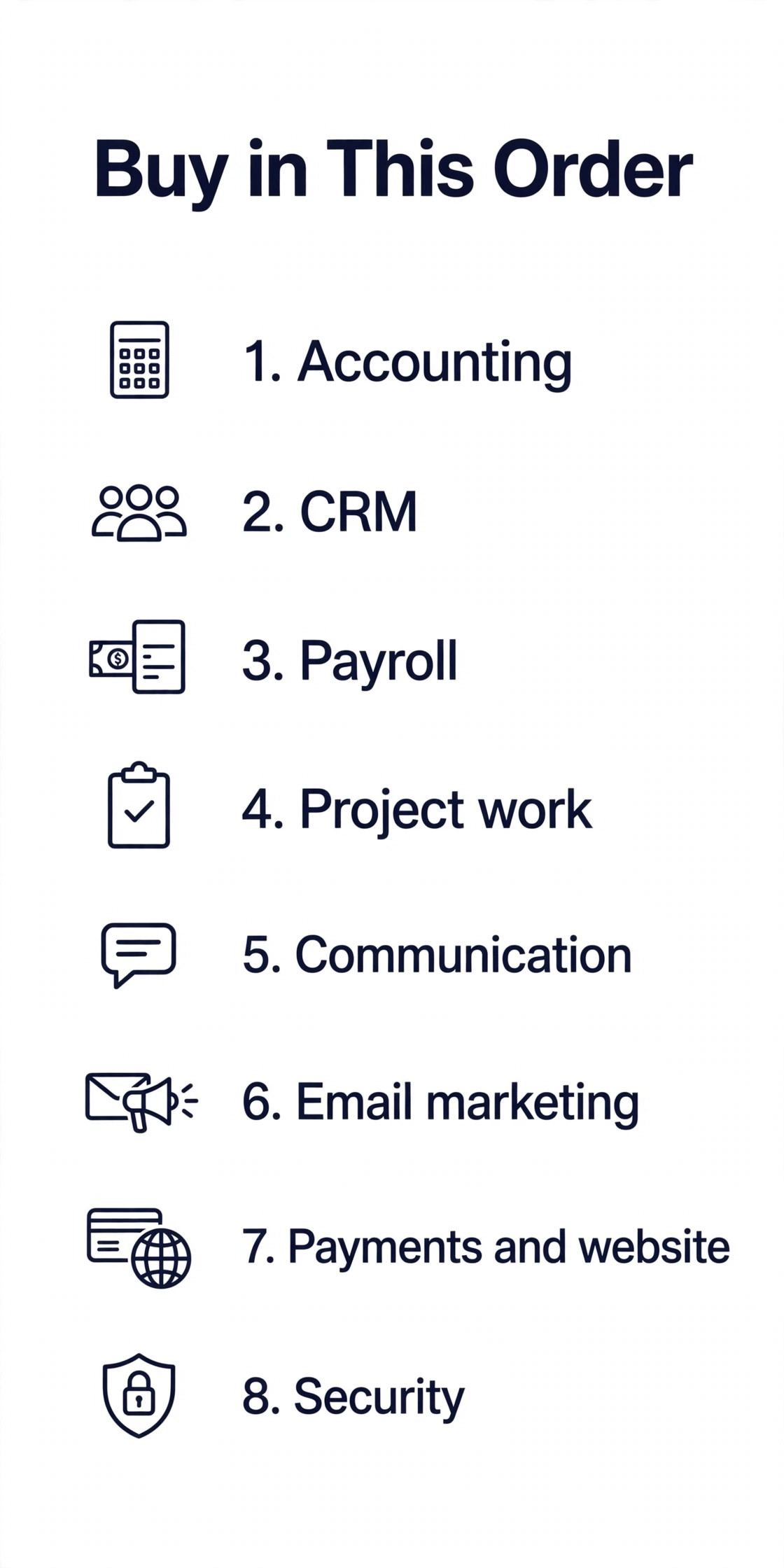
Buy accounting first, because money is the first job and every other tool needs clean books behind it. Buy the CRM second, because customers are the second job and a CRM that starts early grows with the business. Buy payroll third, because people are the third job and payroll mistakes cost more than any other mistake. Buy project work fourth, communication fifth, email marketing sixth, payments and website seventh, and security eighth, because each layer builds on the one before it.
The order matters more than the brand. A business that buys a CRM before it buys accounting will track deals it cannot invoice, and a business that buys email marketing before it buys a CRM will send emails to a list it cannot segment. Follow the order, buy one layer at a time, and give each layer two weeks of real use before you buy the next one. A stack built in eight weeks will last for years, while a stack bought in one afternoon will be rebuilt in six months.
Mistakes That Waste Money
The most common mistake is buying the growth stack for a five person team. A 25 person CRM, a 25 person HR system and a 25 person reporting tool will cost a small team thousands of dollars a month and hours of admin time, and the team will go back to spreadsheets because the tools ask for more data than anyone has. Buy the lean stack, grow into the standard stack, and let the growth stack wait until you have 20 or more people.
The second mistake is paying per seat for people who never log in. A tool with 10 seats and 4 active users is a tool with 6 wasted seats, so check the active user count before every renewal and drop the seats nobody uses. The third mistake is buying a tool because a competitor uses it. Your competitor has a different team, a different customer and a different budget, so their stack is not your stack. The small business software stack for 2026 that works is the one that matches your team size, your customer count and your monthly budget, not the one that looks impressive in a demo.
Our Verdict
Start with the lean stack in the small business software stack for 2026. Wave for accounting, HubSpot Free for the CRM, Gusto Simple for payroll, Asana free for project work, Google Workspace Starter for email and files, Mailchimp Essentials for email marketing, Stripe for payments and Squarespace for the website. That stack costs about 105 to 125 dollars a month for a team of five, and it covers every job a small business actually has. Add Slack Pro when email threads start to hide work, and add Calendly when booking meetings eats an hour a day.
Move to the standard stack when the lean tools pinch. QuickBooks Online Plus at 115 dollars a month replaces Wave when your accountant asks for it, HubSpot Starter at 20 dollars per seat replaces the free CRM when you need automation, and Asana Starter at 10.99 dollars per user per month replaces the free tier when you need timelines and custom fields. The standard stack costs about 595 dollars a month for a team of ten, and it is the right home for a business that has outgrown the lean tools but is not yet a 25 person company. Buy one layer at a time, review the stack every quarter, and let the team size decide the next purchase.
Frequently Asked Questions
What is the cheapest small business software stack for 2026?
The cheapest workable stack costs nothing for four layers and about 105 to 125 dollars a month in total for a team of five. Wave covers accounting for free, HubSpot CRM is free, Asana is free for up to 10 users, and Slack is free with limits. The paid parts are Google Workspace Starter at 7 dollars per user per month, Gusto Simple at 40 dollars a month plus 6 dollars per employee, Mailchimp Essentials at 13 dollars a month for 500 contacts, and Squarespace from 16 dollars a month. A solo business can start even cheaper, with Wave, HubSpot Free and Asana free covering the core jobs at no cost.
How much should a small business spend on software each month?
A team of five should expect to spend 105 to 125 dollars a month on a lean stack, a team of ten should expect to spend about 595 dollars a month on a standard stack, and a team of 25 should expect to spend 2,900 to 3,800 dollars a month on a growth stack. Those figures assume annual billing where offered and one seat per person where the tool charges per seat. A business that spends far more than those figures probably has duplicate tools or seats nobody uses, and a quarterly review will usually find the waste.
Which software should a small business buy first?
Accounting is the first tool to buy, because invoicing, expenses and profit and loss are the first jobs a business must do well. QuickBooks Online Simple Start at 38 dollars a month is the default when your accountant uses QuickBooks, and Wave is the free alternative when your books are simple. Buy the CRM second and payroll third, because customers and people are the next two jobs, and buy the rest only when the earlier layers are working every day.
Is HubSpot really free for a small business?
Yes, HubSpot CRM is free with real substance, including contact and deal management, pipeline visualisation, reporting dashboards and email tracking, with no time limit. The free tier does not include marketing automation, advanced reporting or sales sequences, and those features start at about 20 dollars per user per month on Starter plans. The paid platform gets expensive quickly as you add hubs and seats, so stay on the free tier until you can name the exact paid feature you need.
Should a small business use one all in one tool or several best of breed tools?
An all in one platform such as Zoho One or Agiled suits a business that wants one bill and one login, with Agiled starting at 24 dollars a month billed annually and Zoho One covering a similar range. Best of breed tools suit a business that wants the strongest tool for each job and is willing to manage several subscriptions.
A best of breed stack of HubSpot, QuickBooks, Asana, Calendly, Slack and Mailchimp runs about 260 to 400 dollars a month at five seats, which is more than an all in one platform but gives you more depth in each layer. Start with best of breed for the layers that matter most, and use an all in one platform only when simplicity matters more than depth.
How often should a small business review its software stack?
Review the stack every quarter, with one named owner and one date on the calendar. Check the active user count for every tool, cancel the seats nobody uses, and cancel any tool that has not been opened in 30 days. Check the price of every tool at the same time, because vendors raise prices often and a 10 percent rise on five tools is a real cost. A quarterly review takes an hour and usually saves more than it costs, because it finds the duplicate tools and the forgotten subscriptions before they run for another year.
A good stack is a short list, bought in the right order, with one owner per tool and a review date on the calendar. Start lean, grow into standard, and let the team size decide the next purchase. The business that buys slowly and reviews often will spend less and get more from every tool it keeps.