One 60 minute podcast episode can produce 8 to 15 short clips, and each clip is 15 to 60 seconds long, which is the length that earns the highest completion rates on short form platforms. That yield is why learning how to repurpose a podcast into short clips pays off fast. OpusClip alone reports more than 10 million users who have generated over 172 million clips, which shows how far AI clipping has moved from a novelty to a standard part of podcast publishing.
Yet most podcasters still publish the long episode and stop, which leaves a month of short form content sitting unused in a single audio file. This guide shows how to repurpose a podcast into short clips with a workflow you can run every week in about an hour, from transcript to scheduled posts, using tools that cost less than one sponsored episode a month.
A short clip works because it asks for less than a minute of attention and it can stand alone. A listener who will never commit to a 60 minute episode will watch a 40 second answer to one sharp question, and when that answer lands, the listener follows the link to the full episode. Clips are also the cheapest way to test what an audience cares about, because five clips from one episode will earn very different view counts, and the winning topic tells you what the next episode should cover. The long episode is the raw material. The clips are the distribution.
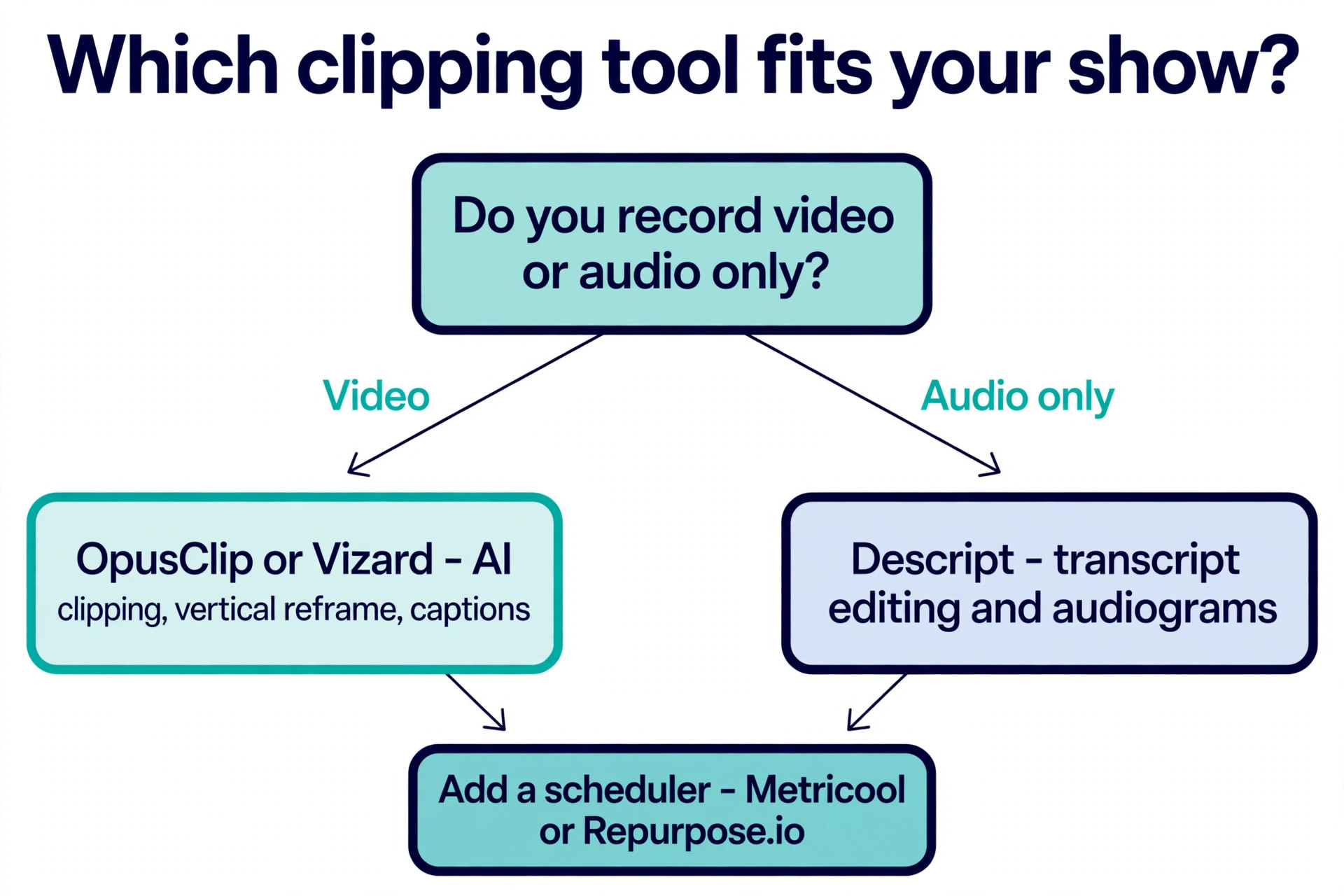
The workflow in this guide is built for a weekly show with one host or one host plus a guest, in video or audio only format. It uses AI to find the moments, a human to check them, and a scheduler to post them over two weeks. The tools are named with prices, the timing for each step is given, and the checklist at the end lets you run the same process next week without rereading the guide. If you record video, start with OpusClip or Vizard. If you record audio only, start with Descript and turn the best moments into audiograms.
Why Short Clips Earn Their Place in a Podcast Plan
Short form video is where new listeners find podcasts now, because the discovery feeds on TikTok, Instagram Reels, and YouTube Shorts show a clip to people who have never heard of the show. A clip that earns a high completion rate gets shown to more people, and completion is easier at 30 seconds than at 30 minutes. That is why the 15 to 60 second range is the proven sweet spot, and why clips longer than 90 seconds usually fade. A clip should contain one idea, one story, or one answer, and it should make sense without the rest of the episode.
The numbers also explain why repurposing beats recording more content. A weekly one hour show produces roughly four hours of footage a month, and each hour contains several moments strong enough to stand alone. One honest estimate puts the yield at 4 to 6 clips from a 60 minute episode, while AI clipping vendors claim 8 to 15 clips from the same length. The gap is real, and it comes down to quality. The higher number counts every usable moment, while the lower number counts only the moments strong enough to earn a click. Plan for 6 to 10 clips per episode, post the best 4 first, and keep the rest as a reserve for slow weeks.
Clips also feed every other channel a podcaster runs, and that is the part of the plan most shows miss when they first learn how to repurpose a podcast into short clips. The transcript behind the clips becomes show notes, a blog post, and a newsletter summary. A strong quote becomes a text post. A strong answer becomes a carousel. A surprising statistic becomes a graphic. One episode, worked properly, fills two weeks of posting across three platforms, and the full episode link sits at the end of every piece. That is the return on the hour the workflow takes, and it is why a show that repurposes grows faster than a show that only publishes long episodes.
How to Repurpose a Podcast into Short Clips
This is the core of the guide, and the question of how to repurpose a podcast into short clips breaks into eight steps you can run in order every week. The whole process takes about an hour once the routine is set, with AI doing the finding and the human doing the judging. Work through one step at a time and do not skip the review step, because an AI clip with a weak hook or a wrong caption will earn fewer views than no clip at all, and it will teach the algorithm the wrong lesson about your show.
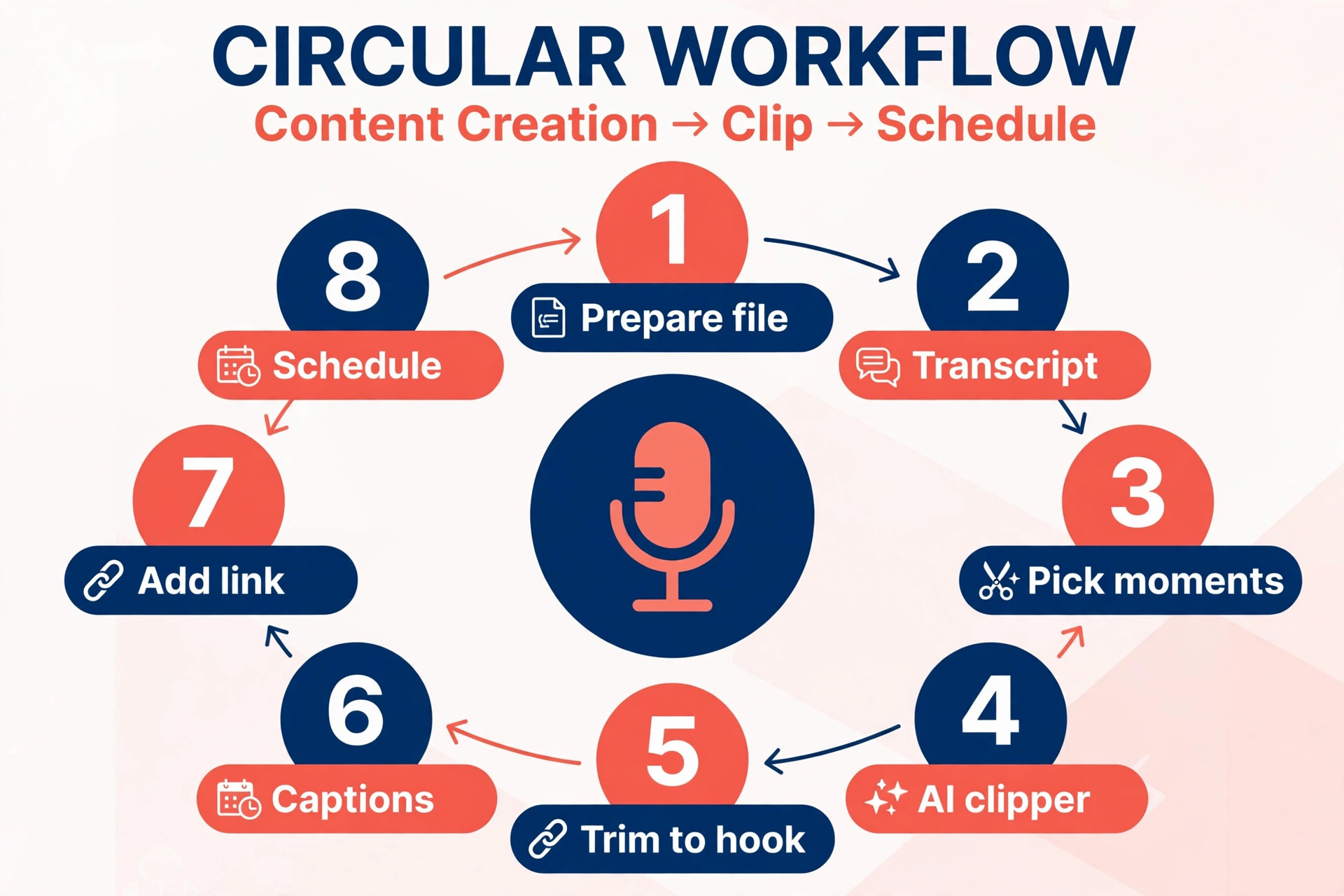
Step 1. Prepare a Clean Source File
Export the finished episode as a high quality file before you open any clipping tool. Video podcasts should export as an MP4 file, and audio only shows should export as an MP3 or WAV file. Check that the audio is clean, the levels are even, and the speakers are easy to tell apart, because a clipping tool can only work with the sound it is given. Most AI clippers accept files up to 2 to 5 gigabytes, so a one hour video file fits easily. Keep the original file in a folder with the episode number and date, because the clips, the transcript, and the captions all trace back to it.
Step 2. Generate a Transcript with Timestamps
Run the file through Descript or a similar transcription tool and get a word level transcript with timestamps. The transcript is the raw material for almost everything that follows, because it lets you read the episode like a document instead of scrubbing through audio. Skim it and mark the strongest quotes, stories, and answers, and note the timestamp of each one. A transcript also makes the clip search ten times faster, because you can search for a phrase instead of listening to twenty minutes of audio to find it.
Step 3. Pick 10 to 15 Candidate Moments
Read the transcript with one question in mind, which is whether the moment makes sense to a stranger who has never heard the show. A good candidate starts with a clear line, makes one point, and ends with a payoff, and it needs no context from outside the clip. Strong opinions, surprising answers, short stories, and practical tips work best. Weak candidates are long explanations, inside jokes, and answers that only make sense after five minutes of setup.
Mark 10 to 15 candidates, and rank them by how strong the opening line is, because the opening line decides whether a viewer stays or swipes away. If two candidates make the same point, keep the shorter one, because a tight 30 second clip will always beat a loose 60 second version of the same idea.
Step 4. Run the AI Clipper and Score the Results
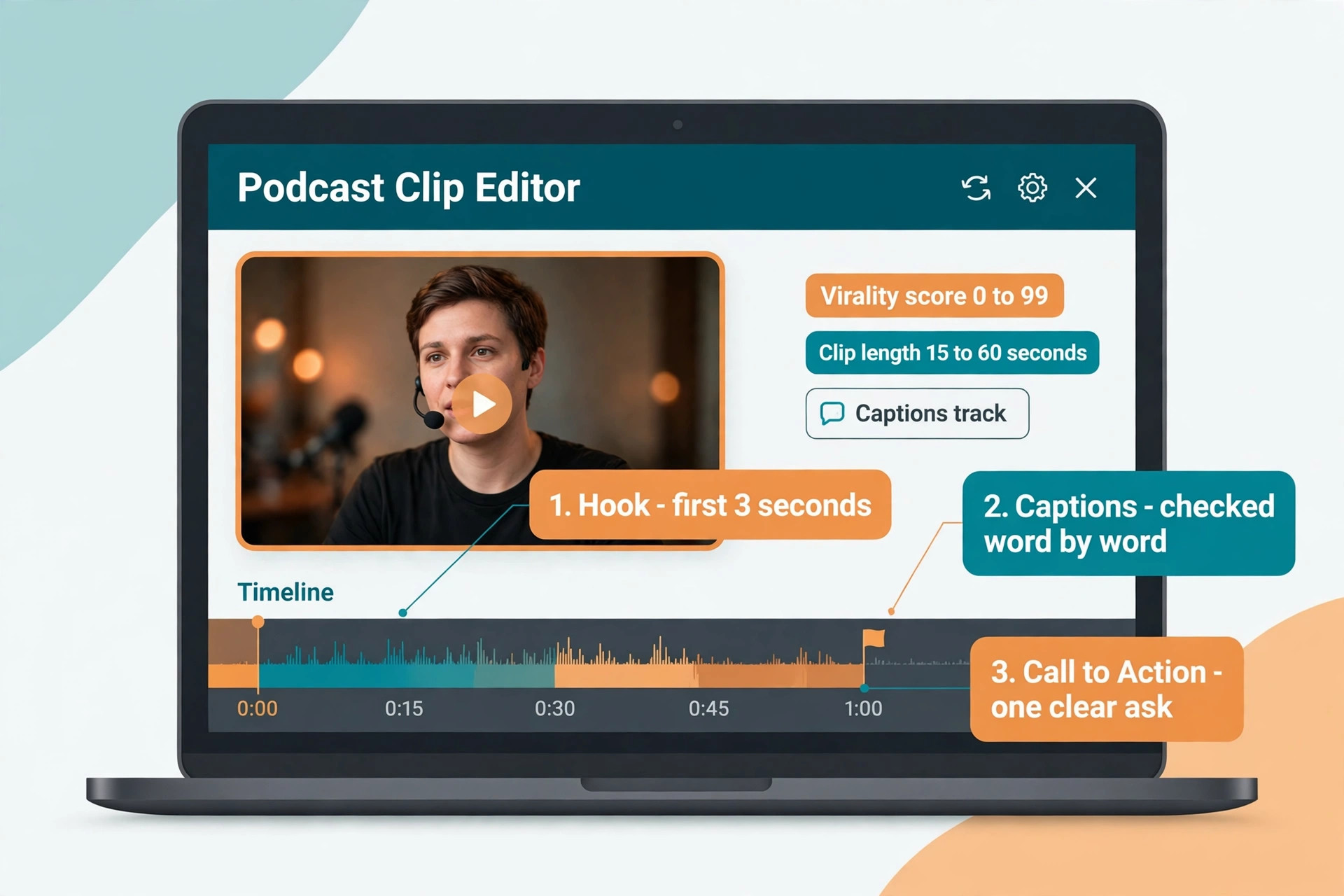
Upload the episode to OpusClip or Vizard and let the AI extract the clips. OpusClip scans for high engagement moments, strong opinions, emotional peaks, and actionable tips, then scores each clip from 0 to 99 for predicted performance and reframes it to vertical format with the active speaker centred. Vizard prices by minutes, with one credit equal to one minute, and the Creator plan at 29 dollars a month, or 14 dollars 50 a month billed annually, includes 600 credits.
Compare the AI picks with your own list from Step 3, and keep the clips that appear on both lists first, because those are the moments two judges agreed on. Treat a high score as a suggestion, not a verdict, and trust your own ranking when the two disagree, because you know the audience and the tool does not.
Step 5. Trim Each Clip to Start on the Hook
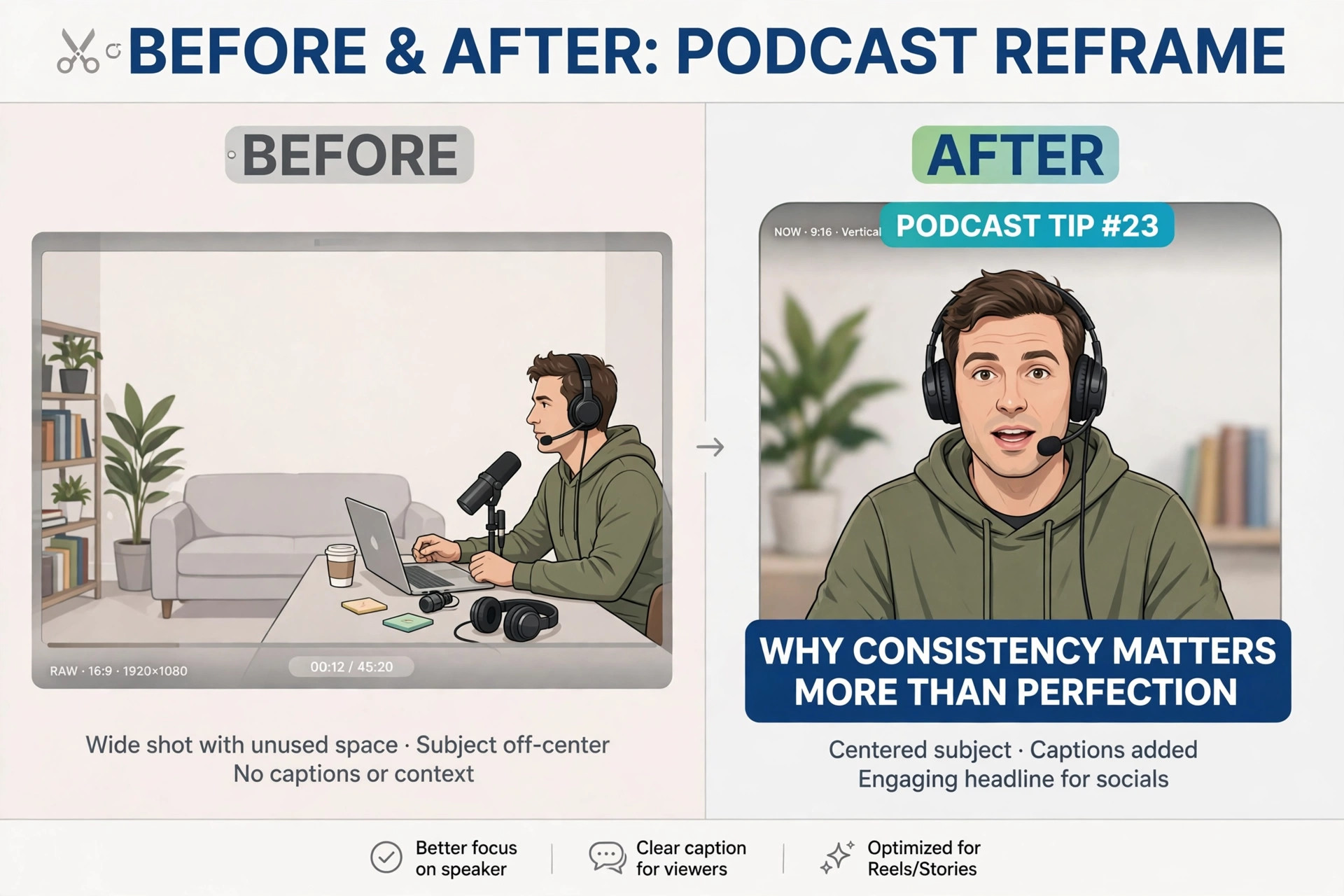
Open the top clips and trim each one so it starts on the strongest line, not on the sentence before it. The first three seconds decide the clip, so cut the warm up, cut the throat clearing, and start with the claim, the question, or the surprising answer. Aim for 15 to 60 seconds, and keep the clip under 90 seconds even when the moment is good, because completion rates fall as length rises. Check that the clip ends cleanly, with the point landed and no trailing half sentence, because a clip that trails off feels unfinished and earns fewer replays.
Step 6. Reframe Vertical and Add Captions
Reframe every clip to vertical format for Shorts, Reels, and TikTok, with the speaker centred and the framing tight enough to read on a phone. Most viewers watch with the sound off, so captions are not optional. Check every caption word by word, because an AI caption that misspells a name or a key term makes the show look careless. Add a title card or a burned in headline that states the point of the clip in one line, and keep the text large enough to read on a small screen. If the built in captions are not good enough, Submagic adds styled captions, zooms, and B-roll for 19 dollars a month, or 12 dollars a month billed annually.
Step 7. Add the Link Back and the Call to Action
Every clip needs a path back to the full episode, or the views never become listeners. Add the episode link to the post caption on every platform, and add a short spoken or written line at the end of the clip, such as the full conversation is linked below. Keep the call to action to one sentence, because a clip that asks for a follow, a like, a comment, and a listen asks for too much. One action per clip is enough, and the action should be the one that matters most for that platform, which is usually to watch the full episode or to follow the show.
Step 8. Schedule Two Weeks of Posts and Measure
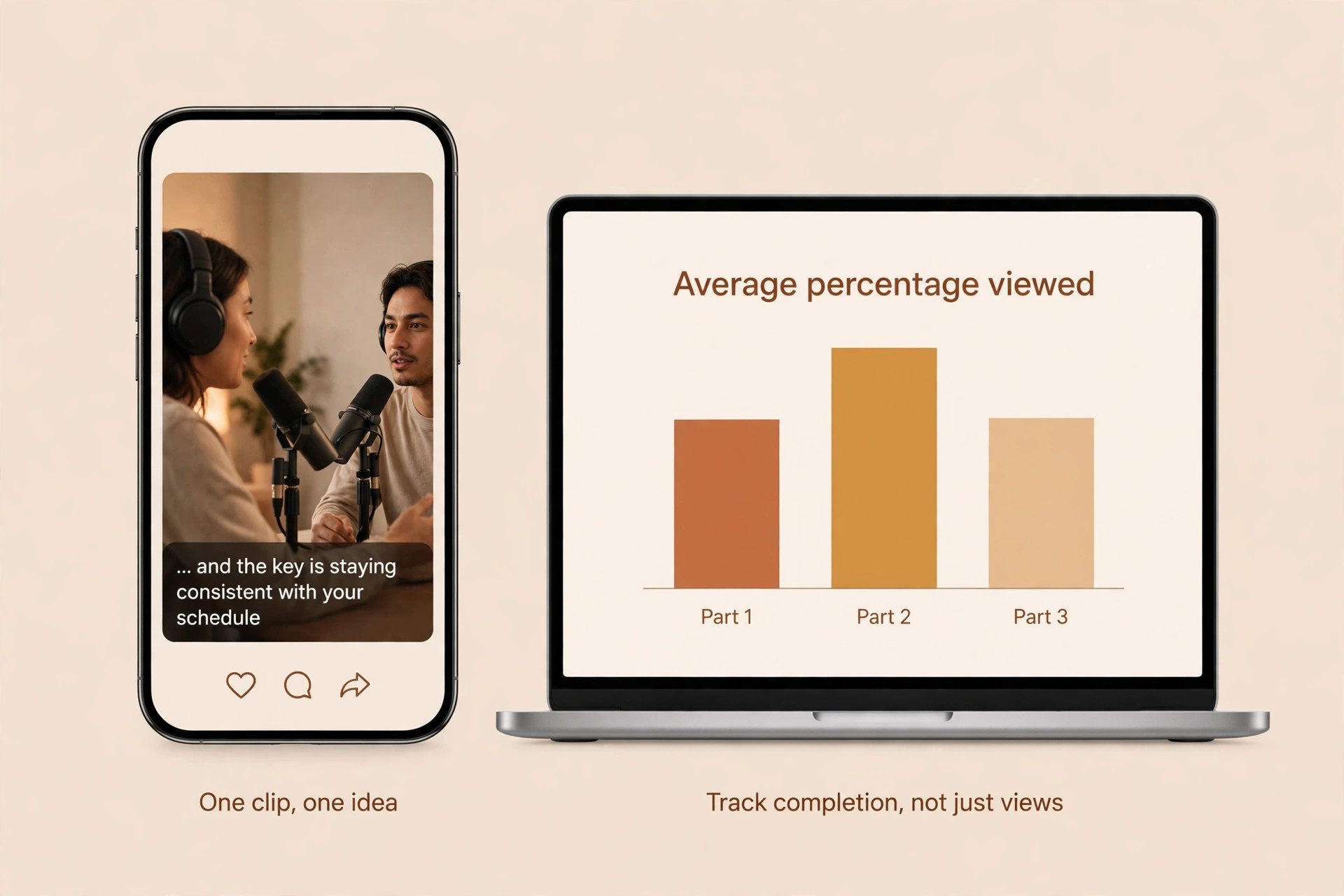
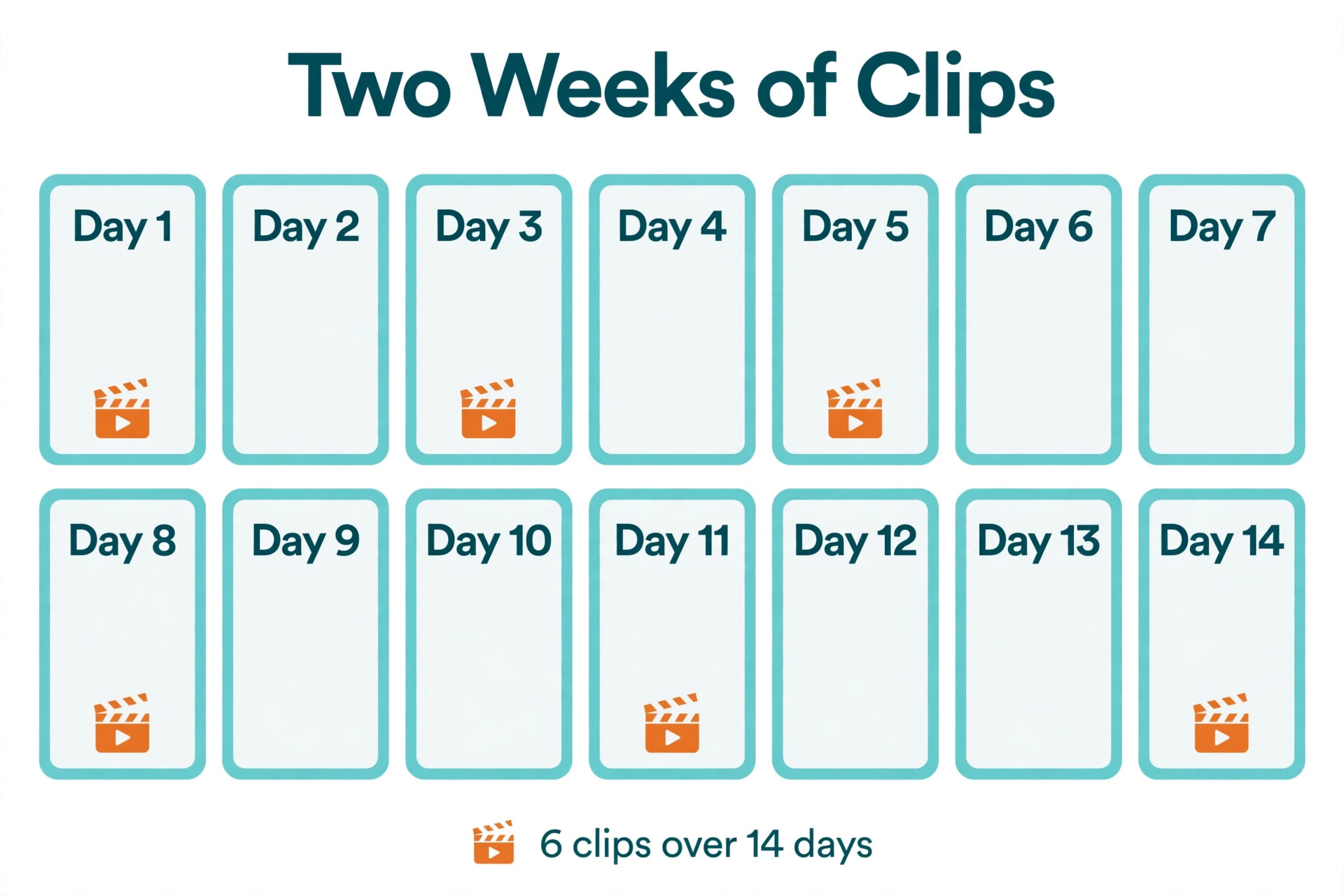
Schedule the clips over the next 14 days instead of posting them all at once. A weekly show that posts 6 clips over two weeks stays visible without flooding followers, and the spacing lets you see which clips perform before you post the rest. Repurpose.io automates cross posting from one upload to Shorts, Reels, and LinkedIn at the same time, while Metricool gives you a visual calendar with a free plan for 20 scheduled posts a month and a Starter plan from 20 dollars a month billed annually. Track average percentage viewed, not raw views, because a clip with 1,000 views and 80 percent completion is worth more than a clip with 10,000 views and 20 percent completion.
The Tools for Each Step of the Workflow
You do not need a large stack to run this workflow. Most podcasters need one clipper, one transcript tool, and one scheduler, plus a caption polisher only when the built in captions fall short. The table below gives the short version, and the notes that follow explain the trade offs. Prices were checked against vendor pricing pages and current 2026 roundups in November 2026, and several vendors show different prices by region or run short promotions, so confirm the price on the checkout page before you pay. The question of how to repurpose a podcast into short clips gets easier once the stack is fixed, because each tool then owns one step and the handoffs stop being decisions.
| Tool | Step it owns | Starting price |
|---|---|---|
| OpusClip | AI clip extraction and vertical reframe | 15 dollars a month Starter, 29 dollars Pro |
| Vizard | AI clipping priced by minutes | 29 dollars a month, 14 dollars 50 billed annually |
| Descript | Transcript editing and audiograms | Free plan, paid from 12 dollars a month |
| Riverside | Recording with local capture and Magic Clips | Free plan, paid from 15 dollars a month |
| Castmagic | Transcripts, show notes, and social clips | 23 dollars a month |
| Submagic | Styled captions, zooms, and B-roll | 19 dollars a month, 12 dollars billed annually |
| Repurpose.io | Automated cross platform posting | 35 dollars a month |
| Metricool | Scheduling calendar and analytics | Free for 20 posts, Starter from 20 dollars a month |
OpusClip
OpusClip is the most battle tested AI clipper in this category, with more than 10 million users and over 172 million clips generated. Upload the episode or paste a YouTube link, and the AI finds the moments, scores each one from 0 to 99 for predicted performance, reframes the active speaker to vertical format using computer vision, and burns in captions. The Starter plan costs 15 dollars a month with 150 credits, and the Pro plan costs 29 dollars a month, or 14 dollars 50 a month billed annually, with 300 credits and a built in scheduler. OpusClip needs video, so an audio only show must use Descript or an audiogram tool first.
Vizard
Vizard is the simplest clipper to price, because one credit equals one minute. The Creator plan costs 29 dollars a month, or 14 dollars 50 a month billed annually, with 600 credits, which covers ten hours of source video a month. A weekly one hour show uses about 60 credits a week for the source file, so the plan leaves room for reprocessing and for extra clips. Vizard suits a podcaster who wants predictable pricing by minutes and a clean interface without a virality score to interpret. The trade off is a smaller feature set than OpusClip, with less depth in caption styling and scheduling.
Descript
Descript is a transcript based editor rather than a pure clipper, and it is the tool that makes the whole workflow faster. The word level transcript lets you edit the episode by deleting text, find good clips with the AI search, and build audiograms for audio only shows with a waveform and captions. The free plan covers the basics, and paid plans start from 12 dollars a month. Descript suits a podcaster who also edits the full episode, because the transcript, the edit, and the clips all live in one place. A podcaster who only needs clipping can skip Descript and go straight to OpusClip or Vizard.
Riverside
Riverside is a remote recording studio that captures each participant locally, which protects quality when a guest has a weak connection. It includes transcription and a clip tool called Magic Clips, so a show recorded on Riverside can move from recording to clips without exporting the file to another tool. Paid plans start from 15 dollars a month, with a free plan for testing. Riverside suits a show that records new episodes every week and wants the recording and the clipping in one place. A show with a back catalogue of finished episodes gains little from Riverside and should start with a clipper instead.
Castmagic
Castmagic turns a recording into a transcript, show notes, and social clips from the same upload. The platform costs 23 dollars a month, and it suits a podcaster who wants the text assets as much as the video clips, because the show notes and the newsletter summary come from the same transcript as the clips. The trade off is that Castmagic is a text and clip assistant rather than a dedicated video editor, so the clip finishing work still happens in OpusClip, Vizard, or Descript. Use it when the show notes and the clips matter equally.
Submagic
Submagic is a caption polisher, and it earns its place only when the built in captions are not good enough. The Starter plan costs 19 dollars a month, or 12 dollars a month billed annually, for 15 videos up to two minutes each, and it adds styled captions, zooms, and B-roll. Most clippers add captions already, so add Submagic only when you want more styled captions or a consistent visual style across clips. A podcaster who is happy with the OpusClip captions should skip it and save the subscription.
Repurpose.io and Metricool
Repurpose.io automates cross posting from a single upload to Shorts, Reels, and LinkedIn at the same time, and it costs 35 dollars a month. Metricool gives you a visual calendar and analytics, with a free plan for 20 scheduled posts a month for one brand and a Starter plan from 20 dollars a month billed annually, or 25 dollars monthly. Use Repurpose.io when the same clip goes everywhere with the same caption and you want the posting to run itself. Use Metricool when you want control over timing, captions per platform, and the analytics that show which clips earned listeners.
Batch the work into one sitting and the workflow holds together. Record on one day, clip on the next, and schedule the posts in a single session, because a process spread across a week gets interrupted and the clips pile up unposted. Keep a simple folder per episode with the source file, the transcript, the finished clips, and a short note on which clips performed best, so the next episode starts from what worked instead of from a blank page.
The Clipping Checklist
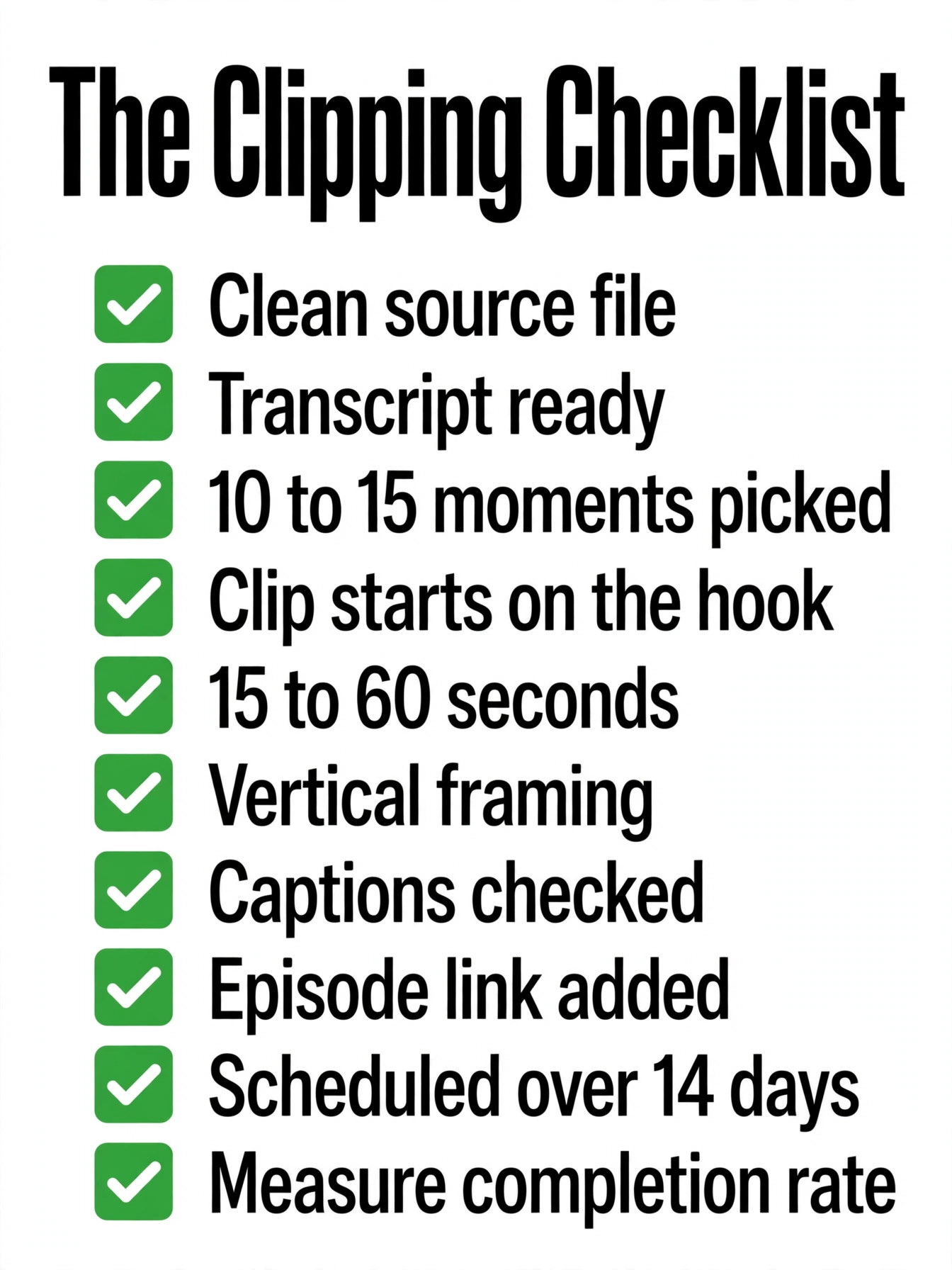
Run this checklist on every episode before you post the first clip. It is the same list we use to check how to repurpose a podcast into short clips without letting a weak clip through, and each item takes a minute once the workflow is routine. Print it, keep it next to the editing screen, and do not schedule a clip until every item is ticked.
- Confirm the source file is the finished episode with clean audio and even levels.
- Confirm the transcript is complete and the timestamps match the audio.
- Confirm 10 to 15 candidate moments are marked, each with a clear opening line.
- Confirm each clip starts on the hook and ends with the point landed.
- Confirm each clip is 15 to 60 seconds long and under 90 seconds at most.
- Confirm the framing is vertical, the speaker is centred, and the text is readable on a phone.
- Confirm every caption is checked word by word, including names and key terms.
- Confirm each clip carries the episode link and one clear call to action.
- Confirm the clips are scheduled across 14 days, not posted all at once.
- Confirm you will measure average percentage viewed, not raw views, for each clip.
Mistakes That Kill a Good Clip
The most common mistake when podcasters learn how to repurpose a podcast into short clips is posting the AI picks without a human review. AI scoring is about 80 percent accurate, and the last 20 percent is human judgement about whether a moment makes sense to a stranger. A clip that needs five minutes of context will fail no matter how high its virality score is, so watch every clip before it goes out.
A second mistake is starting the clip too early. The warm up sentence before the strong line feels harmless in the edit, and it costs the viewer in the first three seconds, which is the only window that matters. Cut the first sentence of every clip and watch it again, because the clip usually starts stronger without it.
A third mistake is skipping captions or trusting them unchecked. Most viewers watch with the sound off, and a caption with a misspelled name tells them the show is careless before the content has a chance. A fourth mistake is posting all the clips on the same day, which floods followers and wastes the spacing that lets you learn which clips work. A fifth mistake is measuring the wrong number. Raw views reward a clip that was shown to many people and abandoned, while average percentage viewed rewards a clip that held attention, and attention is what turns a viewer into a listener.
Your First Week of Clips
OpusClip is the pick for most video podcasters who want to know how to repurpose a podcast into short clips without hiring an editor, because the virality score, the automatic vertical reframe, and the built in scheduler cover the whole workflow from upload to posting for 29 dollars a month. Vizard is the pick when pricing by minutes fits the show better, at 14 dollars 50 a month billed annually for 600 credits.
Descript is the pick for audio only shows and for podcasters who edit the full episode from the transcript, and Metricool is the pick for scheduling and measurement. The workflow that wins is the one you can run every week, so start with one clipper and one scheduler, run the eight steps on your next episode, and let the completion numbers decide which clips to make next.
Frequently Asked Questions
How many clips can I get from one podcast episode?
A 60 minute episode usually yields 6 to 10 clips worth posting, with AI tools claiming 8 to 15 and conservative estimates putting the number at 4 to 6. The difference is quality, because the higher number counts every usable moment and the lower number counts only the moments strong enough to earn a click. Plan for 6 to 10, post the best 4 first, and keep the rest as a reserve for slow weeks.
How long should a podcast clip be?
The proven sweet spot is 15 to 60 seconds, because that length earns the highest completion rates on Shorts, Reels, and TikTok. Clips of 30 to 90 seconds also work, with the shorter end performing better for a cold audience. Keep every clip under 90 seconds, and cut the warm up so the clip starts on the strongest line. A clip that is too long loses viewers before the point lands, and a clip that is too short never makes the point at all.
Can I repurpose an audio only podcast into short clips?
Yes, and the path is different from a video show. Use Descript to transcribe the episode, pick the strongest moments, and turn them into audiograms with a waveform, a static image, and captions. Tools such as Headliner and Flowjin also convert podcast audio into shareable clips with visual elements that suit Reels, TikTok, and Shorts. An audiogram will not perform like a video clip, but it performs far better than a plain audio link, and it gives an audio show a presence on video platforms.
What is the best tool to repurpose a podcast into short clips?
OpusClip is the best all round pick for video podcasts, because the AI finds the moments, scores them, reframes them vertical, and adds captions in one flow. Vizard is the best pick when pricing by minutes suits the show, and Descript is the best pick for audio only shows and for transcript based editing. The right choice depends on whether the show is video or audio, and on whether the podcaster also edits the full episode.
Do I need to pay for a clipping tool?
No, several tools have free plans, including Descript, Riverside, and Metricool, and OpusClip and Vizard both offer trials. A free plan is enough to test the workflow on one episode and to learn whether clips earn listeners for your show. A weekly show will outgrow the free limits quickly, and the paid plans from 15 to 29 dollars a month are the honest cost of running the workflow every week.
How often should I post podcast clips?
Post 3 to 6 clips per week from one episode, spread across 14 days, with one clip a day at most on any single platform. That pace keeps the show visible without flooding followers, and it leaves time to see which clips perform before the rest go out. A show that posts every clip on the same day wastes the spacing, and a show that posts once a month never builds the habit that turns viewers into listeners.
A podcast episode is not finished when the recording stops. It is finished when the best moments have been cut, captioned, and posted where new listeners can find them. Run the eight steps on your next episode, post the best clips first, and watch the completion numbers to learn what your audience wants more of.