
This guide shows how to schedule pet sitting clients with software from the first booking request to the final invoice, with a workflow you can run every day and a checklist you can use on your busiest week. A paper diary and a phone full of text messages will carry a pet sitting business to about ten clients, and then they will start to break. A text gets missed, a visit gets double booked, a key code is forgotten, and a client who trusted you with their home starts to wonder whether the visit happened at all.
Software does not fix a careless sitter, but it does fix the scheduling chaos, because every request, every visit, every photo and every invoice lives in one place.
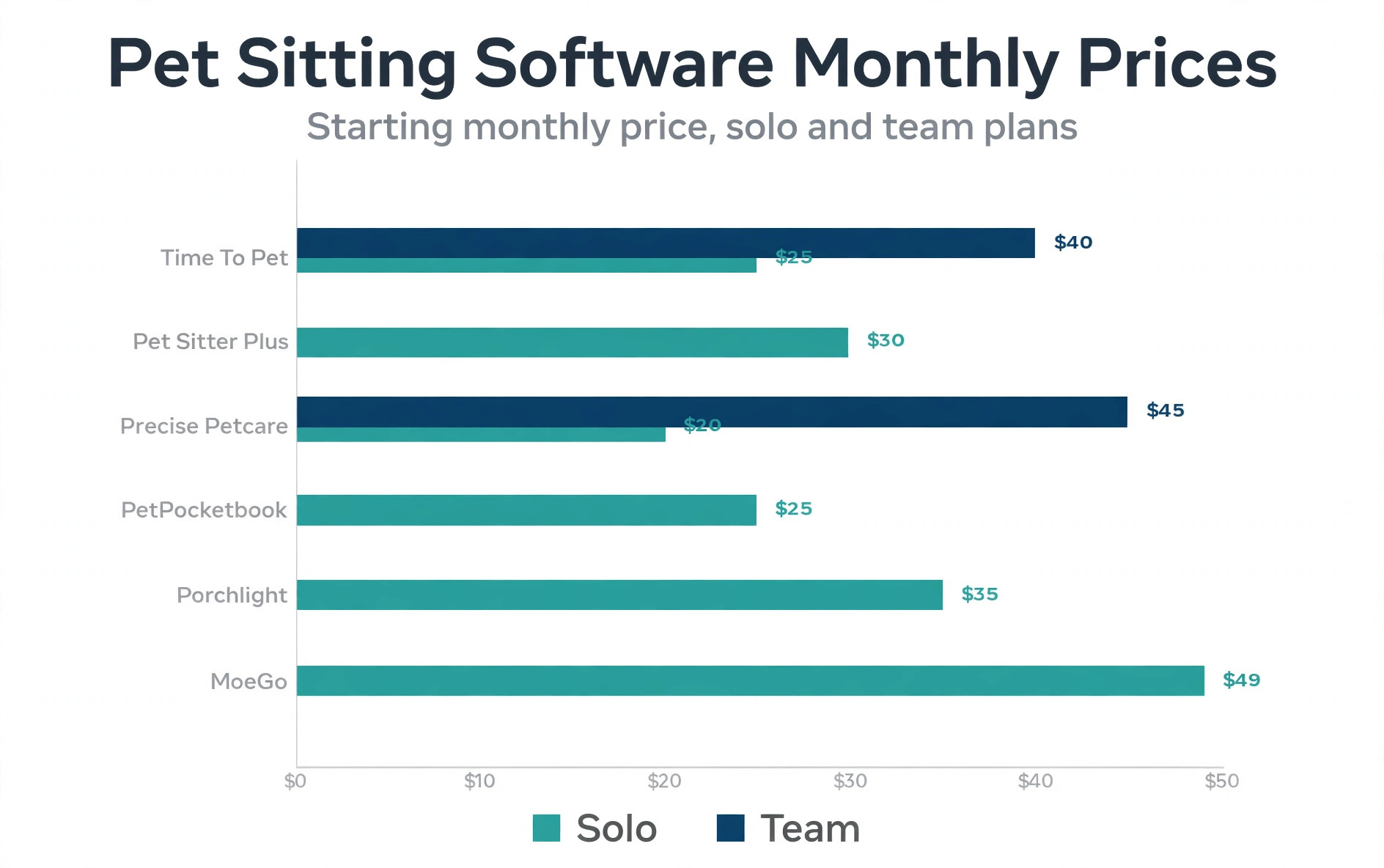
The workflow in this guide is built around the tools pet sitters actually use in 2026. Time To Pet is the most widely used option for pet sitting and dog walking teams, with scheduling, a client portal, GPS tracking and invoicing from 25 dollars a month on its Lite plan. Pet Sitter Plus covers scheduling, client and pet management, invoicing and payments from 30 dollars a month for a solo sitter. Precise Petcare prices by staff band from 20 dollars a month for a solo sitter, and PetPocketbook offers one plan at 25 dollars a month with every feature included.
You do not need the most expensive tool, you need the one whose scheduling, client portal and visit reports match the way your clients actually book.
Before you choose a tool, be clear about the job. Scheduling pet sitting clients is not the same as scheduling a haircut, because a single booking can mean three visits a day for ten days, a key pickup, a medication schedule, a feeding routine and a house alarm code. The software must handle recurring visits, repeat services, staff assignment, route order, visit confirmation and a report with photos after each visit. A general calendar app can hold the times, but it cannot do the rest, and that is why pet specific software exists.
How to Schedule Pet Sitting Clients with Software in One Week
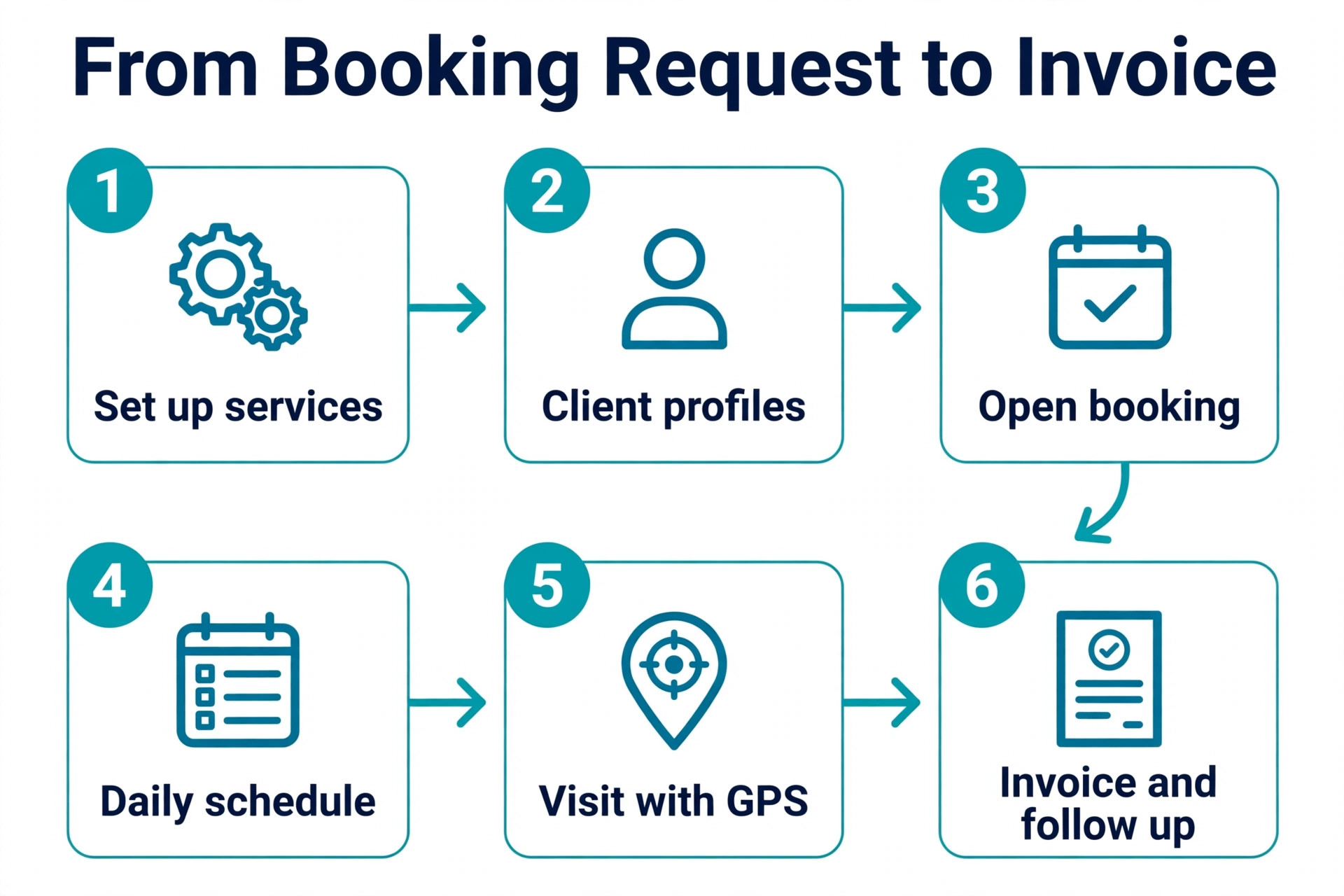
Learning how to schedule pet sitting clients with software takes about a week of setup and one full booking cycle to feel natural. The first day is setup, with your services, your rates, your service area and your availability. The second day is client records, with pet profiles, vet details, key and alarm information, and feeding and medication notes. The third day is a test booking, with a real client or a practice client, run from request to invoice. The rest of the week is live bookings, with a daily check of the schedule, the routes and the visit reports.
Do not try to move every client on day one. Pick five regular clients, move them first, and run the rest on your old system for one more week. That overlap gives you a safety net when a setting is wrong, and it gives your best clients a chance to learn the new booking flow before the whole list moves. A rushed migration creates more missed visits than the old paper system ever did, and a slow migration builds trust.
The Software Shortlist for Pet Sitting Scheduling
| Tool | Starting price | Best for | Scheduling strength |
|---|---|---|---|
| Time To Pet | 25 dollars a month Lite | Teams and growing businesses | Visits, routes and GPS check ins |
| Pet Sitter Plus | 30 dollars a month Solo | Repeat services and teams | Recurring schedules and staff work |
| Precise Petcare | 20 dollars a month Solo | Larger teams and routes | Staff location and replacement cover |
| PetPocketbook | 25 dollars a month flat | Solo sitters on a budget | Every feature in one plan |
| Porchlight | 35 dollars a month Solo | Flat pricing for teams | Simple scheduling without per staff fees |
| MoeGo | 49 dollars a month mobile | Grooming plus sitting | Smart scheduling and client messages |
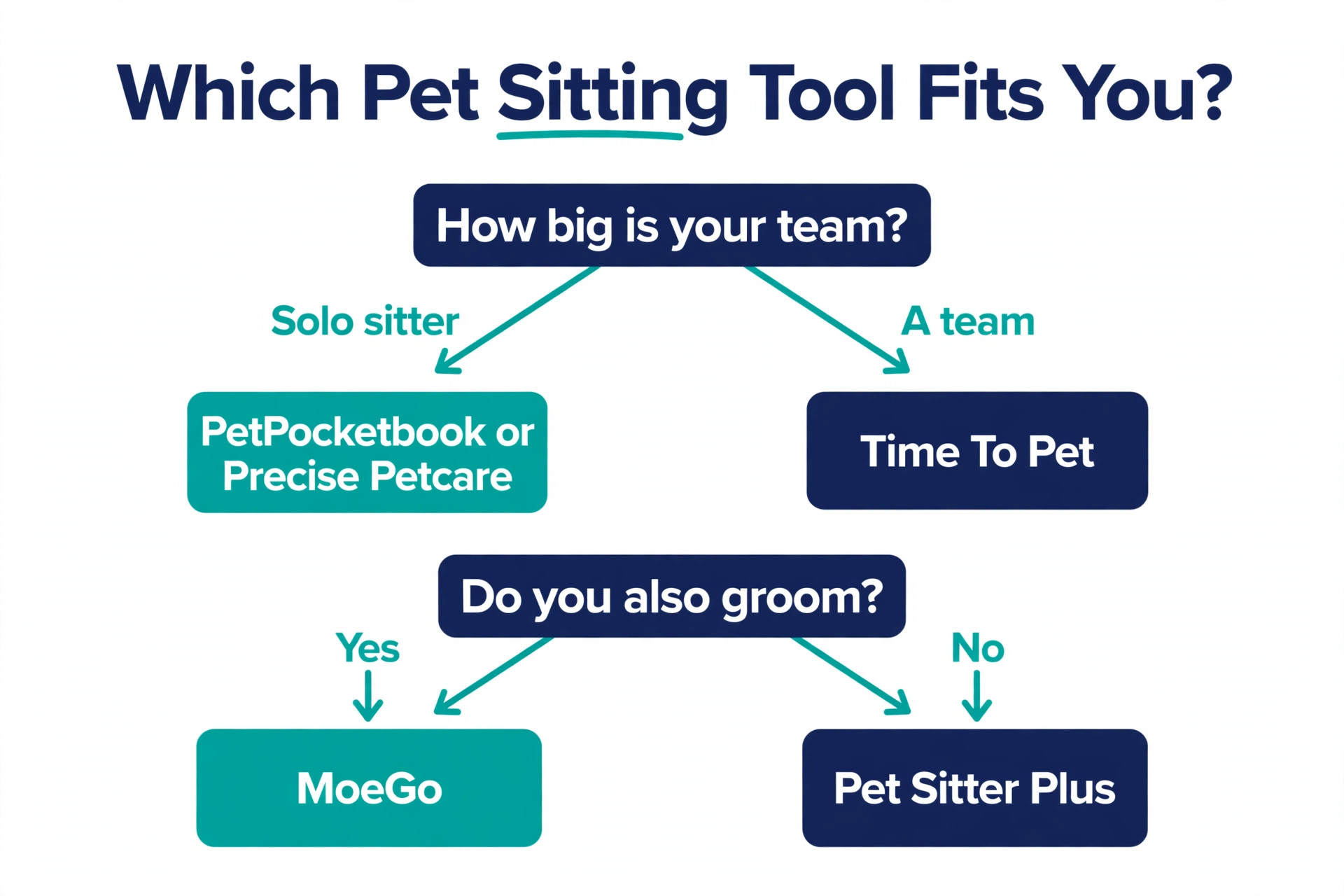
Use the table to shortlist two tools, then test each one with a real booking before you pay. Time To Pet is the safest default, because it is built for pet sitting and dog walking, it has dedicated mobile apps for clients and staff, and it covers GPS tracking, text messaging and QuickBooks integration. Pet Sitter Plus is the best value for a team that grows, because the Team plan is priced by active staff rather than by a flat fee that jumps with headcount. Precise Petcare is the best choice when you have five or more staff covering different areas, because its scheduling engine suggests replacements by location and schedule gaps.
Price conflicts are common in this category, so check the vendor page on the day you buy. Time To Pet Lite is listed at 25 dollars a month and Solo at 50 dollars a month, with Team at 40 dollars a month plus 16 dollars per active staff member. Pet Sitter Plus Solo is listed at 30 dollars a month as the standard price, with a 15 dollar first year promotion that some pages show as the headline price. Precise Petcare Solo is 20 dollars a month, with 45 dollars a month for two to five staff and 90 dollars a month for six to ten staff.
MoeGo is listed at 49 dollars a month for a mobile plan in some 2026 roundups and at 79 dollars a month for a salon plan in others, so confirm which plan covers pet sitting before you budget.
Step 1. Set Up Your Services and Rates
Every scheduling workflow starts with services, because the software cannot price or time a visit it does not understand. List each service you offer, such as a 30 minute dog walk, a 60 minute visit, an overnight stay, a cat visit, a puppy visit and a holiday visit, and give each one a clear duration, a price, and a note on what it includes. A 30 minute visit that includes feeding, a walk and a photo report is a different service from a 30 minute walk with no feeding, and the software should treat them as different services so the price and the time are always right.
Set your rates by service type, not by client, and add holiday and peak rates as separate rules. Most tools support holiday surcharges and peak pricing, and setting them now stops the awkward conversation later when a client books over Christmas and expects the normal rate. Add a cancellation policy with a clear deadline, such as 48 hours before the first visit, and a late booking fee if you charge one. Clients accept a clear policy when they see it at booking, and they resent a surprise charge when they see it on the invoice.
Then set your service area and your travel time. A visit that takes 20 minutes of driving each way is not a 30 minute visit, it is a 70 minute commitment, and the software should block that travel time so you cannot book two clients back to back in different parts of town. Draw the area on a map if the tool supports it, or list the postcodes you cover, and set a minimum booking length for clients outside your core area. That one setting prevents the most common scheduling failure in pet sitting, which is a route that looks full on paper and impossible on the road.
Step 2. Build Complete Client and Pet Profiles
A pet profile is the record that keeps a visit safe, and a thin profile is a risk. For each client, record the home address, the entry method, the key or lockbox code, the alarm code and the alarm company number, the vet name and phone number, and an emergency contact who is not the owner. For each pet, record the name, breed, age, weight, temperament, feeding schedule, medication schedule, allergies, exercise needs and any behaviour warnings, such as a dog that reacts to other dogs or a cat that hides when a stranger enters.
Add a photo of each pet to the profile, and a photo of the home entry point if the tool allows it. A sitter who has never visited a home before can find the right door, the right key and the right pet faster with a photo than with a paragraph of directions. Add a note on the routine in the order the sitter should follow it, such as feed first, then walk, then medication, then a photo, because a routine written as a list is easier to follow at 7 in the morning than a routine written as a story.
Keep the profiles updated after every visit. When a client changes a feeding time, a medication dose or a key code, update the profile in the same hour, not at the end of the week, because the next sitter will use the profile as written. A profile that is out of date is worse than no profile, because it gives a sitter false confidence. Make one person responsible for profile updates, even in a team of one, and that person is you.
Step 3. Open Booking the Way Clients Actually Book
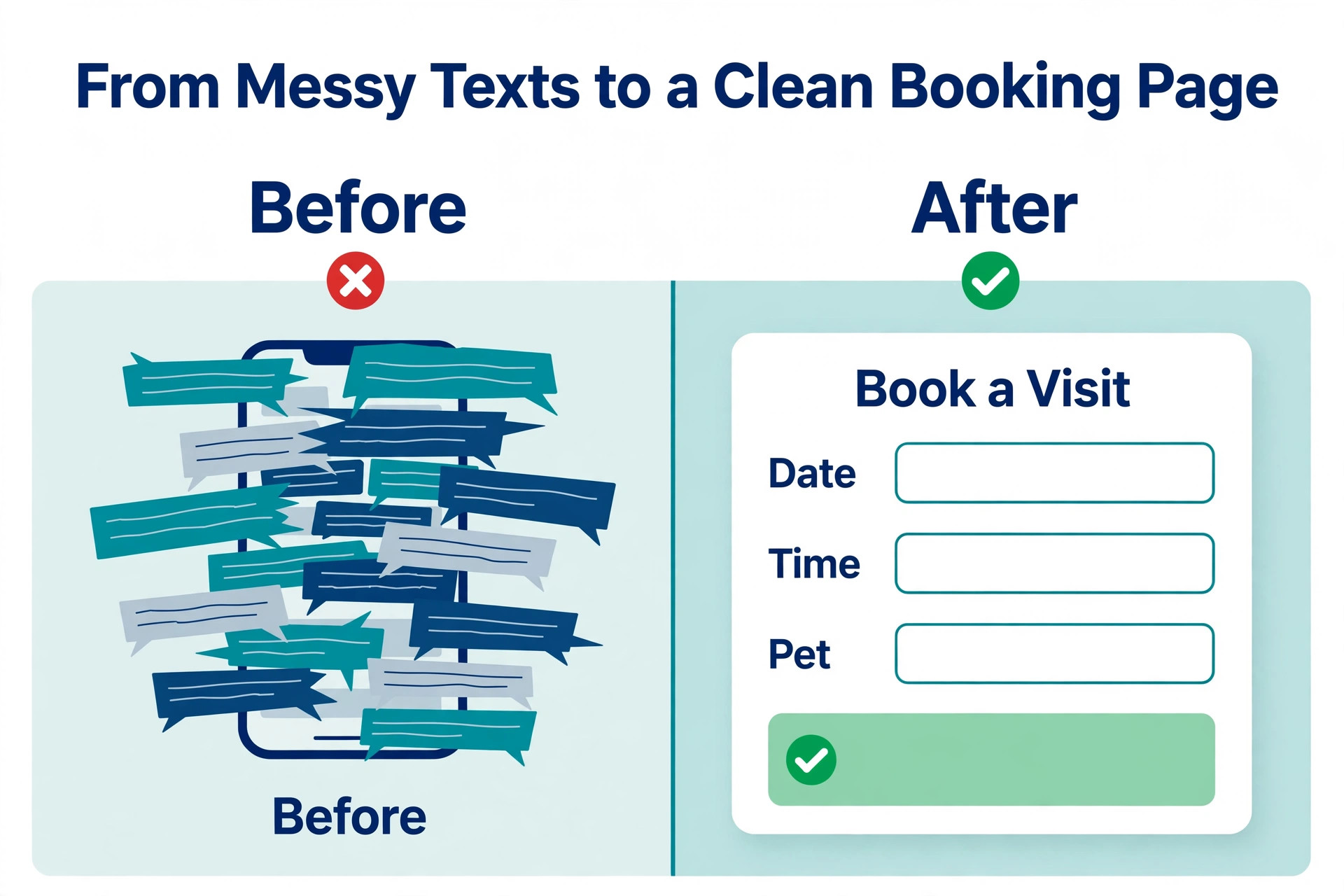
Clients book in three ways, and your software must handle all three without creating extra work for you. Some clients book through the client portal, where they request dates, choose a service and add a note. Some clients book by text or phone, and you enter the booking for them. Some clients book the same visits every week, and the software should repeat those visits automatically without a new request each time.
Set up the client portal first, because it is the booking channel that saves you the most time. A portal lets a client request a booking, update pet information, view upcoming visits and see report cards with photos after each visit, without a phone call. Add a booking link to your website and to your email signature, and tell existing clients about the portal in a short message that explains what it does and how to use it. Most clients will use it once they try it, because it is faster than texting back and forth about dates.
For phone and text bookings, set a rule that every booking is entered into the software before you confirm it to the client. A booking that lives only in a text message is a booking that can be missed, double booked or forgotten when your phone dies. Enter the dates, the service, the sitter, the rate and any special notes, then send the confirmation from the software so the client has a written record with the same details you have.
Step 4. Build the Daily Schedule and the Route
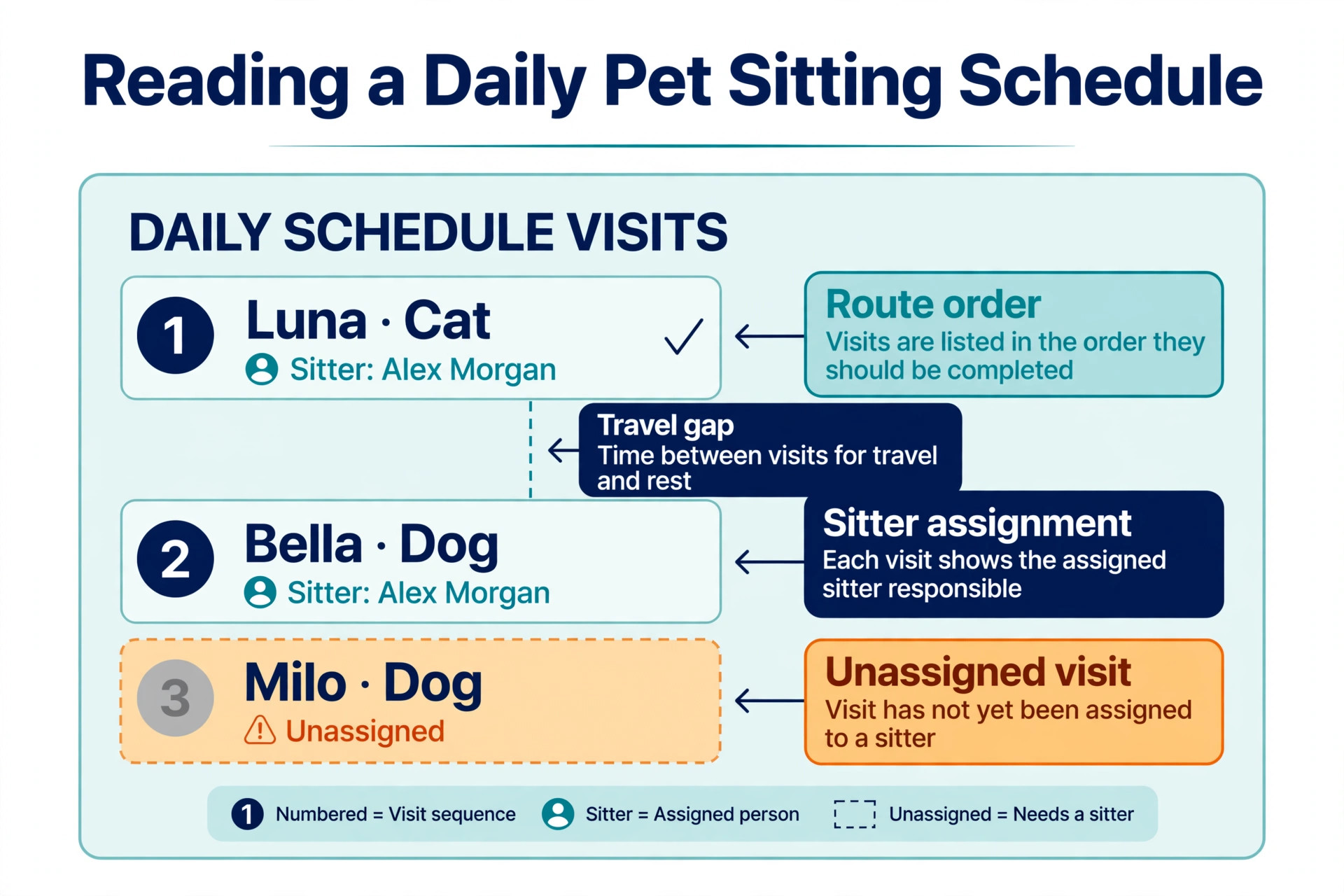
The daily schedule is where a pet sitting business is won or lost, because a good schedule fits the visits, the travel and the sitter into a day that actually works. Start each morning by opening the schedule for the day, checking for new requests, cancellations and changes, and confirming that every visit has a sitter assigned. A visit with no sitter is a missed visit, and the software should make unassigned visits obvious, not hide them in a list.
Then order the visits by route, not by booking time. A sitter who drives across town and back three times wastes an hour that could have been a paid visit, and a route that groups nearby clients together saves fuel, time and stress. Most pet sitting tools show visits on a map or in a route order, and some suggest the best order automatically. Use that order, and check it against real traffic, school times and the feeding times that cannot move. A dog that eats at 7 in the morning cannot wait until 10 because the route was tidy.
Assign visits by sitter location, availability and client preference. A client who asked for the same sitter every time should get that sitter when possible, because the pet knows the person and the sitter knows the routine. When a sitter calls out, use the software to find the best replacement by proximity and schedule gaps, rather than by who answers the phone first. Precise Petcare is built for this, and Time To Pet and Pet Sitter Plus both show staff availability on a calendar so you can see the gap before you fill it.
Step 5. Run the Visit with GPS, Photos and Notes
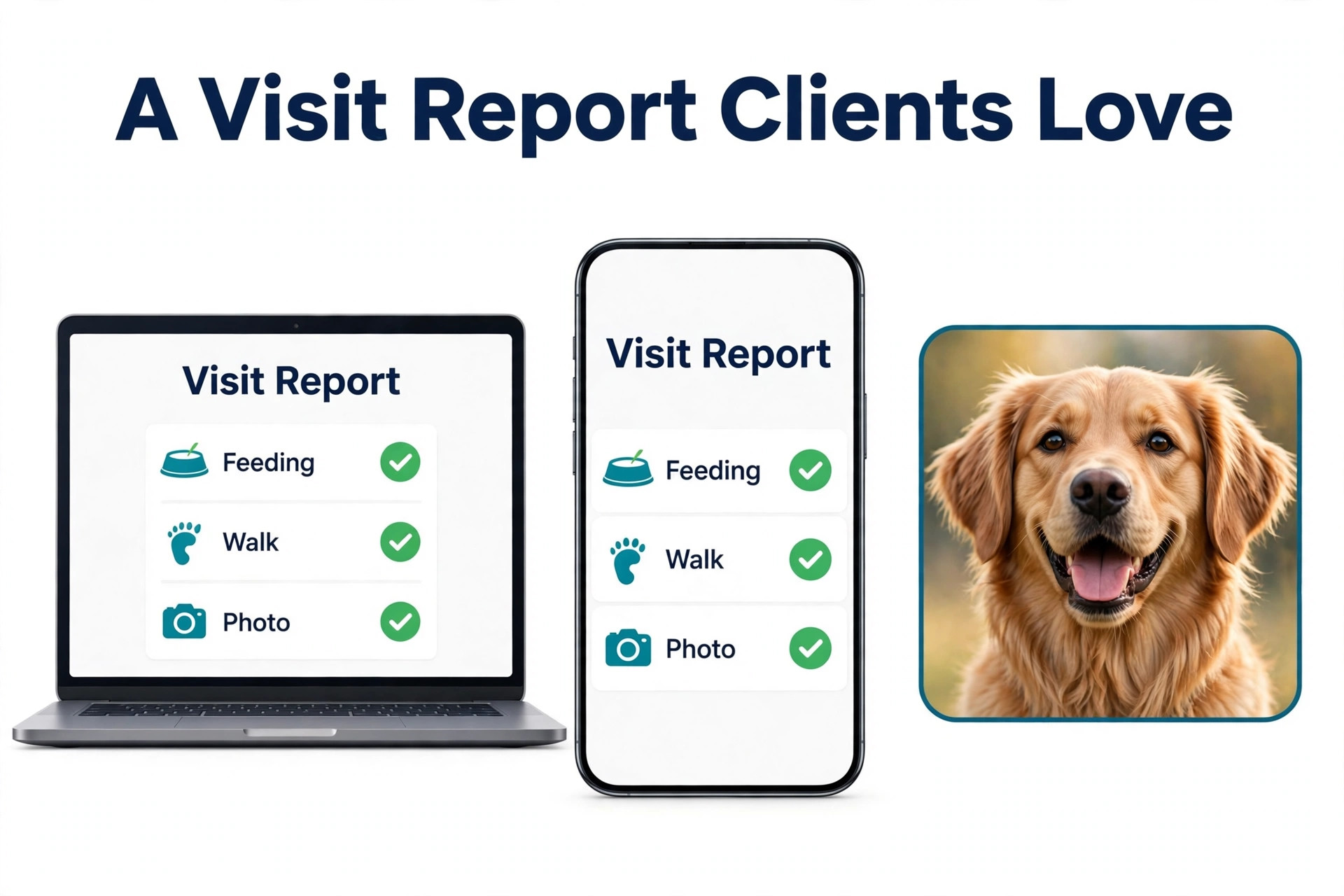
A visit report is the proof that the visit happened, and it is the part of the service clients value most. The sitter should check in with GPS when they arrive, so the system records the time and the location, and check out when they leave, so the client can see the visit duration. A photo of the pet, a short note on what happened, and a note on feeding, medication and any concerns should follow in the same report, sent to the client as soon as the visit ends.
Set a standard for the report so every sitter sends the same quality. A good report has at least one clear photo of the pet, a note on food and water, a note on exercise or play, a note on medication if the pet takes any, and a note on anything unusual, such as a pet that did not eat or a house issue. A report that says only that the visit happened is not a report, it is a timestamp, and a client who pays for care expects more than a timestamp.
Handle problems in the software, not in a private text. When a pet is unwell, when a key does not work, or when a visit runs late, the sitter should log the issue in the visit notes so the office, the next sitter and the client all see the same record. That record protects the sitter, protects the business, and gives the client a clear account of what happened and what you did about it. A problem handled in a text message disappears when the phone is replaced, while a problem logged in the software stays with the client record.
Step 6. Invoice, Collect Payment and Follow Up
Invoicing should follow the visit automatically, not wait for the end of the month. Most pet sitting tools generate an invoice from completed visits, with the correct rate for each service, the holiday surcharge where it applies, and any extra charges such as a late booking fee. Review the invoice before you send it, check that every visit is listed, that the dates are right, and that the total matches the quote the client accepted. A wrong invoice costs more in trust than it gains in revenue.
Offer online payment through the software, because a client who can pay from the invoice in one click will pay faster than a client who has to write a cheque or send a bank transfer. Set up automatic reminders for unpaid invoices, with a polite first reminder after three days and a firmer reminder after seven days, and a clear policy on late payment. Most clients pay on time when the invoice is clear and the payment link works, and the ones who do not will respond to a reminder that is automatic rather than personal.
Follow up after the booking ends, not just when the invoice is paid. Send a short thank you message, ask whether the pet settled well after the owner returned, and note any feedback in the client profile. A client who feels remembered is a client who books again, and a note that says a dog was nervous on the first day is a note that will help the next sitter do a better job. Repeat bookings are the profit in pet sitting, because a returning client costs nothing to win and books with confidence.
The Weekly Scheduling Checklist
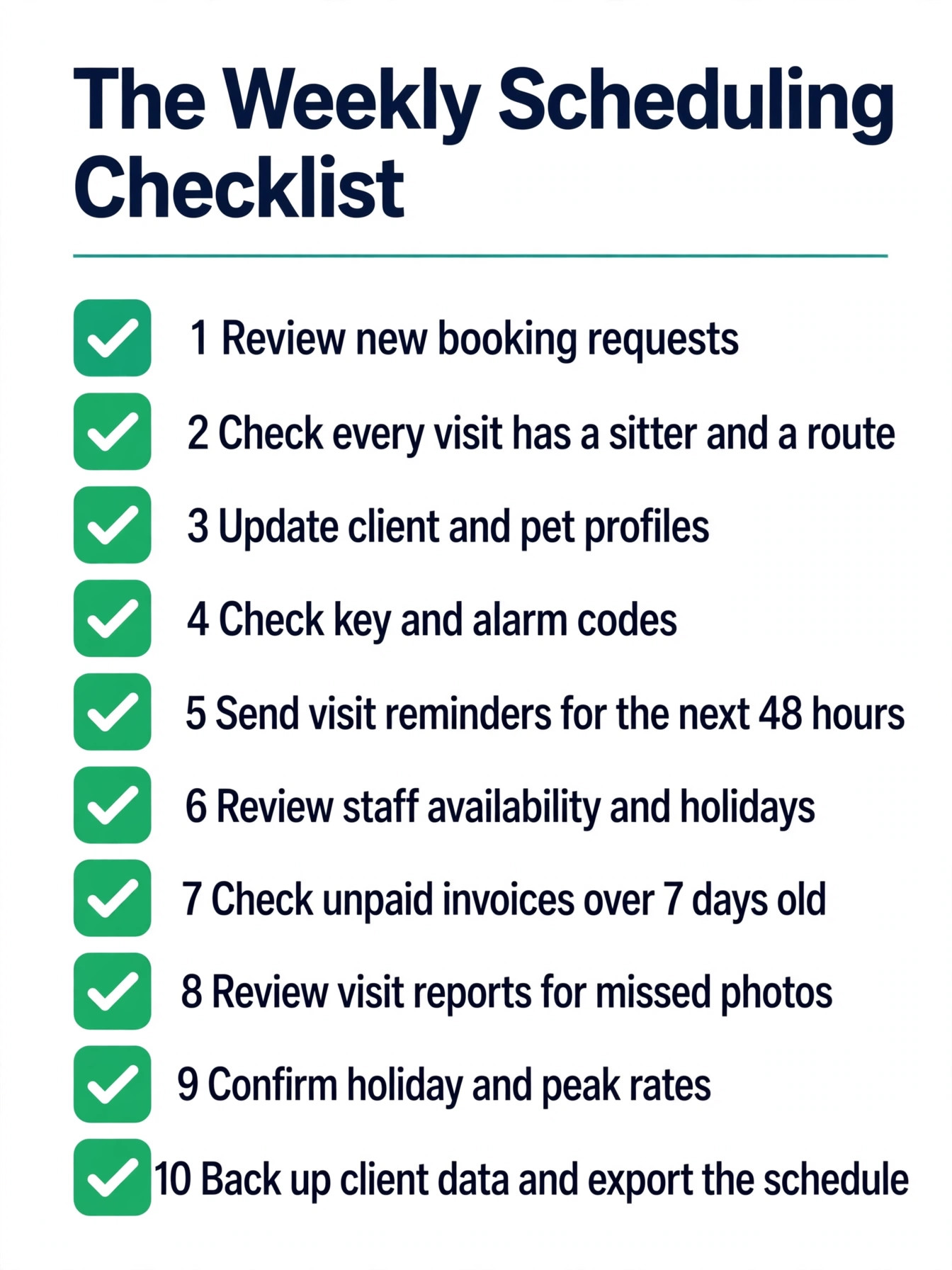
Learning how to schedule pet sitting clients with software is easier when the weekly routine is written down, so use this checklist every week to keep the schedule clean, the routes workable and the clients informed. The list covers the work that prevents missed visits, and it takes about 20 minutes when the software is set up correctly. Run it on the same day each week, so it becomes a habit rather than a rescue.
- Review all new booking requests and confirm or decline each one in the software.
- Check every visit for the coming week has a sitter assigned and a route order.
- Update any client or pet profile that changed in the past week.
- Check key and alarm codes for first time visits and holiday bookings.
- Send visit reminders to clients with bookings in the next 48 hours.
- Review staff availability, holidays and blackout dates for the next two weeks.
- Check unpaid invoices and send reminders for any invoice over seven days old.
- Review visit reports from the past week for missed photos or late check ins.
- Confirm holiday and peak rates are set for the next holiday period.
- Back up client data and export a copy of the schedule for the coming week.
How to Handle Cancellations, Changes and Emergencies
Cancellations are part of pet sitting, and a clear process is part of how to schedule pet sitting clients with software without losing the week to one change. A clear process turns them from a crisis into a routine task. When a client cancels, update the booking in the software immediately, free the sitter for other work, and apply the cancellation policy as written, whether that is a full refund, a partial refund, or no refund inside the deadline. Send the client a written confirmation of the cancellation and the refund, so there is no argument later about what was agreed.
Changes are more common than cancellations, and they need the same discipline. When a client adds a visit, changes a time, or adds a pet to a booking, update the booking in the software before you confirm the change, and check that the new time fits the route and the sitter. A change confirmed by text and never entered into the software is a visit that will be missed, because the sitter works from the software schedule, not from your phone.
Emergencies need a written plan that every sitter can follow. The plan should name the vet, the emergency vet, the client emergency contact, and the steps to take when a pet is unwell, when a sitter cannot reach a home, or when a sitter is ill and cannot work. Store that plan in the software, in the client profile and in a shared document the sitters can open from their phones. A plan that lives only in your head is not a plan when you are the one who is ill.
Mistakes That Cause Missed Visits
The most common mistake when you learn how to schedule pet sitting clients with software is running bookings in two places at once. A sitter who takes a booking by text, writes it in a paper diary, and never enters it into the software will miss it, because the software schedule is the one the team works from. Pick one system, enter every booking into it before you confirm it, and stop using the paper diary for live bookings. The paper diary can be a backup, but it cannot be a second source of truth.
The second mistake is leaving visits unassigned until the morning they happen. A visit with no sitter is a visit that will be missed when the day gets busy, and a schedule that looks full on paper can hide three unassigned visits in a list. Assign every visit when you confirm the booking, or at least the day before, and check the unassigned list every morning before the first visit. The third mistake is ignoring travel time, because a route that looks tidy on a map can be impossible when you add 20 minutes of driving between each visit. Block travel time in the schedule, group nearby clients together, and leave a gap for the visit that runs long.
The fourth mistake is letting pet profiles go stale. A feeding time that changed last month, a medication that stopped, or a key code that was replaced will cause a problem on the next visit, and the sitter will follow the profile as written. Update profiles in the same hour the client tells you, and review every profile before a holiday booking, when the stakes are highest and the owner is hardest to reach.
Our Verdict
Time To Pet is the best starting point for most readers who want to learn how to schedule pet sitting clients with software, because Lite at 25 dollars a month covers a solo sitter and the Team plan covers a growing business with GPS, a client portal and invoicing in one place. Pet Sitter Plus is the best value for a team, because Solo at 30 dollars a month and a Team plan priced by active staff keep the cost predictable as you hire. Precise Petcare is the best choice for a larger team with routes to optimise, and PetPocketbook is the best choice when you want every feature for a flat 25 dollars a month.
The tool matters less than the workflow. A solo sitter with a clean profile for every pet, a route that groups nearby visits, a visit report with a photo after every visit, and an invoice that follows the visit will keep clients longer than a team with expensive software and no routine. Set up the services, build the profiles, open the portal, assign every visit, report every visit, and invoice on time, and the software will do the job it was bought for.
Frequently Asked Questions
What is the best software to schedule pet sitting clients?
Time To Pet is the best overall choice for most pet sitting businesses, because it covers scheduling, a client portal, GPS tracking and invoicing from 25 dollars a month on Lite. Pet Sitter Plus is the best value for a team, Precise Petcare is the best for larger teams with routes, and PetPocketbook is the best flat price option at 25 dollars a month. Test two tools with a real booking before you pay, because the scheduling workflow matters more than the feature list.
How much does pet sitting scheduling software cost?
Prices in this guide run from 20 dollars a month for Precise Petcare Solo to 50 dollars a month for Time To Pet Solo, with Team plans priced by active staff or by a flat fee. A solo sitter should budget 20 to 30 dollars a month, a small team should budget 40 to 90 dollars a month, and a larger team should check the per staff price carefully, because a 16 dollar per staff fee adds up fast. Confirm the price on the vendor page before you buy, because some headline prices are first year promotions.
Can clients book pet sitting themselves online?
Yes, when the tool offers a client portal or a booking link. Time To Pet, Pet Sitter Plus, Precise Petcare and PetPocketbook all offer a client portal where a client can request a booking, update pet information, view upcoming visits and see report cards with photos. Add the booking link to your website and tell existing clients about it, because a portal booking saves you the back and forth of texts and phone calls.
How do I handle recurring pet sitting bookings in software?
Set the booking as a recurring service in the software, with the days, times and sitter, and let the tool repeat it automatically. Most pet sitting tools handle weekly and daily repeats, holiday dates and blackout dates, and they will show the full series on the calendar so you can see the pattern. Review the recurring bookings every month, because a client who changes a day or pauses for a holiday will need the series updated, not just the next visit.
What should a pet sitting visit report include?
A good visit report includes a GPS check in and check out, at least one clear photo of the pet, a note on food and water, a note on exercise or play, a note on medication if the pet takes any, and a note on anything unusual. The report should reach the client as soon as the visit ends, so the owner knows the visit happened and how the pet is doing. A report that only says the visit happened is not enough for a client who pays for care.
Do I need GPS tracking for pet sitting visits?
GPS tracking is not a legal requirement, but it is the standard that clients now expect, because it proves the sitter arrived, how long they stayed, and that the visit happened at the agreed time. Time To Pet, Precise Petcare and Pet Sitter Plus all offer GPS check in and check out, and the visit report that follows is the part of the service clients mention most in reviews. If your tool does not offer GPS, the photo and the time stamp in the visit report are the next best proof.