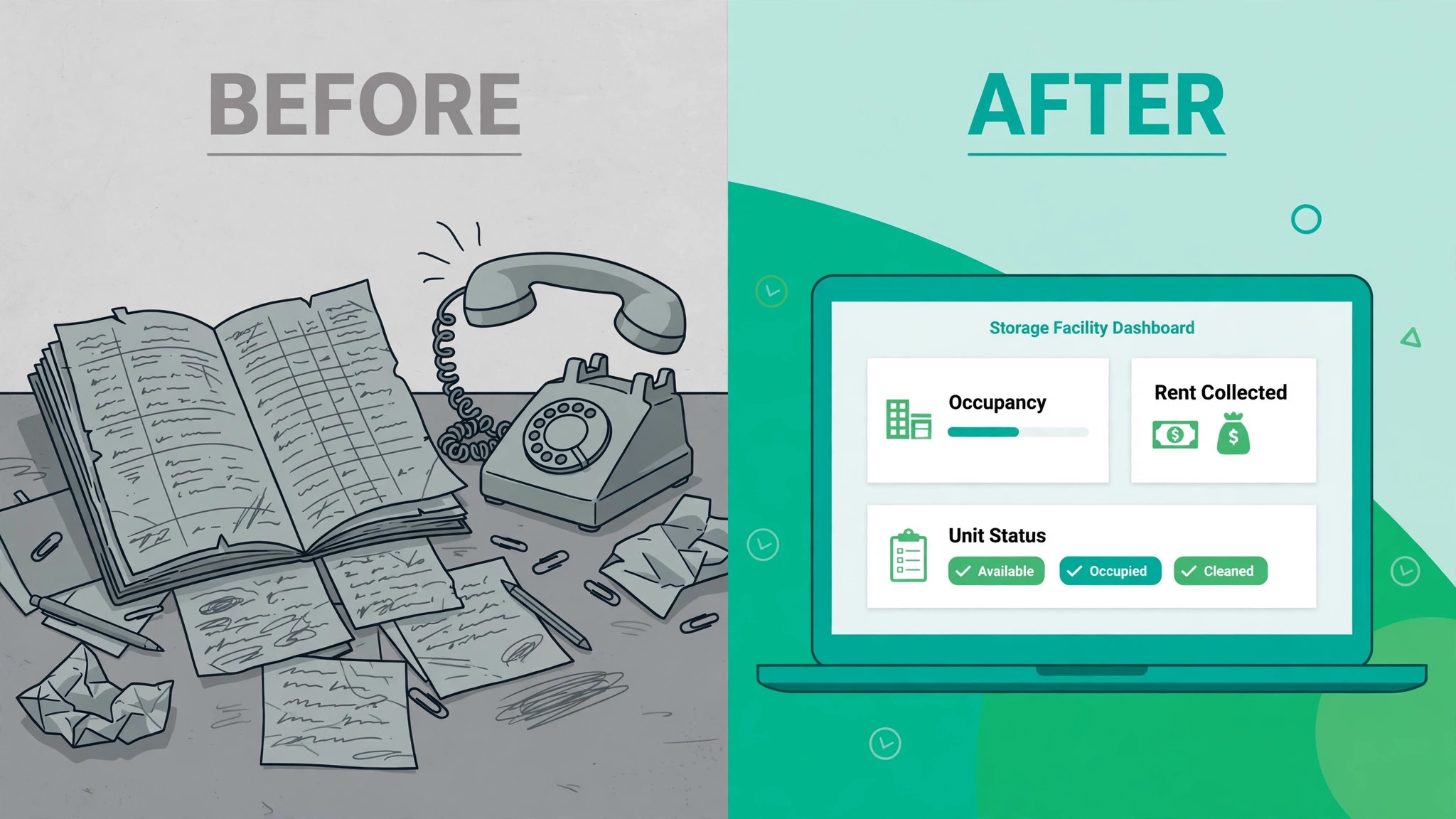
A 100 unit facility that rents online, bills on autopay and answers tenants without a phone call will fill faster than a 200 unit facility that still takes paper applications and chases late rent by hand. That gap is the whole reason to learn how to choose self storage software for a small facility before you sign anything. The right system turns a one person operation into a business that rents units at midnight, collects rent on time and keeps the gate working while you are somewhere else. The wrong system locks you into a yearly contract, charges you for features you never open and still leaves you doing the same manual work on a screen instead of on paper.
Most small facilities share the same shape. One owner or one manager, somewhere between 40 and 300 units, a mix of drive up and climate controlled spaces, and a gate that needs to open for paying tenants and stay shut for everyone else. Software built for a 40 site portfolio will feel heavy and expensive at that size. The choice is not about finding the most powerful platform. It is about finding the platform whose price, contract and feature set fit a facility of your size, your staffing and your growth plans.
Prices in this guide were checked against vendor pricing pages and current 2026 roundups in November 2026. Several vendors in this category do not publish a price at all and quote by unit count and feature set, so confirm every figure in writing before you sign. A quote that arrives by email is a starting point, not a contract, and the monthly number matters less than the total cost once payment processing, websites and add ons are included.
What Good Software Has to Do Every Day
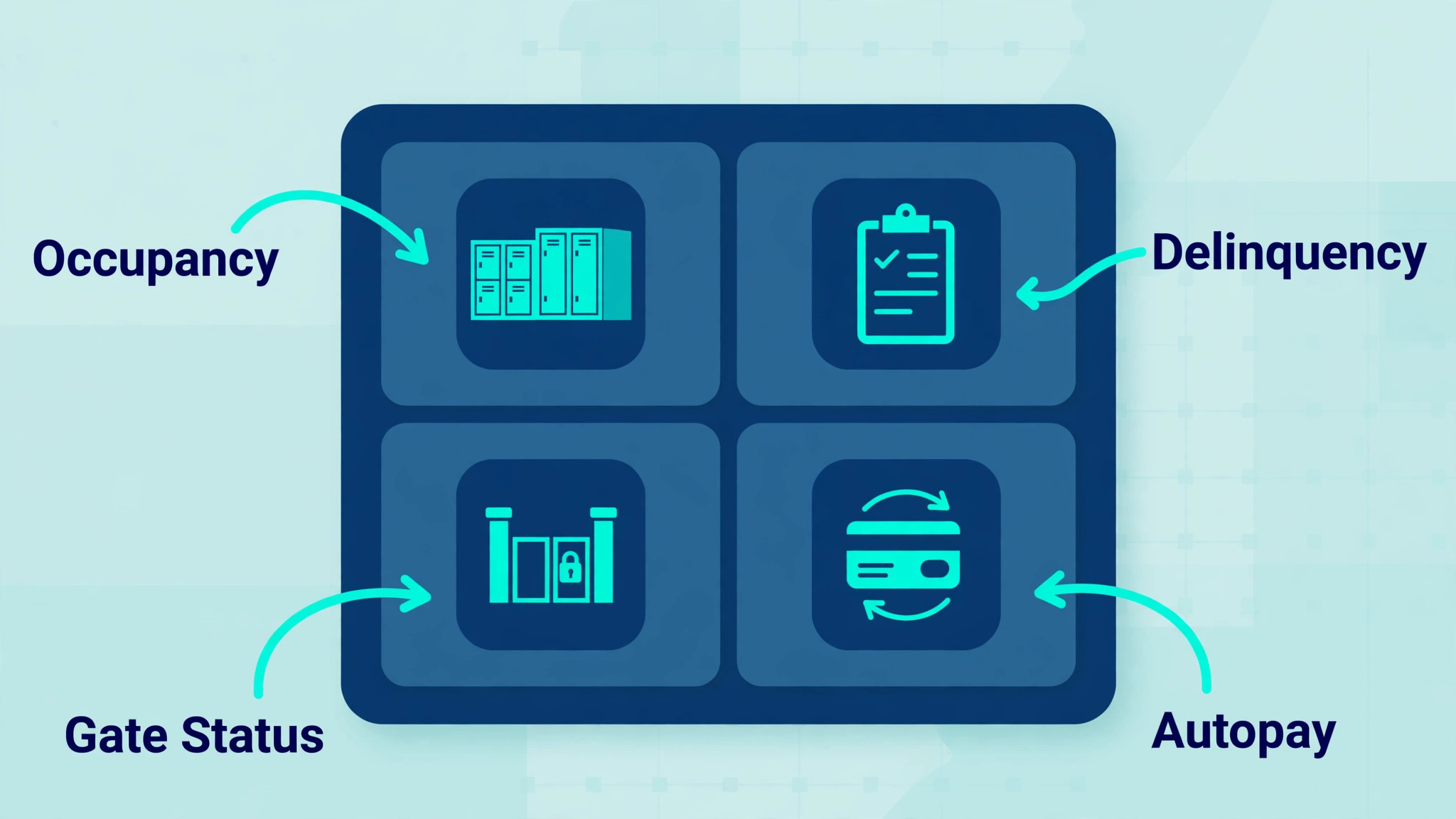
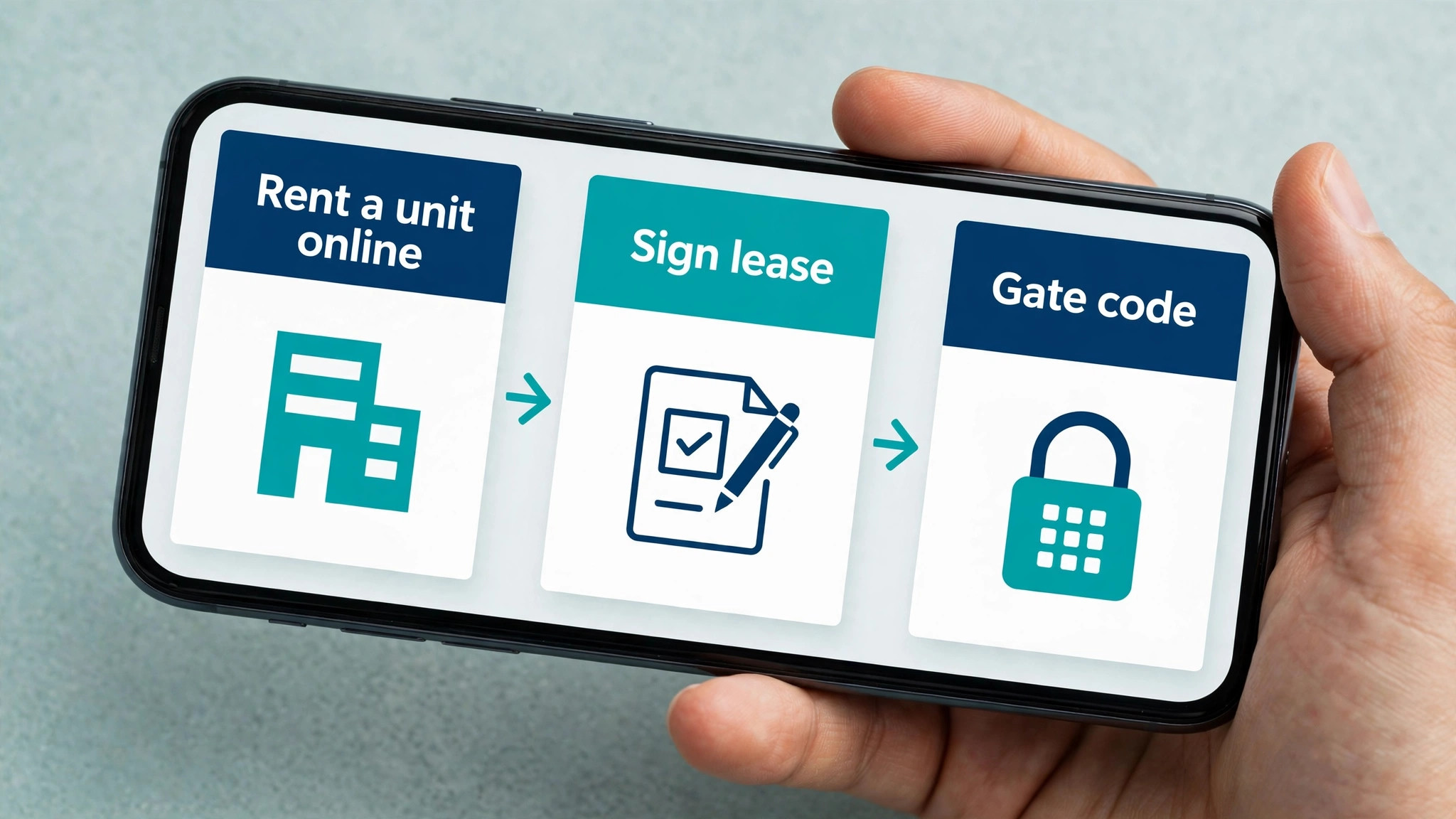
Start with the daily work, because that is where a bad choice hurts first. A tenant rents a unit online, signs the lease with an electronic signature, sets up autopay and gets a gate code without anyone in the office touching the file. Rent bills on the first of the month. A failed card triggers a reminder by text and email. A tenant who is 30 days late loses gate access automatically and gets a lien notice on the schedule your state requires. That is the baseline in 2026, and any platform that cannot do those five things is not a management system. It is a billing tool with a nicer screen.
The second job is money. The software should show occupancy, revenue per occupied unit, delinquency and move in and move out activity on one screen, without an export to a spreadsheet. It should connect to your accounting software, because retyping rent receipts into QuickBooks at month end is the exact work you are paying to stop doing. It should also handle the awkward cases, which are partial payments, prorated first months, deposits, insurance, admin fees and rate increases. A system that handles the easy 80 percent and fumbles the rest will cost you more time than the old way did.
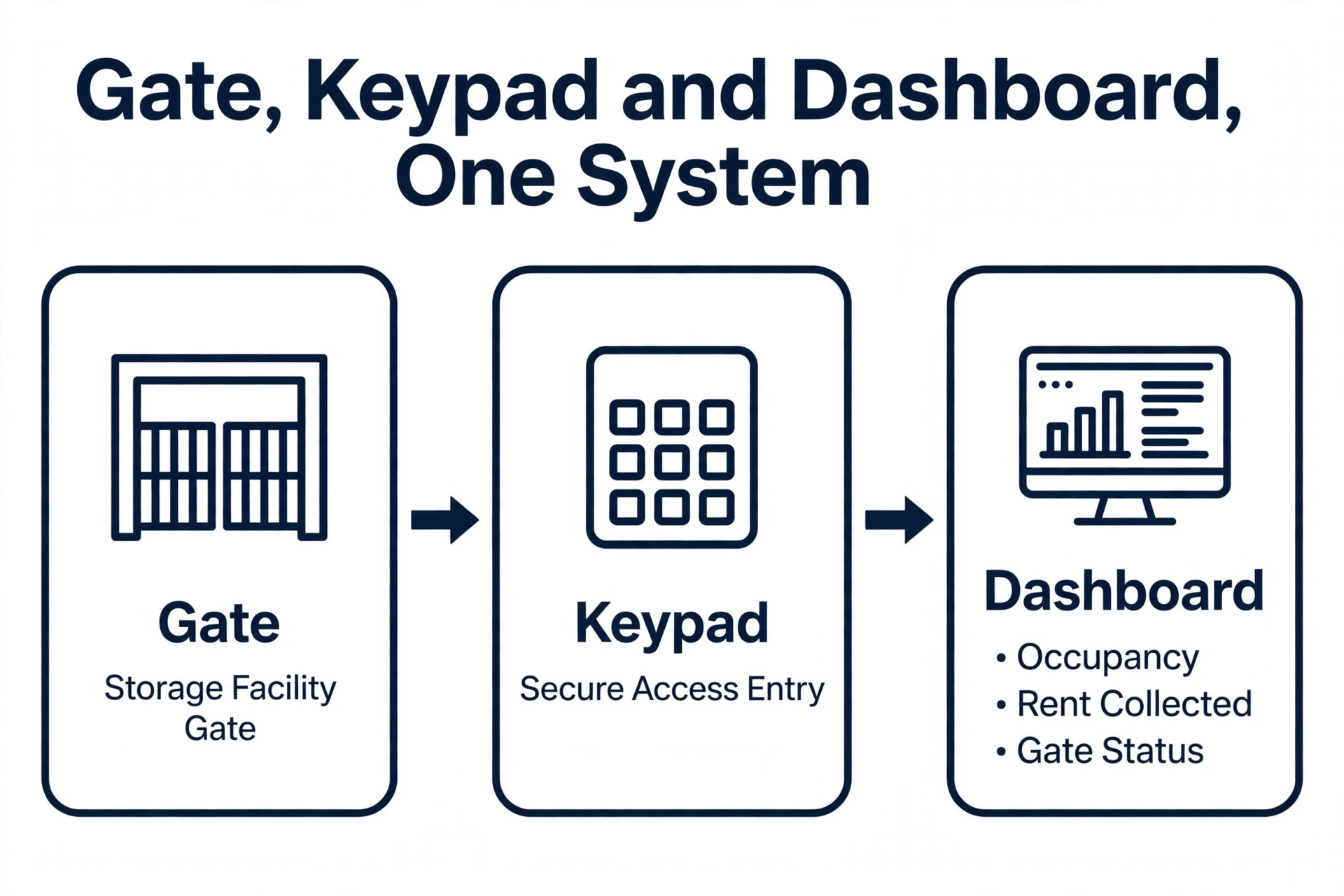
The third job is the gate. Gate access is the one feature that separates self storage software from ordinary property software, and it is the one buyers check last and regret most. Ask whether the platform talks to your gate hardware directly, whether a tenant loses access the moment a payment fails, and whether a new tenant gets a code without a manager typing it in. If the answer is a manual step or a third party add on, add that cost and that failure point to your decision. A gate that depends on someone remembering to update a code list is a gate that will fail on a holiday weekend.
The Decision Table for a Small Facility
| Question | If the answer is yes | If the answer is no |
|---|---|---|
| Do you rent units online today | Pick a system with online rentals and e-sign leases built in | A basic ledger plus a website form may be enough for now |
| Is the site unmanned or part time staffed | Gate automation and remote access control are essential | A simpler system with office hours support will do |
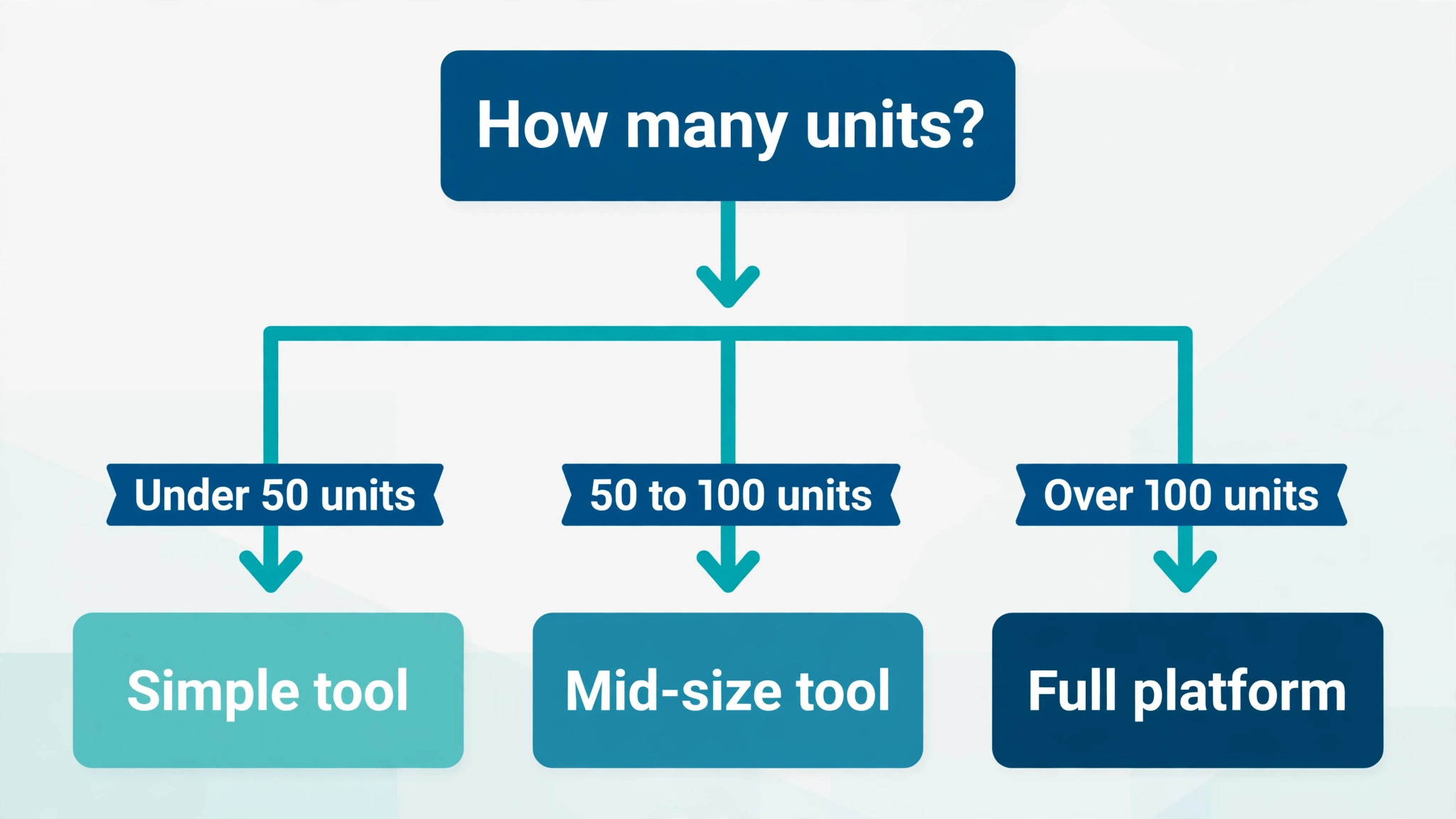
| Do you have under 100 units | Per unit pricing or a flat monthly fee keeps costs low | A flat fee can beat per unit pricing once you pass 150 units |
| Do you need a new website | A platform with a website product saves a second vendor | Keep your current site and pick software that links to it |
| Do you manage RV, boat or parking spaces | Check that the system supports non unit space types | Any standard unit system will work |
| Do you want month to month terms | Shortlist vendors that publish month to month terms | A yearly contract may be worth it for a lower rate |
Use this table before you look at any feature list. It narrows the field from a dozen vendors to three or four, and it is the fastest way to learn how to choose self storage software for a small facility without reading ten sales pages. It also stops the most common buying mistake in this category, which is paying for portfolio features when you run one building. A small facility does not need multi site rollups, revenue management algorithms or a call center. It needs reliable billing, a working gate and a rental page that converts.
How to Choose Self Storage Software for a Small Facility in Six Steps
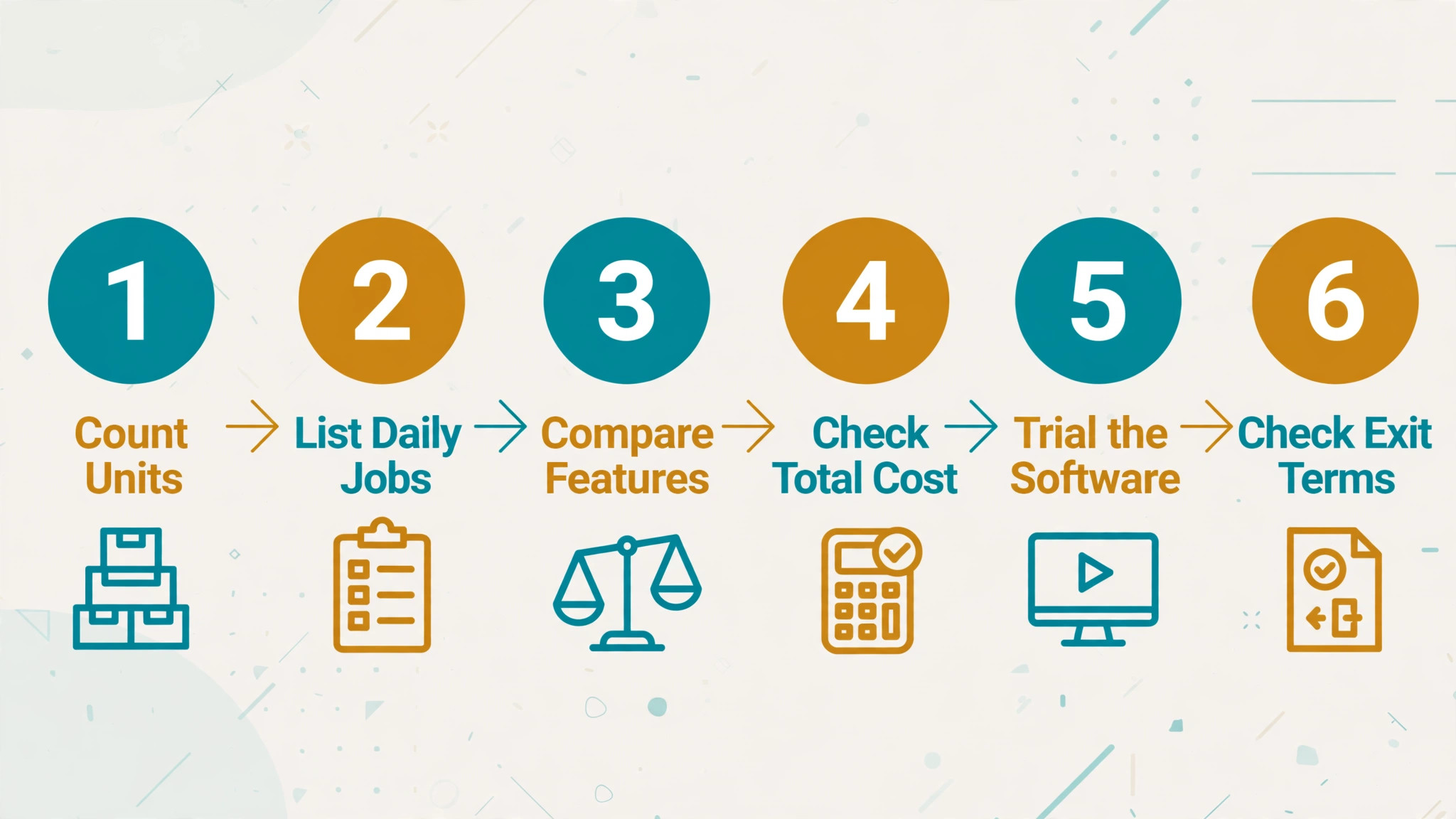
The buying process matters as much as the product, because most of the cost in this category hides in contracts, setup and payment processing rather than the monthly fee. Work through the six steps below in order, and do not skip the trial or the reference check. A vendor that will not let you test the tenant experience before you pay is telling you something about the tenant experience.
- Count your units and your space types. Write down the number of units, the mix of sizes, and any RV, boat, parking or marina spaces. Pricing in this category is usually per unit or per facility, so this count decides which pricing model is cheaper for you.
- List the jobs the software must do. Online rentals, autopay, gate control, late fee automation, texting and accounting integration are the usual six. Anything beyond that list is a nice extra, not a requirement, and it should not decide the purchase.
- Get three written quotes. Ask for the monthly software fee, the payment processing rate, the website cost if any, the setup fee and the contract length, all in one email. Vendors that will not put the full price in writing are vendors you should cross off.
- Test the tenant journey yourself. Rent a unit on the demo site with your own phone, sign the lease, set up a card and try the tenant portal. If any step confuses you, it will confuse your tenants too, and every confused tenant becomes a phone call.
- Call two current customers. Ask what broke in the first 90 days, how long support takes to answer, and what the real monthly bill looks like once processing fees are added. Vendor references are useful, but an operator you find yourself will be honest in a way a supplied reference rarely is.
- Check the exit terms before you sign. Ask how you export tenant data, what happens to your website if you leave, and what notice period the contract requires. A 90 day notice clause on a 12 month contract is a 15 month commitment, and you should know that on day one.
The Best Pick for Each Job
| Job | Pick | Why it wins |
|---|---|---|
| Lowest cost for a small facility | Unit Trac | 70 cents per unit per month with a 30 dollar minimum |
| All in one growth platform | Storable Edge | Rentals, marketing and unmanned operation in one system |
| Simple flat monthly fee | Storage Facility Creator | 75 dollars per facility per month with unlimited users |
| Per unit pricing with a big brand behind it | Yardi Breeze | 1 dollar per unit per month with no onboarding fee |
| Modern automation first system | Storeganise | API first design with online booking and AI tools |
| A website plus software in one vendor | Storable Edge | Facility websites and marketing services from the same company |
| Boat, RV and parking spaces included | Unit Trac | Slips, RV sites and parking rented on the same platform |
| A free start with processing based pricing | CCStorage | No monthly software fee, revenue from payment processing |
This table is a shortcut, not a verdict. Keep it beside you while you learn how to choose self storage software for a small facility, because the right row depends on your unit count, not on the longest feature list. The cheapest option is the wrong pick when it cannot talk to your gate, and the most complete platform is the wrong pick when its contract locks a 60 unit facility into enterprise terms. Read the short profiles below for the tools that match your row, then run the six step process on the final two.
Storable Edge
Storable Edge, formerly storEDGE, is the all in one product from Storable and the most common recommendation for a small facility that wants to grow without changing systems later. It covers billing, leases, online rentals, gate integration, reporting and tenant communication, and Storable also sells facility websites and marketing services, so operations and customer acquisition can run through one vendor. Storable says more unmanned operations use Edge than any other vendor system, which matters if your site has no full time manager.
Pricing is not published. You request a demo and receive a quote based on facility count and features, and billing is monthly with a monthly commitment, so you can cancel at any time. Roundups published in 2026 list Edge from around 50 dollars a month, but treat that as a reported figure rather than a promise, because the quote you receive will depend on your unit count. The strength of Edge is completeness. The weakness is that completeness costs more than a focused tool, and a 60 unit facility will pay for features it may never open.
SiteLink by Storable
SiteLink is the older Storable product and the industry standard for large operators. It has been around since 1996 and remains the most widely used system in the category, with deep customization, a large integration marketplace and reporting that covers occupancy, revenue and collections across one facility or a whole portfolio. If you plan to grow from one facility to ten, SiteLink is the system that grows with you without a migration.
That depth is also the reason most small facilities should not buy it first. Pricing is custom quoted, onboarding is a project rather than an afternoon, and a single 50 unit facility will use a tenth of what the platform can do. Choose SiteLink when you already run several facilities or you are buying a portfolio, not when you are opening your first building.
6Storage
6Storage is the best overall pick in several 2026 roundups, and the reason is the balance of price and automation. It covers online rentals, access control, website design and billing in one platform, with per unit pricing from around 75 cents per unit per month in some listings, though the vendor quotes by unit count and does not publish a single list price. Its access control product, 6Security, integrates with Noke, DaVinci Lock, OpenTech, SpiderDoor and PTI hardware, which is a wider gate list than most rivals publish.
The platform suits single site and multi site operators, and it does not lock customers into long term contracts according to vendor comparisons checked in October 2026. The website product is an add on rather than part of the core, so confirm whether your quote includes it.
Yardi Breeze
Yardi Breeze brings the Yardi name to small operators at 1 dollar per unit per month, with a Premier tier at 2 dollars for advanced features. A 100 unit facility pays around 100 dollars a month for real property management software with Yardi accounting, online payments, tenant portals and reporting, and the vendor charges no separate fees for onboarding, training or support. That transparency is rare in this category and it is why Breeze wins the value argument for facilities under 150 units.
The limit is scope. Breeze is property management software with a self storage version, not a storage specialist, so check the gate integration and the storage specific workflows, like unit transfer and lien handling, against your daily work before you commit. If those two check out, the per unit price scales fairly as you grow.
Storeganise
Storeganise is the modern, API first option, and it stands out for automation. It offers online booking, digital leases, automated billing and AI booking tools, with pricing listed from around 90 dollars a month, or about 100 dollars a month for 100 units, with unlimited users and no setup fee in the listings checked for this guide. The platform suits operators who want to connect storage software to other tools, because the API is a first class feature rather than an afterthought.
The trade off is youth. Storeganise does not have the decades of operator history that SiteLink or Storable Edge carry. It is the right pick for an owner who is comfortable with technology and wants a system that feels like modern software. It is the wrong pick for an owner who wants a vendor that has already solved every edge case in the industry.
Storage Commander
Storage Commander, sold as SC Navigator, is a cloud based system for small operators through multi facility portfolios. It covers operations, payments, marketing and tenant insurance in one platform, with online rental, reservation and a tenant portal, and its integrated SC Pay payment processing is required. The website product is priced separately at 199 dollars a month plus a 300 dollar setup fee in vendor comparisons checked in October 2026, and the software itself is quoted rather than published.
The contract is the thing to read carefully. Standard terms run 12 months and renew, with 90 days notice required to cancel, so the real commitment is longer than a year. If Storage Commander makes your shortlist, negotiate the notice period before you sign, and get the payment processing rate in writing, because SC Pay is not optional.
Unit Trac
Unit Trac is the price transparency pick. It charges 70 cents per unit per month with a 30 dollar monthly minimum, unlimited users, no contract and no setup fee, and it publishes that price on its own site. A 60 unit facility pays 42 dollars a month. A 100 unit facility pays 70 dollars. That clarity is the whole pitch, and for a small facility watching every dollar, it is a strong one. The platform includes online rentals, autopay by card or ACH, e-signed leases, a tenant portal and a real time visual map of the facility.
Unit Trac also handles space types that many rivals do not, including boat slips, RV sites, hangars and parking, rented on weekly to annual terms. That makes it the best pick for a facility that is really a yard with some units attached, or a marina with storage on the side. The weakness is scale of the vendor rather than the product. It is a smaller company than Storable or Yardi, so check support hours and response times yourself during the trial, and ask how gate integrations are handled for your exact hardware.
Storable Easy
Storable Easy is the entry level product in the Storable family, aimed at single facilities and small groups that want the Storable name without the Edge price or complexity. Pricing starts from around 90 dollars a month by unit count, with no limit on users. It covers the core jobs, which are billing, online rentals, autopay and reporting, and it is the simplest on ramp to the Storable world. If you outgrow it, the migration path to Edge or SiteLink stays inside the same vendor, which removes one of the biggest fears in this category.
The trade off is that Easy is deliberately limited. Advanced marketing and multi site tools sit in the higher products, so ask the vendor what an upgrade costs and whether your data, website and gate settings carry across untouched. A cheap start that costs a painful migration later is not cheap.
Storage Facility Creator
Storage Facility Creator charges a flat 75 dollars per facility per month with unlimited users, month to month terms and no onboarding fee, and it publishes that price openly. The platform includes billing, autopay, collections, texting and email, e-signed leases and a tenant portal, plus a hosted rental page you can link from your own website. Card autopay runs through your own Stripe account, and there is no ACH option, so check whether your tenants pay by bank transfer today.
The flat fee is the attraction. A 200 unit facility pays the same 75 dollars as a 50 unit facility, which makes this the cheapest option in the guide once you pass about 110 units. The limit is that it is a focused product from a small vendor, and it suits one facility or a handful rather than a portfolio. If you run a single building and you want a predictable bill with no per unit math, it belongs on the shortlist next to Unit Trac.
WebSelfStorage
WebSelfStorage comes from the company that runs the U-Haul Self Storage Affiliate Network, and that connection is its main selling point. Pricing is 44.95 dollars a month plus 20 dollars for each reservation that comes through U-Haul, which makes it the cheapest base price in this guide and the most variable total cost. If U-Haul sends you few reservations, you pay very little. If it sends you many, the per reservation fees add up, but each one is a rented unit you might not have found alone.
What the Real Monthly Cost Looks Like
The software fee is rarely the whole bill, and buyers who are learning how to choose self storage software for a small facility and compare monthly fees alone get surprised. Payment processing is the biggest hidden line. Card payments usually cost between 2 and 3 percent plus a per transaction fee, and ACH is cheaper but not free.
A facility collecting 8,000 dollars a month in rent pays roughly 200 dollars in card processing, which can be double the software fee itself. Some vendors, like CCStorage, charge no monthly software fee at all and earn their money from higher processing rates, with tenants paying 3.99 percent on card payments and 1.75 percent on ACH. That model can be cheap at low volume and expensive at high volume, so model it at your real rent roll.
Websites are the second hidden line. A vendor website product can cost 99 dollars a month for a basic site or 250 dollars a month for a boosted local site, as CCStorage lists, or 199 dollars a month plus setup, as Storage Commander lists. If your current site already ranks on Google, do not replace it with a vendor template just because it is bundled.
Setup, training and data migration are the third line. Some vendors include onboarding and support in the monthly fee, as Yardi Breeze does. Others charge a setup fee or bill training separately. Ask whether your tenant data, unit map and rate tables are migrated for free, and who does the work. A free migration done badly costs more than a paid migration done well.
Mistakes That Cost Small Facilities Money
Anyone working out how to choose self storage software for a small facility should watch for four traps. The most expensive mistake is signing a yearly contract before testing the tenant journey. A system that looks fine in a sales demo can be confusing on a phone at 10 at night, and the tenant who gives up halfway through an online rental is a lost sale you will never see in a report.
The second mistake is buying for the facility you hope to own instead of the one you run today. Portfolio reporting and call center integration are valuable at ten sites and dead weight at one. Pay for the system that fits your current unit count, and pick a vendor with a clear upgrade path.
The third mistake is ignoring the gate. Buyers compare billing screens and forget to ask which gate hardware the software supports, and then discover after signing that their gate needs a manual code update. Check gate compatibility in writing before the demo, not after it.
The fourth mistake is forgetting the exit. Every vendor is happy to take your data in and less happy to give it back. Ask how tenant records, payment history and lease documents export, and whether your website and domain stay yours if you leave.
- Confirm gate compatibility with your exact hardware in writing.
- Confirm the full monthly cost including processing, website and add ons.
- Confirm the contract length, renewal terms and notice period.
- Confirm that tenant data exports in a usable format.
- Confirm support hours and response times for nights and weekends.
Our Verdict
For most small facilities, the smart buy is Unit Trac or Storable Edge, and the choice between them comes down to how much help you want. Unit Trac wins when the budget is tight and the facility is straightforward, because 70 cents per unit with no contract is the clearest deal in the category, and the boat, RV and parking support covers the mixed sites that other tools handle badly. Storable Edge wins when you want one vendor for software, website and marketing, and you are willing to pay for a quote based price to get unmanned operation that works without daily attention.
Yardi Breeze is the pick when you want a big brand and a bill that scales with your unit count, and 6Storage is the pick when you want modern automation and the widest gate integration list. Storage Facility Creator is the pick once you pass about 110 units and the flat 75 dollar fee beats every per unit price on the list.
Whichever you choose, run the six step process, test the tenant journey on your own phone, and get the full price in writing. When you know how to choose self storage software for a small facility, the test is simple. The right system is the one that rents units while you sleep, collects rent without a phone call, and lets you leave if it stops doing those two things.
Frequently Asked Questions
How much does self storage software cost for a small facility?
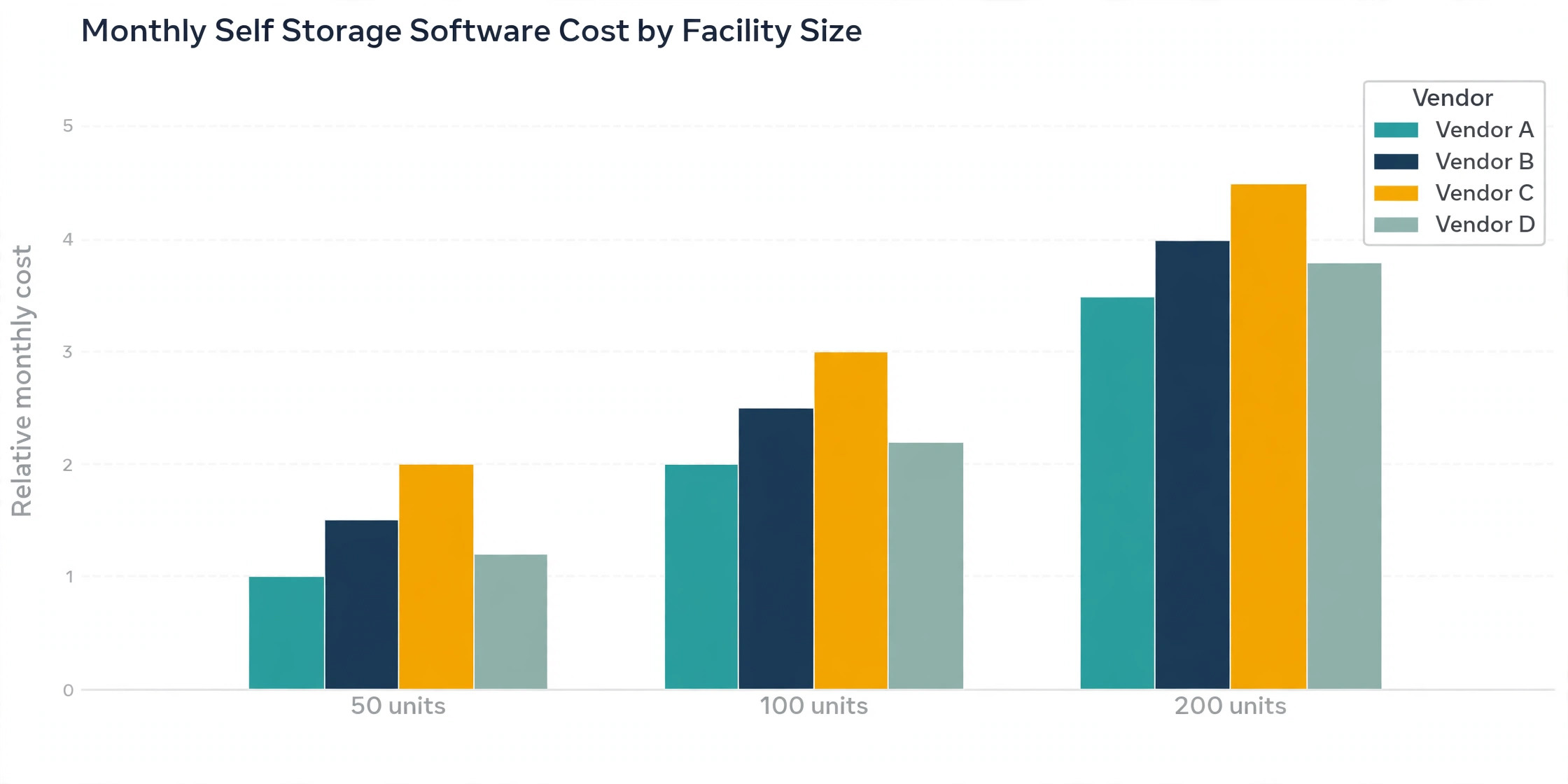
Published prices in 2026 run from about 42 dollars a month for a 60 unit facility on Unit Trac at 70 cents per unit, to around 100 dollars a month for a 100 unit facility on Yardi Breeze at 1 dollar per unit, with flat fee options at 75 dollars a month from Storage Facility Creator.
That spread is why how to choose self storage software for a small facility starts with your unit count, not with a feature list. Several vendors, including Storable Edge, SiteLink and 6Storage, quote by unit count and do not publish a list price. Add payment processing, which usually runs 2 to 3 percent of rent collected, and any website product, which can add 99 to 250 dollars a month, to get the real monthly cost.
Do I need self storage software for a 50 unit facility?
Yes, once you rent online or accept autopay, because the software replaces the manual work that grows with every tenant. A 50 unit facility can run on a spreadsheet and a phone, but it cannot rent a unit at midnight, send a late notice automatically or cut gate access for a tenant who has not paid. At this size a facility pays around 35 dollars a month on Unit Trac or 50 dollars a month on Yardi Breeze.
Which self storage software is best for an unmanned facility?
Storable Edge is the strongest pick for an unmanned facility, because Storable says more unmanned operations use it than any other vendor system, and it combines online rentals, e-sign leases, autopay and gate control in one platform. If you are deciding how to choose self storage software for a small facility for a site with no full time manager, start your shortlist here. 6Storage is the other serious option, with its 6Security access control integrating with Noke, DaVinci Lock, OpenTech, SpiderDoor and PTI hardware. Whichever you choose, test the full tenant journey without staff help, including a failed payment and a lockout, before you commit.
Can I switch self storage software without losing tenant data?
You can, but the quality of the migration depends on the vendor you leave and the vendor you join. Ask both sides how tenant records, balances, payment history, lease documents and gate codes transfer, and whether the migration is included in the price or billed separately. Get the export format in writing before you sign, and run the old and new systems side by side for one billing cycle if you can.
What payment processing rate should I expect?
Card payments in self storage usually cost between 2 and 3 percent plus a per transaction fee, and ACH payments cost less, often under 2 percent. Some vendors bundle processing into the software fee, and some, like CCStorage, charge no monthly software fee and earn their money from higher processing rates of 3.99 percent on cards and 1.75 percent on ACH. Ask for the processing rate in writing and model it against your real monthly rent roll.
Does self storage software include a website?
Some platforms include a website product and some do not. Storable Edge and 6Storage both offer facility websites, Storage Commander sells a website product at 199 dollars a month plus a 300 dollar setup fee, and CCStorage lists a basic site at 99 dollars a month and a boosted local site at 250 dollars a month. If your current site already ranks well on Google, keep it and pick software that links to it rather than replacing it with a vendor template.
A small facility does not need the most powerful software in the category. Once you know how to choose self storage software for a small facility, the job is clear. You need software that rents a unit at midnight, collects rent on time, keeps the gate working and lets the owner leave if the deal stops working. Start with the decision table, shortlist two vendors, test the tenant journey on your own phone, and get the full price in writing before you sign. That process takes a week, and it is the difference between a system that runs the facility and a contract that runs the owner.