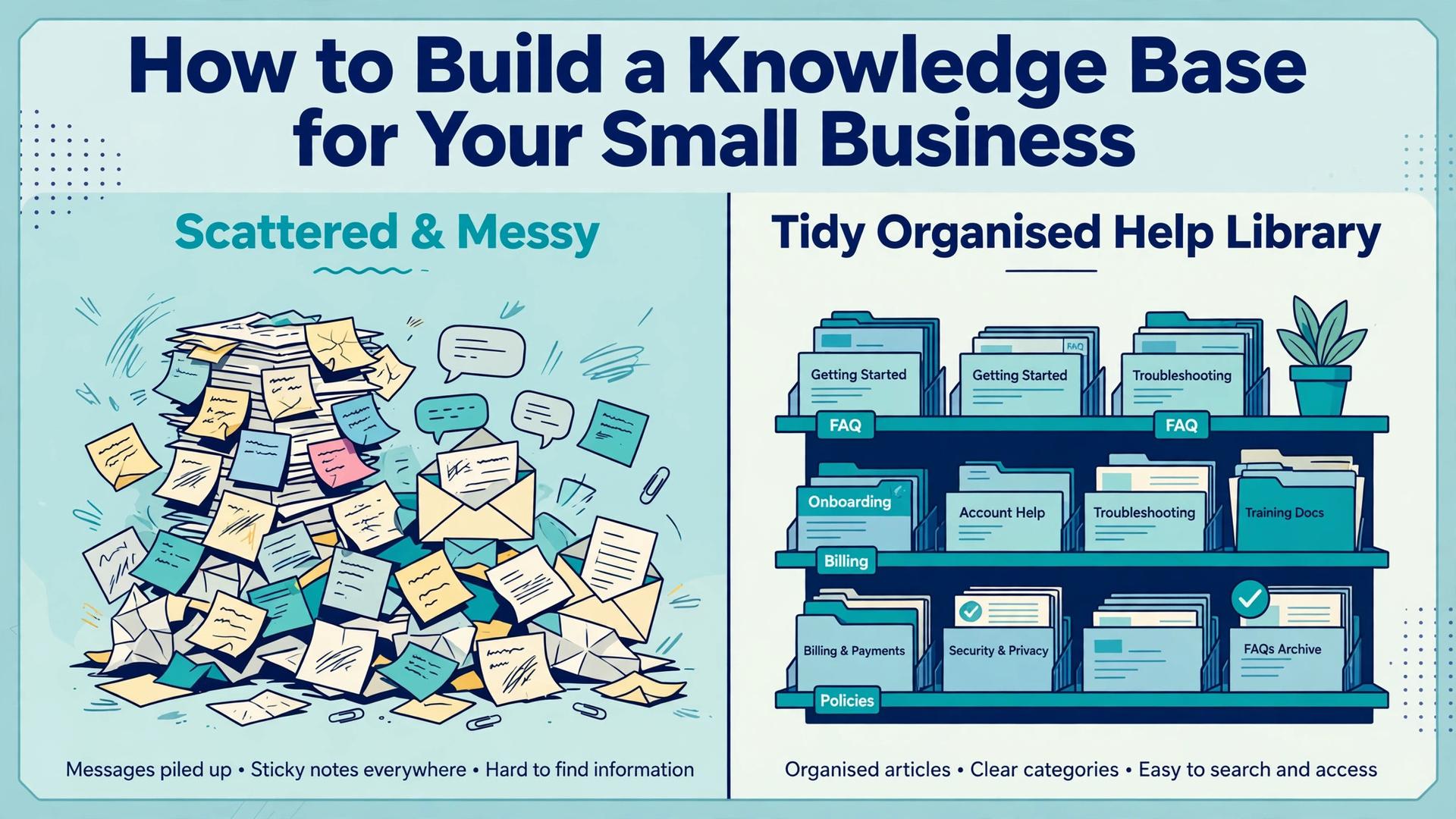
The same question lands in your inbox for the fifth time this week, and the answer is already sitting in a chat message from last month that nobody can find. That is the problem that shows you how to build a knowledge base for small business, because the fix is not another hire, it is one place where answers live, stay current and can be found in seconds. A knowledge base is a structured library of articles that helps customers or employees solve problems on their own, and a small business can launch a useful one in a single focused week with 10 to 15 articles.
This guide walks through the seven steps in order, from audit to launch, with tool picks, article templates and a maintenance plan that keeps the content honest after launch day.
A knowledge base pays for itself in two ways. Customers find answers without waiting for a reply, so support tickets fall and satisfaction rises, and new employees find how things work without asking the same person the same question. Companies that run a central wiki report faster onboarding and far fewer repeated questions, because the answer is written once and reused many times. The work is front loaded, a week of writing and organising, and the return lasts for years.
Before you write a word, decide who the knowledge base serves. An internal base serves your team, with onboarding guides, standard procedures, supplier details and login instructions. A public base serves customers, with setup guides, troubleshooting steps, pricing answers and policy pages. Many small businesses need both, and the cleanest answer is two separate spaces, one private and one public, so internal notes never leak into customer help and customer articles never carry internal jargon.
What a Good Knowledge Base Looks Like
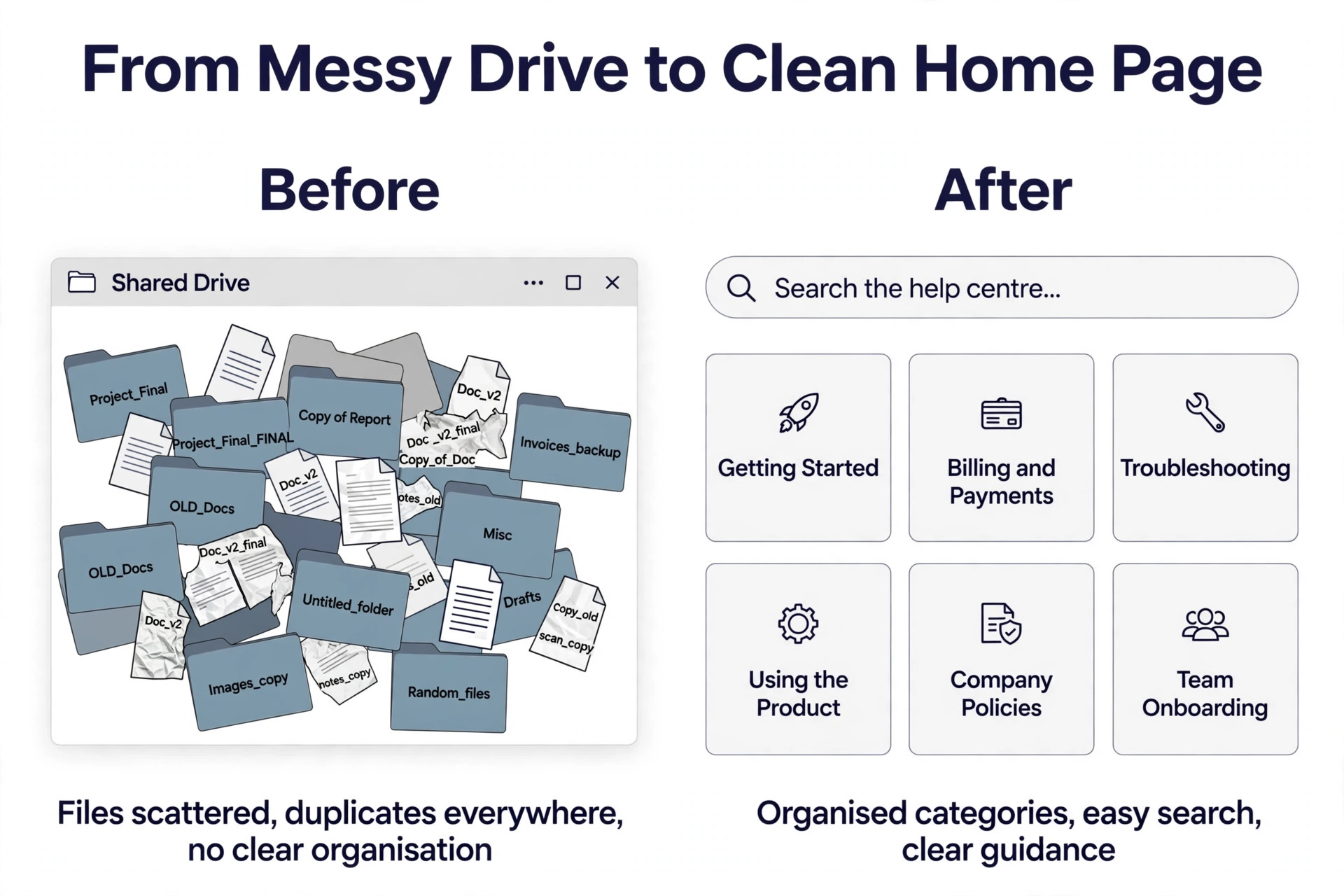
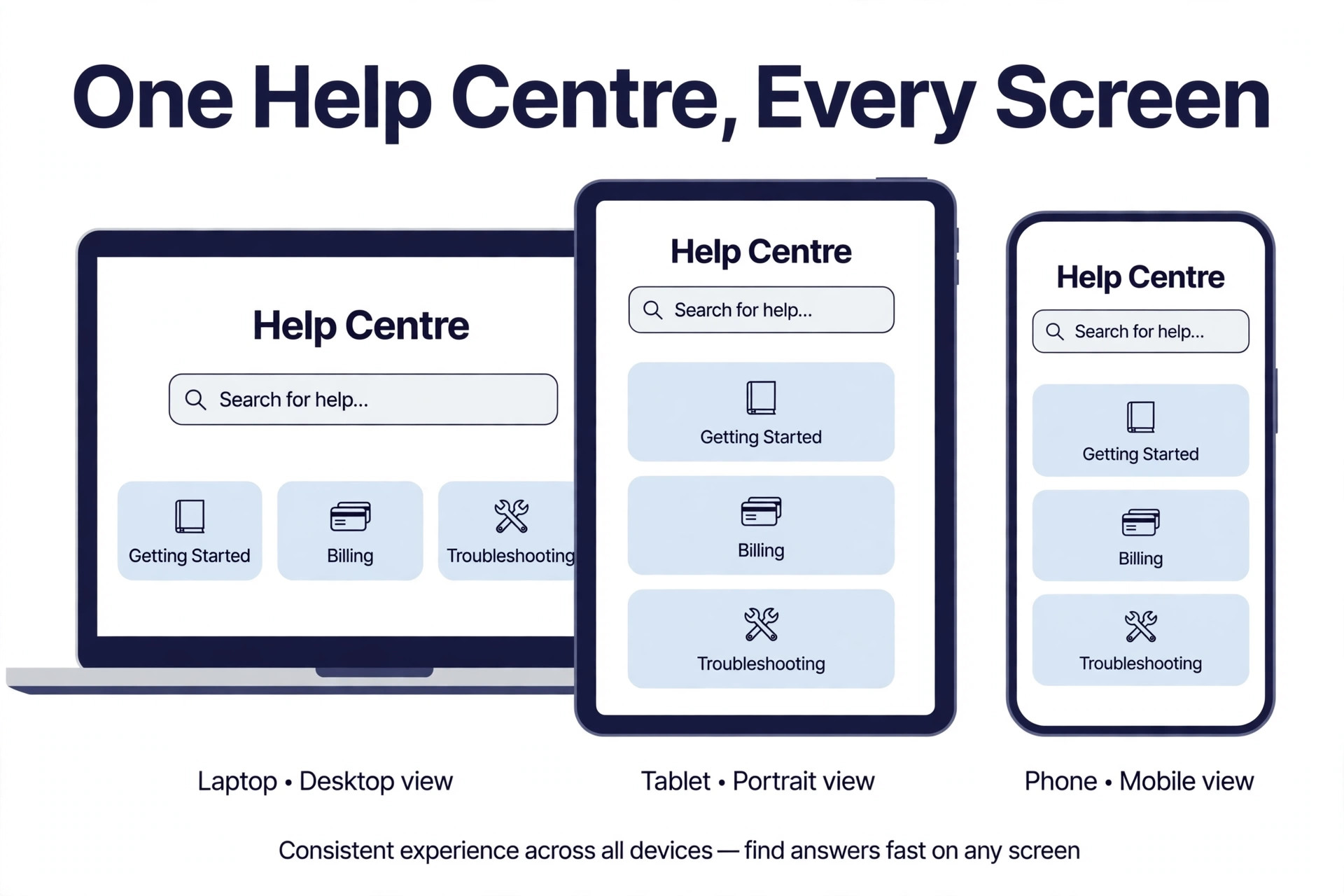
A good knowledge base has a flat structure, with 5 to 8 top level categories that map to what people are trying to do, not to your internal team structure. Getting Started, Billing, Troubleshooting, Product Guides, Policies and Onboarding are typical categories for a small business, and each one holds articles that answer one question each. A reader should reach an answer in 3 or 4 clicks, and the search box should find the article from the words a customer actually types, not only from the title you chose.
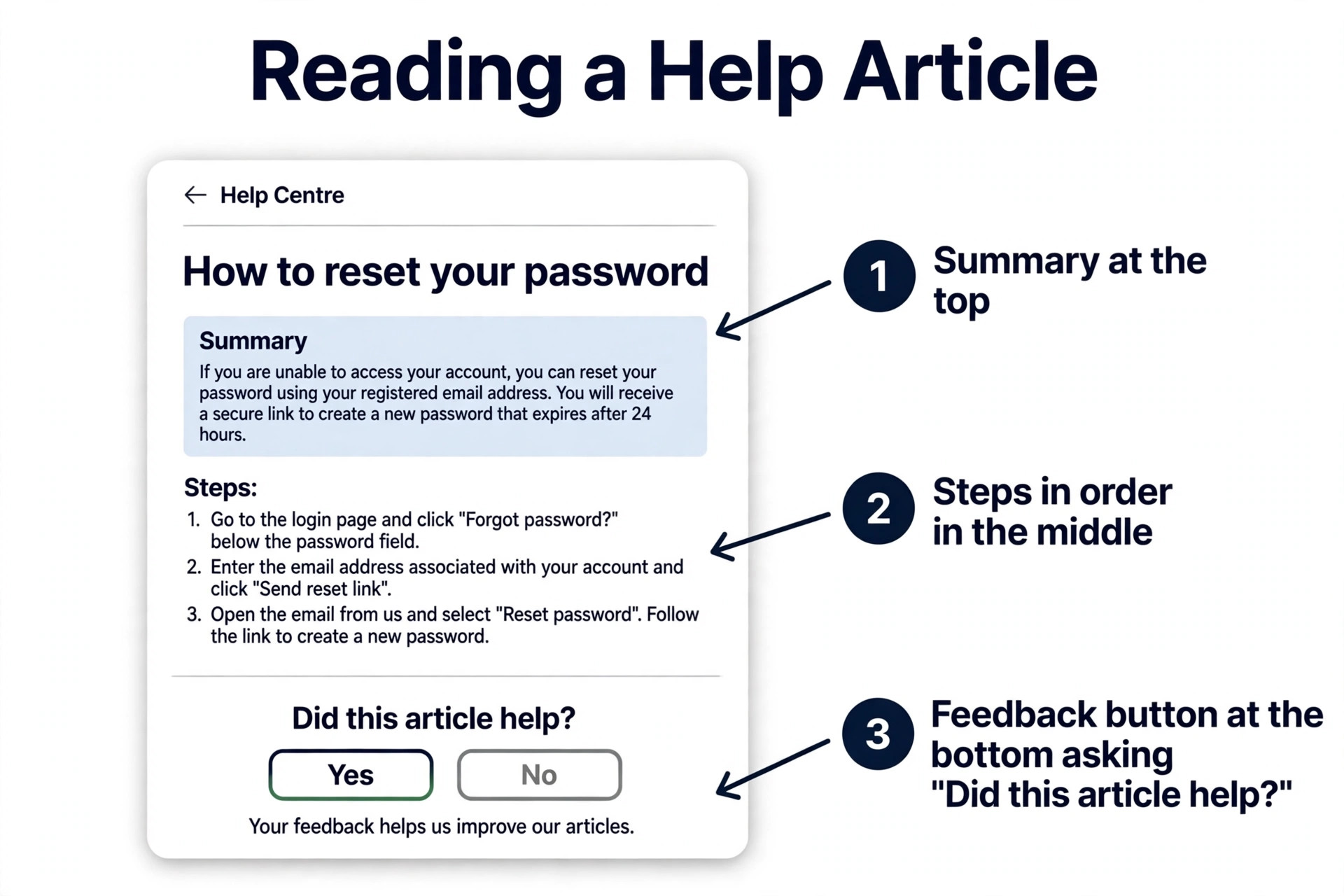
Each article follows the same shape, so readers learn where to look, and that shape is the quiet core of how to build a knowledge base for small business that people actually use. A short summary at the top says what the article covers and who it is for. The body gives the steps in order, with screenshots where a screen matters and a warning where a mistake costs money or data. A short closing section links to related articles and says what to do when the steps do not work. That shape sounds simple, and it is the difference between a library people use and a folder people ignore.
How to Build a Knowledge Base for Small Business in Seven Steps
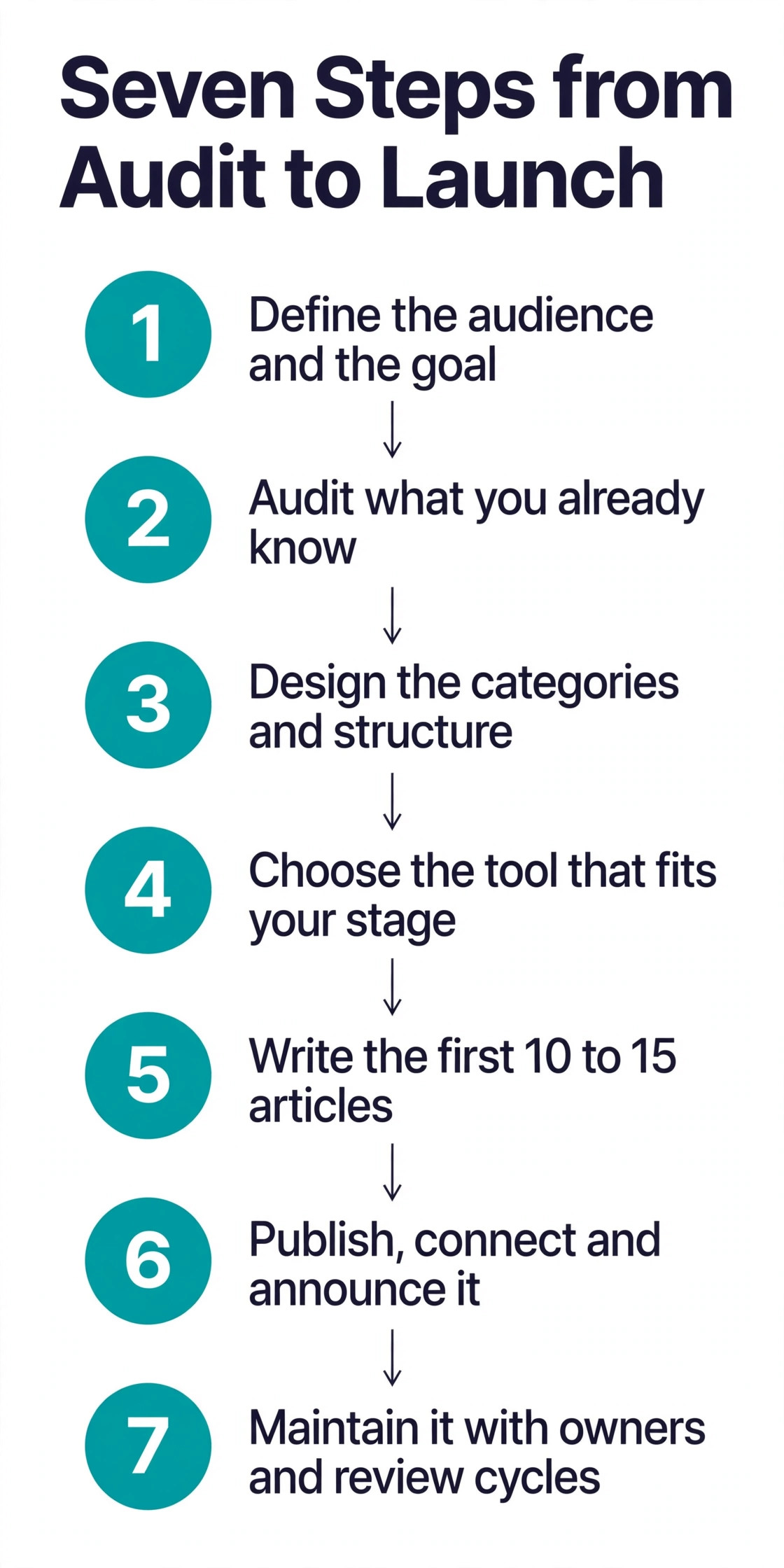
The seven steps below work in order, and skipping one creates work later. The audit decides what to write, the categories decide where it lives, the tool decides how it is published, and the templates decide whether the writing stays consistent when more than one person contributes. Follow the sequence, launch with a small set of strong articles, and grow from there.
1. Define the Audience and the Goal
Start by naming one audience and one goal, because a base that tries to serve everyone serves no one well. Write the audience in one sentence, such as customers who bought our product in the last year, or new staff in their first month. Write the goal in one sentence too, such as cut repeat support questions by a third in 3 months, or get a new hire productive in 2 days without shadowing a senior colleague all week.
That goal decides what counts as success, and it decides what to measure later. A public base is measured by ticket deflection, search success and article ratings, while an internal base is measured by onboarding time and the number of repeated questions in chat. Pick the goal before you pick the tool, because the tool that fits a public help centre is not always the tool that fits an internal wiki, and a clear goal keeps the project small enough to finish.
2. Audit What You Already Know
Spend 2 hours pulling material from the places where answers already live. Export the last 90 days of support tickets and group them by topic, because the top 10 topics are your first 10 articles. Search your inbox, your chat history and your shared drive for the half finished onboarding doc, the pricing reply you send every week, and the setup instructions you explain on every sales call. Ask each member of staff for the 3 questions they answer most often, and write the answers down in their words.
The audit also shows what to leave out. Old price lists, retired product guides and internal jokes belong in an archive, not in a public base, and a procedure that changed last year needs a rewrite rather than a copy. At the end of the audit you should have a list of 20 to 30 topics, ranked by how often each one comes up, and a folder of source material for each one, and that list is the writing plan for how to build a knowledge base for small business without guessing what to write. That list is the writing plan for the next step.
3. Design the Categories and the Structure
Group the audit topics into 5 to 8 top level categories, and keep the structure flat. Categories should map to user goals, such as Getting Started, Billing and Payments, Troubleshooting, Using the Product, Company Policies and Team Onboarding, rather than to departments. A flat structure is faster to navigate than a deep tree, because a reader can see every category on the home page and guess where an answer lives.
Within each category, give every article one job and one title that matches the question a reader asks. Use the Diataxis model as a guide, and sort each article into one of four types, a tutorial that teaches a whole task, a how to guide that solves one problem, a reference page that lists facts such as prices or limits, or an explanation that says why something works the way it does. That sorting stops the common fault where a troubleshooting article turns into a product essay, and it keeps each article short enough to read in one sitting.
4. Choose the Tool That Fits Your Stage
Pick the tool after the structure, not before, because the tool should fit the audience and the budget you already defined, and that order is a key part of how to build a knowledge base for small business on a small budget. A 3 person startup with an internal wiki needs a different tool from a shop with a public help centre and 5,000 customers. The tool section later in this guide compares the main options, with prices and limits, so you can match the tool to the stage you are at now rather than the stage you hope to reach.
The practical test is simple. Can a non technical colleague write and publish an article in under an hour, can a reader find it by search, and can you put it on your own domain at help dot your company dot com. When the answer to all three is yes, the tool fits. When the answer is no, the tool will slow the project down, whatever its feature list promises. Start simple, launch, and move to a heavier tool only when the simple one clearly limits you.
5. Write the First 10 to 15 Articles
Launch with 10 to 15 articles that cover your top support questions, using one template for all of them. One topic per article, one clear title, a summary at the top, steps in order, and a closing line that says what to do next. Write in plain language, use the words customers use, and cut any sentence that does not help the reader finish the task. A 400 word article that solves the problem beats a 1,500 word article that explains the history of the problem.
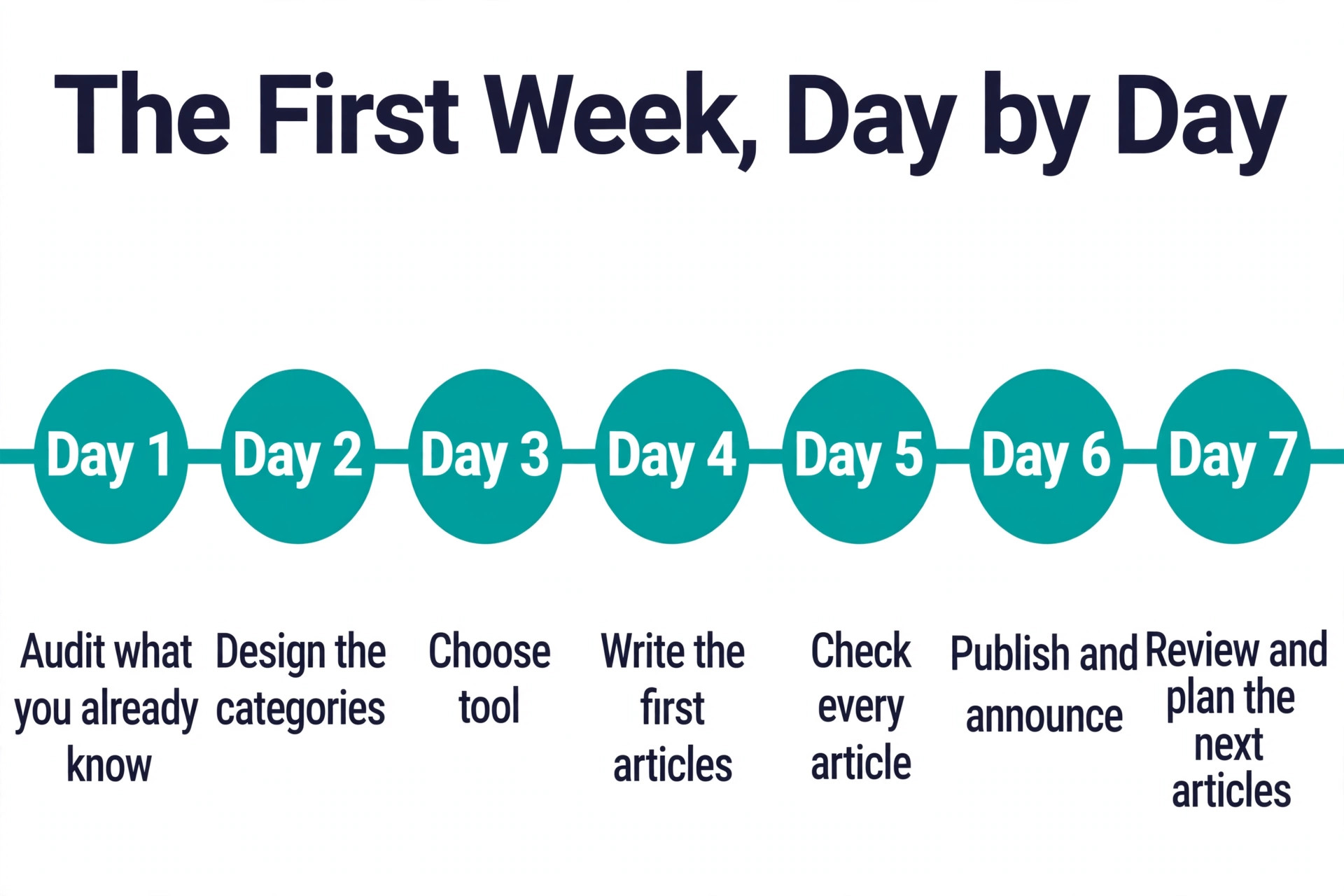
Use the source material from the audit, and ask the person who answers each question to check the draft before it goes live, because accuracy is what makes how to build a knowledge base for small business worth the week it takes. That check catches the step that only works on one computer, the price that changed last month, and the link that broke in the last website update. Aim for one focused week to write and check the first set, and do not wait for a complete library, because a base with 12 strong articles helps customers today, while a base with 100 half finished articles helps no one.
6. Publish, Connect and Announce It
Publish the base on a subdomain such as help dot your company dot com, so customers trust it as part of your business and search engines can find it. Link it from your website header, your order confirmation emails, your support signature and your social profiles, because a knowledge base that nobody can find is a folder with a nicer name. Add a search box on every page, and make the home page show the categories, the most read articles and a clear path to contact support when self service fails.
Announce the launch to the people who will use it. Send customers a short email that names the 3 most useful articles, tell staff where the internal base lives and how to add to it, and add a link to the relevant article in your automatic replies, so the next person with that question gets the answer before they write to you. The launch is not a press release, it is a habit change, and the habit only forms when the link appears in the places people already look.
7. Maintain It With Owners and Review Cycles
A knowledge base goes stale fast, and a stale answer is worse than no answer, because it teaches the reader to distrust the whole library. Give every article an owner, a named person who checks it every 90 days, and set a review date on each page so the check is visible. When a product changes, a price changes or a policy changes, the owner updates the article the same week, not at the next quarterly review.
Use the data the tool gives you. Articles with many views and low ratings need a rewrite, searches with no results need a new article, and articles nobody reads need a better title or a link from a busier page. Add a feedback button to every article, a simple yes or no on whether the article helped, and read the comments weekly. That loop, owner plus review cycle plus reader feedback, is what keeps a small base accurate after the launch excitement fades.
The Launch Content Checklist
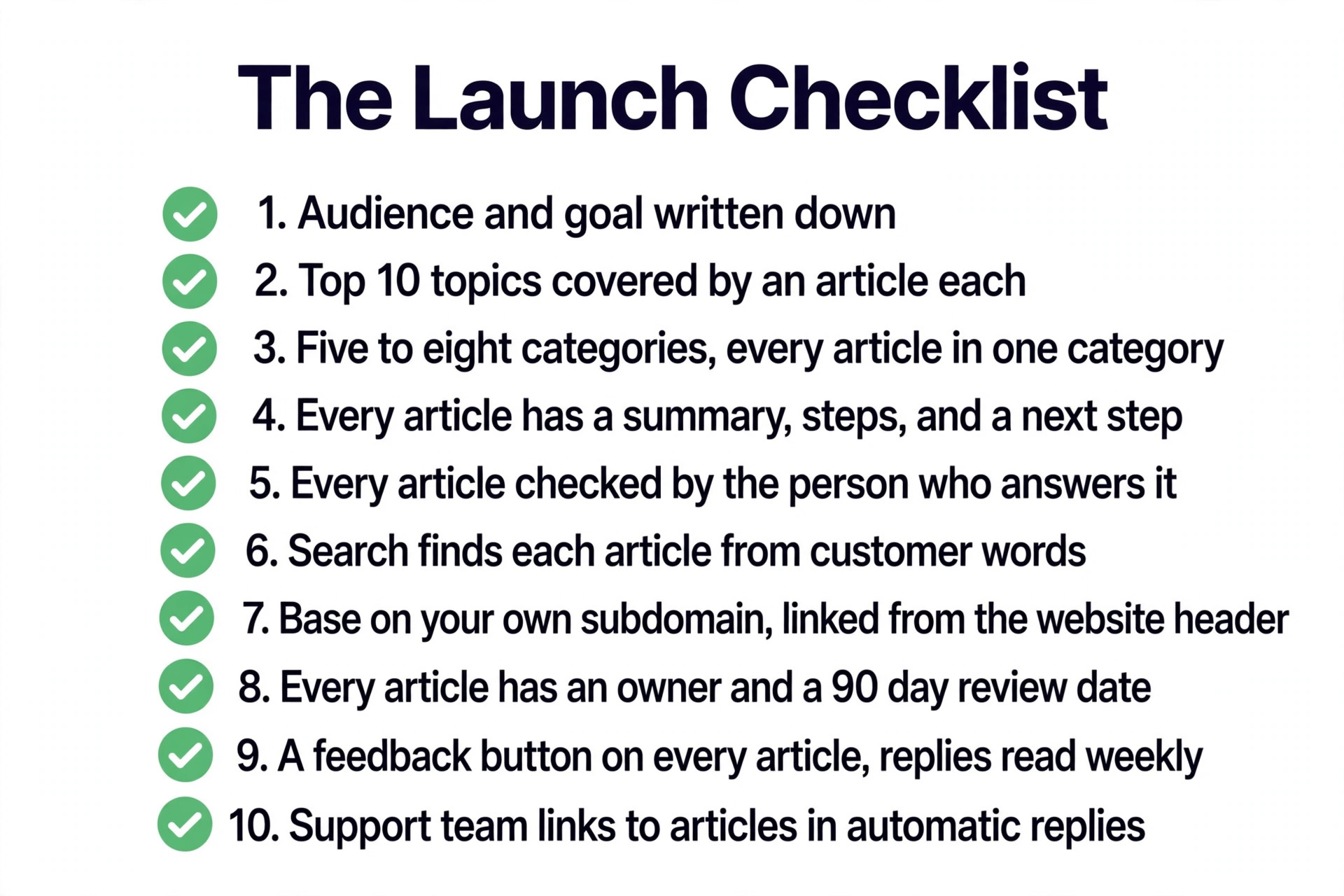
Use this checklist before launch day, and treat every item as a gate, not a suggestion. A base that passes all 10 items is ready to publish, and a base that fails one item should fix it before the announcement goes out.
- The audience and the goal are written down in one sentence each.
- The top 10 support topics are covered by a published article each.
- Categories number 5 to 8, and every article sits in exactly one category.
- Every article has a summary, steps in order, and a next step at the end.
- Every article has been checked by the person who answers that question.
- Search finds each article from the words customers actually type.
- The base lives on your own subdomain and is linked from your website header.
- Every article has a named owner and a 90 day review date.
- A feedback button sits on every article, and someone reads the replies weekly.
- The support team links to the relevant article in automatic replies.
Choosing a Knowledge Base Tool
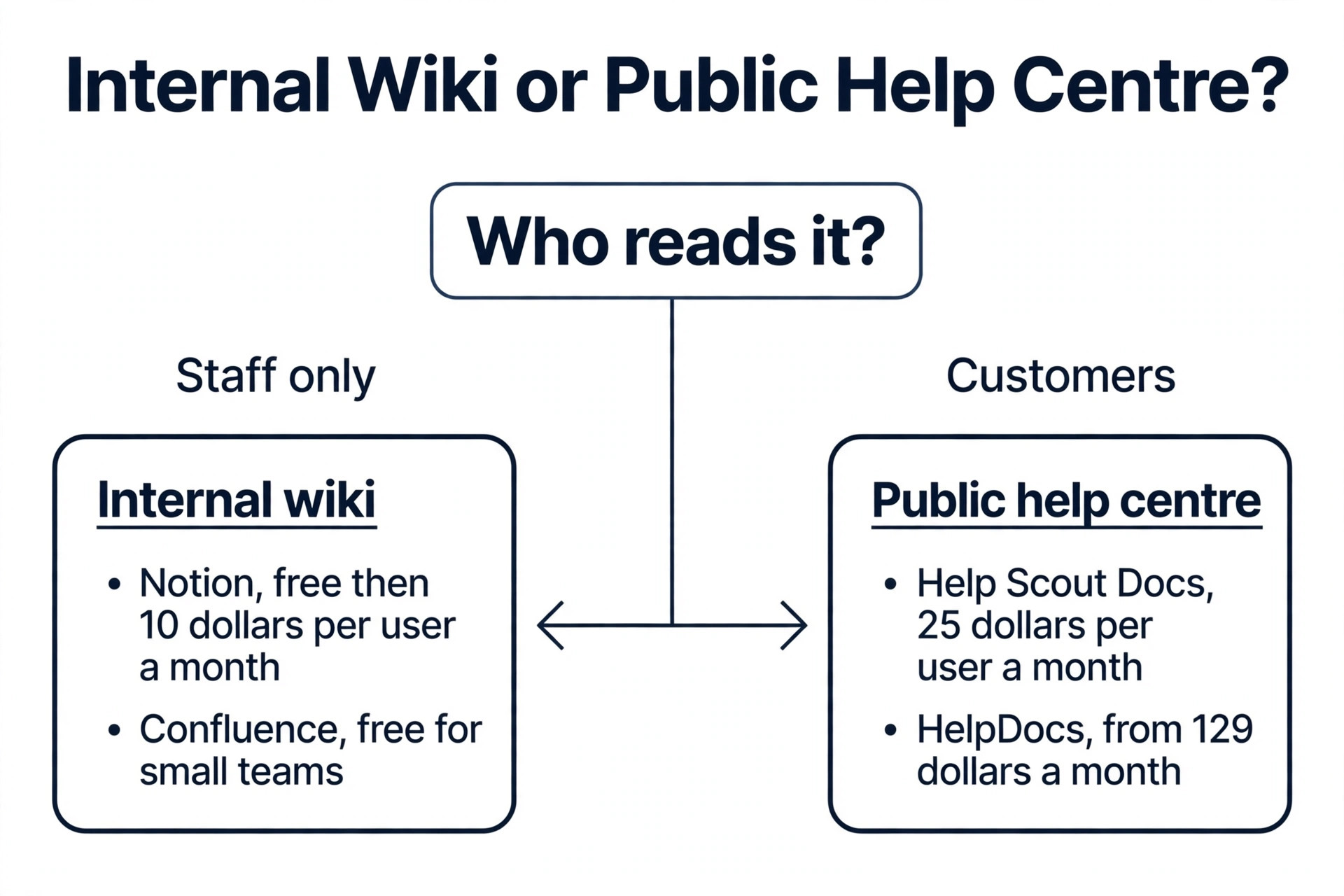
The tools below cover the main stages a small business passes through, and the right pick depends on the stage you are at in how to build a knowledge base for small business, not on the stage you hope to reach. Notion and Confluence suit internal wikis, Help Scout and Zendesk suit public help centres with a support inbox behind them, and Document360 and HelpDocs suit teams that need a dedicated public base with version control and analytics. Prices were checked against vendor pages and current 2026 roundups in November 2026, and several vendors price by seat, by site or by quote, so confirm the total for your team size before you buy.
| Tool | Best for | Starting price | Free option |
|---|---|---|---|
| Notion | Internal wiki for a small team | Free, then 10 dollars per user a month | Yes |
| Help Scout Docs | Public help centre with an inbox | 25 dollars per user a month | Yes, 1 site and 5 users |
| Zendesk Guide | Large support teams on Zendesk Suite | 55 dollars per agent a month | No, 14 day trial |
| Confluence | Internal docs on Atlassian | Free for small teams, then paid per user | Yes |
| Document360 | Versioned public documentation | Quote only | No, 14 day trial |
| HelpDocs | Standalone public base | 129 dollars a month | No, 14 day trial |
Notion
Notion is the best starting point for an internal wiki in a team under 20 people. The free plan covers small teams, paid plans run from 10 dollars per user a month, and the block based editor makes it easy to mix text, tables, checklists and embedded files on one page. Built in AI can draft, summarise and answer questions from the workspace, and the tool connects to Slack, Google Drive and Zapier. The limits are real for a public base, because public publishing is limited and large workspaces can slow down, so Notion fits internal use best and a dedicated help centre tool fits public use better.
Help Scout Docs
Help Scout Docs is the best pick for a small business that wants a public help centre tied to a shared inbox. Docs sites hold collections, categories and articles, paid plans have no article cap on a single site, and a question the articles cannot answer flows into the inbox with context intact. Standard pricing starts at 25 dollars per user a month billed annually, with 2 Docs sites, and the free plan includes 1 Docs site, 5 users and 10 articles. AI Answers costs 75 cents per resolution on paid plans. The tool suits email first teams who want help and support in one account, and it is lighter and cheaper than Zendesk for a small team.
Zendesk Guide
Zendesk Guide powers the help centre inside Zendesk Suite, with searchable articles, generative search answers, and a widget that connects to chat, messaging and ticketing. Suite Team pricing starts at 55 dollars per agent a month billed annually, with 1 help centre and 1 language, and Suite Professional at 115 dollars per agent a month adds more help centres and languages. AI resolutions cost extra, at 1.50 dollars committed or 2 dollars pay as you go after the included allowance. The tool fits large support teams that already run Zendesk, and it is heavy and expensive for a small team that only needs a help centre, so start with Help Scout or HelpDocs when the team is small.
Confluence
Confluence is the Atlassian wiki, and it suits a team that already uses Jira or other Atlassian tools. Spaces hold pages in a clear hierarchy, templates cover knowledge base articles, onboarding guides and policy pages, and permissions control who can read and edit each space. A free plan covers small teams, with paid plans per user after that. The limits are the learning curve and the interface, which feels heavier than Notion for a small team, and public publishing needs an add on or a separate tool. Pick Confluence when the team already lives in Atlassian, and pick Notion when the team wants a lighter internal wiki.
Document360
Document360 is a dedicated knowledge base platform for teams that need versioned, audited documentation and rendered API references. It offers category structure, external publishing, article lifecycle controls, localisation and analytics, with an AI assistant that answers from the articles. Pricing is quote based, with no public list prices, and a 14 day trial is available. That quote model makes it hard to budget, and the platform is heavier than a simple help widget for a team that only needs FAQs. Pick Document360 when documentation is a product in itself, with versions, audits and multiple languages, and skip it when a simple public base will do.
HelpDocs
HelpDocs is a standalone knowledge base without a support suite attached, and it suits a team that wants a public help centre at a flat monthly price. Pricing starts at 129 dollars a month, billed per editor, with readers free, and a 14 day trial is available. The tool covers searchable articles, a help widget, analytics and custom branding, and it replaces the help centre half of Zendesk rather than the ticketing half. The flat price is fair for a team with many readers and few editors, and steep for a team with one editor and a small audience, so compare it with Help Scout Docs, which prices per user, before you commit.
How to Keep the Base Accurate After Launch
Accuracy is a habit, not a project. Set a calendar reminder for the 90 day review, and treat a missed review as a broken promise to the reader. When a staff member answers a question in chat that has no article, they should write the article that week, or at least add the question to the writing list with the answer they gave. When a customer rates an article as unhelpful, the owner should read the comment, fix the step that failed, and reply to the customer with the corrected article.
Track three numbers each month, and no more, because simple measurement is what keeps how to build a knowledge base for small business honest after launch. Searches with no results show the missing articles, article ratings show the weak articles, and ticket volume on the top 10 topics shows whether the base is deflecting work. When ticket volume on a covered topic stays high, the article is either hard to find or hard to follow, and the fix is a better title, a better link or a shorter article, not a longer one. That monthly check takes an hour, and it is the cheapest support improvement a small business can buy.
Mistakes That Waste Time
The most common mistake in how to build a knowledge base for small business is writing too much before launch. A team spends 3 months building a library of 100 articles, the product changes, half the articles go stale before anyone reads them, and the launch never happens. The fix is to launch with 10 to 15 articles, learn from real searches, and grow the library from the questions readers actually ask. A small live base beats a large unpublished one every time.
The second mistake is copying internal jargon into customer articles. A team writes about the back end sync process, the customer searches for why my order is late, and the search finds nothing. The fix is to title each article with the words the reader uses, and to write the first paragraph as the answer, not as an introduction to the answer. Ask a customer to read the title and say what they expect, and rewrite it until their expectation matches the article.
The third mistake is launching with no owner. A base with no owner goes stale in 3 months, because nobody feels responsible for the article that changed. The fix is to name an owner on every article, put the review date on the page, and make the review part of a real job, not a favour. When the owner leaves, the articles move to a new owner the same week, so the knowledge never leaves with one person.
Our Verdict
Start with the audience, audit the questions, and launch with 10 to 15 articles in a week, because that is the fastest path in how to build a knowledge base for small business that actually helps. Notion is the pick for an internal wiki in a small team, Help Scout Docs is the pick for a public help centre with an inbox behind it, and HelpDocs is the pick for a standalone public base at a flat price. Zendesk Guide fits a large team already on Zendesk, and Document360 fits a team whose documentation needs versions and audits.
The tool matters less than the habit. A base with an owner, a 90 day review cycle and a feedback button will stay accurate, while a base with a better tool and no maintenance will go stale. Build the small base, announce it where people already look, and grow it from real searches and real tickets. That is how a small business turns scattered answers into a library that saves time every day.
Frequently Asked Questions
How long does it take to build a knowledge base for a small business?
A minimum viable base with 10 to 15 articles covering your top support questions takes one focused week, including the audit, the writing and the checks. A complete base with full coverage takes 1 to 3 months depending on team size, because the writing grows from real searches and tickets rather than from a launch plan. Launch the small base first, then add articles weekly from the questions readers actually ask.
What tool should a small business use for a knowledge base?
Notion is the best starting point for an internal wiki, because the free plan covers small teams and the editor is easy to learn. Help Scout Docs is the best pick for a public help centre, because it ties articles to a shared inbox and starts at 25 dollars per user a month with a free plan for small teams. Zendesk Guide fits a large team already on Zendesk, and HelpDocs fits a team that wants a standalone public base at a flat 129 dollars a month.
How many articles should a knowledge base launch with?
Launch with 10 to 15 articles that cover your top support questions, drawn from the last 90 days of tickets and the questions staff answer most often. That number is enough to help real customers on day one, and small enough to write and check in a week. Add articles weekly from searches with no results and from new support questions, rather than trying to write the complete library before launch.
How do I organise knowledge base categories?
Use 5 to 8 top level categories that map to what readers are trying to do, such as Getting Started, Billing, Troubleshooting and Onboarding, rather than to your internal team structure. Keep the structure flat, give every article one job and one title that matches the question a reader asks, and make sure a reader can reach any answer in 3 or 4 clicks. Review the categories every 90 days and merge the ones nobody uses.
How do I keep a knowledge base up to date?
Give every article a named owner and a 90 day review date, and update the article the same week a product, price or policy changes. Track searches with no results, article ratings and ticket volume on the top topics each month, and fix the weak articles first. A feedback button on every article, read weekly, is the cheapest way to catch a stale step before it misleads many readers.
Should a small business build an internal or a public knowledge base?
Build the one that solves the louder problem first, and keep the two separate. An internal base serves staff with onboarding guides, procedures and supplier details, while a public base serves customers with setup guides, troubleshooting and policy answers. Many small businesses need both, and the cleanest answer is two spaces, one private and one public, so internal notes never leak into customer help and customer articles never carry internal jargon.