WebinarJam is the best pick for most small creators among the best webinar tools for small creators, because the 39 dollar monthly plan on annual billing gives you a room built to sell, with offer buttons, scarcity timers and automated webinars included. A single course sale covers the month, and that selling focus is what separates the tools on this list from the enterprise platforms that charge for features a small creator never uses.
We compared 10 platforms on the numbers that matter to a creator with a small list, entry price, attendee cap, registration and reminder tools, and the selling features built into the room. This guide gives you the real cost of each tool at small volumes, what each one does well, and where each one falls short, so you can pick one and run your next webinar with confidence.
A webinar is the closest thing a small creator has to a live sales call with a room full of warm leads. A course seller can teach for 40 minutes and make an offer at the end. A coach can run a free workshop and book discovery calls from the chat. A newsletter writer can turn readers into paying subscribers in a single evening. The format works because the audience chose to show up at a set time, which is a stronger signal than a click on a social post.
The trap is buying a tool built for a marketing department. Enterprise platforms charge for attendee credits you will never use, lock the useful features behind a sales call, and make a solo creator learn an admin console built for a team of ten. A creator needs the opposite, a room that opens in the browser, a registration page that takes five minutes to build, reminders that go out on their own, and a replay that keeps selling after the live event ends. Price matters too, because a 39 dollar monthly plan that brings in two sales pays for itself, while a 200 dollar plan that brings in none does not.
How We Compared 10 Webinar Platforms
We checked each vendor pricing page and current 2026 roundups in November 2026, and we scored every tool on five points that decide the purchase for a small creator. The best webinar tools for small creators win on reminders, replays and selling features, not on the size of the feature list, so those three points carried the most weight in our scoring. Price at small volume covered the entry plan cost on annual billing and what it costs when the audience grows past the first tier.
Attendee cap covered how many people can join on the entry plan, because a cap of 50 feels very different from a cap of 500 when a launch goes well. Registration and reminders covered whether the tool builds the signup page, sends email and text reminders, and handles replays without extra software. Selling features covered offer buttons, checkout in the room, handouts and calls to action. Ease of use covered how fast a solo creator can set up a first event with no team and no training.
Prices in this guide were checked against vendor pricing pages and current 2026 roundups in November 2026. Webinar pricing changes often, and several vendors show different prices by region or run short promotions, so confirm the price on the checkout page before you pay. Where a vendor charges per attendee rather than per month, we show the per attendee price and work out what it means at 100 attendees, so the numbers stay comparable.
The Best Pick for Each Job
| Job | Pick | Why it wins |
|---|---|---|
| Selling a course live | WebinarJam | Offer buttons and scarcity timers built into the room |
| The easiest room to run | Demio | Browser based sessions with no downloads for guests |
| A free start with room to grow | Zoho Webinar | Free plan for up to 100 attendees |
| Live plus automated sessions | WebinarNinja | Per attendee pricing plus a course platform included |
| Selling on a tight budget | ClickMeeting | Low entry price with paid webinars included |
| Big rooms on a familiar tool | Zoom Webinars | Up to 500 attendees on the entry tier |
Use this table as a shortcut, then read the full section for the tool you are leaning toward. The best webinar tools for small creators in this table cover different jobs, so the right pick depends on whether your webinar must sell, teach or impress. The cheapest entry price is not the best value when the attendee cap forces an upgrade after your first good launch, and the most expensive platform is not the best choice when you only run one webinar a month.
The 10 Best Webinar Tools for Small Creators, Ranked
The 10 tools below fall into three groups. The first group is built for selling, and these are the strongest picks when the webinar has to pay for itself. The second group is built for polished live sessions, and these suit creators who care about the attendee experience and the replay. The third group is built for tight budgets, and these suit creators who are testing webinars for the first time and want to keep the monthly cost low.
1. WebinarJam
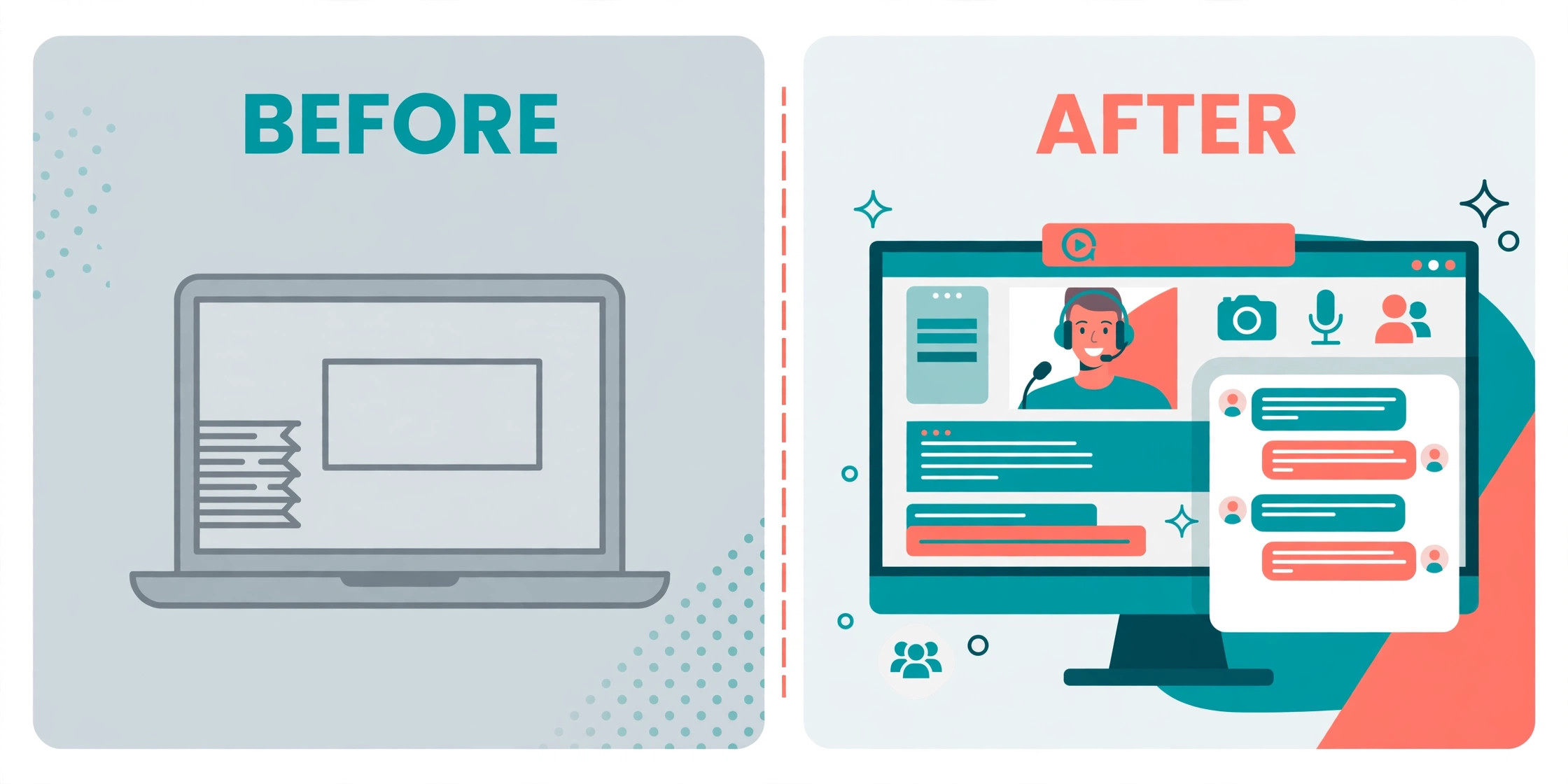
WebinarJam is the strongest selling machine on this list, and it earns the top spot for creators whose webinar ends with an offer. The room includes on screen offer buttons, scarcity timers, polls, a whiteboard and handouts, so the sales moment happens while the audience is still watching instead of in a follow up email they may never open. Registration pages and email and text reminders are built in, and the automated webinar feature comes through EverWebinar, which is included from the Basic plan up.

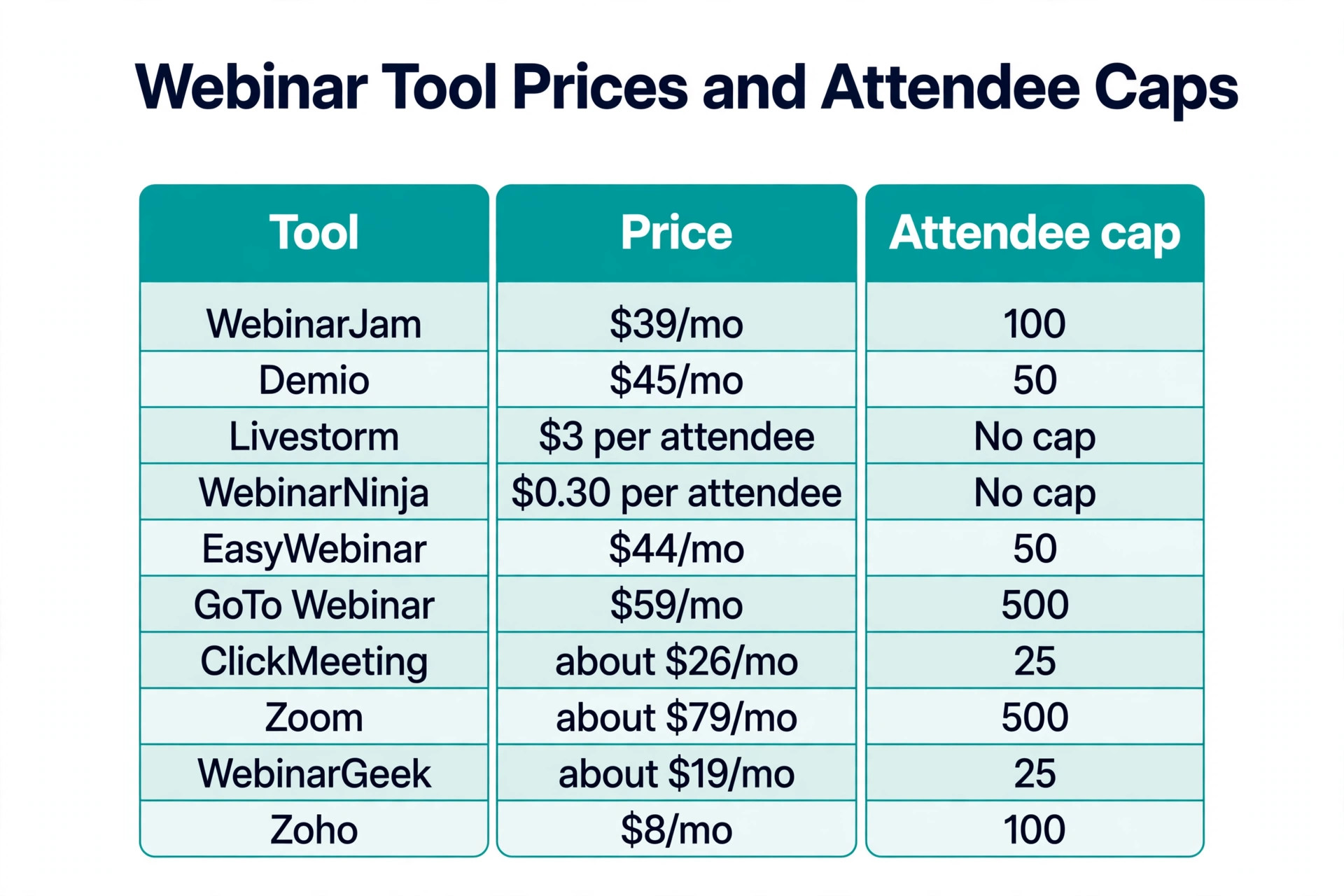
Pricing starts at 39 dollars a month billed annually for 100 attendees, or 49 dollars a month billed monthly. A 1 dollar trial runs for 14 days. At that price a single course sale of 99 dollars covers more than two months of the plan, which is why WebinarJam suits course sellers and coaches who run a launch webinar every month. The trade off is the interface, which packs in more controls than a first time host needs, so budget an hour to learn the room before your first live event.
2. Demio
Demio is the easiest webinar room on this list to run, and it is the pick when you want guests to join with one click and no download. Everything runs in the browser, which removes the biggest attendance killer in this category, because every extra install step loses people before the session starts. The room includes polls, handouts, question and answer sessions, chat and the option to bring an attendee on stage, and the analytics focus on return on investment rather than vanity numbers.
Pricing starts at 45 dollars a month billed annually for 50 attendees, or 63 dollars a month billed monthly, and a 14 day free trial is included. The 50 attendee cap on the entry plan is the main limit, because a good launch can outgrow it fast, and the next tier starts at 899 dollars a year for rooms up to 1,000. Demio fits creators who run polished live and automated sessions for a small, warm audience and want the setup to take minutes rather than an afternoon.
3. Livestorm
Livestorm is the most polished browser based platform here, and it suits creators who run brand sensitive workshops and want the room to look as good as the content. The room includes polls, question and answer with upvotes, breakout rooms, file sharing and emoji reactions, and the registration pages, reminders and follow up emails are all built in. Sessions can run live, as replays or on demand, so one recording keeps working after the event.
Pricing works differently from the rest of this list, because Livestorm charges per attendee rather than per seat. The Pro plan starts at 3 dollars per attendee, and a limited free plan covers up to 30 live participants for 20 minutes. That model is fair when attendance is low, because you pay for the people who actually show up, but it gets expensive fast at scale, because 400 attendees cost about 1,200 dollars a year. Livestorm fits creators with small, high value audiences who care about presentation.
4. WebinarNinja
WebinarNinja is the best all in one pick for course creators, because it bundles the webinar room with CourseNinja, a course platform, in the same subscription. The tool supports live, automated, series and hybrid webinars, and it includes landing pages, email reminders, polls, question and answer sessions, offers, handouts and an AI co host. A creator can teach the webinar, sell the course and host the course without buying a second tool.
Pricing is per attendee, at 30 cents per attendee per month on annual billing, or 60 cents per attendee per month billed monthly. At 100 attendees that works out to about 30 dollars a month on annual billing, which is the lowest effective price among the selling tools on this list. The trade off is depth, because the funnel and customer relationship tools are lighter than WebinarJam, so creators who live inside their webinar funnel may outgrow it.
5. EasyWebinar
EasyWebinar is the strongest pick for creators who want one good session to keep selling around the clock. It runs live, simulated live, evergreen, just in time and on demand webinars on one subscription, so a creator can run a session live on Tuesday and let the same recording take registrations and payments all week. The platform includes in room checkout, a built in customer relationship tool, AI funnel drafting and a dedicated account manager from the Pro tier up.
Pricing starts at 44 dollars a month for the Launch plan with 50 live attendees. The Growth plan starts at 116 dollars a month. That entry price is fair for what it includes, but the attendee cap is low for the money, because 50 live seats is the same cap Demio offers at a similar price with a simpler room. EasyWebinar fits creators who treat the webinar as a funnel rather than an event, and who will use the automated formats every week.
6. GoToWebinar
GoToWebinar is the veteran of this category, and it is the pick when reliability matters more than novelty. The platform has run corporate webinars for years, and it shows in the stability of the room, the quality of the recording and the depth of the reporting. The room includes polls, question and answer sessions, surveys and handouts, and the registration and reminder system is solid. Attendees know the GoTo brand, which helps when the audience is less technical.
Pricing starts at 59 dollars a month billed annually for 500 attendees, or 69 dollars a month billed monthly, with a free trial that needs no credit card. That 500 attendee cap is the largest entry cap on this list, which makes GoToWebinar the best value per seat for creators whose audience is growing fast. The trade off is the feel, because the room looks corporate rather than creative, and the selling tools are thinner than WebinarJam or EasyWebinar.
7. ClickMeeting
ClickMeeting is the best value pick for creators on a tight budget who still want paid webinars. The platform covers live, automated and paid webinars in one affordable package, with polls, surveys, a whiteboard, breakout rooms and question and answer sessions. It also works well for teaching, because the whiteboard and breakout rooms suit workshops and small classes better than a straight sales room.
Pricing starts at about 26 dollars a month for 25 attendees, with higher tiers for larger rooms, and a 14 day free trial covers 25 attendees with no card required. That entry price is the lowest flat monthly rate among the serious tools on this list, but the 25 attendee cap is also the lowest, so a creator with a list of a few hundred people will need a bigger tier quickly. ClickMeeting fits creators who run small paid workshops and want the monthly bill to stay under 30 dollars.
8. Zoom Webinars
Zoom Webinars is the pick for creators who already pay for Zoom, because the audience already knows how to join and the host already knows how to run the room. The add on supports up to 10,000 attendees on the higher tiers, includes polls, question and answer sessions, chat and reactions, and the production studio adds custom layouts and scene switching. Replays are built in, and the reliability of Zoom at scale is hard to beat.
Pricing is the complication, because Zoom Webinars is an add on to a paid Zoom Workplace plan rather than a standalone product. The add on starts at about 79 dollars a month for 500 attendees, and it sits on top of a Workplace Pro license, so the real monthly cost is the add on plus the base plan. That makes Zoom the most expensive option here for a creator starting from zero, but the cheapest per attendee at scale. Choose it when you already pay for Zoom and your audience is large.
9. WebinarGeek
WebinarGeek is the best budget pick for European creators and for anyone who wants strong privacy compliance without paying enterprise prices. The platform is fully browser based, supports live, automated and on demand webinars for up to 5,000 attendees, and includes polls, quizzes, call to action buttons and live chat. It is GDPR compliant, which matters when the audience is in Europe and the registration page collects personal data.
Pricing starts at about 19 dollars a month for 25 live attendees, with a 14 day free trial. That is one of the lowest entry prices on this list, and the automated webinar features are included rather than locked behind a higher tier. The trade off is brand recognition, because attendees outside Europe may not know the name, and the integration list is shorter than Livestorm or Zoom. WebinarGeek fits creators who want a simple, compliant room at a low monthly cost.
10. Zoho Webinar
Zoho Webinar is the best free starting point on this list, and the pick for creators who already use Zoho products. The free plan covers up to 100 attendees, which is more generous than any other free plan here, and the paid plans start at 8 dollars a month per organizer for 100 attendees. The room includes recording, polls, question and answer sessions and the option to let attendees speak, and it integrates with the rest of the Zoho suite.
The low price is the whole story, because 8 dollars a month is a quarter of what most rivals charge for the same attendee count. The trade off is polish, because the interface feels like business software rather than a creator tool, and the marketing automation is thinner than Demio or Livestorm. Zoho Webinar fits creators who want to test webinars with a real audience before spending real money, and teams already inside the Zoho ecosystem who want everything in one account.
How to Choose the Right Webinar Tool
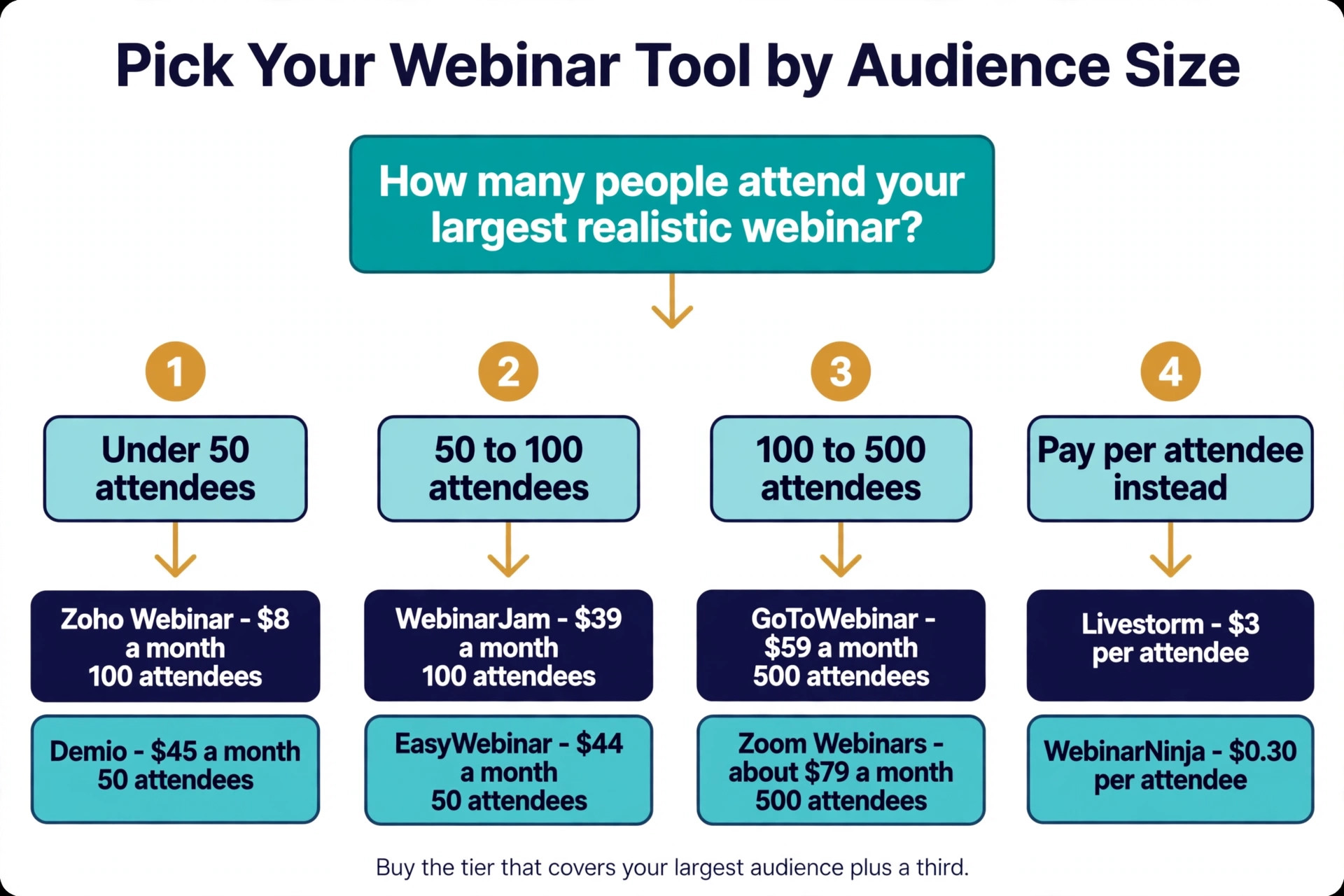
Start with the attendee cap, because it decides your real cost. A 50 attendee cap looks cheap until a launch brings 80 people and forces an upgrade mid campaign. Work out the size of your largest realistic audience, add a margin of about a third, and buy the tier that covers that number. A tool that charges per attendee, like Livestorm or WebinarNinja, can be cheaper at small volumes and more expensive at large ones, so run the numbers at your true volume rather than comparing sticker prices.
Next, match the tool to the job the webinar has to do. When the webinar must sell, the room needs offer buttons, checkout and scarcity timers, and WebinarJam or EasyWebinar are the picks. When the webinar must teach, the room needs a whiteboard, breakout rooms and handouts, and ClickMeeting or Demio are the picks. When the webinar must impress, the room needs branding, breakout rooms and a polished replay, and Livestorm or Demio are the picks. A tool that is excellent at one job is often average at the others.
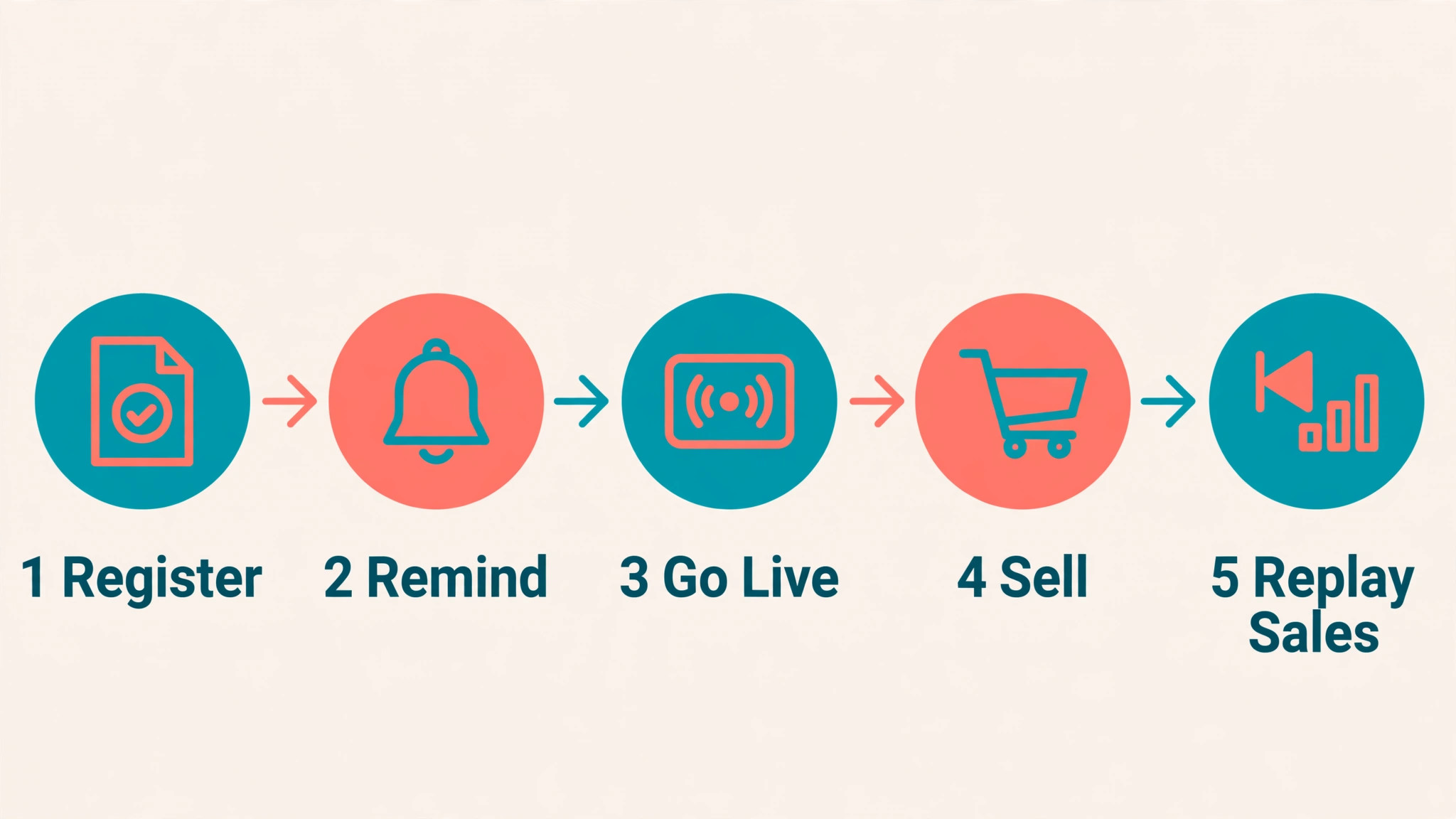
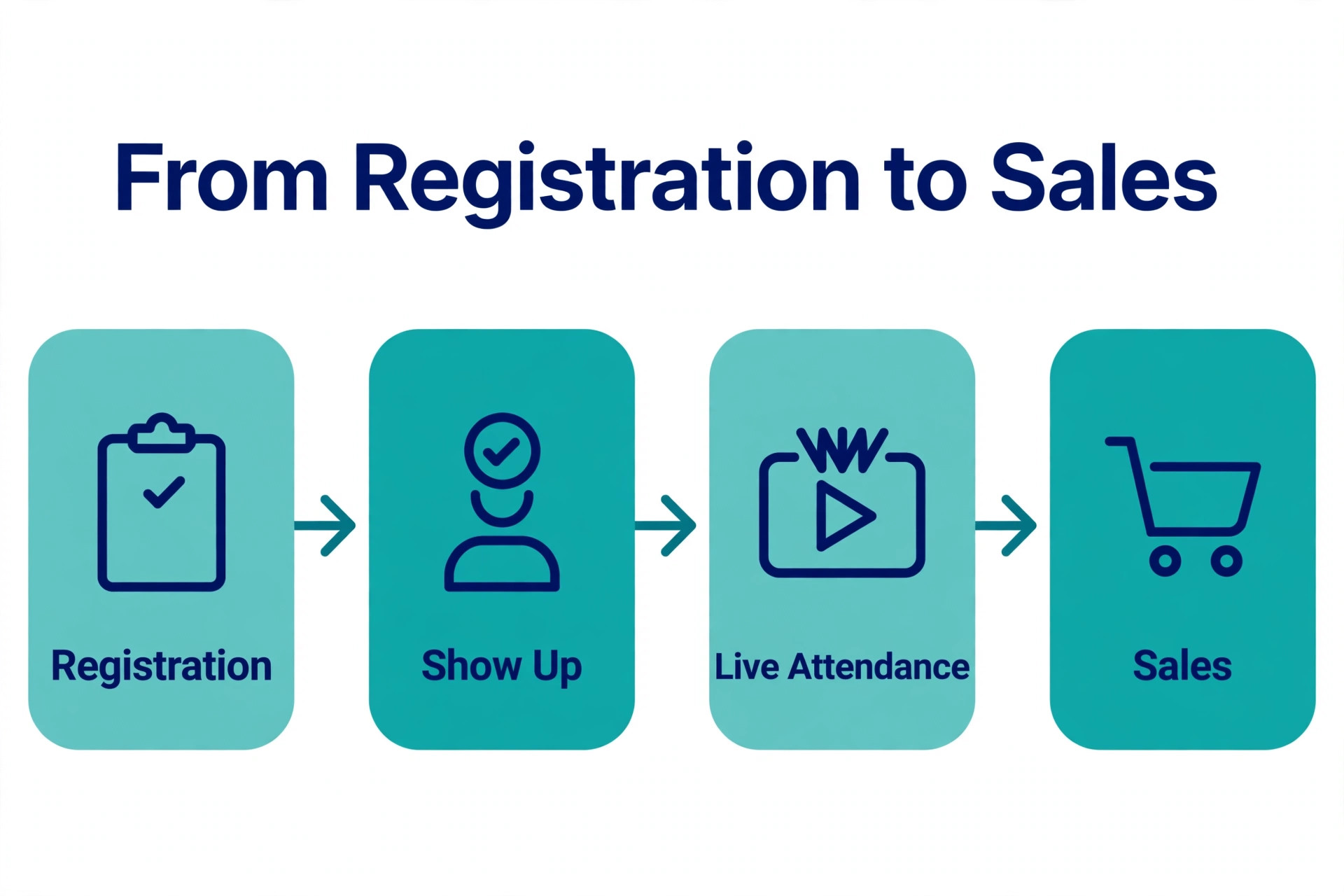
Then check the reminder and replay system, because most of the value of a webinar happens before and after the live hour. Registration pages, email reminders, text reminders and an automatic replay page are the features that turn a 40 percent show up rate into a 60 percent one. Every tool on this list covers the basics, but Demio, Livestorm and WebinarJam handle the follow up most completely. Finally, run a real test before you commit, because every tool here offers a free trial or a free plan, and a 30 minute test event with a few friends will tell you more than any comparison page.
Price models deserve a closer look before you decide, because the best webinar tools for small creators use three different ways to charge. Flat monthly plans like WebinarJam, Demio and GoToWebinar cost the same whether 20 people or 200 people show up, which makes budgeting simple. Per attendee plans like Livestorm and WebinarNinja cost less when the room is small and more when it grows, which suits creators with uneven attendance.
Free plans like Zoho Webinar cost nothing at small volumes and only start charging when you need more seats or more features. Work out your cost at three volumes, your smallest realistic audience, your average audience and your best launch, and pick the model that stays cheapest across all three.
Mistakes That Waste Money
The most common mistake is buying for the audience you hope to have instead of the audience you have. A creator with 40 regular attendees pays for a 500 attendee tier and uses a tenth of it, while the same money could have bought a better email tool or a month of ads. Start on the smallest tier that fits your real audience, and upgrade only when the room actually fills up. The best webinar tools for small creators all let you upgrade mid campaign, so there is no reason to pay for seats before you need them.
The second mistake is ignoring the replay. A live webinar reaches the people who show up, and the replay reaches everyone else, so a tool with a weak replay page wastes half the work. Check that the replay is automatic, that it carries the same offer buttons as the live room, and that it stays available for at least a week. WebinarJam, EasyWebinar and Livestorm handle replays well, and that is part of why they rank high here.
The third mistake is running the first webinar on a tool you have never tested. A host who is learning the controls live will lose the audience in the first five minutes, and no selling feature can recover that. Run a private test event, check the audio, the screen share and the offer button, and invite two friends to join as attendees. The 30 minutes this takes costs nothing and saves the one chance you get with a live audience.
- Confirm the attendee cap covers your largest realistic audience plus a margin.
- Confirm registration, reminders and replays are included in the plan you are buying.
- Confirm the selling tools you need are included, not locked behind a higher tier.
- Confirm the room runs in the browser so guests join with one click.
- Confirm the trial lets you run a real test event before you pay.
Our Verdict
WebinarJam is the pick for most small creators, because the 39 dollar monthly plan on annual billing gives you a room built to sell, with offer buttons, timers and automated webinars included. A single course sale covers the month, and the selling tools are the ones that turn a webinar from a teaching session into revenue. Demio is the pick when ease matters more than selling, because the browser based room and the 45 dollar entry price make it the fastest way to run a polished live session. Zoho Webinar is the pick when the budget is zero, because the free plan covers 100 attendees and the paid plan starts at 8 dollars a month.
When you run webinars every week, the per attendee pricing of WebinarNinja at 30 cents per attendee per month on annual billing is worth a close look, because it scales with your real audience and includes a course platform. When your audience is large and already on Zoom, Zoom Webinars is the safe choice despite the higher total cost. The best webinar tools for small creators earn their price in the replay and the reminder system, not on the homepage, so test two tools, run one real event on each, and keep the one your audience actually shows up for.

Frequently Asked Questions
How much does webinar software cost for a small creator?
Most small creators pay between 19 and 59 dollars a month on annual billing. ClickMeeting starts at about 26 dollars a month for 25 attendees, WebinarGeek starts at about 19 dollars a month for 25 attendees, and Zoho Webinar starts at 8 dollars a month per organizer for 100 attendees. WebinarJam costs 39 dollars a month for 100 attendees, Demio costs 45 dollars a month for 50 attendees, and GoToWebinar costs 59 dollars a month for 500 attendees. Per attendee tools like WebinarNinja cost about 30 dollars a month at 100 attendees on annual billing. Add the cost of any email tool you still need, because some platforms include reminders and some do not.
Which webinar tool is best for selling a course?
WebinarJam is the best pick for selling a course, because the room was built around the sales moment, with on screen offer buttons, scarcity timers, polls and handouts that appear while you talk. EasyWebinar is the runner up, because it adds in room checkout and automated evergreen sessions, so the same webinar keeps selling after the live event. Both tools include registration pages and email and text reminders, which matter as much as the offer button, because a sales webinar only works when people actually show up.
Do attendees need to download software to join a webinar?
It depends on the tool, and it matters more than most creators expect. Demio, Livestorm, WebinarGeek and Zoho Webinar run fully in the browser, so guests join with one click and no install. Zoom Webinars and GoToWebinar offer a browser fallback, but many guests will be asked to open the desktop app, which loses a few people at the door. When your audience is less technical, a browser based room will always get a higher show up rate than an app based one.
Can I run automated webinars on these tools?
Yes, most tools on this list support automated or evergreen webinars, where a recording plays on a schedule and takes registrations around the clock. WebinarJam includes it through EverWebinar, WebinarNinja and EasyWebinar include it on the entry plans, and Livestorm supports on demand sessions. The feature matters when you want one good session to keep generating sales without you presenting live every week. Check the plan details, because some tools limit automated sessions to higher tiers or charge extra for them.
What is the best free webinar tool for small creators?
Zoho Webinar has the best free plan for small creators, because it covers up to 100 attendees at no cost, which is more generous than any other free plan on this list. Livestorm also offers a free plan, but it is limited to 30 live participants for 20 minutes, which suits a test rather than a real event. WebinarGeek and ClickMeeting offer free trials rather than free plans. A free plan is the right way to test the format, and you should move to a paid plan once the webinar starts bringing in registrations you care about.
How many attendees can I host on the cheapest plans?
The cheapest plans cover between 25 and 500 attendees, and the spread is wide enough to change the decision. ClickMeeting and WebinarGeek start at 25 attendees, Demio starts at 50, EasyWebinar starts at 50, WebinarJam starts at 100, Zoho Webinar starts at 100, and GoToWebinar starts at 500. Per attendee tools like Livestorm and WebinarNinja let you pick the size you need and pay for it. Buy the tier that covers your largest realistic audience plus a margin of about a third, because an upgrade in the middle of a launch is the most expensive time to discover the cap.
A good webinar tool disappears into the background and lets the teaching and the offer do the work. Pick the tool that fits the job your webinar has to do, test it with a real event, and keep the one that brings people into the room and keeps them there until the end. The best webinar tools for small creators are the ones your audience never has to think about, because joining takes one click and the replay arrives on its own.