Pexels gives you free photos and video with no subscription, while Shutterstock charges about 29 dollars a month for 10 images and Adobe Stock charges 29.99 dollars for the same count, and that gap is the first choice in the best stock photo and video sites for small creators. The free library is not a weaker version of the paid library, it is a different deal, with a simpler licence, no indemnity, and a smaller selection of the exact image you need. The paid library is not better in every way either, because it charges per download, it limits rollover, and it can cost more than a flat subscription when you need video as well as photos.
This guide compares 10 sites on price, licence, library size and video coverage, so you can pick the library that fits the work you actually publish.
A small creator needs stock for a blog post, a social post, a YouTube thumbnail, a newsletter header and a client deck, often in the same week. That mix is why a photo only library can fail you, even when the photos are excellent. You need video for Reels and Shorts, you need music for edits, and you need a licence you can explain to a client without a lawyer.
The licence is the part most creators skip, and it is the part that can cost the most. Royalty free means you pay once for the usage rights and can use the asset many times without paying the creator again. It does not mean free, and it does not mean you can do anything with the file. You cannot sell an unedited copy, and you cannot use a file on merchandise without an extended licence on most paid sites.
How We Compared 10 Stock Sites
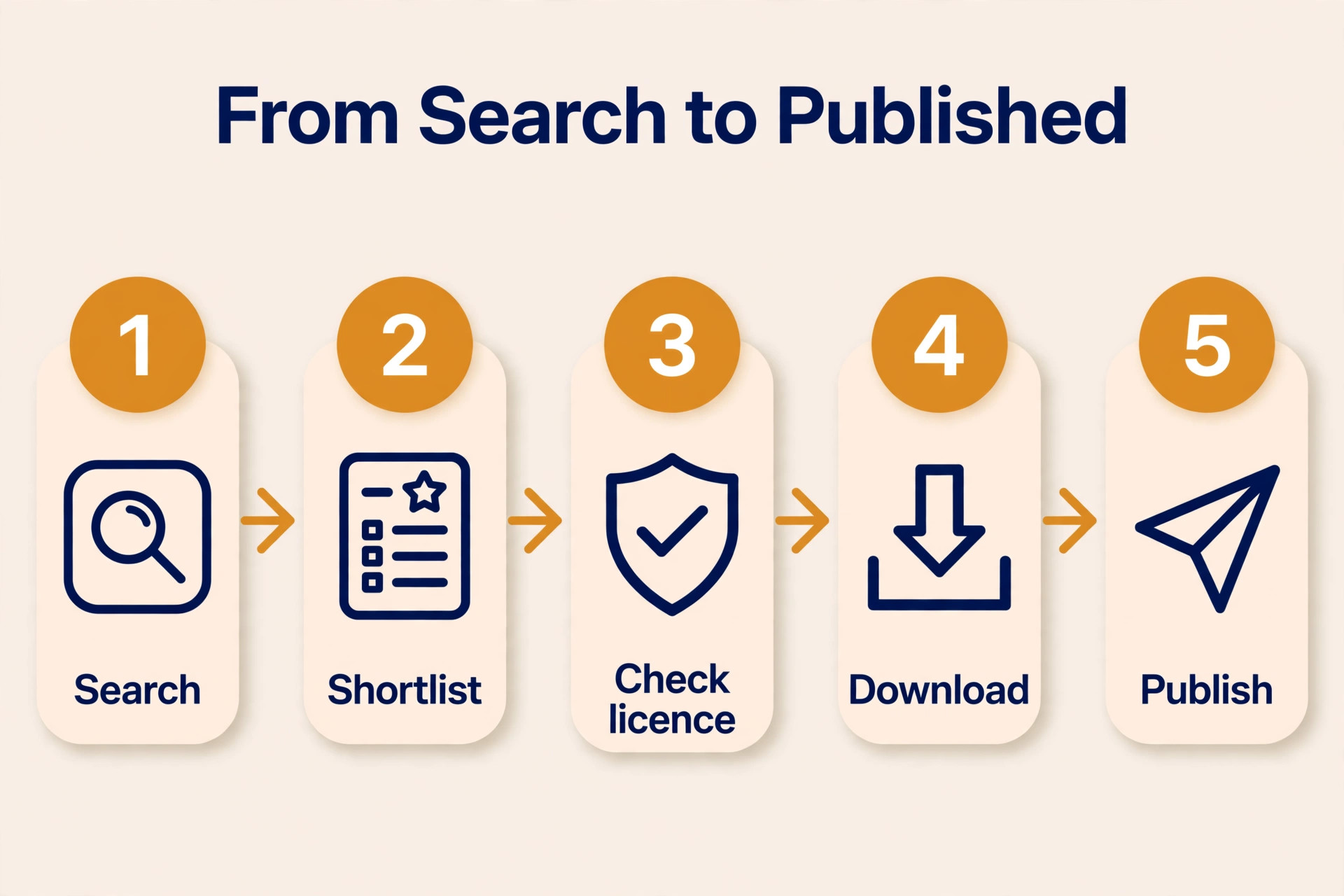
We started with the work a small creator publishes in a normal month, which is about 20 blog and social images, 5 to 10 video clips, and a handful of thumbnails and headers. We scored each site on five points that cover that month, because a library that wins on photos can still fail on video, and a library that wins on price can still fail on licence.
First, we checked library size and quality. A library with 450 million assets sounds impressive, but a creator needs the right image, not a million near misses. We checked whether each site had strong coverage for business, lifestyle, food, travel, tech and nature, and whether the video library had vertical clips for Reels and Shorts as well as horizontal clips for YouTube.
Second, we checked price at a realistic volume. We priced each site for 10 images a month, then for 10 images plus 5 video clips a month, because video changes the cost on most paid sites. A site that charges 29 dollars a month for 10 images can cost far more once video is added, while a flat subscription that includes video can be cheaper at that volume.
Third, we checked the licence. We read whether the standard licence covers commercial use, social media, a blog, a client project and a paid ad, and whether it covers merchandise, print runs and resale. We also checked indemnity, which is the legal protection the site gives you if a licence claim arises. Free sites usually give no indemnity, while paid sites give 10,000 dollars on a standard licence.
Fourth, we checked download limits and rollover. Some subscriptions give you a fixed number of downloads a month and delete the unused ones at month end, while others let unused downloads roll over for a month. A creator with a quiet month loses money on a no rollover plan, so the rollover rule is part of the price.
Fifth, we checked how easy it is to leave. A subscription that is easy to cancel and keeps your downloaded files licensed after cancellation is a safer buy than one that locks you in. The best stock photo and video sites for small creators should be easy to join, easy to use, and easy to leave.
The Best Pick for Each Job
| Job | Pick | Why it wins |
|---|---|---|
| Free photos and video today | Pexels | Free library with a short plain licence |
| Free photos with a large community | Unsplash | 5 million plus photos, free to use |
| Free photos, video and music | Pixabay | Mixed media in one free library |
| One subscription for everything | Envato Elements | Unlimited downloads across all asset types |
| Photos inside Adobe apps | Adobe Stock | Deep integration with Creative Cloud |
| The largest commercial library | Shutterstock | 450 million plus assets with AI tools |
| Unlimited video and audio | Storyblocks | Flat fee with unlimited downloads |
| The lowest cost per download | Depositphotos | About 29 dollars a month for 30 images |
| Occasional buyers who pay per image | Dreamstime | Credit pricing from 22 cents an image |
| Video templates plus stock | Motion Array | Templates, footage and music in one plan |
Use this table as a shortcut to the best stock photo and video sites for small creators for your job, then read the full section for the site you are leaning toward. The free option is not the best value when you need indemnity for a client project, and the largest library is not the best choice when you only need 10 images a month.
The 10 Best Stock Photo and Video Sites for Small Creators in 2026, Ranked
The 10 sites below fall into three groups. The first group is free, with Pexels, Unsplash and Pixabay. The second group is flat subscription, with Envato Elements and Storyblocks. The third group is per download, with Adobe Stock, Shutterstock, Depositphotos and Dreamstime, plus Motion Array for video templates. The best stock photo and video sites for small creators in any group share one trait, which is that you can find a usable image in minutes, download it without a fight, and publish it knowing the licence covers the use.
1. Pexels
Pexels is the best free pick on this list, and the best place to start when the budget is zero. It is a free photo and video library with a short, plain licence, and it covers the subjects small creators need most, with strong vertical video for Reels, TikTok and Shorts alongside horizontal photos for blogs and social posts. There is no paid plan, no download limit to track, and no attribution required, although crediting the photographer is good practice.
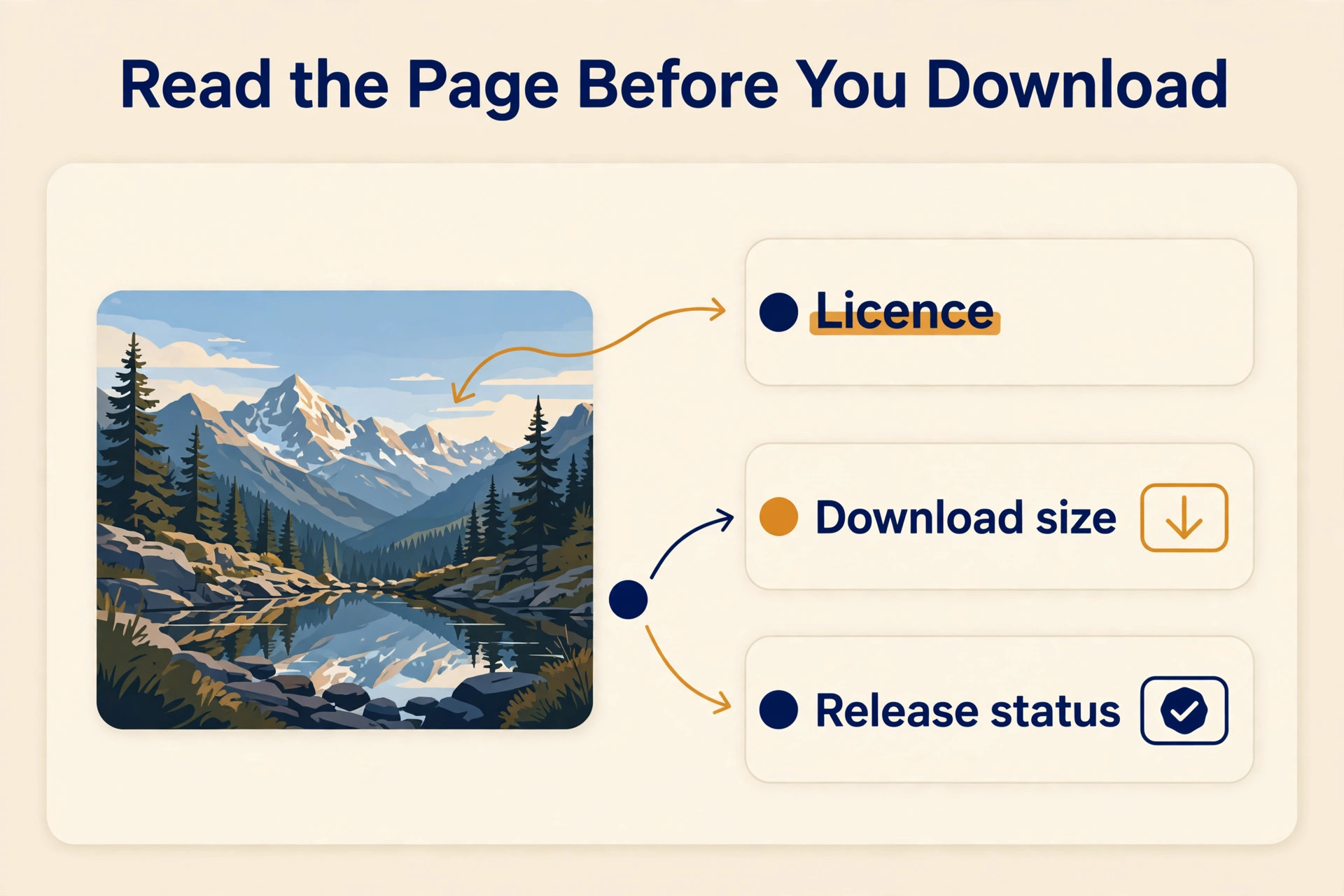
Photos and videos may be used and edited, for personal and commercial work, without attribution. You cannot sell an unedited copy, and you cannot use a recognisable person in a way that implies endorsement, but for a blog, a social post or a client deck, the licence is clear and easy to follow.
The limit is legal protection. Pexels gives no indemnity, so if a licence claim arises, you bear the risk. Agencies that must pass a licence warranty to a client will need a paid site. Pexels suits a blogger, a social media manager, a YouTuber and a small business that publishes daily and needs free images fast.
2. Unsplash
Unsplash is the best free pick for photography quality, with more than 5 million photos from a large community of photographers. The images feel less like stock and more like editorial photography, with strong coverage for lifestyle, travel, food, business and nature. That quality is why so many blogs and newsletters use Unsplash as their first source, even when they can afford a paid library.
Unsplash is free to use, with a premium tier at about 10 dollars a month in some roundups for extra content. The free licence is simple and covers commercial use, but like Pexels it gives no indemnity and no model release guarantee for every image. Check the image page before you use a photo with a recognisable person in a paid ad.
Unsplash suits a creator who cares about the look of the image more than the size of the library, and who publishes mostly photos, not video. It does not suit a video first creator, because the video library is smaller than Pexels.
3. Pixabay
Pixabay is the best free pick for mixed media, because it covers photos, video, vectors, illustrations and music in one free library. A creator who needs a photo for a blog, a clip for a video, and a music track for an edit can find all three in one account, without paying for three subscriptions. That breadth is rare among free sites.
Pixabay is free to use, with no paid tier mentioned on the pages we checked. The licence is simple, and the content is free for commercial use with no attribution required. The quality is more mixed than Unsplash, because the library is larger and less curated, so you will spend longer searching for the right image.
Pixabay suits a content creator who needs many asset types on a zero budget, a teacher, a blogger, or a small business that publishes across formats. It does not suit a brand whose legal team requires indemnity on every file, because Pixabay gives none.
4. Envato Elements
Envato Elements is the best pick for a creator who needs everything in one subscription. It covers photos, video, music, sound effects, templates, fonts and graphics, with unlimited downloads under a fair use policy, for 16.50 dollars a month billed annually, or 33 dollars a month billed monthly in the most recent pricing we checked. That single price replaces several subscriptions, which is why it wins on value for a studio or a marketer.
The library is large, with more than 60 million assets across all types in some roundups, and the licence is a lifetime commercial licence for the files you download while subscribed. That means a file you download today stays licensed after you cancel. The Plus plan starts at 39 dollars a month billed annually, while the Core plan at 16.50 dollars includes 20 AI credits a month.
Envato suits a creator, a marketer, or a small studio that needs photos, video, music and templates every week, and wants one bill for all of them. It does not suit a buyer who only wants a handful of photos a year, because the subscription is wasted in a quiet month.
5. Adobe Stock
Adobe Stock is the best pick for a creator who already works in Adobe apps, because the library lives inside Photoshop, Premiere Pro and Illustrator. You can search, preview and licence an asset without leaving the app you are editing in, which saves the download, import and search steps that slow down a paid library workflow. That integration is the main reason to choose Adobe over a cheaper rival.
Entry subscriptions start at 29.99 dollars a month for 10 images on the annual plan, with 40 and 350 asset plans above it. Credit packs start at 49.95 dollars for 5 credits. A free trial includes 10 standard assets for 30 days. The library is large, with more than 400 million assets, and the standard licence covers most digital and print uses with indemnity.
Adobe Stock suits a Creative Cloud user, a designer, or a video editor who works in Premiere Pro every day. It does not suit a creator who does not use Adobe apps, because the price is higher than Depositphotos for the same image count, and the integration is the value.
6. Shutterstock
Shutterstock is the largest commercial library on this list, with more than 450 million images, videos, music tracks, templates and 3D models. It is the best pick when you need a very specific image, a niche subject, or a video clip that a smaller library does not carry. The search is strong, the AI tools are expanding, and the library covers almost every subject a creator will search for.
Pricing is where sources differ, so check the checkout page. One 2026 roundup lists image subscriptions from 25 dollars a month for 10 downloads on an annual plan, while another lists 29 dollars a month for the same count, with on demand packs from 29 dollars for two downloads. The Unlimited plan costs about 69 dollars a month billed yearly. The standard licence gives 10,000 dollars in indemnity, and the enhanced licence raises it to 250,000 dollars.
Shutterstock suits an agency or a creator who needs a specific image every week and cannot afford a miss. It does not suit a small creator who needs 10 images a month, because Depositphotos gives 30 images for the same 29 dollars.
7. Storyblocks
Storyblocks is the best pick for video first creators, because it sells unlimited downloads on a flat subscription, with a library that is 100 percent human made and more than 10 million assets. Video editors, YouTubers and corporate video teams use it for footage, music and templates, without counting clips or worrying about a per clip price. That flat model removes the anxiety that makes video stock expensive on other sites.
Pricing starts from about 21 dollars a month in some roundups, with annual subscriptions per user and a business plan priced by quote. Older roundups list lower figures, so the current price depends on the plan and the date you check. Confirm the live price before you budget.
Storyblocks suits a video editor who needs footage and music more than still photos, a YouTuber who publishes weekly, or a team that needs 4K clips without a per clip bill. It does not suit a photo only buyer, because the photo library is smaller than the video library.
8. Depositphotos
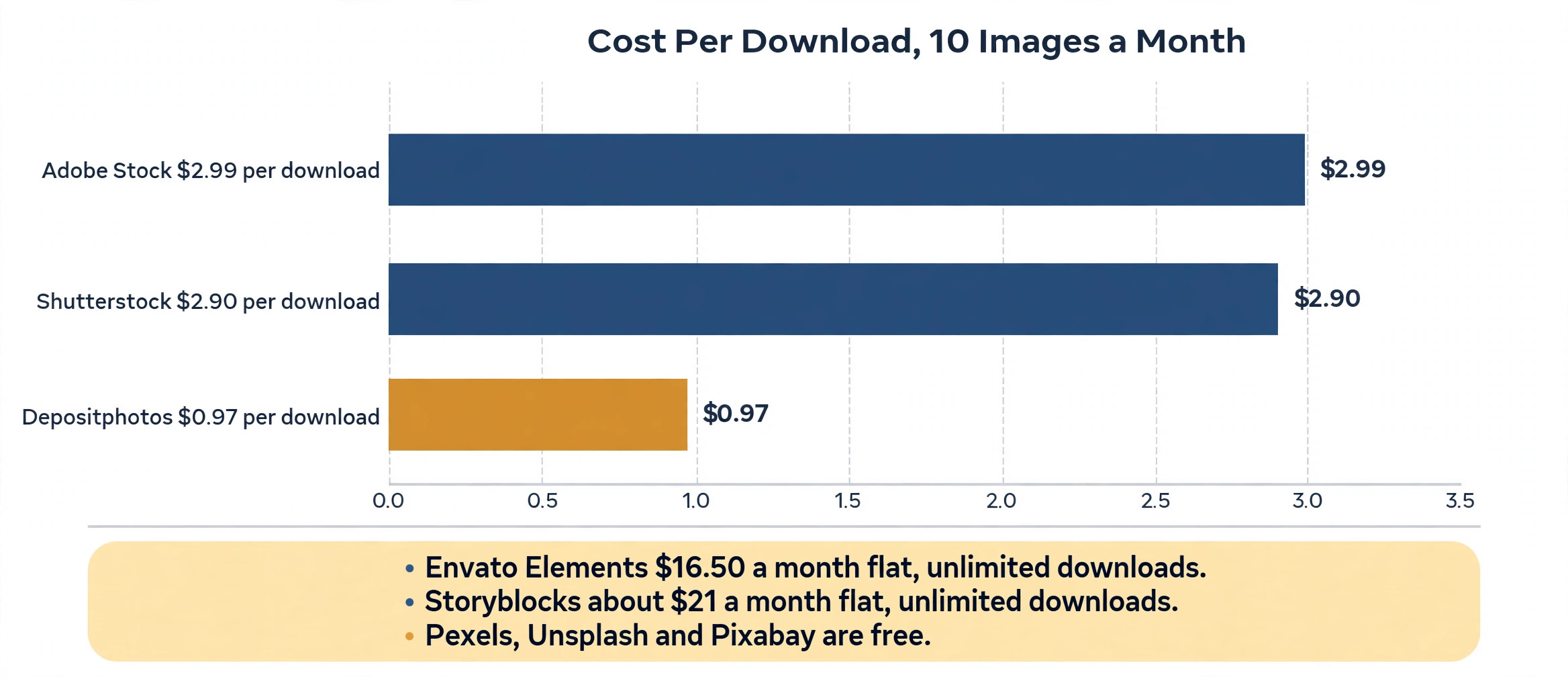
Depositphotos is the best pick for budget buyers who need a consistent volume of images each month. At about 29 dollars a month for 30 downloads on the annual plan, the cost per download is about 97 cents, against about 2.90 dollars per download at Shutterstock for 10 images at the same monthly price. That volume per dollar ratio is the best of any major paid platform we checked.
The library holds about 280 million images, 70 million vectors and 20 million video clips. The standard licence covers commercial use, and unused downloads roll over for one month, which helps in a quiet month. There is no free plan, so you pay from the first download.
Depositphotos suits a blogger, a freelancer, or a small business that needs 20 to 30 images a month and wants the lowest cost per download. It does not suit a creator who needs unlimited video, because video is priced separately.
9. Dreamstime
Dreamstime is the best pick for occasional buyers, because it sells images by credits, with prices from about 22 cents an image on the cheapest credit packs. A creator who needs five images in one month and none in the next can buy credits and use them when needed, without paying a monthly subscription in a quiet month. That pay as you go model suits a low frequency buyer better than any subscription here.
The library is large, with about 250 million assets, and there is a limited free tier for testing. Credit pricing is flexible, but it is also confusing, because the cost per image depends on the pack size and the licence type. Read the credit table before you buy, and work out the cost per image for the pack you will actually buy.
Dreamstime suits a blogger, a small business, or a freelancer who downloads a few images a month and does not want a subscription. It does not suit a high volume buyer, because the per image price rises above a subscription once you pass 20 to 30 images a month.
10. Motion Array
Motion Array is the best pick for video templates, because it is a library built around Premiere Pro and After Effects templates, titles, presets, stock footage and music, on one licence that covers commercial work. A video editor who needs a title pack, a transition, or a lower third can find it here faster than in a general stock library, and the templates are the product, not an afterthought.
Pricing is about 24.99 dollars a month for full library access in the most recent roundups we checked, with a lower Lite plan from 19 dollars a month in older roundups. Motion Array was acquired by Artlist, so the pricing and plan names have changed over time. Check the live pricing page before you budget.
Motion Array suits a video editor, a YouTuber, or a creator who needs templates and presets as well as footage. It does not suit a photo only buyer, because the photo library is not the focus.
How to Choose the Right Stock Site
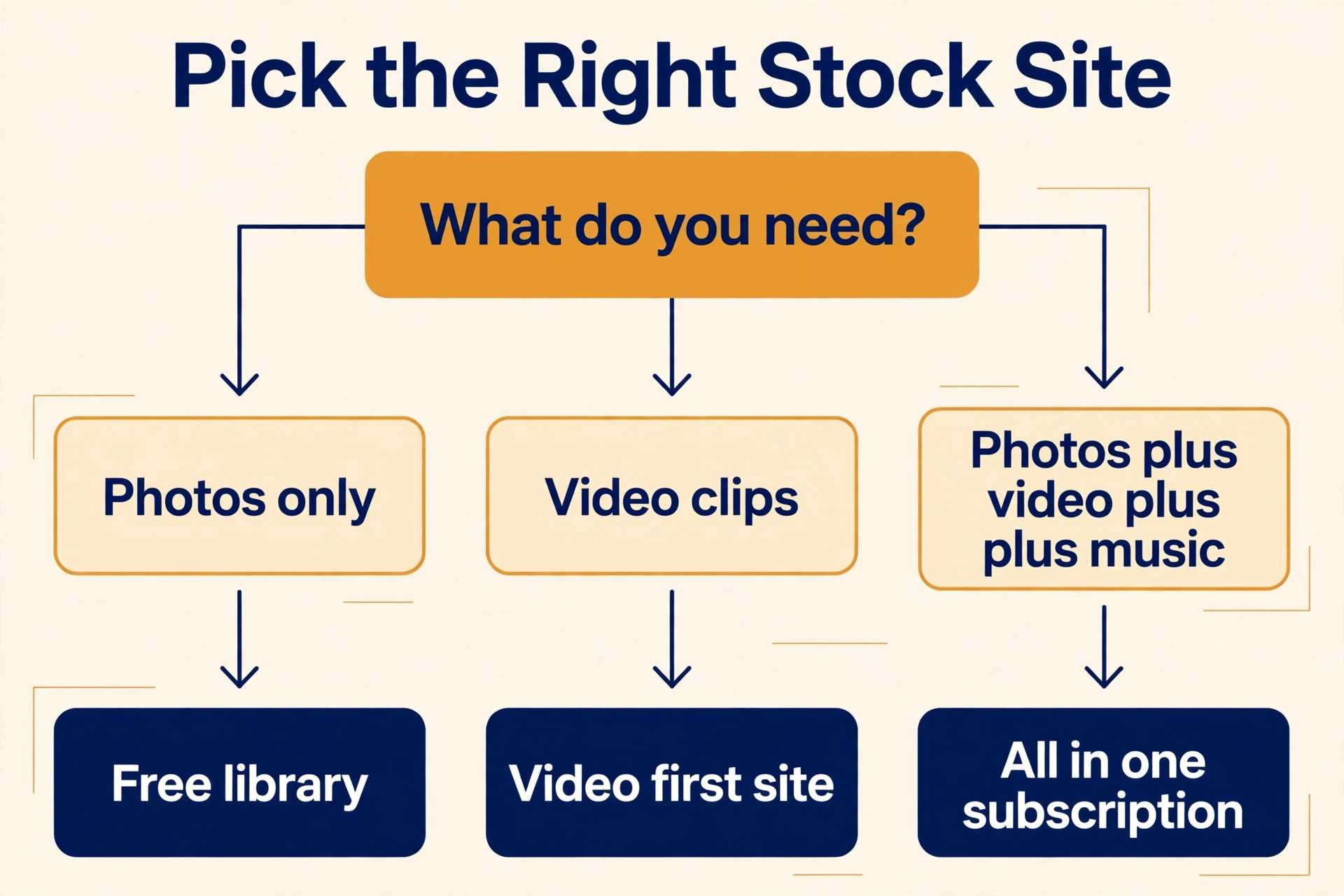
Start with the medium, because it removes half of the best stock photo and video sites for small creators in one step. If you publish mostly photos, Pexels, Unsplash and Depositphotos cover you. If you publish mostly video, Storyblocks and Motion Array cover you. If you publish both, plus music and templates, Envato Elements is the only site that covers all of them in one subscription. A photo library that cannot give you a vertical clip for Reels will force you to buy a second subscription, so count the second bill before you choose the first.
Next, decide whether you need indemnity. A free site gives you a simple licence and no legal protection, which is fine for your own blog and social posts. A client project, a paid ad, or a product launch needs a paid licence with indemnity, because the client will ask who bears the risk if a claim arises. Match the licence to the use, not to the price.
Then price the site at your real volume, with video included. A 29 dollar plan for 10 images looks cheap until you add 5 video clips at 10 dollars each, which takes the monthly cost to nearly 80 dollars. A flat subscription at 16.50 dollars a month that includes video, music and templates can be cheaper at that volume. Work out the cost for a normal month, with photos and video together, before you choose.
Finally, test the search. Search for the exact subjects you publish most. A library that returns 10 usable results for your subjects is better than a library that returns 10,000 results for subjects you never use. The search test takes 10 minutes and saves a subscription you will not use.
- List the media types you publish each month, photos, video, music and templates.
- Decide whether you need indemnity for client work or paid ads.
- Price each shortlisted site for photos plus video together, not photos alone.
- Search for your five most common subjects and count the usable results.
- Check whether unused downloads roll over or disappear at month end.
What to Check Before You Pay
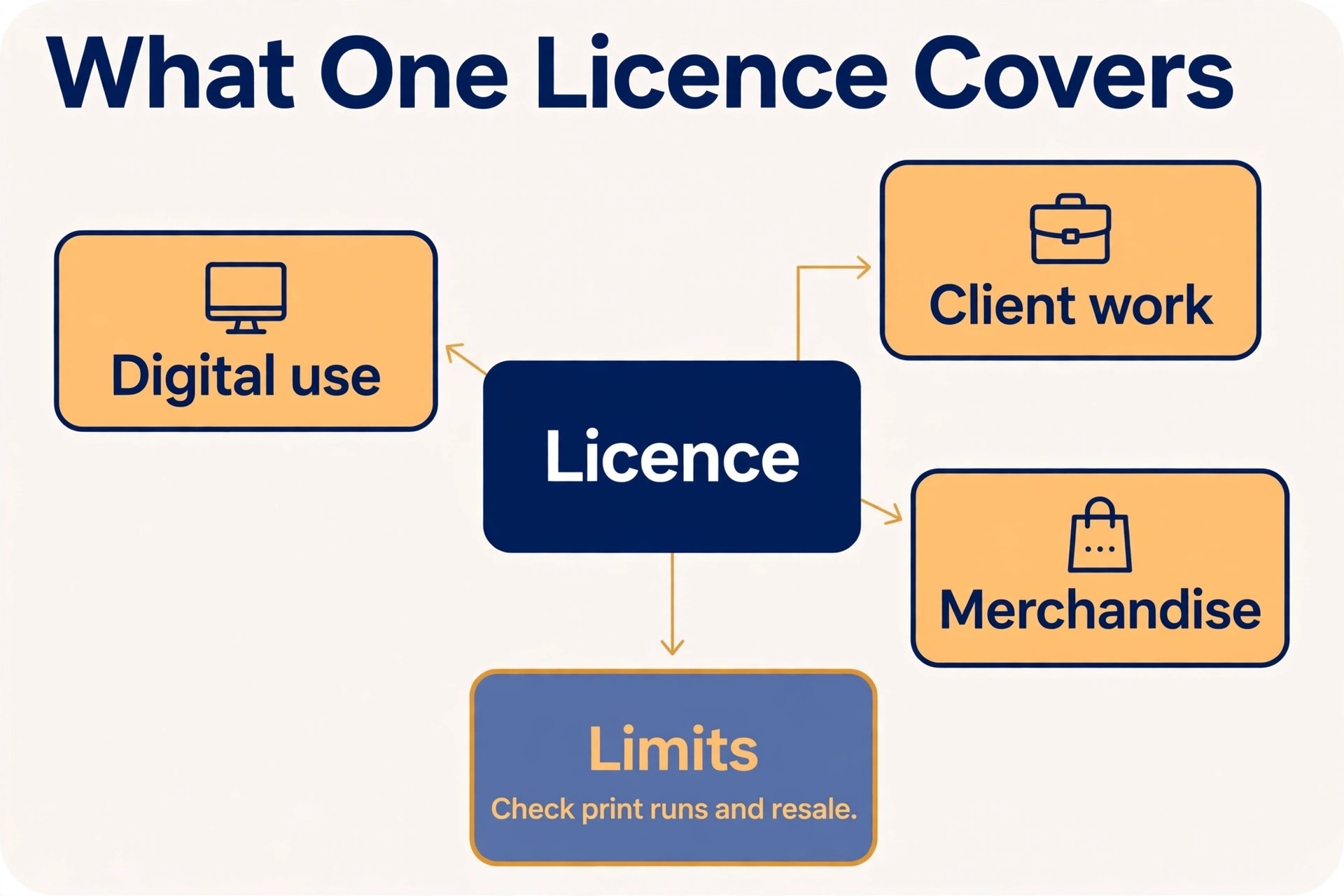
Check the licence for merchandise and print runs before you buy, because the standard licence on most paid sites does not cover them. A standard licence covers digital use, social media, a blog and a client deck, but a t-shirt, a mug, or a poster for sale needs an enhanced licence. That enhanced licence can cost far more than the standard plan.
Check the model and property releases too. A photo with a recognisable person needs a model release for commercial use, and a photo with a recognisable building or logo needs a property release. Paid sites usually confirm that releases are on file, while free sites may not.
Check the download and rollover terms in the same pass. Some plans delete unused downloads at month end, while others let them roll over for one month. Some plans limit downloads per day, while others limit them per month. A creator with a quiet month loses money on a no rollover plan, so the rollover rule is part of the price, not a detail.
Check the cancellation terms as well. Can you keep using the files you downloaded after you cancel, or does the licence end with the subscription. Envato Elements gives a lifetime licence for files downloaded while subscribed, while other sites end the licence when the subscription ends.
Mistakes That Waste Money
The most common mistake is paying for a subscription when a free library would do. A creator pays 29 dollars a month for 10 images, then downloads 10 images a month that Pexels or Unsplash would have given for free. The paid images may be slightly better, but the free images are good enough for a blog, a social post and a newsletter. Use the free library first, and pay only when the free library cannot find the image you need.
The second mistake is buying a photo plan and then paying separately for video. A creator buys Adobe Stock for 10 images a month, then buys 5 video clips at 10 dollars each from the same site, and the monthly cost doubles. The best stock photo and video sites for small creators cover both media in one price, so a video need should be priced into the first choice, not added as an afterthought. If you publish video every week, choose a flat subscription that includes it.
The third mistake is ignoring the licence until a client asks. A creator uses a free image in a paid ad, the client asks for the licence and the indemnity, and the creator cannot provide either. The work must be redone with a paid image, the deadline slips, and the client loses trust. Check the licence before you publish, not after the client asks.
The fourth mistake is downloading more than you need to use up a monthly allowance. A creator with 30 downloads a month downloads 30 images, uses 10, and stores 20 they will never publish. Those unused downloads are not free, they are part of the 29 dollars a month you already paid. A smaller plan that matches your real use is cheaper than a larger plan that encourages waste.
Our Take for Creators
Pexels is the pick for most small creators, because it is free, it covers photos and video, and the licence is short and clear. It suits a blogger, a social media manager and a YouTuber who publishes daily and needs usable images fast. Unsplash is the pick when photo quality matters most, and Pixabay is the pick when you need photos, video and music in one free library.
Envato Elements is the pick for a creator who needs everything in one subscription, because unlimited downloads across photos, video, music and templates for 16.50 dollars a month billed annually is the best value on this list. Depositphotos is the pick for a budget buyer who needs 30 images a month at about 97 cents per download. Storyblocks is the pick for video first work, and Motion Array is the pick for video templates.
Adobe Stock is the pick for a Creative Cloud user, Shutterstock is the pick when the library size matters most, and Dreamstime is the pick for an occasional buyer who wants to pay per image. Start free, pay only when the free library cannot find the image or when the client work needs indemnity, and price the subscription for photos plus video together.
Frequently Asked Questions
What is the best free stock photo site for small creators?
Among the best stock photo and video sites for small creators, Pexels is the best free pick for most small creators, because it is free, it covers photos and video, and the licence is short and clear. Unsplash is the best free pick for photo quality, with more than 5 million photos, while Pixabay is the best free pick for mixed media, with photos, video, vectors and music in one library. All three are free to use with no attribution required, but none gives indemnity, so use a paid site for client work that needs legal protection.
How much does stock photography cost per month?
Stock photography costs from free on Pexels, Unsplash and Pixabay, to 16.50 dollars a month billed annually for Envato Elements, to about 29 dollars a month for 10 images on Adobe Stock, Shutterstock and Depositphotos. Depositphotos gives 30 images for that 29 dollars, while Adobe Stock and Shutterstock give 10, so the cost per download ranges from about 97 cents to about 2.90 dollars.
Can I use free stock photos for commercial work?
Yes, you can use free stock photos from Pexels, Unsplash and Pixabay for commercial work, including a blog, social media, a website and a client deck, under their free licences. You cannot sell an unedited copy, and you cannot use a recognisable person to endorse a product without a model release. Free sites give no indemnity, so a paid ad or a client project that needs legal protection should use a paid licence with indemnity, such as Adobe Stock or Shutterstock.
Which stock site is best for video?
Storyblocks is the best pick for video, because it sells unlimited downloads on a flat subscription from about 21 dollars a month, with a library that is 100 percent human made and more than 10 million assets. Pexels is the best free pick for video, with strong vertical clips for Reels and Shorts. Envato Elements is the best pick for video plus music and templates in one subscription, at 16.50 dollars a month billed annually. Motion Array is the best pick for video templates.
Do I need an extended licence for merchandise?
Yes, on most paid sites you need an extended or enhanced licence to use a stock image on merchandise, such as a t-shirt, a mug, or a poster for sale, or for a large print run. The standard licence covers digital use, social media, a blog and a client deck, but not resale of the image itself. Check the licence terms for the site you use before you design a product around a stock image, because the enhanced licence can cost far more than the standard plan.
Is Envato Elements worth it for small creators?
Envato Elements is worth it for a small creator who needs photos, video, music, sound effects, templates and fonts every week, because unlimited downloads for 16.50 dollars a month billed annually replaces several subscriptions. It is not worth it for a creator who only needs a handful of photos a year, because the subscription is wasted in a quiet month. Start with Pexels or Unsplash, and move to Envato Elements when you need many asset types every week and the free libraries cannot keep up.
A good stock library earns its keep by saving you time, not by giving you the largest number. Start free, search for the subjects you publish most, and pay only when the free library cannot find the image or when the client work needs indemnity. The library that finds the right image in minutes, with a licence you can explain, is the right library for your work.