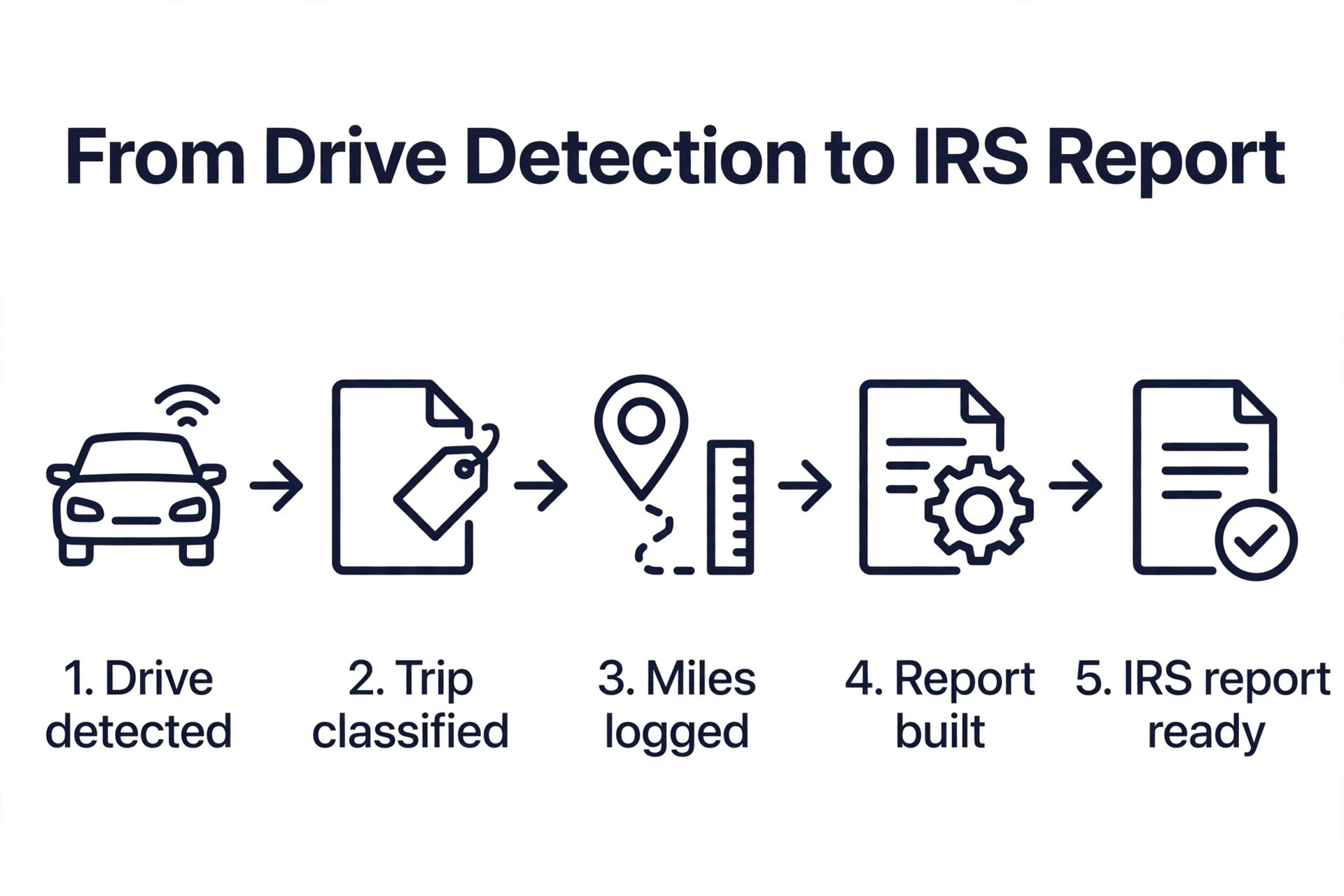
At 72.5 cents per business mile, every 1,000 business miles you fail to log is 725 dollars walking out of your pocket. Drive 15,000 business miles in a year and you are looking at 10,875 dollars in legitimate deductions, but only if the log holds up. The best mileage tracker apps for small business exist for that one reason. They log every drive automatically, classify it with a swipe, and produce a report your accountant can use at tax time.
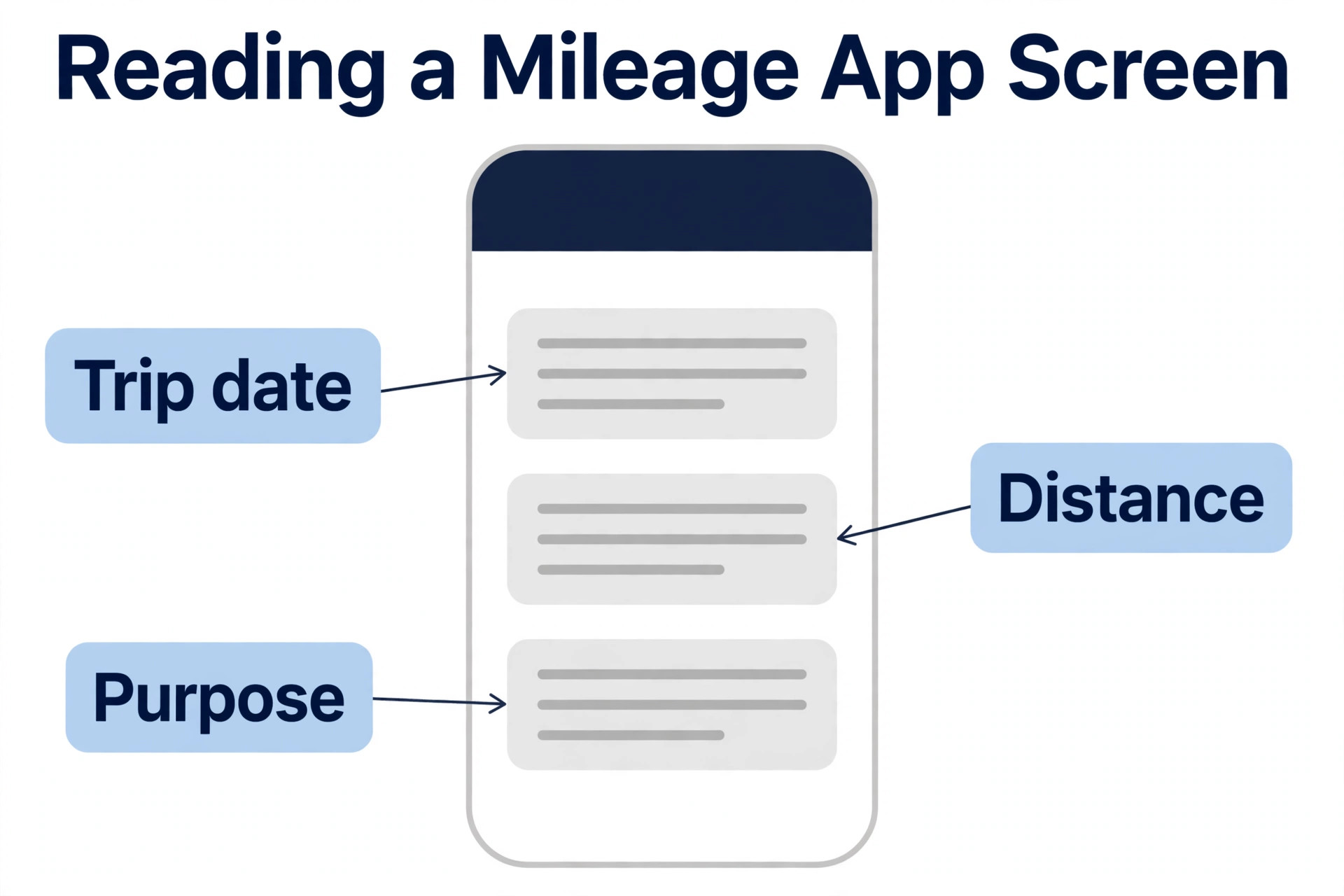
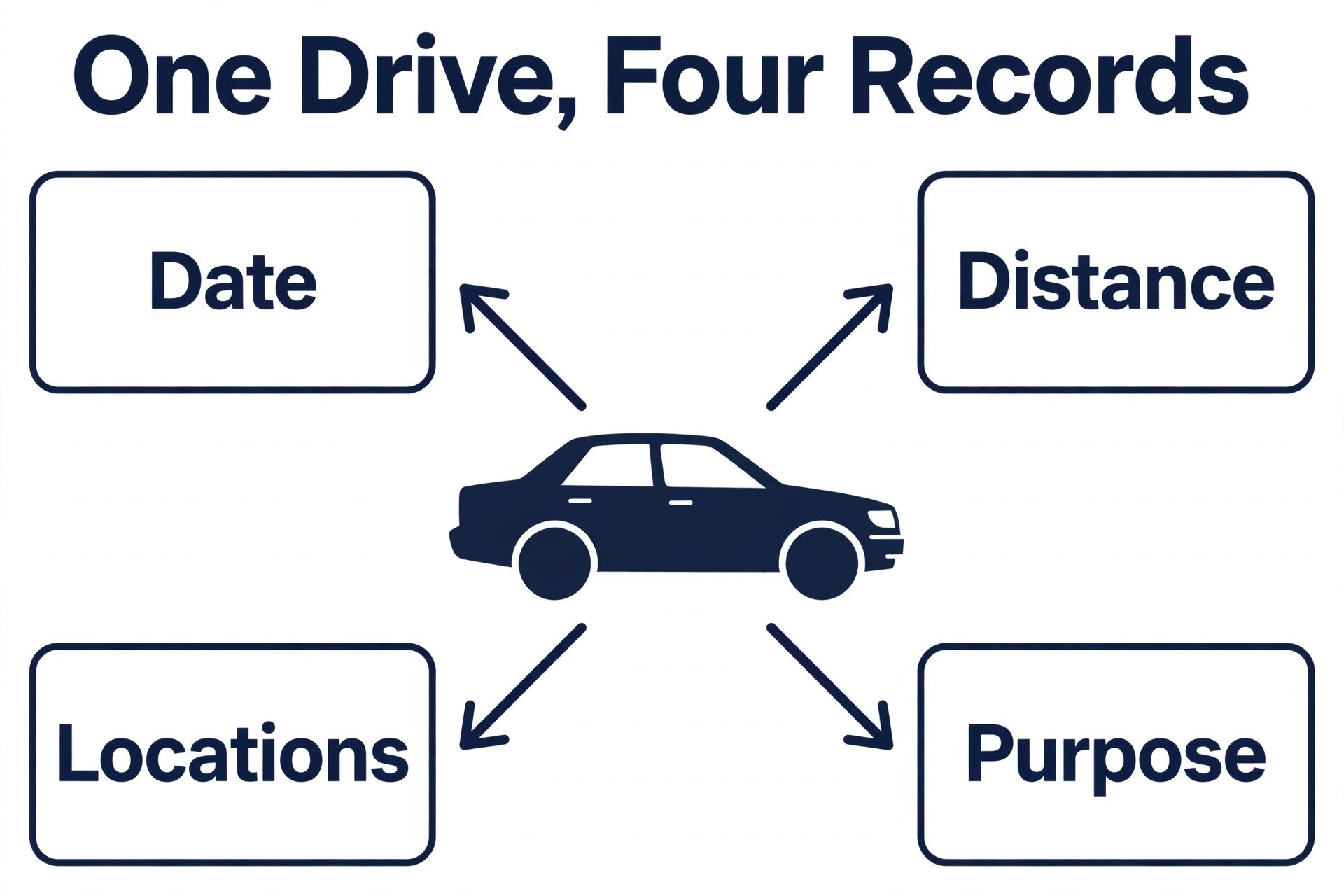
The IRS asks for four details per trip, and it asks for them for every trip. The date, the mileage, the start and end locations, and the business purpose. A paper log that misses any one of those details can be rejected, and a memory based log written at the end of the year is not a log at all. An app that detects the drive when it happens and records those four details without you remembering to start it is the difference between a deduction you keep and a deduction you lose.
Most small businesses also need mileage to work for a team, not just for one driver. A business with three drivers needs one report for all three, with reimbursement rates, approval and export to accounting. A solo driver needs the simplest possible app that runs in the background and never asks for attention. This guide covers both jobs, with 10 apps ranked on auto tracking, IRS reporting, team features and price.
How the Best Mileage Tracker Apps for Small Business Were Compared
We checked vendor pricing pages, app store listings and current 2026 roundups in November 2026, and we weighed each app against the same five questions. First, does it detect drives automatically, without the driver remembering to start it. Second, does it produce an IRS compliant report with date, mileage, start and end locations, and business purpose for every trip. Third, how much battery does it use, because an app that drains the phone will be deleted no matter how good its reports are. Fourth, does it handle a team, with several drivers, reimbursement and export to accounting. Fifth, what does the real monthly cost look like once the free trip limit is passed.
Prices in this guide were checked against vendor pricing pages and app store listings in October and November 2026. Mileage app prices change often, and MileIQ in particular has raised prices twice in 2026, so confirm the price in the app store listing before you subscribe. The IRS standard mileage rate for business use in 2026 is 72.5 cents per mile, up from 70 cents in 2025, so verify the current rate at irs.gov before you file, and update the rate inside the app when it changes.
The Best Pick for Each Job
| Job | Pick | Why it wins |
|---|---|---|
| Simplest auto tracking | MileIQ | Set and forget detection with swipe classification |
| Mileage plus expenses | Everlance | Auto mileage with receipt scanning and tax reports |
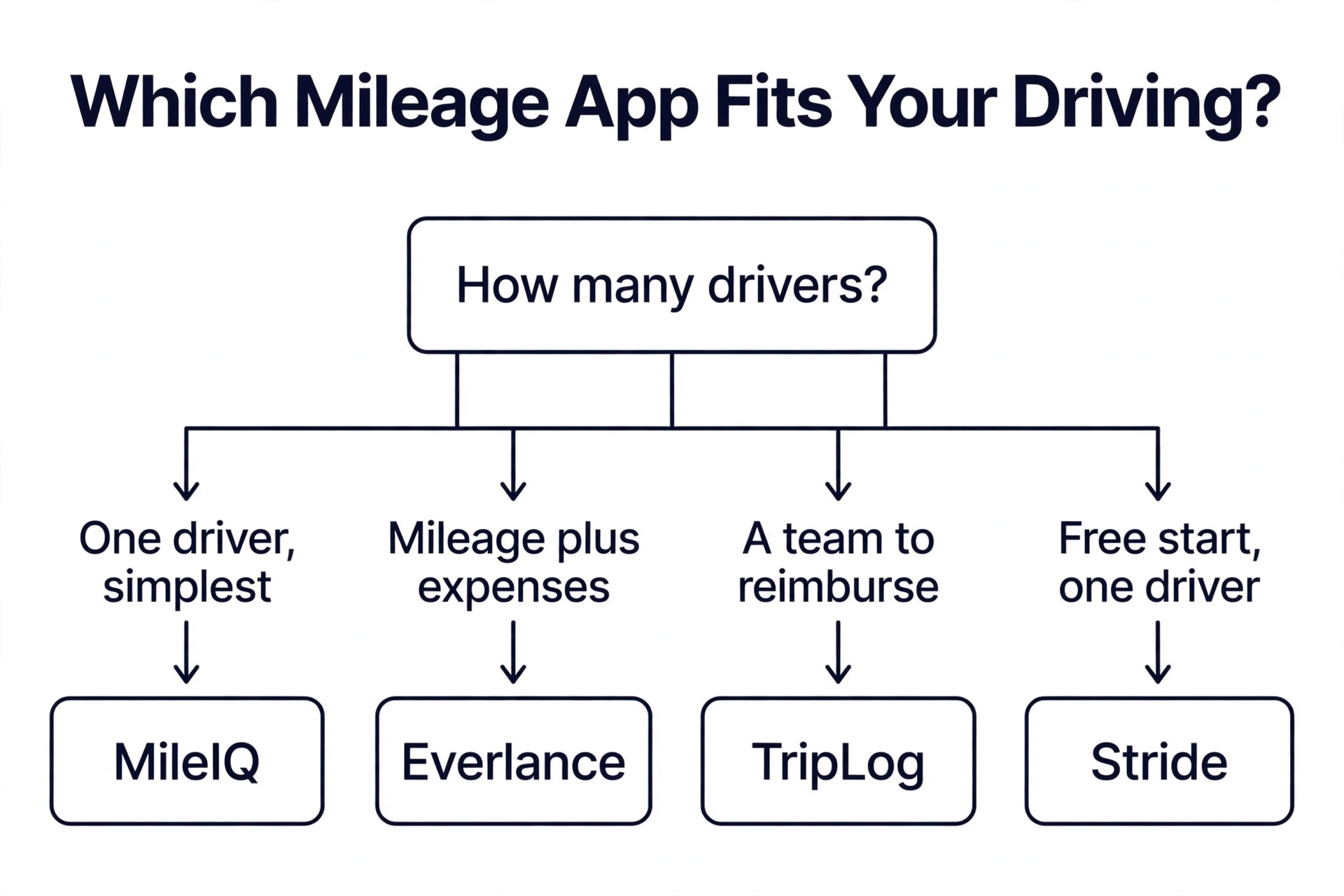
| Small business teams | TripLog | Team reimbursement from 5.99 dollars a month |
| Free start for one driver | Stride | Free tracking with a tax deduction finder |
| Accurate mileage only logging | Driversnote | Clean logs with a hardware option for accuracy |
Use this table as a shortcut, then read the full section for the app you are leaning toward. The cheapest option is not the best value when its free limit runs out in a week, and the most expensive option is not the best choice when you only drive a few times a month.
The Best Mileage Tracker Apps for Small Business in 2026, Ranked
The 10 apps below fall into three groups. The first group is mileage only trackers, which do one job and do it well. The second group is mileage plus expenses apps, which combine mileage with receipts, income and tax reporting. The third group is team and gig apps, which suit several drivers, delivery work or a business that reimburses mileage as part of payroll.
1. MileIQ
MileIQ is the most popular mileage tracker in the United States, and it is the cleanest pure mileage tracker available, with the best detection accuracy and the longest audit trail in the category. It runs in the background, detects every drive automatically, and lets you classify trips with a simple swipe, left for personal and right for business. At tax time it produces a mileage report with date, mileage, start and end location, and business purpose for every trip, which is precisely the contemporaneous log the IRS expects.
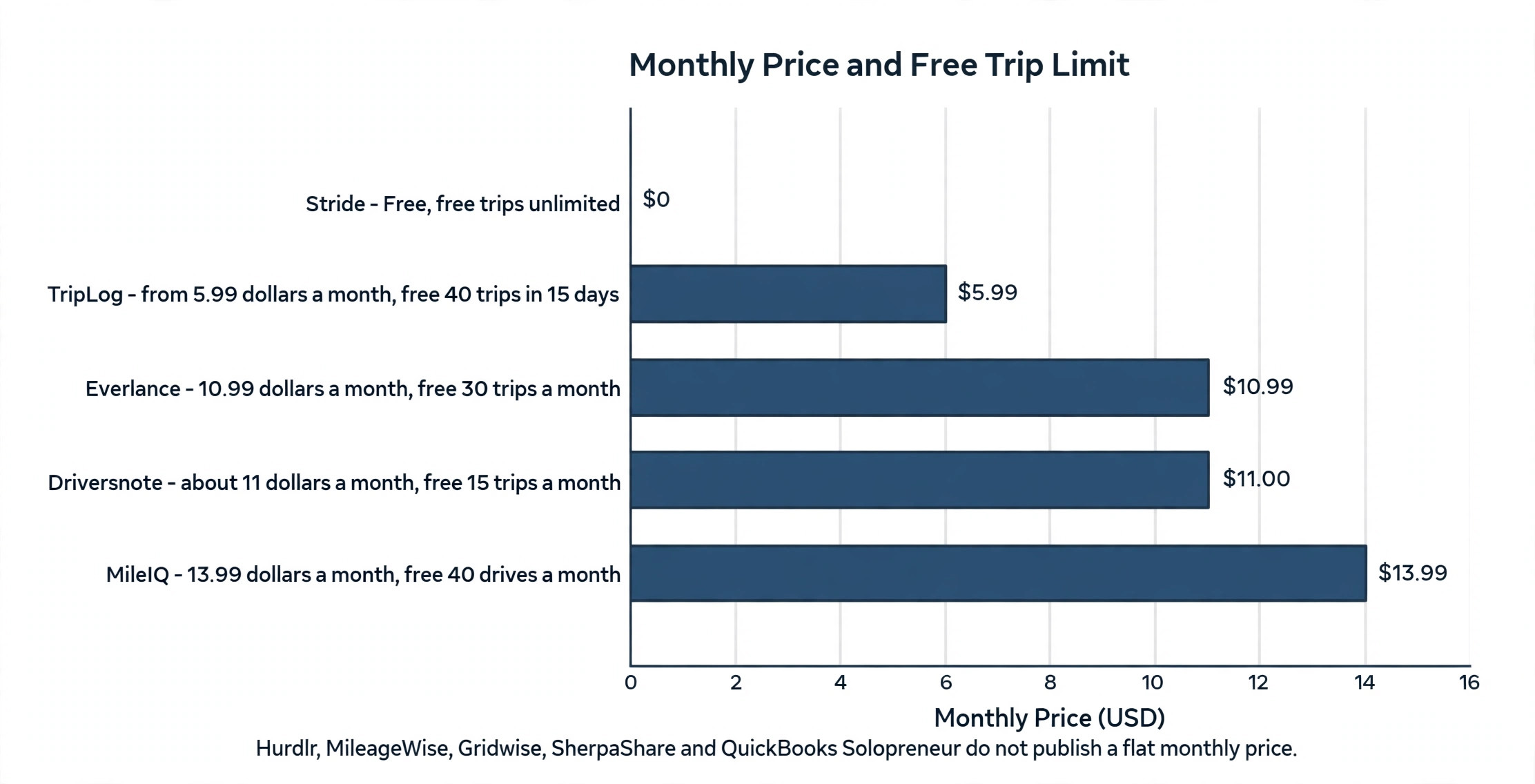
Pricing is free for 40 drives a month, with Unlimited at 13.99 dollars a month, or 11.66 dollars a month billed annually. The price has risen sharply, from about 60 dollars a year to about 140 dollars a year on an annual plan, or about 168 dollars a year billed monthly, which is a rise of more than 130 percent with no major new features to show for it. MileIQ only handles mileage, so if you need receipts or invoices you will need a second app. It is the best pick when you want mileage logging and nothing else, and you are willing to pay the highest price in the category for the simplest experience.
2. Everlance
Everlance combines mileage tracking with expense tracking in one app, and it is the best pick for a self employed professional who manages taxes and expenses together. It detects drives automatically and lets you classify them with a swipe, and it also tracks expenses, from receipt uploads on the free plan to automatic expense tracking on Professional, and it produces IRS compliant mileage logs with a deduction finder.
Pricing starts free with 30 automatically detected trips a month and unlimited manual trips. The Starter plan costs 10.99 dollars a month, or 89.99 dollars a year, with unlimited automatic detection. The Professional plan costs 119.99 dollars a year and adds automatic expense tracking, a deduction finder, 1099 filing and audit defense. The limit is battery use, which runs higher than MileIQ because the app combines GPS tracking with expense tracking, and the recent price rise from 8 dollars to 9 dollars a month has frustrated some users. Choose Everlance when you want mileage and expenses in one app, and choose MileIQ when you want mileage only with the lightest battery use.
3. TripLog
TripLog is the top pick for a small business reimbursing several drivers, and it was ranked the top mileage tracker for small businesses in 2026 by Fit Small Business. It covers auto tracking, manual entry, team management, reimbursement and export to accounting, with a focus on the business workflow rather than the solo driver. A manager can see every driver, approve trips, set reimbursement rates and export a single report for payroll.
Pricing starts at 5.99 dollars a month for the individual plan, with team plans above it for several drivers. The free tier covers 40 trips in 15 days, which is enough to test the app with real drives before you pay. TripLog is the best pick when you reimburse mileage for a team, because the team features are built in rather than added on, and it is a weaker pick when you only need a simple solo tracker, because the business features add screens a solo driver will never open.
4. Driversnote
Driversnote is an accurate mileage only tracker with a focus on clean logs and audit readiness. It detects drives automatically, lets you classify them quickly, and produces IRS compliant reports with the four details the IRS asks for on every trip. The app also offers an iBeacon hardware option, included with an annual plan and valued at about 40 dollars, which improves detection accuracy by starting the log when the phone enters the car.
Pricing is free for 15 trips a month, with a paid plan at about 11 dollars a month and no annual discount in the summaries we checked. That free limit is low, so a driver doing more than 15 trips a month will need the paid plan within days. Driversnote is the best pick when accuracy matters more than extras, and when you want a mileage only log without expense tracking or income logging. It is a weaker pick when you want a free plan that lasts the month, because 15 trips is the smallest free limit on this list.
5. Stride
Stride is a free mileage tracker built for gig workers and self employed drivers, and it is the best free start on this list. It tracks mileage automatically, estimates the tax deduction as you drive, and includes a tax deduction finder that looks for other deductions beyond mileage. At 72.5 cents per mile, the app shows the running deduction total, so a driver can see the value of the log in real time rather than waiting for tax season.
Pricing is free, with no paid tier required for the core tracking and deduction features. The limit is depth. Stride does not offer the team reimbursement features of TripLog, the expense depth of Everlance, or the audit trail polish of MileIQ, so it suits a solo driver who wants a free tracker that works, not a business that needs team reports. Choose Stride when your budget is zero and you drive for gig work or a solo business, and upgrade to a paid app when you need team features or a formal IRS report for an accountant.
6. Hurdlr
Hurdlr is a mileage and expense tracker built for self employed drivers, freelancers and small business owners who want automatic tracking with tax estimates. It detects drives automatically, tracks income and expenses alongside mileage, and estimates quarterly taxes so a driver can set money aside before the tax bill arrives. That tax estimate is the feature that sets it apart from a pure mileage tracker, because it turns the log into a planning tool rather than a record.
Pricing starts free with a limited tier, and paid plans add unlimited auto tracking, tax reports and expense automation. Confirm the current plans in the app store listing before you subscribe, because Hurdlr pricing has changed with its feature tiers. Hurdlr is the best pick when you want mileage, income and tax estimates in one app for a solo business, and it is a weaker pick when you need team reimbursement, because the team features are lighter than TripLog.
7. MileageWise
MileageWise is a mileage tracker focused on IRS compliant logs with a strong emphasis on accuracy and retroactive log building. It lets a driver rebuild a missing log from location history, which is a lifeline for a business that discovers in December that the first half of the year was never logged. The app produces reports with the four IRS details on every trip, and it is built for drivers who need a defensible log rather than a casual one.
Pricing is free to start, with paid plans for unlimited tracking and full report export. Confirm the current price in the app store listing, because the summaries we checked do not agree on a single figure. MileageWise is the best pick when you need to fix a gap in your log before tax time, and it is a weaker pick as a daily driver tracker, because the interface is built around the report rather than the drive. Use it to rescue a missing year, then move to a daily auto tracker for the year ahead.
8. Gridwise
Gridwise is a gig driver app that combines mileage tracking with earnings tracking across several platforms, and it suits a driver who works for more than one app. It tracks mileage automatically, shows earnings per platform, and helps a driver see which platform pays best per mile and per hour. That earnings view is the reason a gig driver chooses Gridwise over a pure mileage tracker, because the mileage is only half the question and the earnings per mile is the other half.
Pricing is free to start, with a paid Plus tier for deeper insights and airport alerts. Confirm the current price in the app store listing before you subscribe. Gridwise is the best pick for a delivery or rideshare driver who works across platforms, and it is a weaker pick for a traditional small business, because the gig features add screens a business driver will never use. Choose Gridwise when your income comes from several gig platforms, and choose TripLog when your mileage is a business expense to reimburse.
9. SherpaShare
SherpaShare is a mileage and earnings tracker for rideshare and delivery drivers, with a focus on the driver community and the local market. It tracks mileage automatically, shows driver earnings and heat maps, and helps a driver find the busy areas and the best times to drive. The community data is the selling point, because a driver who knows where the demand is will earn more per mile than a driver who guesses.
Pricing is free to start, with paid features for deeper insights. Confirm the current plans in the app store listing. SherpaShare is the best pick for a rideshare driver who wants community data alongside mileage tracking, and it is a weaker pick for a small business with employees, because it is built for gig drivers rather than for reimbursement and payroll. Use it when your driving is gig work, and use TripLog when your driving is a business expense.
10. QuickBooks Solopreneur
QuickBooks Solopreneur, formerly QuickBooks Self Employed, is the mileage tracker for a business that already runs QuickBooks. It tracks mileage automatically, separates business and personal trips with a swipe, and feeds the mileage straight into the QuickBooks books, so the deduction appears in the same place as the invoices and the expenses. That integration is the reason to choose it, because a mileage log that lives inside the accounting system is a log the accountant will actually see.
Pricing is bundled with the QuickBooks Solopreneur plan, so confirm the current price on the vendor site before you budget, because it changes with QuickBooks pricing. The limit is scope. It is built for a solo business, not for a team, and it does not offer the team reimbursement features of TripLog or the gig earnings features of Gridwise. Choose it when you already pay for QuickBooks and you want mileage inside the books, and choose a standalone tracker when you want the best mileage app regardless of your accounting tool.
How to Choose the Right Mileage Tracker
Start with your driver count, because one driver and five drivers need different apps, and the best mileage tracker apps for small business are chosen by team size first. A solo driver needs the simplest auto tracker with the lowest battery use, and MileIQ or Stride fits that job. A business with several drivers needs team reimbursement, approval and export, and TripLog fits that job. A gig driver needs earnings per platform, and Gridwise or SherpaShare fits that job. Count your drivers before you compare prices, because the right app for one driver is the wrong app for five.
Next, check the free trip limit against your real driving. MileIQ gives 40 drives a month, Everlance gives 30 automatic trips a month, TripLog gives 40 trips in 15 days, and Driversnote gives 15 trips a month. A driver doing 20 trips a week will burn through a 40 trip limit in two weeks, so the free plan is a test, not a plan. Work out your trips per month from last month driving, then choose the paid plan that covers that number with room to spare.
Then think about what else you need. A driver who also tracks receipts needs Everlance or Hurdlr, a driver who needs a tax estimate needs Hurdlr or Stride, and a driver who needs mileage inside QuickBooks needs QuickBooks Solopreneur. A driver who only needs mileage should buy a mileage only app, because paying for expense features you never open is a waste. Test the app for two weeks with real drives before you pay, and check the IRS report at the end of the trial, because the report is the product.
Finally, update the rate inside the app. New accounts start with the current IRS business rate as the default, but the app does not change the rate when the IRS does, so update it after the rate changes. Set a calendar reminder for January each year to check the rate at irs.gov and update every app and every spreadsheet. A log with the wrong rate is a log that underclaims, and the fix takes 30 seconds once a year.
- Count your drivers and your trips per month from last month driving.
- Test the free plan for two weeks with real drives.
- Download the IRS report and check the four details on every trip.
- Check battery use over a full week before you commit.
- Update the IRS rate inside the app every January.
What to Check Before You Pay for a Mileage Tracker
Check the free trip limit against your real driving before you enter card details, because the free limit is where most drivers get caught. MileIQ gives 40 drives a month, Everlance gives 30 automatic trips a month, TripLog gives 40 trips in 15 days, and Driversnote gives 15 trips a month. A driver doing 20 trips a week will burn through a 40 trip limit in two weeks, so the free plan is a test, not a plan. The best mileage tracker apps for small business are priced for your real trip count, so count last month trips before you compare prices.
Check the IRS report at the same time. Download the report during the trial and check that every trip shows the date, the mileage, the start and end locations, and the business purpose, because a report that misses one detail is a report your accountant cannot use. Also check the export format, because a report that only exports as a PDF is harder to use than one that exports as a spreadsheet for your accountant. Finally, check the battery use over a full week, because an app that drains the phone will be deleted, and a deleted app logs nothing. Test all three, the limit, the report and the battery, before you pay for a year.
Mistakes That Waste Money
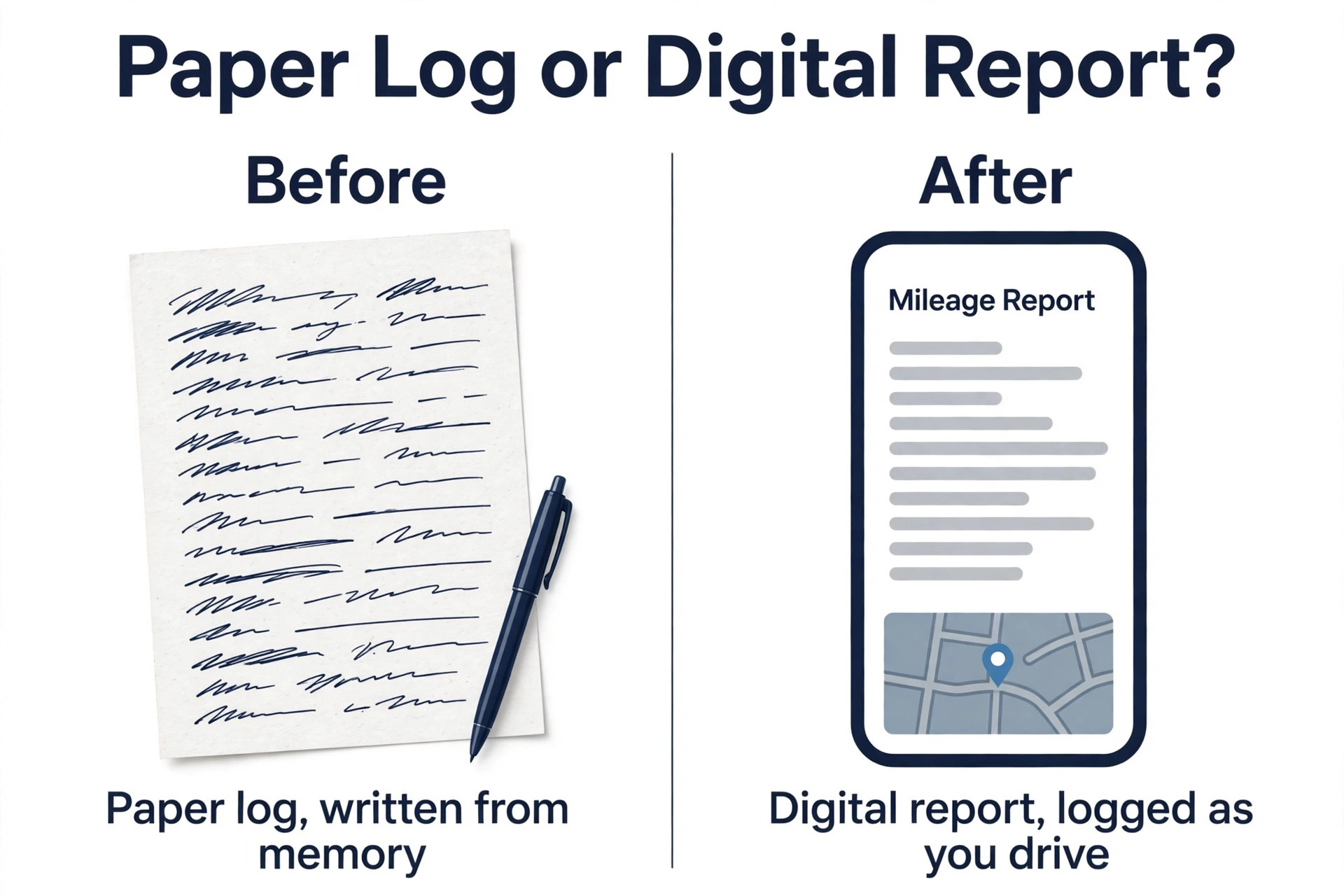
The most common mistake is relying on memory. A driver who writes the log at the end of the year will forget trips, guess at mileage and miss the business purpose, and the IRS can reject a log that is not contemporaneous. An auto tracker that detects the drive when it happens solves that problem for a few dollars a month, so the cost of the app is far lower than the cost of the lost deduction. Turn on auto tracking on day one and never turn it off.
The second mistake is paying for the most expensive app when a free one would do. A driver doing 20 trips a month does not need a 13.99 dollar a month plan, because the free tier covers 40 trips, so check the free limit before you pay. The third mistake is ignoring battery use. An app that drains the phone will be deleted, and a deleted app logs nothing, so test battery use for a full week before you commit. The best mileage tracker apps for small business are the ones that stay installed, because a tracker that stays installed is a tracker that logs every mile.
Our Verdict
MileIQ is the pick for most solo drivers among the best mileage tracker apps for small business, because the detection is the most accurate in the category and the swipe classification takes seconds a day, even though the price has risen to 13.99 dollars a month. Everlance is the pick when you want mileage and expenses in one app, because the Starter plan at 10.99 dollars a month or 89.99 dollars a year adds receipt scanning and a deduction finder for less than MileIQ alone. TripLog is the pick for a small business team, because the team reimbursement and export features are built in from 5.99 dollars a month.
When your budget is zero, start with Stride, because the free tracking and tax deduction finder cover the core job without a subscription. When accuracy is the priority and you want a hardware boost, Driversnote at about 11 dollars a month with the iBeacon option is the pick. When your books already live in QuickBooks, QuickBooks Solopreneur keeps the mileage inside the accounting system your accountant already uses. Pick the app that matches your driver count, your trip count and your expense needs, and every business mile will be logged.
Frequently Asked Questions
What is the IRS mileage rate for 2026?
The IRS standard mileage rate for business use in 2026 is 72.5 cents per mile, up from 70 cents in 2025. The medical and moving rate is 20.5 cents per mile, and the charitable rate remains 14 cents per mile. These rates apply to all vehicle types, including electric and hybrid vehicles. Verify the current rate at irs.gov before you file, because the rate can change, and update the rate inside your tracker app when it does, since the app does not update it automatically.
What does the IRS require in a mileage log?
The IRS requires four details for every business trip, and it requires them to be recorded at or near the time of the trip. The date, the mileage, the start and end locations, and the business purpose. The IRS also asks for your total miles for the year, which start and end of year odometer readings show. A log that misses any one of those details can be rejected, so use an app that records all four automatically and produces a report your accountant can use.
Is MileIQ still worth it after the price rise?
MileIQ is still worth it when you want the simplest pure mileage tracker with the best detection accuracy and the longest audit trail, because the app runs in the background and the swipe classification takes seconds a day. The price has risen from about 60 dollars a year to about 140 dollars a year on an annual plan, or about 168 dollars a year billed monthly, which is hard to justify when Everlance adds expense tracking for about the same price and Driversnote delivers comparable accuracy for less. Try the free tier for 40 drives a month first, and only pay when you are sure the accuracy is worth the premium.
Can I track mileage for several drivers in one app?
Yes, you can track mileage for several drivers in one app with TripLog, which is built for small business teams with reimbursement, approval and export to accounting. MileIQ and Everlance are built for individual drivers, so a team would need a separate account for each driver and a manual step to combine the reports. Choose TripLog when you reimburse mileage for a team, and choose a solo app when you are the only driver.
Do mileage tracker apps drain the battery?
Yes, mileage tracker apps use battery, because they use GPS to detect drives, and the amount varies by app. MileIQ is known for low battery use, while Everlance uses more because it combines GPS tracking with expense tracking. Test the app for a full week with your normal driving before you commit, and check the battery report on your phone. An app that drains the phone will be deleted, and a deleted app logs nothing, so battery use is a real buying factor, not a minor detail.
Can I rebuild a mileage log I forgot to keep?
Yes, you can rebuild a missing log with MileageWise, which lets you rebuild a log from location history and produce IRS compliant reports with the four required details on every trip. The rebuilt log is better than no log, but it is not as strong as a contemporaneous log recorded when the drive happened, so use it to rescue a missing year and then turn on auto tracking for the year ahead. Start the new year with an auto tracker, and set a calendar reminder to check the log every month.
A good mileage tracker is one you forget about until tax time, when it hands you a complete log. Pick the app that matches your driver count and your trip count, test it for two weeks, and check the IRS report before you pay. Every business mile you log is money you keep, and every mile you forget is money you give away.